The Smell of Molten Projects in the Morning

Ed Nisley's Blog: Shop notes, electronics, firmware, machinery, 3D printing, laser cuttery, and curiosities. Contents: 100% human thinking, 0% AI slop.

Category: Software

General-purpose computers doing something specific

  • Improved Lipstick and Lip Balm Holder With Text

    For reasons that aren’t relevant here, Mary asked me to make four sets of improved lipstick / lip balm / sunscreen holders with five smaller tubes plus the central one and an inscription on the bottom. I ran off one with the last of the cyan PETG and the other three in natural PETG:

    Improved Lipstick Holder - on platform
    Improved Lipstick Holder – on platform

    I embossed the text into the bottom three layers. The tiny spots of detached infill for lowercase letters like a didn’t adhere to the platform, mostly because the retraction settings that work well for larger areas don’t push enough plastic out to bond with the platform before retracting and moving away.

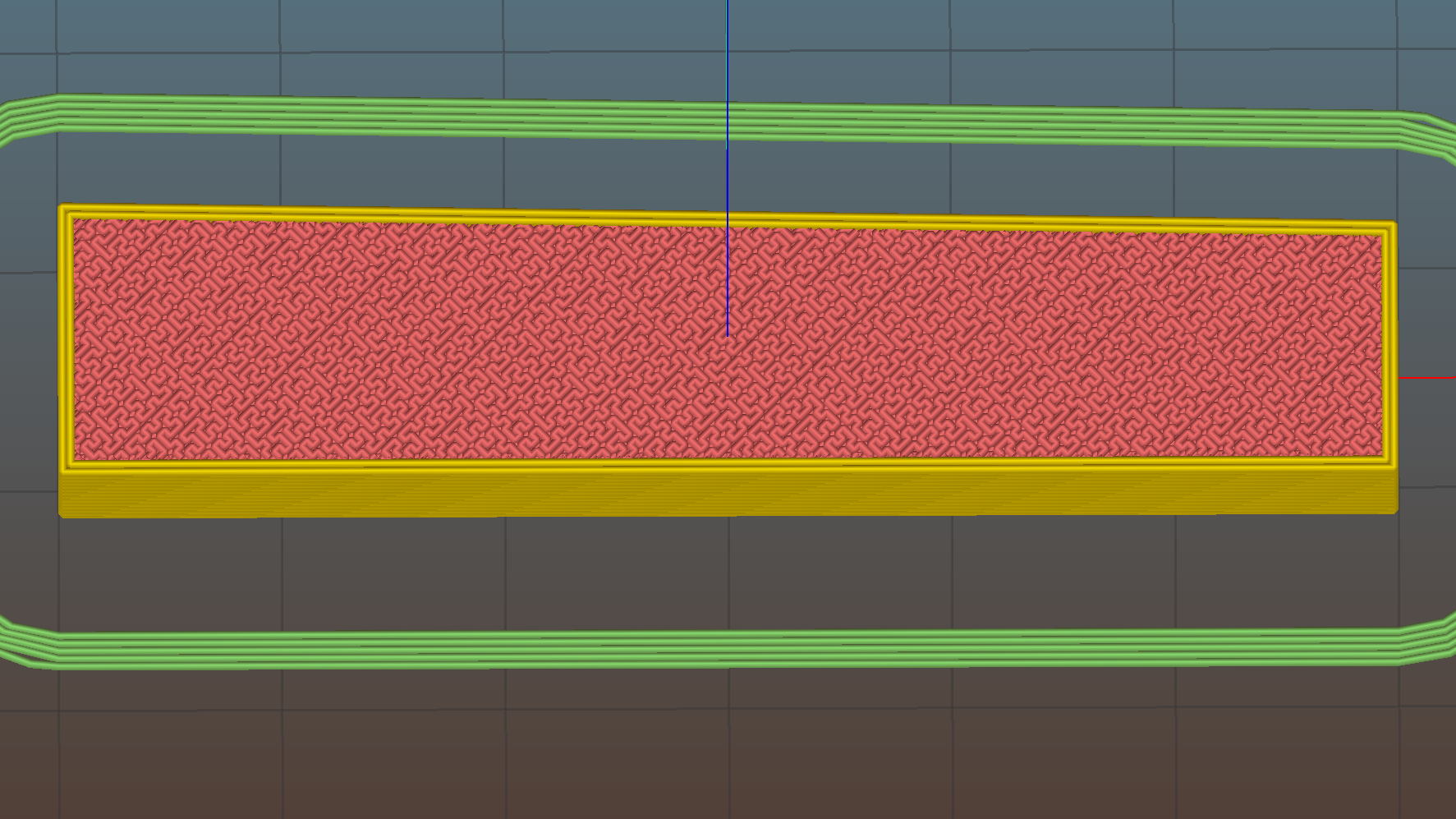
    The bridging layer over the text shows Slic3r doing the best it can (clicky for more far more dots). Laying a uniform patch over all the letters in one shot would work better, but I don’t know how you’d define an algorithm that specifies when such a situation occurs:

    Lip Balm Holder - text bridge layer - Slic3r preview
    Lip Balm Holder – text bridge layer – Slic3r preview

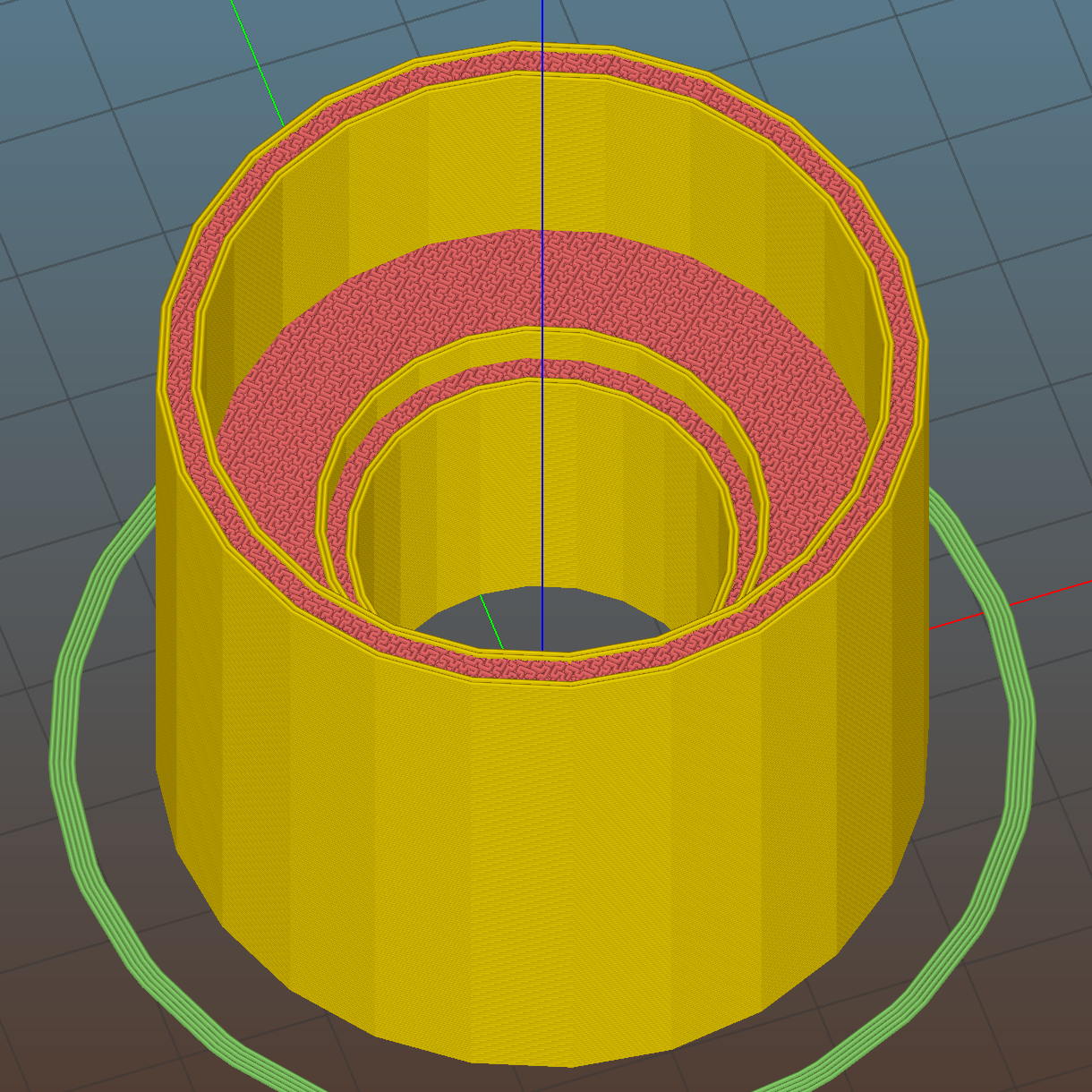
    The solid infill layer directly over the Hilbert Curve bottom layer came out grossly severely excessively overstuffed, to the extent that the accumulation reduced the flow of molten plastic and caused the filament drive to strip:

    Overfilled layer 2
    Overfilled layer 2

    Previewing the G-Code show nothing out of the ordinary and, after considerable flailing around, I finally set Slic3r to begin the 3D Honeycomb infill directly atop the Hilbert Curve bottom layer. That provided enough open space to complete the mission, but more debugging was in order.

    The OpenSCAD source code as a GitHub gist:

    // Lipstick and Balm Tube Holder
    // Ed Nisley KE4ZNU – February 2016
    //- Extrusion parameters – must match reality!
    ThreadThick = 0.25;
    ThreadWidth = 0.40;
    function IntegerMultiple(Size,Unit) = Unit * ceil(Size / Unit);
    Protrusion = 0.1;
    HoleWindage = 0.2;
    //——
    // Dimensions
    RawDia = [27,18,16,18,16,18]; // actual tube diameters in desired order, center = largest first
    NumTubes = len(RawDia);
    Clearance = 2.0;
    TubeDia = [for (i=[0:NumTubes-1]) (RawDia[i] + Clearance)]; // actual tube diameters
    TubeRad = TubeDia / 2;
    echo(str("NumTubes: ",NumTubes));
    Wall = 2.0;
    BaseThick = 2.0;
    BaseFactor = 2.0;
    NumSides = 12*4;
    // per-tube info, first element forced to 0 to make entries match RawDia vector indexes
    Radius = [0, for (i=[1:NumTubes-1]) (TubeRad[0] + TubeRad[i] + Wall)]; // Tube[i] distance to center point
    echo(str("Radius: ",Radius));
    CtrToCtr = [0, for (i=[1:NumTubes-2]) (TubeRad[i] + TubeRad[i+1] + Wall)]; // Tube[i] distance to Tube[i+1]
    echo(str("CtrToCtr: ",CtrToCtr));
    Angle = [0, for (i=[1:NumTubes-2]) acos((pow(Radius[i],2) + pow(Radius[i+1],2) – pow(CtrToCtr[i],2)) / (2 * Radius[i] * Radius[i+1]))];
    echo(str("Angle: ",Angle));
    TotalAngle = sumv(Angle,len(Angle)-1);
    echo(str("TotalAngle: ",TotalAngle));
    //———————-
    // Useful routines
    // vector sum cribbed from doc
    function sumv(v,i,s=0) = (i==s ? v[i] : v[i] + sumv(v,i-1,s));
    //———————-
    //- Build it
    difference() {
    union() {
    for (i=[0:NumTubes-1])
    rotate(90 – TotalAngle/2 + sumv(Angle, (i>0) ? (i-1) : 0))
    translate([Radius[i],0,0]) {
    resize([0,0,2*BaseThick]) // bases
    difference() {
    sphere(r=BaseFactor*TubeRad[i],$fn=NumSides);
    translate([0,0,-BaseFactor*TubeDia[i]])
    cube(2*BaseFactor*TubeDia[i],center=true);
    }
    difference() { // tubes
    cylinder(r=TubeRad[i] + Wall,h=1.5*TubeDia[i] + BaseThick,$fn=NumSides);
    cylinder(d=TubeDia[i],h=1.5*TubeDia[i] + BaseThick + Protrusion,$fn=NumSides);
    }
    }
    for (i=[1:NumTubes-2]) // gap plugs
    rotate(90 – TotalAngle/2 + sumv(Angle,i-1) + (Angle[i])/2)
    translate([(TubeRad[0] + Wall),0,0])
    cylinder(r=2*Wall,h=1.5*min(TubeDia[i],TubeDia[i+1]) + BaseThick,$fn=3);
    }
    translate([0,0,-Protrusion]) // text
    mirror([1,0,0])
    linear_extrude(height=3*ThreadThick + Protrusion) {
    translate([0,25,0])
    text(text="Linda",size=7,spacing=1.05,font="Arial:style=Bold Italic",halign="center");
    translate([0,15,0])
    text(text="FDQ ExComm",size=5,spacing=1.05,font="Arial:style=Regular",halign="center");
    translate([0,7,0])
    text(text="2014 – 2016",size=5,spacing=1.05,font="Arial:style=Regular",halign="center");
    translate([0,-3,0])
    text(text="Thank you!",size=6,spacing=1.05,font="Arial:style=Regular",halign="center");
    translate([0,-15,0])
    text(text="Mary Nisley",size=7,spacing=1.10,font="ITC Zapf Chancery:style=Medium Italic",halign="center");
    }
    }
  • Thinwall and Solid Boxes for 3D Printer Calibration

    A revision to my Fundamental Calibration Object adds some variations …

    The classic thinwall open box:

    Calibration Box - open - 1 thread - solid model
    Calibration Box – open – 1 thread – solid model

    A solid box:

    Calibration Box - solid - solid model
    Calibration Box – solid – solid model

    A solid box with text embossed on the lower surface:

    Calibration Box - solid text - solid model
    Calibration Box – solid text – solid model

    You must consider how the slicer settings interact with the solid model parameters, particularly now that slicers can produce adaptive infill for small gaps between perimeter threads. Previewing the slicer’s output will show you what assumptions it makes and prevent surprising results out there on the platform.

    A single-thread wall comes out properly:

    Thinwall open box - 0.40 wall - Slic3r
    Thinwall open box – 0.40 wall – Slic3r

    The results look just like the preview, with firmly bonded layers and no fluff:

    Thinwall open box - 1 thread walls
    Thinwall open box – 1 thread walls

    This wall should be two threads wide, but Slic3r inserts very very thin infill thread:

    Thinwall open box - 0.80 wall - Slic3r
    Thinwall open box – 0.80 wall – Slic3r

    I think that’s a result of forcing the two perimeter threads to sit with their centers exactly one thread width apart, making the (nominal, ideal) inner walls tangent to each other.  Setting the wall to 1.9 mm eliminates the hair-fine infill thread, at the cost of producing an object 0.1 mm smaller than it looks.

    Unfortunately, that fine infill doesn’t produce enough plastic flow for a continuous thread. The PET I’m using accumulates on the nozzle until enough of a glob forms to stick on the previous layer, but hair-fine strands connect those globs to each other and the nozzle, producing awful results:

    Thinwall open box - 2 thread walls
    Thinwall open box – 2 thread walls

    A triple-thread wall allows Slic3r to produce a fatter infill thread that works the way you’d expect:

    Thinwall open box - 1.20 wall - Slic3r
    Thinwall open box – 1.20 wall – Slic3r

    The threads bond firmly in all directions:

    Thinwall open box - 3 thread walls
    Thinwall open box – 3 thread walls

    It’s not obvious from that picture, but the bond between successive infill threads produces a glass-clear vertical plastic slab that relays images from the bottom to the top. The perimeter threads are also firmly bonded, albeit with not quite the same optical quality.

    To use these boxes:

    • Set the OpenSCAD extrusion parameters to match whatever the slicer will use
    • Set the wall height and thickness to whatever you like
    • Compile-and-render, export the result as a solid model in STL / AMF / whatever
    • Feed the solid model into your favorite slicer and save the G-Code
    • Feed the G-Code into your printer, watch it magically create a little box
    • Measure the printed results and compare with the ideal settings
    • Change the slicing configuration and iterate until satisfied

    Verify these measurements before adjusting anything else:

    • Filament diameter: actual vs. nominal will be different
    • Extruder steps per millimeter: mark 100 mm on filament, extrude 100 mm, compare

    Then you can verify / adjust some finicky settings:

    • Extrusion multiplier: does the actual single wall width match slicer’s nominal value?
    • Infill density: 100% infill should perfectly fill the solid box
    • Initial Z offset: does actual height match the model setting?
    • Platform alignment: print five boxes at platform center + corners, verify heights
    • First layer adhesion: if these don’t stick, the platform has weak adhesion
    • Minimum time per layer: if the walls slump, you’re printing too fast
    • Extrusion temperature: good bonding and no delamination along any axis

    The OpenSCAD source code as a GitHub gist:

    // Simple calibration boxes
    // Thin wall open box – verify Extrusion Multiplier
    // Solid box – verify infill settings
    // Ed Nisley – KE4ZNU
    // https://softsolder.com/
    Layout = "Open"; // Open Solid
    Texting = "Text!"; // text message on solid box or empty string to suppress
    //——-
    //- Extrusion parameters must match reality!
    ThreadThick = 0.25;
    ThreadWidth = 0.40;
    Protrusion = 0.1; // make holes end cleanly
    function IntegerMultiple(Size,Unit) = Unit * ceil(Size / Unit);
    //——-
    // Dimensions
    WallThick = 1.0 * ThreadWidth;
    echo(str("Wall thickness: ",WallThick));
    BoxSize = 20.0;
    echo(str("Overall size: ",BoxSize));
    NominalHeight = 3.0;
    echo(str("Nominal height: ",NominalHeight));
    Height = IntegerMultiple(NominalHeight,ThreadThick);
    echo(str("Actual height: ",Height));
    Rotation = 0; // 45 to exercise X and Y axis motors at same time
    CornerRadius = 2.0;
    CornerSides = 8*4;
    //——–
    module Solid() {
    difference() {
    hull()
    for (i=[-1,1], j=[-1,1])
    translate([i*(BoxSize – 2*CornerRadius)/2,j*(BoxSize – 2*CornerRadius)/2,0])
    cylinder(r=CornerRadius,h=Height,$fn=CornerSides);
    if (len(Texting))
    translate([0,0,-Protrusion/2])
    linear_extrude(height=3*ThreadThick + Protrusion)
    mirror([1,0,0])
    text(text=Texting,size=6,spacing=1.05,font="ITC Zapf Chancery:style=Italic",halign="center",valign="center");
    }
    }
    module Thinwall() {
    difference() {
    Solid();
    hull()
    for (i=[-1,1], j=[-1,1])
    translate([i*(BoxSize – 2*CornerRadius)/2,j*(BoxSize – 2*CornerRadius)/2,-Protrusion])
    cylinder(r=(CornerRadius – WallThick),h=(Height + 2*Protrusion),$fn=CornerSides);
    }
    }
    //——-
    rotate(Rotation)
    if (Layout == "Open")
    Thinwall();
    else
    Solid();
  • Square Chain Mail Armor: Back From The Abyss

    After a Slic3r commit fixed the bridging regression, I ran off chain mail patches to celebrate:

    Square Chain Mail Armor - 3.3 3.5 4.0 thread bars
    Square Chain Mail Armor – 3.3 3.5 4.0 thread bars

    Two more Scli3r improvements calculate thin-wall and gap infill based on the available space, then vary the extrusion width to make the answers come out right for a given nozzle diameter. As a result, infill between close-set perimeter walls works much better than before; some of my long-held assumptions became invalid.

    The only differences between the sheets: tweaking the BarWidth and SheetSize parameters. The links recalculate themselves around those values.

    The OpenSCAD source code as a GitHub gist:

    // Chain Mail Armor Buttons
    // Ed Nisley KE4ZNU – December 2014
    Layout = "Build"; // Link Button LB Joiner Joiners Build PillarMod
    //——-
    //- Extrusion parameters must match reality!
    // Print with 1 shell and 2+2 solid layers
    ThreadThick = 0.25;
    ThreadWidth = 0.40;
    HoleWindage = 0.2;
    Protrusion = 0.1; // make holes end cleanly
    function IntegerMultiple(Size,Unit) = Unit * ceil(Size / Unit);
    //——-
    // Dimensions
    //- Set maximum sheet size
    SheetSizeX = 125; // 170 for full sheet on M2
    SheetSizeY = 125; // 230 …
    //- Diamond or rectangular sheet?
    Diamond = false; // true = rotate 45 degrees, false = 0 degrees for square
    BendAround = "X"; // X or Y = maximum flexibility *around* designated axis
    Cap = true; // true = build bridge layers over links
    CapThick = 4 * ThreadThick; // flat cap on link: >= 3 layers for solid bridging
    Armor = true && Cap; // true = build armor button atop (required) cap
    ArmorThick = IntegerMultiple(2.0,ThreadThick); // height above cap surface
    ArmorSides = 4;
    ArmorAngle = true ? 180/ArmorSides : 0; // true -> rotate half a side for best alignment
    //- Link bar sizes
    BarThick = 3 * ThreadThick;
    BarWidth = 3.3 * ThreadWidth;
    BarClearance = 3 * ThreadThick; // vertical clearance above & below bars
    VertexHack = false; // true to slightly reduce openings to avoid coincident vertices
    //- Compute link sizes from those values
    //- Absolute minimum base link: bar width + corner angle + build clearance around bars
    // rounded up to multiple of thread width to ensure clean filling
    BaseSide = IntegerMultiple((4*BarWidth + 2*BarWidth/sqrt(2) + 3*(2*ThreadWidth)),ThreadWidth);
    BaseHeight = 2*BarThick + BarClearance; // both bars + clearance
    echo(str("BaseSide: ",BaseSide," BaseHeight: ",BaseHeight));
    //echo(str(" Base elements: ",4*BarWidth,", ",2*BarWidth/sqrt(2),", ",3*(2*ThreadWidth)));
    //echo(str(" total: ",(4*BarWidth + 2*BarWidth/sqrt(2) + 3*(2*ThreadWidth))));
    BaseOutDiagonal = BaseSide*sqrt(2) – BarWidth;
    BaseInDiagonal = BaseSide*sqrt(2) – 2*(BarWidth/2 + BarWidth*sqrt(2));
    echo(str("Outside diagonal: ",BaseOutDiagonal));
    //- On-center distance measured along coordinate axis
    // the links are interlaced, so this is half of what you think it should be…
    LinkOC = BaseSide/2 + ThreadWidth;
    LinkSpacing = Diamond ? (sqrt(2)*LinkOC) : LinkOC;
    echo(str("Base spacing: ",LinkSpacing));
    //- Compute how many links fit in sheet
    MinLinksX = ceil((SheetSizeX – (Diamond ? BaseOutDiagonal : BaseSide)) / LinkSpacing);
    MinLinksY = ceil((SheetSizeY – (Diamond ? BaseOutDiagonal : BaseSide)) / LinkSpacing);
    echo(str("MinLinks X: ",MinLinksX," Y: ",MinLinksY));
    NumLinksX = ((0 == (MinLinksX % 2)) && !Diamond) ? MinLinksX + 1 : MinLinksX;
    NumLinksY = ((0 == (MinLinksY % 2) && !Diamond)) ? MinLinksY + 1 : MinLinksY;
    echo(str("Links X: ",NumLinksX," Y: ",NumLinksY));
    //- Armor button base
    ButtonHeight = BaseHeight + BarClearance + CapThick;
    echo(str("ButtonHeight: ",ButtonHeight));
    //- Armor ornament size & shape
    // Fine-tune OD & ID to suit the number of sides…
    TotalHeight = ButtonHeight + ArmorThick;
    echo(str("Overall Armor Height: ",TotalHeight));
    ArmorOD = 1.0 * BaseSide; // tune for best base fit
    ArmorID = 10 * ThreadWidth; // make the tip blunt & strong
    //——-
    module ShowPegGrid(Space = 10.0,Size = 1.0) {
    RangeX = floor(95 / Space);
    RangeY = floor(125 / Space);
    for (x=[-RangeX:RangeX])
    for (y=[-RangeY:RangeY])
    translate([x*Space,y*Space,Size/2])
    %cube(Size,center=true);
    }
    //——-
    // Create link with armor button as needed
    module Link(Topping = false) {
    LinkHeight = (Topping && Cap) ? ButtonHeight : BaseHeight;
    render(convexity=3)
    rotate((BendAround == "X") ? 90 : 0)
    rotate(Diamond ? 45 : 0)
    union() {
    difference() {
    translate([0,0,LinkHeight/2]) // outside shape
    intersection() {
    cube([BaseSide,BaseSide,LinkHeight],center=true);
    rotate(45)
    cube([BaseOutDiagonal,BaseOutDiagonal,(LinkHeight + 2*Protrusion)],center=true);
    }
    translate([0,0,(BaseHeight + BarClearance + 0*ThreadThick – Protrusion)/2])
    intersection() { // inside shape
    cube([(BaseSide – 2*BarWidth),
    (BaseSide – 2*BarWidth),
    (BaseHeight + BarClearance + 0*ThreadThick + (VertexHack ? Protrusion/2 : 0))],
    center=true);
    rotate(45)
    cube([BaseInDiagonal,
    BaseInDiagonal,
    (BaseHeight + BarClearance + 0*ThreadThick + (VertexHack ? Protrusion/2 : 0))],
    center=true);
    }
    translate([0,0,((BarThick + 2*BarClearance)/2 + BarThick)]) // openings for bars
    cube([(BaseSide – 2*BarWidth – 2*BarWidth/sqrt(2) – (VertexHack ? Protrusion/2 : 0)),
    (2*BaseSide),
    BarThick + 2*BarClearance – Protrusion],
    center=true);
    translate([0,0,(BaseHeight/2 – BarThick)])
    cube([(2*BaseSide),
    (BaseSide – 2*BarWidth – 2*BarWidth/sqrt(2) – (VertexHack ? Protrusion/2 : 0)),
    BaseHeight],
    center=true);
    }
    if (Topping && Armor)
    translate([0,0,(ButtonHeight – Protrusion)]) // sink slightly into the cap
    rotate(ArmorAngle)
    cylinder(d1=ArmorOD,d2=ArmorID,h=(ArmorThick + Protrusion), $fn=ArmorSides);
    }
    }
    //——-
    // Create split buttons to join sheets
    module Joiner() {
    translate([-LinkSpacing,0,0])
    difference() {
    Link(false);
    translate([0,0,BarThick + BarClearance + TotalHeight/2 – Protrusion])
    cube([2*LinkSpacing,2*LinkSpacing,TotalHeight],center=true);
    }
    translate([LinkSpacing,0,0])
    intersection() {
    translate([0,0,-(BarThick + BarClearance)])
    Link(true);
    translate([0,0,TotalHeight/2])
    cube([2*LinkSpacing,2*LinkSpacing,TotalHeight],center=true);
    }
    }
    //——-
    // Build it!
    //ShowPegGrid();
    if (Layout == "Link") {
    Link(false);
    }
    if (Layout == "Button") {
    Link(true);
    }
    if (Layout == "LB") {
    color("Brown") Link(true);
    translate([LinkSpacing,LinkSpacing,0])
    color("Orange") Link(false);
    }
    if (Layout == "Build")
    for (ix = [0:(NumLinksX – 1)],
    iy = [0:(NumLinksY – 1)]) {
    x = (ix – (NumLinksX – 1)/2)*LinkSpacing;
    y = (iy – (NumLinksY – 1)/2)*LinkSpacing;
    translate([x,y,0])
    color([(ix/(NumLinksX – 1)),(iy/(NumLinksY – 1)),1.0])
    if (Diamond)
    Link((ix + iy) % 2); // armor at odd,odd & even,even points
    else
    if ((iy % 2) && (ix % 2)) // armor at odd,odd points
    Link(true);
    else if (!(iy % 2) && !(ix % 2)) // connectors at even,even points
    Link(false);
    }
    if (Layout == "Joiner")
    Joiner();
    if (Layout == "Joiners") {
    NumJoiners = max(MinLinksX,MinLinksY)/2;
    for (iy = [0:(NumJoiners – 1)]) {
    y = (iy – (NumJoiners – 1)/2)*2*LinkSpacing + LinkSpacing/2;
    translate([0,y,0])
    color([0.5,(iy/(NumJoiners – 1)),1.0])
    Joiner();
    }
    }
    if (Layout == "PillarMod") // Slic3r modification volume to eliminate pillar infill
    translate([0,0,(BaseHeight + BarClearance)/2])
    cube([1.5*SheetSizeX,1.5*SheetSizeY,BaseHeight + BarClearance],center=true);
  • Raspberry Pi Power Heartbeat LED

    While looking for something else, I found a reference to the /boot/overlays/README file, wherein it is written:

            act_led_trigger         Choose which activity the LED tracks.
                                    Use "heartbeat" for a nice load indicator.
                                    (default "mmc")
    
            act_led_activelow       Set to "on" to invert the sense of the LED
                                    (default "off")
    
            act_led_gpio            Set which GPIO to use for the activity LED
                                    (in case you want to connect it to an external
                                    device)
                                    (default "16" on a non-Plus board, "47" on a
                                    Plus or Pi 2)
    
    ... snippage ...
    
            pwr_led_trigger
            pwr_led_activelow
            pwr_led_gpio
                                    As for act_led_*, but using the PWR LED.
                                    Not available on Model A/B boards.
    

    Although the power LED isn’t (easily) visible through the Canakit cases I’m using (it’s under the barely visible hole in front of the small hole near the hacked RUN connector), turning it into a heartbeat pulse distinguishes the CPU’s “running” and “halted” states; whether it will also distinguish “crashed” is up for grabs.

    It’s not at all clear what other choices you have.

    To enable heartbeating, add this to /boot/config.txt:

    # turn power LED into heartbeat
    dtparam=pwr_led_trigger=heartbeat
    #
    

    I expected a simple 50% duty cycle heartbeat, but it’s an annoying double blink: long off / on / off / on / long off. Fortunately, it still isn’t (easily) visible …

    While you have that file open, reduce the GPU memory to the absolute minimum for headless operation:

    # minimal GPU memory for headless operation
    gpu_mem=16
    #
    

    Some further ideas, including a way to turn off the HDMI interface.

  • Streaming Player: NFS Program Distribution

    With three identical Raspberry Pi streaming players tootling around the house, it finally dawned on me that they should fetch their Python program directly from The Definitive Source, rather than a local copy.

    Tweak the auto-startup in /etc/rc.local:

    mount -o ro mollusk:/mnt/bulkdata/Project\ Files/Streaming\ Media\ Player/Firmware/ /mnt/part
    sudo -u pi python /mnt/part/Streamer.py &
    

    There’s probably a way to redirect all of the stdout and stderr results to a file for debugging, but the obvious method doesn’t work:

    sudo -u pi sh -c "python /mnt/part/Streamer.py 2>&1 > /tmp/st.log" &
    

    That redirects stdout from the subprocess call to set up the mixer, but doesn’t catch Python’s print output.

    Using the Python logging library would get most of the way to the goal, although stdout from things like the mixer would still vanish.

    Continuing with the network theme, one could netboot the RPi players, but that requires more sysadmin hackery than I’m willing to do, what with the good being the enemy of the best.

  • UDEV Rules for Dell AC511 USB Soundbar

    A monitor sound bar seems good enough for streaming background music and suchlike, with the benefit of eliminating the external USB audio converter and reducing the cable tangle:

    Dell AC511 USB Soundbar - Dell Image 318-2885r3
    Dell AC511 USB Soundbar – Dell Image 318-2885r3

    That’s a Dell AC511 USB SoundBar (their choice of capitalization); I mooched the image from their description, because I cannot take a good picture of a dead-black device.

    Depending on the description you read, it’s good for maybe 1.5 W, which is about all you can get directly from a USB port: 5 V at well under 500 mA. The audio output required no configuration at all: unplug the Behringer USB converter, plug this in, reboot that sucker, and It Just Worked. Sounds pretty good for as little power as it produces, too; organ music will never reach gut-pounding levels.

    The far end of the bar sports a headphone output jack and a line-in jack, so apparently it can handle audio input, despite that not appearing in the online doc. Bonus!

    The knob on this end spins endlessly while spitting out USB volume control events that, presumably, work seamlessly with an ordinary Windows setup. It’ll take a bit more effort with a headless Raspberry Pi.

    So, we begin …

    Following the usual recipe gives these results:

    cat /proc/bus/input/devices
    I: Bus=0003 Vendor=413c Product=a503 Version=0100
    N: Name="Dell Dell AC511 USB SoundBar"
    P: Phys=usb-3f980000.usb-1.5/input3
    S: Sysfs=/devices/platform/soc/3f980000.usb/usb1/1-1/1-1.5/1-1.5:1.3/0003:413C:A503.0002/input/input1
    U: Uniq=
    H: Handlers=kbd event1
    B: PROP=0
    B: EV=13
    B: KEY=e0000 0 0 0
    B: MSC=10
    

    In this case, the Name field seems reasonably unique, and, seeing as how the collection of devices required to do this thing keeps growing, I renamed the old /etc/udev/rules.d/KeyPad.rules to Streamer.rules and dropped the new rule in there to keep everything together:

    ATTRS{name}=="HID 13ba:0001", SYMLINK+="input/keypad"
    ATTRS{idVendor}=="062a", ATTRS{idProduct}=="4101", ENV{ID_INPUT_KEYBOARD}=="1", SYMLINK+="input/keypad"
    
    ATTRS{name}=="Dell Dell AC511 USB SoundBar", SYMLINK+="input/volume"
    

    Load the new rule, trigger udev, and it pops up at the right spot:

    sudo udevadm control --reload
    sudo udevadm trigger
    ll /dev/input
    total 0
    drwxr-xr-x 2 root root      80 Feb 23 16:35 by-id
    drwxr-xr-x 2 root root      80 Feb 23 16:35 by-path
    crw-rw---- 1 root input 13, 64 Feb 23 19:30 event0
    crw-rw---- 1 root input 13, 65 Feb 23 19:30 event1
    lrwxrwxrwx 1 root root       6 Feb 23 19:30 keypad -> event0
    crw-rw---- 1 root input 13, 63 Feb 23 19:30 mice
    lrwxrwxrwx 1 root root       6 Feb 23 19:30 volume -> event1
    

    Now, to make those KEY_VOLUMEUP and KEY_VOLUMEDOWN events change the volume…

  • Raspberry Pi Streaming Radio Player: Marginally Viable Product

    The least horrible way to get events from the keypad turned out to be a simple non-blocking poll from Python’s select library, then sucking the event input queue dry; the main loop now does what might be grandiosely overstated as cooperative multitasking. Well, hey, it reads lines from mplayer’s output pipe and processes keypad events and doesn’t stall (for very long) and that’s multi enough for me.

    It extracts the stream title from the ICY Info line, but I still haven’t bothered with a display. It may well turn out that this thing doesn’t need a display. The stream title will be enclosed in single quotes, but it may also contain non-escaped and non-paired single quotes (a.k.a. apostrophes): the obvious parsing strategy doesn’t work. I expect titles can contain non-escaped semicolons, too, which will kill the algorithm I’m using stone cold dead. Some try - except armor may be appropriate.

    This code does not tolerate a crappy WiFi connection very well at all. I eventually replaced a long-antenna WiFi adapter with an actual Ethernet cable and all the mysterious problems at the far end of the house Went Away. Soooo this code won’t tolerate random network stream dropouts very well, either; we’ll see how poorly that plays out in practice.

    The hackery to monitor / kill / restart / clean up after mplayer and its pipes come directly from seeing what failed, then whacking that mole in the least intrusive manner possible. While it would be better to wrap a nice abstract model around what mplayer is (assumed to be) doing, it’s not at all clear to me that I can build a sufficiently durable model to be worth the effort. Basically, trying to automate a program designed to be human-interactive is always a recipe for disaster.

    The option for the Backspace / Del key lets you do remote debugging by editing the code to just bail out of the loop instead of shut down. Unedited, it’s a power switch: the Pi turns off all the peripherals and shuts itself down. The key_hold conditional means you must press-and-hold that button to kill the power, but don’t run this on your desktop PC, OK?

    Autostarting the program requires one line in /etc/rc.local:

    sudo -u pi python /home/pi/Streamer.py &
    

    AFAICT, using cron with an @REBOOT line has timing issues with the network being available, but I can’t point to any solid evidence that hacking rc.local waits until the network is up, either. So far, so good.

    I make no apologies for any of the streams; I needed streams behind all the buttons and picked stuff from Xiph’s listing. The AAC+ streams from the Public Domain Project give mplayer a bad bellyache; I think its codecs can’t handle the “+” part of AAC+.

    All in all, not bad for a bit over a hundred lines of code, methinks…

    More fiddling will happen, but we need some continuous experience for that; let the music roll!

    The Python program as a GitHub Gist:

    from evdev import InputDevice,ecodes,KeyEvent
    import subprocess32
    import select
    import re
    import sys
    Media = {'KEY_KP7' : ['Classical',['mplayer','-playlist','http://stream2137.init7.net/listen.pls'%5D%5D,
    'KEY_KP8' : ['Jazz',['mplayer','-playlist','http://stream2138.init7.net/listen.pls'%5D%5D,
    'KEY_KP9' : ['WMHT',['mplayer','http://live.str3am.com:2070/wmht1'%5D%5D,
    'KEY_KP4' : ['Dub 1',['mplayer','-playlist','http://dir.xiph.org/listen/2645/listen.m3u'%5D%5D,
    'KEY_KP5' : ['Dub 2',['mplayer','http://streaming207.radionomy.com:80/MiamiClubMusiccom'%5D%5D,
    'KEY_KP6' : ['WAMC',['mplayer','http://pubint.ic.llnwd.net/stream/pubint_wamc'%5D%5D,
    'KEY_KP1' : ['Oldies 1',['mplayer','http://streaming304.radionomy.com:80/keepfree60s'%5D%5D,
    'KEY_KP2' : ['Oldies 2',['mplayer','http://streaming207.radionomy.com:80/1000Oldies'%5D%5D,
    'KEY_KP3' : ['Soft Rock',['mplayer','http://streaming201.radionomy.com:80/SoftRockRadio'%5D%5D,
    'KEY_KP0' : ['Smooth',['mplayer','http://streaming202.radionomy.com:80/The-Smooth-Lounge'%5D%5D
    }
    CurrentKC = 'KEY_KP7'
    Controls = {'KEY_KPSLASH' : '/',
    'KEY_KPASTERISK' : '*',
    'KEY_KPENTER' : ' ',
    'KEY_KPMINUS' : '<',
    'KEY_KPPLUS' : '>'
    }
    # set up event input and polling
    k=InputDevice('/dev/input/keypad')
    kp = select.poll()
    kp.register(k.fileno(),select.POLLIN + select.POLLPRI + select.POLLERR)
    # set up files for mplayer pipes
    lw = open('/tmp/mp.log','w') # mplayer piped output
    lr = open('/tmp/mp.log','r') # … reading that output
    # Start the default stream
    print 'Starting mplayer on',Media[CurrentKC][0]," -> ",Media[CurrentKC][-1][-1]
    p = subprocess32.Popen(Media[CurrentKC][-1],stdin=subprocess32.PIPE,stdout=lw,stderr=subprocess32.STDOUT)
    print ' … running'
    #— Play the streams
    while True:
    # pluck next line from mplayer and decode it
    text = lr.readline()
    if 'ICY Info: ' in text:
    trkinfo = text.split(';')
    for ln in trkinfo:
    if 'StreamTitle' in ln:
    trkhit = re.search(r"StreamTitle='(.*)'",ln)
    TrackName = trkhit.group(1)
    print 'Track name: ', TrackName
    break
    elif 'Exiting…' in text:
    print 'Got EOF / stream cutoff'
    print ' … killing dead mplayer'
    p.kill()
    print ' … flushing pipes'
    lw.truncate(0)
    print ' … discarding keys'
    while [] != kp.poll(0):
    kev = k.read
    print ' … restarting mplayer: ',Media[CurrentKC][0]
    p = subprocess32.Popen(Media[CurrentKC][-1],stdin=subprocess32.PIPE,stdout=lw,stderr=subprocess32.STDOUT)
    print ' … running'
    continue
    # accept pending events from keypad
    if [] != kp.poll(0):
    kev = k.read()
    for e in kev:
    if e.type == ecodes.EV_KEY:
    kc = KeyEvent(e).keycode
    if kc == 'KEY_NUMLOCK':
    continue
    # print 'Got: ',kc
    if (kc == 'KEY_BACKSPACE') and (KeyEvent(e).keystate == KeyEvent.key_hold):
    if True:
    print 'Backspace = shutdown!'
    p = subprocess32.call(['sudo','shutdown','-HP',"now"])
    else:
    print 'BS = bail from main, ssh to restart!'
    sys.exit(0)
    if KeyEvent(e).keystate != KeyEvent.key_down:
    continue
    if kc in Controls:
    print 'Control:', kc
    try:
    p.stdin.write(Controls[kc])
    except Exception as e:
    print "Can't send control: ",e
    print ' … restarting player: ',Media[CurrentKC][0]
    p = subprocess32.Popen(Media[CurrentKC][-1],stdin=subprocess32.PIPE,stdout=lw,stderr=subprocess32.STDOUT)
    print ' … running'
    if kc in Media:
    print 'Switching stream to ',Media[kc][0]," -> ",Media[kc][-1][-1]
    CurrentKC = kc
    print ' … halting player'
    try:
    p.communicate(input='q')
    except Exception as e:
    print 'Perhaps mplayer died?',e
    print ' … killing it for sure'
    p.kill()
    print ' … flushing pipes'
    lw.truncate(0)
    print ' … restarting player: ',Media[CurrentKC][0]
    p = subprocess32.Popen(Media[CurrentKC][-1],stdin=subprocess32.PIPE,stdout=lw,stderr=subprocess32.STDOUT)
    print ' … running'
    print 'Out of loop!'
    view raw Streamer.py hosted with ❤ by GitHub