The Smell of Molten Projects in the Morning

Ed Nisley's Blog: Shop notes, electronics, firmware, machinery, 3D printing, laser cuttery, and curiosities. Contents: 100% human thinking, 0% AI slop.

Category: Software

General-purpose computers doing something specific

  • 60 kHz Preamp: Simulation

    This circuitry descends directly from a QEX article (Nov/Dec 2015, p 13) by John Magliacane, KD2BD: A Frequency Standard for Today’s WWVB. The key part, at least for me, is a 60 kHz preamplifier using a resonant-tuned loop antenna and an instrumentation amplifier to reject common-mode interference from local electrostatic fields.

    I tinkered up an LTSpice IV simulation using somewhat more contemporary parts (clicky for more dots):

    60 kHz Preamp - LTSpice schematic
    60 kHz Preamp – LTSpice schematic

    The simulation quickly revealed that the original schematic interchanged the filter amp’s pins 2 and 3; the filter doesn’t work at all when you swap the + and – inputs.

    The stuff in the dotted box fakes the loop antenna parameters, with a small differential AC signal that injects roughly the right voltage to simulate a nominal 100 µV/m WWVB field strength. I biased the center tap to the DC virtual ground at + 10 V and bypassed it to circuit common, so the RF should produce a nice differential signal about the virtual ground. The 5 kΩ resistors provide ESD protection and should help tamp down damage from nearby lightning strikes and suchlike.

    It works pretty much as you’d expect:

    60 kHz Preamp - Frequency Response
    60 kHz Preamp – Frequency Response

    The LT1920 is mostly flat with 40 dB gain out through 60 kHz, although the actual hardware becomes a nice oscillator with that much gain; my layout and attention to detail evidently leaves a bit to be desired. The LF353 implements a multiple-feedback bandpass filter with about 20 dB of gain; its 4 MHz GBW gives it enough headroom. The LT1010 can drive 150 mA and, with a bit of luck and AC coupling, will feed a 50 Ω SDR input just fine.

    This obviously turns into a Circuit Cellar column: March 2017, if you’re waiting by the mailbox.

  • Kenmore Progressive Vacuum Tool Adapters: Second Failure

    Pretty much as expected, the dust brush nozzle failed again, adjacent to the epoxy repair:

    Dust brush adapter - second break
    Dust brush adapter – second break

    A bit of rummaging turned up some ¾ inch Schedule 40 PVC pipe which, despite the fact that no plumbing measurement corresponds to any physical attribute, had about the right OD to fit inside the adapter’s ID:

    Dust brush - PVC reinforcement
    Dust brush – PVC reinforcement

    The enlarged bore leaves just barely enough space for a few threads around the circumference. Fortunately, the pipe OD is a controlled dimension, because it must fit inside all the molded PVC elbows / tees / caps / whatever.

    The pipe ID isn’t a controlled dimension and, given that the walls seemed far too thick for this purpose, I deployed the boring bar:

    Dust brush adapter - reinforced tube - boring
    Dust brush adapter – reinforced tube – boring

    That’s probably too much sticking out of the chuck, but sissy cuts saved the day. The carriage stop keeps the boring bar 1 mm away from the whirling chuck.

    Bandsaw it to length and face the ends:

    Dust brush adapter - reinforcement
    Dust brush adapter – reinforcement

    The PVC tube extends from about halfway along the steep taper from the handle fitting out to the end, with the section closest to the handle making the most difference.

    Ram it flush with the end:

    Dust brush adapter - reinforced tube - detail
    Dust brush adapter – reinforced tube – detail

    I thought about gluing it in place, but it’s a sufficiently snug press fit that I’m sure it won’t go anywhere.

    Natural PETG probably isn’t the right color:

    Dust brush adapter - reinforced tube - installed
    Dust brush adapter – reinforced tube – installed

    Now, let’s see how long that repair lasts …

    The OpenSCAD source code as a GitHub Gist:

    //——————-
    // eBay horsehair dusting brush
    // Hacked for 3/4" Schedule 40 PVC stiffening tube
    module DustBrush() {
    union() {
    translate([0,0,40.0])
    rotate([180,0,0])
    difference() {
    union() {
    cylinder(d1=EndStop[OD1],d2=31.8,h=10.0);
    translate([0,0,10.0 – Protrusion])
    cylinder(d1=32.0,d2=30.0,h=30.0 + Protrusion);
    }
    translate([0,0,-Protrusion])
    cylinder(d1=26.0,d2=24.0,h=100);
    translate([0,0,-Protrusion]) // 3/4 inch Sch 40 PVC
    PolyCyl(27.0,100);
    }
    translate([0,0,40.0 – Protrusion])
    MaleFitting();
    }
    }
  • Cropping Images in a PDF

    For reasons not relevant here, I had a PDF made from scanned page images with far too much whitespace around the Good Stuff. As with all scanned pages, the margins contain random artifacts that inhibit automagic cropping, so manual intervention was required.

    Extract the images as sequentially numbered JPG files:

    pdfimages -j mumble.pdf mumble
    

    Experimentally determine how much whitespace to remove, then:

    for f in mumble-0??.jpg ; do convert -verbose $f -shave 225x150 ${f%%.*}a.jpg ; done
    

    You could use mogrify to shave the images in-place. However, not modifying the files simplifies the iteration process by always starting with the original images.

    Stuff the cropped images back into a PDF:

    convert mumble-0??a.jpg mumble-shaved.pdf
    

    Profit!

  • Compose Key Sequences for Useful Unicode Characters

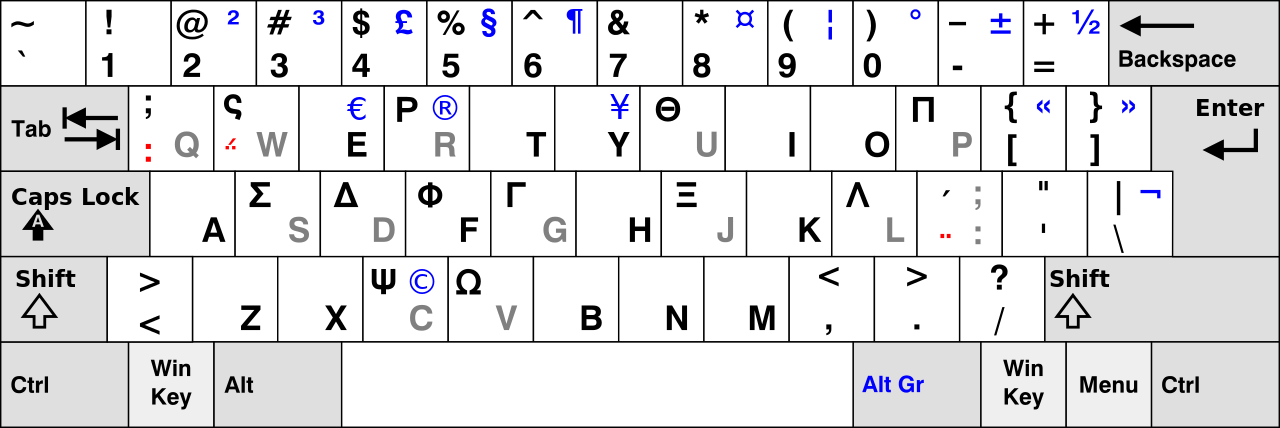
    If you activate a Compose key on your keyboard:

    Compose key selection
    Compose key selection

    Then you can insert Unicode characters without memorizing their hex values. Of course, you must memorize the Compose key sequences. Fortunately, they’re more-or-less mnemonic for the ones I occasionally use, which are hereby cherrypicked from that list.

    Press-and-release the Compose key (right-Win), then type the characters as shown to get the symbol in quotes:

    • o c “©” copyright # COPYRIGHT SIGN
    • o o “°” degree # DEGREE SIGN
    • o r “®” registered # REGISTERED SIGN
    • t m “™” U2122 # TRADE MARK SIGN
    • s m “℠” U2120 # SERVICE MARK
    • . . “…” ellipsis # HORIZONTAL ELLIPSIS
    • . – “·” periodcentered # MIDDLE DOT
    • . = “•” enfilledcircbullet # BULLET
    • + – “±” plusminus # PLUS-MINUS SIGN (∓ MINUS-PLUS is U2213)
    • x x “×” multiply # MULTIPLICATION SIGN
    • < < “«” guillemotleft # LEFT-POINTING DOUBLE ANGLE QUOTATION MARK
    • > > “»” guillemotright # RIGHT-POINTING DOUBLE ANGLE QUOTATION MARK
    • c / “¢” cent # CENT SIGN
    • – – . “–” U2013 # EN DASH
    • – – – “—” U2014 # EM DASH
    • < – “←” U2190 # LEFTWARDS ARROW
    • | ^ “↑” U2191 # UPWARDS ARROW
    • – > “→” U2192 # RIGHTWARDS ARROW
    • | v “↓” U2193 # DOWNWARDS ARROW
    • = > “⇒” U21D2 # RIGHTWARDS DOUBLE ARROW
    • ? ! “‽” U203D # INTERROBANG
    • p o o “💩” U1F4A9 # PILE OF POO
    • m u “µ” mu # MICRO SIGN
    • d i “⌀” U2300 # DIAMETER SIGN
    • 1 4 “¼” onequarter # VULGAR FRACTION ONE QUARTER
    • 1 2 “½” onehalf # VULGAR FRACTION ONE HALF
    • 3 4 “¾” threequarters # VULGAR FRACTION THREE QUARTERS
    • 1 1 0 “⅒” U2152 # VULGAR FRACTION ONE TENTH (and similar)
    • ^ 1 “¹” onesuperior # SUPERSCRIPT ONE (also 0 2 3 + -…)
    • _ 1 “₁” U2081 # SUBSCRIPT ONE (also 0 2 3 + -…)
    • e ‘ “é” eacute # LATIN SMALL LETTER E WITH ACUTE
    • e ` “è” egrave # LATIN SMALL LETTER E WITH GRAVE

    Producing Greek letters requires a “dead_greek” key, so it’s easier to start with bare hex Unicode values at U0391 (Α) and U03b1 (α) and work upward until you find what you need:

    • U03A3 Σ uppercase sigma
    • U03a9 Ω uppercase omega
    • U03C3 σ lowercase sigma
    • U03c9 ω lowercase omega
    • U03c4 τ lowercase tau
    • U03c0 π lowercase pi
    • U0394 Δ uppercase delta
    • U03F4 ϴ uppercase theta
    • U03B8 θ lowercase theta
    • U03D5 ϕ phi math symbol
    • U03A6 Φ uppercase phi
    • U03C6 φ lowercase phi

    Odds and ends:

    • U00a0 | | non-breaking space
    • U2007 | | figure space (invisible digit space)
    • U202F | | narrow space
    • U2011 ‑ non-breaking hyphen
    • U2030 ′ prime (not quote)
    • U2033 ″ double-prime (not double-quote)
    • U2018 ‘ left single quote
    • U2019 ’ right single quote
    • U201C “ left double quote
    • U201D ” right double quote
    • U2245 ≅ approximately equal
    • U2264 ≤ less-than or equal
    • U2265 ≥ greater-than or equal
    • U221A √ square root
    • U221B ∛ cube root
    • U221C ∜ fourth root (yeah, right)
    • U221D ∝ proportional to
    • U2300 ⌀ diameter
    • U25CA ◊ lozenge

    If you set the keyboard layout to US International With Dead Keys, maybe you (definitely not I) could remember all the dead keys.

  • Vacuum Tube Lights: Poughkeepsie Day School Mini Maker Faire 2016

    Should you be around Poughkeepsie today, drop in on the Poughkeepsie Day School’s Mini Maker Faire, where I’ll be showing off some glowy LED goodness:

    21HB5A on platter - orange green
    21HB5A on platter – orange green

    The 5U4GB side lighted dual rectifier looks pretty good after I increased the phase between the two LEDs:

    5U4GB Full-wave vacuum rectifier - cyan red phase
    5U4GB Full-wave vacuum rectifier – cyan red phase

    A gaggle of glowing vacuum tubes makes for a rather static display, though, so I conjured a color mixer so folks could play with the colors:

    Color mixer - overview
    Color mixer – overview

    Three analog potentiometers set the intensity of the pure RGB colors on the 8 mm Genuine Adafruit Neopixels. A closer look at the circuitry shows it’s assembled following a freehand “the bigger the blob, the better the job” soldering technique:

    Color mixer - controls
    Color mixer – controls

    The blended RGB color from a fourth Neopixel backlights the bulb to project a shadow of the filament on the front surface:

    Color mixer - bulb detail
    Color mixer – bulb detail

    It’s worth noting that the three Genuine Adafruit 8 mm Neopixels have a nonstandard RGB color layout, while the knockoff 5050 SMD Neopixel on the bulb has the usual GRB layout. You can’t mix-n-match layouts in a single Neopixel string, so a few lines of hackage rearrange the R and G values to make the mixed colors come out right.

    An IR proximity sensor lets you invert the colors with the wave of a fingertip to send Morse code in response to (some of) the vacuum tubes on display nearby. The sensor glows brightly in pure IR, with all the other LEDs going dark:

    Color mixer - controls - IR image
    Color mixer – controls – IR image

    The switch sits in a little printed bezel to make it big enough to see. The slight purple glow in the visible-light picture comes from the camera’s IR sensitivity; you can’t see anything with your (well, my) unaided eyes.

    The “chassis” emerged from the wood pile: a slab of laminate flooring and two strips of countertop, with a slab of bronze-tint acrylic from a Genuine IBM PC Printer Stand that had fallen on hard times quite a while ago. Bandsaw to size, belt-sand to smooth; nothing particularly precise, although I did use the Sherline for coordinate drilling:

    Color mixer panel - drill setup
    Color mixer panel – drill setup

    That’s laying it all out by hand to get a feel for what it’ll look like and drilling the holes at actual coordinates to make everything line up neatly.

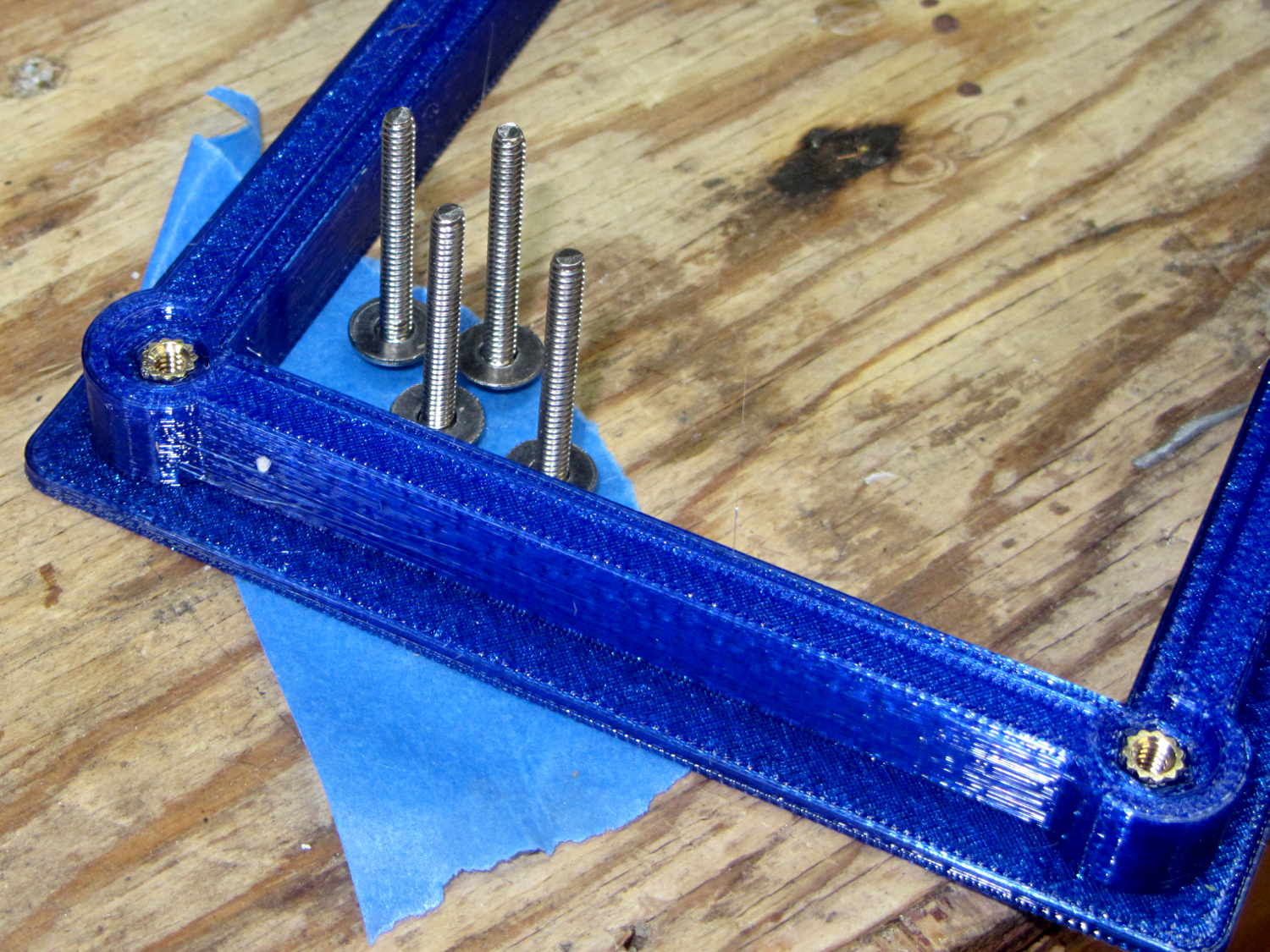
    Hot melt glue and epoxy hold everything together, with foam tape securing the two PCBs. Those cap screws go into 10-32 brass inserts hammered into the laminate flooring strip.

    There’s no schematic. Connect the pots to A0 through A2, wire the Neopixels in series from D8 with the bulb LED last in the string, wire the prox sensor to D9, and away you go.

    It’s fun to play with colors!

    The Arduino source code as a GitHub Gist:

    // Color mixing demo for Mini Maker Faire
    // Ed Nisley – KE4ANU – November 2016
    #include <Adafruit_NeoPixel.h>
    //———-
    // Pin assignments
    #define PIN_NEO 8 // DO – data out to first Neopixel
    #define PIN_HEARTBEAT 13 // DO – Arduino LED
    #define PIN_FLASH 9 // DI – flash button
    #define PIN_POTRED A0 // AI – red potentiometer
    #define PIN_POTGREEN A1 // AI – green potentiometer
    #define PIN_POTBLUE A2 // AI – blue potentiometer
    //———-
    // Constants
    #define PIXELS 4 // number of pixels
    #define PIXEL_RED 2 // physical channel layout
    #define PIXEL_GREEN 1
    #define PIXEL_BLUE 0
    #define PIXEL_MIX (PIXELS – 1) // pixel with mixed color
    #define PIXEL_FLASH (PIXELS – 1) // pixel that flashes
    // update LEDs only this many ms apart (minus loop() overhead)
    #define UPDATEINTERVAL 25ul
    #define UPDATEMS (UPDATEINTERVAL – 1ul)
    //———-
    // Globals
    // instantiate the Neopixel buffer array
    // color order is RGB for 8 mm diffuse LEDs, GRB for mixed 5050 LED at end
    Adafruit_NeoPixel strip = Adafruit_NeoPixel(PIXELS, PIN_NEO, NEO_RGB + NEO_KHZ800);
    uint32_t FullWhite = strip.Color(255,255,255);
    uint32_t FullOff = strip.Color(0,0,0);
    // colors in each LED
    enum pixcolors {RED, GREEN, BLUE, PIXELSIZE};
    uint32_t PotColors[PIXELSIZE];
    uint32_t UniColor;
    unsigned long MillisNow;
    unsigned long MillisThen;
    //– Helper routine for printf()
    int s_putc(char c, FILE *t) {
    Serial.write(c);
    }
    //——————
    // Set the mood
    void setup() {
    pinMode(PIN_HEARTBEAT,OUTPUT);
    digitalWrite(PIN_HEARTBEAT,LOW); // show we arrived
    Serial.begin(57600);
    fdevopen(&s_putc,0); // set up serial output for printf()
    printf("Color Mixer Demo for Mini Maker Faire\r\nEd Nisley – KE4ZNU – November 2016\r\n");
    // set up pixels
    strip.begin();
    strip.show();
    // lamp test: a brilliant white flash on all pixels
    // pixel color layout doesn't matter for a white flash
    printf("Lamp test: flash white\r\n");
    for (byte i=0; i<5 ; i++) {
    for (int j=0; j < strip.numPixels(); j++) { // fill LEDs with white
    strip.setPixelColor(j,FullWhite);
    }
    strip.show();
    delay(500);
    for (int j=0; j < strip.numPixels(); j++) { // fill LEDs with black
    strip.setPixelColor(j,FullOff);
    }
    strip.show();
    delay(500);
    }
    // lamp test: walk a white flash along the string
    printf("Lamp test: walking white\r\n");
    strip.setPixelColor(0,FullWhite);
    strip.show();
    delay(500);
    for (int i=1; i<strip.numPixels(); i++) {
    digitalWrite(PIN_HEARTBEAT,HIGH);
    strip.setPixelColor(i-1,FullOff);
    strip.setPixelColor(i,FullWhite);
    strip.show();
    digitalWrite(PIN_HEARTBEAT,LOW);
    delay(500);
    }
    strip.setPixelColor(strip.numPixels() – 1,FullOff);
    strip.show();
    delay(500);
    MillisNow = MillisThen = millis();
    }
    //——————
    // Run the mood
    void loop() {
    MillisNow = millis();
    if ((MillisNow – MillisThen) >= UPDATEMS) { // time for color change?
    digitalWrite(PIN_HEARTBEAT,HIGH);
    PotColors[RED] = strip.Color(analogRead(PIN_POTRED) >> 2,0,0);
    PotColors[GREEN] = strip.Color(0,analogRead(PIN_POTGREEN) >> 2,0);
    PotColors[BLUE] = strip.Color(0,0,analogRead(PIN_POTBLUE) >> 2);
    strip.setPixelColor(PIXEL_RED,PotColors[RED]); // load up pot indicators
    strip.setPixelColor(PIXEL_GREEN,PotColors[GREEN]);
    strip.setPixelColor(PIXEL_BLUE,PotColors[BLUE]);
    strip.setPixelColor(PIXEL_MIX,strip.getPixelColor(PIXEL_RED) |
    strip.getPixelColor(PIXEL_GREEN) |
    strip.getPixelColor(PIXEL_BLUE));
    if (PIXEL_FLASH != PIXEL_MIX) {
    strip.setPixelColor(PIXEL_FLASH,strip.getPixelColor(PIXEL_MIX));
    }
    if (LOW == digitalRead(PIN_FLASH)) { // if flash input active, overlay flash
    strip.setPixelColor(PIXEL_FLASH,0x00FFFFFF ^ strip.getPixelColor(PIXEL_FLASH));
    strip.setPixelColor(PIXEL_RED, 0x00FF0000 ^ strip.getPixelColor(PIXEL_RED));
    strip.setPixelColor(PIXEL_GREEN,0x0000FF00 ^ strip.getPixelColor(PIXEL_GREEN));
    strip.setPixelColor(PIXEL_BLUE, 0x000000FF ^ strip.getPixelColor(PIXEL_BLUE));
    }
    UniColor = 0x000000ff & strip.getPixelColor(PIXELS – 1); // hack to rearrange colors for 5050 LED
    UniColor |= 0x00ff0000 & (strip.getPixelColor(PIXELS – 1) << 8);
    UniColor |= 0x0000ff00 & (strip.getPixelColor(PIXELS – 1) >> 8);
    strip.setPixelColor(PIXELS – 1,UniColor);
    strip.show(); // send out colors
    MillisThen = MillisNow;
    digitalWrite(PIN_HEARTBEAT,LOW);
    }
    }
    view raw ColorMixer.ino hosted with ❤ by GitHub

  • Phishing Knows No Bounds

    This appeared on The Mighty Thor’s phone during a Squidwrench meeting:

    BofA Phishing
    BofA Phishing

    “To maintain a secure banking environment” seems diagnostic of a scam.

    Discouragingly, some of our banks still send emails with clicky links using third-party mail servers, so checkonlineinfo.com doesn’t seem any more suspicious than, say, Schwab’s customercenter.net.

    A pox on their collective backsides!

  • Raspberry Pi Streaming Radio Player: Improved Pipe Handling

    My Raspberry Pi-based streaming radio player generally worked fine, except sometimes the keypad / volume control knob would stop responding after switching streams. This being an erratic thing, the error had to be a timing problem in otherwise correct code and, after spending Quality Time with the Python subprocess and select doc, I decided I was abusing mplayer’s stdin and stdout pipes.

    This iteration registers mplayer’s stdout pipe as Yet Another select.poll() Polling Object, so that the main loop can respond whenever a complete line arrives. Starting mplayer in quiet mode reduces the tonnage of stdout text, at the cost of losing the streaming status that I really couldn’t do anything with, and eliminates the occasional stalls when mplayer (apparently) dies in the middle of a line.

    The code kills and restarts mplayer whenever it detects an EOF or stream cutoff. That works most of the time, but a persistent server or network failure can still send the code into a sulk. Manually selecting a different stream (after we eventually notice the silence) generally sets things right, mainly by whacking mplayer upside the head; it’s good enough.

    It seems I inadvertently invented streaming ad suppression by muting (most of) the tracks that produced weird audio effects. Given that the “radio stations” still get paid for sending ads to me, I’m not actually cheating anybody out of their revenue: I’ve just automated our trips to the volume control knob. The audio goes silent for a few seconds (or, sheesh, a few minutes) , blatting a second or two of ad noise around the gap to remind us of what we’re missing; given the prevalence of National Forest Service PSAs, the audio ad market must be a horrific wasteland.

    The Python source code as a GitHub Gist:

    from evdev import InputDevice,ecodes,KeyEvent
    import subprocess32 as subp
    import select
    import re
    import sys
    import time
    import logging
    Media = {'KEY_KP7' : ['Classical',False,['mplayer','–quiet','-playlist','http://stream2137.init7.net/listen.pls'%5D%5D,
    'KEY_KP8' : ['Jazz',False,['mplayer','–quiet','-playlist','http://stream2138.init7.net/listen.pls'%5D%5D,
    'KEY_KP9' : ['WMHT',False,['mplayer','–quiet','http://live.str3am.com:2070/wmht1'%5D%5D,
    'KEY_KP4' : ['Classic 1000',True,['mplayer','–quiet','-playlist','http://listen.radionomy.com/1000classicalhits.m3u'%5D%5D,
    'KEY_KP5' : ['DCNY 911',False,['mplayer','–quiet','-playlist','http://www.broadcastify.com/scripts/playlists/1/12305/-5857889408.m3u'%5D%5D,
    'KEY_KP6' : ['WAMC',False,['mplayer','–quiet','http://pubint.ic.llnwd.net/stream/pubint_wamc'%5D%5D,
    'KEY_KP1' : ['60s',True,['mplayer','–quiet','-playlist','http://listen.radionomy.com/all60sallthetime-keepfreemusiccom.m3u'%5D%5D,
    'KEY_KP2' : ['50-70s',True,['mplayer','–quiet','-playlist','http://listen.radionomy.com/golden-50-70s-hits.m3u'%5D%5D,
    'KEY_KP3' : ['Soft Rock',True,['mplayer','–quiet','-playlist','http://listen.radionomy.com/softrockradio.m3u'%5D%5D,
    'KEY_KP0' : ['Zen',True,['mplayer','–quiet','-playlist','http://listen.radionomy.com/zen-for-you.m3u'%5D%5D
    }
    CurrentKC = 'KEY_KP3'
    Controls = {'KEY_KPSLASH' : '//////',
    'KEY_KPASTERISK' : '******',
    'KEY_KPENTER' : ' ',
    'KEY_KPMINUS' : '<',
    'KEY_KPPLUS' : '>',
    'KEY_VOLUMEUP' : '*',
    'KEY_VOLUMEDOWN' : '/'
    }
    MuteStrings = ["TargetSpot","[Unknown]","Advert:","+++","—","SRR","Srr","ZEN FOR"]
    MuteDelay = 8.0 # delay before non-music track; varies with buffering
    UnMuteDelay = 7.5 # delay after non-music track
    Muted = False # keep track of muted state
    MixerChannel = 'PCM' # which amixer thing to use
    logging.basicConfig(format='%(asctime)s %(levelname)s:%(message)s',filename='/tmp/Streamer.log',level=logging.INFO)
    logger = logging.getLogger()
    # set up event inputs and polling objects
    # This requires some udev magic to create the symlinks
    k = InputDevice('/dev/input/keypad')
    k.grab()
    kp = select.poll()
    kp.register(k.fileno(),select.POLLIN + select.POLLPRI + select.POLLERR)
    v = InputDevice('/dev/input/volume')
    v.grab()
    vp = select.poll()
    vp.register(v.fileno(),select.POLLIN + select.POLLPRI + select.POLLERR)
    # set up file for output tracing
    lw = open('/tmp/mp.log','w') # mplayer piped output
    # set the mixer output low enough that the initial stream won't wake the dead
    subp.call(['amixer','sset',MixerChannel,'10'])
    # Start the player with the default stream, set up for polling
    print 'Starting mplayer on',Media[CurrentKC][0],' -> ',Media[CurrentKC][-1][-1]
    logging.info('Starting mplayer on %s -> %s',Media[CurrentKC][0],Media[CurrentKC][-1][-1])
    p = subp.Popen(Media[CurrentKC][-1],
    stdin=subp.PIPE,stdout=subp.PIPE,stderr=subp.STDOUT)
    pp = select.poll() # this may be valid for other invocations, but is not pretty
    pp.register(p.stdout.fileno(),select.POLLIN + select.POLLPRI + select.POLLERR)
    print ' … running'
    #——————–
    #— Play the streams
    while True:
    # pluck next line from mplayer and decode it
    if [] != pp.poll(10):
    text = p.stdout.readline()
    if 'ICY Info: ' in text: # these lines may contain track names
    lw.write(text)
    lw.flush()
    trkinfo = text.split(';') # also splits at semicolon embedded in track name
    # logging.info('Raw split line: %s', trkinfo)
    for ln in trkinfo:
    if 'StreamTitle' in ln: # this part contains a track name
    NeedMute = False # assume a listenable track
    if 2 == ln.count("'"): # exactly two single quotes = probably none embedded in track name
    trkhit = re.search(r"StreamTitle='(.*)'",ln)
    if trkhit: # true for valid search results
    TrackName = trkhit.group(1) # the string between the two quotes
    print 'Track name: ', TrackName
    logging.info('Track name: [%s]', TrackName)
    if Media[CurrentKC][1] and ( (len(TrackName) == 0) or any(m in TrackName for m in MuteStrings) ) :
    NeedMute = True
    else:
    print ' … semicolon in track name: ', ln
    logging.info('Semicolon in track name: [' + ln + ']')
    else:
    print ' … quotes in track name: ', ln
    logging.info('Quotes in track name: [' + ln + ']')
    if NeedMute:
    print ' … muting:',
    if Media[CurrentKC][1] and not Muted:
    time.sleep(MuteDelay) # brute-force assumption about buffer leadtime
    subp.call(['amixer','-q','sset',MixerChannel,'mute'])
    Muted = True
    print 'done'
    logging.info('Track muted')
    else:
    print ' … unmuting:',
    if Muted:
    if Media[CurrentKC][1]:
    time.sleep(UnMuteDelay) # another brute-force timing assumption
    Muted = False
    subp.call(['amixer','-q','sset',MixerChannel,'unmute'])
    print 'done'
    logging.info('Track unmuted')
    elif 'Exiting.' in text: # mplayer just imploded
    lw.write(text)
    lw.flush()
    print 'Got EOF / stream cutoff'
    logging.info('EOF or stream cutoff')
    print ' … killing dead mplayer'
    pp.unregister(p.stdout.fileno())
    p.terminate() # p.kill()
    p.wait()
    # print ' … flushing pipes'
    # lw.truncate(0)
    print ' … discarding keys'
    while [] != kp.poll(0):
    kev = k.read
    print ' … restarting mplayer: ',Media[CurrentKC][0]
    logging.info('Restarting mplayer')
    p = subp.Popen(Media[CurrentKC][-1],
    stdin=subp.PIPE,stdout=subp.PIPE,stderr=subp.STDOUT)
    pp.register(p.stdout.fileno(),select.POLLIN + select.POLLPRI + select.POLLERR)
    print ' … running'
    logging.info(' … running')
    # accept pending events from volume control knob
    if [] != vp.poll(10):
    vev = v.read()
    lw.write('Volume')
    lw.flush()
    for e in vev:
    if e.type == ecodes.EV_KEY:
    kc = KeyEvent(e).keycode
    # print 'Volume kc: ',kc
    if kc in Controls:
    print 'Vol Control: ',kc
    try:
    p.stdin.write(Controls[kc])
    except Exception as e:
    print "Can't send control: ",e
    print ' … restarting player: ',Media[CurrentKC][0]
    logging.info('Error sending volume, restarting player')
    pp.unregister(p.stdout.fileno())
    p = subp.Popen(Media[CurrentKC][-1],
    stdin=subp.PIPE,stdout=subp.PIPE,stderr=subp.STDOUT)
    pp.register(p.stdout.fileno(),select.POLLIN + select.POLLPRI + select.POLLERR)
    print ' … running'
    logging.info(' … running')
    # accept pending events from keypad
    if [] != kp.poll(10):
    kev = k.read()
    lw.write("Keypad")
    lw.flush()
    for e in kev:
    if e.type == ecodes.EV_KEY:
    kc = KeyEvent(e).keycode
    if kc == 'KEY_NUMLOCK': # discard these, as we don't care
    continue
    # print 'Got: ',kc
    if (kc == 'KEY_BACKSPACE') and (KeyEvent(e).keystate == KeyEvent.key_hold):
    if True:
    print 'Backspace = shutdown!'
    p.kill()
    logging.shutdown()
    q = subp.call(['sudo','shutdown','-P','now'])
    q.wait()
    time.sleep(5)
    print "Oddly, we did not die…"
    else:
    print 'BS = bail from main!'
    logging.shutdown()
    sys.exit(0)
    break
    if KeyEvent(e).keystate != KeyEvent.key_down: # discard key up & other rubbish
    continue
    if kc in Controls:
    print 'Control:', kc
    try:
    p.stdin.write(Controls[kc])
    except Exception as e:
    print "Can't send control: ",e
    print ' … restarting player: ',Media[CurrentKC][0]
    logging.info('Error sending controls, restarting player')
    pp.unregister(p.stdout.fileno())
    p.terminate() # p.kill()
    p.wait()
    p = subp.Popen(Media[CurrentKC][-1],
    stdin=subp.PIPE,stdout=subp.PIPE,stderr=subp.STDOUT)
    pp.register(p.stdout.fileno(),select.POLLIN + select.POLLPRI + select.POLLERR)
    print ' … running'
    logging.info(' … running')
    if kc in Media:
    print 'Switching stream to ',Media[kc][0],' -> ',Media[kc][-1][-1]
    logging.info('Switching stream: ' + Media[kc][0] + ' -> ' + Media[kc][-1][-1])
    CurrentKC = kc
    print ' … halting player'
    try:
    p.communicate(input='q')
    except Exception as e:
    print 'Perhaps mplayer died?',e
    print ' … killing it for sure'
    pp.unregister(p.stdout.fileno())
    p.terminate() # p.kill()
    p.wait()
    # print ' … flushing pipes'
    # lw.truncate(0)
    print ' … restarting player: ',Media[CurrentKC][0]
    p = subp.Popen(Media[CurrentKC][-1],
    stdin=subp.PIPE,stdout=subp.PIPE,stderr=subp.STDOUT)
    pp.register(p.stdout.fileno(),select.POLLIN + select.POLLPRI + select.POLLERR)
    print ' … running'
    logging.info(' … running')
    print 'Out of loop!'
    logging.shutdown()
    view raw Streamer.py hosted with ❤ by GitHub