The Smell of Molten Projects in the Morning

Ed Nisley's Blog: Shop notes, electronics, firmware, machinery, 3D printing, laser cuttery, and curiosities. Contents: 100% human thinking, 0% AI slop.

Category: Software

General-purpose computers doing something specific

  • Cheap WS2812 LEDs: Test Fixture

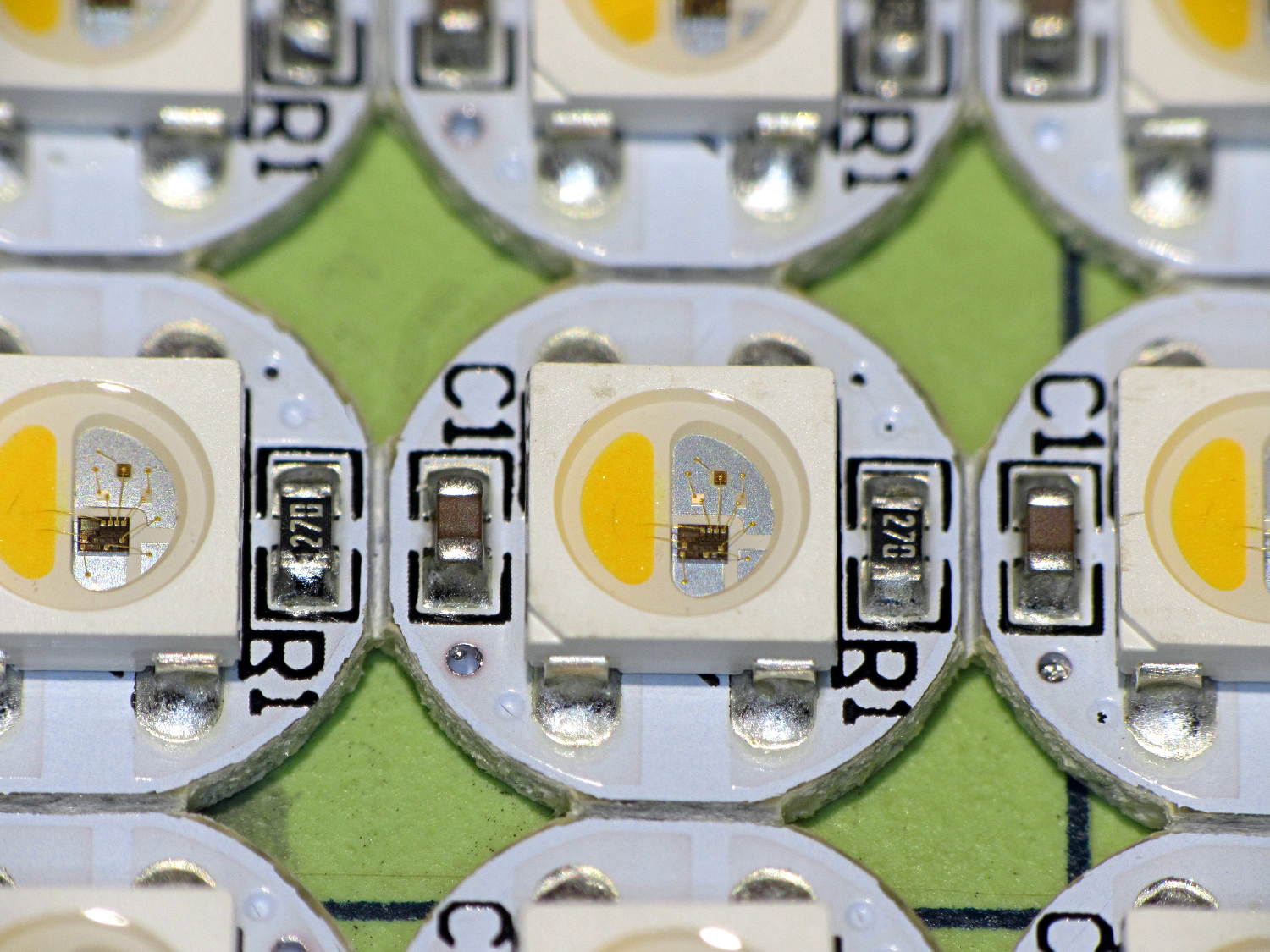
    Given that I no longer trust any of the knockoff Neopixels, I wired the remaining PCB panel into a single hellish test fixture:

    WS2812 4x7 LED test fixture - wiring
    WS2812 4×7 LED test fixture – wiring

    The 22 AWG wires deliver +5 V and Common, with good old-school Wire-Wrap wire passing to the four LEDs betweem them. The data daisy chain snakes through the entire array.

    It seems only fitting to use a knockoff Arduino Nano as the controller:

    WS2812 4x7 LED test fixture - front
    WS2812 4×7 LED test fixture – front

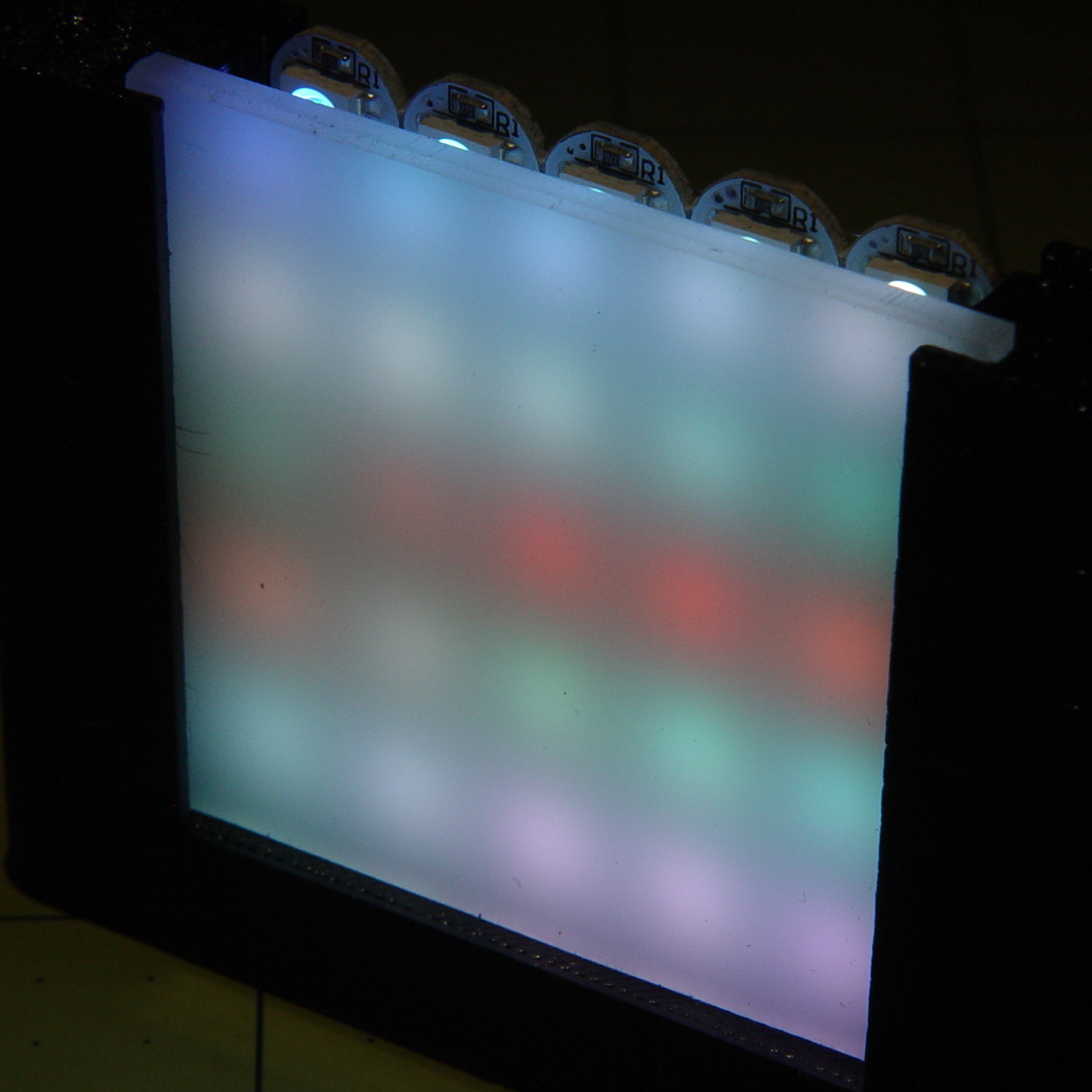
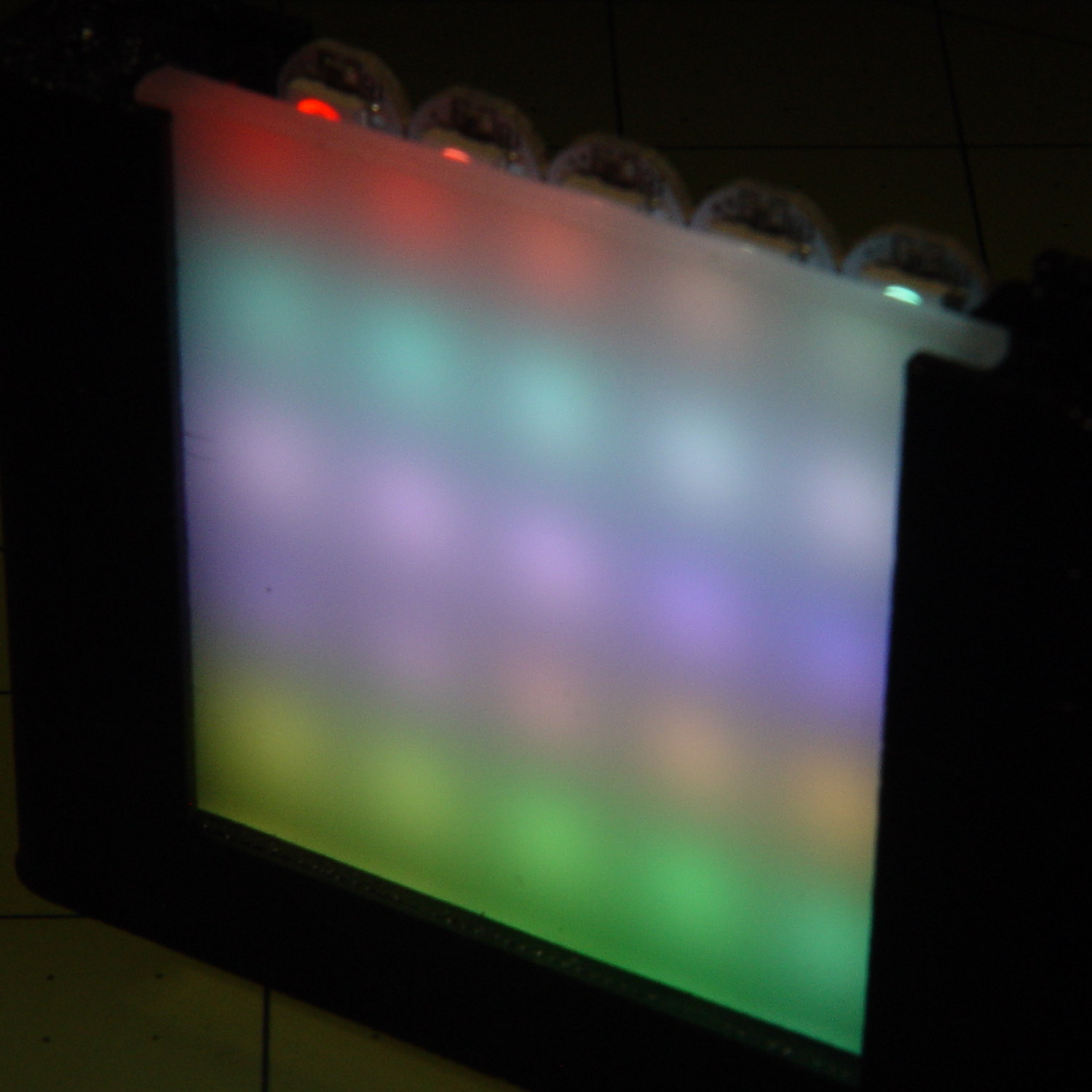
    The code descends from an early version of the vacuum tube lights, gutted of all the randomizing and fancy features. It updates the LEDs every 20 ms and, with only 100 points per cycle, the colors tick along fast enough reassure you (well, me) that the thing is doing something: the pattern takes about 20 seconds from one end of the string to the other.

    At full throttle the whole array draws 1.68 A = 60 mA × 28 with all LEDs at full white, which happens only during the initial lamp test and browns out the supply (literally: the blue LEDs fade out first and produce an amber glow). The cheap 5 V 500 mA power supply definitely can’t power the entire array at full brightness.

    The power supply current waveform looks fairly choppy, with peaks at the 400 Hz PWM frequency:

    WS2812 4x7 array - 200 mA VCC
    WS2812 4×7 array – 200 mA VCC

    With the Tek current probe set at 200 mA/div, the upper trace shows 290 mA RMS. That’s at MaxPWM = 127, which reduces the average current but doesn’t affect the peaks. At full brightness the average current should be around 600 mA, a tad more than the supply can provide, but maybe it’ll survive; the bottom trace shows a nice average, but the minimum hits 4.6 V during peak current.

    Assuming that perversity will be conserved as usual, none of the LEDs will fail for as long as I’m willing to let them cook.

    The Arduino source code as a GitHub Gist:

    // WS2812 LED array exerciser
    // Ed Nisley – KE4ANU – February 2017
    #include <Adafruit_NeoPixel.h>
    //———-
    // Pin assignments
    const byte PIN_NEO = A3; // DO – data out to first Neopixel
    const byte PIN_HEARTBEAT = 13; // DO – Arduino LED
    //———-
    // Constants
    #define UPDATEINTERVAL 20ul
    const unsigned long UpdateMS = UPDATEINTERVAL – 1ul; // update LEDs only this many ms apart minus loop() overhead
    // number of steps per cycle, before applying prime factors
    #define RESOLUTION 100
    // phase difference between LEDs for slowest color
    #define BASEPHASE (PI/16.0)
    // LEDs in each row
    #define NUMCOLS 4
    // number of rows
    #define NUMROWS 7
    #define NUMPIXELS (NUMCOLS * NUMROWS)
    #define PINDEX(row,col) (row*NUMCOLS + col)
    //———-
    // Globals
    // instantiate the Neopixel buffer array
    Adafruit_NeoPixel strip = Adafruit_NeoPixel(NUMPIXELS, PIN_NEO, NEO_GRB + NEO_KHZ800);
    uint32_t FullWhite = strip.Color(255,255,255);
    uint32_t FullOff = strip.Color(0,0,0);
    struct pixcolor_t {
    byte Prime;
    unsigned int NumSteps;
    unsigned int Step;
    float StepSize;
    float TubePhase;
    byte MaxPWM;
    };
    // colors in each LED
    enum pixcolors {RED, GREEN, BLUE, PIXELSIZE};
    struct pixcolor_t Pixels[PIXELSIZE]; // all the data for each pixel color intensity
    unsigned long MillisNow;
    unsigned long MillisThen;
    //– Figure PWM based on current state
    byte StepColor(byte Color, float Phi) {
    byte Value;
    Value = (Pixels[Color].MaxPWM / 2.0) * (1.0 + sin(Pixels[Color].Step * Pixels[Color].StepSize + Phi));
    // Value = (Value) ? Value : Pixels[Color].MaxPWM; // flash at dimmest points
    // printf("C: %d Phi: %d Value: %d\r\n",Color,(int)(Phi*180.0/PI),Value);
    return Value;
    }
    //– Helper routine for printf()
    int s_putc(char c, FILE *t) {
    Serial.write(c);
    }
    //——————
    // Set the mood
    void setup() {
    pinMode(PIN_HEARTBEAT,OUTPUT);
    digitalWrite(PIN_HEARTBEAT,LOW); // show we arrived
    Serial.begin(57600);
    fdevopen(&s_putc,0); // set up serial output for printf()
    printf("WS2812 array exerciser\r\nEd Nisley – KE4ZNU – February 2017\r\n");
    /// set up Neopixels
    strip.begin();
    strip.show();
    // lamp test: run a brilliant white dot along the length of the strip
    printf("Lamp test: walking white\r\n");
    strip.setPixelColor(0,FullWhite);
    strip.show();
    delay(250);
    for (int i=1; i<NUMPIXELS; i++) {
    digitalWrite(PIN_HEARTBEAT,HIGH);
    strip.setPixelColor(i-1,FullOff);
    strip.setPixelColor(i,FullWhite);
    strip.show();
    digitalWrite(PIN_HEARTBEAT,LOW);
    delay(250);
    }
    strip.setPixelColor(NUMPIXELS – 1,FullOff);
    strip.show();
    delay(250);
    // fill the array, row by row
    printf(" … fill\r\n");
    for (int i=0; i < NUMROWS; i++) { // for each row
    digitalWrite(PIN_HEARTBEAT,HIGH);
    for (int j=0; j < NUMCOLS; j++) {
    strip.setPixelColor(PINDEX(i,j),FullWhite);
    strip.show();
    delay(100);
    }
    digitalWrite(PIN_HEARTBEAT,LOW);
    }
    // clear to black, column by column
    printf(" … clear\r\n");
    for (int j=NUMCOLS-1; j>=0; j–) { // for each column
    digitalWrite(PIN_HEARTBEAT,HIGH);
    for (int i=NUMROWS-1; i>=0; i–) {
    strip.setPixelColor(PINDEX(i,j),FullOff);
    strip.show();
    delay(100);
    }
    digitalWrite(PIN_HEARTBEAT,LOW);
    }
    delay(1000);
    // set up the color generators
    MillisNow = MillisThen = millis();
    printf("First random number: %ld\r\n",random(10));
    Pixels[RED].Prime = 11;
    Pixels[GREEN].Prime = 7;
    Pixels[BLUE].Prime = 5;
    printf("Primes: (%d,%d,%d)\r\n",Pixels[RED].Prime,Pixels[GREEN].Prime,Pixels[BLUE].Prime);
    unsigned int PixelSteps = (unsigned int) ((BASEPHASE / TWO_PI) *
    RESOLUTION * (unsigned int) max(max(Pixels[RED].Prime,Pixels[GREEN].Prime),Pixels[BLUE].Prime));
    printf("Pixel phase offset: %d deg = %d steps\r\n",(int)(BASEPHASE*(360.0/TWO_PI)),PixelSteps);
    Pixels[RED].MaxPWM = 127;
    Pixels[GREEN].MaxPWM = 127;
    Pixels[BLUE].MaxPWM = 127;
    for (byte c=0; c < PIXELSIZE; c++) {
    Pixels[c].NumSteps = RESOLUTION * (unsigned int) Pixels[c].Prime;
    Pixels[c].Step = (3*Pixels[c].NumSteps)/4;
    Pixels[c].StepSize = TWO_PI / Pixels[c].NumSteps; // in radians per step
    Pixels[c].TubePhase = PixelSteps * Pixels[c].StepSize; // radians per tube
    printf("c: %d Steps: %5d Init: %5d",c,Pixels[c].NumSteps,Pixels[c].Step);
    printf(" PWM: %3d Phi %3d deg\r\n",Pixels[c].MaxPWM,(int)(Pixels[c].TubePhase*(360.0/TWO_PI)));
    }
    }
    //——————
    // Run the mood
    void loop() {
    MillisNow = millis();
    if ((MillisNow – MillisThen) > UpdateMS) {
    digitalWrite(PIN_HEARTBEAT,HIGH);
    unsigned int AllSteps = 0;
    for (byte c=0; c < PIXELSIZE; c++) { // step to next increment in each color
    if (++Pixels[c].Step >= Pixels[c].NumSteps) {
    Pixels[c].Step = 0;
    printf("Color %d steps %5d at %8ld delta %ld ms\r\n",c,Pixels[c].NumSteps,MillisNow,(MillisNow – MillisThen));
    }
    AllSteps += Pixels[c].Step; // will be zero only when all wrap at once
    }
    if (0 == AllSteps) {
    printf("Grand cycle at: %ld\r\n",MillisNow);
    }
    for (int k=0; k < NUMPIXELS; k++) { // for each pixel
    byte Value[PIXELSIZE];
    for (byte c=0; c < PIXELSIZE; c++) { // … for each color
    Value[c] = StepColor(c,-k*Pixels[c].TubePhase); // figure new PWM value
    // Value[c] = (c == RED && Value[c] == 0) ? Pixels[c].MaxPWM : Value[c]; // flash highlight for tracking
    }
    uint32_t UniColor = strip.Color(Value[RED],Value[GREEN],Value[BLUE]);
    strip.setPixelColor(k,UniColor);
    }
    strip.show();
    MillisThen = MillisNow;
    digitalWrite(PIN_HEARTBEAT,LOW);
    }
    }
    view raw ArrayTest.ino hosted with ❤ by GitHub
  • Raspberry Pi Boot vs. Avahi vs. DHCP

    Sometimes, one of our homebrew streaming media players will emerge from reset without starting up properly. The system board LEDs blink more-or-less normally, but the WiFi activity monitor seems … odd. This post documents the results of some exploratory surgery hinting at a possible solution.

    I set the router’s DHCP server to assign a fixed IP address to each of our homebrew streaming media players based on its MAC address. That seemed less horrible than setting a static IP address in each player’s configuration, although I could see advantages to either approach. For streamer1, the player discussed here, the IP address is 192.168.1.101; that’s a non-routable address used only on our network behind the router.

    During the Raspberry Pi’s boot, the default /etc/rc.local script finds and displays its IP address:

    _IP=$(hostname -I) || true
    if [ "$_IP" ]; then
      printf "My IP address is %s\n" "$_IP"
    fi
    

    The /var/log/boot log showed this after one boot:

    --- snippage ---
             Starting LSB: Raise network interfaces....
    ---
    [  OK  ] Started LSB: Raise network interfaces..
             Starting ifup for wlan0...
    [  OK  ] Started ifup for wlan0.
    [  OK  ] Reached target System Initialization.
    [  OK  ] Listening on Avahi mDNS/DNS-SD Stack Activation Socket.
    ---
    [  OK  ] Reached target Sockets.
    ---
    [  OK  ] Reached target Basic System.
             Starting Avahi mDNS/DNS-SD Stack...
             Starting Regular background program processing daemon...
    [  OK  ] Started Regular background program processing daemon.
             Starting dhcpcd on all interfaces...
    ---
    [  OK  ] Started Avahi mDNS/DNS-SD Stack.
    ---
    [  OK  ] Started dhcpcd on all interfaces.
    [  OK  ] Reached target Network.
    ---
             Starting /etc/rc.local Compatibility...
             Starting Permit User Sessions...
    [  OK  ] Reached target Network is Online.
             Starting LSB: Start NTP daemon...
    My IP address is 169.254.14.12
    [  OK  ] Started Permit User Sessions.
    connect: Network is unreachable
    [  OK  ] Started /etc/rc.local Compatibility.
             Starting Terminate Plymouth Boot Screen...
             Starting Hold until boot process finishes up...
    

    That mysterious IP address is a Link-local address, about which Wikipedia says: “If a host on an IEEE 802 (Ethernet) network cannot obtain a network address via DHCP, an address from 169.254.1.0 to 169.254.254.255 may be assigned pseudorandomly.”

    So, having the router hand out IP addresses doesn’t quite work the way I expected. The Pi awards itself a link-local IP address before getting one from the DHCP server, presumably because the vast Linux startup Pachinko machine has a race condition. Alas, the pseudorandom LL address doesn’t fit in the 192.168.0.0/16 network handled by the router: the Pi can’t connect to the network.

    My code in /etc/rc.local starts the streaming player immediately after the default code displaying the IP address, thus joining the race condition: if the player starts up before the DCHP server assigns the proper IP address, it can’t connect to the music server out on the Interwebs. My code includes a retry loop with a five second delay which eventually connects, at least most of the time, but sometimes gets wedged.

    The most reasonable fix seems to involve forcing a static address on each Raspberry Pi, so it can immediately connect to the network, without any negotiation, and get on with the business at hand.

    Rather than configuring that in  /etc/network/interfaces as before, the New Hotness adds a stanza to  /etc/dhcpcd.conf:

    interface wlan0
    static ip_address=192.168.1.101/8
    static routers=192.168.1.1
    static domain_name_servers=192.168.1.1
    

    En passant, I killed off IPV6 with this line in /etc/sysctl.conf:

    net.ipv6.conf.all.disable_ipv6=1
    

    The router doesn’t support IPV6 and there’s no point in using it. Bonus: less log clutter. Double Bonus: startup happens faster!

    All of which may help the NTP client update the system clock sooner, perhaps preventing time jumps like this:

    2017-02-14 08:42:24,183 INFO: Player setup for: BR1
    2017-02-14 08:42:24,184 INFO: Volume control knob: /dev/input/volume
    2017-02-14 08:42:24,225 INFO: Starting mplayer on Ambient -> http://185.32.125.42:7331/maschinengeist.org.mp3
    2017-02-14 08:42:27,175 INFO: Track name: [Arcticology - Nocturnal Sounds]
    2017-02-14 08:42:27,194 INFO: Track unmuted
    2017-02-15 04:25:00,386 INFO: Track name: [Oöphoi - Suspended Matter]
    2017-02-15 04:25:00,413 INFO: Track unmuted
    

    The timestamps in the first five lines date back to the previous shutdown. The Pi remains plugged in and powered while it’s reset, which apparently preserves the system clock variables, albeit without a hardware clock ticking along: time stands still between shutdown and restart.

    In this case, the IP address situation worked itself out before the player started, but the NTP clock reset on the sixth line happened at least three seconds after the log began.

    This chunk of /var/log/syslog has more detail:

     highlight="1,5,6,7,8,15,21"]
    Feb 14 08:42:24 streamer1 dhcpcd[693]: wlan0: leased 192.168.1.101 for 86400 seconds
    Feb 14 08:42:24 streamer1 dhcpcd[693]: wlan0: adding route to 192.168.1.0/24
    Feb 14 08:42:24 streamer1 dhcpcd[693]: wlan0: adding default route via 192.168.1.1
    Feb 14 08:42:24 streamer1 avahi-daemon[387]: Registering new address record for 192.168.1.101 on wlan0.IPv4.
    Feb 14 08:42:24 streamer1 dhcpcd[693]: wlan0: deleting route to 169.254.0.0/16
    Feb 14 08:42:24 streamer1 avahi-daemon[387]: Withdrawing address record for 169.254.14.12 on wlan0.
    Feb 14 08:42:24 streamer1 avahi-daemon[387]: Leaving mDNS multicast group on interface wlan0.IPv4 with address 169.254.14.12.
    Feb 14 08:42:24 streamer1 avahi-daemon[387]: Joining mDNS multicast group on interface wlan0.IPv4 with address 192.168.1.101.
    Feb 14 08:42:25 streamer1 dhcpcd[693]: wlan0: no IPv6 Routers available
    Feb 14 08:42:25 streamer1 ntpd_intres[728]: DNS 0.debian.pool.ntp.org -> 206.71.252.18
    Feb 14 08:42:25 streamer1 ntpd_intres[728]: DNS 1.debian.pool.ntp.org -> 45.33.13.54
    Feb 14 08:42:25 streamer1 ntpd_intres[728]: DNS 2.debian.pool.ntp.org -> 204.9.54.119
    Feb 14 08:42:25 streamer1 ntpd_intres[728]: DNS 3.debian.pool.ntp.org -> 216.229.4.66
    Feb 14 08:42:26 streamer1 ntpd[720]: Listen normally on 6 wlan0 192.168.1.101 UDP 123
    Feb 14 08:42:26 streamer1 ntpd[720]: Deleting interface #3 wlan0, 169.254.14.12#123, interface stats: received=0, sent=0, dropped=4, active_time=3 secs
    Feb 14 08:42:26 streamer1 ntpd[720]: 216.229.4.66 interface 169.254.14.12 -> (none)
    Feb 14 08:42:26 streamer1 ntpd[720]: 204.9.54.119 interface 169.254.14.12 -> (none)
    Feb 14 08:42:26 streamer1 ntpd[720]: 45.33.13.54 interface 169.254.14.12 -> (none)
    Feb 14 08:42:26 streamer1 ntpd[720]: 206.71.252.18 interface 169.254.14.12 -> (none)
    Feb 14 08:42:26 streamer1 ntpd[720]: peers refreshed
    Feb 15 04:20:10 streamer1 systemd[1]: Time has been changed
    [/sourcecode]

    Given the timestamp resolution, NTP (or systemd) apparently resets the clock three seconds after the IP address changes. That may be as good as it gets, if only because the NTP daemon must find its servers, evaluate their status, then whack the local clock.

    After forcing the static address, things look better, but it’s too soon to be sure. Many things can clobber streaming, not all of which happen on this side of our router.

  • Improved Cable Clips

    Those ugly square cable clips cried out for a cylindrical version:

    LED Cable Clips - round - solid model
    LED Cable Clips – round – solid model

    Which prompted a nice button:

    LED Cable Clips - button - solid model
    LED Cable Clips – button – solid model

    Which suggested the square version needed some softening:

    LED Cable Clips - square - solid model
    LED Cable Clips – square – solid model

    Apart from the base plate thickness, all the dimensions scale from the cable OD; I’ll be unsurprised to discover small cables don’t produce enough base area for good long-term foam tape adhesion. Maybe the base must have a minimum size or area?

    I won’t replace the ones already on the saw, but these will look better on the next project…

    The OpenSCAD source code as a GitHub Gist:

    // Cable Clips
    // Ed Nisley – KE4ZNU – October 2014
    // February 2017 – adapted for USB cables
    Layout = "Show"; // Show Build
    Style = "Button"; // Square Round Button
    //- Extrusion parameters must match reality!
    ThreadThick = 0.25;
    ThreadWidth = 0.40;
    HoleWindage = 0.2; // extra clearance
    Protrusion = 0.1; // make holes end cleanly
    function IntegerMultiple(Size,Unit) = Unit * ceil(Size / Unit);
    //———————-
    // Dimensions
    CableOD = 3.8; // cable jacket
    Base = [4*CableOD,4*CableOD,3*ThreadThick]; // overall base and slab thickness
    CornerRadius = CableOD/2; // radius of square corners
    CornerSides = 4*4; // total sides on square corner cylinders
    NumSides = 6*3; // total sides for cylindrical base
    //– Oval clip with central passage
    module CableClip() {
    intersection() {
    if (Style == "Square")
    hull()
    for (i=[-1,1], j=[-1,1])
    translate([i*(Base[0]/2 – CornerRadius),j*(Base[1]/2 – CornerRadius),0])
    rotate(180/CornerSides) {
    cylinder(r=CornerRadius,h=Base[2] + CableOD/2,$fn=CornerSides,center=false);
    translate([0,0,Base[2] + CableOD/2])
    sphere(d=CableOD,$fn=CornerSides);
    }
    else if (Style == "Round")
    cylinder(d=Base[0],h=Base[2] + 1.00*CableOD,$fn=NumSides);
    else if (Style == "Button")
    resize(Base + [0,0,2*(Base[2] + CableOD)])
    sphere(d=Base[0],$fn=NumSides);
    union() {
    translate([0,0,Base[2]/2]) // base defines slab thickness
    cube(Base,center=true);
    for (j=[-1,1]) // retaining ovals
    translate([0,j*(Base[1]/2 – 0.125*(Base[1] – CableOD)/2),(Base[2] – Protrusion)])
    resize([Base[0]/0.75,0,0])
    cylinder(d1=0.75*(Base[1]-CableOD),
    d2=(Base[1]-CableOD)/cos(0*180/NumSides),
    h=(CableOD + Protrusion),
    center=false,$fn=NumSides);
    }
    }
    if (Layout == "Show")
    color("Green",0.2)
    translate([0,0,Base[2] + CableOD/2])
    rotate([0,90,0])
    cylinder(d=CableOD,h=2*Base[0],center=true,$fn=48);
    }
    //———————-
    // Build it
    CableClip();


  • Blog Backup: Incremental Media

    The recipe for incrementally copying media files since the previous blog backup works like this:

    grep attachment_url *xml > attach.txt
    sed 's/^.*http/http/' attach.txt | sed 's/<\/wp.*//' > download.txt
    wget -nc -w 2 --no-verbose --random-wait --force-directories --directory-prefix=Media/ -i download.txt
    

    The -nc sets the “no clobber” option, which (paradoxically) simply avoids downloading a duplicate of an existing file. Otherwise, it’d download the file and glue on a *.1 suffix, which isn’t a desirable outcome. The myriad (thus far, 0.6 myriad) already-copied files generate a massive stream of messages along the lines of File ‘mumble’ already there; not retrieving.

    Adding --no-verbose will cut the clutter and emit some comfort messages.

    There seems no way to recursively fetch only newer media files directly from the WordPress file URL with -r -N; the site redirects the http:// requests to the base URL, which doesn’t know about bare media files and coughs up a “not found” error.

  • Bandsaw Worklight: LED Cable Clips

    Adapting the sewing machine cable clips for larger USB cables:

    LED Cable Clips - solid model
    LED Cable Clips – solid model

    The calculation positioning the posts wasn’t quite right; they now touch the cable OD at their midline and converge slightly overhead to retain it.

    They’re great candidates for sequential printing:

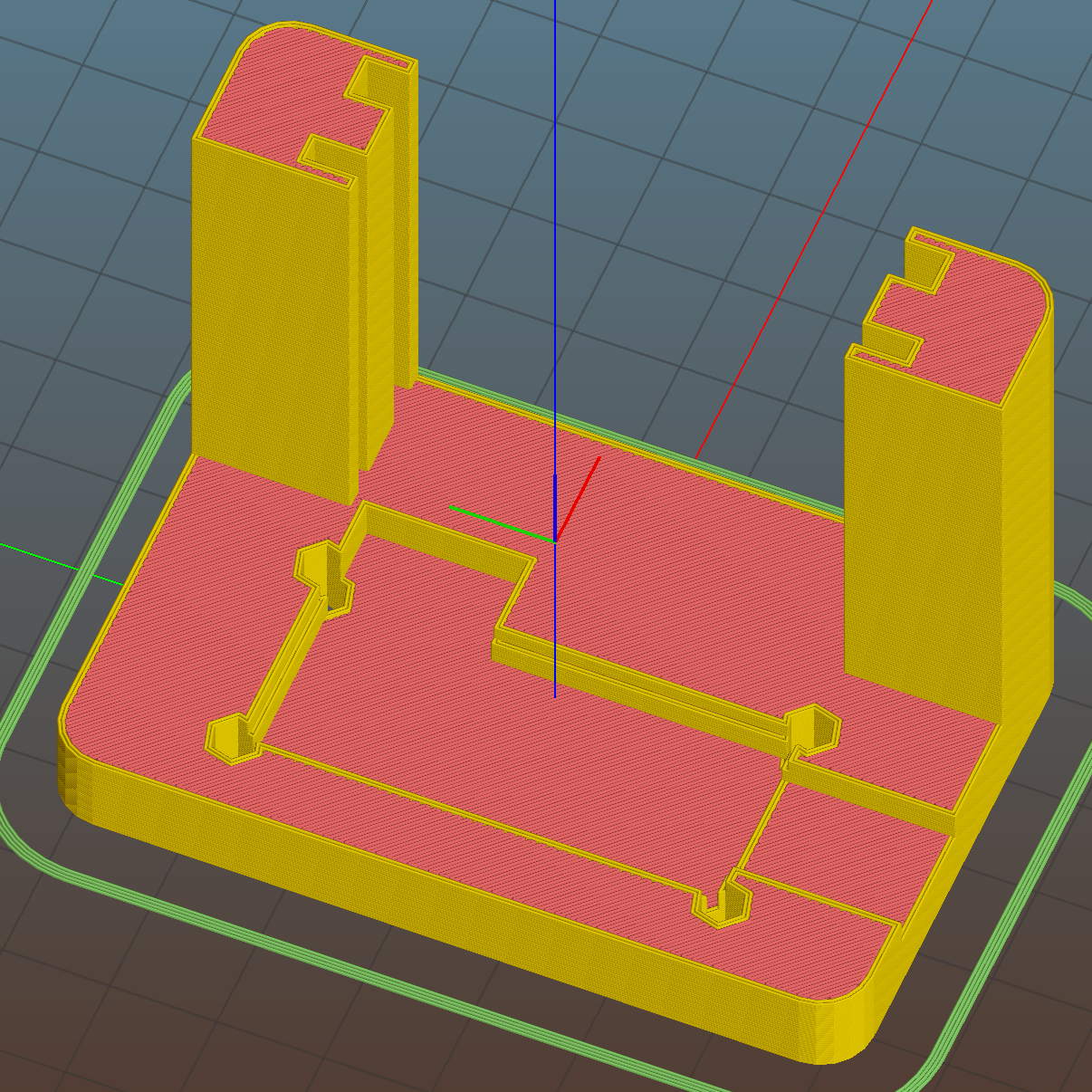
    LED Cable Clips - Slic3r - sequential print
    LED Cable Clips – Slic3r – sequential print

    With the basement at 14 °C, any cooling is too much: the platform heater can’t keep the bed above the thermal cutout temperature, the firmware concludes the thermistor has failed, and shuts the printer off. So I popped the four finished clips off the platform, removed the skirt, unplugged the fan, rebooted that sucker, and restarted the print.

    One clip in the front keeps the cable away from the power switch and speed control directly below the gooseneck mount:

    USB Gooseneck Mount - cable clip
    USB Gooseneck Mount – cable clip

    A few clips in the back route the cable from the COB LED epoxied directly onto the bandsaw frame away from the motor enclosure:

    Bandsaw platform COB LED - cable clips
    Bandsaw platform COB LED – cable clips

    They’re mounted on double-sided foam tape. The COB LED on the frame isn’t anything to write home about, but you can see the foam tape peeking out around the clip base:

    Bandsaw platform COB LED
    Bandsaw platform COB LED

    Unlike those LED filaments, it seems you can gently bend the aluminum substrate under a COB LED.

    The bandsaw platform now has plenty of light: a fine upgrade!

    Yeah, you can buy stick-on cable anchors, but what’s the fun in that? These fit exactly, hold securely, and work just fine.

    The OpenSCAD source code as a GitHub Gist:

    // LED Cable Clips
    // Ed Nisley – KE4ZNU – October 2014
    // February 2017 – adapted for USB cables
    Layout = "Show"; // Show Build
    //- Extrusion parameters must match reality!
    ThreadThick = 0.25;
    ThreadWidth = 0.40;
    HoleWindage = 0.2; // extra clearance
    Protrusion = 0.1; // make holes end cleanly
    function IntegerMultiple(Size,Unit) = Unit * ceil(Size / Unit);
    //———————-
    // Dimensions
    Base = [15.0,15.0,6*ThreadThick]; // base over sticky square
    CableOD = 3.8;
    BendRadius = 5.0;
    CornerRadius = Base[0]/5;
    CornerSides = 4*4;
    NumSides = 6*3;
    //– Oval clip with central passage
    module OvalPass() {
    intersection() {
    hull()
    for (i=[-1,1], j=[-1,1])
    translate([i*(Base[0]/2 – CornerRadius),j*(Base[1]/2 – CornerRadius),0])
    rotate(180/CornerSides)
    cylinder(r=CornerRadius,h=Base[2] + 1.00*CableOD,$fn=CornerSides,center=false);
    union() {
    translate([0,0,Base[2]/2]) // oversize mount base
    scale([2,2,1])
    cube(Base,center=true);
    for (j=[-1,1]) // bending ovals
    translate([0,j*(Base[1]/2 – 0.125*(Base[1] – CableOD)/2),(Base[2] – Protrusion)])
    resize([Base[0]/0.75,0,0])
    cylinder(d1=0.75*(Base[1]-CableOD),
    d2=(Base[1]-CableOD)/cos(0*180/NumSides),
    h=(CableOD + Protrusion),
    center=false,$fn=NumSides);
    }
    }
    if (Layout == "Show")
    color("Red",0.3)
    translate([0,0,Base[2] + CableOD/2])
    rotate([0,90,0])
    cylinder(d=CableOD,h=2*Base[0],center=true,$fn=48);
    }
    //———————-
    // Build it
    OvalPass();
  • Bandsaw Worklight: USB Gooseneck Mount

    The bandsaw now sports a chunky mount for its gooseneck light:

    USB Gooseneck Mount - on bandsaw
    USB Gooseneck Mount – on bandsaw

    The gooseneck ends in a USB Type-A plug, so an ordinary USB extension cable can connect it to the hacked hub supplying 9 VDC:

    USB Gooseneck Mount - interior
    USB Gooseneck Mount – interior

    The plastic came from a slightly earlier version of the solid model, with one foam pad under the gooseneck’s USB plug to soak up the clearance. The four smaller holes, with M3 brass inserts visible in the bottom half (on the right), clamp the gooseneck connector in place against the foam; you could push it out if you were really determined, but you’d have to be really determined.

    If I ever build another one, it’ll sandwich the plug between opposing pads:

    USB Gooseneck Connector Mount - Slic3r preview
    USB Gooseneck Connector Mount – Slic3r preview

    The lettering on the block stands out much better in the solid model:

    USB Gooseneck Connector Mount - solid model - overview
    USB Gooseneck Connector Mount – solid model – overview

    Obviously, I need help with the stylin’ thing. This looks better, but with terrible overhangs for printing in the obvious no-support orientation:

    USB Gooseneck Connector Mount - solid model - rounded top
    USB Gooseneck Connector Mount – solid model – rounded top

    Anyhow, the USB extension cable (on the left) has plenty of clearance and pulls straight out of the housing, so I can remove the bandsaw cover without unwiring:

    USB Gooseneck Mount - assembled
    USB Gooseneck Mount – assembled

    The LED ticks along at 40 °C in a 14 °C basement, suggesting a thermal coefficient around 14 °C/W. Even in the summer months, with the basement around 25 °C, there’s no risk of PETG softening at 50 °C.

    I’ll epoxy a similar 1.8 W COB LED onto the curve of the bandsaw frame where it can shine on the left and rear part of the table; it doesn’t even need a case.

    The OpenSCAD source code as a GitHub Gist:

    // Gooseneck lamp for MicroMark bandsaw
    // Ed Nisley KE4ZNU
    // February 2017
    Layout = "Mount"; // Mount Show Build
    Gap = 5; // distance between halves for Show
    //- Extrusion parameters must match reality!
    ThreadThick = 0.25;
    ThreadWidth = 0.40;
    HoleWindage = 0.2;
    Protrusion = 0.1; // make holes end cleanly
    inch = 25.4;
    function IntegerMultiple(Size,Unit) = Unit * ceil(Size / Unit);
    //———————-
    // Dimensions
    Tap10_32 = 0.159 * inch;
    Clear10_32 = 0.190 * inch;
    Head10_32 = 0.373 * inch;
    Head10_32Thick = 0.110 * inch;
    Nut10_32Dia = 0.433 * inch;
    Nut10_32Thick = 0.130 * inch;
    Washer10_32OD = 0.381 * inch;
    Washer10_32ID = 0.204 * inch;
    ID = 0; // for round things
    OD = 1;
    LENGTH = 2;
    Insert = [3.0,4.9,2*ThreadThick + IntegerMultiple(4.2,ThreadThick)]; // M3 short brass insert
    CornerRadius = 5.0; // rounded mount block corners for pretty
    CornerSides = 4*4;
    RoundedTop = true; // true for fancy smooth top edges
    USBPlug = [39.0,16.0,8.3]; // plug, X from base of plug
    USBSocket = [28.0,20.0,11.5]; // USB extension, X from tip of socket
    USBMating = [-12.0,0,0]; // offset of plug base relative to block center
    Foam = [35.0,10.0,2.0 – 1.0]; // foam pad to secure USB plug (Z = thickness – compression)
    GooseneckOD = 5.0; // flexy gooseneck diameter
    MountScrewOC = 35.0; // make simple screw hole spacing for bandsaw case
    MountBlock = [10*round((USBPlug[0] + USBSocket[0] + 5.0)/10),
    10*round((MountScrewOC + Washer10_32OD + 5.0)/10),
    // 2*6*ThreadThick + IntegerMultiple(max(USBPlug[2],USBSocket[2]),ThreadThick)];
    16.0]; // thickness = 16 mm M3x0.5 button head screw
    echo(str("Block size: ",MountBlock));
    LegendDepth = 2*ThreadThick; // lettering depth
    //———————-
    // Useful routines
    module PolyCyl(Dia,Height,ForceSides=0) { // based on nophead's polyholes
    Sides = (ForceSides != 0) ? ForceSides : (ceil(Dia) + 2);
    FixDia = Dia / cos(180/Sides);
    cylinder(r=(FixDia + HoleWindage)/2,
    h=Height,
    $fn=Sides);
    }
    //– Mount
    module Mount() {
    difference() {
    hull()
    if (RoundedTop) {
    for (i=[-1,1], j=[-1,1])
    translate([i*(MountBlock[0]/2 – CornerRadius),j*(MountBlock[1]/2 – CornerRadius),0]) {
    translate([0,0,-MountBlock[2]/2])
    rotate(180/CornerSides)
    cylinder(r=CornerRadius,h=MountBlock[2]/2,$fn=CornerSides,center=false);
    translate([0,0,MountBlock[2]/2 – CornerRadius])
    rotate(180/CornerSides)
    sphere(r=CornerRadius,$fn=CornerSides,center=true);
    }
    }
    else {
    for (i=[-1,1], j=[-1,1])
    translate([i*(MountBlock[0]/2 – CornerRadius),j*(MountBlock[1]/2 – CornerRadius),0])
    rotate(180/CornerSides)
    cylinder(r=CornerRadius,h=MountBlock[2],$fn=CornerSides,center=true);
    }
    for (j=[-1,1]) // screws into bandsaw case
    translate([0,j*MountScrewOC/2,-(MountBlock[2]/2 + Protrusion)])
    rotate(180/8)
    PolyCyl(Clear10_32,(MountBlock[2] + 2*Protrusion),8);
    for (i=[-1,1], j=[-1,1]) { // clamp screws
    translate([i*MountBlock[0]/4,j*MountScrewOC/2,-MountBlock[2]])
    PolyCyl(Insert[ID],2*MountBlock[2],6); // clearance
    translate([i*MountBlock[0]/4,j*MountScrewOC/2,-(MountBlock[2]/2 + Protrusion)])
    PolyCyl(Insert[OD],Insert[LENGTH] + Protrusion,6); // inserts
    }
    rotate([0,90,0]) // gooseneck flexy cable
    rotate(180/6)
    PolyCyl(GooseneckOD,MountBlock[0],6);
    translate([USBPlug[0]/2,0,0] + USBMating – [Protrusion/2,0,0]) // USB plug outline
    cube(USBPlug + [Protrusion,0,0],center=true);
    translate([-USBSocket[0]/2,0,0] + USBMating) // USB socket outline
    cube(USBSocket,center=true);
    translate([(Foam[0]/2 + 5*ThreadWidth),0,-(Foam[2]/2 + USBPlug[2]/2)] + USBMating – [Protrusion,0,-Protrusion]/2) // foam padding recess
    cube(Foam + [Protrusion,0,Protrusion],center=true); // foam packing
    translate([(Foam[0]/2 + 5*ThreadWidth),0, (Foam[2]/2 + USBPlug[2]/2)] + USBMating – [Protrusion,0, Protrusion]/2) // foam padding recess
    cube(Foam + [Protrusion,0,Protrusion],center=true);
    render(convexity=5)
    translate([0,0,MountBlock[2]/2 – LegendDepth])
    linear_extrude(height=LegendDepth + Protrusion) {
    translate([0,5,0])
    text(text="KE4ZNU",size=8,spacing=1.10,font="Bitstream Vera Sans:style=Bold",valign="center",halign="center");
    translate([0,-5,0])
    text(text="4 Feb 2017",size=6,spacing=1.05,font="Bitstream Vera Sans:style=Bold",valign="center",halign="center");
    }
    }
    }
    //———————-
    // Build it
    if (Layout == "Mount") {
    Mount();
    }
    if (Layout == "Show") {
    translate([0,0,-Gap/2])
    difference() {
    Mount();
    translate([0,0,MountBlock[2]])
    cube(2*MountBlock,center=true);
    }
    translate([0,0,Gap/2])
    difference() {
    Mount();
    translate([0,0,-MountBlock[2]])
    cube(2*MountBlock,center=true);
    }
    }
    if (Layout == "Build") {
    translate([0,0.6*MountBlock[1],MountBlock[2]/2])
    difference() {
    Mount();
    translate([0,0,MountBlock[2]])
    cube(2*MountBlock,center=true);
    }
    translate([0,-0.6*MountBlock[1],MountBlock[2]/2])
    rotate([180,0,0])
    difference() {
    Mount();
    translate([0,0,-MountBlock[2]])
    cube(2*MountBlock,center=true);
    }
    }
  • NESDR Mini 2+ vs. Input Terminator

    A tiny handful of known-good-quality SMA terminators arrived from eBay:

    KDI T187GS - 50 ohm 1 W SMA attenuators
    KDI T187GS – 50 ohm 1 W SMA attenuators

    They’re described as KDI Triangle T187GS SMA Female Terminator, 50Ω, 1W, 0-4GHz. A bit of searching suggests MCE (whoever they are) borged KDI quite a while ago (their website, last updated in 2003, has been lightly vandalized) and a datasheet won’t be forthcoming.

    In any event, a NooElec NESDR Mini 2+ radio connected to a dual-band VHF-UHF antenna perched near a window shows this for a local FM station:

    FM 101.5 NESDR - direct
    FM 101.5 NESDR – direct

    Zooming to 5 dB/div:

    FM 101.5 NESDR - 5 dB steps
    FM 101.5 NESDR – 5 dB steps

    Installing the terminator at the end of an MCX-to-SMA adapter cable:

    FM 101.5 NESDR - 50 ohm terminator
    FM 101.5 NESDR – 50 ohm terminator

    Haven’t a clue about those tiny little spikes with the terminator in place, but they don’t line up with any of the high-energy inputs and are, most likely, junk brewed up within the radio. That’s with the RF gain set to 49.6 dB and AGC turned off.

    The hardware looks like this:

    NESDR with SMA attenuators
    NESDR with SMA attenuators

    The MCX connector on the radio isn’t the most durable-looking thing I’ve ever seen, so strapping the adapter cable to the case seems like a Good Idea. You can get an NESDR radio with an SMA connector for about the same price, which I’d have done if were available a while ago.

    The terminated input looks to be about -75 dBFS, about 15 dB below the between-station noise, and the carrier tops out around -25 dBFS, for a “dynamic range” of 50 dB. Oddly, that’s just about dead on the maximum dynamic range you can get from the 8 bit RTL2832U demodulator / ADC stuffed inside the NESDR: 8 bits × 6 dB/bit.

    It is not obvious to me the signal from a randomly chosen (albeit powerful) FM station should exactly fill the receiver’s dynamic range, particularly without AGC riding herd on the RF gain. Some hardware tinkering seems in order.

    The GNU Radio flow graph:

    FM Broadcast - GNU Radio flow
    FM Broadcast – GNU Radio flow