The Smell of Molten Projects in the Morning

Ed Nisley's Blog: Shop notes, electronics, firmware, machinery, 3D printing, laser cuttery, and curiosities. Contents: 100% human thinking, 0% AI slop.

Category: Recumbent Bicycling

Cruisin’ the streets

  • Hall Effect LED Current Control: Switched MOSFET Gates

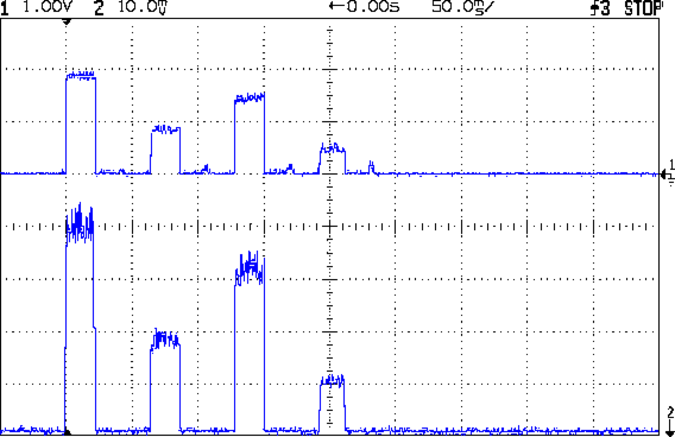
    The rise and fall times for the LEDs on the over-the-top blinky taillight left a bit to be desired, at least if you were interested in short pulses:

    VG 1193 mV - ID 50 mA-div - 1 ms PWM filter - overview
    VG 1193 mV – ID 50 mA-div – 1 ms PWM filter – overview

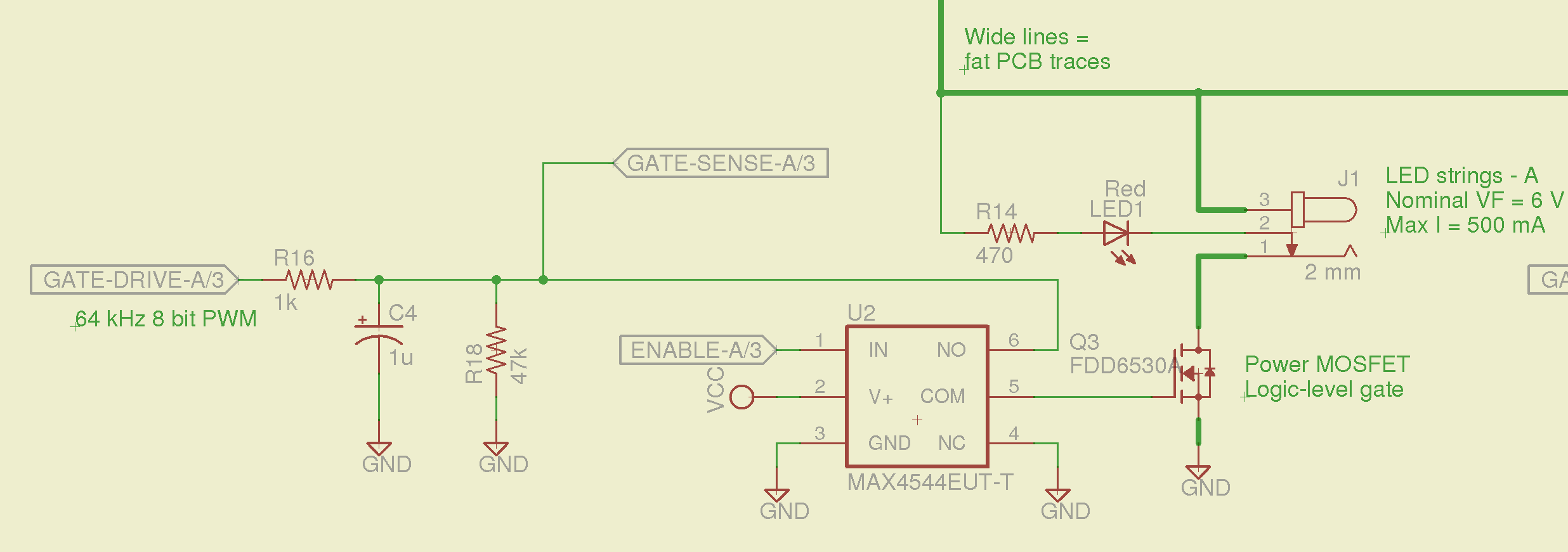
    So I spliced an analog switch between the PWM filter and the gate, with inputs selecting ground and the PWM drive voltage:

    Switched MOSFET gate - analog switch schematic
    Switched MOSFET gate – analog switch schematic

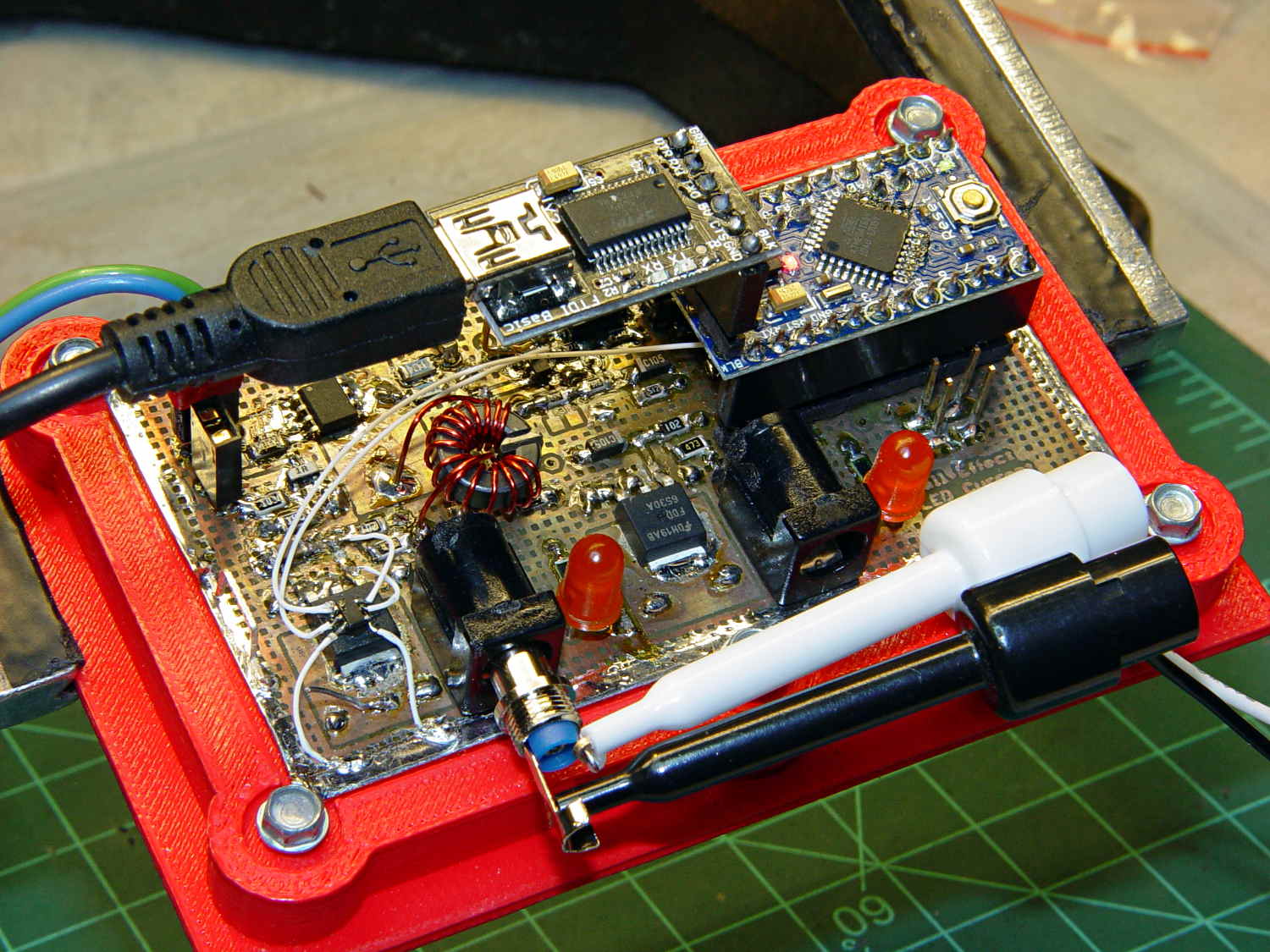
    This being a prototype, that involved epoxying a SOT23-6 package atop the MOSFET, with flying wires all over the PCB:

    Hall Effect PCB - MOSFET gate switch
    Hall Effect PCB – MOSFET gate switch

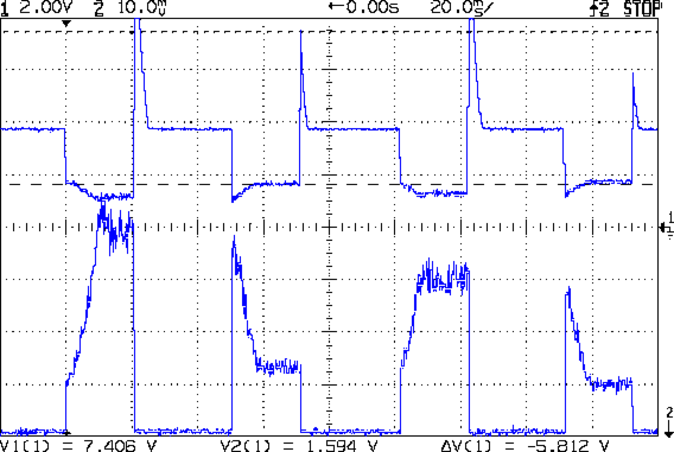
    It works pretty well:

    VDS ILED 50 mA div - 200 50 150 25 mA
    VDS ILED 50 mA div – 200 50 150 25 mA

    The top trace is the drain voltage and the bottom trace is the LED current at 50 mA/div.

    The current transitions come out vertical at any sweep speed, even through the Tek Hall effect current probe. The pulses would be rectangular if I weren’t changing the current for each one.

    The current feedback loop closes through the Arduino’s main loop, which includes a 1 ms delay after each PWM output change before measuring the LED current. As a result, each loop takes just under 2 ms, but, fortunately, ramping from 25 mA (in the last pulse) to 200 mA (in the first pulse) requires less than 10 PWM increments; you can see the stairsteps if you squint.

    Next up: bump the PWM to 64 kHz (from 32 kHz) and rip out the pull-down resistor that used to hold the gate near ground when the output floated as an input. That should improve the output ripple caused by the MOSFET’s bias as a perfectly serviceable linear amplifier.

    The control loop now fetches durations & currents from an array-of-structs, so I can customize each pulse. An obvious enhancement: remember the gate drive that produced a given current, then restore the corresponding value as the starting PWM setting for each pulse, so the loop begins closer to reality. The gate drive varies with temperature and suchlike, so it can’t be a compile-time constant, but maybe the startup routine could preload the array / list / cache with values taken from a “lamp test”.

    Four close-together flashes repeating at about 2 Hz, even with two runt pulses, turn the LEDs into a real eye magnet…

  • Michelin Hair, Without A Flat

    Mary heard a faint sound from the back of her bike that neither she nor I could track down. Standing in the garage, we decided it was slightly louder when the wheel turned backwards, but the sound didn’t correlate with anything.

    Eventually, I held my hand over the wheel while turning it, whereupon the problem made itself obvious:

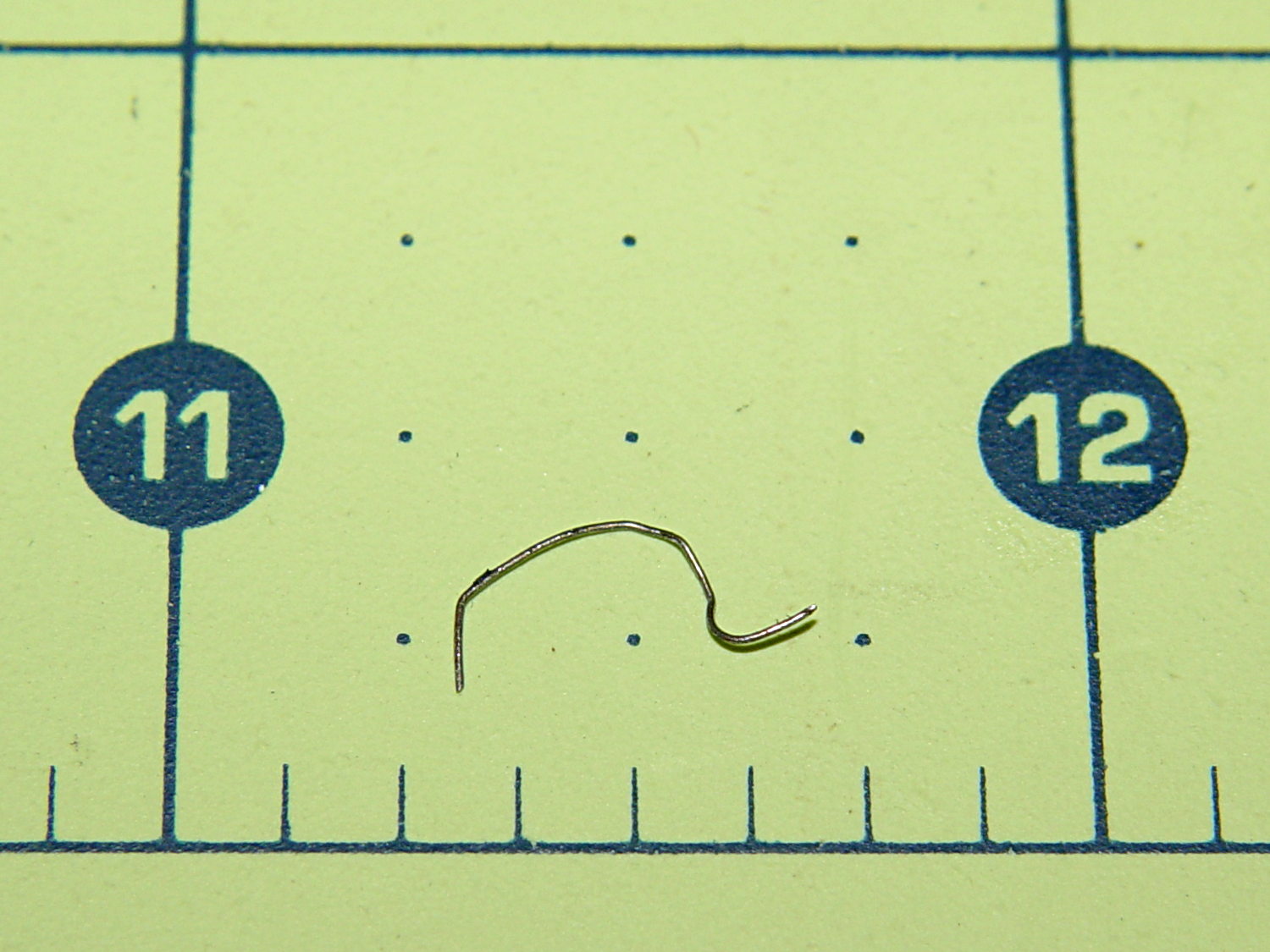
    Michelin Hair from bike tire
    Michelin Hair from bike tire

    Another Michelin Hair from a steel-belted automobile or truck tire!

    The short hook on the right side embedded itself the in the tread, with the rest sticking out. Turning the wheel backwards dragged the longer arc on the fender, making a slightly louder sound. Of course, the tightest fender-to-tire clearance occurs just behind the seat, where it isn’t easily visible.

    Fortunately, the hook wasn’t quite long enough to punch through the Schwalbe Marathon’s armor layer and the tire liner.

    Whew!

  • Monthly Image: Walkway Maintenance, with Airplane

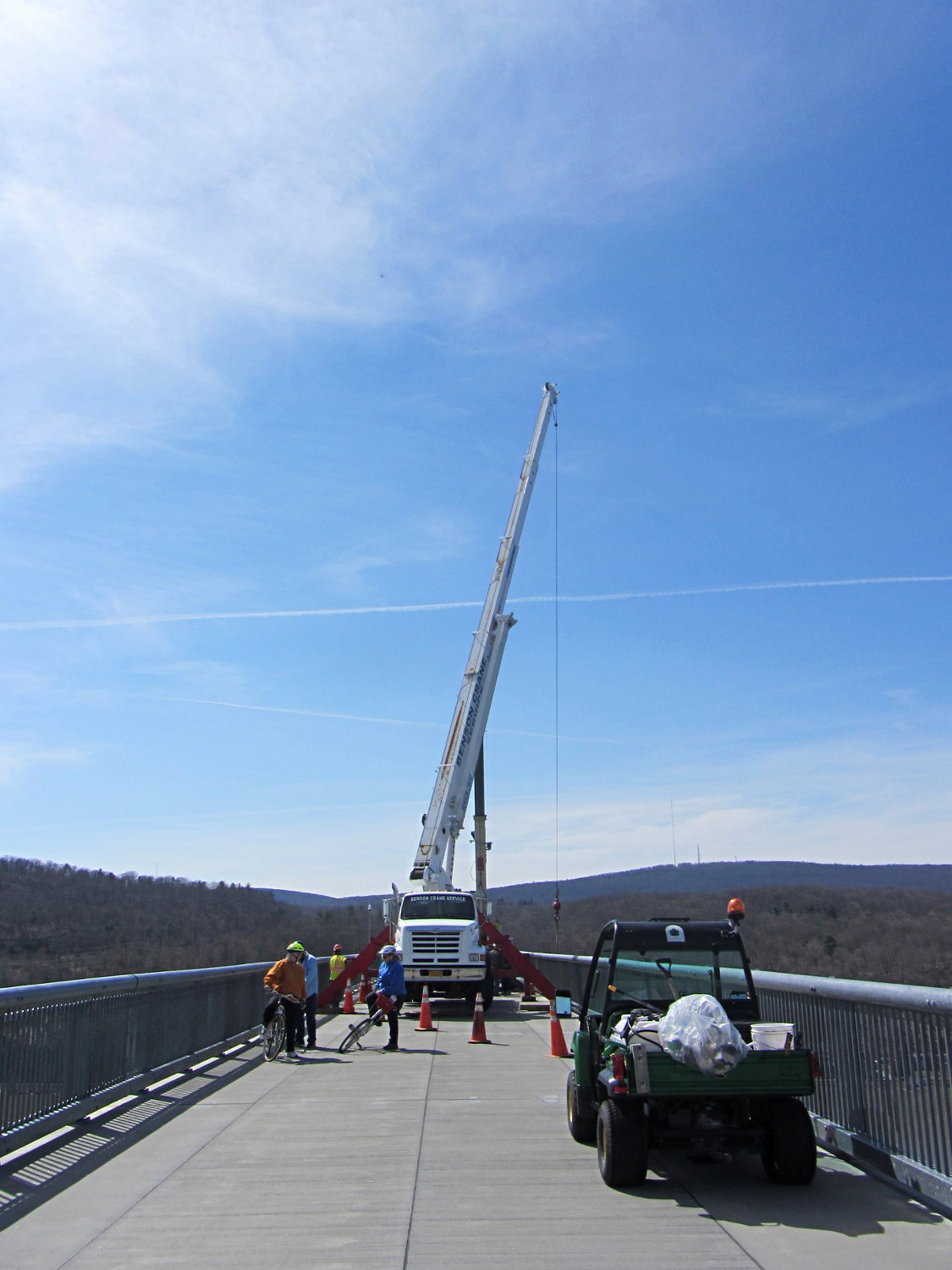
    We planned to ride west on the Walkway and return east on the Mid-Hudson bridge, but encountered an obstruction in mid-span:

    Maintenance Crane on Walkway Over the Hudson
    Maintenance Crane on Walkway Over the Hudson

    Pedestrians and cyclists on diamond-frame (a.k.a., “wedgie”) bikes could sneak past the outrigger legs on the south (left) side of the crane, although that’s surely a Bad Idea for worksite safety. Our big ‘bents wouldn’t fit through, so we just turned around and enjoyed the ride home; a good time was had by all.

    While tweaking that picture, I noticed a speck of dirt on the monitor that, upon closer investigation, turned out to be a hidden object:

    Maintenance Crane on Walkway Over the Hudson - airplane
    Maintenance Crane on Walkway Over the Hudson – airplane

    Obligatory XKCD

  • Extracting Frames From A Video File

    Using avconv (formerly ffmpeg):

    avconv -ss 00:07:05 -i MAH00016.MP4 -t 2 -f image2 -q 1 Image-%03d.jpeg
    

    The options:

    • -ss starting time in hh:mm:ss (or seconds)
    • -i input file
    • -t duration in seconds (or hh:mm:ss)
    • -f mux/demux for still images
    • -q quality (1 = best)

    Use a video player to find the interesting section, then bracket it with the starting time and duration. Putting the -ss starting time before the -i input file lets the decoder skip through the file, rather than grinding through everything preceding the specified frames.

    The -q 1 setting wrings the best quality out of the input video file. That’s why the camera captures 1920×1080 video @ 60 fps; I wish I could dial its compression back a bit, but that’s not an option.

    So.

    Do you think he didn’t quite kill me between bites or is that a K-Mart bag and he was yakking on a phone like everybody else?

    Near Miss - Jackson Drive - 2014-05-03 - car interior
    Near Miss – Jackson Drive – 2014-05-03 – car interior

    Clicky for more dots. I compressed the image from the avconv output file, but it’s good enough.

  • Pay Attention While Driving, Dammit

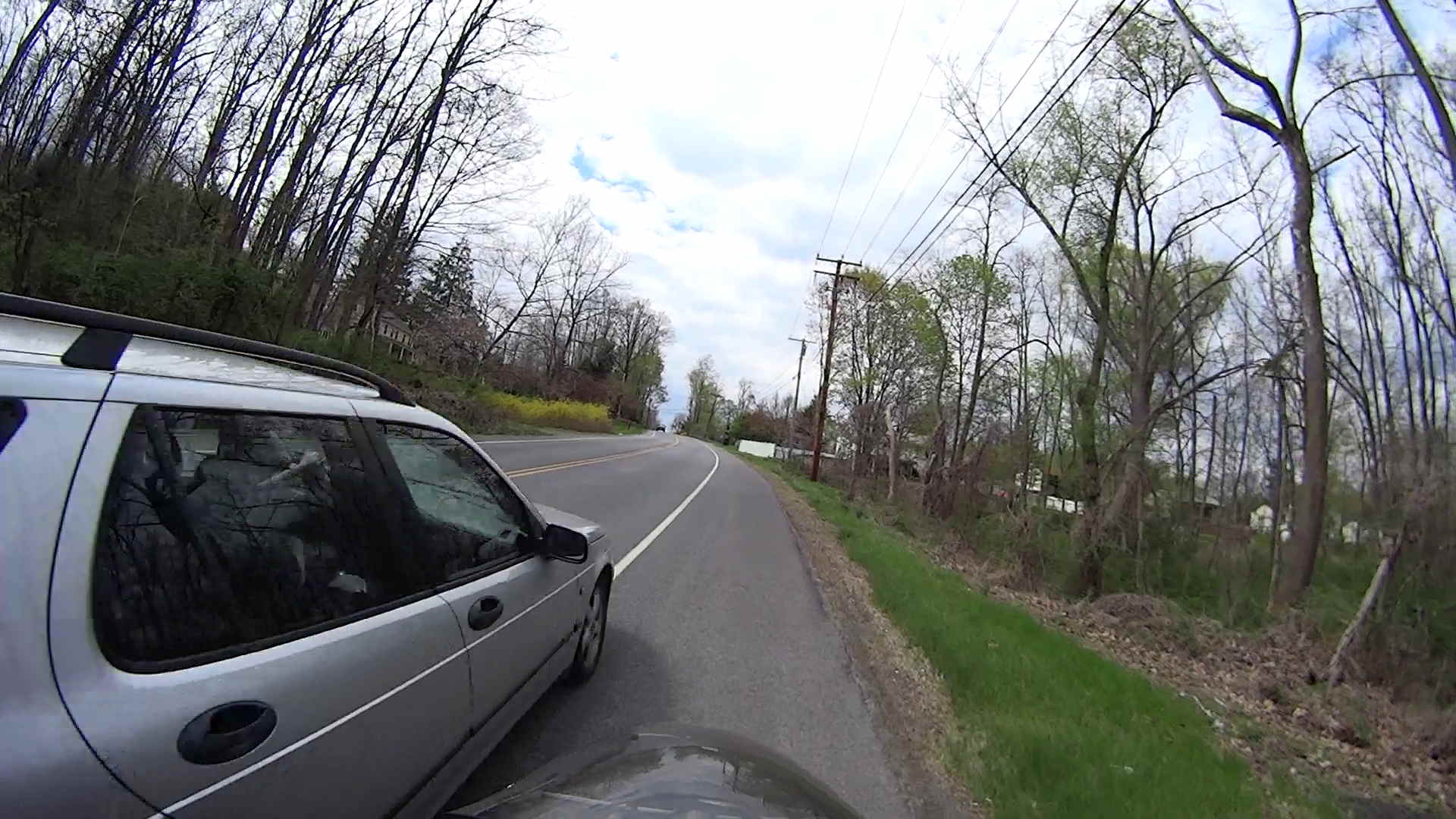
    I’m grinding uphill at about 5 mph on Jackson Drive, in the middle of the surprisingly good shoulder, with the bright-red Planet Bike taillight blinking away to the rear. I am not inconspicuous, but …

    You’ll never see the one that kills you:

    Near Miss - Jackson Drive - 2014-05-03 - 1
    Near Miss – Jackson Drive – 2014-05-03 – 1

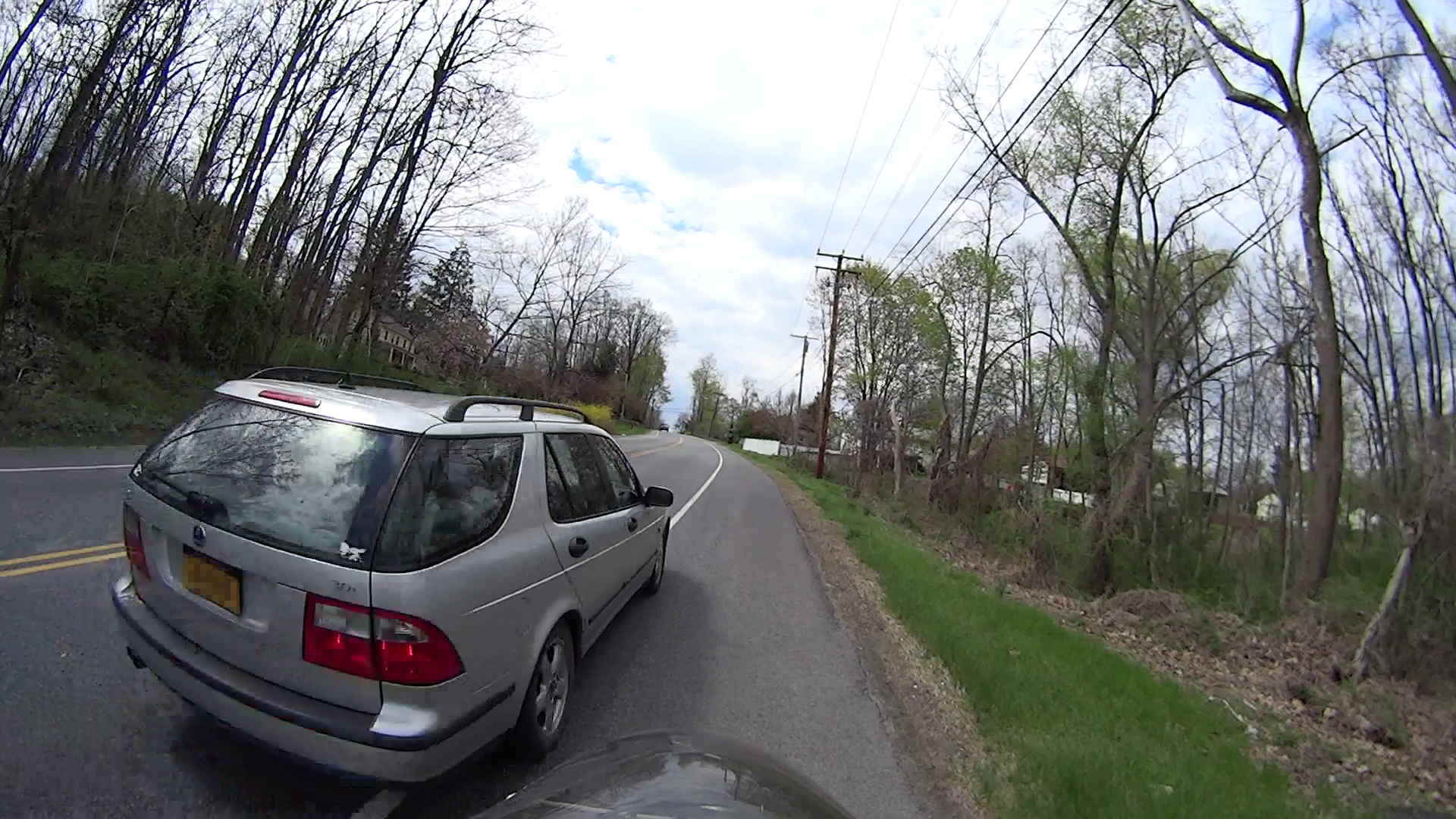
    The speed limit is 40 mph = 60 ft/s. The door-to-shoulder clearance might have been the better part of a foot; the mirror didn’t quite clip my arm.

    The license plate is legible in the original image, although I’ve blurred it here:

    Near Miss - Jackson Drive - 2014-05-03 - 2
    Near Miss – Jackson Drive – 2014-05-03 – 2

    Adrenaline is wonderful stuff; I caught up with him at the next light … uphill and 1/3 mile later:

    Near Miss - Jackson Drive - 2014-05-03 - 3
    Near Miss – Jackson Drive – 2014-05-03 – 3

    I said “Hey!” When he looked over, I explained I needed a face to go with the plate and pointed to the camera. He said he was really, really, really sorry.

    I’ll not ascribe to malice what can be explained by distraction; if he wanted to hassle me, I’d be dead now. Most likely, it’s one of those distracted driving things that happens to all of us … to some, alas, far more frequently than to others.

    Took a while for the shakes to stop.

    Put down that damn phone / tablet / burger and pay attention!

    [Update: Still images captured from the Sony HDR-AS30V helmet camera, recorded at 1920×1080 60 fps.]

  • 3D Printed Things I’ve Designed: Brag Sheets

    The whole reason I got a 3D printer in the first place was to make things that would otherwise be too difficult or tedious by hand or on a CNC mill. Most of the things I make look like brackets and I don’t do sculptures … this stuff solves problems!

    Being able to go from “I need a part shaped like that” to holding the thing in my hand a few hours (or, for complex designs, days) later is empowering. Being able to adjust a dimension by changing the source code and “recompiling” to get a new part is wonderful.

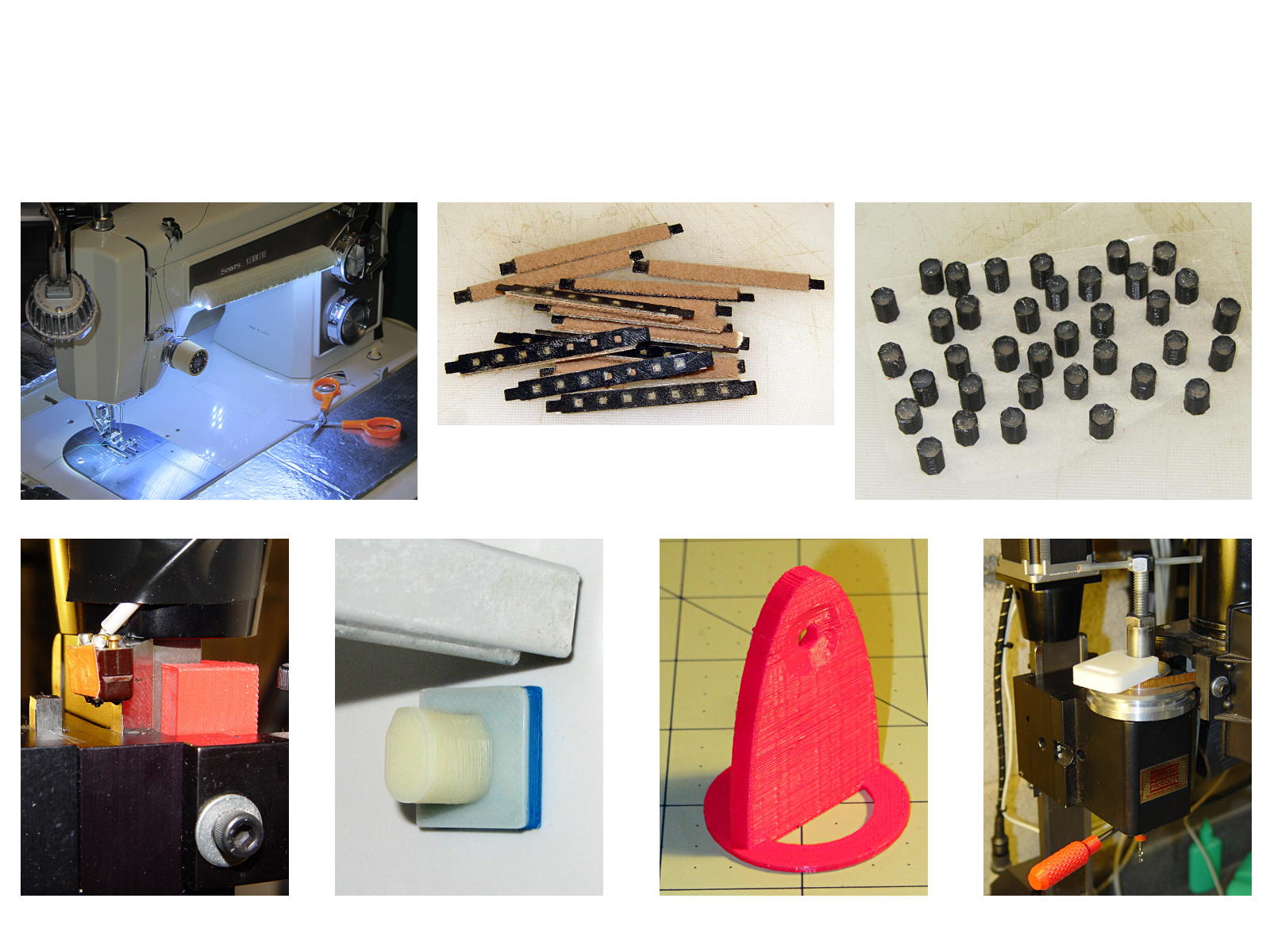
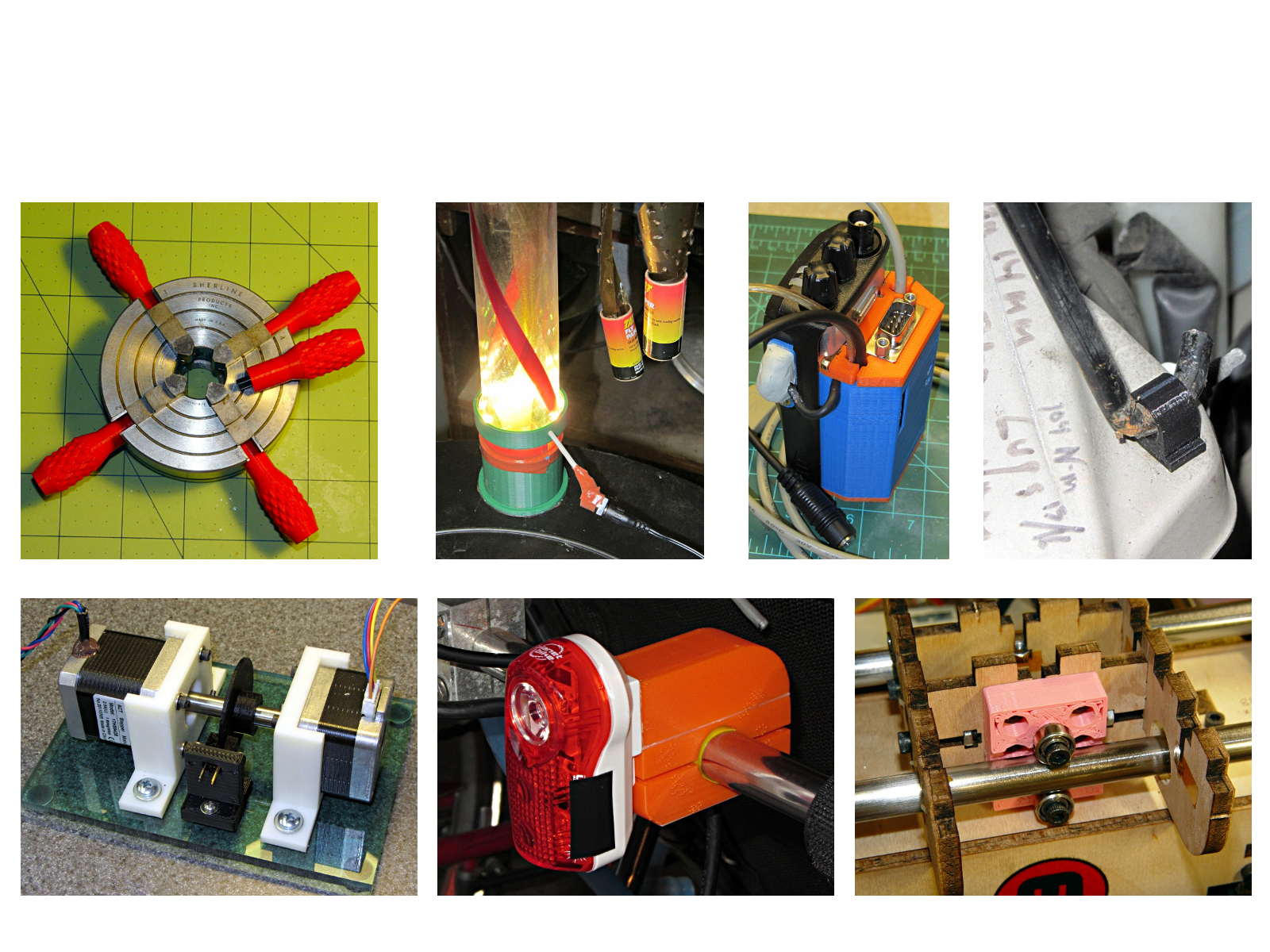
    These five slides from the presentation show my answers to the question “Why would anyone want a 3D printer?” Clicky for more dots.

    Things I Designed - 1
    Things I Designed – 1
    Things I Designed - 2
    Things I Designed – 2
    Things I Designed - 3
    Things I Designed – 3
    Things I Designed - 4
    Things I Designed – 4
    Things I Designed - 5
    Things I Designed – 5

    You can find those and more by searching for OpenSCAD source code.

    They go along with the sheets of solid models.

  • Bicycle Helmet Mirror Mount: Re-anchoring the Boom

    My original dimensions for the helmet mirror mount used three sections of the inspection mirror shaft, with a short length of the fattest tube screwed into the azimuth turret:

    Mirror shaft - 2-56 stud
    Mirror shaft – 2-56 stud

    Each section has a pair of brass leaf springs applying just enough friction to hold the next-smallest tube in place, with a rolled crimp securing the springs and preventing the smaller section from pulling out. My first version used that short length of the largest section and the next (for Mary’s helmet) used only the two smallest tubes; it’s rapid prototyping at its finest, except that I rarely discard a prototype that actually works.

    Late last year I managed to pull the shaft out of the base while adjusting the length and watched those two springs flutter to the ground beside me.

    After finding both of them amid the usual roadside clutter, I swore a mighty oath that I’d epoxy the base of the middle tube into the larger one, eliminating one non-functional adjustment point:

    Bike helmet mirror mount - epoxied stalk base
    Bike helmet mirror mount – epoxied stalk base

    The heatstink tubing covers most of the evidence, but you can see a fillet of epoxy around the end.

    Done!