Ed Nisley's Blog: Shop notes, electronics, firmware, machinery, 3D printing, laser cuttery, and curiosities. Contents: 100% human thinking, 0% AI slop.
The Moonlander keyboard has per-key LEDs that I’ve denatured enough that most show a pale gray, with a few others highlighted in orange. A few weeks ago the LEDs on the right-hand thumb cluster and the N key went nuts, cycling through a surprising assortment before settling on bright red; the obvious resets / firmware reflashing / tapping were all unavailing.
ZSA’s tech support recommended taking the thumb cluster apart to check the ribbon cable connecting it to the main keyboard half:
Moonlander thumb cluster – PCB bottom
Come to find out my unclean personal habits lodged a particularly corrosive nugget of board chow on the cable:
Moonlander – corroded ribbon cable
It’s a more-or-less standard 0.5 mm pitch cable, but only 20-ish mm long, much shorter than the cables carried by the usual sources. ZSA sells them for $2 each, plus $25 courier shipping, so I bought three; they arrived in two days from halfway around the planet.
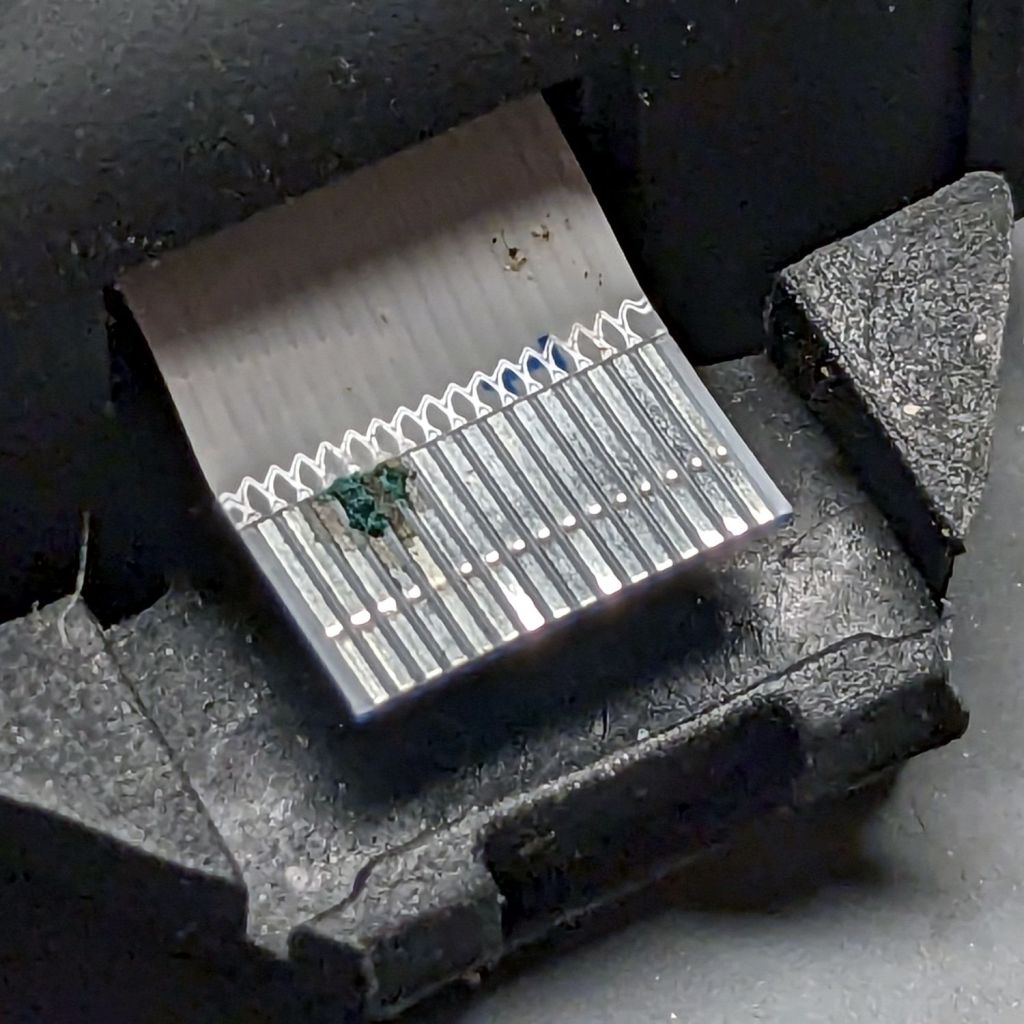
Because I don’t foresee my personal habits changing any time soon, I tucked a Kapton tape snippet in the gap to serve as a gutter:
Moonlander thumb cluster – tape shield installation
That’s with the two hinge screws out and the cluster eased down-and-away from the keyboard enough to get the tape pressed against the keyboard.
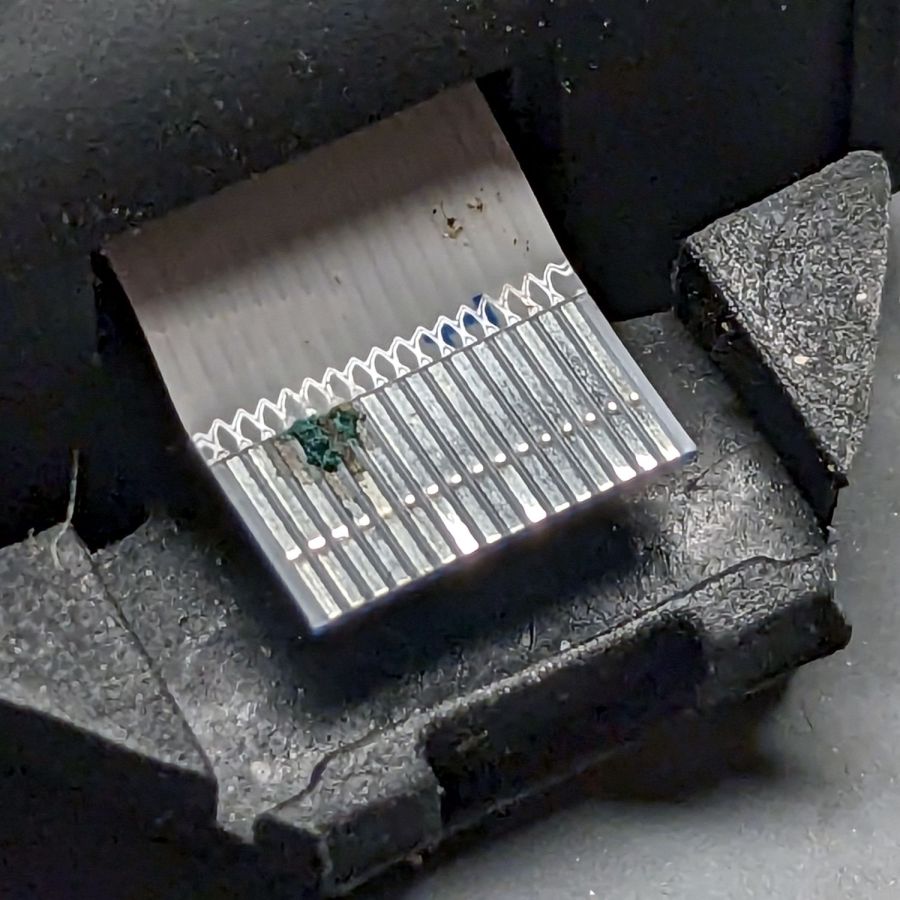
With the screws installed and the cluster at its normal most-downward angle, the gutter closes up:
Moonlander thumb cluster – tape shield folded
With the cluster in its normal operating position (for me, anyway), the gutter is nearly invisible:
Moonlander thumb cluster – normal position
For the record, I tucked the remaining ribbon cables inside the left-hand thumb cluster against future need.
A month or so ago a Manjaro update caused all file loading to take minutes, rather than seconds. This sort of breakage seems endemic to rolling update distros, although most glitches vanish within a few days as more knowledgeable users track down the problems and apply the fixes.
File loads and program startups continued to be achingly slow, so I trawled the Interwebs in search of a resolution, tried various suggestions, and had no success until:
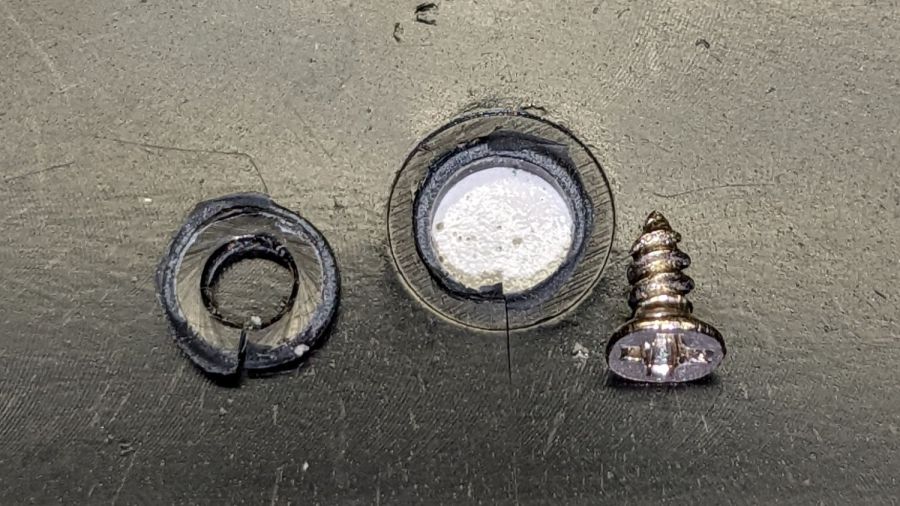
Having set up a cheap wireless numeric keypad as a simple macro pad at my left hand, I eventually knocked it off the desk, whereupon the screw compressing the back of the case against the membrane switches ripped through the plastic:
Numeric Keypad – compression screw pullout
The symptoms came down to erratic operation of a few keys that became worse as I continued tapping on the thing. Finally, with nothing to lose, I took it apart and, upon seeing the hole in the case, realized I didn’t have to cut the usual label to find the hidden screw.
Slathering the little donut with acetone and clamping things together might work for a while, but I’m sure the keypad will hit the floor again with similar results.
Instead, recruit some candidates from the Box o’ Random Screws:
Numeric Keypad – screw selection
Pick the screw big enough to grip the undamaged boss on the front of the case, yet short enough to compress the back again, add a small washer spanning the hole, and it’s all good again:
Numeric Keypad – screw installed
This only works because the keypad sits at enough of an angle to hold the screw off the desk.
Although the blurb for the Epson ET-3830 All-In-One scanner / printer says “up to 2 years of ink in the box”, the black ink hit the bottom line of the tank near the end of August:
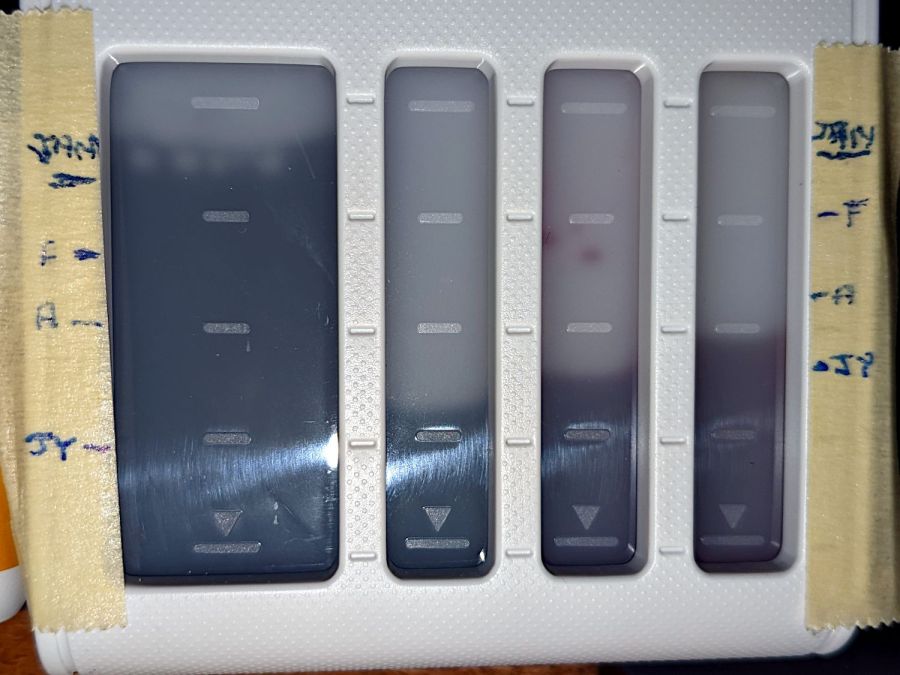
Being that type of guy, I keep track of ink vs. time:
Epson ET-3830 – ink status
In round numbers, it looks like we use nearly all of a 127 ml bottle of black ink and a bit more than half of an 70 ml bottle of color ink every eight months.
I find it much easier to read long articles and tech documents while slumped in the Power Chair than to scroll through them on big or little screens, so we go through much more ink and paper than most folks.
I set up my pobox.com account set up with two-factor authentication through my Yubikey, so logging in requires my user ID, password, and a Time-based One-time Password generated through the Yubikey Authenticator program. A few weeks ago, pobox occasionally rejected the TOTP and it eventually became a hard failure. Oddly, other sites I’ve set up with TOTP 2FA continued to work fine.
My initial trouble report:
The last couple of times I’ve tried to sign in, the usual TOTP copy-n-paste from my Yubikey authenticator has failed.
Up to that point, it worked flawlessly.
Manually typing the TOTP also fails.
I have reset my (complex!) password to no avail; I use Firefox’s password manager to fill it in.
I do have a set of lockout codes, but they’re a solution to a different problem.
Given the constant updates to Firefox (102.0.3), it’s almost certain the hole is in my end of the boat. I have disabled all the usual ad blocking for pobox.com, although there may be other domains I’ve overlooked.
Other than that, my email seems to be working just fine …
Any suggestions on how to proceed? (Obviously, I’m not going to be able to sign on to look at the ticket.)
Thanks …
This is the fastest I’ve ever reached Tier 2:
We’re happy to help you with this. I’ve escalated your ticket to our Tier 2 agents, as they are best suited to assist with this issue.
There is nothing like a good new problem to take your mind off all your old problems:
I’ve had a chat with our Tier 2 agents about this and they’ve suggested I escalate it to our developers to have a look at.
Somewhat later:
I am afraid to say that our developers were unable to find any clear reason as to why your Yubikey failed.
Yubikey devices verify by connecting with Yubikey’s server, and it is possible that this connection failed.
Can you please try using the Yubikey again to see if the issue is still occurring?
If it’s still failing, can you please try adding a new Yubikey device to see if it works?
Of course, the problem didn’t magically Go Away, but I did more experimentation and figured out where the hole was in my end of the boat:
Ah-HA! It’s a PEBKAC error!
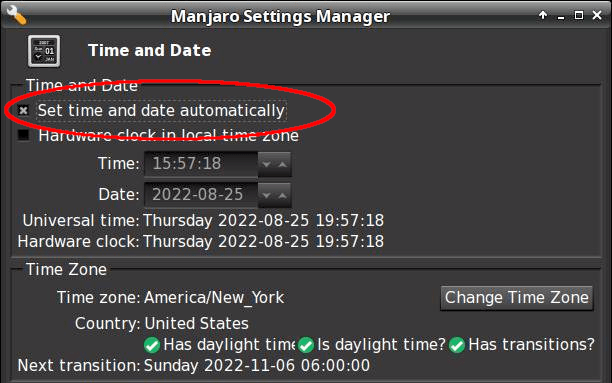
For unknown reasons, this PC was not set for automatic NTP time updates(*). Its time had drifted (presumably since I installed it back in June 2021) and was now 58 seconds behind real time, exceeding pobox’s tolerance.
Other websites apparently allow a few more seconds of slop before disallowing a TOTP, so I had not yet run afoul of their limit.
Some lesser-used sites threw me out, however, but I had not looked beyond the most common sites.
The default TOTP interval is 30 seconds, so perhaps pobox allows only ±1 interval and the other sites allow ±2? Frankly, I think pobox has it right: everybody else prioritizes customer sat over security.
Got the clock set correctly and, gosh, TOTP works fine.
Mark it solved, but definitely add “Soooo, is your PC’s clock set for automatic updates?” to the debugging protocol.
Thanks …
(*) I’ve installed all of the boxen here and would not ever have picked “Yeah, sure, I want to dink with the clock.”
How you make sure time synchronization is enabled goes like this:
$ systemctl status systemd-timesyncd.service
● systemd-timesyncd.service - Network Time Synchronization
     Loaded: loaded (/usr/lib/systemd/system/systemd-timesyncd.service; enabled; preset: enabled)
     Active: active (running) since Thu 2022-08-25 06:49:31 EDT; 10h ago
       Docs: man:systemd-timesyncd.service(8)
   Main PID: 355 (systemd-timesyn)
     Status: "Contacted time server 23.157.160.168:123 (2.manjaro.pool.ntp.org)."
      Tasks: 2 (limit: 19063)
     Memory: 2.2M
        CPU: 188ms
     CGroup: /system.slice/systemd-timesyncd.service
             └─355 /usr/lib/systemd/systemd-timesyncd

Aug 25 06:49:31 shiitake systemd[1]: Starting Network Time Synchronization...
Aug 25 06:49:31 shiitake systemd[1]: Started Network Time Synchronization.
Aug 25 06:50:12 shiitake systemd-timesyncd[355]: Timed out waiting for reply from 162.159.200.123:123 (2.manjaro.pool.ntp.org).
Aug 25 06:50:12 shiitake systemd-timesyncd[355]: Contacted time server 23.157.160.168:123 (2.manjaro.pool.ntp.org).
Aug 25 06:50:12 shiitake systemd-timesyncd[355]: Initial clock synchronization to Thu 2022-08-25 06:50:12.850444 EDT.
If it’s enabled and running, then it’s all good.
Whereupon all my TOTP passwords began working again.
I checked two other Manjaro systems: one had auto updates enabled, one didn’t. I have no explanation.
A note from Alan adds more data about troubleshooting problems with the classic Kensington Expert Mouse trackball scroll ring:
I have two comments and a question: first I made the mistake of purchasing 4 used expert mice on ebay etc and each had a different problem but 3 of 4 also had faulty scroll rings. 2nd: one of them was dated 2020 (a wireless version). so they definitely haven’t fixed this issue and it’s very wide spread (or maybe why shady sellers decide to part ways with their trackballs).
question: from reading across your quotes it’s not clear but it seems like there is no real consistent fix to this issue nor a really strong conclusion as to what causes it? My futzing with a couple of these does seem to suggest that alignment of the ring makes a difference but not a lasting one.
As far as the alignment non-fix goes, tweaking the detector position just changes the amount of light passing through the wrong side of the reversed IC, without solving the problem. That’s what we’ve all done, with essentially the same results: feels good, doesn’t last.
It should be possible to unsolder the reversed detector (if, indeed, it is), aim the lens (if that’s what it is) at the emitter, then somehow resolder the leads to the same pads. Perhaps flip it to put the leads on the top, away from the PCB, secure it with a generous blob of hot-melt glue, and connect jumpers from pads to leads?
So far, the two new-ish units on my desks continue to work well, depriving me of sufficient motivation to dig into my junkers.
If anybody is willing to hack their defunct trackball, please let us all know what happened!
Because you may be reading this in our future, comments on this particular post will probably have been disabled to reduce the attack surface for spammers. Send me an email / use the comment form (linky over on the right), or comment on the post of the day and I’ll sort it out. Thanks!







 The Smell of Molten Projects in the Morning