Ed Nisley's Blog: Shop notes, electronics, firmware, machinery, 3D printing, laser cuttery, and curiosities. Contents: 100% human thinking, 0% AI slop.
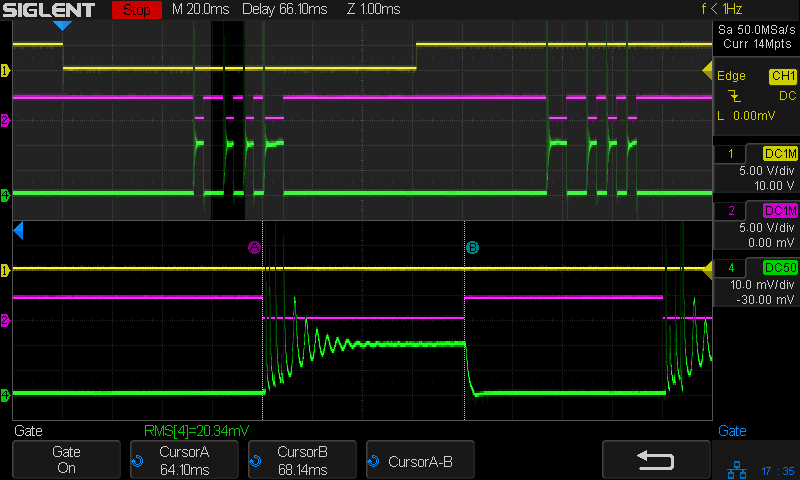
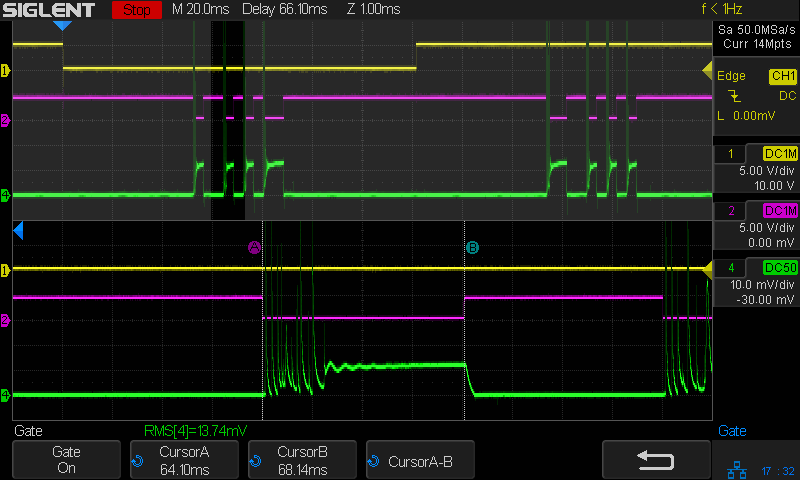
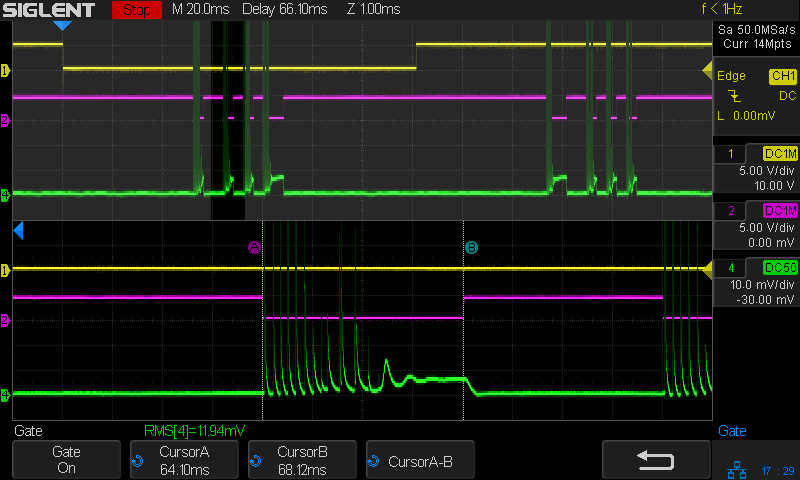
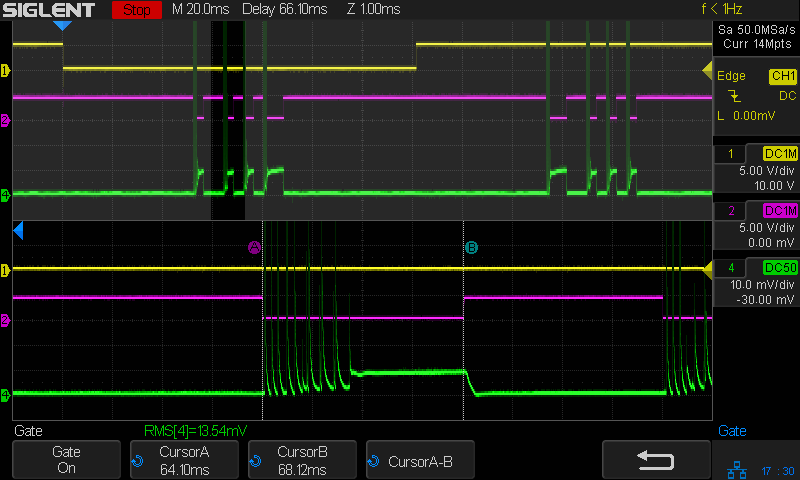
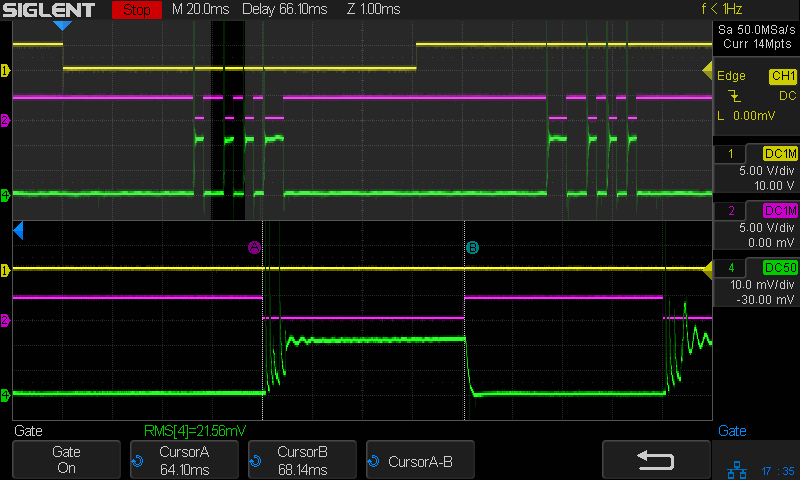
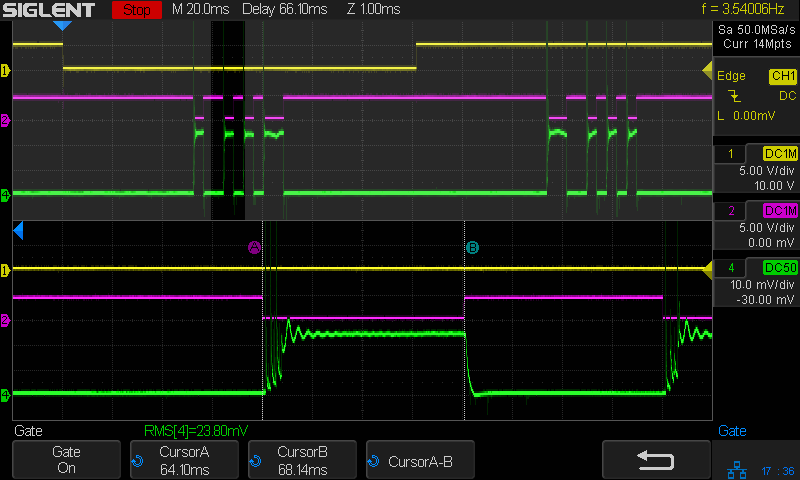
Each square is 1 mm on a side and the pattern runs at 250 mm/s, so the laser will be enabled for 4 ms. For example, the test setup shows the result of a pass at 50% PWM:
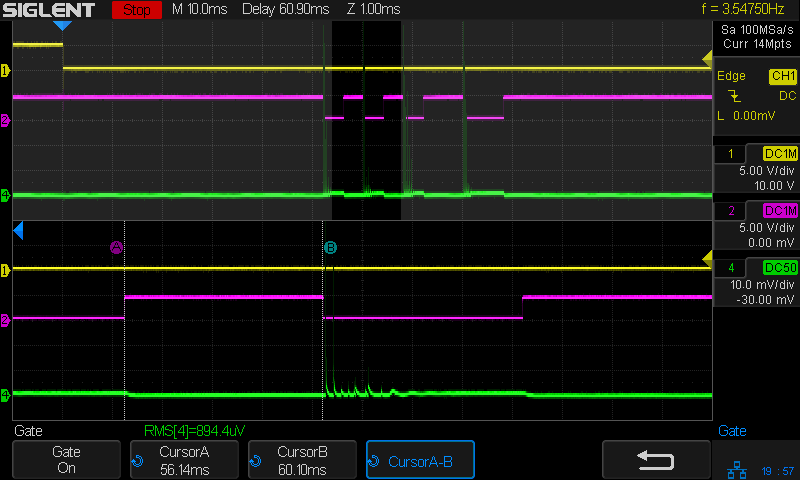
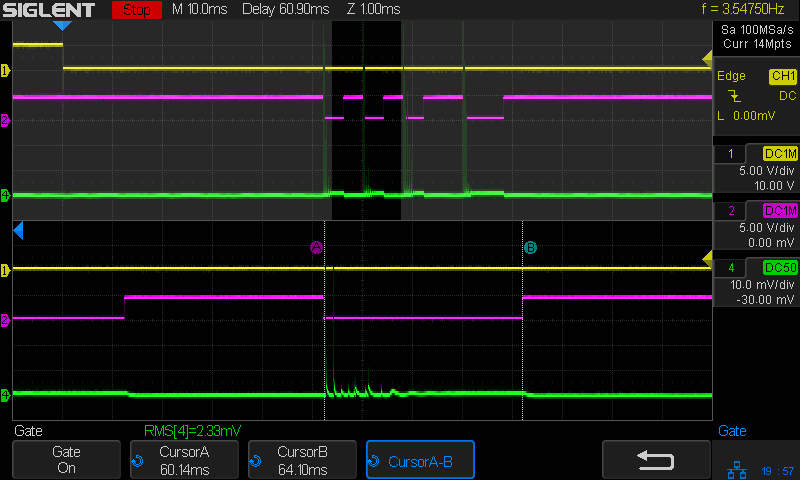
The two cursors mark the duration of one block, with the laser current in the bottom trace starting off with the usual off-screen spikes, then settling down to a constant-ish 13-ish mA for the rest of the block. The 13.74 mARMS value (the AM502’s 10 mA/div matches the scope’s 10 mV/div, so you can read mV as mA) includes some part of those spikes (the higher gain clips the tips), but most of it comes from the stable-ish portion.
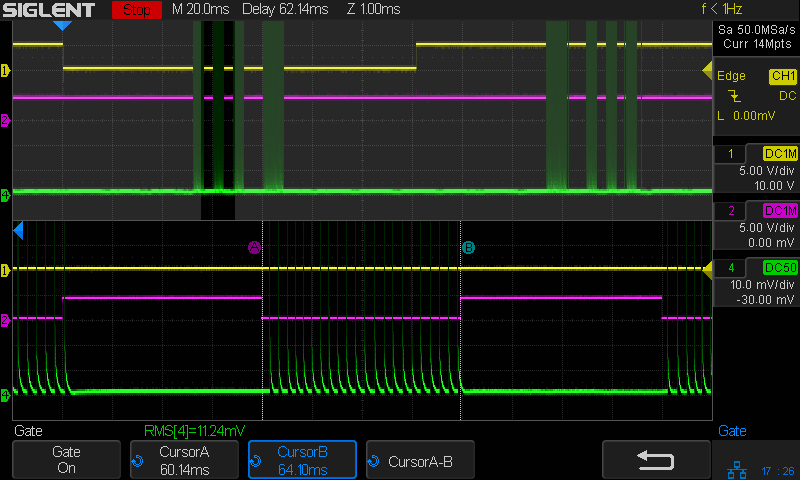
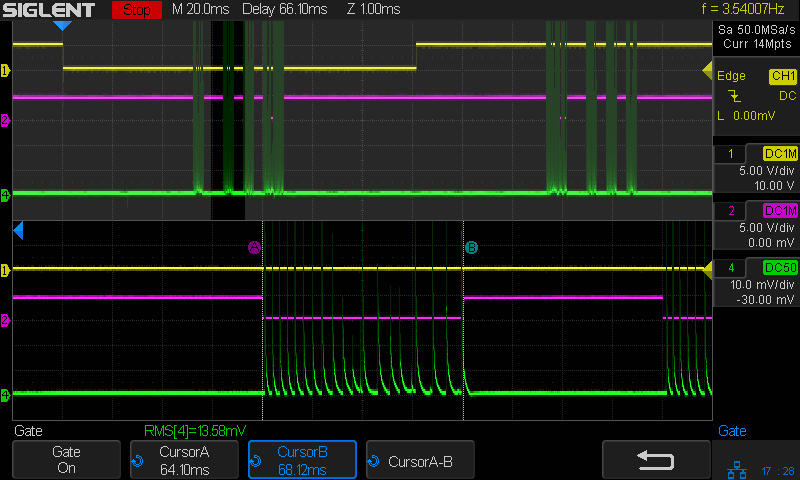
The whole measurement set as a slide show for your amusement:
I expected the line to pass through the origin, which it most certainly does not. One could make up a story about how the 30% and 40% PWM points are Close Enough to the line to sorta pull the bottom end over to the left a little, but even that doesn’t explain the known-to-be-weird results below 30% PWM.
A better story might be that 30-ish% PWM produces the minimum current required to fire the laser tube. Operating below that current works, in the sense that the laser produces a beam, but it’s out of spec. Running above that current eventually lets the power supply reach an agreement with the tube as to the operating point.
As before, those measurements do not account for the reasonably consistent results of scorching some cardboard:
Laser power settings of 10, 20, and 30% obviously produce different results:
Pulse Timing Pattern – cardboard – 10 20 30 pct
However, the scope traces for PWM values under about 25% all look pretty much like this:
Tube Current – 10pct – 250mm-s – 5ma-div
Rather than a simple constant current source, the power supply produces very high amplitude current pulses for low PWM inputs, with no visible differences between any of the PWM values.
The scope can compute the RMS value of (a section of) the trace, so I aimed it at traces captured from the upper left block of this test pattern:
Pulse Timing Pattern – 1 mm blocks
Because the pulses have such a high amplitude, I set the Tek AM502 current amp at 100 mA/div to capture the entire pulse. Measuring a part of the trace without a signal gives the baseline noise level:
The scope display is 10 mV/div, so 1 mVRMS (close enough to the 894.4 µV reported just above the bottom label row) means 10 mARMS of noise. Given that 100% PWM corresponds to about 25 mA (DC-ish during the pulse), the RMS numbers may not have any significant figures.
A slide show of the results so you can page through them:
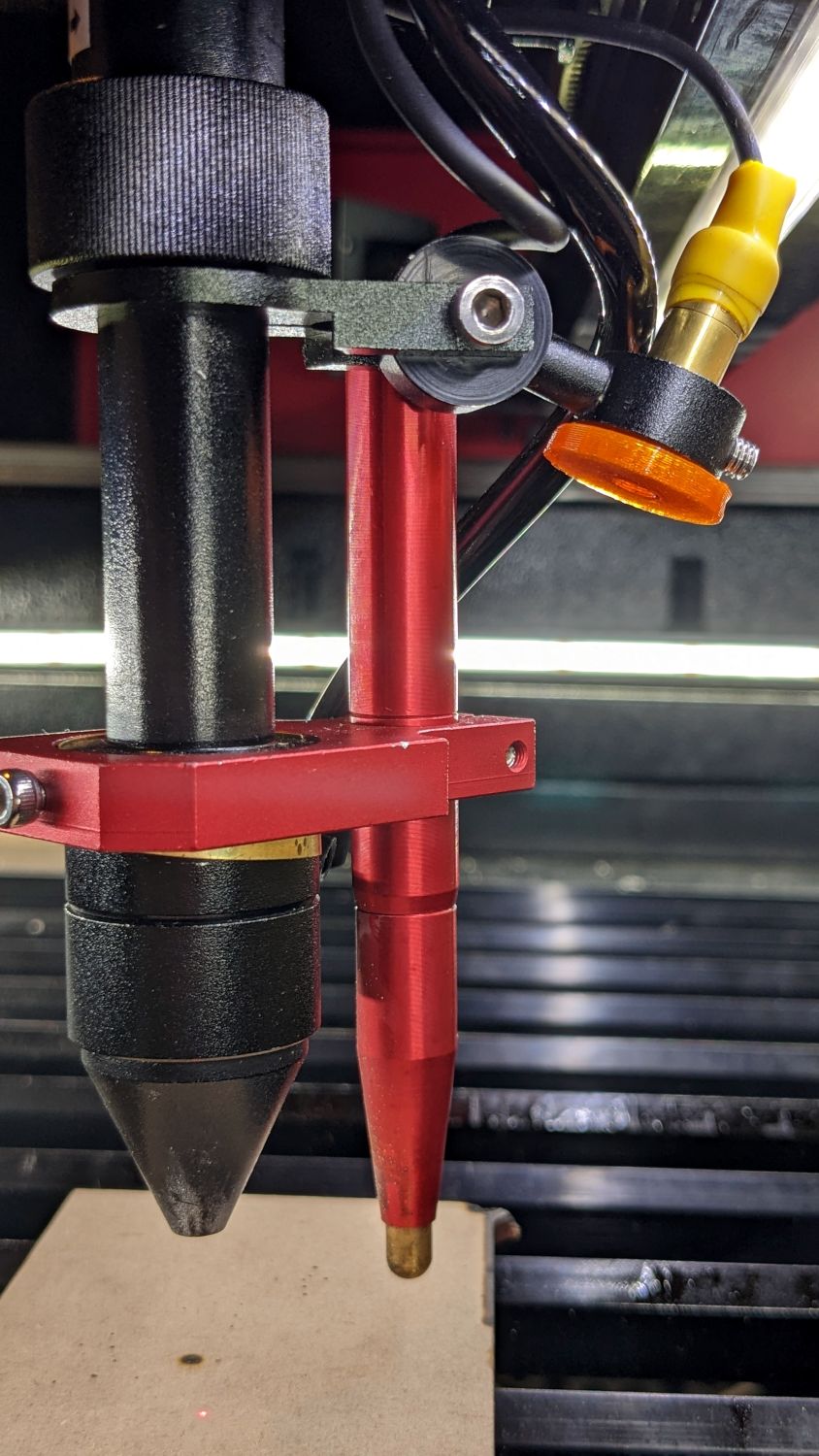
The red-dot pointer on the OMTech laser cutter has the same problem as my laser aligner for the Sherline mill: too much brightness creating too large a visual spot. In addition, there’s no way to make fine positioning adjustments, because the whole mechanical assembly is just a pivot.
The first pass involved sticking a polarizing filter on the existing mount while I considered the problem:
OMTech red dot pointer – polarizing filter installed
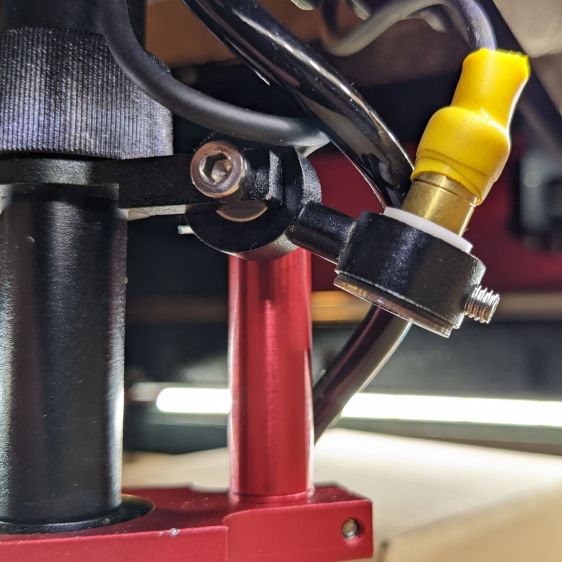
The red dot pointer module is 8 mm OD and the ring is 10 mm ID, but you will be unsurprised to know the laser arrived with the module jammed in the mount with a simple screw. Shortly thereafter, I turned the white Delrin bushing on the lathe to stabilize the pointer and installed a proper setscrew, but it’s obviously impossible to make delicate adjustments with that setup.
Making the polarizing filter involves cutting three circles:
OMTech red dot pointer – polarizing filter
Rotating the laser module in the bushing verified that I could reduce the red dot to a mere shadow of its former self, but it was no easier to align.
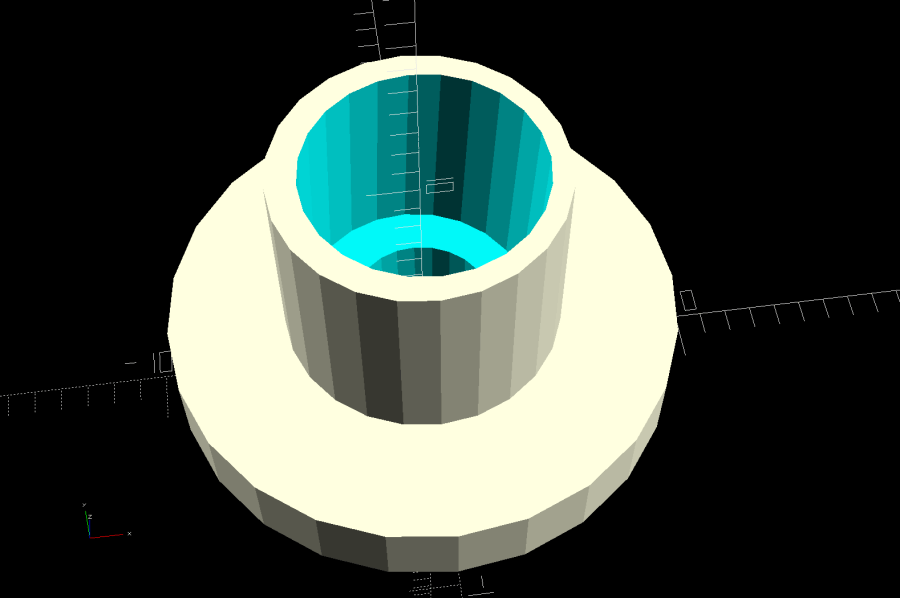
Replacing the Delrin bushing with a 3D printed adjuster gets closer to the goal:
Pointer fine adjuster – solid model
Shoving a polarizing filter disk to the bottom of the recess, rotating the laser module for least brightness, then jamming the module in place produces a low-brightness laser spot.
The 8 mm recess for the laser module is tilted 2.5° with respect to the Y axis, so (in principle) rotating the adjuster + module (using the wide grip ring) will move the red dot in a circle:
Improved red-dot pointer – overview
The dot sits about 100 mm away at the main laser focal point, so the circle will be about 10 mm in diameter. In practice, the whole affair is so sloppy you get what you get, but at least it’s more easily adjusted.
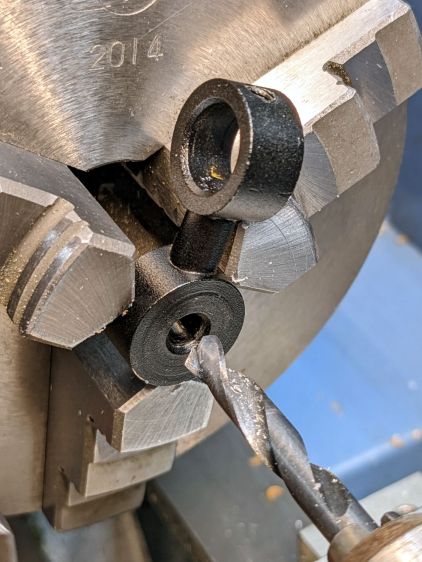
The M4 bolt clamping the holder to the main laser tube now goes through a Delrin bushing. I drilled out the original 4 mm screw hole to 6 mm to provide room for the bushing:
Improved red-dot pointer – drilling bolt hole
The bushing has a wide flange to soak up the excess space in the clamp ring:
Improved red-dot pointer – turning clamp bushing
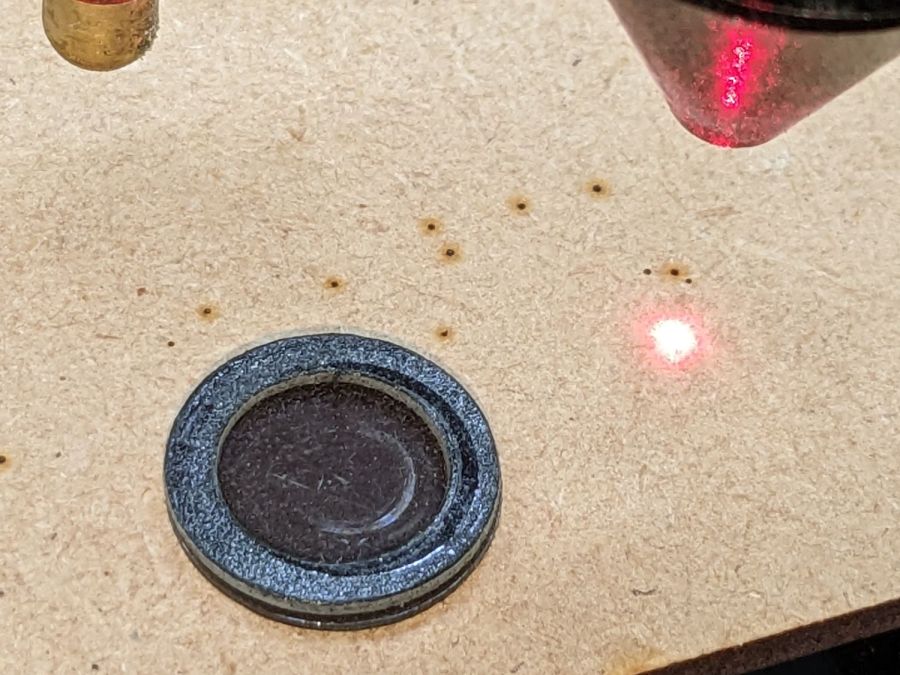
With all that in place, the dimmer dot is visually about 0.3 mm in diameter:
Improved red-dot pointer – offset
The crappy image quality comes from excessive digital zoom. The visible dot on the MDF surface is slightly larger than the blown-out white area in the image.
The CO₂ laser hole is offset from the red laser spot by about 0.3 mm in both X and Y. Eyeballometrically, the hole falls within the (dimmed) spot diameter, so this is as good as it gets. I have no idea how durable the alignment will be, but it feels sturdier than it started.
Because the red dot beam is 25° off vertical, every millimeter of vertical misalignment (due to non-flat surfaces, warping, whatever) shifts the red dot position half a millimeter in the XY plane. You can get a beam combiner to collimate the red dot with the main beam axis, but putting more optical elements in the beam path seems like a Bad Idea™ in general.
This file contains hidden or bidirectional Unicode text that may be interpreted or compiled differently than what appears below. To review, open the file in an editor that reveals hidden Unicode characters.
Learn more about bidirectional Unicode characters
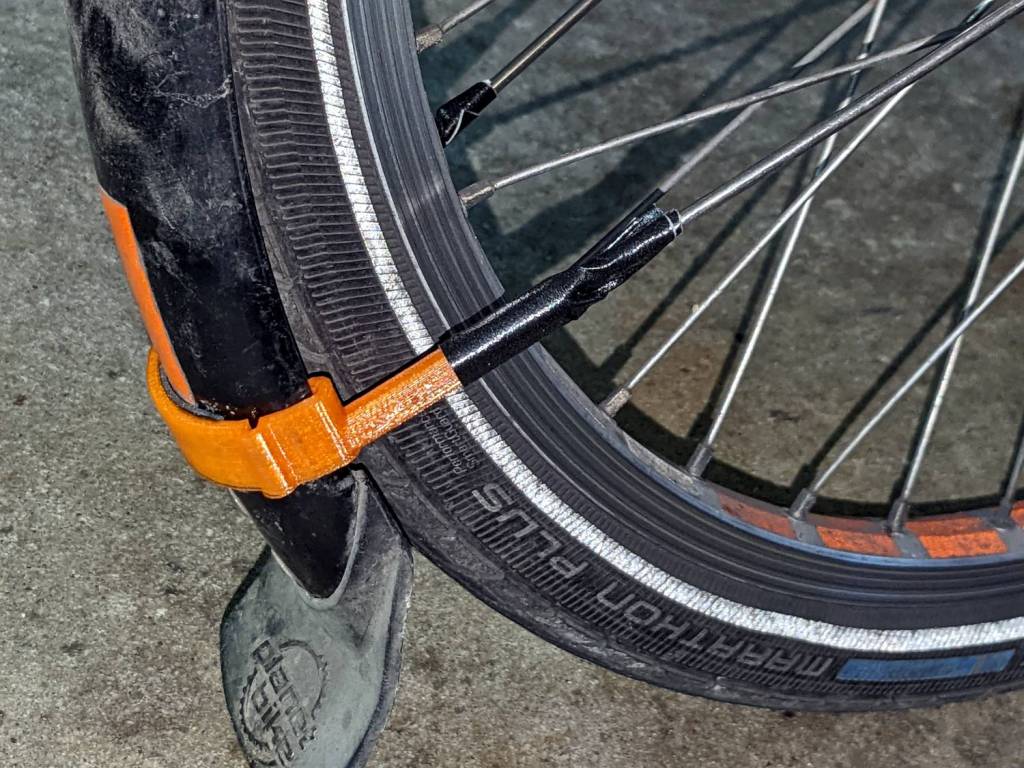
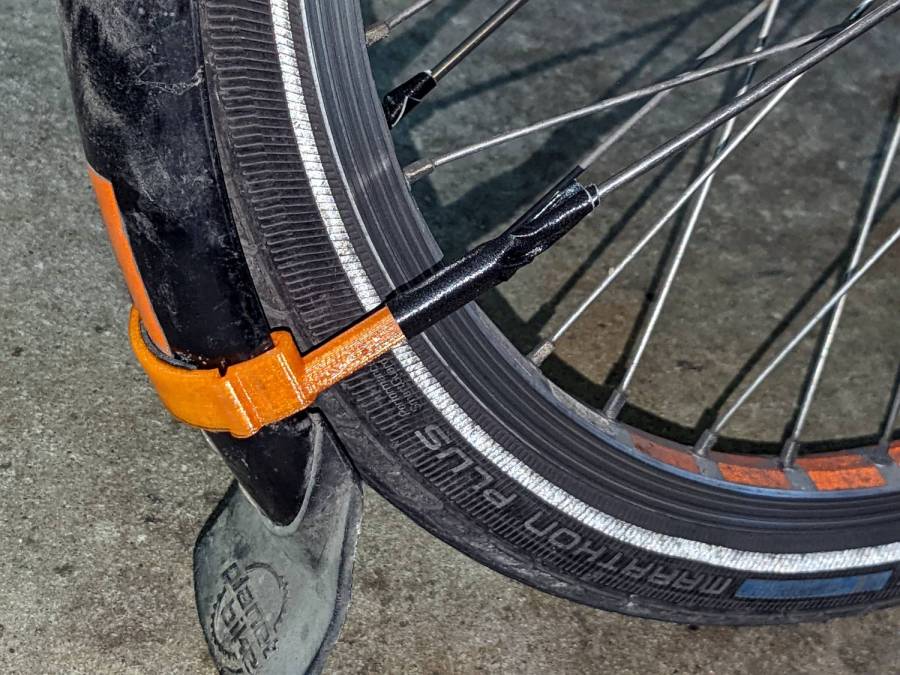
The mudflap on my front fender rides low enough to snag on obstacles and the most recent incident (about which more later) was a doozy, breaking the left strut ferrule and pulling the bracket off its double-sticky foam tape attachment. Fortunately, the repair kit now has plenty of duct tape.
Applying a laser cutter to paper-like materials requires balancing two contradictory imperatives:
Hold the sheet flat to avoid distortions
Have nothing below to avoid schmutz on the bottom
This seemed like a good compromise:
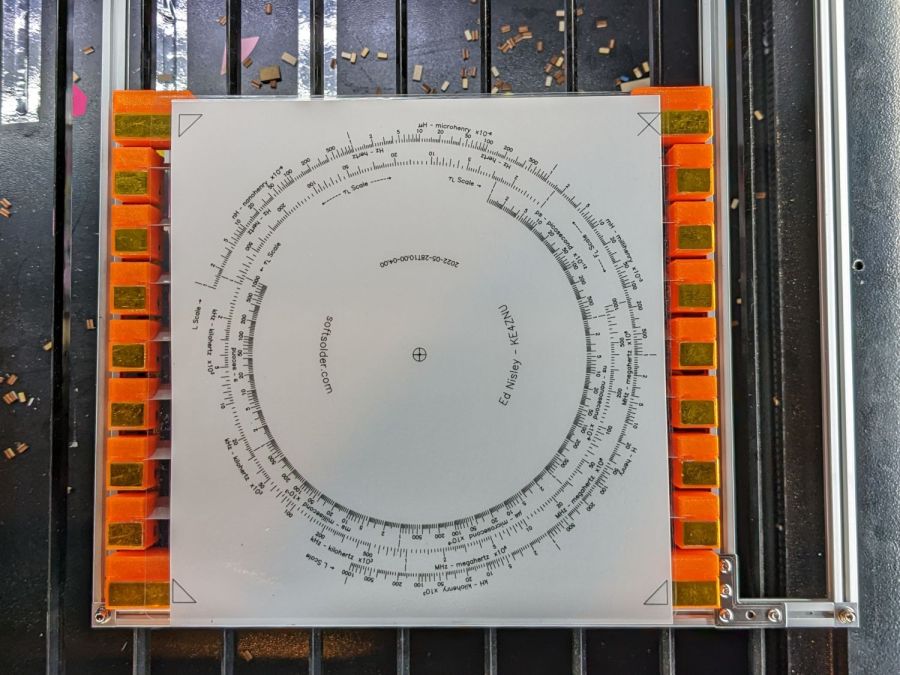
Sheet Holder – Tek CC bottom deck
The orange 3D printed blocks hold aluminum miniblind blades:
Sheet Holder – steel sheet magnet pads
The curved slots hold the blades flush with the upper surface and align their top sides parallel to the laser beam, giving the beam very little blade to chew on near the focus point and allowing plenty of room below the sheet to dissipate cutting fumes.
The gold-ish squares are thin steel sheets covered with Kapton tape, painstakingly filed en masse from small snippets:
Sheet Holder – filed steel pads
The first iteration used precisely laser-cut refrigerator magnet pieces, in the expectation a crappy rubber magnet would provide just enough attraction to let a neodymium magnets hold the paper flat, without risk of blood blisters between fingers and steel:
Sheet Holder – ferrite magnet pads
As expected, contact with the neo magnet completely wiped away the alternating pole magnetism in the rubber sheet, leaving a weakly attractive non-metallic surface. Alas, the rubber had too little attraction through a laminated sheet of paper, so I switched to real steel and risked the blisters.
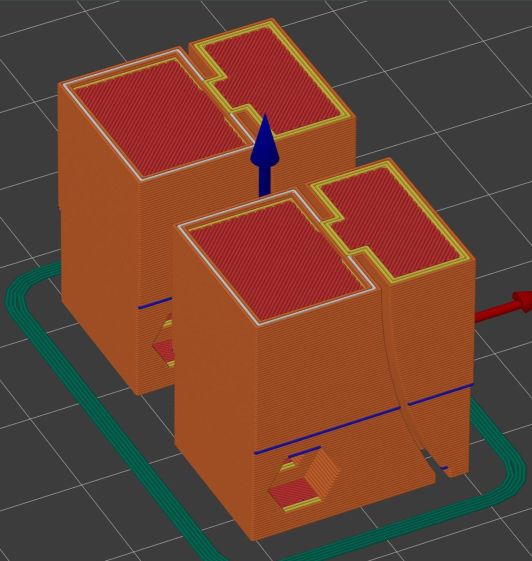
Most of the blocks are narrow:
Sheet Holder Bracket – solid model
The four corners are wider:
Sheet Holder Bracket – wide – solid model
They’re symmetric for simplicity, with recesses for the magnets / steel sheets on the top. The through-holes have recesses for M3 SHCS holding them to T-nuts in Makerbeam rails, with a slightly overhanging alignment ledge keeping them perpendicular to the rail.
The magnets come from an array of worn-out Philips Sonicare toothbrush heads:
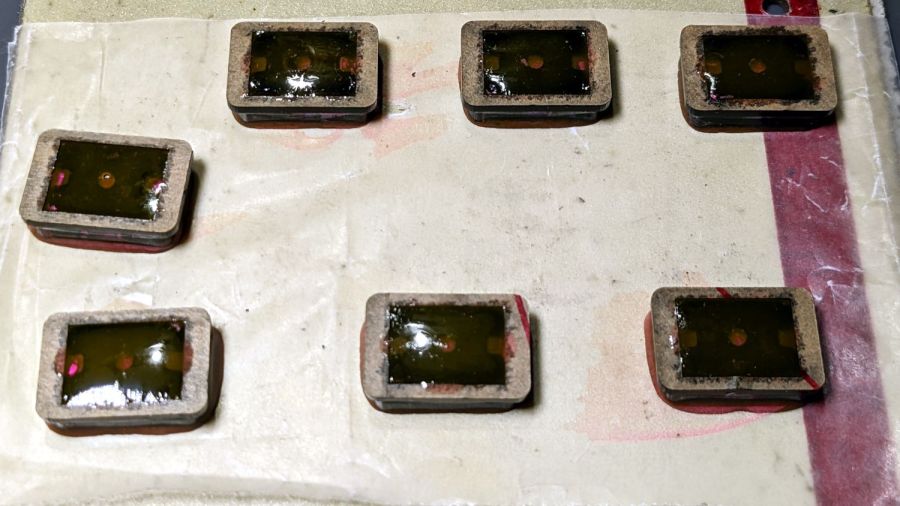
Sheet Holder – magnet holders curing
They’re epoxied inside a two-piece mount, with the lower part laser-machined from 3 mm acrylic to put the two magnets in each assembly flush with the lower surface; the green area gets engraved 1 mm below the surface for the steel backing plate. The 1.5 mm upper frame fits around the plate and protrudes over the ends just enough for a fingernail grip:
Magnet Holder Cuts
The epoxy got a few drops of fuschia dye, because why not:
Sheet Holder – trimmed magnet holders
The garish trimmings came from slicing the meniscus around the lower part of the holder off while the epoxy was still flexy.
The holders must be flat for clearance under the focus pen:
Sheet Holder – focus probe clearance
Some experimentation suggests I can raise the pen by maybe 2 mm (with a corresponding increase in the Home Offset distance) , but the switch travel requires nearly all of the protruding brass-colored tip and there’s not much clearance under the nozzle at the trip point.
With all that in hand, it works fairly well:
Sheet Holder – Tek CC cutout
The lower deck has very little margin for gripping, which is why the four corner blocks must be a bit wider than the others.
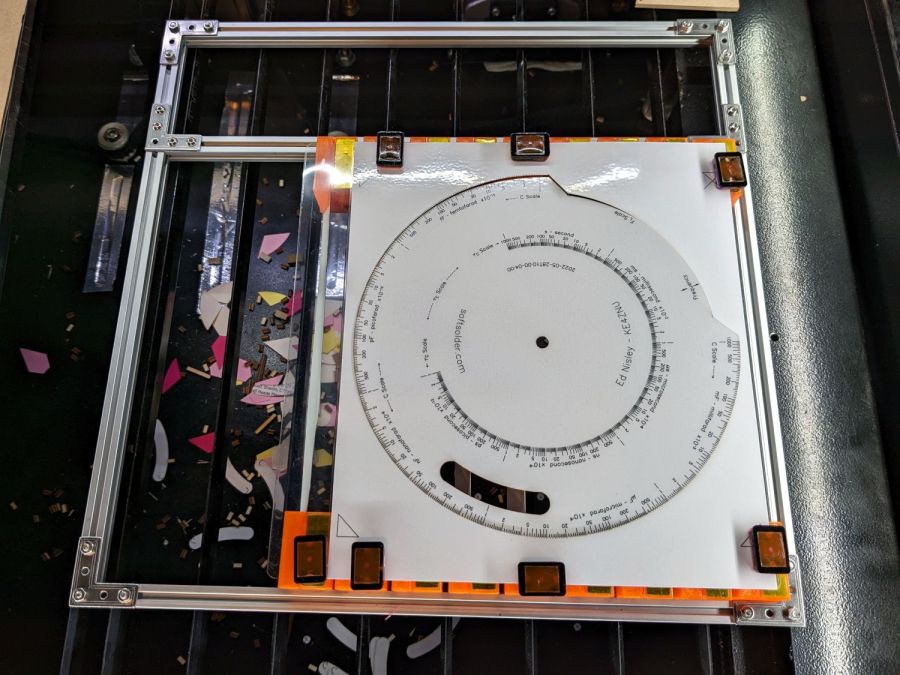
The lamInator tends to curl the sheets around their width, so most of the clamping force should be along the upper and lower edges to remove the curl at the ends. This requires turning the whole affair sideways and deploying more magnets, which is possible for the smaller middle and upper decks:
Sheet Holder – Tek CC middle deck
Protruding SHCS heads on the four corners snug up against the edge of the knife-edge bed opening for Good Enough™ angular alignment.
Plain paper (anything non-laminated) seems generally flat enough to require no more than the corner magnets.
It’s definitely better than the honeycomb surface for fume control!
This file contains hidden or bidirectional Unicode text that may be interpreted or compiled differently than what appears below. To review, open the file in an editor that reveals hidden Unicode characters.
Learn more about bidirectional Unicode characters
The axis scale error, however, took me by surprise.The X axis travels on the order of 0.2 mm more along 250 mm, about 0.08%, than the Y axis, even after my tedious calibration. I must do that calibration again, because, as Miss Clavel observed in a different context, Something Is Not Right.
And, yes, that tiny difference is enough to misalign the last few fingers with their holes, to the extent of requiring somewhat more than Gentle Persuasion with a plastic mallet.
While running some finger-joint test pieces, this happened:
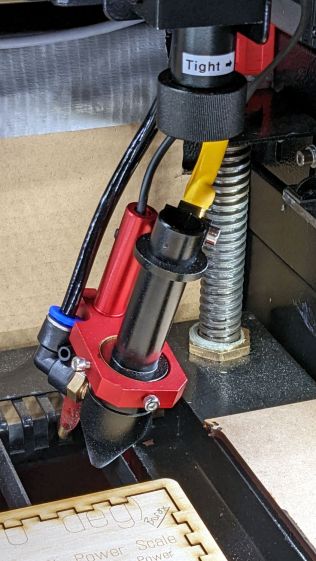
Detached laser lens holder
The knurled ring just below the Tight→ label worked its way loose and released the lens holder tube collet, whereupon the whole affair fell out and dangled on the air hose & wires as the gantry continued to zigzag along the finger pattern.
As is my custom, I was watching the proceedings and managed to poke the controller’s STOP button, which was a mistake. What I should have done was slap the EMERGENCY STOP mushroom switch, because the STOP button just tells the controller to cancel the current action and return to the home position, which resulted in dragging the lens holder across the plywood and platform.
The more typical laser cutter failure seems to be having the controller execute the Halt and Catch Fire instruction, resulting in at least a ruined workpiece, sometimes a ruined laser, and occasionally a serious conflagration.
Lesson learned: practice slapping the Big Red Switch every now and then.















 The Smell of Molten Projects in the Morning