The Smell of Molten Projects in the Morning

Ed Nisley's Blog: Shop notes, electronics, firmware, machinery, 3D printing, laser cuttery, and curiosities. Contents: 100% human thinking, 0% AI slop.

Category: Machine Shop

Mechanical widgetry

  • DIY Birdsavers

    DIY Birdsavers

    Mary counts birds for Project Feederwatch and the feeder goes up at Halloween, whereupon birds begin smashing against the windows. Having bought a lifetime supply of paracord for this purpose on our previous house, I made a DIY Birdsaver for the rear windows:

    DIY Birdsavers - interior view
    DIY Birdsavers – interior view

    This project was tremendously simplified by discovering the soffits consist of molded PVC sheets having exactly the proper 4 inch spacing and a convenient lip perfectly suited to capture the knot:

    DIY Birdsavers - soffit mount
    DIY Birdsavers – soffit mount

    So far, no thuds …

  • Garden Knife Sheath Redux

    Garden Knife Sheath Redux

    A knife found in Mary’s Bucket o’ Gardening Gear was in need of a sheath:

    Serrated Garden Knife
    Serrated Garden Knife

    Unlike the time before or the time before that, a few minutes with LightBurn laid out the overall pattern:

    Garden Knife Sheath - LightBurn layout
    Garden Knife Sheath – LightBurn layout

    The knife’s silhouette came from a few minutes with GIMP, because cleaning up the edges on a graphics tablet is easier than fiddling with precise spline curves. Export the selection as an SVG, import into LightBurn, set to Fill, and Fire The Laser:

    Garden knife sheath
    Garden knife sheath

    The upper block in the LightBurn layout is an oversized rectangle so I could cut that out first, stick craft adhesive on both sides, trim the edges, drop it back into the hole, then cut the middle part of the sheath.

    It’s made of recycled through-dyed chipboard and it won’t last forever, but that’s not a problem because these things tend to wander off before they disintegrate.

    I must do a few more for the other garden bucket, but those should be straightforward.

  • Generator Air Filter Screw Knob

    Generator Air Filter Screw Knob

    Part of the Autumn festivities around here involves blowing leaves into piles, then shredding them into garden mulch. Given that I have a plug-in electric leaf blower / wind stick, I use this as an excuse to exercise the emergency generator (similar to that one) with a (relatively) short extension cord.

    As with all small gasoline engines, I fire a shot of starting fluid into the air cleaner to reduce the number of engine-start yanks, which means I must remove the generator’s side panel and unscrew the filter cover. For years I have sworn mighty oaths on the bones of my ancestors to knobify that screw, thus eliminating fiddling with a screwdriver.

    Finally:

    Generator Air Filter Screw Knob - solid model
    Generator Air Filter Screw Knob – solid model

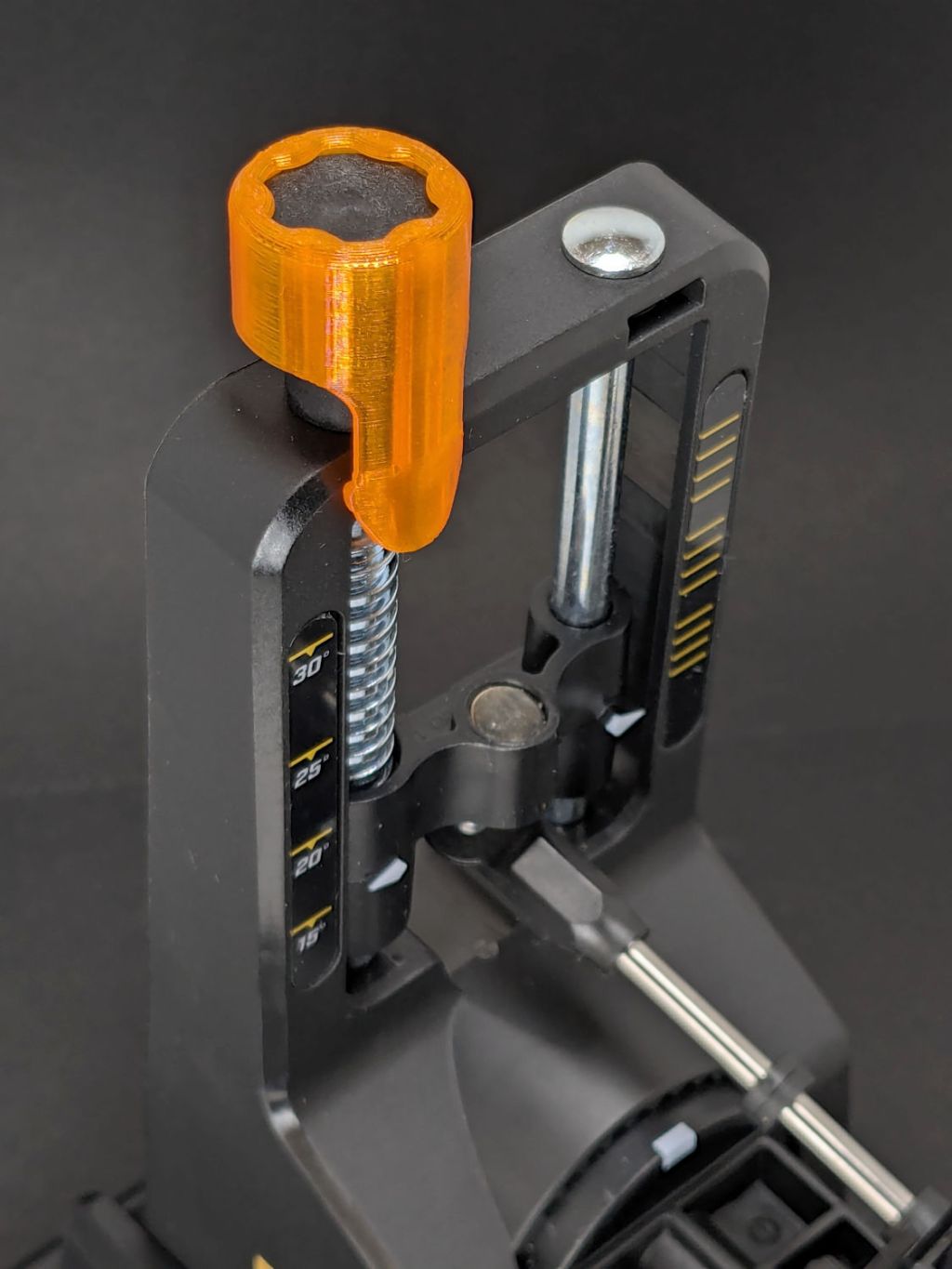
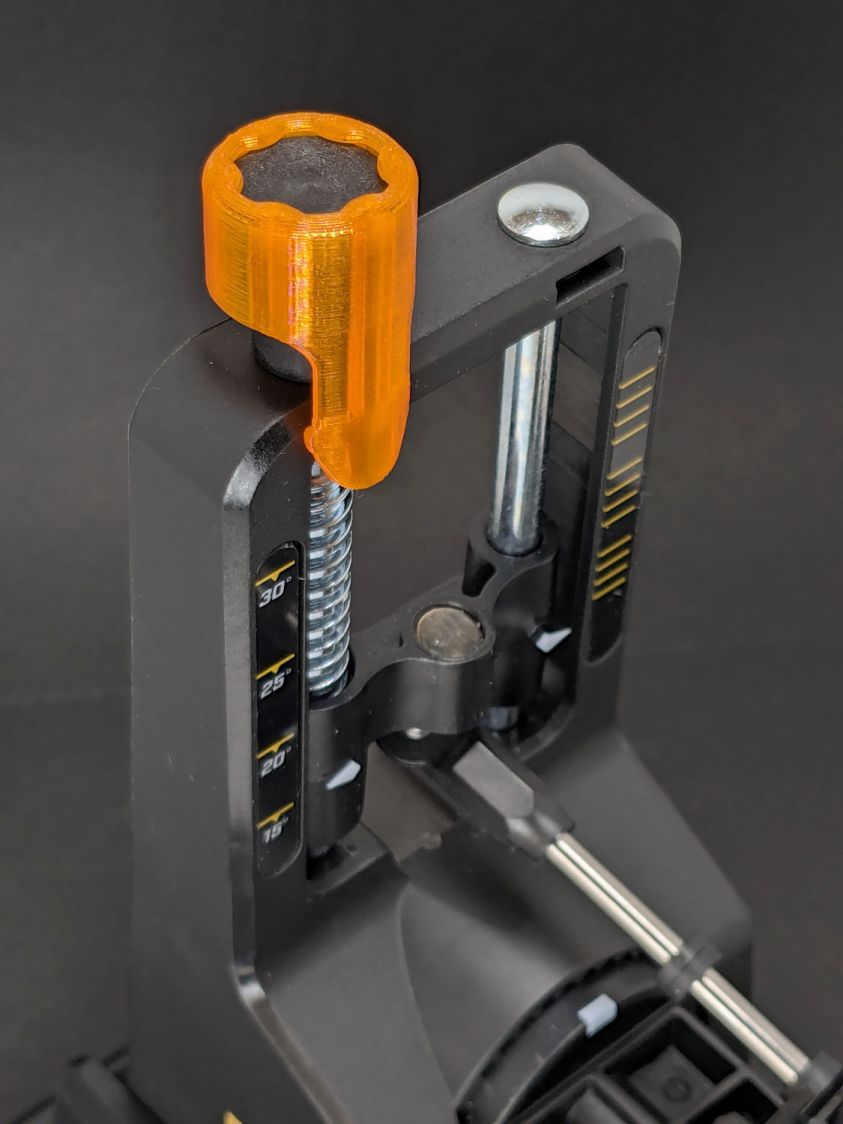
    A dozen minutes of printing and a snippet of good double-sided tape later:

    Generator air filter knob - installed
    Generator air filter knob – installed

    The knob sticks out far enough to push into the foam “sound deadening” liner on the cover, so it won’t vibrate loose.

    The OpenSCAD source code:

    include <BOSL2/std.scad>
    
    /* [Hidden] */
    
    HoleWindage = 0.2;
    Protrusion = 0.1;
    
    // Screw head dome
    
    HeadHeight = 2.0;
    HeadOD = 14.75;
    
    DomeRadius = (HeadHeight^2 + (HeadOD^2)/4) / (2*HeadHeight);
    echo(DomeRadius=DomeRadius);
    
    KnobOD = HeadOD;
    KnobLength = 15.0;
    
    RimFudge = 0.3;   // ensures a printable edge
    
    // Build it
    
    difference() {
      cyl(h=KnobLength, r=KnobOD/2,anchor=BOTTOM,texture="trunc_pyramids",tex_size=[2.0,KnobLength/4]);
    #  up(KnobLength - HeadHeight + RimFudge)
        spheroid(r=DomeRadius,circum=true,style="icosa",anchor=BOTTOM);
    }
    

    The cover has robust plastic latches, so I haven’t ever bothered to tighten those screws.

  • Silicone Handle Wrap

    Silicone Handle Wrap

    The common fate of all “soft touch” silicone handles is to become sticky and gooey. While some goo may be removable, I’ve found that wrapping self-bonding silicone tape around the mess both encapsulates it and maintains the grippiness of the original silicone.

    The most recent casualty is the decade-old ceramic crysknife I returned to service while the rest of the knives were being sharpened:

    Ceramic knife - silicone handle wrap
    Ceramic knife – silicone handle wrap

    While I was at it, I added griptivity to the leaf blower handle:

    Leaf blower - silicone handle wrap
    Leaf blower – silicone handle wrap

    Long years ago, before getting transparent silicone tape, I’d wrapped a kitchen slotted spoon:

    Kitchen spoon - silicone handle wrap
    Kitchen spoon – silicone handle wrap

    Stipulated: Butt-ugly and built to stay that way.

    Oddly, the handle on the matching spatula / scraper remains non-gooey to this day.

    Should you care more about form than function, this repair is not the one you seek …

  • Prusa MK4+MMU3 vs. Spool Join: Whoopsie

    Prusa MK4+MMU3 vs. Spool Join: Whoopsie

    Because nobody will ever see the Radiator Sleds, I started a batch with the tail end of the white PETG spool and set up the Spool Join function to switch to the retina-burn orange PETG when the white filament ran out.

    The two colors combined nicely on that layer:

    Prusa MK4 MMU filament joining
    Prusa MK4 MMU filament joining

    Unfortunately, the Spool Join didn’t work out quite right and I had to extricate the white filament from the MMU3, then coerce the orange filament into position.

    The key section of the MMU3 looks like this:

    Prusa MK4 MMU filament joiningPrusa Mk4 MMU3 selector
    Prusa MK4 MMU filament joiningPrusa Mk4 MMU3 selector

    The Selector assembly rides on the smooth rods, driven by the stepper motor on the far end of the leadscrew. It stops at one of the five filament tubes (visible to the left of the upper smooth rod, with filament tips showing), whereupon a drive gear pushes the filament into the Selector, under the FINDA sensor (the threaded fitting sticking out of the top), into the PTFE tube, down to the Nextruder, through the idler to trip the Filament Sensor, then into the extruder’s planetary drive gear.

    I think this happened:

    • The rear end of the white filament passed through the FINDA sensor
    • The MK4 reversed the Nextruder to drive the filament back into the MMU3
    • The rear end of the filament didn’t reenter its filament tube and escaped out to the side
    • The MMU3 drive gear couldn’t pull the filament backward, because the back end was misplaced
    • The Extruder planetary drive gear couldn’t pull the filament forward, because the front end was now above the gear
    • Both the FINDA and the Filament Sensor showed the filament was present, so the MK4 knew something was wrong

    Fortunately, I was watching the whole operation and could intervene.

    The MMU3 works well when the filament behaves properly, but it’s very sensitive to bends in the filament and misshapen ends. In this case, the white filament had the usual tight curve due to being would around the spool hub, which was enough to mis-align its end with the MMU3 tube while backing out.

    Trust, but verify.

  • Handlebar Grip Sleeve

    Handlebar Grip Sleeve

    Mary’s zero-mph crash loosened the starboard handlebar plug enough to let it eventually decamp for parts unknown. Its replacement, a somewhat fancier aluminum plug with an expanding cone retainer using an actual M3 nut, worked fine for the last year, but Mary recently noticed the socket head screw had worked loose.

    In the interim, I’d moved the Bafang thumb control from its original position on the crossbar to just above the rear shifter:

    Tour Easy - right handlebar control stack
    Tour Easy – right handlebar control stack

    Which moved the clamp on the shortened grip off the end of the handlebar tube, so I flipped the grip around, tightened the clamp, and installed the plug.

    Unfortunately, the grip ID is 4 mm larger than the tube ID, which meant the plug’s cone retainer was struggling to hold on in there. Perhaps the plastic cone has relaxed bit, but I figured giving it more traction would be a Good Idea™ before I declared victory:

    Handlebar Grip Sleeve - PrusaSlicer
    Handlebar Grip Sleeve – PrusaSlicer

    It’s a little plastic sleeve with slots to let it expand against the inside of the grip:

    Handlebar grip sleeve - installed
    Handlebar grip sleeve – installed

    Yes, it’s sticking out slightly; you can see the corresponding gap up inside next to the tube.

    A wrap of double-sided sticky tape glues it in place as the retainer presses it against the grip ID and a dot of low-strength Loctite should keep the screw from loosening again.

    The OpenSCAD source code:

    // Handlebar grip sleeve
    // Ed Nisley - KE4ZNU
    // 2025-10-25
    
    include <BOSL2/std.scad>
    
    /* [Hidden] */
    
    ID = 0;
    OD = 1;
    LENGTH = 2;
    
    HoleWindage = 0.2;
    Protrusion = 0.1;
    NumSides = 3*2*4;
    
    $fn=NumSides;
    
    Sleeve = [18.5,22.0,14.0];
    Kerf = 1.0;
    
      difference() {
        tube(Sleeve[LENGTH],id=Sleeve[ID],od=Sleeve[OD],anchor=BOTTOM);
        for (a=[0,90])
          zrot(a)
            up(Sleeve[LENGTH]/4)
              cuboid([2*Sleeve[OD],Kerf,Sleeve[LENGTH]],anchor=BOTTOM);
      }


    That was easy …

  • Monster Restocking

    Monster Restocking

    This being the season of monsters, I rebuilt and deployed a few from last year:

    Alligator - installed
    Alligator – installed

    Real spiders have better camouflage, but cardboard works pretty well:

    Spider 1 - camouflaged
    Spider 1 – camouflaged

    I must move them to the driveway on Friday:

    Spider 2 - camouflaged
    Spider 2 – camouflaged

    This one stands out in any situation:

    Green spider
    Green spider

    Tiny T-Rexes are just cute:

    Tiny T-Rex with pillar lamp
    Tiny T-Rex with pillar lamp

    They need support, because their heavy head bends the spine just above the hips, so they’re snuggled up against pillar lamps or each other:

    Mantis and Tiny T-Rexes
    Mantis and Tiny T-Rexes

    The cardboard Mantis turned out entirely too fragile:

    Mantis - dismantled
    Mantis – dismantled

    Reassembling the poor thing with a blob of hot-melt glue on each joint held it together.

    If I used something other than corrugated cardboard, they’d likely survive longer out there.

    A handful of RGBW tea lights provide just enough illumination to make them visible.