Ed Nisley's Blog: Shop notes, electronics, firmware, machinery, 3D printing, laser cuttery, and curiosities. Contents: 100% human thinking, 0% AI slop.
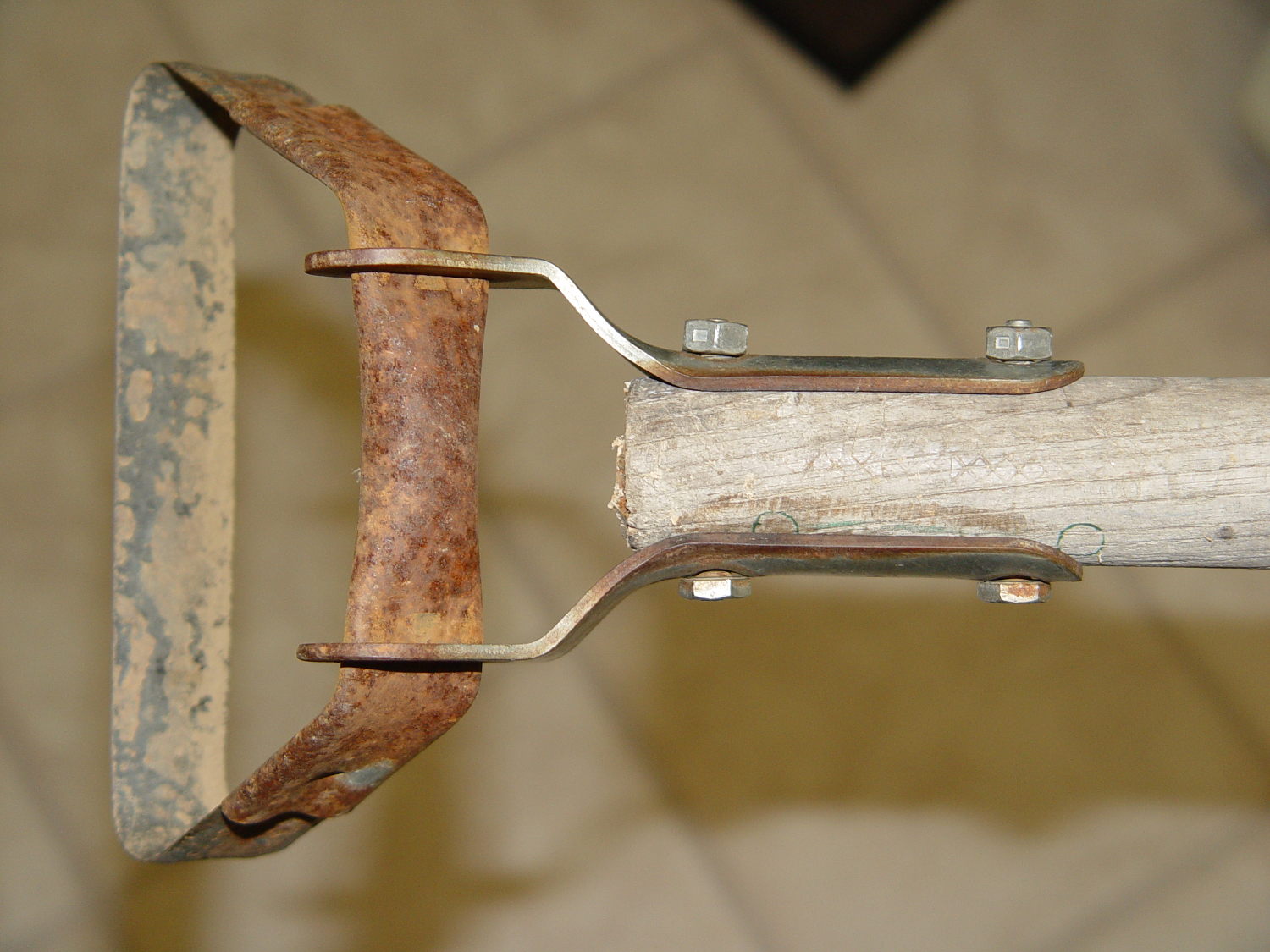
Mary (not the spammer) uses a stirrup hoe for most of what little weeding she does, so it spends much of its life outdoors in the Vassar Farms plot. The bottom of the handle disintegrated and she brought the business end home for repair:
Stirrup hoe – replacement handle
That was easy: a suitable handle lay on the top of the rods-and-tubes rack; I’d harvested it from a defunct rake a while back. Although the wood is weathered, we think of it as well-seasoned. The errant hole marks came from a first pass, before I realized there was no point in having the handle extend beyond the outward-bending part of the brackets.
The bolts and locking nuts are original!
Ya gotta have stuff…
(And not a trace of 3D printing anywhere to be seen. Imagine that!)
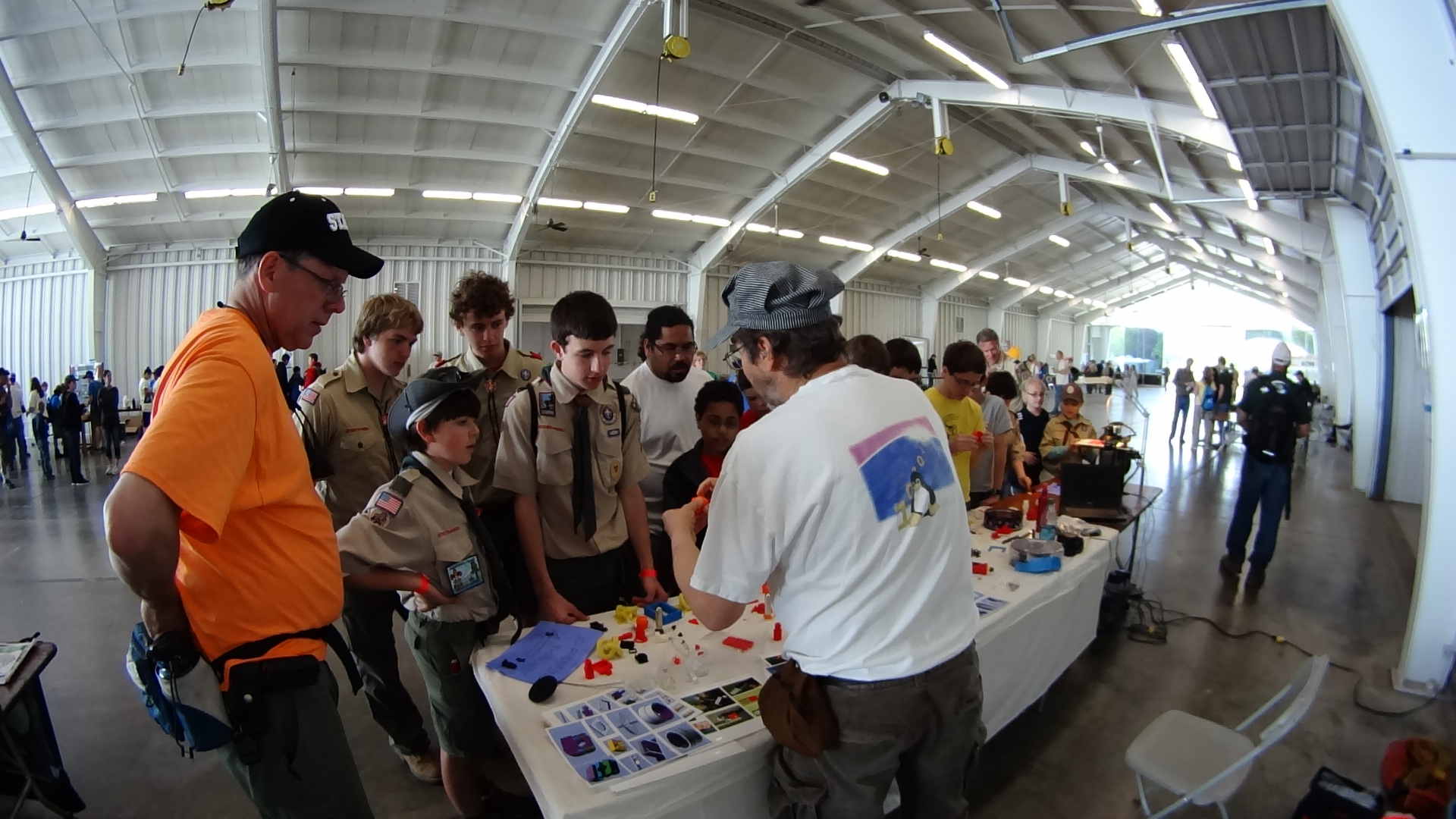
The Sony HDR-AS30V perched atop a tripod behind the table, where only one errant Scout bumped it, recording one image every 5 seconds. The non-adjustable focus seems biased for selfies, but the compression definitely produces softer images in subdued lighting conditions, so it’s hard to say.
Each NP-BX1 battery lasts about 2.5 hr in that mode and I brought all three, but simply forgot to install the third one. As a result, we don’t get to see the last 2+ hours… it was a long day.
The “image processing” behind the movie went a little something like this, modulo a few edits to elide my blundering around:
sudo mount /dev/sdb1 /mnt/backup
sudo mount -o uid=ed /dev/sdd1 /mnt/part
mkdir /mnt/backup/Video/2014-05-17
rsync -au /mnt/part/DCIM/100MSDCF/ /mnt/backup/Video/2014-05-17
rsync -au /mnt/part/DCIM/101MSDCF/ /mnt/backup/Video/2014-05-17
cd /tmp
mkdir Video
cd Video
sn=1 ; for f in /mnt/backup/Video/2014-05-17/*JPG ; do printf -v dn 'dsc%05d.jpg' "$(( sn++ ))" ; cp -a $f $dn ; done
mkdir Shrink
for f in *jpg ; do convert $f -resize 50% Shrink/$f ; done
cd Shrink/
avconv -r 30 -i dsc%05d.jpg -q 5 3DPrinting-q5.mp4
mv 3DPrinting-q5.mp4 "3D Printing Demo - HV Scout CamporALL 2104.mp4"
One could, of course, do all that in fewer steps, if one knew the answers ahead of time, which should may apply when I refer back to this post.
Using rsync -au to copy the files from the camera to the 2 TB backup drive neatly solves the problems that occur when the camera’s USB port abruptly disconnects itself during the copy: rsync can recover without losing or trashing any files. Alas, after the camera disconnects, it requires a power cycle to recover its wits.
The USB camera connection reads data at 6 MB/s. Removing the MicroSD card and jamming it in the card-reader slot on my monitor runs at 18 MB/s. Apart from the fact that the MicroSD card seems so flimsy, I wonder how long the spring-detent latch inside the camera will continue working. On the other paw, when the USB port finally breaks, it’ll take the GPS assist data path along with it.
Not shown: the rename 'y/A-Z/a-z/' *JPG that converts the original filenames to lowercase, which I did after the fact. Because blundering around, OK?
The 3964 original 1920×1080 images, hot from the camera, weigh in at 2.2 GB and the half-size video emerged at 118 MB. The default avconv quality setting produces surprisingly crappy results, so I used -q 5. Some after-the-fact fiddling showed that -qscale 5 produces the same file size with about the same apparent quality.
None of that matters, because Youtube set the maximum resolution to 480 and applied ruthless compression. Now I know better…
The humidity in the basement safe has been on the rise for the last few months:
Basement Safe Humidity
So I dumped all three bags of spent silica gel onto cookie sheets and baked them at 250 °F for a bit less than 12 hours overnight. As the (gas) oven temperature isn’t all that well regulated, I set it to 230 °F and hoped for the best. I have no way of knowing what the actual temperature was during the night.
The silica gel inside the bag from the safe weighed 583 g and the two bags that had been sitting in the basement air weighed 663 g. After baking, all three trays of beads weighed 496 g, slightly less than the 500 g direct from the factory-sealed cans.
The beads looked undamaged from their ordeal.
Two dozen scattered beads collected from the countertop and floor weighed 0.4 g, for an average weight of 0.017 g each. I definitely didn’t lose 12 g of beads during this adventure!
The translucent white beads vanish against an off-white laminate kitchen floor under ordinary lighting. They’re retroreflective enough that peering along the side of an LED flashlight lights them up; I’m pretty sure I got most of ’em.
Memo to Self: Next time, try 6 hours starting in the morning.
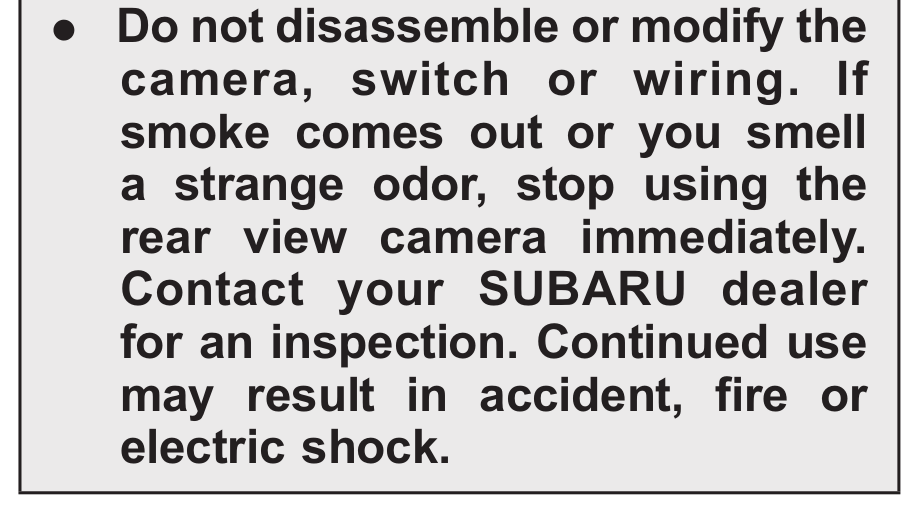
Our shiny new Subaru Forester came with a 540 page user manual and, being that type of guy, I’ve been reading through it. I suspect warnings like this come from a lawsuit in the not-too-far-distant past:
Camera Disassembly Warning
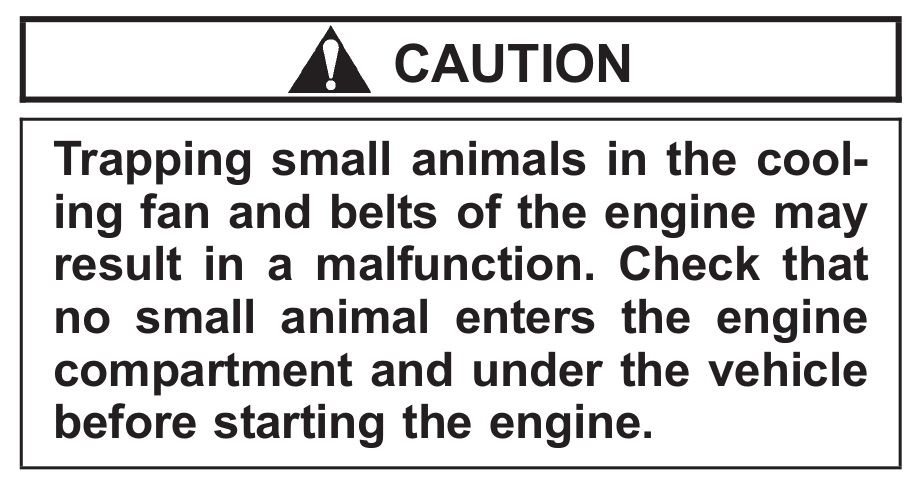
They seem to be very, very worried about small animals:
Check for Small Animals
In this situation, I’d hope the engine would fare better than, say, a squirrel:
Trapping Small Animals
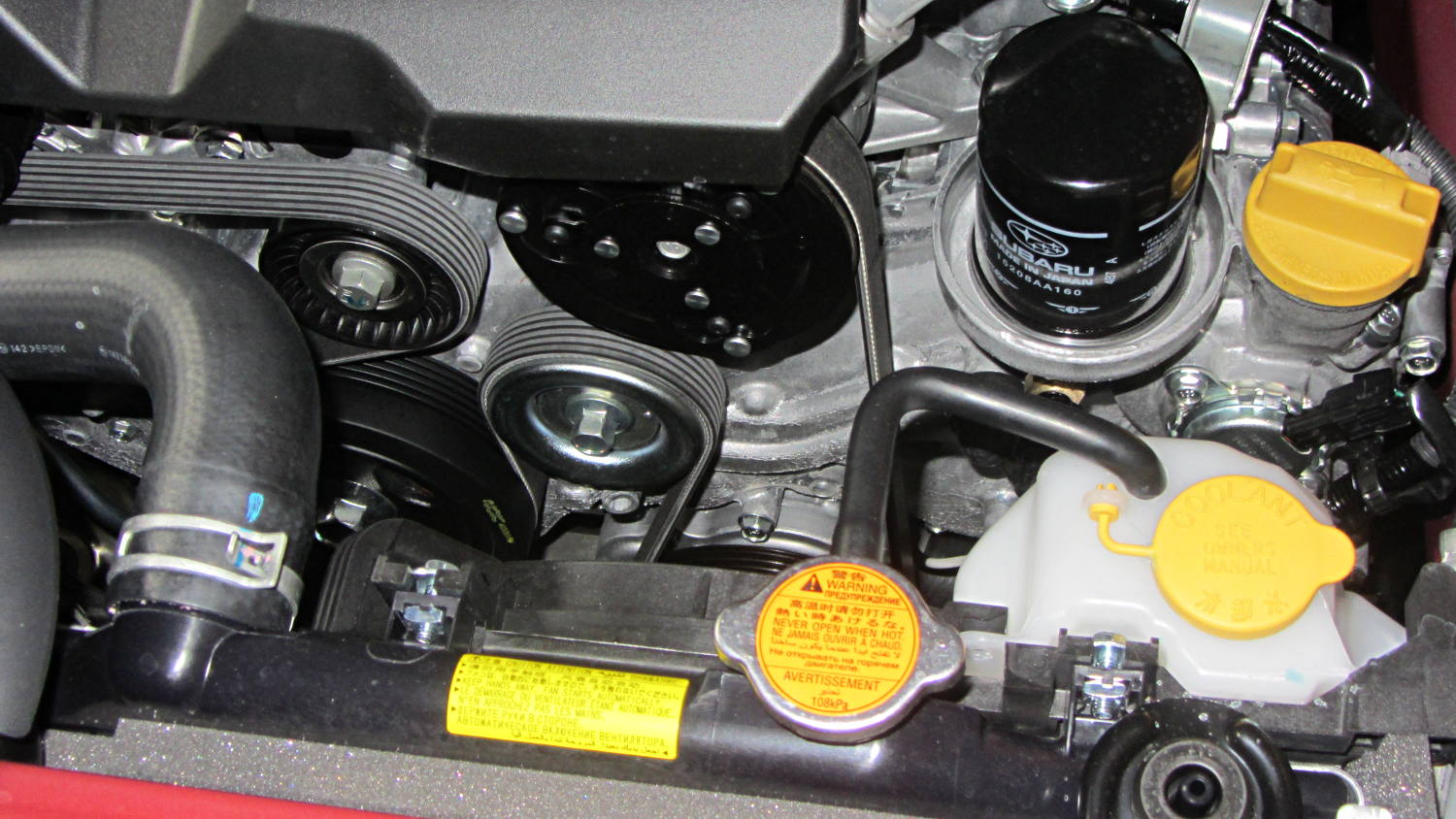
Unlike the Toyota Sienna’s enclosed belt, I could actually replace this one, so I suppose a squirrel could take up residence somewhere in there:
Subaru Forester – belt and oil filter
And look at that oil filter: right up top, inside a bowl! The never-sufficiently-to-be-damned Toyota engineers mounted the Sienna’s filter horizontally, halfway up the side of the transverse V6 engine, where it slobbers oil down the block and over the front exhaust manifold.
We bought a replacement for the CorningWare casserole (that a raccoon broke when I put the rice out on the deck to cool) at a tag sale:
Nouveau Ceramic Pan – assembled
According to the information on the bottom, it’s “Nouveau A Princess House Exclusive” that’s no longer in their listing. Evidently, they’ve gone to metal stovetop cookware these days. Anyhow, it has a separate handle that latches onto a cleverly shaped tab molded into the pan:
Nouveau Ceramic Pan – handle released
Latching the handle in place is simple: put the end of the handle over the tab and squeeze the lever until it snaps into the handle. Well, I managed to latch it quite easily, after which nobody could figure out how to release it. That slotted button cries out to be pushed, but it wasn’t push-able.
That’s a condition I call “being outwitted by inanimate objects”…
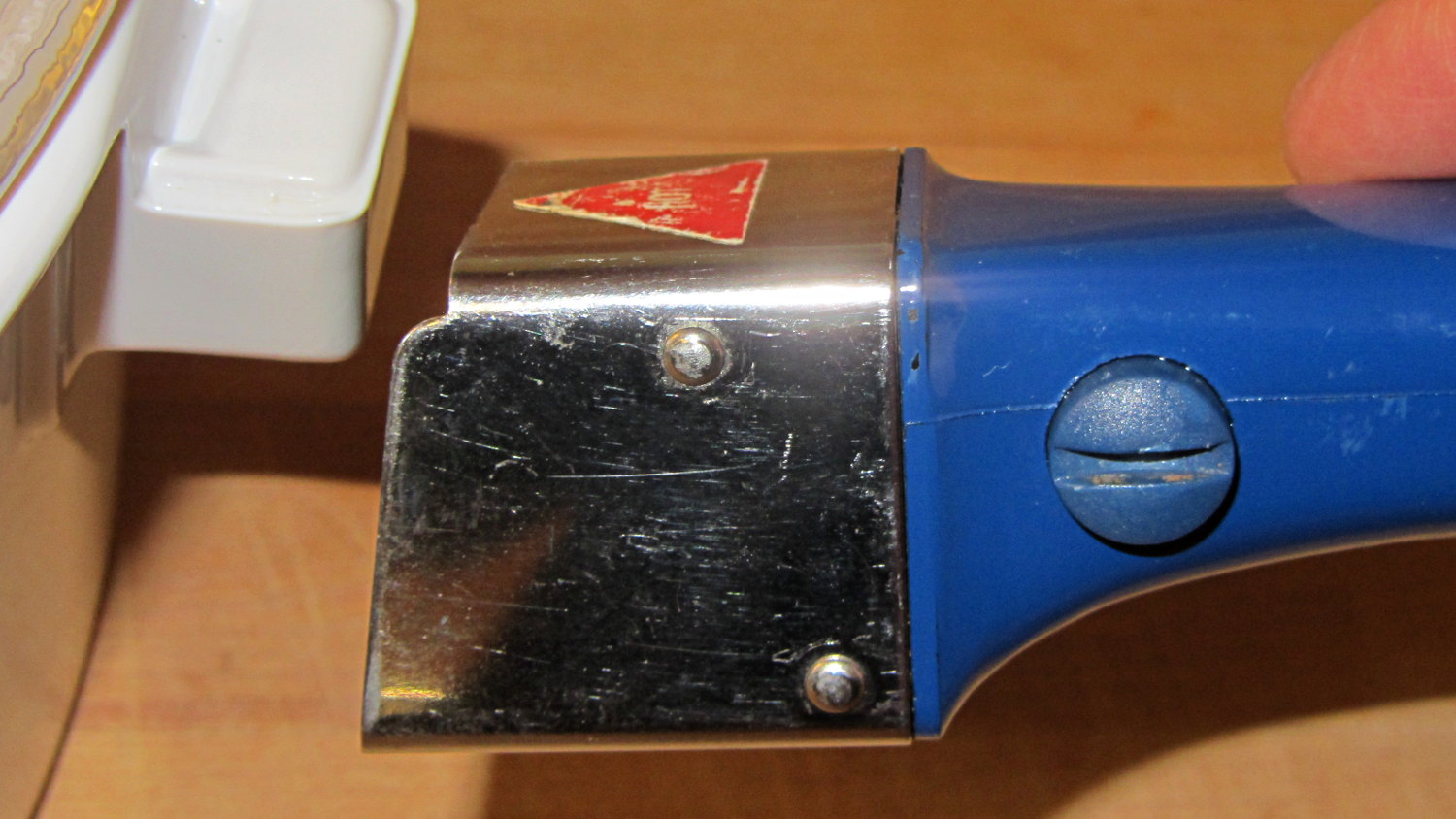
After bringing it home, I discovered the secret: the slot must be exactly vertical (equivalently, maximally counter-clockwise) before you can press the button to release the latching handle. Turning the button so the slot is horizontal (maximally clockwise) locks the button out, so that you cannot press it and release the handle:
Nouveau Ceramic Pan – handle locked
The button locks out when the slot is almost imperceptibly clockwise from vertical; if you don’t know what to look for, you’d never notice the difference.
Which makes perfect sense to me. You want the handle to latch securely and require a deliberate action to release, lest the pan fall and release hot stuff all over your front. Any errors should leave the handle securely latched in place.
For reasons having to do with our Larval Engineer needing transportation, we just bought a Subaru Forester for us. While chewing through the 540 page Owners Manual, I discovered that, although the tire pressure monitoring system knows all five pressures, it can’t / won’t display them on the dashboard’s fancy LCD panel.
All four road tires had about the same pressure:
Subaru Forester – as-delivered tire pressure
Yes, I cross-checked two other gauges, Just To Make Sure.
That’s 7 or 8 psi over the spec found on the door frame placard: 30 psi front, 29 psi rear. The tire sidewalls implore you to never inflate them over 40 psi while seating the beads, although the absolute max rating of 51 psi at max load says they’re not really overstuffed.
The doughnut spare tire should have 60 psi and carried 64 psi:
Now, I’ve never had a cold tire gain pressure between checks (other than when the weather heats up), so I tend to run ’em on the high side of the recommended range. In this case, I left the spare alone and vented the road tires to 30 psi to see how it rides. If all goes well, then maybe I’ll puff ’em up a bit.
It’s time to check the fluid levels to see what could possibly go wrong under the hood…
The whole reason I got a 3D printer in the first place was to make things that would otherwise be too difficult or tedious by hand or on a CNC mill. Most of the things I make look like brackets and I don’t do sculptures … this stuff solves problems!
Being able to go from “I need a part shaped like that” to holding the thing in my hand a few hours (or, for complex designs, days) later is empowering. Being able to adjust a dimension by changing the source code and “recompiling” to get a new part is wonderful.
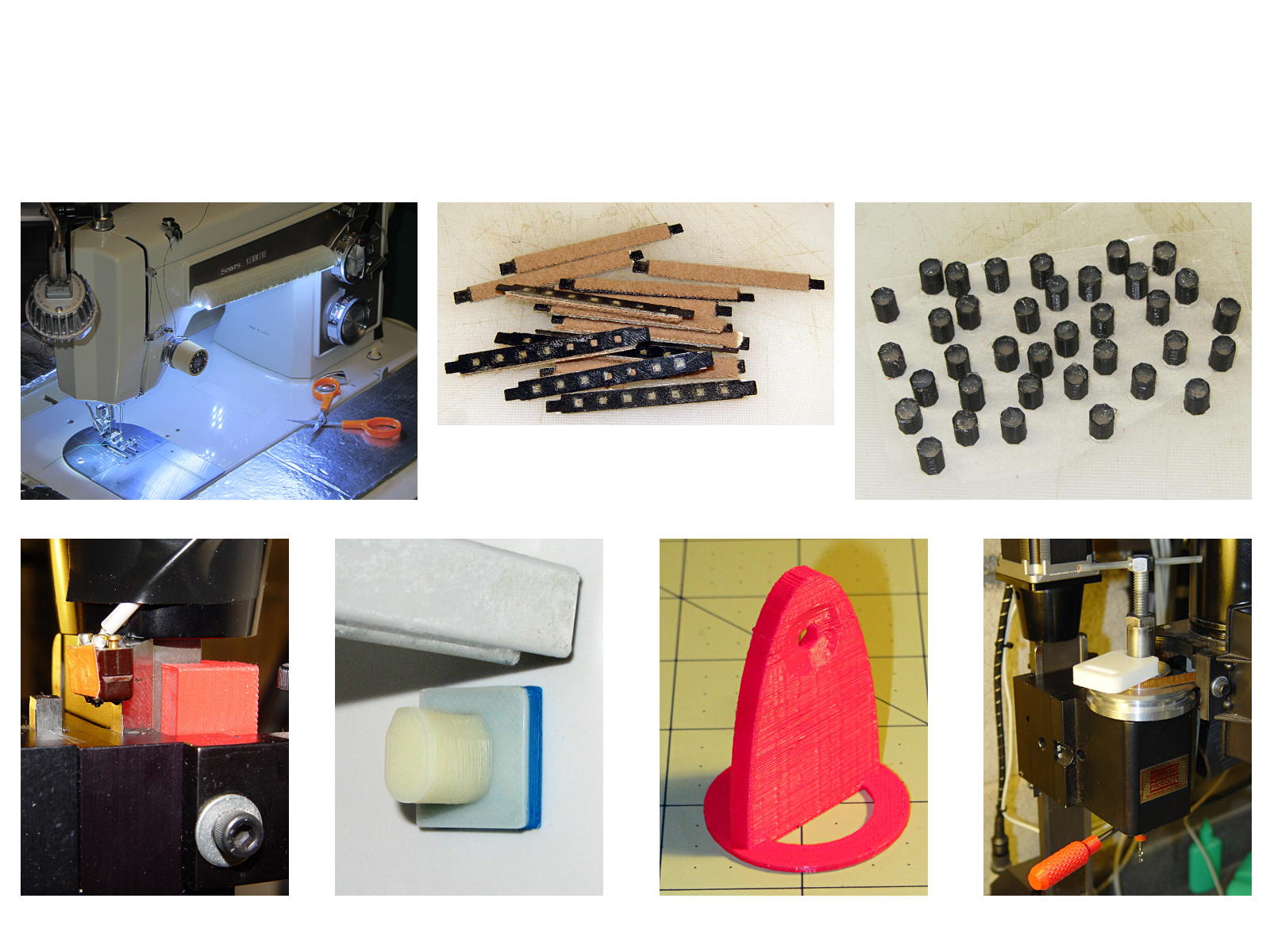
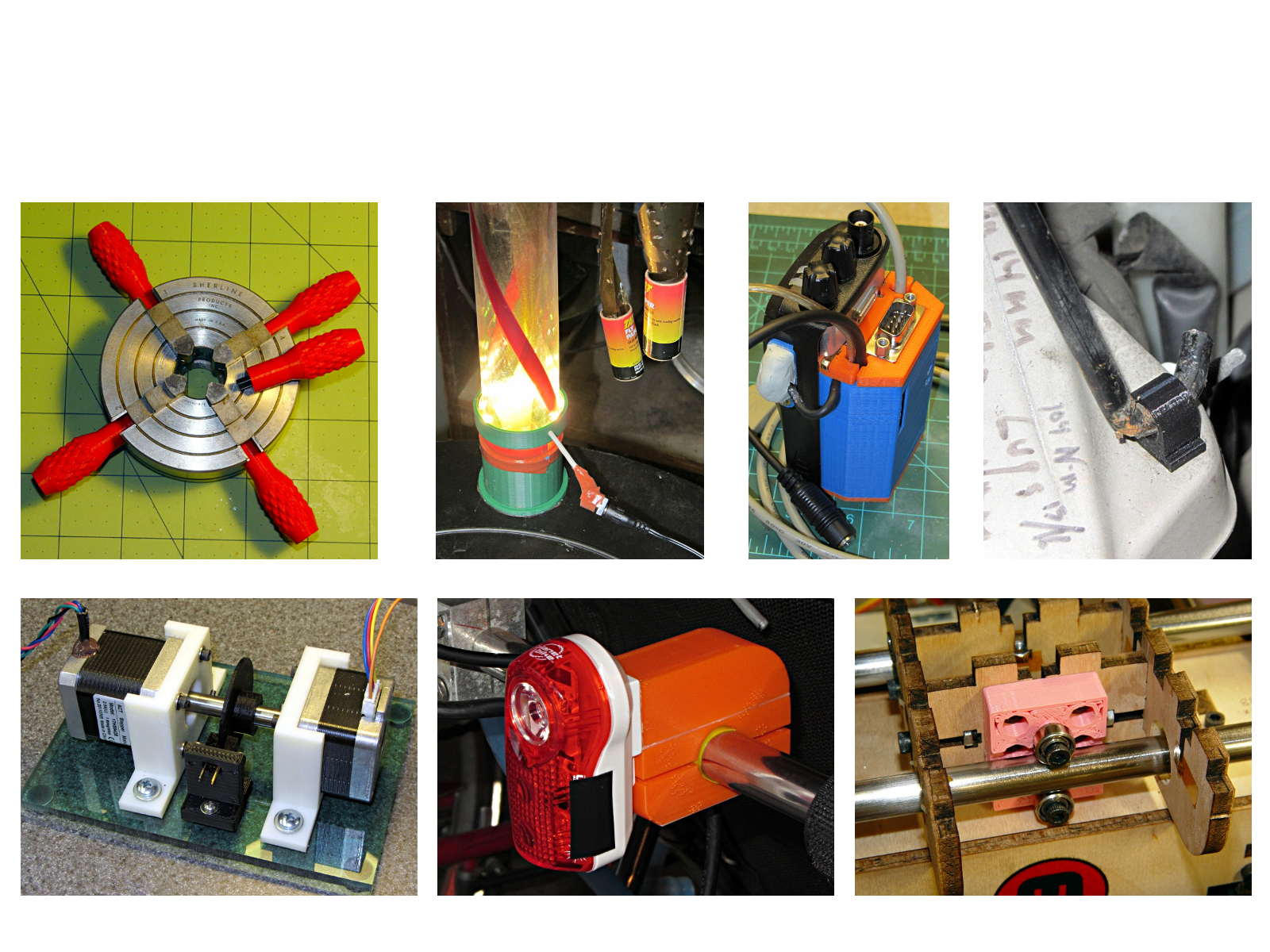
These five slides from the presentation show my answers to the question “Why would anyone want a 3D printer?” Clicky for more dots.
Things I Designed – 1Things I Designed – 2Things I Designed – 3Things I Designed – 4Things I Designed – 5