Ed Nisley's Blog: Shop notes, electronics, firmware, machinery, 3D printing, laser cuttery, and curiosities. Contents: 100% human thinking, 0% AI slop.
Our Larval Engineer expressed a need for some monitors, so I dispatched a pair of IBM L191p panels from the heap. Despite reusing a gargantuan box from the Dell U2713HM monitor, I had to disassemble the struts from their swiveling base to fit everything inside.
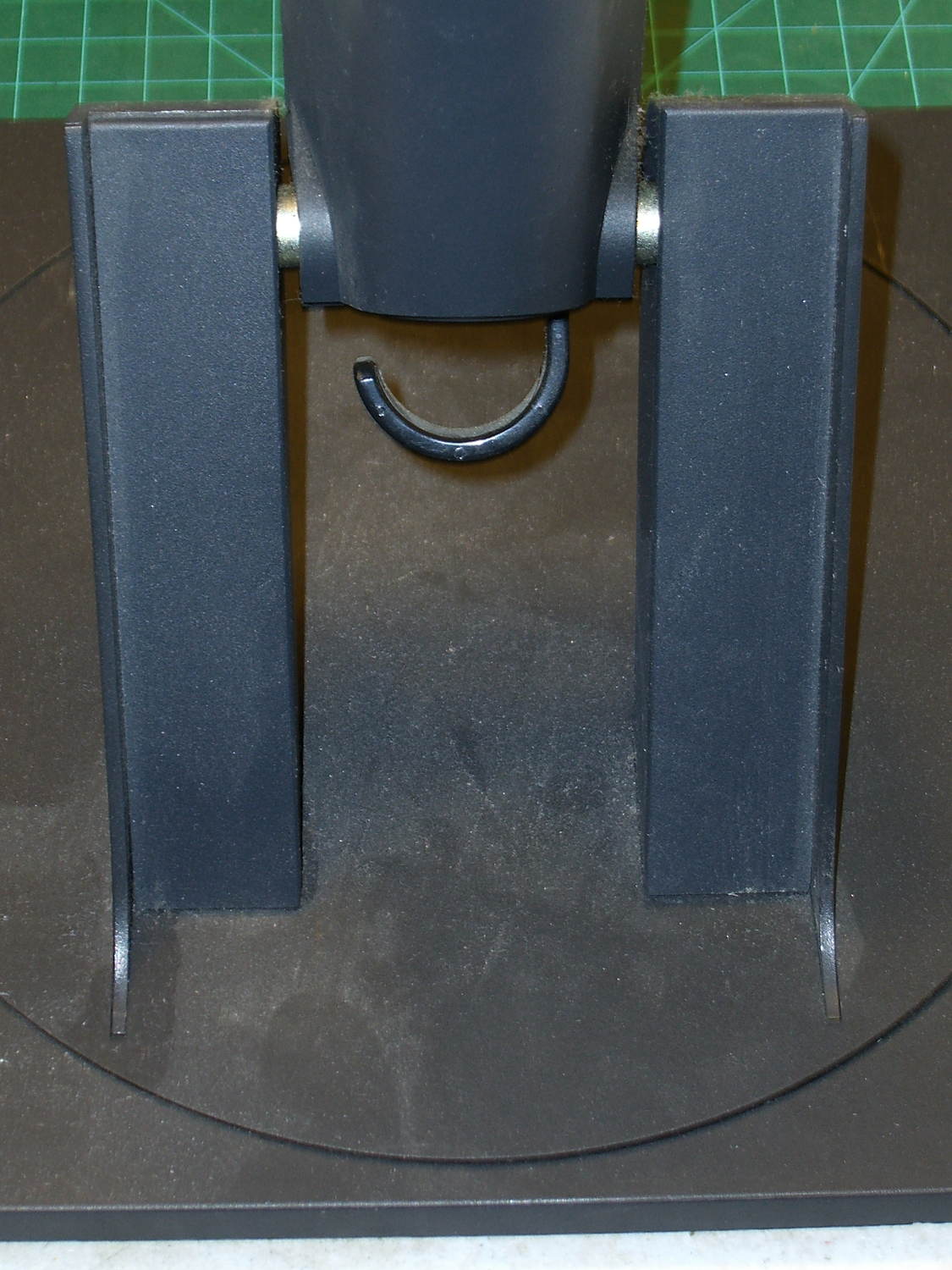
The intact base has no obvious affordance to remove the covers:
L191p Monitor Stand – struts intact
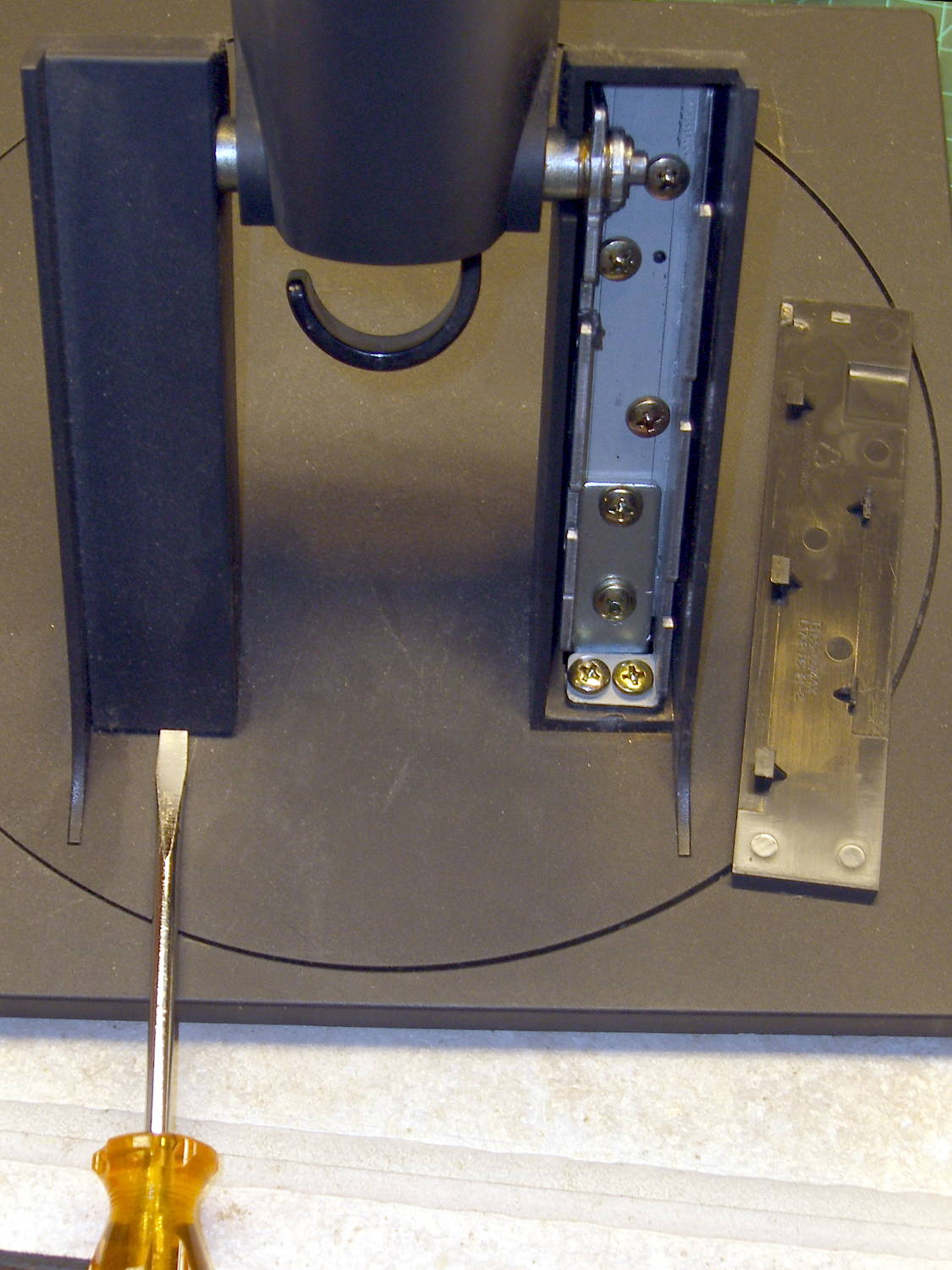
After taking the bottom apart, I discovered that you just poke a screwdriver under each cover and it slides upward and off:
L191p Monitor Stand – struts cover removal
Duh & similar remarks.
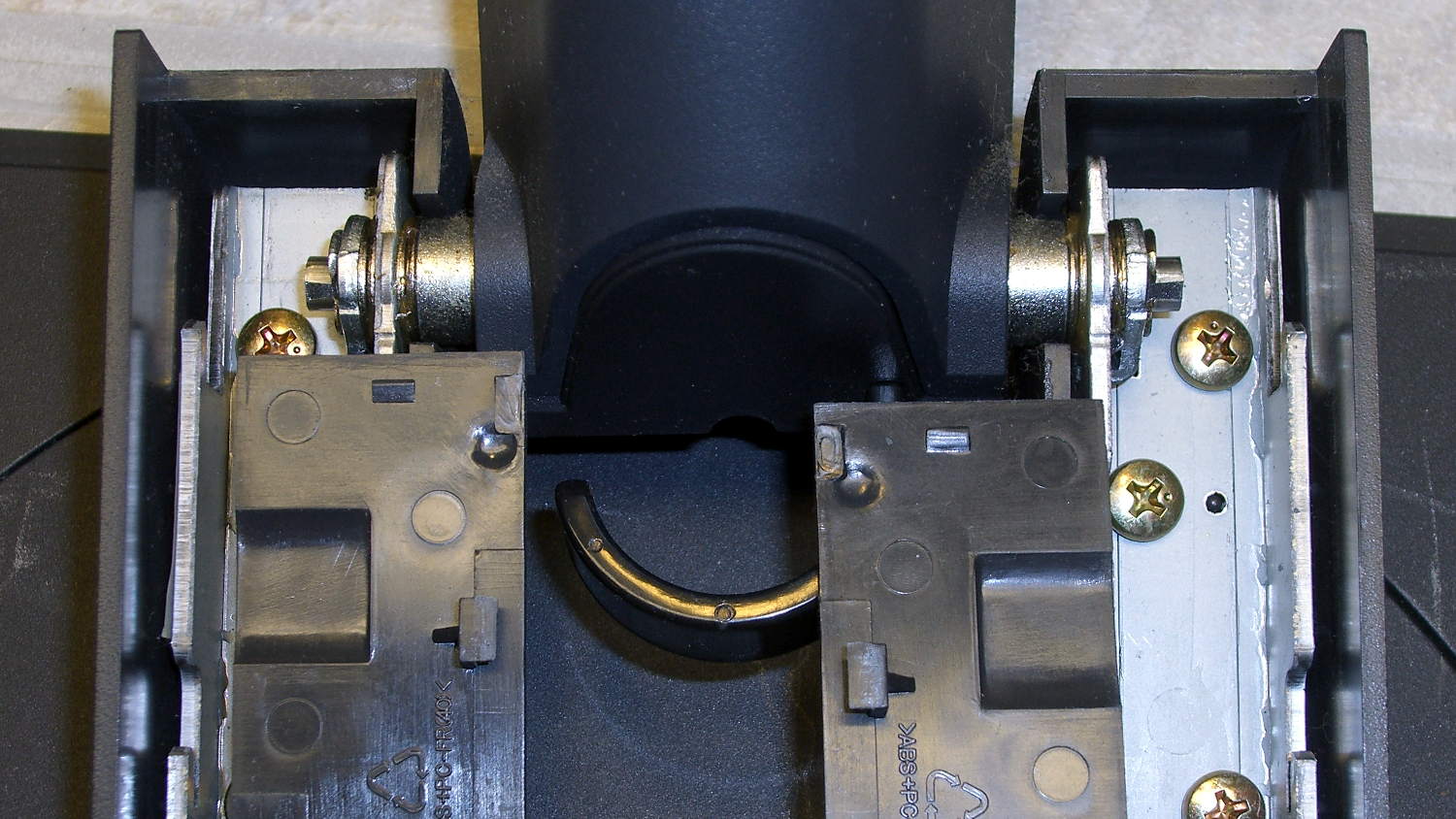
The two covers are not interchangeable:
L191p Monitor Stand – struts cover handedness detail
Removing two pairs of screws from each strut releases them from the base:
L191p Monitor Stand – struts disassembled
The projecting horns on the outboard side of those struts are exactly as delicate as you think.
I put a piece of thick cardboard sheathed in closed-cell foam between the LCD screens that separated their bezels (minus cutouts for the buttons), then taped them together face-to-face. Add foam peanuts, drop in the monitors, nestle struts beside monitors, add rigid foam blocks all around and between, put flat bases atop monitors with a foam slab protecting those strut brackets, over-stuff the box with more peanuts, forcibly tape the thing closed, and it survived the trip in good order.
A pair of 1280×1024 monitors isn’t worth insuring these days, though.
The Dell 2005FPW monitor that I’d been using in portrait mode suffered the common failure of rebooting itself, which suggested failing capacitors. Despite my reservations, I dropped eleven bucks on a repair kit containing exactly the right caps (from sunny California via eBay), hauled the carcass to a couple of Squidwrench sessions, replaced the offending caps, and it’s all good again.
No pix of the recapping, but a few notes that may prove useful next time.
The standard advice from the usual Internet Sages recommends prying the bezel apart along the nearly invisible outside joint. I did that, then found the user manuals and the Fine Repair Manual and discovered that you jam your fingernails under the inside of the bezel against the LCD screen, pry upward, rotate / bend the bezel around its outer edge, and it Just Pops Off. I doubt it’s that easy, but …
You should start from the top of the bezel, because the PCB behind the buttons & LEDs along the bottom doesn’t have a whole lot of slack in its cable. This shows the PCB and disconnected cable:
Dell 2005FPW monitor – button PCB cable
Just pull the small brown latch away from the cable and the cable will slide out. That would be significantly easier if the socket were on the backside of the PCB, but you must pop the PCB out of its own latches before you get access to the socket latch. Rotate the bezel carefully around the PCB and maybe it’ll survive.
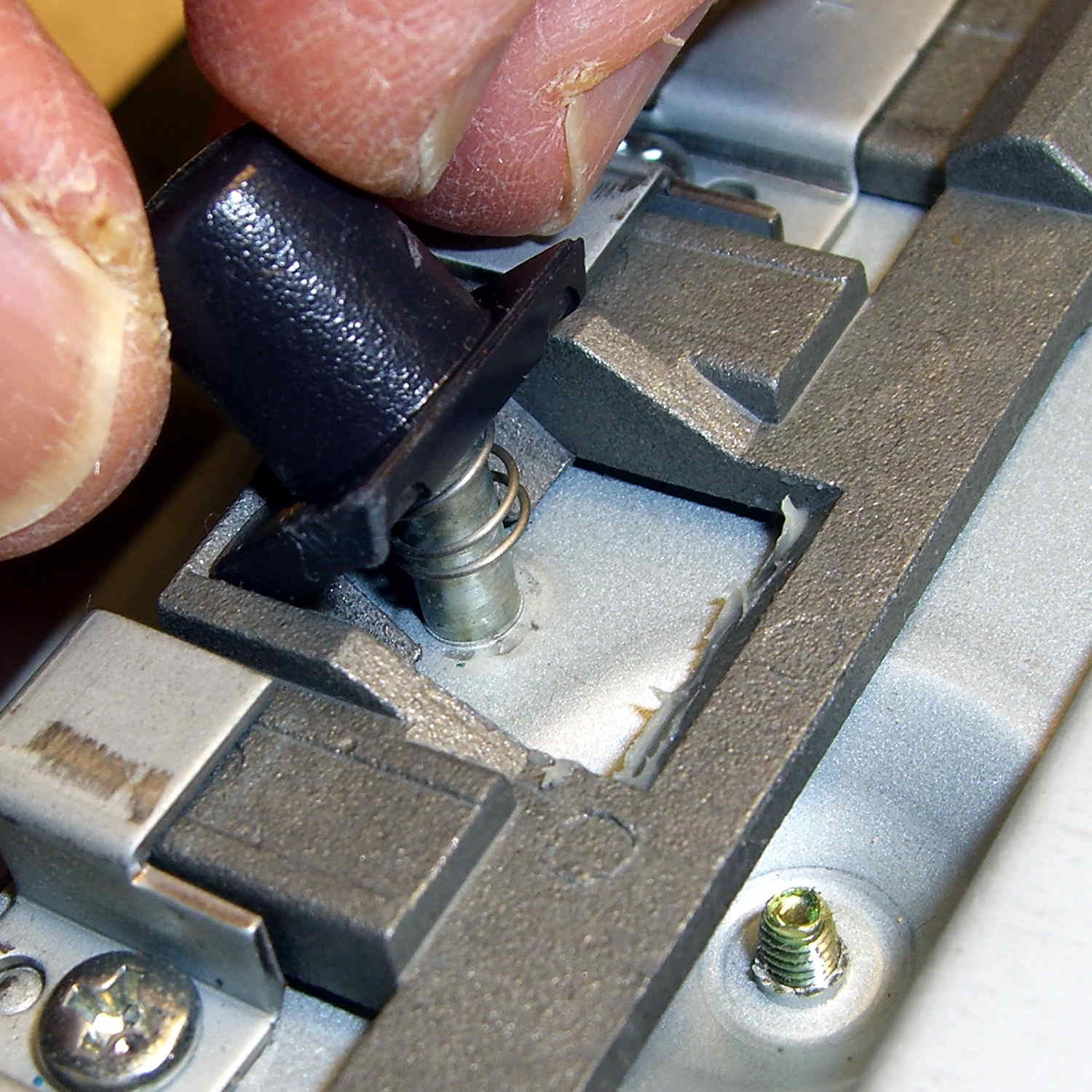
The pushbutton that releases the stand’s not-quite-a-VESA-mount bracket remains in place when you remove the rear cover, held in place by a wedge:
Dell 2005FPW monitor – mount release button detail
It is, however, the only thing sticking that far out of the back surface and, if you leave it alone, it will eventually release itself from captivity, whereupon its spring will fire it across the room. You have been warned.
Reassembly is in reverse order, although I didn’t snap the button-and-LED PCB firmly into place. Fixing that will require dismounting the bezel again, which I’m so not doing for a 1 mm gap along the bottom edge.
For reasons which are, trust me on this, not relevant here, we now have a third Kenmore 158 sewing machine: a freebie that sat under a roof leak in an unused room some years ago and wasn’t cleaned before being stored. Even though not much water got inside the covers, the bobbin winder shaft froze solid.
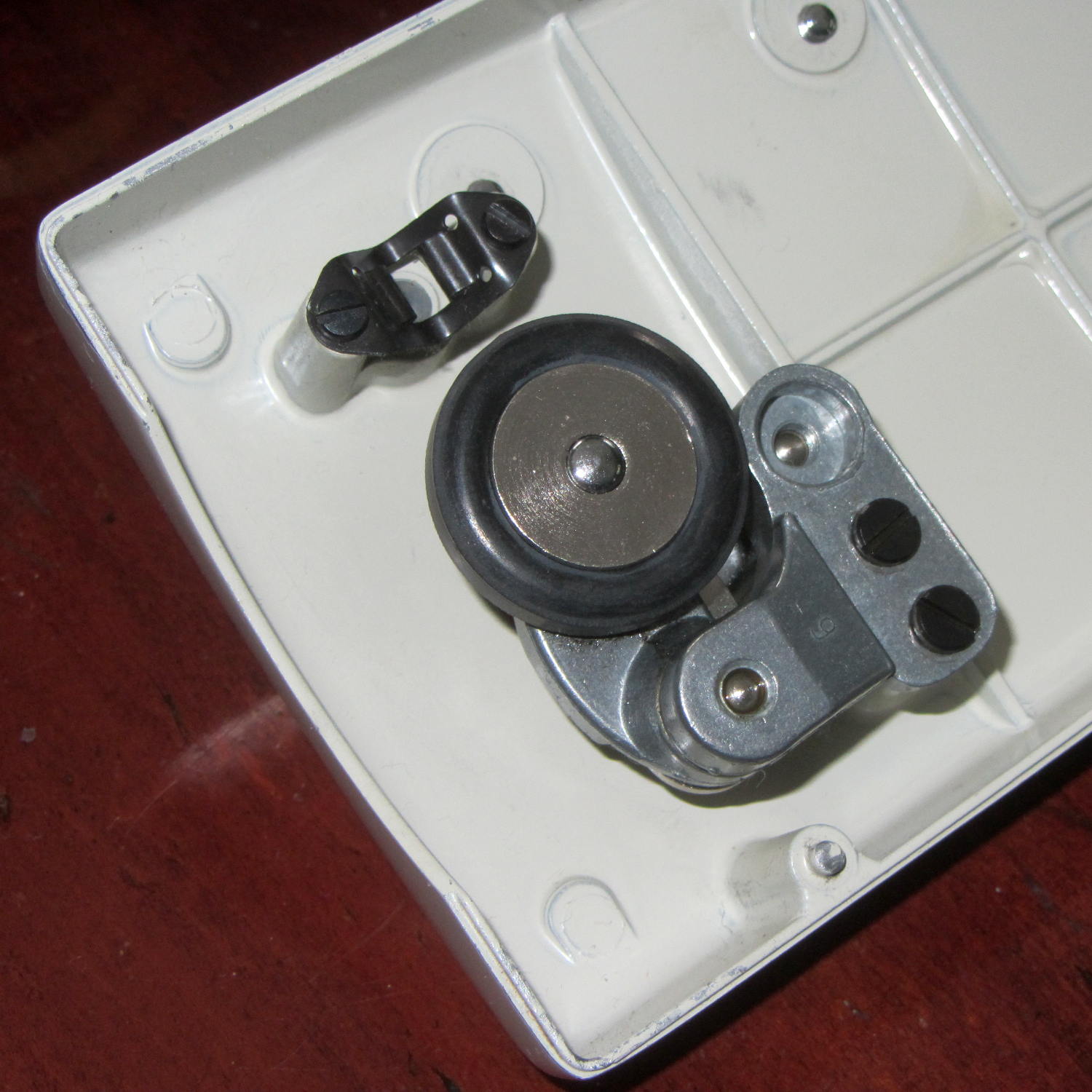
Two black screws hold it to the cover and provide a slight adjustment of the tire-to-handwheel distance:
Bobbin Winder – old tire
Prior to this adventure, I soaked the shaft in penetrating oil for a week or two, but to no avail.
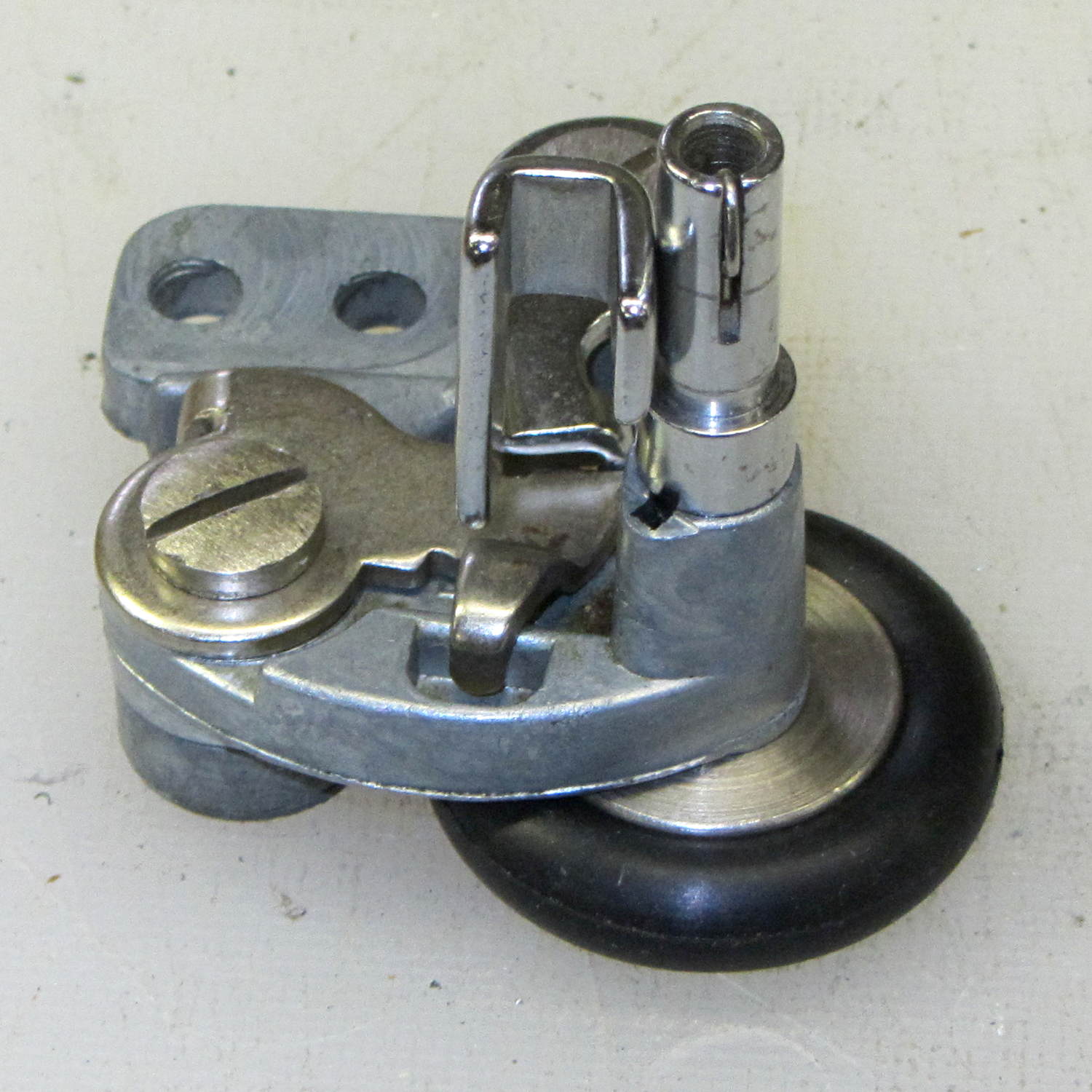
I didn’t take any before-the-repair photos, but it looked like this afterward, with the new tire installed…
From the top right (looking over the handwheel):
Bobbin Winder – assembled – top right
Notice the small rectangular hole just below the larger section of the shaft in the protruding part of the pot metal housing. That’s supposed to be an oil hole, but it’s also a fine water inlet.
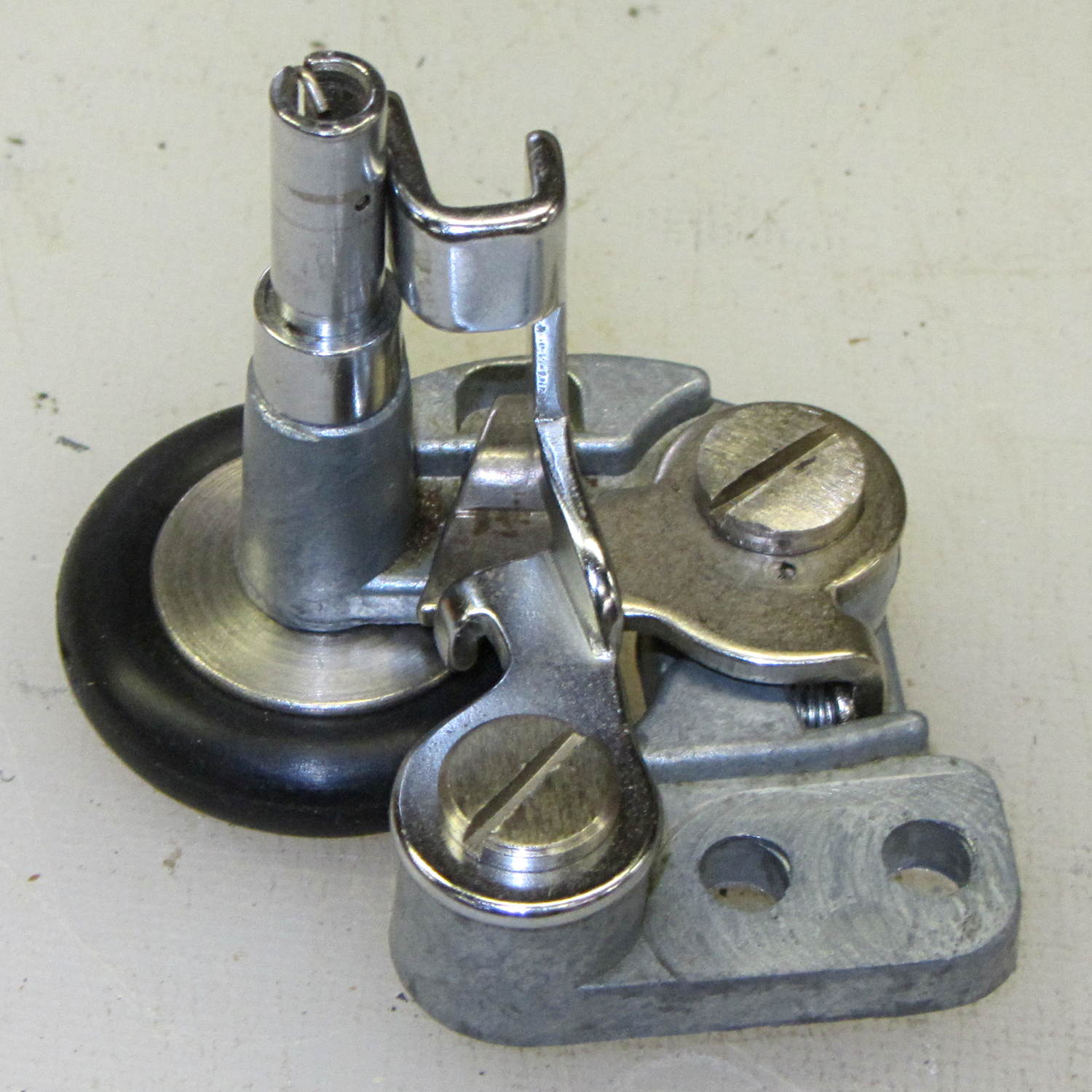
From the top left:
Bobbin Winder – assembled – top left
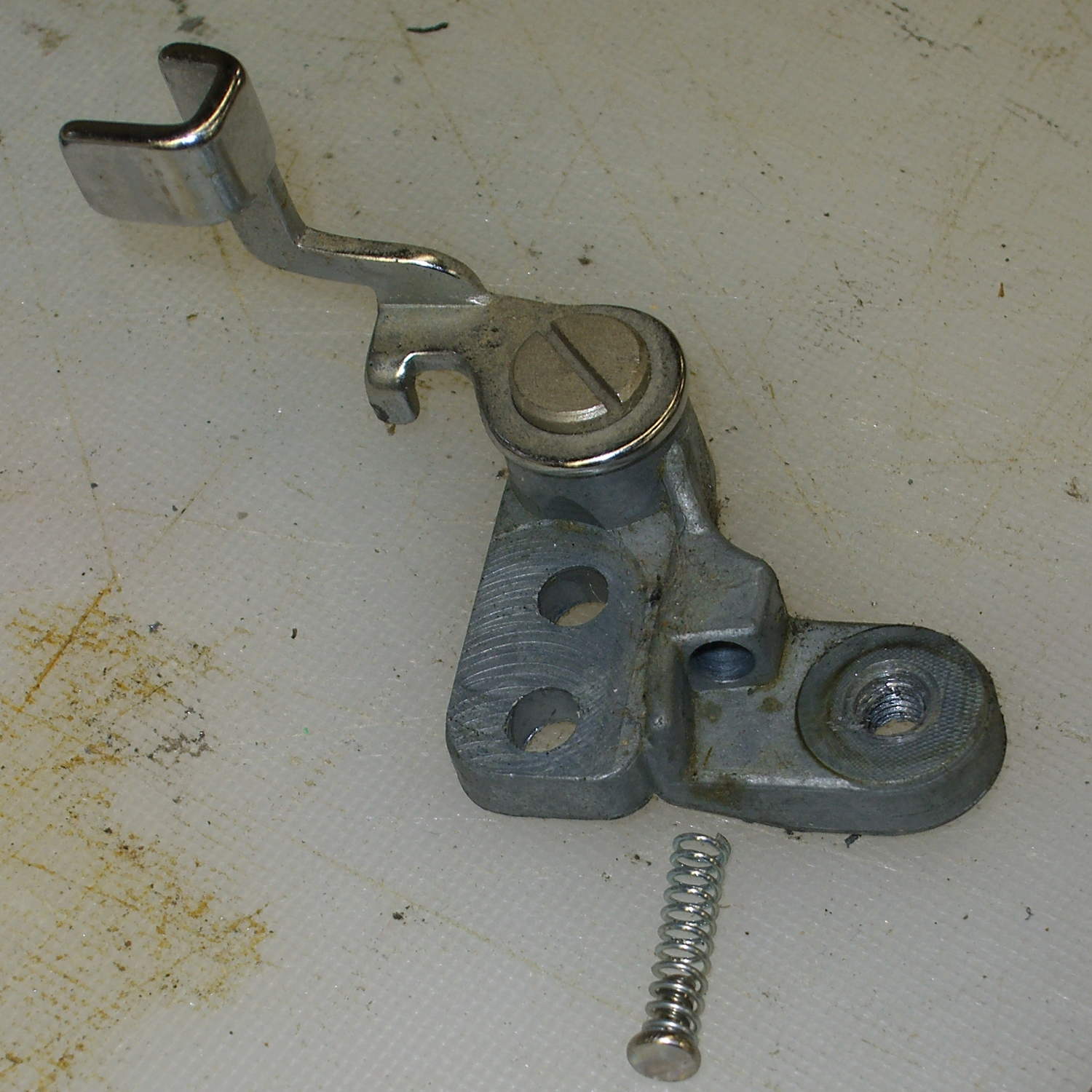
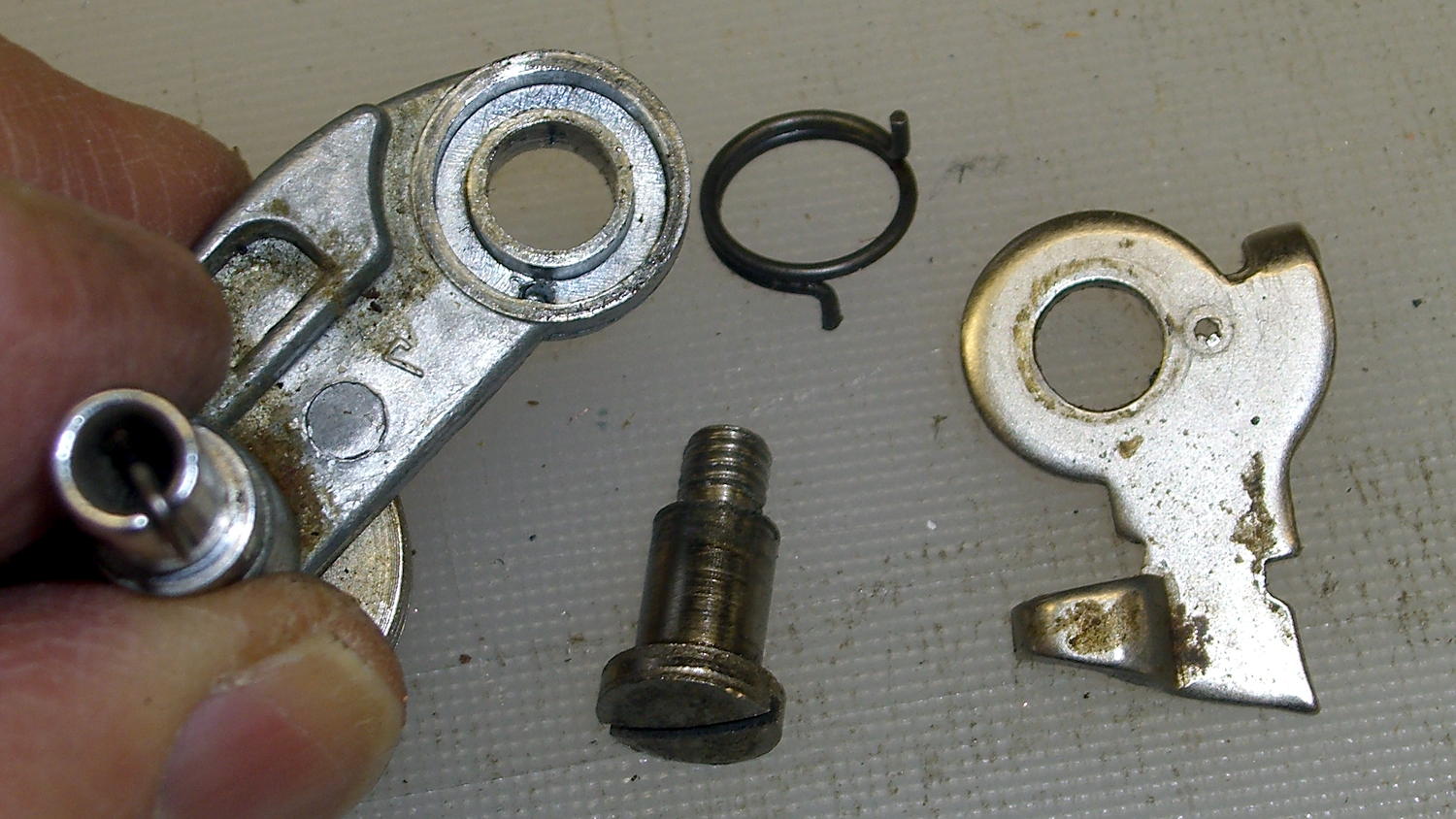
The two obvious screws remove the obvious parts, but beware the compression spring:
Bobbin Winder – fill sense lever
And the torsion spring:
Bobbin Winder – drive latch
Some experimentation with a strap wrench rotated the wheel on the (still firmly frozen) shaft, which suggested the joint was a press fit without a setscrew, splines, or adhesive.
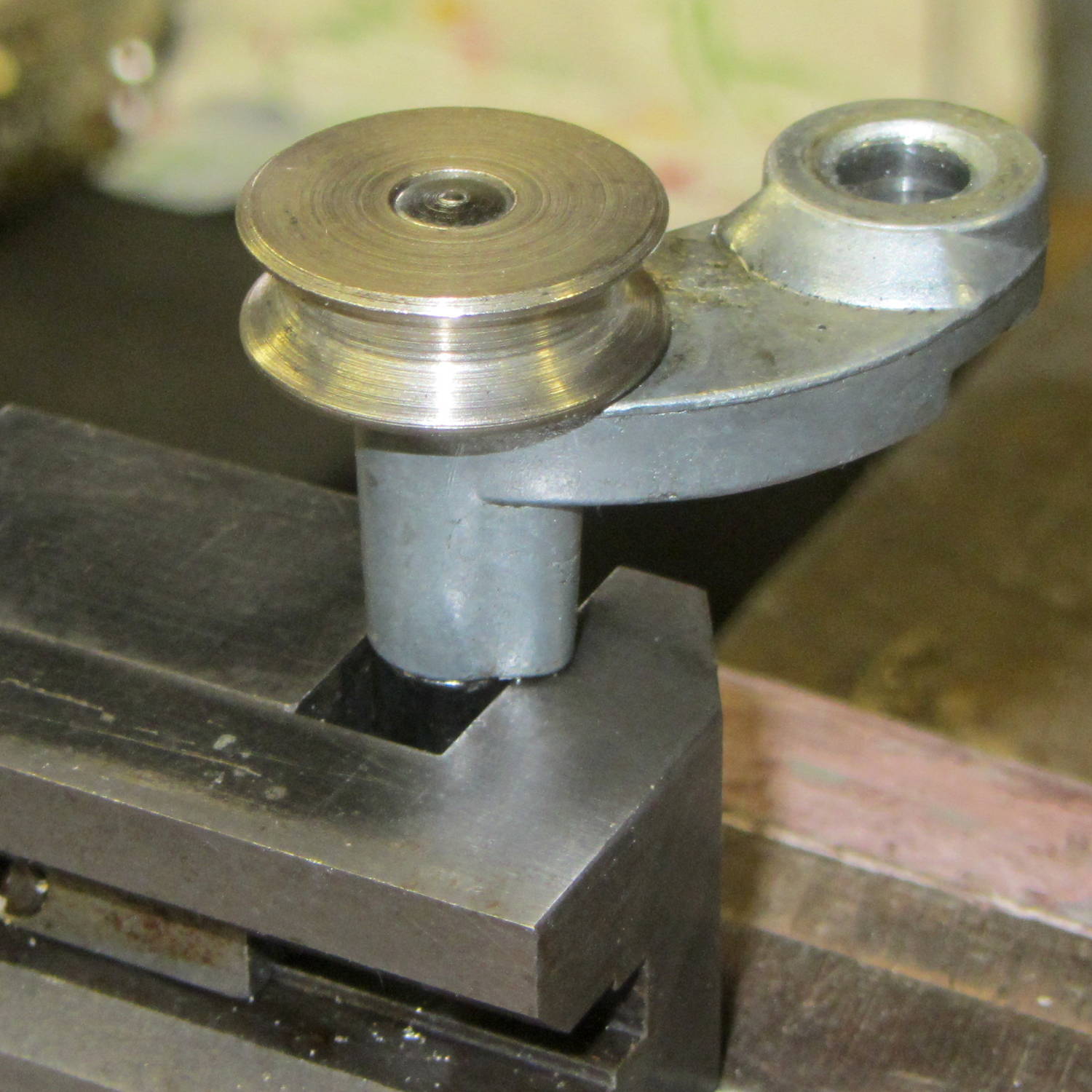
Grabbing the shaft lightly in a machinist’s vise, resting it atop the bench vise, and giving it a few shots with a drift punch drove it downward through the housing:
Bobbin Winder – driving out spindle
More gentle beating produced this heartrending scene:
Bobbin Winder – corroded shaft
Water just isn’t any good at all for unlubricated steel in a pot-metal bushing…
Anyhow, the shaft & housing cleaned up well, although they look a tad grody, and everything went back together in the reverse order.
I added a drop of light oil through the lube port, chucked the shaft in the drill press, spun it for a minute at low speed to wear off a slight binding, and it’s all good again.
The bobbin winder atop the Kenmore 158 sewing machine has a rubber tire that contacts a ribbed ring on the inside surface of the handwheel; the clutch knob disengages the main shaft and you run the motor at top speed. As you’d expect, both age and wear take their toll on the rubber, to the extent that the winder on Mary’s machine stopped turning. I swapped it for the slightly less decrepit winder on the Crash Test Dummy, but that was obviously a stop-gap measure.
I mistakenly thought the metal wheel consisted of two plates that clamped a rubber disk in place, with no possibility of removal:
Bobbin Winder – old tire
The fact that the spare parts list didn’t include the rubber disk helped convince me.
Eventually, I stumbled over replacement “tires” on, of course, eBay that suggested how to dismount them:
Bobbin Winder – wheel and tires
Yup, that sucker slides right off.
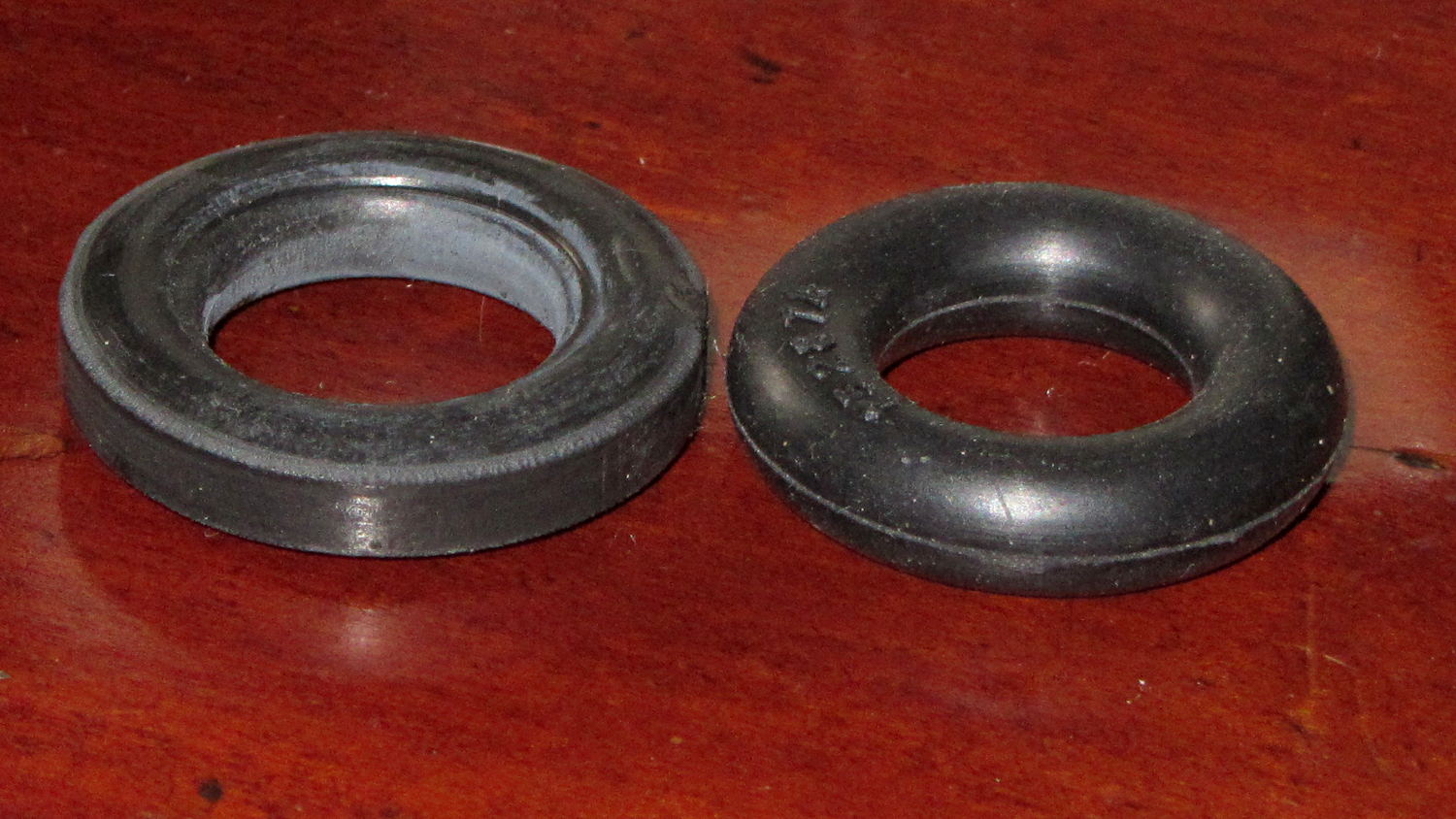
Anyhow, the replacements seem to be standard industrial O-rings, rather than the original tire with a flattened rim:
Bobbin Winder – old vs new tire
The new tires measure 28.94 mm OD on the bench (I don’t trust that last digit, either) and 29.56 mm OD installed. The (hardened and cracked) old tires measure 29.94, 30.06, and 30.28 mm OD on the bench; that’s a radius anywhere from 0.2 mm to 0.4 mm larger. The winder’s mounting screws provide a very small adjustment range that helps a bit.
Knowing that I needed an O-ring, I checked the assortment of “standard size” O-rings I bought many, many years ago, which once again failed to offer up anything suitable. To the best of my knowledge, that kit has never had the right size; apparently, every application uses a different standard.
The O-ring definitely puts less rubber on the handwheel than the tire, but seems to drive the bobbin winder well enough to fill a handful of bobbins without any of the previous drama.
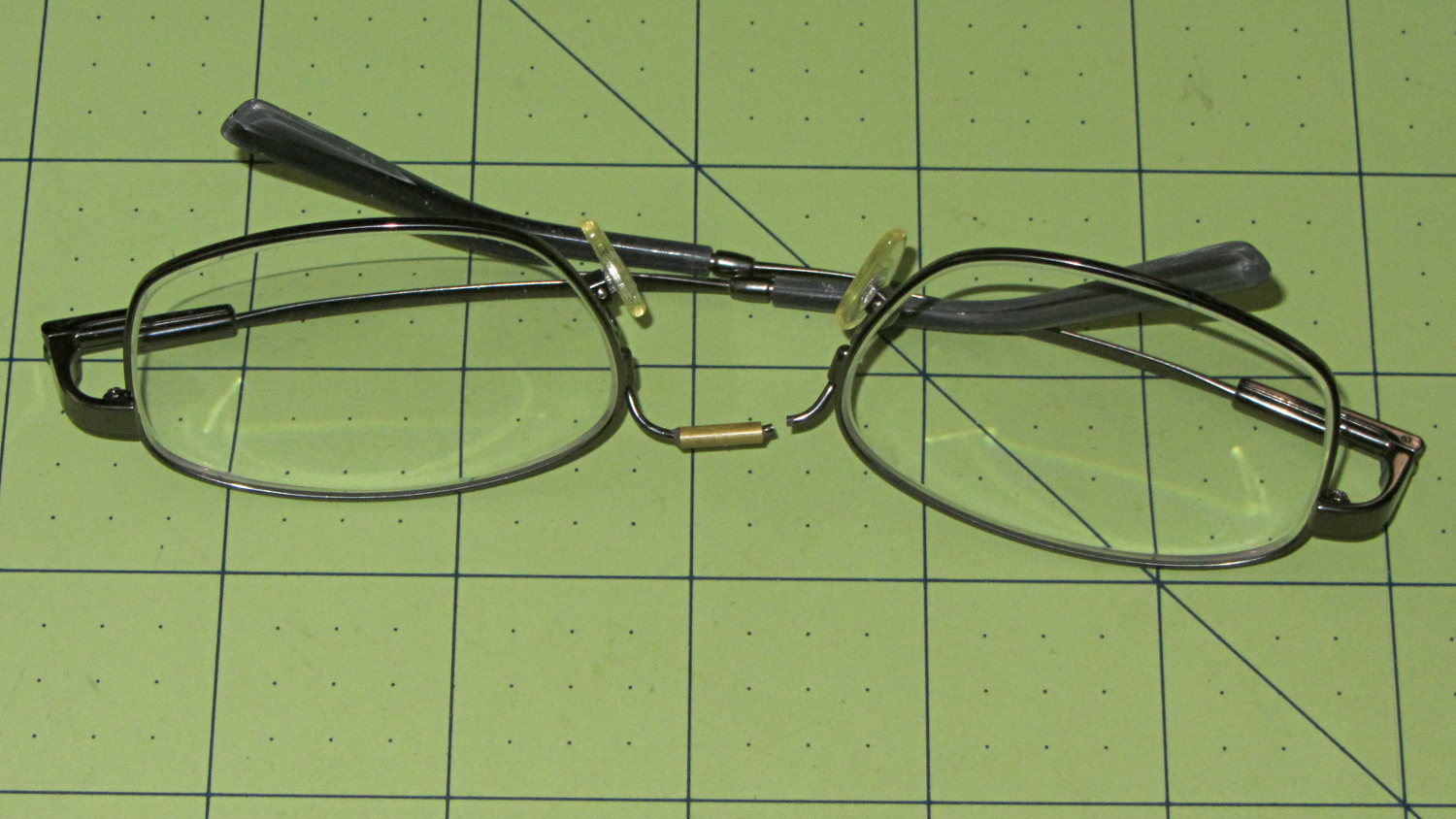
Having repaired these once before, I wasn’t too surprised when this happened:
Eyeglasses – broken nose bridge wire
Evidently the “titanium” has fatigued, because the repair lasted barely nine months.
Rather than try to fix them again, I sent my new prescriptions halfway around the planet and, a bit under two weeks later, had three glasses: normal, computer, and sun. This time, I went with 38 mm tall lenses, a heavier nose bridge, and traditional aviator sunglasses.
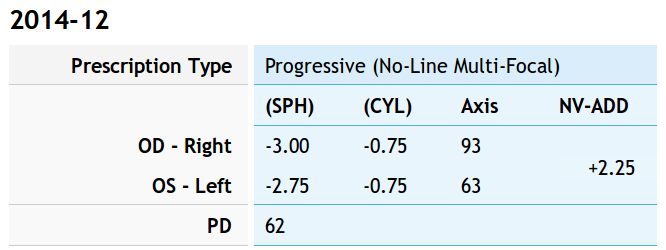
For the record, the regular prescription was:
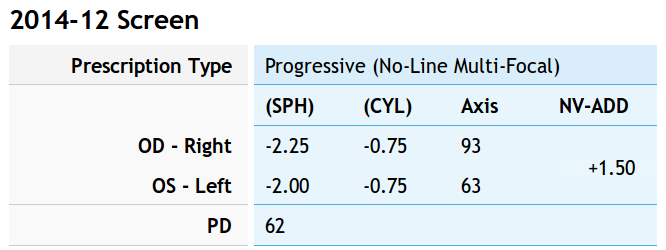
Tweaking that by +0.75 diopter on the sphere puts my far point focus on the monitors across the desk and backing -0.75 diopter from the adder keeps the same near-point reading correction:
Computer prescription – 2014-12
They’re all no-line progressive bifocals made from 1.57 high-index plastic with anti-reflection coating, for a grand total of $135 delivered.
Adjusting the output voltage vs. position for the sewing machine’s food pedal quickly revealed that the code shouldn’t depend on the actual ADC values. That’s blindingly obvious in hindsight, of course.
The maximum with the pedal in its overtravel region doesn’t change by much, because the Hall effect sensor output voltage saturates in a high magnetic field. I used a hardcoded word PedalMax = 870; which comes from 4.25 V at the ADC input.
On the low end, the sensor output can change by a few counts depending on small position changes, so I sampled the (presumably released) pedal output during the power-on reset:
	PedalMin = ReadAI(PIN_PEDAL);				// set minimum pedal input value
	printf("Set PedalMin: %u\r\n",PedalMin);
	PedalMaxClamp = 100;						// set upper speed limit
Given the complete ADC range, this function normalizes a value to the range [0,100], conveniently converting the pedal position into a percent of full scale:
int PedalPercent(word RawPos) {
int Clamped;

	Clamped = constrain(RawPos,PedalMin,PedalMax);
	return map(Clamped,PedalMin,PedalMax,0,100);
}
Graphing the normalized values against pedal position would have the same shape as the ADC values. All I’m doing is rescaling the Y axis to match the actual input limits.
The top of the main loop captures the pedal position:
Now, it’s easy to add a slight deadband that ensures the sewing machine doesn’t start when you give the pedal a harsh look; the deadband is now a percent of full travel, rather than a hard-coded ADC count or voltage.
For example, in needle-follows-pedal mode, you must press the pedal by more than 10% to start the stitch, slightly release it to finish the stitch, and then almost completely release it to proceed to the next stitch:
	case PD_FOLLOW:
		if (PedalPosition > 10) {
			printf("Pedal Follow\r\n");
			ParkNeedle(NS_DOWN);
			do {
				PedalPosition = PedalPercent(ReadAI(PIN_PEDAL));
			} while (PedalPosition > 10);
			ParkNeedle(NS_UP);
			do {
				PedalPosition = PedalPercent(ReadAI(PIN_PEDAL));
			} while (PedalPosition > 2);
		}
		break;
Adjusting percentages turns out to be much easier than fiddling with ADC values.
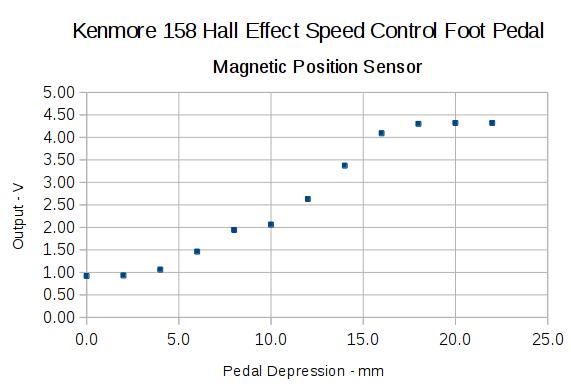
With the Crash Test Dummy in place, Mary reports that the pedal required too much motion to reach the full speed position. The graph from the last time around shows the output as a function of pedal position:
Hall sensor output vs pedal depression
I’d done some fiddling around after recording that data, but it remained pretty close to the truth.
A new scale, not quite in the same spot as the previous one:
Kenmore 158 – Foot Pedal – motion recalibration
The two long lines mark the active region after I finished the mechanical tweaking described below; the pedal now produces nearly full output just beyond the 12 mm mark and has about that much overtravel. Measuring those values requires squeezing the pedal by hand, holding its position, and recording the ADC output dumped by the motor control program in the Arduino, a process that could be improved, but to not much benefit.
The original pedal writeup goes into the gory details, but the bottom line is that the mechanical motion producing that output range depends on the length of the rod from the actuator bar to the magnet.
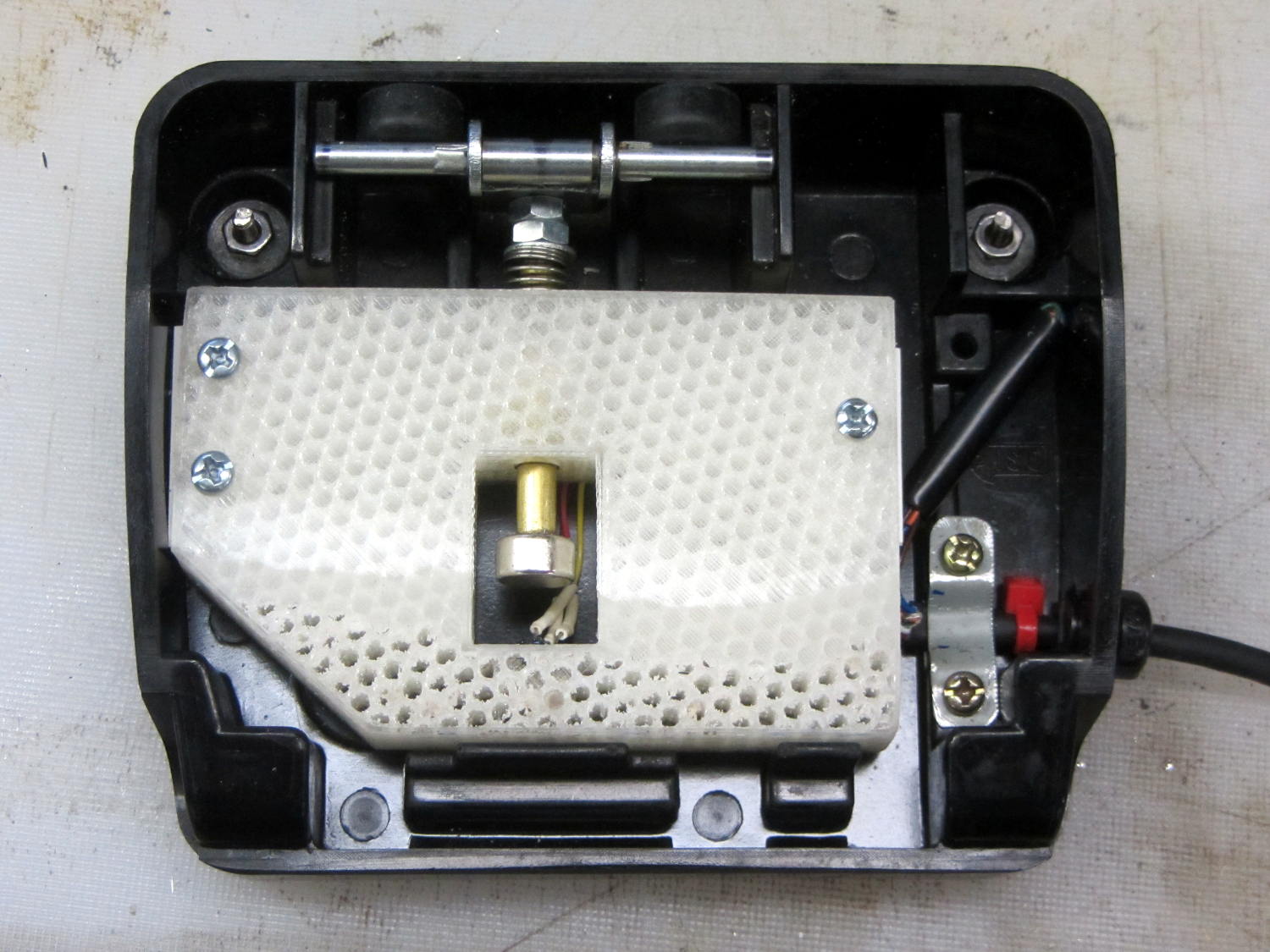
The original version had a thin nut securing a screw inside the brass shaft to the actuator:
Kenmore 158 – Hall speed control – prototype interior
I later swapped the nut for three washers, after observing that the nut wasn’t actually necessary, but that produced too much dead travel at the beginning of motion.
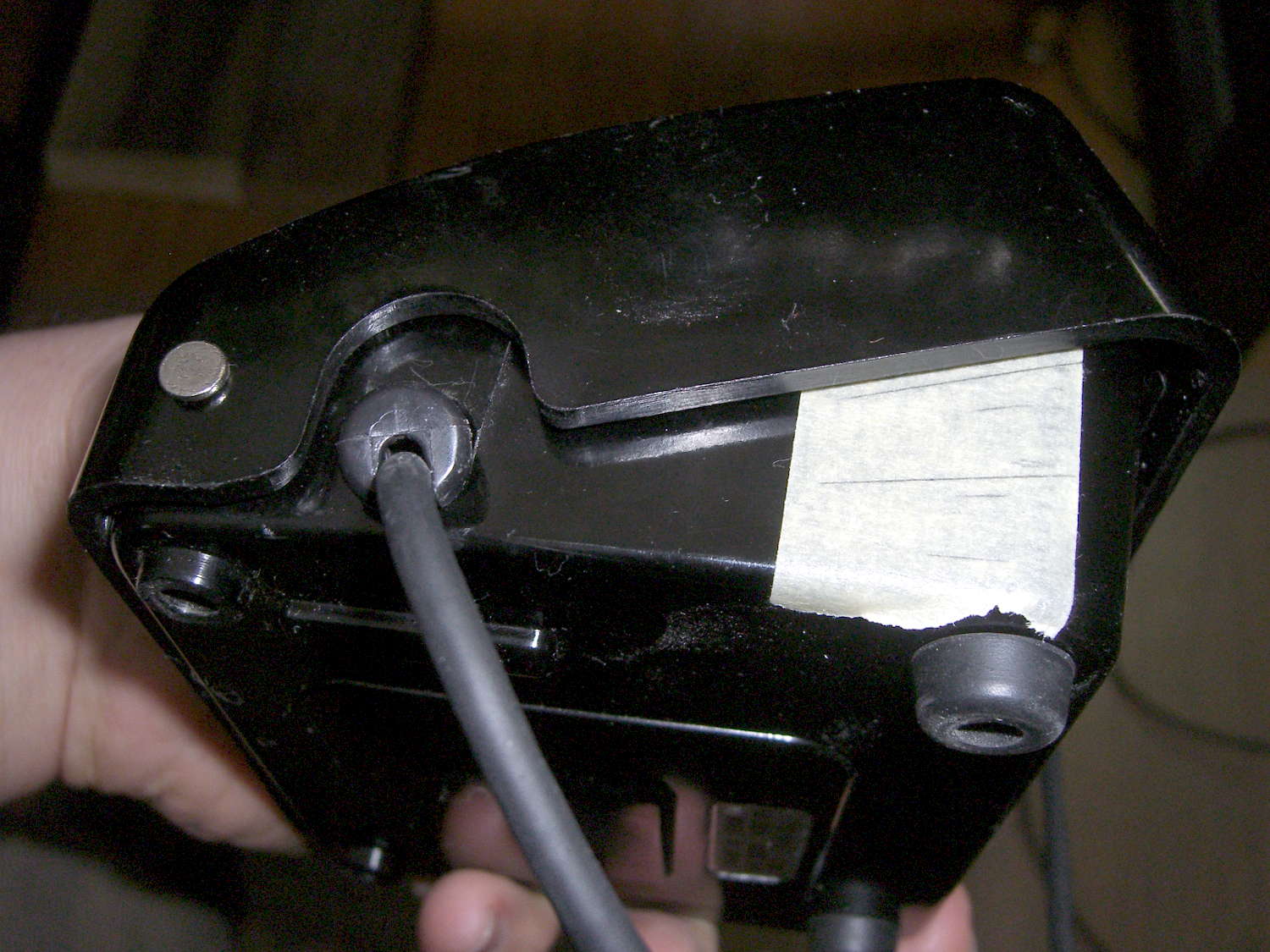
We discovered that the actuator bar could slip off the end of the ramp cast into the pedal cover, jamming the end of the ramp, making the case extremely difficult to disassemble, and causing heartache & confusion. Affixing a pair of rubber feet to the rear wall of the pedal case with tapeless sticky keeps the bar about half a millimeter further forward and eliminates that problem:
Kenmore 158 – foot pedal – short actuation
A second nut moved the brass rod forward, but that turned out to be a bit too much, so it now has a single, slightly thicker, nut. The 3D printed frame allows for far more travel in each direction than is strictly necessary, specifically to allow this fine tuning; it’s possible to make the rod’s resting position too close to the Hall effect sensor and have them collide at full travel, but I managed to avoid that.
It’s impossible to measure anything with the case disassembled: each change requires reassembling everything, measuring, and iterating.
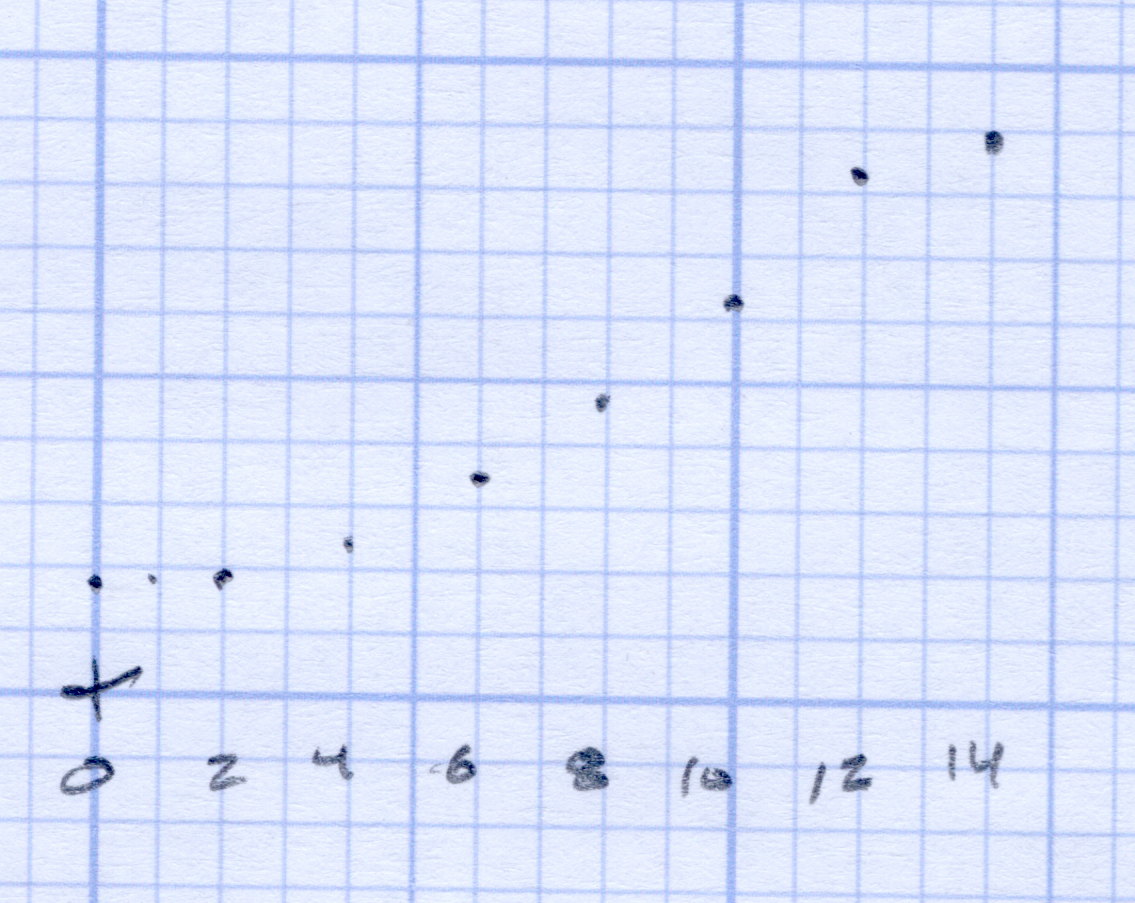
After some of this & that, this graph shows the final output curve, with the Y axis in raw ADC counts at 100/div:
Foot Pedal – ADC vs position – graph detail
The first 3 mm doesn’t produce much change in the output, it smoothly changes to the more-or-less linear ramp up to 12 mm, then tapers off to full output beyond 14 mm. That’s pretty close to the original graph, with full throttle occurring a bit more than 2 mm earlier; the difference between the two scales may have some effect. In any event, Mary reports it feels much better.
Trust me: that matters.
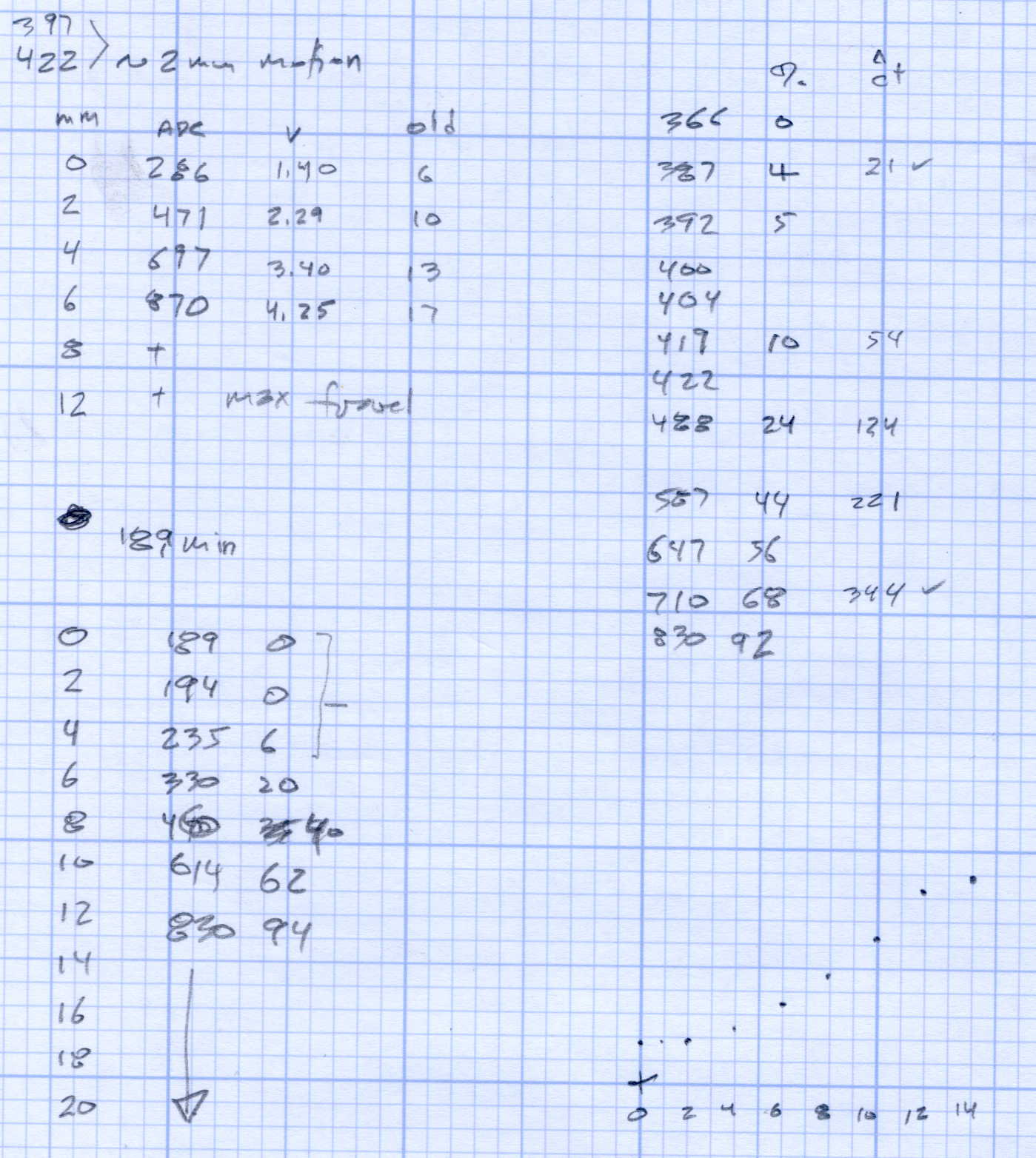
The original data from the first and second mods, plus a teeny version of that graph: