Ed Nisley's Blog: Shop notes, electronics, firmware, machinery, 3D printing, laser cuttery, and curiosities. Contents: 100% human thinking, 0% AI slop.
That might be rosin left over from soldering, but you’d think they would have rinsed it off to reduce the leakage. Some cleaning will be in order.
A picture in The Fine Manual for the CD-V-710 Model 5 Radiation Survey Meter showed that the circuit board used point-to-point wiring, with the range switch soldered directly to that bent metal contact:
Another page gave some useful values and a simplified schematic:
Victoreen CD-V-710 Model 5 Manual – Page 5
Never fear, the manual also has the full schematic; they don’t write manuals like that any more.
The chamber bias voltage was +22.5, from one carbon-zinc battery available back in the 1950s. You can still get 22.5 V batteries at about ten bucks a pop, but 24 V from a pair of cheap & readily available 12 V A23 alkaline batteries should be close enough. There’s no current drain, so the batteries should last their entire shelf life.
The “HI-MEG” resistor represents a trio of glass-body resistors selected by the range switch:
R5 = 100 GΩ → 0.5 R/h
R6 = 10 GΩ→ 5 R/h
R7 = 1 GΩ→ 50 R/h
As the saying goes, if you must select R7 in an actual emergency, you should sit down, put your head between your legs, and kiss your ass goodbye.
The steel-wall chamber responds only to gamma radiation, with a nominal current of 5 pA at 0.5 R/h. However, given an op amp like the LMC6081 with 10 fA bias current, maybe building an electrometer-style amplifier that can respond to background gamma radiation or maybe secondary gamma rays from cosmic ray air showers would be feasible; I haven’t done anything like that in a while and even a faceplant would be interesting.
Alas, radium-226 and its progeny, including radon-222 decay through alpha and beta emission that’s specifically excluded by the can.
This is not a new idea, by any means, as shown by some extensive discussion and well-done circuitry. Any amplifier that works with the Victoreen can will certainly work with a homebrew ionization chamber.
Given a hint that the Sienna’s left rear ABS / speed sensor had failed, we took a look:
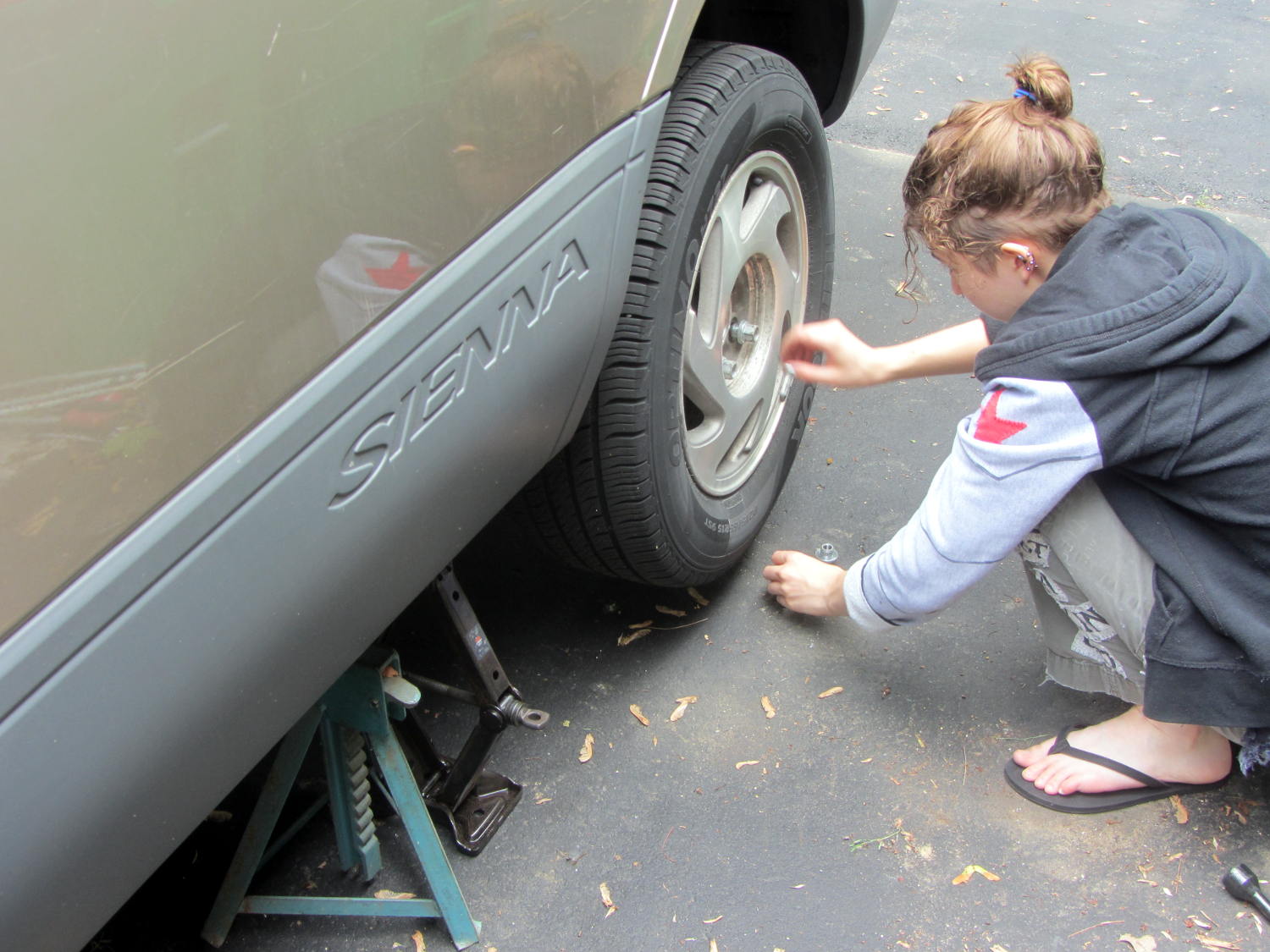
Sienna ABS failure – removing lug nuts
She removed the wheel under field conditions using only in-the-car tools for practice, with the jack stand and wheel chock because we weren’t really beside the road. It turned out that breaking The Last Lug free required bouncing her full weight on the wrench handle, which is what we expected based on previous experience.
Yes, I pointed out the inadequacy of that footwear. Yes, she loosened the lugs before jacking the van.
With the van up, the first look showed the ABS diagnostic blink code was dead on:
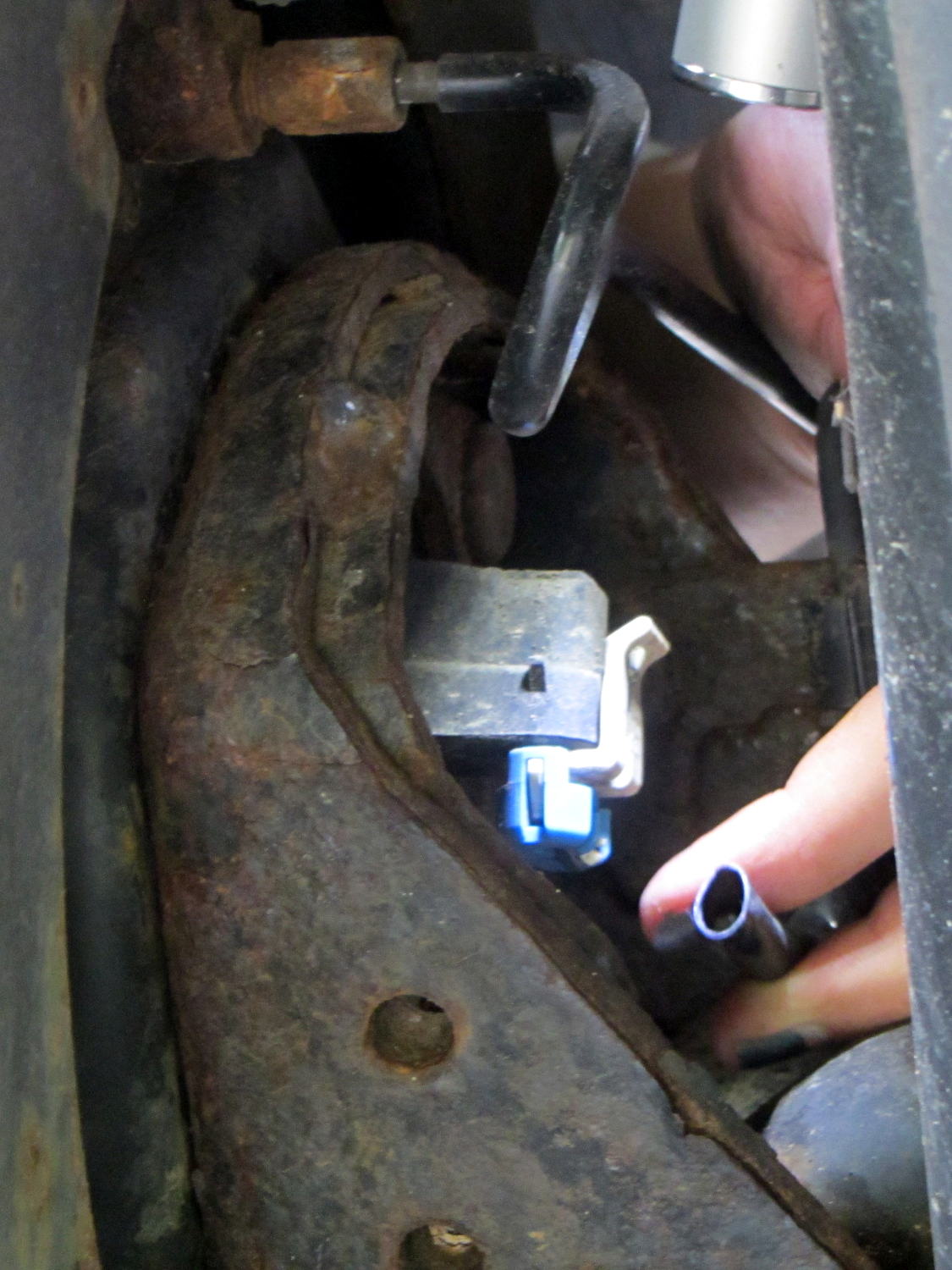
Sienna ABS failure – sensor cable
That bit of tubing in her fingers should contain a pair of wires, which was a bit of a puzzle.
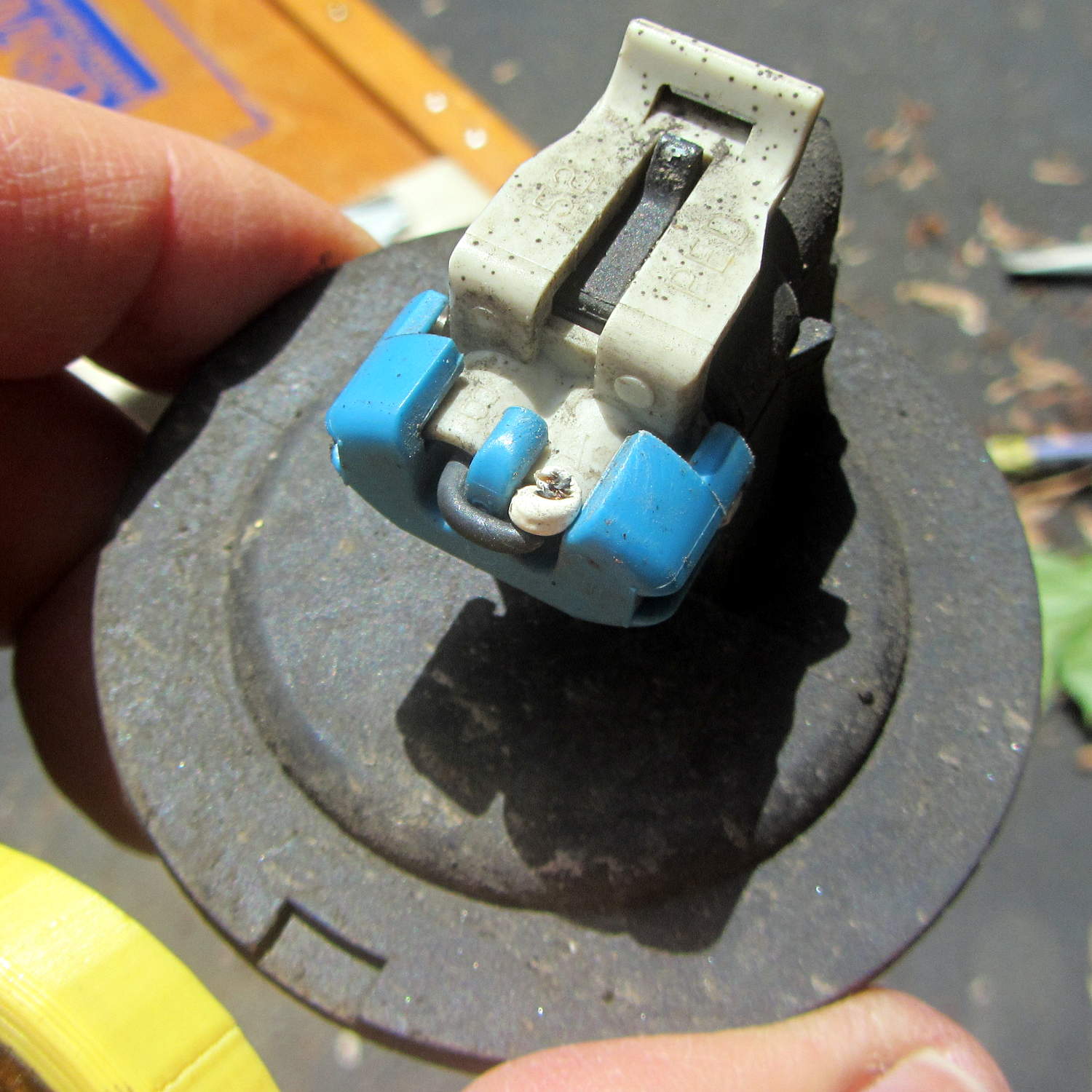
The connector remained snapped onto the sensor head, but the whole affair came out easily enough:
Sienna ABS failure – connector on sensor head
We thought those wires seemed very tightly twisted, too. I guessed that a clip holding the sensor head in place had gone missing, allowing it to rotate in place.
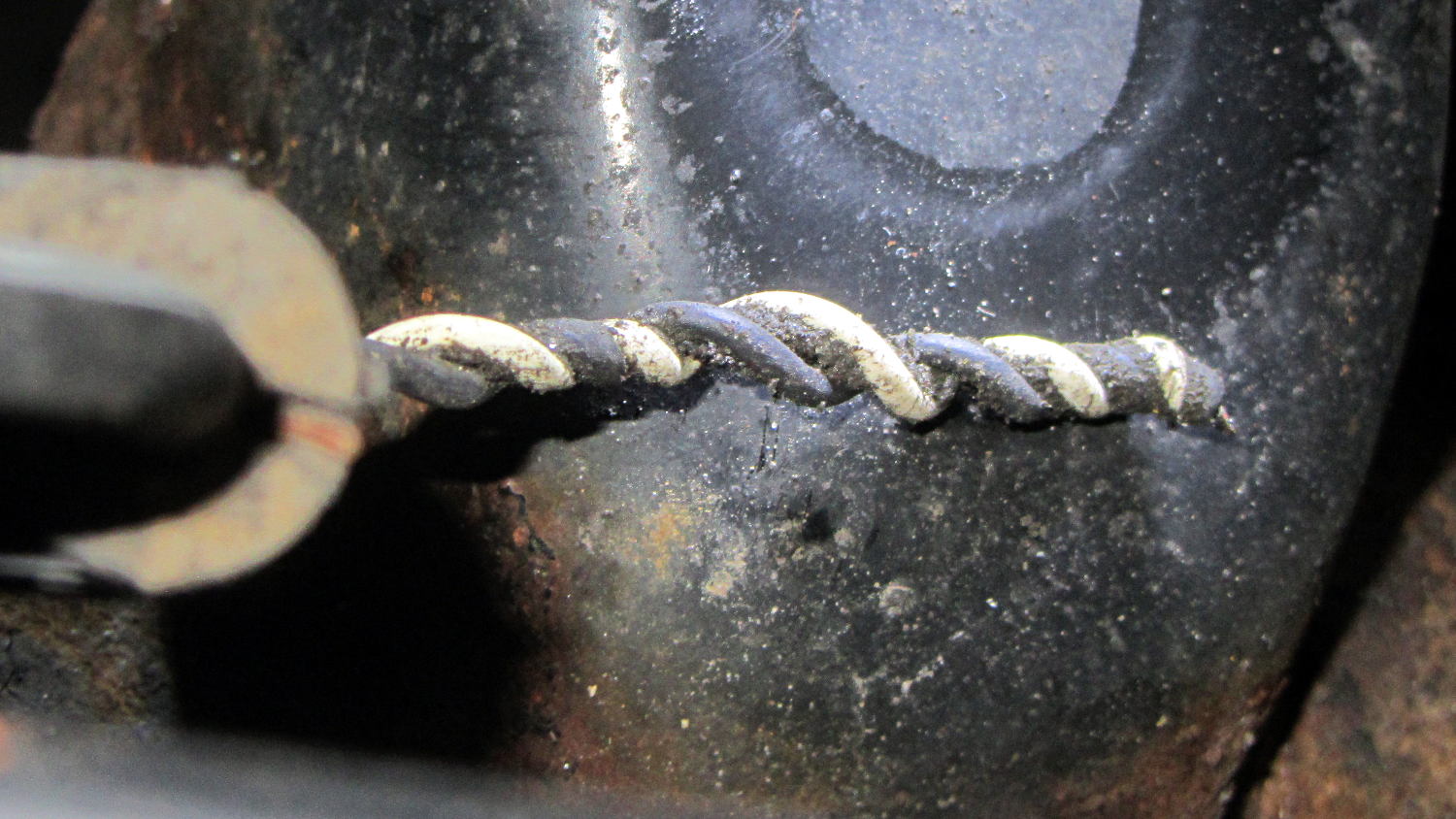
Which was partially true, as the “missing” wires were very very very tightly twisted inside that flexible tubing and, thus, much shorter than they should be:
Sienna ABS failure – hypertwisted sensor cable
Lining up the removable parts:
Sienna ABS failure – sensor head disassembly
The sensor head should be firmly glued onto the back of the wheel hub, with no clips or screws holding it in place, as we found by comparing it with the right rear wheel. That slightly rough gray ring just outside of the central cylinder was the adhesive…
She soldered longer wires to the pigtails on the connector and applied heatshrink. The hyper-twisted wires under the car got un-twisted a bit, straightened, cleaned up, then rejoined to the connector with pair of gel-filled beanie compression splices and more tubing to ease the strain.
We buttered up the sensor head flange with JB Kwik epoxy, squished it back in place for a good seal, spun the hub to make sure the sensor fingers weren’t hitting anything, then she practiced ten minutes of meditation while holding it in place and awaiting a firm set.
It turns out that the sensor head is not a replaceable part: it’s factory-bonded to the back of the hub and should never, ever come loose. Given that this one had made maybe a dozen orbits and was finger-loose in the back of the hub, with some dust & crud visible inside the hub where it shouldn’t be, replacing the wheel hub is in the plan.
Also, we still don’t know why different versions of “the same cable” have such a huge price difference; despite their sensor attribute, they definitely don’t include the sensor head.
After repairing the cable, she put the wheel back in place, reset the ABS codes, drove the van around the block, found a patch of sand to check out the ABS braking, and reported normal operation.
We’ll replace both the cable and hub, then declare victory.
The Sienna lit up the tire pressure warning light and the ABS trouble light on the trip from Rochester. The pressures were OK, if a bit low, but the early Toyota TPMS used wheel rotation sensors rather than direct pressure sensors, and we suspect a sensor went bad.
The ABS doesn’t report errors through the OBD II interface, requiring a jumper between TC and E1 in the ABS diagnostic interface block under the hood. Our Larval Engineer shows much respect for the engineer who included the pin ID layout under the flip-top lid, eliminating the need for scratch paper.
Despite diligent searching, there seems to be no Official Documentation of the blink codes appearing on the ABS trouble indicator. Fragmentary evidence suggests that a table applying to a Toyota MR2 MKII sports car would be generally applicable, which is hereby ripped to forestall link rot:
Code Number
Diagnosis
11
open circuit in solenoid relay circuit
12
short circuit in solenoid relay circuit
13
open circuit in pump motor relay circuit
14
short circuit in pump motor relay circuit
21
open or short circuit in 3 position solenoid of front right wheel
22
open or short circuit in 3 position solenoid of front left wheel
23
open or short circuit in 3 position solenoid of rear wheels
31
front right wheel speed sensor signal malfunction
32
front left wheel speed sensor signal malfunction
33
rear right wheel speed sensor signal malfunction
34
rear left wheel speed sensor signal malfunction
35
open circuit in front left or rear right wheel speed sensor
36
open circuit in front right or rear left wheel speed sensor
41
abnormal battery voltage ( < 9.5 or > 17 )
51
pump motor of actuator locked or open circuit in pump motor circuit in actuator
ALWAYS ON
computer malfunction
The 3-4 blink code indicates a left rear wheel sensor failure. Such sensors (or their cables) seem to be either $35 or $175 from the usual sources, with no indication of why some are far more expensive than others. The pictures and descriptions are unhelpful, to say the least.
We’ll try cleaning the sensor, which probably won’t improve the situation, and then replace the poor thing.
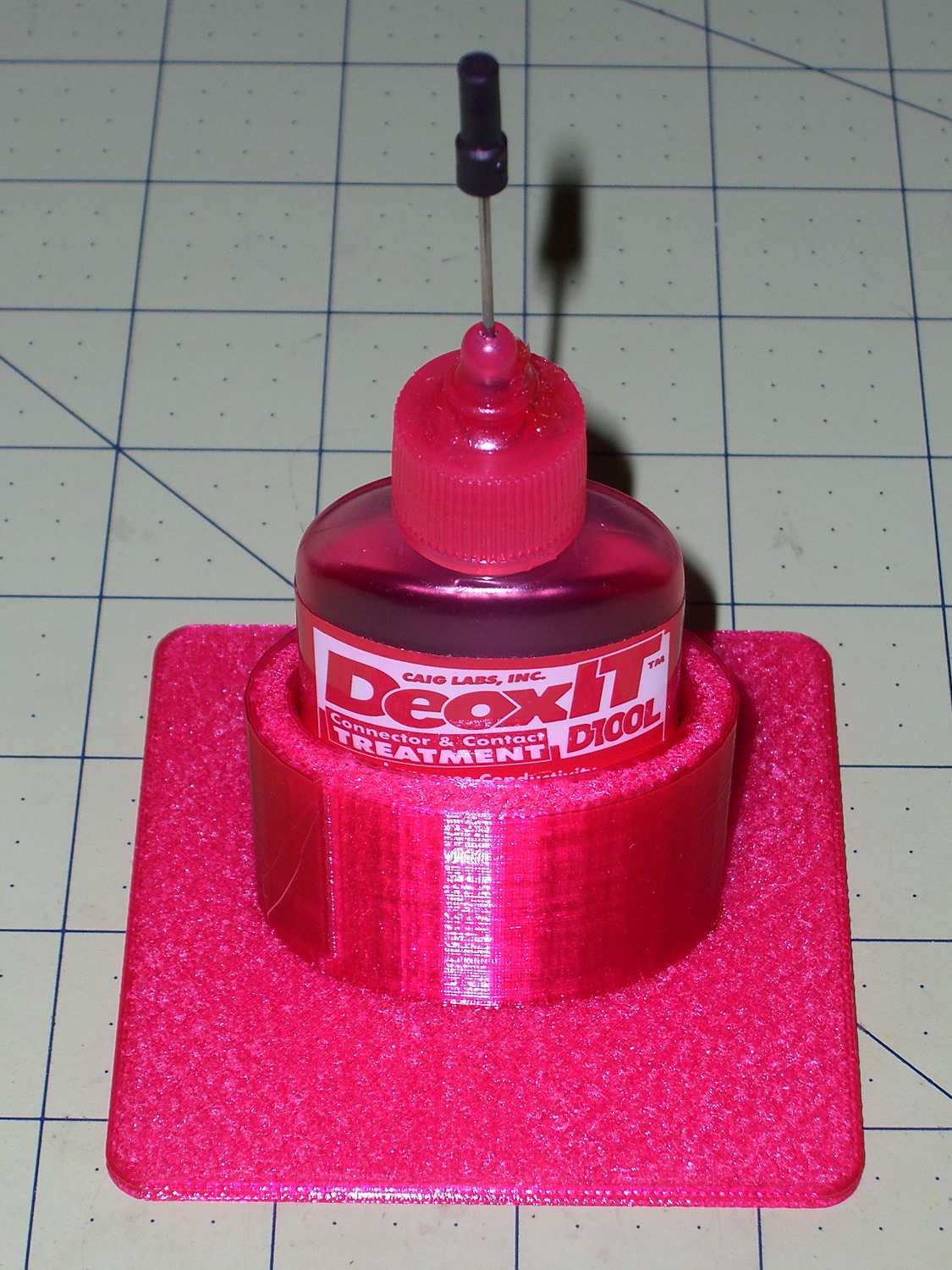
Having found my lifetime supply of DeoxIT slouched against something that didn’t appreciate a thin coating of red oil:
Caig DeoxIT bottle holder
The solid model consists of two squashed cylinders atop a slab:
DeoxIT Bottle Holder
Applying the resize() operator to both cylinders separately, before the difference() operation, maintains a uniform (and grossly overqualified) 5 mm wall thickness, which you wouldn’t get by squashing them after the difference().
The 2.5 mm slab gets nice, rounded corners from a hull() shrinkwrapping a quartet of squat cylinders; Slic3r applies Hilbert Curve infill to the top & bottom surfaces to produce a nice pattern. I admit to being easily pleased.
The OpenSCAD source code took about ten minutes to write and two hours to print:
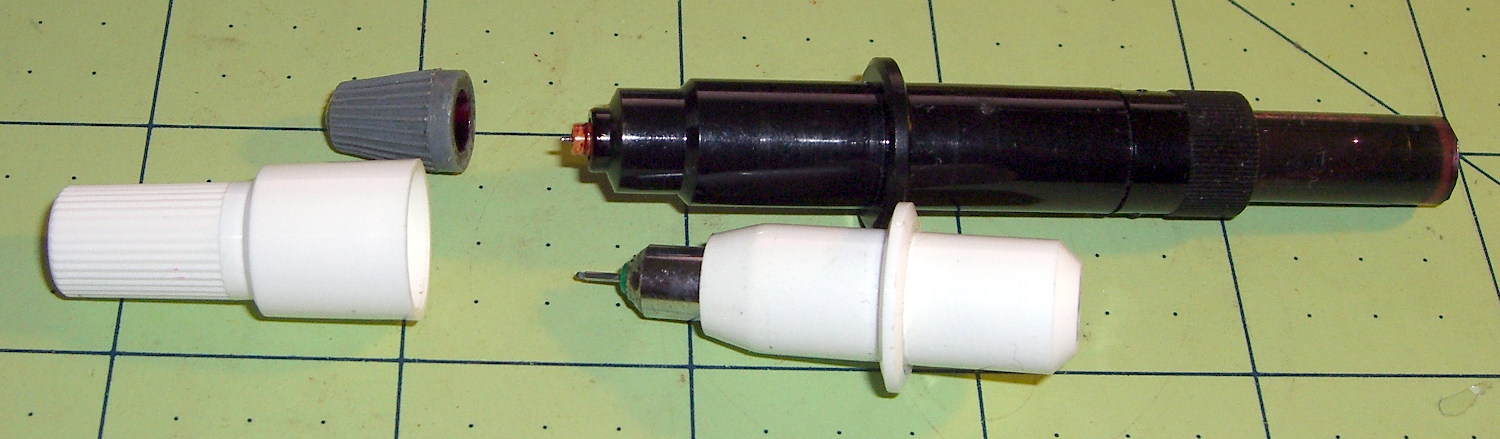
After a bit of sorting, I had a quartet of “disposable” liquid ink pens with contents ranging from desiccated to gummy. With nothing to lose (and having already cut a clearance slot in the plotter case), I drilled a small hole in the top of each reservoir, squirted some inkjet printer ink into the void, and taped the hole closed.
Surprisingly, a little liquid love restored all but the black pen to working condition, if not perfect heath:
HP7475A disposable liquid pen – refilled
I think the blurred white disk floating in the reservoir sealed the end where you jam the tip in place to activate the pen. The blob of dark gunk shows the reservoir didn’t start with yellow ink, but I had nothing to lose.
The top pen in this picture is another style / brand with a smaller reservoir:
HP7475A pens – disposable liquid and ceramic tip
The white pen in the foreground has a 0.3 mm ceramic tip, contains its original green ink, and works as well as it ever did; it might be refillable, too.
The liquid-ink pens have a serpentine vent in the tip. This is a Genuine New-Old-Stock pen in a four-pen case labeled HP 5061-7566:
HP7475A disposable liquid pen – new
The serpentine path connects the exterior vent opening (facing you) to a tiny hole (on the other side of the blue shaft) into the ink chamber. As it turns out, a new hole drilled in the reservoir admits enough air to drain the (freshly refilled) liquid ink through the serpentine path all over the workbench. Having some experience with refilling inkjet cartridges, I deployed a towel decorated with colorful splotches in anticipation of such an unexpected event, although my fingers looked considerably more cheerful than usual for a few days.
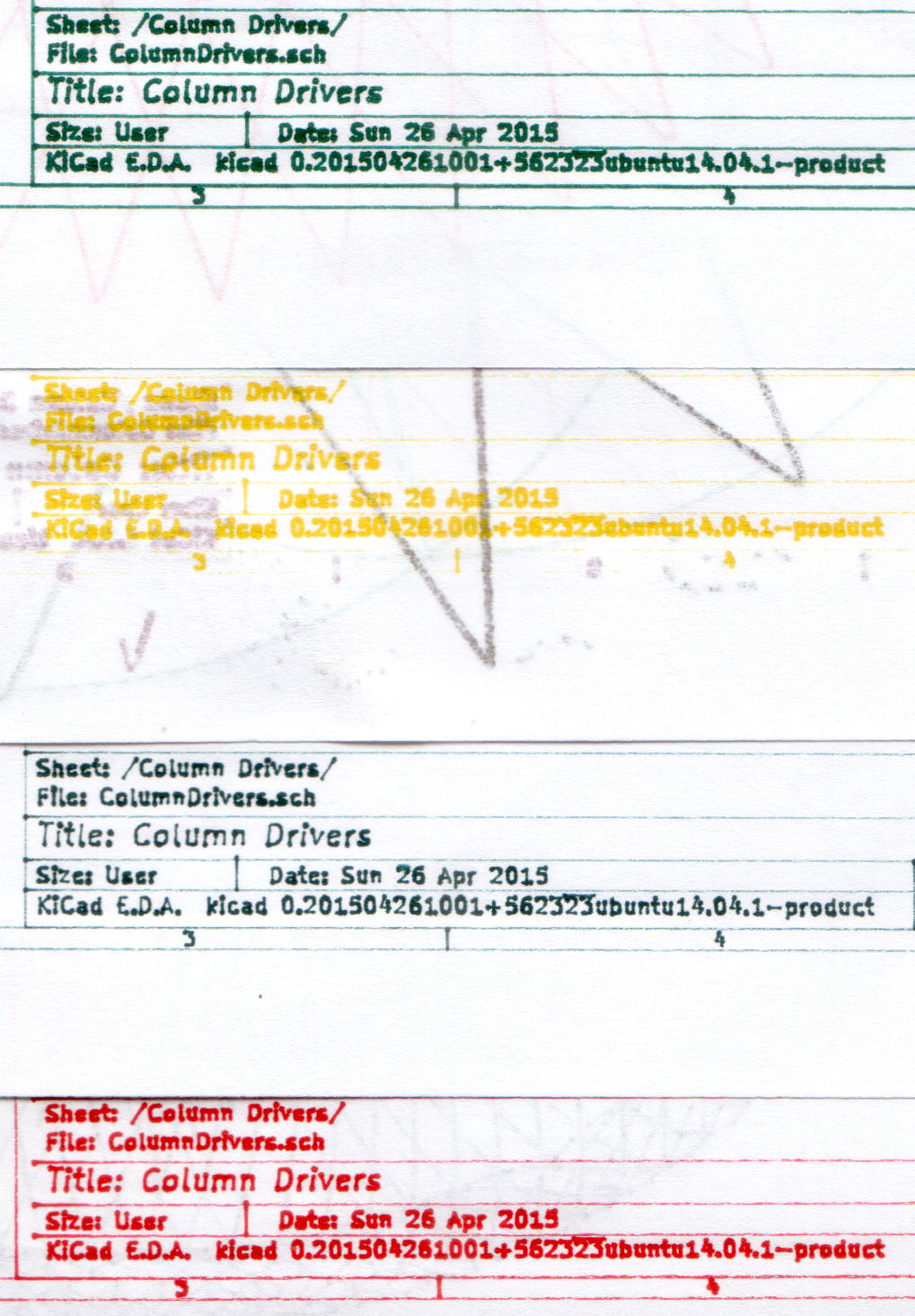
The black pen never worked quite right, but the other three did fine. The ceramic pen is at the top:
HP7475A – KBR to YCM Refilled disposable pens – G ceramic pen
Protip: the blown contrast and rear-surface bleedthrough behind the yellow ink should tell you it isn’t visible in normal room light. I must mix yellow with another color if I ever refill that pen that again.
KiCad uses only one pen for the entire schematic, even when you select “plot in color”, suggesting nobody has sent the “plotter” output stream to an actual plotter in a long, long time.
Despite the charm of watching the plotter crank out an entire schematic page, it’s not a compelling enough user experience to replace an inkjet printer. For an art project, one might be seeking an entirely different user experience and the answer might be different, too.
A sampling of the various Y connectors and manifolds that water Mary’s gardens:
Y valve 1
Y valve 2
Garden hose manifold
Those little handles don’t turn nearly as easily as they should and some require far more finger pressure than Mary can exert. Lubrication being unavailing, the solution is to apply torque through a wrench, rather than fingertips, but fiddling around to match the proper wrench with the valve in hand isn’t acceptable.
The first pass at a Universal Wrench:
Hose Valve Knob – with measurements
The embossed sheet (the back of my Geek Scratch Paper) carried the knob shapes & dimensions from the garden to the desk, where I measured & laid out the wrench:
Hose Connector Knob – Build layout
I filched the knob design from the OXO Can Opener Handle, made it somewhat taller, and applied a scale() operation to mash it into an ellipse aligned with the wrench slot. That huge hexagonal socket in the middle bridged just fine, even though the threads came out as distinct cylinders:
Adding one thread width of clearance around the stem to form the socket produced a slip fit, with a dollop of fast-cure epoxy holding the pieces together.
The wrench fits the largest valve knob with enough clearance to eliminate fiddling. A cylinder punched into the middle of the slot accommodates those teardrop handles:
Hose Connector Knob – Show layout – bottom view
It’s oversized for the smallest “knob”, a vicious triangular stalk that’s murder on the fingers (and not shown here), but fits well enough that, should we deploy any of those, she’ll be ready.
The stem diameter can’t be any larger, because the knobs on Valve 1 don’t allow any clearance. It could be more circular, but I doubt that buys anything. The open ends of the slot won’t let mulch pack into the recesses.
I expect a wrench jaw will eventually snap off as the layers delaminate. In that case I’ll either sink a pair of steel pins into each jaw or, more likely, combine the handle & stem into one object, split the whole affair across the jaws, print the two halves, and glue them together so that the threads run in the proper direction to meet the stress.
Be that as it may, as of right now this is The Best Thing I’ve Ever Built…
The OpenSCAD source code:
// Hose connector knob
// Ed Nisley KE4ZNU - June 2015

Layout = "Build";				// Show Build Knob Stem

//- Extrusion parameters - must match reality!

ThreadThick = 0.25;
ThreadWidth = 0.40;

function IntegerMultiple(Size,Unit) = Unit * ceil(Size / Unit);

Protrusion = 0.1;

HoleWindage = 0.2;

//------
// Dimensions

StemOD = 30.0;					// max OD for valve-to-valve clearance

BossOD = 16.0;					// single-ended handle boss

SlotWidth = 13.0;
SlotHeight = 10.0;

StemInset = 10.0;
StemLength = StemInset + SlotHeight + 25.0;
StemSides = 2*4;

KnobOD1 = 70;						// maximum dia without chamfer
KnobOD2 = 60;						// top dia

KnobSides = 4*4;

DomeHeight = 12;					// dome shape above lobes

KnobHeight = DomeHeight + 2*SlotHeight;

DomeOD = KnobOD2 + (KnobOD1 - KnobOD2)*(DomeHeight/KnobHeight);

DomeArcRad = (pow(KnobHeight,2) + pow(DomeOD,2)/4) / (2*DomeHeight);

//- Adjust hole diameter to make the size come out right

module PolyCyl(Dia,Height,ForceSides=0) {			// based on nophead's polyholes

  Sides = (ForceSides != 0) ? ForceSides : (ceil(Dia) + 2);

  FixDia = Dia / cos(180/Sides);

  cylinder(r=(FixDia + HoleWindage)/2,h=Height,$fn=Sides);
}

//-- Stem for valve handles

module Stem() {

	difference() {
		rotate(0*180/StemSides)
			cylinder(d=StemOD,h=StemLength,$fn=StemSides);
		translate([0,0,SlotHeight/2 - Protrusion/2])
			cube([2*StemOD,SlotWidth,(SlotHeight + Protrusion)],center=true);
		translate([0,0,-Protrusion])
			cylinder(d=BossOD,h=SlotHeight,$fn=2*StemSides);
	}

}

//-- Hand-friendly knob

module KnobCap() {
	difference() {
		scale([1.0,0.75,1.0])
		intersection() {
			translate([0,0,(KnobHeight-DomeArcRad)])
				rotate(180/KnobSides)
					sphere(r=DomeArcRad,$fa=180/KnobSides);
				rotate(180/KnobSides)
					cylinder(r1=KnobOD1/2,r2=KnobOD2/2,h=KnobHeight,$fn=KnobSides);
				rotate(180/KnobSides)
					cylinder(r1=KnobOD2/2,r2=KnobOD1/2,h=KnobHeight,$fn=KnobSides);
		}
		translate([0,0,-Protrusion])
			rotate(0*180/StemSides)
				cylinder(d=(StemOD + 2*ThreadWidth),h=(StemInset + Protrusion),$fn=StemSides);
	}
}

//- Build it

if (Layout == "Knob")
	KnobCap();

if (Layout == "Stem")
	Stem();

if (Layout == "Build") {
	translate([-KnobOD1/2,0,0])
		KnobCap();
	translate([StemOD/2,0,StemLength])
		rotate([180,0,0])
			Stem();
}

if (Layout == "Show") {
	translate([0,0,0])
		Stem();
	translate([0,0,StemLength - StemInset])
		KnobCap();
}
A year or so ago, I picked up a Michelin Pilot City tire (700x32C) to see how they compare with the twice-as-expensive Schwalbe Marathons we’ve been using on the Tour Easy recumbents.
Having replaced a worn-out Marathon last summer, this was unexpected:
Michelin Pilot City Protek tire – blown bead
I’d blame that failure on overpressure, but I’ve been running the back tires around 70 psi, well inside their 87 psi (that’s a nice, round 6 bar) sidewall rating.
Being able to swap a back tire in the Basement Laboratory Repair Facility made up for a lot…








 The Smell of Molten Projects in the Morning