The Smell of Molten Projects in the Morning

Ed Nisley's Blog: Shop notes, electronics, firmware, machinery, 3D printing, laser cuttery, and curiosities. Contents: 100% human thinking, 0% AI slop.

Category: Machine Shop

Mechanical widgetry

  • SquidWrench Power Wheels Racer: Motor Musings

    As part of the power train autopsy, Matt pointed me at the specs for the AmpFlow E30-400 motor they built into the chassis. The Performance Chart (mooched from AmpFlow to forestall link rot) provides useful information:

    AmpFlow E30-400 Motor Performance Chart
    AmpFlow E30-400 Motor Performance Chart

    The Power Wheels Racer rules limit the motor to 1440 W, a tidy 60 A at 24 V. Let’s call it 70 A, which lines up neatly with the second major division up from the bottom: the orange current line hits 70 A with torque = 2.6 N·m.

    Draw a vertical line at that point and read off all the other parameters from the scales on the left.

    The motor will produce 2.6 N·m at just shy of 4500 RPM; call it 4400 RPM.

    The SqWr Racer has 9:40 chain-drive gearing, so the rear wheels turn at:

    990 RPM = 4400 RPM x (9/40)

    With 13 inch diameter wheels, the racer moves at:

    38 mph = 990 RPM x (π x 13 inch) x (60 min/hr) x (1 mile / 63.36x103 inch)

    Which is scary fast if you ask me. A higher ratio may be in order.

    At that speed the motor delivers:
    1.6 HP = 1180 W = 2.6 N·m x 4400 RPM x 2π rad/rev / (60 s/min)

    … to the shaft and, minus mechanical losses, to the tires.

    If the racer doesn’t require that much power to roll at breakneck speed, it’ll go even faster, until the motor’s (falling) power output matches the (rising) mechanical load at some higher speed with correspondingly lower current.

    With a current of 70 A and a winding resistance of 0.089 Ω (let’s say 0.10 Ω), the motor dissipates 490 W. That’s probably too much for long-term running, even with a 70% (= 1150 / (1150 + 490)) efficiency.

    The mandated Littelfuse 60 A fuse has a bit under 1 mΩ of cold resistance and will dissipate 3.6 W at 60 A. The specs say it will blow within 6 minutes at rated current.

    The resistance of the wiring / connectors / switches / whatever should be on that same order. Figuring the racer needs 2 m of stranded copper wire, that calls for 2 AWG or larger (0.5 mΩ/m). Right now, the racer uses 8 AWG (2 mΩ/m) and might have 4 mΩ total resistance, although I think it has less than 2 m of wire. Empirically, the motor conductors get really hot at 40 A for about ten seconds, but that’s with a severely defunct motor.

    If the conductors + connectors between the battery and the motor introduce, say, 10 mΩ of resistance, they’ll dissipate 36 W at 60 A. That scales linearly with resistance, so a high-resistance connection will incinerate itself.

    Using a PWM controller to reduce the speed will reduce the available horsepower, so the racer will accelerate slowly. With the torque limited to 2.6 N·m, the horsepower will vary linearly with the PWM duty cycle: nearly zero for small PWM, up to 1.5 HP for large PWM at 60 A, then upward as the RPM increases with decreasing load. Yeah, you get more torque when you need it least.

    I could make a case for a three-speed transmission in addition to higher gear ratio, although that seems overly complex.

    A less beefy motor will be in order and The Mighty Thor suggests a torque converter as a low-budget transmission. Sounds good to me; I should learn more about electric traction motors…

  • SquidWrench Power Wheels Racer: Power Train Autopsy

    The Power Wheels Racer taking shape at SquidWrench let out The Big Stink at the Mini Maker Faire a few weeks ago, so I brought some test equipment to the regular Weekly Doing and helped with the autopsy.

    The PWM motor controller purports to do 60 A at up to 50 V, but removing the cover showed it wasn’t going to do any more controlling:

    Motor Controller - smoked housing
    Motor Controller – smoked housing

    That smudge came from a rank of detonated MOSFETs:

    Motor Controller - exploded MOSFET
    Motor Controller – exploded MOSFET

    Other MOSFETs had unsoldered themselves:

    Motor Controller - unsoldered MOSFETs
    Motor Controller – unsoldered MOSFETs

    Explosively:

    Motor Controller - solder ejecta
    Motor Controller – solder ejecta

    I brought along an ancient Sears starter-motor ammeter to measure the motor current:

    Sears 244-2145 Starter Ammeter - front
    Sears 244-2145 Starter Ammeter – front

    The magnetic field around the wire directly drives the meter movement, with two guides for the 75 A and 400 A ranges, and none of that newfangled Hall effect nonsense to contend with:

    Sears 244-2145 Starter Ammeter - wire guides
    Sears 244-2145 Starter Ammeter – wire guides

    Yeah, that says FEB 79; I’ve been collecting tools for quite a while…

    I slapped the motor connectors directly on the battery terminals, holding them with small locking pliers after discovering that the wires got way too hot, way too fast. A snippet of retroreflective tape on the motor sprocket and a laser tach gave us the speed:

    • 12 V: 1600 RPM @ 40 A
    • 24 V: 2400 RPM @ > 100 A

    The AmpFlow E30-400 motor data sheet confirmed that those numbers were grossly wrong. Unloaded, it should spin at 5700 RPM at 24 V while drawing 3.2 A (thus, 2800 RPM at 12 V & 1.6 A).

    Diassembling the motor showed it hadn’t escaped the carnage:

    Motor - charred windings
    Motor – charred windings

    Those windings should be the usual amber enamel-over-copper, not charred black. The excessive current and reduced speed suggests many shorted turns inside the rotor.

    Protip: never disassemble a working DC motor, because you’ll demagnetize the stator. The motor should still run when you put it back together, but the reduced magnetic field will wreck the performance.

    As nearly as we could tell, one of the motor wires shorted to the frame when it got pinched under the seat; that’s an easy mistake to make and shows why compulsive wire neatness pays off big time. Shorting the controller output blew the transistors and, after raising the seat to look underneath, the motor would cook itself without generating much torque while you figure out what happened.

    As far as I’m concerned, if you’ve never blown up anything that severely, you’re not building interesting stuff and definitely not trying hard enough.

    The next iteration should work better!

    Thanks to Dragorn of Kismet for stepping into the stench with phone camera in hand…

  • Epson R380 CISS Clamp Repair

    The Epson R380 started making an odd thwapping noise, which turned out to be the ink tubes from the Continuous Ink Supply System slapping the overly complex interior of the printer. They seemed a bit loose, but it took some searching before I found the top of the clamp that holds them in place:

    Epson R380 CISS hose clamp - broken
    Epson R380 CISS hose clamp – broken

    It’s the white rectangle nestled in front of the ink cartridges, where it fits perfectly into a convenient slot and looks like it grew there.

    I briefly considered 3D printing a replacement, but came to my senses:

    Epson R380 CISS hose clamp - fixed
    Epson R380 CISS hose clamp – fixed

    That should be good until the silicone rubber tubes finally break after a bazillion flex cycles…

  • Would You Pull the Tab?

    So this device showed up in an envelope with a letter telling us we’d won a contest if, of course, the number on the device matched the number in the letter:

    CodeKase device
    CodeKase device

    I wonder if anybody else had second thoughts about pulling what’s obviously an insulating sheet holding two contacts apart? In this day and age, getting the victim to blow his own fingers off probably counts as a win.

    Maybe it comes from having read The White Plague at an impressionable age. Who could resist getting a Nice Thing in the mail?

    The number matched, of course, but the letter’s finer print said the prize would be one of:

    • A new car of some sort
    • A flat screen TV
    • A cheap electronic trinket
    • A three-day / two night vacation

    In order to claim your prize, you had to call an 800 number. The much finer print revealed the odds of winning the first three of those prizes was somewhere around 300,000:1. “Winning” the vacation was essentially a slam-dunk proposition, of course, and probably tells you everything you need to know about the course of the phone call.

    It’s apparently economical to send out this much hardware to reel in new “customers”:

    CodeKase device - parts
    CodeKase device – parts

    Using the metal disk from a membrane switch as a spring to push the coin cell against the contact wires is a nice touch. This is apparently the optimized version that uses a single lithium cell in place of two alkaline buttons; the cell “socket” on the other end consists of vestigial lumps.

    I harvested the lithium cell and the blue LED, of course…

    More about CodeKase, direct from the source. I like “Step Five: Recycle Your CodeKase”…

  • Kenmore 158: Presser Foot Screw Shrink

    Mary started doing “ruler quilting” that involves sewing seams aligned with templates, only to find that the thumbscrew holding the (modified) presser foot obscures the view to the left of the needle:

    Kenmore Model 158 - OEM Presser Foot Screw
    Kenmore Model 158 – OEM Presser Foot Screw

    The screw looked to be 6-32 and I wanted to use a socket head cap screw, but thread turns out to be 6-40. Having previously bought the Brownell’s Fillister Head Screw Assortment specifically to solve that problem, all I had to do was cut the screw to length:

    Kenmore Model 158 - Small Presser Foot Screw
    Kenmore Model 158 – Small Presser Foot Screw

    The washer epoxied to the screw provides a bit more bearing surface.

    Rather than putz with a screwdriver, this handle locates itself around the screw head; turn until the blade clicks into the screw slot, then tighten or loosen as needed:

    Kenmore Model 158 - Presser Foot - Driver and Screw
    Kenmore Model 158 – Presser Foot – Driver and Screw

    The chubby driver handle descends directly from the Sherline tommy bar handles and four-jaw chuck speed keys:

    Presser Foot Screw Driver - solid model
    Presser Foot Screw Driver – solid model

    The slot holds a chunk of spring steel (barely visible in the driver’s snout in group photo above) that accounts for the fat shaft around the screw head:

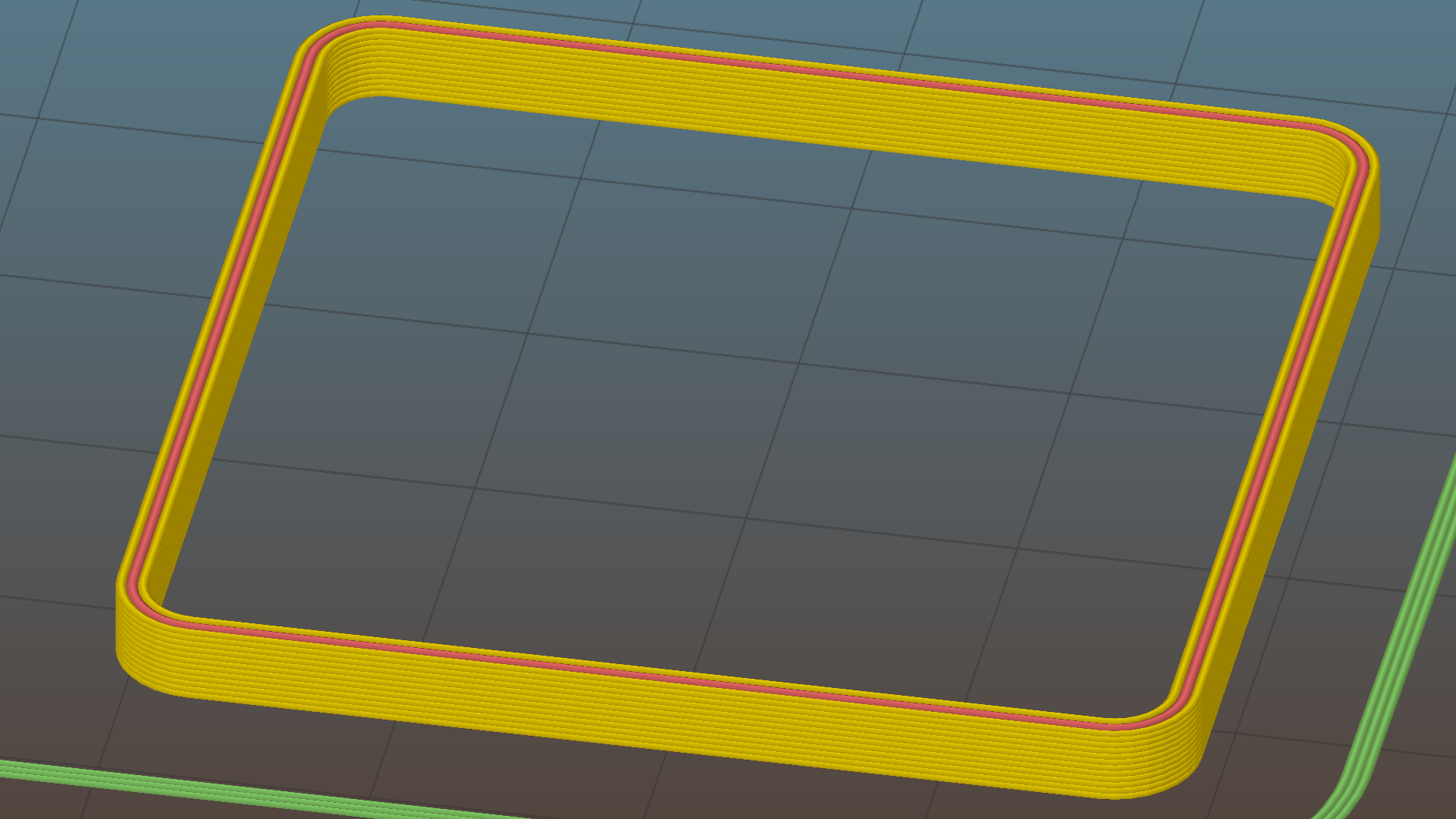
    Presser Foot Screw Driver - top - Slic3r
    Presser Foot Screw Driver – top – Slic3r

    I think the shaft could be a few millimeters narrower, but a bit of meat around the ends of the blade will support it against the torque.

    The screw head slot is about 1 mm and the blade is 0.75 mm. I chopped the blade to fit by whacking the spring with a poorly tempered cold chisel, then flexing across the impact line until it broke. That chisel needed sharpening anyhow.

    A dab of epoxy along the slot edges holds the blade in place. I inserted it flush with the top of the socket, then lined up the screw and pushed, with the steel bottomed out in the screw head and riding down for a perfect fit.

    Then it’s all good!

    The OpenSCAD source code:

    // Presser Foot Screw Driver for Kenmore Model 158
    // Ed Nisley - KE4ZNU - December 2015
    
    use <knurledFinishLib_v2.scad>
    
    //- Extrusion parameters must match reality!
    //  Print with 2 shells and 3 solid layers
    
    ThreadThick = 0.20;
    ThreadWidth = 0.40;
    
    HoleWindage = 0.3;			// extra clearance to improve hex socket fit
    
    Protrusion = 0.1;			// make holes end cleanly
    
    inch = 25.4;
    
    //----------------------
    // Dimensions
    
    SocketDia = 5.75;				// generous fit on 6-40 fillister screw head
    SocketDepth = 3.2;
    
    Blade = [9.0,1.0,ceil(SocketDepth + 5)];		// inserted metal driver blade
    echo(str("Blade: ",Blade));
    
    ShaftDia = 1.5*Blade[0];		// un-knurled section diameter
    ShaftLength = 10.0;				//  ... length
    
    KnurlLen = 10.0;				// length of knurled section
    KnurlDia = 18.0;				//   ... diameter at midline of knurl diamonds
    KnurlDPNom = 30;				// Nominal diametral pitch = (# diamonds) / (OD inches)
    
    DiamondDepth = 1.0;				//   ... depth of diamonds
    DiamondAspect = 2;				// length to width ratio
    
    KnurlID = KnurlDia - DiamondDepth;		// dia at bottom of knurl
    
    NumDiamonds = ceil(KnurlDPNom * KnurlID / inch);
    echo(str("Num diamonds: ",NumDiamonds));
    
    NumSides = 4*NumDiamonds;		// 4 facets per diamond
    
    KnurlDP = NumDiamonds / (KnurlID / inch);				// actual DP
    echo(str("DP Nom: ",KnurlDPNom," actual: ",KnurlDP));
    
    DiamondWidth = (KnurlID * PI) / NumDiamonds;
    
    DiamondLenNom = DiamondAspect * DiamondWidth;					// nominal diamond length
    DiamondLength = KnurlLen / round(KnurlLen/DiamondLenNom);		//  ... actual 
    
    TaperLength = 0.50*DiamondLength;
    
    KnobOAL = 2*TaperLength + KnurlLen + ShaftLength;
    
    //----------------------
    // Useful routines
    
    module PolyCyl(Dia,Height,ForceSides=0) {			// based on nophead's polyholes
    
      Sides = (ForceSides != 0) ? ForceSides : (ceil(Dia) + 2);
    
      FixDia = Dia / cos(180/Sides);
    
      cylinder(r=(FixDia + HoleWindage)/2,
               h=Height,
    	   $fn=Sides);
    }
    
    module ShowPegGrid(Space = 10.0,Size = 1.0) {
    
      Range = floor(50 / Space);
    
    	for (x=[-Range:Range])
    	  for (y=[-Range:Range])
    		translate([x*Space,y*Space,Size/2])
    		  %cube(Size,center=true);
    }
    
    
    //- Build it
    
    ShowPegGrid();
    
    difference() {
    	union() {
    		render(convexity=10)
    		translate([0,0,TaperLength])			// knurled cylinder
    			knurl(k_cyl_hg=KnurlLen,
    				  k_cyl_od=KnurlDia,
    				  knurl_wd=DiamondWidth,
    				  knurl_hg=DiamondLength,
    				  knurl_dp=DiamondDepth,
    				  e_smooth=DiamondLength/2);
    		color("Orange")							// lower tapered cap
    		cylinder(r1=ShaftDia/2,
    					r2=(KnurlDia - DiamondDepth)/2,
    					h=(TaperLength + Protrusion),
    					$fn=NumSides);
    		color("Orange")							// upper tapered cap
    		translate([0,0,(TaperLength + KnurlLen - Protrusion)])
    			cylinder(r2=ShaftDia/2,
    					r1=(KnurlDia - DiamondDepth)/2,
    					h=(TaperLength + Protrusion),
    					$fn=NumSides);
    		color("Moccasin")						// cylindrical extension
    		translate([0,0,(2*TaperLength + KnurlLen - Protrusion)])
    			cylinder(r=ShaftDia/2,h=(ShaftLength + Protrusion),$fn=NumSides);
    
    	}
    	
    	translate([0,0,(KnobOAL - SocketDepth + Protrusion)])
    		PolyCyl(SocketDia,(SocketDepth + Protrusion),8);	// screw head socket
    		
    	translate([0,0,KnobOAL - (Blade[2] - Protrusion)/2])
    		cube(Blade + [0,0,Protrusion],center=true);
    }
    
  • Hard Drive Platter Mood Light: Improved Solid Model

    An improved version of the 3D printed plastic bits going into the Hard Drive Platter Mood Light:

    Hard Drive Mood Light - improved - solid model - Show view
    Hard Drive Mood Light – improved – solid model – Show view

    The central pillar now has cutouts behind the Neopixel strips so you (well, I) can solder directly to the larger half-pads on the back, plus a boss on the top for better wire management:

    Hard Drive Mood Light - improved - Pillar - solid model
    Hard Drive Mood Light – improved – Pillar – solid model

    I’m not entirely satisfied with the little slots for the strip edges; the resolution limits of 3D printing call for larger openings, but there’s not much meat around those pins up the edge.

    The base becomes much larger to hold the Arduino Pro Mini and gains an optional slot to let the programming cable reach the outside:

    Hard Drive Mood Light - improved - Base - solid model
    Hard Drive Mood Light – improved – Base – solid model

    The cap has a boss matching the one atop the pillar:

    Hard Drive Mood Light - improved - Cap - solid model
    Hard Drive Mood Light – improved – Cap – solid model

    Both the cap & base have center features recessed by two thread thicknesses to let their rims apply a slight clamping force on the platters.

    Our Larval Engineer says it really needs an internal battery with maybe four hours of runtime, a charging base station (ideally with inductive power transfer), buttons (or, better, a tilt switch / accelerometer) for mode selection, and perhaps a microphone to synchronize lighting effects with music. To my horror, her co-op job seems to have exposed her to Marketeers…

    We do, however, agree that the Cap would look better in lathe-turned brass with a non-tarnish clearcoat.

    The OpenSCAD source code:

    // Hard Drive Platter Mood Light
    // Ed Nisley KE4ZNU November 2015
    
    Layout = "Spacers";					// Build Show Pixel LEDString Platters Pillar Spacers TopCap Base
    
    CablePort = true;
    
    ShowDisks = 2;						// number of disks in Show layout
    
    //- Extrusion parameters must match reality!
    
    ThreadThick = 0.25;
    ThreadWidth = 0.40;
    
    HoleWindage = 0.2;
    
    Protrusion = 0.1;			// make holes end cleanly
    
    inch = 25.4;
    
    function IntegerMultiple(Size,Unit) = Unit * ceil(Size / Unit);
    
    //----------------------
    // Dimensions
    
    ID = 0;
    OD = 1;
    LENGTH = 2;
    
    Platter = [25.0,95.0,1.27];						// hard drive platters - must match actual thickness!
    
    LEDStringCount = 3;								// number of LEDs on each strip
    LEDStripCount = 4;								// number of strips (verify locating pin holes & suchlike)
    
    WireSpace = 1.0;								// allowance for wiring along strip ends
    
    Pixel = [13.0, 1000 / 144, 0.6];				// smallest indivisible unit of LED strip
    PixelMargin = [1.0, 1.0, 2.0];					// LED and circuitry atop the strip
    
    BeamAngle = 120;								// LED viewing angle
    BeamShape = [
    	[0,0],
    	[Platter[OD]*cos(BeamAngle/2),-Platter[OD]*sin(BeamAngle/2)],
    	[Platter[OD]*cos(BeamAngle/2), Platter[OD]*sin(BeamAngle/2)]
    ];
    
    PillarSides = 12*4;
    
    PillarCore = Platter[ID] - 2*(Pixel[2] + PixelMargin[2] + 2.0);		// LED channel distance across pillar centerline
    PillarLength = LEDStringCount*Pixel[1] + Platter[LENGTH];
    echo(str("Pillar core size: ",PillarCore));
    echo(str("      ... length:"),PillarLength);
    
    PCB = [34.5,17.5,1.6];								// Arduino Pro Mini (or whatever) PCB size
    PCBClearTop = 5.0;
    PCBClearBot = 5.0;
    PCBHeight = PCB[2] + PCBClearBot + PCBClearTop;
    
    PCBRadius = sqrt(pow(Platter[ID]/2 + PCB[1],2) + pow(PCB[0]/2,2));
    echo(str("PCB Corner radius: ",PCBRadius));
    
    CoaxConn = [7.8,11.2,5.0];							// power connector 
    
    Cap = [Platter[ID] + 4.0,Platter[ID] + 4.0 + 10*2*ThreadWidth,2*WireSpace + 6*ThreadThick];		// cap over top of pillar
    CapSides = 8*4;
    
    BaseClearHeight = max(PCBHeight,CoaxConn[OD]);
    
    Base = [2.0 + 2*PCBRadius,2.0 + 2*PCBRadius + CoaxConn[LENGTH],BaseClearHeight + 6*ThreadThick];
    BaseSides = 8*4;
    
    Screw = [1.5,2.0,20.0];							// screws used to secure cap & pillar
    
    Spacer = [Platter[ID],(Platter[ID] + 2*8),(Pixel[1] - Platter[LENGTH])];
    echo(str("Spacer  OD: ",Spacer[OD]));
    echo(str(" ... thick:",Spacer[LENGTH]));
    
    LEDStripProfile = [
    	[0,0],
    	[Pixel[0]/2,0],
    	[Pixel[0]/2,Pixel[2]],
    	[(Pixel[0]/2 - PixelMargin[0]),Pixel[2]],
    	[(Pixel[0]/2 - PixelMargin[0]),(Pixel[2] + PixelMargin[2])],
    	[-(Pixel[0]/2 - PixelMargin[0]),(Pixel[2] + PixelMargin[2])],
    	[-(Pixel[0]/2 - PixelMargin[0]),Pixel[2]],
    	[-Pixel[0]/2,Pixel[2]],
    	[-Pixel[0]/2,0]
    ];
    
    //----------------------
    // Useful routines
    
    module PolyCyl(Dia,Height,ForceSides=0) {			// based on nophead's polyholes
    
      Sides = (ForceSides != 0) ? ForceSides : (ceil(Dia) + 2);
    
      FixDia = Dia / cos(180/Sides);
    
      cylinder(r=(FixDia + HoleWindage)/2,
    		h=Height,
    	$fn=Sides);
    }
    
    //- Locating pin hole with glue recess
    //  Default length is two pin diameters on each side of the split
    
    PinOD = 1.70;
    
    module LocatingPin(Dia=PinOD,Len=0.0) {
    	
    	PinLen = (Len != 0.0) ? Len : (4*Dia);
    	
    	translate([0,0,-ThreadThick])
    		PolyCyl((Dia + 2*ThreadWidth),2*ThreadThick,4);
    
    	translate([0,0,-2*ThreadThick])
    		PolyCyl((Dia + 1*ThreadWidth),4*ThreadThick,4);
    		
    	translate([0,0,-(PinLen/2 + ThreadThick)])
    		PolyCyl(Dia,(PinLen + 2*ThreadThick),4);
    
    }
    //----------------------
    // Pieces
    
    //-- LED strips
    
    module OnePixel() {
    	
    	render()
    		rotate([-90,0,0]) rotate(180)				// align result the way you'd expect from the dimensions
    			difference() {
    				linear_extrude(height=Pixel[1],convexity=3)
    					polygon(points=LEDStripProfile);
    				translate([-Pixel[0]/2,Pixel[2],-PixelMargin[0]])
    					cube([Pixel[0],2*PixelMargin[2],2*PixelMargin[0]]);
    				translate([-Pixel[0]/2,Pixel[2],Pixel[1]-PixelMargin[0]])
    					cube([Pixel[0],2*PixelMargin[2],2*PixelMargin[0]]);
    			}
    }
    
    module LEDString(n = LEDStringCount) {
    	
    	for (i=[0:n-1])
    		translate([0,i*Pixel[1]])
    //			resize([0,Pixel[1] + 2*Protrusion,0])
    				OnePixel();
    }
    
    //-- Stack of hard drive platters
    
    module Platters(n = LEDStringCount + 1) {
    	
    	color("gold",0.4)
    	for (i=[0:n-1]) {
    		translate([0,0,i*Pixel[1]])
    			difference() {
    				cylinder(d=Platter[OD],h=Platter[LENGTH],center=false,$fn=PillarSides);
    				cylinder(d=Platter[ID],h=3*Platter[LENGTH],center=true,$fn=PillarSides);
    			}
    	}
    }
    
    //-- Pillar holding the LED strips
    
    module Pillar() {
    	
    	difflen = PillarLength + 2*Protrusion;
    	
    //	render(convexity=5)
    	difference() {
    		linear_extrude(height=PillarLength,convexity=4)
    			difference() {
    				rotate(180/(12*4))
    					circle(d=Platter[ID] - 1*ThreadWidth,$fn=PillarSides);
    				
    				for (i=[0:LEDStripCount-1]) 					// clearance for LED beamwidth, may not actually cut surface
    					rotate(i*360/LEDStripCount)
    						translate([PillarCore/2,0,0])
    							polygon(points=BeamShape);
    							
    				for (i=[0:LEDStripCount-1])						// LED front clearance
    					rotate(i*360/LEDStripCount)
    						translate([(PillarCore/2 + Pixel[2]),(Pixel[0] - 2*PixelMargin[0])/2])
    							rotate(-90)
    								square([Pixel[0] - 2*PixelMargin[0],Platter[ID]]);
    
    			}
    			
    		for (i=[0:LEDStripCount-1])								// LED strip slots
    			rotate(i*360/LEDStripCount)
    				translate([PillarCore/2,0,-Protrusion])
    					linear_extrude(height=difflen,convexity=2)
    						rotate(-90)
    							polygon(points=LEDStripProfile);
    		
    		difference() {											// wiring recess on top surface, minus boss
    			for (i=[0,90])
    				rotate(i)
    					translate([0,0,(PillarLength - (WireSpace/2 - Protrusion))])
    						cube([(PillarCore + 2*Protrusion),Pixel[0] - 2*PixelMargin[0],WireSpace],center=true);
    			cylinder(d=3*Screw[OD],h=PillarLength + Protrusion,$fn=CapSides);
    		}
    							
    		for (i=[0:LEDStripCount-1])								// wiring recess on bottom surface
    			rotate(i*90)
    				translate([PillarCore/2 - (WireSpace - Protrusion)/2,0,WireSpace/2 - Protrusion])
    					cube([WireSpace + Protrusion,Pixel[0] - 2*PixelMargin[0],WireSpace],center=true);
    							
    		for (j=[0:LEDStringCount-1])							// platter spacer alignment pins
    			for (i=[0:LEDStripCount-1])
    				rotate(i*360/LEDStripCount + 180/LEDStripCount)
    					translate([(Platter[ID] - 1*ThreadWidth)/2,0,(j*Pixel[1] + Pixel[1]/2 + Platter[LENGTH]/2)])
    						rotate([0,90,0])
    							rotate(45)
    								LocatingPin();
    								
    		translate([0,0,-Protrusion])							// central screw hole
    			rotate(180/4)
    				PolyCyl(Screw[ID],difflen,4);
    		
    		if (false)
    		for (i=[-1,1])											// vertical wire channels
    			rotate(i*360/LEDStripCount + 180/LEDStripCount)
    				translate([PillarCore/2 - 2.0,0,-Protrusion])
    					PolyCyl(2.0,difflen,4);
    					
    		for (i=[-1,1])											// locating pins
    			rotate(i*360/LEDStripCount - 180/LEDStripCount)
    				translate([PillarCore/2 - 2.0,0,0])
    					LocatingPin();
    	}
    }
    
    //-- Spacers to separate platters
    
    module Spacers() {
    
    	difference() {
    		linear_extrude(height=Spacer[LENGTH],convexity=4)
    			difference() {
    				rotate(180/PillarSides)
    					circle(d=Spacer[OD],$fn=PillarSides);
    				
    				for (i=[0:LEDStripCount-1]) 					// clearance for LED beamwidth, may not actually cut surface
    					rotate(i*360/LEDStripCount)
    						translate([PillarCore/2,0,0])
    							polygon(points=BeamShape);
    							
    				for (i=[0:LEDStripCount-1])						// LED front clearance
    					rotate(i*360/LEDStripCount)
    						translate([(PillarCore/2 + Pixel[2]),(Pixel[0] - 2*PixelMargin[0])/2])
    							rotate(-90)
    								square([Pixel[0] - 2*PixelMargin[0],Platter[ID]]);
    
    							
    				rotate(180/PillarSides)
    					circle(d=Spacer[ID],$fn=PillarSides);		// central pillar fits in the hole
    			}
    			
    		for (i=[0:LEDStripCount-1])
    			rotate(i*360/LEDStripCount + 180/LEDStripCount)
    				translate([Platter[ID]/2,0,(Pixel[1] - Platter[LENGTH])/2])
    					rotate([0,90,0])
    						rotate(45)
    							LocatingPin();
    
    	}
    }
    
    //-- Cap over top of pillar
    
    module TopCap() {
    	
    	difference() {
    		cylinder(d1=(Cap[OD] + Cap[ID])/2,d2=Cap[OD],h=Cap[LENGTH],$fn=CapSides);		// outer lid
    		
    		translate([0,0,-Protrusion])
    			PolyCyl(Screw[ID],Cap[LENGTH] + WireSpace + Protrusion,4);					// screw hole
    		
    		translate([0,0,Cap[LENGTH] - 2*WireSpace])
    			difference() {
    				cylinder(d=Cap[ID],h=2*Cap[LENGTH],$fn=CapSides);						// cutout
    				cylinder(d=3*Screw[OD],h=Cap[LENGTH],$fn=CapSides);						// boss
    			}
    		
    		translate([0,0,Cap[LENGTH] - 2*ThreadThick])
    			cylinder(d=Cap[ID]/2,h=2*ThreadThick + Protrusion,$fn=CapSides);			// recess boss
    	}
    }
    
    //-- Base below pillar
    
    module Base() {
    	
    	SideWidth = 0.5*Base[OD]*sin(180/BaseSides);						// close enough
    	
    	difference() {
    		union() {
    			difference() {
    				cylinder(d=Base[OD],h=Base[LENGTH],$fn=BaseSides);			// outer base
    
    				translate([0,0,6*ThreadThick])								// main cutout
    					cylinder(d=Base[ID],h=Base[LENGTH],$fn=BaseSides);
    					
    				rotate(180/BaseSides)
    					translate([0,0,Base[LENGTH] - BaseClearHeight/2]) 					// power connector hole
    						rotate([90,0,0]) rotate(180/8)
    							PolyCyl(CoaxConn[ID],Base[OD],8);
    			}
    			
    			translate([0,0,Base[LENGTH]/2])									// recess pillar support below rim
    				cube([PillarCore,PillarCore,Base[LENGTH] - 2*ThreadThick],center=true);
    		}
    
    		for (i=[0:LEDStripCount-1])											// wiring recesses
    			rotate(i*90)
    				translate([PillarCore/2 - (WireSpace - Protrusion)/2,0,Base[LENGTH] - 4*WireSpace/2])
    					cube([WireSpace + Protrusion,PillarCore - 4*WireSpace,4*WireSpace],center=true);
    		
    		translate([0,0,-Protrusion])
    			PolyCyl(Screw[ID],2*Base[LENGTH],4);						// screw hole
    			
    		translate([0,0,-Protrusion])									// screw head recess
    			rotate(180/8)
    				PolyCyl(8.5,Base[LENGTH] - 3.0 + Protrusion,8);
    			
    		for (i=[-1,1])													// locating pins
    			rotate(i*360/LEDStripCount - 180/LEDStripCount)
    				translate([PillarCore/2 - 2.0,0,Base[LENGTH] - ThreadThick])
    					LocatingPin();
    					
    		if (CablePort)
    			translate([0,Platter[ID]/2 + PCB[1],Base[LENGTH] - 3.0 + Protrusion])
    				rotate(-90)
    					cube([PCB[1],Base[OD],3.0]);
    
    	}
    		
    }
    
    //----------------------
    // Build it
    
    if (Layout == "Pixel")
    	OnePixel();
    	
    if (Layout == "LEDString")
    	LEDString(LEDStringCount);
    	
    if (Layout == "Platters")
    	Platters(LEDStringCount + 1);
    	
    if (Layout == "Pillar")
    	Pillar(LEDStringCount);
    	
    if (Layout == "TopCap")
    	TopCap();
    		
    if (Layout == "Base")
    	Base();
    
    if (Layout == "Spacers")
    	Spacers();
    	
    if (Layout == "Show") {
    	Pillar();
    
    	for (i=[0:LEDStripCount-1])											// LED strips
    		rotate(i*360/LEDStripCount)
    			translate([PillarCore/2,0,Platter[LENGTH]/2])
    				rotate([90,0,90])
    					color("lightblue") LEDString();
    	if (true)	
    	for (j=[0:max(1,ShowDisks - 2)])									// spacers
    		translate([0,0,(j*Pixel[1] + Platter[LENGTH])])
    			color("cyan") Spacers();
    							
    	for (j=[0:max(2,ShowDisks - 2)])										// spacer alignment pins
    		for (i=[0:LEDStripCount-1])
    			rotate(i*360/LEDStripCount + 180/LEDStripCount)
    				translate([(Platter[ID] - 1*ThreadWidth)/2,0,(j*Pixel[1] + Pixel[1]/2 + Platter[LENGTH]/2)])
    					rotate([0,90,0])
    						rotate(45)
    							 color("Yellow",0.25) LocatingPin(Len=4);
    	translate([0,0,PillarLength + 3*Cap[LENGTH]])
    		rotate([180,0,0])
    			TopCap();
    	
    	translate([0,0,-2*Base[LENGTH]])
    		Base();
    		
    	if (ShowDisks > 0)	
    		Platters(ShowDisks);
    	
    }
    
    // Ad-hoc build layout
    
    if (Layout == "Build") {
    	if (true)
    		Pillar();
    	
    	if (true)
    		translate([0,(Platter[ID] + Cap[OD])/2,0])
    			TopCap();
    			
    	if (true)
    		translate([0,-(Platter[ID] + Base[OD])/2,0])
    			Base();
    				
    	Ybase = Spacer[OD] * (LEDStringCount%2 ? (LEDStringCount - 1) : (LEDStringCount - 2)) / 4;
    	if (true)
    		for (i=[0:LEDStringCount])										// build one extra set of spacers!
    			translate([(i%2 ? 1 : -1)*(Spacer[OD] + Base[OD])/2,		// alternate X sides to shrink Y space
    					(i%2 ? i-1 : i)*Spacer[OD]/2 - Ybase,				// same Y for even-odd pairs in X
    					0])
    				Spacers();
    }
    
  • Hard Drive Platter Thicknesses

    It should come as no surprise that hard drive platters have different thicknesses:

    Hard Drive Platter Thickness
    Hard Drive Platter Thickness

    The thicker ones measure 1.25 mm, which is near enough to 50 mils to suggest they date back to the Good Old Days. The three thinner ones in the middle are 0.77 mm = 30 mil and could be slightly younger than dirt. There’s more where these came from and I expect more variation on the theme.

    The beveled edges make the platters look thinner than they really are; they’re firmly clamped together with no space between them.

    As nearly as I can tell, the IBM 350 Disk Storage Unit on the IBM 350 RAMAC had platters about 25 mil thick. Those were two feet in diameter, so they definitely don’t make ’em like they used to!

    The thickness wouldn’t matter, except that the OpenSCAD program producing the hub & spacer tabs for the Mood Lights needs to know.