The Smell of Molten Projects in the Morning

Ed Nisley's Blog: Shop notes, electronics, firmware, machinery, 3D printing, laser cuttery, and curiosities. Contents: 100% human thinking, 0% AI slop.

Category: Machine Shop

Mechanical widgetry

  • Sony NP-FM50 Battery Disassembly

    Having won an eBay action for a known-dead Sony DSC-F717 at $0.99 (plus $15 shipping, the seller being no fool), I now have a possibly salvageable camera, a Genuine Sony AC supply, and two more NP-FM50 batteries for about the price of any one of the components.

    One battery arrived stone-cold dead, suggesting the camera had been put away with the battery installed for a very long time and they died companionably. The camera still charges a (good) battery, even though it doesn’t turn on, and perusing the schematics suggests checking the power switch, because it’s always the switch contacts. That’s for another day, though.

    For the record, the battery status:

    NP-FM50 - 2019-03-30
    NP-FM50 – 2019-03-30

    The red and green traces come from the two batteries I’ve been cycling through the camera since, um, 2003, so they’re getting on in years and correspondingly low in capacity.

    The fourth battery (2019 D, the date showing when it arrived, not its manufacturing date) went from “fully charged” to “dead” in about three seconds with a 500 mA load, producing the nearly invisible purple trace dropping straight down along the Y axis.

    Sawing the dead battery case around its welded joint at a depth of 0.75 mm, then prying with a small chisel, exposed the contents without histrionics:

    Sony NP-FM50 battery - cell label
    Sony NP-FM50 battery – cell label

    Now, there’s a name to conjure with. Turns out Sony sold off its Fukushima battery business a while back, so these must be collectibles. Who knew?

    The lower cell is lifeless, the upper cell may still have some capacity. Three pairs of 18500 lithium cells are on their way, in the expectation of rebuilding the weakest packs.

    After desoldering the battery tab on the right from the PCB, it occurred to me I needed pictures:

    Sony NP-FM50 battery - PCB exposed
    Sony NP-FM50 battery – PCB exposed

    Yeah, that’s a nasty melted spot on the case, due to inept solder-wickage.

    Unsoldering the three tabs closest to the case releases the cells + PCB from confinement:

    Sony NP-FM50 battery - PCB overview
    Sony NP-FM50 battery – PCB overview

    I’m still bemused by battery packs with a microcontroller, even though all lithium packs require serious charge controllers. At least this is an Atmel 8-bitter, rather than 32-bit ARM hotness with, yo, WiFi.

    The cells have shaped tabs which will require some gimmicking to reproduce:

    Sony NP-FM50 battery - cell tabs
    Sony NP-FM50 battery – cell tabs

    Now, if only I could reboot the camera …

  • Broken Spoke

    On the drive side, of course:

    Tour Easy - broken rear spoke
    Tour Easy – broken rear spoke

    I’d noticed some brake drag on our last few rides, but forgot to check until I saw the rim wobble while extracting images from the rear camera.

    It’s a lot easier to fix in the Basement Shop than on the road. After nigh onto a decade since replacing the last broken spoke, perhaps this is a harbinger of doom to come.

    Memo to Self: spoke tension is now 20-ish on the drive side, 15-ish on the left.

  • Seam Ripper Cover

    The cover for Mary’s favorite seam ripper cracked long ago, has been repaired several times, and now needs a replacement:

    Seam Ripper cover - overview
    Seam Ripper cover – overview

    The first pass (at the top) matched the interior and exterior shapes, but was entirely too rigid. Unlike the Clover seam ripper, the handle has too much taper for a thick-walled piece of plastic.

    The flexy thinwall cover on the ripper comes from a model of the interior shape:

    Seam Ripper Cover - handle model
    Seam Ripper Cover – handle model

    It’s not conspicuously tapered, but OpenSCAD’s perspective view makes the taper hard to see. The wedge on top helps the slicer bridge the opening; it’s not perfect, just close enough to work.

    A similar model of the outer surface is one thread width wider on all sides, so subtracting the handle model from the interior produces a single-thread shell with a wedge-shaped interior invisible in this Slic3r preview:

    Seam Ripper Cover - exterior - Slic3r preview
    Seam Ripper Cover – exterior – Slic3r preview

    The brim around the bottom improves platform griptivity. The rounded top (because pretty) precludes building it upside-down, but if you could tolerate a square-ish top, that’s the way to go.

    Both models consist of hulls around eight strategically placed spheres, with the wedge on the top of the handle due to the intersection of the hull and a suitable cube. This view shows the situation without the hull:

    Seam Ripper Cover - handle model - cube intersection
    Seam Ripper Cover – handle model – cube intersection

    The spheres overlap, with the top set barely distinguishable, to produce the proper taper. I measured the handle and cover’s wall thicknesses, then guesstimated the cover’s interior dimensions from its outer size.

    The handle’s spheres have a radius matching its curvature. The cover’s spheres have a radius exactly one thread width larger, so the difference produces the one-thread-wide shell.

    Came out pretty nicely, if I do say so myself: the cover seats fully with an easy push-on fit and stays firmly in place. Best of all, should it get lost (despite the retina-burn orange PETG plastic), I can make another with nearly zero effort.

    The Basement Laboratory remains winter-cool, so I taped a paper shield over the platform as insulation from the fan cooling the PETG:

    Seam Ripper Cover - platform insulation
    Seam Ripper Cover – platform insulation

    The shield goes on after the nozzle finishes the first layer. The masking tape adhesive turned into loathesome goo and required acetone to get it off the platform; fortunately, the borosilicate glass didn’t mind.

    The OpenSCAD source code as a GitHub Gist:

    // Cover for old seam ripper
    // Ed Nisley – KE4ZNU
    // 2019-03
    /* [Layout Options] */
    Layout = "Build"; // [Show,Build]
    Part = "Handle"; // [Handle,CoverSolid,Cover]
    /* [Extrusion Parameters] */
    ThreadWidth = 0.40;
    ThreadThick = 0.25;
    HoleWindage = 0.2;
    Protrusion = 0.1;
    //—–
    // Dimensions
    /* [Dimensions] */
    WallThick = 1*ThreadWidth;
    CapInsideLength = 48.0;
    CornerRadius = 2.0; // handle at base
    Base = [11.0,5.5,0.0]; // handle at base
    Tip = [8.2,3.7,CapInsideLength]; // inferred at tip
    HandleOC = [Base – 2*[CornerRadius,CornerRadius,0.0],
    Tip – 2*[CornerRadius,CornerRadius,CornerRadius/2]
    ];
    NumSides = 2*3*4;
    //—–
    // Useful pieces
    // Handle is basically the interior of the cover
    module Handle() {
    intersection() {
    hull()
    for (i=[-1,1], j=[-1,1], k=[0,1])
    translate([i*HandleOC[k].x/2,j*HandleOC[k].y/2,k*HandleOC[k].z])
    sphere(r=CornerRadius,$fn=NumSides);
    translate([0,0,-CornerRadius/2]) // chop tip for better bridging
    rotate([45,0,0])
    cube([2*Base.x,CapInsideLength*sqrt(2),CapInsideLength*sqrt(2)],center=true);
    }
    }
    module CoverSolid() {
    hull()
    for (i=[-1,1], j=[-1,1], k=[0,1])
    translate([i*HandleOC[k].x/2,j*HandleOC[k].y/2,k*HandleOC[k].z])
    sphere(r=CornerRadius + WallThick,$fn=NumSides);
    }
    module Cover() {
    difference() {
    CoverSolid();
    Handle();
    translate([0,0,-CornerRadius])
    cube(2*Base + [0,0,2*CornerRadius],center=true);
    }
    }
    //—–
    // Build things
    if (Layout == "Build") {
    Cover();
    }
    if (Layout == "Show")
    if (Part == "Handle")
    Handle();
    else if (Part == "CoverSolid")
    CoverSolid();
    else if (Part == "Cover")
    Cover();

  • Desk Lamp Conversion: Photo Light Cold Shoe

    Having recently acquired a pair of photo lights and desirous of eliminating some desktop clutter, I decided this ancient incandescent (!) magnifying desk lamp had outlived its usefulness:

    Desk Lamp - original magnifiying head
    Desk Lamp – original magnifiying head

    The styrene plastic shell isn’t quite so yellowed in real life, but it’s close.

    Stripping off the frippery reveals the tilt stem on the arm:

    Desk Lamp - OEM mount arm
    Desk Lamp – OEM mount arm

    The photo lights have a tilt-pan mount intended for a camera’s cold (or hot) shoe, so I conjured an adapter from the vasty digital deep:

    Photo Light Bracket for Desk Lamp Arm - solid model
    Photo Light Bracket for Desk Lamp Arm – solid model

    Printing with a brim improved platform griptivity:

    Photo Light Bracket for Desk Lamp Arm - Slic3r preview
    Photo Light Bracket for Desk Lamp Arm – Slic3r preview

    Fortunately, the photo lights aren’t very heavy and shouldn’t apply too much stress to the layers across the joint between the stem and the cold shoe. Enlarging the stem perpendicular to the shoe probably didn’t make much difference, but it was easy enough.

    Of course, you (well, I) always forget a detail in the first solid model, so I had to mill recesses around the screw hole to clear the centering bosses in the metal arm plates:

    Photo Lamp - bracket recess milling
    Photo Lamp – bracket recess milling

    Which let it fit perfectly into the arm:

    Desk Lamp - photo lamp mount installed
    Desk Lamp – photo lamp mount installed

    The grody threads on the upper surface around the end of the slot came from poor bridging across a hexagon, so the new version has a simple and tity flat end. The slot is mostly invisible with the tilt-pan adapter in place, anyway.

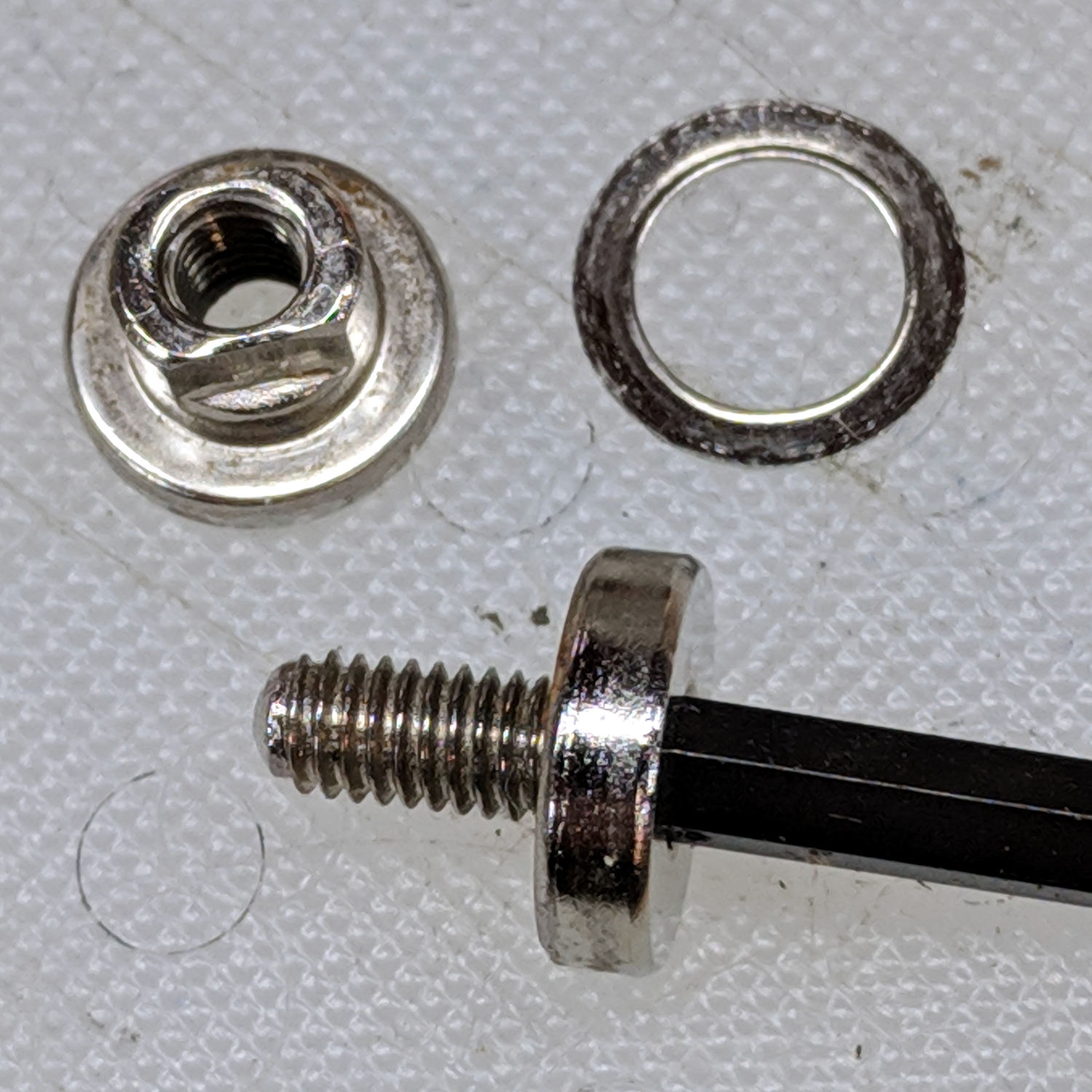
    There being no need for a quick-disconnect fitting, a 1/4-20 button head screw locks the adapter in place:

    Photo Lamp - screw detail
    Photo Lamp – screw detail

    I stripped the line cord from inside the arm struts and zip-tied the photo lamp’s wall wart cable to the outside:

    Photo Lamp - installed
    Photo Lamp – installed

    And then It Just Works™:

    Photo Lamp - test image
    Photo Lamp – test image

    The lens and its retaining clips now live in the Big Box o’ Optical parts, where it may come in handy some day.

    The OpenSCAD source code as a GitHub Gist:

    // Photo light mount for desk lamp arm
    // Ed Nisley – KE4ZNU
    // 2019-03
    /* [Layout Options] */
    Layout = "Build"; // [Show,Build]
    Part = "Mount"; // [LampArm,ShoeSocket,Mount]
    /* [Extrusion Parameters] */
    ThreadWidth = 0.40;
    ThreadThick = 0.25;
    HoleWindage = 0.2;
    Protrusion = 0.1;
    //—–
    // Dimensions
    /* [Hidden] */
    ID = 0;
    OD = 1;
    LENGTH = 2;
    /* [Dimensions] */
    FrictionDisk = [4.0,16.5,11.0]; // squashed inside desk lamp arm frame
    Divots = [4.0,9.5,0.75]; // recesses for frame alignment bumps
    ArmLength = 30.0; // attached to disk
    ShoeWheelOD = 32.0; // lock wheel on photo lamp
    ShoeBase = [18.5,18.5,2.0] + [HoleWindage,HoleWindage,2*ThreadWidth]; // square base on photo lamp gimbal
    ShoeStem = [6.3,12.0,1.5]; // top slide clearance, ID = 1/4 inch screw
    ShoeBlock = [ShoeWheelOD,ShoeWheelOD,2*(ShoeBase.z + ShoeStem.z)]; // overall shoe block
    NumSides = 3*4;
    //—–
    // Useful routines
    function IntegerMultiple(Size,Unit) = Unit * ceil(Size / Unit);
    module PolyCyl(Dia,Height,ForceSides=0,Center=false) { // based on nophead's polyholes
    Sides = (ForceSides != 0) ? ForceSides : (ceil(Dia) + 2);
    FixDia = Dia / cos(180/Sides);
    cylinder(r=(FixDia + HoleWindage)/2,h=Height,$fn=Sides,center=Center);
    }
    //—–
    // Various Parts
    // Arm captured in disk lamp
    module LampArm() {
    difference() {
    union() {
    cylinder(d=FrictionDisk[OD],h=FrictionDisk[LENGTH],$fn=NumSides,center=true);
    hull()
    for (j=[-1,1])
    translate([0,j*(FrictionDisk[OD]/2 – FrictionDisk[LENGTH]/2),0]) {
    rotate([0,90,0]) rotate(180/NumSides)
    cylinder(d=FrictionDisk[LENGTH]/cos(180/NumSides),h=ArmLength/2,$fn=NumSides);
    translate([ArmLength – FrictionDisk[LENGTH]/2,0,0])
    sphere(d=FrictionDisk[LENGTH],$fn=NumSides);
    }
    }
    rotate(180/6) {
    PolyCyl(FrictionDisk[ID],FrictionDisk[LENGTH] + 2*Protrusion,6,Center=true);
    for (k=[-1,1])
    translate([0,0,k*(FrictionDisk[LENGTH]/2 – Divots[LENGTH]/2)])
    PolyCyl(Divots[OD],Divots[LENGTH] + Protrusion,6,Center=true);
    }
    }
    }
    // Basic hot shoe socket
    module ShoeSocket() {
    difference() {
    union() {
    cube(ShoeBlock,center=true); // overall blocky retainer
    translate([-ShoeBlock.x/2,0,0])
    cylinder(d=ShoeBlock.x,h=ShoeBlock.z,$fn=NumSides,center=true);
    }
    translate([0,0,-2*ShoeBlock.z]) // screw hole throughout
    rotate(180/6)
    PolyCyl(ShoeStem[ID],4*ShoeBlock.z,6);
    translate([0,0,ShoeBase.z/2]) // base slot under pillar
    cube([ShoeBase.x,ShoeBase.y,ShoeBase.z],center=true);
    translate([ShoeBase.x/2,0,ShoeBase.z/2]) // base slot opening
    cube([ShoeBase.x,ShoeBase.y,ShoeBase.z],center=true);
    translate([ShoeStem[OD]/2,0,ShoeBase.z/2 + ShoeStem[LENGTH]]) // stem slot
    cube([2*ShoeStem[OD],ShoeStem[OD],2*ShoeStem[LENGTH]],center=true);
    }
    }
    // Stick parts together
    module Mount() {
    rotate([90,0,0])
    LampArm();
    translate([ArmLength + ShoeBlock.x/2 – Protrusion,0,0])
    ShoeSocket();
    }
    //—–
    // Build things
    if (Layout == "Build") {
    rotate([0,90,0])
    translate([-(ArmLength + ShoeBlock.x),0,0])
    Mount();
    }
    if (Layout == "Show")
    if (Part == "LampArm")
    LampArm();
    else if (Part == "ShoeSocket")
    ShoeSocket();
    else if (Part == "Mount")
    Mount();

    The original dimension doodles, made before I removed the stem and discovered the recesses around the screw hole:

    Photo Light - Desk Lamp Arm Dimensions
    Photo Light – Desk Lamp Arm Dimensions
  • Vacuum Tube Lights: Triode

    With the wrecked 5U4GB safely in the trash, I popped a smaller, somewhat less stately triode from the Big Box o’ Hollow-State Electronics and wired it up with a pair of SK6812 RGBW LEDs:

    Triode - Purple-green phase
    Triode – Purple-green phase

    The tube’s markings have long since vanished, but, at this late date, all that matters is an intact glass envelope!

    After two years, the ordinary white foam tape holding the knockoff Arduino Nano lost most of its sticktivity and easily popped off the 3D printed base:

    Triode - Nano PCB - white strips
    Triode – Nano PCB – white strips

    Two layers of 3M outdoor-rated foam tape clear the bottom-side components and, based on current evidence, its stickiness should stick forever more:

    Triode - Nano PCB - 3M strips
    Triode – Nano PCB – 3M strips

    The alert reader will notice the mis-soldered 1 kΩ SMT resistor above-and-right of the CH340 USB interface chip. I think those two resistors are the isolators between the 328P microcontroller and the CH340, letting you use the TX and RX lines as ordinary I/O without killing either chip.

    Despite the mis-soldering, it evidently passed their QC and works fine. Seeing as how I didn’t notice it until just now, it’ll remain in place until I must open the lamp base for some other reason, which may never happen.

    The data output is now on pin A5, to match the rest of the glowing widgetry:

    Triode - Nano installed
    Triode – Nano installed

    Blobs of hot melt glue affix the SK6812 and wiring to the socket:

    Triode - socket wiring
    Triode – socket wiring

    The original “plate cap” wiring ran directly through a hole in the hard drive platter, which I embiggened for a 3.5 mm panel-mount headphone jack. The knurled metal plug looms next to this smaller tube, but it looks better (in a techie sense) than the raw hole:

    Triode - plate cap plug
    Triode – plate cap plug

    Octal tubes have an opaque Bakelite base, so I devoted some Quality Shop Time™ to the post:

    Triode - base tip exposed
    Triode – base tip exposed

    Although I’d made a shell drill for 5U4’s base, this base was so crumbly I simply joysticked the spinning cutter around to knock off the rest of the post:

    Triode - finished base
    Triode – finished base

    The shell drill would open the bottom to admit a bit more light. I may do that to see if it makes any visible difference.

    I didn’t expect the serrations in the top mica plate to cast interesting patterns around the platter:

    Triode - cyan-purple phase
    Triode – cyan-purple phase

    Memo to Self: use the shell drill to avoid nicking the evacuation tip!

  • 3D Printed Chain Mail Armor: Failure Analysis

    While dropping some recent 3D printed odds-n-ends into the show-n-tell box, I discovered the large sheet of square chain mail armor had a missing link:

    Chain Mail Armor - the missing link
    Chain Mail Armor – the missing link

    Fortunately, the link fell off in the box and I recovered all the pieces for a failure analysis:

    Chain Mail Armor - failed link - glue spots
    Chain Mail Armor – failed link – glue spots

    I’d glued the PLA together with IPS #4, a hellish mixture of plastic solvents including methylene chloride, one of the few chemicals able to chew into PLA, but there’s not much penetration or bonding going on.

    Let’s try that again with a bit more solvent.

    First, slide the bars into place:

    Chain Mail Armor - failed link - bars in place
    Chain Mail Armor – failed link – bars in place

    I applied four solvent drops in two passes to give it time to work its way in, put four matching drops on the armor cap, squished the cap in place, tweaked the bar alignment, then applied pressure while contemplating the whichness of the why for half a minute while the solvent worked its magic.

    Things look pretty good once more:

    Chain Mail Armor - missing link - repaired
    Chain Mail Armor – missing link – repaired

    There’s no way to determine the repair’s goodness, other than by deliberately trying to snap off a bar, so I’ll just put it back in the box and hope for the best.

  • Injured Arm Support Table: Wide Version

    This table must sit across the threshold of a walk-in / sit-down shower, with the shower curtain draped across the table to keep the water inside.

    Starting with another patio side table, as before, I installed a quartet of 5 mm stainless screws to lock the top panels in place and convert the table into a rigid assembly:

    Arm Supports - wide table - overview
    Arm Supports – wide table – overview

    Because the shower floor is slightly higher than the bathroom floor, I conjured a set of foot pads to raise the outside legs:

    Patio Side Table Feet - OpenSCAD model
    Patio Side Table Feet – OpenSCAD model

    The sloping top surface on the pads compensates for the angle on the end of the table legs:

    Arm Supports - leg end angle
    Arm Supports – leg end angle

    I think the leg mold produces legs for several different tables, with the end angle being Close Enough™ for most purposes. Most likely, it’d wear flat in a matter of days on an actual patio.

    Using good 3M outdoor-rated foam tape should eliminate the need for fiddly screw holes and more hardware:

    Arm Supports - leg pads
    Arm Supports – leg pads

    The feet fit reasonably well:

    Arm Supports - leg pad in place
    Arm Supports – leg pad in place

    They may need nonskid tape on those flat bottoms, but that’s in the nature of fine tuning.

    And, as with the narrow table, it may need foam blocks to raise the top surface to arm level. Perhaps a pair of Yoga Blocks will come in handy for large adjustments.

    The OpenSCAD source code as a GitHub Gist:

    // Patio Side Table Feet
    // Ed Nisley – KE4ZNU
    // 2019-03
    /* [Layout Options] */
    Layout = "Build"; // [Show,Build]
    /* [Extrusion Parameters] */
    ThreadWidth = 0.40;
    ThreadThick = 0.25;
    HoleWindage = 0.2;
    Protrusion = 0.1;
    //—–
    // Dimensions
    TapeThick = 1.0; // 3M double-stick outdoor tape
    LegWall = [2.5,3.5]; // leg walls are not the same in X and Y!
    LegBase = [36.0,19.0]; // flat on floor
    LegOuter = [31.0,19.0]; // perpendicular to leg axis
    LegInner = [28.5,11.5]; // … ditto
    LegAngle = 90 – 53; // vertical to leg
    LegRecess = [LegInner.x,LegInner.y,LegInner.x*tan(LegAngle)];
    PadWedge = 2; // to fit end of leg
    PadRadius = 4.0; // rounding radius for nice corners
    PadBase = [LegBase.x + 2*PadRadius,LegBase.y + 2*PadRadius,5.0];
    PadSides = 6*4;
    BathStep = 20; // offset between shower bottom and floor
    /* [Hidden] */
    EmbossDepth = 1*ThreadThick; // recess depth
    DebossHeight = 1*ThreadThick + Protrusion; // text height + Protrusion into part
    //—–
    // Useful routines
    function IntegerMultiple(Size,Unit) = Unit * ceil(Size / Unit);
    module PolyCyl(Dia,Height,ForceSides=0) { // based on nophead's polyholes
    Sides = (ForceSides != 0) ? ForceSides : (ceil(Dia) + 2);
    FixDia = Dia / cos(180/Sides);
    cylinder(r=(FixDia + HoleWindage)/2,
    h=Height,
    $fn=Sides);
    }
    //—–
    // Foot pad
    module FootPad(Riser = 0.0) {
    difference() {
    union() {
    hull()
    for (i=[-1,1], j=[-1,1]) {
    translate([i*(PadBase.x/2 – PadRadius),j*(PadBase.y/2 – PadRadius),0])
    cylinder(r=PadRadius,h=1,$fn=PadSides);
    translate([i*(PadBase.x/2 – PadRadius),
    j*(PadBase.y/2 – PadRadius),
    Riser + PadBase.z – PadRadius – (i-1)*PadWedge/2])
    sphere(r=PadRadius/cos(180/PadSides),$fn=PadSides);
    }
    translate([PadRadius – PadBase.x/2,0,Riser + PadBase.z])
    rotate([0,LegAngle,0])
    translate([LegRecess.x/2,0,(LegRecess.z – Protrusion)/2 ])
    cube(LegRecess – [2*TapeThick,0,2*TapeThick],center=true);
    }
    translate([0,0,-2*PadBase.z]) // remove anything under Z=0
    cube(4*PadBase,center=true);
    cube([17,12,2*DebossHeight],center=true);
    }
    mirror([1,0,0])
    linear_extrude(height=EmbossDepth)
    translate([0,0,0])
    text(text=str(Riser),size=10,spacing=1.05,
    font="Arial:style=Bold",
    valign="center",halign="center");
    }
    //—–
    // Build things
    if (Layout == "Build") {
    if (true) {
    translate([-0.7*PadBase.x,-0.7*PadBase.y,0])
    FootPad(0);
    translate([-0.7*PadBase.x,+0.7*PadBase.y,0])
    FootPad(0);
    }
    translate([+0.7*PadBase.x,-0.7*PadBase.y,0])
    FootPad(BathStep);
    translate([+0.7*PadBase.x,+0.7*PadBase.y,0])
    FootPad(BathStep);
    }
    if (Layout == "Show")
    FootPad();