The Smell of Molten Projects in the Morning

Ed Nisley's Blog: Shop notes, electronics, firmware, machinery, 3D printing, laser cuttery, and curiosities. Contents: 100% human thinking, 0% AI slop.

Category: Machine Shop

Mechanical widgetry

  • Screw Thread Measurement

    Screw Thread Measurement

    While I was cutting threads for the Floor Lamp poles, I tried measuring my progress over wires:

    Floor Lamp - tube fitting - thread measurement
    Floor Lamp – tube fitting – thread measurement

    Those are three lengths of music wire, slightly bent from their storage roll, held in place with a precision clamp metric micrometer. Given the crudity of the setup, the uncalibrated wire diameter, and my lack of thread-fu, the results came out both close and unconvincing.

    A set of real thread measuring wires being cheap & readily available, I’m prepared for the next time around this block:

    Thread Measuring Wires - eBay set
    Thread Measuring Wires – eBay set

    The 185 mil “wires” (they’re all allegedly ground rod) will let me cut threads matching things like a Jesus nut; they’re suited for 3 TPI / 8 mm pitch screws. Mostly, wires from the front row will be all I ever need.

    Which look like this in action:

    Thread Measuring Wires - eBay setThread Measuring Wires - detail
    Thread Measuring Wires – eBay setThread Measuring Wires – detail

    The black doodad (the set includes half a dozen for all the wire sizes) fits over the micrometer anvil and holds two wires betwixt anvil and screw, leaving me to manipulate the screw, the third wire, and the micrometer with my remaining hands. Hence the vise holding the micrometer, which is known to be Very Bad Practice.

    From the side:

    Thread Measuring Wires - overview
    Thread Measuring Wires – overview

    All of the smaller wires measure 0.5 mil too thin, which is likely due to my lack of calibrated measurement equipment:

    Thread Measuring Wires - scant 24 mil
    Thread Measuring Wires – scant 24 mil

    The few thread pitch diameters I measured also came out slightly too small, again likely due to calibration and screw tolerances.

    The LittleMachineShop description of measuring threads over wires seems entirely adequate.

    To forestall link rot, a slightly rearranged version of their tables of wire constants:

    Thread Wire Measurement Constants
    Thread Wire Measurement Constants

    The lower table has metric thread pitches with the wire sizes in inches.

    You measure the distance over the recommended wire (in inches or millimeters, as appropriate), subtract the constant, and get the pitch diameter in the same units. Conversely, add the constant to the desired pitch diameter to get the target over-wire distance, carefully cut the thread until it measures a bit less than that, back up sixty seconds, and cut it spot on.

    Verily, it is written: there is no UnDo key (⎌) in machine shop work.

  • Garden Hose Valve Wrench: Reinforced

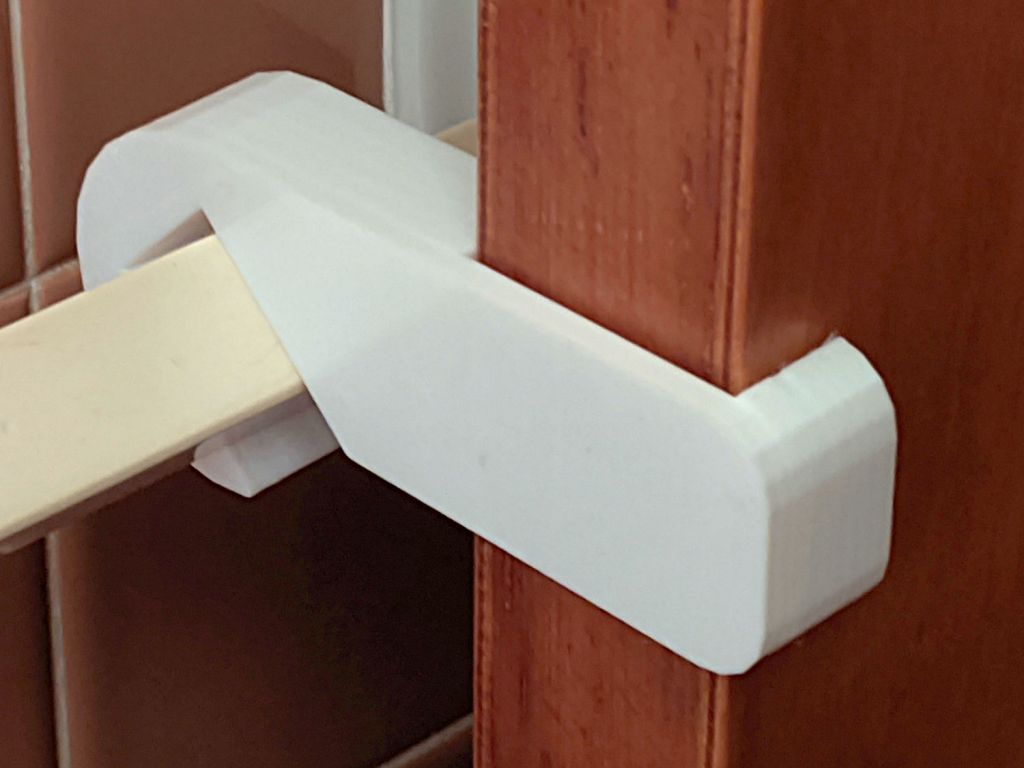
    Garden Hose Valve Wrench: Reinforced

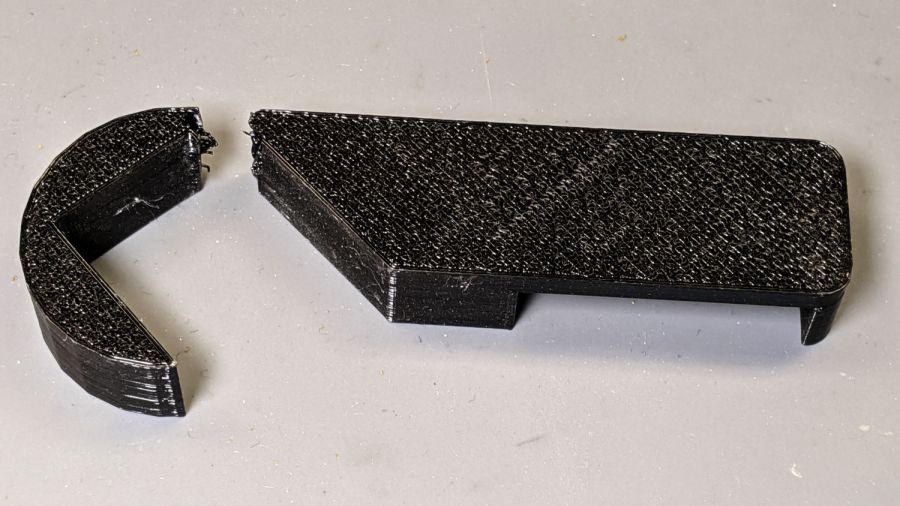
    After five gardening seasons, my simple 3D printed wrench broke:

    Hose Valve Knob - fractured
    Hose Valve Knob – fractured

    Although Jason’s comment suggesting carbon-fiber reinforcing rods didn’t prompt me to lay in a stock, ordinary music wire should serve the same purpose:

    Hose Valve Knob - cut pins
    Hose Valve Knob – cut pins

    The pins are 1.6 mm diameter and 20 mm long, chopped off with hardened diagonal cutters. Next time, I must (remember to) grind the ends flat.

    The solid model needs holes in appropriate spots:

    Hose Valve Knob - Reinforced - Slic3r
    Hose Valve Knob – Reinforced – Slic3r

    Yes, I’m going to put round pins in square holes, without drilling the holes to the proper diameter: no epoxy, no adhesive, just 20 mm of pure friction.

    The drill press aligns the pins:

    Hose Valve Knob - pin ready
    Hose Valve Knob – pin ready

    And rams them about halfway down:

    Hose Valve Knob - pin midway
    Hose Valve Knob – pin midway

    Close the chuck jaws and shove them flush with the surface:

    Hose Valve Knob - pins installed
    Hose Valve Knob – pins installed

    You can see the pins and their solid plastic shells through the wrench stem:

    Hose Valve Knob - assembled
    Hose Valve Knob – assembled

    Early testing shows the reinforced wrench works just as well as the previous version, even on some new valves sporting different handles, with an equally sloppy fit for all. No surprise: I just poked holes in the existing model and left all the other dimensions alone.

    The OpenSCAD source code as a GitHub Gist:

    // Hose connector knob
    // Ed Nisley KE4ZNU – June 2015
    // 2020-05 add reinforcing rods
    Layout = "Build"; // [Knob, Stem, Show, Build]
    RodHoles = true;
    //- Extrusion parameters – must match reality!
    /* [Hidden] */
    ThreadThick = 0.25;
    ThreadWidth = 0.40;
    function IntegerMultiple(Size,Unit) = Unit * ceil(Size / Unit);
    Protrusion = 0.1;
    HoleWindage = 0.2;
    //——
    // Dimensions
    /* [Dimensions] */
    RodOD = 1.6;
    RodAngle = 35;
    /* [Hidden] */
    StemOD = 30.0; // max OD for valve-to-valve clearance
    BossOD = 16.0; // single-ended handle boss
    SlotWidth = 13.0;
    SlotHeight = 10.0;
    StemInset = 10.0;
    StemLength = StemInset + SlotHeight + 25.0;
    StemSides = 2*4;
    Align = 0*180/StemSides; // 1* produces thinner jaw ends
    KnobOD1 = 70; // maximum dia without chamfer
    KnobOD2 = 60; // top dia
    KnobSides = 4*4;
    DomeHeight = 12; // dome shape above lobes
    KnobHeight = DomeHeight + 2*SlotHeight;
    DomeOD = KnobOD2 + (KnobOD1 – KnobOD2)*(DomeHeight/KnobHeight);
    DomeArcRad = (pow(KnobHeight,2) + pow(DomeOD,2)/4) / (2*DomeHeight);
    RodBCD = (StemOD + BossOD)/2;
    //- Adjust hole diameter to make the size come out right
    module PolyCyl(Dia,Height,ForceSides=0) { // based on nophead's polyholes
    Sides = (ForceSides != 0) ? ForceSides : (ceil(Dia) + 2);
    FixDia = Dia / cos(180/Sides);
    cylinder(r=(FixDia + HoleWindage)/2,h=Height,$fn=Sides);
    }
    //– Stem for valve handles
    module Stem() {
    difference() {
    rotate(Align)
    cylinder(d=StemOD,h=StemLength,$fn=StemSides);
    translate([0,0,SlotHeight/2 – Protrusion/2])
    cube([2*StemOD,SlotWidth,(SlotHeight + Protrusion)],center=true);
    translate([0,0,-Protrusion])
    cylinder(d=BossOD,h=SlotHeight,$fn=2*StemSides);
    if (RodHoles)
    for (i=[-1:1])
    rotate(i*RodAngle + 90)
    for (j=[-1,1])
    translate([j*RodBCD/2,0,-Protrusion])
    rotate(180/4)
    PolyCyl(RodOD,2*SlotHeight,4);
    }
    }
    //– Hand-friendly knob
    module KnobCap() {
    difference() {
    scale([1.0,0.75,1.0])
    rotate(180/KnobSides)
    intersection() {
    translate([0,0,(KnobHeight-DomeArcRad)])
    sphere(r=DomeArcRad,$fa=180/KnobSides);
    cylinder(r1=KnobOD1/2,r2=KnobOD2/2,h=KnobHeight,$fn=KnobSides);
    cylinder(r1=KnobOD2/2,r2=KnobOD1/2,h=KnobHeight,$fn=KnobSides);
    }
    translate([0,0,-Protrusion])
    rotate(Align)
    cylinder(d=(StemOD + 2*ThreadWidth),h=(StemInset + Protrusion),$fn=StemSides);
    }
    }
    //- Build it
    if (Layout == "Knob")
    KnobCap();
    if (Layout == "Stem")
    Stem();
    if (Layout == "Build") {
    translate([-KnobOD1/2,0,0])
    KnobCap();
    translate([StemOD/2,0,StemLength])
    rotate([180,0,0])
    Stem();
    }
    if (Layout == "Show") {
    translate([0,0,0])
    Stem();
    translate([0,0,StemLength – StemInset])
    KnobCap();
    }

  • Soaker Hose End Plug

    Soaker Hose End Plug

    One of the soaker hoses in Mary’s Vassar Farms garden split lengthwise near one end:

    Soaker Hose Plug - hose split
    Soaker Hose Plug – hose split

    Although the hose is fully depreciated, I thought it’d be worthwhile to cut off the damaged end and conjure an end cap to see if a simple plug can withstand 100 psi water pressure.

    A pair of Delrin (because I have it) plugs with serrations fill the hose channels, with the outer clamp squishing the hose against them:

    Soaker Hose Plug - channel plugs - side view
    Soaker Hose Plug – channel plugs – side view

    In real life, they’ll be pushed completely into the hose, with a generous layer of silicone snot caulk improving their griptivity.

    I started with 8 mm plugs, but they didn’t quite fill the channels:

    Soaker Hose Plug - channel plugs - 8 mm test fit
    Soaker Hose Plug – channel plugs – 8 mm test fit

    Going to 8.5 mm worked better, although there’s really no way to force the granulated rubber shape into a snug fit around a cylinder:

    Soaker Hose Plug - channel plugs test fit
    Soaker Hose Plug – channel plugs test fit

    Fortunately, they need not be leakproof, because leaking is what the hose does for a living. Well, did for a living, back before it died.

    The clamps have a solid endstop, although it’s more to tidy the end than to hold the plugs in place:

    Soaker Hose End Plug - Slic3r
    Soaker Hose End Plug – Slic3r

    The clamps need aluminum backing plates to distribute the stress evenly across their flat sides:

    Soaker Hose Plug - installed
    Soaker Hose Plug – installed

    Those are 8-32 stainless steel screws. The standard 1 inch length worked out exactly right through no fault of my own.

    The OpenSCAD source code as a GitHub Gist:

    // Rubber Soaker Hose End Plug
    // Ed Nisley KE4ZNU June 2019
    // 2020-05 Two-channel hose end plug
    Layout = "Hose"; // [Hose,Block,Show,Build]
    //- Extrusion parameters must match reality!
    /* [Hidden] */
    ThreadThick = 0.25;
    ThreadWidth = 0.40;
    HoleWindage = 0.2;
    Protrusion = 0.1; // make holes end cleanly
    inch = 25.4;
    function IntegerMultiple(Size,Unit) = Unit * ceil(Size / Unit);
    //———-
    // Dimensions
    // Hose lies along X axis
    HoseTubeOD = 12.0; // water tube diameter
    HoseTubeOC = 12.5; // .. spacing
    HoseWebThick = 7.8; // center joining tubes
    Hose = [100,25.0,HoseTubeOD]; // X=very long, Y=overall width, Z=thickness
    HoseSides = 12*4;
    PlugLength = 25.0; // plugs in hose channels
    PlateThick = 5.0; // end block thickness
    WallThick = 2.0; // overall minimum thickness
    Kerf = 0.75; // cut through middle to apply compression
    ID = 0;
    OD = 1;
    LENGTH = 2;
    // 8-32 stainless screws
    Screw = [4.1,8.0,3.0]; // OD = head LENGTH = head thickness
    Washer = [4.4,9.5,1.0];
    Nut = [4.1,9.7,6.0];
    CornerRadius = Washer[OD]/2;
    ScrewOC = Hose.y + Washer[OD];
    echo(str("Screw OC: ",ScrewOC));
    BlockOAL = [PlugLength + PlateThick,ScrewOC + Washer[OD],2*WallThick + Hose.z]; // overall splice block size
    echo(str("Block: ",BlockOAL));
    //———————-
    // Useful routines
    module PolyCyl(Dia,Height,ForceSides=0) { // based on nophead's polyholes
    Sides = (ForceSides != 0) ? ForceSides : (ceil(Dia) + 2);
    FixDia = Dia / cos(180/Sides);
    cylinder(d=(FixDia + HoleWindage),h=Height,$fn=Sides);
    }
    // Hose shape
    module HoseProfile() {
    rotate([0,-90,0])
    translate([0,0,-Hose.x/2])
    linear_extrude(height=Hose.x,convexity=4)
    union() {
    for (j=[-1,1]) // outer channels
    translate([0,j*HoseTubeOC/2])
    circle(d=HoseTubeOD,$fn=HoseSides);
    translate([0,0])
    square([HoseWebThick,HoseTubeOC],center=true);
    }
    }
    // Outside shape of splice Block
    // Z centered on hose rim circles, not overall thickness through center ridge
    module SpliceBlock() {
    difference() {
    hull()
    for (i=[-1,1], j=[-1,1]) // rounded block
    translate([i*(BlockOAL.x/2 – CornerRadius),j*(BlockOAL.y/2 – CornerRadius),-BlockOAL.z/2])
    cylinder(r=CornerRadius,h=BlockOAL.z,$fn=4*8);
    for (j=[-1,1]) // screw holes
    translate([0,
    j*ScrewOC/2,
    -(BlockOAL.z/2 + Protrusion)])
    PolyCyl(Screw[ID],BlockOAL.z + 2*Protrusion,6);
    cube([2*BlockOAL.x,2*BlockOAL.y,Kerf],center=true); // slice through center
    }
    }
    // Splice block less hose
    module ShapedBlock() {
    difference() {
    SpliceBlock();
    translate([(-Hose.x/2) + (BlockOAL.x/2) – PlateThick,0,0])
    HoseProfile();
    }
    }
    //———-
    // Build them
    if (Layout == "Hose")
    HoseProfile();
    if (Layout == "Block")
    SpliceBlock();
    if (Layout == "Show") {
    ShapedBlock();
    translate([(-Hose.x/2) + (BlockOAL.x/2) – PlateThick,0,0])
    color("Green",0.25)
    HoseProfile();
    }
    if (Layout == "Build") {
    SliceOffset = 0;
    intersection() {
    translate([SliceOffset,0,BlockOAL.z/4])
    cube([4*BlockOAL.x,4*BlockOAL.y,BlockOAL.z/2],center=true);
    union() {
    translate([0,0.6*BlockOAL.y,BlockOAL.z/2])
    ShapedBlock();
    translate([0,-0.6*BlockOAL.y,BlockOAL.z/2])
    rotate([0,180,0])
    ShapedBlock();
    }
    }
    }

    The original doodle, with dimensions vaguely related to the final model:

    Soaker Hose End Plug - hose dimensions
    Soaker Hose End Plug – hose dimensions

    There is, as far as I can tell, no standardization of dimensions or shapes across manufacturers, apart from the threaded hose fittings.

  • Kenmore 158 Sewing Machine: More Deglaring

    Kenmore 158 Sewing Machine: More Deglaring

    My first pass at deglaring the shiny metal parts on Mary’s brightly lit Kenmore 158 used translucent mailing labels on the “hand hole cover” in front of the needle:

    Kenmore 158 - non-glare cover plate
    Kenmore 158 – non-glare cover plate

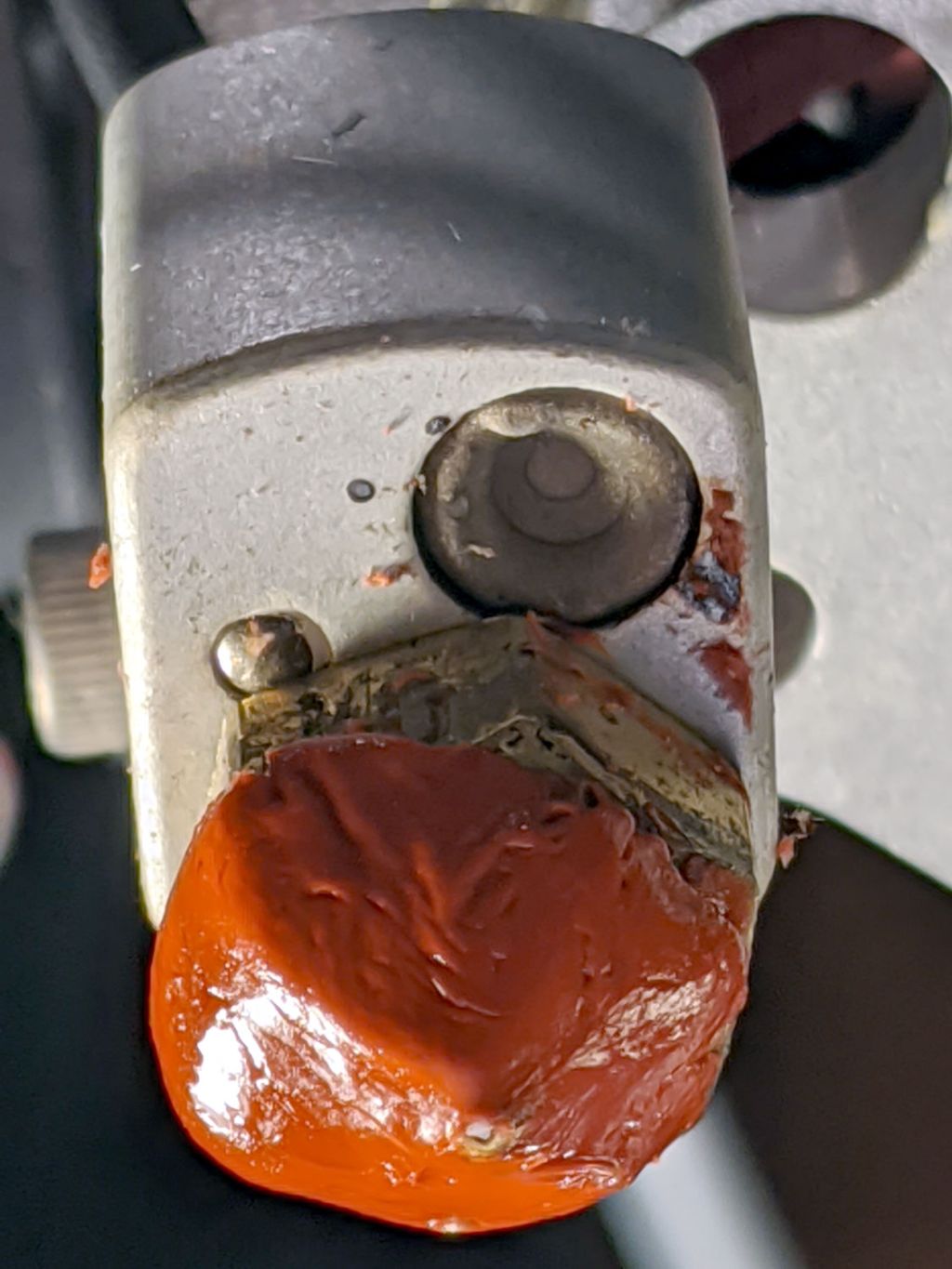
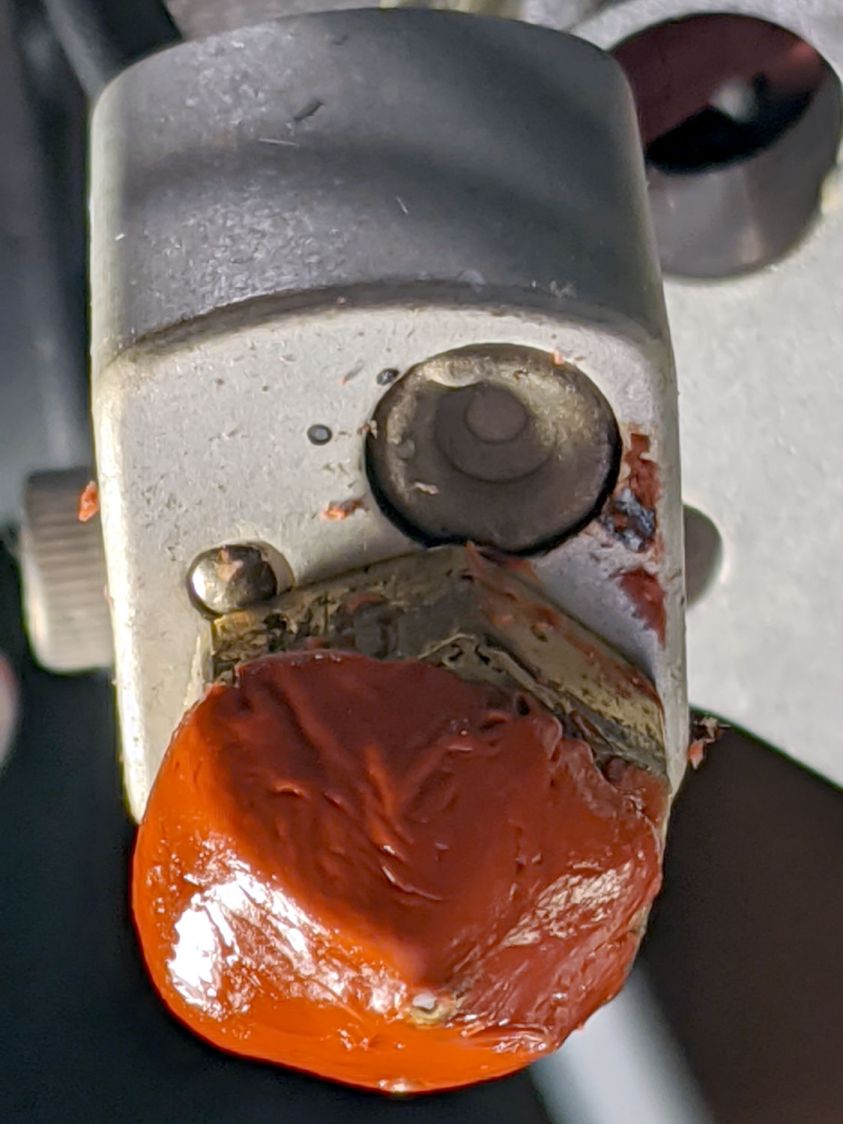
    That worked surprisingly well for surprisingly long, but the edges eventually came loose and, after far too long, I deployed the Tiny Sandblaster™:

    Kenmore 158 - matte cover plate - feet
    Kenmore 158 – matte cover plate – feet

    The mottled matte effect isn’t quite what I expected, but it’s better-looking in person and we deemed it Good Enough™ for the purpose.

    You saw the foot on the left in the previous effort:

    Kenmore 158 - matte cover plate - feet - detail
    Kenmore 158 – matte cover plate – feet – detail

    The rounded plate directly under the needle sits far enough back to not reflect any of the LEDs toward her normal operating position, so we decided it didn’t need sandblasting.

    She now has plenty of light where she needs it, with no glare from the metal bits.

  • Glass Tiles: 2×2 Matrix

    Glass Tiles: 2×2 Matrix

    Start with a single cell holding a glass tile over a WS2812 RGB LED:

    Glass Tile - 1x1 cell test - purple phase
    Glass Tile – 1×1 cell test – purple phase

    A bit of OpenSCAD tinkering produces a simple 2×2 array with square interiors as a test piece:

    Glass Tile - 2x2 - PETG strings
    Glass Tile – 2×2 – PETG strings

    The excessive stringing and the booger in the upper-left cell come from absurdly thin infill tucked into the too-thin walls; Slic3r doesn’t (seem to) have a “minimum infill width” setting and it’ll desperately try to fit infill between two nearly adjacent perimeter threads.

    The little support spiders under the LED PCB recesses snapped right out, though, so I got that part right:

    Glass Tile - 2x2 - support spiders
    Glass Tile – 2×2 – support spiders

    The perimeter threads around the LED aperture aren’t quite fused, because it was only one layer thick and that’s not enough.

    A quick test with two LEDs showed the white PETG let far too much light bleed between the cells, which was no surprise from the single cell test piece.

    Fortunately, it’s all parametric, so a bit more tinkering produced a slightly chunkier matrix with a base for an Arduino Nano and M3 threaded brass inserts for the screws holding it together:

    Glass Tile Frame - 2x2 - Arduino Nano base - solid model
    Glass Tile Frame – 2×2 – Arduino Nano base – solid model

    Those two parts require about three hours of printing, much faster than I could produce them by milling pockets into aluminum or black acrylic slabs, and came out with minimal stringing.

    A little cleanup, some epoxy work, and a few dabs of solder later:

    Glass Tile - 2x2 - Arduino wiring
    Glass Tile – 2×2 – Arduino wiring

    An initial lamp test showed the white-ish glass tiles aren’t all quite the same color:

    Glass Tile - 2x2 - white color variation
    Glass Tile – 2×2 – white color variation

    I thought it was an LED color variation, too, but the slightly blue tint in the lower left corner followed the tile.

    The blurred horizontal strip across the middle is adhesive tape holding the tiles in place; I was reluctant to glue them in before being sure this whole thing would work. A peek into the future, though, shows it’s got potential:

    Glass Tile - 2x2 - first two units
    Glass Tile – 2×2 – first two units

    They do give off a definite Windows logo vibe, don’t they?

    The OpenSCAD source code as a GitHub Gist:

    // Illuminated Tile Grid
    // Ed Nisley – KE4ZNU
    // 2020-05
    /* [Configuration] */
    Layout = "Build"; // [Cell,CellArray,MCU,Base,Show,Build]
    Shape = "Square"; // [Square, Pyramid, Cone]
    Cells = [2,2];
    CellDepth = 15.0;
    Support = true;
    Inserts = true;
    /* [Hidden] */
    ThreadThick = 0.25;
    ThreadWidth = 0.40;
    HoleWindage = 0.2;
    function IntegerMultiple(Size,Unit) = Unit * ceil(Size / Unit);
    Protrusion = 0.1; // make holes end cleanly
    ID = 0;
    OD = 1;
    LENGTH = 2;
    Tile = [25.0 + 0.1,25.0 + 0.1,4.0];
    WallThick = 3*ThreadWidth;
    Flange = [4*ThreadWidth,4*ThreadWidth,0]; // ridge supporting tile
    Separator = [3*ThreadWidth,3*ThreadWidth,Tile.z – 1]; // between tiles
    Screw = [3.0,6.0,3.5]; // M3 SHCS, OD=head, LENGTH=head
    Insert = [3.0,4.2,8.0]; // threaded brass insert
    PCB = [15.0,8.0,2.5];
    LED = [5.0 + 2*HoleWindage,5.0 + 2*HoleWindage,1.0];
    LEDOffset = [0.0,(PCB.y – LED.y)/2 – 0.5,0.0]; // slight offset from +Y PCB edge
    CellOAL = [Tile.x,Tile.y,0] + Separator + [0,0,CellDepth] + [0,0,WallThick] + [0,0,PCB.z];
    ArrayOAL = [Cells.x*CellOAL.x,Cells.y*CellOAL.y,CellOAL.z]; // just the LED cells
    BlockOAL = ArrayOAL + [2*WallThick,2*WallThick,0]; // LED cells + exterior wall
    echo(str("Block OAL: ",BlockOAL));
    InsertOC = ArrayOAL – [Insert[OD],Insert[OD],0] – [2*WallThick,2*WallThick,0];
    echo(str("Insert OC: ",InsertOC));
    TapeThick = 1.0;
    Arduino = [44.0,18.0,8.0 + TapeThick]; // Arduino Nano to top of USB Mini-B plug
    USBPlug = [15.0,11.0,8.5]; // USB Mini-B plug insulator
    USBOffset = [0,0,5.5]; // offset from PCB base
    WiringBay = [BlockOAL.x – 4*WallThick,38.0,3.0];
    PlateOAL = [BlockOAL.x,BlockOAL.y,WallThick + Arduino.z + WiringBay.z];
    echo(str("Base Plate: ",PlateOAL));
    //————————
    module PolyCyl(Dia,Height,ForceSides=0) { // based on nophead's polyholes
    Sides = (ForceSides != 0) ? ForceSides : (ceil(Dia) + 2);
    FixDia = Dia / cos(180/Sides);
    cylinder(d=(FixDia + HoleWindage),h=Height,$fn=Sides);
    }
    //———————–
    // Base and optics in single tile
    module LEDCone() {
    hull() {
    translate([0,0,CellDepth + Tile.z/2])
    cube(Tile – [Flange.x,Flange.y,0],center=true);
    if (Shape == "Square") {
    translate([0,0,LED.z/2])
    cube([Tile.x,Tile.y,LED.z] – [Flange.x,Flange.y,0],center=true);
    }
    else if (Shape == "Pyramid") {
    translate([0,0,LED.z/2])
    cube(LED,center=true);
    }
    else if (Shape == "Cone") {
    translate([0,0,LED.z/2])
    cylinder(d=1.5*LED.x,h=LED.z,center=true);
    }
    else {
    echo(str("Whoopsie! Invalid Shape: ",Shape));
    cube(5);
    }
    }
    }
    // One complete LED cell
    module LEDCell() {
    difference() {
    translate([0,0,CellOAL.z/2])
    cube(CellOAL,center=true);
    translate([0,0,CellOAL.z – Separator.z + Tile.z/2])
    cube(Tile,center=true);
    translate([0,0,PCB.z + WallThick])
    LEDCone();
    cube([LED.x,LED.y,CellOAL.z],center=true);
    translate(-LEDOffset + [0,0,PCB.z/2 – Protrusion/2])
    cube(PCB + [0,0,Protrusion],center=true);
    }
    if (Support)
    color("Yellow") render()
    translate(-LEDOffset) {
    // translate([0,0,ThreadThick/2])
    // cube([PCB.x – 2*ThreadWidth,PCB.y – 2*ThreadWidth,ThreadThick],center=true);
    intersection() {
    translate([0,0,(PCB.z – ThreadThick)/2])
    cube([PCB.x – 2*ThreadWidth,PCB.y – 2*ThreadWidth,PCB.z – ThreadThick],center=true);
    union() { for (a=[0:22.5:359])
    rotate(a)
    translate([PCB.x/2,0,PCB.z/2])
    cube([PCB.x,2*ThreadWidth,PCB.z],center=true); }
    }
    }
    }
    // The whole array of cells
    module CellArray() {
    difference() {
    union() {
    translate([CellOAL.x/2 – Cells.x*CellOAL.x/2,CellOAL.y/2 – Cells.y*CellOAL.y/2,0])
    for (i=[0:Cells.x – 1], j=[0:Cells.y – 1])
    translate([i*CellOAL.x,j*CellOAL.y,0])
    LEDCell();
    if (Inserts) // bosses
    for (i=[-1,1], j=[-1,1])
    translate([i*InsertOC.x/2,j*InsertOC.y/2,0])
    rotate(180/8)
    cylinder(d=Insert[OD] + 3*WallThick,h=Insert[LENGTH],$fn=8);
    }
    if (Inserts) // holes
    for (i=[-1,1], j=[-1,1])
    translate([i*InsertOC.x/2,j*InsertOC.y/2,-Protrusion])
    rotate(180/8)
    PolyCyl(Insert[OD],Insert[LENGTH] + WallThick + Protrusion,8);
    }
    difference() {
    translate([0,0,CellOAL.z/2])
    cube(BlockOAL,center=true);
    translate([0,0,CellOAL.z])
    cube(ArrayOAL + [0,0,2*CellOAL.z],center=true);
    }
    }
    // Arduino bounding box
    // Origin at center bottom of PCB
    module Controller() {
    union() {
    translate([0,0,Arduino.z/2])
    cube(Arduino,center=true);
    translate([Arduino.x/2 – Protrusion,-USBPlug.y/2,USBOffset.z + TapeThick – USBPlug.z/2])
    cube(USBPlug + [Protrusion,0,0],center=false);
    }
    }
    // Baseplate
    module BasePlate() {
    difference() {
    translate([0,0,PlateOAL.z/2])
    cube(PlateOAL,center=true);
    translate([0,0,WallThick])
    Controller();
    translate([0,0,WallThick + PlateOAL.z/2])
    cube([Arduino.x – 2*2.0,WiringBay.y,PlateOAL.z],center=true);
    translate([0,0,PlateOAL.z – WiringBay.z + WiringBay.z/2])
    cube(WiringBay + [0,0,2*Protrusion],center=true);
    for (i=[-1,1], j=[-1,1])
    translate([i*InsertOC.x/2,j*InsertOC.y/2,-Protrusion])
    rotate(180/8) {
    PolyCyl(Screw[ID],2*PlateOAL.z,8);
    PolyCyl(Screw[OD],Screw[LENGTH] + 4*ThreadThick + Protrusion,8);
    }
    translate([0,0,ThreadThick-Protrusion])
    cube([17.0,45,2*ThreadThick],center=true);
    }
    linear_extrude(height=2*ThreadWidth + Protrusion) {
    translate([1,0,-Protrusion])
    rotate(-90) mirror([1,0,0])
    text(text="Ed Nisley",size=6,font="Arial:style:Bold",halign="center");
    translate([-6.5,0,-Protrusion])
    rotate(-90) mirror([1,0,0])
    text(text="softsolder.com",size=4.5,font="Arial:style:Bold",halign="center");
    }
    if (Support)
    color("Yellow")
    for (i=[-1,1], j=[-1,1])
    translate([i*InsertOC.x/2,j*InsertOC.y/2,0])
    for (a=[0:45:135])
    rotate(a)
    translate([0,0,(Screw[LENGTH] – ThreadThick)/2])
    cube([Screw[OD] – 2*ThreadWidth,2*ThreadWidth,Screw[LENGTH] – ThreadThick],center=true);
    }
    //———————–
    // Build things
    if (Layout == "Cell")
    LEDCell();
    else if (Layout == "CellArray")
    CellArray();
    else if (Layout == "MCU")
    Controller();
    else if (Layout == "Base")
    BasePlate();
    else if (Layout == "Show") {
    translate([0,0,PlateOAL.z + 10])
    CellArray();
    BasePlate();
    }
    else if (Layout == "Build") {
    translate([0,0.6*BlockOAL.y,0])
    CellArray();
    translate([0,-0.6*BlockOAL.y,0])
    rotate(90)
    BasePlate();
    }

  • Glass Tiles: Single Test Cell

    Glass Tiles: Single Test Cell

    A single glass tile rests on the ridge around the pyramidal interior:

    Glass Tile Frame - pyramid cell
    Glass Tile Frame – pyramid cell

    The bottom has a cutout for the WS2812 PCB, with some in-the-model support for simplicity:

    Glass Tile Frame - pyramid cell - bottom
    Glass Tile Frame – pyramid cell – bottom

    Which becomes this in real life:

    Glass Tile - 1x1 cell test - pyramid PETG strings
    Glass Tile – 1×1 cell test – pyramid PETG strings

    There’s plenty of PETG hair inside the opening, which seems like a Bad Thing all around.

    Cleaning out the worst of the fur, taping a WS2812 LED into the opening, and dropping a white-ish tile in place:

    Glass Tile - 1x1 cell test - purple phase
    Glass Tile – 1×1 cell test – purple phase

    Obviously, JPG compression wasn’t built with a finely textured granular surface in mind:

    Glass Tile - 1x1 cell test - blue phase
    Glass Tile – 1×1 cell test – blue phase

    But it looks really nice in a dim room!

    With a physical object in hand, it’s obvious the pyramidal interior adds exactly zero value:

    • Direct rays in the beam from the WS2812 don’t hit the walls
    • Light outside the beam doesn’t contribute much after hitting those irregular walls

    So the next pass should be just a hollow box with tweaked tile & PCB measurement: rapid prototyping in full effect!

  • Glass Tiles: Proof of Concept

    Glass Tiles: Proof of Concept

    Extract some victims from a square foot of glass tiles:

    Glass Tiles - as sold
    Glass Tiles – as sold

    Wire an old WS2812 breakout board (the new ones are much larger) to an Arduino Nano running the Nissan Fog Lamp firmware:

    Glass Tile - backlight blue - setup
    Glass Tile – backlight blue – setup

    Aaaand it looks like this might actually work:

    Glass Tile - backlight blue
    Glass Tile – backlight blue

    The WS2812 “beam” illuminates the 25 mm square tile without too much vignetting at about 15 mm.

    The bottom tile is white-ish, the top is gray-ish, and they look different enough to justify using only one color in each array:

    Glass Tile - backlight neutral
    Glass Tile – backlight neutral

    Now, for some solid modeling …