The Smell of Molten Projects in the Morning

Ed Nisley's Blog: Shop notes, electronics, firmware, machinery, 3D printing, laser cuttery, and curiosities. Contents: 100% human thinking, 0% AI slop.

Category: Electronics Workbench

Electrical & Electronic gadgets

  • MPCNC: Button Box Wiring

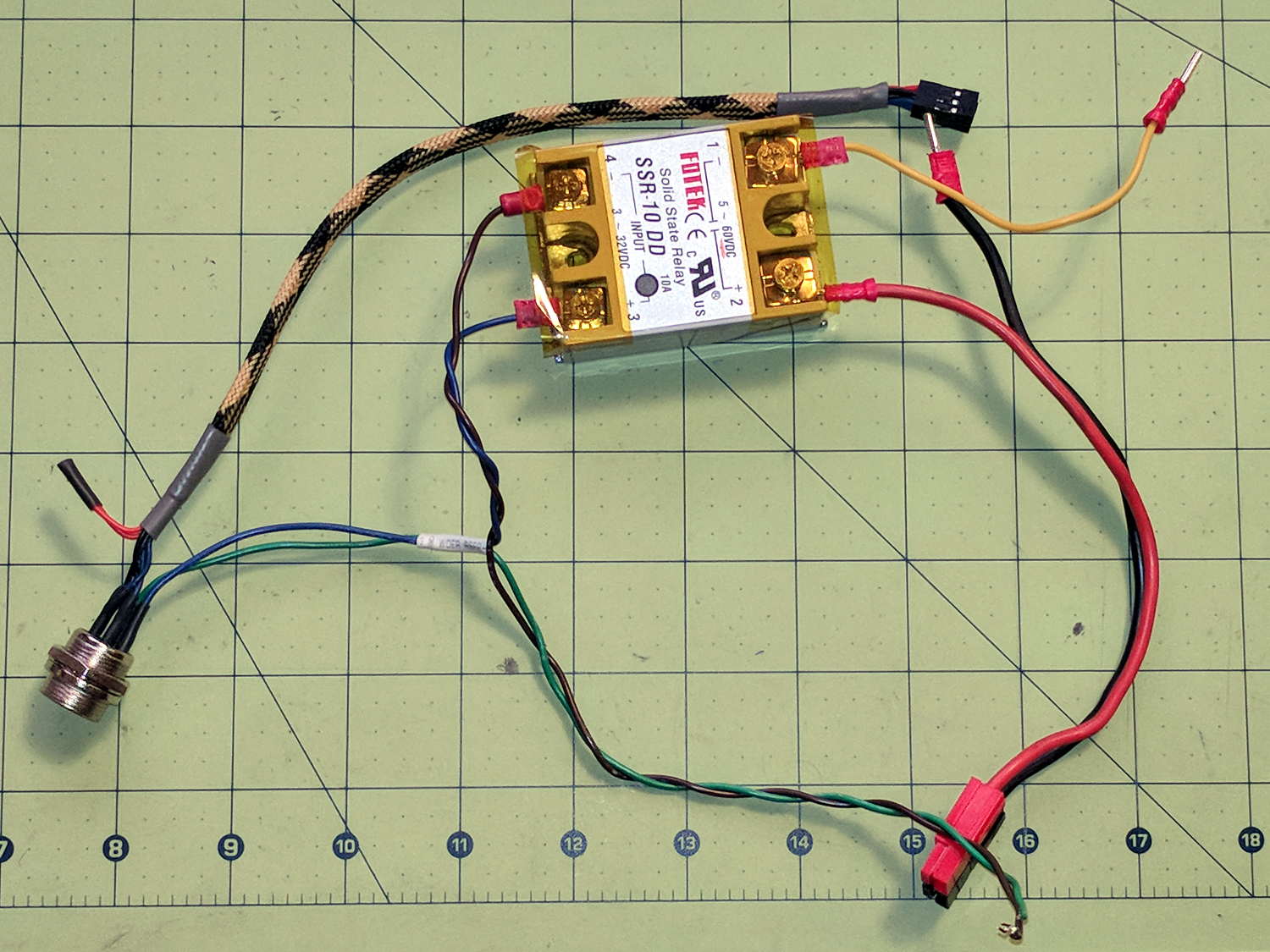
    The wiring hairball between the control button pendant and the Protoneer board looks like this:

    GRBL - Control button wiring
    GRBL – Control button wiring

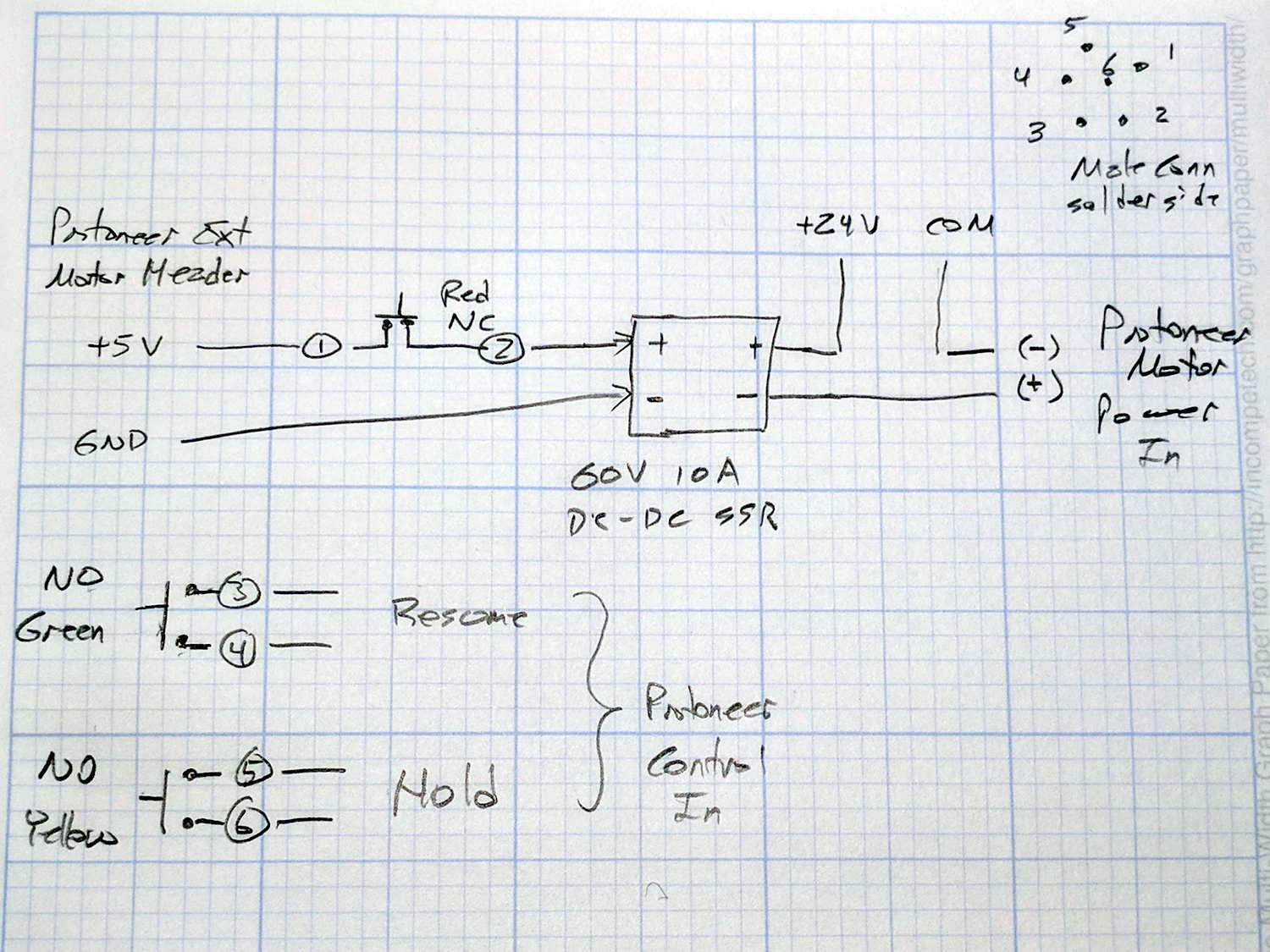
    The as-built schematic, such as it is:

    GRBL Control button wiring - sketch
    GRBL Control button wiring – sketch

    Yes, the SSR negative output goes to the Protoneer + Power Input.

    I should drive the SSR from the Motor Enable output (in the external motor control header), rather than +5 V, to let GRBL control the motors, with a manual E-Stop override. The A4988 drivers require -Enable, so:

    • -Enable to SSR -Control input (replaces GND)
    • +5 V to BRS to SSR +Control input (as before)

    The SSR Control input draws 13 mA at 5 V, suggesting I should drive the AC SSR (for the spindle motor) from the DC SSR output, rather than paralleling the two on a single Arduino output pin.

    I belatedly recognized the E-Stop BRS as an instantiation of an SCP-001-J Keter-class anomaly; it is now appropriately labeled:

    MPCNC EStop as SCP-001-J
    MPCNC EStop as SCP-001-J

    I can attest to its effect on rational thought; a molly-guard may be required.

  • J5-V2 Flashlight: Front End Rattle

    After a year of fairly light use, the lens holder (and “attack ring”) of my J5-V2 flashlight worked loose and began to rattle. The ring holding the lens in place turned out to be finger-loose, but that wasn’t the entire problem, so I removed it and looked inside:

    J5-V2 Flashlight - LED view
    J5-V2 Flashlight – LED view

    The mysterious alien egg resides on the upper-right side of the LED emitter.

    The aluminum ring holding the LED assembly in place was also finger-loose, so I unwound it to take the whole front end apart:

    J5-V2 Flashlight - front parts
    J5-V2 Flashlight – front parts

    Reassembly with a few dabs of Loctite in appropriate places should prevent future rattles.

    Given the number of … issues … accompanying this thing, I’d say it’s not been a good cost performer. The Anker LC40 and LC90 flashlights work much better.


  • MPCNC: Autolevel Probe, Tactile Switch Edition

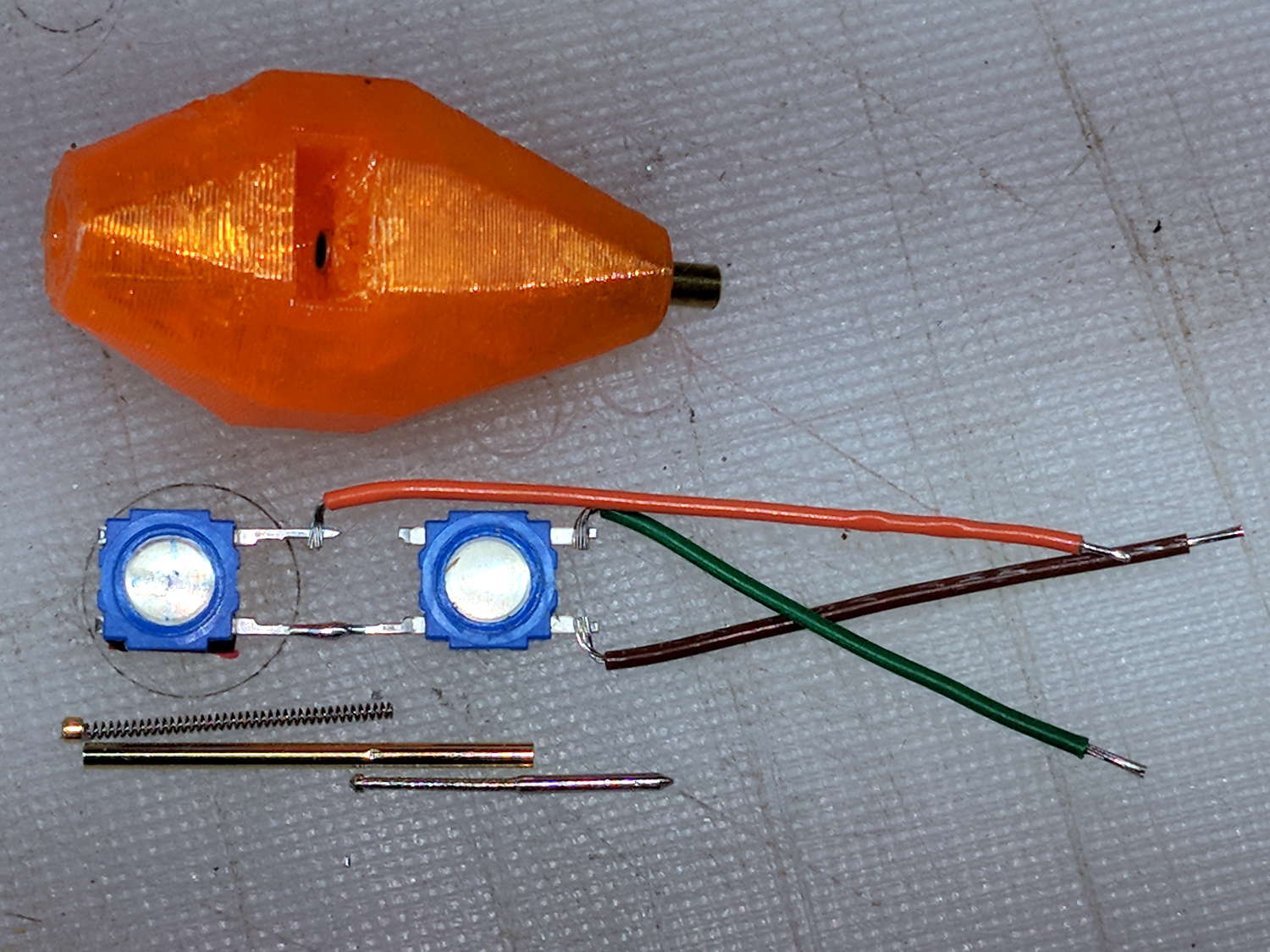
    So I intended to shrink the Autolevel probe with 1/8 inch drill rod and a tactile membrane switch:

    MPCNC - Simple Z probe - pogo tactile switch
    MPCNC – Simple Z probe – pogo tactile switch

    Unfortunately, it didn’t work nearly as well as I expected, because the switch membrane requires slightly less than the 180 g of pressure that pushes the P100 pogo pin entirely into its housing, leaving no overtravel worth mentioning. The membrane switch mechanism itself has much less than 1 mm of overtravel after the dome snaps, which left me with an uncomfortable feeling of impending doom.

    I managed to figure that out before completely assembling the thing, saving me a bit of time.

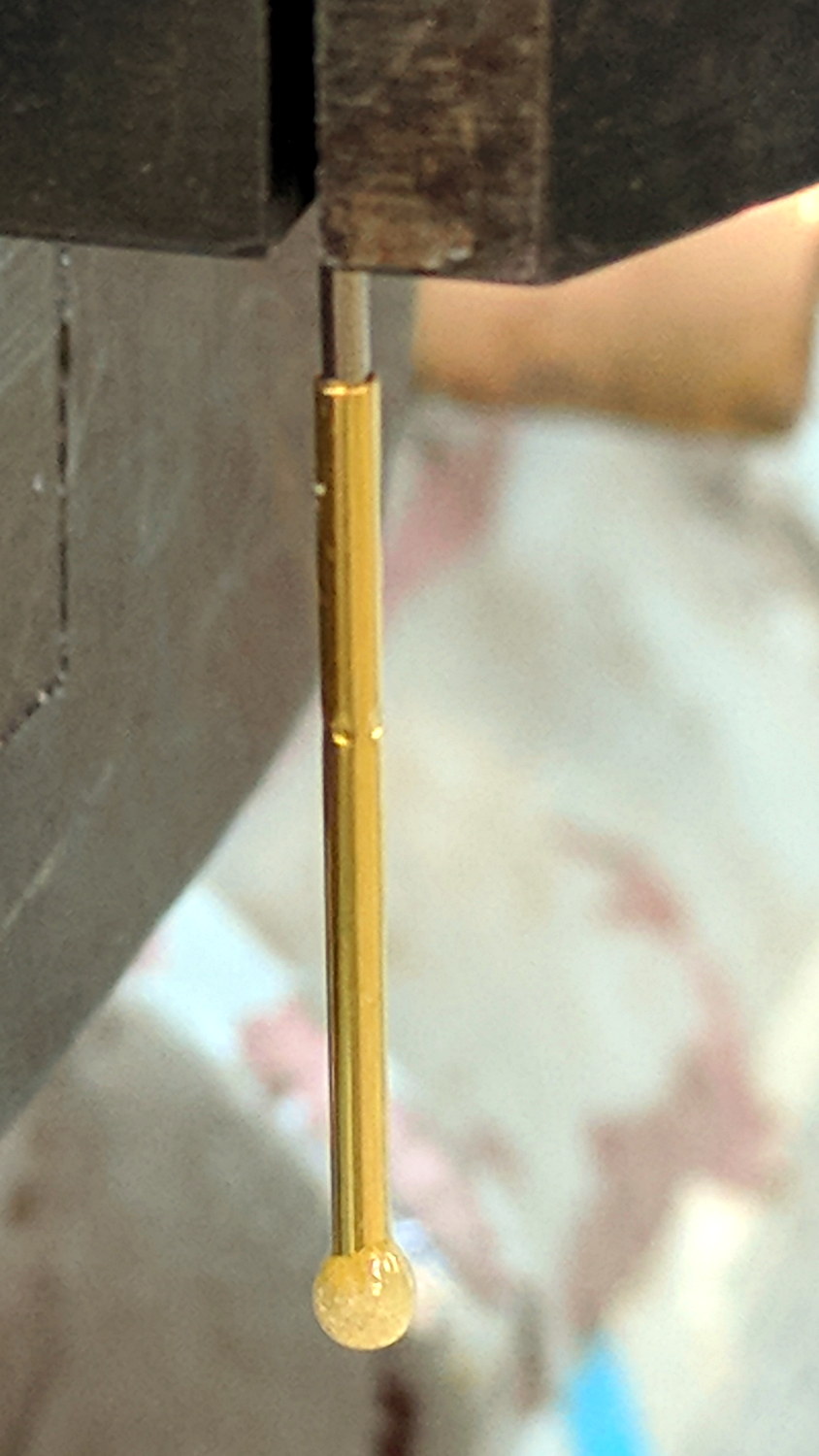
    The end of the pogo pin initially sported a dot of epoxy to spread the load over the switch dome:

    Pogo pin with epoxy switch-pusher drop
    Pogo pin with epoxy switch-pusher drop

    I dismantled the pogo pin to see whether I could substitute a more forceful spring how it worked. As expected, a teeny spring drives the probe up against a trio of indentations in the brass housing. I didn’t expect the probe to have such an intricate shape, but it’s obvious in retrospect.

    The OpenSCAD code for the housing required minimal tweakage from the larger version, so it’s not worth immortalizing.

  • USB Camera Re-Cabling

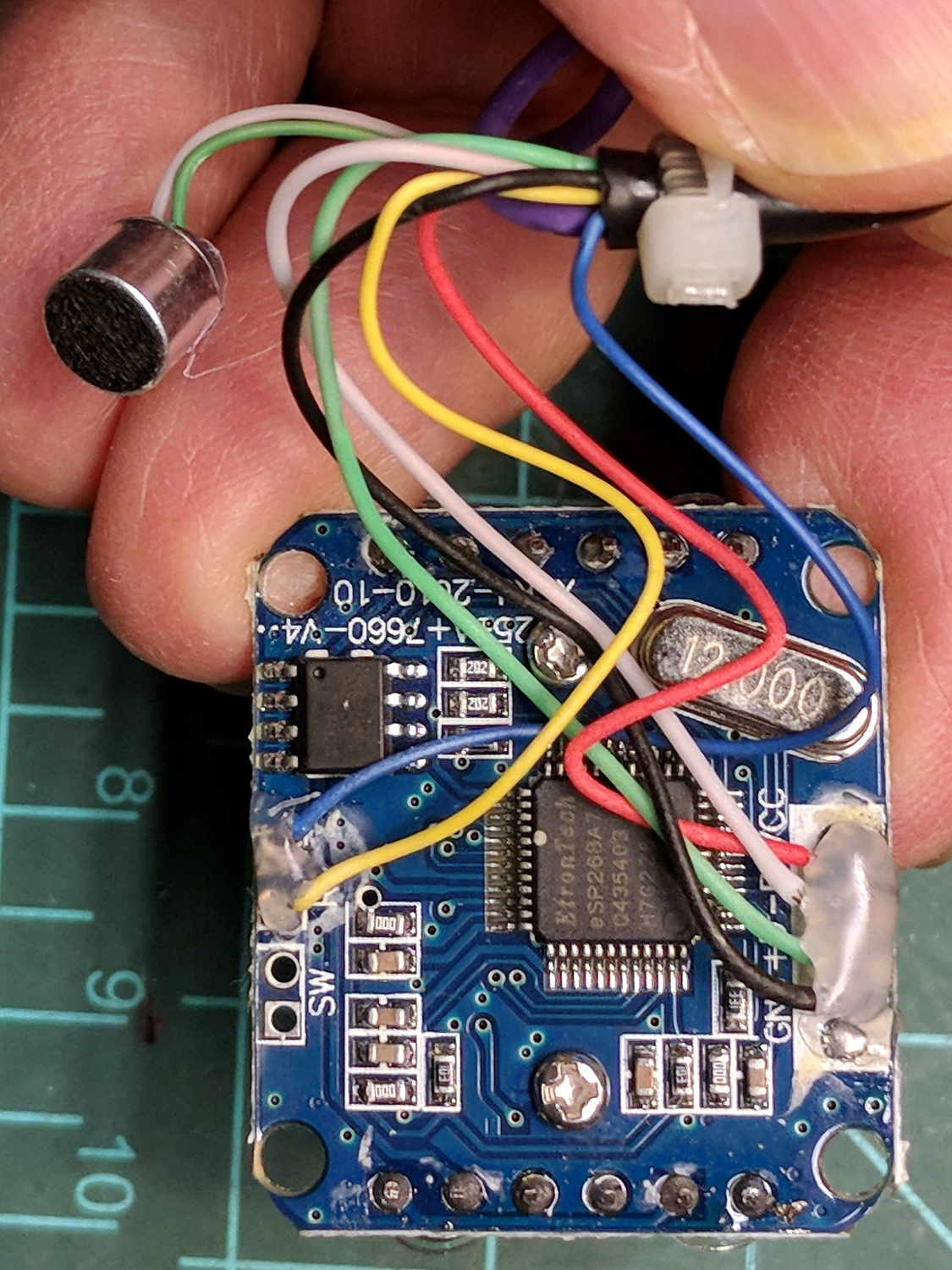
    The bCNC doc shows how to use a USB camera for XY alignment and I want to try it out. The Box o’ USB Cameras emitted a likely candidate with a focusing lens, six (!) white LEDs, and a ball mount attached to an aggressive spring clip, but its thick USB cable included a lumpy brightness pot for the LEDs and sprouted a mic plug (apparently, it predated cheap USB audio):

    USB Camera - OEM wiring
    USB Camera – OEM wiring

    The Box o’ USB Cables emitted a surprisingly long cable amputated from some random hunk of consumer electronics.

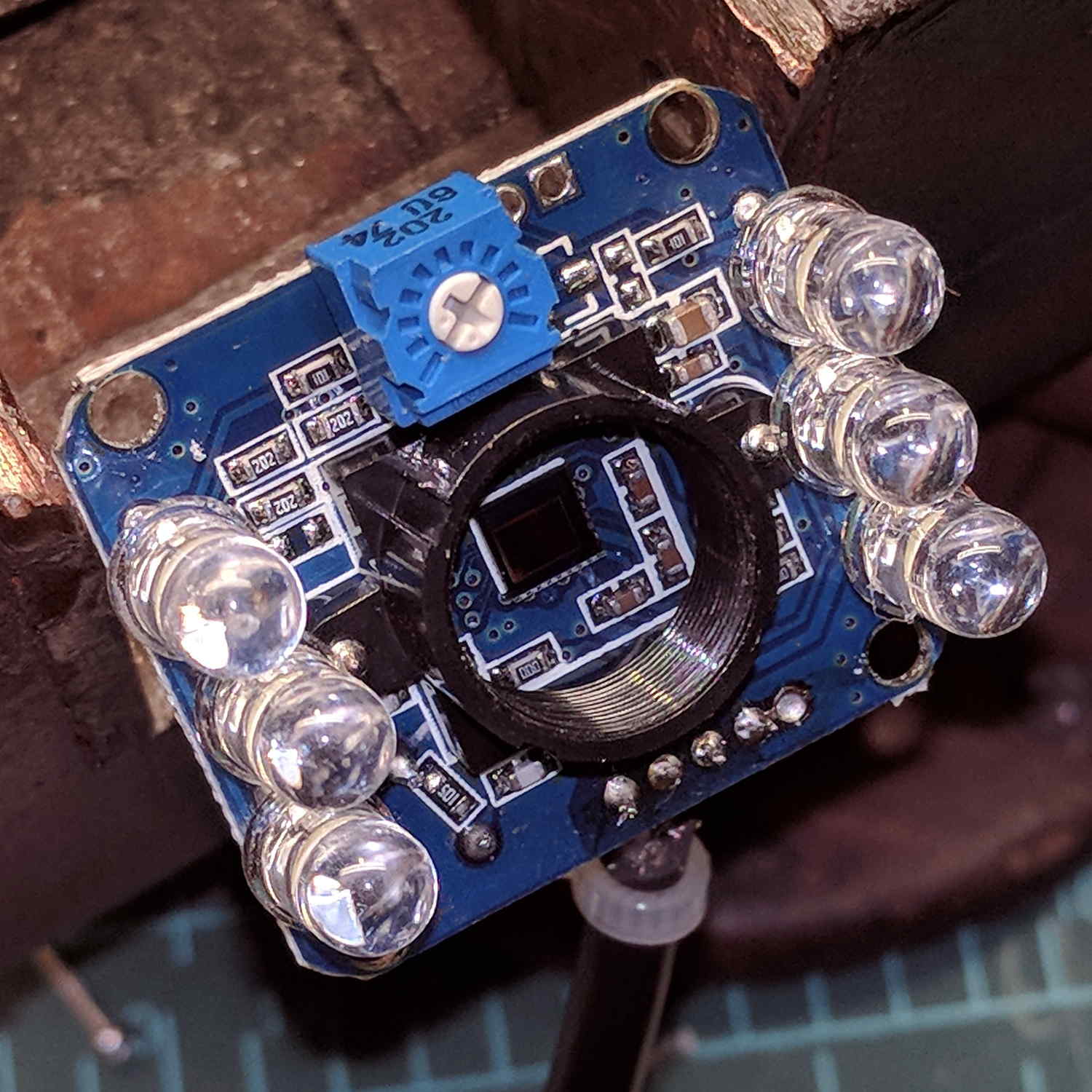
    The LED brightness won’t need much adjustment after the first few minutes. I found a little 2 kΩ trimpot to fit the PCB holes:

    USB Camera - inside - brightness pot
    USB Camera – inside – brightness pot

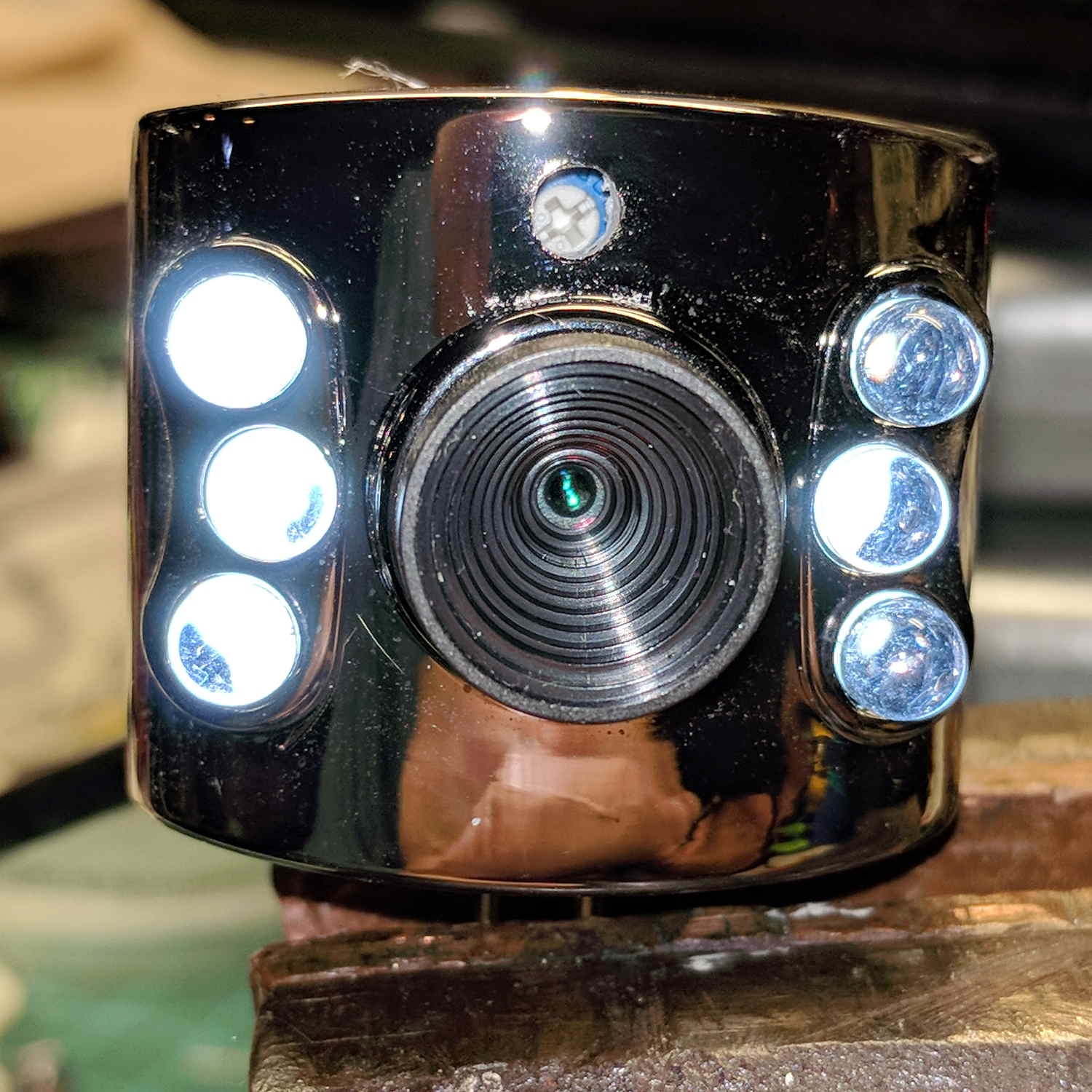
    Miracle of miracles, the dial ended up almost centered behind the original mic pore. A few minutes of gentle filing embiggened the pore and moved it over the trimpot:

    USB Camera - front with brightness pot
    USB Camera – front with brightness pot

    Yeah, the hole may need a plug or tape to keep the dust out, but there’s an even bigger gap around the lens.

    It produces a 640×480 picture with pretty much the expected quality, which should suffice for its intended purpose.

    Next step: stick it somewhere on the MPCNC.

  • Streaming Radio Player: OLED Garble

    Even in the dim light of dawn, it’s obvious slowing the SPI clock to 1 MHz didn’t quite solve the problem:

    RPi OLED display - garbled
    RPi OLED display – garbled

    The display started up fine, became encrypted during the next few hours, and remained garbled as the track information changed. This is almost certainly a bad SPI transfer trashing the OLED module’s control registers.

    Dropping the clock to the absolute minimum of 0.5 MHz didn’t help, either:

    serial = spi(device=0,port=0,bus_speed_hz=500000)
    device = sh1106(serial)
    

    This particular display woke up blank after loading the new code, then worked OK after another reset. The other streamers lit up as expected on the first try, so the slower SPI isn’t making the situation instantly worse.

    Running the clock at 1 MHz definitely reduced the failure rate, which suggests it’s a glitchy thing.

    Good embedded systems practice suggests resetting the entire display from scratch every now and again, but my streamer code has no concept of elapsed time. Opening that particular can o’ worms would almost certainly result in an on-screen clock and I do not want to go there.

    I suppose I must get a new oscilloscope with SPI bus decoding to verify all the SPI setup and hold times …

  • Stepper Motor Current Measurement Setup

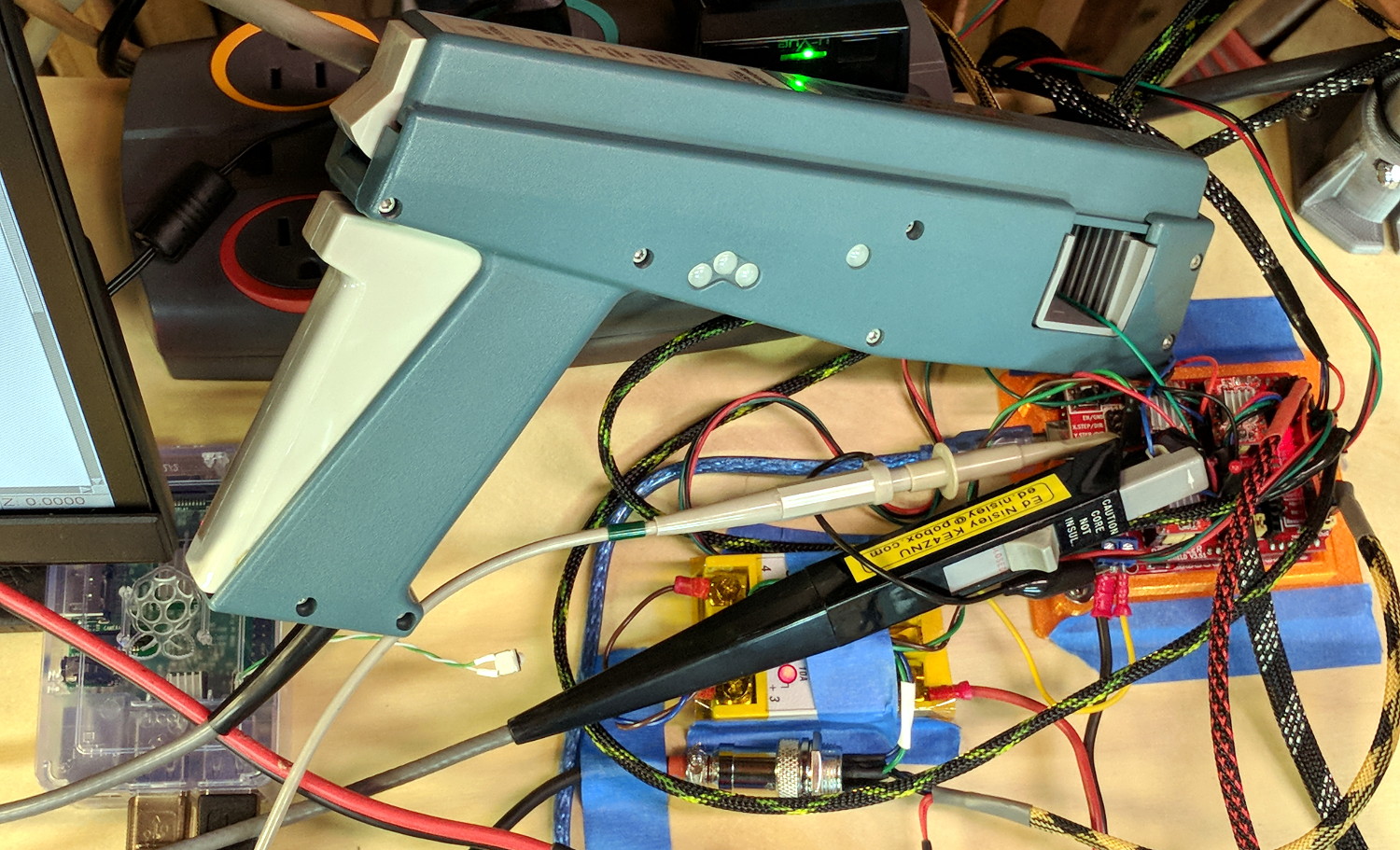
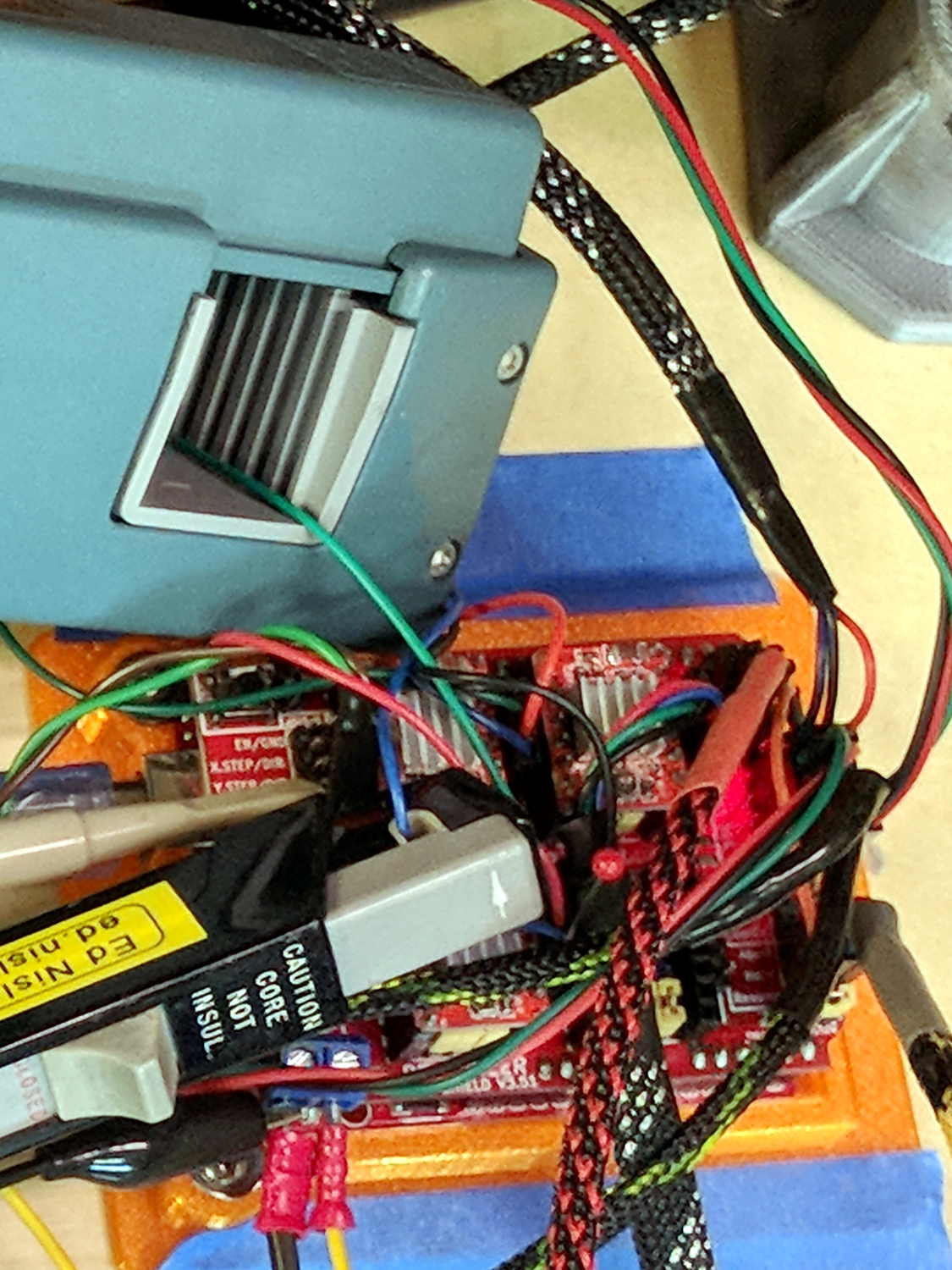
    As part of installing the bar clamps, I packed away the Tek Hall effect current probes measuring the stepper winding currents:

    MPCNC Z Axis AB current probe - overview
    MPCNC Z Axis AB current probe – overview

    The hulking pistol is a Tektronix A6203 100 A probe, the little black pencil is a Tek A6302 20 A probe:

    MPCNC Z Axis AB current probe - detail
    MPCNC Z Axis AB current probe – detail

    The absurdity of measuring a 600 mA (peak!) current with a 100 A probe isn’t lost on me, but those things have become genuine eBay collectibles over the last few years.

    For low-frequency signals, you could probably get by with a Fluke i410 Hall effect current clamp.

    Yo, Eks, babes, remember me in your will … [grin]

  • Wouxun KG-UV3D: Enemy Action

    Once is happenstance, twice is coincidence, three times is enemy action:

    Wouxun KG-UV3D - failure 3
    Wouxun KG-UV3D – failure 3

    All of the (surviving) battery packs produce 9.0 to 9.2 V, a bit hotter than the pair of fully charged lithium cells the radio expects to see, but the first two radios lasted for six years under that abuse.

    This one failed after a few hours. It’s a new radio, but I’m willing to assume I killed the thing and will just eat the cost.

    I have no theories about what’s going on, but I must tweak my APRS interface to work with a Baofeng radio I have on the shelf.

    From now on, though, both radios will run from their stock battery packs.

    Maybe I’m just a slow learner.