The Smell of Molten Projects in the Morning

Ed Nisley's Blog: Shop notes, electronics, firmware, machinery, 3D printing, laser cuttery, and curiosities. Contents: 100% human thinking, 0% AI slop.

Category: Electronics Workbench

Electrical & Electronic gadgets

  • Measuring Objects for 3D Modeling: USB Video Camera

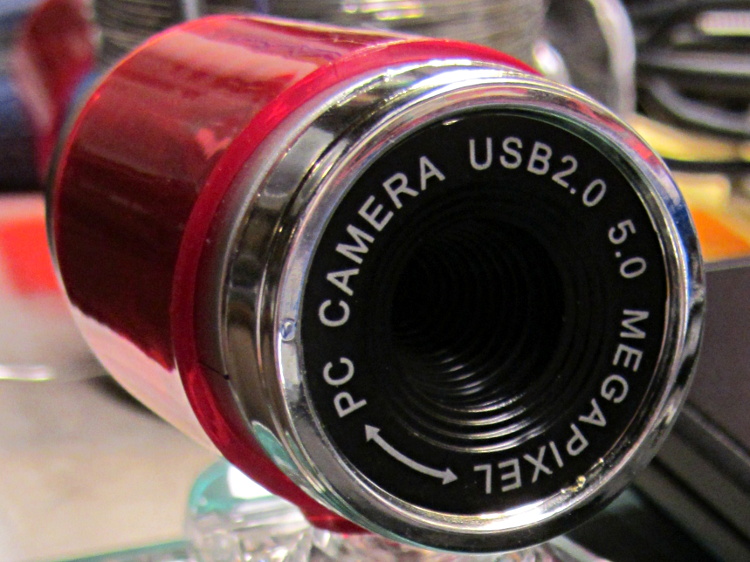
    A brace of “Fashion” USB video cameras arrived from halfway around the planet. According to the eBay description and the legend around the lens, they’re “5.0 Megapixel”:

    Fashion USB camera - case front
    Fashion USB camera – case front

    The reality, of course, is that for five bucks delivered you get 640×480 VGA resolution at the hardware level and their Windows driver interpolates the other 4.7 megapixels. VGA resolution will be good enough for my simple needs, particularly because the lens has a mechanical focus adjustment; the double-headed arrow symbolizes the focus action.

    But the case seemed entirely too bulky and awkward. A few minutes with a #0 Philips screwdriver extracted the actual camera hardware, which turns out to be a double-sided PCB with a lens assembly on the front:

    Fashion USB video - case vs camera
    Fashion USB video – case vs camera

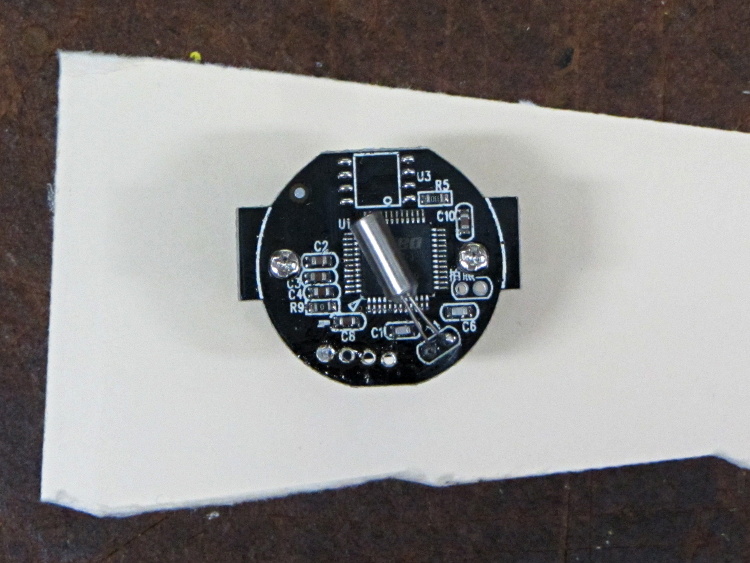
    The PCB has asymmetric tabs that ensure correct orientation in the case:

    Fashion USB camera - wired PCB rear
    Fashion USB camera – wired PCB rear

    In order to build an OpenSCAD model for a more compact case, we need the dimensions of that PCB and those tabs…

    Start with a picture of the back of the PCB against white paper, taken from a few feet to flatten the perspective:

    img_3300 - Camera PCB on white paper
    img_3300 – Camera PCB on white paper

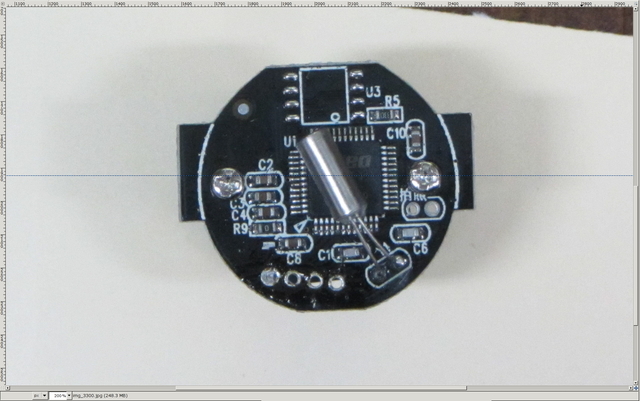
    Load it into The GIMP, zoom in, and pull a horizontal guide line down to about the middle of the image:

    Camera PCB - horizontal guide - scaled
    Camera PCB – horizontal guide – scaled

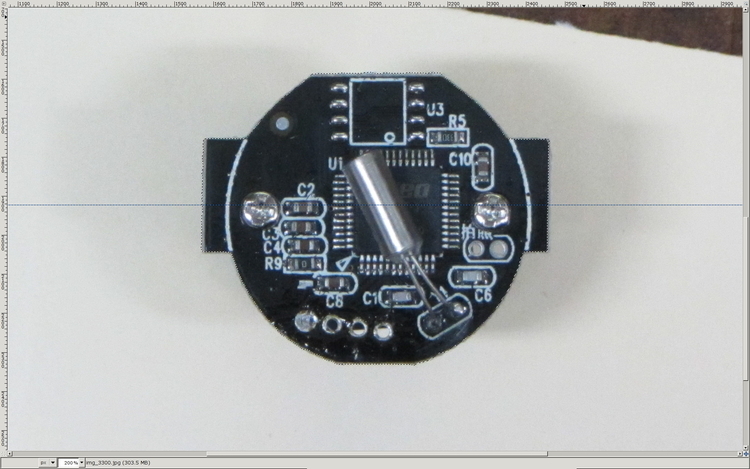
    Rotate to align the two screws horizontally (they need not be centered on the guide, just lined up horizontally):

    Camera PCB - rotated to match horizontal guide - scaled
    Camera PCB – rotated to match horizontal guide – scaled

    Use the Magic Scissors to select the PCB border (it’s the nearly invisible ragged dotted outline):

    Camera PCB - scissors selection - scaled
    Camera PCB – scissors selection – scaled

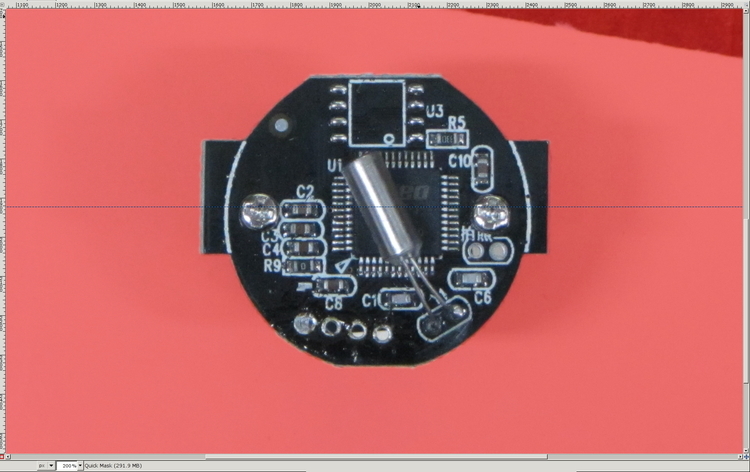
    Flip to Quick Mask mode and clean up the selection as needed:

    Camera PCB - quick mask cleanup - scaled
    Camera PCB – quick mask cleanup – scaled

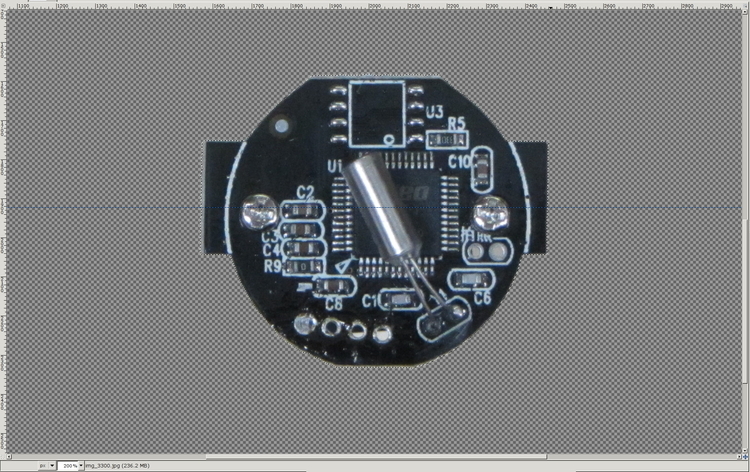
    Flip back to normal view, invert the selection (to select the background, not the PCB), and delete the background to isolate the PCB:

    Camera PCB - isolated - scaled
    Camera PCB – isolated – scaled

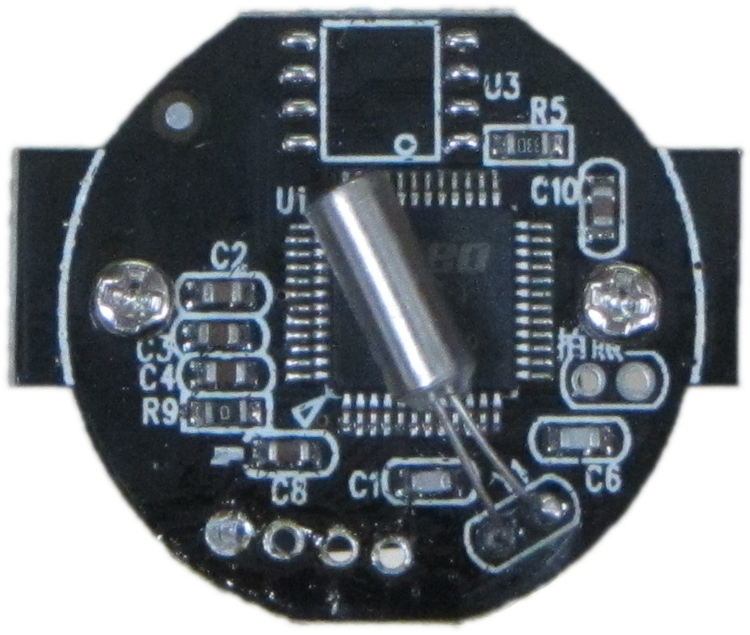
    Tight-crop the PCB and flatten the image to get a white background:

    Camera PCB - isolated - scaled
    Camera PCB – isolated – scaled

    Fetch some digital graph paper from your favorite online source. The Multi-color (Light Blue / Light Blue / Light Grey) Multi-weight (1.0×0.6×0.3 pt) grid (1 / 2 / 10) works best for me, but do what you like. Get a full Letter / A4 size sheet, because it’ll come in handy for other projects.

    Open it up (converting at 300 dpi), turn it into a layer atop the PCB image, use the color-select tool to select the white background between the grid lines, then delete the selection to leave just the grid with transparency:

    Camera PCB with grid overlay - unscaled
    Camera PCB with grid overlay – unscaled

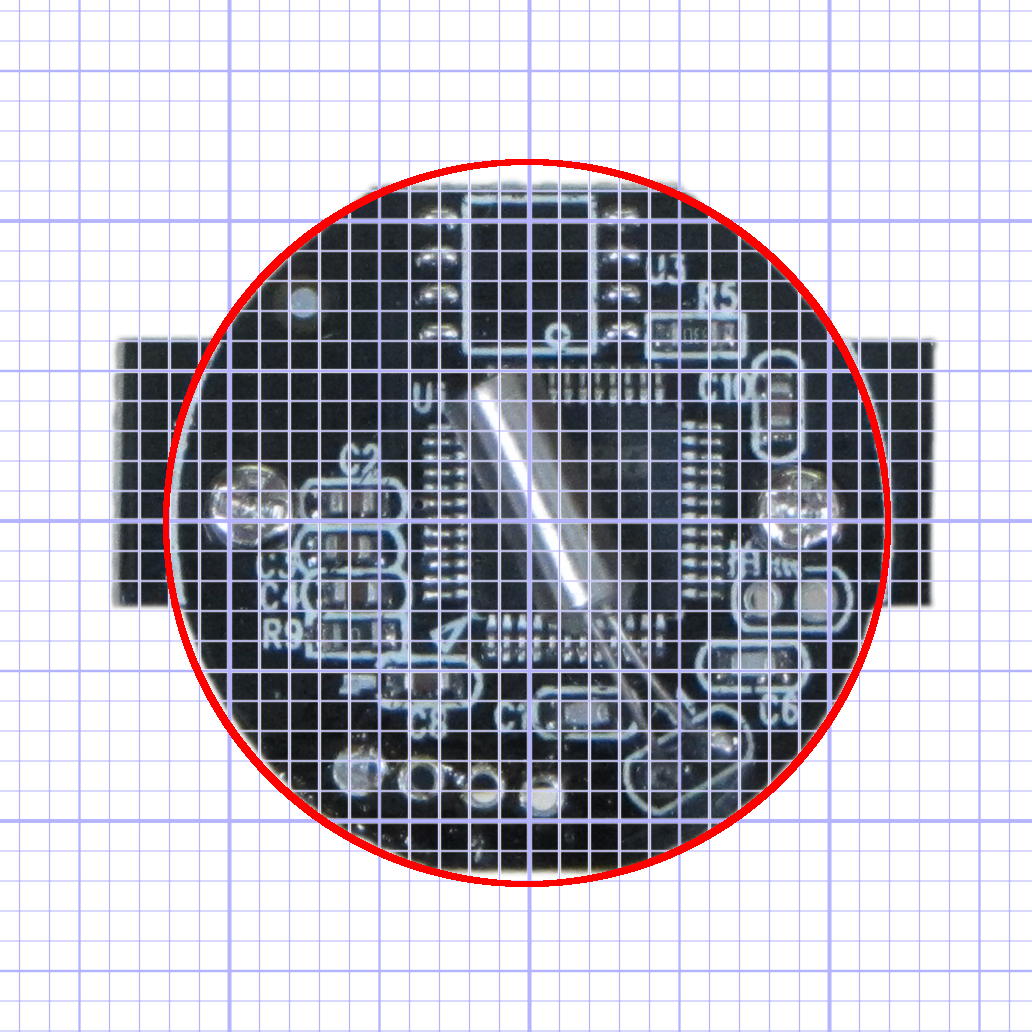
    We want one minor grid square to be 1×1 mm on the PCB image, sooo…

    • Accurately measure a large feature on the real physical object: 27.2 mm across the tabs
    • Drag the grid to align a major line with one edge of the PCB
    • Count the number of minor square across to the other side of the image: 29.5
    • Scale the grid overlay layer by image/physical size: 1.085 = 29.5/27.2
    • Drag the grid so it’s neatly centered on the object (or has a major grid intersection somewhere useful)

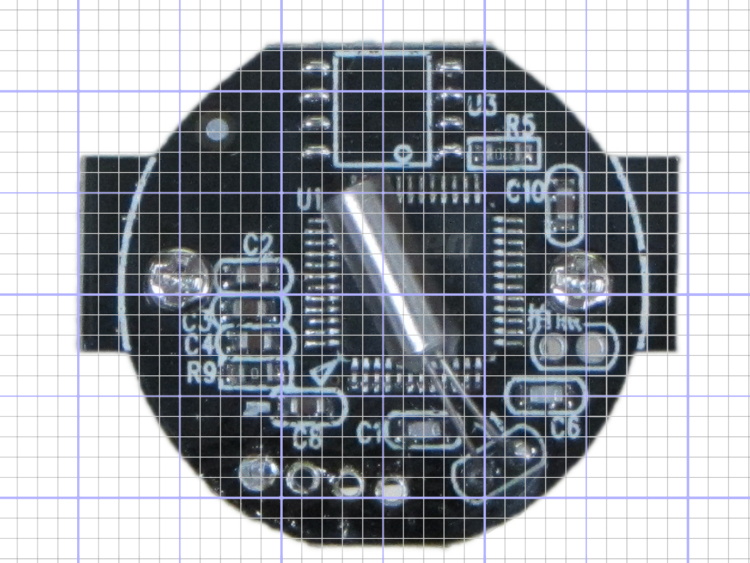
    That produces a calibrated overlay:

    Camera PCB with grid overlay
    Camera PCB with grid overlay

    Then it’s just a matter of reading off the coordinates, with each minor grid square representing 1.0 mm in the real world, and writing some OpenSCAD code…

  • SMD-to-DIP Adapter: Pin Soldering “Fixture”

    I needed a rail-to-rail op amp in a DIP package to breadboard the amplifier for those toroids and came up dry, so I sawed out a protoboard square, glued a MAX4330 in SOT23-5 atop it in classic dead-bug style, rearranged the leads into the standard DIP pinout, and moved on:

    MAX4330 dead-bug style on DIP adapter
    MAX4330 dead-bug style on DIP adapter

    The trick to getting the header pins aligned is to stick ’em in a pile of perfboards, which instantly makes them stand up straight and parallel:

    img_3430 - SMD-to-DIP adapter - PCB soldering fixture
    img_3430 – SMD-to-DIP adapter – PCB soldering fixture

    Stick the square adapter atop the headers, solder all eight pins, glue down the SOT23, and solder it with wire-wrap snippets. Ugly, but workable…

  • Air-gapped Ferrite Toroid Data

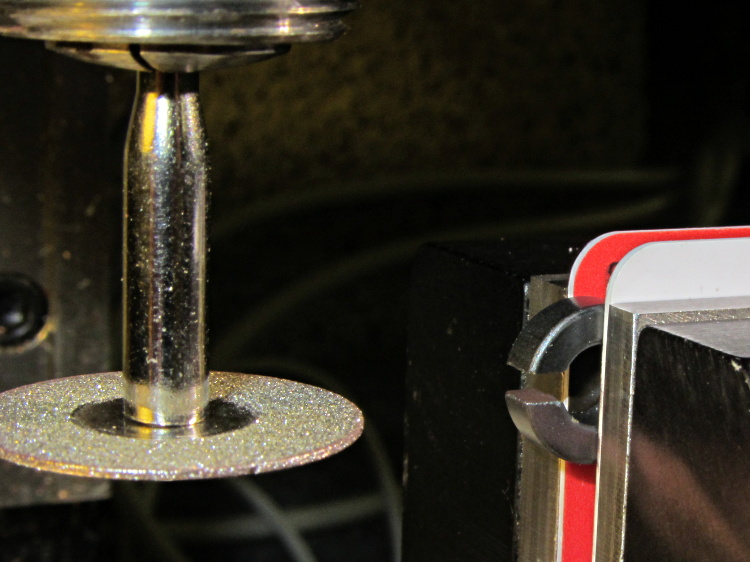
    For an upcoming Circuit Cellar column on Hall effect current sensing, I slit another pair of toroids:

    Slitting FT37 ferrite toroid
    Slitting FT37 ferrite toroid

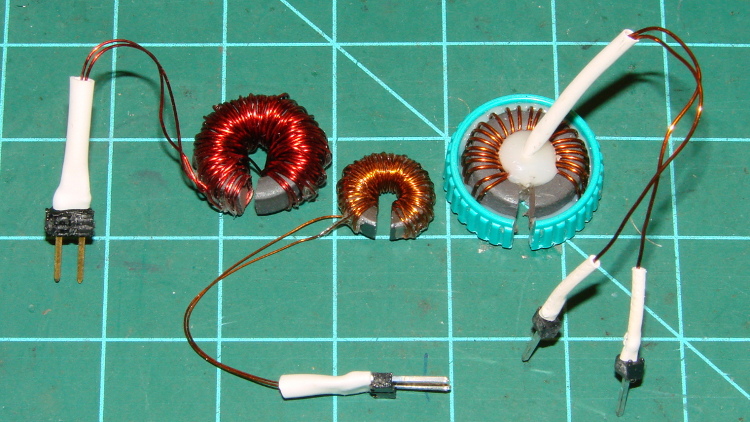
    Then wound them with grossly excessive amounts of wire (the up-armored core on the right appeared earlier):

    Slit Ferrite Toroid current sensors
    Slit Ferrite Toroid current sensors

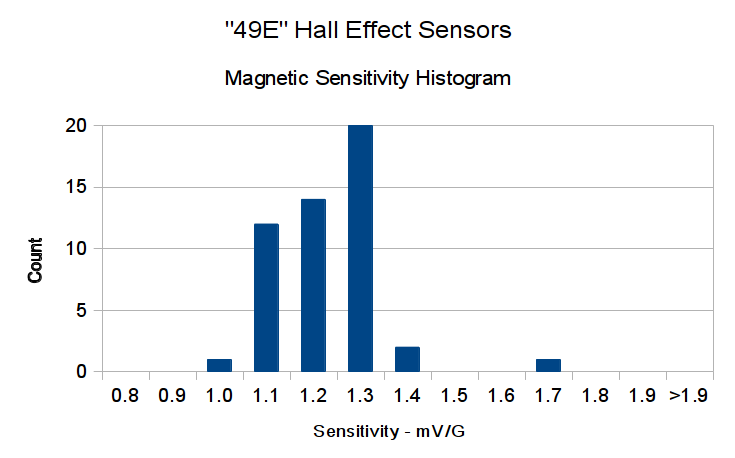
    The smaller toroid is an FT37-43 that barely covers the active area of an SS49-style Hall effect sensor, but experience with the FT50 toroid suggests that’ll be entirely enough:

    slit FT37 toroid trial fit to SS48-style Hall effect sensor
    slit FT37 toroid trial fit to SS48-style Hall effect sensor

    Data on the uncut toroids:

    Property FT50-61 FT37-43
    Outer diameter (OD) – inch 0.50 0.375
    Inner diameter (ID) – inch 0.281 0.187
    Length – inch 0.188 0.125
    Cross section area – cm2 0.133 0.133
    Mean path length (MPL) – cm 3.02 2.15
    Volume – cm3 0.401 0.163
    Relative Permeability (μr ) 125 850
    Saturation flux G @ 10 Oe 2350 2750
    Inductance factor (AL) – nH/turn2 68.0 420

    Those overstuffed windings improved the sensitivity, but increased the winding resistance far beyond what’s reasonable.

    Data on the slit toroids:

    Toroid ID FT50-61 FT37-43 FT50-61
    Measured air gap – cm 0.15 0.15 0.17
    Winding data
    Turns 120 80 25
    Wire gauge – AWG 28 32 26
    Winding resistance – mΩ 530 920 100
    Predicted B field – G/A 872 660 163
    Hall effect sensor @ 1.9 mV/G
    Predicted output – mV/mA 1.7 1.3 0.31
    Actual output – mV/mA 1.9 1.9 0.37
    Actual/predicted ratio – % +12 +46 +19

    The last few lines in that table show the transimpedance (transresistance, really, but …) based on the winding current to Hall sensor output voltage ratio (in either mV/mA or V/A, both dimensionally equivalent to ohms), which is why the toroid’s internal magnetic flux doesn’t matter as long as it’s well below saturation.

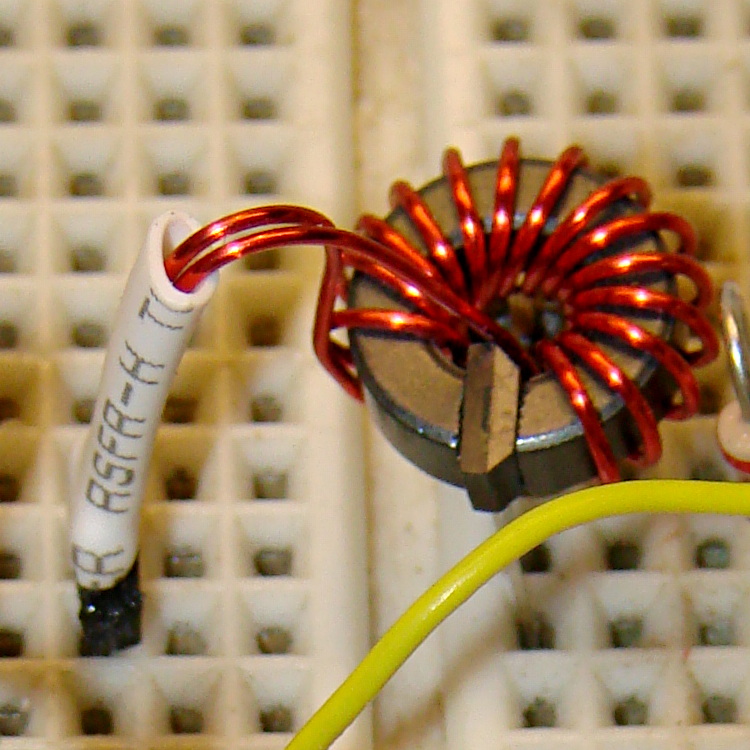
    Gnawing the 80 turn winding off the FT37-43 toroid and rewinding it with 15 turns of 24 AWG wire dropped the winding resistance to 23 mΩ and the transimpedance to 0.36 mV/mA:

    FT37-43 with 15 turns 24 AWG - Hall sensor
    FT37-43 with 15 turns 24 AWG – Hall sensor

    However, applying a voltage gain of about 28 (after removing the sensor’s VCC/2 bias) will produce a 0-to-5 V output from 500 mA input, which seems reasonable.

  • Wouxun KG-UV3D Batteries: Age and Cycle Effects

    The first Wouxun (evidently pronounced “ocean”) KG-UV3D HT spent a month or two in my bike, lashed to a kludged version of the APRS+voice interface box and powered by its own lithium-ion pack. After I got the circuit worked out and built a duplicate, I picked up a second HT for Mary’s bike; as a result, that battery pack never got much use.

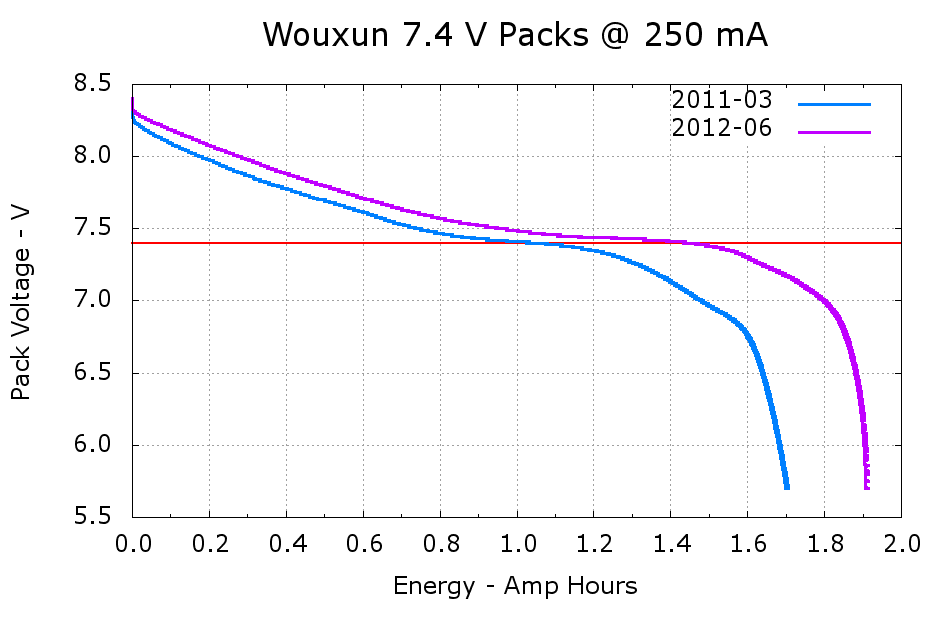
    A pair of discharge tests shows the difference:

    Wouxun 7.4 V Packs
    Wouxun 7.4 V Packs

    The 2011-03 battery has almost exactly the rated 1.7 A·h capacity, at least if you’re willing to run it down to 6 V, and the 2012-06 pack delivers 1.9 A·h. Electronic gadgets measure state-of-charge using the battery voltage, so the older pack “looks” like it has much less capacity: it runs about 100 mV lower than the newer pack out to 1.2 A·h, then falls off the cliff. Looks to me like one of the two cells inside is fading faster than the other; so it goes.

    I’m still thinking of using these to power some LED taillights, because they have a nice form factor and built-in latches:

    Wouxun KG-UV3D - battery pack latch
    Wouxun KG-UV3D – battery pack latch
  • MFJ-260B HF Dummy Load – Impedance Nudging

    If you happen to own an MFJ-260B dummy load and it’s giving you weird SWR values, take the cover off and roll the power resistor in its mounting clips:

    MFJ-260B HF Dummy Load - power resistor
    MFJ-260B HF Dummy Load – power resistor

    My buddy Aitch discovered that oxide / corrosion / dirt buildup between the resistor and the clips can produce absolutely baffling results, even while passing enough current to warm up the element, far more power than you’d think would burn away any crud.

  • Vexta C6925-9212K Stepper Motors

    A box of surplus Vexta NEMA 23 stepper motors arrived:

    Vexta C6925-9212K stepper motors
    Vexta C6925-9212K stepper motors

    The data plate sayeth:

    • Model C6925-9212K
    • 2 phase
    • 1.8°/step
    • 2.3 V
    • 3 A

    According to Dan, who happened into the deal, that Vexta model number applies to their custom motors, which accounts for the fact that there’s no further data available anywhere.

    [Update: A National Instruments description of the motor wiring.]

    Dividing 2.3 V by 3 A = 0.77 Ω windings. Multiplying 2.3 V by 2 A suggests a 7 W maximum dissipation.

    Poking around with a meter identifies the windings:

    • Blue – White – Red
    • Green – Yellow – Black

    Given those colors, the Y G B W R K color sequence on the connector doesn’t make any sense to me. Most likely, there’s a standard I’m unaware of.

    The resistance from the center taps outward measures 1.0 Ω, which is close enough to 0.8 Ω for me. Measuring across the whole winding gives 1.8 Ω.

    The inductance is 1.0 mH from the center tap and 4.0 mH across the whole winding. Remember that inductance varies as the square of the number of turns.

    The time constant for a complete winding = 2.5 ms = 4 mH / 1.6 Ω.

    That’s all I know…

  • Makergear M2: Platform Lighting

    Adding a strip of white LEDs under the X stage helps shed some light on events atop the M2’s build platform; this was very nearly the first improvement after getting the printer, but somehow I’ve never written down where that nice white glow comes from.

    This view shows the strip from below, looking up from the -Y direction in front of the stage:

    White LED strip under X axis frame
    White LED strip under X axis frame

    I originally screwed the wires into the terminals from the hulking 12 V Dell laptop brick for the platform heater, but then I had to unscrew the wires whenever I moved the M2 and I didn’t like sharing the connectors with those huge conductors. Now the LEDs are in parallel with the extruder fan (which runs continuously), sharing the FAN1 screw terminals inside the electronics case.

    The M2 firmware uses PWM to cut the 19.5 V supply from a much smaller laptop brick down to roughly 12 V RMS for the fans, but that isn’t such a Good Thing for LEDs. The strip has 120 Ω resistors that drop about 2.4 V at 20 mA from a 12 V supply, leaving 9.6 V for the LEDs (at about 3.2 V each). Running from 19.5 V means the resistors will see about 9.5 V and pass nearly 80 mA, four times the nominal rating, during each PWM pulse.

    Based on those measurements, the light output doesn’t go up by nearly a factor of four during each pulse.

    I plan to add a 12 V supply to the LinuxCNC box, probably by recycling the 12 V brick from the M2, which will get the LED current back down to a reasonable level. With any luck, they’ll survive this mistreatment and not carry a grudge.

    You could, of course, just power the LEDs from a separate 12 V wall wart, but that adds Yet Another Thing when I carry the M2 to demos.