Our Larval Engineer has a bug report that blows away anything I’ve ever seen:

Check out her post for the rest of the story…
Forgot to mention this when she first told me about it; the discussion of LED and CFL lifetime brings it to mind.
The Smell of Molten Projects in the Morning
Ed Nisley's Blog: Shop notes, electronics, firmware, machinery, 3D printing, laser cuttery, and curiosities. Contents: 100% human thinking, 0% AI slop.
Electrical & Electronic gadgets
Our Larval Engineer has a bug report that blows away anything I’ve ever seen:
Check out her post for the rest of the story…
Forgot to mention this when she first told me about it; the discussion of LED and CFL lifetime brings it to mind.
Three years ago I installed a 1.5 TB WD Elements USB drive as an external backup for the “file server” in the Basement Laboratory. The log files show that the drive started spitting out “short reads” early in October, which means the rust has begun flaking off the platters.
Repeated fsck -fyv /dev/sda1 runs produce repeated failures at various spots, so it’s not in good condition:
e2fsck 1.41.14 (22-Dec-2010)
Backup-1.5TB contains a file system with errors, check forced.
Pass 1: Checking inodes, blocks, and sizes
Error reading block 97649088 (Attempt to read block from filesystem resulted in short read) while getting next inode from scan.  Ignore error? yes
... snippage ...
Pass 2: Checking directory structure
Error reading block 104039017 (Attempt to read block from filesystem resulted in short read) while reading directory block.  Ignore error? yes
Force rewrite? yes
Directory inode 26009985, block #26, offset 0: directory corrupted
Salvage? yes
... snippage ...
Pass 4: Checking reference counts
Inode 25903223 ref count is 41, should be 40.  Fix? yes
... snippage ...
Backup-1.5TB: ***** FILE SYSTEM WAS MODIFIED *****

736471 inodes used (0.80%)
10173 non-contiguous files (1.4%)
9367 non-contiguous directories (1.3%)
# of inodes with ind/dind/tind blocks: 119655/12234/0
142996292 blocks used (39.04%)
0 bad blocks
3 large files

276772 regular files
459614 directories
0 character device files
0 block device files
0 fifos
10377447 links
76 symbolic links (72 fast symbolic links)
0 sockets
--------
11113909 files
Given that rsnapshot lashes the daily backups together with extensive hard links, so that there’s only one copy of a given file version on the drive, I don’t know what 76 symbolic links might mean.
It’s been spinning up once a day, every day, for about 40 months; call it 1200 power cycles and you’ll be close. The usual runtime is about 10 minutes, giving the poor thing barely enough time to warm up.
One data point does not a curve make.
The warranty on new WD Element drives seems to be a year; I have no idea what it was slightly over three years ago, although I’m pretty sure it wasn’t more than three years…
The various desktop boxes around here get powered up once a day, too, but I tend to replace them every few years and have never had a hard drive failure; a few system boards have crapped out, though. The boxes acting as controllers for the 3D printers and the Sherline CNC mill have a much lower duty cycle.
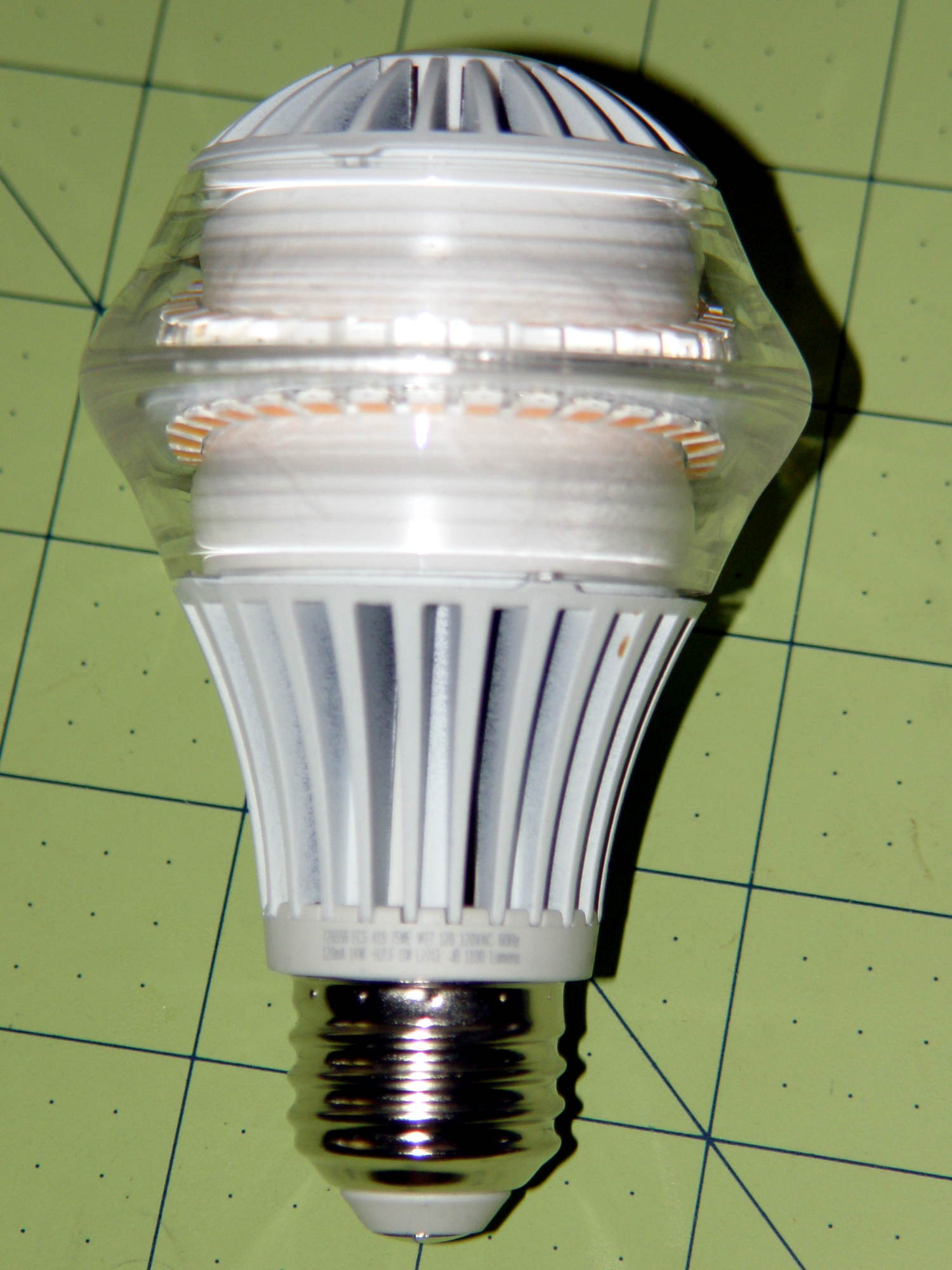
I picked up a $35 LED bulb that’s allegedly equivalent to a 75 W incandescent, replacing a 100 W equivalent compact fluorescent bulb that an X10 relay switch couldn’t turn off cleanly, for a torchiere floor lamp. ‘Nuff said about early CFL failures.
It has both upward and downward facing LED chips that light up the diffuser and ceiling in equal measure. Both strings are visible from the side due to the heavy molded plastic lens around the chips:
Some interesting bits from the package:
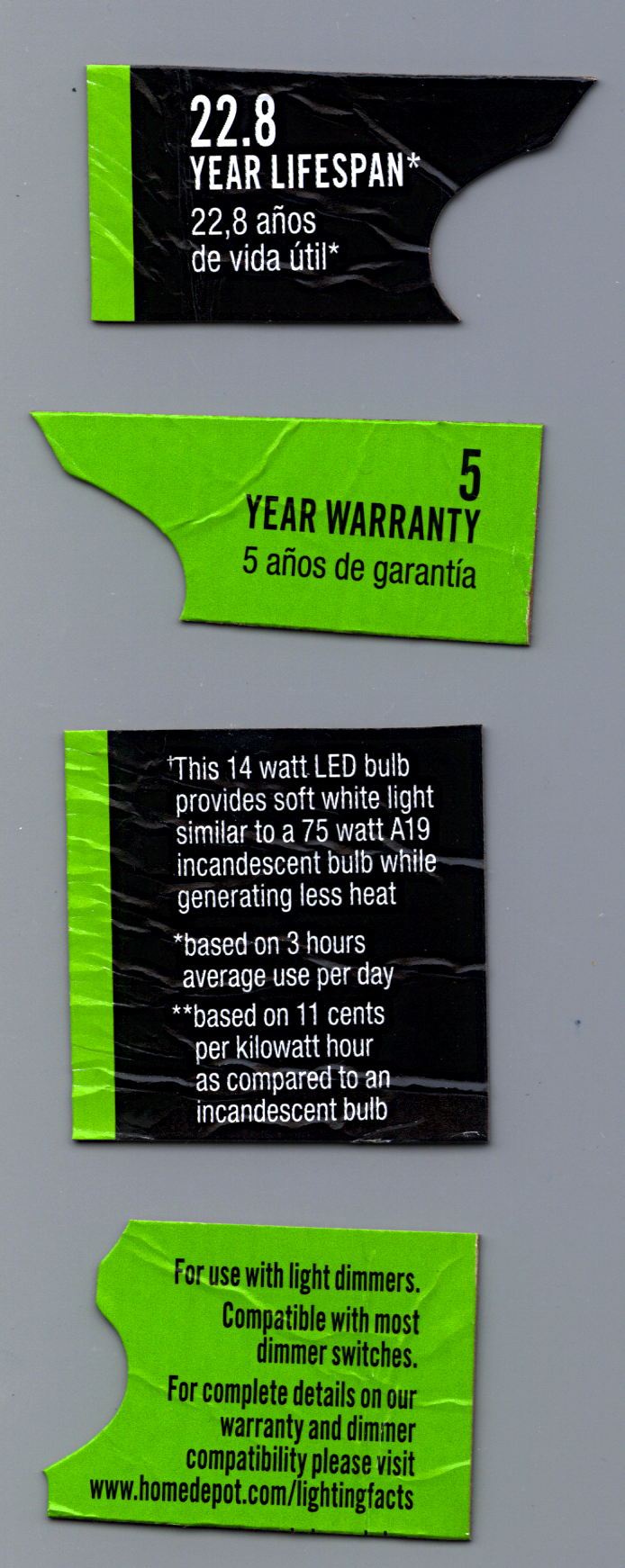
A 22.8 year lifespan at three hours per day works out to 24.983×10³ hours. I wish I could have heard the arguments about whether they could claim a 23 year lifespan…
At the same duty cycle, the 5 year warranty covers 5.479×10³ hours. Huh.
The URL at the bottom leads to some general info, but nothing you didn’t know already.
It works well enough, but at $35 it’s really a capital investment that I suspect will never actually pay for itself…
I’d originally planned to drive the new HBP with a boost converter from the 24 V supply brick, but that didn’t quite work out. The arrival of a 36 V brick from halfway around the planet solved that problem, but the RAMBo platform heater’s 15 A ATO fuse restricts it to 24 V and I don’t quite trust that MOSFET for high current applications, either.
Sooo, I went full-frontal Cupcake with a solid state relay screwed to a pair of existing holes (!!!) in the M2’s frame:

Note: that’s a DC-to-DC SSR, not the more common DC-to-AC SSR. Basically, it’s an up-armored optically isolated MOSFET, not a triac, and, yes, capitalizing acronyms and initalisms can be contentious.
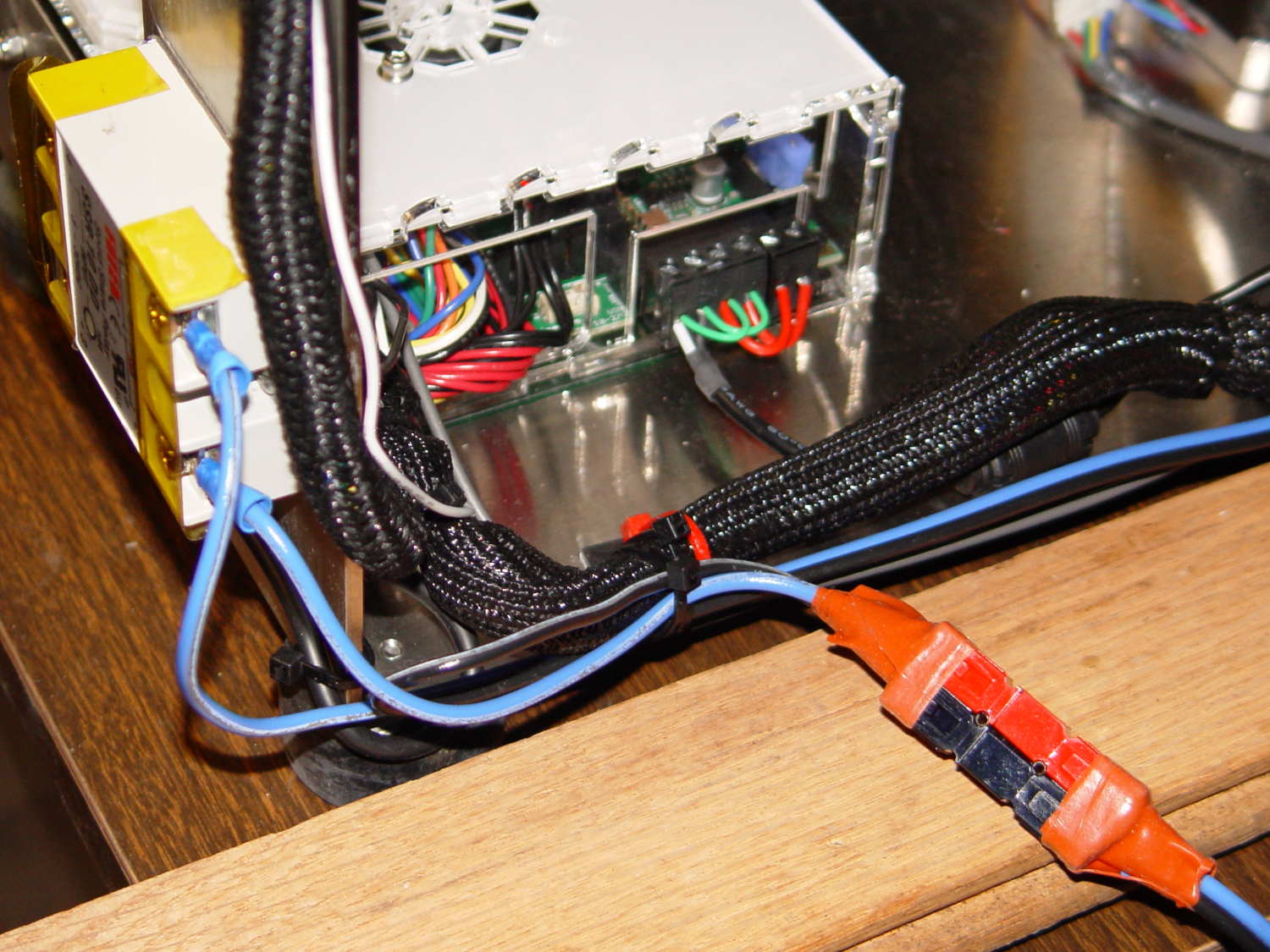
Because the RAMBo’s MOSFET now drives the piddly current required to activate the SSR, I rewired the power to apply the M2’s 19.5 V brick to all three inputs by adding two red jumpers on the right side of the Phoenix plugs:
The M2’s hulking 12 V brick now resides in the Basement Warehouse’s Power Supply Annex.
The HBP cable comes in from the right side and the 36 V supply arrives through the Powerpole connectors in the lower right. Tucking the ferrite slug on the 19.5 V supply behind the wire loom prevents the cable from pulling the Phoenix connectors out of the RAMBo board at an inopportune moment.
The original M2 HBP wiring got uncomfortably warm carrying the 10+ A for that platform. It would probably work OK at a lower current, but I’d already put Powerpole connectors on the new HBP. So I ran that cable outside the loom and abandoned the original pair inside.
The SSR switches the +36 V wire, leaving the HBP at 0 V when it’s not activated: supply hot → SSR → HBP → supply common. That makes no practical difference, but it feels like a Good Idea. Also, the Kapton tape across the SSR terminals should be barely adequate to prevent contact with random conductive clutter; I’m channeling the true spirit of DIY 3D printing…
I don’t have a connector matching the M2’s 100 kΩ platform thermistor, either, so I just ran the new cable down the outside of the loom and conjured up a two-pin socket for the header on the RAMBo board:

Plug it all together, tweak the startup G-Code to properly trip the Z-min switch at its new location, and it Just Works:

Those are thinwall open boxes that came out 5±0.03 mm tall across the array, so the platform is just about as level / aligned as necessary for my simple needs.
The Z-min switch will move to get rid of that stupid block epoxied to the platform, so I didn’t record the G-Code tweakage…
The PCB under the improved flat-top glass platform has three soldered-in-place M3 screws that fit the M2’s Y stage support:

I applied a tiny rat-tail file to the holes until they became a free sliding fit for the screws.
The wave springs are mostly decoration, as the silicone rubber disks now take the compression load from the screws, and the platform is quite rigidly mounted.
The new platform eliminates the M2’s original aluminum support spider, the aluminum heater & heat spreader, and the corner supports & clips, all of which add up to about 780 g. I didn’t bother changing the Y axis acceleration to match, as all those numbers seem rubbery.
Minus the support spider, the platform rides much lower on the Z axis stage than the M2’s platform. Unfortunately, the Z-min switch clamped to the top of the rear Z-axis guide rod can’t get any higher, even after rearranging the cable and fiddling with the LED:
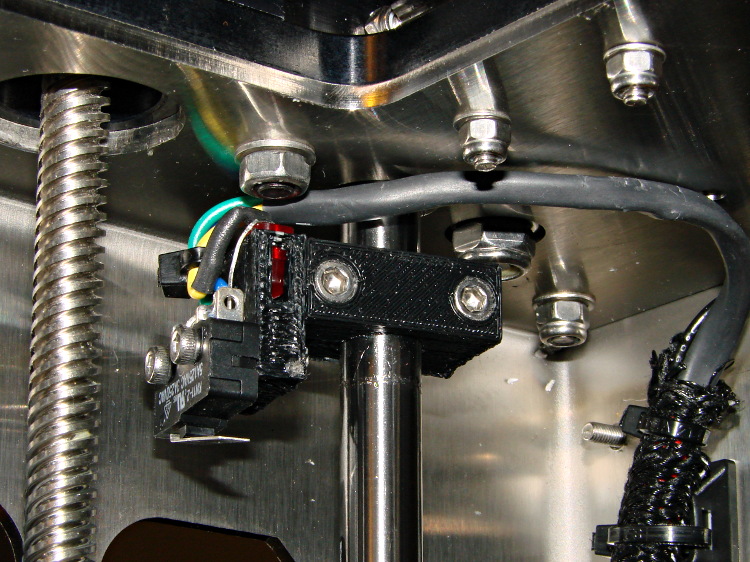
As a first-pass hack, I moved the switch to the rear of the X gantry and applied Gorilla Tape to hold it in place:

That required a small block to raise the platform enough to activate the switch before hitting the nozzle. I epoxied a snippet of brass rectangle tube to the left edge of the platform, directly under the switch lever:
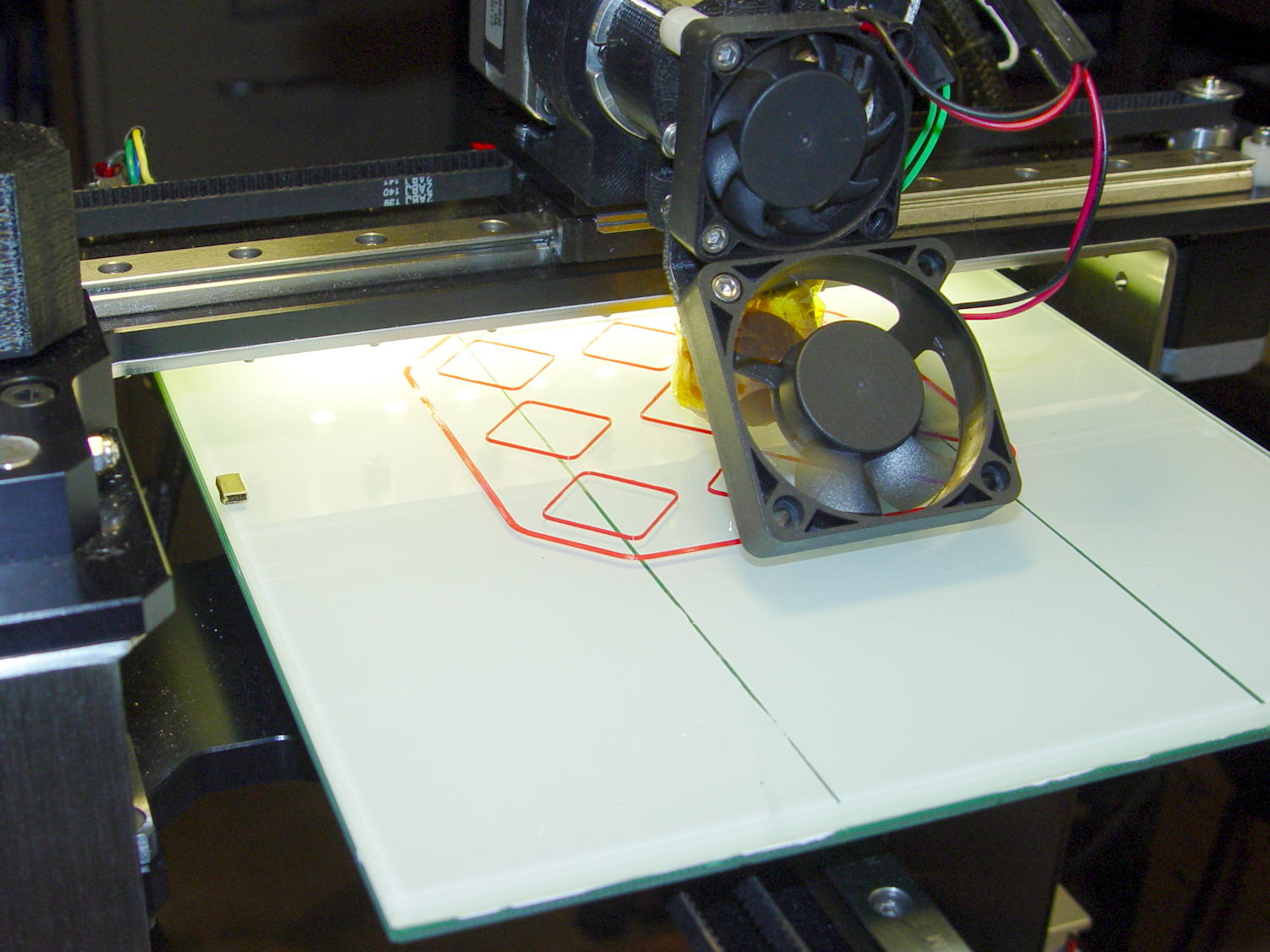
The awkward position activates the switch with the platform as far to the rear as possible, so that you can’t inadvertently drag the dangling switch lever across the block in the wrong direction.
I think it’s stupid, too, but it let me bring up the printer and make sure all the electronics kept working. The next step was to relocate the switch to a more rational place
The improved platform for the M2 runs at 30 V, but the RAMBo board specs limit the max HBP voltage to 24 V, presumably because the 15 A ATO fuse won’t clear a high-voltage, high amperage DC short. While setting up the SSR that drives the new platform, I looked up the specs for the PSMN7R0-60YS MOSFET controlling the bed heater and … it doesn’t have a logic level gate.
The rDS spec is an impressive 6.4 mΩ max, but that’s at VGS = 10 V. The 1 mA threshold voltage VGS(th) = 4 V max, which means there’s only 1 V of headroom to turn the transistor on enough to pass upwards of 10 A.
The typical ID vs. VGS curve (Fig 6) shows 20 A at maybe 4.2 V, but the typical RDSon curve (Fig 8) shows the resistance skyrocketing for VGS under maybe 4.8 V; sliding that curve a wee bit to the right would cause a Very Bad Thing to take place.
A 20 mΩ resistance dissipates 4.5 W at 15 A, which seems rather aggressive for the small PCB copper-pour heatsink on the RAMBo board. It’s a somewhat more bearable 2 W at 10 A, but I think that’s still too high. Of course, the typical dissipation will should be much lower…
A good engineering rule of thumb is to ignore the datasheet’s “Typical” column and design using the “Minimum” or “Maximum” columns, as appropriate. When you depend on typical specs, getting “the same part” from a different supplier can provide a real education in supply-chain management.
I suspect tolerance stacking works well enough that nearly all the MOSFETs on nearly all the RAMBo boards run cool enough to survive, but I’d rather see logic-level MOSFETs in Arduino circuits where the maximum gate voltage won’t ever get above 5 V.
This may not look like much, but it’s the first test of the p-MOSFET power switch that completely kills power to the Arduino Pro Mini board and the Hall Effect LED Blinky Light:

The top trace is the base drive to the NPN transistor that holds the p-MOSFET on while the Arduino is running. When it’s time to shut off, the Arduino drops the base drive output, the MOSFET turns off, and the switched battery voltage in the bottom trace drops like a rock. The current is about 30 mA when the Arduino is running and immeasurably low when it’s off; the MOSFET spec says it’s less than 1 μA, which is fine with me.
I love it when reality matches the simulation.
That part of the schematic:

The PCB has those components clustered in the upper left corner, with the Arduino Pro Mini perched on header pins to the right:

The test code is a crudely hacked version of the canonical Blink sketch that waits 5 s after it starts running, then pulls the plug:
// Modified from Arduino Blink example
// Drives external p-MOSFET power switch
// Ed Nisley - KE4ZNU - Sep 2013

int led = 13;

// HIGH to enable power supply
int PowerOn = 4;

// HIGH to light Status LED
int Status = 10;

unsigned long MillisThen;

void setup() {

  pinMode(led, OUTPUT);

  pinMode(PowerOn,OUTPUT);
  digitalWrite(PowerOn,HIGH);
  pinMode(Status,OUTPUT);
  digitalWrite(Status,HIGH);

MillisThen = millis();
}

void loop() {
  digitalWrite(led, HIGH);
  delay(100);
  digitalWrite(led, LOW);
  delay(500);

  if (((millis() - MillisThen) > 5000ul)) {
      digitalWrite(Status,LOW);
      delay(50);
      digitalWrite(PowerOn,LOW);
      digitalWrite(Status,HIGH);
  }
}
It turns out that the Arduino runtime has a several-second delay after power comes up before the setup() routine starts running, so brief pulses from a vibration switch won’t last long enough to turn the thing on. That’s not a fatal flaw for now and, in fact, having to hold the power button in for a few seconds isn’t entirely a Bad Thing.
However, once the power turns on, a vibration switch could trigger an Arduino interrupt pin to reset a power-off timer. I’d be tempted to put the vibration switch in parallel with the button, with a pair of steering diodes that isolate the raw battery from the input pin.
This is, of course, a pure electronic implementation of a Useless Machine…

