The Smell of Molten Projects in the Morning

Ed Nisley's Blog: Shop notes, electronics, firmware, machinery, 3D printing, laser cuttery, and curiosities. Contents: 100% human thinking, 0% AI slop.

Category: Electronics Workbench

Electrical & Electronic gadgets

  • Loop Antenna Splice Reinforcement

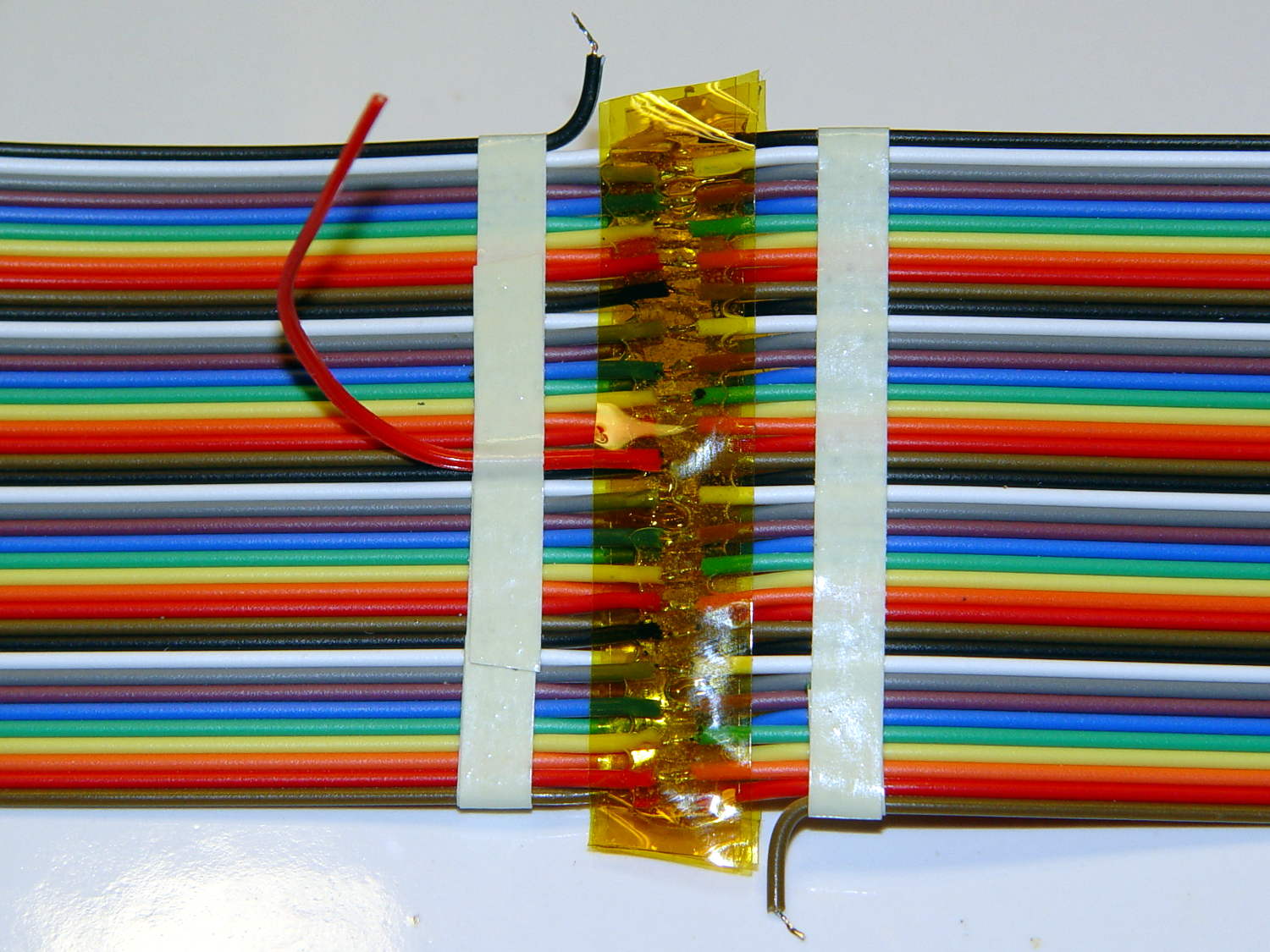
    Those solder joints and finicky little wires seem much too fragile on their own:

    LF Loop Antenna - complete joint
    LF Loop Antenna – complete joint

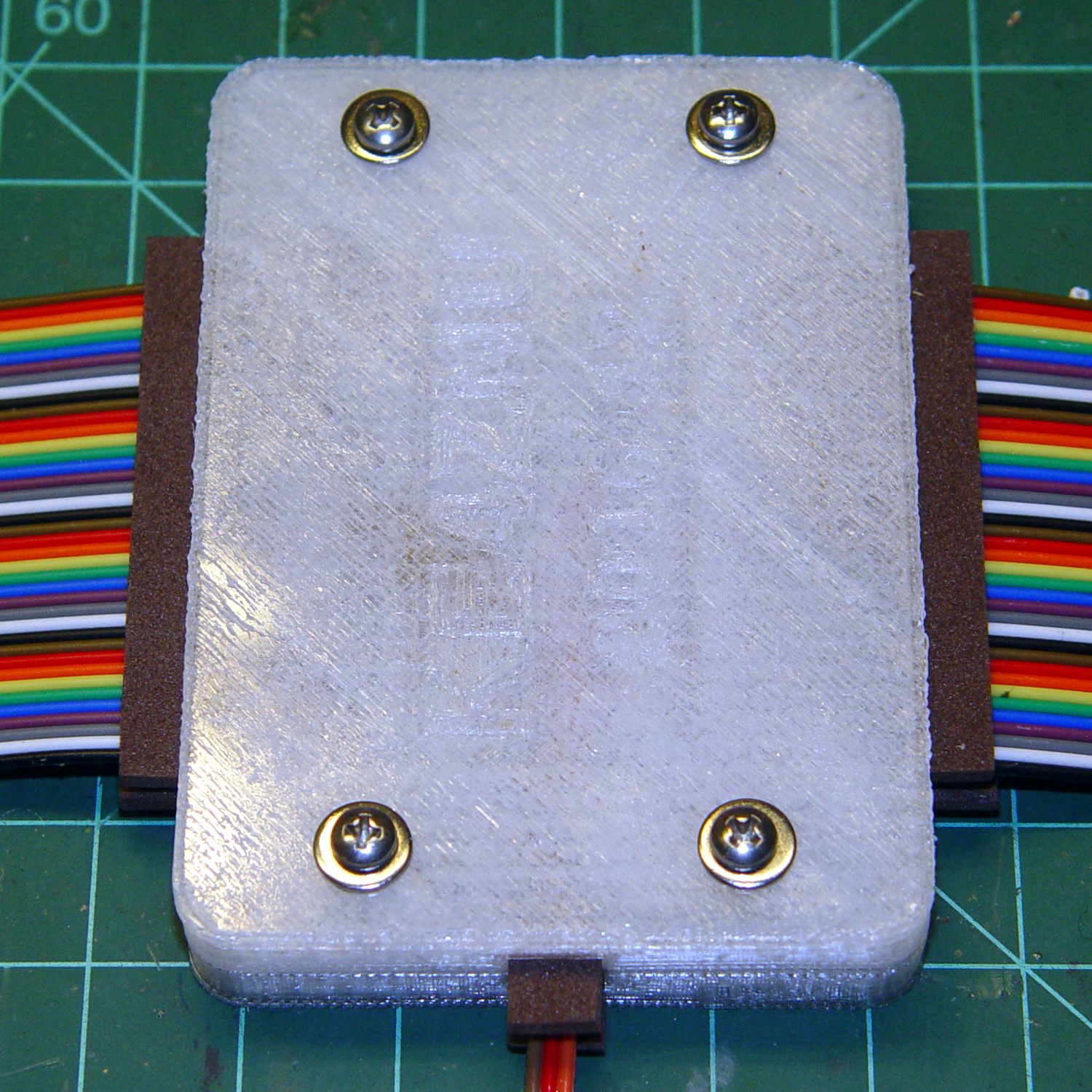
    This should help:

    Loop Antenna Splice - assembled
    Loop Antenna Splice – assembled

    Foam blocks hold the ribbon cable in place and provide a bit of strain relief around the hard plastic edge:

    Loop Antenna Splice - hardware
    Loop Antenna Splice – hardware

    The brass inserts in the bottom block (on the left) got epoxied in place, because they must provide quite a bit of force to clamp the foam. Their larger knurled end sits flush with the outside surface and the smaller end has one thread thickness of clearance below the inner surface.

    A last look at the wiring:

    Loop Antenna Splice - wiring
    Loop Antenna Splice – wiring

    I think the preamp must sit at some distance from the antenna to prevent feedback, but that remains to be seen.

    The M2’s nozzle accumulated a huge blob of PETG that turned into a giant smear:

    Loop Antenna Splice - PETG booger
    Loop Antenna Splice – PETG booger

    Fortunately, it’s on the inside where nobody will ever see it. If you know where to look, it’s barely visible from the outside.

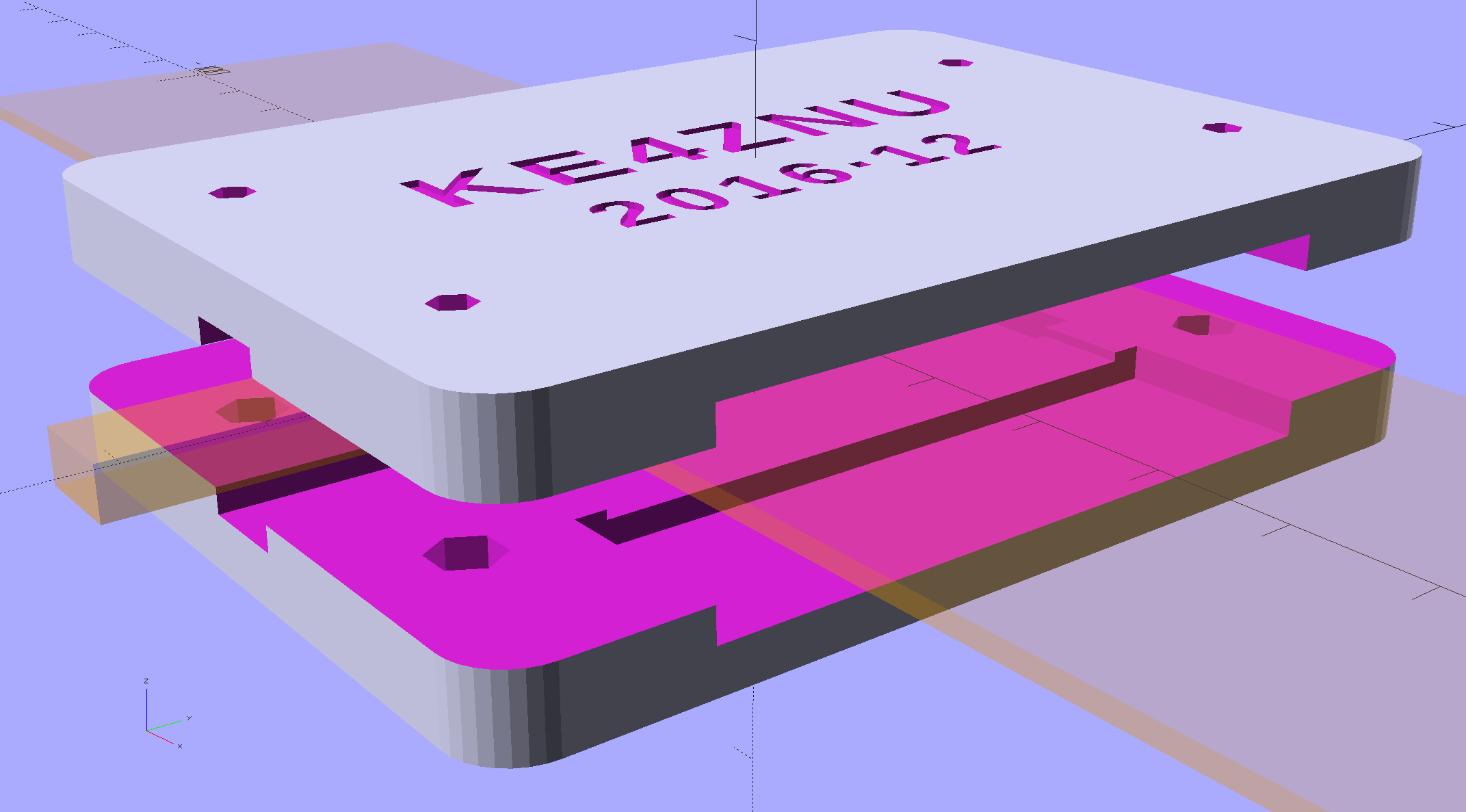
    The solid model shows off the structure a bit better:

    Loop Antenna Splice - show view
    Loop Antenna Splice – show view

    The inside view:

    Loop Antenna Splice - bottom
    Loop Antenna Splice – bottom

    The OpenSCAD source code as a GitHub Gist:

    // Ribbon cable loop antenna splice
    // Ed Nisley KE4ZNU December 2016
    Layout = "Text";
    //- Extrusion parameters must match reality!
    ThreadThick = 0.25;
    ThreadWidth = 0.40;
    HoleWindage = 0.2;
    Protrusion = 0.1; // make holes end cleanly
    inch = 25.4;
    function IntegerMultiple(Size,Unit) = Unit * ceil(Size / Unit);
    //———-
    // Dimensions
    Cable = [200,48.0,1.5]; // X = longer than anything else
    Splice = [15.0,53.0,5.0]; // epoxy blob around joints
    Foam = [15.0,Splice[1],2.0];
    CornerRadius = 5.0;
    ID = 0;
    OD = 1;
    LENGTH = 2;
    Insert = [3.9,4.6 – 0.1,5.8]; // 4-40 knurled brass insert
    Screw = [2.7,5.5,2.0]; // OD = head LENGTH = head thickness
    Washer = [3.0,8.0,0.8];
    BlockOA = [60.0, // convenient length
    Splice[1] + 4*Washer[OD], // clearance around washer on top
    2*(Insert[LENGTH] + 2*ThreadThick)]; // insert sets both thicknesses
    NumScrews = 2; // screws along each side of cable
    ScrewOC = [BlockOA[0] / NumScrews,
    BlockOA[1] – 2*Washer[OD],
    2*BlockOA[2] // ensure complete holes
    ];
    TextThick = 3*ThreadThick; // depth of text into surface
    TextFit = HoleWindage/2; // clearance around text polygons
    //———————-
    // Useful routines
    module PolyCyl(Dia,Height,ForceSides=0) { // based on nophead's polyholes
    Sides = (ForceSides != 0) ? ForceSides : (ceil(Dia) + 2);
    FixDia = Dia / cos(180/Sides);
    cylinder(d=(FixDia + HoleWindage),h=Height,$fn=Sides);
    }
    //—–
    // Blocky model of cable + splice + wire tap for subtraction
    module Antenna() {
    union() {
    cube(Cable,center=true);
    cube(Splice,center=true);
    for (i=[-1,1])
    translate([0,-Splice[1]/2,0])
    cube([Splice[0]/2,Splice[1],2*Foam[2]],center=true);
    }
    }
    // Outside shape of splice Block, less screw clearance
    module SpliceBlock() {
    difference() {
    hull()
    for (i=[-1,1], j=[-1,1])
    translate([i*(BlockOA[0]/2 – CornerRadius),j*(BlockOA[1]/2 – CornerRadius),-BlockOA[2]/2])
    cylinder(r=CornerRadius,h=BlockOA[2],$fn=4*8);
    for (i = [0:NumScrews – 1], j=[-1,1])
    translate([-BlockOA[0]/2 + ScrewOC[0]/2 + i*ScrewOC[0],j*ScrewOC[1]/2,-(BlockOA[2]/2 + Protrusion)])
    PolyCyl(Screw[ID],BlockOA[2] + 2*Protrusion,6);
    }
    }
    // Splice block less cable
    module ShapedBlock() {
    difference() {
    SpliceBlock();
    Antenna();
    }
    }
    // Bottom
    module BottomPlate() {
    difference() {
    ShapedBlock();
    translate([0,0,BlockOA[2]/2])
    cube(BlockOA + 2*[Protrusion,Protrusion,0],center=true);
    Antenna(Splice);
    for (i = [0:NumScrews – 1], j=[-1,1])
    translate([-BlockOA[0]/2 + ScrewOC[0]/2 + i*ScrewOC[0],j*ScrewOC[1]/2,-(BlockOA[2]/2 + Protrusion)])
    PolyCyl(Insert[OD],2*Insert[LENGTH],6);
    for (i=[-1,1])
    translate([i*((BlockOA[0] – Foam[0] + Protrusion)/2),0,(BlockOA[2]/2 – Cable[2]/2 – Foam[2])])
    cube([Foam[0] + Protrusion,Foam[1],BlockOA[2]],center=true);
    }
    }
    // Top
    module TopPlate() {
    difference() {
    ShapedBlock();
    translate([0,0,-BlockOA[2]/2])
    cube(BlockOA + 2*[Protrusion,Protrusion,0],center=true);
    Antenna(Splice);
    for (i=[-1,1])
    translate([i*((BlockOA[0] – Foam[0] + Protrusion)/2),0,-(BlockOA[2]/2 – Cable[2]/2 – Foam[2])])
    cube([Foam[0] + Protrusion,Foam[1],BlockOA[2]],center=true);
    rotate(90) {
    translate([0,6,BlockOA[2]/2 – TextThick])
    TextHack("KE4ZNU",8,0.0,1.15,TextThick + Protrusion);
    translate([0,-6,BlockOA[2]/2 – TextThick])
    TextHack("2016·12",6,0.0,1.20,TextThick + Protrusion);
    }
    }
    }
    module TextHack(Text="sample",Size=10,Offset=0.0,Space=1.0,Thick=ThreadThick) {
    linear_extrude(height=Thick,convexity=10)
    offset(r=Offset)
    text(Text,font=":bold",size=Size,spacing=Space,halign="center",valign="center");
    }
    //———-
    // Build them
    if (Layout == "Antenna")
    Antenna();
    if (Layout == "SpliceBlock")
    SpliceBlock();
    if (Layout == "ShapedBlock")
    ShapedBlock();
    if (Layout == "Bottom")
    BottomPlate();
    if (Layout == "Top")
    TopPlate();
    if (Layout == "Text") {
    translate([0,6,0])
    TextHack("KE4ZNU",8,-TextFit,1.15,TextThick);
    translate([0,-6,0])
    TextHack("2016·12",6,-TextFit,1.20,TextThick);
    }
    if (Layout == "Show") {
    translate([0,0,5])
    TopPlate();
    translate([0,0,-5])
    BottomPlate();
    color("Orange",0.2)
    Antenna();
    }
    if (Layout == "Build") {
    translate([0,-0.6*BlockOA[1],BlockOA[2]/2])
    rotate([180,0,0])
    TopPlate();
    translate([0,0.6*BlockOA[1],BlockOA[2]/2])
    BottomPlate();
    }
  • Maxell CR2032 Lithium Cell: Early Failure

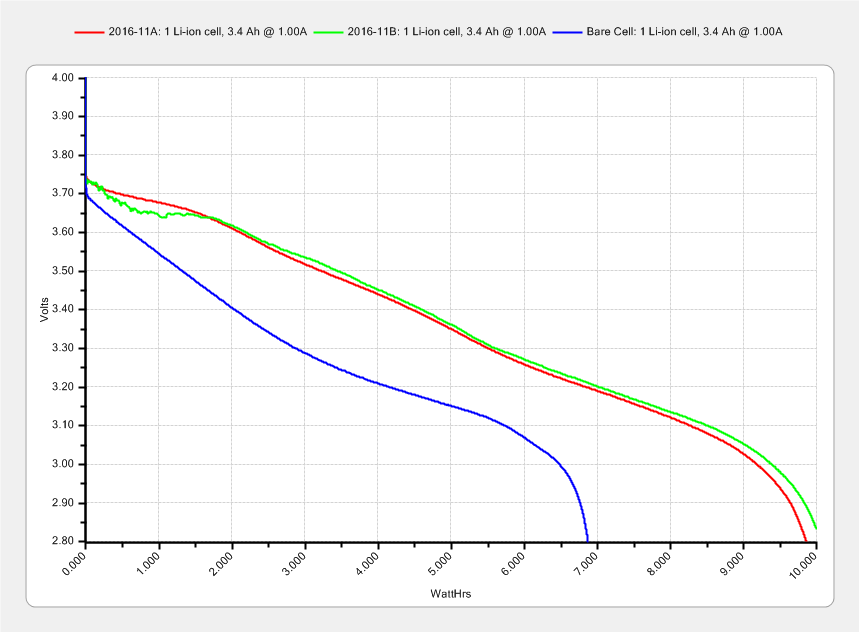
    The Hobo datalogger buried in the dirt under the patio kvetched about a low battery, which produced this surprising result:

    Maxell CR2032 cell - early failure
    Maxell CR2032 cell – early failure

    Cells from the same lot have been doing just fine in the other dataloggers, so I hope this is a one-off weak cell and not the harbinger of another run of dead cells.

  • Under-cabinet Lamp Brackets: Close-fit Power Plug

    Adding a little tab to the angled brackets prevents them from pivoting while you’re tightening the mounting screw into the brass insert:

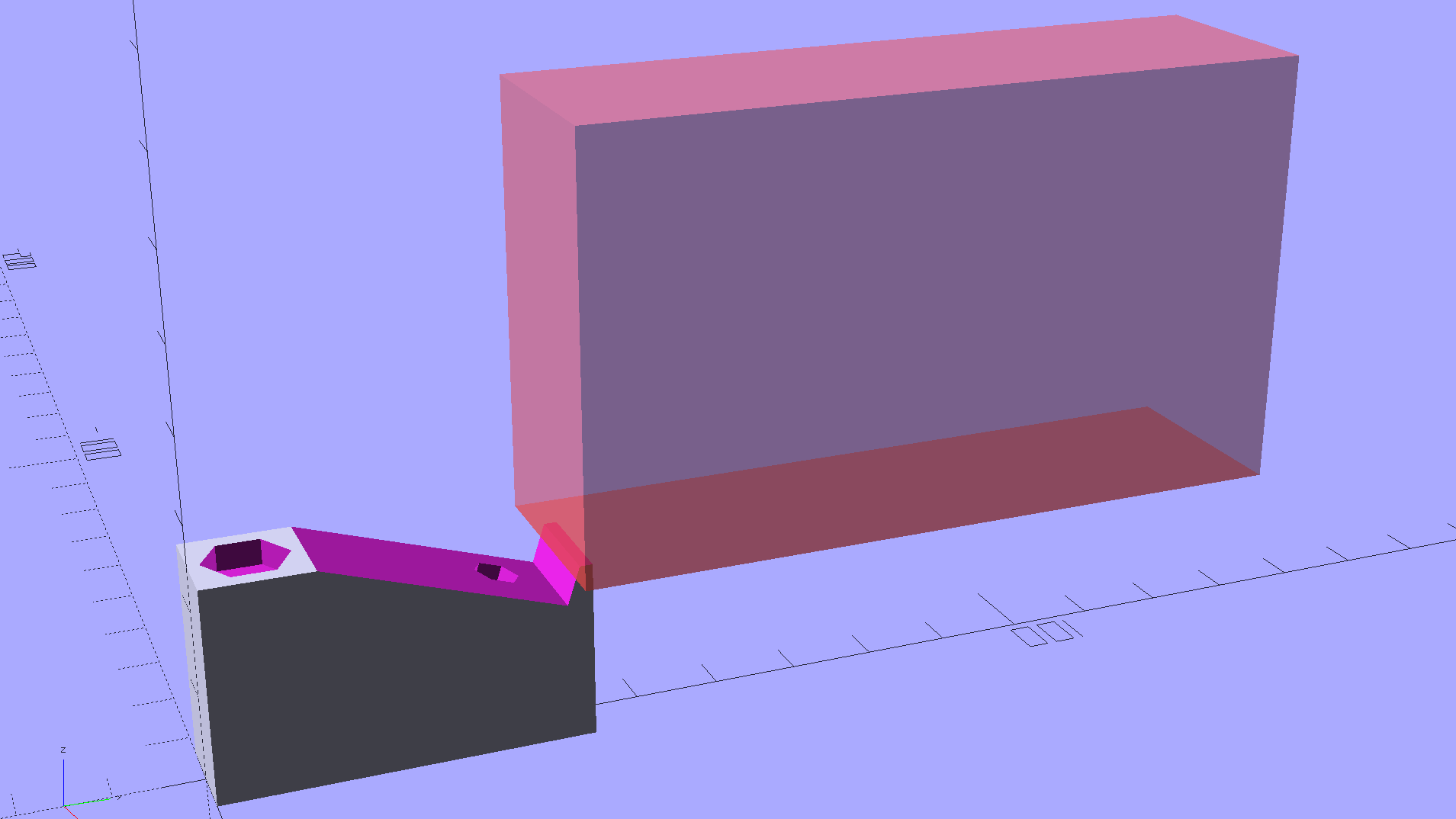
    Kitchen Light Bracket - angled lip - Slic3r preview
    Kitchen Light Bracket – angled lip – Slic3r preview

    The trick with those tabs is to chop ’em off halfway to the tip, because there’s no point trying to print a wedge that ends with a sharp edge:

    Kitchen Light Bracket - angled - tab cutoff - solid model
    Kitchen Light Bracket – angled – tab cutoff – solid model

    Generating & positioning that block goes a little something like this:

    translate([0,
               2*MountBlock[1] - LEDEndBlock[2]*sin(StripAngle),
               MountBlock[2]/2 + MountHeight - 0.5*LEDEndBlock[2]*cos(StripAngle)])
        cube(2*MountBlock,center=true);


    As a rule of thumb, there’s no point in fussing with smaller shapes when a big one will suffice…

    This LED strip fits under the cabinet over the butcher block countertop next to the stove, which turns out to be Just Barely longer than the strip itself:

    Under-cabinet light - cramped power plug
    Under-cabinet light – cramped power plug

    The OEM straight-on coaxial plug (near the bottom of the picture) attached to the wall wart cable obviously wouldn’t fit in the available space, so I gimmicked up a right-angle adapter by the simple expedient of shortening the solder lugs of a plug from the heap (which, admittedly, doesn’t quite fully seat in the socket), bending them sideways, soldering a pair of wires, heatshrinking appropriately, then coating wires + plug with JB Kwik epoxy. The other end of the wires gets a coaxial jack that miraculously fits the OEM plug, styled up with more heatshrink tubing. Not pretty, but nobody will ever see it.

    Unlike the LED strip under the other cabinet, this IR proximity sensor doesn’t mind having a wood edge next to it and, thus, didn’t need a strip of tape to keep it happy.

  • 60 kHz Preamp: Simulation

    This circuitry descends directly from a QEX article (Nov/Dec 2015, p 13) by John Magliacane, KD2BD: A Frequency Standard for Today’s WWVB. The key part, at least for me, is a 60 kHz preamplifier using a resonant-tuned loop antenna and an instrumentation amplifier to reject common-mode interference from local electrostatic fields.

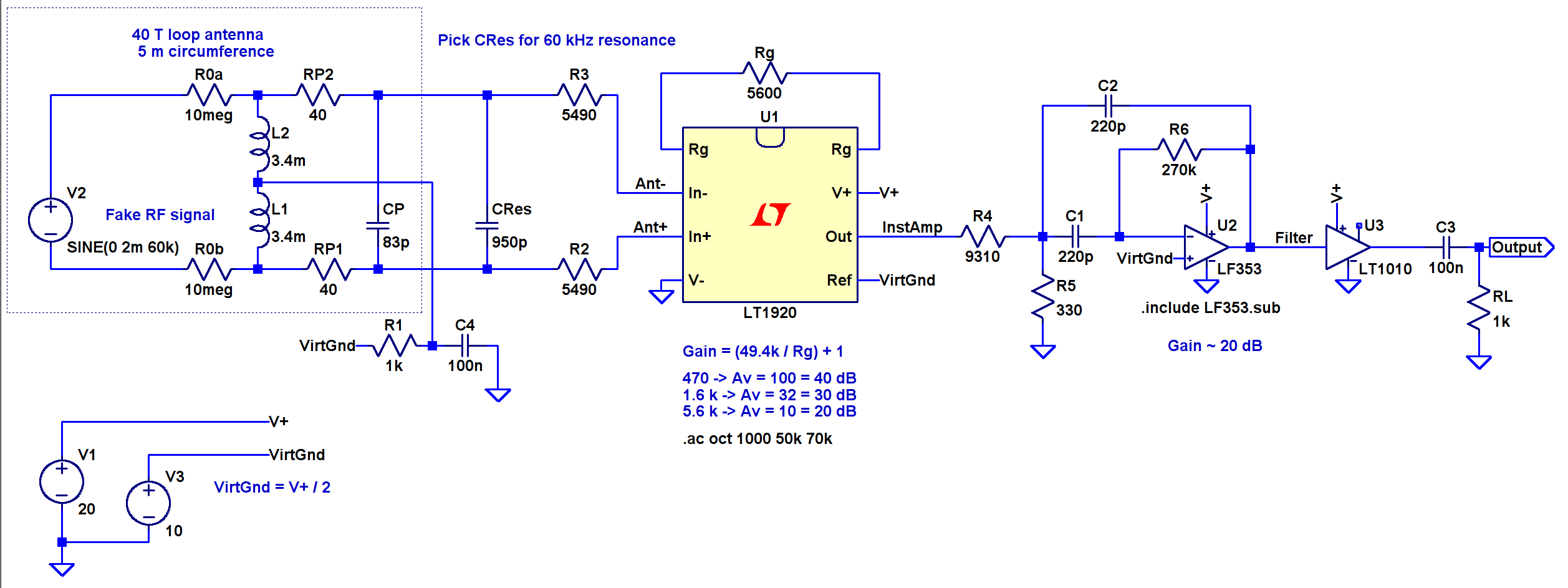
    I tinkered up an LTSpice IV simulation using somewhat more contemporary parts (clicky for more dots):

    60 kHz Preamp - LTSpice schematic
    60 kHz Preamp – LTSpice schematic

    The simulation quickly revealed that the original schematic interchanged the filter amp’s pins 2 and 3; the filter doesn’t work at all when you swap the + and – inputs.

    The stuff in the dotted box fakes the loop antenna parameters, with a small differential AC signal that injects roughly the right voltage to simulate a nominal 100 µV/m WWVB field strength. I biased the center tap to the DC virtual ground at + 10 V and bypassed it to circuit common, so the RF should produce a nice differential signal about the virtual ground. The 5 kΩ resistors provide ESD protection and should help tamp down damage from nearby lightning strikes and suchlike.

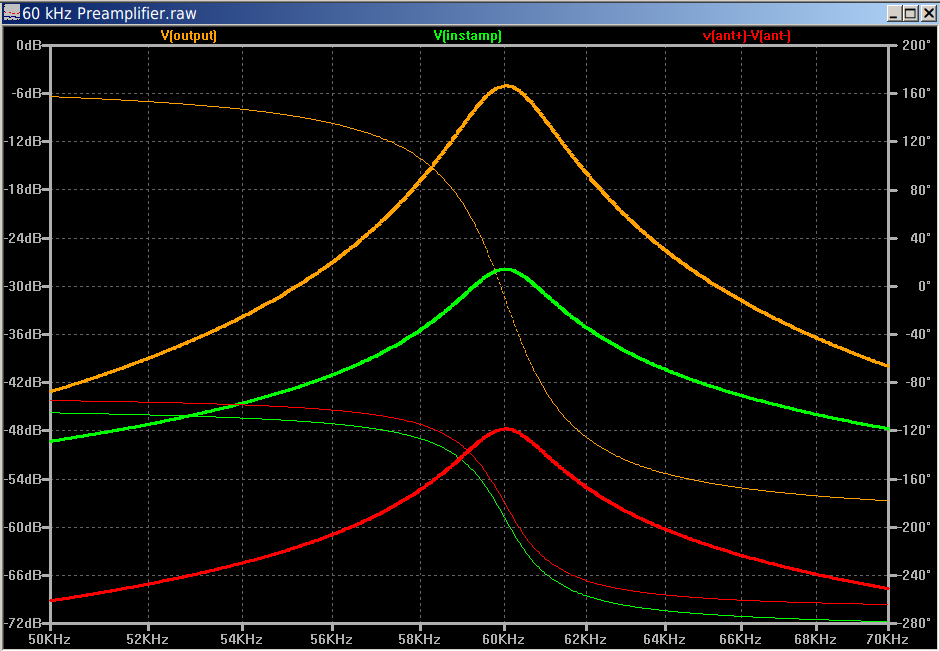
    It works pretty much as you’d expect:

    60 kHz Preamp - Frequency Response
    60 kHz Preamp – Frequency Response

    The LT1920 is mostly flat with 40 dB gain out through 60 kHz, although the actual hardware becomes a nice oscillator with that much gain; my layout and attention to detail evidently leaves a bit to be desired. The LF353 implements a multiple-feedback bandpass filter with about 20 dB of gain; its 4 MHz GBW gives it enough headroom. The LT1010 can drive 150 mA and, with a bit of luck and AC coupling, will feed a 50 Ω SDR input just fine.

    This obviously turns into a Circuit Cellar column: March 2017, if you’re waiting by the mailbox.

  • Under-cabinet Lamp Brackets

    These blocky brackets hold a pair of LED light strips in the recess under our 1955-era kitchen cabinets, to let the light cover the entire counter:

    Kitchen Light Bracket
    Kitchen Light Bracket

    The large holes are for drywall screws into the cabinet, the smaller ones for 2.5 mm SHCS holding the strips to the brackets. I drilled those little holes out and installed 4-40 brass inserts; this being a one-off installation, the source code doesn’t include that change.

    There’s not much to see after they’re installed:

    Under-cabinet light bracket - center joiner
    Under-cabinet light bracket – center joiner

    I’d hoped to swap the ends of the strip to power it from the right end, but the guts aren’t symmetric and you can’t just flip it end-for-end:

    eShine LED Under-cabinet light - disassembled
    eShine LED Under-cabinet light – disassembled

    That’s an add-on unit without the IR proximity sensor circuitry and power switch, but with the same overall layout. You take it apart by pressing the obvious latch on one of the endcaps, then gently prying the plastic away from the aluminum extrusion, taking care not to wreck the coaxial socket. Reassemble in reverse order.

    The OpenSCAD source code as a GitHub Gist:


    // Mounting brackets for eShine under-counter LED lights
    // Ed Nisley KE4ZNU December 2016
    //- Extrusion parameters must match reality!
    ThreadThick = 0.25;
    ThreadWidth = 0.40;
    HoleWindage = 0.2;
    Protrusion = 0.1; // make holes end cleanly
    inch = 25.4;
    function IntegerMultiple(Size,Unit) = Unit * ceil(Size / Unit);
    //———-
    // Dimensions
    MountHeight = (1 + 3/16) * inch – 5.0; // under-cab space – base thickness
    THREADOD = 0;
    HEADOD = 1;
    LENGTH = 2;
    WoodScrew = [4.0,8.3,41]; // 8×1-5/8 Deck screw
    WoodScrewRecess = 2.0;
    LEDScrew = [2.0,4.5,8.0]; // M2.5×10 SHCS
    LEDScrewOffset = [1.0,8.2,0]; // hole offset from center point
    JoinerLength = 18.1; // joiner between strips
    EndBlock = [11.0,28.5,MountHeight]; // mounting block size for ends
    //———————-
    // Useful routines
    module PolyCyl(Dia,Height,ForceSides=0) { // based on nophead's polyholes
    Sides = (ForceSides != 0) ? ForceSides : (ceil(Dia) + 2);
    FixDia = Dia / cos(180/Sides);
    cylinder(d=(FixDia + HoleWindage),h=Height,$fn=Sides);
    }
    // End mounting block with proper hole offsets
    module EndMount(Side = "L") {
    LSO = [((Side == "L") ? 1 : -1)*LEDScrewOffset[0],LEDScrewOffset[1],LEDScrewOffset[2]];
    difference() {
    union() {
    cube(EndBlock,center=true);
    translate([0,1.5*WoodScrew[1],0])
    cube(EndBlock,center=true);
    }
    translate(LSO + [0,0,-EndBlock[2]])
    rotate(180/4)
    PolyCyl(LEDScrew[THREADOD],2*EndBlock[2],4);
    translate([0,(EndBlock[1] + 1.5*WoodScrew[1])/2,-EndBlock[2]])
    rotate(180/6)
    PolyCyl(WoodScrew[THREADOD],2*EndBlock[2],6);
    translate([0,(EndBlock[1] + 1.5*WoodScrew[1])/2,(EndBlock[2]/2 – WoodScrewRecess)])
    rotate(180/6)
    PolyCyl(WoodScrew[HEADOD],WoodScrewRecess + Protrusion,6);
    translate([((Side == "L") ? 1 : -1)*EndBlock[0]/2,0,0])
    rotate([90,0,((Side == "L") ? 1 : -1)*90])
    translate([0,0,-2*ThreadThick])
    linear_extrude(height=4*ThreadThick,convexity=3)
    text(Side,font=":style=bold",valign="center",halign="center");
    }
    }
    module MidMount() {
    XOffset = (JoinerLength + EndBlock[0])/2;
    union() {
    translate([XOffset,0,0])
    EndMount("L");
    cube([JoinerLength,EndBlock[1],EndBlock[2]] + [2*Protrusion,0,0],center=true);
    translate([-XOffset,0,0])
    EndMount("R");
    }
    }
    //———-
    // Build them
    translate([0,0,EndBlock[2]/2]) {
    translate([-(JoinerLength + 2*EndBlock[0]),0,0])
    EndMount("L");
    MidMount();
    translate([(JoinerLength + 2*EndBlock[0]),0,0])
    EndMount("R");
    }

  • Sony HDR-AS30V vs. Lithium Ion 18650 Cells

    These items came near enough to produce an irresistible force:

    Sony HDR-AS30V vs 18650 cells - side view
    Sony HDR-AS30V vs 18650 cells – side view

    How can you look at that layout and not jump to the obvious conclusion?

    The front view suggests enough room for a stylin’ case:

    Sony HDR-AS30V vs 18650 cells - end view
    Sony HDR-AS30V vs 18650 cells – end view

    You’d need only one cell for the camera; I happened to have two in my hand when the attractive force hit.

    The camera is 24.5 ⌀ x 47 tall x 71.5 overall length (67.8 front-to-door-seating-plane).

    The ATK 18650 cells are 19 ⌀ x 69 long, with the overlong length due to the protection PCB stuck on the + end of the cylinder. You can get shorter unprotected cells for a bit less, which makes sense if you’re, say, Telsa Motors and building them into massive batteries; we mere mortals need all the help we can get to prevent what’s euphemistically called “venting with flame“.

    Although I like the idea of sliding the cell into a tubular housing with a removable end cap, it might make more sense to park the cell over the camera in a trough with leaf-spring contacts on each end and a lid that snaps over the top. That avoids threaded fittings, figuring out how to get an amp or so out of the removable end cap contact, and similar imponderables.

    think it’s possible to drill a hole through the bottom of the camera at the rear of the battery compartment to pass a cable from a fake internal cell to the external cell. Some delicate probing will be in order.

    In round numbers, those 18650 cells allegedly have three times the actual capacity of the camera’s flat battery and cost about as much as the not-so-cheap knockoff camera cells I’ve been using.

  • J5 V2 Flashlight: Current Draw

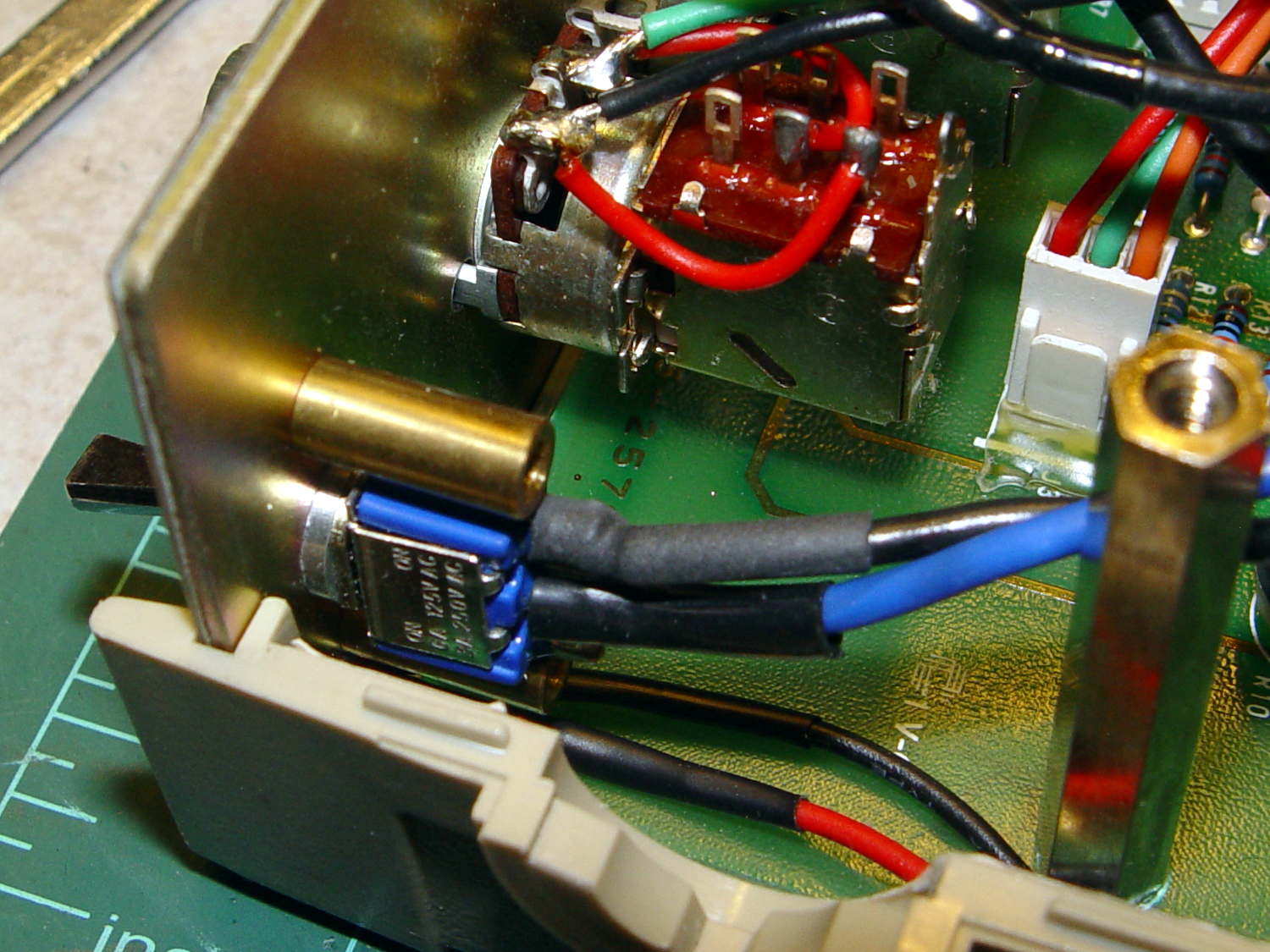
    Just for fun, I measured the J5 V2 flashlight’s current, by the simple expedient of unscrewing the cap and bridging the battery-to-case-threads gap with a multimeter:

    J5 V2 Flashlight - negative cell terminal
    J5 V2 Flashlight – negative cell terminal

    The results:

    • High: 3 A
    • Medium: 1.5 A
    • Low: 0.7 A

    As nearly as I can tell, they’re connecting the 18650 cell directly across the LED for High and PWM-ing it down to 50% and 25%. The PWM frequency is low enough to be visible during eye saccades and flashlight motions.

    The flashlight knows how to do all five modes without its tail cap, so the controller + FET must live behind the LED. I can’t tell if the switch in the tail cap is just a dumb pushbutton (with, it seems, a surprising & ill-controlled resistance) or doing something clever with resistive levels (because the resistance varies with each push); at some point this thing will fail in an amusing manner and I’ll take it apart to find out.

    The High setting dissipates 11 W (!) that pushes the flashlight well beyond uncomfortably warm within five minutes, so that’s not a useful long-term setting. The little alien egg beside the LED melted into a puddle during those five minutes; at least it won’t be moving anywhere else.

    Setting it to Low = 25% PWM duty cycle = 0.7 A (average, sorta-kinda), a freshly charged 18650 cell lasts for about five hours down to 3.6 V, which is pretty close to the cell’s 3.4 A·h rating (kinda-sorta, ignoring the decreasing cell voltage, etc). That suggests Medium would last maybe two hours, tops, and there’s not enough heatsinking to discover how long High would last.

    After 8.5 hours the cell was down to 3.2 V and the LED was, as you’d expect, rather dim. You could click to High for more light, of course, trading off runtime for brightness.

    The square LED emitter array produces a square light pattern that’s not aligned with the flats on the body, so if you happened to be thinking of clamping a holder onto those flats, be prepared for some custom rotation to align the pattern with the outside world. That obviously doesn’t matter in a hand-held flashlight, but a bike headlight might look weird.

    The zoom slider goes from a focused square (at full extension) to a well-filled round disk (at minimum length) with a diameter about five times the square’s side. I think the smooth zoom motion comes from grease-on-O-ring viscosity rather than precision machining.

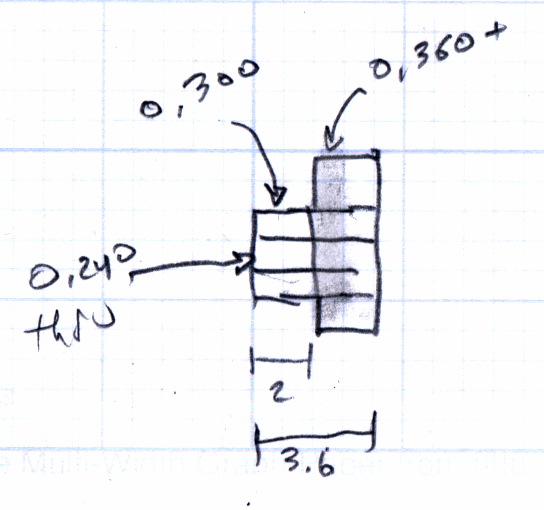
    The original back of the envelope data:

    J5 V2 Flashlight - current and runtime
    J5 V2 Flashlight – current and runtime