Ed Nisley's Blog: Shop notes, electronics, firmware, machinery, 3D printing, laser cuttery, and curiosities. Contents: 100% human thinking, 0% AI slop.
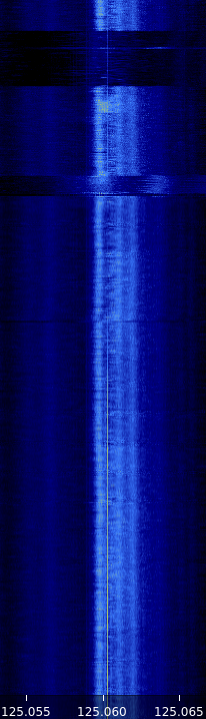
Seven hours of mid-January RF, tight-zoomed in both frequency and amplitude, from 0350 to 1050 local:
WWVB waterfall – N3 – 2017-01-24 1050 – composite
The yellow line of the WWVB carrier comes out 2 ppm high, which means the local oscillator chain is 2 ppm low. We know the WWVB transmitter frequency is exactly 60.000 kHz, translated up by 125 MHz to the N3’s tuning range; you can, ahem, set your clock by it.
The blue band marks the loop antenna + preamp passaband, which isn’t quite centered around 60.000 kHz. Tweaking the mica compression caps just a bit tighter should remedy that situation.
Given that input, a very very tight bandpass filter should isolate the WWVB carrier and then it’s all a matter of fine tuning…
Waterfalls from GQRX, available in the Raspbian repositories
The headless Pi connects to the house WLAN through its built-in WiFi link, so I can run the whole mess from the Comfy Chair at my desk through Remmina / VNC.
The wavy line along the left edge looks like a birdie formed by a local oscillator in the attic, because the frequency varies (inversely) with temperature. It’s probably a signal on the Pi board, rectified by some junction, and translated in-band by some Ham-It-Up harmonic. Whatever.
The other traces come out bar-straight, suggesting that the 0.5 ppm (presumably, per °C) temperature-compensated oscillators along the whole RF chain behave as they should.
There’s a slight frequency shift, on the order of a few parts-per-million, between the absolutely accurate WWVB carrier and the indicated display. Not a big deal.
The broad, albeit irregular, orange band down the middle shows the loop antenna / preamp bandwidth, which is on the order of 2 kHz at -3 dB and a few kilohertz more down to the noise level.
The broad horizontal gashes seem to come from the N3’s on-board hardware AGC reacting to signals far outside the waterfall. Various birdies appear & disappear, even in this limited view, so you can just imagine what’s happening off-screen; anything popping up within the SDR’s tuning range clobbers the gain, which becomes painfully visible when zoomed this far in along both frequency and amplitude. Turning AGC off should stabilize things; perhaps software can tweak the SDR gain based on a very narrowband filter around 60.000 kHz.
The upper half of the waterfall shows decent reception for most of the night. The bottom half shows there’s basically nothing goin’ down during the day, which is about what I’d expect based watching the Alpha Geek Clock for seven years.
In any event, another 24 hours with the AGC turned off looks better:
WWVB 24 hr waterfall – Thumbnet N3 – 2017-01-19
Various sources still clobber the receiver response, but it’s not quite so dramatic.
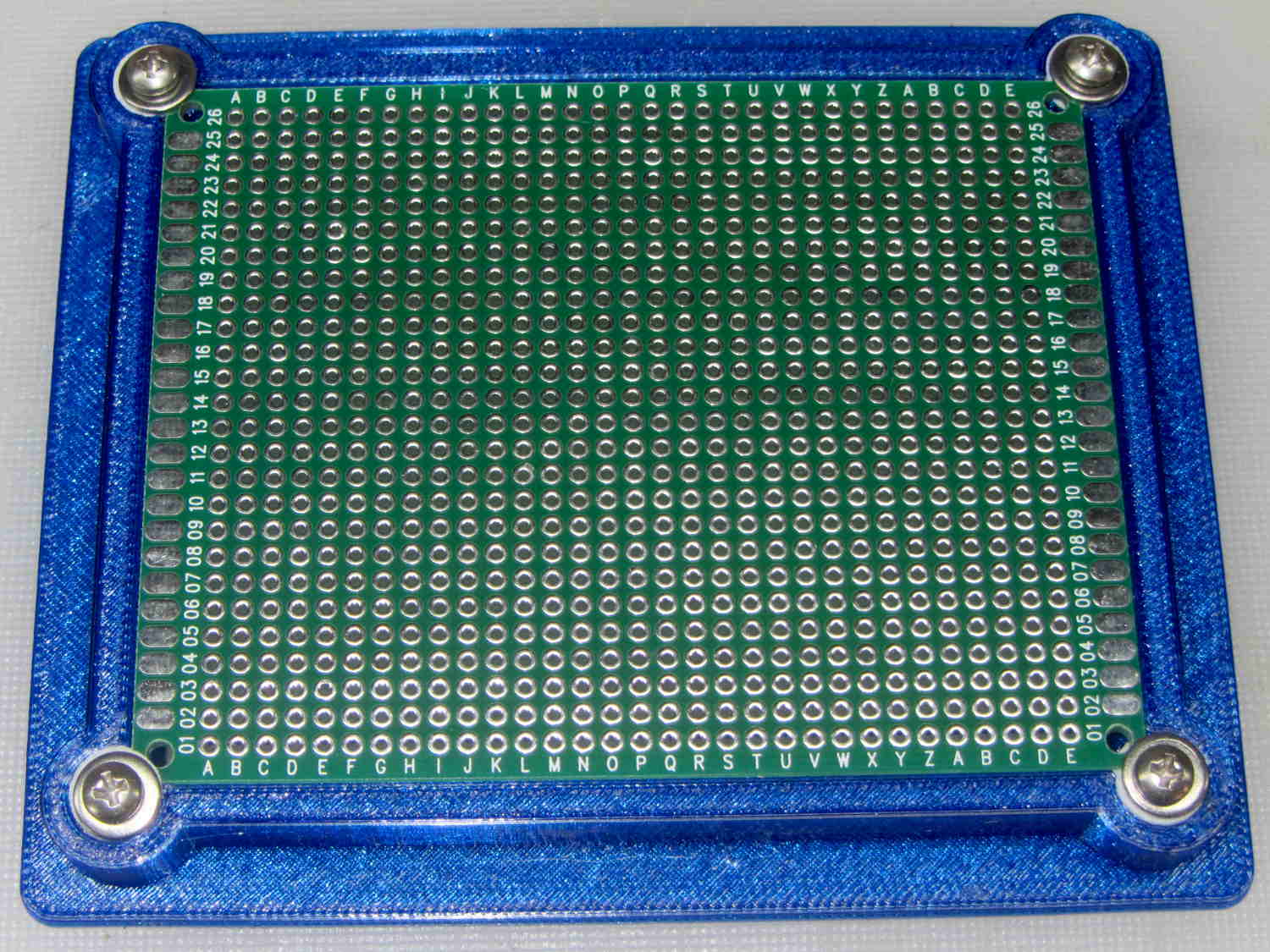
A stack of PCB proto boards arrived from halfway around the planet and, in a rare preemptive strike, I made some holders before I need them:
PCB Protoboard – in holder
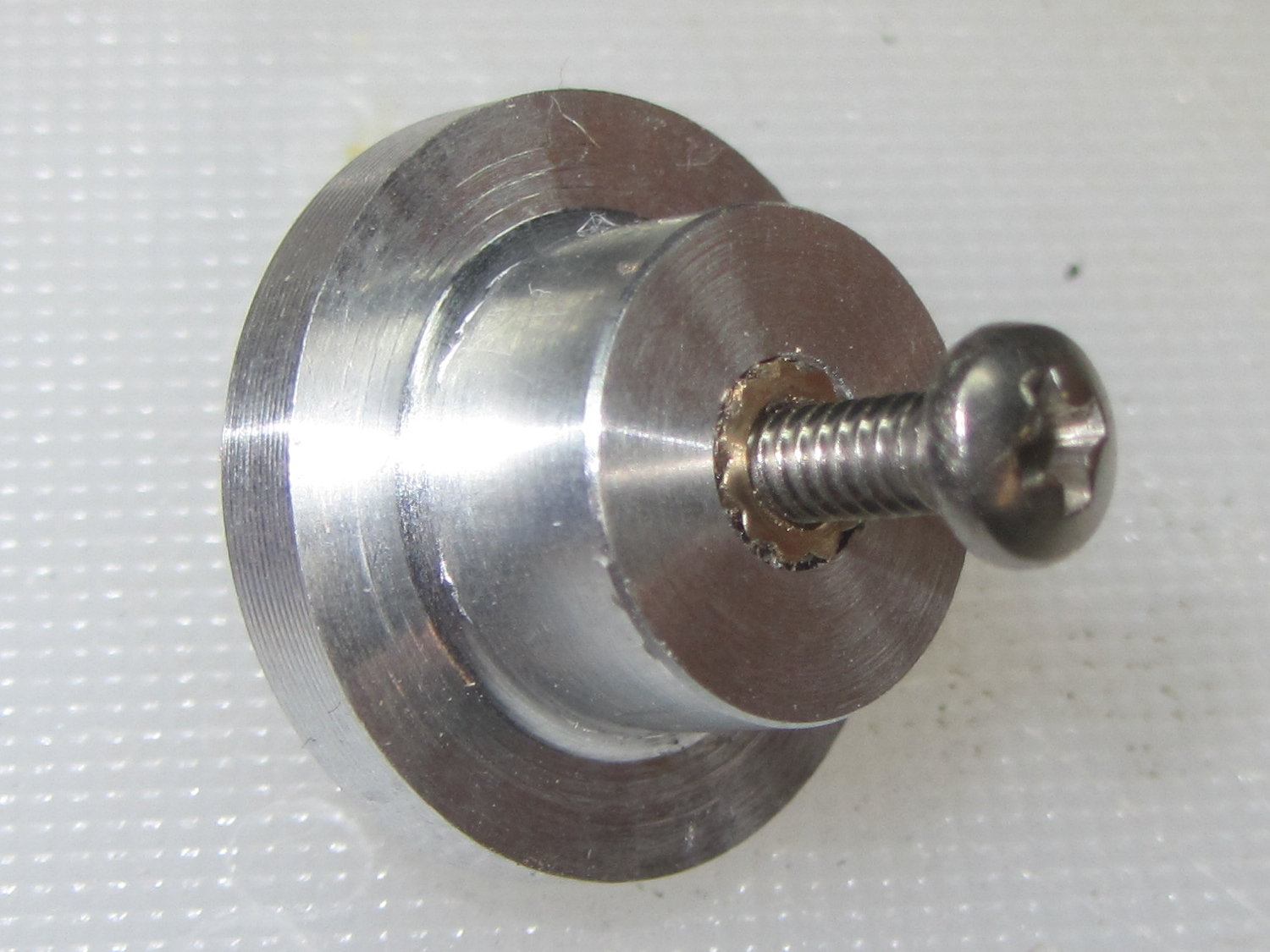
That called for trimming eight 4-40 screws, so I also tried a first pass at a screw cutting fixture:
Screw cutting fixture – 4-40 insert
That’s an ordinary 4-40 brass insert epoxied inside a drilled hole, with a snug 4-40 clearance hole on the other side.
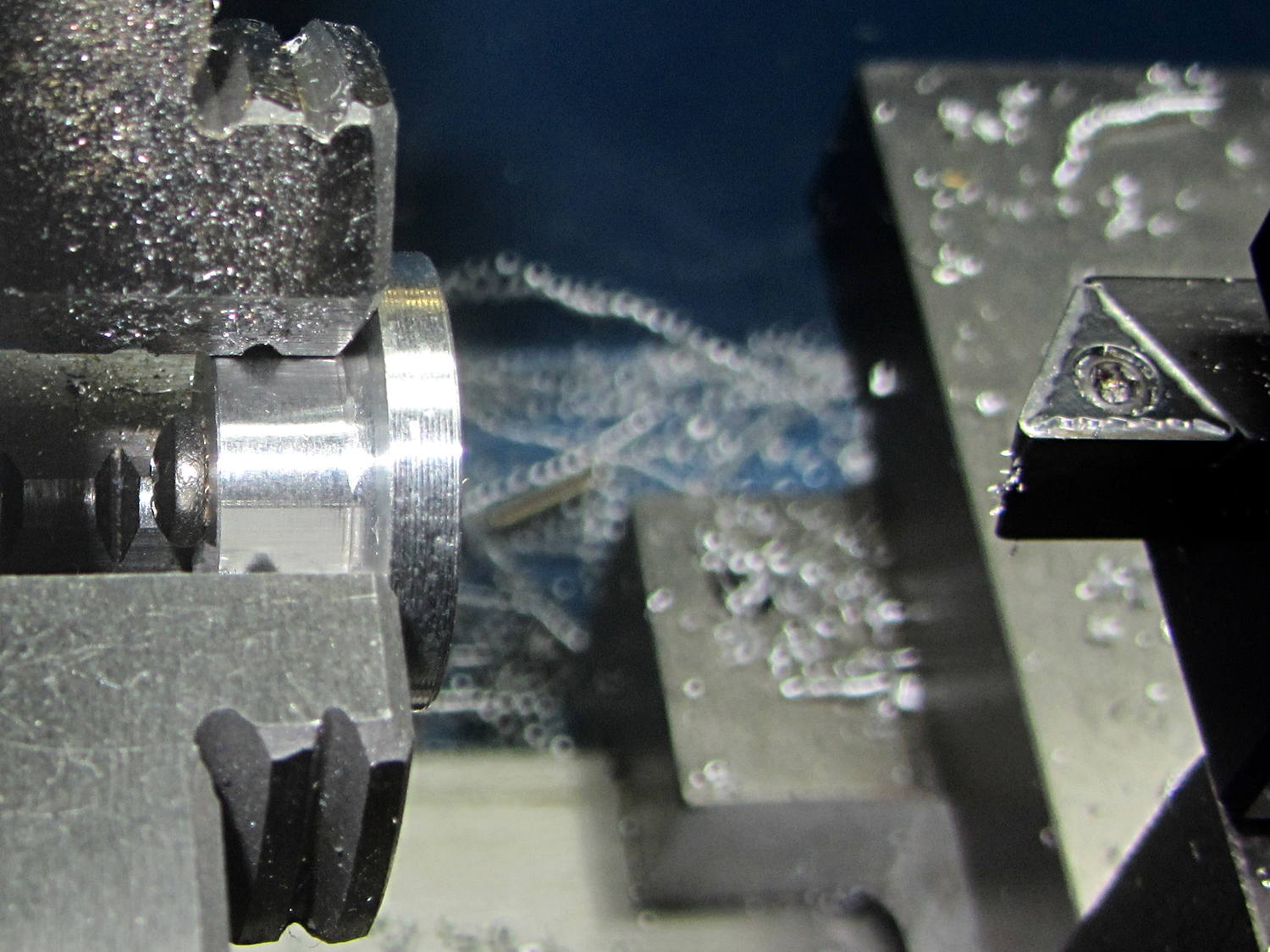
If I needed slightly longer screws, they’d get a jam nut on the inside, but in this case I just tightened it firmly, ran the lathe in reverse, and cut against the far side to keep the screw from working loose:
Screw cutting fixture – in use
The insert is on the left side of the fixture, just under the screw head.
Unfortunately, my faith in epoxy bonding led me astray: there’s just not enough griptivity to lock the insert inside that drilled aluminum hole. Despite my taking sissy cuts, the cutting forces pushed the insert out of its hole. I completed the mission by cutting the last four screws by hand.
The original idea for the fixture would have me turning the fixture from steel and tapping the screw hole. That puts a lot of labor into something that may get chewed up fairly quickly, so I wondered if a brass insert would suffice.
Not in that orientation, it doesn’t. Putting the insert on the other side of the fixture (to the right, away from the chuck) would have the cutting forces pushing it into the fixture, which should have been obvious from the start. So it goes.
When I must cut a larger screw, I’ll redrill that fixture, put the insert on the other side, and see how that plays.
If I turned the fixture from steel with similar drilled similar holes, I could braze / silver solder the insert into the hole: that would prevent it from turning, even if the jam nut wasn’t quite up to the task.
X10 control from the two HR12A remotes got much worse over the last few months and eventually failed completely, which meant I had to actually walk over to the lights and click the switches. Not to be tolerated, sez I, so I would walk to the bedroom and poke the appropriate buttons on the wired controller (long since obsolete) by the bed. That worked perfectly, which eventually convinced me to dismantle the TM 751 transceiver.
It’s not good when soot plates the case:
X10 TM751 – Smoked case
I like how they capacitively coupled RF from the antenna for complete line-voltage isolation.
The PCB looked like it got rather hot over there on the left side:
X10 TM751 – Overheated PCB
A Zener diode on the component side of the PCB looked a bit toasty, so I decided this gadget had passed its best-used-by-date and dropped it in the electronics recycling box (after harvesting the antenna, just in case).
A new-in-box TM 751 from eBay arrived a few days ago and works just fine.
The lumpy surface of the Michelin Pro-Tek Max tubes now in the back tire of our bikes can’t be patched, which means (being that type of guy) I must carry along a spare tube in addition to a handful of CO2 cartridges. So, having cleaned out my tube stash, I ordered a pair from an Amazon supplier, not my usual bottom-dollar eBay suppliers, clearly described as fitting the Schwalbe Marathon Plus 700x35C tires.
The Amazon listing and the box label agreed, but (being that type of guy) I just had to extract the tube to see what I got:
Meetlocks tube size mismatch
Huh.
According to the seller, who speaks and writes English far better than I can handle Mandarin (or whatever):
Yes, you are right, you also didn’t bought wrong items for your tire. we marked the 700×28-32, just for our manufacture to difference from another big size from 700/35-45C, because if we marked the size 700×28-35C, sometimes , the worker will packing 700×35-45c into the packing, and let the tube can not used for the 700x35c customer..
Huh.
It turns out the tube has 35-38 embossed into the rubber, so it’s not obvious the tube would fit into the smaller 28-32 size tires as labeled. It all depends on what you trust: the mold, the tube’s stamp, the box label, or the advertising.
Next time around, an event I hope (but do not expect) lies far in the future, I’ll spend a bit more for what will undoubtedly be the same tube from the same factory, but from a vendor buying enough QC to ensure the workers know what they’re packing. Having all the labels match would be a definite bonus.
We biked to some errands on an unseasonably warm 4 January and, a few days later, I noticed the rear tire on Mary’s bike was flat. A bit of Quality Shop Time later:
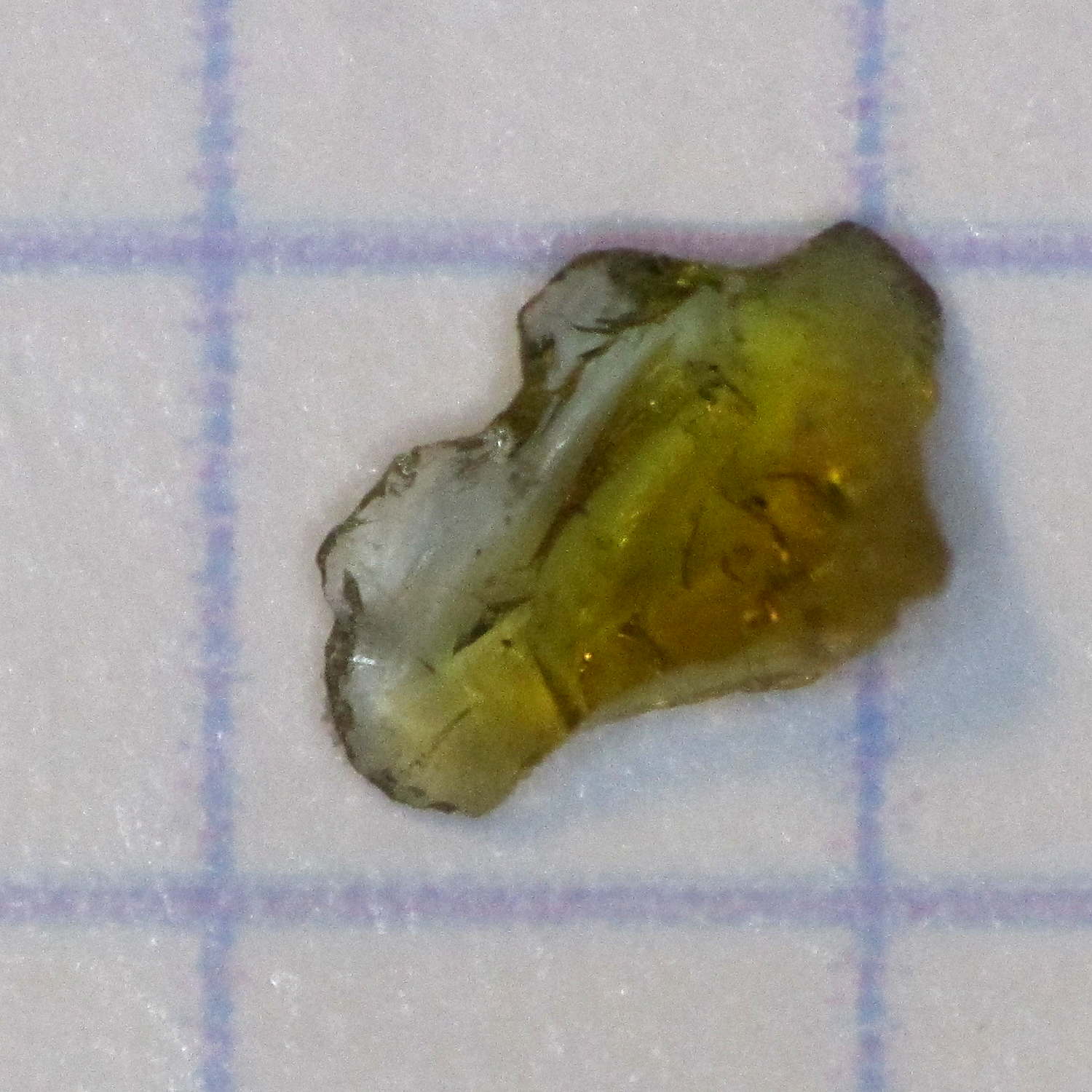
Brown Glass Chip
On the upside, I found it in the garage and fixed it in the basement.
The chip emerged from one of two adjacent gashes in the middle of the tread, but hadn’t quite cut through the tire. A somewhat larger chip (that’s a 0.1 inch grid) in the other gash cut through the Schwalbe Marathon’s protective belt to puncture the tube, then fell out.
The rear wheel of her bike now sports a Michelin Pro-Tek Max tube inside a Schwalbe Marathon Plus tire, as does mine. The wheel + tube + tire probably weighs as much as some entire carbon-fiber bikes, but it doesn’t matter.
Searching for the obvious keywords will produce many other instances…
For unknown reasons, probably having to do with the unmitigated disaster of trying to get an SDRPlay radio working with GNU Radio (about which, more later), Unicode keyboard input stopped working. This is not to be tolerated, because engineering notation requires a lot of Greek letters.
Unicode support seems to be baked into the lowest levels of the Linux operating system, although it’s not clear to me whether it’s in X, QT, GTK, or somewhere else. Googling the obvious keywords was unavailing; evidently this feature never ever fails or, more likely, very few people use it to any extent.
Note that I already have the Compose key set up, but Compose sequences don’t include Greek letters.
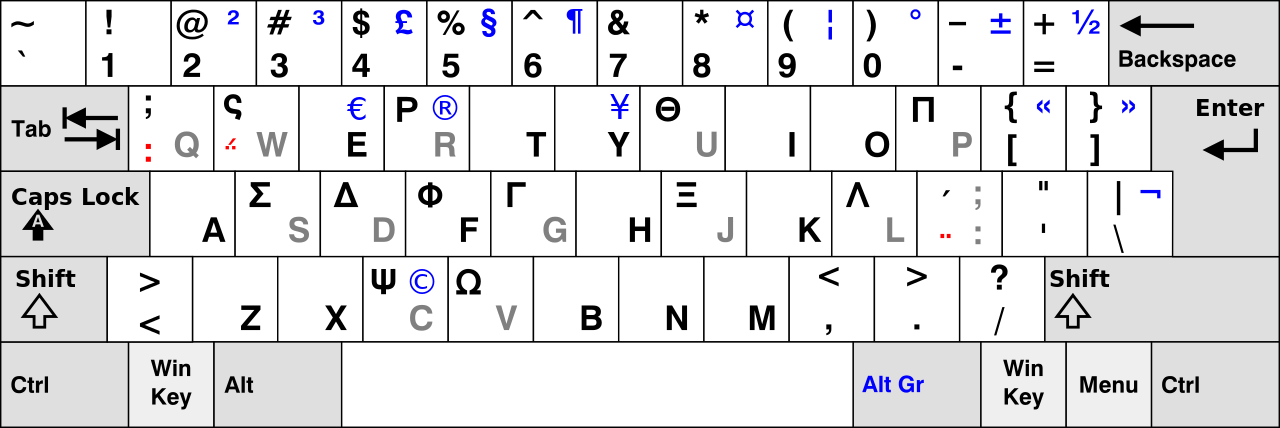
After considerable flailing, I added the Simple Greek keyboard layout and defined the (otherwised unused) Menu key as the keyboard layout switcher. That’s a pretty big hammer for a rather small problem; I devoutly hope Unicode mysteriously starts working again.





 The Smell of Molten Projects in the Morning