The Smell of Molten Projects in the Morning

Ed Nisley's Blog: Shop notes, electronics, firmware, machinery, 3D printing, laser cuttery, and curiosities. Contents: 100% human thinking, 0% AI slop.

Author: Ed

  • Blogging vs. Advertising

    Two readers recently complained of auto-playing, non-mute-able video advertisements on these pages. As I mention over in the right column, down near the bottom, WordPress controls the number of ads, their placement, and (somewhat) their content.  They call it the “WordAds” program, which is distinct from Google’s “Adwords” program, and I have opted into the WordAds program to get a cut of the revenue.

    Here’s what my advertising revenue amounted to over the last six years:

    Period Earnings Ad Impr $ / 1k
    2017-12 103.93 80749 1.29
    2017-11 87.25 93419 0.93
    2017-10 79.14 86267 0.92
    2017-09 84.59 84114 1.01
    2017-08 45.5 15767 2.89
    2017-07 43.62 15247 2.86
    2017-06 43.36 14914 2.91
    2017-05 32.9 16928 1.94
    2017-04 24.23 17546 1.38
    2017-03 19.04 20630 0.92
    2017-02 9.1 15711 0.58
    2017-01 7.19 7597 0.95
    2016-12 7.59 15804 0.48
    2016-11 7.28 16772 0.43
    2016-10 6.79 15743 0.43
    2016-09 5.23 7993 0.65
    2016-08 6.19 20892 0.30
    2016-07 5.48 18968 0.29
    2016-06 14.5 3191 4.54
    2016-05 17.79 15721 1.13
    2016-04 16.1 24145 0.67
    2016-03 10.54 20741 0.51
    2016-02 5.96 15726 0.38
    2016-01 22.68 17557 1.29
    2015-12 17.5 16635 1.05
    2015-11 21.49 16526 1.30
    2015-10 21.35 16627 1.28
    2015-09 20.22 15670 1.29
    2015-08 21.47 16639 1.29
    2015-07 21.85 15112 1.45
    2015-06 21.85 14146 1.54
    2015-05 18.72 15857 1.18
    2015-04 35.9 18819 1.91
    2015-03 37.77 19759 1.91
    2015-02 36.28 18911 1.92
    2015-01 42.73 22124 1.93
    2014-12 42.48 18687 2.27
    2014-11 55.46 23822 2.33
    2014-10 55.46 23736 2.34
    2014-09 56.78 23746 2.39
    2014-08 57.83 23219 2.49
    2014-07 56.64 22567 2.51
    2014-06 43.45 17624 2.47
    2014-05 38.98 16053 2.43
    2014-04 33.9 14053 2.41
    2014-03 35.28 14985 2.35
    2014-02 35.59 15194 2.34
    2014-01 22.14 10445 2.12
    2013-12 25.32 11855 2.14
    2013-11 23.49 10829 2.17
    2013-10 25.16 11259 2.23
    2013-09 26.46 13000 2.04
    2013-08 23.93 12717 1.88
    2013-07 21.09 12298 1.71
    2013-06 19.15 12277 1.56
    2013-05 18.54 13143 1.41
    2013-04 25.93 18351 1.41
    2013-03 84.46 130351 0.65
    2013-02 22.24 34318 0.65
    2013-01 31.28 48283 0.65
    2012-12 30.09 11479 2.62
    2012-11 23.41 9394 2.49
    2012-10 37.8 501 75.45
    2012-09 22.34 8314 2.69
    2012-08 34.79 N/A N/A
    2012-07 22.48 N/A N/A
    2012-06 30.57 N/A N/A
    2012-05 19.9 N/A N/A
    2012-04 3.66 N/A N/A

    [Edit: Update headings, get decimals right.]

    To save you the trouble, the second column adds up to $2200: I’ve been raking in $1/day.

    In recent years and very round numbers, this blog gets 650 visitors and 1000 page views per day, for about 1.6 page views/visitor and 30 k views/month.

    You can clearly see the collapse of online advertising starting in early 2016, where the revenue fell off a cliff.

    Until the last few months, the eyeballometric average of 15 k “ad impressions” / month amounts to either half an ad per page view or half of the visitors running ad blockers. I strongly doubt the latter, so maybe WordPress showed ads only on the first page view. The month-to-month variations suggest WP tinkered with the ad quantities and placement; I have no visibility into nor control over any of those machinations.

    Early last year, WP apparently began pushing video ads, because the revenue per ad doubled, tripled, then jumped to nearly 30¢/impression, all from the same number of impressions.

    September seems to be when WP went from one ad per view to three, with at least one of them being an aggressive video ad. The per-ad revenue dropped by a factor of two, though, suggesting the additional (non-video?) ads have no value, video ads aren’t as hot as they used to be, or creative rearrangement of WP’s (unknown) revenue sharing ratio.

    So I had a brief exchange with the WP Happiness Engineers on the subject (edited for conciseness, with additional commentary):

    > Can you provide a little more detail, please?

    In recent weeks, two readers have posted disturbing comments:

    ———-
    Is there a secret to avoiding the auto-play video ad that ignores the “mute button” and refuses to let you scroll away?
    I really enjoy your blog posts … but the hijacking by the video causes me to not view as often as I used to …
    ———-

    They obviously didn’t (and surely can’t) give me the URLs for those video ads, but they’re obviously not isolated events.

    My rule of thumb says one person reporting a problem means ten had a similar problem and another hundred just walked away.

    I know:

    1) I can pay WP to suppress all the ads. That feels a lot like blackmail from this side of the exchange, particularly with aggressive video ads.

    2) I can turn off WordAds and forego the ad revenue. That neither reduces the ad load nor improves their quality. It seems to only give WP even more incentive to monetize my IP.

    I’ve suggested to all my readers that they should be running an ad blocker, because the next step after WP presenting crappy video ads from sketchy ad brokers will be shoveling malware from outright thugs. If malware can happen to ads from, say, the NY Times, it can definitely happen with WP.

    Kill the scummy ads!

    This would be nice:

    I’ve asked our team if we can disable the video ads on your site. I’ll get back to you as soon as I hear from them.

    Apparently they can’t kill all the video ads.

    I find it frustrating when successive help-desk contestants don’t read the actual trouble reports and ask for information I obviously can’t provide:

    I wanted to get a bit of clarification from you on the ads which are causing trouble on your site so we can pinpoint them and help to remove them.

    There are two different types of video ads, can you let me know which of these two you are referring to?

    Standalone video ads in a big placement below posts.

    In-banner video. This is your standard banner ad placement and type except that there’s some video auction in the banner.

    Having already told them everything I know, there’s little more I can add:

    Two readers took the time to comment about them and I must assume the ads have pissed off many more people, but I have no further information on the ads.

    Frankly, if you can’t identify the ads from this description:

    1) “the auto-play video ad that ignores the “mute button” and refuses to let you scroll away”

    2) “hijacking by the video”

    Then WP definitely has lost control over the WordAds program.

    Ads like that cheapen the WP brand. Why would WP want their blogging platform associated with aggressive crap?

    It seems WP has definitely lost control:

    We certainly don’t want ads that hijack the browser to show up in our network, any more than you do.

    Unfortunately, bad-acting advertisers manage to submit ads to our network that violate our policy on this. We do our best to block them, but no filter we can put in place is fool-proof, and they submit new ads as quickly as we can block them.

    This is a problem that advertising networks are facing industry-wide, not just on WordPress.com.

    There are tens of thousands of ads in our network at any given time, so in order to identify which advertiser is placing the ads, we need more information to look them up in our logs:

    Your device’s browser and operating system.
    Your IP address (you can go to whatismyip.com to find this)
    The exact URL of the page/blog post where the ad was shown.
    The URL of the page that the ad takes you to.
    If possible, a screenshot of the ad that hijacked the browser.

    If you’re getting reports from site visitors, they can also send us that information by filling out this form:

    http://en.support.wordpress.com/about-these-ads

    But I’ll say it again anyway:

    > they can also send us that information

    That’s expecting entirely too much effort from people, so it’ll never happen.

    I’m mildly surprised anybody bothered posting a comment, but I suspect it’s because they think I’m responsible for the crappy ads.

    Of course, I can pay WP to not run ads.

    > a problem that advertising networks are facing industry-wide

    Which is precisely why I recommend using an ad blocker.

    Basically, WP has outsourced both of our reputations to untrustworthy companies. We then say we have no responsibility for any problems, because those thugs over there did it, not us.

    I understand why it happens and share some of the blame: I’m using a “free” blogging service and expecting it should Just Work.

    Question: would paying WP to “Remove WordPress.com Ads” eliminate all ads from my blog?

    The wording of “Allow your visitors to visit and read your website without seeing any WordPress.com advertising” suggests WP can show ads from other sources, so I’d like to be sure.

    Which turns out to be the case:

    To clarify, that means that the advertisements that WordPress.com places on your site (including ads from other sources) will be hidden if you upgrade to a Personal, Premium, or Business plan.

    Spinning up a VM somewhere, setting up a WordPress instance, adding a comment spam suppression system, keeping everything updated with the latest patches, repairing the inevitable breakage, and maintaining the infrastructure isn’t anything I want to do. Basically, all I want is a place for my shop notes and doodles, not an unpaid sysadmin job.

    The least awful alternative seems to be paying WP a few bucks a month to suppress all the ads, have them (continue to) do all the maintenance, and eat the costs.

    From what I read, Patreon (et. al.) funding programs don’t actually produce any revenue, so the subscription model won’t be worth the effort.
  • Kenmore Electric Dryer: Power Resistor Replacement

    Our long-suffering and much-repaired Kenmore clothes dryer didn’t shut off, with the heat on and the timer failing to advance from whatever position we set it to; the clothes were plenty dry and scorching hot. I tried “timed air dry” to eliminate the heater from the problem and found the timer still didn’t advance.

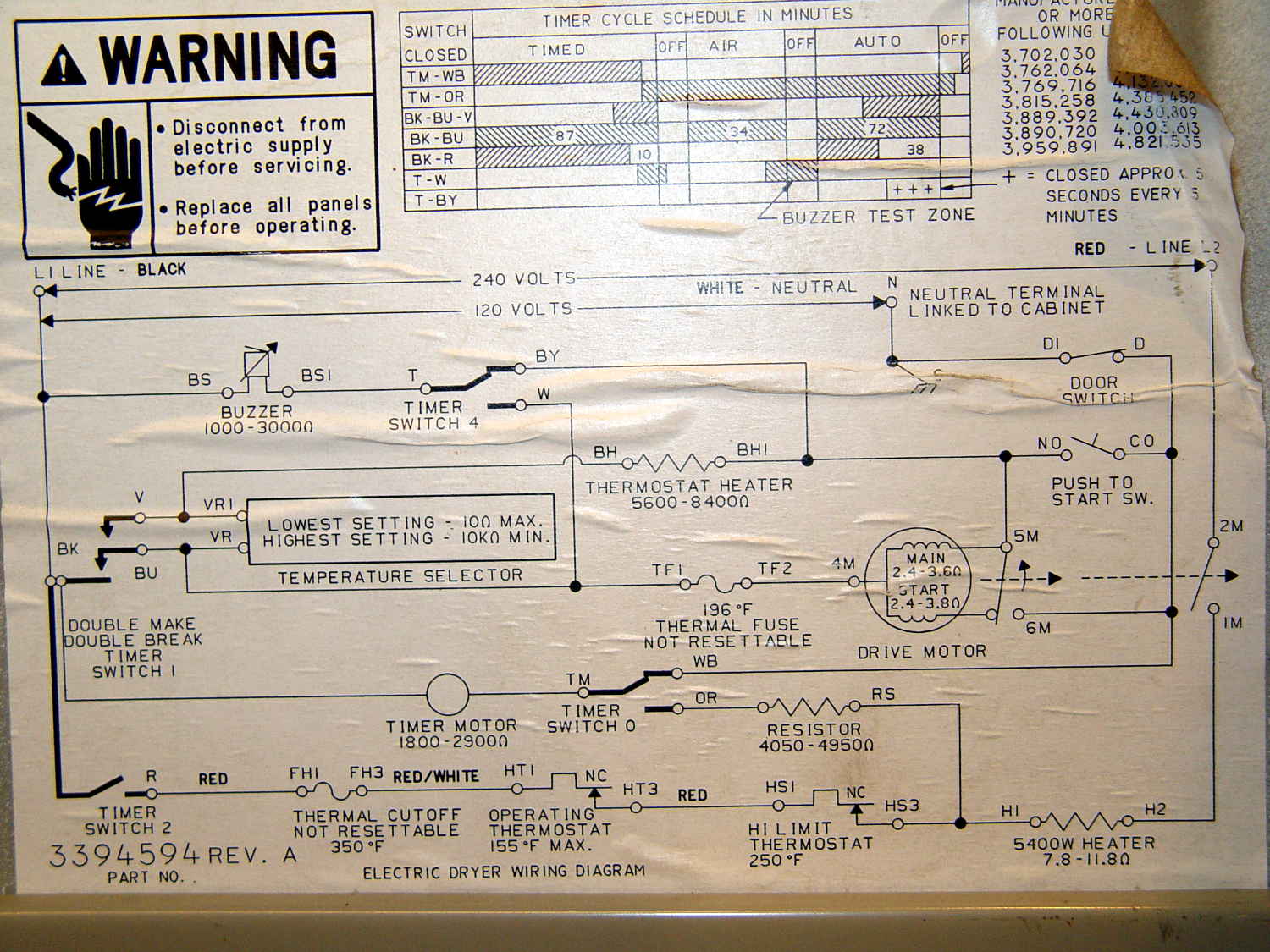
    Referring to the wiring diagram may be of some help:

    Kenmore clothes dryer 110.96282100 - wiring diagram
    Kenmore clothes dryer 110.96282100 – wiring diagram

    The timer motor is in the next-to-bottom ladder rung. Its BK terminal on the left connects to one side of the 240 VAC supply and the switch just to its right connects terminal TM to either the neutral AC line (thus unbalancing the 240 VAC line by a smidge) or to through a 4-ish kΩ resistor and the heater element (essentially zero, on this scale) to the other hot line; the resistor thus dropping 120-ish VAC.

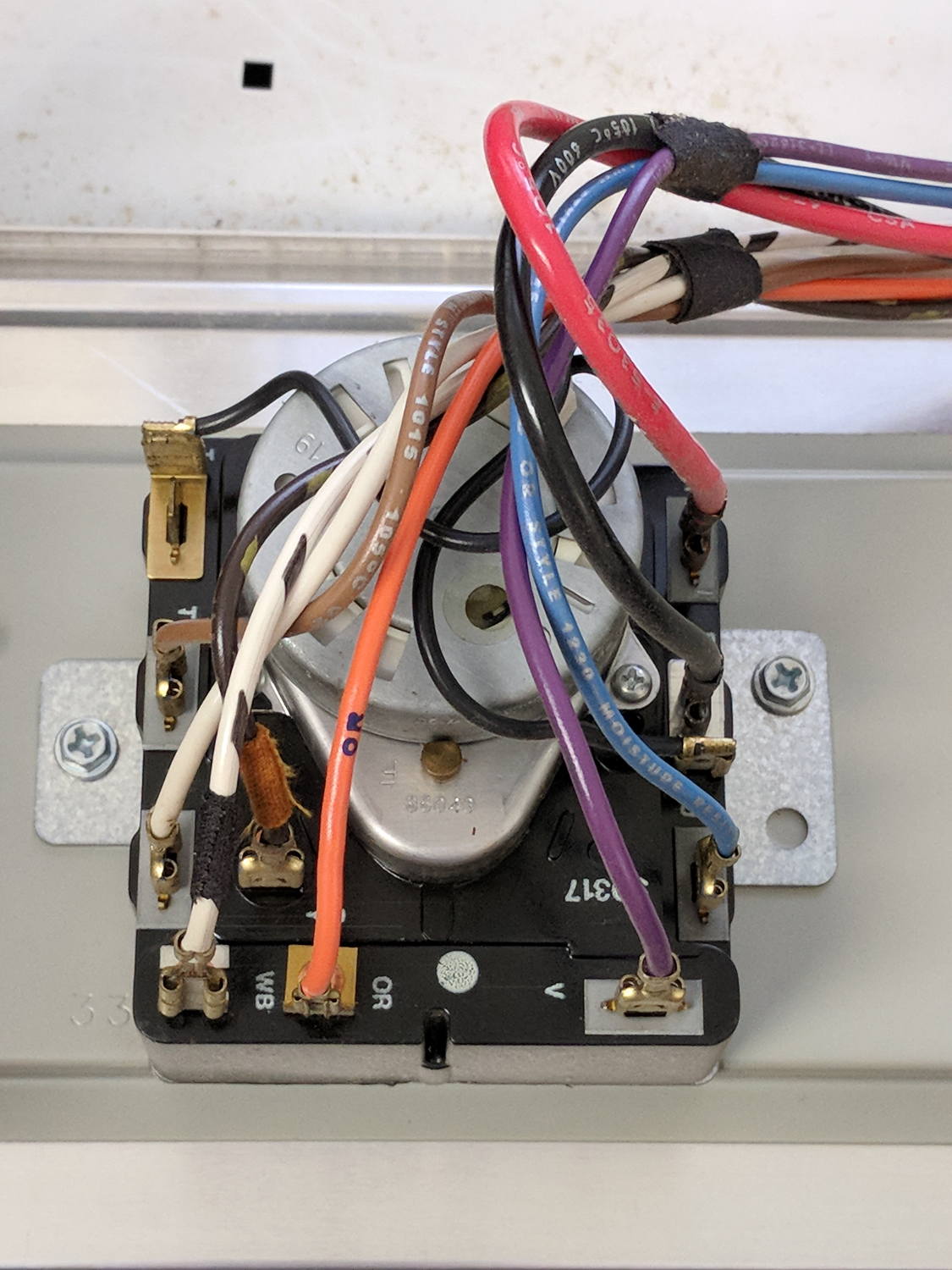
    The various switches around the timer collect nearly all the wiring in the dryer:

    Kenmore dryer - timer wiring
    Kenmore dryer – timer wiring

    A closer look at the back, minus all the wiring:

    Kenmore dryer - timer backplate
    Kenmore dryer – timer backplate

    The motor comes off easily enough, revealing the fact that it’s not just an ordinary (i.e., cheap & readily available) timer motor:

    Kenmore dryer - timer motor pinions
    Kenmore dryer – timer motor pinions

    Hotwiring the motor through a widowmaker zip cord showed it worked just fine. For reference, the upper pinion rotates at about 45 sec/rev, the lower pinion takes maybe 1 hr/rev, both counterclockwise.

    Reassembling and hotwiring the complete timer showed it worked just fine, too.

    Poring over the wiring diagram suggested the power resistor might be open and, indeed, it was:

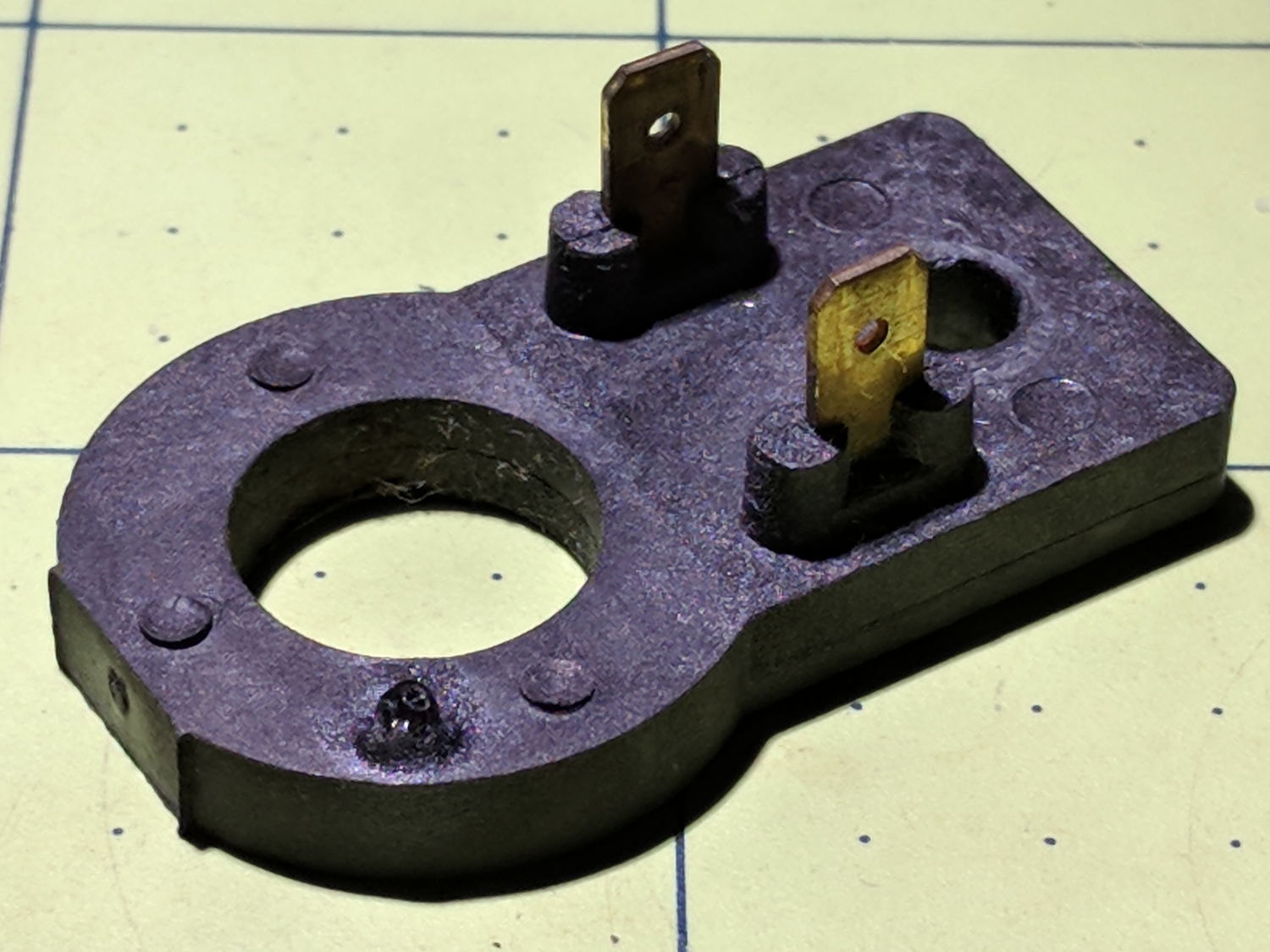
    Kenmore dryer - power resistor failure
    Kenmore dryer – power resistor failure

    The raised zit near the front shouldn’t be there:

    Kenmore dryer - power resistor failure - detail
    Kenmore dryer – power resistor failure – detail

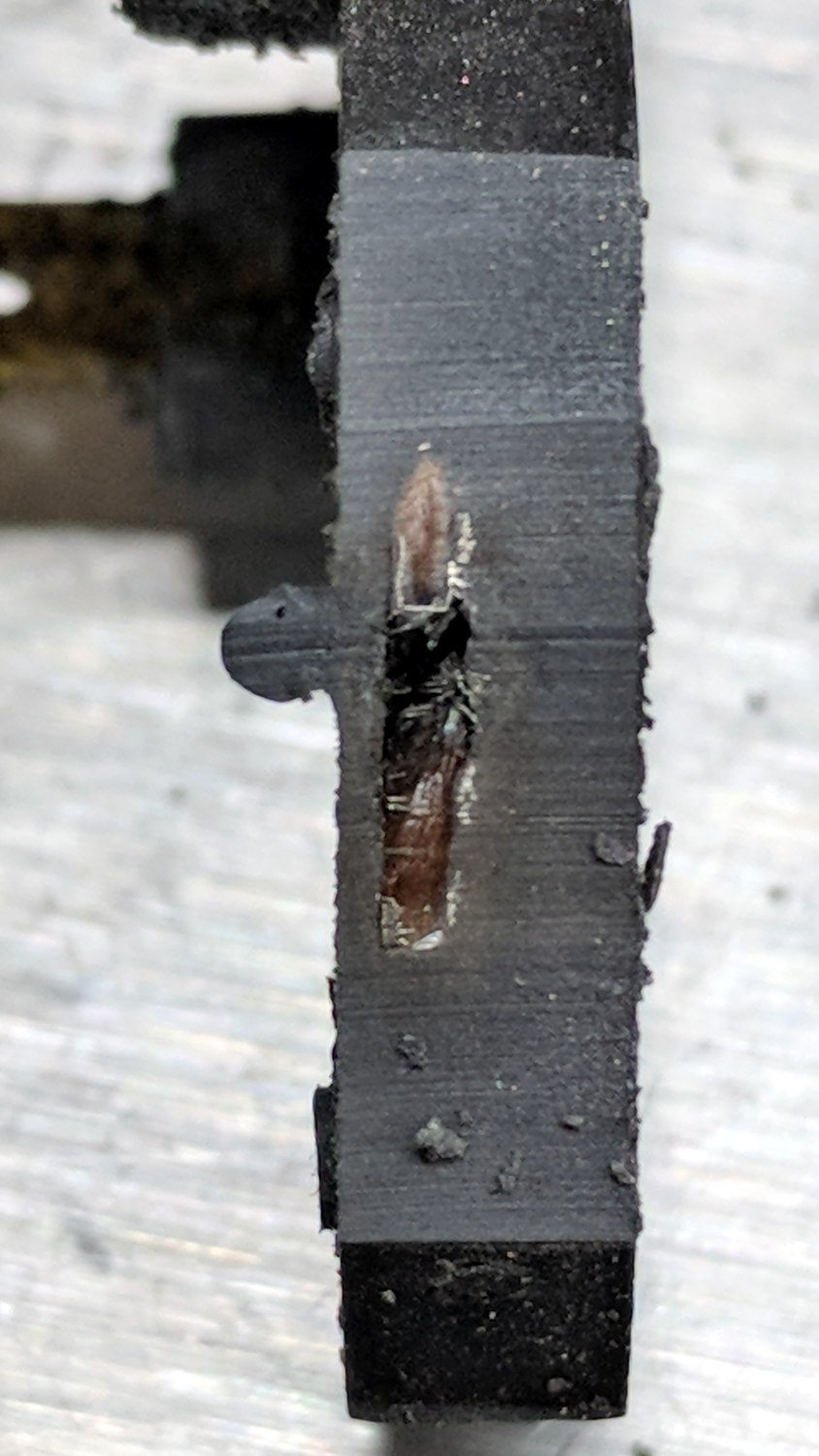
    Apparently, the resistive element broke at that spot, burned through the thermoset plastic case, and failed safe.

    Introducing it to Mr Disk Sander revealed a cavity below the zit, surrounded by the remains of the resistive element:

    Kenmore dryer - power resistor - cut open
    Kenmore dryer – power resistor – cut open

    You can get a replacement resistor from the usual suspects for prices between $20 and $40, plus or minus shipping, but their pictures look a lot like an ordinary power resistor inside a length of heatshrink tubing, rather than the molded OEM part. I don’t put much stock in reviews & comments, although they seemed to suggest you get, indeed, an ordinary power resistor.

    I didn’t have a 4.7 kΩ power resistor in my (diminished) collection, so I soldered a giant 1.5 kΩ cylindrical resistor in series with a small 3.5 kΩ sandbox, wrapped them up, and tucked them under the front panel’s ground wire:

    Kenmore dryer - expedient power resistor
    Kenmore dryer – expedient power resistor

    A small box of resistors should arrive in the next month and I’ll re-do the repair with a bit more attention to permanency.

  • Measuring Spoon Drainer

    We just scrapped out the old dish drainer, only to find the gadget bin on the new drainer let the measuring spoons fall over and lie along its bottom. After a week of fishing them out from under paring knives, cheese slicers, and suchlike, I gimmicked up a holder:

    Measuring Spoon Drainer - installed
    Measuring Spoon Drainer – installed

    One might suggest natural PETG, rather than orange, thereby displaying a shocking ignorance of the MVP concept. We’ll run with orange for the shakedown trials, then build-measure-learn, iterate, and, for all I know, we may even pivot.

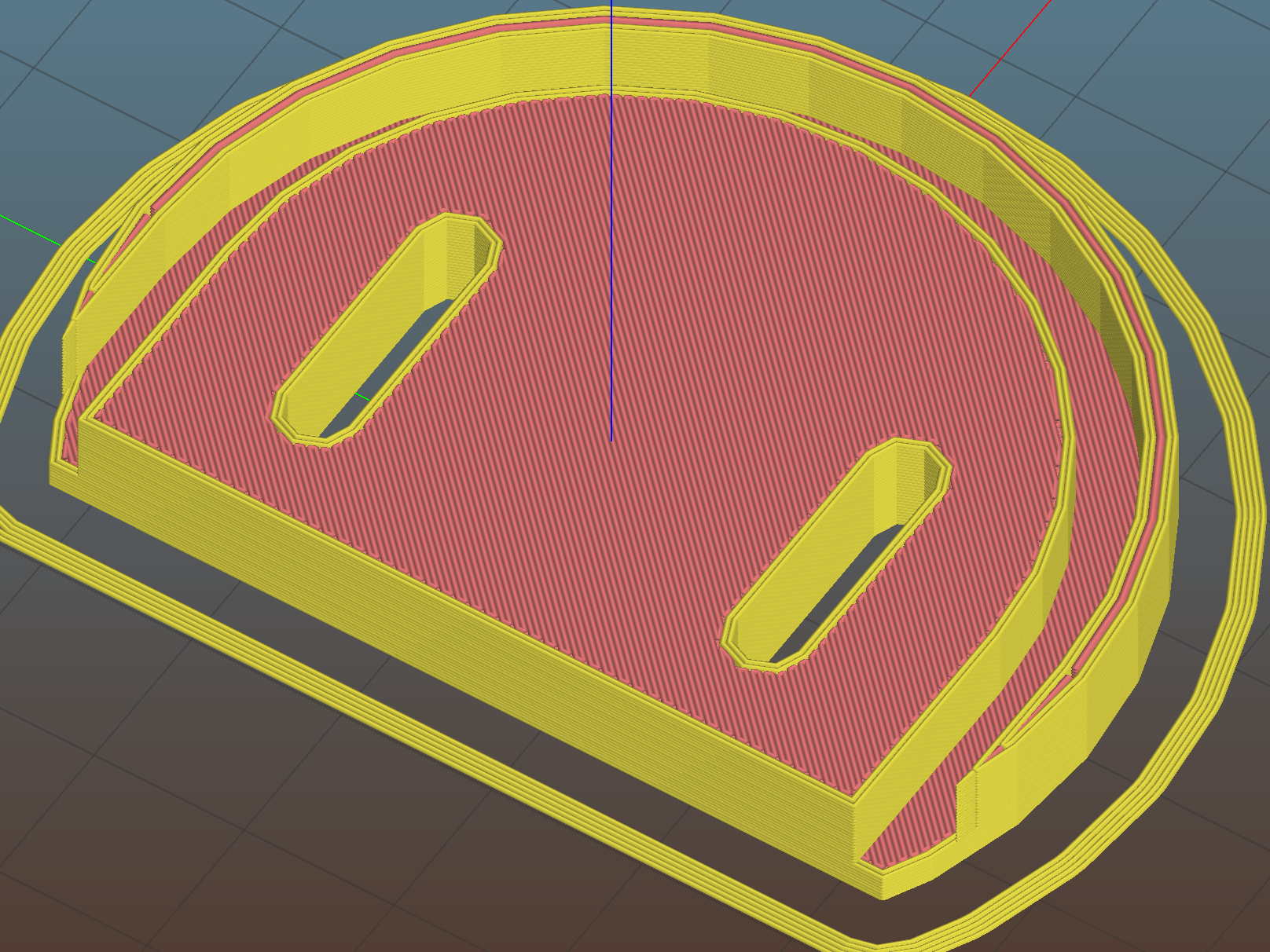
    A bottom-up view of the solid model shows the trench accommodating the bin lip:

    Measuring Spoon Drainer - Slic3r preview
    Measuring Spoon Drainer – Slic3r preview

    The OpenSCAD source code as a GitHub Gist:

    // Measuring spoon drainer
    // Ed Nisley KE4ZNU – 2018-01-13
    /* [Extrusion] */
    ThreadThick = 0.25; // [0.20, 0.25]
    ThreadWidth = 0.40; // [0.40]
    /* [Hidden] */
    Protrusion = 0.1; // [0.01, 0.1]
    HoleWindage = 0.2;
    function IntegerMultiple(Size,Unit) = Unit * ceil(Size / Unit);
    ID = 0;
    OD = 1;
    LENGTH = 2;
    //- Adjust hole diameter to make the size come out right
    module PolyCyl(Dia,Height,ForceSides=0) { // based on nophead's polyholes
    Sides = (ForceSides != 0) ? ForceSides : (ceil(Dia) + 2);
    FixDia = Dia / cos(180/Sides);
    cylinder(r=(FixDia + HoleWindage)/2,h=Height,$fn=Sides);
    }
    /* [Spoon] */
    SpoonOD = IntegerMultiple(3.3,2);
    SpoonWidth = IntegerMultiple(16.5,2.0);
    SpoonOC = 30.0;
    /* [Drainer] */
    Drainer = [52.0,59.5,100.0]; // overall drainer cup
    DrainerRimWidth = (Drainer[1] – Drainer[0])/2;
    DrainerRimHeight = 2.5;
    DrainerExtent = 15.0;
    /* [Hidden] */
    WallThick = 2.0; // basic wall & floor thickness
    PlateThick = WallThick + 2*DrainerRimHeight;
    NumSides = 8*4;
    //—–
    // Define shapes
    module CoverPlate() {
    OD = Drainer[OD] + 2*WallThick;
    difference() {
    cylinder(d=OD,h=PlateThick,$fn=NumSides);
    for (j=[-1,1])
    translate([-(OD/2 – Protrusion),j*(Drainer[ID]/2 + DrainerRimWidth/2),WallThick + DrainerRimHeight + Protrusion/2])
    cube([OD,DrainerRimWidth,2*DrainerRimHeight + Protrusion],center=true);
    translate([0,0,WallThick + PlateThick/2])
    rotate(-90)
    rotate_extrude(angle=180,$fn=NumSides)
    translate([Drainer[ID]/2 + DrainerRimWidth/2,0])
    square([DrainerRimWidth,PlateThick],center=true);
    translate([-(OD/2 + DrainerExtent),0,PlateThick/2])
    cube([OD,OD,PlateThick + 2*Protrusion],center=true);
    }
    }
    //—–
    // Build it
    difference() {
    CoverPlate();
    for (j=[-1,1])
    translate([0,j*(SpoonOC/2),-Protrusion])
    linear_extrude(height=PlateThick + 2*Protrusion)
    hull()
    for (i=[-1,1])
    translate([i*(SpoonWidth – SpoonOD)/2,0])
    circle(d=SpoonOD,$fn=8);
    }

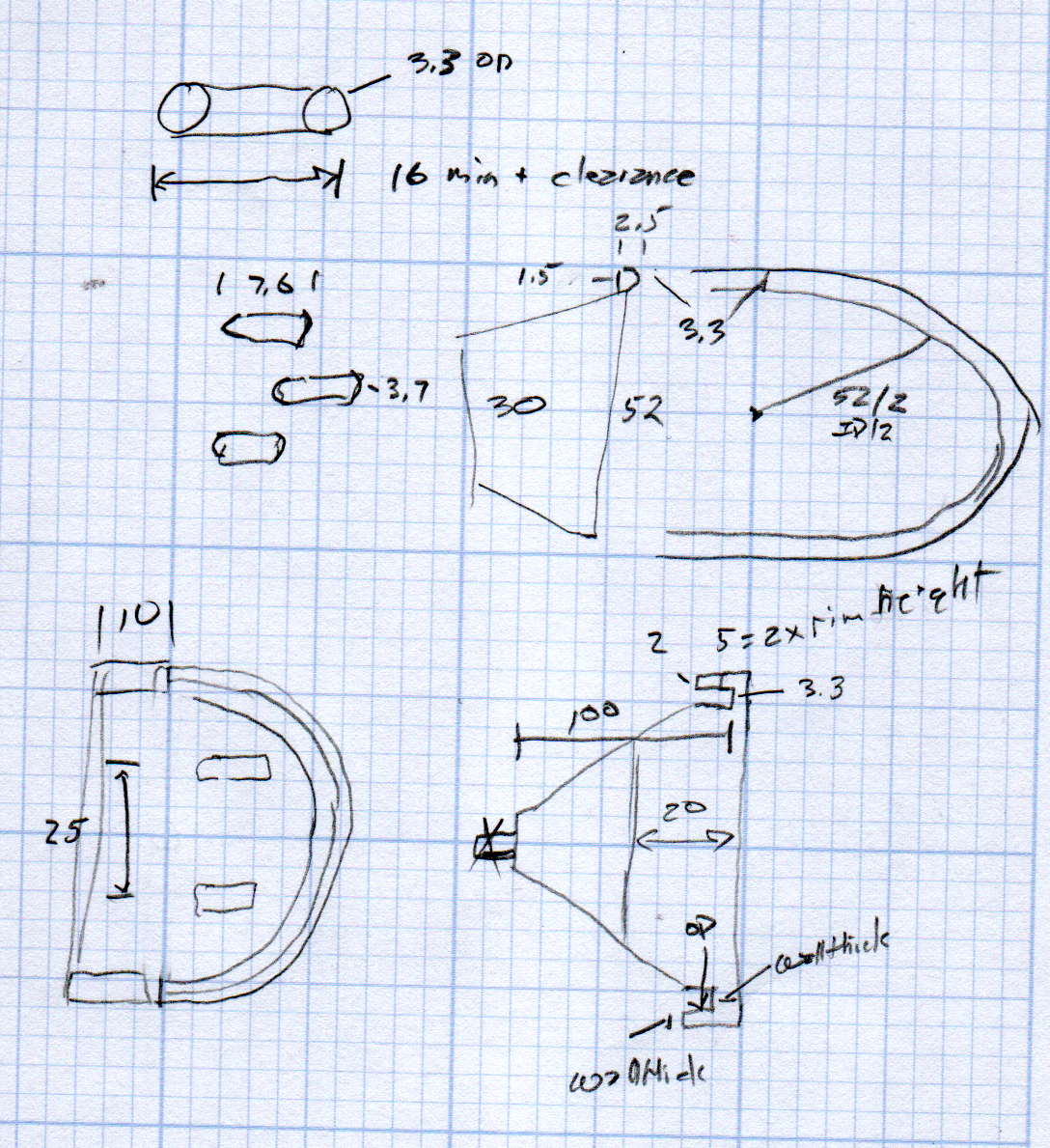
    The original doodle has useful dimensions, along with the usual over-elaborate features sacrificed in order to get it made:

    Measuring spoon drainer - doodles
    Measuring spoon drainer – doodles
  • MPCNC: DeWalt DW660 Collet Grip Removal

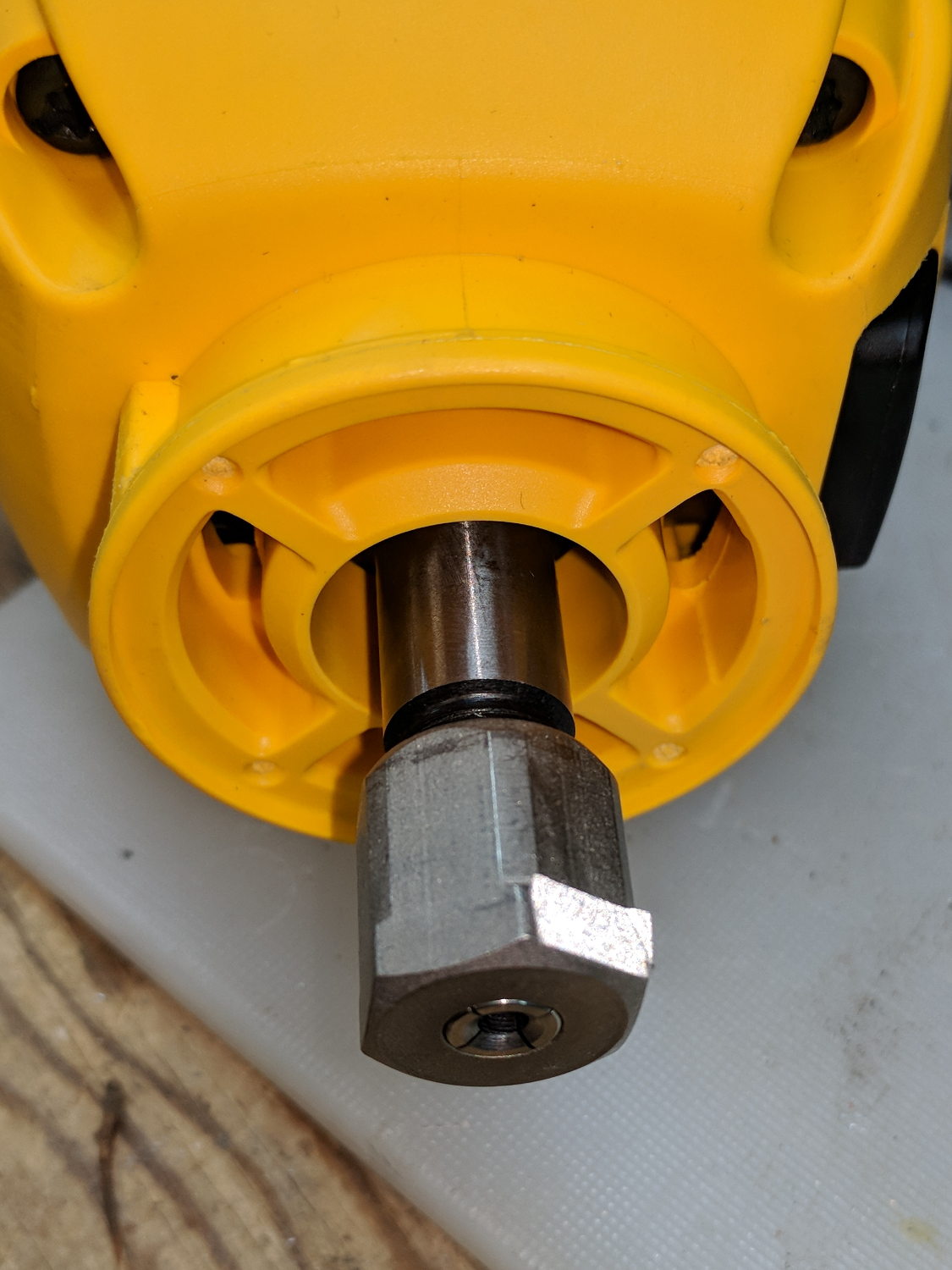
    The MPCNC uses a DW660 Cutout tool as a low-cost spindle for tools with 1/8 and 1/4 inch shanks. It features a tool-free “collet grip” to twist the collet nut against the shaft lock, which is convenient for a hand tool and not so much for a CNC spindle: I find it difficult to get two hands into the MPCNC setup with the proper orientation to push-and-hold two locking buttons, while applying enough torque to twist the collet nut:

    DW660 - collet grip
    DW660 – collet grip

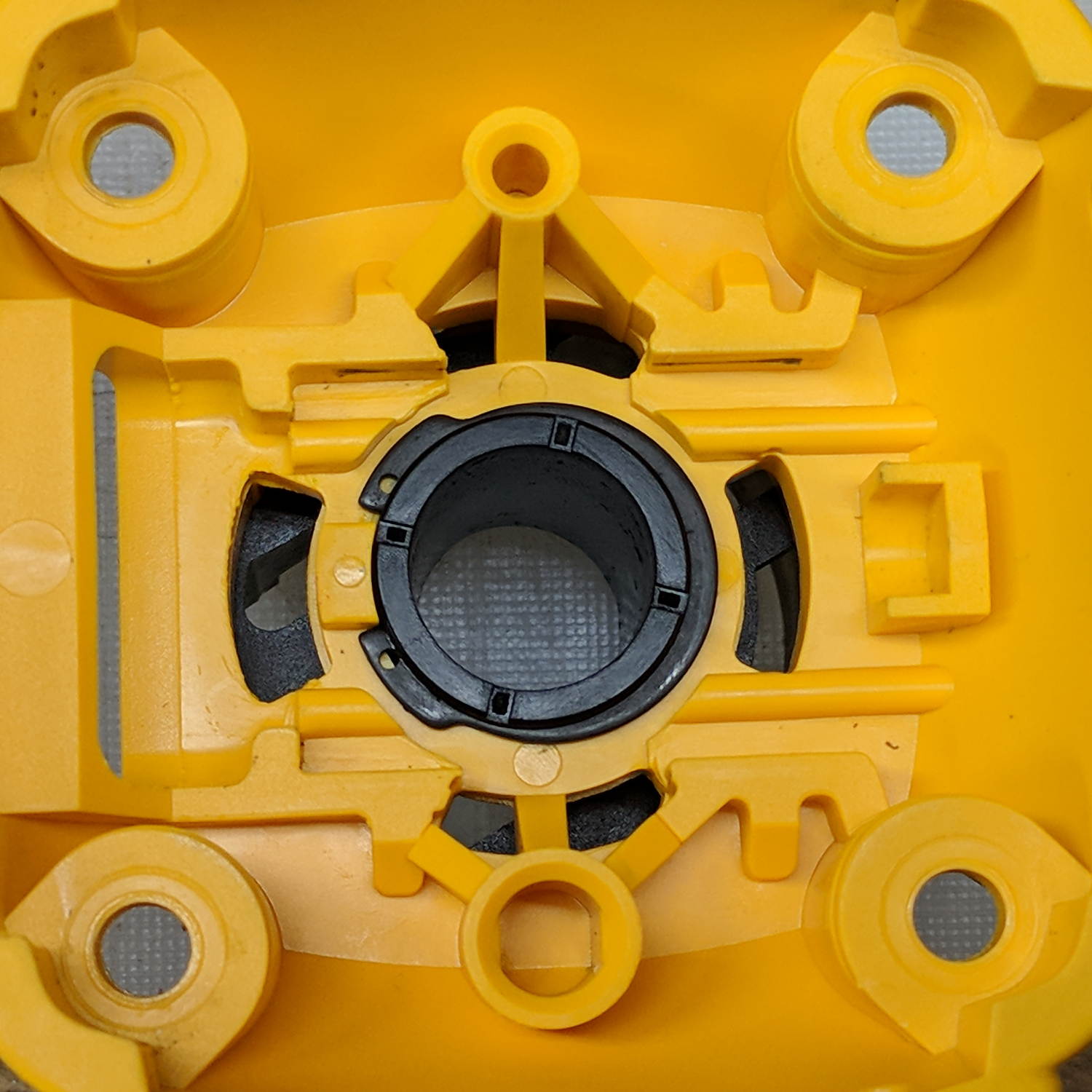
    Fortunately, it’s easy enough to remove the collet grip. Remove the collet nut, unscrew the four screws holding the yellow snout in place, then pull the snout straight off to reveal the spindle lock plate:

    DW660 - nose cap interior
    DW660 – nose cap interior

    Capture the spring, slide the spindle lock plate out to expose the snap ring (a.k.a. Jesus clip) holding the collet grip in place:

    DW660 - collet grip snap ring
    DW660 – collet grip snap ring

    Remove the snap ring, make the appropriate remark, pull the collet grip out of the snout, reassemble the snout in its One Correct Orientation, and you’re done:

    DW660 - collet grip removed
    DW660 – collet grip removed

    The retroreflective tape snippet let my laser tachometer report a top speed over 29 k rpm, pretty close to the advertised 30 k rpm.

    If one were fussy, one would 3D print a thing to cover the snout’s open end:

    DW660 - snout cover
    DW660 – snout cover

    The original snap ring holds it in place and the fancy pattern comes from octogram spiral infill on the bottom.

    The collet nut fits either a 5/8 inch or 16 mm wrench, both of which stick out to the side far enough for a convenient hold while pressing the shaft lock button.


  • Egg Size Distribution

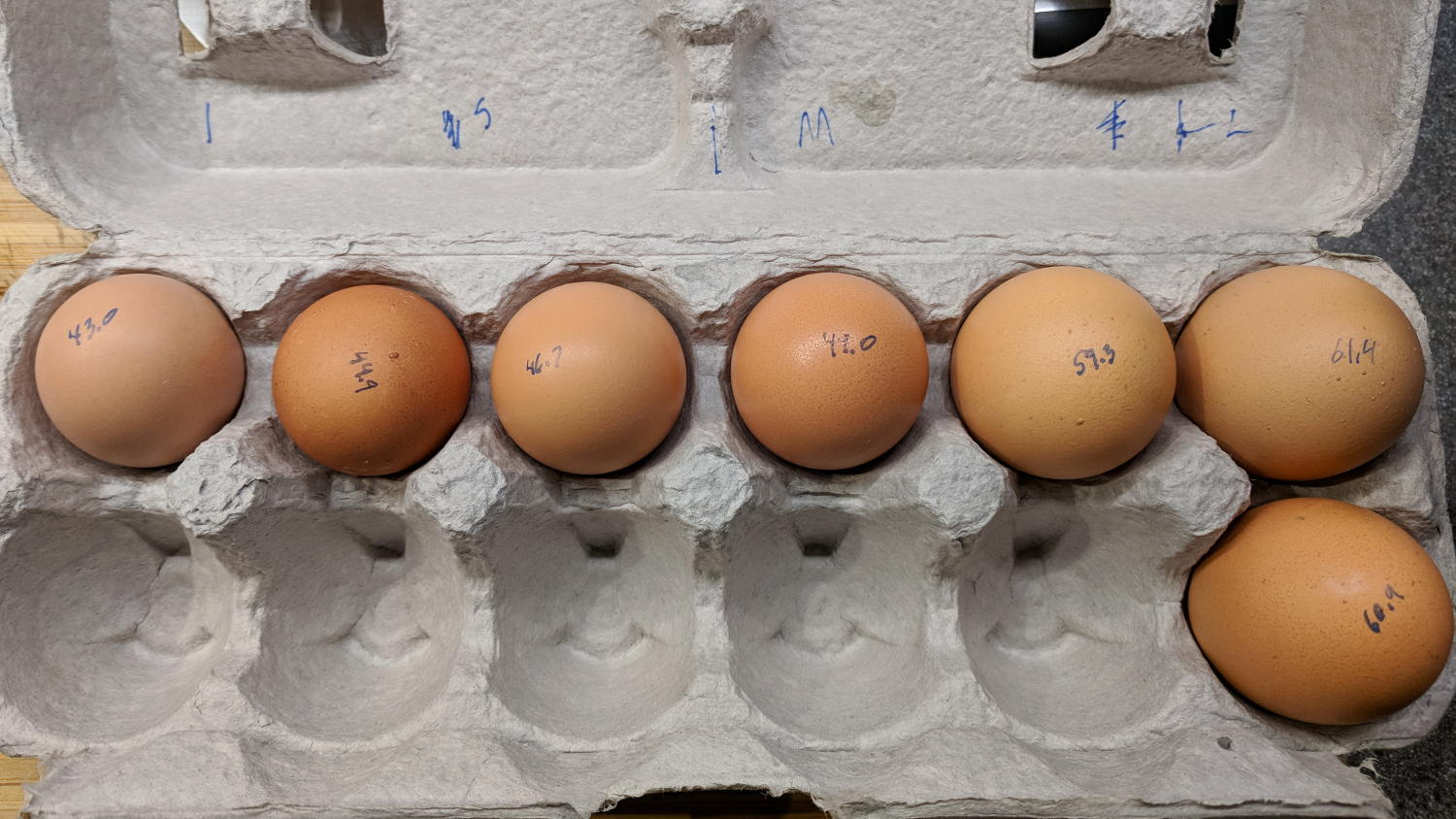
    We got several cartons of “medium” brown eggs with what seemed like an unusually wide size distribution, so I picked out and weighed an assortment for future reference:

    Brown egg size distribution
    Brown egg size distribution

    Of course, there’s an egg size specification. Actually, there are many egg size specifications.

    We occasionally get huge eggs, tiny eggs, eggs with two yolks, no yolks, or blood-spotted yolks, all of which turn out to be no big deal. I admit to not previously encountering the term “fart egg”, however …

  • Brita Smart Pitcher Timer Innards

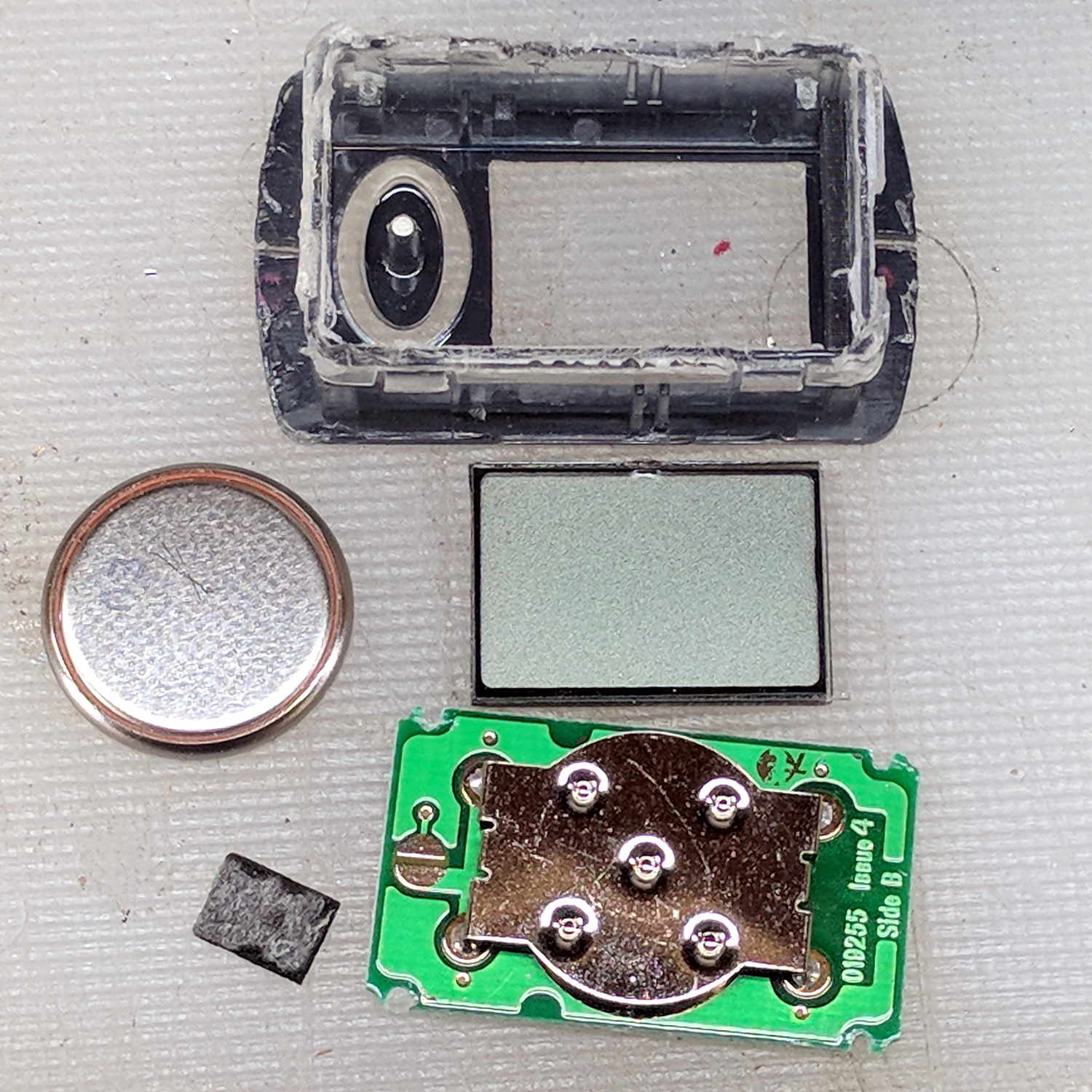
    After far too many repairs, we bought a new Brita pitcher with slightly different, although apparently equally crappy, hinge pins, whereupon I bandsawed the long-failed “smart” filter timer out of the old pitcher’s lid:

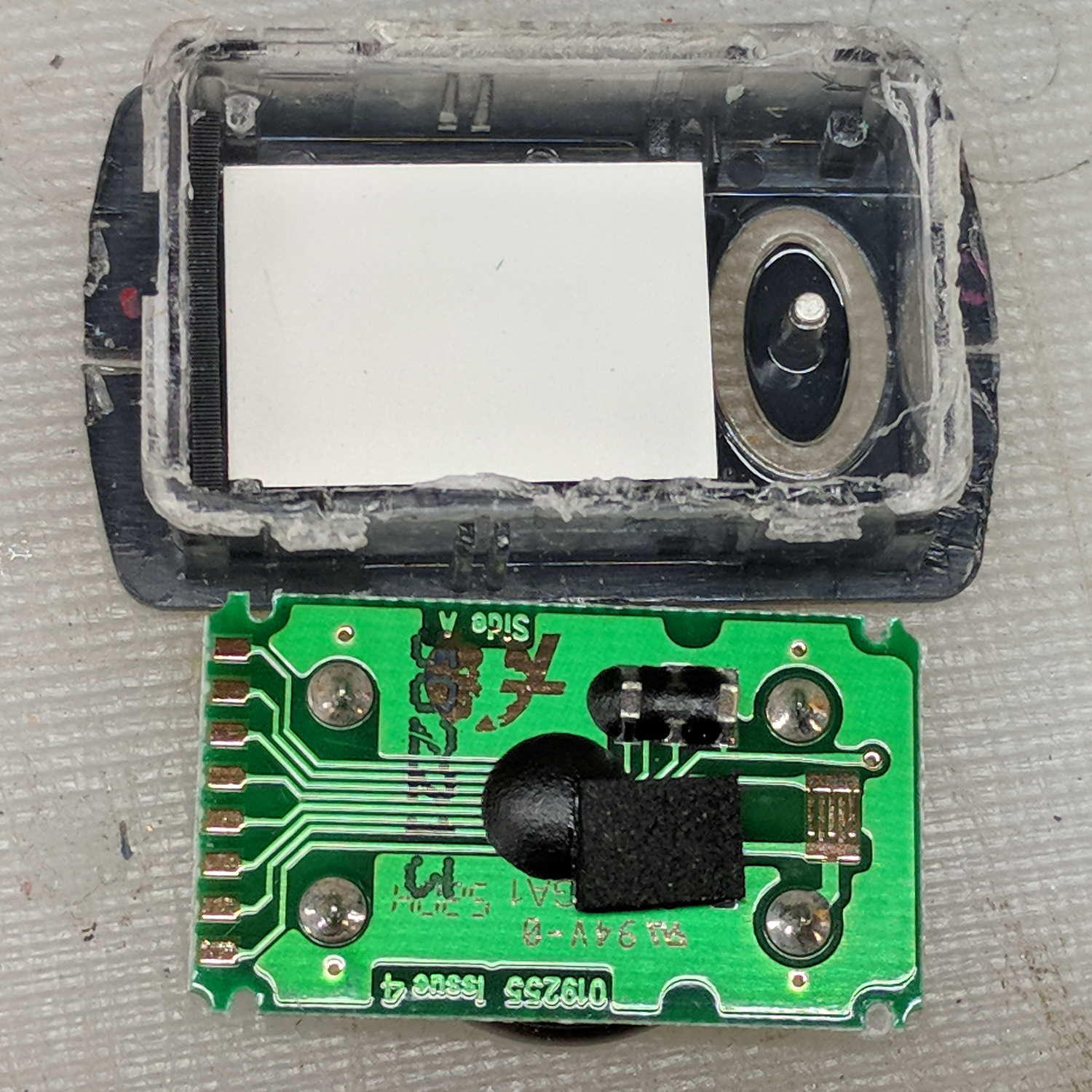
    Brita pitcher timer - contents
    Brita pitcher timer – contents

    The gray rectangle is the LCD panel showing how long since you last replaced the filter. It died some years ago and, indeed, the CR1616 battery was down to 2.8 V.

    However, I think the real failure happened when the black square of conductive foam slipped off the switch contacts under the Reset pushbutton’s stud and went walkabout inside the timer:

    Brita pitcher timer - opened
    Brita pitcher timer – opened

    That’s where I found it after sawing the casing open. I think the adhesive side should be stuck to the stud, but we’ll never know.

    The new pitcher includes a different indicator with green LED status blinkies for “Standard” (40 gallon) and “Longlast” (120 gallon) filter cartridges and a red blinkie for “Expired”:

    Brita pitcher - Filter Life counter
    Brita pitcher – Filter Life counter

    Yeah, purple. For some unknown reason, it cost 10% less than the other colors and we’re not fussy.

    This one measures filter use by water volume, not elapsed time, counting the number of pitcher refills by noticing when you open the flip-top lid; the corresponding volume depends on your ability to see a nearly invisible line molded into the lid. Unsurprisingly, Longlast filters cost only slightly less than three times standard ones, so they’re not a compelling value proposition.

  • Low Budget Bench Supply: Digital Version

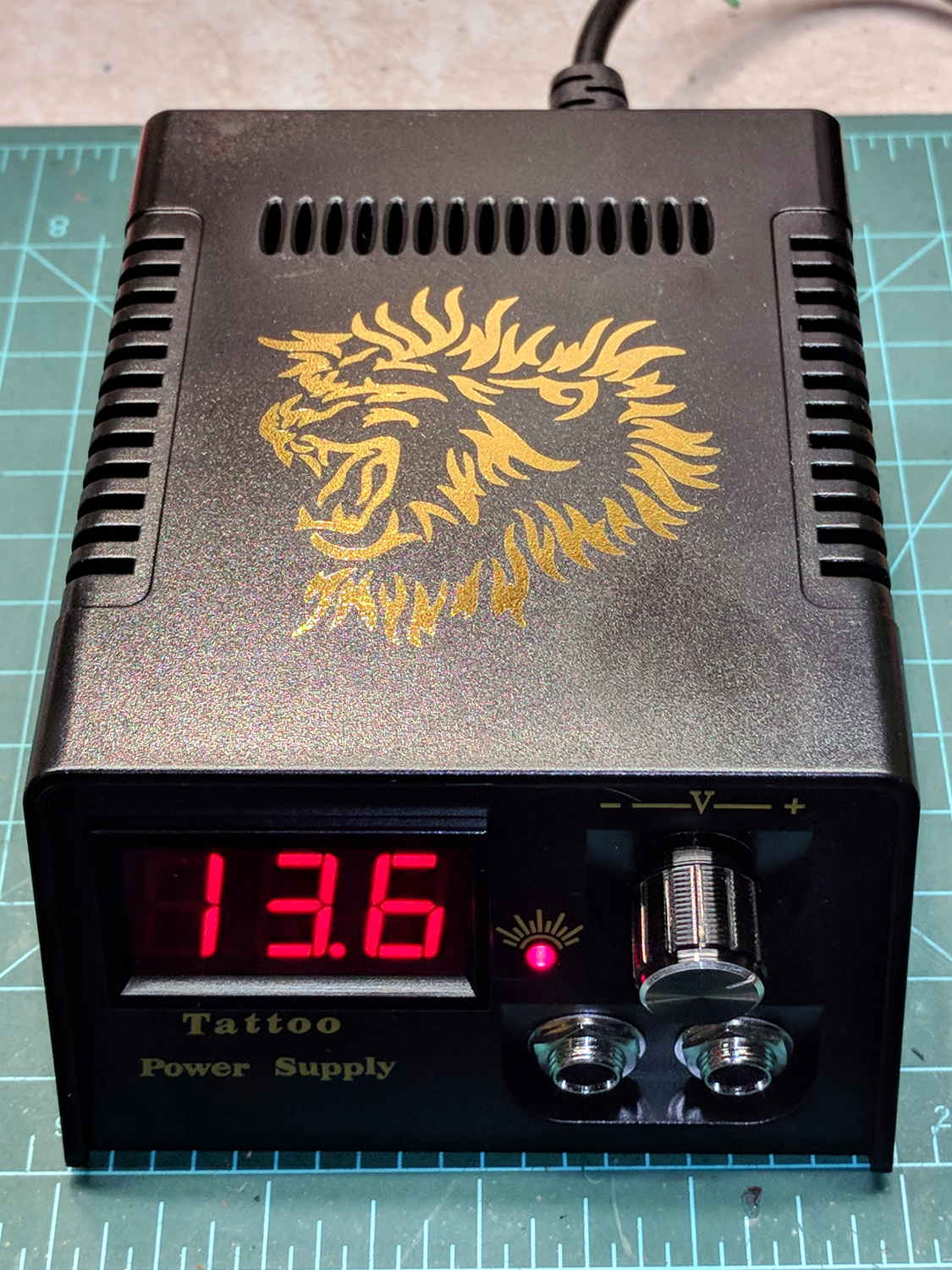
    This one costs slightly more than the analog tattoo power supply:

    Tattoo Digital Power Supply - front panel
    Tattoo Digital Power Supply – front panel

    The gold lion really spiffs up the Electronics Workbench!

    Somewhat to my surprise, the circuit uses a switching power supply based on a Reactor Micro RM6302 controller that can produce about an amp at voltages up to about 14 V:

    Tattoo Digital Power Supply - internal view
    Tattoo Digital Power Supply – internal view

    CAUTION: Everything on the input side of the transformer runs at line potential. I have my doubts about isolation, particularly under fault conditions.

    The trimpot on the PCB seems to adjust the output voltage, although it’s not clear what’s going on.

    The three wire AC line cord has a standard IEC entry block on the rear panel, albeit with the ground terminal not connected to anything inside the plastic case. It arrived with the hot wire soldered to a tiny fuse on the PCB and the neutral wire (red!) to the back-panel switch. There being no practical way to put the fuse before the switch, I rewired the hot side to the switch before the fuse and the unswitched neutral to the PCB; that’s as good as it’ll get.

    I also flipped the AC switch to put the ON position at the top. Sheesh.

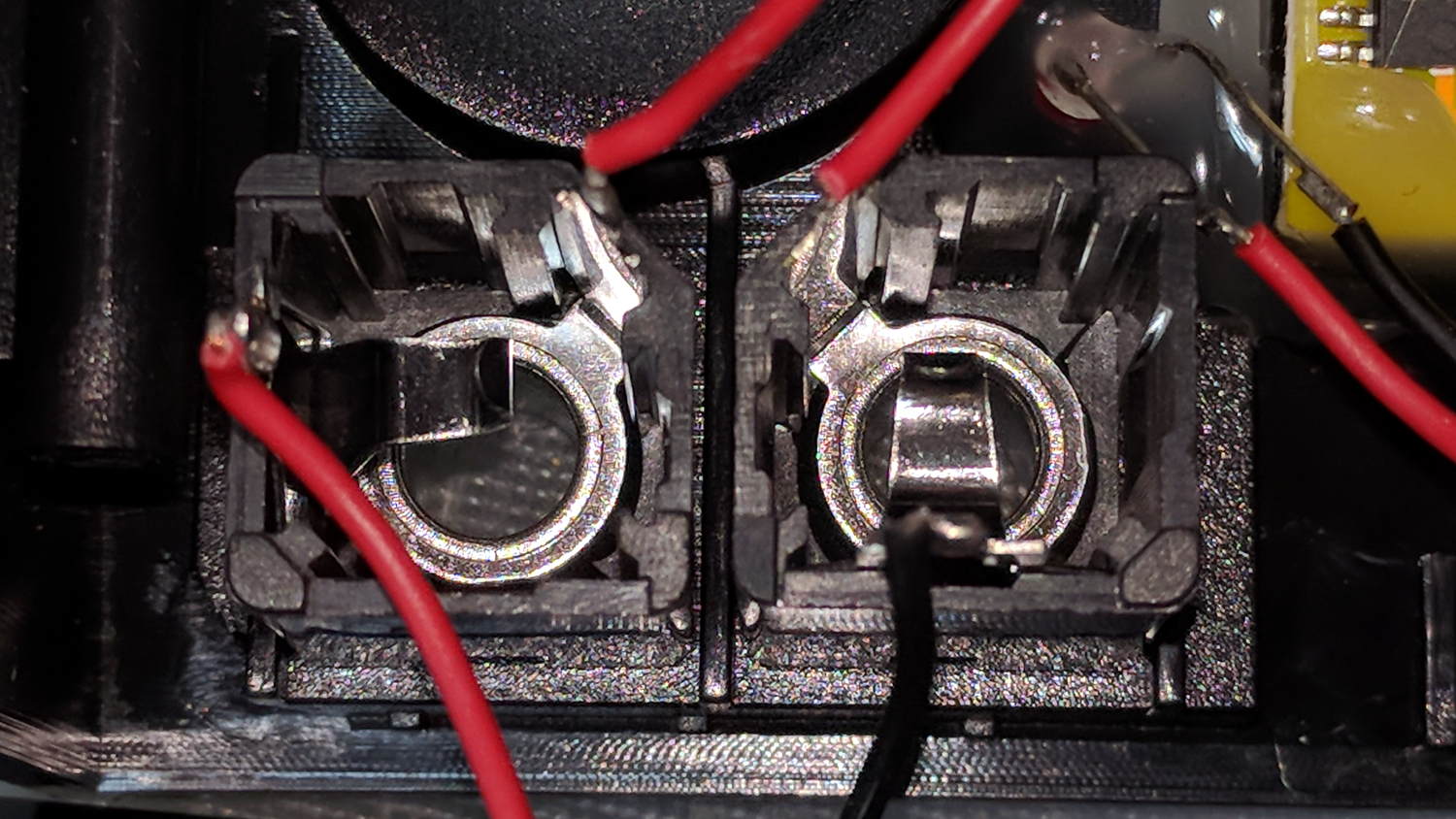
    The two 1/4 inch jacks on the front panel are wired in series, so it didn’t matter which one got the tattoo needler or the foot switch:

    Tattoo Digital Power Supply - jacks in series
    Tattoo Digital Power Supply – jacks in series

    I rewired the sockets in parallel to eliminate the need for a shorting plug, although I cannot imagine any need for two outputs.

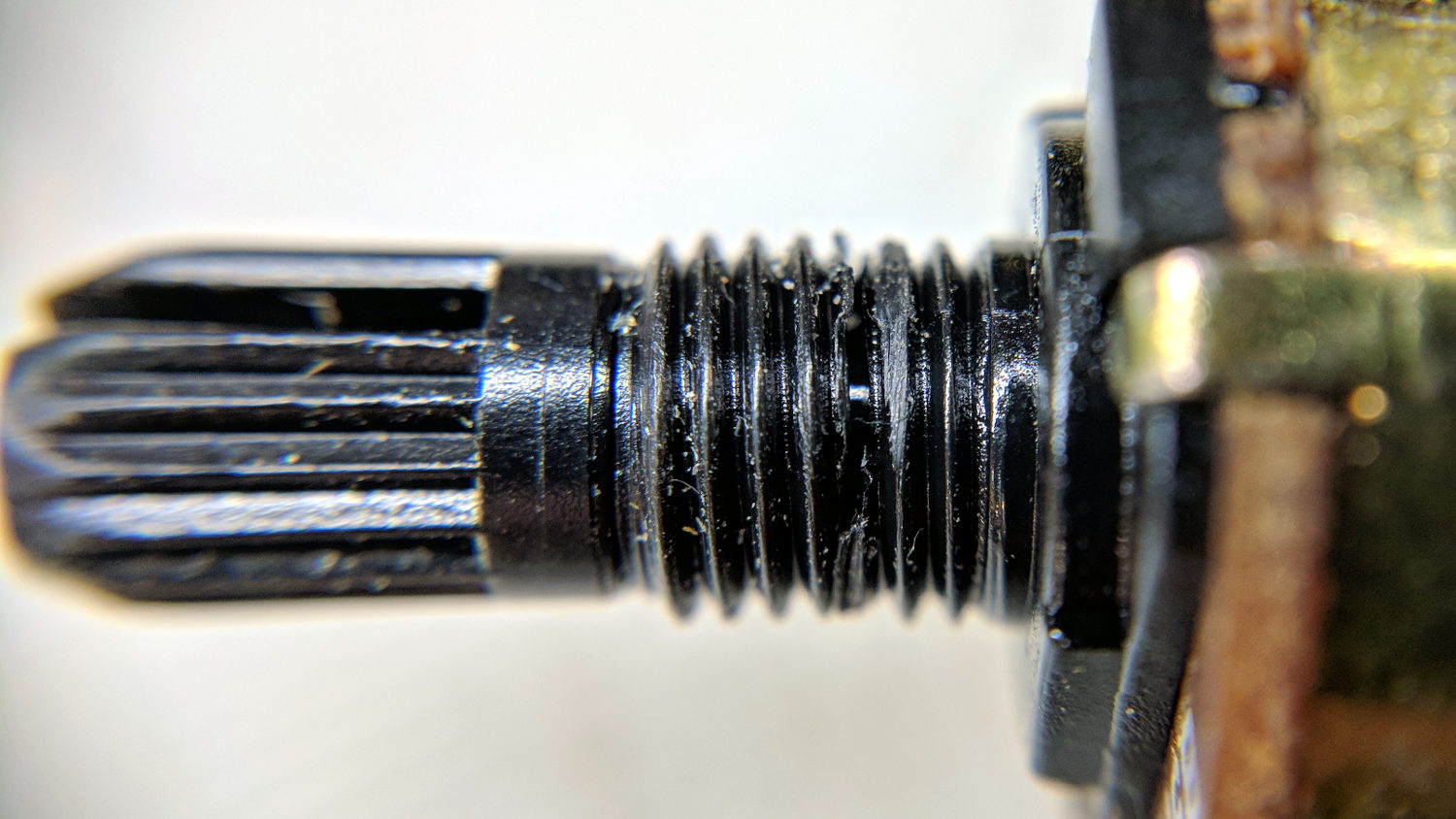
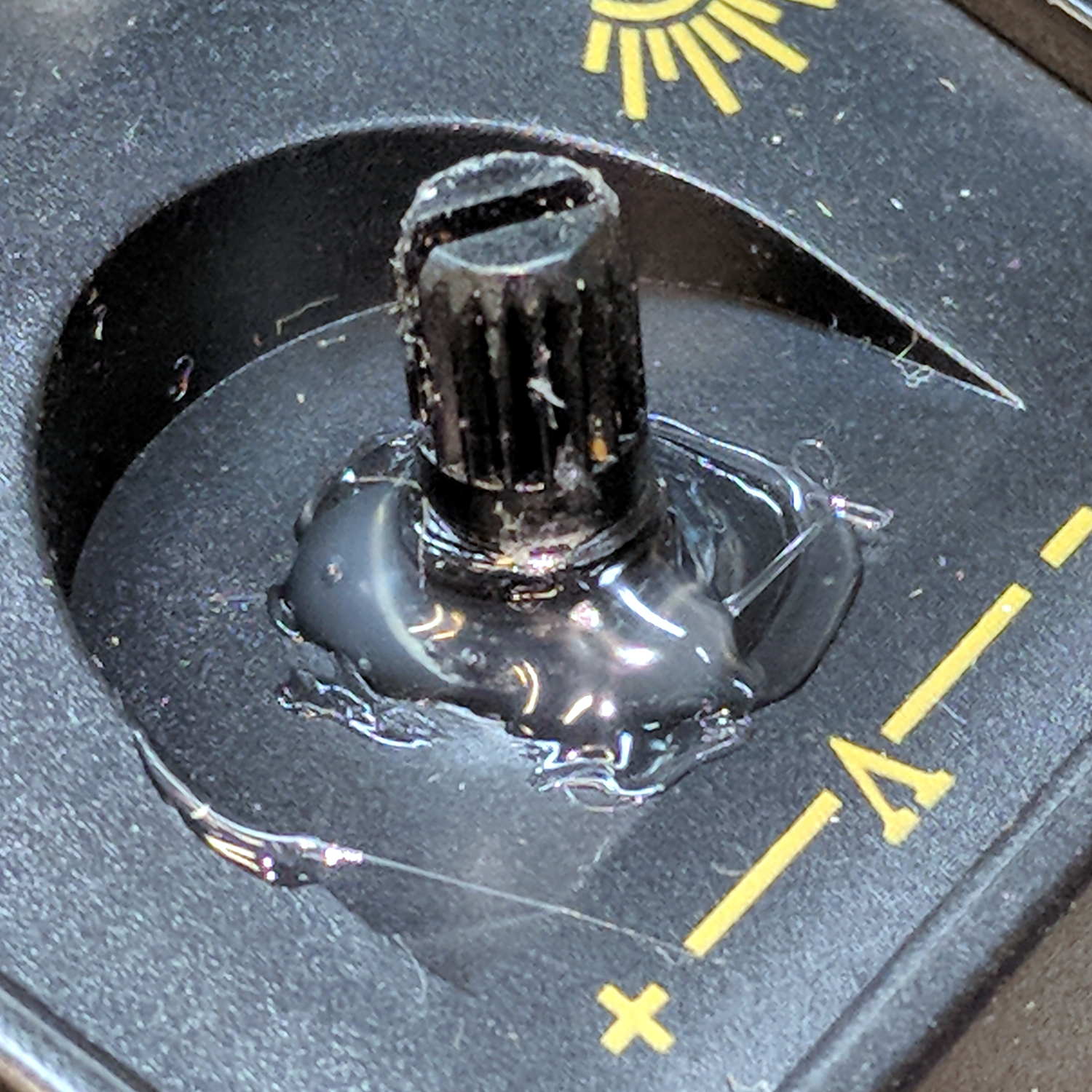
    The knob seemed unusually sloppy, which turned out to be due to a broken threaded sleeve around the pot shaft that prevented the crudely made nut from seating tightly:

    Tattoo Digital Power Supply - broken pot threads
    Tattoo Digital Power Supply – broken pot threads

    Given that the builders stuck everything else to the front panel with hot-melt glue, I followed suit:

    Tattoo Digital Power Supply - glued pot threads
    Tattoo Digital Power Supply – glued pot threads

    Which actually held it in place reasonably well, despite the hideous appearance. The knob covers the blob, so It Doesn’t Matter.

    The output range extends from about 1.2 V to just over 14 V at about an amp, but the knob seems erratic and the digital meter has only a casual relationship to the actual output voltage.

    I think if you regard this one as a parts kit, reverse-engineer the schematic (which surely descends directly from the RM6302 datasheet), and rebuild the electronics, it might work better.

    Bottom line: The analog version seems to be better as a low-budget power supply, not least because it has a metal case and an actual power transformer for galvanic isolation.