The Smell of Molten Projects in the Morning

Ed Nisley's Blog: Shop notes, electronics, firmware, machinery, 3D printing, laser cuttery, and curiosities. Contents: 100% human thinking, 0% AI slop.

Author: Ed

  • MPCNC: Button Box Connector Mount

    This will eventually end up on a board supporting the GRBL controller box:

    Control Box - Connector Mount - Slic3r
    Control Box – Connector Mount – Slic3r

    It’s a direct cut-n-paste descendant of the old NEMA motor mount.

    The nut threads onto the connector behind the bulkhead, so you must either wire it in place or make very sure you can feed all the terminations through the hole:
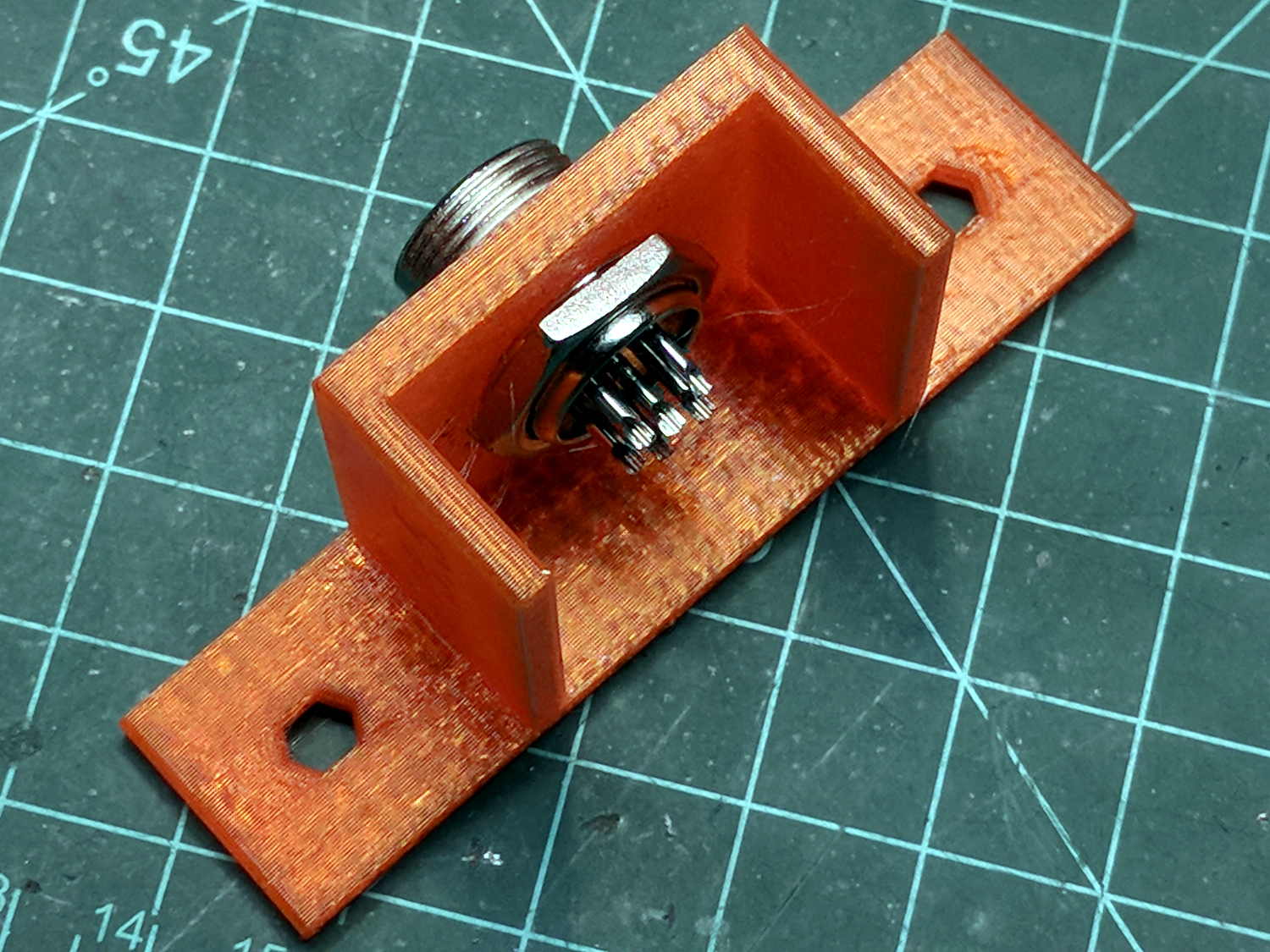
    Connector Mount
    Connector Mount

    Given the previous hairball, I think in-situ soldering has a lot to recommend it:
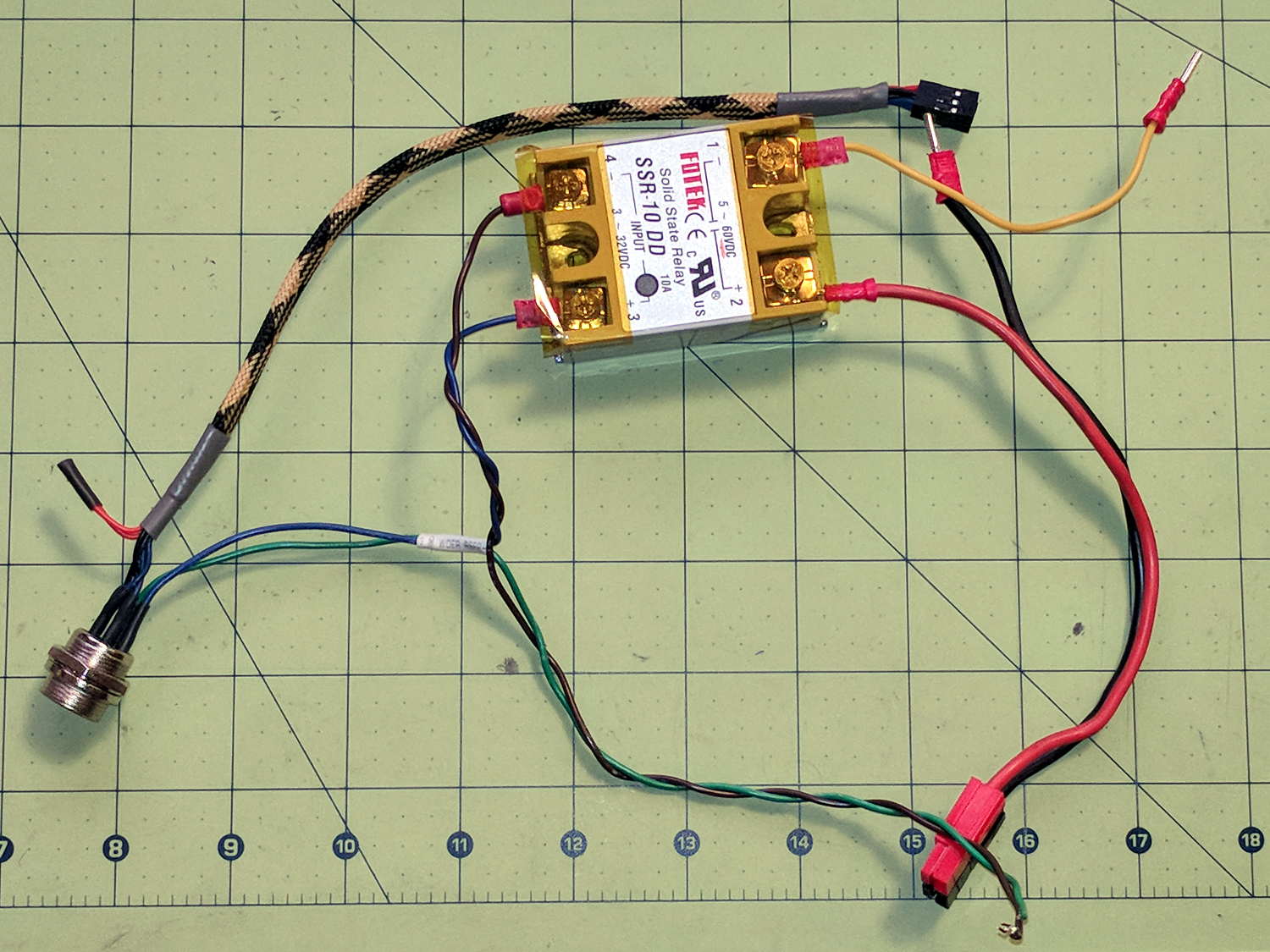
    GRBL - Control button wiring
    GRBL – Control button wiring

    The OpenSCAD source code as a GitHub Gist:

    // Circular connector bracket
    // Ed Nisley KE4ZNU 2018-02-22
    //– Extrusion parameters
    ThreadThick = 0.25;
    ThreadWidth = 0.4;
    HoleWindage = 0.3; // enlarge hole dia by this amount
    function IntegerMultiple(Size,Unit) = Unit * ceil(Size / Unit);
    Protrusion = 0.1; // make holes look good and joints intersect properly
    //– Useful sizes
    inch = 25.4;
    Tap10_32 = 0.159 * inch;
    Clear10_32 = 0.190 * inch;
    Head10_32 = 0.373 * inch;
    Head10_32Thick = 0.110 * inch;
    Nut10_32Dia = 0.433 * inch;
    Nut10_32Thick = 0.130 * inch;
    ID = 0;
    OD = 1;
    LENGTH = 2;
    //– Mount Sizes
    Connector = [14.6,15.5,4.0]; // connector thread; ID = dia at flat
    Screw = [5.1,10.0,3.0]; // screw size, more-or-less 10-32, OD & LENGTH for head
    MountWidth = IntegerMultiple(2*Connector[OD],ThreadWidth); // use BCD for motor clearance
    MountThick = IntegerMultiple(Connector[LENGTH],ThreadThick); // for stiffness
    WallThick = 3.0; // default wall thickness
    StandThick = IntegerMultiple(WallThick,ThreadWidth); // baseplate
    StrutThick = IntegerMultiple(WallThick,ThreadWidth); // sides holding motor mount
    UprightLength = MountWidth + 2*StrutThick;
    StandBoltHead = IntegerMultiple(Head10_32,5); // bolt head rounded up
    StandBoltOC = IntegerMultiple(UprightLength + 2*StandBoltHead,5);
    StandLength = StandBoltOC + 2*StandBoltHead;
    StandWidth = 2*StandBoltHead;
    StandBoltClear = (StandLength – UprightLength)/2; // flat around bolt head
    Recess = StandWidth – MountThick;
    echo(str("Stand Base: ",StandLength," x ",StandWidth," x ",StandThick));
    echo(str("Stand Bolt OC: ",StandBoltOC));
    echo(str("Strut Thick: ",StrutThick));
    //———————-
    // Useful routines
    module PolyCyl(Dia,Height,ForceSides=0) { // based on nophead's polyholes
    Sides = (ForceSides != 0) ? ForceSides : (ceil(Dia) + 2);
    FixDia = Dia / cos(180/Sides);
    cylinder(r=(FixDia + HoleWindage)/2,
    h=Height,
    $fn=Sides);
    }
    //———————-
    // Model
    module MotorMount() {
    difference() {
    translate([StandThick/2,0,StandWidth/2])
    cube([(MountWidth + StandThick),StandLength,StandWidth],center=true);
    translate([-Protrusion/2,0,StandWidth – (Recess – Protrusion)/2])
    cube([(MountWidth + Protrusion),MountWidth,(Recess + Protrusion)],center=true);
    translate([0,0,-Protrusion])
    PolyCyl(Connector[OD],StandWidth,4*4);
    for (j=[-1,1]) // cutouts over bolts
    translate([-Protrusion/2,
    j*((StandLength – StandBoltClear)/2 + Protrusion/2),
    StandWidth/2])
    cube([(MountWidth + Protrusion),
    (StandBoltClear + Protrusion),
    (StandWidth + 2*Protrusion)],center=true);
    for (j=[-1,1]) // stand bolt holes
    translate([(MountWidth/2 – Protrusion),j*StandBoltOC/2,StandWidth/2])
    rotate([0,90,0])
    rotate(180/6)
    PolyCyl(Clear10_32,StandThick + 2*Protrusion,6);
    translate([0,-(UprightLength/2 – ThreadWidth/2),StandWidth/2])
    rotate([90,180,0])
    linear_extrude(ThreadWidth,convexity=10)
    text(text=str(Connector[OD]),size=6,spacing=1.20,font="Arial",halign="center",valign="center");
    }
    }
    //———————-
    // Build it
    MotorMount();
  • Baofeng BL-5 Battery Pack: Disassembly

    Not much to my surprise, both Baofeng BL-5 lithium batteries went bad on the shelf:

    Baofeng BL-5 Packs - Final Failure - 2018-02-21
    Baofeng BL-5 Packs – Final Failure – 2018-02-21

    The longer traces show their original capacity, back in the day.

    Whacking a chisel into the obvious split lines broke the solvent glue bonds holding the case sections together, after which some slow prying defeated the double sticky foam tape on the cells:

    Baofeng BL-5 battery pack - innards
    Baofeng BL-5 battery pack – innards

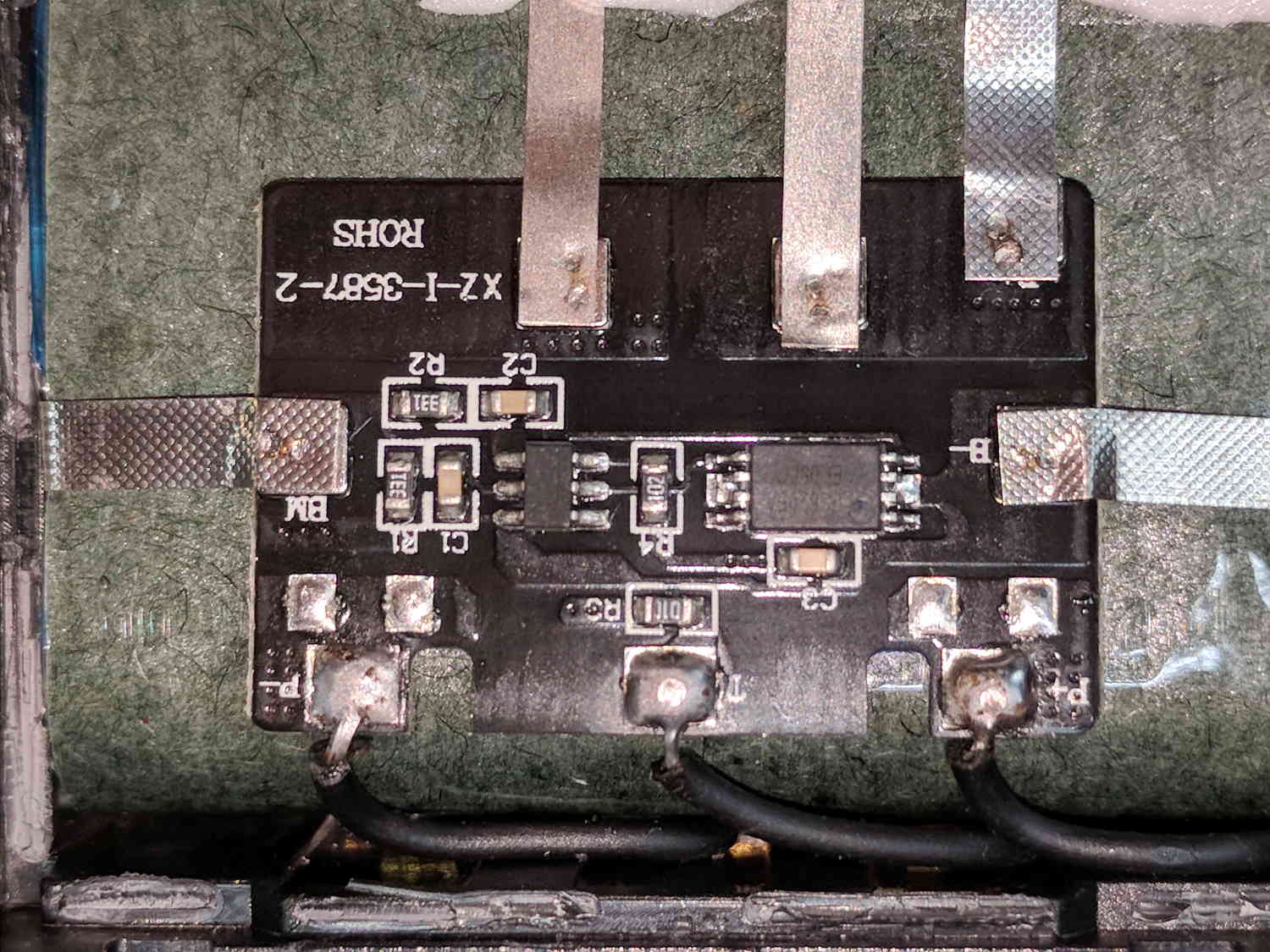
    A closer look at the (dis)charge controller PCB:

    Baofeng BL-5 battery pack - protection PCB
    Baofeng BL-5 battery pack – protection PCB

    The other side of the PCB has no components, so what you see is what you get. The larger IC proclaims FS8205A EP050C, which may indicate a vague relation to an S8205 protection IC. The datasheet shows a 16 pin TSSOP package containing an IC for four or five cell batteries, completely unlike the 8 pin package on the PCB, but when you buy enough of anything, you can get anything you want.

    In common with all cheap lithium batteries around here, the “thermistor” terminal connects to a 10 kΩ SMD resistor steadfastly maintaining its resistance in the face of all temperature variations.

    Some probing shows one feeble cell in each pack. Perhaps a Frankenbattery built from the debris will have enough capacity for a standard ride around the block.

  • APRS/Voice HT Interface: Cap Failure

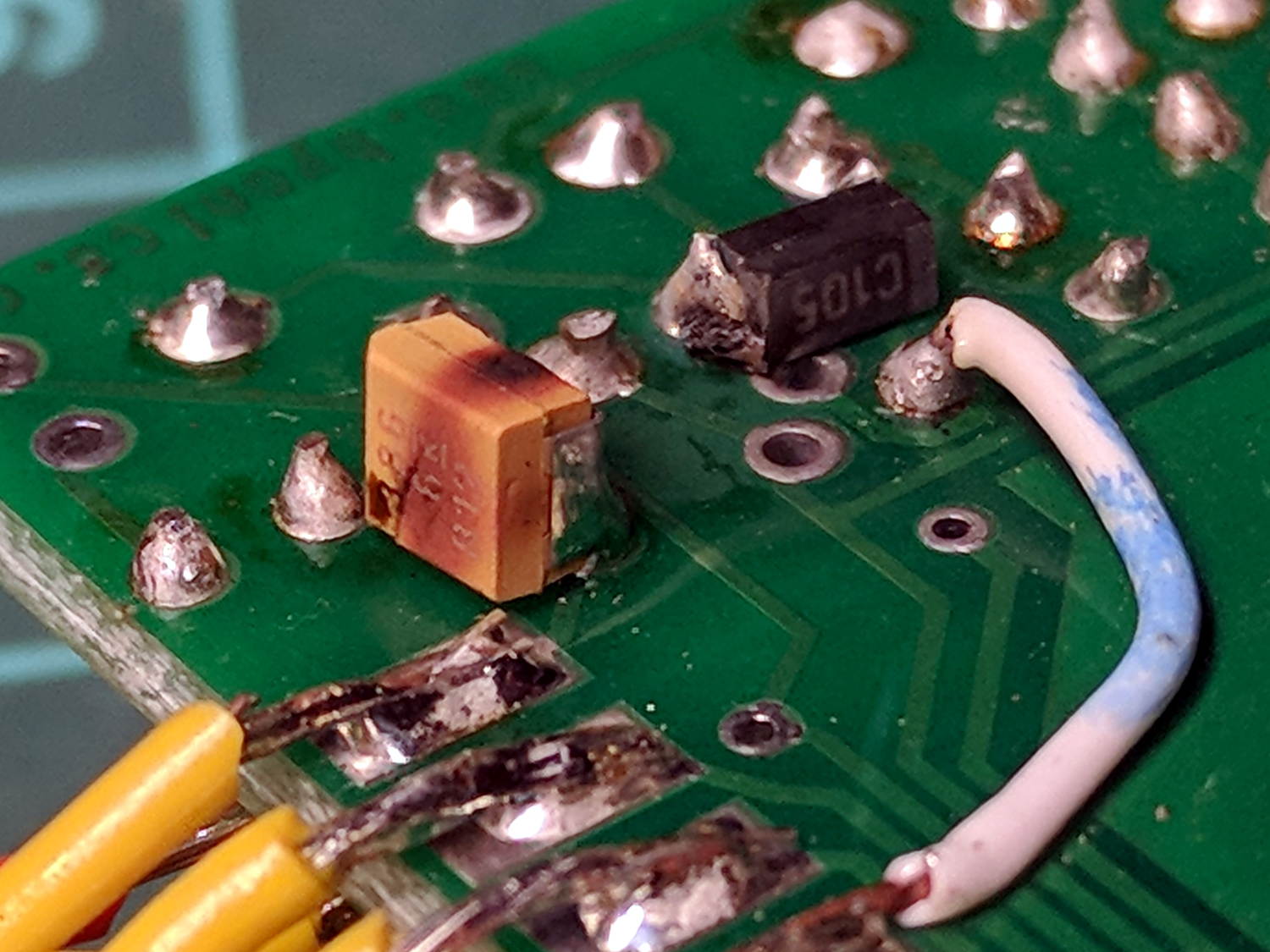
    The TinyTrak3 on the Wouxun adapter wasn’t working, showing a dim red Power LED to indicate it wasn’t getting enough juice. A bit of tracing showed my adapter board provided just over 5 V to the poor thing, not the nearly 9 V it should be getting, which led me to believe the transistor switching the supply had failed. A bit more tracing, however, revealed the true problem:

    Failed electrolytic cap
    Failed electrolytic cap

    The schmutz on the black cap matches up with a crater in the rear of the (originally not so) brown cap.

    The Little Box o’ SMD Caps revealed two nearly identical sets of 33 μF caps, one with a 6 V rating, the other with 16 V rating. Yup, when I added that cap in the hopes of reducing RFI troubles, I soldered the wrong one onto the PCB: it’s my fault!

    The poor thing lasted for over six years with just under 9 V applied to it, so I can’t complain.

    I removed the corpse and reassembled the box without the additional cap (and without the terminals contacting the back of the Wouxun, because reasons). If RFI turns out to be a problem, I’ll take another look at the situation.

  • APRS/Voice HT Interface: Baofeng Mods

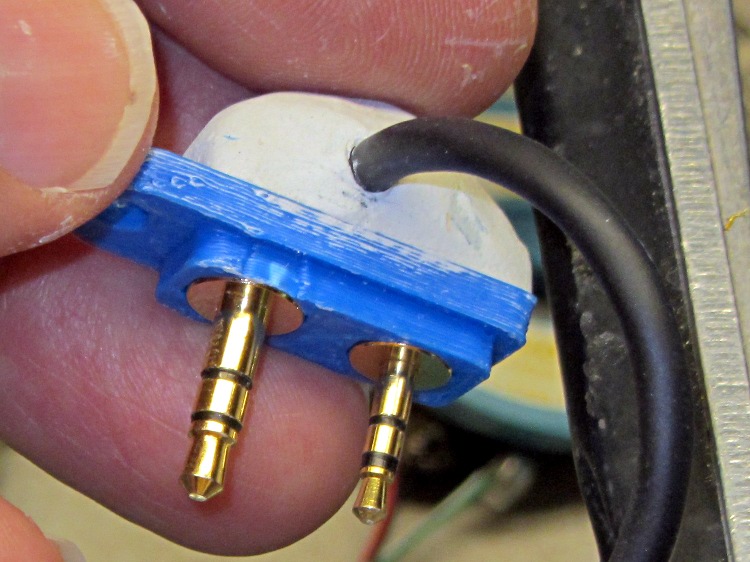
    My carefully contrived plug plates for Wouxun radios:

    Wouxun plug plate - epoxy cap
    Wouxun plug plate – epoxy cap

    … of course don’t fit the Baofeng radio. This being in the nature of a final fix, I chopped off enough protrusions to make the remainder fit snugly into the recess.

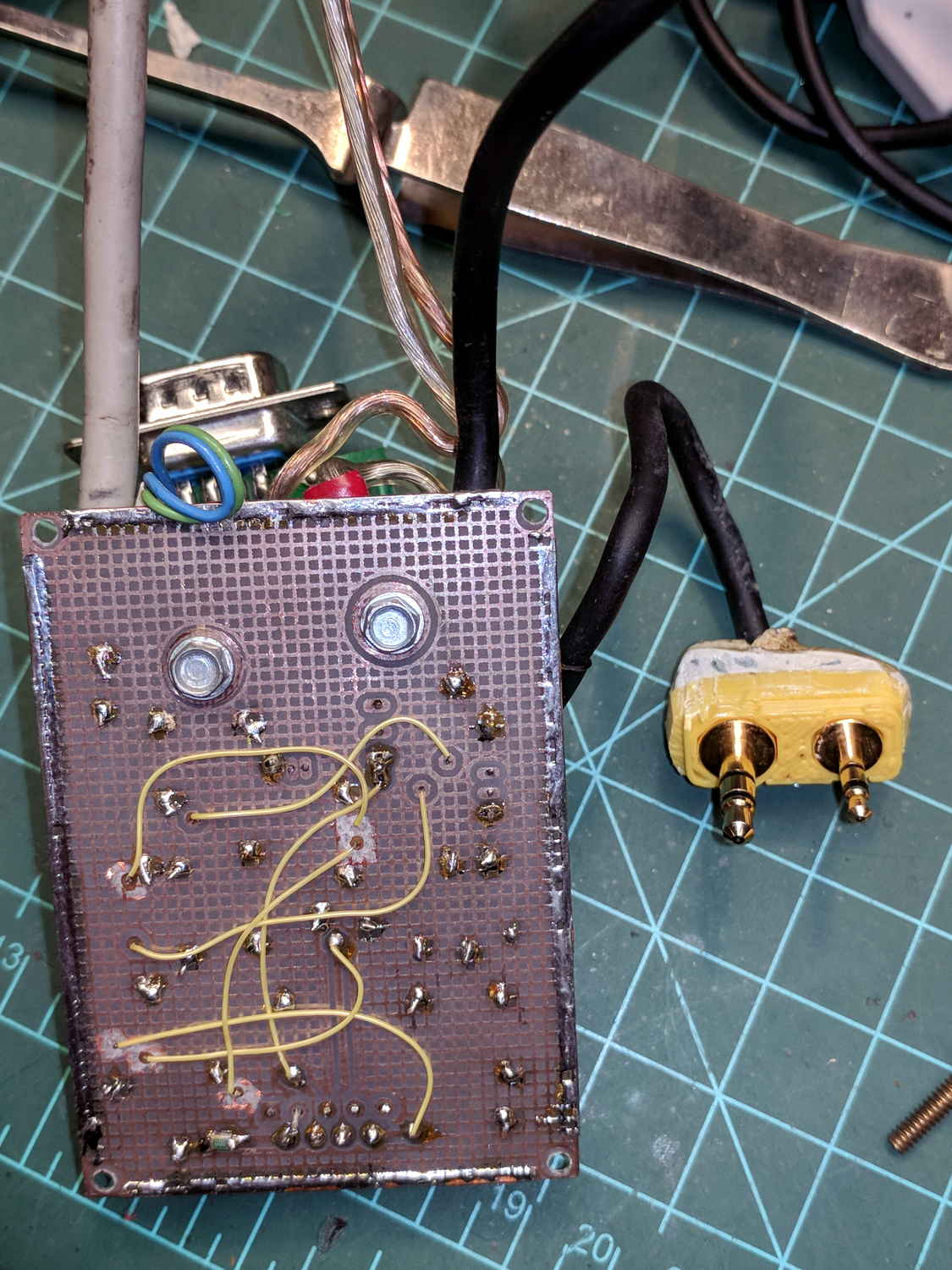
    APRS-voice HT interface - Baofeng mods
    APRS-voice HT interface – Baofeng mods

    The case containing the TinyTrak3 GPS board and the APRS-voice adapter PCB of course doesn’t fit in place of the Baofeng battery pack, so I replaced the battery contact studs with simple 4-40 screws to prevent heartache & confusion.

    Based on one ride, both Baofeng batteries have very little capacity left after several years on the shelf, which comes as absolutely no surprise whatsoever.

  • Water Hardness

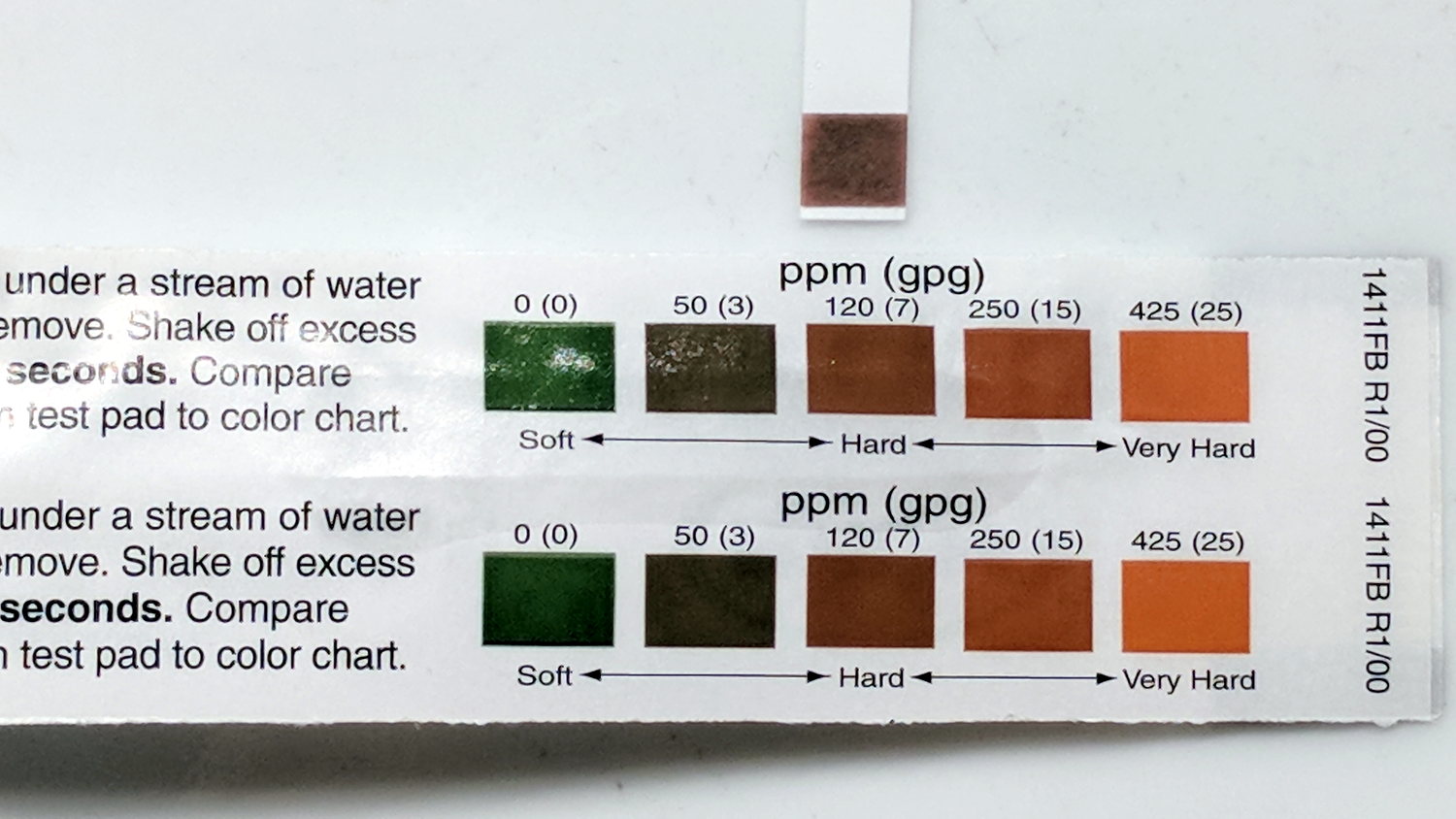
    A water hardness test strip recently arrived from Morton Salt:

    Water harness test
    Water harness test

    I call it between 7 and 15 gpg. Based on the feel of the water just before regeneration, I’d been guesstimating 15 gpg, so it’s within reason.

    I’ll back the softener off to 10 gpg and see what happens.

  • Rt 376 Pavement Deterioration

    The pavement along Rt 376 between markers 1111 and 1108 has deteriorated into deep chasms, potholes, and fissures.

    The linear disintegration south of marker 1111 seems to follow an underlying concrete joint. The shoulder has deep, tire-trapping fissures, forcing cyclists far out into the travel lane along a narrow and curved part of Rt 376:

    Rt 376 SB deterioration - S of marker 1111 - 2018-02-20
    Rt 376 SB deterioration – S of marker 1111 – 2018-02-20

    The hole at address 2181 (across from Paula’s House / GastroPub) was previously patched, but recent weather has excavated it nearly a foot deep. The shoulder has also deteriorated, again forcing cyclists into the travel lane:

    Rt 376 SB deterioration - at 2181 driveway - 2018-02-20
    Rt 376 SB deterioration – at 2181 driveway – 2018-02-20

    The previous patches along the inside of the curve just north of Heathbrook Drive (south of marker 1108) have disintegrated. There’s no shoulder at all along that section and the fissures in the travel lane force cyclists into the lane along a blind curve:

    Rt 376 NB deterioration - S of marker 1108 - 2018-02-20
    Rt 376 NB deterioration – S of marker 1108 – 2018-02-20

    This section of NYS Bicycle Route 9 poses an immediate danger to both cyclists and motorists, so I reported all these to NYS DOT and, a day later, a crew traveled along Rt 376 shoveling cold patch into many of the holes and flattening the lumps more-or-less parallel to the road surface: it’s now driveable, if still a hazard for bicycle traffic.

    Hope springs eternal; after all, they did repave Rt 376 around Red Oaks Mill.

  • MPCNC: Autolevel Probe, Endstop Edition

    When in doubt, use an endstop switch:

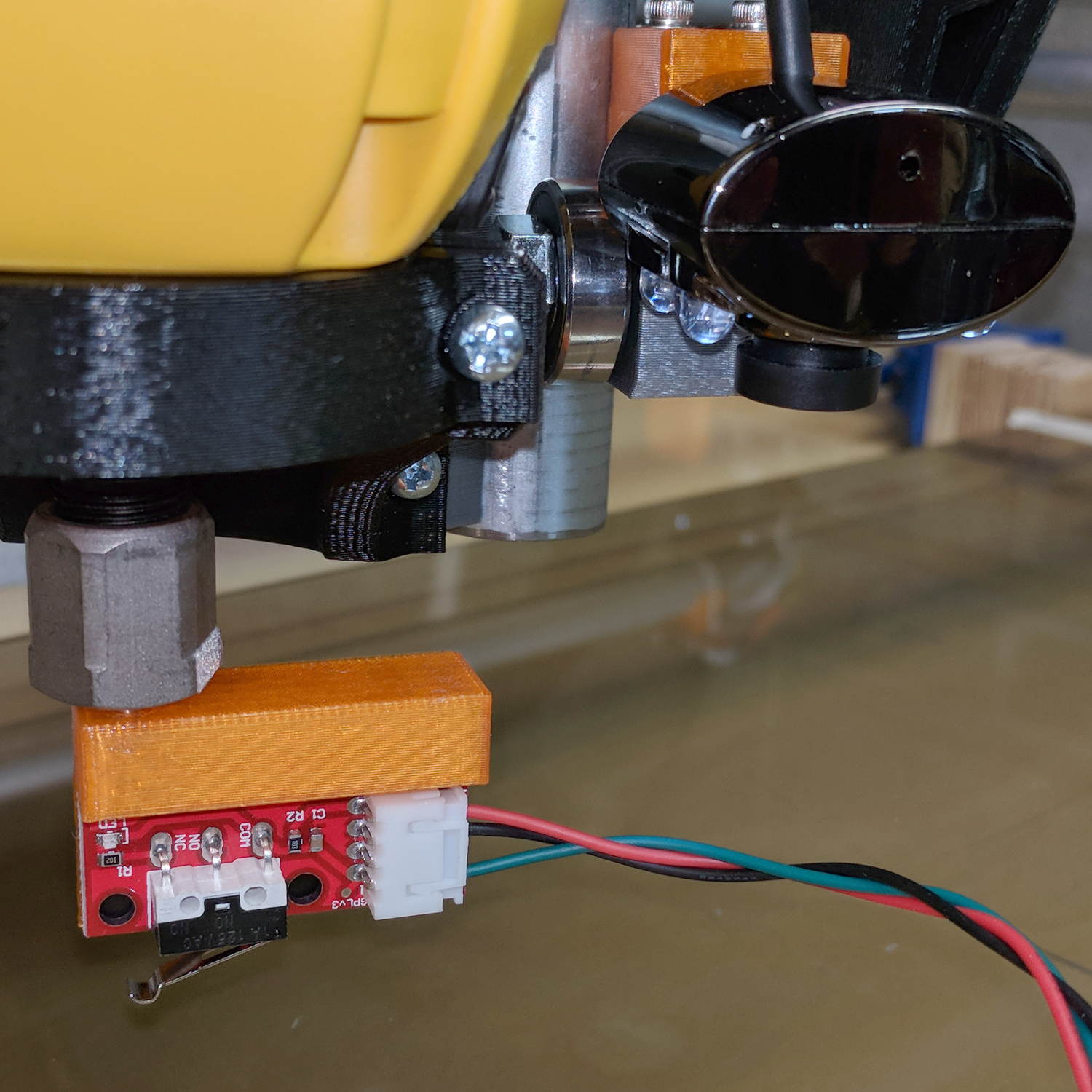
    MPCNC - Endstop Z probe - USB camera
    MPCNC – Endstop Z probe – USB camera

    The USB camera lurks in the upper right.

    Just after that picture, I clipped off the NC switch terminal so I can wire this endstop in parallel with the tool length probe. Epoxy coating to follow.

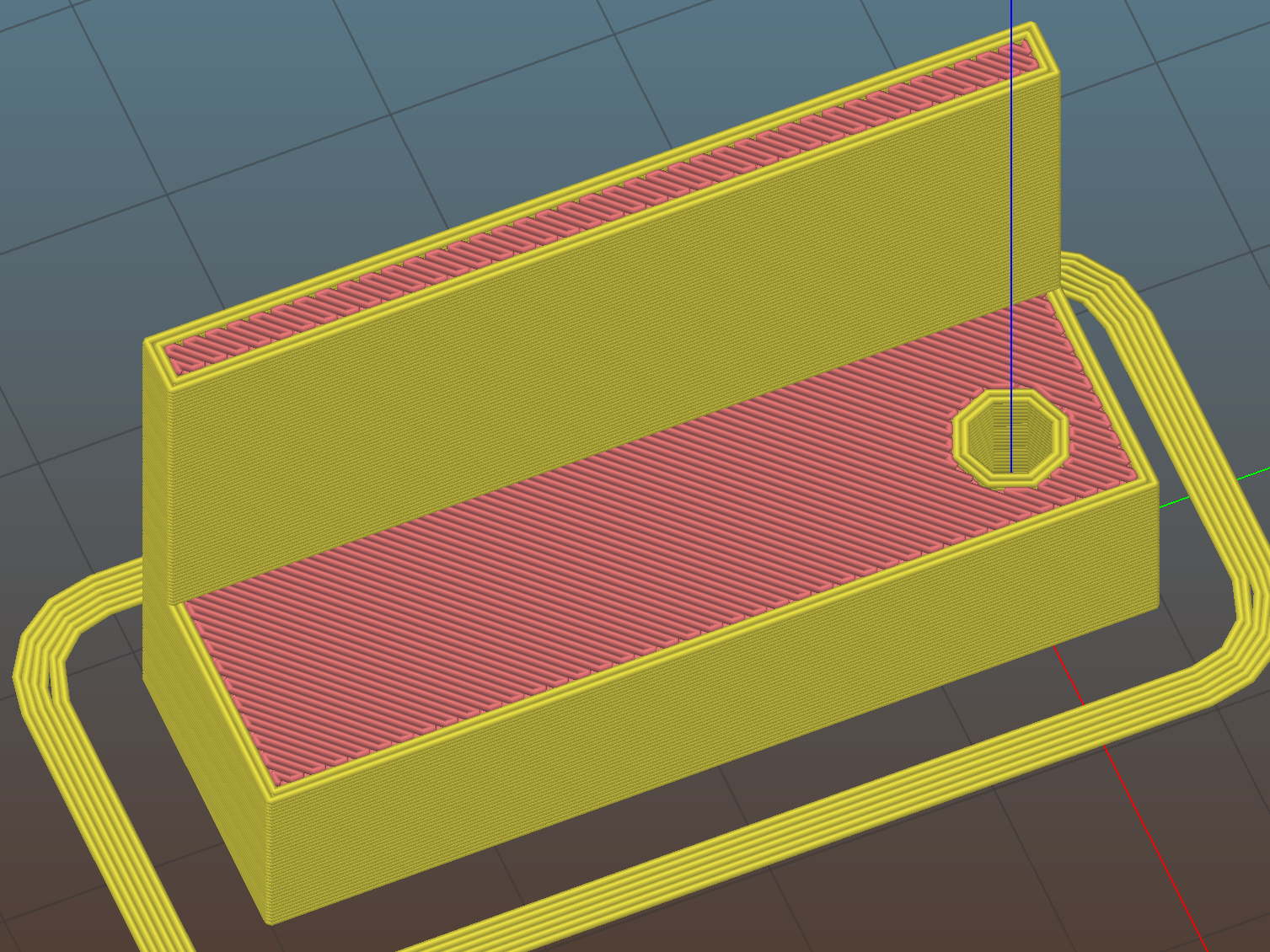
    The DW660 collet grabs a length of 1/8 inch drill rod jammed into a hole positioned to put the switch actuator directly in line with the spindle axis when it trips the switch, so as to measure a known and useful location:

    Z Axis Height Probe - MBI endstop - Slic3r
    Z Axis Height Probe – MBI endstop – Slic3r

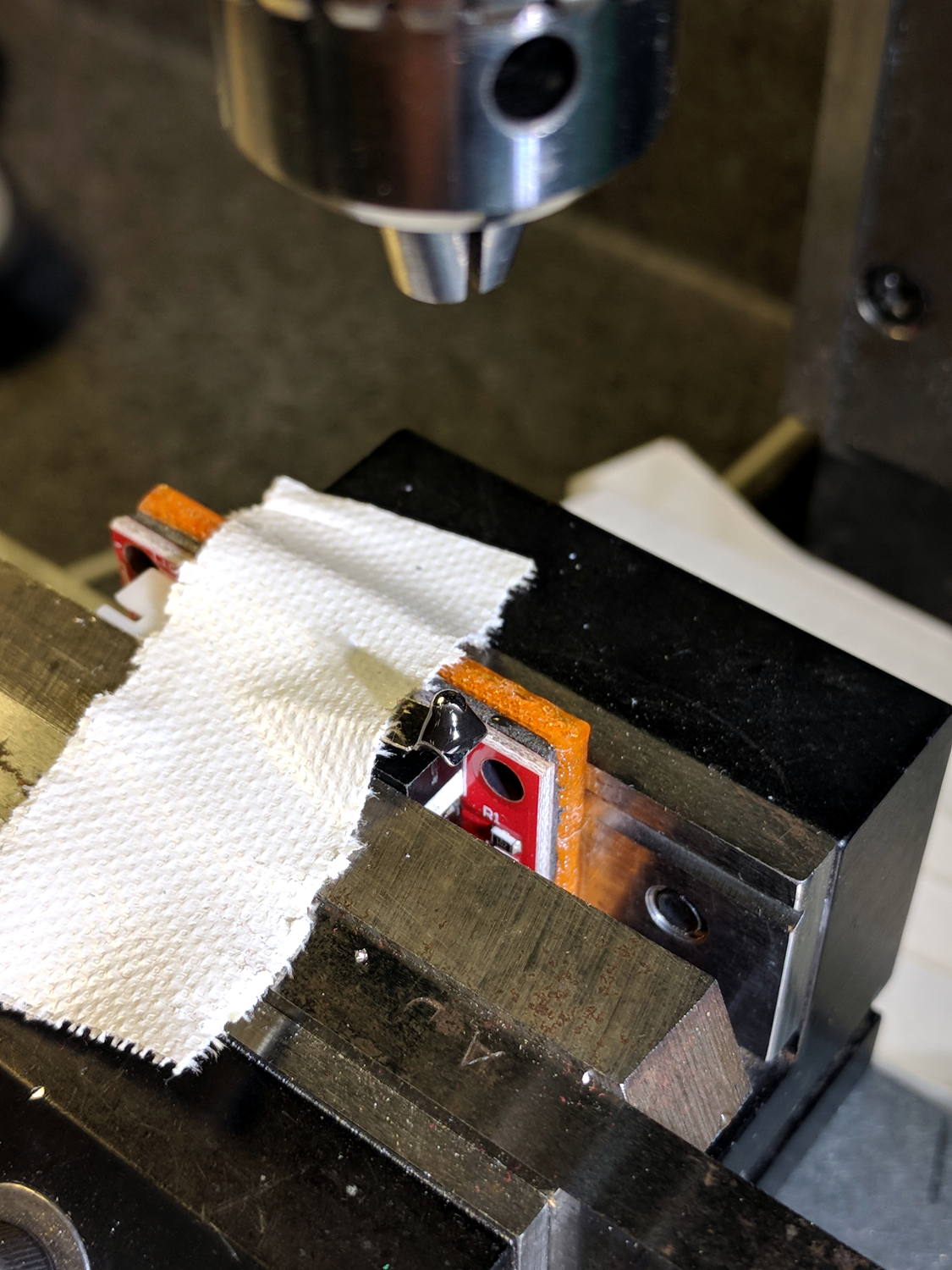
    After mulling things over for a while, I fired up the Sherline, drilled a #54 hole in the actuator, and epoxied a 3/32 inch bearing ball in the hole:

    MPCNC - Endstop Z probe - bearing
    MPCNC – Endstop Z probe – bearing

    A #54 drill hole is half the diameter of the ball and, with a bit of luck, enough of the ball will stick through into the epoxy on the underside for a good grip:

    MPCNC - Endstop Z probe - bearing - detail
    MPCNC – Endstop Z probe – bearing – detail

    The general idea is to convert the stamped steel actuator into a single, albeit not particularly sharp, contact point that can glide over the platform / PCB / sheet-of-whatever to measure the surface. The actuator pivots as it depresses, so the ball must slide horizontally just a bit. I prefer a rod-in-tube probe poking a linear button switch, but those weren’t getting me anywhere.

    If I were really cool, I’d use a ruby ball. Maybe silicon nitride?

    The OpenSCAD source code as a GitHub Gist:

    // MPCNC Z Axis Height Probe – MBI endstop in router collet
    // Ed Nisley KE4ZNU – 2018-02-17
    Layout = "Build"; // Build, Show
    /* [Extrusion] */
    ThreadThick = 0.25; // [0.20, 0.25]
    ThreadWidth = 0.40; // [0.40]
    /* [Hidden] */
    Protrusion = 0.1; // [0.01, 0.1]
    HoleWindage = 0.2;
    inch = 25.4;
    function IntegerMultiple(Size,Unit) = Unit * ceil(Size / Unit);
    ID = 0;
    OD = 1;
    LENGTH = 2;
    //- Adjust hole diameter to make the size come out right
    module PolyCyl(Dia,Height,ForceSides=0) { // based on nophead's polyholes
    Sides = (ForceSides != 0) ? ForceSides : (ceil(Dia) + 2);
    FixDia = Dia / cos(180/Sides);
    cylinder(r=(FixDia + HoleWindage)/2,h=Height,$fn=Sides);
    }
    PCB = [40.0,1.6,16.5]; // endstop PCB, switch downward, facing parts
    Touchpoint = [4.8,4.8,-4.5]; // contact point from PCB edges, solder side
    TapeThick = 1.0; // foam mounting tape
    ShankOD = 0.125 * inch; // rod into tool collet
    ShankInsert = 3*ShankOD; // … insertion into switch holder
    WallThick = 3.0; // basic wall & floor thickness
    Mount = [PCB.x,
    (WallThick + TapeThick + Touchpoint.y) + (ShankOD/2 + WallThick),
    PCB.z + ShankInsert
    ];
    NumSides = 2*4;
    //—–
    // Define shapes
    module SwitchMount() {
    difference() {
    translate([PCB.x/2 – Touchpoint.x, // overall block
    Mount.y/2 – (ShankOD/2 + WallThick),
    (PCB.z + ShankInsert)/2])
    cube(Mount,center=true);
    translate([0,0,-Protrusion]) // collet shank hole
    PolyCyl(ShankOD,2*Mount.z,NumSides);
    translate([PCB.x/2 – Touchpoint.x, // PCB recess
    -Mount.y/2 + TapeThick + Touchpoint.y,
    PCB.z/2 – Protrusion/2])
    cube([Mount.x + 2*Protrusion,
    Mount.y,
    PCB.z + Protrusion
    ]
    ,center=true);
    }
    }
    //—–
    // Build it
    if (Layout == "Show")
    SwitchMount();
    if (Layout == "Build") {
    translate([0,0,Mount.z])
    rotate([180,0,-90])
    SwitchMount();
    }