Ed Nisley's Blog: Shop notes, electronics, firmware, machinery, 3D printing, laser cuttery, and curiosities. Contents: 100% human thinking, 0% AI slop.
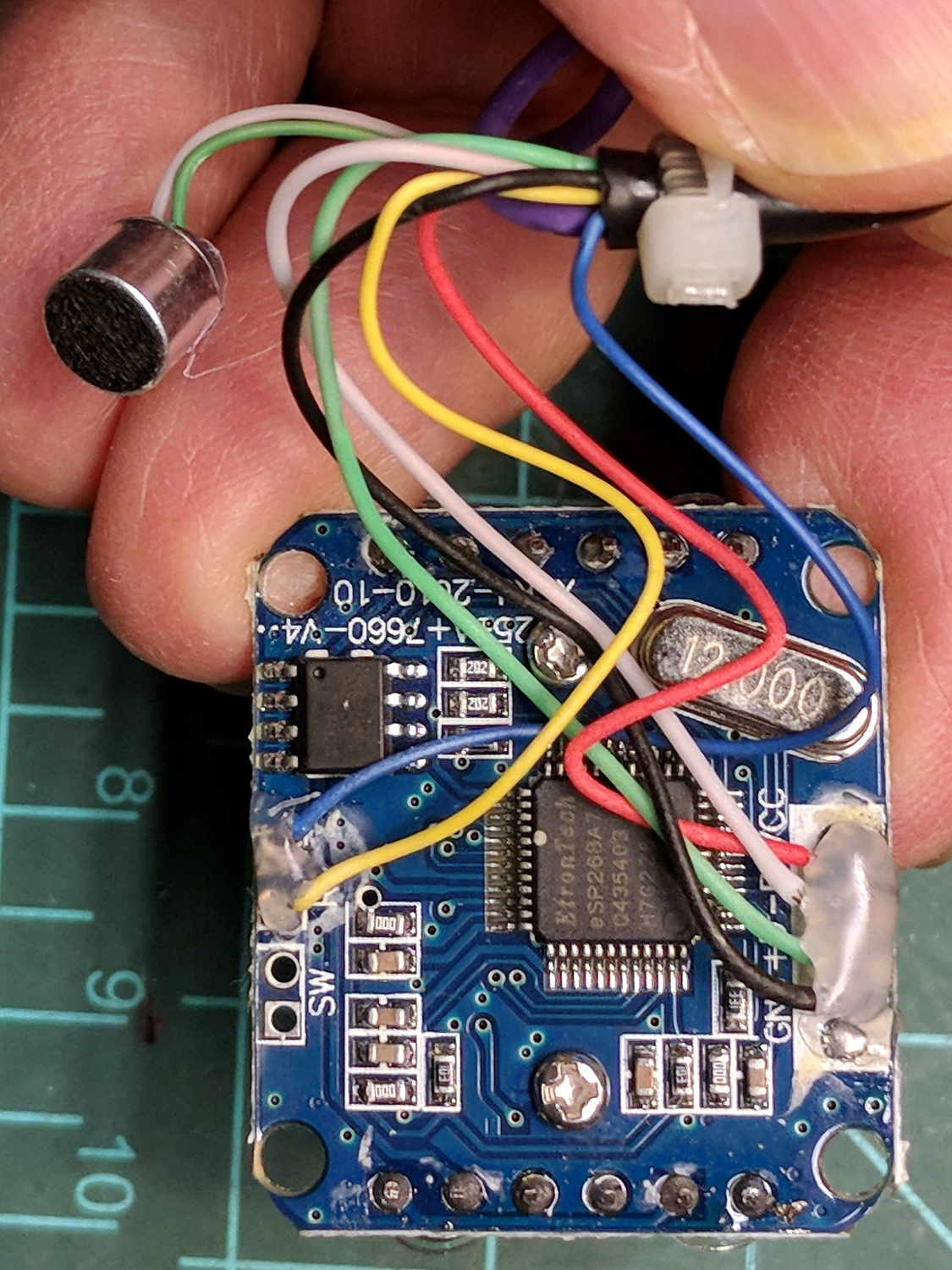
The bCNC doc shows how to use a USB camera for XY alignment and I want to try it out. The Box o’ USB Cameras emitted a likely candidate with a focusing lens, six (!) white LEDs, and a ball mount attached to an aggressive spring clip, but its thick USB cable included a lumpy brightness pot for the LEDs and sprouted a mic plug (apparently, it predated cheap USB audio):
USB Camera – OEM wiring
The Box o’ USB Cables emitted a surprisingly long cable amputated from some random hunk of consumer electronics.
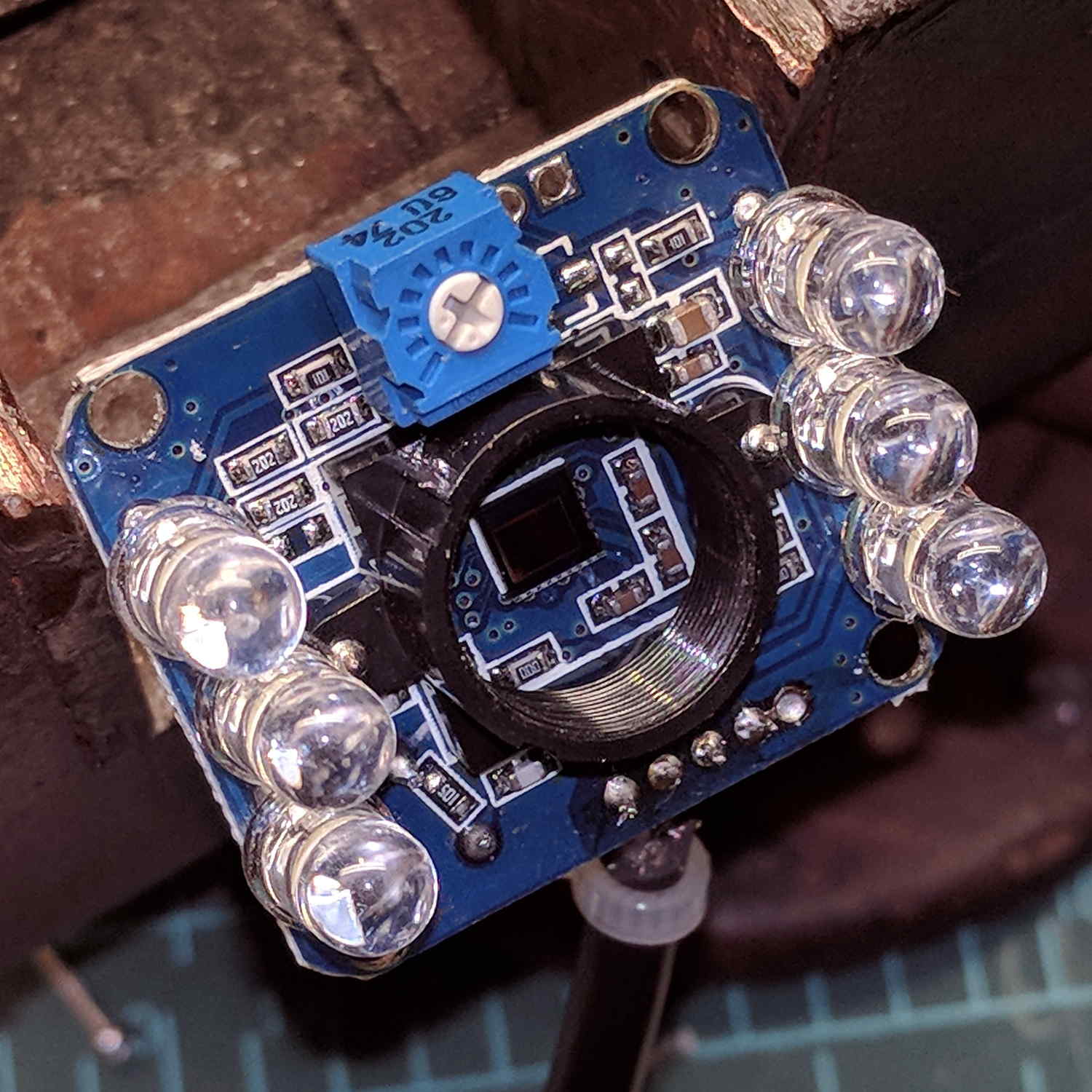
The LED brightness won’t need much adjustment after the first few minutes. I found a little 2 kΩ trimpot to fit the PCB holes:
USB Camera – inside – brightness pot
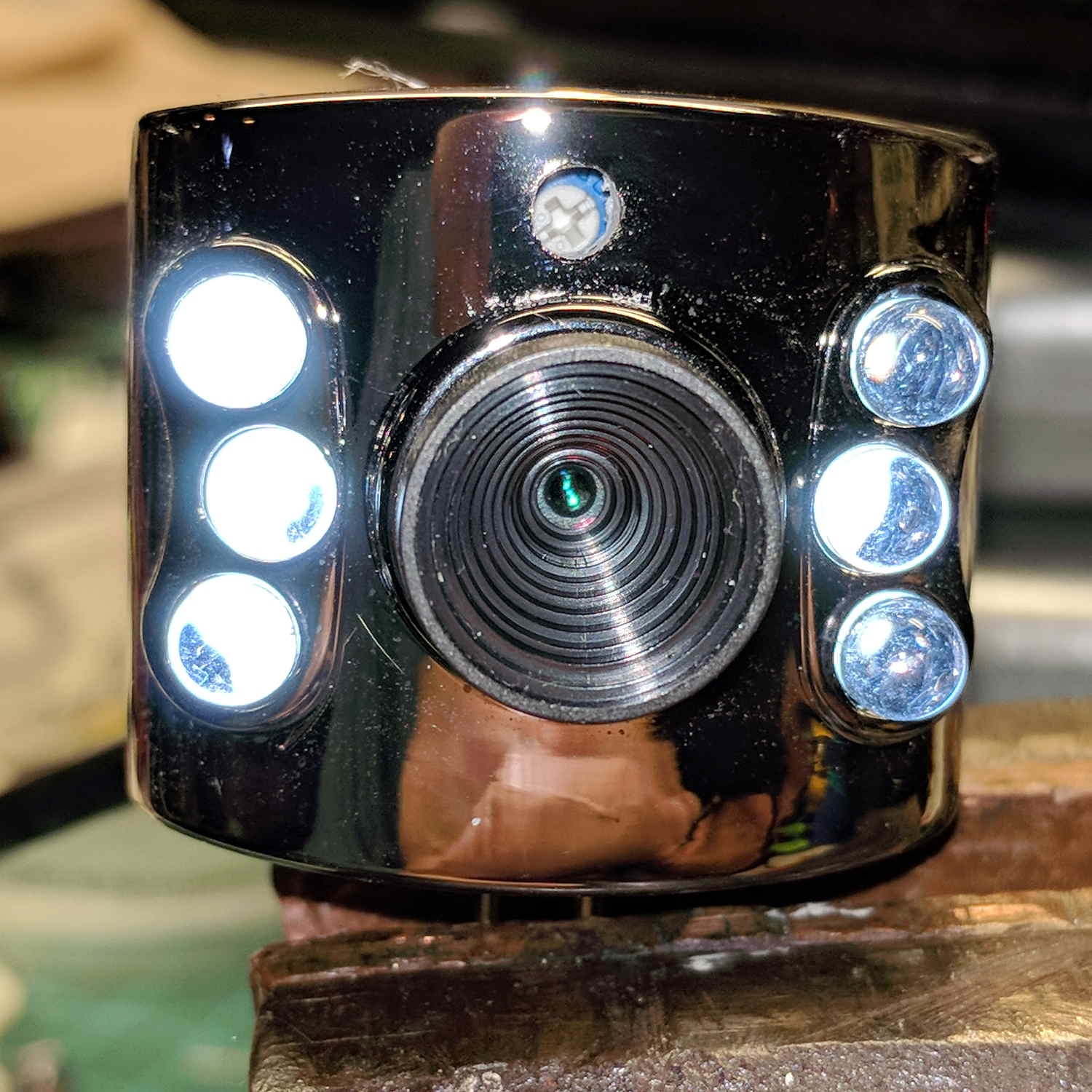
Miracle of miracles, the dial ended up almost centered behind the original mic pore. A few minutes of gentle filing embiggened the pore and moved it over the trimpot:
USB Camera – front with brightness pot
Yeah, the hole may need a plug or tape to keep the dust out, but there’s an even bigger gap around the lens.
It produces a 640×480 picture with pretty much the expected quality, which should suffice for its intended purpose.
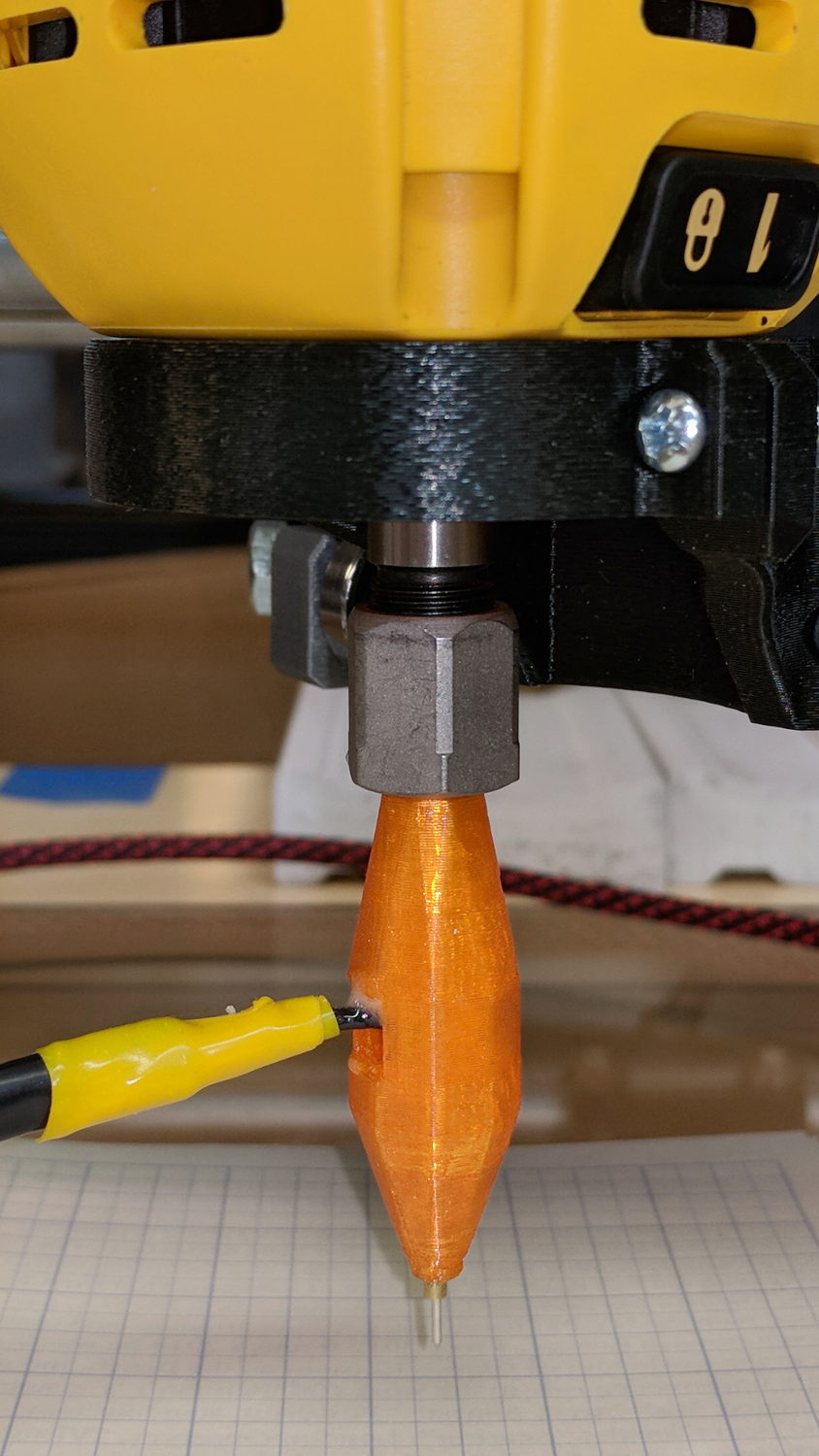
Inside, it uses the same pushbutton and pogo pin as the pen holder design, with a similar brass tube around the pogo pin.
There’s a conspicuous lack of good wire management; we all know where those wires will snap. In practice, you’d secure it to the DW660 power cord, way up on top, to eliminate most of the flexing. Still, it wants better strain relief than its gets from those heatstink tubes.
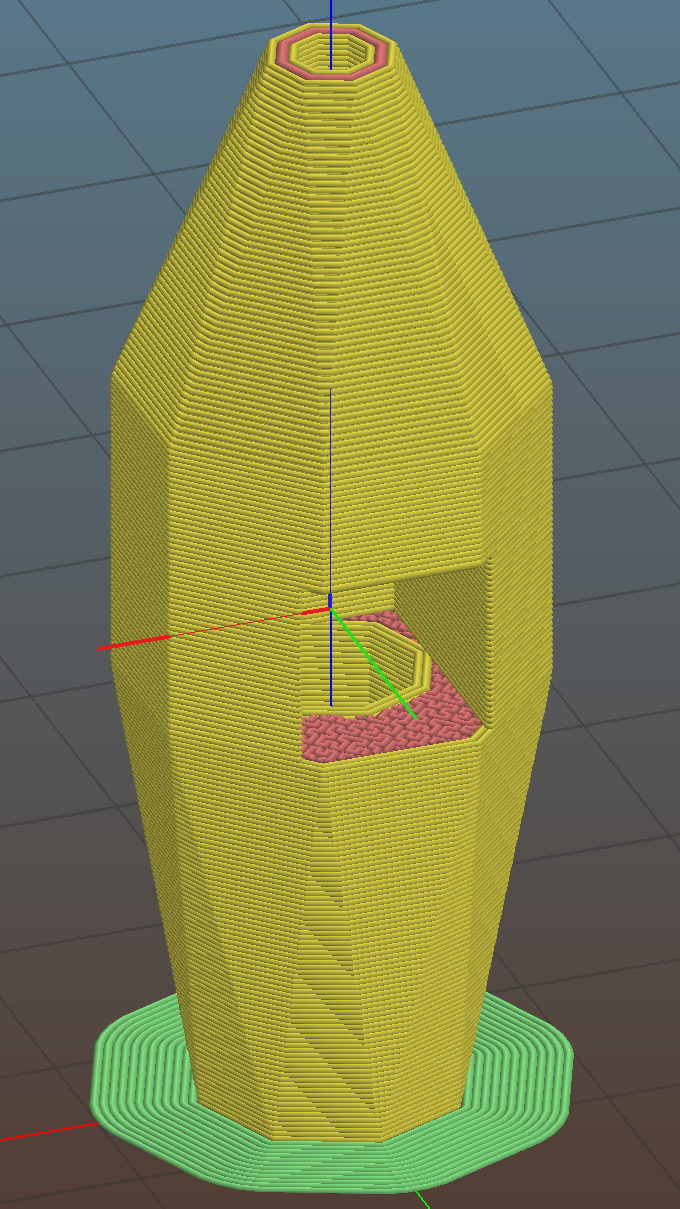
It’s sitting upside-down in a 5 mm brim for more platform adhesion.
The next one will have a 1/8 inch stud to fit the DW660’s other collet and shorten the top by 3/8 inch, because I want the rod inserted three diameters for stability. The bottom can’t get much shorter, because the pogo pin determines the switch-to-tip distance. Maybe a simple membrane switch will work well enough?
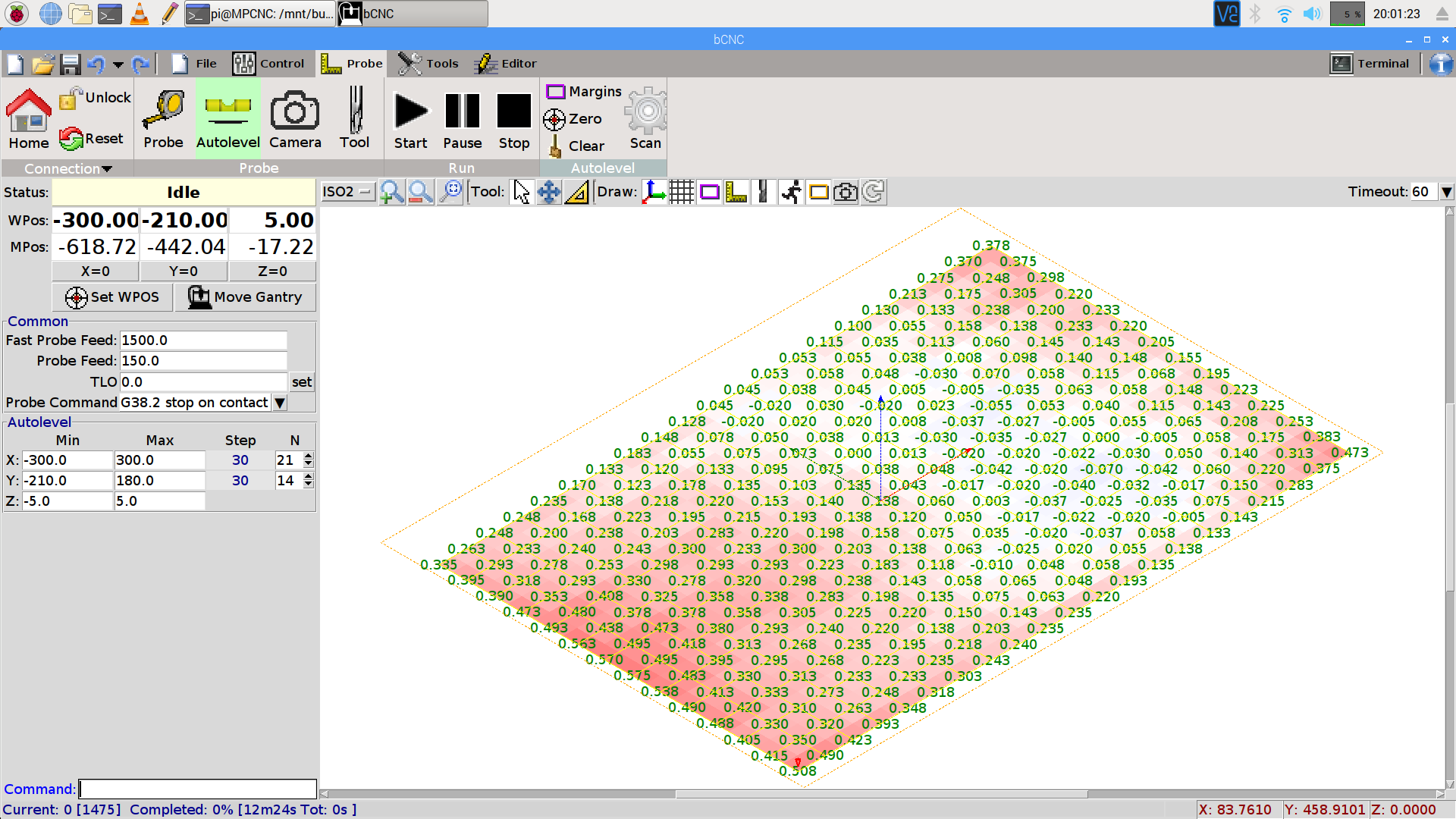
You can see the depression in the glass sheet pretty clearly in a bCNC Autolevel scan on 30 mm centers (clicky for more dots):
This file contains hidden or bidirectional Unicode text that may be interpreted or compiled differently than what appears below. To review, open the file in an editor that reveals hidden Unicode characters.
Learn more about bidirectional Unicode characters
The display started up fine, became encrypted during the next few hours, and remained garbled as the track information changed. This is almost certainly a bad SPI transfer trashing the OLED module’s control registers.
Dropping the clock to the absolute minimum of 0.5 MHz didn’t help, either:
serial = spi(device=0,port=0,bus_speed_hz=500000)
device = sh1106(serial)
This particular display woke up blank after loading the new code, then worked OK after another reset. The other streamers lit up as expected on the first try, so the slower SPI isn’t making the situation instantly worse.
Running the clock at 1 MHz definitely reduced the failure rate, which suggests it’s a glitchy thing.
Good embedded systems practice suggests resetting the entire display from scratch every now and again, but my streamer code has no concept of elapsed time. Opening that particular can o’ worms would almost certainly result in an on-screen clock and I do not want to go there.
I suppose I must get a new oscilloscope with SPI bus decoding to verify all the SPI setup and hold times …
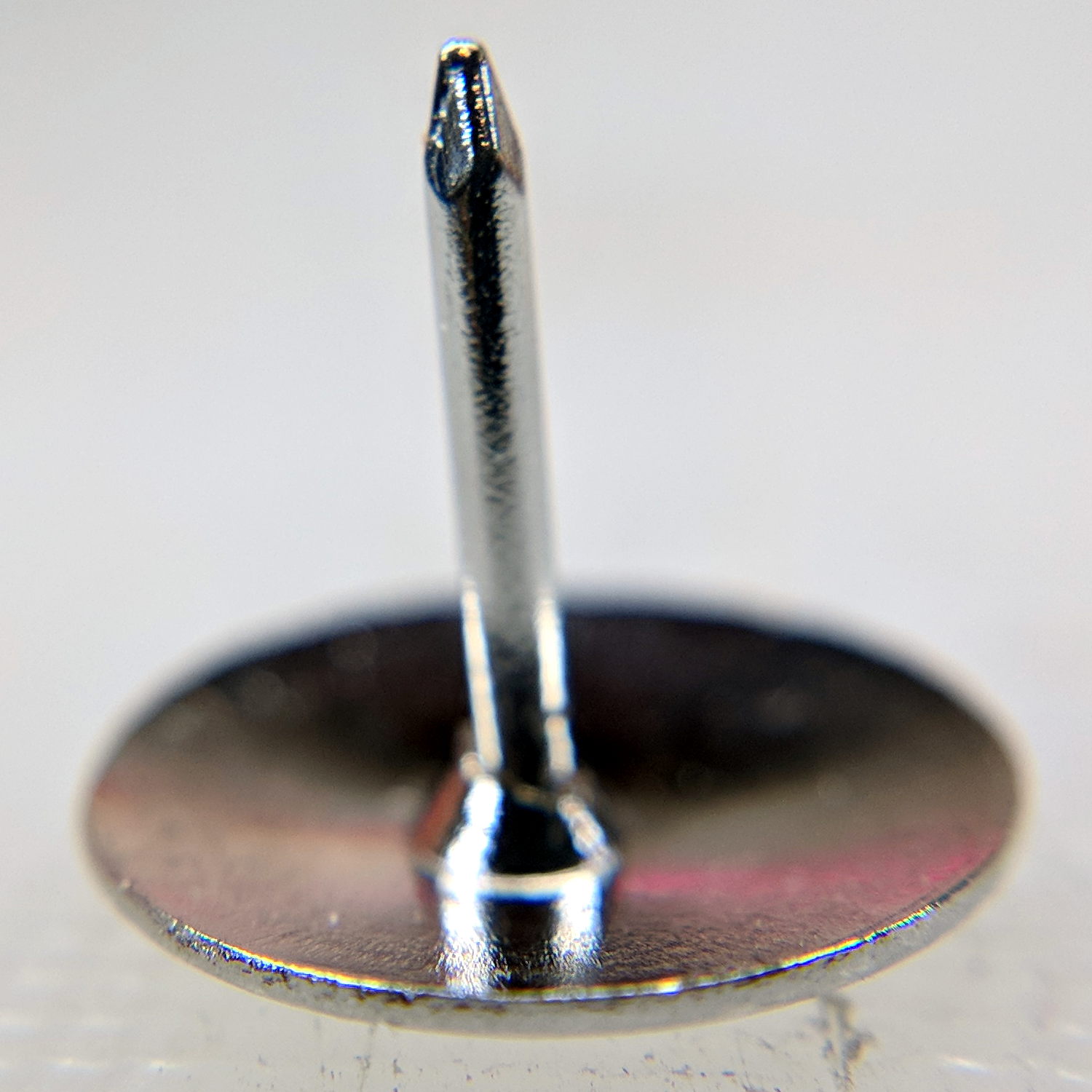
Mary mentioned the pivot pin supplied with a quilting ruler tended to hang up on the layers of fabric and batting in the quilt squares she’s been making. A quick look showed the pin bore a remarkable resemblance to an ordinary thumb tack:
Ruler Quilting Pivot Pin – as delivered
I reset the pin shaft perpendicular to the head, grabbed a small brass tube in the lathe tailstock, inserted pin in tube, grabbed the head in the chuck, ignored a slight radial offset, and attacked the pin with fine files and sandpaper:
Ruler Quilting Pivot Pin – sharpened
The lathe chuck seemed the easiest way to firmly hold the head; I rotated the chuck by hand while filing.
Most of the remaining scratches go mostly parallel to the pin, but it really didn’t work much better than before. We decided polishing the pin wouldn’t improve the situation enough to make it worthwhile.
That’s the difference between sharp and keen, which cropped up with the cheap ceramic knife from a while ago. The point may penetrate the fabric, but the shaft can’t get through the tight weave.
She’s now using a scary thin and pointy embroidery pin, having successfully rebuffed my offer to mount it in a suitable base.
The neighborhood raccoons made off with our steel-cage suet feeder, leaving a dangling chain, several puzzled woodpeckers, and a potential gap in Mary’s FeederWatch data. A quick Thingiverse search turned up a likely candidate and a few hours of 3D printing produced a replacement:
3D printed suet feeder
The cheerful party colors just sort of happened after I realized orange wasn’t the new steel.
I bandsawed the top plate from an acrylic sheet, rather than devote several hours to printing a simple disk with two slots. Said slots came from a bit of freehand work with the drill press, a step drill bit, and a nasty carbide milling bur(r).
The loops holding the chains won’t last for long, as hairy and red-bellied woodpeckers land with thump.
It hangs from the stub of a former ski pole, loosely secured to the bracket holding the former feeder, and extending another two feet over the abyss beyond the patio. I doubt the raccoons will remain daunted for long, but maybe they’ll catch a heart attack when it collapses.
After doing sudo modprobe uinput, lsmod | grep uinp returns nothing at all (Xubuntu 16.04), but evtest seems perfectly happy:
sudo evtest /dev/input/event17
Input driver version is 1.0.1
Input device ID: bus 0x3 vendor 0x58f product 0x9410 version 0x0
Input device name: "KB800 Kinesis Freestyle"
Supported events:
  Event type 0 (EV_SYN)
  Event type 1 (EV_KEY)
    Event code 113 (KEY_MUTE)
    Event code 114 (KEY_VOLUMEDOWN)
    Event code 115 (KEY_VOLUMEUP)
    Event code 140 (KEY_CALC)
Properties:
Testing ... (interrupt to exit)
Event: time 1518199358.454619, type 1 (EV_KEY), code 113 (KEY_MUTE), value 1
Event: time 1518199358.454619, -------------- SYN_REPORT ------------
Event: time 1518199358.454638, type 1 (EV_KEY), code 113 (KEY_MUTE), value 0
Event: time 1518199358.454638, -------------- SYN_REPORT ------------
Event: time 1518199361.014681, type 1 (EV_KEY), code 114 (KEY_VOLUMEDOWN), value 1
Event: time 1518199361.014681, -------------- SYN_REPORT ------------
Event: time 1518199361.014699, type 1 (EV_KEY), code 114 (KEY_VOLUMEDOWN), value 0
Event: time 1518199361.014699, -------------- SYN_REPORT ------------
Event: time 1518199361.654701, type 1 (EV_KEY), code 115 (KEY_VOLUMEUP), value 1
Event: time 1518199361.654701, -------------- SYN_REPORT ------------
Event: time 1518199361.654721, type 1 (EV_KEY), code 115 (KEY_VOLUMEUP), value 0
Event: time 1518199361.654721, -------------- SYN_REPORT ------------
Event: time 1518199362.294715, type 1 (EV_KEY), code 140 (KEY_CALC), value 1
Event: time 1518199362.294715, -------------- SYN_REPORT ------------
Event: time 1518199362.294733, type 1 (EV_KEY), code 140 (KEY_CALC), value 0
Event: time 1518199362.294733, -------------- SYN_REPORT ------------
And the keys work without any special configuration on my part. Apparently they’re already built into XFCE, despite the sound keys not showing up in the Keyboard Shortcuts control panel where you assign programs to keys.
This is wonderful work!
I’ve never seen so many calculators before! Oops.
There should be some udev-rule-ish way to automagically figure out which /dev/hidraw? device to use and symlink to a suitable alias, so the program could use it without knowing the actual device. A casual search turns up:




 The Smell of Molten Projects in the Morning