Ed Nisley's Blog: Shop notes, electronics, firmware, machinery, 3D printing, laser cuttery, and curiosities. Contents: 100% human thinking, 0% AI slop.
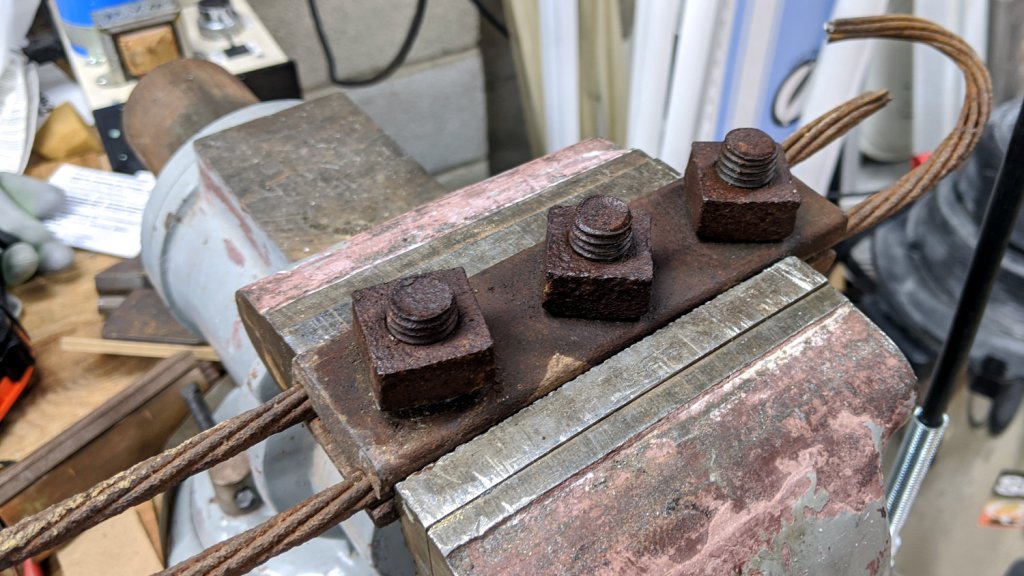
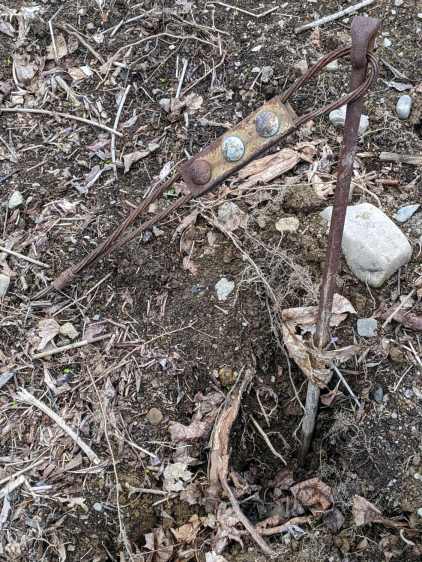
The rod turned freely in its underground anchor, but the nut is apparently frozen to the rod. I deployed the bolt cutter on the cable and hauled the carcass into the Basement Shop:
Pole anchor – nut loosening
Steeping the nuts with Kroil for a few hours relaxed them enough to submit to gentle suasion, whereupon the cable sproinged as the last nut released the clamping force:
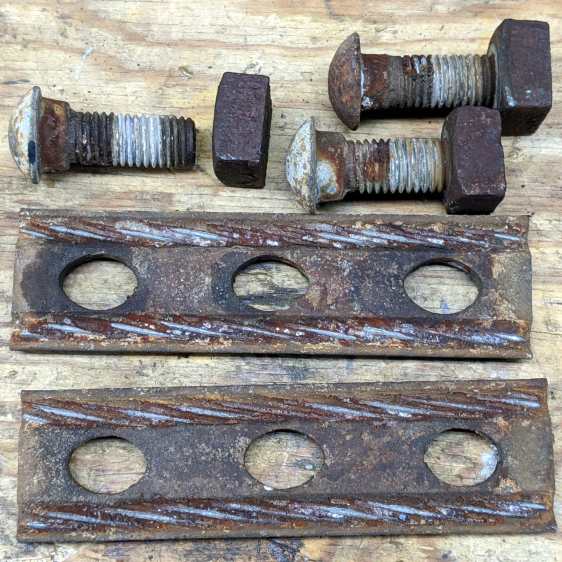
Pole anchor – hardware
As far as I can tell, the clamp hardware dates back to the pole’s original installation in 1940 and is in fine, if not pristine, shape.
The bolt shanks have an oval section matching the holes in the plate, so the bolts don’t turn and the crew needs only one wrench. They don’t make ’em like they used to!
I have no idea what I’ll do with these things, but they’re entirely too nice for the steel recycling bucket.
The signal from the Baofeng UV-5R HT tucked behind the seat of my Tour Easy became exceedingly choppy on recent rides. Here’s an earlier version to give you an idea of the situation:
Radio in seat wedge pack in bottle holder
Of course, it worked perfectly in the garage and only failed while on a ride. The clue turned out to be having it fail more on rough roads and crappy scab patches (courtesy of NSYDOT) than on relatively smooth asphalt.
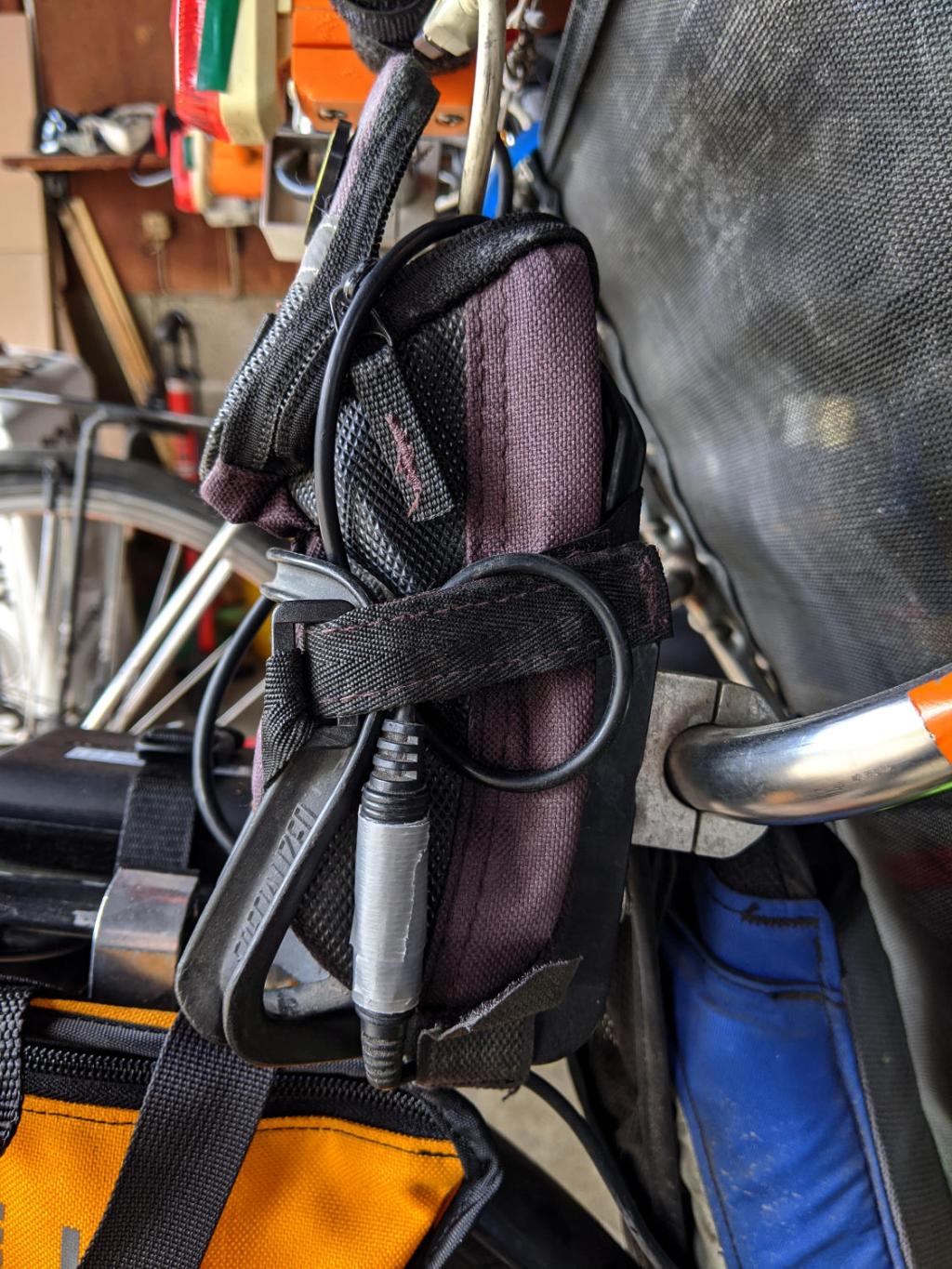
That led me to wiggle of All The Cables while crouched beside the bike in the garage, listening to another HT, and watching the transmit LED. After about five minutes of this, I found wiggling the 3.5 mm connector between the cable from the PTT button on the handlebar and the radio blinked the transmit LED: ah-HA!
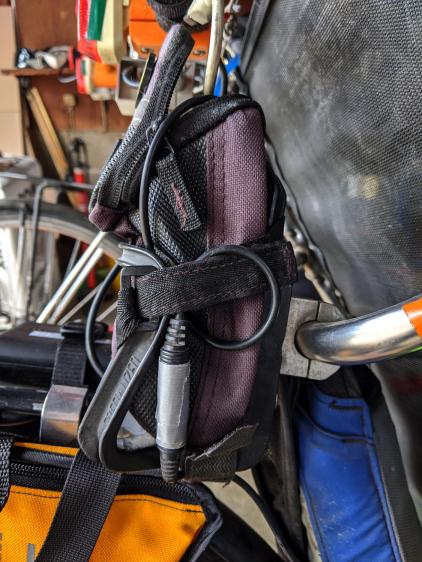
The connector had worked itself loose from the straps holding the radio pack in place, pulled some slack in the cable, and was bouncing around in mid-air. A wrap of duct tape now holds the connector halves together, the upper loop passes around the Velco-ish strap, and the lower loop (from the PTT button) goes through the bottom of the repurposed bottle holder:
Tour Easy – Baofeng PTT cable connection
No trouble on the next two rides, so we’ll call it fixed.
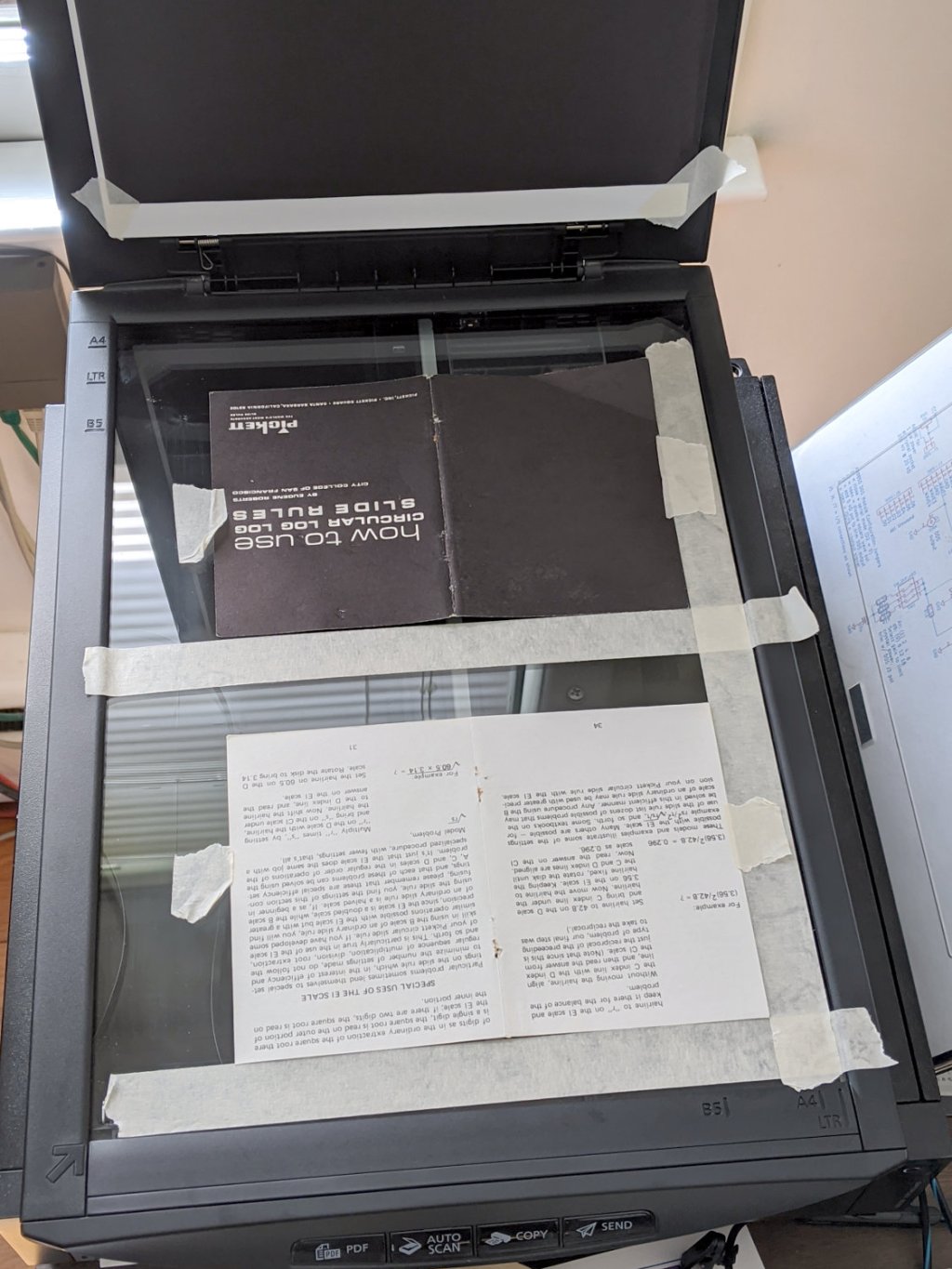
I gimmicked a scanner fixture to align a pair of pages:
Pickett 110-ES Scanning Fixture
Yes, I destroyed the collectible value of my manual by removing two slightly rusted staples.
The black paper taped to the scanner lid prevents the type on the upper surface of the paper from producing dark blurs.
Set up XSane for batch scanning (one selection over each two-page spread), get a pipeline going (disassembly → face up → face down → reassembly), and eventually create 34 images named Scan-??.jpg. They’re in color, although it matters only for the rust stains around the staple holes, with the contrast stretched enough to make them mostly B&W.
Somehow, Pickett printed / cut half the sheets slightly off-kilter, so I rotated them -1° rotation to re-align the text. To simplify plucking the rotated pages out of the image, composite the spread atop a blank white background:
for i in $(seq -w 3 2 33) ; do composite -compose atop Scan-$i.jpg -size 2200x1400 -geometry +100+100 canvas:white -rotate -1 Comp-$i.jpg ; done
Rather than thinking too hard, do exactly the same thing to the other pages without rotation:
for i in $(seq -w 2 2 34) ; do composite -compose atop Scan-$i.jpg -size 2200x1400 -geometry +100+100 canvas:white -rotate 0 Comp-$i.jpg ; done
Each scanned image has two pages, so crop it into two files with names corresponding to the actual page numbers:
for i in $(seq 2 2 34) ; do convert -crop 960x1240+1050+110 Comp-$i.jpg Crop-$(( $i - 1 )).jpg ; done
for i in $(seq 3 2 34) ; do convert -crop 960x1240+130+110 Comp-$i.jpg Crop-$(( $i - 1 )).jpg ; done
for i in $(seq 3 2 33) ; do convert -crop 960x1240+1050+110 Comp-$i.jpg Crop-$(( 66 - $i )).jpg ; done
for i in $(seq 2 2 32) ; do convert -crop 960x1240+110+110 Comp-$i.jpg Crop-$(( 66 - $i )).jpg ; done
Fix the single-digit pages to simplify globbing later on:
rename 's/-/-0/' Crop-[1-9].jpg
A bit of tedious fixup for some truly misaligned sheets produced images with slightly different sizes, so composite all of them onto slightly larger backgrounds to avoid screwing up the PDF conversion:
mkdir Final
for f in Crop* ; do composite -compose atop $f -size 1000x1300 -geometry +10+10 canvas:white -Final/$f ; done
Then jam them into a PDF for convenience:
cd Final
convert Crop-C[12].jpg Crop-[0-6]*.jpg Crop-C[34].jpg "Pickett 110-ES Circular Slide Rule Manual.pdf"
You can print it six-up to a sheet to produce text just about the same size as the original manual. If you omit (blank) cover pages 2, 67, and 68, the whole thing fits neatly on 11 sheets of paper.
Someone with better facilities and more attention to detail can surely produce a better-looking result, but this will be better than nothing.
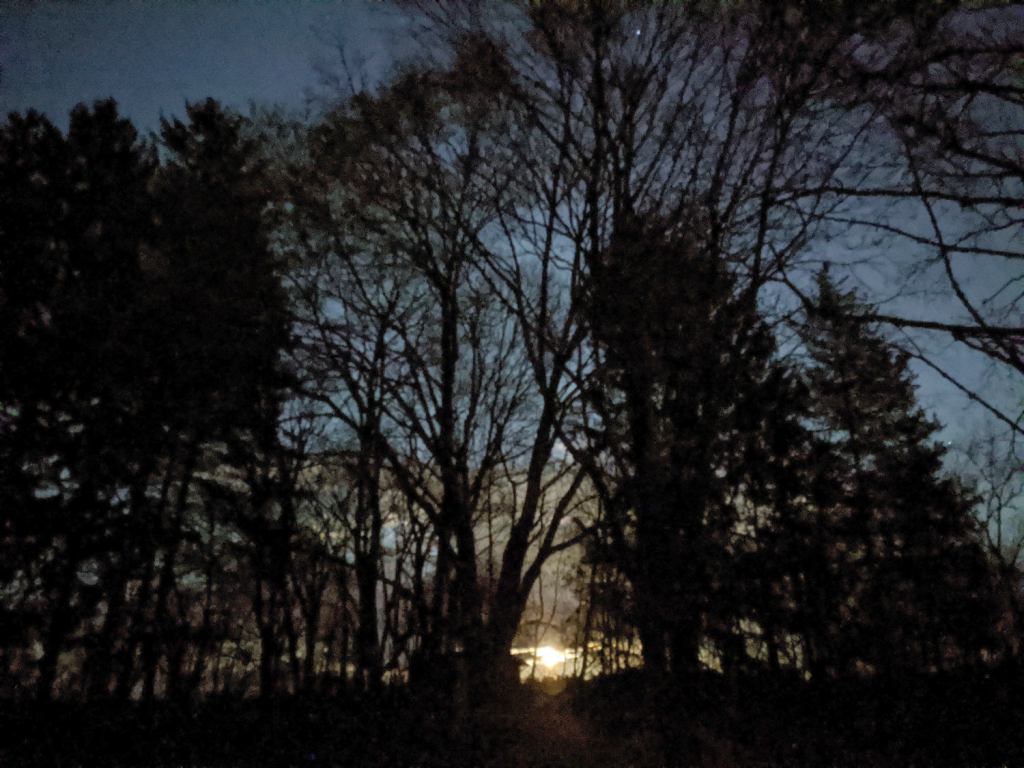
Bracing the Pixel 3a on the deck railing. Despite the star near the top, it decided to not invoke Astrophotography mode.
This was apparently a Pink Moon and a Supermoon and surely some other adjectives nobody cared about until Webbish media discovered they could generate ad revenue using clickbait headlines concerning a monthly event.
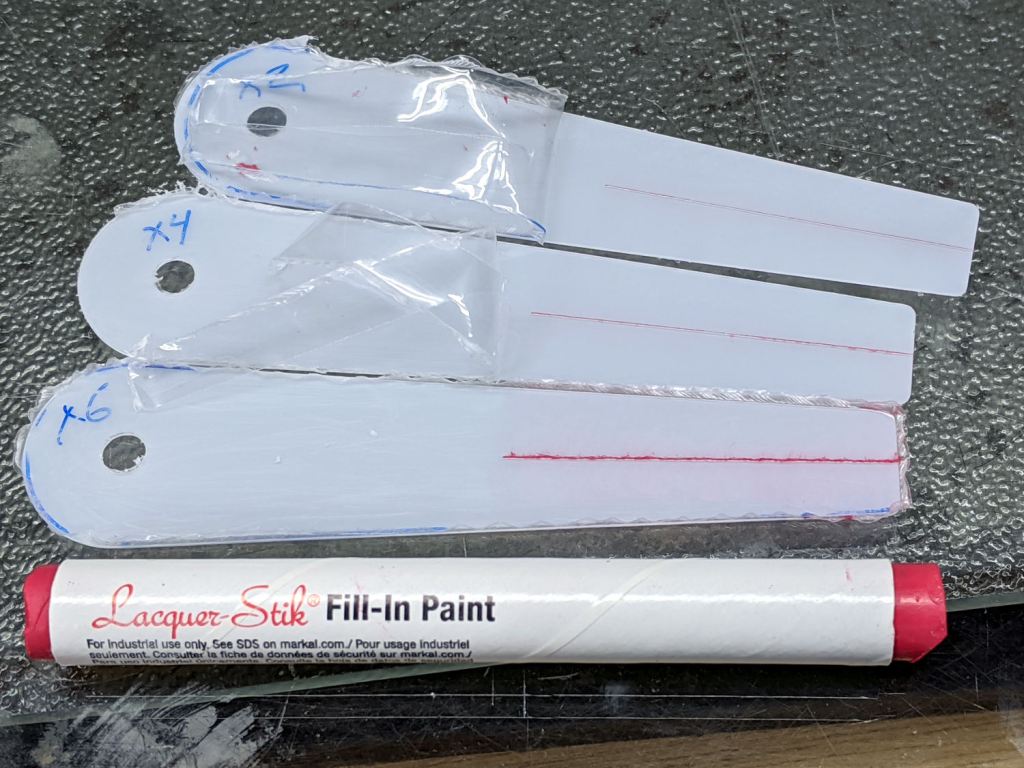
It’s not a Purple Crayon, but it suffices for my simple needs.
Scribbling a (soft!) lacquer crayon over transparent plastic still scuffs the pristine surface around the engraved line, so I tried scribbling the six-pass cursor before peeling the film, as shown above. Unfortunately, the film shreds left around the line either prevent a clean fill or pull the paint out of the ditch as the film peels back:
Tek CC – Cursor lacquer fill
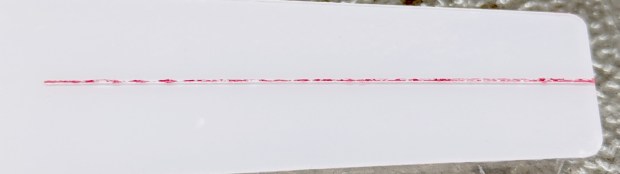
Peeling the film and scribbling ever-so-gently left a more complete line, but, if you look very closely (perhaps opening the image in a new tab for more dots), you can see the scuffs left by the scribbles on either side of the line:
Tek CC – Cursor 2 4 6 scribes
When seen from the other side against laminated decks, though, the scuffs pretty much vanish:
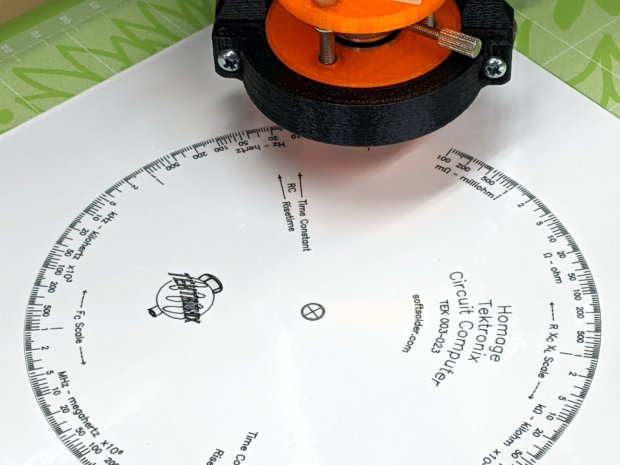
Tek CC – Classic Tek Logo vectorized – red hairline
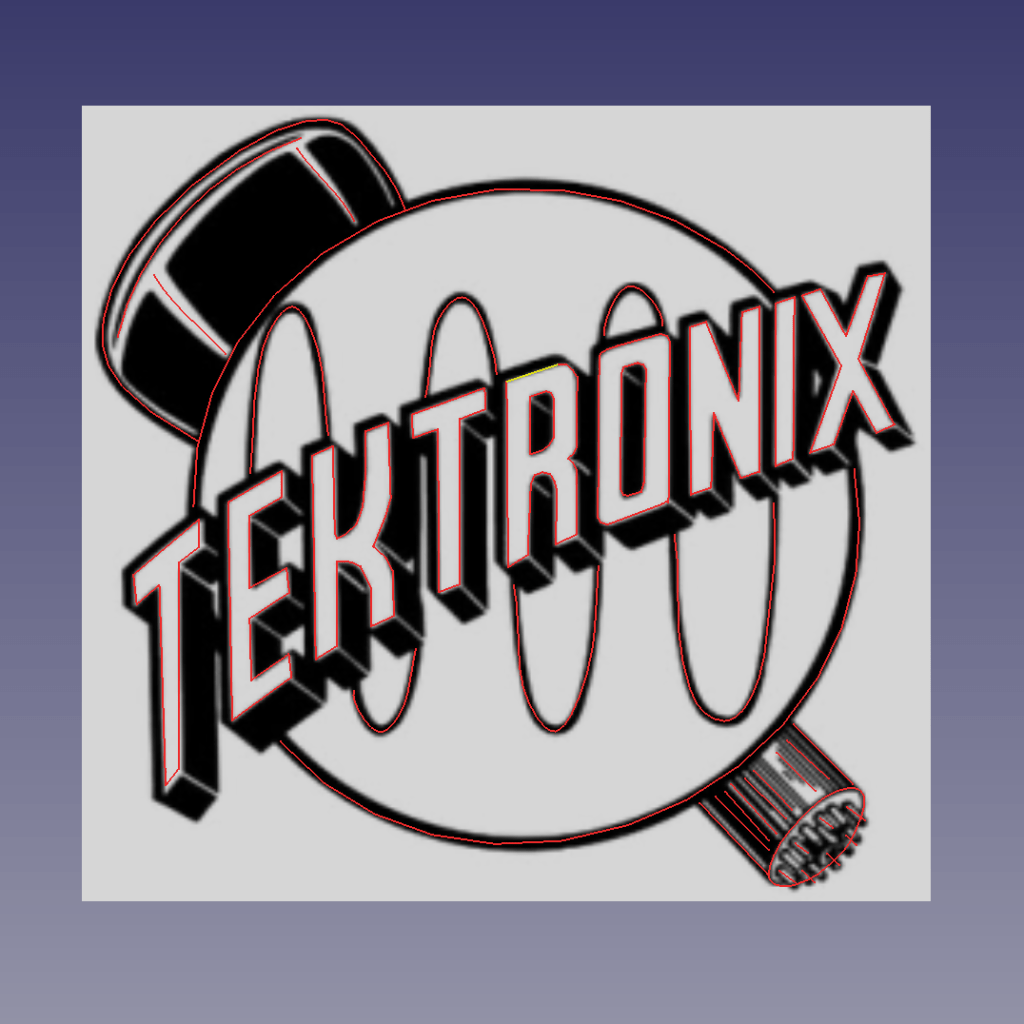
It’s a bitty thing, with the CRT about 0.7 inch long, scanned directly from my original Tek CC.
Import the PNG image into FreeCAD at 0.2 mm below the XY plane, resize it upward a smidge so the CRT is maybe 0.8 inch long, then trace “wires” all over it:
Tek Logo – FreeCAD tracing – overlay
Given FreeCAD’s default gradient background, the wires definitely don’t stand out by themselves:
Tek Logo – FreeCAD tracing – vectors
Several iterations later, the vectorized logo sits at the correct angle and distance from the origin at the center:
Tek Logo – FreeCAD tracing – rotated
The cheerful colors correspond to various “groups” and make it easier to find errant vectors.
Rather than figure out how to coerce FreeCAD into converting wires into proper G-Code, export the vectors into a DXF file and slam it into DXF2GCODE:
Tek Logo – DXF2GCODE vectors
Export as G-Code, iterate around the whole loop a few times to wring out the obvious mistakes, indulge in vigorous yak shaving, eventually decide it’s Good Enough™ for the moment.
Protip: set DFX2GCODE to put “0” digits before the decimal point to eliminate spaces between the coordinate axes and the numeric values which should not matter in the least, but which confuse NCViewer into ignoring the entire file.
Tinker the script running the GCMC source code to prepend the logo G-Code to the main file and it all comes out in one run:
Tek CC – with vectorized logo – cutting
That’s the top deck, laminated in plastic, affixed to a Cricut sticky mat on the MPCNC platform, ready for drag-knife cutting.
Assembled with a snappy red hairline:
Tek CC – Classic Tek Logo vectorized – red hairline
Isn’t it just the cutest thing you’ve seen in a while?
It needs more work, but it’s pretty close to right.
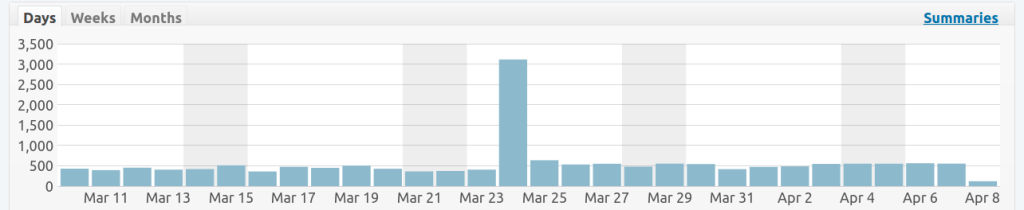
The bulk of the subsequent increase comes from the Fu Mask Templates, although I suspect folks aren’t looking for 3D printed stuff.
As far as my original predictions go, I’m pleased to be somewhat wrong, as the most recent data shows the effect of handwashing, distancing, and general paranoia:
COVID-19 – USA Total Cases and Total Deaths – 2020-04-08
The lowered slope in the Total Cases curve means the cases now increase by a factor of ten every 20 days, rather than every eight, which is a major improvement. Still, it implies whatever seems bad right now will be only 10% of the badness in three weeks.
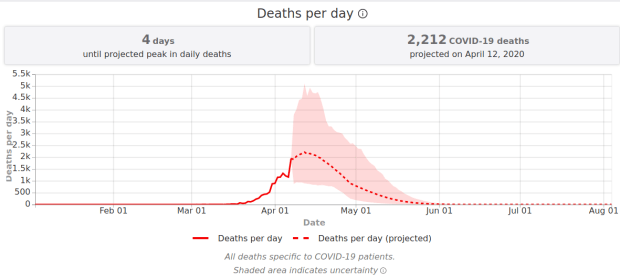
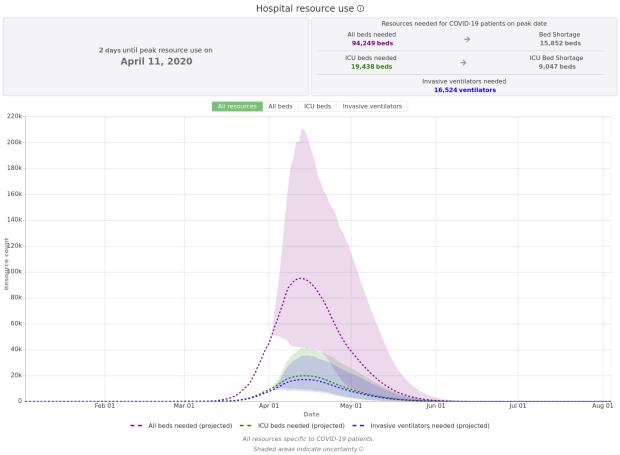
They assume “full social distancing through May 2020” and, apparently, the virus vanishing thereafter.
The colored area represents the 95% uncertainty range. Among other things, we don’t know what will happen when the (unknown number of) currently infected people need (far) more medical care / equipment / resources than we have available (“open image in new tab” for more dots):
Given our somewhat … erratic … national leadership, keeping everybody tucked in and the economy turned off for any substantial duration seems unlikely, but there’s no other way to reduce the death toll. The vast majority of the population will not have been exposed to COVID-19 and will, therefore, remain vulnerable to any (infected-but-asymptomatic, thus untested) people arriving from other counties / states / countries.










 The Smell of Molten Projects in the Morning