Ed Nisley's Blog: Shop notes, electronics, firmware, machinery, 3D printing, laser cuttery, and curiosities. Contents: 100% human thinking, 0% AI slop.
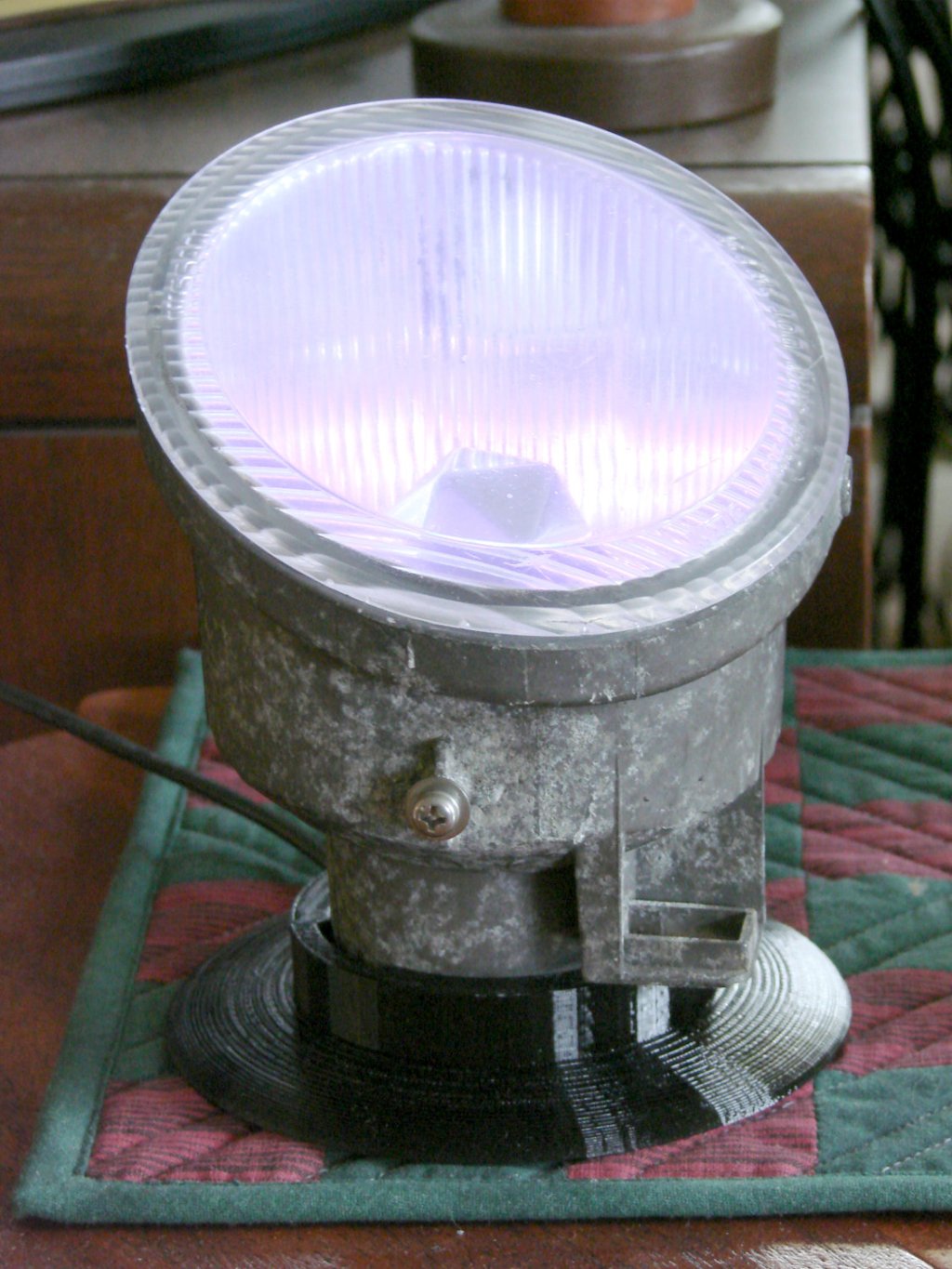
The Nissan fog lamp looks pretty good pointing at the ceiling:
Nissan Fog Lamp – table mount
I briefly considered sandblasting the shell to knock back the corrosion, but came to my senses: this is art!
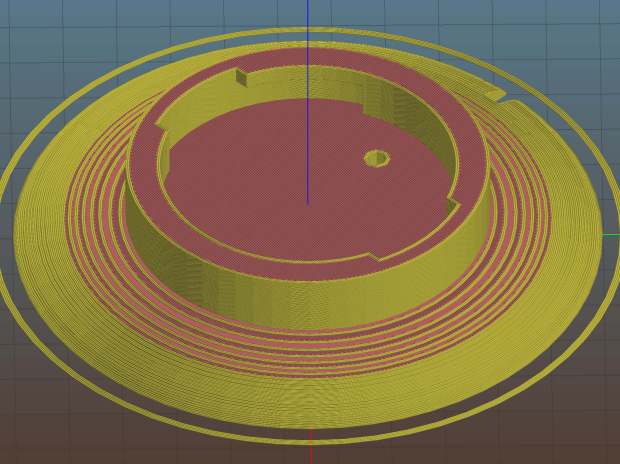
The shell has a bayonet mount intended for the cable connector, but a bout of solid modeling produced a matching twist-lock desk stand:
Nissan Fog Light Base – Slic3r preview
The locking dogs overhang little enough, relative to their diameter, to let the thing build without internal supports. Took about three hours without any intervention at all.
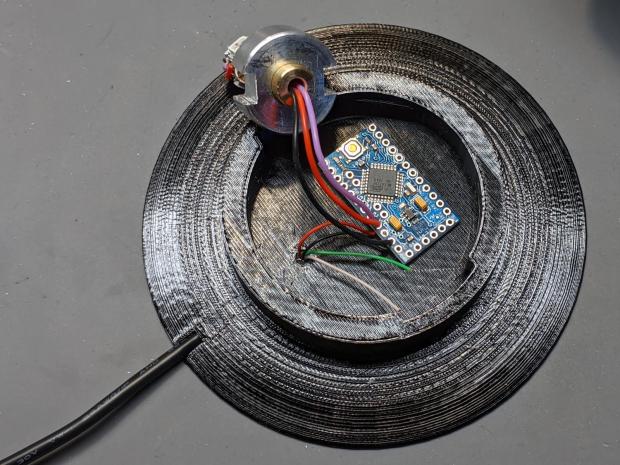
The little hole matches up with the slot on the bottom holding a USB cable bringing power from a wall charger:
Nissan Fog Lamp – table mount interior
It’s a knockoff Arduino Pro Mini without the USB interface found on a Nano, so the USB data wires don’t connect to anything.
The base might look better under a layer of (black?) epoxy, although I’m definitely a fan of those brutalist 3D printed striations.
This file contains hidden or bidirectional Unicode text that may be interpreted or compiled differently than what appears below. To review, open the file in an editor that reveals hidden Unicode characters.
Learn more about bidirectional Unicode characters
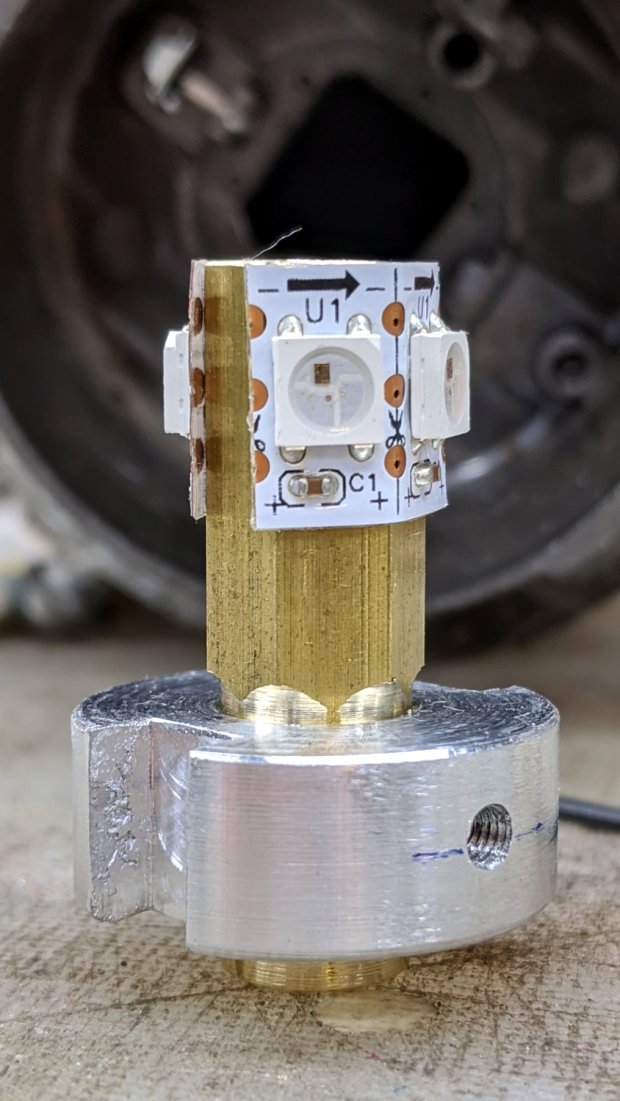
The brass hex rod has plenty of thermal conductivity, particularly clamped into an aluminum disk connected more-or-less well to the fog lamp’s base.
Nissan Fog Lamp – RGB LED lamp
The two short wires linking the two LED strips (the purple wire is data into the first LED) hold them in place around the hex, despite their desire to straighten out, pull free of their adhesive, and fall off.
The general idea was to put the LEDs at about the same level as the halogen bulb filament, thereby spreading enough light to fill the reflector housing:
Nissan Fog Lamp – LED vs halogen
I drilled a hole through the hex as a cable “conduit”, turned the end into a nice rod, then machined a stub of aluminum to fit:
Nissan Fog Lamp – parting off LED base
A pair of slots milled along the sides of the aluminum disk fit the housing’s locating features:
Nissan Fog Lamp – LED bulb trial fit
Nissan used an elaborate spring latch to clamp the halogen bulb’s sheet-metal base in place, but its 50 mil wire didn’t have nearly enough give for my chunky aluminum disk. My version of a spring latch came from a length of 24 mil music wire, which definitely beats the epoxy I was planning to use.
Heat transfer seems to be a non-issue, as the LEDs get barely warm to the touch. Until they drop dead, I’ll assume it’s all good in there.
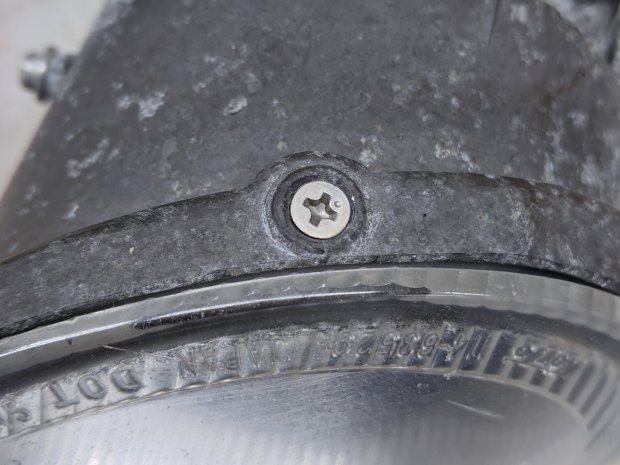
Two screws hold the lens in place, but the collision seems to have stripped their grip on the plastic and they didn’t un-screw:
Nissan Fog Lamp – lens retaining screw
Jamming a utility knife blade under the screw head and prying upward while turning the screwdriver persuaded them out of their sockets, after which the lens popped out of its form-fitted silicone gasket with surprisingly little effort:
Nissan Fog Lamp – reflector stains
The lamp spent a week or so beside the road, out in the weather, and shipped a few drops of rainwater through the rectangular hole under the spring latch anchor. Some delicate cotton-swab action removed most of the grime without too much damage, but the reflective film on those corrugations won’t ever be the same again.
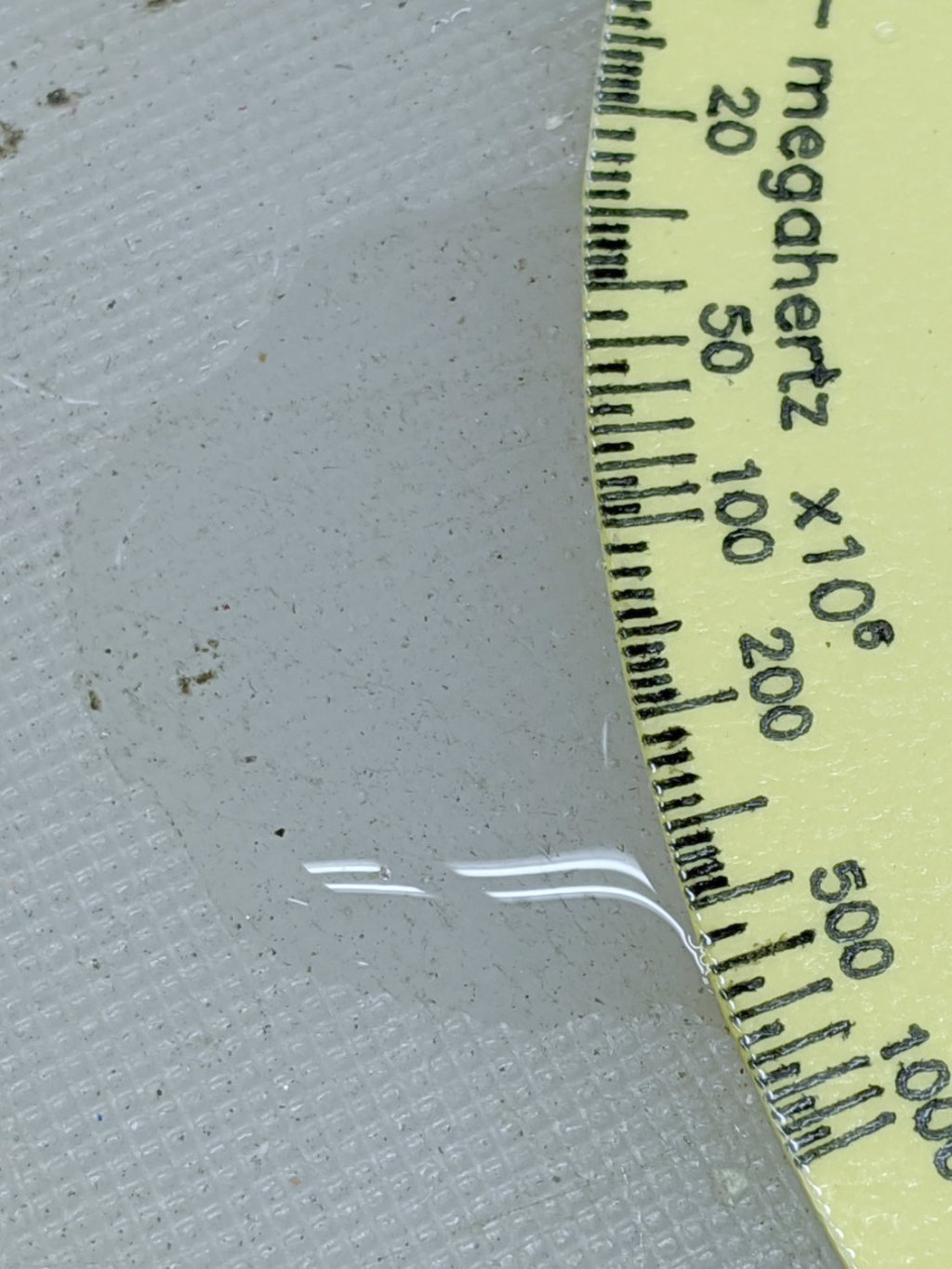
So the question came up: “Exactly what happens when one of those things gets wet?”
Which obviously requires an experiment:
Laminated Tek CC vs Water – start
That’s the mis-cut top deck revealing why GRBL really needs four digits after the decimal point, but, other than that, it’s perfectly representative of the genre: heavy paper, good ink, nicely laminated in plastic.
Prediction: water should seep into the paper, dissolve the ink, maybe delaminate the plastic, and generally make a mess.
The debris field from a recent high-energy collision with a utility pole just north of Red Oaks Mill included another attractive hunk of jewelry:
Nissan Fog Lamp – as found
I asked the guy who runs the towing service across the intersection if this was a “high-performance car / low-performance driver” situation. He said “Nah, the car was a piece of crap.” It apparently collided with the pole after pulling out of the adjacent gas station with entirely too much foot on the throttle; the young driver was last seen having considerable difficulty with a field sobriety test.
Anyhow, the labeling suggests it’s the right-side fog light from a Nissan car.
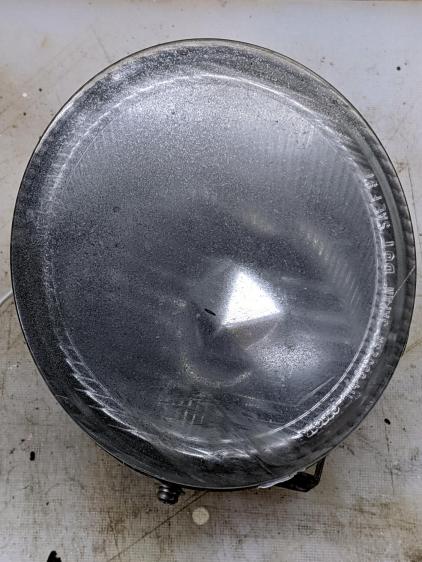
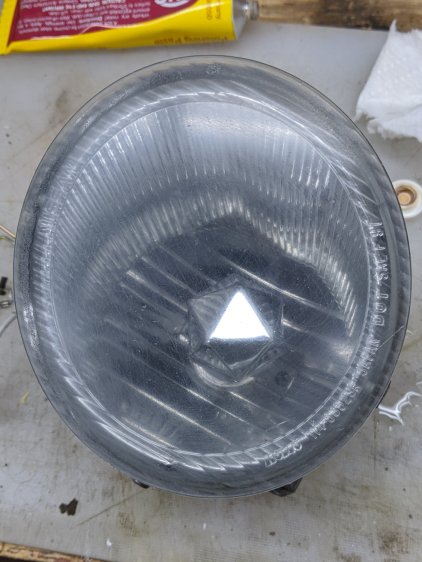
After removing various shattered plastic mounts and scrubbing off the obvious dirt, the lens didn’t look much better:
Nissan Fog Lamp – as-found lens
The bright triangle is one facet of the hood over the 55 W halogen bulb. The lens seems to be covered with a scattershot coat of gray spray paint or primer, rather than ordinary road grime, applied with surprising uniformity over the entire surface.
A quick wet-sand operation with 400 through 3000 grit paper, then some Simichrome, cleaned it up pretty well:
It’s definitely got a used-car finish: nice polish over deep gouges.
Look closely to see 400 grit diagonal scratches headed upward to the right; I must use 600 or 800 grit paper between the 400 and 1000. I don’t care about optical clarity, just knocking back the worst of the damage will suffice.
Methinks it would look pretty with internal RGB LED lighting, although the optics are obviously set up for a halogen filament just under the edge of the internal hood. If I get it just right, the thing could project a beam across the room …
The fundamental limit comes from the heater’s ability to bring cold plastic up to extrusion temperature inside the 20 mm hot zone.
Using airscape’s example, the extruded thread is 0.5 mm thick × 0.8 mm wide = 0.4 mm², so laying down that thread at 50 mm/s means the extruder is heating plastic at 20 mm³/s and is “pushing it with PLA”.
In round numbers, normal printing speeds with a normal nozzle and normal plastics runs around 10 mm³/s, so a practical upper limit is probably around 15 mm³/s.
As far as thread size goes, the diameter of the flat area around the nozzle orifice sets the maximum thread width, because the nozzle must compress the thread against the previous layer. If the thread is wider than the nozzle, the gooey plastic curls up around the sides of the nozzle and doesn’t bond well. The rule of thumb is to round up the orifice diameter to the next convenient number:
0.35 mm nozzle → 0.4 mm thread
0.75 mm nozzle → 0.8 mm thread
The maximum thread (= layer) thickness should be about 60% of the thread width, which is why a 0.8 mm wide thread calls for a 0.5 mm layer thickness.
Assuming the extruder can heat 15 mm³/s of plastic, the maximum printing speed will be 15 mm³/s / 0.4 mm² = 37.5 mm/s: comfortably under airscape’s “pushing it” 50 mm/s.
Aaaaand, as always, calibrate the Extrusion Multiplier for whatever conditions you’re using to ensure the slicer and the hardware agree on how much plastic is coming out of the nozzle.
After four years, I finally had occasion to use the blue label cartridge, only to have the tape refuse to feed. The mess on the tongue sticking out shows the result after I forcibly pulled the tape from the cartridge:
Cheapnified Brother Label Cartridge – exterior
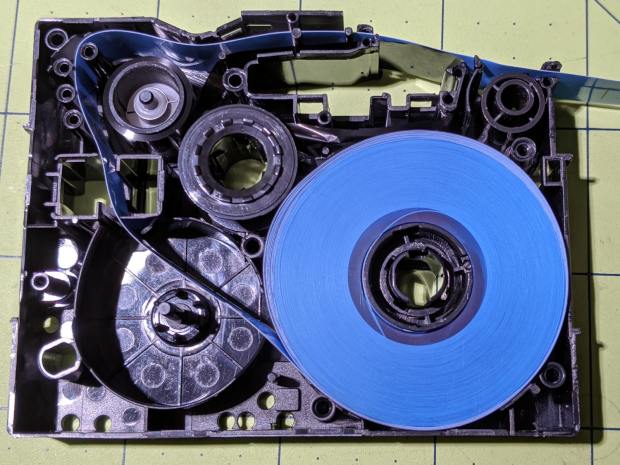
The proximate cause was a fold in the imaging tape takeup path causing the driven spool to stop turning:
In the genuine cartridge, the base tape (with the sticky side and the colored side) feeds from the lower right directly into the assembly pressure roller. The transparent cover tape feeds from the spool in the lower left, up around the imaging tape supply spool, has the image fused to it, and is then pressed against the base tape on the assembly roller.
Update: Per david’s comment, the cartridges are even more complex than I thought! The printer has sense pins matching a group of cartridge holes to determine (at least) the tape size & orientation. See the pix added below.
Despite using the same cartridge body, the cheapnified tape path is entirely different. The base tape now feeds from the spool in the lower right through what should be the cover tape supply reel, around the imaging film supply spool, has the image fused directly to it, then passes out through the assembly pressure roller.
The cover tape is completely missing!
It turns out the cheapnified cartridges don’t bother with lamination. Instead, the printhead presses the imaging film against the top of the base tape, leaving the black image exposed to the elements. The assembly roller does nothing, apart from pulling the base tape through the cartridge.
Now that I know what to look for, the visible difference is the orientation of the base tape. A cartridge with the correct innards feeds the base tape with the colored side + image facing away from the long side of the cartridge. A cheapnified cartridge has the color + image facing the long side, with the major benefit of making the advertising look more appealing:
Fake Brother TZ cartridge – Amazon image
A genuine Brother cartridge would print the image on the bottom of the tape in that picture, so you’d see the blank side of the tape in that picture.
The “Amazon Marketplace” being what it is, I assume any pictures will not, in general, have much in common with what you actually receive, but at least I now know which ones to reject out of hand.
Update: The PT-1090 label printer has cartridge sensing pins:
Brother PT-1090 Labelmaker – sense pins
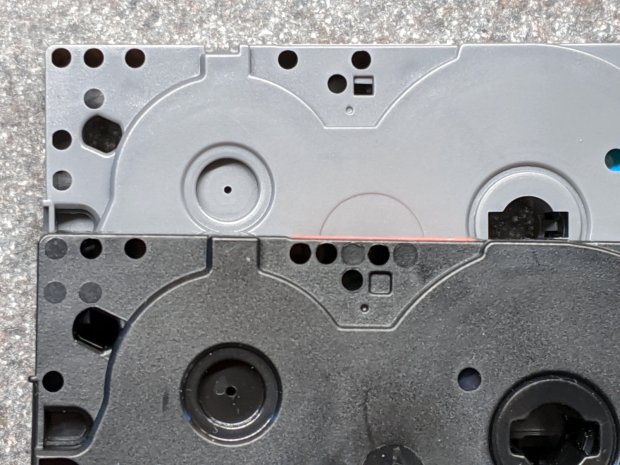
And the cartridges have corresponding holes, although the printer doesn’t sense all of them:
Brother PT-1090 Labelmaker – cartridge ID holes
Despite that, cheapnified cartridges are still cheapnified.
I learn something new every day around here! Thanks!















 The Smell of Molten Projects in the Morning