Ed Nisley's Blog: Shop notes, electronics, firmware, machinery, 3D printing, laser cuttery, and curiosities. Contents: 100% human thinking, 0% AI slop.
The UPS coddling the M2 printer began complaining about a bad battery, so I ran (nearly) all the UPS batteries through the tester:
UPS SLA 2021-10-10
The two blue flubs in the lower left come from the failed battery, with the dotted trace after charging to 13.7 V and letting the current drop to 20 mA.
The red and green traces come from two other UPS batteries installed in 2016, with the dotted traces after charging similarly. The orange-ish trace is from the battery in a Cyberpower UPS bought in 2016, so it looks like all batteries of that vintage fade equally.
Except for another pair of batteries in another UPS that had discharged stone cold dead; it may have been shut down and unplugged during a power outage and they never quite recovered.
After five years, it’s time to refresh the fleet …
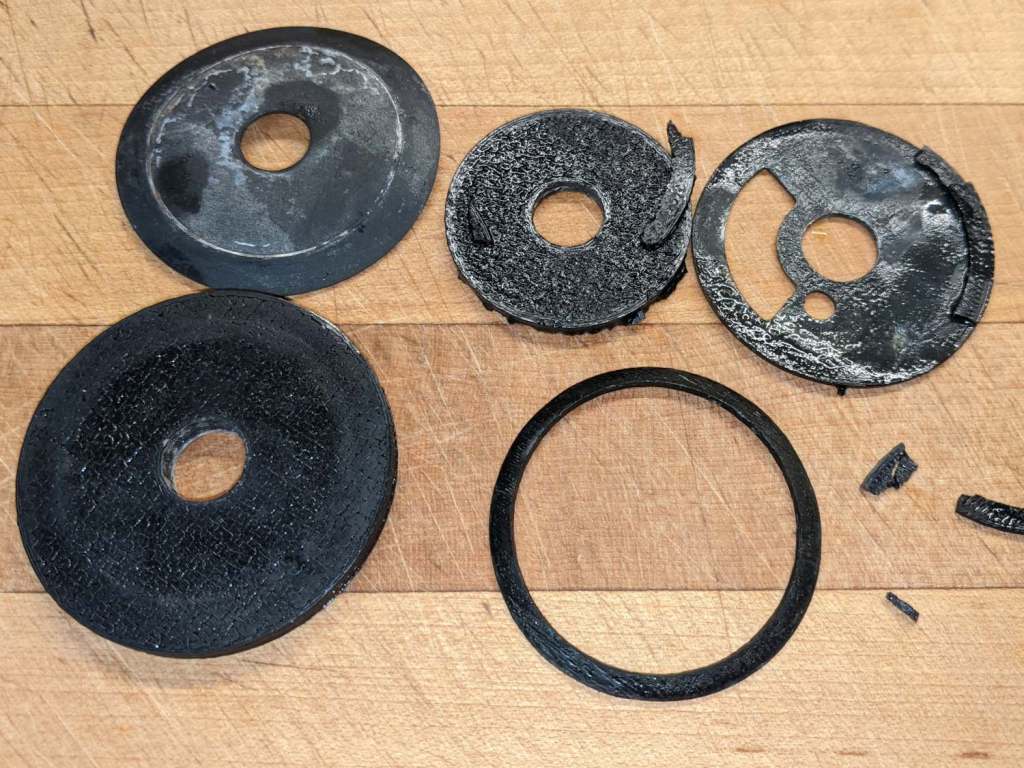
The lesser kitchen faucet began dribbling and required replacement, as there are no user serviceable parts within. One of the 3D printed adapters I built during the previous iteration had disintegrated:
Beverage faucet base plate adapter disintegration
The new faucet came with a somewhat different baseplate and I managed to conjure a firm, sealed mount from the various parts without further construction.
The nicely curved brass snout is the third in my collection. Surely they’ll come in handy for something!
While I was in a plumbing state of mind, I again replaced the spout O-rings in the never-sufficiently-to-be-damned American Standard Elite (hah!) faucet, as it was also dribbling.
This time, I used oxalic acid to remove the assorted scale and crud inside the spout. It seemed to be more effective than the usual white vinegar, although nothing seems to preserve the O-rings.
The mowing crew we encountered half a mile ahead had a chainsaw and cleared the remainder.
Stay alert out there!
Although I don’t have a picture, there was a freshly dead bat lying underneath the main trunk. I think it rode the tree down, only to get slapped hard against the gravel beside the trail. I’m sure bats power up faster than I do, but not quite fast enough.
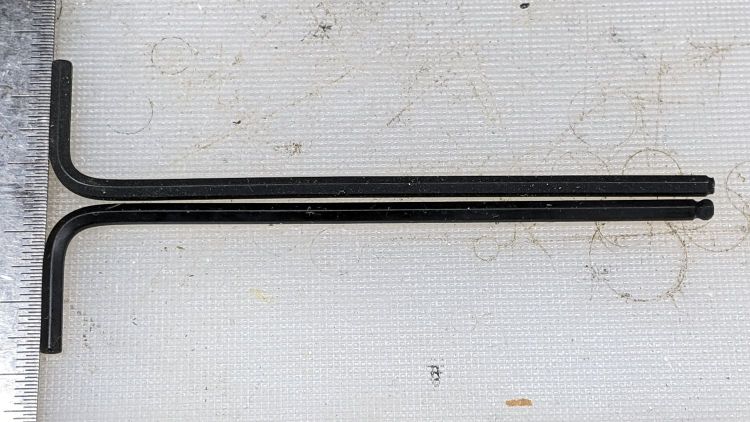
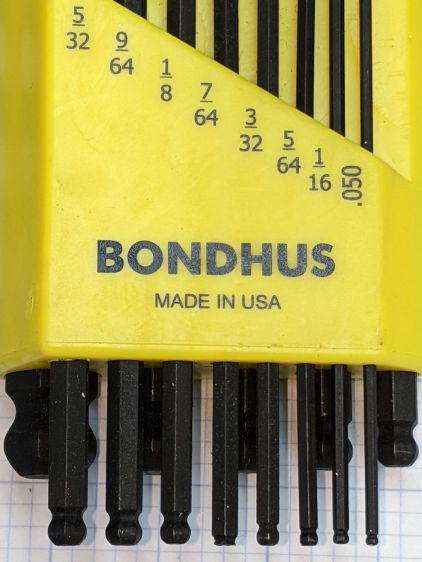
When I applied the 7/64 wrench to a setscrew, the missing ball came as a surprise.
Even though the inch wrench set doesn’t get a lot of use, it’s possible I broke the ball off during a previous adventure, but a look at the end shows the black oxide coating covering the end:
Bondhus hex wrenches – missing 7-64 ball – detail
Yeah, it was born that way.
I wonder if and how their lifetime guarantee works.
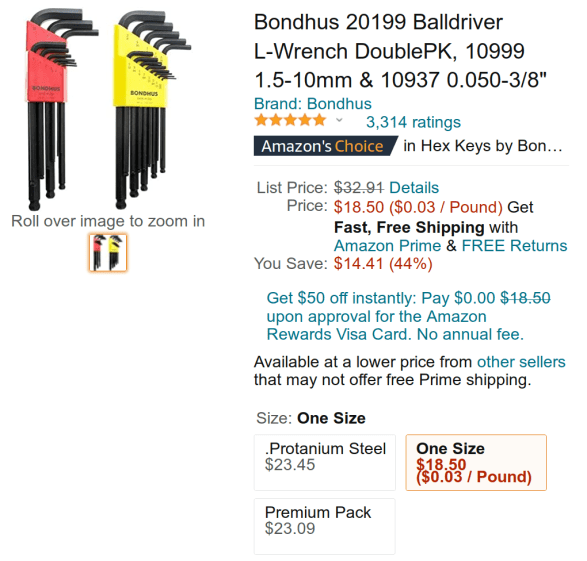
Protip: as of this writing, the Amazon listing has two other “sizes” showing exactly the same set at significantly higher prices from two randomly named sellers:
Bondhus hex wrench set – Amazon listing
It is safe to assume Amazon no longer has its customers’ best interests in mind.
Four years ago I got a folding Bluetooth keyboard for my then-newish Pixel phone:
Folding keyboard – front
A few days ago, the 2 W S X Win keys stopped working, suggesting a problem with the matrix scan of that column.
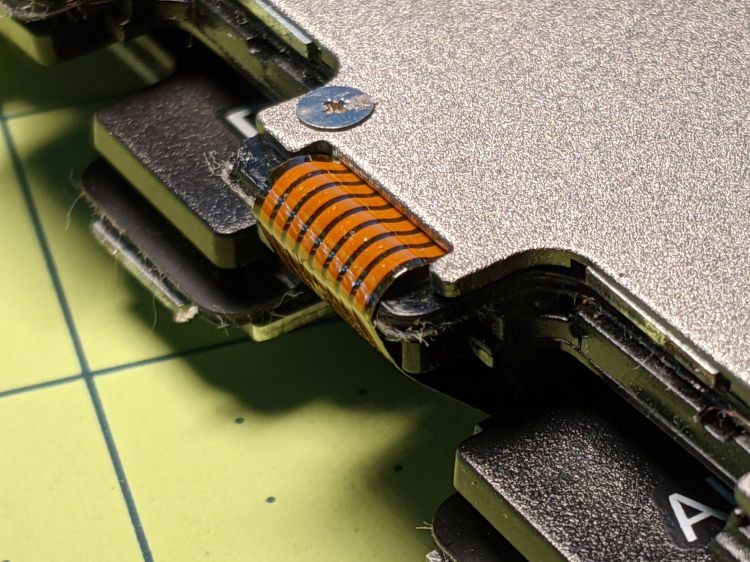
The trim cover over the fold on the back of the keyboard disengages from the hinge with gentle prying at the obvious places, exposing a flex cable pressed against a disturbingly right-angled edge:
Folding keyboard – acute cable fold edge
Unfolding the keyboard makes the acute bend against the case obvious, even though it’s hidden under the cable:
Folding keyboard – failed cable – borrom view
Some tedious poking around with a continuity meter revealed not only a broken trace, but a crack in the flex cable:
Folding keyboard – cracked flex conductor
Protip: when you have nothing to lose, poke a pin through the flex cable into the trace to localize the break. The point leaves little holes, but so what?
I scraped off the black coating and the insulation over the traces with an Xacto knife under the microscope, which definitely reveals my need for a tiny Waldo manipulator.
Coating the exposed copper with solder and bridging the crack with one strand of the finest wire in my collection produced a truly horrific scene:
Folding keyboard – patched flex conductors
The glop on the left is flux applied before soldering. The rugged terrain on the right is the exceedingly gummy adhesive holding the cable to the keyboard, which turned out to be surprisingly heat-sensitive.
Fairly obviously, those patches will not survive much more flexing, so wrap the cable with Kapton tape and apply a stiffening layer of thick plastic tape:
Folding keyboard – reinforced cable section
Apply more reinforcing tape and button it up again:
Folding keyboard – reinforced cable flex edge
I stuck the flex cable down with the repaired joint about a millimeter under that sharp edge, with double-sided sticky tape underneath to help immobilize the bruised area.
While I had the covers off, I also reinforced the same section of the cable on the other side of the keyboard, in the hopes of preventing a crack.
The alert reader will have noted the cable has eight traces, enough for a 3×5 matrix of 15 keys, but the folding wing has 16 keys: the second row has four keys. I have no idea how they made that work, other than perhaps resistive coding for some of the keys.