Ed Nisley's Blog: Shop notes, electronics, firmware, machinery, 3D printing, laser cuttery, and curiosities. Contents: 100% human thinking, 0% AI slop.
As a temporary expedient while awaiting more outlets in the basement, I screwed several hundred watts of LED strip lighting to the floor joists so I could see where I was going:
First pass at basement lighting
The switch seemed to run warm, which I attributed to being snuggled up against one of the LED strips, eventually became intermittent, and finally failed with the lights out.
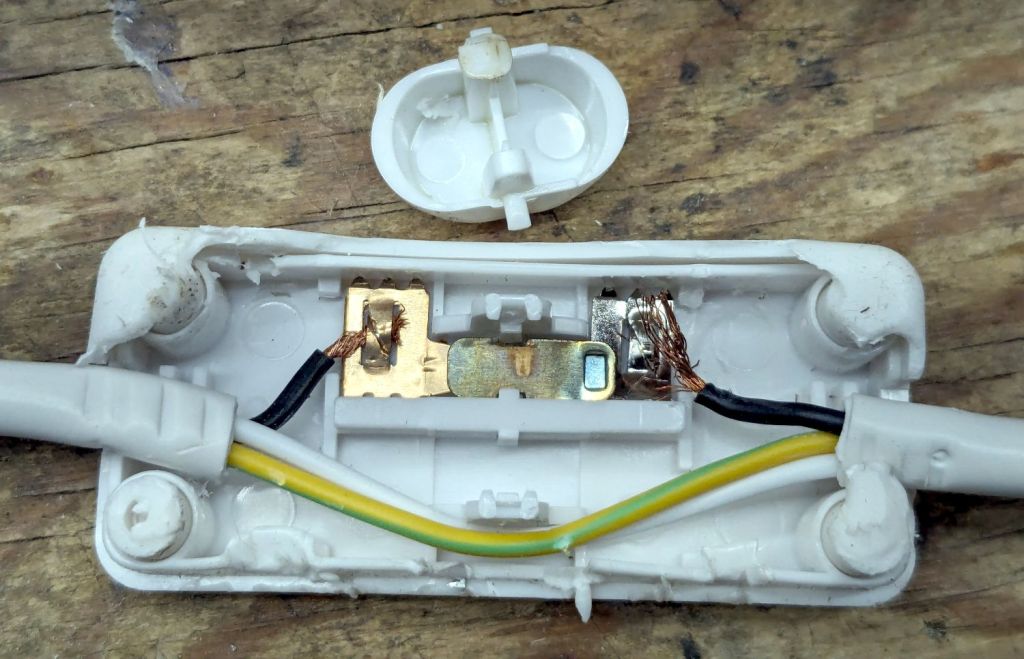
Prying apart the snapped-together case destroyed it, but that didn’t really matter when I saw the innards:
T8 LED power switch
The “intermittent” action came from the melted post on the switch actuator at the top of the photo. The “warm” came from the barely crimped black wire on the right side of the switch, which *might* have had half a dozen strands caught in the flattened crimp triangles.
I replaced it with an identical switch from the assortment that came with the lamps. That one seems to run cooler, although I doubt the crimps are really up to any reasonable quality standards.
In addition to adding basement outlets & lighting circuits, the rest of the house has some electrical wiring peculiarities; the kitchen microwave really shouldn’t share a circuit with the dining room lights.
Having had several folks ding our front doorbell in recent weeks, I thought it would be nice if the switch had a light inside and was mildly surprised it didn’t. Taking it apart revealed an even bigger surprise:
Doorbell – circuitry
Much electronic! Many solder!
Obviously, that’s a bridge rectifier (MB6S for the curious) in the middle, with a pair of paralleled 1 kΩ SMD resistors on either side ballasting two white LEDs in series on the other side. As far as I could tell, both LEDs had stopped being diodes, most likely after one failed short and took the other down with it.
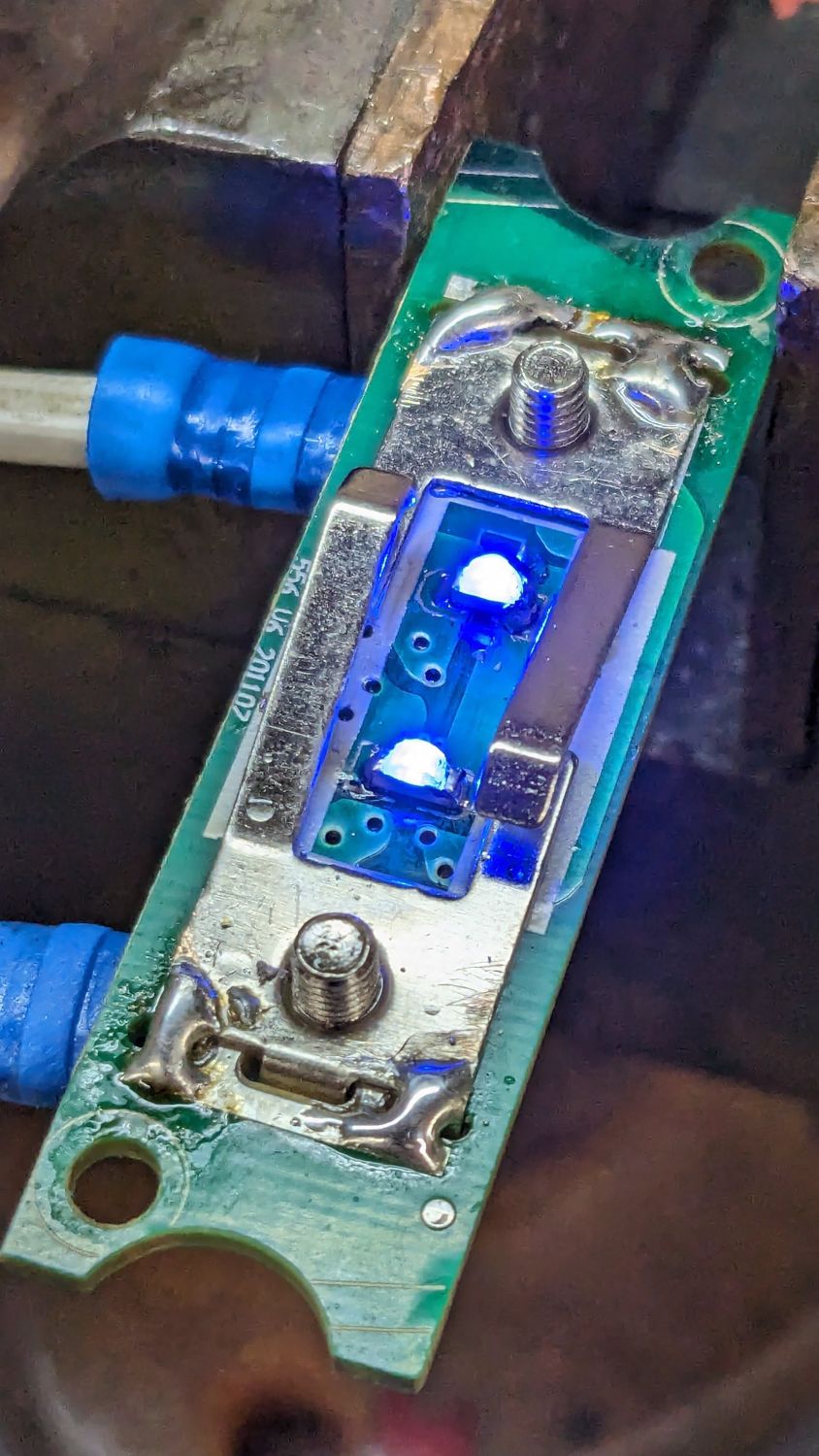
Having recently unpacked the small parts cabinet containing SMD LEDs, I could do this:
Doorbell – blue LEDs
While I had the iron hot, I resoldered the fractured blobs attaching the spring contacts to their solder pads. I think the 201107 along the left edge is the PCB date code, so the switch has been in place for maybe a decade.
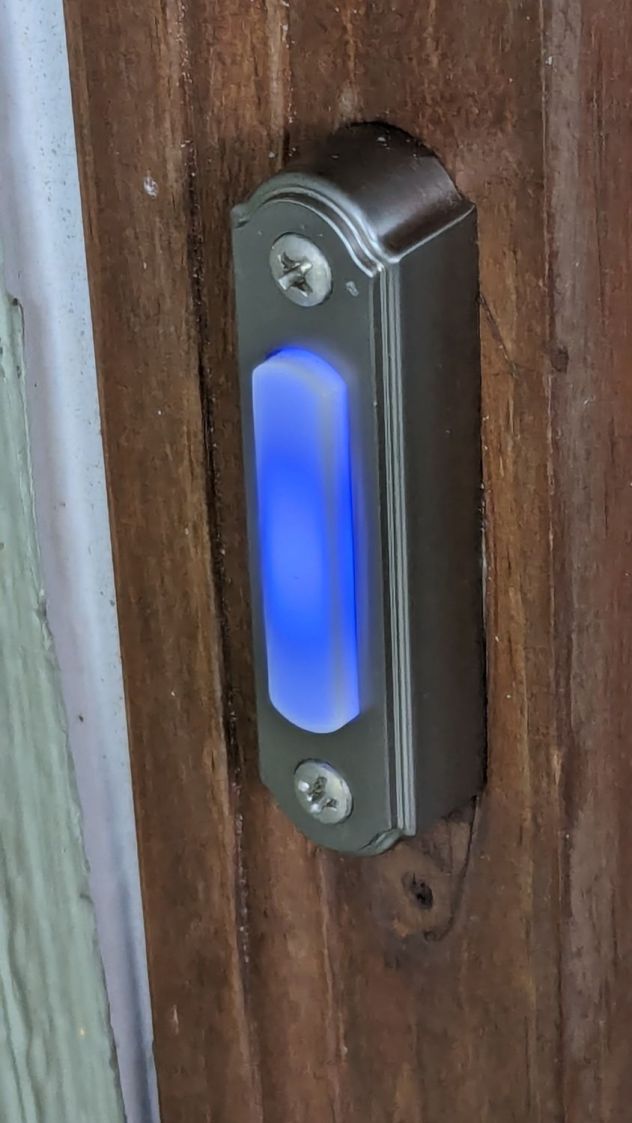
You gotta admit blue is distinctive:
Doorbell – installed
While taking it off, I discovered it’s the second doorbell button in that spot; you can’t see the bottom screw hole and wood scar when you’re standing at the door. Unless, I suppose, you’re three feet tall, but most folks of that stature aren’t curious about doorbells.
Update: An alert reader provided more information:
I recently bought a doorbell button, Heath Zenith SL-315-1-90. […] My board is different but has the same circuit as yours. In case it’s helpful, I believe your button might be Heath Zenith SL-257-02.
That’s a perfect example of a “brand name” completely detached from its entire history and put to work doing something entirely different. AFAICT, I honored the Heath name by resoldering the poor thing.
Alas, the doorbell switch on the back door turned out to be a dead loss. Perhaps when they replaced the door, the wire got sliced just above the sill plate, leaving a stub in the basement and no way to fish a new wire to the switch. Anybody arriving via the trail from the Vassar College property out back must bang on the door to get our attention.
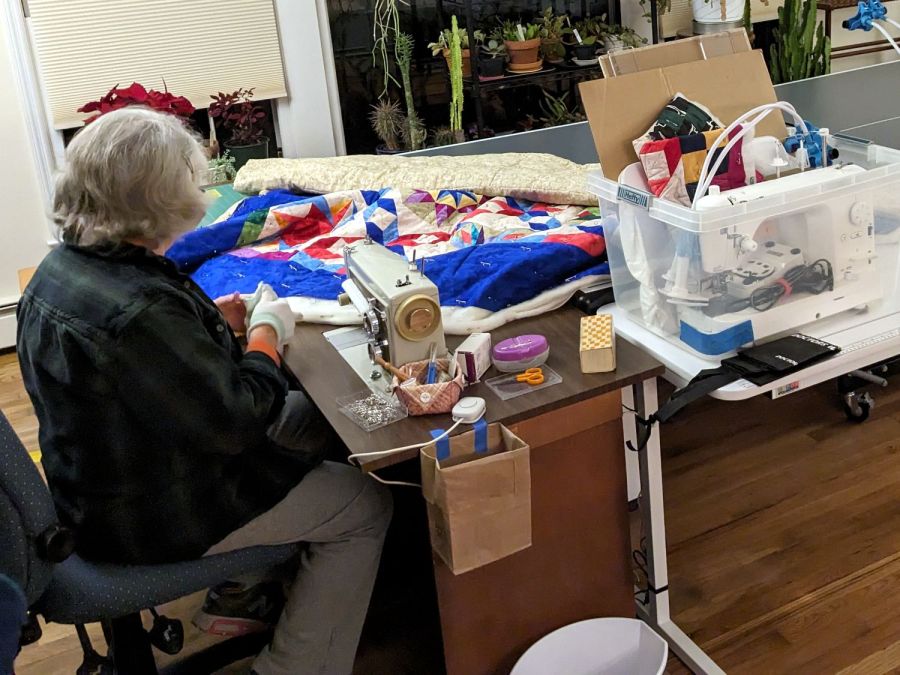
Mary’s new Sewing Room (f.k.a. The Living Room) has a set of cellular blinds over the windows:
Sewing Room – Cellular shades
They have internal springs instead of pull cords: you just grab the tabs on the lower bar to raise / lower the shade. This worked with one hand for the narrower shades on the sides, but the center shade seemed unusually difficult to move, even with one person on each end.
Then, one morning, the center shade jammed in place about halfway up and resisted all persuasion to move in either direction. So I evacuated all the plants, dismounted the shade, laid it out on the quilting table, and found a sticker showing they were manufactured in 2018:
Cellular shade – data plate
They were surely installed shortly thereafter, so they’re the better part of six years old. Although parts are available for some shades, casual searching suggested replacing all three blinds (because color matching) would require more attention than I wanted to apply in the midst of our ongoing real estate transactions.
Gingerly removing the spring released the tension on the mechanism and a vast array of cords, so I could lay things out and see how the shade was supposed to work:
Cellular shade – cord layout
Four cords support the lower bar, pass through the entire height of the shade, and emerge through plastic guides into the upper bar:
Cellular shade – grommet
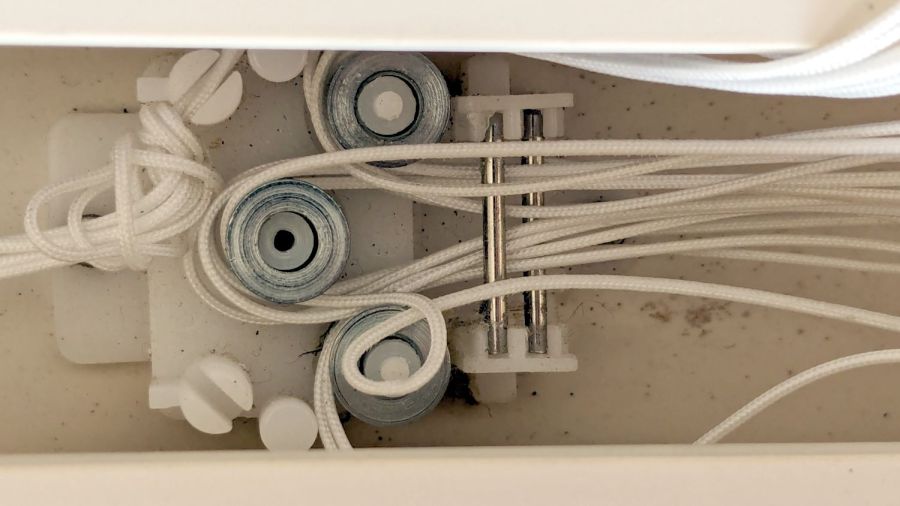
All four cords pass around pulleys in the fixed block on the left, to more pulleys in the movable block on the right, then back to the fixed block where they are tied off:
Cellular shade – cord snag
The possibility of successfully re-stringing those cords from a cold start is exactly zero, so I knew I must not fumble anything.
The hook on the right side of the movable block connects to the spring counterbalancing the weight of the shade:
Cellular shade – block missing cord
After considerable pondering, I noticed the upper pulley has four cords on its outer side and the lower pulley has only three. Reasoning by symmetry, I concluded that can’t possibly be right.
Gentle poking at the fixed block showed where the missing cord went:
Cellular shade – errant cord
Apparently the loop slipped off the lower pulley in the movable block, distributed several feet of loose cord somewhere inside the shade, and eventually bound tight around the lower pulley in the fixed block.
Removing the cover from the fixed block confirmed the diagnosis:
Cellular shade – fixed block disassembly
Removing the cover from the movable block shows the cord layout, with the lower pulley still missing one loop:
Cellular shade – block cord layout
Gingerly pulling the loose cord from deep inside the shade, I managed to extend the errant loop back around the pulley in the movable block, then, following the “First, do no harm” part of the Hippocratic Oath, I immobilized all the cords in their current positions relative to all the pulleys / pins / blocks:
Cellular shade – block cords sorted
Which revealed how the cord got loose in the first place:
Cellular shade – block side view
Apparently half a dozen years is enough to warp a thin plastic plate. Who would have expected that?
With the cords sorted out, I eased them off the pulleys, freed the block, and discovered the situation was worse than I thought:
Cellular shade – block warp
Now that I knew what to look for, it was obvious the tiny pin molded into the boss supporting the lower pulley had broken, allowing the cord to slide between the pulley and the top plate. You can see the dark hole vacated by the pin in the first picture of the upper block.
Knowing what I had to do next, I snipped the pin off the other boss with flush-cutting pliers.
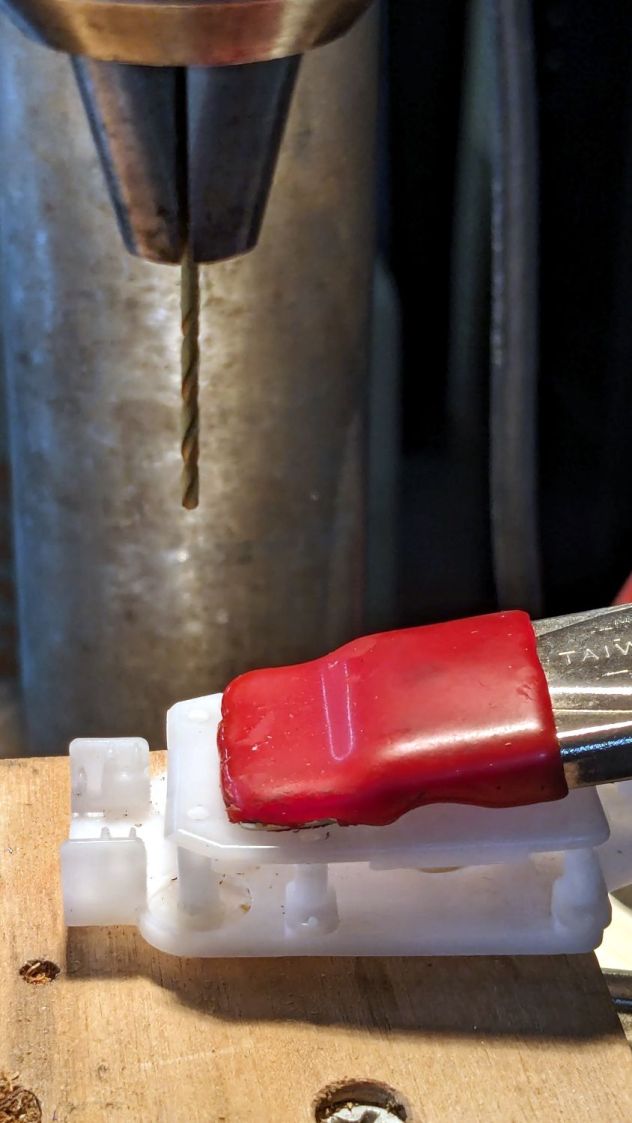
Line up the drill press using the top plate to center the drill in the boss, drill a hole suitable for a small screw, and repeat for the other pulley:
Cellular shade – block drilling
At that point, the New Basement Shop™ consisted of empty shelves and full moving boxes, but the drill press and tool chests were accessible. The basement has four outlets, one in each far-distant corner, but I have extension cords and know how to use them; I intend to spray-paint the walls with outlets in the near future.
With the holes drilled, I restored the pulleys / pins / cords to their proper locations:
Cellular shade – cord sorting
Almost proper, as it turned out I put the errant loop on backwards, so I had to go through one completely assembly / test / disassembly cycle.
The two new screws in the pulleys, in addition to the two old screws along the midline, hold the top plate flat against the bottom plate, with the remaining pins seated securely in their holes.
Reassemble in reverse order, tension the spring, snap it on the movable block, and reinstall in the window. I don’t have any pix of the completed assembly, but the shade now works as it should: we can raise and lower it from either end with just a bit of effort.
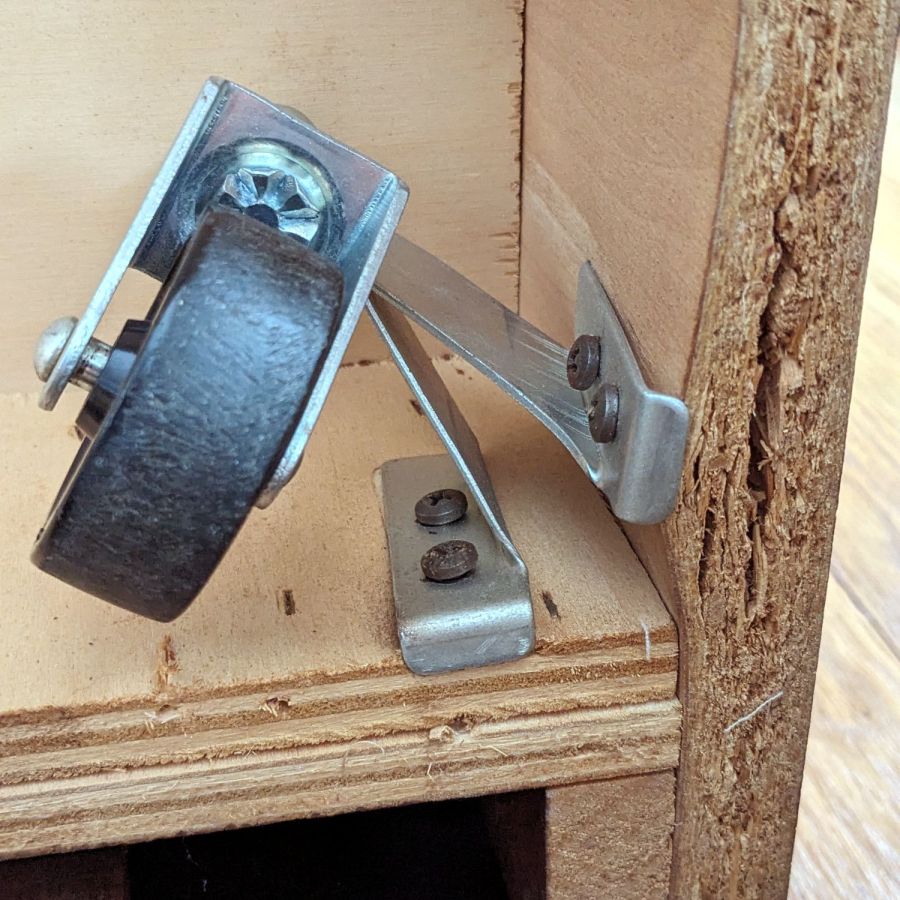
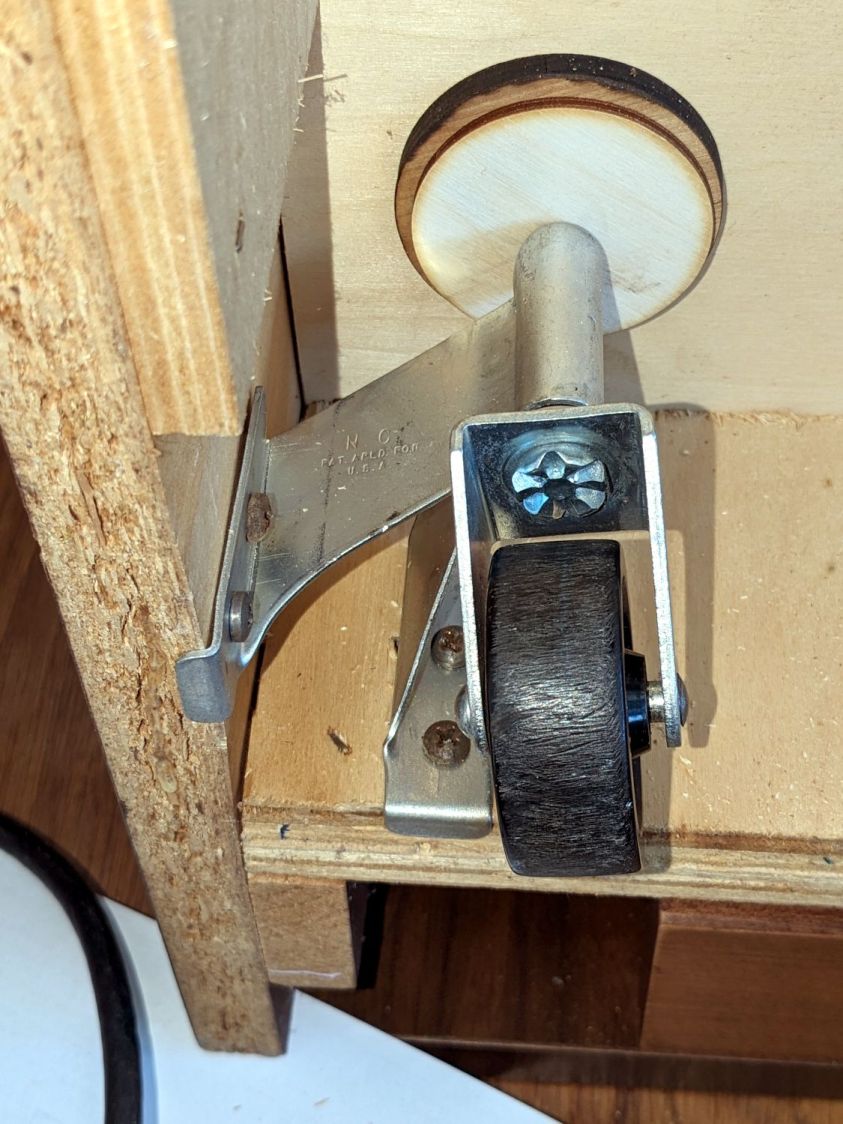
While arranging the venerable Sears Sewing Table in its new abode, we found the casters underneath didn’t roll nearly as well as they should, which turned out to be due to an accumulation of damage:
Sears sewing table – torn MDF
As far as I can tell, all four casters have been displaced upward, probably because they have no support directly above their stems and any force applied to the wheel has plenty of lever arm against those screws.
The MDF panels on the outside of the table have pictures of wood laminated to their surface, but lack enough structural integrity to keep the screws in place. The plywood, however, survived largely unscathed, although the screws were pulling out.
I poked as much wood glue into the gaps as possible, then applied as many clamps as possible, with wood strips on both sides of the bulge squashing the MDF into a flat sheet. Over the course of two gluing sessions (I need more clamps!) spanning three days, while Mary really wanted to start sewing, the glue cured. I had plenty of time to unbend the brackets and put a more-or-less right angle between their two screw plates.
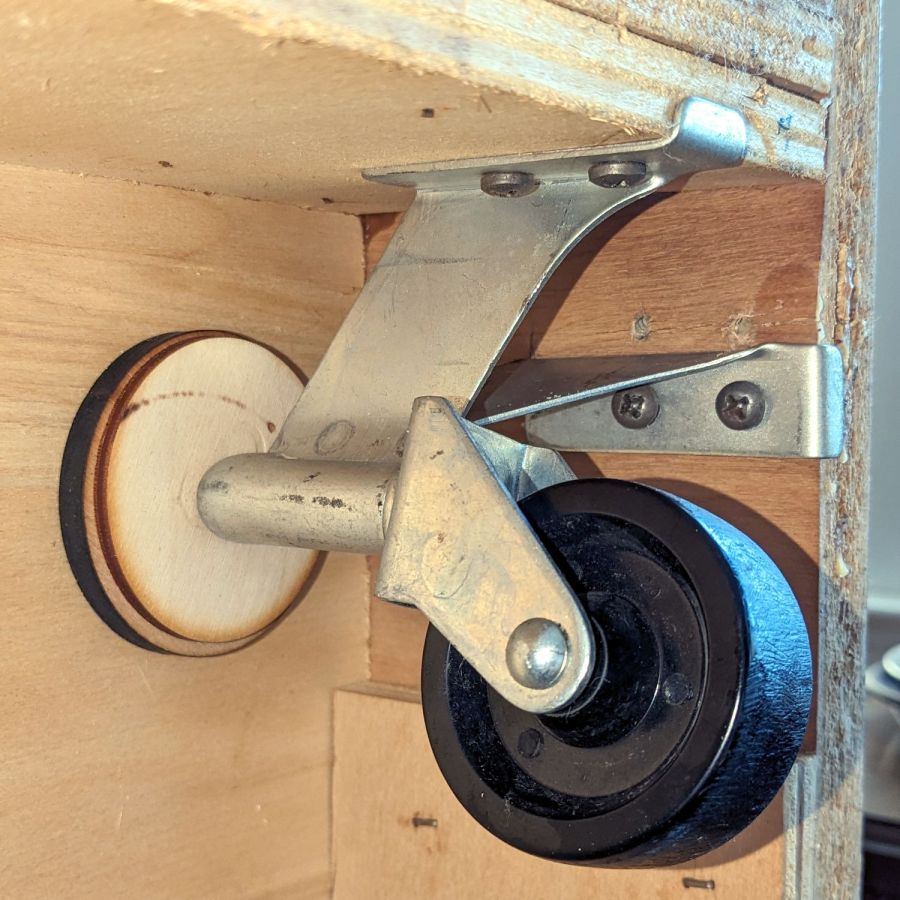
Rummaging in the box of laser scraps (after finding said box) produced disks cut from various projects that fit between the plywood bottom of the cabinet and the stems:
Sears sewing table – repaired foot – side
The brackets deliberately don’t match their original shape, because their new squareness put the screws into undamaged spots in the MDF and plywood:
Sears sewing table – repaired foot – bottom
The MDF will never be quite the same, but it’s flat on the visible side and the glue (seems to have) consolidated the fragments well enough.
Although those wheels look terrible, the bracket now holds the stem vertically and all four of them roll easily and pivot smoothly.
The laser-cut disks are held in place by pure faith and the overwhelming weight of all the MDF in the table, so they’re not going anywhere. Because the table’s weight now rests on the caster stems, as distributed across the plywood cabinet bottom through the disks, the brackets shouldn’t be subject to excessive upward force.
I thought cleaning that mess up would solve an intermittent power problem, but the camera continued to fail immediately after being deployed and finally refused to work at all.
The camera case has eight (!) AA cells in one half connected to the electronics in the other half by a pair of wires that pass through the hinge between the halves:
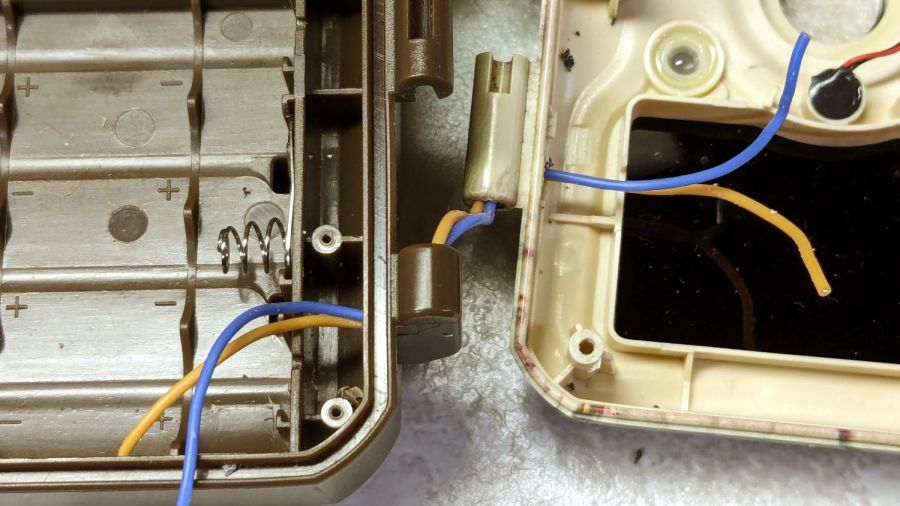
M50 Trail Cam – pivot wire route
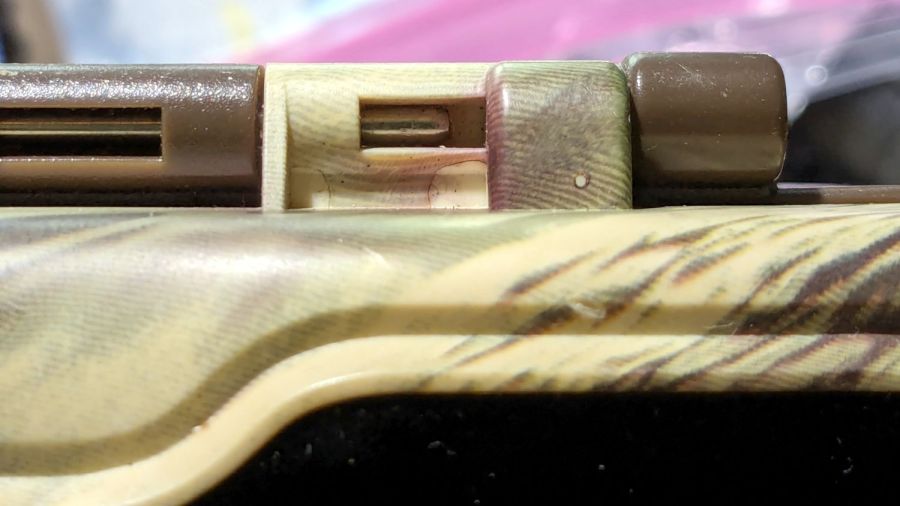
The steel rod is the hinge pivot, with the battery half wearing brown and the electronics half in lighter plastic. As you’ll see in a bit, the rod is fixed in the electronics half and the battery half pivots around it.
The two short case sections on the right contain the two wires carrying the 6 V battery power. Some gentle manipulation suggested the fault lay inside those hinge sections, which meant I had to figure out how to get them apart.
The other end of the steel rod has a knurled section jammed firmly into the electronics half, but I managed to carve away just enough plastic to expose just enough of the knurl to get just enough of a grip (yes, with a pair of genuine Vise-Grip 10WR Locking Pliers, accept no substitutes) to yoink the rod out:
M50 Trail Cam – extracted pivot
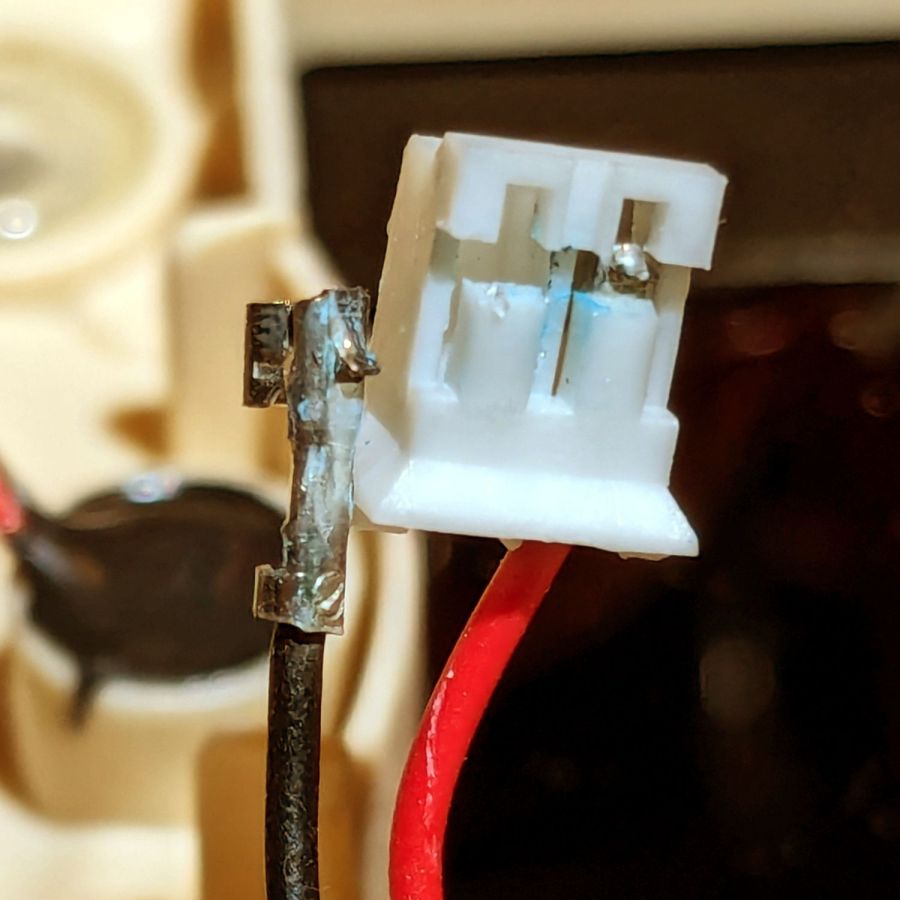
With the hinge released, the problem became immediately obvious:
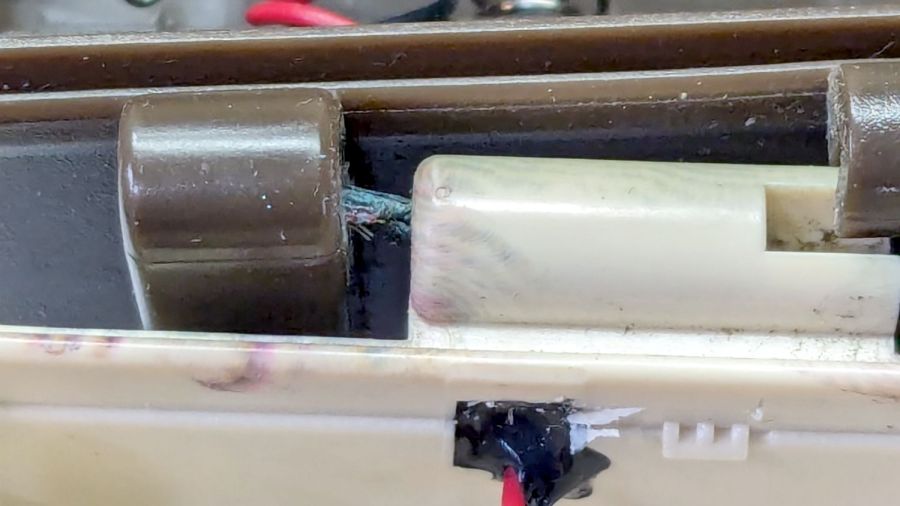
M50 Trail Cam – failed hinge wires
Yes, those are wire strands poking out of the hole in the left hinge section.
A tedious needle-nose tweezer session extracted the remains of the wires from the hinge and cleaned out the adhesive:
M50 Trail Cam – extracted OEM PVC wires
Although those two hinge sections are hollow with plenty of room for the wire, it seems the assembler squirted adhesive into both sections to glue the wires in place. As a result, every time I opened the case to charge the batteries, maybe two millimeters of wire twisted 180° degrees. The wonder is that it lasted as long as it did.
I snaked a pair of 20 AWG silicone-insulated wires through the hinge sections:
M50 Trail Cam – silicone rewiring
The OEM wires had PVC insulation, which is a terrible choice for wires that will undergo lots of flexing, but that’s what SJCam used.
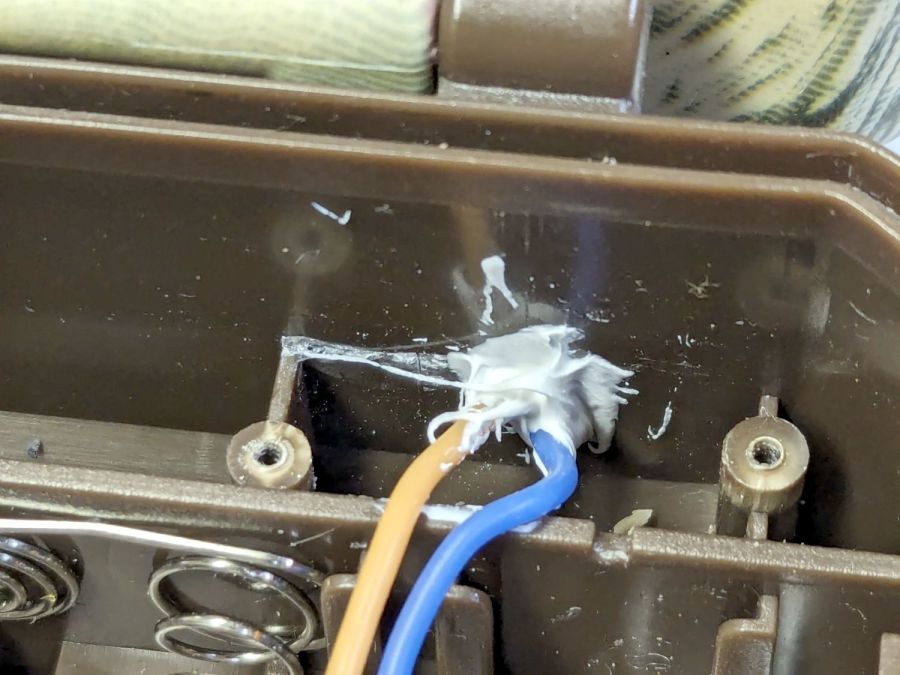
Two untidy blobs of acrylic caulk do at least as good a job of sealing the case openings as the black gunk visible in the earlier pictures:
M50 Trail Cam – new caulk
I left all of the wire in the hinge un-stuck, hoping the twist will distribute itself over maybe 5 mm of wire and last longer.
In anticipation of future repairs, however, I left enough of the knurled end of the hinge rod exposed to get an easy grip:
M50 Trail Cam – restaked pivot
Solder the new wires to the old pads, assemble in reverse order, and it works as well as it ever did:
The alert reader will note I did not reset the camera clock after charging the batteries, a process requiring the janky SJCam app.
The two finches on the right have been constructing a nest in the wreath hanging at our front door. They tolerate our presence, although they’d be happier if delivery folks dropped packages elsewhere.
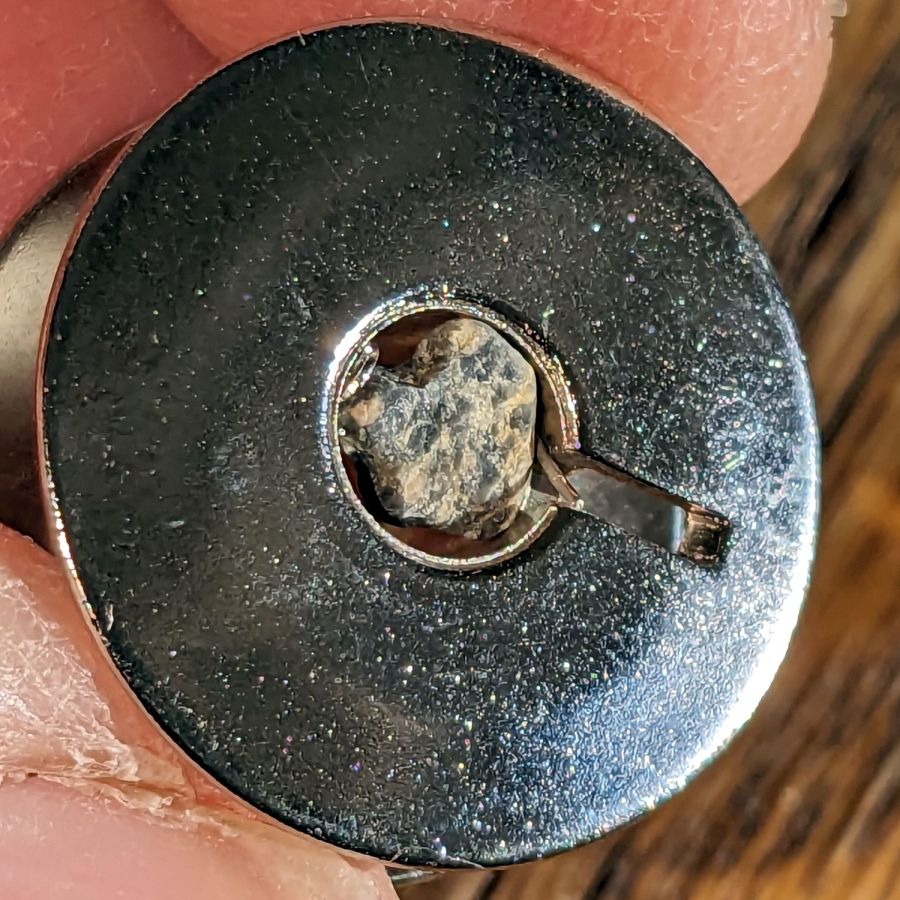
While loading bobbins for her next quilt project, Mary found another one that just wouldn’t fit on the winder:
Bobbin with polishing rock
Knocking the rock out of the bore required a pin punch and more than a gentle tap, but it eventually left without damage. The little stick in the slot looked organic, although it vanished without a trace during the operation.
I originally thought the bobbin factory’s final vibratory polisher used walnut shells, but the evidence certainly suggests ordinary gravel!
Although it’s technically sandpaper, the effect is more like lapping than sanding and the O-rings now ride on a very smooth surface.
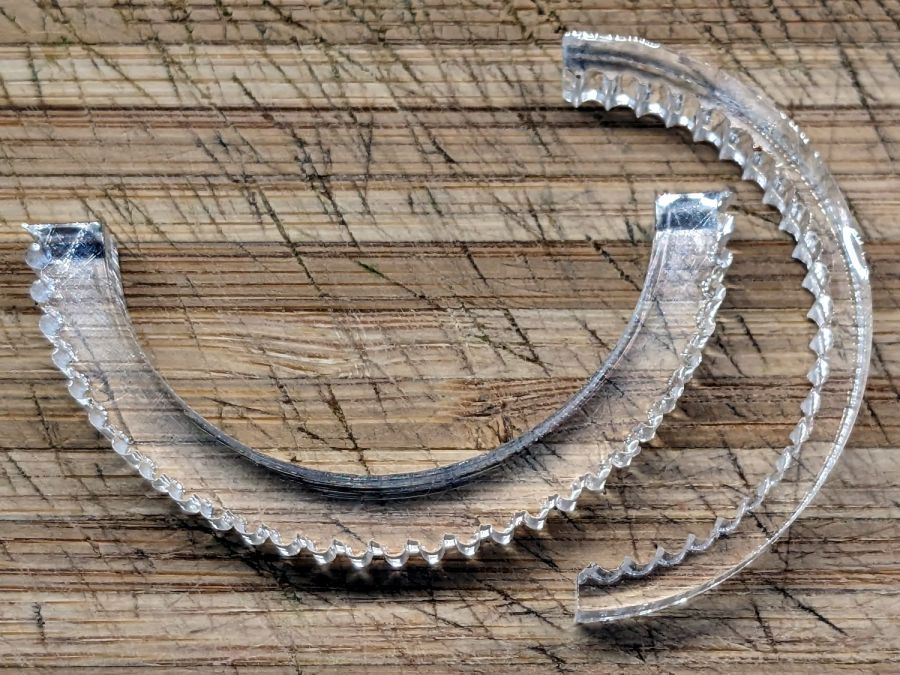
The knurled half-ring is ¼-inch = 6.3 mm acrylic with an ID precisely fitting the pillar + sandpaper:
Sink O-ring seat polishers
The one on the right has an OD matching the surface inside the spout, but it turned out to be easier using fingertips, even if that isn’t quite how one should do lapping.
The LightBurn layout shows the “knurls” are half-circles either added or subtracted from the arcs, as LightBurn’s Circular Array tool is my copilot:
O-ring Polishers – LB layout
You’ll want to measure the ID and OD of your sink faucet, as well as the thickness of your sandpaper, before making make your own.
Imagining / laying out / building those took less time than writing this up; I loves me some quick laser cutter action.