Ed Nisley's Blog: Shop notes, electronics, firmware, machinery, 3D printing, laser cuttery, and curiosities. Contents: 100% human thinking, 0% AI slop.
Our re-sealed Kenmore clothes dryer developed a horrible rattle that Went Away with slight pressure here & there on various surfaces. I eventually located the most sensitive spot: inside the lint filter duct, on its upper surface. That suggested something lying atop the duct.
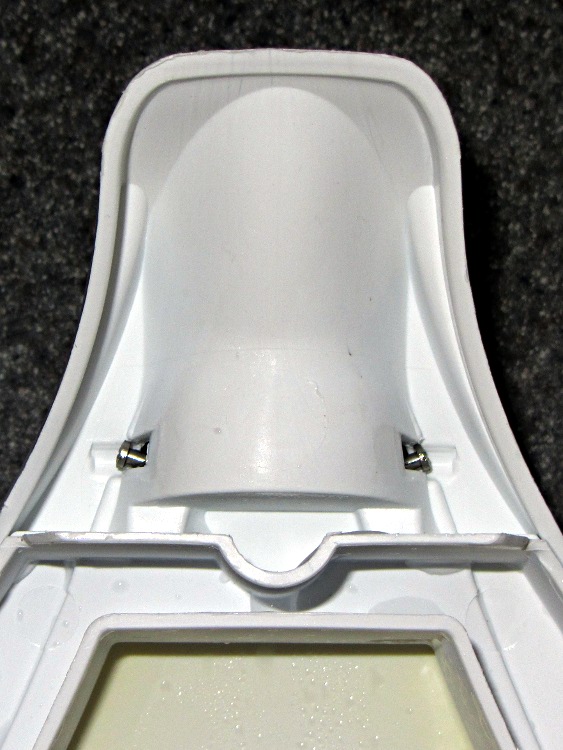
Remove the two screws securing the duct to the top surface, push forward on the back of the control panel, and the front of the top panel pops up. Tilt upward against the springy hinges, peer in above the duct, and what do we find?
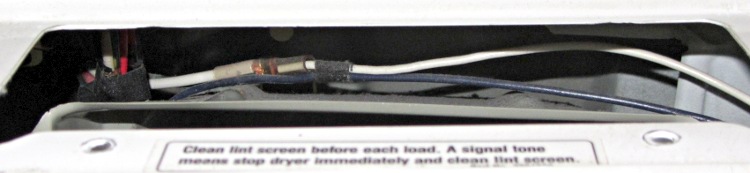
Kenmore dryer – wire routing
Yup, wires resting on the duct!
There are no obvious wire guides to be found, so I’m pretty sure those wires were in pretty much that same position when I dismantled the dryer to install the new seal. In any event, they are where they are.
This not being a particularly hot area, I slipped a sheet of closed-cell foam between the wires and the duct, snapped the top down, and screwed the duct in place.
The lower catches on the front panel seem to be loose, too, so a pair of cardboard shims jammed discreetly into the lower edge of the joint on either side soaked up some spare motion with excellent noisemaking potential.
Unfortunately, fixing that rattle exposed another buzz that seems to be a loose plate buried somewhere in the back of the cabinet. Getting in there requires tearing the whole thing apart, which I’m not looking forward to in the least.
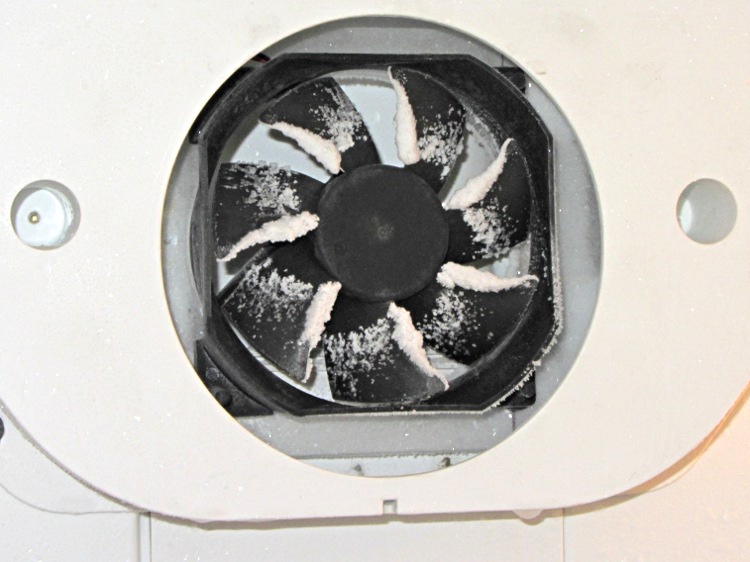
Well, using a PC case fan as a freezer blowerseemed like a good idea at the time: it worked, moved an adequate amount of air, and was pretty nearly silent. Until, that is, frost built up on the blades, water froze inside the frame, and the thing began sounding like a stick running along a picket fence:
Frosted PC case fan in freezer
I replaced the first fan with another having slightly more clearance between the blade tips and the frame, but to no avail.
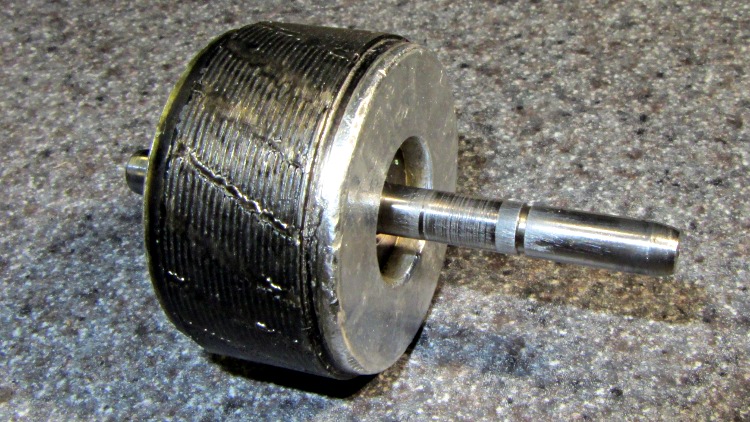
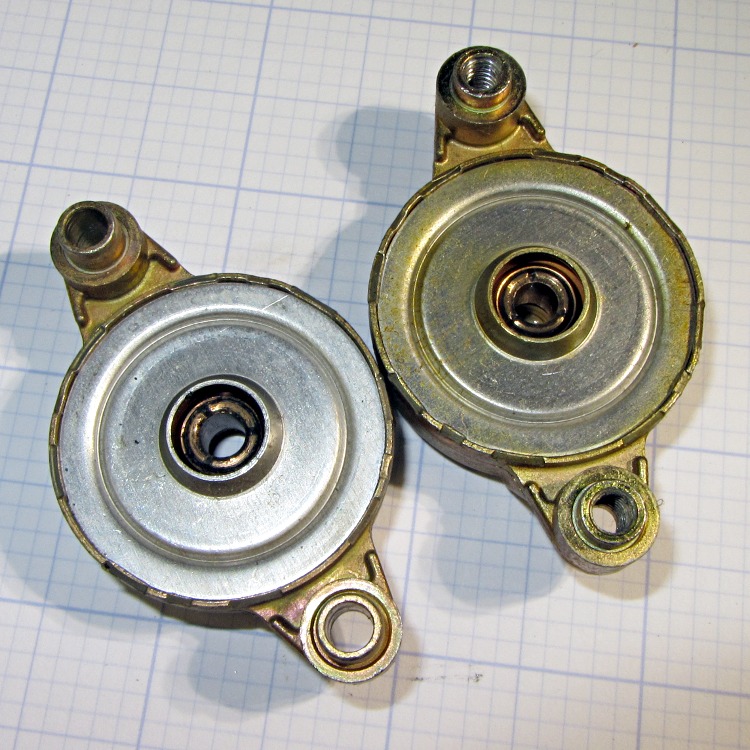
So I dug the OEM fan (a.k.a., the Freezer Dog) from the heap, dismantled it, and discovered why it was howling. Turns out that the shaft nearest the fan blades was scored inside that bearing:
Freezer motor – scored shaft
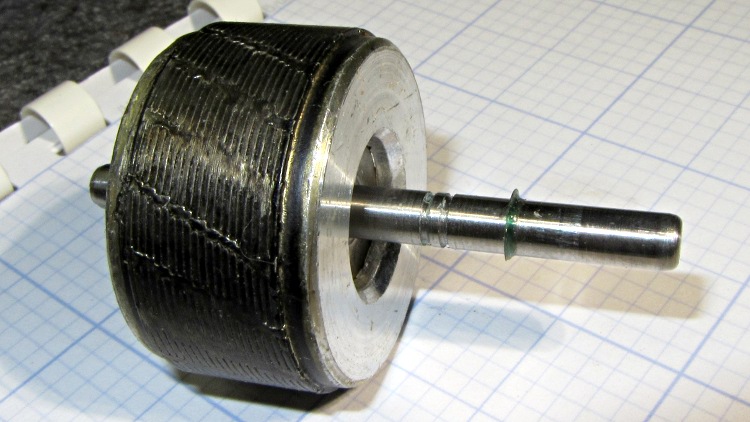
A closer look:
Freezer motor – scored shaft detail
The rest of the shaft looked fine to me, so I put some green Loctite on rotor at the shaft and shoved the long end of the shaft (using the drill press as an arbor press) to put the scored section inside the rotor:
The shaft has several small grooves that probably held lubricant or acted as alignment guides or something useful, but I’m hoping none of that matters. The rotor is turning backwards now, too, which shouldn’t make much difference: it’s pretty much symmetrical.
While I had the motor apart, I whacked the bearings with a rod to shrink them a bit:
Freezer fan bearings
Slobbered more STP on the bronze bearings, reassembled everything again, and it’s been quiet for nearly a week.
Perhaps the combination of new shaft surfaces and tweaked bearings will run for a few more years. I still have the “new” replacement fan in a box…
We deployed several granulated-rubber soaker hoses last year and, while they certainly weep enough water, they’re exceedingly brittle: they kink and break with what seems to be ordinary handling.
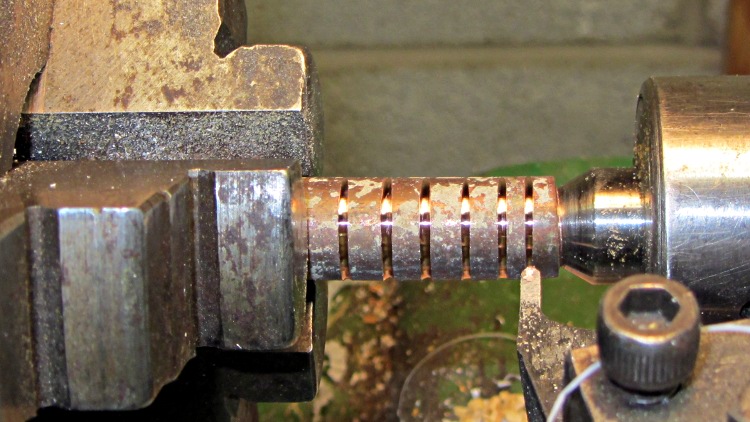
The hose ID is much smaller than ordinary “half inch” hose, so I turned some grooves on a chunk of copper tube that’s a snug fit inside:
Grooving copper tubing
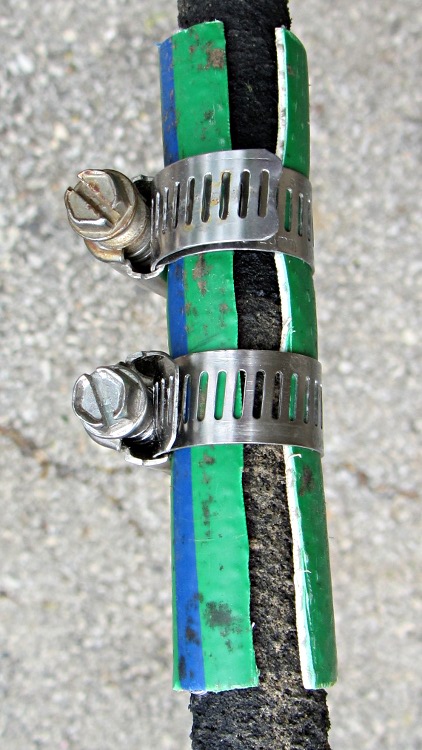
Slitting a piece of scrap hose (ya gotta have stuff) and clamping it around the hose and tubing holds the splice together against the 90 psi water in the Vassar Farms irrigation system and provides a bit of strain relief beyond the ends of the tubing:
Spliced soaker hose
While I was at it I made three more copper splices, because I know they’ll come in handy…
Although that fix continues to work, the second pin failed pretty much as expected:
Brita pitcher lid – second broken pin
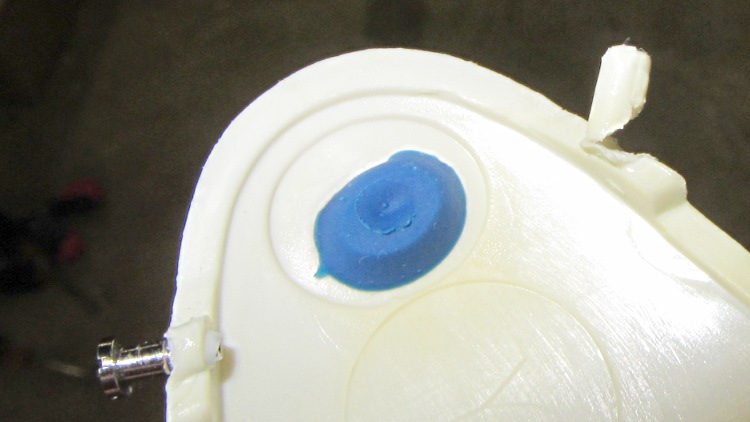
I glued the pin to rebuild the base, sheared the pin off, extracted the matching screw from the Tiny Vial of Teensy Screws, drilled a hole, and forced it in. This shot of the underside of the pitcher lid clearly shows that drilling the hole perpendicular to the edge doesn’t produce the proper alignment, but it works well enough:
Brita pitcher lid – pin angle
The “Smart Pitcher” LCD panel in the lid that counts down six weeks until filter replacement didn’t survive its most recent trip through the dishwasher, so we’re reduced to marking the calendar. How 20th century…
One of the oven drawer supports in our Sears Kenmore gas range cracked and I finally got around to replacing it:
Cracked oven drawer slide and replacement
I originally thought the drawer slid on the large, blocky, well-supported lump. Nope, that delicate little tab must support half the weight of the drawer; the lump might support the drawer in another oven. Perhaps we shouldn’t store the Lesser and Least Cast Iron Pans in that drawer, but that’s where they fit best. The Greater Cast Iron Pan lives atop the stove, because it get used so often there’s no point in putting it away.
One could, of course, Fire the Thing-O-Matic! to print brightly colored plastic bits (after the usual tedious 3D modeling & trial fitting), but replacement parts cost a buck each from RepairPartsDirect. I bought three, so as to have a complete backup set, and most of the $9 total went to postage & handling.
So here’s the Rest of the Story, reconstructed from my notes…
Having already torn the thing apart and discovered that the repair would include both the drum+spider assembly (not available separately, which may actually make sense given high-speed spin balancing) and the front half of the plastic tub, I priced them at RepairClinic and Sears Parts Direct. In round numbers, this adventure would cost $300-400 just for the parts, a bit less than half the cost of the washer.
As I recall, the Sears price for the drum was roughly twice that for RepairClinic, while the tub was about the same. I suspect Sears deliberately inflates the drum price to make sure nobody actually buys the thing and to pad out the tech’s time to replace it.
The warranty in the front of the Owner’s Manual seemed promising:
Sears Kenmore HE3 Washer Warranty
So I called the Sears Parts & Warranty line, walked the menu tree, explained the situation, asked for a new drum, and was told that they must dispatch a tech to diagnose the problem. Despite the warranty, there would be a labor fee and an additional fee to process the parts order. There was no way to determine those fees before dispatching the tech.
I pointed out that I’d already dismantled the washer, knew exactly what the problem was, and just needed the replacement drum as described in the warranty. I was put on hold to “process my request”, eventually being transferred to a “tech specialist department for further assistance”.
The “tech specialist” was willing to spend as much time as required to convince me that the Lifetime Warranty had expired, based on a deliberate misreading of the terms. As far as they were concerned, the sentence “After the first year, you will be charged for labor” meant that the warranty had expired on a five-year-old washer and that the drum was no longer covered. They would not, under any circumstances, send me the drum. Yes, I asked for a supervisor and, no, I doubt that she really was one; handing the call to the next cubicle is standard call-center subterfuge to placate irate customers.
I eventually decided that this was not a language-barrier issue, but a carefully planned & executed part of their standard script: letting their Indian-subcontinent call center take the heat works wonderfully well for the purpose of getting rid of warranty claims.
So I looked up the phone number of the “interim CEO/President” (I assume he’s long gone by now) at Sears Holding Corporation and gave him a call. Of course, I didn’t expect to actually reach the CEO, but I figured I’d shake the dice a bit to see if a better combination came up.
It turns out that they expect this sort of behavior and immediately connected me to their “Executive Customer Service” department, which was described as “the highest they can go”. So I told my tale, asked her to ship me a drum, and was told that wasn’t possible. What she could do, as a “one time offer”, was to “waive the labor fee” when they dispatched the tech.
I asked if there were any other fees. She refused to answer that question. I asked if there was a charge to order the parts. She refused to answer that question. It being a Friday, I asked when the tech could arrive; she said that they would attempt to schedule it for Monday, but Tuesday was more likely. I asked if he’d arrive with the drum. She said the tech would assess the problem and order the necessary parts, requiring a second appointment later in the week.
I told her that it was obvious Sears had no intention of honoring their warranty. She repeated that this was a one-time offer. We did not part on good terms.
So I ordered the drum & tub from RepairClinic, two huge boxes arrived on Tuesday, I installed everything, buttoned up the machinery, and the washer has worked fine ever since.
Every time I looked at that big drum, I got mad all over again. I never mustered the enthusiasm to take the spider off the back for a post-mortem, which is why there’s no Part 2 after that post. Eventually I hauled the carcasses to the town’s disposal site and bid them good riddance.
Obviously, Sears won: they got rid of me without spending a dime on the warranty. It cost them maybe two hours of phone time, but I doubt the pleasant voice in the “Executive Customer Service” department makes much more than minimum wage and Indian-subcontinent personnel are basically free compared to that.
I’m doing a bunch of appliance repair right now and wonder just how much we’d be spending if we had to go through the Official Channels for repairs. I’m definitely earning my keep… and having much more fun than being jerked around by that corporate structure.
Well, that fix didn’t take long to fail; they sure don’t make ’em like they used to:
OEM Replacement fan in freezer
The “new” fan’s bearing failure sounded more like an owl than a dog, but it was certainly not what we wanted to hear in the middle of the night. A replacement fan costs on the order of $60, which seems like an absurdly high number for what’s basically a clock motor, a plastic fan blade, and some stamped steel.
After mulling the situation for a bit, I concluded that the refrigerator has reached that age where stuffing more money into it doesn’t make much sense: the compressor will drop dead in fairly short order. It’s time for a gonzo fix that also slightly reduces the clutter in the Basement Laboratory Warehouse: stick a PC case fan and wall wart into the freezer, ignore their temperature ratings, and see what happens.
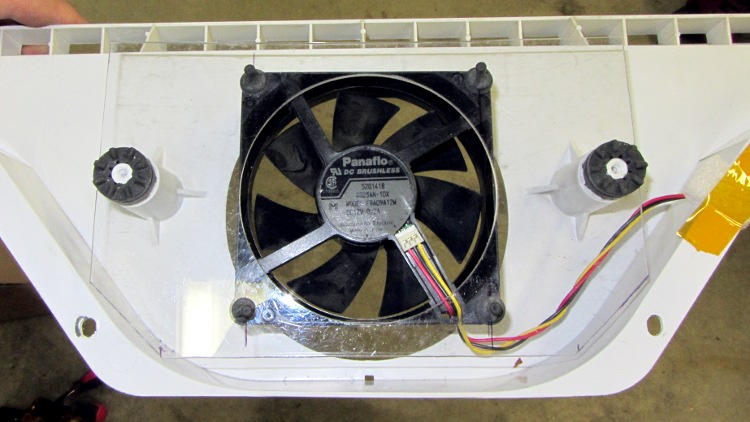
A polycarbonate sheet, a band saw, some step drills, a big hole saw, and an hour of Quality Shop Time produced a perfectly serviceable space transformer to mate the fan to the airflow director:
PC case fan in air flow director
The plate surrounds the squishy foam washers from the OEM motor mount, with the fan on its own rubbery posts: there won’t be any vibration transmitted to the plastic air flow director! The obligatory Kapton tape on the right holds a closed-cell foam wrap around the wires to prevent rattling; I’d done much the same when I tore the thing apart after the first OEM fan failure.
The air flow is toward you out of the screen: the fan draws air from the refrigerator compartment through the evaporator coils, then directly into a square duct that leads back to the refrigerator. Whatever doesn’t make it into the duct flows into the freezer compartment through the row of vents at the top of the picture.
I assume some serious modeling went into choosing the OEM fan blade configuration and spacing so as to optimize the distribution. I hope just moving some air in roughly the right direction will suffice; I have no way to measure any interesting numbers, so this is entirely cut-and-try.
The PC case fan expects 12 VDC, which comes from a standard wall wart conspicuously labeled “For Indoor Use Only”. Well, this is certainly indoor, even if it’s not quite what they expected. The wart plugs into a cobbled-together extension cord receptacle with male 1/4 inch quick-disconnect tabs that match the female QD connectors on the OEM wiring harness that originally plugged into the fan:
PC case fan with adapted wall wart
All that fits into the space behind the rear panel, with the wart wrapped in a sheet of closed-cell foam to prevent rattling and provide a bit of protection:
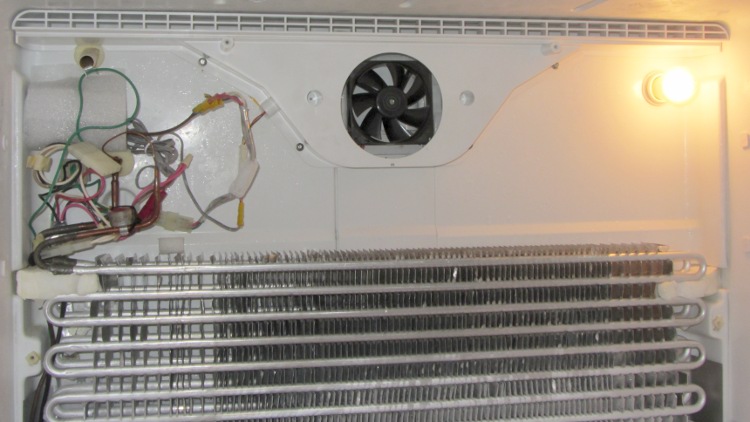
PC case fan installed in freezer
The rear panel covers the mess, exposing only the row of vent holes along the top. The air flow is upward through the evaporator coil and fins, through the fan, and back to the two compartments.
One question remains: will the fan continue to start below 0 °F (-20 °C)?
Given the ball bearings in the fan, it ought to remain quiet, but I’ve thought that before. Now, however, I have a generous supply of case fans and wall warts that plug into the mechanical and power adapters, so I can replace fans for a long time.