The Smell of Molten Projects in the Morning

Ed Nisley's Blog: Shop notes, electronics, firmware, machinery, 3D printing, laser cuttery, and curiosities. Contents: 100% human thinking, 0% AI slop.

Tag: MK4

Prusa Mk 4 3D printer with MMU3 feeder

  • PolyDryer Humidity: November

    PolyDryer Humidity: November

    The measurements:

    2025-11-042025-11-112025-11-19
    Filament%RH%RHWeight – gWt gain – gGain %%RH
    PETG White393927.42.49.6%23
    PETG Black252626.71.76.8%14
    PETG Orange302326.51.56.0%23
    PETG Blue182327.02.08.0%10
    PETG-CF Blue252526.51.56.0%18
    PETG-CF Black222226.31.35.2%14
    PETG-CF Gray282826.51.56.0%18
    Empty → PETG Clear31n/a26.81.87.2%18
    TPU – Clear282926.31.35.2%14
    W empty → TPU – K232726.81.87.2%18

    All the boxes now have filament spools and 50 g of silica gel divided equally between the humidity meter and the tray in the bottom of the box:

    Polydryer Box desiccant tray - installed
    Polydryer Box desiccant tray – installed

    The PETG White in the first row is the new spool loaded last month. I think the 39 %RH indicates the spools do not necessarily arrive bone-dry in their vacuum-sealed bags with a tiny desiccant packet.

    Conversely, both the PETG Clear and TPU K filaments are new spools that seem reasonably dry out of their bags.

    The auto-rewind spindle in the PETG Orange filament hasn’t been working quite right, so I opened the box a few times. It now has a new PETG-CF spindle.

  • Bird Feeder Tray Mount

    Bird Feeder Tray Mount

    The mixed flock attending the bird feeder in the back yard scatters enough seeds to attract the deer, so I added a tray underneath to catch the overspray:

    Bird Feeder Tray Mount - installed
    Bird Feeder Tray Mount – installed

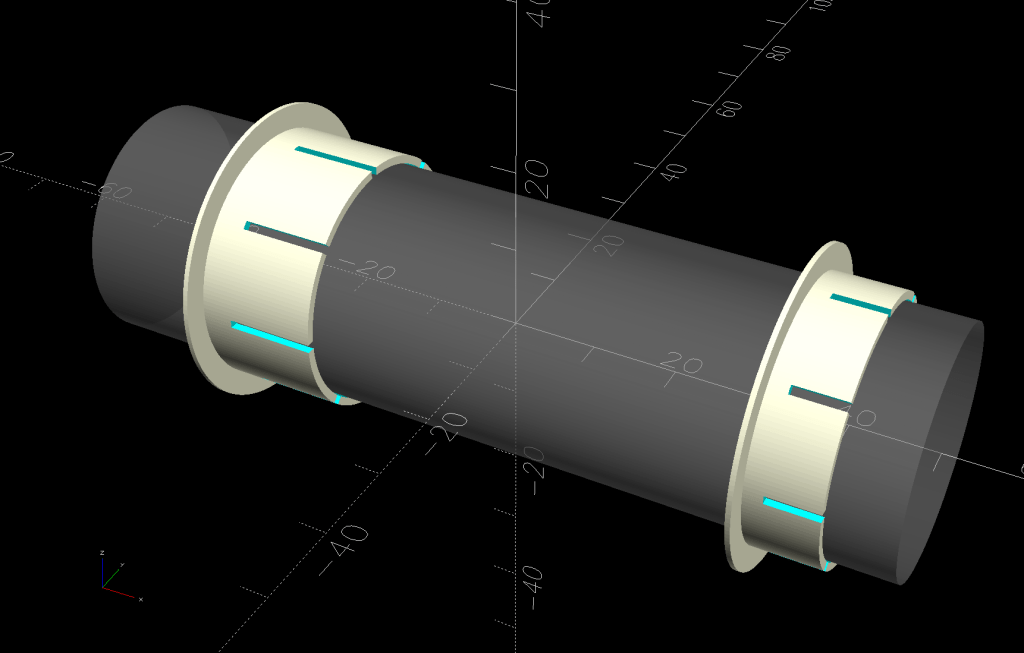
    Well, two trays, because it took a couple of iterations to make the solid model match reality:

    Bird Feeder Tray Mount - show layout
    Bird Feeder Tray Mount – show layout

    The n-1 iteration was Close Enough™ and two trays are obviously better than one.

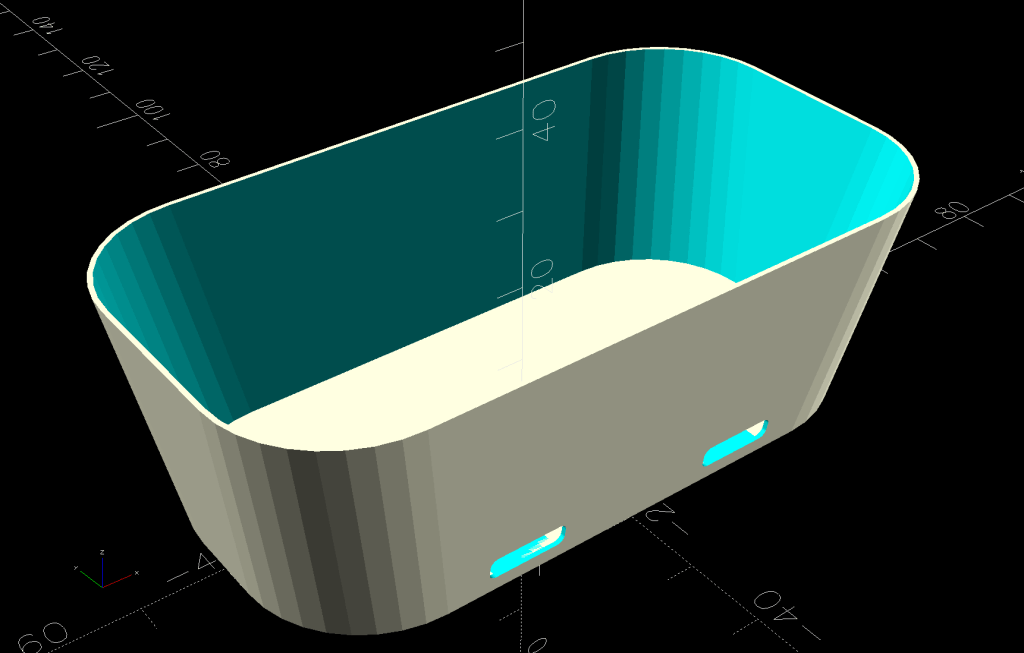
    The “trays” are stray lids from the six gallon buckets we use for many purposes, including root-cellaring the vegetable garden harvest. The lid’s solid model was straightforward:

    Bird Feeder Tray Mount - lid model
    Bird Feeder Tray Mount – lid model

    Removing the lid from a solid block produces the most complex part of the mount:

    Bird Feeder Tray Mount - mount layout
    Bird Feeder Tray Mount – mount layout

    An aluminum plate on the outside (the gray slab in the overall view above) distributes the strain from the two M6 screws across the block.

    A smaller block on the inside of the lid has a pair of square nuts:

    Bird Feeder Tray Mount - segment layout
    Bird Feeder Tray Mount – segment layout

    All three parts build from their flattest side:

    Bird Feeder Tray Mount - build layout
    Bird Feeder Tray Mount – build layout

    The downward facing clamp arch in the main block didn’t need support, but the square nut sockets in the segment definitely came out better with little support blocks inside; PrusaSlicer does a good job with most support structures.

    The n-1 iteration used M6 rivnuts that were slightly too long after making the lid model match reality, so I switched to square nuts. The OpenSCAD code calculates the segment block length to match the actual screws, but 75 mm M6 screws and square nuts are barely long enough.

    I clamped the outer block to the lid as a drill guide for the first hole, then pinned the block with a screw to ensure it didn’t slip while drilling the second hole:

    Bird Feeder Tray Mount - drilling setup
    Bird Feeder Tray Mount – drilling setup

    Those were freehanded in the drill press at low speed with serious concentration; some things you just gotta do that way.

    The mixed flock overwhelmingly approves the trays, to the extent a dozen birds clamor to use them: definitely a crowd-pleaser!

    I’m certain you can buy pole-mounted trays, but what’s the fun in that?

    The OpenSCAD source code as a GitHub Gist:

    // Bird feeder tray mount
    // Ed Nisley – KE4ZNU
    // 2025-11-06
    include <BOSL2/std.scad>
    Layout = "Show"; // [Build,Show,Lid,Mount,Segment,Nut]
    /* [Hidden] */
    ID = 0;
    OD = 1;
    LENGTH = 2;
    HoleWindage = [0.2,0.2,0.2];
    Protrusion = 0.1;
    NumRibs = 12; // stiffening ribs
    NumSides = 8*NumRibs;
    $fn=NumSides;
    Gap = 5.0;
    WallThick = 9.0; // robust walls
    Kerf = 1.0; // clamp cut
    TapeThick = 0.5; // wrap around pole
    LidOD = 12; // main diameter in inches
    PoleOD = 1*INCH;
    PlateThick = 2.0; // backing plate for clamp
    Screw = [6.0,12.0,6.0]; // thread OD, washerOD, head
    ScrewLength = 75.0;
    ScrewOC = 60.0; // chosen to clear stiffening ribs in lid
    LidLayers = [ // bottom to top, ID = 0 means solid disk, LENGTH = exterior measurement
    [0,(LidOD-2*(3/8))*INCH,Protrusion], // 0 – below zero to prevent Z fighting
    [0,(LidOD-2*(3/8))*INCH,(3/8)*INCH], // 1 – base inside bucket
    [0,(LidOD+2*(1/8))*INCH,(1/8)*INCH], // 2 – flange
    [(LidOD-2*(1/2))*INCH,LidOD*INCH,(7/8)*INCH], // 3 – sealing ring
    ];
    LidOAH = LidLayers[1][LENGTH] + LidLayers[2][LENGTH] + LidLayers[3][LENGTH];
    LidTopDepth = (3/4)*INCH; // from highest part of interior
    MountBlockWidth = ScrewOC + 2*WallThick;
    BaseSagitta = LidLayers[1][OD]/2 – sqrt((LidLayers[1][OD]/2)^2 – (MountBlockWidth^2)/4);
    echo(BaseSagitta=BaseSagitta);
    PoleOffset = BaseSagitta + ((LidLayers[2][OD] – LidLayers[1][OD])/2) + WallThick + PoleOD/2;
    MountBlock = [PoleOffset + PoleOD/2 + WallThick – PlateThick,MountBlockWidth,LidOAH];
    echo(MountBlock=MountBlock);
    SegBlockOffset = ScrewLength – MountBlock.x – PlateThick; // assumes recessed
    SegmentBlock = [2*SegBlockOffset,MountBlock.y,LidTopDepth];
    Rib = [2*6.0,5.0,LidTopDepth]; // lid stiffening ribs
    RibAlign = 0 * 180/NumRibs; // position ribs wrt mount
    EdgeRadius = 3.0;
    //—–
    // Rivnut
    // The model collects all the magic numbers right here
    /*
    RivnutOAL = 15.0;
    module Rivnut() {
    union() {
    cyl(1.6,d=13.0,circum=true,anchor=BOTTOM);
    cyl(RivnutOAL,d=9.0,circum=true,anchor=BOTTOM);
    }
    }
    */
    //—–
    // Square nut
    // The model collects all the magic numbers right here
    NutOAL = 5.0;
    module SquareNut() {
    cuboid([10.0,10.0,5.0],anchor=BOTTOM);
    }
    //—–
    // Bucket lid
    // Centered at XY=0, Z=0 at top of exterior flange
    module BucketLid(Interior=true,Expand=false) {
    render()
    union() {
    down(LidLayers[2][LENGTH])
    cyl(LidLayers[1][LENGTH],d=LidLayers[1][OD],anchor=TOP);
    cyl(LidLayers[2][LENGTH],d=LidLayers[2][OD],anchor=TOP);
    if (Interior) {
    if (false)
    down(Expand ? Protrusion : 0)
    tube(LidLayers[3][LENGTH] + (Expand ? 2*Protrusion : 0),
    id=LidLayers[3][ID],od=(Expand ? 2 : 1)*LidLayers[3][OD],anchor=BOTTOM);
    else
    difference() {
    cyl(LidLayers[3][LENGTH] + (Expand ? 2*Protrusion : 0),
    d=(Expand ? 2 : 1)*LidLayers[3][OD],anchor=BOTTOM);
    up(LidLayers[3][LENGTH] – LidTopDepth)
    cyl(LidTopDepth + (Expand ? 2*Protrusion : 0),
    d=LidLayers[3][ID],anchor=BOTTOM);
    }
    up(LidLayers[3][LENGTH] – LidTopDepth)
    for (i=[0:(NumRibs – 1)])
    zrot(i*360/NumRibs + RibAlign)
    right(LidLayers[3][ID]/2)
    cuboid(Rib,anchor=BOTTOM,rounding=1,edges="Z");
    }
    else
    down(Expand ? Protrusion : 0)
    cyl(LidLayers[3][LENGTH] + (Expand ? 2*Protrusion : 0),
    d=(Expand ? 2 : 1)*LidLayers[3][OD],anchor=BOTTOM);
    }
    }
    // Mount clamp
    module Mount() {
    render()
    difference() {
    cuboid(MountBlock,anchor=BOTTOM+LEFT,rounding=EdgeRadius,edges="X");
    left(LidLayers[1][OD]/2 – BaseSagitta)
    up(LidLayers[1][LENGTH] + LidLayers[2][LENGTH])
    BucketLid(Interior=false);
    right(PoleOffset) {
    cyl(3*MountBlock.z,d=(PoleOD + HoleWindage.x + 2*TapeThick),circum=true,anchor=CENTER);
    cuboid([Kerf,2*MountBlock.y,3*MountBlock.z]);
    }
    if (false)
    right(MountBlock.x – PlateThick)
    cuboid(3*[PlateThick,MountBlock.y,MountBlock.z],anchor=LEFT);
    up(LidOAH – LidLayers[3][LENGTH]/2)
    for (j=[-1,1])
    fwd(j*ScrewOC/2) {
    cyl(ScrewLength,d=Screw[ID] + HoleWindage.x,circum=true,orient=RIGHT,anchor=BOTTOM,$fn=6,spin=180/6);
    if (false)
    right(MountBlock.x + Protrusion)
    cyl(Screw[LENGTH] + Protrusion,d=Screw[OD] + HoleWindage.x,circum=true,
    orient=LEFT,anchor=BOTTOM,$fn=12,spin=180/12);
    }
    }
    }
    // Nut block segment inside lid
    module NutSegment() {
    render()
    difference() {
    cuboid(SegmentBlock,anchor=BOTTOM,rounding=EdgeRadius,edges="X");
    down(LidLayers[3][LENGTH] – LidTopDepth)
    left(LidLayers[1][OD]/2 – BaseSagitta)
    BucketLid(Interior=true,Expand=true);
    up(LidTopDepth – LidLayers[3][LENGTH]/2)
    for (j=[-1,1])
    fwd(j*ScrewOC/2) {
    left(SegmentBlock.x/2)
    cyl(ScrewLength,d=Screw[ID],circum=true,anchor=BOTTOM,$fn=6,spin=180/6,orient=RIGHT);
    left(SegmentBlock.x/2)
    yrot(90)
    SquareNut();
    }
    }
    }
    //—–
    // Build things
    if (Layout == "Lid")
    BucketLid();
    if (Layout == "Mount")
    Mount();
    if (Layout == "Segment")
    NutSegment();
    if (Layout == "Nut")
    Rivnut();
    if (Layout == "Show") {
    down(LidLayers[1][LENGTH] + LidLayers[2][LENGTH]) {
    Mount();
    color("Orange",0.5)
    up(LidOAH – LidLayers[3][LENGTH]/2)
    right(MountBlock.x + PlateThick)
    for (j=[-1,1])
    fwd(j*ScrewOC/2)
    cyl(ScrewLength,d=Screw[ID],circum=true,orient=LEFT,anchor=BOTTOM);
    }
    up(LidLayers[3][LENGTH] – LidTopDepth)
    NutSegment();
    color("Gray",0.4)
    right(PoleOffset)
    cylinder(3*MountBlock.z,d=(PoleOD),anchor=CENTER);
    color("Gray",0.4)
    left(LidLayers[1][OD]/2 – BaseSagitta)
    BucketLid();
    color("White",0.7)
    down(LidLayers[1][LENGTH] + LidLayers[2][LENGTH])
    right(MountBlock.x + 2*PlateThick)
    difference() {
    cuboid([PlateThick,MountBlock.y,MountBlock.z],anchor=BOTTOM+LEFT,rounding=EdgeRadius,edges="X");
    up(LidOAH – LidLayers[3][LENGTH]/2)
    for (j=[-1,1])
    fwd(j*ScrewOC/2)
    cyl(ScrewLength,d=Screw[ID],circum=true,orient=RIGHT,anchor=CENTER);
    }
    }
    if (Layout == "Build") {
    render()
    union() {
    difference() {
    left(MountBlock.z + Gap/2)
    up(PoleOffset – Kerf/2)
    yrot(90)
    Mount();
    cuboid([3*MountBlock.z,2*MountBlock.y,3*MountBlock.x],anchor=TOP);
    }
    render()
    right(Gap/2)
    intersection() {
    up(MountBlock.x)
    yrot(90)
    Mount();
    up(MountBlock.x – PoleOffset)
    right(MountBlock.z/2)
    cuboid([2*MountBlock.z,2*MountBlock.y,MountBlock.x],anchor=TOP);
    }
    right(2*MountBlock.z – BaseSagitta)
    up(SegmentBlock.x/2)
    yrot(-90)
    NutSegment();
    }
    }

  • PolyDryer Box Desiccant Tray

    PolyDryer Box Desiccant Tray

    Having used desiccant in tea bags inside the PolyDryer boxes with some success, I wanted to see what happens with more exposed surface area:

    Polydryer Box desiccant tray - installed
    Polydryer Box desiccant tray – installed

    The tray (jawbreaker boxes.py URL) is 2 mm chipboard with a quartet of additional notches fitting the protrusions in the bottom of the Polydryer box:

    Polydryer Box desiccant tray - assembly
    Polydryer Box desiccant tray – assembly

    Although you’ll find plenty of printed trays, many with ingenious perforated lids, this was quick & easy:

    Polydryer Box desiccant tray - cutting
    Polydryer Box desiccant tray – cutting

    They’re painfully prone to dumping their contents, despite the dividers which are intended to dissuade the beads from taking collective action and surging over the slightly higher outer walls. Fortunately, the dump occurs inside a sealed box and is entirely survivable.

    Distributing 25 g of silica gel neatly fills the sections:

    Polydryer Box desiccant tray - top view
    Polydryer Box desiccant tray – top view

    Now it’s just a matter of time …

  • Dryer Vent Filter Snout: TPU Warp

    Dryer Vent Filter Snout: TPU Warp

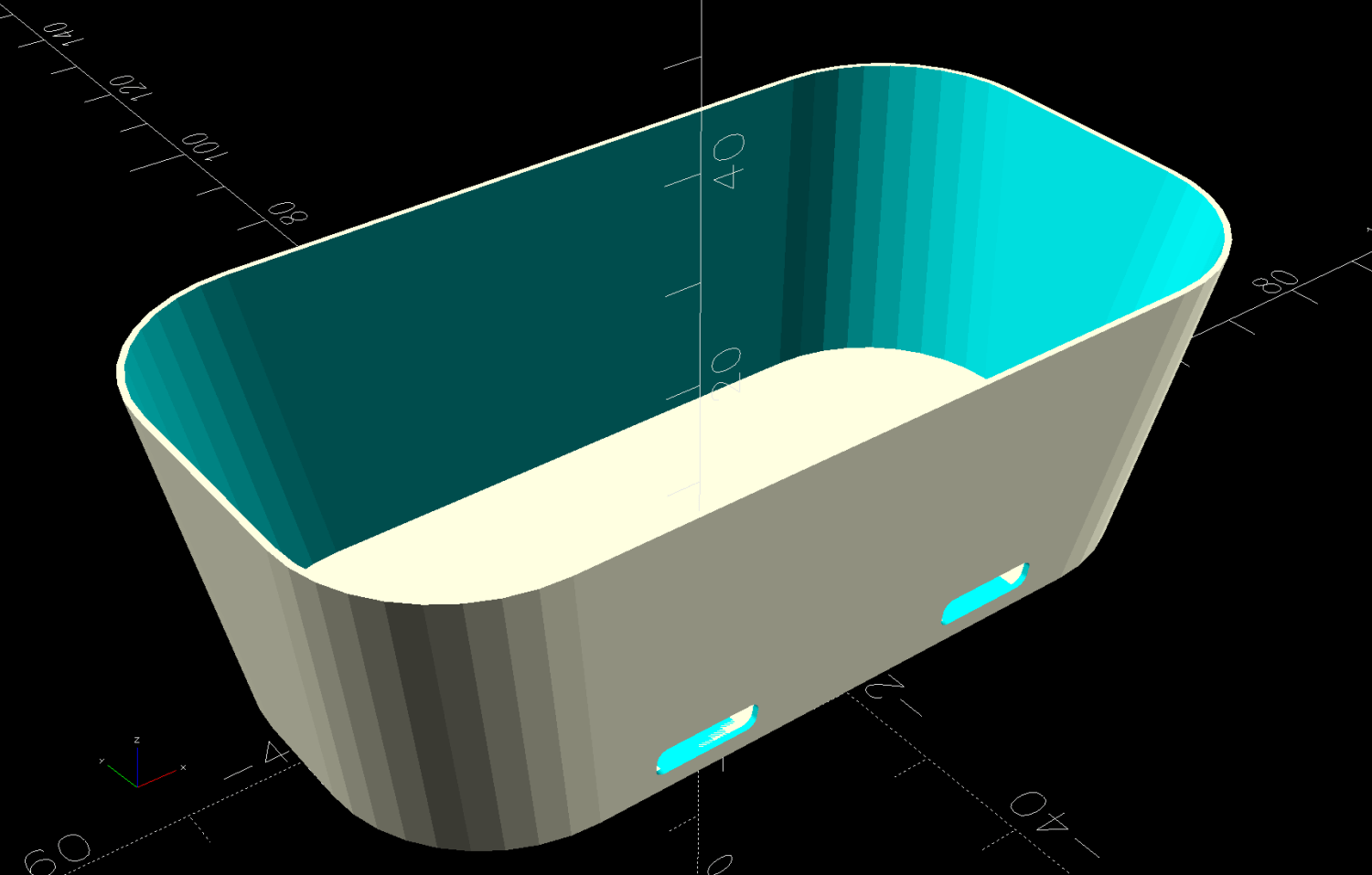
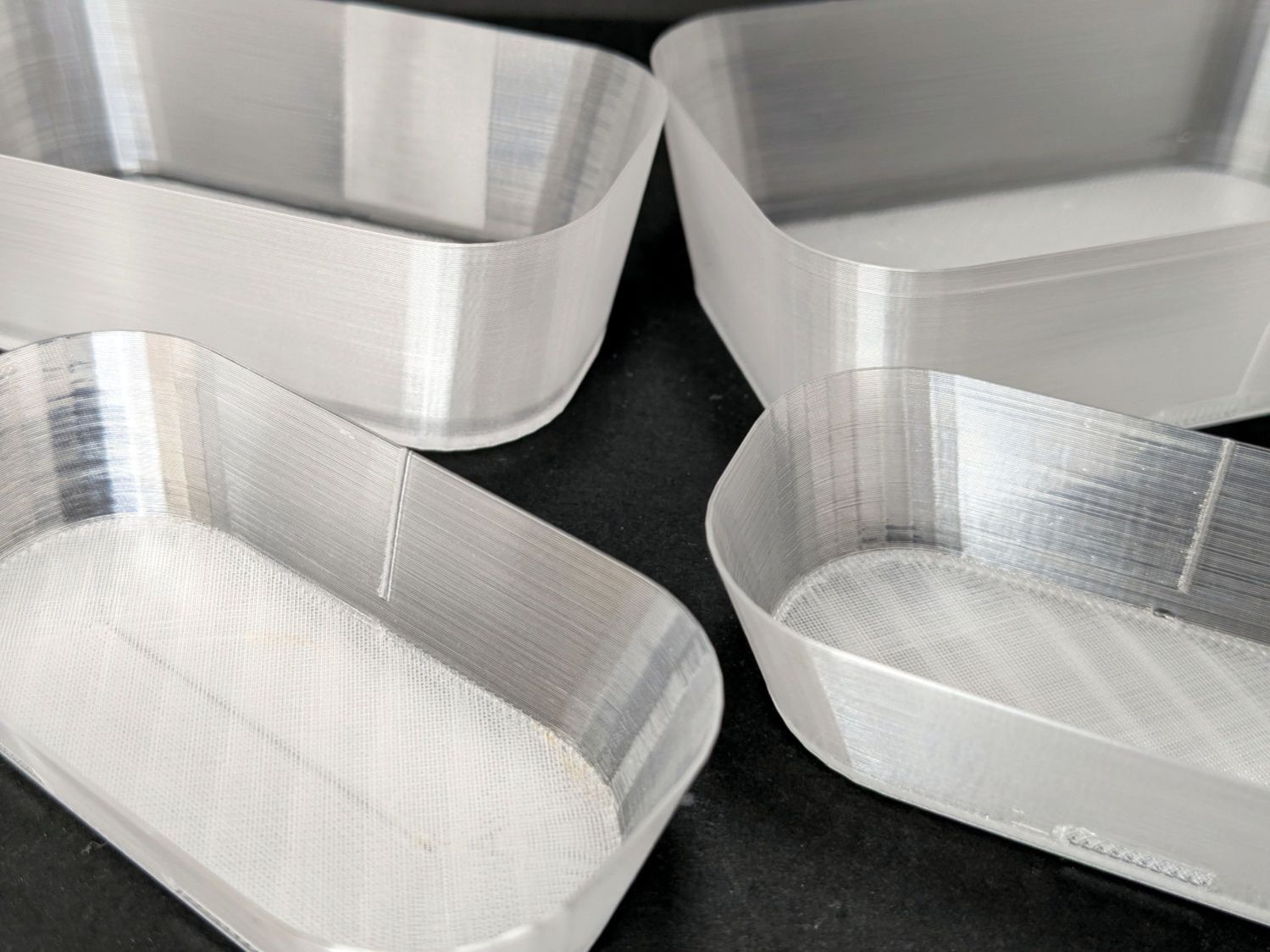
    Making the clothes dryer vent filter snout from TPU did not work nearly as well as I expected:

    Clothes Dryer Vent Filter Snout - TPU warp
    Clothes Dryer Vent Filter Snout – TPU warp

    I think that’s the result of applying heat to a slightly compressed rear wall made of bendy plastic.

    Making it from much stiffer white PETG required moving the front mounting tabs to the middle to allow enough bendiness to snap them into the vent:

    Clothes Dryer Vent Filter Snout - OpenSCAD plan
    Clothes Dryer Vent Filter Snout – slicer

    Although both pieces barely fit on the MK4’s platform, I made the upper ring first to verify the fit:

    Clothes Dryer Vent Filter Snout - slicer
    Clothes Dryer Vent Filter Snout – slicer

    If I ever make another, it’ll print as a single top-side-down unit, because the dimensions are now spot on.

    From outside, it looks just like the TPU version:

    Clothes Dryer Vent Filter Snout - PETG installed
    Clothes Dryer Vent Filter Snout – PETG installed

    The snood is a cheesecloth tube with shock cord holding it to the snout.

  • Generator Air Filter Screw Knob

    Generator Air Filter Screw Knob

    Part of the Autumn festivities around here involves blowing leaves into piles, then shredding them into garden mulch. Given that I have a plug-in electric leaf blower / wind stick, I use this as an excuse to exercise the emergency generator (similar to that one) with a (relatively) short extension cord.

    As with all small gasoline engines, I fire a shot of starting fluid into the air cleaner to reduce the number of engine-start yanks, which means I must remove the generator’s side panel and unscrew the filter cover. For years I have sworn mighty oaths on the bones of my ancestors to knobify that screw, thus eliminating fiddling with a screwdriver.

    Finally:

    Generator Air Filter Screw Knob - solid model
    Generator Air Filter Screw Knob – solid model

    A dozen minutes of printing and a snippet of good double-sided tape later:

    Generator air filter knob - installed
    Generator air filter knob – installed

    The knob sticks out far enough to push into the foam “sound deadening” liner on the cover, so it won’t vibrate loose.

    The OpenSCAD source code:

    include <BOSL2/std.scad>
    
    /* [Hidden] */
    
    HoleWindage = 0.2;
    Protrusion = 0.1;
    
    // Screw head dome
    
    HeadHeight = 2.0;
    HeadOD = 14.75;
    
    DomeRadius = (HeadHeight^2 + (HeadOD^2)/4) / (2*HeadHeight);
    echo(DomeRadius=DomeRadius);
    
    KnobOD = HeadOD;
    KnobLength = 15.0;
    
    RimFudge = 0.3;   // ensures a printable edge
    
    // Build it
    
    difference() {
      cyl(h=KnobLength, r=KnobOD/2,anchor=BOTTOM,texture="trunc_pyramids",tex_size=[2.0,KnobLength/4]);
    #  up(KnobLength - HeadHeight + RimFudge)
        spheroid(r=DomeRadius,circum=true,style="icosa",anchor=BOTTOM);
    }
    

    The cover has robust plastic latches, so I haven’t ever bothered to tighten those screws.

  • Prusa MK4+MMU3 vs. Spool Join: Whoopsie

    Prusa MK4+MMU3 vs. Spool Join: Whoopsie

    Because nobody will ever see the Radiator Sleds, I started a batch with the tail end of the white PETG spool and set up the Spool Join function to switch to the retina-burn orange PETG when the white filament ran out.

    The two colors combined nicely on that layer:

    Prusa MK4 MMU filament joining
    Prusa MK4 MMU filament joining

    Unfortunately, the Spool Join didn’t work out quite right and I had to extricate the white filament from the MMU3, then coerce the orange filament into position.

    The key section of the MMU3 looks like this:

    Prusa MK4 MMU filament joiningPrusa Mk4 MMU3 selector
    Prusa MK4 MMU filament joiningPrusa Mk4 MMU3 selector

    The Selector assembly rides on the smooth rods, driven by the stepper motor on the far end of the leadscrew. It stops at one of the five filament tubes (visible to the left of the upper smooth rod, with filament tips showing), whereupon a drive gear pushes the filament into the Selector, under the FINDA sensor (the threaded fitting sticking out of the top), into the PTFE tube, down to the Nextruder, through the idler to trip the Filament Sensor, then into the extruder’s planetary drive gear.

    I think this happened:

    • The rear end of the white filament passed through the FINDA sensor
    • The MK4 reversed the Nextruder to drive the filament back into the MMU3
    • The rear end of the filament didn’t reenter its filament tube and escaped out to the side
    • The MMU3 drive gear couldn’t pull the filament backward, because the back end was misplaced
    • The Extruder planetary drive gear couldn’t pull the filament forward, because the front end was now above the gear
    • Both the FINDA and the Filament Sensor showed the filament was present, so the MK4 knew something was wrong

    Fortunately, I was watching the whole operation and could intervene.

    The MMU3 works well when the filament behaves properly, but it’s very sensitive to bends in the filament and misshapen ends. In this case, the white filament had the usual tight curve due to being would around the spool hub, which was enough to mis-align its end with the MMU3 tube while backing out.

    Trust, but verify.

  • Handlebar Grip Sleeve

    Handlebar Grip Sleeve

    Mary’s zero-mph crash loosened the starboard handlebar plug enough to let it eventually decamp for parts unknown. Its replacement, a somewhat fancier aluminum plug with an expanding cone retainer using an actual M3 nut, worked fine for the last year, but Mary recently noticed the socket head screw had worked loose.

    In the interim, I’d moved the Bafang thumb control from its original position on the crossbar to just above the rear shifter:

    Tour Easy - right handlebar control stack
    Tour Easy – right handlebar control stack

    Which moved the clamp on the shortened grip off the end of the handlebar tube, so I flipped the grip around, tightened the clamp, and installed the plug.

    Unfortunately, the grip ID is 4 mm larger than the tube ID, which meant the plug’s cone retainer was struggling to hold on in there. Perhaps the plastic cone has relaxed bit, but I figured giving it more traction would be a Good Idea™ before I declared victory:

    Handlebar Grip Sleeve - PrusaSlicer
    Handlebar Grip Sleeve – PrusaSlicer

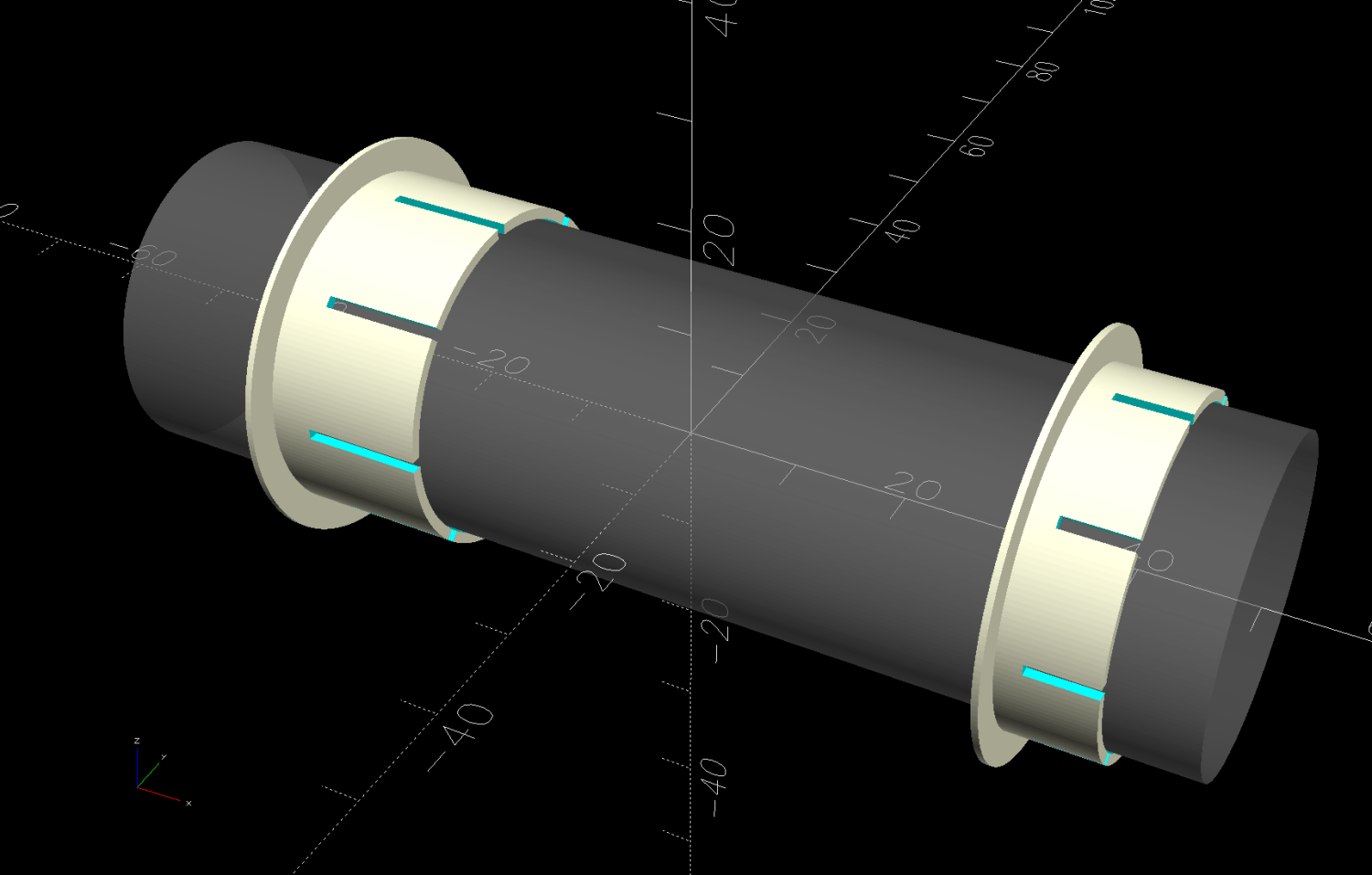
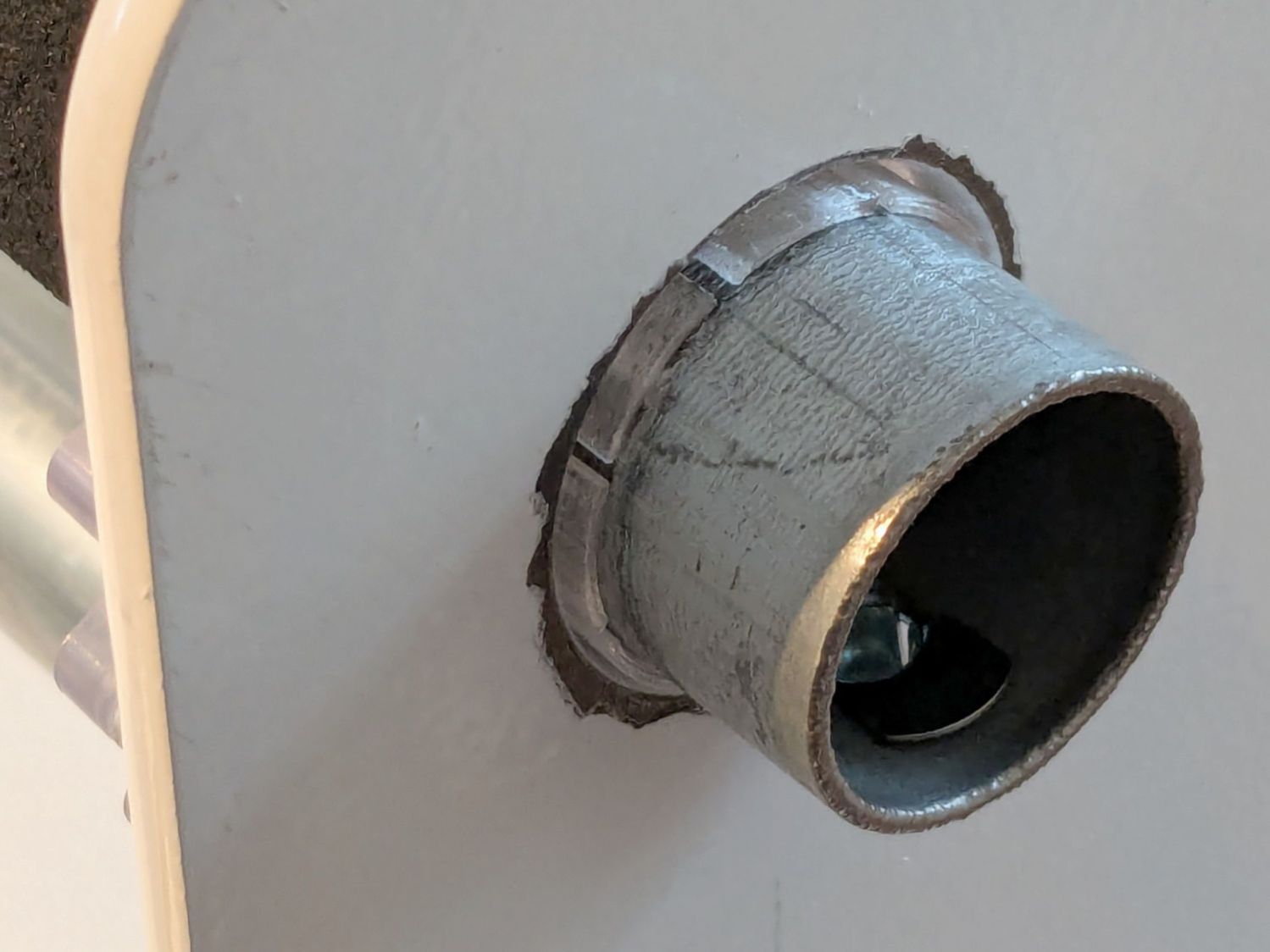
    It’s a little plastic sleeve with slots to let it expand against the inside of the grip:

    Handlebar grip sleeve - installed
    Handlebar grip sleeve – installed

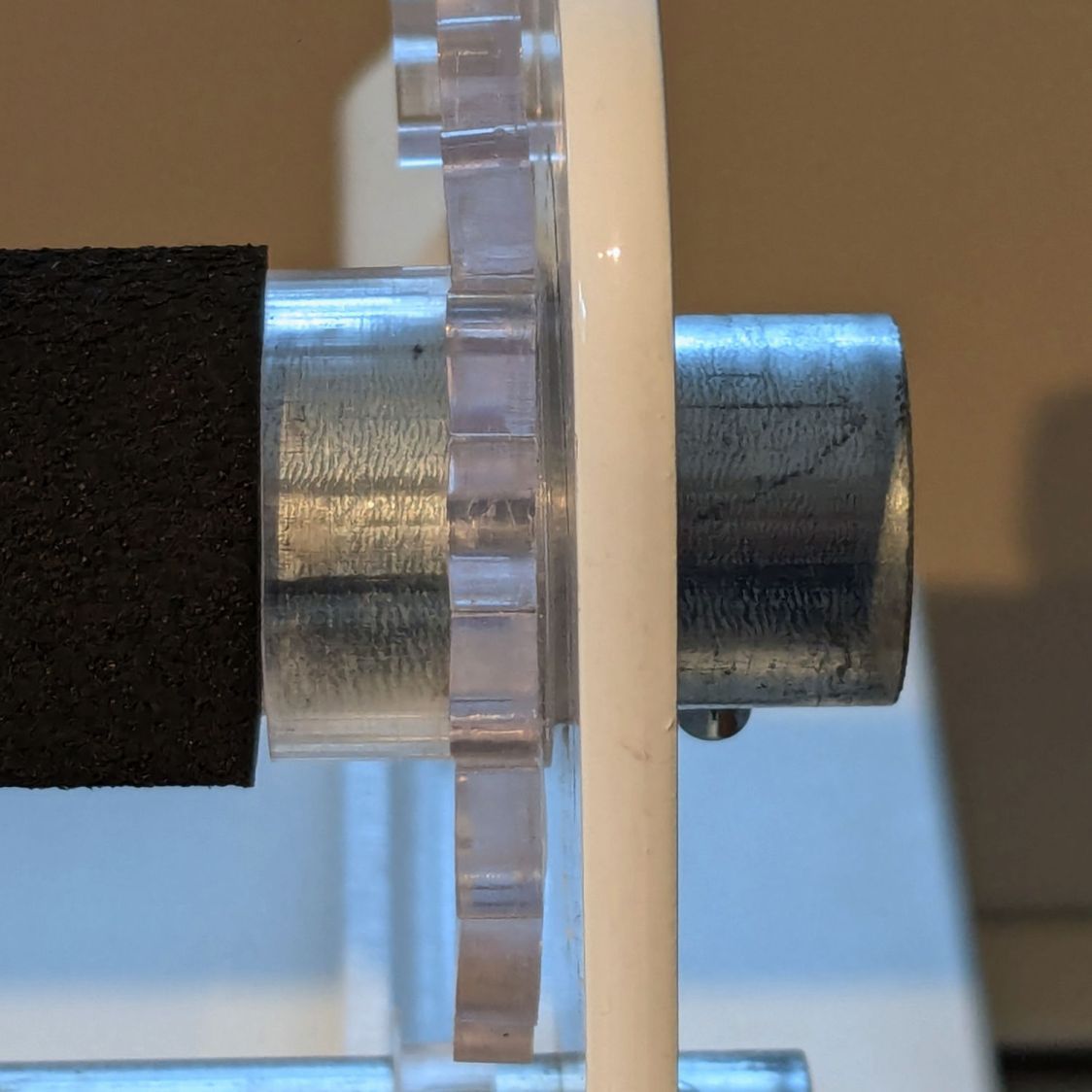
    Yes, it’s sticking out slightly; you can see the corresponding gap up inside next to the tube.

    A wrap of double-sided sticky tape glues it in place as the retainer presses it against the grip ID and a dot of low-strength Loctite should keep the screw from loosening again.

    The OpenSCAD source code:

    // Handlebar grip sleeve
    // Ed Nisley - KE4ZNU
    // 2025-10-25
    
    include <BOSL2/std.scad>
    
    /* [Hidden] */
    
    ID = 0;
    OD = 1;
    LENGTH = 2;
    
    HoleWindage = 0.2;
    Protrusion = 0.1;
    NumSides = 3*2*4;
    
    $fn=NumSides;
    
    Sleeve = [18.5,22.0,14.0];
    Kerf = 1.0;
    
      difference() {
        tube(Sleeve[LENGTH],id=Sleeve[ID],od=Sleeve[OD],anchor=BOTTOM);
        for (a=[0,90])
          zrot(a)
            up(Sleeve[LENGTH]/4)
              cuboid([2*Sleeve[OD],Kerf,Sleeve[LENGTH]],anchor=BOTTOM);
      }


    That was easy …