The Smell of Molten Projects in the Morning

Ed Nisley's Blog: Shop notes, electronics, firmware, machinery, 3D printing, laser cuttery, and curiosities. Contents: 100% human thinking, 0% AI slop.

Tag: Improvements

Making the world a better place, one piece at a time

  • Wood Board Cheese Slicer Rebolting

    Long ago, a wood-base countertop cheese slicer arrived with a tenuous connection between its screw-on knob / handle and the bolt securing the cutting wire. The problem seemed to be boogered bolt threads:

    Cheese slicer - original bolt
    Cheese slicer – original bolt

    The knob screwed firmly onto a known-good 10-24 screw, not the M5 bolt I expected, so the slicer may be old enough to be Made In America. Ya never know around here.

    However, the hex head is essential, because you must hold it while tightening the nut capturing the slicing wire. Not having a 10-24 or even 10-32 bolt in hand, I went full-frontal metric with an M5 bolt.

    Even with a full face shield, I don’t like standing in the plane of an abrasive cutting tool, even a piddly Dremel disk, so the slot through the head isn’t the best work I’ve ever presented:

    Cheese slicer - slotted bolt head
    Cheese slicer – slotted bolt head

    Indeed:

    Cheese slicer - skewed slot
    Cheese slicer – skewed slot

    But it’s hereby defined to be Good Enough™ for the purpose.

    As you might expect, I ran an M5×0.8 tap into the existing 10-24 knob thread, hand-turning the lathe chuck and lining up the tap wrench with the tailstock.

    Drill out the slicer’s frame hole to clear the bolt, re-string wire through slot, tighten jam nut, add a locking nut on the other side, screw on the knob, and it’s All Good:

    Cheese slicer - repaired
    Cheese slicer – repaired

    Ugly, but good.

    I expect the re-wrapped wire will break in short order, because you just can’t re-bend steel wire with impunity. So far, so good.

  • Wasabi NP-BX1 Teardown

    Thinking of strapping a big external cell next to my Sony HDR-AS30V helmet camera, I took a look inside a defunct NP-BX1 lithium batteries:

    Wasabi NP-BX1 - intact
    Wasabi NP-BX1 – intact

    It’s a scant 43 mm long, 9.5 mm thick, and 29.5 mm wide. You’ll find more grisly details in the solid models for the NP-BX1 battery test fixture and battery holders for blinky LEDs.

    Peeling off the wrapper holding the end caps in place reveals some ID on the cell:

    Wasabi NP-BX1 - cell data
    Wasabi NP-BX1 – cell data

    The bottom end cap is just a plastic bumper held on with glue and tape:

    Wasabi NP-BX1 - base bumper
    Wasabi NP-BX1 – base bumper

    The top end cap has keying indents, identifies the terminals, and falls off without the wrapper:

    Wasabi NP-BX1 - contact cover plate
    Wasabi NP-BX1 – contact cover plate

    The C and – terminals use the same PCB pad.

    The black plastic around the PCB pulls just far enough away from the cell to expose the tabs welded to the terminals:

    Wasabi NP-BX1 - cell to PCB tabs
    Wasabi NP-BX1 – cell to PCB tabs

    Snip ’em and it’s done:

    Wasabi NP-BX1 - bare cell tabs
    Wasabi NP-BX1 – bare cell tabs

    As with all lithium cells, the can is + and the isolated tab is -.

    Given that I have a stack of tabbed 18650 cells, I’m thinking of building a cell into a structure snapping into the AS30V’s helmet mount, along with a charge controller PCB. I normally remove the camera from the helmet and bring it inside and, since I must open the back to extract the MicroSD card, plugging a USB cable into the charger isn’t much of an imposition.

    More pondering is in order.

  • CNC 3018-ProXL: Y-axis Extension

    The CNC 3018-Pro uses cheap & readily available parts, so extending the Y axis went smoothly:

    CNC 3018-34 - overview
    CNC 3018-34 – overview

    The 2040 side rails are now 450 mm long, as is the 8 mm leadscrew. I ordered 500 mm guide rods to forestall small length mismatches, then marked them to match the rails:

    CNC 3018-ProXL - marking guide rods
    CNC 3018-ProXL – marking guide rods

    Cut them off slightly beyond the mark, face the raw ends to length, drill-and-tap for M5 screws, then put a pair of just-under-50-mm stubs in the bar stockpile. They ought to come in handy for something, right?

    The original side rails & guide rods were 290 (not 300!) mm long, so the table gained another 160 mm of travel for a total of 340 mm; I suppose it’s now a CNC 3034-Pro. Seeing as how it’s the only one and I don’t want to kill my snicker SEO, let’s call it a CNC 3018-ProXL or a maybe 3018-Pro34. Whatever.

    The embiggened 300×340 mm platform dates back to the original 1955 kitchen: genuine Formica over plywood. It sits atop the previous 300×180 mm table, now demoted to being a riser, and a sheet of closed-cell foam, with the same 50 mm long M6 screws holding everything to T-nuts in the 3018’s original aluminum platform.

    And, yes, the identical Formica underneath the machine originally covered a freestanding kitchen cabinet; I knew I kept it around for some good reason. Kinda disorienting to see a piece of the pattern moving against the same background, though.

    The GRBL setup now extends the Y-axis length ($131=338) and puts the G54 coordinate at the new middle, with the Z-axis origin kissing the ball-point pen on the new surface:

     G10 L2 P1 X-145 Y-169 Z-24.6

    While I was at it, I set the G28 position at the far left side of the gantry, with the table sticking out to the front, and the Z axis at the top:

     G28.1 X-298 Y-1 Z-1

    Those are absolute machine coordinates, with Y and Z pulled off home by 1 mm. I set one of bCNC’s buttons to emit G28 and park the tool carrier over there, out of the way.

    With all that prepared, a full-size Tek Circuit Computer disk plots the way it should on a sheet of Letter-size paper:

    CNC 3018-34 - first light
    CNC 3018-34 – first light

    I suspect the longer rods wouldn’t work quite so well for actual milling / machining any material tougher than, say, rigid foam blocks. For engraving and pen plotting, they’re all good.

    Some measurements show this countertop isn’t quite as flat as the previous one, but a pair of tweaks got it within -0.15 / +0.1 mm:

    CNC 3018-ProXL - table flatness - 2019-11-09
    CNC 3018-ProXL – table flatness – 2019-11-09

    Which I defined to be Good Enough™ for use with spring-loaded implements of cutting & drawing.

    Your mileage will certainly vary.

  • Tektronix Circuit Computer: Layout Analysis

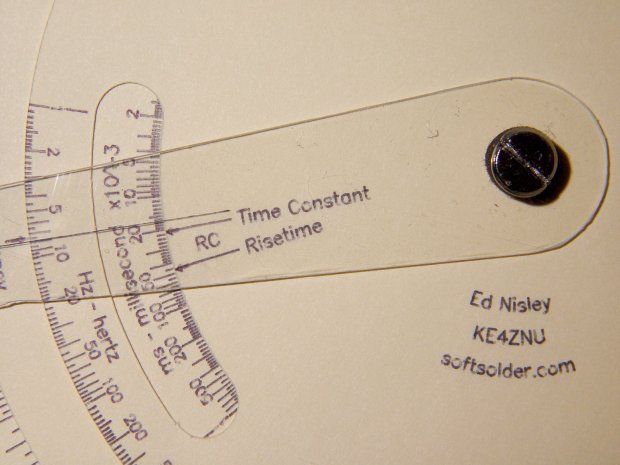
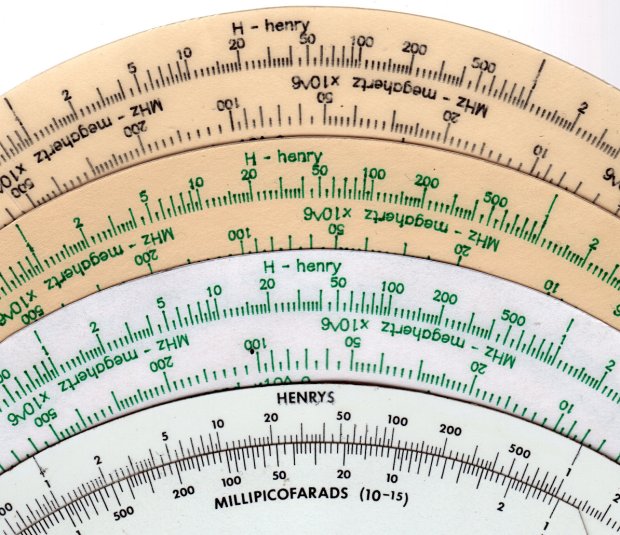
    Following a linkie I can no longer find led me to retrieve the Tektronix Circuit Computer in my Box o’ Slide Rules:

    Tektronix Circuit Computer - front
    Tektronix Circuit Computer – front

    I’m pretty sure it came from Mad Phil’s collection. One can line up the discolored parts of the decks under their cutout windows to restore it to its previous alignment; most likely it sat at the end of a row of books (remember books?) on his reference shelf.

    The reverse side lists the equations it can solve, plus pictorial help for the puzzled:

    Tektronix Circuit Computer - rear
    Tektronix Circuit Computer – rear

    Some searching reveals the original version had three aluminum disks, shaped and milled and photo-printed, with a honkin’ hex nut holding the cursor in place. The one I have seems like laser-printed card stock between plastic laminating film; they don’t make ’em like that any more, either.

    TEK PN 003-023 (the paper edition) runs about thirty bucks (modulo the occasional outlier) on eBay, so we’re not dealing in priceless antiquity here. The manual is readily available as a PDF, with photos in the back.

    Some doodling produced key measurements:

    Tektronix Circuit Computer - angle layout
    Tektronix Circuit Computer – angle layout

    All the dimensions are hard inches, of course.

    Each log decade spans 18°, with the Inductive Frequency scale at 36° for the square root required to calculate circuit resonance.

    Generating the log scales requires handling all possible combinations of:

    • Scales increase clockwise
    • Scales increase counterclockwise
    • Ticks point outward
    • Ticks point inward
    • Text reads from center
    • Text reads from rim

    I used the 1×100 tick on the outer scale of each deck as the 0° reference for the other scales on that deck. The 0° tick appears at the far right of plots & engravings & suchlike.

    The L/R Time Constant (tau = τ) pointer on the top deck and the corresponding τL scale on the bottom deck has (what seems like) an arbitrary -150° offset from the 0° reference.

    The Inductive Frequency scale has an offset of 2π, the log of which is 0.79818 = 14.37°.

    The risetime calculations have a factor of 2.197, offsetting those pointers from their corresponding τ pointer by 0.342 = log(2.197) = 6.15°.

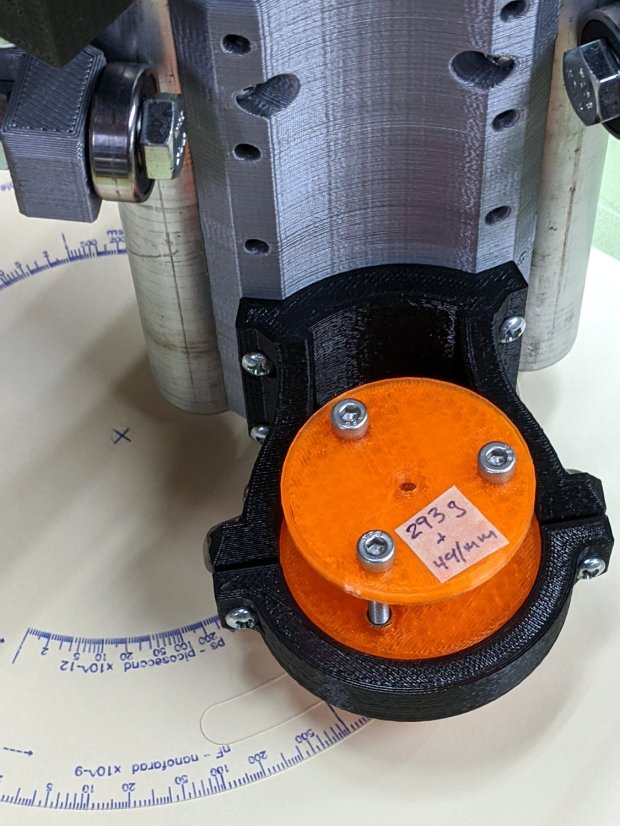
    A fair bit of effort produced a GCMC program creating a full-size check plot of the bottom deck on the MPCNC:

    Tektronix Circuit Computer - Bottom Deck - scale check plot
    Tektronix Circuit Computer – Bottom Deck – scale check plot

    By the conservation of perversity, the image is rotated 90° to put the 1 H tick straight up.

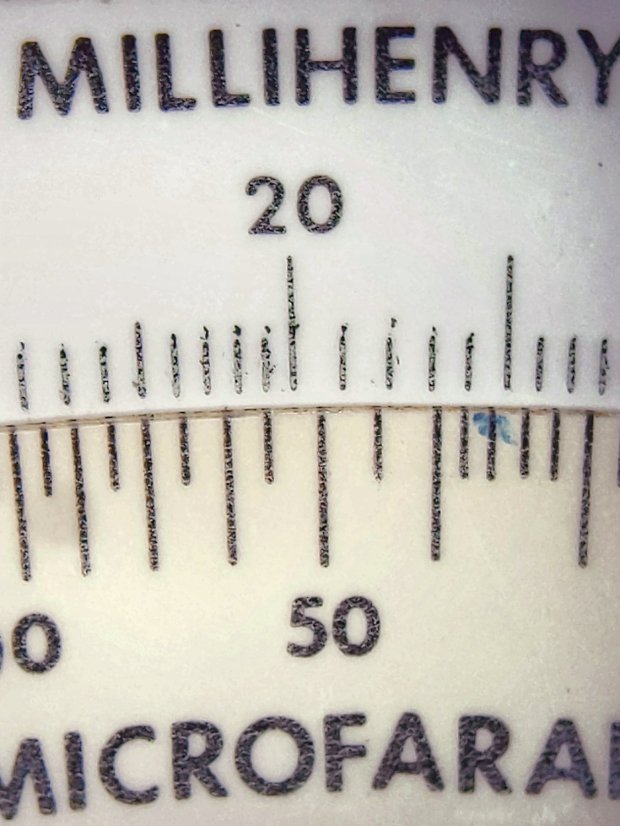
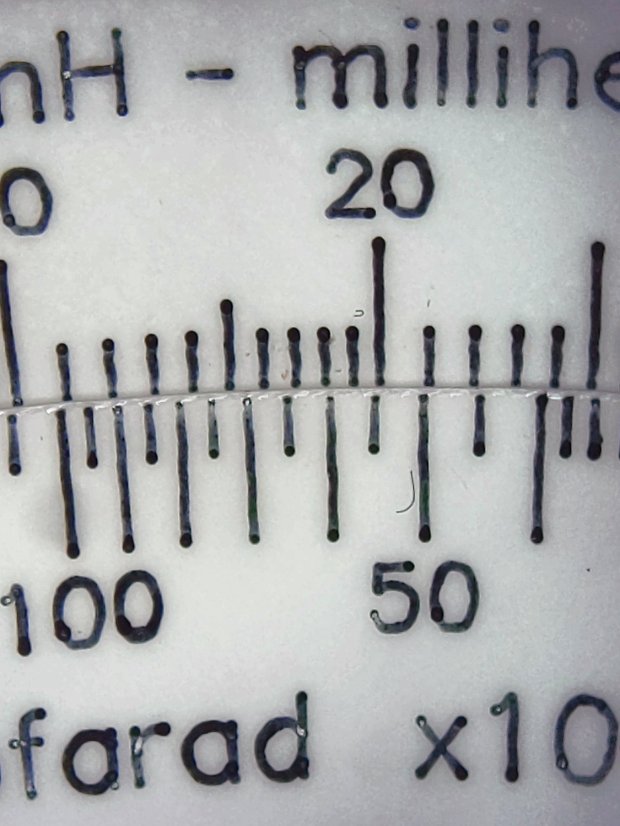
    The 3018 can’t handle a 7.75 inch = 196 mm disk, but a CD-size (120 mm OD) engraving came out OK on white plastic filled with black crayon:

    Tek CC bottom - ABS 160g 2400mm-min
    Tek CC bottom – ABS 160g 2400mm-min

    The millimeter scale over on the right shows the letters stand a bit under 1 mm tall. And, yes, the middle scale should read upside-down.

    Properly filling the engraved lines remains an ongoing experiment. More downforce on the diamond or more passes through the G-Code should produce deeper trenches, perhaps with correspondingly higher ridges along the sides. Sanding & polishing the plastic without removing the ink seems tedious.

    The Great Dragorn of Kismet observes I have a gift for picking projects at the cutting edge of consumer demand.

    More doodles while figuring the GCMC code produced a summary of the scale offsets:

    Tektronix Circuit Computer - scale angle tabulation
    Tektronix Circuit Computer – scale angle tabulation

    Musings on the parameters of each scale:

    Tektronix Circuit Computer - scale parameters
    Tektronix Circuit Computer – scale parameters

    How to draw decades of tick marks:

    Tektronix Circuit Computer - decade tick doodles
    Tektronix Circuit Computer – decade tick doodles

    It turned out easier to build vectors of tick mark values and their corresponding lengths, with another list of ticks to be labeled, than to figure out how to automate those values.

    More on all this to come …

  • Soundbar Power

    A Dell soundbar under the landscape monitor suffices for my simple audio needs, and, when the Dell U2711 went toes-up, I conjured a 12 V wart from the heap. A recent cleanup made a smaller wart available, but required mating two coaxial plugs:

    Coax power plugs - brass tube connector
    Coax power plugs – brass tube connector

    A snippet of brass tube suffices for the center pin. The outer shell is a larger brass tube, slit lengthwise, trimmed to fit the plug circumference and rolled around a smaller drill bit to make it springy in the right direction.

    A wrap of silicone tape and it’s all good:

    Dell Sound Bar power splice
    Dell Sound Bar power splice

    Ugly, but good.

  • CNC 3018-Pro: Collet Pen Holder

    Along the same lines as the MPCNC pen holder, I now have one for the 3018:

    CNC3018 - Collet pen holder - assembled
    CNC3018 – Collet pen holder – assembled

    The body happened to be slightly longer than two LM12UU linear bearings stacked end-to-end, which I didn’t realize must be a constraint until I was pressing them into place:

    CNC 3018-Pro Collet Holder - LM12UU - solid model
    CNC 3018-Pro Collet Holder – LM12UU – solid model

    In the unlikely event I need another one, the code will sprout a max() function in the appropriate spot.

    Drilling the aluminum rod for the knurled ring produced a really nice chip:

    CNC3018 - Collet pen holder - drilling knurled ring
    CNC3018 – Collet pen holder – drilling knurled ring

    Yeah, a good drill will produce two chips, but I’ll take what I can get.

    There’s not much left of the original holder after turning it down to 8 mm so it fits inside the 12 mm rod:

    CNC3018 - Collet pen holder - turning collet OD
    CNC3018 – Collet pen holder – turning collet OD

    Confronted by so much shiny aluminum, I realized I didn’t need an 8 mm hole through the rod, so I cut off the collet shaft and drilled out the back end to clear the flanges on the ink tubes:

    CNC3018 - Collet pen holder - drilling out collet
    CNC3018 – Collet pen holder – drilling out collet

    I figured things would eventually go badly if I trimmed enough ink-filled crimps:

    Collet holder - pen cartridge locating flanges
    Collet holder – pen cartridge locating flanges

    The OpenSCAD source code as a GitHub Gist:

    // Collet Pen Holder in LM12UU linear bearings for CNC3018
    // Ed Nisley KE4ZNU – 2019-10-30
    Layout = "Build"; // [Build, Show, Base, Mount, Plate]
    /* [Hidden] */
    ThreadThick = 0.25; // [0.20, 0.25]
    ThreadWidth = 0.40; // [0.40, 0.40]
    /* [Hidden] */
    Protrusion = 0.1; // [0.01, 0.1]
    HoleWindage = 0.2;
    inch = 25.4;
    function IntegerMultiple(Size,Unit) = Unit * ceil(Size / Unit);
    ID = 0;
    OD = 1;
    LENGTH = 2;
    //- Adjust hole diameter to make the size come out right
    module PolyCyl(Dia,Height,ForceSides=0) { // based on nophead's polyholes
    Sides = (ForceSides != 0) ? ForceSides : (ceil(Dia) + 2);
    FixDia = Dia / cos(180/Sides);
    cylinder(r=(FixDia + HoleWindage)/2,h=Height,$fn=Sides);
    }
    //- Dimensions
    PenOD = 3.5; // pen cartridge diameter
    Bearing = [12.0,21.0,30.0]; // linear bearing body
    SpringSeat = [0.56,10.0,3*ThreadThick]; // wire = ID, coil = OD, seat depth = length
    WallThick = 4.0; // minimum thickness / width
    Screw = [3.0,6.75,25.0]; // holding it all together, OD = washer
    Insert = [3.0,5.5,8.2]; // brass insert
    //Insert = [4.0,6.0,10.0];
    Clamp = [43.2,44.5,34.0]; // tool clamp ring, OD = clearance around top
    LipHeight = IntegerMultiple(2.0,ThreadThick); // above clamp for retaining
    BottomExtension = 25.0; // below clamp to reach workpiece
    MountOAL = LipHeight + Clamp[LENGTH] + BottomExtension; // total mount length
    echo(str("Mount OAL: ",MountOAL));
    Plate = [1.5*PenOD,Clamp[ID] – 0*2*WallThick,WallThick]; // spring reaction plate
    NumScrews = 3;
    ScrewBCD = Bearing[OD] + Insert[OD] + 2*WallThick;
    echo(str("Retainer max OD: ",ScrewBCD – Screw[OD]));
    NumSides = 9*4; // cylinder facets (multiple of 3 for lathe trimming)
    // Basic mount shape
    module CNC3018Base() {
    translate([0,0,MountOAL – LipHeight])
    cylinder(d=Clamp[OD],h=LipHeight,$fn=NumSides);
    translate([0,0,MountOAL – LipHeight – Clamp[LENGTH] – Protrusion])
    cylinder(d=Clamp[ID],h=(Clamp[LENGTH] + 2*Protrusion),$fn=NumSides);
    cylinder(d1=Bearing[OD] + 2*WallThick,d2=Clamp[ID],h=BottomExtension + Protrusion,$fn=NumSides);
    }
    // Mount with holes & c
    module Mount() {
    difference() {
    CNC3018Base();
    translate([0,0,-Protrusion]) // bearing
    PolyCyl(Bearing[OD],2*MountOAL,NumSides);
    for (i=[0:NumScrews – 1]) // clamp screws
    rotate(i*360/NumScrews)
    translate([ScrewBCD/2,0,MountOAL – Clamp[LENGTH]])
    rotate(180/8)
    PolyCyl(Insert[OD],Clamp[LENGTH] + Protrusion,8);
    }
    }
    module SpringPlate() {
    difference() {
    cylinder(d=Plate[OD],h=Plate[LENGTH],$fn=NumSides);
    translate([0,0,-Protrusion])
    PolyCyl(Plate[ID],2*MountOAL,NumSides);
    translate([0,0,Plate.z – SpringSeat[LENGTH]]) // spring retaining recess
    PolyCyl(SpringSeat[OD],SpringSeat[LENGTH] + Protrusion,NumSides);
    for (i=[0:NumScrews – 1]) // clamp screws
    rotate(i*360/NumScrews)
    translate([ScrewBCD/2,0,-Protrusion])
    rotate(180/8)
    PolyCyl(Screw[ID],2*MountOAL,8);
    }
    }
    //—–
    // Build it
    if (Layout == "Base")
    CNC3018Base();
    if (Layout == "Mount")
    Mount();
    if (Layout == "Plate")
    SpringPlate();
    if (Layout == "Show") {
    Mount();
    translate([0,0,1.25*MountOAL])
    rotate([180,0,0])
    SpringPlate();
    }
    if (Layout == "Build") {
    translate([0,-0.75*Clamp[OD],MountOAL])
    rotate([180,0,0])
    Mount();
    translate([0,0.75*Plate[OD],0])
    SpringPlate();
    }
  • Monthly Science: Weight

    After another two months:

    Weight Chart 2019-10 - Ed
    Weight Chart 2019-10 – Ed

    The trend is definitely not uniformly downward, perhaps due to my increasing ability to accelerate (small) masses against the local gravity vector and, definitely, garden harvest season. My pants still fit fine, if that’s any indication.

    I’ll add a skin-fold caliper dot to the weekly record after I can get repeatable measurements, perhaps by marking the test spot with a Sharpie.