The Smell of Molten Projects in the Morning

Ed Nisley's Blog: Shop notes, electronics, firmware, machinery, 3D printing, laser cuttery, and curiosities. Contents: 100% human thinking, 0% AI slop.

Tag: Improvements

Making the world a better place, one piece at a time

  • Alkaline Battery Packaging

    Apparently, we’ve burned enough cargo aircraft and killed enough people to require careful attention to detail in battery packages:

    Amazon alkaline AAA packaging
    Amazon alkaline AAA packaging

    These “Ships from and sold by Amazon” alkaline AA cells arrived by UPS. They now fall under reasonable requirements to prevent shorting and damage, although the cardboard box wasn’t sturdy enough to prevent them from breaking free laterally.

    One might quibble about the “Health & Personal Care Item” description, but, yeah, better battery packaging seems like a good idea.

  • Homage Tektronix Circuit Computer: Colored Scales

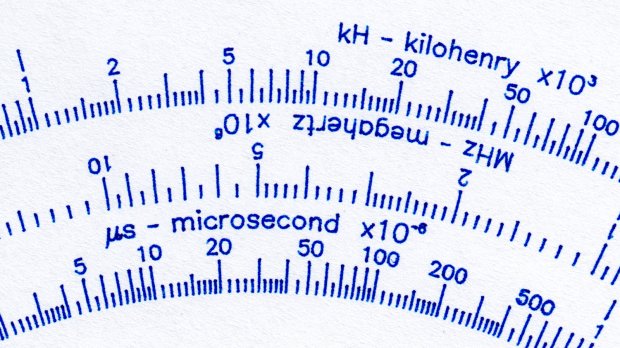
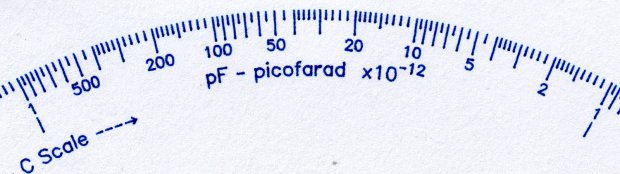
    Although the original Tektronix Circuit Computer had relentlessly monochrome scales, a dash of color added a festive holiday look:

    Tek CC - Pilot V5 - color test overview
    Tek CC – Pilot V5 – color test overview

    Well, OK, that’s excessive.

    The intent was to see how the pens behaved, with an eye toward accenting general-purpose circular slide rule scales with a few colored characters.

    The green pen shows how I built the arrows by drawing a line through vertical arrow characters:

    Tek CC - Pilot V5 - plain paper - letters
    Tek CC – Pilot V5 – plain paper – letters

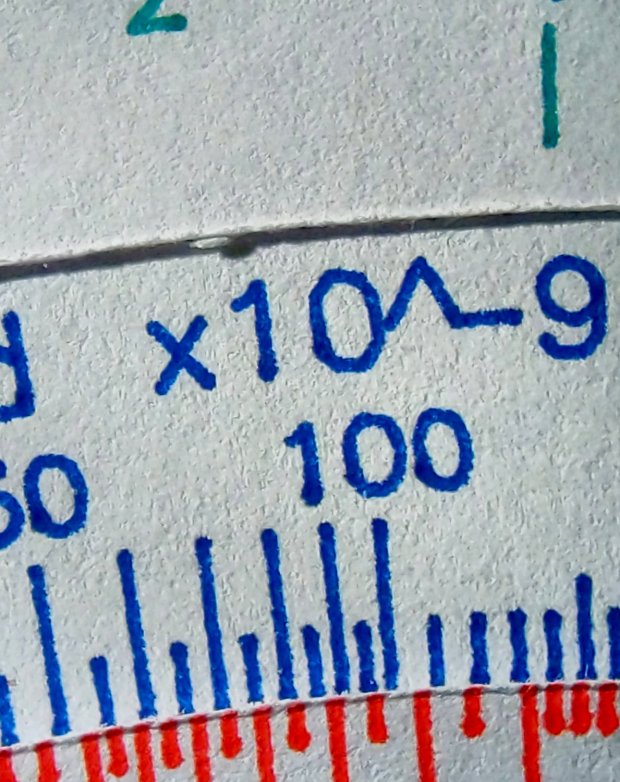
    I like blue ink entirely too much, having used a blue pen as my daily writer for most of my adult life:

    Tek CC - Pilot V5 - plain paper - red blue
    Tek CC – Pilot V5 – plain paper – red blue

    Red ink for “backwards” scales and suchlike would work well, even if it’s too vivid for the tick marks:

    Tek CC - Pilot V5 - plain paper - red green
    Tek CC – Pilot V5 – plain paper – red green

    Those are all on unlaminated plain paper, with plenty of room for improvement.

    Seeing as how I’d be doing all the “tool changes” manually, optimizing the plotting sequence would be mandatory: one pen change per color per deck!

  • CNC 3018XL: Pen Variations

    Cheap 1 mm pens produce scratchy lines:

    CNC 3018 - Cheap pen - plain paper
    CNC 3018 – Cheap pen – plain paper

    More expensive 0.5 mm Pilot Precise V5RT pens produce well-filled lines:

    CNC 3018 - Pilot V5RT - plain paper
    CNC 3018 – Pilot V5RT – plain paper

    Both of those are on plain paper. Better paper would surely improve the results, while moving the cheap pen further into sow’s ear territory.

    For reference, the cheap pens use a collet holder:

    CNC3018 - Collet pen holder - assembled
    CNC3018 – Collet pen holder – assembled

    The Pilot V5RT pens use a custom holder:

    Pilot V5RT holder - installed
    Pilot V5RT holder – installed

    A 3D printer really simplifies making things!

  • Homage Tektronix Circuit Computer: Eyelet Pivot

    Although a sex bolt works as a central pivot, even the shortest one available in a cheap assortment is too long for three paper decks and an acrylic cursor:

    Tek CC - radial text example
    Tek CC – radial text example

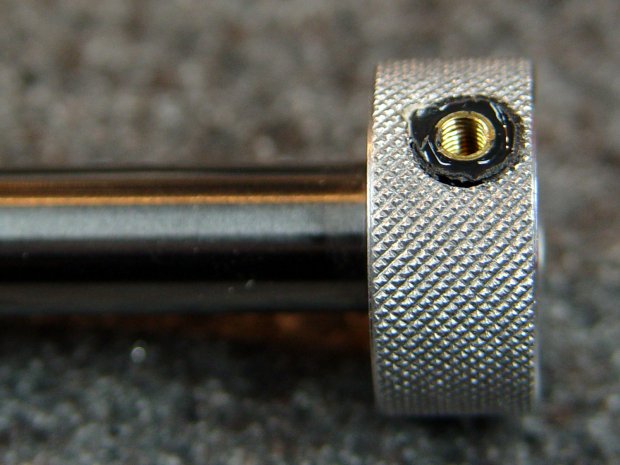
    An eyelet / grommet intended for leather crafting works better:

    Tek CC - eyelet pivot - front
    Tek CC – eyelet pivot – front

    That’s the front side, with the stylin’ rounded head, in “gunmetal” gray. The shank is 5 mm ID (the advertised size), 5.5 mm (-ish) OD, 4 mm long beyond the 10 mm OD head. All dimensions vary unpredictably between sellers, so expect nothing in particular and you won’t be disappointed.

    The back side gets the washer:

    Tek CC - eyelet pivot - rear
    Tek CC – eyelet pivot – rear

    The entire stack is 1.7 mm tall: three 0.4 mm laminated decks and the 0.5 mm polypropylene cursor. The 4 mm shank length seems excessive, but works out well in practice, even if I need more practice at smoothly swaging shank over washer. It’s sufficiently good looking in person.

    Note: the washer goes on convex side outward!

    The set includes a hole punch suitable for leather work and slightly too small for paper, plus the swaging punch and die required for the washer.

  • Kenmore 158 Sewing Machine: Hardware Deglaring

    The matte mailing labels on the Kenmore 158’s hand hole cover plate did such a good job reducing the glare from the additional LEDs as to make the shiny hardware around the needle seem overly bright. I suggested gentle sandblasting might improve the situation without changing any surfaces in contact with the fabric.

    I was given a spare presser foot to demonstrate my case:

    Kenmore 158 Presser Foot - original - front
    Kenmore 158 Presser Foot – original – front

    The overhead light in the shop produces glare from the nice, shiny steel surfaces similar to what Mary sees from the sewing machine.

    A few minutes applying 220 grit blast media with Tiny Sandblaster™ definitely changed its appearance:

    Kenmore 158 Presser Foot - sandblasted - front
    Kenmore 158 Presser Foot – sandblasted – front

    In person, the finish is neutral gray overall, with those odd brown areas appearing only in photographs, perhaps due to the various lights in the shop. The slight texture variations seem to correspond to minor differences in the plating (?) over the steel surface. It definitely cuts down the glare:

    Kenmore 158 Presser Foot - sandblasted vs original
    Kenmore 158 Presser Foot – sandblasted vs original

    The needle clamp and screw across the top of that picture travel up and down, so we decided to deglare them along with the “good” foot:

    Kenmore 158 - foot with needle clamp - original
    Kenmore 158 – foot with needle clamp – original

    Another Tiny Sandblaster™ session knocked back their shine:

    Kenmore 158 - foot with needle clamp - sandblasted
    Kenmore 158 – foot with needle clamp – sandblasted

    Those parts came out slightly less matte, perhaps due to reduced pressure in the propellant can. Seeing as how I’ve had the sandblaster for a couple of decades, I figured it’s time to use the propellant but, as expected, the in-can valve doesn’t re-seal properly, so I’ll be using compressed air the next time around.

    After rinsing and blowing and rinsing and blowing the grit out of the threads, everything went back together as expected:

    Kenmore 158 - sandblasted hardware installed
    Kenmore 158 – sandblasted hardware installed

    I’m not doing either of the plates until we have more experience with the matte hardware, but it looks pretty good to me.

  • CNC 3018XL: Adding Run-Hold Switches

    Although the bCNC GUI has conspicuous Run / Hold buttons, it’s easier to poke a physical switch when you really really need a pause in the action or have finished a (manual) tool change. Rather than the separate button box I built for the frameless MPCNC, I designed a chunky switch holder for the CNC 3018XL’s gantry plate:

    CNC 3018-Pro - Run Hold Switches - installed
    CNC 3018-Pro – Run Hold Switches – installed

    The original 15 mm screws were just slightly too short, so those are 20 mm stainless SHCS with washers.

    The switches come from a long-ago surplus deal and have internal green and red LEDs. Their transparent cap shows what might be white plastic underneath:

    CNC 3018-Pro - Run Hold Switches - top unlit
    CNC 3018-Pro – Run Hold Switches – top unlit

    I think you could pry the cap off and tuck a printed legend inside, but appropriate coloration should suffice:

    CNC 3018-Pro - Run Hold Switches - lit
    CNC 3018-Pro – Run Hold Switches – lit

    Making yellow from red and green LEDs always seems like magic; in these buttons, red + green produces a creamy white. Separately, the light looks like what you get from red & green LEDs.

    The solid model shows off the recesses around the LED caps, making their tops flush with the surface to prevent inadvertent pokery:

    Run Hold Switch Mount - Slic3r
    Run Hold Switch Mount – Slic3r

    The smaller square holes through the block may require a bit of filing, particularly in the slightly rounded corners common to 3D printing, to get a firm press fit on the switch body. The model now has slightly larger holes which may require a dab of epoxy.

    A multi-pack of RepRap-style printer wiring produced the cable, intended for a stepper motor and complete with a 4-pin Dupont socket housing installed on one end. I chopped the housing down to three pins, tucked the fourth wire into a single-pin housing, and plugged them into the CAMtool V3.3 board:

    CNC 3018-Pro - Run Hold Switches - CAMtool V3.3 header
    CNC 3018-Pro – Run Hold Switches – CAMtool V3.3 header

    The CAMtool schematic matches the default GRBL pinout, which comes as no surprise:

    CAMtool schematic - Start Hold pinout
    CAMtool schematic – Start Hold pinout

    The color code, such as it is:

    • Black = common
    • Red = +5 V
    • Green = Run / Start (to match the LED)
    • Blue = Hold (because it’s the only color left)

    The cable goes into 4 mm spiral wrap for protection & neatness, with the end hot-melt glued into the block:

    CNC 3018-Pro - Run Hold Switches - bottom
    CNC 3018-Pro – Run Hold Switches – bottom

    The model now includes the wiring channel between the two switches, which is so obviously necessary I can’t imagine why I didn’t include it. The recess on the top edge clears the leadscrew sticking slightly out of the gantry plate.

    The LEDs require ballast resistors: 120 Ω for red and 100 Ω for green, producing about 15 mA in each LED. Those are 1/8 W film resistors; I briefly considered SMD resistors, but came to my senses just in time.

    A layer of black duct tape finishes the bottom sufficiently for my simple needs.

    Note: the CAMtool board doesn’t have enough +5 V pins, so add a row of +5 V pins just below the standard header. If you’ve been following along, you needed them when you installed the home switches:

    3018 CNC CAMTool - Endstop power mod
    3018 CNC CAMTool – Endstop power mod

    A doodle giving relevant dimensions and layouts:

    Run Hold Switch Mount - Layout Doodles
    Run Hold Switch Mount – Layout Doodles

    I originally planned to mount the switches on the other gantry plate and sketched them accordingly, but (fortunately) realized the stepper motor was in the way before actually printing anything.

    The OpenSCAD source code as a GitHub Gist:

    // CNC 3018-Pro Run-Hold Switches
    // Ed Nisley – KE4ZNU – 2020-01
    Layout = "Build"; // [Show,Build,ProjectionX,ProjectionY,ProjectionZ,Block]
    /* [Hidden] */
    ThreadThick = 0.25;
    ThreadWidth = 0.40;
    HoleWindage = 0.2;
    Protrusion = 0.1; // make holes end cleanly
    function IntegerMultiple(Size,Unit) = Unit * ceil(Size / Unit);
    ID = 0;
    OD = 1;
    LENGTH = 2;
    inch = 25.4;
    //———————-
    // Dimensions
    RodScrewOffset = [22,0,-14.5]; // X=left edge, Y=dummy, Z=from top edge
    BeamScrewOffset = [50,0,-10];
    LeadScrewOffset = [RodScrewOffset.x,0,-45]; // may be off the bottom; include anyway
    LeadScrew = [8.0,10.0,5.0]; // ID=actual, OD=clearance, LENGTH=stick-out
    Screw = [5.0,10.0,6.0]; // M5 SHCS, OD=washer, LENGTH=washer+head
    ScrewSides = 8; // hole shape
    WallThick = 3.0; // minimum wall thickness
    FlangeThick = 5.0; // flange thickness
    Switch = [15.0 + 2*HoleWindage,15.0 + 2*HoleWindage,12.5]; // switch body
    SwitchCap = [17.5,17.5,12.0]; // … pushbutton
    SwitchClear = SwitchCap + [2*2.0,2*2.0,Screw[OD]/(2*cos(180/ScrewSides))];
    SwitchContacts = 5.0; // contacts below switch
    SwitchBase = SwitchContacts + Switch.z; // bottom to base of switch
    MountOffset = abs(RodScrewOffset.z) + SwitchClear.z; // top of switch mounting plate
    FrameWidth = 60.0; // CNC 3018-Pro upright
    FrameRadius = 10.0; // … front corner rounding
    CornerRadius = 5.0; // pretty part rounding
    CornerSquare = 10; // dummy for square corner
    MountOAL = [FrameWidth, // covers machine frame
    2*FlangeThick + 2*Screw[LENGTH] + SwitchClear.y, // clear screw heads
    MountOffset + Switch.z + SwitchContacts
    ];
    echo(str("MountOAL: ",MountOAL));
    SwitchOC = [MountOAL.x/2,FlangeThick + 2*Screw[LENGTH] + SwitchClear.y/2,0];
    CableOD = 5.0;
    NumSides = 2*3*4;
    Gap = 2.0; // between build layout parts
    //———————-
    // Useful routines
    module PolyCyl(Dia,Height,ForceSides=0) { // based on nophead's polyholes
    Sides = (ForceSides != 0) ? ForceSides : (ceil(Dia) + 2);
    FixDia = Dia / cos(180/Sides);
    cylinder(r=(FixDia + HoleWindage)/2,
    h=Height,
    $fn=Sides);
    }
    // Projections for intersections
    module ProjectionX() {
    sr = CornerSquare/2;
    rotate([0,90,0]) rotate([0,0,90])
    linear_extrude(height=FrameWidth,convexity=3)
    // mirror([1,0]) // mount on motor side of gantry
    union() {
    translate([0,-MountOAL.z])
    square([FlangeThick,MountOAL.z]);
    hull() {
    translate([MountOAL.y – CornerRadius,-MountOffset + SwitchCap.z – CornerRadius])
    circle(r=CornerRadius,$fn=NumSides);
    translate([sr,-MountOffset + SwitchCap.z – sr])
    square(CornerSquare,center=true);
    translate([sr,-MountOAL.z + sr])
    square(CornerSquare,center=true);
    translate([MountOAL.y – sr,-MountOAL.z + sr])
    square(CornerSquare,center=true);
    }
    }
    }
    module ProjectionY() {
    sr = CornerSquare/2;
    rotate([90,0,0])
    translate([0,0,-FrameWidth])
    difference() {
    linear_extrude(height=2*FrameWidth,convexity=3)
    hull() {
    translate([FrameRadius,-FrameRadius])
    circle(r=FrameRadius,$fn=NumSides);
    translate([FrameWidth – sr,-sr])
    square(CornerSquare,center=true);
    translate([sr,-MountOAL.z + sr])
    square(CornerSquare,center=true);
    translate([MountOAL.x – sr,-MountOAL.z + sr])
    square(CornerSquare,center=true);
    }
    translate([RodScrewOffset.x,RodScrewOffset.z,-Protrusion])
    rotate(180/ScrewSides) PolyCyl(Screw[ID],2*(FrameWidth + Protrusion),ScrewSides);
    for (j=[-FlangeThick,FrameWidth + FlangeThick])
    translate([RodScrewOffset.x,RodScrewOffset.z,j])
    rotate(180/ScrewSides) PolyCyl(Screw[OD],FrameWidth,ScrewSides);
    translate([BeamScrewOffset.x,BeamScrewOffset.z,-Protrusion])
    rotate(180/ScrewSides) PolyCyl(Screw[ID],2*(FrameWidth + Protrusion),ScrewSides);
    for (j=[-FlangeThick,FrameWidth + FlangeThick])
    translate([BeamScrewOffset.x,BeamScrewOffset.z,j])
    rotate(180/ScrewSides) PolyCyl(Screw[OD],FrameWidth,ScrewSides);
    translate([LeadScrewOffset.x,LeadScrewOffset.z,FrameWidth – LeadScrew[LENGTH]])
    rotate(180/ScrewSides) PolyCyl(LeadScrew[OD],2*LeadScrew[LENGTH],ScrewSides);
    }
    }
    module ProjectionZ() {
    translate([0,0,-MountOAL.z])
    // mirror([0,1]) // mount on motor side of gantry
    difference() {
    linear_extrude(height=MountOAL.z,convexity=3)
    difference() {
    square([MountOAL.x,MountOAL.y]);
    translate([SwitchOC.x/2,SwitchOC.y])
    square([Switch.x,Switch.y],center=true);
    translate([3*SwitchOC.x/2,SwitchOC.y])
    square([Switch.x,Switch.y],center=true);
    }
    for (i=[-1,1])
    translate([i*SwitchOC.x/2 + MountOAL.x/2,SwitchOC.y,SwitchBase + MountOAL.z/2])
    cube([SwitchClear.x,SwitchClear.y,MountOAL.z],center=true);
    translate([-Protrusion,SwitchOC.y – 2*CableOD – Switch.y/2,-Protrusion])
    cube([MountOAL.x + 2*Protrusion,CableOD,CableOD + Protrusion],center=false);
    for (i=[-1,1])
    translate([i*SwitchOC.x/2 + MountOAL.x/2,SwitchOC.y – SwitchCap.y/2,CableOD/2 – Protrusion])
    cube([CableOD,SwitchClear.y/2,CableOD + Protrusion],center=true);
    translate([SwitchOC.x/2,SwitchOC.y – CableOD/2,-Protrusion])
    cube([SwitchOC.x,CableOD,CableOD + Protrusion],center=false);
    }
    }
    module Block() {
    intersection() {
    ProjectionX();
    ProjectionY();
    ProjectionZ();
    }
    }
    //- Build things
    if (Layout == "ProjectionX")
    ProjectionX();
    if (Layout == "ProjectionY")
    ProjectionY();
    if (Layout == "ProjectionZ")
    ProjectionZ();
    if (Layout == "Block")
    Block();
    if (Layout == "Show") {
    translate([-MountOAL.x/2,-MountOAL.y/2,MountOAL.z]) {
    Block();
    translate([MountOAL.x/2 + SwitchOC.x/2,SwitchOC.y,SwitchCap.z/2 – MountOAL.z + SwitchBase + 0*Switch.z])
    color("Yellow",0.75)
    cube(SwitchCap,center=true);
    translate([MountOAL.x/2 – SwitchOC.x/2,SwitchOC.y,SwitchCap.z/2 – MountOAL.z + SwitchBase + 0*Switch.z])
    color("Green",0.75)
    cube(SwitchCap,center=true);
    }
    }
    if (Layout == "Build")
    translate([-MountOAL.x/2,-MountOAL.y/2,MountOAL.z])
    Block();

    It seems bCNC doesn’t update its “Restart Spindle” message after a tool change when you poke the green button (instead of the GUI button), but that’s definitely in the nature of fine tuning.

  • CNC 3018XL: Rotating the Axes

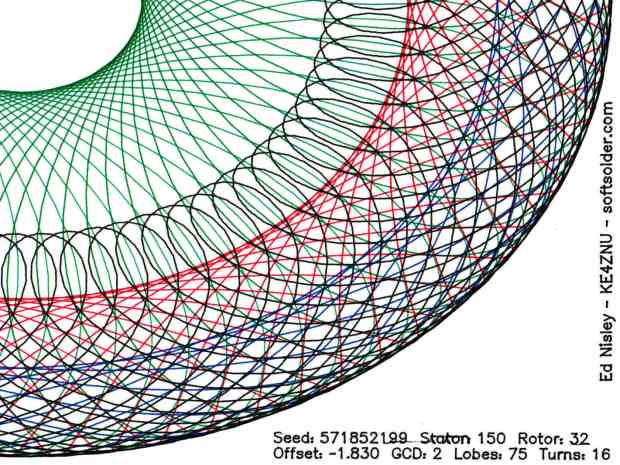
    After extending the CNC 3018-Pro platform to 340 mm along the Y axis, I tweaked the Spirograph demo to work with 8-1/2×11 paper:

    Spirograph - 3018XL Platform - Portrait Mode
    Spirograph – 3018XL Platform – Portrait Mode

    Yeah, a Portrait mode plot kinda squinches the annotations into the corners.

    Rotating the coordinates to put the X axis along the length of the new platform is, of course, a simple matter of mathematics, but it’s just a whole lot easier to rearrange the hardware to make the answer come out right without fancy reprogramming.

    The first step is to affix an MBI-style endstop switch to the left end of the gantry upright:

    3018XL - endstop - left gantry
    3018XL – endstop – left gantry

    The gantry carriage sits at the 1 mm pulloff position, with the switch lever just kissing the (fixed) lower carriage plate. As before, good double-sticky foam tape holds everything in place.

    The probe camera hovers just over the switch and the Pilot V5RT pen holder is ready for action.

    Shut down the Raspberry Pi and turn off the power!

    At the CAMtool V3.3 board:

    • Swap the X and Y motor cables
    • Move the former Y endstop switch to the X axis input
    • Plug the new endstop switch into the Y axis input, routing its cable across the top of the gantry
    • Abandon the former X axis switch and its cable in place

    Modify the GRBL configuration:

    • $3=4 – +Y home @ gantry left, +X home @ frame front
    • $130=338 – X axis travel along new frame
    • $131=299 – Y axis travel across gantry

    Tweak the bCNC config similarly, if that’s what you’re into.

    Verify the new home position!

    I reset the G54 coordinate system to put XY = 0 at the (new!) center of the platform, redefined G28 as the “park” position at the (new!) home pulloff position, and set G30 as the “tool change” position at the -X -Y (front right) corner of the platform, with bCNC icons to simplify moving to those points.

    And then It Just Worked™:

    3018XL - rotated axes
    3018XL – rotated axes

    The Spirograph patterns definitely look better in landscape mode:

    Spirograph - 3018XL Platform - Landscape Mode
    Spirograph – 3018XL Platform – Landscape Mode

    I eventually turned the whole machine 90° clockwise to align the axes with the monitor, because I couldn’t handle having the X axis move front-to-back on the table and left-to-right on the screen.