The Smell of Molten Projects in the Morning

Ed Nisley's Blog: Shop notes, electronics, firmware, machinery, 3D printing, laser cuttery, and curiosities. Contents: 100% human thinking, 0% AI slop.

Tag: Improvements

Making the world a better place, one piece at a time

  • Tek Circuit Computer: Sawed Hairline Fixture

    Tek Circuit Computer: Sawed Hairline Fixture

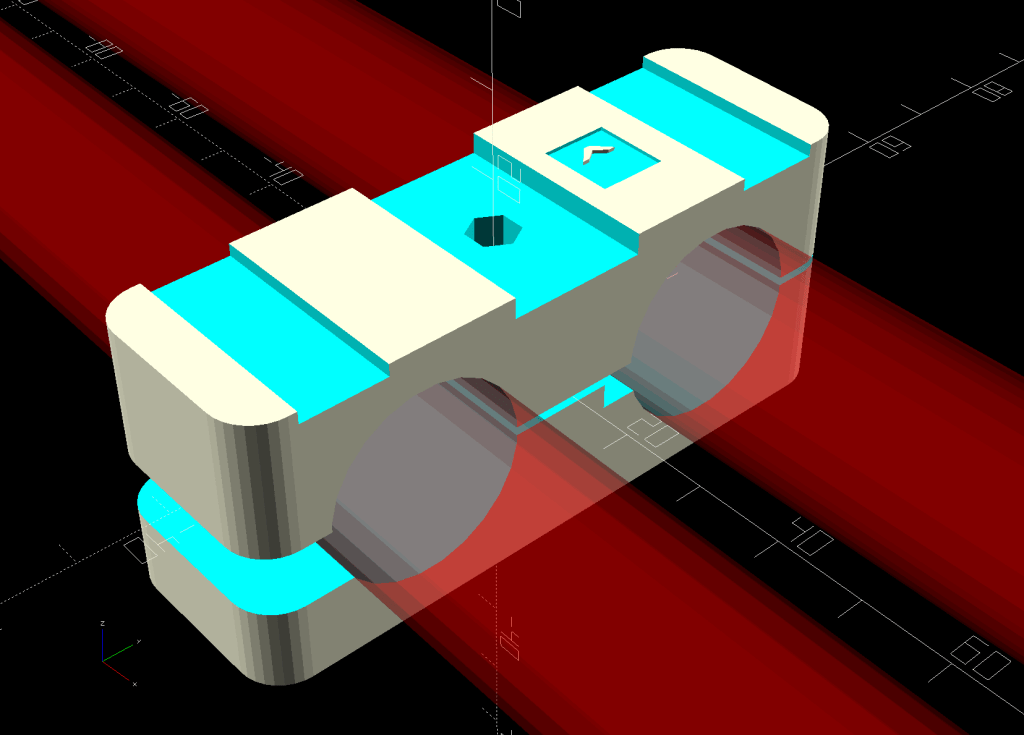
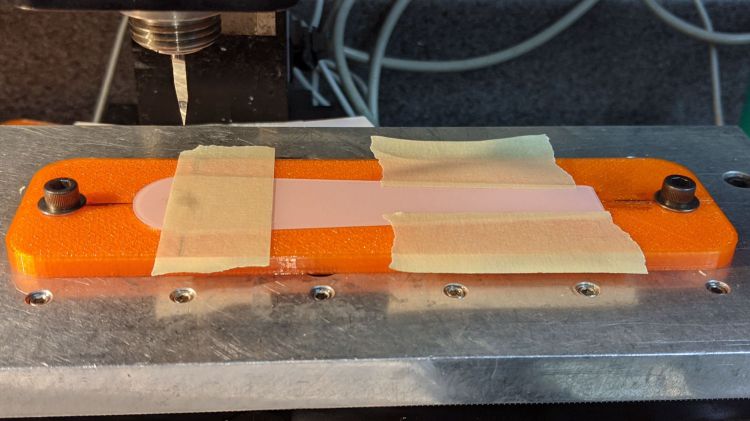
    This is a fixture to hold a cursor for an Homage Tektronix Circuit Computer while a tiny circular saw blade cuts a narrow flat-bottomed trench:

    Tek CC - sawed cursor - Sherline setup
    Tek CC – sawed cursor – Sherline setup

    Each of the 123 blocks is held to the Sherline tooling plate with a 10-32 SHCS in a little aluminum pin, with another threaded pin for the screw holding the fixture on the side. The minimal top clearance provided some of the motivation behind making those pins in the first place; there’s no room for the usual threaded stud sticking out of the block with a handful of washers under the nut.

    The fixture has locating slots (scribbled with black Sharpie) to touch off the spindle axis and the saw blade at the XZ origin at the pivot hole center. Touching off the saw blade on the cursor surface sets Y=0, although only a few teeth will go ting, so the saw must be spinning.

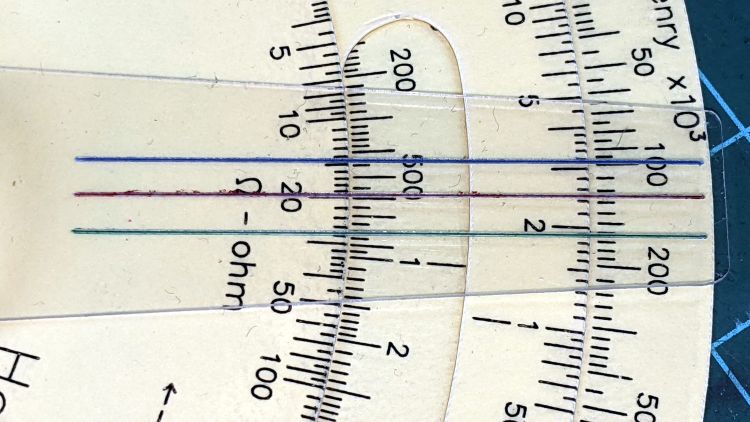
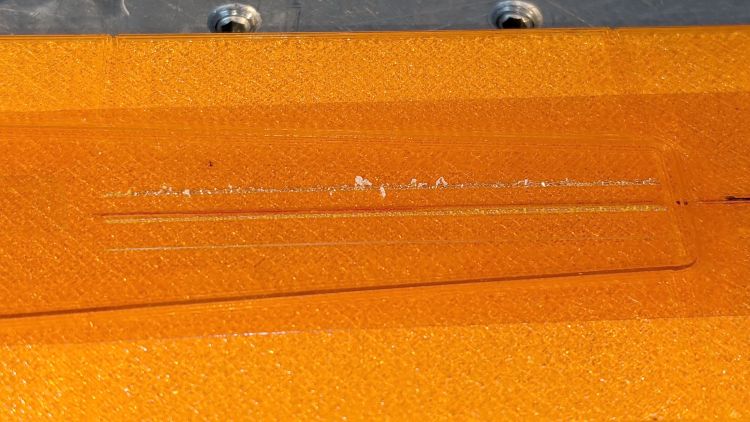
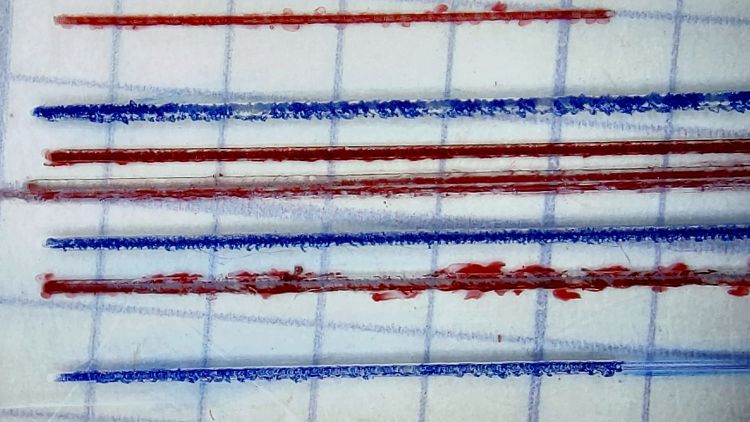
    I cut the first slot under manual control to a depth of 0.3 mm on a scrap cursor with a grotty engraved hairline:

    Tek CC - first sawed cursor - detail
    Tek CC – first sawed cursor – detail

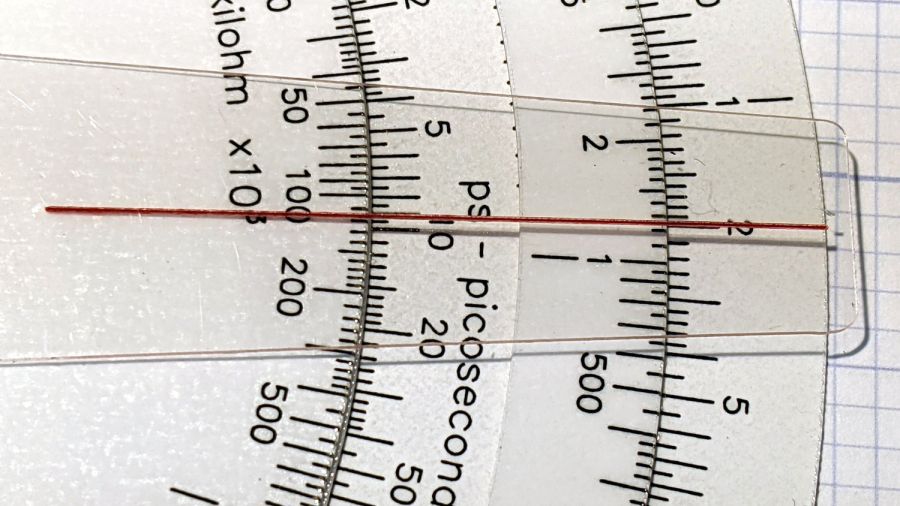
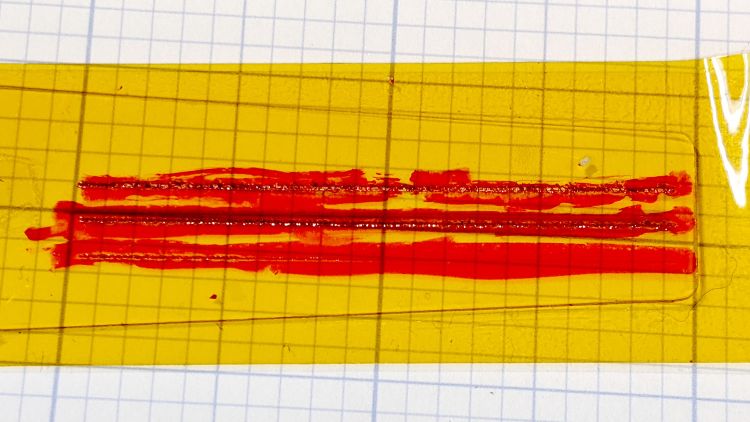
    It looks better than I expected with some red lacquer crayon scribbled into it:

    Tek CC - first sawed cursor - vs scribed
    Tek CC – first sawed cursor – vs scribed

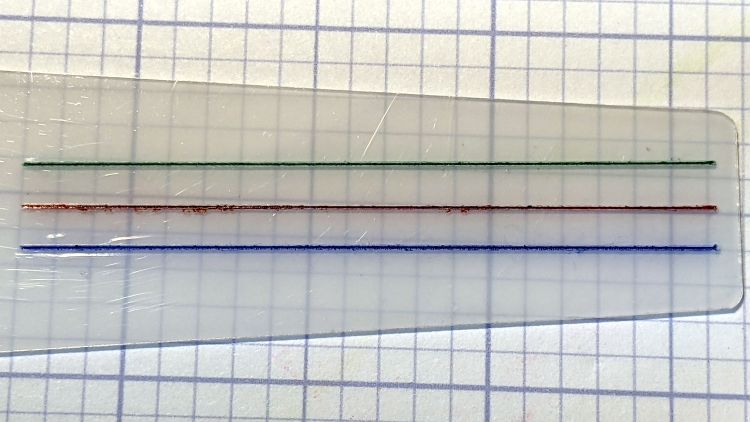
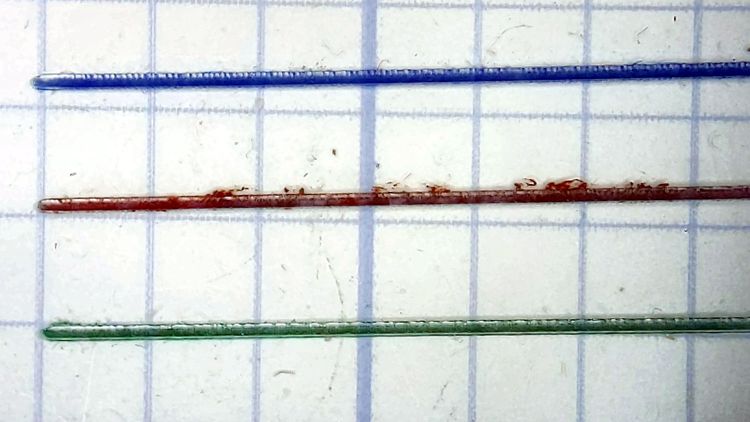
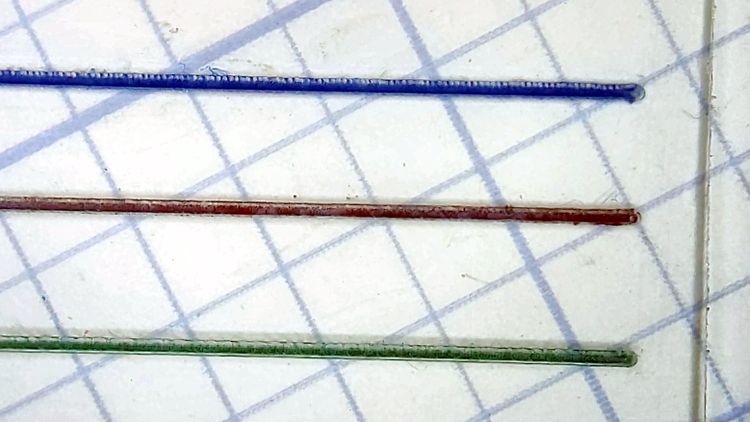
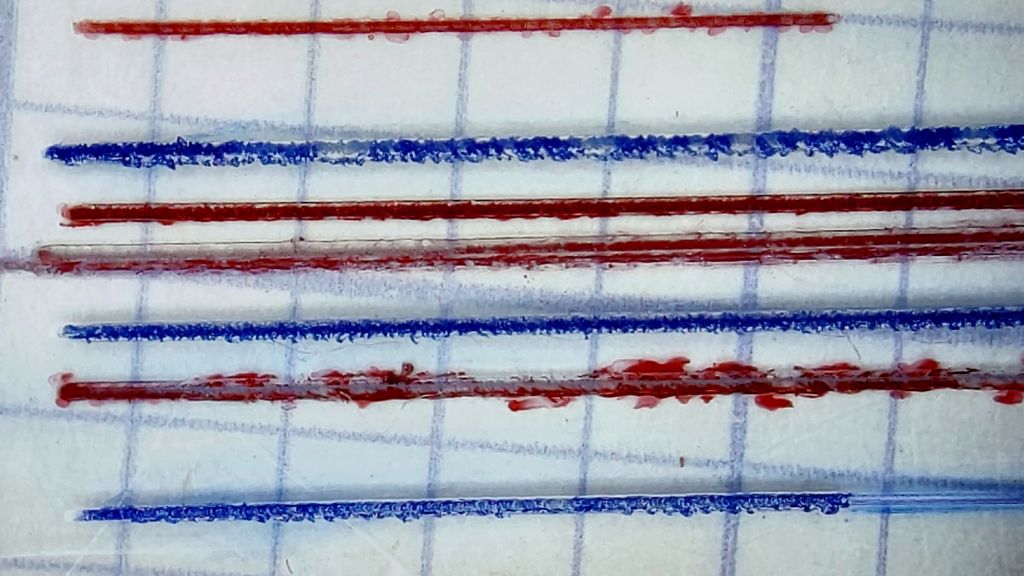
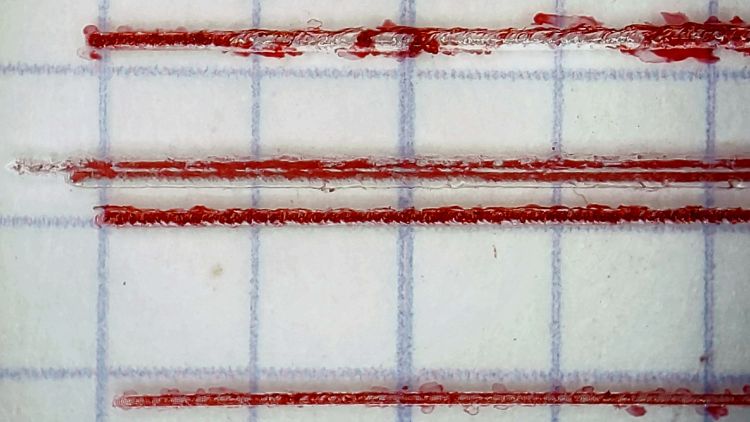
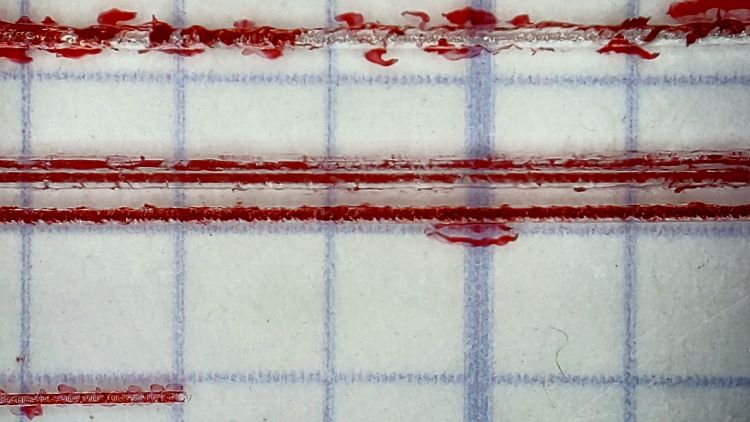
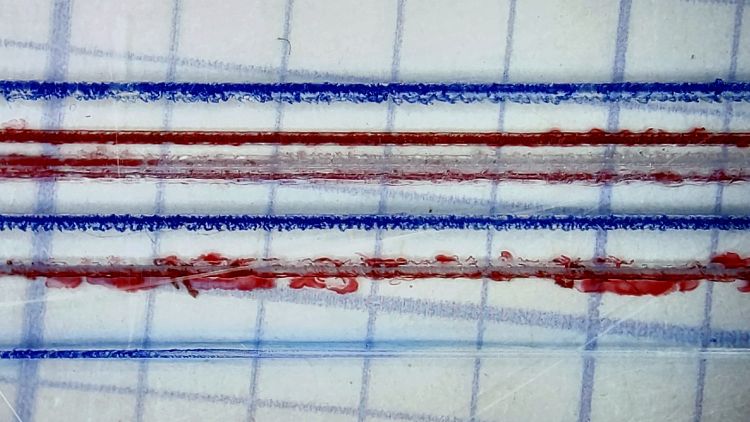
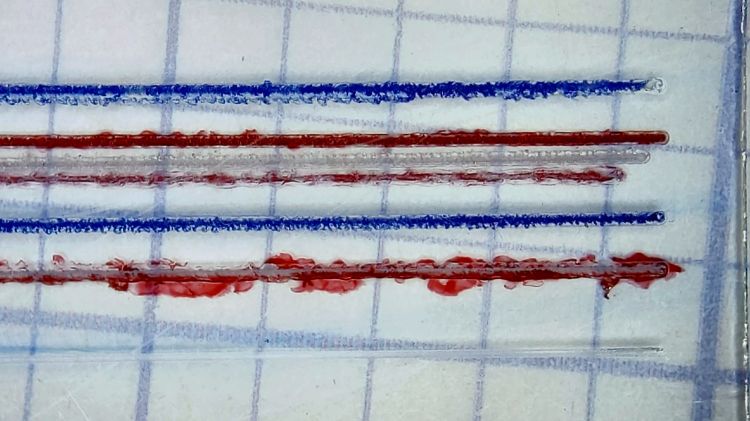
    A few variations of speed and depth seem inconclusive, although they look more consistent and much smoother than the diamond-drag engraved line with red fill:

    Tek CC - sawed cursor test - magnified
    Tek CC – sawed cursor test – magnified

    The saw produces a ramp at the entry and exit which I don’t like at all, but the cut is, overall, an improvement on the diamond point.

    The OpenSCAD source code as a GitHub Gist:

    // Sawing fixtures for Tek Circuit Computer cursor hairline
    // Ed Nisley KE4ZNU Jan 2021
    // Rotated 90° and screwed to 123 blocks for sawing
    Layout = "Show"; // [Show, Build, Cursor]
    Gap = 4.0;
    /* [Hidden] */
    ThreadThick = 0.25;
    ThreadWidth = 0.40;
    HoleWindage = 0.2;
    Protrusion = 0.1; // make holes end cleanly
    inch = 25.4;
    function IntegerMultiple(Size,Unit) = Unit * ceil(Size / Unit);
    module PolyCyl(Dia,Height,ForceSides=0) { // based on nophead's polyholes
    Sides = (ForceSides != 0) ? ForceSides : (ceil(Dia) + 2);
    FixDia = Dia / cos(180/Sides);
    cylinder(d=(FixDia + HoleWindage),h=Height,$fn=Sides);
    }
    //———————-
    // Dimensions
    CursorHubOD = 1.0*inch; // must match SVG hub OD
    CursorThick = 0.71; // including protective layers
    HairlineMin = 48.4188; // extent of hairline
    HairlineMax = 97.4250;
    HairlineDepth = 0.20;
    PocketDepth = 0.75*CursorThick; // half above surface for taping
    PocketClear = 0.25; // E-Z insertion clearance
    TableOC = [1.16*inch,1.16*inch]; // Sherline tooling plate grid
    BlockOC = [(9/16)*inch,(9/16)*inch]; // 123 block hole grid
    BlockOffset = [(3/8)*inch,(3/8)*inch]; // .. block edge to hole center
    ScrewClear = 5.0; // … screw clearance
    CursorOffset = [2*BlockOC.x,0,0]; // hub center relative to leftmost screw
    FixtureGrid = [5*TableOC.x,0,0]; // size in Table grid units
    Screws = [ // relative to leftmost screw
    [0,0,0], // on table grid
    CursorOffset, // on block grid
    [FixtureGrid.x,0,0] // on table grid
    ];
    echo(str("Screw centers: ",Screws));
    CornerRad = 10.0; // corner radius
    Fixture = [2*CornerRad + FixtureGrid.x,2*CornerRad + CursorHubOD,5.0];
    echo(str("Fixture plate: ",Fixture));
    //———————-
    // Import SVG of cursor outline
    // Requires our CursorHubOD to match actual cut outline
    // Hub center at origin
    module CursorSVG(t=CursorThick,ofs=0.0) {
    hr = CursorHubOD/2;
    translate([-hr,-hr,0])
    linear_extrude(height=t,convexity=3)
    offset(r=ofs)
    import(
    file="/mnt/bulkdata/Project Files/Tektronix Circuit Computer/Firmware/TekCC-Cursor-Mark.svg",
    center=false);
    }
    //———————-
    // Show-n-Tell cursor
    module Cursor() {
    difference() {
    CursorSVG(CursorThick,0.0);
    translate([0,0,-Protrusion])
    rotate(180/6)
    PolyCyl(ScrewClear,CursorThick + 2*Protrusion,6);
    }
    }
    //———————-
    // Sawing fixture for cursor hairline
    // Plate center at origin
    module Fixture() {
    difference() {
    hull() // basic plate shape
    for (i=[-1,1], j=[-1,1])
    translate([i*(Fixture.x/2 – CornerRad),j*(Fixture.y/2 – CornerRad),0])
    cylinder(r=CornerRad,h=Fixture.z,$fn=24);
    translate([0,0,Fixture.z – ThreadThick/2 + Protrusion/2]) // will be Z=0 index
    cube([2*Fixture.x,ThreadWidth,ThreadThick + Protrusion],center=true);
    translate(-FixtureGrid/2) {
    translate(CursorOffset + [0,0,Fixture.z – 2*PocketDepth])
    difference() {
    CursorSVG(2*PocketDepth + Protrusion,PocketClear);
    CursorSVG(PocketDepth + Protrusion,-PocketClear);
    }
    translate([CursorOffset.x,0,Fixture.z – ThreadThick/2 + Protrusion/2]) // will be front X=0 index
    cube([ThreadWidth,2*Fixture.y,ThreadThick + Protrusion],center=true);
    translate([CursorOffset.x,Fixture.y/2 – ThreadThick/2 + Protrusion/2,0]) // will be top X=0 index
    cube([ThreadWidth,ThreadThick + Protrusion,2*Fixture.z],center=true);
    translate([CursorOffset.x + HairlineMin,0,Fixture.z – ThreadThick/2 + Protrusion/2]) // hairline min
    cube([ThreadWidth,2*Fixture.y,ThreadThick + Protrusion],center=true);
    translate([CursorOffset.x + HairlineMax,0,Fixture.z – ThreadThick/2 + Protrusion/2]) // hairline min
    cube([ThreadWidth,2*Fixture.y,ThreadThick + Protrusion],center=true);
    /*
    # translate(CursorOffset + [0,0,Fixture.z – 2*ThreadThick]) { // alignment pips
    for (x=[-20.0,130.0], y=[-30.0,0.0,30.0])
    translate([x,y,0])
    cylinder(d=4*ThreadWidth,h=1,$fn=6);
    # for (x=[-30.0,130.0,150.0])
    translate([x,0,0])
    cylinder(d=4*ThreadWidth,h=1,$fn=6);
    */
    for (pt=Screws)
    translate(pt + [0,0,-Protrusion])
    rotate(180/6)
    PolyCyl(ScrewClear,Fixture.z + 2*Protrusion,6);
    }
    }
    }
    //———————-
    // Build it
    if (Layout == "Cursor") {
    Cursor();
    }
    if (Layout == "Show") {
    rotate([0*90,0,0]) {
    Fixture();
    color("Green",0.3)
    translate(-FixtureGrid/2 + CursorOffset + [0,0,Fixture.z + Gap])
    Cursor();
    }
    }
    if (Layout == "Build"){
    // rotate(90)
    Fixture();
    }
  • Fuvaly Bucked Lithium AA Cells

    Behold lithium battery technology, a USB charger, and a buck voltage converter mashed into an AA alkaline package:

    Fuvaly Bucked Lithium AA - label
    Fuvaly Bucked Lithium AA – label

    Those are two of a quartet bought from a randomly named Amazon seller to appease my ancient venerable classic Sony DSC-H5’s need for more voltage than new and freshly charged NiMH AA cells can provide for more than a few tens of minutes.

    The label claims 1500 mA·h, not the 1120 mA·h I measured:

    Fuvaly Bucked Li AA - mAh - 2021-02
    Fuvaly Bucked Li AA – mAh – 2021-02

    My numbers would be higher with a load less than 500 mA. I doubt the 2.5 A maximum current rating.

    The claim of 2.25 W·h is rather optimistic:

    Fuvaly Bucked Li AA - 2021-02
    Fuvaly Bucked Li AA – 2021-02

    Back of the envelope: 2.25 W·h at 1.5 V equals 1.5 A·h, all right. If you squint carefully, though, the output voltages run around 1.4 V, some of which is surely IR drop in my battery holder & test wiring, but it still knocks nearly 10% off the wattage and doesn’t seem to add to the runtime.

    The camera’s battery charge indicator will obviously show Full right up until it shuts off, but I’ve always carried a spare pair of cells in my pocket anyway.

    Recharging them with a USB meter in series required 425 to 600 mA·h at about 4.8 V, so about 2.5 W·h.

    Enlarging the instructions from the back of the box, should they become useful:

    Fuvaly Bucked Lithium AA - Instructions
    Fuvaly Bucked Lithium AA – Instructions

    Nowhere does the package mention the “brand name”, manufacturer, specifications, or much of anything substantial. I suppose anybody selling white-label products appreciates this level of detail.

  • 123 Block Links: Blackened!

    123 Block Links: Blackened!

    While looking for something else, I came across my bottle of Aluminum Black, so I just had to do this:

    123 Block Links - blackened
    123 Block Links – blackened

    Looks much snappier than the originals:

    123 Block Links - trial assembly
    123 Block Links – trial assembly

    Those are plain old alloy steel cap screws with a black oxide finish.

    The Aluminum Black package directions tell you to apply it with a swab, rinse, and repeat, which seemed like a lot of work for a handful of pins. Instead, I poured a little into a pill bottle, dumped the pins in, and gave it a good shake to coat the pins, whereupon the cap blew off as the contents proceeded to boil merrily. A quick cold-water rinse calmed things down, with no particular harm done, although I had to chase the threads with a tap to get the black powder out. A layer of oil prettied them up nicely.

    Today I Learned: the reaction between selenium dioxide and bare aluminum is strongly exothermic.

  • 123 Block Links: Sherline Tooling Plate

    123 Block Links: Sherline Tooling Plate

    Because the 123 block hole spacing doesn’t match the Sherline tooling plate’s 1.16 inch screw hole grid, each block has only a single 10-32 SHCS holding it down through a cap screw head pin:

    123 Block Links - Sherline table alignment
    123 Block Links – Sherline table alignment

    The spring clamp squashes a pair of reasonably straight steel bars against the blocks, whereupon gentle tightening can produce perfect Good Enough™ alignment.

    You could remove the tooling plate and attach the blocks directly to the Sherline’s table with two (or more!) T-nuts and screws per block. I expect no standard SHCS length would be quite right for the distance between the head held in the block pin and the T-nut in the table slot, not to mention removing and reinstalling the tooling plate is enough of a nuisance I’d rather not do it without good reason.

    Just to see how things looked, I attached the cursor milling fixture with threaded block pins:

    123 Block Links - Sherline layout
    123 Block Links – Sherline layout

    Note that the remaining 10-32 clearance hole in the fixture (for the cursor hub) doesn’t align with the underlying hole in the block; the next fixture must take into account both the Sherline and the 123 block grids, as well as which block holes align with the tooling plate. Bleh!

  • 123 Block Links: Threaded Pins

    123 Block Links: Threaded Pins

    The pins capturing the SHCS heads will mount the 123 blocks to the Sherline’s table or tooling plate, but attaching things to the blocks or joining them requires threaded pins on the other end of the screws:

    123 Block Links - trial assembly
    123 Block Links – trial assembly

    Optical illusion: those two pins are the same length.

    I grabbed a length of 3/8 inch aluminum rod in the Sherline vise, center-drilled four holes spaced 7/8 inch apart, then drilled them with a #20 drill for E-Z tapping.

    Space the holes with manual CNC command entry:

    GO X[0*0.875*25.4]
    GO X[1*0.875*25.4]
    GO X[2*0.875*25.4]
    GO X[3*0.875*25.4]

    That’s LinuxCNC on a Sherline with hard-inch leadscrews and G21 active. I normally use millimeters, but inch dimensions make more sense for these pins.

    Transfer the rod to the lathe for hand tapping:

    123 Block Links - tapping
    123 Block Links – tapping

    Not shown here: stick a transfer punch in one of the holes and eyeballometrically align tap with punch to get straight threads.

    Then, for each pin:

    • Chuck rod so the whole pin sticks out
    • Turn OD to 8.4 mm
    • Face to 3/8 inch rightward from hole center
    • Chamfer edge with file
    • Part off a little more than 3/8 inch leftward from hole center
    • Find pin in chip tray
    • Rechuck the other way around
    • Face to 3/8 inch rightward from hole center
    • Chamfer edge with file
    • Ease thread entries with a round file
    • Done!

    Again, I can’t believe I’m the first person to think of these pins; aim me at the commercial offerings I can’t find anywhere.

    Update: The keywords “cross dowel nut” and “furniture bolt” will turn up useful products intended for woodworkers. Thanks to blaz for the suggestion.

  • 123 Block Links: Cap Screw Head Pins

    123 Block Links: Cap Screw Head Pins

    Contemplating a project using a small saw in the Sherline suggested that attaching the workpiece to the side of a 123 block would simplify the machining. My blocks have a centered quintet of 3/8-16 tapped holes through the 2×3 side, all the remaining holes are untapped, and it has no smaller holes. The hole spacing doesn’t match the Sherline tooling plate, but the T-nut slots in the underlying table would suffice.

    Rather than run long 10-32 screws through the entire block, It Would Be Nice to use short screws from, say, the nearest holes:

    123 Block Links - assembled
    123 Block Links – assembled

    I cannot possibly be the first person to have this idea, but the obvious keywords don’t produce any useful results on The Intertubes, other than a link to a different (and far more complex) block with counterbored holes of various sizes.

    Update: Jason found a video about building those blocks and somebody else built some pins similar to mine. Nope, I’m definitely not the first person to have this idea!

    Further doodling produced some useful dimensions:

    123 Block Links - SHCS head pin doodle
    123 Block Links – SHCS head pin doodle

    The holes through the blocks probably came from a 5/16 inch drill, the 75% thread depth diameter for the 3/8-16 taps used on the threaded holes. They’re distorted, full of debris, and hardened enough to kill a file, so I eventually settled on 8.2 mm pins that pass through most of the holes.

    The socket head screws seat at the pin axis, because the pin diameter is scary close to the counterbore diameter and I didn’t see much point in finesse. I started with a half-inch aluminum rod and peeled it to size, because it simplified the clamping and I have a bunch of them.

    The pins are 3/4 inch long to leave a little space on either side of the 1 inch deep holes. I started with comfort marks along the length of the rod:

    123 Block Links - laser alignment
    123 Block Links – laser alignment

    Center-drill so the clearance drill doesn’t skitter off the top:

    123 Block Links - center drilling
    123 Block Links – center drilling

    The counterbore calls for a 0.204 inch = #6 drill, just slightly larger than the #7 clearance drill for a 10-32 screw:

    123 Block Links - counterbore
    123 Block Links – counterbore

    I touched off the counterbore flutes on the sides of the hole, then drilled downward half the 12.8 mm actual rod diameter:

    123 Block Links - 10-32 SHCS test fit
    123 Block Links – 10-32 SHCS test fit

    Lower the counterbore into the hole again, relax the vise enough to let the rod slide, jog the spindle to X = -25.4 mm, and tighten the vise again:

    123 Block Links - index setup
    123 Block Links – index setup

    I figured I needed four pins, tops, so make half a dozen to be sure:

    123 Block Links - all c-bored
    123 Block Links – all c-bored

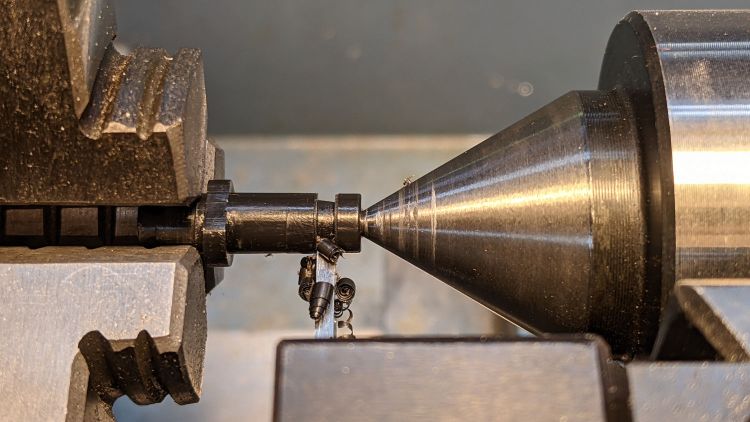
    Stick the rod in the mini-lathe chuck, add some comfort marks, and prepare to peel it down to 8.2 mm:

    123 Block Links - lathe setup
    123 Block Links – lathe setup

    Having done the lathe work during a Squidwrench remote meeting, I have no pictures of the process, but it goes a little something like this:

    • Peel off 0.5 mm at a time, stopping just beyond the mark on the left
    • Mark 3/8 inch on each side of the hole center
    • Face the end
    • Chamfer the rim with a file
    • Clean up the body hole and counterbore
    • Part the pin off a bit to the left of the mark
    • Remove the rod
    • Chuck the pin with the cut off end outward
    • Face to the mark
    • Chamfer
    • Repeat for all six pins
    • Done!

    It’s tedious, but not particularly difficult.

    Futher doodling suggested the need for threaded pins to join two blocks together.

  • Tour Easy: Extended V-brake Noodle

    Tour Easy: Extended V-brake Noodle

    Although our Tour Easy recumbents use ordinary (*) V-brakes, their frame geometry doesn’t route the rear cable quite the way the brake designers expected. Mary’s Medium-Small frame always had its rear brake cable resting against the frame tube, where it bent slightly as she applied the brakes:

    Tour Easy rear V-brake layout
    Tour Easy rear V-brake layout

    That’s looking up from under the rear wheel, with the bike on a workstand, and, yeah, it’s pretty grubby down there.

    The squashed rubber boot suggests the brake arms are too close together, but that’s where they must be to hold the brake pads in the proper position, even with new pads and big spacer washers. As a result, the cable stop over on the right at the end of the noodle rests against the frame and dings the paint.

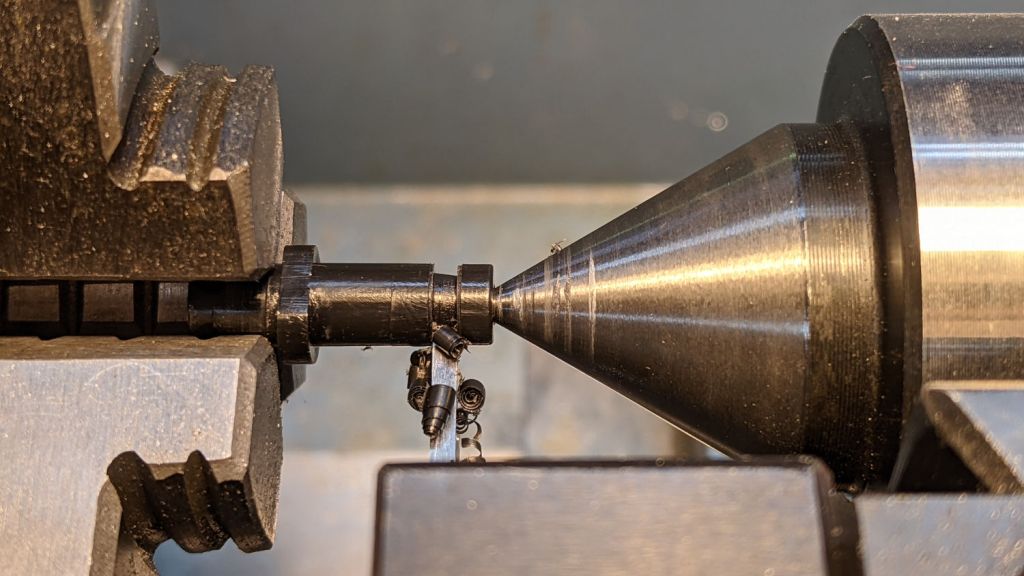
    My first thought was to add some length to the end of the noodle inside the stirrup, so I made an adapter with the ID on the noodle end matching the OD on the fitting end:

    V-brake - larger noodle - end stop adapter
    V-brake – larger noodle – end stop adapter

    Which worked poorly, because the noodle has a straight section leading up to the fitting inside the stirrup; any additional length pushes the noodle curve against the stirrup pivot and cants it out of line:

    Tour Easy rear V-brake noodle
    Tour Easy rear V-brake noodle

    I’ve been avoiding the fallback plan of building a bigger noodle for years, but finally combined a foot of 3/32 inch brass tubing, a tube bender spring, and various large-diameter round-ish objects from the Basement Warehouse Wing:

    V-brake - larger noodle - bending
    V-brake – larger noodle – bending

    I annealed the tube by running a torch along its length until the color changed to the obvious “I’m hot enough” copper color, then let it air-cool while I did something else. Brass work-hardens quickly and required two more annealings while finishing that smooth curve; as far as I know, brass doesn’t harden with the heat-and-quench cycle used for steel.

    A little more lathe work produced a replacement fitting:

    V-brake - larger noodle - end stop
    V-brake – larger noodle – end stop

    The hole is barely one diameter deep, but I think it’ll align the tube well enough for my simple needs. The failure will most likely involve having the cable chew through the inward side of the mis-aligned tube, which should become obvious in short order.

    The fitting on the OEM noodle seems to be crimped in place, but I figure my version is unlikely to fall off in normal use:

    V-brake - larger noodle vs OEM
    V-brake – larger noodle vs OEM

    Lined up thusly, you can see the reduced straight section behind my fitting and the much larger sweep out to the cable stop.

    The OEM noodle had a (presumably) PTFE liner, so I adapted a length of PTFE brake cable liner by mashing the end with various conical objects until it kinda-sorta looked like the cable stop might capture the ragged flange:

    V-brake - larger noodle - PTFE liner
    V-brake – larger noodle – PTFE liner

    Reassembling in reverse order produces a comforting sight:

    V-brake - larger noodle - installed
    V-brake – larger noodle – installed

    Despite appearances, the new noodle sits below the frame and well above the chain in normal use. In the most extreme small-small cross gearing position the chain barely clears it, but the takeup arm on the rear derailleur starts clattering enough to remind us not to do that.

    Brass is certainly not as strong as stainless (?) steel, although I think it ended up in a reasonably hard condition after all the bending. I’m certain neither of us can squeeze the brake lever enough to come anywhere close to causing a problem.

    Making a noodle was easier than I expected and, in a month or so, we’ll see how it behaves under actual riding conditions.

    (*) “Ordinary” as of many decades ago, because the design dates back to the mid-70s, when Fast Freddy Markham broke 65 mph on a rather customized Easy Racers Gold Rush.