The Smell of Molten Projects in the Morning

Ed Nisley's Blog: Shop notes, electronics, firmware, machinery, 3D printing, laser cuttery, and curiosities. Contents: 100% human thinking, 0% AI slop.

Tag: Improvements

Making the world a better place, one piece at a time

  • Micro-Mark Bandsaw: Acetal Upper Blade Guide

    Micro-Mark Bandsaw: Acetal Upper Blade Guide

    There being nothing like a good new problem to take one’s mind off all one’s old problems:

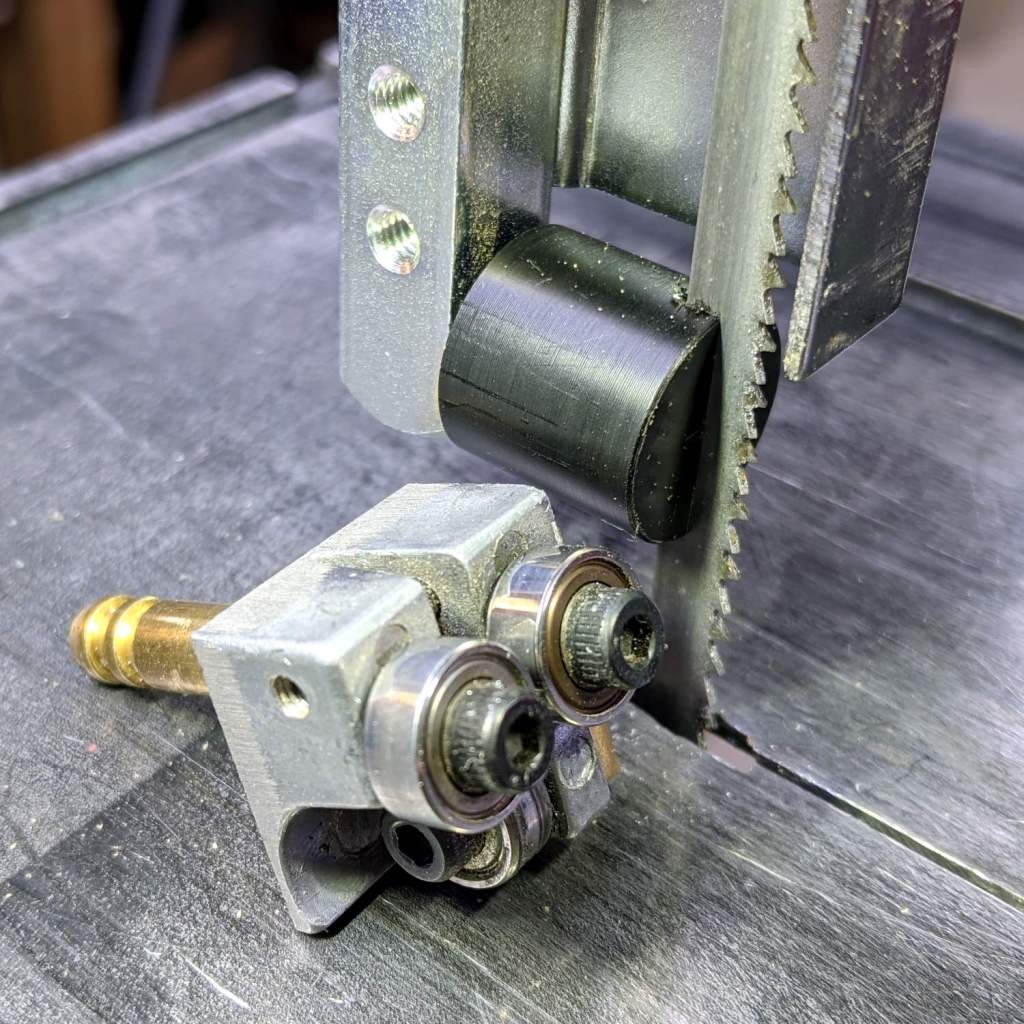
    Micro-Mark Bandsaw - acetal upper blade guide installed
    Micro-Mark Bandsaw – acetal upper blade guide installed

    It’s basically the same as the lower blade guide, except coming from a stick of 5/8 inch acetal. A scant 6 mm stem goes into the vertical square rod, with a flat matching the setscrew coming up from the bottom to hold it in proper alignment.

    I came within a heartbeat of cutting the slot parallel to the flat.

    It worked OK while cutting a chunk of stout aluminum tube: so far, so good!

    The impressive chunk of hardware is the OEM blade guide, with the brass tube for coolant flow all over the bearings. It’s mostly intended for use with the diamond blade, so I’ll swap it back in when I finally get around to cutting some slate for base plates.

  • Tour Easy Rear Running Light: First Light!

    Tour Easy Rear Running Light: First Light!

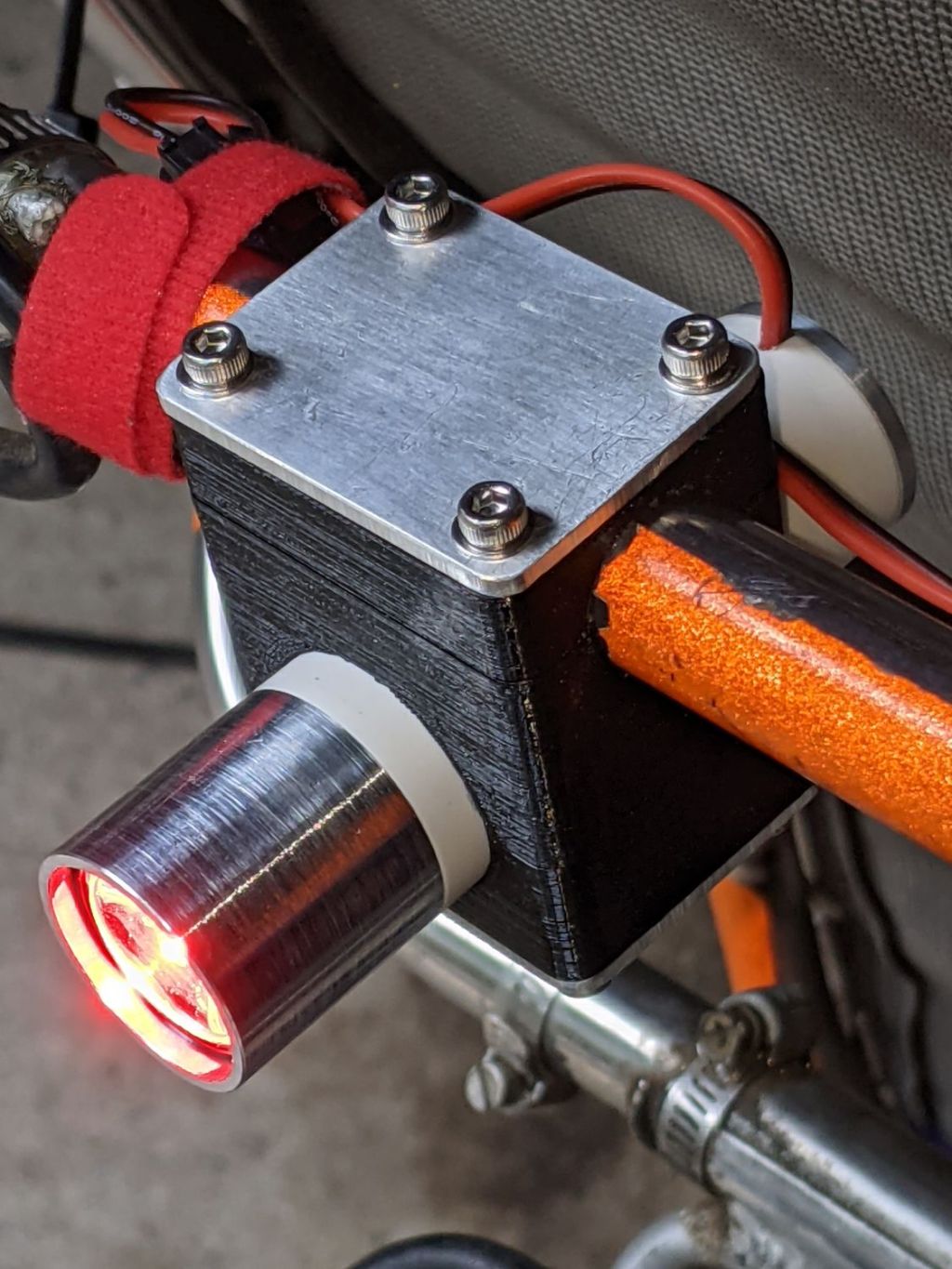
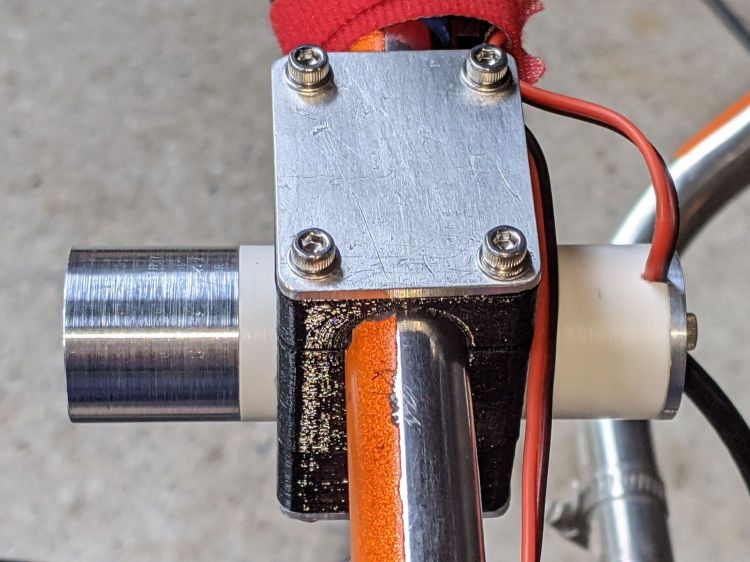
    The rear running light definitely has an industrial look:

    Tour Easy Rear Running Light - installed
    Tour Easy Rear Running Light – installed

    The front of the light has plenty of clearance from the seat mesh:

    Tour Easy Rear Running Light - installed side view
    Tour Easy Rear Running Light – installed side view

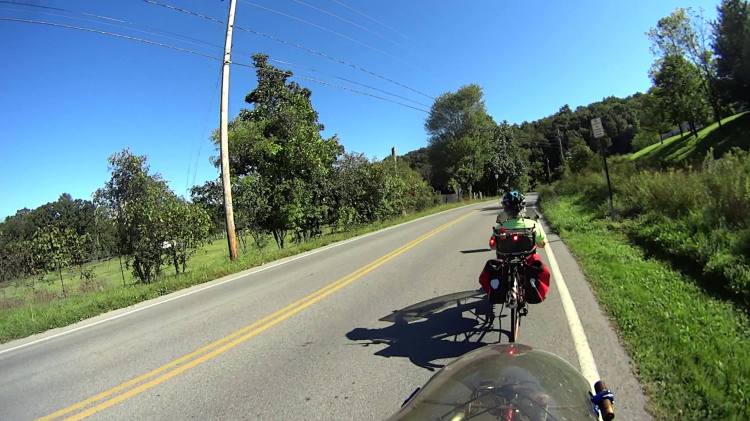
    Out on the road, the 1 W LED appears about as bright as automotive running lights:

    Tour Easy Rear Running Light - tunnel
    Tour Easy Rear Running Light – tunnel

    The blink pattern makes it perfectly visible in sunlight, although I’d prefer somewhat larger optics:

    Tour Easy Rear Running Light - sunlight
    Tour Easy Rear Running Light – sunlight

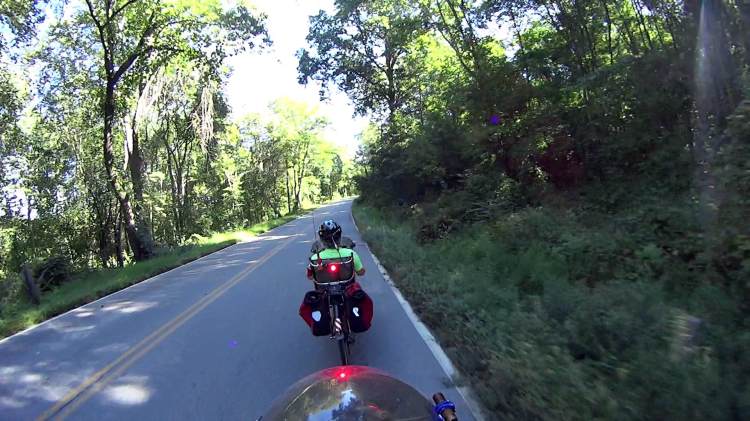
    In shaded conditions, it’s downright conspicuous:

    Tour Easy Rear Running Light - shade
    Tour Easy Rear Running Light – shade

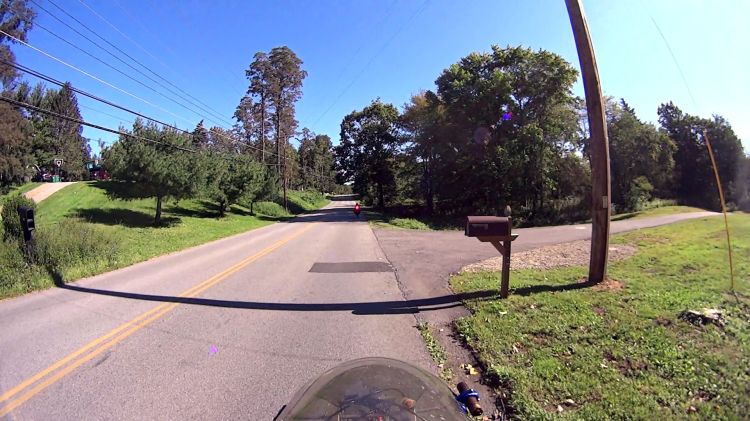
    At any reasonable distance, the 10° beam covers much of the road behind the bike:

    Tour Easy Rear Running Light - distant
    Tour Easy Rear Running Light – distant

    You may not know what the occulting red light represents, but something ahead is worthy of your attention.

    The Arduino source code producing the two dits:

    // Tour Easy Running Light
    // Ed Nisley - KE4ZNU
    // September 2021
    
    #include <morse.h>
    
    #define PIN_OUTPUT  13
    
    // second param: true = active low output
    LEDMorseSender Morser(PIN_OUTPUT,true,(float)10.0);
    
    void setup()
    {
        Morser.setup();
    
        Morser.setMessage(String("qst de ke4znu "));
        Morser.sendBlocking();
    
    //    Morser.setWPM((float)3.0);
        Morser.setSpeed(75);
        Morser.setMessage(String("i   "));
    }
    
    void loop()
    {
        if (!Morser.continueSending())
            Morser.startSending();
    
    }
    

    Looks good to me, anyhow.

  • Tour Easy Rear Running Light: Circuit Support Plate

    Tour Easy Rear Running Light: Circuit Support Plate

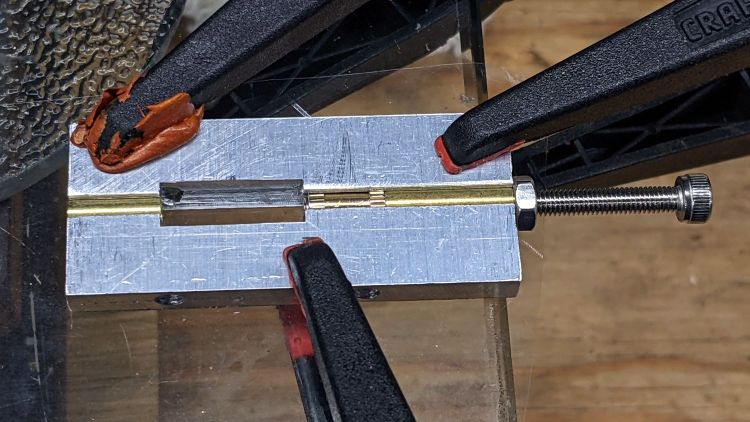
    Building the circuit support plate for the amber front running light was entirely too fiddly:

    1 W LED Running Light - baseplate dry assembly
    1 W LED Running Light – baseplate dry assembly

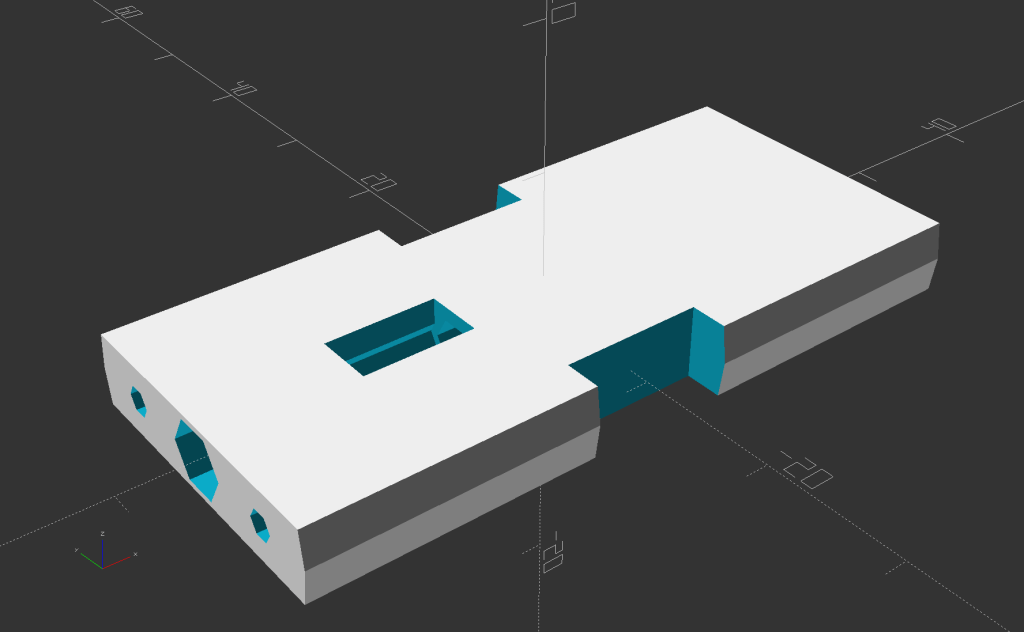
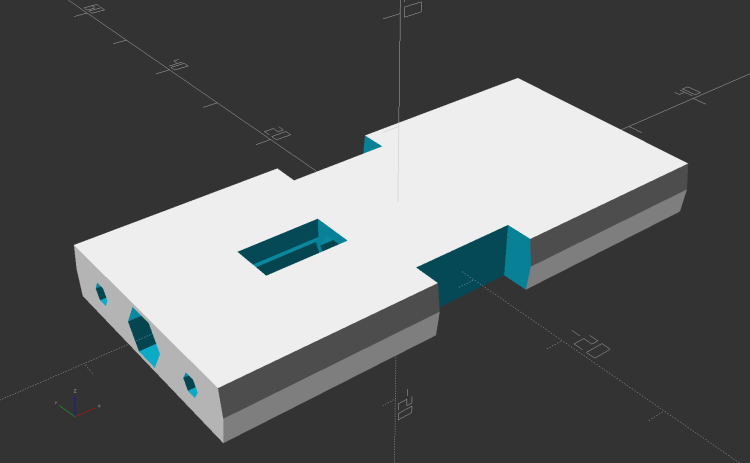
    This was definitely easier:

    Running Light Circuit Plate - solid model
    Running Light Circuit Plate – solid model

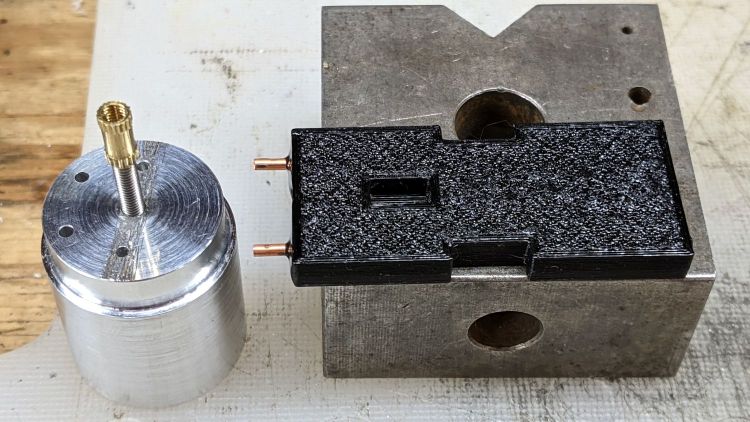
    Two pins fit in the small holes to align it with the LED heatsink, with an M3 stud and brass insert holding it in place:

    Tour Easy Rear Running Light - circuit plate attachment
    Tour Easy Rear Running Light – circuit plate attachment

    The rectangular hole around the insert let me glop urethane adhesive over it to lock it into the plate, with more goop on the screw and pins to unify heatsink and plate.

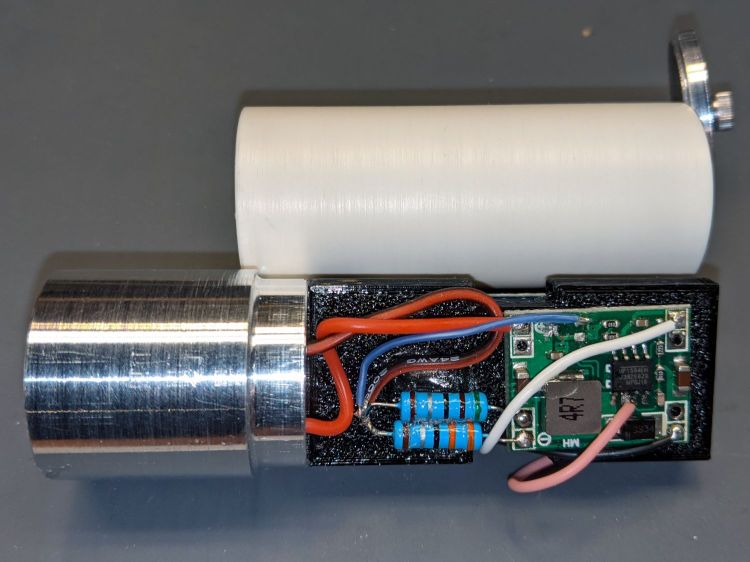
    The LED wires now emerge from the heatsink on the same side of the plate, simplifying the connections to the MP1584 regulator and current-sense resistor:

    Tour Easy Rear Running Light - regulator wiring
    Tour Easy Rear Running Light – regulator wiring

    The paralleled 5.1 Ω and 3.3 Ω resistors form a 2.0 Ω resistor setting the LED current to 400 mA = 1 W at 2.6 V forward drop. They’re 1 W resistors dissipating a total of 320 mW and get barely warm.

    The resistors and wires are stuck in place with clear adhesive, so things shouldn’t rattle around too much.

    The OpenSCAD source code as a GitHub Gist:

    // Circuit plate for Tour Easy running lights
    // Ed Nisley – KE4ZNU – 2021-09
    /* [Hidden] */
    ThreadThick = 0.25;
    ThreadWidth = 0.40;
    HoleWindage = 0.2;
    Protrusion = 0.1; // make holes end cleanly
    function IntegerMultiple(Size,Unit) = Unit * ceil(Size / Unit);
    ID = 0;
    OD = 1;
    LENGTH = 2;
    inch = 25.4;
    //———————-
    // Dimensions
    // Light case along X axis
    LightID = 23.0;
    WallThick = 2.0;
    Screw = [3.0,6.8,4.0]; // M3 OD=washer, length=nut + washers
    Insert = [3.0,4.2,8.0]; // splined brass insert, minus splines
    InsertOffset = 10.0; // insert from heatsink end
    PinOD = 1.6; // alignment pins
    PinOC = 14.0;
    PinDepth = 5.0;
    Plate = [50.0,LightID,Insert[OD] + 4*ThreadThick]; // overall plate size
    WirePort = [10.0,3.0,2*Plate.z];
    NumSides = 2*3*4;
    //———————-
    // Useful routines
    module PolyCyl(Dia,Height,ForceSides=0) { // based on nophead's polyholes
    Sides = (ForceSides != 0) ? ForceSides : (ceil(Dia) + 2);
    FixDia = Dia / cos(180/Sides);
    cylinder(r=(FixDia + HoleWindage)/2,
    h=Height,
    $fn=Sides);
    }
    // Circuit plate
    module Plate() {
    difference() {
    intersection() {
    cube(Plate,center=true);
    rotate([0,90,0])
    cylinder(d=LightID,h=2*Plate.x,$fn=NumSides,center=true);
    }
    rotate([0,90,0]) rotate(180/6)
    translate([0,0,-Plate.x])
    PolyCyl(Screw[ID],2*Plate.x,6);
    rotate([0,90,0]) rotate(180/6)
    translate([0,0,-Plate.x/2 – Protrusion])
    PolyCyl(Insert[OD],Insert[LENGTH] + InsertOffset + Protrusion,6);
    translate([-Plate.x/2 + InsertOffset + Insert[LENGTH]/2,0,Plate.z/2])
    cube([Insert[LENGTH],Insert[OD],Plate.z],center=true);
    for (j=[-1,1])
    translate([-Plate.x/2,j*PinOC/2,0])
    rotate([0,90,0]) rotate(180/6)
    translate([0,0,-PinDepth])
    PolyCyl(PinOD,2*PinDepth,6);
    for (j=[-1,1])
    translate([0,j*(Plate.y/2 – WirePort.y/2),0])
    cube(WirePort,center=true);
    }
    }
    //- Build it
    Plate();
  • Tour Easy Rear Running Light: LED Lens Assembly

    Tour Easy Rear Running Light: LED Lens Assembly

    Having discovered the need for careful alignment of the LED PCB with the lens, I paid more attention to detail this time around.

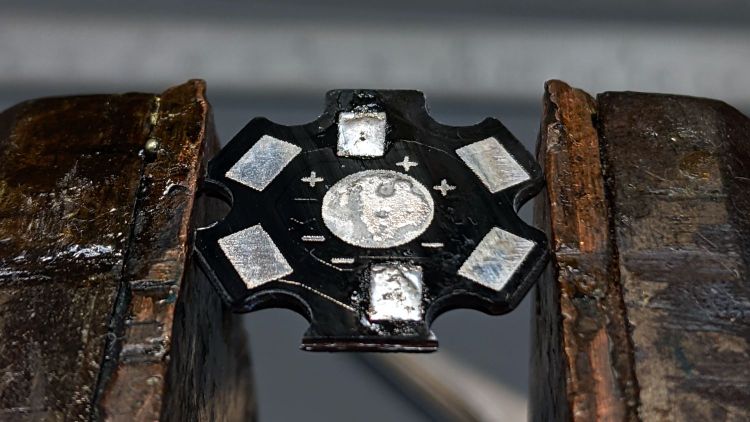
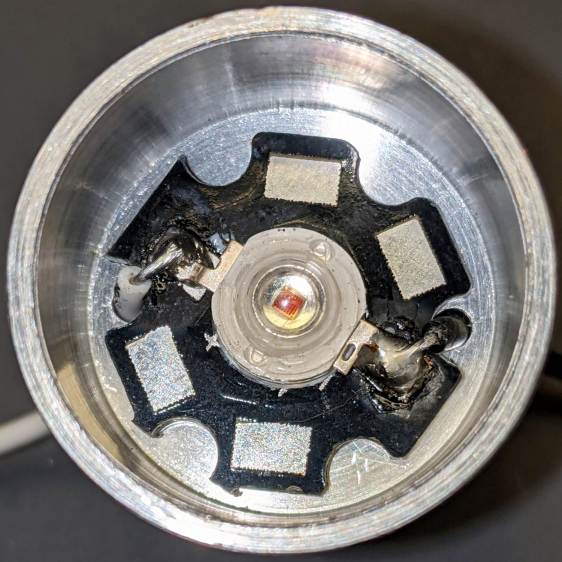
    The LEDs arrive soldered to PCBs atop aluminum star heat spreaders, but the one I picked out of the bag looked slightly misaligned. Unsoldering it showed a smear of solder paste had melted across the central pad:

    1 W LED PCB - errant solder
    1 W LED PCB – errant solder

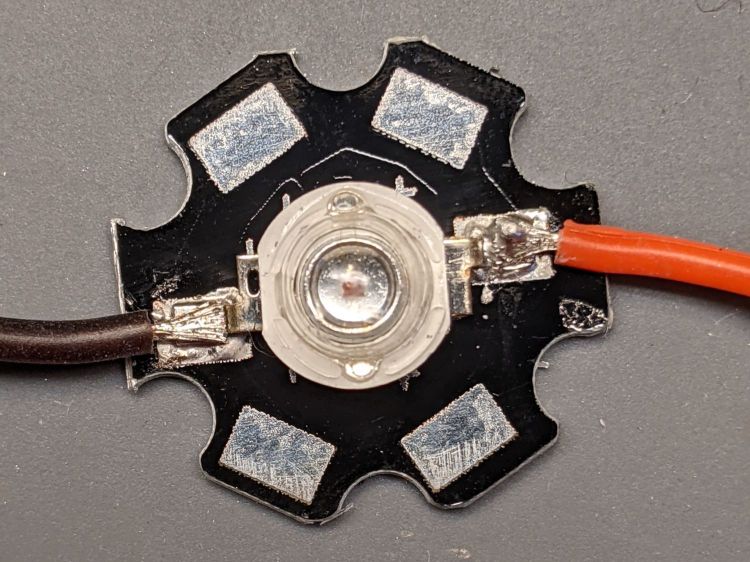
    The LED has a die contact slug on the bottom which, I suppose, could be directly soldered to the spreader. For my simple needs, removing the errant solder, plunking the LED atop a layer of heatsink compound, and resoldering the leads should suffice:

    1 W LED PCB - wire layout
    1 W LED PCB – wire layout

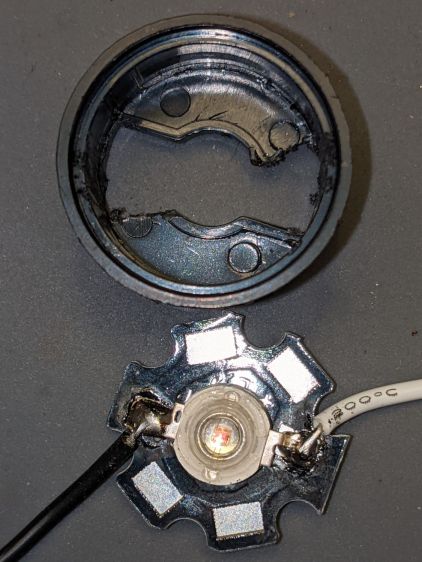
    The LED holder has a pair of slots aligning it with the LED leads on the PCB. The base of the holder sits flush against the PCB, so the wires must attach directly to the LED pads.

    I ran the wires for the amber light through holes close to the pads:

    1 W LED Running Light - heatsink fit
    1 W LED Running Light – heatsink fit

    Which required chewing two passages in the base of the holder:

    1 W LED Running Light - wiring
    1 W LED Running Light – wiring

    It turns out the 5° and 10° lenses are strongly conical and leave plenty of room around the LED to run a wire around the inside of the holder, so I drilled a pair of holes to put both wires on the same side of the circuit plate:

    Tour Easy Rear Running Light - circuit plate attachment
    Tour Easy Rear Running Light – circuit plate attachment

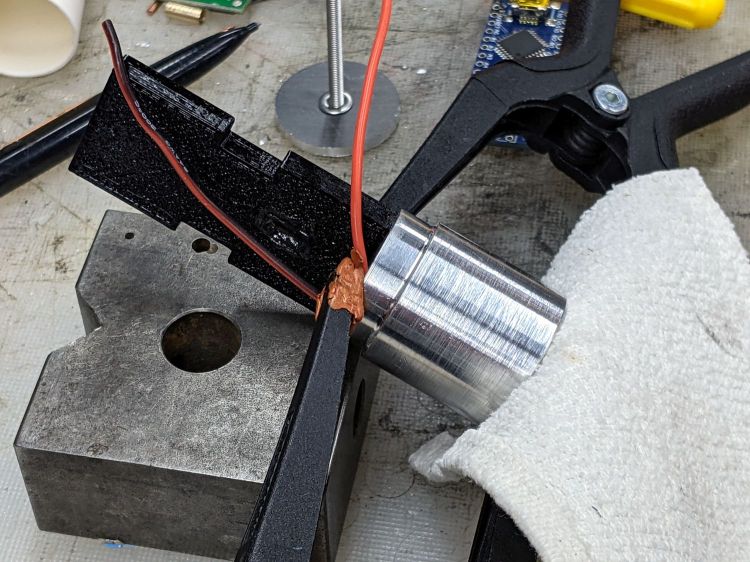
    The holder required minor surgery to let the wire double back on itself over the LED pad:

    1 W LED Holder - wire passage
    1 W LED Holder – wire passage

    The wires thread through two holes drilled in the plastic holder:

    Tour Easy Rear Running Light - clamped LED assembly
    Tour Easy Rear Running Light – clamped LED assembly

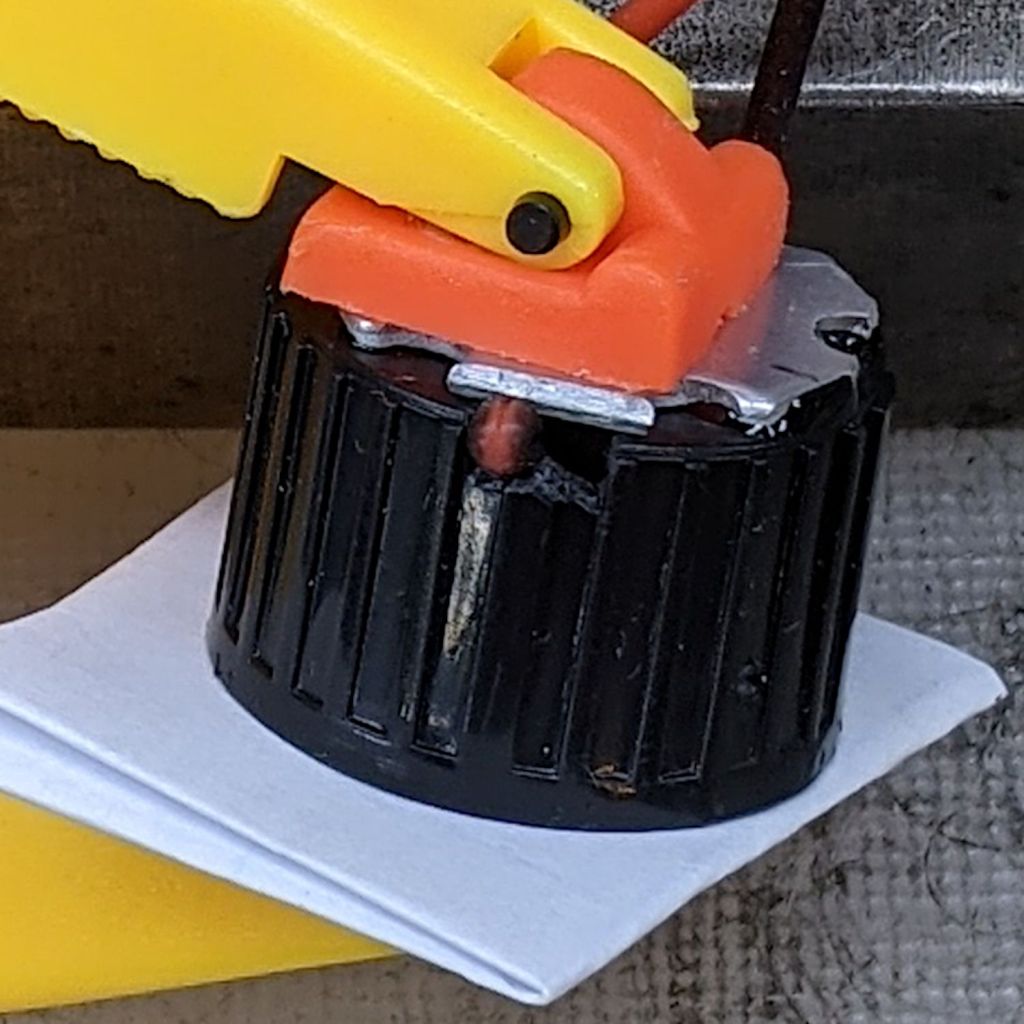
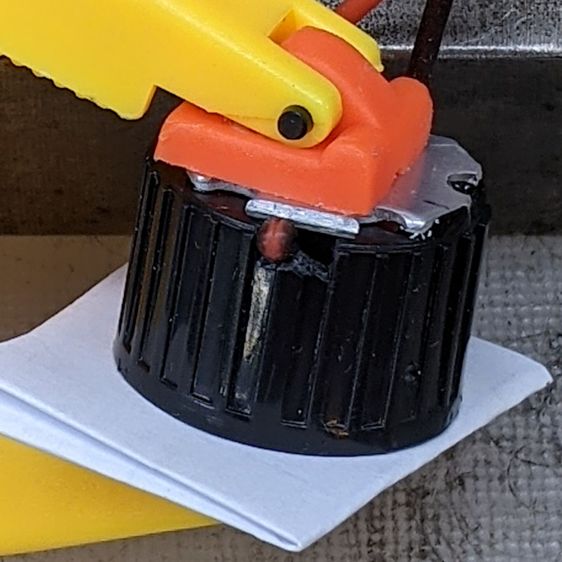
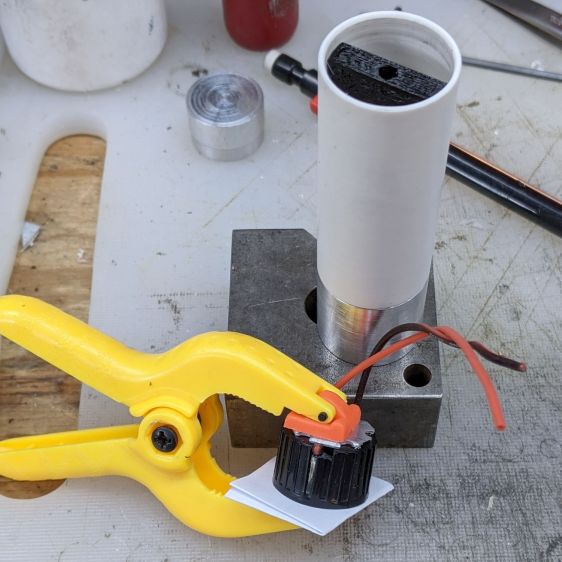
    More urethane adhesive glues the PCB to the LED holder, with the clamp applying pressure to the lens to ensure the lens seats properly around the LED. It turned out that worked well and the light has a nicely rounded beam.

    With the optics bonded together, metal-filled JB Weld epoxy attaches the heat spreader to the heatsink with good thermal conductivity:

    Tour Easy Rear Running Light - clamped LED heatsink
    Tour Easy Rear Running Light – clamped LED heatsink

    The LED holder is a slide fit in the heatsink, so the clamps can keep the PCB flat on the bottom of the recess while the epoxy gets a good grip on all parts.

    Now it’s just a matter of wiring everything up!

  • Rear Running Light: Tour Easy Seat Clamp

    Rear Running Light: Tour Easy Seat Clamp

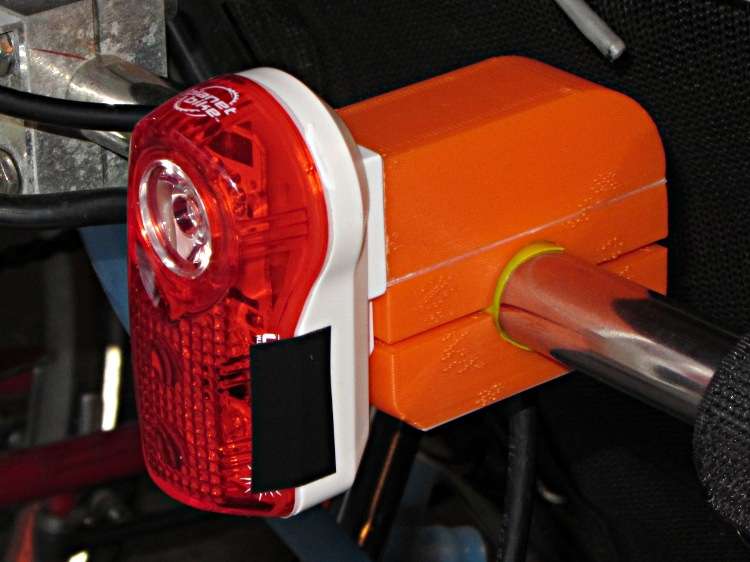
    With the amber front running light blinking away, it’s time to replace the decade-old Planet Bike Superflash behind the seat:

    Superflash on Tour Easy
    Superflash on Tour Easy

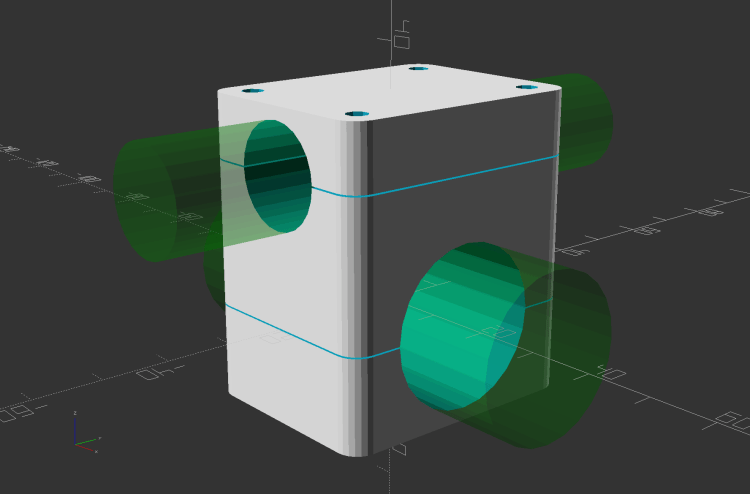
    The new mount descends directly from the clamps holding the fairing strut on the handlebars and various hose clamps:

    Rear Running Light Seat Clamp - solid model
    Rear Running Light Seat Clamp – solid model

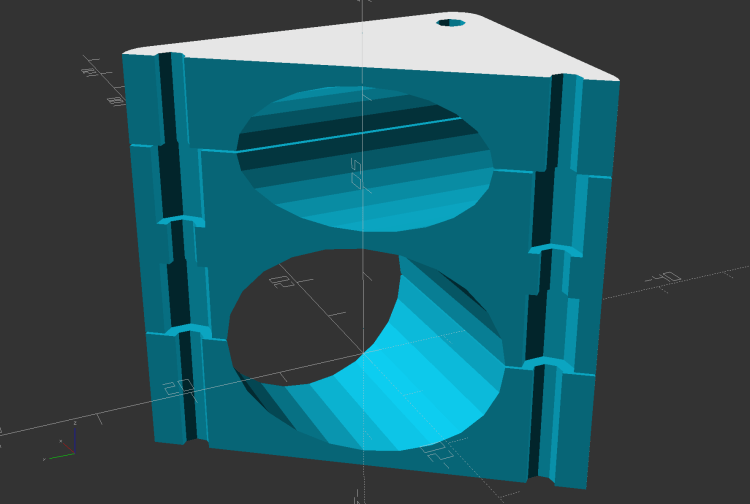
    The central block has two quartets of brass inserts epoxied inside:

    Rear Running Light Seat Clamp - sectioned - solid model
    Rear Running Light Seat Clamp – sectioned – solid model

    That means I can install the light, then mount the whole affair on the bike, without holding everything together while fiddling with overly long screws.

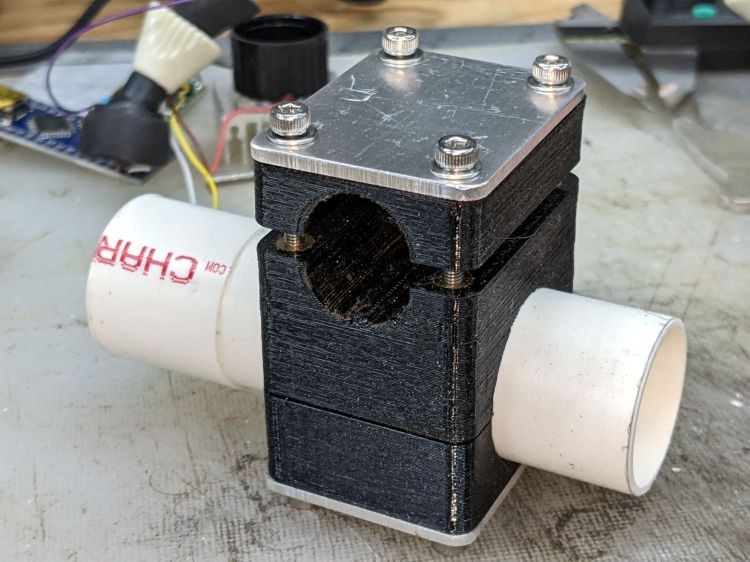
    A trial fit with the not-yet-cut-to-length 25.3 (-ish) PVC pipe body tube:

    Rear Running Light - Tour Easy seat clamp trial fit
    Rear Running Light – Tour Easy seat clamp trial fit

    The aluminum plates have the standard used-car finish: nice polish over deep scratches.

    Although I’ve been thinking of mounting the light below the seat rail, as shown, it can also sit above the rail.

    Mary hauls seedlings and suchlike to the garden in a plastic drawer bungied to the rack, with the SuperFlash serving as an anchor point; this light may need fine tuning for that purpose.

    The OpenSCAD source code as a GitHub Gist:

    // Rear running light clamp for Tour Easy seat strut
    // Ed Nisley – KE4ZNU – 2021-09
    Layout = "Show"; // [Show,Build,Block]
    Section = true;
    /* [Hidden] */
    ThreadThick = 0.25;
    ThreadWidth = 0.40;
    HoleWindage = 0.2;
    Protrusion = 0.1; // make holes end cleanly
    function IntegerMultiple(Size,Unit) = Unit * ceil(Size / Unit);
    ID = 0;
    OD = 1;
    LENGTH = 2;
    inch = 25.4;
    //———————-
    // Dimensions
    // Light case along X axis, seat strut along Y, Z=0 at strut centerline
    LightOD = 25.4 + HoleWindage;
    StrutOD = 5/8 * inch + HoleWindage;
    PlateThick = 1/16 * inch;
    WallThick = 2.0;
    Kerf = ThreadThick;
    Screw = [3.0,6.8,4.0]; // M3 OD=washer, length=nut + washers
    Insert = [3.0,5.4,8.0 + 1.0]; // splined brass insert
    RoundRadius = IntegerMultiple(Screw[OD]/2,0.5); // corner rounding
    ScrewOC = [IntegerMultiple(StrutOD + 2*WallThick + Screw[ID],1.0),
    IntegerMultiple(LightOD + 2*WallThick + Screw[ID],1.0)];
    echo(str("Screw OC: ",ScrewOC));
    BlockSize = [ScrewOC.x + Insert[OD] + 2*WallThick,
    ScrewOC.y + Insert[OD] + 2*WallThick,
    LightOD + StrutOD + 3*WallThick];
    echo(str("Block: ",BlockSize));
    BaseOffset = -(WallThick + LightOD/2); // block bottom to centerline
    StrutOffset = LightOD/2 + WallThick + StrutOD/2; // light centerline to strut centerline
    echo(str("Strut screw min: ",IntegerMultiple(PlateThick + WallThick + StrutOD/2 + Insert[LENGTH]/2,1.0)));
    echo(str("Light screw min: ",IntegerMultiple(PlateThick + WallThick + LightOD/2 + Insert[LENGTH]/2,1.0)));
    NumSides = 2*3*4;
    //———————-
    // Useful routines
    module PolyCyl(Dia,Height,ForceSides=0) { // based on nophead's polyholes
    Sides = (ForceSides != 0) ? ForceSides : (ceil(Dia) + 2);
    FixDia = Dia / cos(180/Sides);
    cylinder(r=(FixDia + HoleWindage)/2,
    h=Height,
    $fn=Sides);
    }
    // Block with light along X axis
    module Block() {
    difference() {
    hull()
    for (i=[-1,1], j=[-1,1])
    translate([i*(BlockSize.x/2 – RoundRadius),j*(BlockSize.y/2 – RoundRadius),BaseOffset])
    cylinder(r=RoundRadius,h=BlockSize.z,$fn=NumSides);
    for (i=[-1,1], j=[-1,1])
    translate([i*ScrewOC.x/2,j*ScrewOC.y/2,BaseOffset – Protrusion])
    rotate(180/8)
    PolyCyl(Screw[ID],BlockSize.z + 2*Protrusion,8);
    for (i=[-1,1], j=[-1,1])
    translate([i*ScrewOC.x/2,j*ScrewOC.y/2,0]) {
    translate([0,0,-Protrusion])
    rotate(180/8)
    PolyCyl(Insert[OD],Insert[LENGTH] + 1*Protrusion,8);
    translate([0,0,(StrutOffset – Insert[LENGTH] – Kerf/2 + Protrusion)])
    rotate(180/8)
    PolyCyl(Insert[OD],Insert[LENGTH] + 1*Protrusion,8);
    }
    translate([-BlockSize.x,0,0])
    rotate([0,90,0])
    cylinder(d=LightOD,h=2*BlockSize.x,$fn=NumSides);
    translate([0,BlockSize.y,StrutOffset])
    rotate([90,0,0])
    cylinder(d=StrutOD,h=2*BlockSize.y,$fn=NumSides);
    translate([0,0,StrutOffset])
    cube([2*BlockSize.x,2*BlockSize.y,Kerf],center=true);
    cube([2*BlockSize.x,2*BlockSize.y,Kerf],center=true);
    }
    }
    //- Build it
    if (Layout == "Block")
    if (Section)
    difference() {
    Block();
    rotate(atan(ScrewOC.y/ScrewOC.x))
    translate([0,BlockSize.y,0])
    cube(2*BlockSize,center=true);
    }
    else
    Block();
    if (Layout == "Show") {
    Block();
    color("Green",0.25)
    translate([-BlockSize.x,0,0])
    rotate([0,90,0])
    cylinder(d=LightOD,h=2*BlockSize.x,$fn=NumSides);
    color("Green",0.25)
    translate([0,BlockSize.y,StrutOffset])
    rotate([90,0,0])
    cylinder(d=StrutOD,h=2*BlockSize.y,$fn=NumSides);
    }
    if (Layout == "Build") {
    translate([-1.2*BlockSize.x,0,-BaseOffset])
    difference() {
    Block();
    translate([0,0,BlockSize.z])
    cube(2*BlockSize,center=true);
    }
    translate([1.2*BlockSize.x,0,StrutOD/2 + WallThick])
    difference() {
    rotate([180,0,0])
    translate([0,0,-StrutOffset])
    Block();
    translate([0,0,BlockSize.z])
    cube(2*BlockSize,center=true);
    }
    translate([0,0,StrutOffset – Kerf/2])
    rotate([180,0,0])
    intersection() {
    Block();
    translate([0,0,StrutOffset/2])
    cube([2*BlockSize.x,2*BlockSize.y,StrutOffset],center=true);
    }
    }
  • Micro-Mark Bandsaw: Acetal Blade Guide

    Micro-Mark Bandsaw: Acetal Blade Guide

    The Micro-Mark bandsaw has a metal blade guide below the table that contributes to the awful noise it makes while running, even when it’s not cutting anything. Having recently touched the Delrin = acetal rod stash, a simple project came to mind.

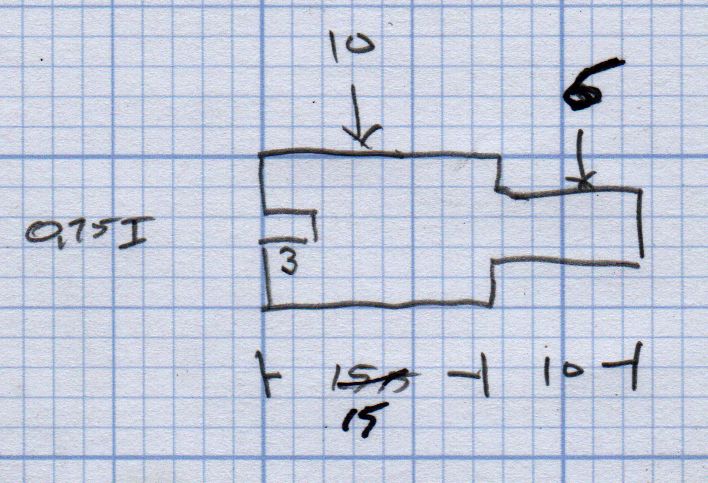
    A doodle with the original metal guide dimensions:

    Micro-Mark Bandsaw - metal blade guide dimensions
    Micro-Mark Bandsaw – metal blade guide dimensions

    The 10 mm dimension is non-critical, so I started with a 1/2 inch acetal rod and turned the stub end to match.

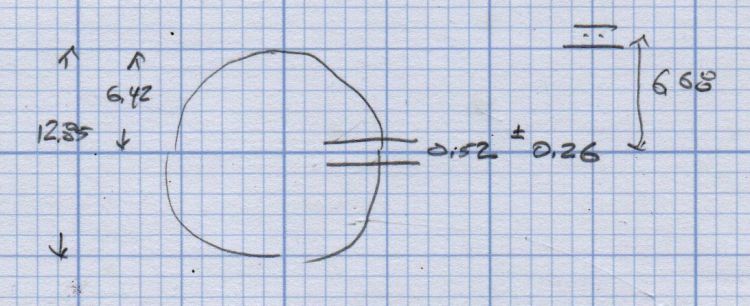
    A doodle suggested how to carve the slot with a 20.5 mil = 0.52 mm slitting saw, with the offset from a Z touchoff at the top:

    Micro-Mark Bandsaw - acetal blade guide - slitting doodles
    Micro-Mark Bandsaw – acetal blade guide – slitting doodles

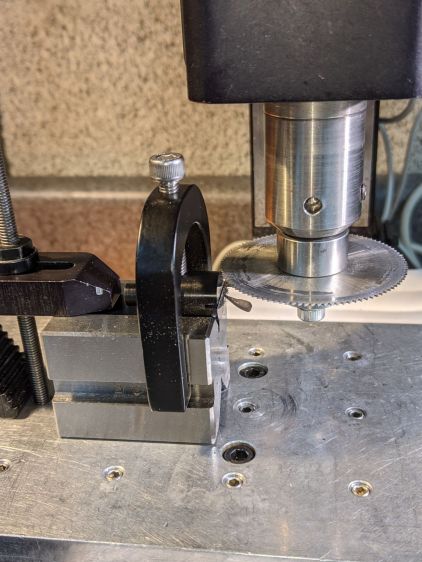
    The V block setup required swapping out the overly long OEM screw for a shorter 5 mm SHCS to clear the Sherline’s motor:

    Micro-Mark Bandsaw - acetal guide slitting
    Micro-Mark Bandsaw – acetal guide slitting

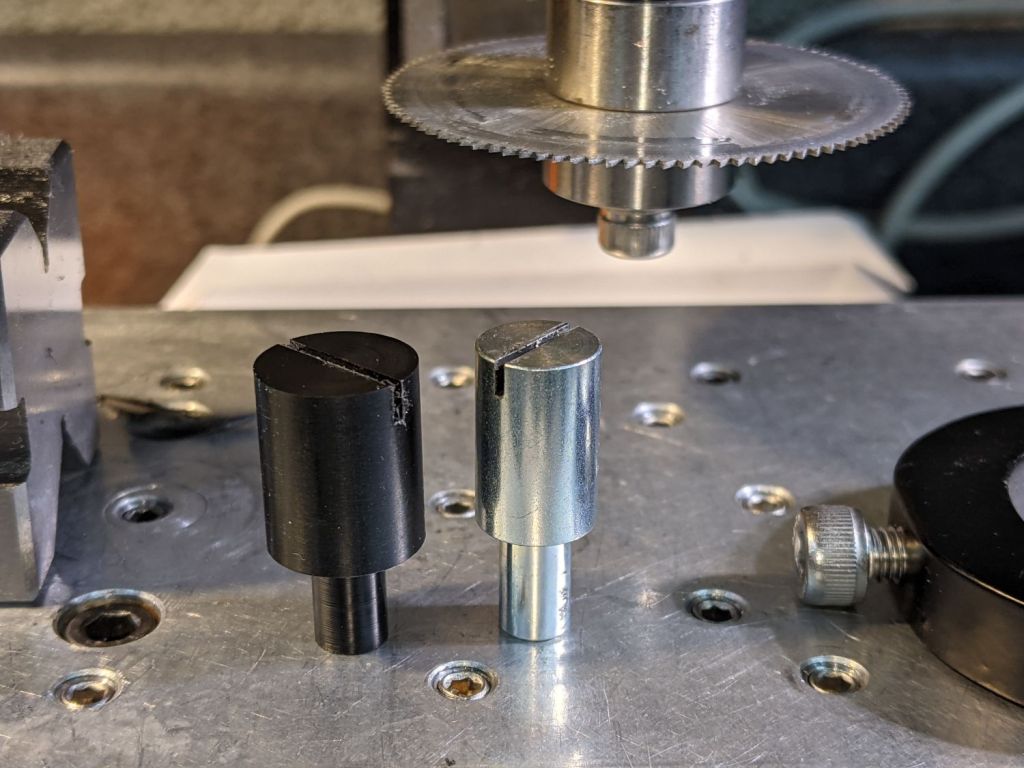
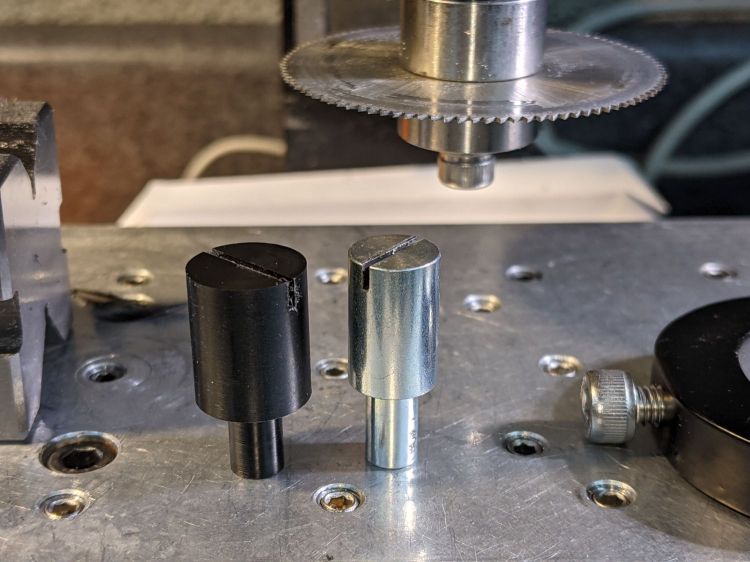
    The end result looked pretty good:

    Micro-Mark Bandsaw - acetal vs steel blade guides
    Micro-Mark Bandsaw – acetal vs steel blade guides

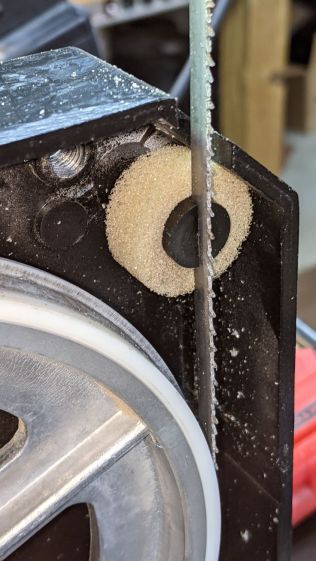
    And it looks like it pretty much belongs in the saw:

    Micro-Mark Bandsaw - acetal blade guide installed
    Micro-Mark Bandsaw – acetal blade guide installed

    The 6 mm stud goes into a hole in the frame, where a setscrew holds it in place. You must remove the blade to extract / replace the guide, with the correct position having the end of the slot just touching the back of the blade.

    The foam ring apparently keeps crud away from the stud on the backside; I doubt it’s mission-critical.

    The saw became somewhat quieter; the ball bearing guides above the table now generate most of the racket. At some point I’ll try replacing them with a block, probably made from UHMW, with a simple slit to guide the blade.

    Plastic guides may not last as long as the steel ones, but occasional replacements will be worth it if the saw runs quieter.

  • Tenergy 18650 Lithium Cells: Four Years of Running Lights

    Tenergy 18650 Lithium Cells: Four Years of Running Lights

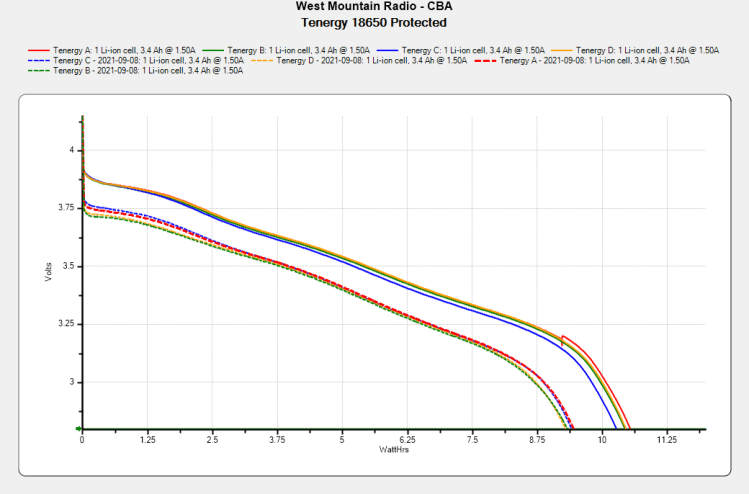
    With the amber daytime running light connected to the Bafang’s headlight output and the Anker flashlight on the other side of the fairing getting fewer power-on hours, it’s a good time to see how those four Tenergy lithium 18650 cells are doing:

    Tenergy 18650 Protected - 2021-09-09
    Tenergy 18650 Protected – 2021-09-09

    The overall capacity is down by 10%, with the voltage depressed by 120 mV over most of the curve.

    Although I don’t keep daily records, the back of the envelope reveals 150 to 200 hour-long rides per year during the last four years, so call it 700 charging cycles:

    Anker LC40 Flashlight - Anodizing fade
    Anker LC40 Flashlight – Anodizing fade

    High brightness draws 1.5 A and low is 50% duty cycle, so a typical ride requires 750 mA·h = 2.5 W·h. Each cell lives for three or four rides with the LED set to low brightness and the numbers work out close enough.