The Smell of Molten Projects in the Morning

Ed Nisley's Blog: Shop notes, electronics, firmware, machinery, 3D printing, laser cuttery, and curiosities. Contents: 100% human thinking, 0% AI slop.

Tag: Improvements

Making the world a better place, one piece at a time

  • Alpha Geek Clock: Radome Update

    Alpha Geek Clock: Radome Update

    There being nothing like a new problem to take one’s mind off all one’s old problems:

    C-Max CMMR-60 WWVB receiver - D cell display holder
    C-Max CMMR-60 WWVB receiver – D cell display holder

    It’s a variation on the camera battery and AA alkaline holders for various blinky LEDs:

    Astable Multivibrator - D cell WWVB
    Astable Multivibrator – D cell WWVB

    The little flag holding the C-Max CMMR-60 receiver PCB gets glued to the copper upright to keep it from swiveling in the breeze.

    The conical caps on the ferrite bar antenna are glued to the uprights and the antenna, in the expectation this is a one-off build-only project.

    Rather than buy specialized D-cell contacts, I used 18650 lithium cell contacts and conjured the bridge by soldering two together:

    D cell bridge contact from 18650 contacts
    D cell bridge contact from 18650 contacts

    It sits on the windowsill, blinks quietly in the dark, and flickers invisibly during the daytime.

    Those D cells came from the same batch that powered the previous version for the last five years, so they probably won’t last that long, even with a Nov 2024 date code.

    C-Max is apparently out of the WWVB biz, but you can get a similar Canaduino AM WWVB receiver.

    The far more complex EverSet ES100-MOD WWVB receiver requires a microcontroller with an I²C interface and very careful power management.

    The OpenSCAD source code as a GitHub Gist:

    // Astable Multivibrator
    // Holder for Alkaline cells
    // Ed Nisley KE4ZNU August 2020
    // 2020-09 add LED radome
    // 2020-11 add radome trim
    // 2021-11 D cells and WWVB receiver
    /* [Layout options] */
    Layout = "Build"; // [Build,Show,Lid,Spider,AntCap,RecFlag]
    CellName = "AA"; // [AA, D]
    Struts = -1; // [0:None, -1:Dual, 1:Quad]
    WWVB = true;
    /* [Hidden] */
    NumCells = 2; // [2]
    // Extrusion parameters
    /* [Hidden] */
    ThreadThick = 0.25;
    ThreadWidth = 0.40;
    HoleWindage = 0.2;
    function IntegerMultiple(Size,Unit) = Unit * ceil(Size / Unit);
    function IntegerLessMultiple(Size,Unit) = Unit * floor(Size / Unit);
    Protrusion = 0.1; // make holes end cleanly
    inch = 25.4;
    //- Basic dimensions
    WallThick = IntegerMultiple(3.0,ThreadWidth);
    CornerRadius = WallThick/2;
    FloorThick = IntegerMultiple(3.0,ThreadThick);
    TopThick = IntegerMultiple(2.0,ThreadThick);
    WireOD = 1.5; // battery & LED wiring
    WireOC = 8.0; // hole spacing in lid
    Gap = 5.0;
    // Cylindrical cell sizes
    // https://en.wikipedia.org/wiki/List_of_battery_sizes#Cylindrical_batteries
    CELL_NAME = 0;
    CELL_OD = 1;
    CELL_OAL = 2;
    // FIXME search() needs special-casing to properly find AAA and AAAA
    // Which is why CellName is limited to AA
    CellData = [
    ["AAAA",8.3,42.5],
    ["AAA",10.5,44.5],
    ["AA",14.5,50.5],
    ["C",26.2,50],
    ["D",34.2,61.5],
    ["A23",10.3,28.5],
    ["CR123A",17.0,34.5],
    ["18650",18.8,65.2], // bare 18650 with button end
    ["18650Prot",19.0,70.0], // protected 18650 = 19670 plus a bit
    ];
    CellIndex = search([CellName],CellData,1,0)[0];
    echo(str("Cell index: ",CellIndex," = ",CellData[CellIndex][CELL_NAME]));
    //- Contact dimensions
    CONTACT_NAME = 0;
    CONTACT_WIDE = 1;
    CONTACT_HIGH = 2;
    CONTACT_THICK = 3; // plate thickness
    CONTACT_TIP = 4; // tip to rear face
    CONTACT_TAB = 5; // solder tab width
    ContactData = [
    ["AA+",12.2,12.2,0.3,1.7,3.5], // pos bump
    ["AA-",12.2,12.2,0.3,5.0,3.5], // half-compressed neg spring
    ["AA+-",28.2,12.2,0.3,5.0,0], // pos-neg bridge
    ["D+",18.5,16.0,0.3,2.8,5.5],
    ["D-",18.5,16.0,0.3,6.0,5.5],
    ["D+-",50.0,19.0,0.3,7.0,0], // solder +/- tabs together
    ["Li+",18.5,16.0,0.3,2.8,5.5],
    ["Li-",18.5,16.0,0.3,6.0,5.5],
    ];
    function ConDat(name,dim) = ContactData[search([name],ContactData,1,0)[0]][dim];
    ContactRecess = 2*ConDat(str(CellName,"+"),CONTACT_THICK);
    ContactOC = CellData[CellIndex][CELL_OD];
    WireBay = 6.0; // room for wiring to contacts
    //- Wire struts
    StrutDia = 1.6; // AWG 14 = 1.6 mm
    StrutSides = 3*4;
    ID = 0;
    OD = 1;
    LENGTH = 2;
    StrutBase = [StrutDia,StrutDia + 2*5*ThreadWidth, // ID = wire, OD = buildable
    FloorThick + CellData[CellIndex][CELL_OD]]; // LENGTH = base is flush with cell top
    //- Holder dimensions
    BatterySize = [CellData[CellIndex][CELL_OAL] + // cell
    ConDat(str(CellName,"+"),CONTACT_TIP) + // pos contact
    ConDat(str(CellName,"-"),CONTACT_TIP) – // neg contact
    2*ContactRecess, // sink into wall
    NumCells*CellData[CellIndex][CELL_OD],
    CellData[CellIndex][CELL_OD]
    ];
    echo(str("Battery space: ",BatterySize));
    CaseSize = [3*WallThick + // end walls + wiring partition
    BatterySize.x + // cell
    WireBay, // wiring bay
    2*WallThick + BatterySize.y,
    FloorThick + BatterySize.z
    ];
    echo(str("CaseSize: ",CaseSize));
    BatteryOffset = (CaseSize.x – (2*WallThick +
    CellData[CellIndex][CELL_OAL] +
    ConDat(str(CellName,"-"),CONTACT_TIP))
    ) /2 ;
    ThumbRadius = 0.75 * CaseSize.z;
    StrutOC = [IntegerLessMultiple(CaseSize.x – 2*CornerRadius -2*StrutBase[OD],5.0),
    IntegerMultiple(CaseSize.y + StrutBase[OD],5.0)];
    StrutAngle = atan(StrutOC.y/StrutOC.x);
    echo(str("Strut OC: ",StrutOC));
    LidSize = [2*WallThick + WireBay + ConDat(str(CellName,"+"),CONTACT_THICK), CaseSize.y, FloorThick/2];
    LidScrew = [2.0,3.8,7.0]; // M2 pan head screw (LENGTH = threaded)
    LidScrewOC = CaseSize.y/2 – CornerRadius – LidScrew[OD]; // allow space around screw head
    //- Piranha LEDs
    PiranhaBody = [8.0,8.0,8.0]; // Z = heatsink fins + plastic body + lens
    PiranhaPin = 0.0; // trimmed pin length beyond heatsink
    PiranhaPinsOC = [5.0,5.0]; // pin XY distance
    PiranhaRecess = PiranhaBody.z + PiranhaPin/2; // minimum LED recess depth
    BallOD = 40.0; // radome sphere
    BallSides = 4*3*4; // nice smoothness
    PillarOD = norm([PiranhaBody.x,PiranhaBody.y]) + 2*WallThick;
    BallChordM = BallOD/2 – sqrt(pow(BallOD/2,2) – (pow(PillarOD,2))/4);
    echo(str("Ball chord depth: ",BallChordM));
    RadomePillar = [norm([PiranhaBody.x,PiranhaBody.y]), // ID = LED diagonal
    PillarOD,
    FloorThick + PiranhaRecess + BallChordM]; // height to top of ball chord
    echo(str("Pillar: ",RadomePillar));
    RadomeBar = [StrutBase[OD]*cos(180/StrutSides),StrutOC.y,StrutBase[OD]/2];
    Tape = [RadomePillar[ID],16.0,1.0]; // sticky tape disk, OD to match hole punch
    //- WWVB receiver hardware
    Antenna = [10.0 + 0.5,14.0,60.0 + 2.0]; // ferrite antenna bar with clearance
    AntCapSize = [Antenna[ID] + 1.0,Antenna[OD],5.0]; // LENGTH=insertion
    RecPCB = [24.0,16.0,5.0];
    //———————-
    // Useful routines
    module PolyCyl(Dia,Height,ForceSides=0) { // based on nophead's polyholes
    Sides = (ForceSides != 0) ? ForceSides : (ceil(Dia) + 2);
    FixDia = Dia / cos(180/Sides);
    cylinder(r=(FixDia + HoleWindage)/2,h=Height,$fn=Sides);
    }
    // Spider for single LED atop struts, with the ball
    module DualSpider() {
    difference() {
    union() {
    for (j=[-1,1]) {
    for (k=[-1,1])
    translate([0,j*StrutOC.y/2,k*RadomeBar.z])
    rotate(180/StrutSides)
    sphere(d=StrutBase[OD]/cos(180/StrutSides),$fn=StrutSides);
    translate([0,j*StrutOC.y/2,0])
    rotate(180/StrutSides)
    cylinder(d=StrutBase[OD],h=2*RadomeBar.z,center=true,$fn=StrutSides);
    }
    cube(RadomeBar,center=true); // connecting bar
    cylinder(d=RadomePillar[OD],h=RadomePillar[LENGTH],$fn=BallSides);
    translate([0,0,-RadomeBar.z/2])
    cylinder(d1=0.9*RadomePillar[OD],d2=RadomePillar[OD],h=RadomeBar.z/2,$fn=BallSides);
    }
    for (j=[-1,1]) // strut wires
    translate([0,j*StrutOC.y/2,-3*StrutBase[OD]/2])
    rotate(180/StrutSides)
    PolyCyl(StrutBase[ID],2*StrutBase[OD],StrutSides);
    for (k=[-1,1]) // LED wiring through bar
    translate([0,k*(StrutOC.x/2 – 2*RadomeBar.x),-RadomeBar.z])
    rotate(180/6)
    PolyCyl(StrutBase[ID],2*RadomeBar.z,6);
    translate([0,0,BallOD/2 + RadomePillar[LENGTH] – BallChordM]) // ball inset
    sphere(d=BallOD);
    translate([0,0,BallOD/2 + RadomePillar[LENGTH] – BallChordM – Tape[LENGTH]/2]) // tape inset
    intersection() {
    sphere(d=BallOD);
    cylinder(d=Tape[OD],h=2*BallOD,center=true);
    }
    translate([0,0,RadomePillar.z – PiranhaRecess + RadomePillar.z/2]) // LED inset
    cube(PiranhaBody + [HoleWindage,HoleWindage,RadomePillar.z],center=true); // XY clearance
    translate([0,0,StrutBase[OD]/4 + WireOD/2 + 0*Protrusion]) // wire channels
    cube([WireOD,RadomePillar[OD] + 2*WallThick,WireOD],center=true);
    }
    }
    //– WWVB antenna support cap
    module AntennaBar() {
    rotate([90,0,0])
    union() {
    cylinder(d=Antenna[ID],h=Antenna[LENGTH],$fn=BallSides,center=true);
    cylinder(d=2*Antenna[OD],h=Antenna[LENGTH] – 2*AntCapSize[LENGTH],$fn=BallSides,center=true);
    }
    }
    module AntennaCap() {
    rotate([90,0,0])
    intersection() {
    translate([0,-Antenna[LENGTH]/2 + AntCapSize[LENGTH],0])
    difference() {
    hull() {
    rotate([90,0,0])
    cylinder(d=AntCapSize[OD],h=Antenna[LENGTH],$fn=BallSides,center=true);
    for (j=[-1,1])
    translate([0,j*StrutOC.y/2,0])
    rotate(180/StrutSides)
    cylinder(d=StrutBase[OD],h=1*StrutBase[OD],$fn=StrutSides,center=true);
    }
    for (j=[-1,1])
    translate([0,j*StrutOC.y/2,-Antenna[OD]/2])
    rotate(180/StrutSides)
    PolyCyl(StrutBase[ID],Antenna[OD],StrutSides);
    AntennaBar();
    }
    rotate([-90,0,0])
    cylinder(d=Antenna[OD],h=Antenna[LENGTH],center=false);
    }
    }
    //– WWVB PCB support flag
    module RecFlag() {
    difference() {
    hull() {
    rotate(180/StrutSides)
    cylinder(d=StrutBase[OD],h=RecPCB.x,$fn=StrutSides);
    translate([0,RecPCB.y,0])
    rotate(180/StrutSides)
    cylinder(d=StrutBase[OD],h=RecPCB.x,$fn=StrutSides);
    }
    translate([0,0,-Protrusion])
    rotate(180/StrutSides)
    PolyCyl(StrutBase[ID],2*RecPCB.x,StrutSides);
    translate([0,StrutBase[OD]/2,-Protrusion])
    cube([StrutBase[OD],RecPCB.y,2*RecPCB.x],center=false);
    }
    }
    //– Overall case with origin at battery center
    module Case() {
    union() {
    difference() {
    union() {
    hull()
    for (i=[-1,1], j=[-1,1])
    translate([i*(CaseSize.x/2 – CornerRadius),
    j*(CaseSize.y/2 – CornerRadius),
    0])
    cylinder(r=CornerRadius/cos(180/8),h=CaseSize.z,$fn=8); // cos() fixes undersize spheres!
    if (Struts)
    for (i = (Struts == 1) ? [-1,1] : -1) { // strut bases
    hull()
    for (j=[-1,1])
    translate([i*StrutOC.x/2,j*StrutOC.y/2,0])
    rotate(180/StrutSides)
    cylinder(d=StrutBase[OD],h=StrutBase[LENGTH],$fn=StrutSides);
    translate([i*StrutOC.x/2,0,StrutBase[LENGTH]/2])
    cube([2*StrutBase[OD],StrutOC.y,StrutBase[LENGTH]],center=true); // blocks for fairing
    for (j=[-1,1]) // hemisphere caps
    translate([i*StrutOC.x/2,
    j*StrutOC.y/2,
    StrutBase[LENGTH]])
    rotate(180/StrutSides)
    sphere(d=StrutBase[OD]/cos(180/StrutSides),$fn=StrutSides);
    }
    }
    translate([BatteryOffset,0,BatterySize.z/2 + FloorThick]) // cells
    cube(BatterySize + [0,0,Protrusion],center=true);
    translate([BatterySize.x/2 + BatteryOffset + ContactRecess/2 – Protrusion/2, // contacts
    0,
    BatterySize.z/2 + FloorThick])
    cube([ContactRecess + Protrusion,
    ConDat(str(CellName,"+-"),CONTACT_WIDE),
    ConDat(str(CellName,"+-"),CONTACT_HIGH)
    ],center=true);
    translate([-(BatterySize.x/2 – BatteryOffset + ContactRecess/2 – Protrusion/2),
    ContactOC/2,
    BatterySize.z/2 + FloorThick])
    cube([ContactRecess + Protrusion,
    ConDat(str(CellName,"+"),CONTACT_WIDE),
    ConDat(str(CellName,"+"),CONTACT_HIGH)
    ],center=true);
    translate([-(BatterySize.x/2 – BatteryOffset + ContactRecess/2 – Protrusion/2),
    -ContactOC/2,
    BatterySize.z/2 + FloorThick])
    cube([ContactRecess + Protrusion,
    ConDat(str(CellName,"-"),CONTACT_WIDE),
    ConDat(str(CellName,"-"),CONTACT_HIGH)
    ],center=true);
    translate([-CaseSize.x/2 + WireBay/2 + WallThick, // wire bay with screw bosses
    0,
    BatterySize.z/2 + FloorThick + Protrusion/2])
    cube([WireBay,
    2*LidScrewOC – LidScrew[ID] – 2*4*ThreadWidth,
    BatterySize.z + Protrusion
    ],center=true);
    for (j=[-1,1]) // screw holes
    translate([-CaseSize.x/2 + WireBay/2 + WallThick,
    j*LidScrewOC,
    CaseSize.z – LidScrew[LENGTH] + Protrusion])
    PolyCyl(LidScrew[ID],LidScrew[LENGTH],6);
    for (j=[-1,1])
    translate([-(BatterySize.x/2 – BatteryOffset + WallThick/2), // contact tabs
    j*ContactOC/2,
    BatterySize.z + FloorThick – Protrusion])
    cube([2*WallThick,
    ConDat(str(CellName,"+"),CONTACT_TAB),
    (BatterySize.z – ConDat(str(CellName,"+"),CONTACT_HIGH))
    ],center=true);
    if (false)
    translate([0,0,CaseSize.z]) // finger cutout
    rotate([90,00,0])
    cylinder(r=ThumbRadius,h=2*CaseSize.y,center=true,$fn=22);
    if (Struts)
    for (i2 = (Struts == 1) ? [-1,1] : -1) { // strut wire holes and fairing
    for (j=[-1,1])
    translate([i2*StrutOC.x/2,j*StrutOC.y/2,FloorThick])
    rotate(180/StrutSides)
    PolyCyl(StrutBase[ID],2*StrutBase[LENGTH],StrutSides);
    for (i=[-1,1], j=[-1,1]) // fairing cutaways
    translate([i*StrutBase[OD] + (i2*StrutOC.x/2),
    j*StrutOC.y/2,
    -Protrusion])
    rotate(180/StrutSides)
    PolyCyl(StrutBase[OD],StrutBase[LENGTH] + 2*Protrusion,StrutSides);
    }
    translate([0,0,ThreadThick – Protrusion]) // recess around name
    cube([51.0,15,2*ThreadThick],center=true);
    }
    linear_extrude(height=2*ThreadThick + Protrusion,convexity=10) {
    translate([0,-3.5,0])
    mirror([0,1,0])
    text(text="softsolder",size=6,spacing=1.20,font="Arial:style:Bold",halign="center",valign="center");
    translate([0,3.5,0])
    mirror([0,1,0])
    text(text=".com",size=6,spacing=1.20,font="Arial:style:Bold",halign="center",valign="center");
    }
    }
    }
    module Lid() {
    difference() {
    hull()
    for (i=[-1,1], j=[-1,1], k=[-1,1])
    translate([i*(LidSize.x/2 – CornerRadius),
    j*(LidSize.y/2 – CornerRadius),
    k*(LidSize.z – CornerRadius)]) // double thickness for flat bottom
    sphere(r=CornerRadius/cos(180/8),$fn=8);
    translate([0,0,-LidSize.z]) // remove bottom
    cube([(LidSize.x + 2*Protrusion),(LidSize.y + 2*Protrusion),2*LidSize.z],center=true);
    for (j=[-1,1]) // wire holes
    translate([0,j*WireOC/2,-Protrusion])
    PolyCyl(WireOD,2*LidSize.z,6);
    for (j=[-1,1])
    translate([0,j*LidScrewOC,-Protrusion])
    PolyCyl(LidScrew[ID],2*LidSize.z,6);
    }
    }
    //——————-
    // Show & build stuff
    if (Layout == "Case")
    Case();
    if (Layout == "Lid")
    Lid();
    if (Layout == "AntCap")
    AntennaCap();
    if (Layout == "RecFlag")
    RecFlag();
    if (Layout == "Spider")
    if (Struts == -1)
    DualSpider();
    else
    cube(10,center=true);
    if (Layout == "Build") {
    rotate(90)
    Case();
    translate([0,-(CaseSize.x/2 + LidSize.x/2 + Gap),0])
    rotate(90)
    Lid();
    if (Struts == -1) {
    difference() {
    union() {
    translate([CaseSize.x/2 + RadomePillar[OD],0,0])
    DualSpider();
    translate([-(CaseSize.x/2 + RadomePillar[OD]),0,0])
    rotate([180,0,0])
    DualSpider();
    }
    translate([0,0,-2*CaseSize.z])
    rotate(90)
    cube(4*CaseSize,center=true);
    }
    }
    if (WWVB) {
    for (i=[-1,1])
    translate([i*(Antenna[LENGTH]/2 – AntCapSize[LENGTH]),CaseSize.x/2 + Antenna[OD],0])
    AntennaCap();
    translate([0,CaseSize.x/2 + Antenna[OD],0])
    RecFlag();
    }
    }
    if (Layout == "Show") {
    Case();
    for (j=[-1,1])
    color("Brown",0.3)
    translate([-StrutOC.x/2,j*StrutOC.y/2,Protrusion])
    cylinder(d=StrutDia[ID],h=3*CaseSize.z,$fn=StrutSides);
    translate([-(CaseSize.x/2 – LidSize.x/2),0,(CaseSize.z + Gap)])
    Lid();
    if (Struts == -1)
    translate([-StrutOC.x/2,0,3*CaseSize.z])
    DualSpider();
    if (WWVB) {
    for (j=[-1,1])
    translate([-StrutOC.x/2,,j*(Antenna[LENGTH]/2 – AntCapSize[LENGTH]),1.5*CaseSize.z])
    rotate([-j*90,0,0])
    AntennaCap();
    translate([-StrutOC.x/2,,-(StrutOC.y/2),2*CaseSize.z])
    RecFlag();
    }
    }
  • LED-ified Halogen Desk Lamp: DC LED Driver

    LED-ified Halogen Desk Lamp: DC LED Driver

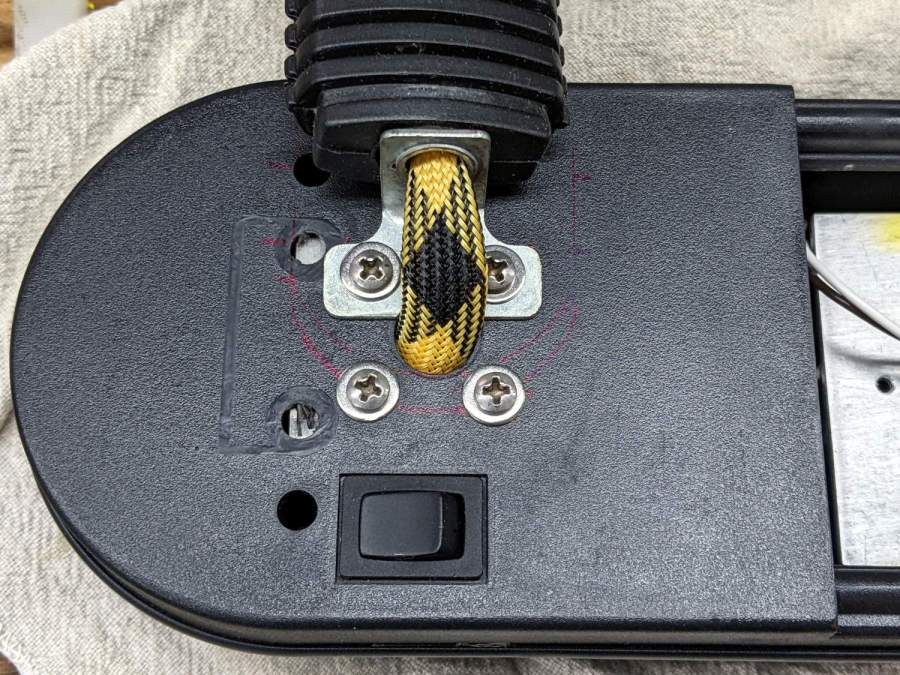
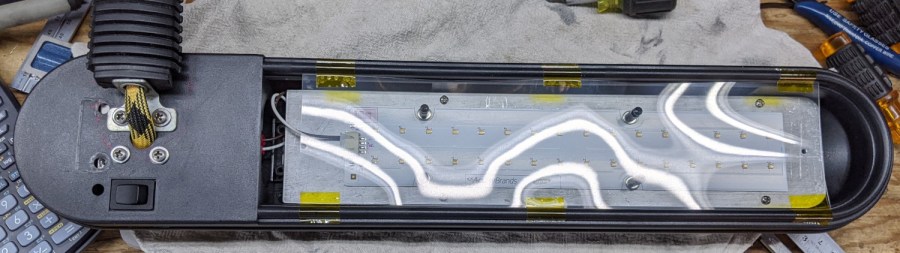
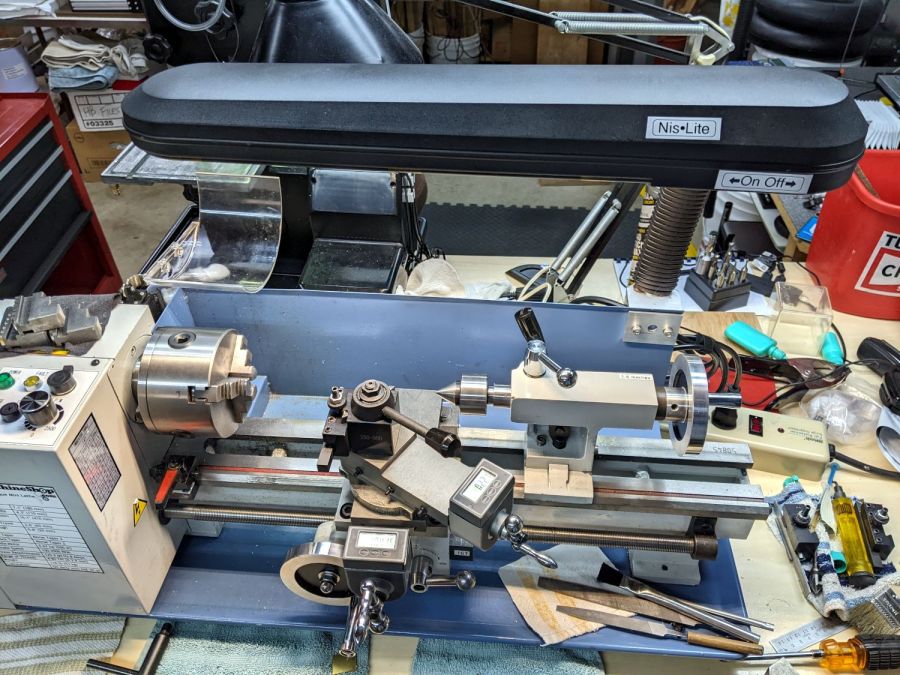
    Feeding half-wave rectified 12 V AC into the 4 W LED lamp I hung on the end of the halogen desk lamp worked at human scale, but produced dark bars across images made with my Pixel phones. Having solved that problem for the LED lighting on Mary’s sewing machines, I replaced the OEM transformer with a 12 VDC power supply:

    LED Desk Lamp - Driver installed
    LED Desk Lamp – Driver installed

    The steel lump inside the base is the OEM weight that, in addition to two pounds of transformer, kept the whole affair from toppling over.

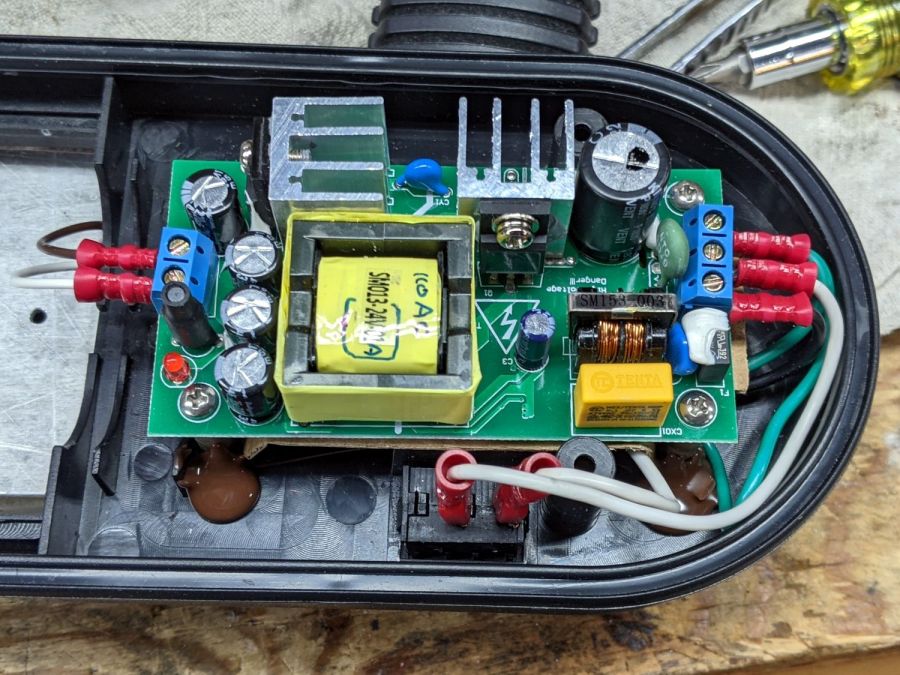
    The transformer inside the DC supply weighs basically nothing:

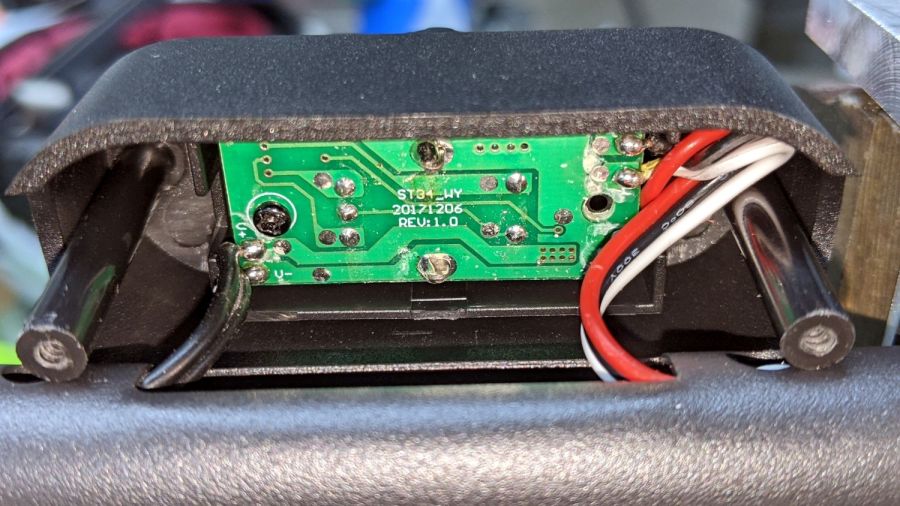
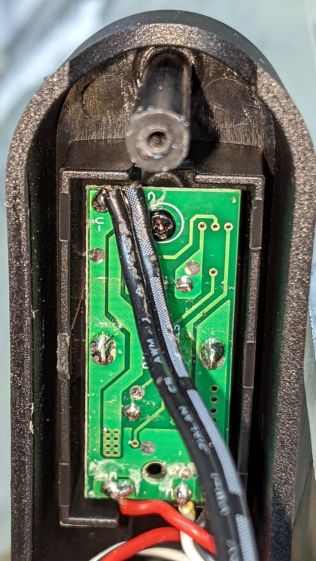
    LED Desk Lamp - Driver PCB
    LED Desk Lamp – Driver PCB

    The original 12 VAC transformer powered a 50 W halogen bulb and loafed along at 14.7 VAC (yes, RMS) into the 4 W LED. The light is somewhat dimmer at 12 VDC, but not enough to worry about.

    Aaaaand the photo bars are gone!

  • Alpha Geek Clock: Battery Refresh

    Alpha Geek Clock: Battery Refresh

    A pair of D cells can power an obsolete / out of production C-Max CMMR-60 WWVB receiver for about five years and, having the plastic pieces for a blinkie at hand, junking the faded case in favor of a test lashup seemed appropriate:

    C-Max CMMR-60 WWVB receiver - AA alkaline test setup
    C-Max CMMR-60 WWVB receiver – AA alkaline test setup

    Given the fragility of that ferrite bar, I should conjure a wide D-cell base, a bar holder to cover the ends, and a PCB mount of some sort.

    The receiver data pin drives the red LED of an RGB piranha through a 2.2 kΩ SMD resistor, so it’s visible in a dim room. Given that the thing flickers constantly during WWVB’s poor-reception daylight hours, reducing the LED current counts for almost everything.

    The antenna has a cap under that heatshrink tubing, which called for a resonance check:

    C-Max CMMR-60 WWVB receiver - antenna peaking - driver coil
    C-Max CMMR-60 WWVB receiver – antenna peaking – driver coil

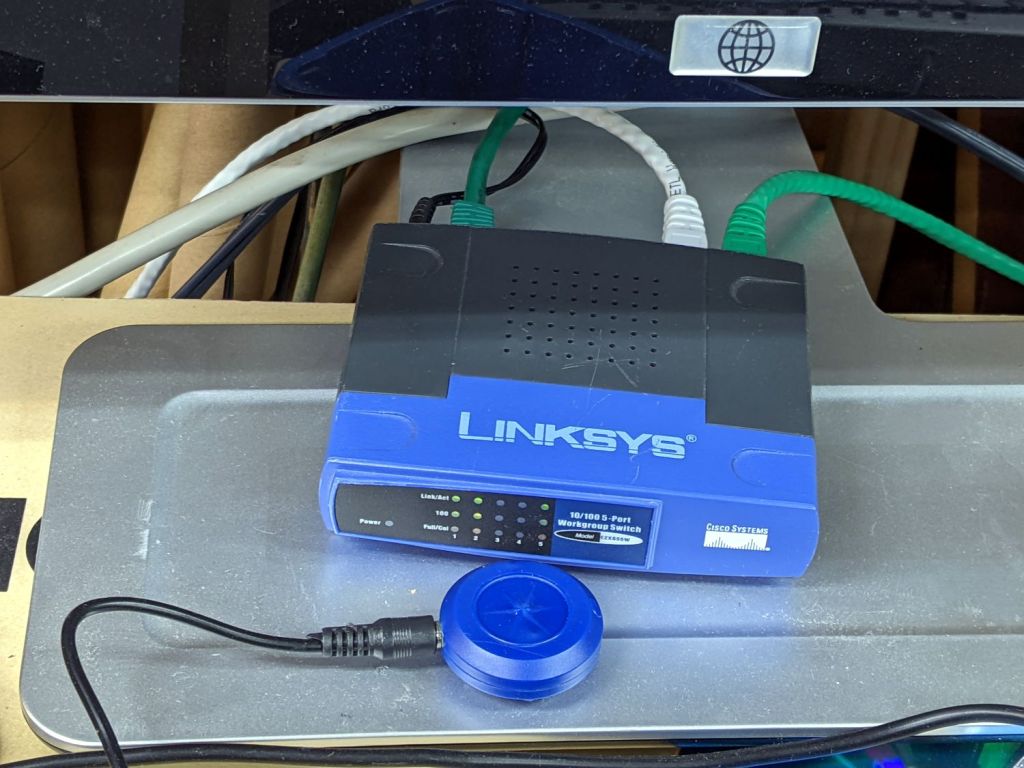
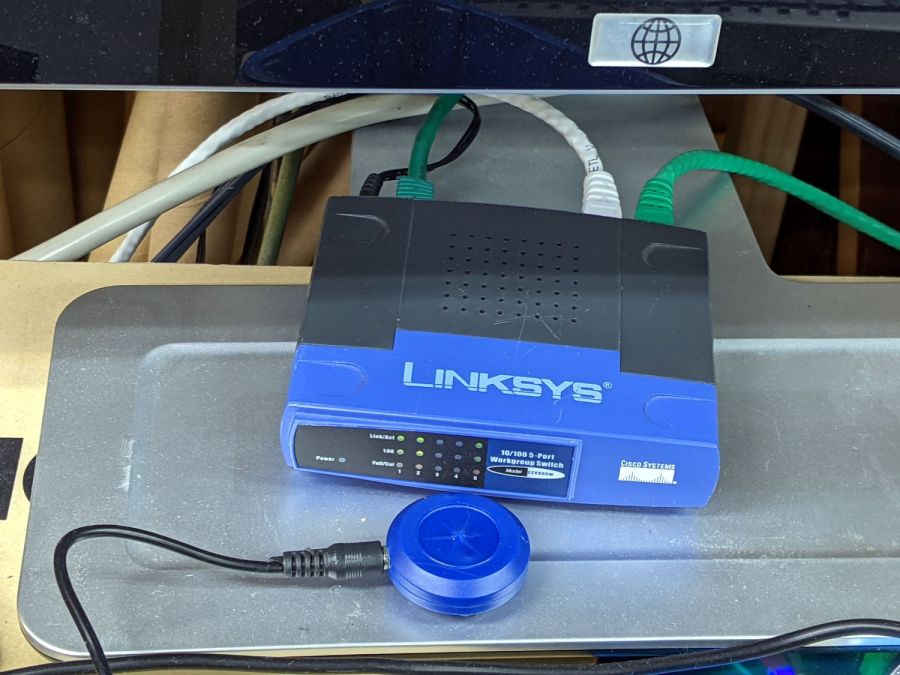
    The blue dingus is an RF sniffer driven three orders of magnitude below its frequency spec:

    C-Max CMMR-60 WWVB receiver - antenna peaking - function generator
    C-Max CMMR-60 WWVB receiver – antenna peaking – function generator

    The antenna response peaks where you’d expect:

    C-Max CMMR-60 WWVB receiver - antenna peaking - scope
    C-Max CMMR-60 WWVB receiver – antenna peaking – scope

    Given the broad peak and typical tolerances, it’s spot on.

  • CNC 3018 Tool Clamp Rehabilitation

    CNC 3018 Tool Clamp Rehabilitation

    The CNC 3018 Z-axis stage has a plastic clamp holding the spindle motor, so I just duplicated the motor diameter in the mounts for my diamond drag bit, cheap pen, and fancy pen holders. For obvious reasons, I tend to err on the small side for anything intended to fit into anything else, which led to each of the holders sporting a small strip of tape to soak up the difference.

    While poking around the 3018, I once again noticed the clamp’s crappy fit around the holder:

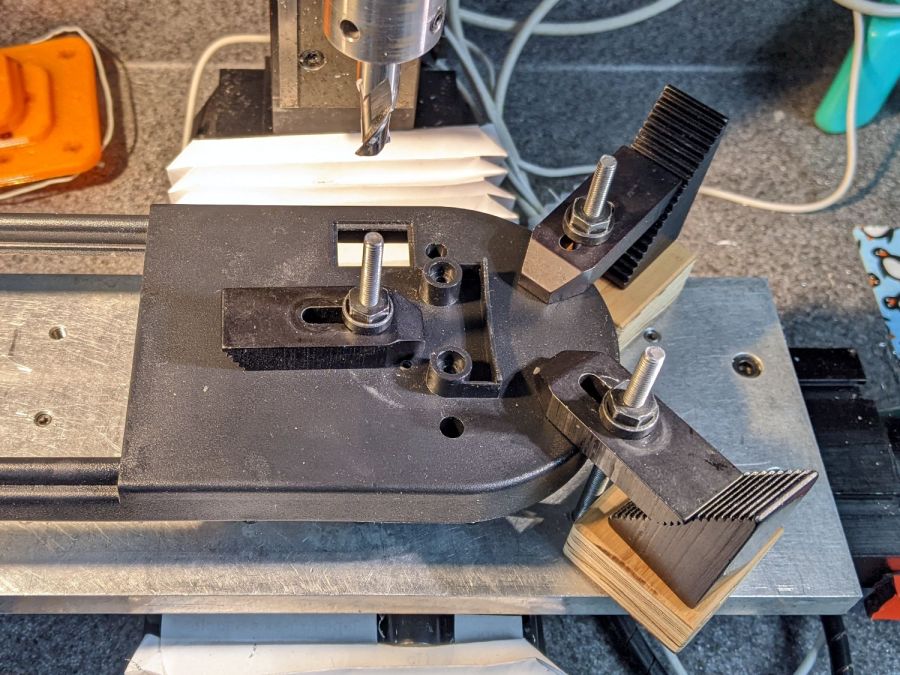
    CNC3018 tool clamp - top
    CNC3018 tool clamp – top

    The inside should be circular, but it’s definitely not:

    CNC3018 tool clamp - top detail
    CNC3018 tool clamp – top detail

    The end of the 30 mm M3 SHCS bottoms out before the clamp closes, although I’ve managed to crank the screw tight enough to put enough of a dent in there to snug the clamp:

    CNC3018 tool clamp - side
    CNC3018 tool clamp – side

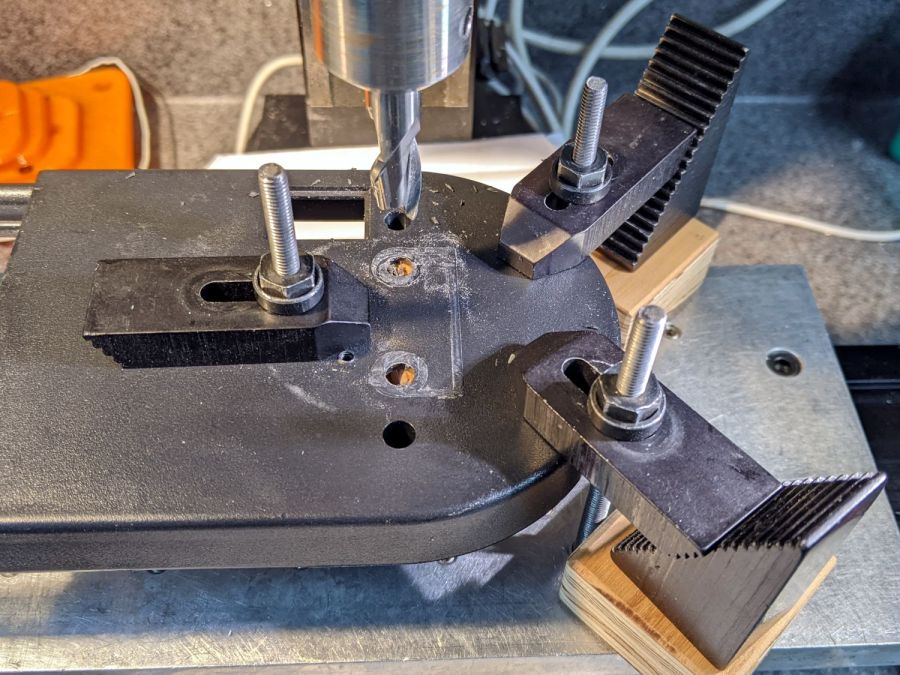
    Some awkward scraping and filing eroded enough of the plastic to let a 25 mm SHCS close the clamp firmly around the holder:

    CNC3018 tool clamp - revised
    CNC3018 tool clamp – revised

    The tool holders now slide in easily with the screw released and fit firmly with the screw tightened a reasonable amount, minus the tape snippets shimming the difference.

    If I had the courage of my convictions, I’d take it all apart, bore the clamp out to a circular profile, realign the clamp screw passage to suit, then rebuild all those tool holders for the new diameter; it now works well enough to tamp that project down.

  • Clearing the Noto Font Clutter: Again

    Installing Atkinson Hyperlegible reminded me to clear out the Noto font clutter in this (relatively nerecentw) Manjaro installation. Of course fonts now appear in slightly different locations with slightly different names, so this remains just a serving suggestion:

    cd /usr/share/fonts/noto
    sudo chmod a-w NotoSans-*
    sudo chmod a-w NotoSansMono*
    sudo chmod a-w NotoSansDisplay*
    sudo chmod a-w NotoSansMath*
    sudo chmod a-w NotoSansSymbol*
    sudo chmod a-w NotoSerif-*
    sudo chmod a-w NotoSerifDisplay*
    sudo chmod a-w NotoMusic*
    sudo chmod a-w NotoMath*
    sudo find . -perm /u=w -name \*ttf -delete
    

    Get rid of some other clutter:

    cd ../TTF
    sudo chmod a-w DejaVu*
    sudo chmod a-w Inconsolata-*
    sudo find . -perm /u=w -name \*ttf -delete
    cd ../droid
    sudo chmod a-w DroidSans-Bold.ttf 
    sudo chmod a-w DroidSans.ttf 
    sudo chmod a-w DroidSansFallback*
    sudo chmod a-w DroidSansMono.ttf 
    sudo chmod a-w DroidSerif-*
    cd ../adobe-source-han-sans
    sudo rm *otf
    

    For unknown reasons, we now have two font cache updaters:

    sudo fc-cache -v -f
    sudo fc-cache-32 -v -f
    

    Now font selection in, say, LibreOffice doesn’t involve paging through a myriad fonts in languages I cannot recognize, let alone read. Admittedly, Inconsolata does have more variations than I’ll ever use.

  • Improved Mini-lathe Disk Turning Fixture

    Improved Mini-lathe Disk Turning Fixture

    Unsurprisingly, the mini-lathe lacks enough stiffness to apply enough force to hold a disk in place while turning its rim:

    Tour Easy Rear Running Light - end cap fixture - swirled adhesive
    Tour Easy Rear Running Light – end cap fixture – swirled adhesive

    The old South Bend lathe had mojo, but those days are gone.

    So drill and tap that fixture for an M3 screw, then stick some coarse sandpaper to it:

    Improved disk turning tool
    Improved disk turning tool

    Snug the screw (a Torx T9 from the Small Drawer o’ Random M3 Screws) down on a rough-cut disk:

    Improved disk turning tool - in use
    Improved disk turning tool – in use

    Sissy cuts remain the order of the day, but the screw applies plenty of clamping force and doesn’t require the hulking live center.

  • Dirt Devil Vacuum Tool Adapters

    Dirt Devil Vacuum Tool Adapters

    Being the domain expert for adapters between a new vacuum cleaner and old tools, this made sense (even though it’s not our vacuum):

    Dirt Devil Nozzle Bushing - solid model
    Dirt Devil Nozzle Bushing – solid model

    The notch snaps into a Dirt Devil Power Stick vacuum cleaner and the tapered end fits a variety of old tools for other vacuum cleaners:

    Dirt Devil Nozzle Bushing top view - solid model
    Dirt Devil Nozzle Bushing top view – solid model

    Having some experience breaking thin-walled adapters, these have reinforcement from a PVC tube:

    Dirt Devil adapter - parts
    Dirt Devil adapter – parts

    A smear of epoxy around the interior holds the tube in place:

    Dirt Devil adapters - assembled
    Dirt Devil adapters – assembled

    Building the critical dimensions with a 3D printed part simplified the project, because I could (and did!) tweak the OpenSCAD code to match the tapers to the tools. Turning four of those tubes from a chunk of PVC conduit, however, makes a story for another day.

    The OpenSCAD source code as a GitHub Gist:

    // Dirt Devil nozzle adapter
    // Ed Nisley KE4ZNU 2021-10
    // Tool taper shift
    Finesse = -0.1; // [-0.5:0.1:0.5]
    // PVC pipe liner
    PipeOD = 28.5;
    /* [Hidden] */
    //- Extrusion parameters
    ThreadThick = 0.25;
    ThreadWidth = 0.40;
    HoleWindage = 0.2;
    function IntegerMultiple(Size,Unit) = Unit * ceil(Size / Unit);
    Protrusion = 0.1; // make holes end cleanly
    //———————-
    // Dimensions
    TAPER_MIN = 0;
    TAPER_MAX = 1;
    TAPER_LENGTH = 2;
    Socket = [36.0,37.0,40.0];
    LockringDia = 33.5;
    LockringWidth = 4.5;
    LockringOffset = 2.5;
    Tool = [Finesse,Finesse,0] + [30.0,31.1,30.0];
    AdapterOAL = Socket[TAPER_LENGTH] + Tool[TAPER_LENGTH];
    NumSides = 36;
    $fn = NumSides;
    //———————-
    // Useful routines
    module PolyCyl(Dia,Height,ForceSides=0) { // based on nophead's polyholes
    Sides = (ForceSides != 0) ? ForceSides : (ceil(Dia) + 2);
    FixDia = Dia / cos(180/Sides);
    cylinder(r=(FixDia + HoleWindage)/2,h=Height,$fn=Sides);
    }
    //——————-
    // Define it!
    module Adapter() {
    difference() {
    union() {
    difference() {
    cylinder(d1=Socket[TAPER_MIN],d2=Socket[TAPER_MAX],h=Socket[TAPER_LENGTH]);
    translate([0,0,LockringOffset])
    cylinder(d=2*Socket[TAPER_MAX],h=LockringWidth);
    }
    cylinder(d=LockringDia,h=Socket[TAPER_LENGTH]);
    translate([0,0,LockringOffset + 0.75*LockringWidth])
    cylinder(d1=LockringDia,d2=Socket[TAPER_MIN],h=0.25*LockringWidth);
    translate([0,0,Socket[TAPER_LENGTH]])
    cylinder(d1=Tool[TAPER_MAX],d2=Tool[TAPER_MIN],h=Tool[TAPER_LENGTH]);
    }
    translate([0,0,-Protrusion])
    PolyCyl(PipeOD,AdapterOAL + 2*Protrusion,NumSides);
    }
    }
    //———————-
    // Build it!
    Adapter();

    The taper in the code almost certainly won’t fit whatever tool you have: measure thrice, print twice, and maybe fit once …