The Smell of Molten Projects in the Morning

Ed Nisley's Blog: Shop notes, electronics, firmware, machinery, 3D printing, laser cuttery, and curiosities. Contents: 100% human thinking, 0% AI slop.

Tag: Improvements

Making the world a better place, one piece at a time

  • Underwriter’s Knot

    Underwriter’s Knot

    Found inside a fluorescent desk lamp being salvaged for possible use as an LED task lamp:

    Fluorescent Desk Lamp - Underwriters Knot
    Fluorescent Desk Lamp – Underwriters Knot

    It’s one of the few Underwriter’s Knots I’ve ever seen in the wild. Many recent (i.e., built in the last half-century) lamps pass the cords through a plastic clamp or depend on simple bushings, with some just ignoring the problem.

    This anonymous lamp sports the usual Made in China sticker, but also features a genuine-looking UL sticker complete with elaborate holograms, so it may well have been sold by a reputable company. IIRC, it came from a trash can in a Vassar College hallway, back when in-person meetings were a thing; perhaps Vassar required known-good electrical hardware.

  • CNC-3018XL: Improved X-Axis Home Switch Mount

    CNC-3018XL: Improved X-Axis Home Switch Mount

    A few months of inactivity left the CNC-3018XL table parked in its homed position where the gentle-but-inexorable pressure of the switch lever displaced the foam holding the plastic actuator tab on the X-axis bearing enough that it would no longer operate reliably:

    3018 CNC - Y axis endstop
    3018 CNC – Y axis endstop

    Putting foam tape in a highly leveraged position produces the same poor results as in finance.

    The fix requires reorienting the switch so a solid block on the bearing can push directly on the actuator lever:

    CNC-3018 X Home Switch - bottom view
    CNC-3018 X Home Switch – bottom view

    The block must curve around the bearing to give the tape enough surface area for a good grip:

    CNC-3018 X Home Switch - oblique view
    CNC-3018 X Home Switch – oblique view

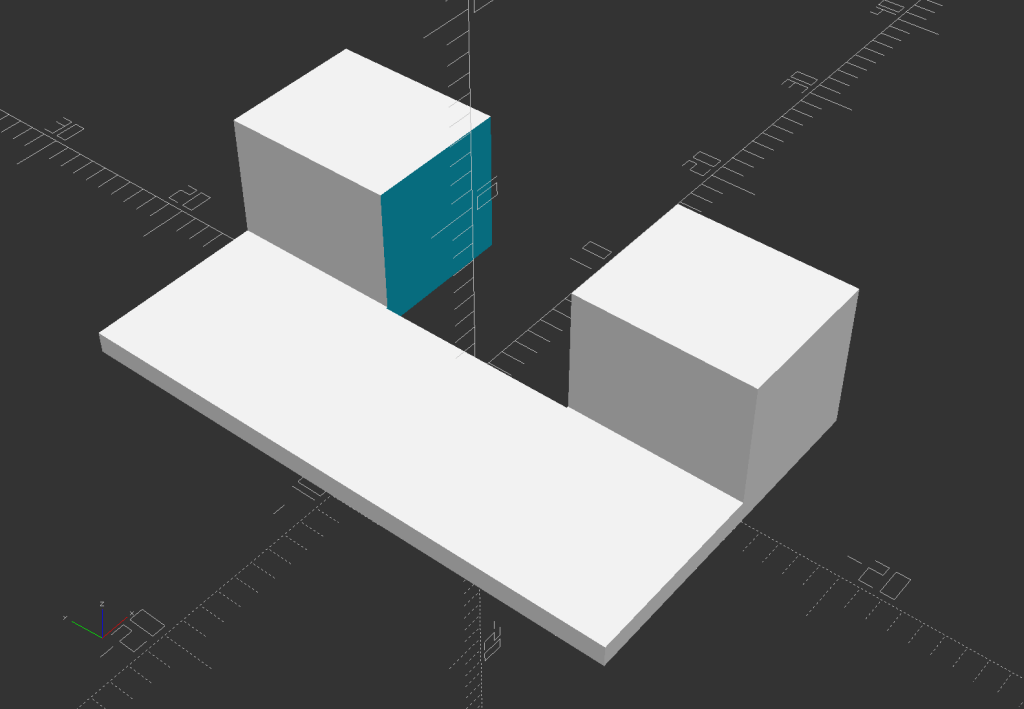
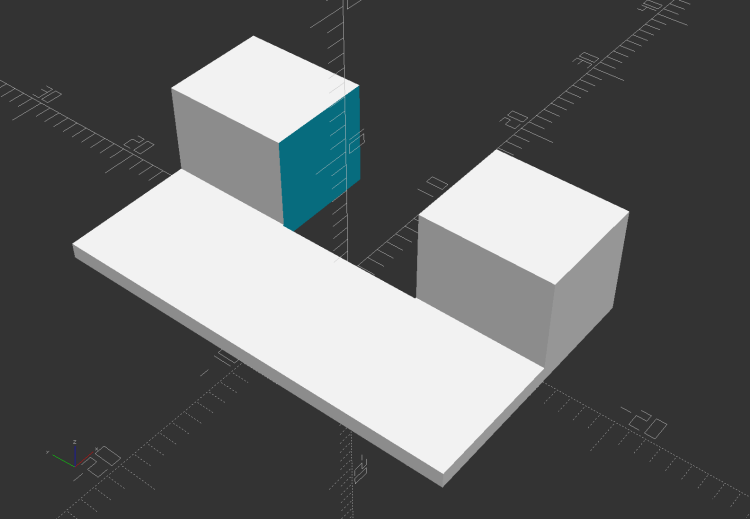
    The solid model for the new X-axis mount looks about like you’d expect:

    CNC-3018 X Home Switch Mount - solid model
    CNC-3018 X Home Switch Mount – solid model

    I increased the home switch pulloff to 2 mm, although it’s not clear that will make any difference in the current orientation.

    The OpenSCAD source code as a GitHub Gist:

    // 3018-Pro Mount for Makerbot Endstop PCB
    // Ed Nisley KE4ZNU – 2019-07 (using OEM machine axes)
    // 2022-02-02 rotate X block (after renaming axes to match new layout)
    /* [Build Options] */
    Layout = "Show"; // [Build, Show]
    /* [Hidden] */
    ThreadThick = 0.25; // [0.20, 0.25]
    ThreadWidth = 0.40; // [0.40]
    function IntegerMultiple(Size,Unit) = Unit * ceil(Size / Unit);
    Protrusion = 0.01; // [0.01, 0.1]
    HoleWindage = 0.2;
    ID = 0;
    OD = 1;
    LENGTH = 2;
    //- Shapes
    // Basic PCB with hole for switch pins
    // origin at switch actuator corner, as seen looking at component side
    SwitchClear = [15.0,5.0,2.0]; // clearance around switch pins
    SwitchOffset = [12.5,9.0,0.0]; // center of switch pins from actuator corner
    PCB = [26.0,16.4,2*SwitchClear.z]; // switch PCB beyond connector, pin height
    //XBlock = [PCB.x + 10.0,PCB.y,20.0];
    XBlock = [PCB.x,PCB.y,10.0];
    XBearing = [10.0,26.5,28.5];
    XPin = [10.0,20.0,10.0];
    module XMount() {
    if (false) // side-push switch tended to slip
    difference() {
    translate([-10.0,0,0])
    cube(XBlock,center=false);
    translate([0,-Protrusion,10.0])
    cube(XBlock + [0,2*Protrusion,0],center=false);
    translate(SwitchOffset + [0,0,10.0 – SwitchClear.z/2])
    cube(SwitchClear + [0,0,Protrusion],center=true);
    }
    else {
    difference() {
    cube(XBlock,center=false);
    translate(SwitchOffset + [0,0,XBlock.z – SwitchClear.z/2])
    cube(SwitchClear + [0,0,Protrusion],center=true);
    }
    translate([1.25*XBlock.x,0,0])
    difference() {
    cube(XPin + [0,0,XBearing[OD]/4],center=false);
    translate([-Protrusion,XPin.y/2,XPin.z + XBearing[OD]/2])
    rotate([0,90,0])
    cylinder(d=XBearing[OD],h=XPin.x + 2*Protrusion,center=false);
    translate([-Protrusion,-XPin.y/2,XPin.z])
    cube(XPin + [2*Protrusion,0,0],center=false);
    }
    }
    }
    YBlock = [PCB.x,PCB.y,5.0];
    module YMount() {
    difference() {
    cube(YBlock,center=false);
    translate(SwitchOffset + [0,0,YBlock.z – SwitchClear.z/2])
    cube(SwitchClear + [0,0,Protrusion],center=true);
    }
    }
    ZBlock = [PCB.x,PCB.y,6.0];
    ZPin = [20.0,10.0,5.5];
    module ZMount() {
    difference() {
    cube(ZBlock,center=false);
    translate(SwitchOffset + [0,0,ZBlock.z – SwitchClear.z/2])
    cube(SwitchClear + [0,0,Protrusion],center=true);
    }
    translate([1.25*ZBlock.x,0,0])
    difference() {
    cube(ZPin,center=false);
    translate([ZPin.x/2,-Protrusion,4.0])
    cube(ZPin + [0,2*Protrusion,0],center=false);
    }
    }
    //- Build things
    if (Layout == "Show") {
    translate([0,XBlock.y,0])
    YMount();
    translate([0,-XBlock.y/2])
    XMount();
    translate([0,-(ZBlock.y + XBlock.y)])
    ZMount();
    }
  • Inkjet Refilling: End of an Era

    Inkjet Refilling: End of an Era

    Just before the turn of the millennium, I bought what turned out to be a never-sufficiently-to-be-damned HP 2000C inkjet printer that served as my introduction to refilling inkjet cartridges. A few years later, a Canon S630 printer joined the stable and worked fine for perhaps five years before succumbing to a printhead death. An Epson R380 that might have cost fifteen bucks after rebate took over, drank maybe a gallon of knockoff ink through a continuous ink supply system during the next thirteen years, and finally suffered progressive printhead failure during the last year.

    Something recently changed in the inkjet market: Epson (among others) now touts their “Ecotank” printers featuring large internal reservoirs refilled by 70 ml bottles of color ink priced at perhaps 20¢/ml, obtained direct from Epson via Amazon. They proudly note you can save 90% off the cost of cartridges (“Kiss Expensive Cartridges Goodbye”), without mentioning how their previous extortionate cartridge business made that possible. Of course, Ecotank printers cost far more than cartridge-based printers, but that seems reasonable to me.

    Because the ink bottles fit neatly into the printer through a push-to-flow valve interlock, I can finally retire this relic:

    Inkjet refilling towel
    Inkjet refilling towel

    That’s maybe fifteen years of accumulated splotches.

    I hope my refusal to buy their cartridges helped immanentize their eschaton, just a little.

    Good riddance.

  • Raspberry Pi: WLAN to Wired Network

    Raspberry Pi: WLAN to Wired Network

    The CNC-3018XL and MPCNC machines each have a Raspberry Pi feeding G-Code into an Arduino clone controlling the stepper motors. The former grew a USB WiFi interface in place of its internal WiFi hardware when it seemed to have difficulty connecting to the house router, while the latter pretty much worked. Of late, however, I’ve been trying to reduce the number of WiFi devices cluttering the airwaves, with the result of wiring both machines to an old Ethernet switch from the Box o’ Network Stuff:

    LinkSys Switch for CNC machines
    LinkSys Switch for CNC machines

    The blue puck is the KVM button to select one of the machines for the keyboard / mouse / monitor on the bench.

    One key point I generally screw up: the WiFi IP address cannot become the wired IP address without rebooting everything else on the network. Instead, just change the IP addresses and be done with it.

    Collecting all the pieces in one place:

    Disable the both internal WiFi hardware and Bluetooth in /boot/config.txt, thereby eliminating the need to force the WiFi down in /etc/rc.local:

    dtoverlay=pi3-disable-wifi
    dtoverlay=pi3-disable-bt
    

    Define the static IP address in /etc/dhcpcd.conf:

    interface eth0
    static ip_address=192.168.1.34/24
    static routers=192.168.1.1
    static domain_name_servers=192.168.1.2
    

    Kill IPV6 activity in /etc/sysctl.conf:

    net.ipv6.conf.all.disable_ipv6=1
    

    I very much doubt this information is either complete or correct, but it serves the purpose as of early 2022.

  • Floor Lamp Shortening

    Floor Lamp Shortening

    A new floor lamp similar to the one I adjusted to suit my chair appeared next to Mary’s chair. It was, as I expected, much too tall, but shortening it required just removing one of the vertical tube sections (exactly one foot long!), as Mary was content with the flexy arm’s reach. Perhaps as a nod to the current chip shortage, this version of the lamp has a control consisting of a mechanical knob in a lump just under the flexy arm: push to turn on, rotate for intensity, tap for color, push-and-hold for off. This is much more usable than the finicky proximity pads on my lamp (and the slightly more expensive version of this one), which is why I picked it.

    Because the coaxial power connector doesn’t fit through the bushing in the base of the vertical tubes and didn’t have a connector at the control lump, I had to dismantle the lump to disconnect the power cable to remove the pipe section, an operation deep in warranty violation territory.

    So, we begin.

    Loosen the screw clamping the power cord to the tube just below the control lump:

    LED Floor Lamp - DC wire clamp
    LED Floor Lamp – DC wire clamp

    Remove the two screws holding the control lump together:

    LED Floor Lamp - control case
    LED Floor Lamp – control case

    Pull the front of the lump off the tube and peel off a protective foam sheet to expose the circuitry:

    LED Floor Lamp - PCB silkscreen
    LED Floor Lamp – PCB silkscreen

    Power comes from a 12 VDC 400 mA wall wart, so note the wire markings:

    LED Floor Lamp - DC wire marking
    LED Floor Lamp – DC wire marking

    In this case, the marked wire (with the dashed lines) is the positive conductor:

    LED Floor Lamp - DC polarity PCB marking
    LED Floor Lamp – DC polarity PCB marking

    Unsolder the cable and pull it out of the entire collection of tubing. The topmost section has two inner threads, so remove one of the other sections (with inner and outer threads) and reassemble the rest. Poke the cable through the tubes, solder to PCB, tighten clamp screw, reassemble lump in reverse order, then declare victory:

    LED Floor Lamp - shortened
    LED Floor Lamp – shortened

    The business end now hovers 39 inches (a neat 1 m) over the floor, just below her eye level, where it belongs.

  • Ottlite Conversion: Mini-Lathe LED Lighting

    Ottlite Conversion: Mini-Lathe LED Lighting

    An ancient Ottlite fluorescent floor lamp (one of a pair bought during a closeout sale at a minute fraction of their absurd sticker price) finally aged out. Pondering what to do with the carcass led to this discovery:

    Ottlite conversion - LED panel fit check
    Ottlite conversion – LED panel fit check

    Half of a Samsung (!) LED panel (presumably sheared by the surplus supplier) fit so perfectly in place of the fluorescent tube that I just had to make it happen.

    The original fluorescent ballast mounted in the smaller compartment:

    Ottlite conversion - OEM fluorescent driver
    Ottlite conversion – OEM fluorescent driver

    I like the air-cooled triac sticking off the side of the PCB.

    The lamp originally mounted parallel to the flex arm, but I wanted it at a right angle, so the molded bracket had to go:

    Ottlite conversion - bracket milling setup
    Ottlite conversion – bracket milling setup

    Which required a few minutes of manual jogging:

    Ottlite conversion - bracket milled
    Ottlite conversion – bracket milled

    Some coordinate drilling on the Sherline converted a rectangle of aluminum sheet into a backing plate inside the base (visible through the original holes) to spread the stress over a larger area:

    Ottlite conversion - flex arm mount
    Ottlite conversion – flex arm mount

    The new 24 V 1 A power supply mounts pretty much where the OEM ballast came from, although I had to hack out the molded screw bosses and perch the PCB atop four aluminum standoffs anchored in globs of high-temperature hot-melt glue:

    Ottlite conversion - power supply
    Ottlite conversion – power supply

    You might think the white and black wires on the right are interchanged, because you’re not supposed to switch the neutral, but only if you also insist anybody cares about the colors of wires inside a molded cord. This one came from a nominally good-quality cord with an IEC connector now in the e-waste box: trust yet always always verify.

    The LED panel sticks to the aluminum sheet with thermal tape and is clamped in place with a quartet of M2.5 standoffs:

    Ottlite conversion - bottom view
    Ottlite conversion – bottom view

    I’ll eventually make a better cover than a strip of overhead projector film (remember overhead projectors?), as spattering the LEDs with cutting oil and random conductive swarf is Bad Practice™.

    A little more cutting and drilling produced an angle bracket for the lathe backsplash panel:

    Ottlite conversion - installed
    Ottlite conversion – installed

    Thing looks like it grew there, doesn’t it?

    The end of the backsplash might need a 3D printed bracket to stabilize its right-angle bends and prevent wobbulation, although I’ll wait until that becomes a real problem before solving it.

    The top of that stylin’ lamp shade tapers along its length and, unfortunately, appears directly in front of the MPCNC bench across the basement (out of sight at the top) as I stand at the lathe. Having the shade not align exactly parallel to the bench is more annoying than it really should be; perhaps I can get used to it after spending more time at the lathe.

    I loves me some good LED lighting …

  • Stylus Cover: Tiny Threading Tool

    Stylus Cover: Tiny Threading Tool

    For unknown reasons, Mary’s Pixel 3a phone sometimes does not react to her fingertip, so she now has a stylus for such occasions. The cap covers the delicate fine-tip end (with the weird clear disk), leaving the rounded mesh end exposed to dock the cap.

    I made a pair of covers for the mesh end, mostly because the styli came in a two-pack and I carry mine in a pocket pouch that will likely abrade the mesh:

    Stylus Covers
    Stylus Covers

    They’re made from 3/8 inch = 9.52 mm acetal / Delrin rod, turned down to match the 9.4 mm stylus OD. The thread resembles a standard M8×1.25 with very rounded crests:

    Stylus Covers - thread
    Stylus Covers – thread

    While it’s possible to tap such a thinwalled cylinder with some exterior reinforcement, the (standard / normal / regulation / crispy) thread form of the hitherto entirely unused M8×1.25 tap cowering in the back of the drawer seemed a poor fit and, not being a bottoming tap, it wouldn’t cut full threads where they’re needed.

    Besides, what’s the fun in that?

    Lacking a threading tool small enough to fit inside the 7.4 mm bore, I gnawed one from a snippet of spring steel wire harvested from a dead box spring. The first pass was much too wide, but gave me the opportunity to make a few mistakes while shaping the tip:

    Tiny Threading Tool - first pass
    Tiny Threading Tool – first pass

    The discoloration on the shank betrays the torching required to knock the hardness down to something file-able. A little more Dremel cutoff wheel / grinder / file action produced a tiny tooth matching the rounded thread form on the stylus:

    Tiny Threading Tool - second pass
    Tiny Threading Tool – second pass

    A side / bottom view shows the crude grinding and excessive angles:

    Tiny Threading Tool - side view
    Tiny Threading Tool – side view

    A real machinist would harden and temper it, but I didn’t bother for a tool cutting two non-critical threads in plastic.

    Somewhat to my surprise, the mini-lathe can cut a 1.25 mm thread without any fancy metric change gears: a simple 35-40-45-50 train did the trick. Running dead slow gave me enough time to poke the power button and let it coast down as it approached the carriage stop marking the end of the thread: cutting plastic is much less exciting than, say, Real Steel.

    When all the cutting was done, I beveled the cap for my stylus to fit better into the bottom of the pouch, but that’s definitely in the nature of fine tuning:

    Stylus Cover - bevels
    Stylus Cover – bevels

    The second one went much faster and I should have made a third while I was hot.

    A doodle giving the key dimensions:

    Stylus Cover - dimensions
    Stylus Cover – dimensions

    Another day of Quality Shop Time™!