The Smell of Molten Projects in the Morning

Ed Nisley's Blog: Shop notes, electronics, firmware, machinery, 3D printing, laser cuttery, and curiosities. Contents: 100% human thinking, 0% AI slop.

Tag: Improvements

Making the world a better place, one piece at a time

  • Tour Easy: Terracycle Chain Idler Bushing

    Tour Easy: Terracycle Chain Idler Bushing

    It turns out that under rare conditions, triggered by fumbling a front derailleur shift, the upper chain section (out of the picture on the top) can whip vertically enough to jam between the Terracycle Idler’s mounting bolt and its longer chain retaining pin:

    Tour Easy - Terracycle idler
    Tour Easy – Terracycle idler

    Whereupon the chain falls off the chainring, jams firmly between the spider and the crank, and brings the proceedings to a halt.

    Having finally figured out the cause, I made a simple bushing to fit around the mounting bolt, reduce the gap, and (I hope) eliminate the problem:

    Tour Easy - Terracycle idler bushing
    Tour Easy – Terracycle idler bushing

    Given its rarity, I will need a few more years to verify the solution.

    Might get around to cleaning the chain one of these days, too …

  • OMTech 60 W Laser: Dual-path Air Assist

    OMTech 60 W Laser: Dual-path Air Assist

    A tweak to the air assist plumbing of my OMTech 60 W laser produces much the same result as Russ Sadler’s Super Ultimate Air Assist, with somewhat less plumbing and cheaper Amazon parts:

    OMTech Laser - air assist - plumbing
    OMTech Laser – air assist – plumbing

    The overall doodle shows the electrical wiring and pneumatic plumbing:

    Dual-path air assist diagram
    Dual-path air assist diagram

    The electronics bay now has two solid state relays:

    OMTech Laser - air assist SSRs
    OMTech Laser – air assist SSRs

    The front SSR turns on the air pump when the controller activates the STATUS or AUX AIR outputs; the diode between the (-) terminals acts as wired-OR.

    The rear SSR turns on the solenoid valve whenever the AUX AIR output is active. The diode turns on the other SSR to start the pump.

    When the laser cutter is idle, both the STATUS and AUX AIR outputs are inactive, so the pump doesn’t run and the solenoid is closed.

    The controller has a front-panel AUX AIR button that turns on its eponymous output, which turns on both the solenoid and the pump. I have turned it on to verify the circuitry works, but don’t do any manual cutting. I never was very good with an Etch-a-Sketch and the laser’s UI is much worse.

    LightBurn includes an Air Assist setting for each cut layer, which should be OFF for engraving layers and ON for cutting layers. Basically, you go through the Material Library and tweak all the values , then It Just Works™ when you assign that material setting to a particular layer.

    The solenoid valve must be a “direct acting solenoid valve“, as the air pump produces about 3 psi and cannot activate a “self piloted” solenoid valve. When the valve is open, the pump can push about 12 l/min through the plumbing to the nozzle:

    OMTech Laser - air assist - 12 lpm flow
    OMTech Laser – air assist – 12 lpm flow

    That’s noticeably lower than the 14 l/min without all the valves and additional plumbing.

    The flow control valve is a manually adjusted needle valve to restrict the engraving air flow to maybe 2 l/min, just enough to keep the smoke / fumes out of the nozzle and away from the lens, when the solenoid valve is closed.

    I set the controller to delay for 1 s after activating the air pump to let it get up to speed. There’s an audible (even to my deflicted ears) rattle from the flowmeter when the air assist solenoid opens.

    The paltry 12 l/min seems to promote clean cuts and 2 l/min doesn’t push much smoke into the surface around the engraved area.

    So far, so good.

  • OMTech 60 W Laser: Improved COB LED Shades

    OMTech 60 W Laser: Improved COB LED Shades

    Adding (fake) rivets to the COB LED shade brackets definitely improves their appearance:

    Acrylic COB LED Shade - installed
    Acrylic COB LED Shade – installed

    I cut new shades from vintage clear acrylic sheet, with more aluminized mylar attached to the lower surface: you can barely see the COB LED strip through the reflecting surface.

    Depending on how you arrange all the hardware hanging on the nozzle, the shades can collide with something at the home position in the far right corner:

    Acrylic COB LED Shade - X clearance
    Acrylic COB LED Shade – X clearance

    Definitely a step up from cardboard …

  • OMTech 60 W Laser: Improved MDF Spikes and Stops

    OMTech 60 W Laser: Improved MDF Spikes and Stops

    A bit of tinkering suggested I needed a way to repeatably position stock sheets on the honeycomb, so I conjured stops that would be slightly taller than the magnetic spikes:

    Improved MDF Honeycomb Spikes - first pass
    Improved MDF Honeycomb Spikes – first pass

    Three of those form a corner into which you can tuck victims of the same general size:

    Improved MDF Honeycomb Spikes - stock alignment
    Improved MDF Honeycomb Spikes – stock alignment

    Those pointy MDF spikes should start with slightly rounded tops, because that’s what they’ll look like after a few uses:

    Improved MDF Honeycomb Spikes - alignment stops
    Improved MDF Honeycomb Spikes – alignment stops

    I also made a low-profile stop for victims lying directly on the honeycomb for engraving:

    Please Close The Gate - engraved
    Please Close The Gate – engraved

    The SVG images include a nested version to tile across random MDF leftovers.

    The SVG images as a GitHub Gist:

    Loading
    Sorry, something went wrong. Reload?
    Sorry, we cannot display this file.
    Sorry, this file is invalid so it cannot be displayed.
    Loading
    Sorry, something went wrong. Reload?
    Sorry, we cannot display this file.
    Sorry, this file is invalid so it cannot be displayed.
  • OMTech 60 W Laser: Magnetic Honeycomb Spikes

    OMTech 60 W Laser: Magnetic Honeycomb Spikes

    When a cardboard base plate under metal spikes would pose a fire hazard, you can position magnetic spikes where they’re needed:

    Magnetic Honeycomb Spikes - acrylic
    Magnetic Honeycomb Spikes – acrylic

    The 12 mm neodymium magnet is slightly larger than a single honeycomb cell, so it wants to center itself atop a cell. The stainless steel button head screw sits in the magnet’s countersunk hole and protrudes just enough to make sure the spike doesn’t slide sideways unless you want it to:

    Magnetic Honeycomb Spikes - parts detail
    Magnetic Honeycomb Spikes – parts detail

    A cloud of combustible gas doesn’t pose a threat under there:

    Magnetic Honeycomb Spikes - MDF
    Magnetic Honeycomb Spikes – MDF

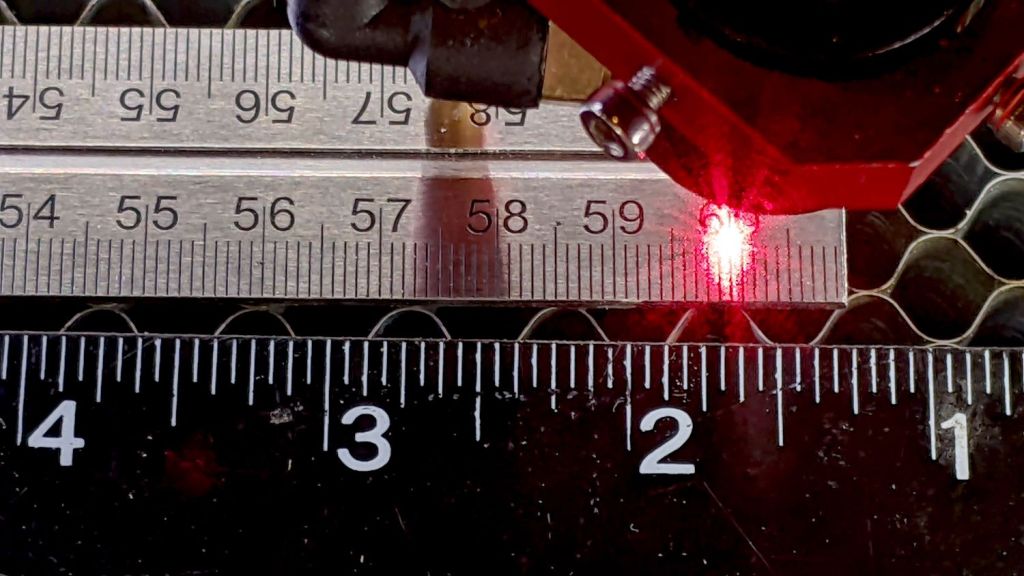
    The thin red beam comes from the targeting laser on the back of the nozzle.

    Storage is easy: just smush a handful of the things against the side of the laser cabinet:

    Magnetic Honeycomb Spikes - storage
    Magnetic Honeycomb Spikes – storage

    Buy all the parts in lots of 100 to have supplies for other adventures!

  • Gentec ED-200 Optical Joulemeter: Specs

    Gentec ED-200 Optical Joulemeter: Specs

    The Gentec ED-200 optical joulemeter from the Box o’ Optical Stuff is so thoroughly obsolete that no datasheet exists for it anywhere online:

    Gentec ED-200 - measurement setup
    Gentec ED-200 – measurement setup

    The best I could come up with, after many dead ends, is a 2001 capture from gentec-eo.com at archive.org with the barest hint of specifications:

    Gentec ED-200 specs
    Gentec ED-200 specs

    The Max Energy Density spec suggests longer pulses are allowed to deposit more energy, probably because more time gives thermal diffusion an opportunity to spread the heat across the target; at CO₂ laser wavelengths that may not apply.

    With the platform lowered as far as it goes, the ED-200 is 130 mm below the laser nozzle where the beam diameter is about 6 mm for an area of 0.3 cm². Ignoring the ideal Gaussian beam profile by smearing 60 W uniformly across the circle gives a power density of 200 W/cm², which means the laser pulse must be less than 0.5 W·s / 200 W = 2.5 ms to stay inside the power density limit.

    I sincerely hope Gentec overbuilt and underspecified their detector.

    Also, there’s a useful overview document from Genetc-eo.com, wherein it is written:

    The Voltage Response
    The result is a voltage pulse that rises quickly with the response time of the device to a level proportional to the laser energy (Figure 2). It then decays exponentially over a longer period of time that is a function of the pyroelectric device and load impedance. Figure 2 also shows that there is a longer recovery time to return to the initial state of the detector. This is a function of thermal phenomena and is not affected by the load impedance as are the rise and decay times. The integrated pulse energy over this period is proportional to the peak voltage.

    Pulse Width Versus Rise Time

    Usually the applied laser pulse must be shorter than the rise time of the detector for all of its energy to be represented by the peak voltage. Pulse energy received after the detector voltage has peaked will not be fully integrated into that value. For very long pulses, the peak voltage will actually represent peak power rather than pulse energy.

    Gentec Energy Detectors, page 2

    Figure 2 shows the overall waveform:

    Gentec Energy Detectors - Figure 2
    Gentec Energy Detectors – Figure 2

    Which looks a lot like this 10 ms pulse at 50% duty cycle:

    Gentec ED-200 - 60W 50pct 10ms
    Gentec ED-200 – 60W 50pct 10ms

    The pulse was 10 ms long, much longer than the 1.5 ms ED-200 risetime spec, but the overall shape looks right. Dividing the 3.3 V peak by the detector’s 10.78 J/V calibration value (11 J/V works for me) says the pulse delivered 300 mJ = 300 mW·s. Dividing 300 mJ by 10 ms gives 30 W, a beam power astonishingly close to the expected value.

    The OMTech laser has a nominal 60 W output, although the tube life drops dramatically with regular use over 70% = 40 W. Power does not scale linearly with the laser tube current displayed on the power supply milliammeter, with the maximum value presumably preset to the tube’s 20 mA limit producing 60 W. The 20 kHz PWM duty-cycle chopping applied by the controller should linearly scale the average power downward from there.

    It looks like the ED-200 might deliver reasonable results for millisecond-scale pulses at low PWM duty cycles, but it was obviously intended for much milder lasers.

    On the other paw, it’s fully depreciated …

  • Gentec ED-200 Optical Joulemeter: Accessories

    Gentec ED-200 Optical Joulemeter: Accessories

    The Box o’ Optical Stuff disgorged an ancient Gentec ED-200 Joulemeter:

    Gentec ED-200 - measurement setup
    Gentec ED-200 – measurement setup

    It’s an optical pyrometer producing, sayeth the dataplate, an output of 10.78 V per joule of energy applied to its matte black absorber. Whether it’s accurate or not, I have no way of knowing, but aiming the business end toward the sun and waving my fingers over it produced a varying voltage, so there was hope.

    It has a 1/4-20 socket on one side and my spare magnetic mount expects a 3/8 inch rod, so I drilled a suitable hole in a suitable aluminum rod and cut the head off a suitable bolt:

    Gentec ED-200 mounting rod - parts
    Gentec ED-200 mounting rod – parts

    A dab of Loctite intended to secure bushings completed the assembly:

    Gentec ED-200 mounting rod - assembled
    Gentec ED-200 mounting rod – assembled

    I later replaced the nut with a finger-friendly nylon wingnut.

    Which allows a measurement setup along these lines:

    Gentec ED-200 - measurement setup
    Gentec ED-200 – measurement setup

    The white disk atop the sensor is a homebrewed target to indicate the active sensor area and its center point:

    Gentec ED-200 target - scorches
    Gentec ED-200 target – scorches

    The 1 mm graticule lines give a jogging suggestion to hit the center, assuming you (well, I) manage to hit anywhere on the target at the first shot. The beam is supposed to fill most of the central region, which is obviously not going to happen here, and it must not be focused to a pinpoint. The previous owner (or his minions) put a few scars on the surface and I expect to make similar mistakes.

    Early results look encouraging:

    Gentec ED-200 Joulemeter - first pulse
    Gentec ED-200 Joulemeter – first pulse

    The SVG image as a GitHub Gist:

    Loading
    Sorry, something went wrong. Reload?
    Sorry, we cannot display this file.
    Sorry, this file is invalid so it cannot be displayed.

    I added the two mounting ears in anticipation of putting the joulemeter in the beamline between the mirrors to measure their loss.