The Smell of Molten Projects in the Morning

Ed Nisley's Blog: Shop notes, electronics, firmware, machinery, 3D printing, laser cuttery, and curiosities. Contents: 100% human thinking, 0% AI slop.

Tag: Improvements

Making the world a better place, one piece at a time

  • Tree Work: Merlo Roto with Treecracker

    Tree Work: Merlo Roto with Treecracker

    [Edit: It’s a “Woodcracker”.]

    The best bid on a recent tree removal project replaced most of the usual crew with a Merlo Roto telehandler:

    Tree Work - Merlo setup
    Tree Work – Merlo setup

    The orange gadget on the end of the boom is a Woodcracker manipulator with a terrifying switchblade chainsaw:

    Tree Work - Merlo Woodcracker - rear
    Tree Work – Merlo Woodcracker – rear

    The saw has hydraulic motors, so you can hear the blade ripping through the wood.

    The jaws above the saw hold the piece during the cut:

    Tree Work - Merlo Woodcracker - side
    Tree Work – Merlo Woodcracker – side

    Then lift it away:

    Tree Work - Merlo Woodcracker - cut lift
    Tree Work – Merlo Woodcracker – cut lift

    The boom has a 115 foot vertical reach, so it can remove entire treetops:

    Tree Work - Merlo Woodcracker - align
    Tree Work – Merlo Woodcracker – align

    Then align the branch with the chipper’s gullet and ram it into the feed rollers, with no intervention from the ground crew:
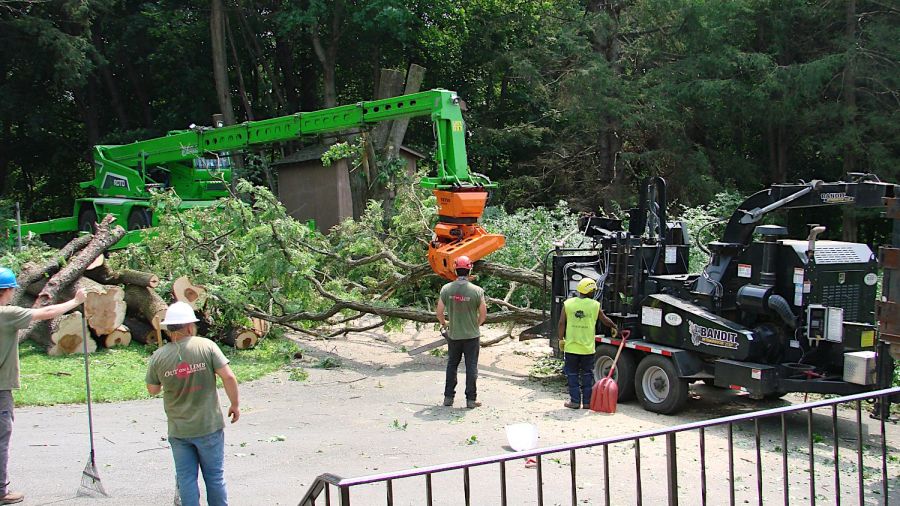
    Tree Work - Merlo - chipper feeding
    Tree Work – Merlo – chipper feeding

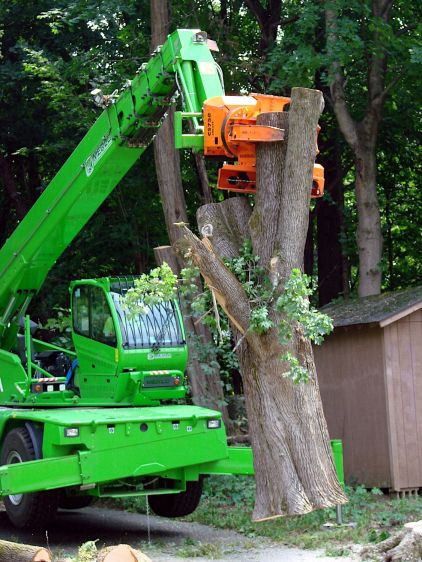
    The Woodcracker chainsaw isn’t quite long enough for the trunk, so the jaws stabilize the trunk during a manual cut:

    Tree Work - Merlo Woodcracker - trunk support
    Tree Work – Merlo Woodcracker – trunk support

    Then haul the whole thing away:

    Tree Work - Merlo Woodcracker - trunk lift
    Tree Work – Merlo Woodcracker – trunk lift

    The Merlo can lift 11,000 pounds near the middle of its range, with a 1600 pound limit at the maximum horizontal reach and 5500 pounds at 115 feet vertically. As far as I can tell, nothing about this project came anywhere close to the machine’s limits.

    The day arrived with a severe thunderstorm watch, but the main part of the storm passed far north of us. The local power company keeps this company on speed dial and called them for emergency work in the wake of the storm, so the Merlo left early and the remaining crew used a bucket truck to take down the last tree in old-school style.

    The Merlo is staggeringly expensive, but lets one operator take down an entire tree without any climbers or riggers. I suspect the reduction in crew size (and insurance premiums) pays for the machine in short order; the crew was less than half the size involved in a neighbor’s project with another contractor.

    Highly recommended!

    The promotional videos have comparisons with similar machines and I’m sure you could waste an entire afternoon on such things. For sure, I didn’t get anything else done that day.

    Edit: All the links rotted away during the next three years. The new links work as of October 2026, but you may safely assume scammers will gain control by the time you see this.

  • Dandelion Weeder Repair

    Dandelion Weeder Repair

    This dandelion weeder was no match for the rugged weeds among the decorative grasses Mary planted along the road out front:

    Dandelion Weeder - bent
    Dandelion Weeder – bent

    You might expect the tang to extend well into the handle, but that’s not what you get in a cheap tool:

    Dandelion Weeder - ferrule detail
    Dandelion Weeder – ferrule detail

    The Bucket o’ Rod-like Materials had a rake handle about the right diameter, so I sawed off a suitable length, set up the steady rest with a bushing, and turned the end to match the ferrule:

    Dandelion Weeder - end turning
    Dandelion Weeder – end turning

    Pound the ferrule into place and drill the new handle to fit the tang:

    Dandelion Weeder - drilling setup
    Dandelion Weeder – drilling setup

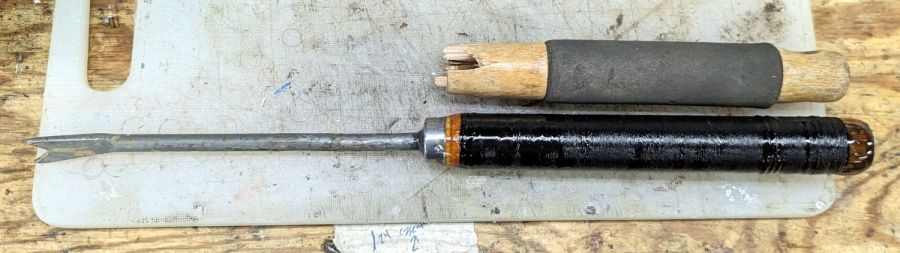
    The handle seemed a bit raw and, as it was already chucked in the lathe, got a synthetic string wrap with clear epoxy coating:

    Dandelion Weeder - string epoxy
    Dandelion Weeder – string epoxy

    The pourable epoxy is reaching the end of its shelf life, but seemed entirely suitable for the purpose. I wrapped two layers of string around the dry handle, laid paper over the lathe bed, slathered epoxy over the whole affair, and let the lathe turn dead-slow for most of the day to even out the coat.

    The next day: hammer the blade mostly straight again, smear JB QuikWeld on the tang and into the hole, gently hammer them together, chuck the blade, apply more epoxy to the ends, and let it turn:

    Dandelion Weeder - end epoxy
    Dandelion Weeder – end epoxy

    A careful inspection reveals my casual disregard of the finer points of tool handle craftsmanship, but it came out surprisingly pretty:

    Dandelion Weeder - repaired
    Dandelion Weeder – repaired

    The blade remains the finest butter-soft cheap steel and still doesn’t extend the length of the handle, but Quality Shop Time™ is not to be sniffed at.

    And, hey, nary a trace of 3D printing or laser cutting!

  • SJCAM M20 Camera: NP-BX1 Battery and Charger Holder

    SJCAM M20 Camera: NP-BX1 Battery and Charger Holder

    A little tweakage to the NP-BX1 battery holder for the astable multivibrator blinkies produced a simple version with the wire exit holes on the bottom:

    NP-BX1 Simple Holder - solid model
    NP-BX1 Simple Holder – solid model

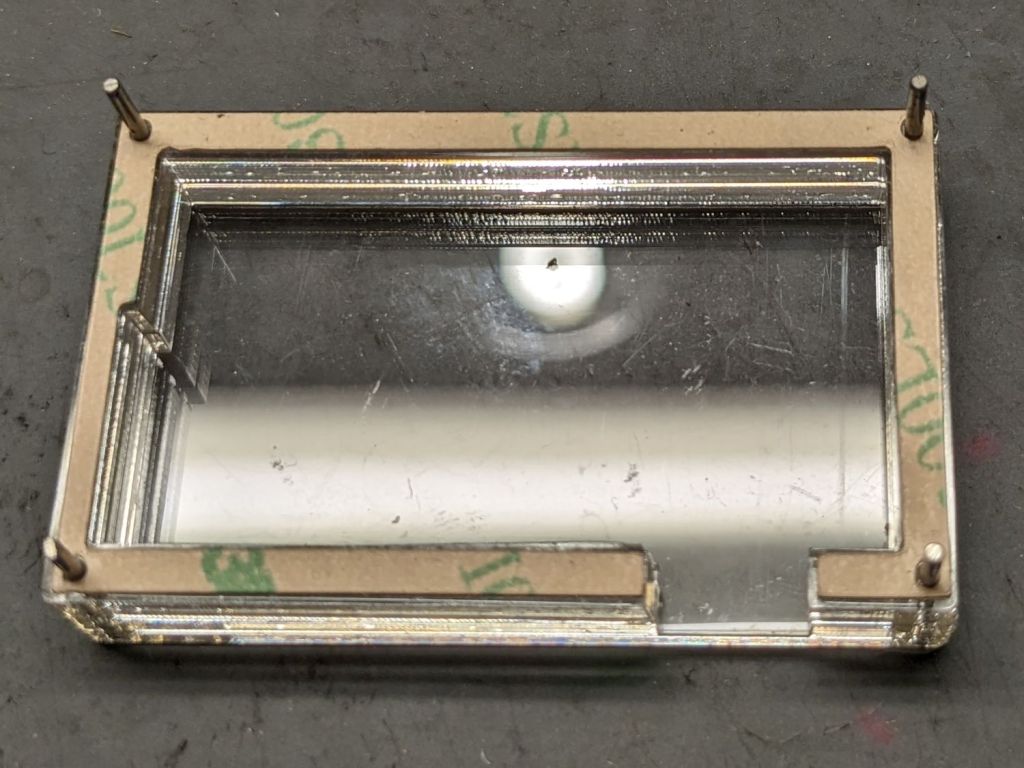
    The four corner holes hold locating pins in the layered acrylic base:

    SJCAM M20 Battery Replacement - case layers
    SJCAM M20 Battery Replacement – case layers

    Those pins got cut slightly shorter to fit in the battery holder; in this photo they’re serving to align the layers and adhesive sheets while I stacked them up.

    The geometry is straightforward, with the outer perimeter matching the 3D printed battery holder:

    SJCAM M20 Car-Mode Battery Hack - battery case
    SJCAM M20 Car-Mode Battery Hack – battery case

    Cut one base and two wall layers from 3 mm (or a bit less) transparent acrylic, plus three adhesive sheets. I stuck adhesive on both sides of one wall layer, using the pins to align the adhesive, stuck the layer to the base, then topped it with the second wall layer, again using the alignment pins.

    The motivation for transparent layered acrylic is being able to see the charge controller’s red and green status LEDs glowing inside the box. This probably isn’t required, but seemed like a Good Idea™ for the initial version.

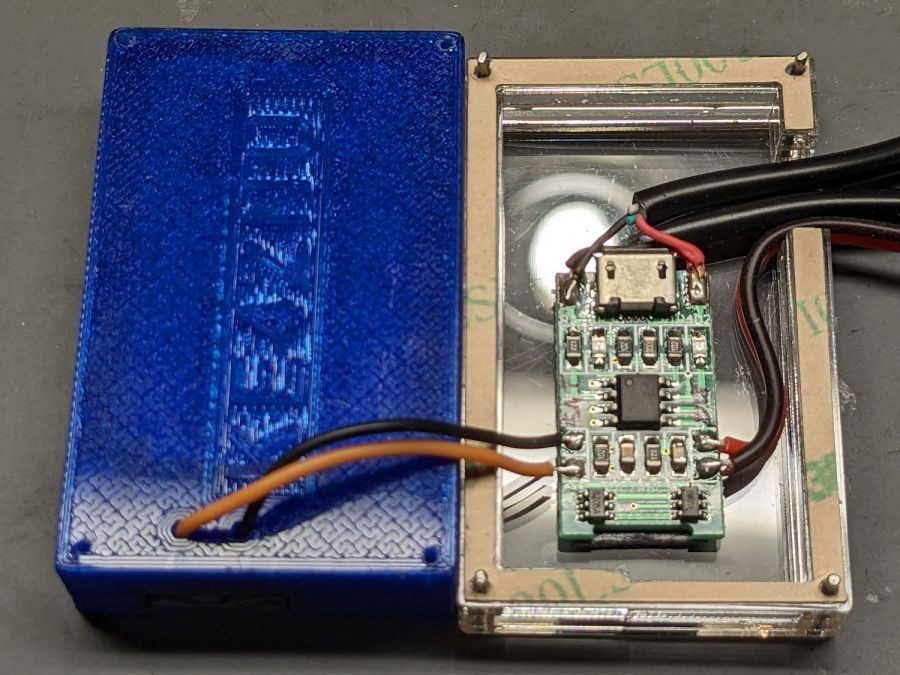
    With all that in hand, wire it up:

    SJCAM M20 Battery Replacement - charger wiring
    SJCAM M20 Battery Replacement – charger wiring

    The USB charger PCB sits atop a layer of double-sided foam tape. After verifying that the circuitry worked, I globbed the wires in place with hot-melt glue to make it less rickety than the picture suggests.

    The alert reader will have noticed the holes in the 3D printed NP-BX1 holder were drilled, not printed. In the unlikely event I need another case, the holes will automagically appear in the right place.

    I haven’t yet peeled the protective paper off that top adhesive sheet to make a permanent assembly:

    SJCAM M20 Battery Replacement - trial install
    SJCAM M20 Battery Replacement – trial install

    We use the car so infrequently that it’ll take a while to build up enough confidence to stick it together and stick it to the dashboard.

    On the whole, it’s ugly but sufficient to the task.

    A doodle with key dimensions, plus some ideas not surviving contact with reality:

    SJCAM M20 Car-Mode Battery Hack - case doodle
    SJCAM M20 Car-Mode Battery Hack – case doodle

    I truly hope this entire effort is a waste of time.

  • SJCAM M20 Camera: Battery Case Salvage

    SJCAM M20 Camera: Battery Case Salvage

    Remove the spicy pillow from an M20 battery case and carve a notch in one side to see if this might work:

    SJCAM M20 Battery Replacement - battery interior
    SJCAM M20 Battery Replacement – battery interior

    The circuit board is the charge controller for the evicted high-voltage lithium pouch cell, but I started by connecting an ordinary lithium cell with a Schottky diode to the PCB’s battery terminals.

    This worked about as poorly as you’d expect, because the lower battery voltage minus the forward drop of the diode minus whatever happens in the PCB put the final voltage below the camera’s instant low-battery shutdown.

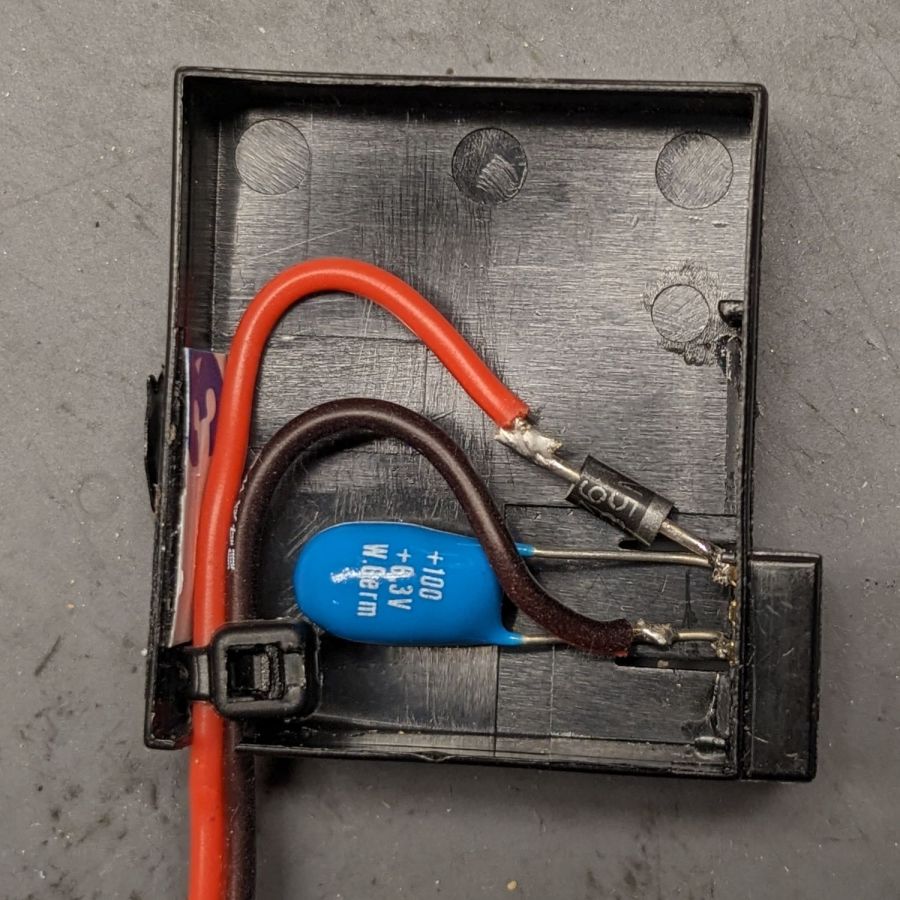
    The terminals connecting to the camera in the rectangular bump are soldered to the back of the PCB, but the whole affair snaps out of the battery case. Unsoldering the PCB from the terminals, gingerly soldering directly to them, and adding a bulk storage capacitor produced a better result:

    SJCAM M20 Battery Replacement - circuitry
    SJCAM M20 Battery Replacement – circuitry

    The cap stores just enough energy to keep the camera happy while writing to the Micro-SD card, although the LCD screen dims slightly during each pulse.

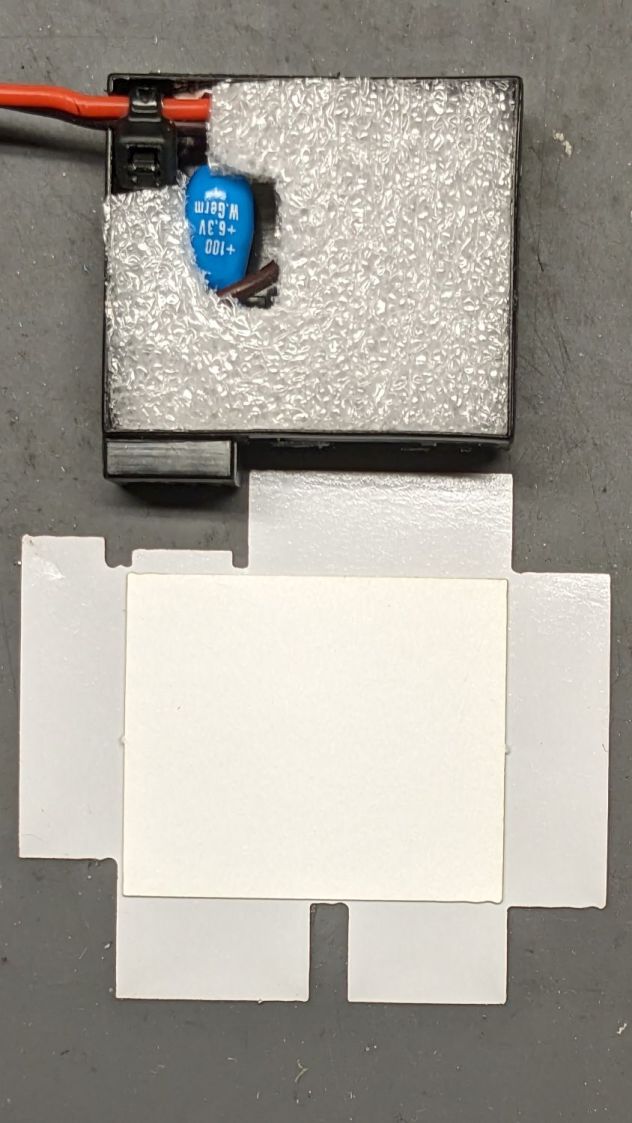
    Cut a pad from a sheet of closed-cell foam that happened to be exactly the right thickness:

    SJCAM M20 Battery Replacement - wrapper layout
    SJCAM M20 Battery Replacement – wrapper layout

    The elaborate thing below the case is a cardboard pad atop the sticky side of a PSA non-PVC vinyl sheet, laser-cut to fit:

    SJCAM M20 Battery Replacement - case wrapper top
    SJCAM M20 Battery Replacement – case wrapper top

    The bottom view, showing the latch retaining the contact block:

    SJCAM M20 Battery Replacement - case wrapper bottom
    SJCAM M20 Battery Replacement – case wrapper bottom

    Admittedly, that’s the last iteration of the wrapper, starting with a hand-trimmed Kapton tape version and three paper versions to get the dimensions right before trying vinyl. Looks good to me!

    The final geometry has a 0.5 mm radius on all the corners:

    SJCAM M20 Car-Mode Battery Hack - battery wrapper
    SJCAM M20 Car-Mode Battery Hack – battery wrapper

    The fillets reduced (but did not eliminate) mechanical oscillations while slinging the laser gantry around those corners. If I don’t point them out, maybe nobody will notice.

    The PSA vinyl is marginally thicker than the original plastic wrapper, so the battery fits very snugly into the camera. On the other paw, getting the swollen battery out required a major effort; this one should not get tighter.

  • SJCAM M20 Camera: Car Mode Battery Hack

    SJCAM M20 Camera: Car Mode Battery Hack

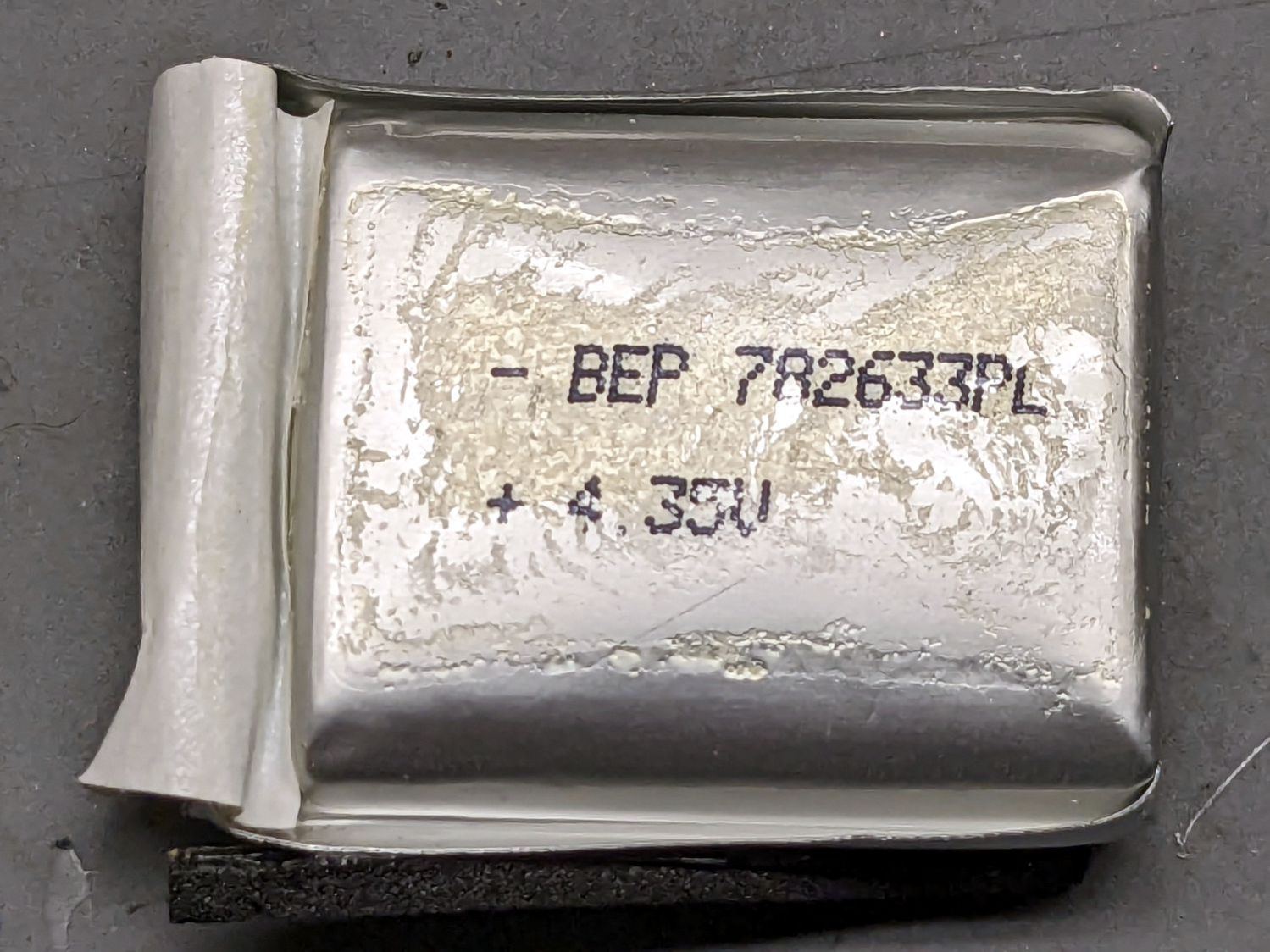
    The last lithium cell (a.k.a. battery) for the longsuffering SJCAM M20 transformed itself into a spicy pillow:

    SJCAM M20 - spicy pillow lithium battery
    SJCAM M20 – spicy pillow lithium battery

    SJCAM no longer sells those batteries and nobody else does, either, surely because the +4.35V marking shows they’re a special-formula high-voltage lithium mix that doesn’t work with ordinary chargers. Worse, you can’t substitute an ordinary (i.e. cheap) battery, because applying a high-voltage charger to a 4.2 V cell makes Bad Things™ happen.

    Putting the M20 camera in Car Mode makes it begin recording when it sees 5 V on its USB input and shut down a few seconds after the USB input drops to 0 V. Without the internal battery, the camera’s clock doesn’t survive when the external power vanishes, which seems critical for a camera sitting on a dashboard.

    Mashing all that together, I wondered if I could use one of the many leftover low-voltage NP-BX1 batteries from the Sony AS30V helmet camera without starting a dashboard fire, by preventing the camera from charging the battery, while still using it when the USB input is inactive (which, for our car, is pretty nearly all the time).

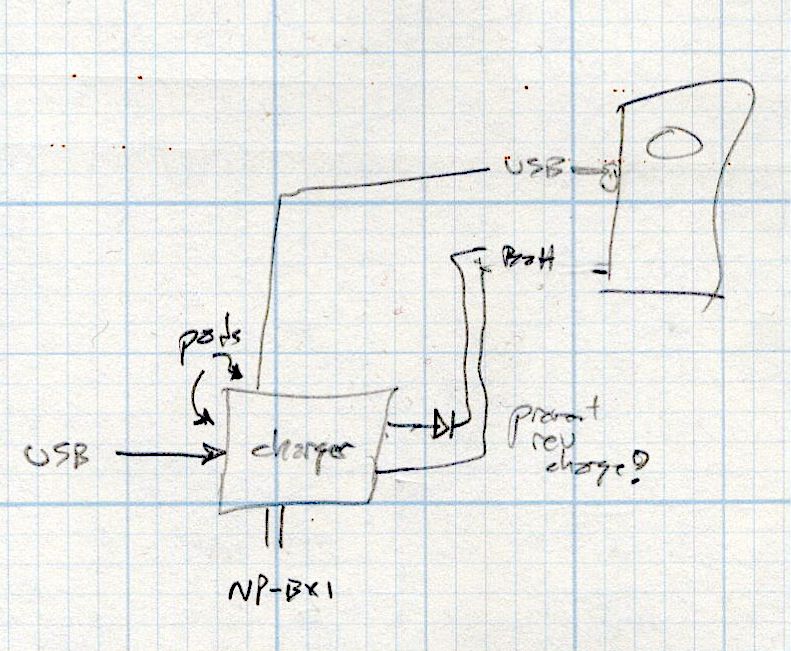
    The circuitry, such as it is, uses a cheap 1S USB charge controller and a Schottky diode:

    SJCAM M20 Car-Mode Battery Hack - circuit doodle
    SJCAM M20 Car-Mode Battery Hack – circuit doodle

    Power comes in on the left from a USB converter plugged into the Accessory Power Outlet in the center console and goes out to the camera’s USB jack, using a butchered cable soldered to the charge controller’s pads in the middle. The controller manages the NP-BX1 battery as usual, but a diode prevents the camera from trying to send charge current into the controller.

    This should just barely work, as the diode reduces the battery voltage by a few hundred millivolts, so the camera will see the fully charged low-voltage battery as a mostly discharged high-voltage battery.

    Suiting action to words:

    SJCAM M20 Battery Replacement - circuitry
    SJCAM M20 Battery Replacement – circuitry

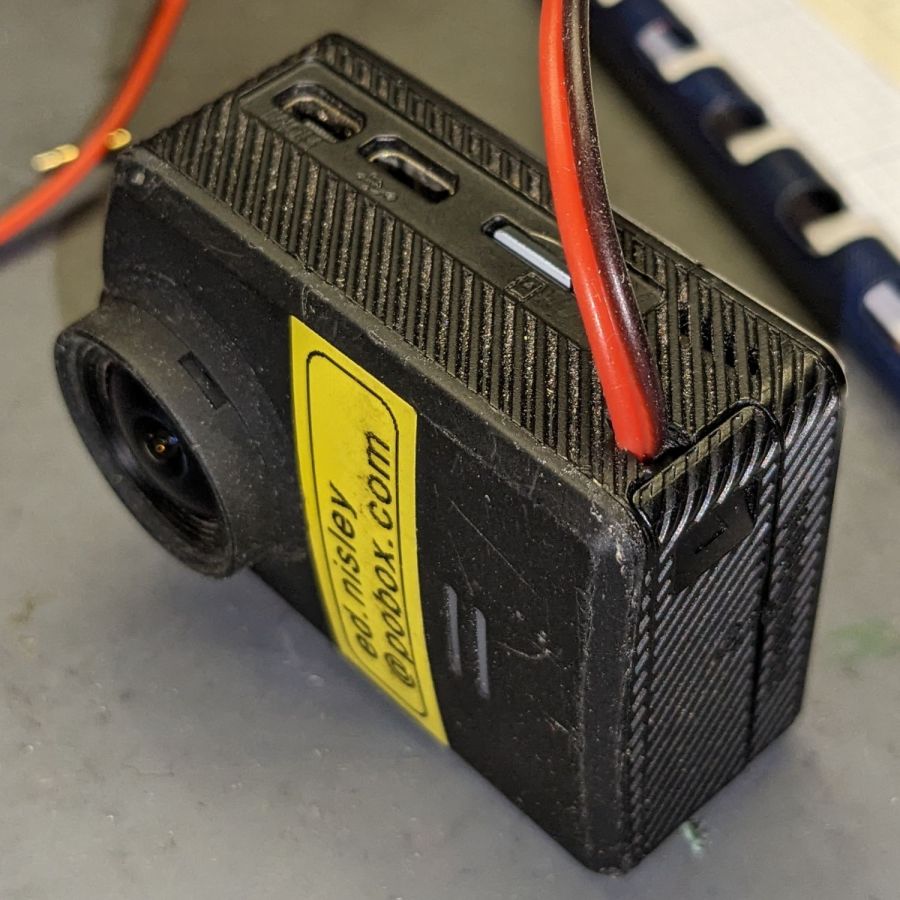
    It’s built inside the gutted remains of an M20 battery case. The 100µF tantalum cap provides local buffering to prevent the camera from browning out during bursts of file activity while recording. The wire emerges through holes gnawed in the battery case and the camera housing:

    SJCAM M20 Battery Replacement - camera cable exit
    SJCAM M20 Battery Replacement – camera cable exit

    The charge controller on the other end of the wire lives in a layered laser-cut acrylic case attached to a modified version of the venerable 3D printed NP-BX1 battery holder:

    SJCAM M20 Battery Replacement - charger wiring
    SJCAM M20 Battery Replacement – charger wiring

    More on the cases tomorrow.

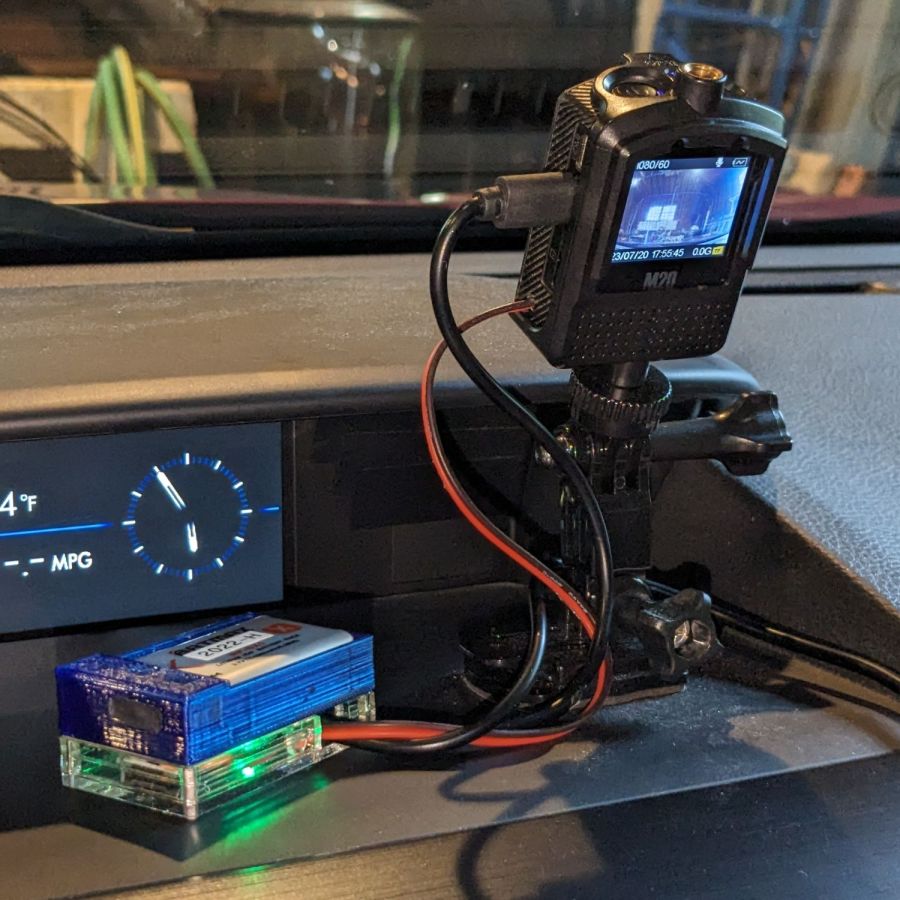
    Putting it all together, the lashup goes a little something like this:

    SJCAM M20 Battery Replacement - trial install
    SJCAM M20 Battery Replacement – trial install

    The battery pack will eventually get stuck to the dashboard underneath the overhang, out of direct sunlight. Things get hot in there, but with a bit of luck the battery will survive.

    The rakish tilt puts the hood along the bottom of the image, although raising the camera would reduce tilt and cut down on the skyline view:

    SJCAM M20 Car-Mode Battery Hack - test ride
    SJCAM M20 Car-Mode Battery Hack – test ride

    The battery icon instantly switches from “charging” to “desperately low” when the USB power drops, which is about what I expected, but the camera continues to record for about ten seconds before shutting down normally.

    The NP-BX1 battery in the holder comes from the batch of craptastic BatMax batteries with a depressed starting voltage. An actual new cell with a slightly higher voltage would keep the camera slightly happier during those last ten seconds, but … so far, so good.

    Another possibility would be a trio of 1.5 V bucked lithium AA cells, with the diode to prevent charging and minus the charger.

  • Onion Maggot Fly vs. Sticky Traps: Season 3 Round 1

    Onion Maggot Fly vs. Sticky Traps: Season 3 Round 1

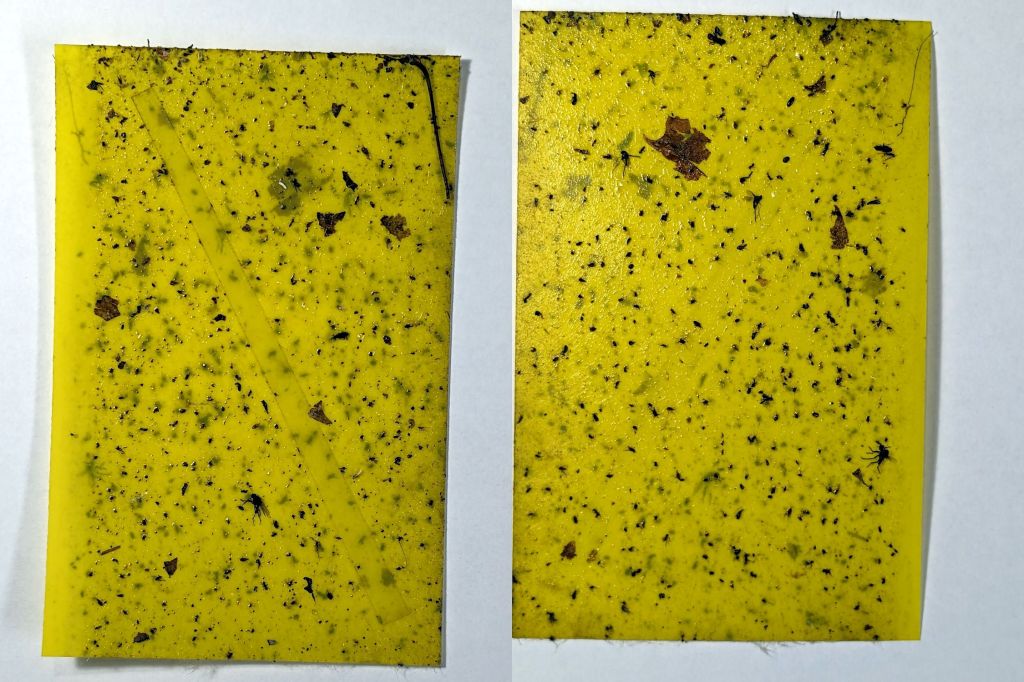
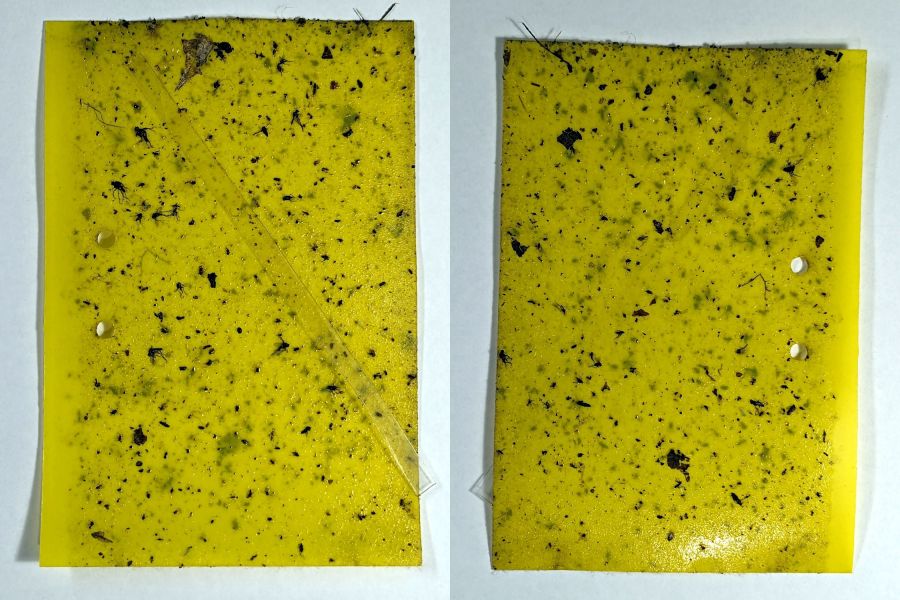
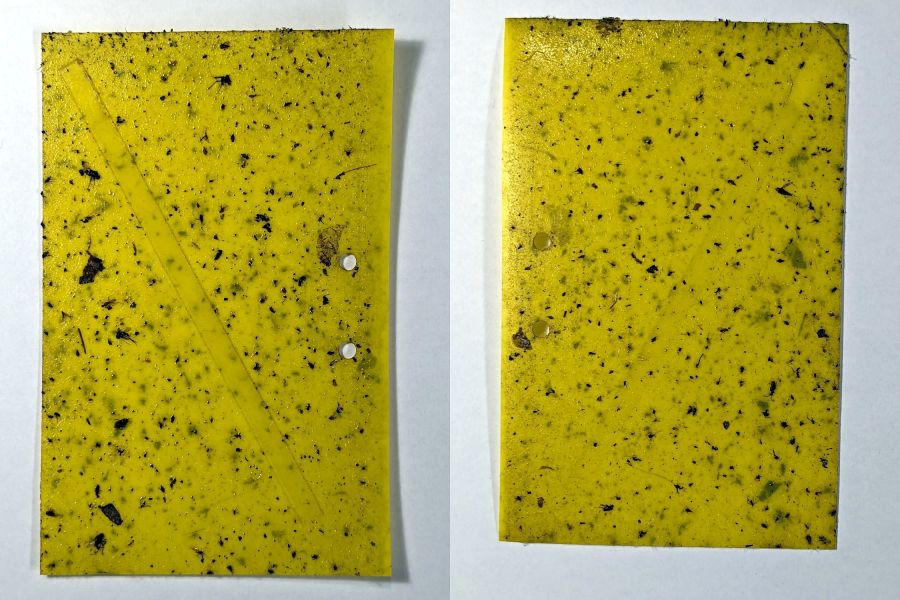
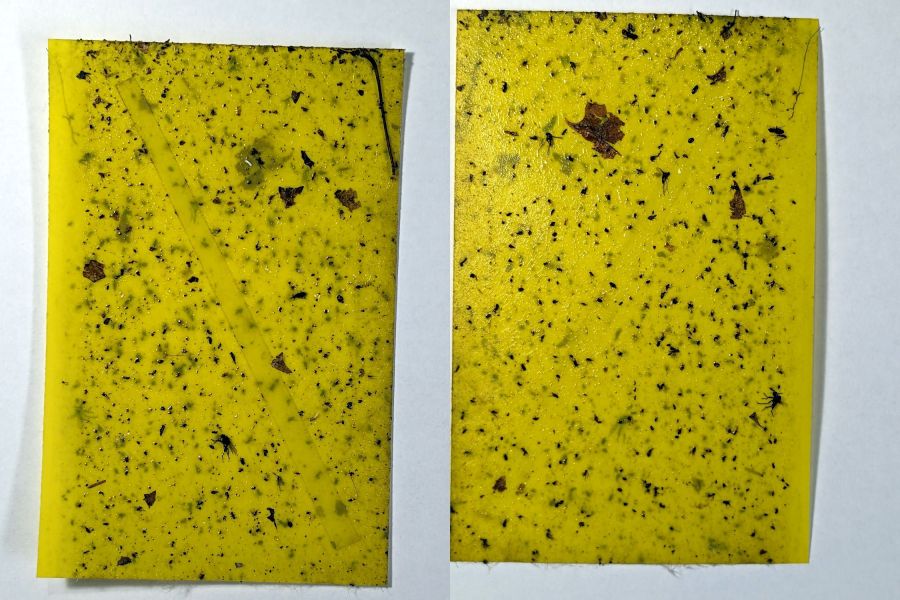
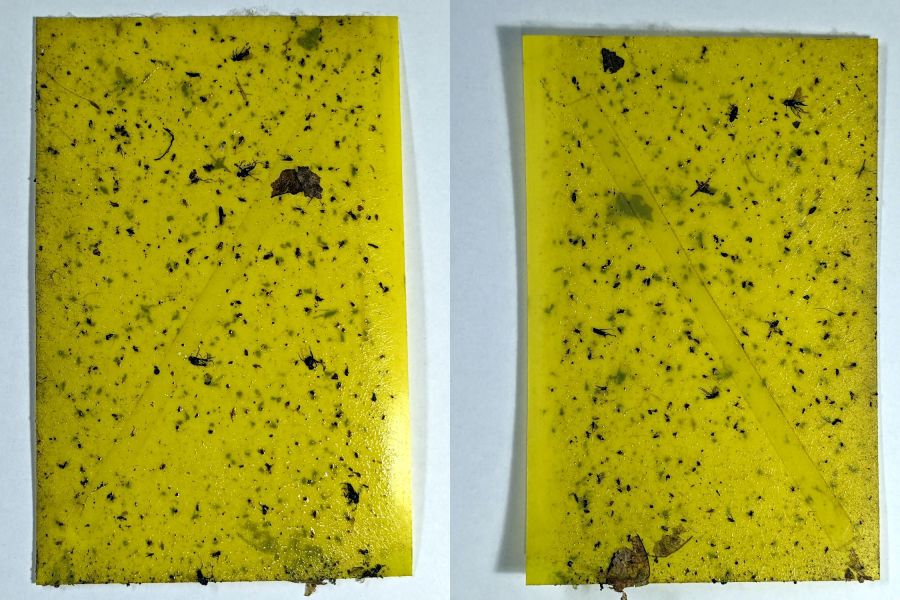
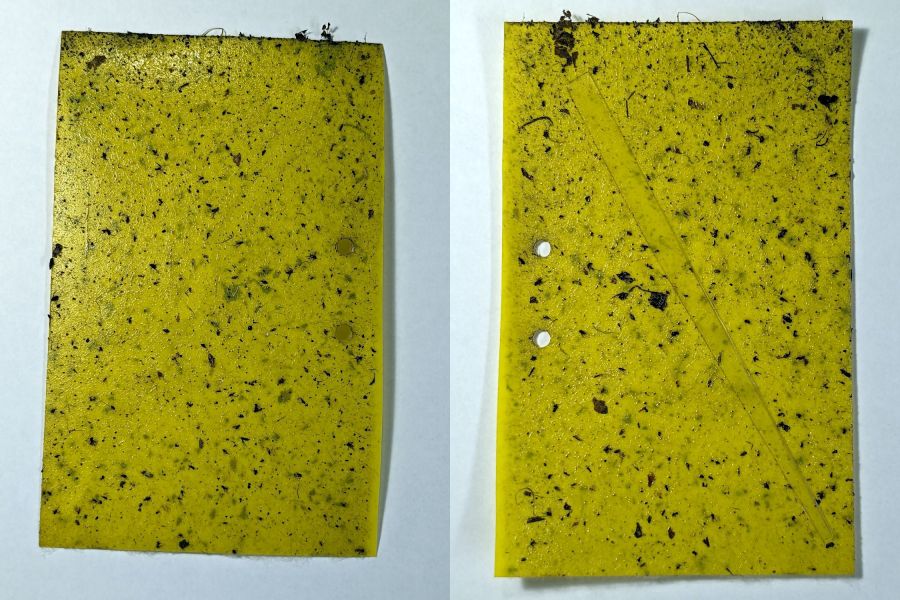
    Six sticky traps have been out in Mary’s Vassar Farm onion bed from mid-April through mid-July, collecting onion maggot flies, other flying insects, and a bunch of shredded leaf mulch. Having just replaced all the sticky sheets, these are the results so far:

    • PXL_20230711_215255180 - VCCG Onion Maggot Trap F
    • PXL_20230711_215229538 - VCCG Onion Maggot Trap E
    • PXL_20230711_215159950 - VCCG Onion Maggot Trap D
    • PXL_20230711_215129817 - VCCG Onion Maggot Trap C
    • PXL_20230711_215041012 - VCCG Onion Maggot Trap B
    • PXL_20230711_215002214 - VCCG Onion Maggot Trap A

    Each image is the front and back of a single sticky sheet flipped over left-to-right; I did not keep track of the original trap locations.

    If you need the original camera images to get enough pixels for itemizing the smaller dots, let me know.

  • Mini-Lathe Chuck Stops: Better Next Time

    Mini-Lathe Chuck Stops: Better Next Time

    The story so far:

    Daubing urethane adhesive into each pocket, sliding a tiny magnet atop the goo, and flipping them over onto a sheet of plastic atop the surface plate to let them cure went about the way you’d expect. Given the state of my fingertips, however, I was not about to fiddle with the phone / camera / anything, but it really did happen.

    The final result:

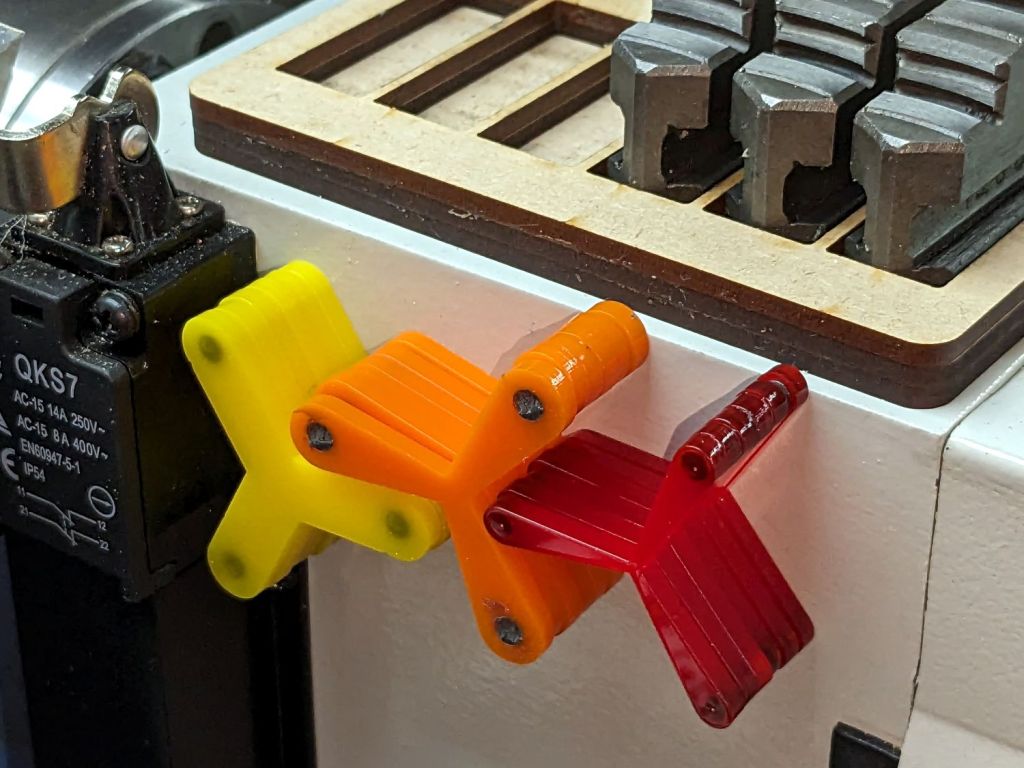
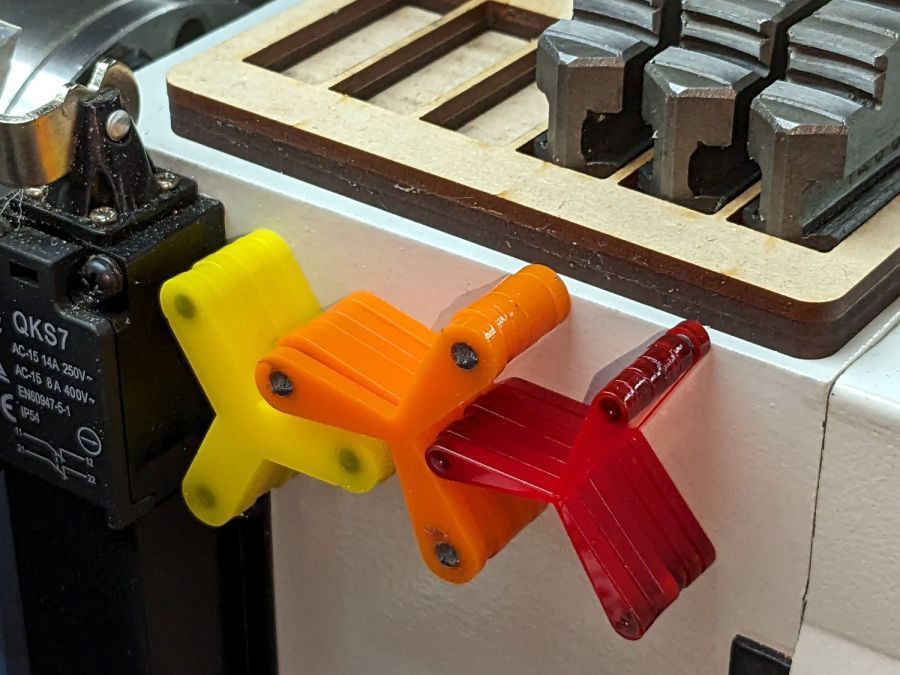
    Lathe Chuck Stops - on-lathe storage
    Lathe Chuck Stops – on-lathe storage

    The alert reader will notice the slight gap under the left leg of the first orange stop, which provides a good introduction for a few things that should happen differently the next time I do something like this.

    To my credit, I got all but one of the 54=3×6×3 magnets into their pockets in the same orientation. That’s gotta count for something and, hey, that orange stop sticks to the chuck just fine.

    That one also suffered from my failure to switch the Axis UI to metric units before touching off the Z axis at 0.1 mm, thereby putting the Z=0.0 level 2.53 mm below the surface. Fortunately, the 3 mm MDF baseplate prevented that error from creating three pockets in the tooling plate, although it did produce holes instead of pockets in the stop.

    I dropped the magnets into the thru-cut stop on the surface plate and dabbed some adhesive atop the magnets to bond them into their holes. This worked fine and led me to suspect the easiest way to make these stops would be to just laser-cut the holes and skip the whole CNC thing.
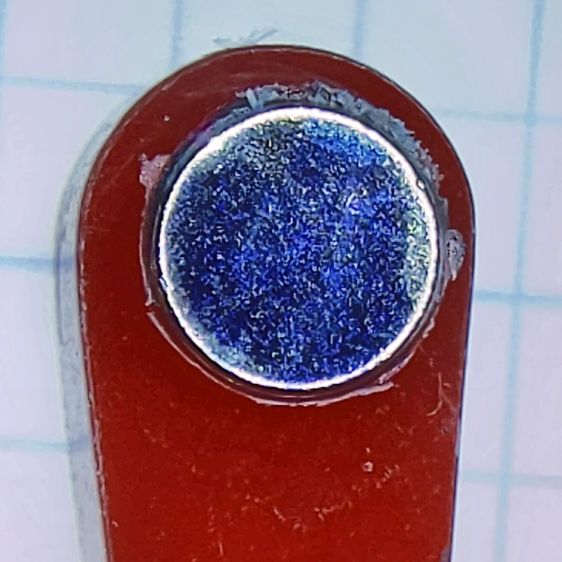
    The disadvantage of cutting the holes through is that adhesive will inevitably ooze out around the magnet and mess up the bottom surface of the stop. Sticking both the stop and the magnets onto kapton tape seems like it should seal well, but liquid always finds a way.

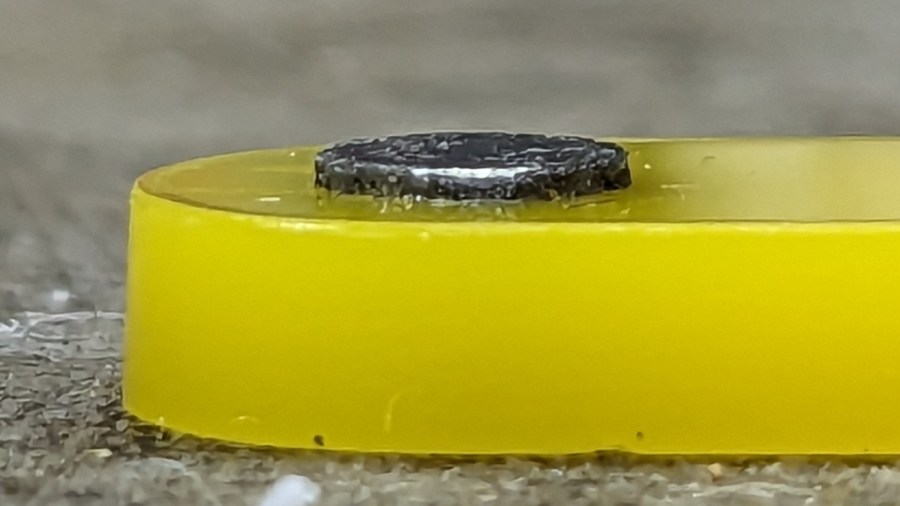
    In any event, the two-part urethane adhesive (JB Plastic Bonder) expands slightly as it cures, which is great for gap filling and not so good for precision bonding. With the pockets in the other 17 stops arranged open-side down, the magnets held themselves firmly to the plastic sheet atop the surface plate and the expanding urethane pushed the acrylic stop upward, leaving the magnets standing slightly proud of the stop’s surface:

    Lathe Chuck Stops - protruding magnet
    Lathe Chuck Stops – protruding magnet

    Not by much, mind you, but not what I wanted, having painstakingly cut the pockets 2.2 mm deep for a 2.0 mm magnet.

    Next time, dot some slow-cure clear pouring epoxy in each pocket, put the stop on the surface plate with the pocket facing up, then drop the magnet in place. The magnet pulls itself into the pocket, the epoxy doesn’t expand, any overflow will fill in over the magnet, and anything sticking out can be sanded off.

    The fixtures worked well and aligned perfectly on the Sherline’s tooling plate. The 0.1 mm outset around the stops in the chipboard probably wasn’t needed, although the total repeatability seemed to be around 0.2 mm and pocket position errors are visible only on the smallest (red) stops:

    Lathe Chuck Stops - misaligned pocket
    Lathe Chuck Stops – misaligned pocket

    All in all, this turned out pretty well. Next time will be even better!

    And, perhaps, making the stops with 3D printing would be even better than that, at the cost of the usual gnarly surface finish.