Ed Nisley's Blog: Shop notes, electronics, firmware, machinery, 3D printing, laser cuttery, and curiosities. Contents: 100% human thinking, 0% AI slop.
Tag: Improvements
Making the world a better place, one piece at a time
A Circuit Cellar reader sent me a lengthy note describing his approach to slow-motion AC motor drives, designed for an already ancient truck mounted radar antenna back in 1972-ish, that prompted me to try it his way.
The general idea is to pulse the motor at full current for half a power line cycle with an SCR (rather than a triac) at a variable pulse repetition rate: the high current pulse ensures that the motor will start turning and the variable repetition frequency determines the average speed. As he puts it, the motor will give off a distinct tick at very low speeds and the maximum speed will depend on how the motor reacts to half-wave drive.
Note that this is not the chopped-current approach to speed control: the SCR always begins conducting at the first positive-going 0 V crossing after the command and continues until the motor current drops to zero. There are no sharp edges generating high-pitched acoustic noise and EMI: silence is golden.
The existing speed control circuitry limits the peak current and assumes that the motor trundles along more-or-less steadily. That won’t be the case when it’s coasting between discontinuous current pulses.
When I first looked at running the motor on DC, these measurements showed the expected relationship:
Kenmore Model 158 AC Motor on DC – Loaded and Unloaded RPM vs Voltage
Eyeballometrically, the slowest useful speed will be 2 stitch/s = 120 shaft RPM = 1300 motor RPM. At that speed, under minimal load, the motor runs on about 20 V and draws 550 mA. At that current, the 40 Ω winding drops 22 V, which we’ll define as “about 20 V” for this discussion, so the back EMF amounts to pretty nearly zilch.
That’s what you’d expect for the fraction of a second while the motor comes up to full speed, but in this case it never reaches full speed, so the motor current during the pulses will be limited only by the winding resistance. At the 200 V peak I’ve been using for the high-line condition, that’s about 5 A peak, although I’d expect 4 A to be more typical.
So, in order to make this work:
the optocoupler driving the base needs more current
the differential amp from the Hall effect sensor needs less gain
Given the ease with which I’ve pushed the hulking ET227 transistor out of its SOA, the motor definitely needs a flyback diode to direct the winding current away from the collector as the transistor shut off at the end of the pulse. Because it’s running from full-wave rectified AC, the winding current never drops to zero: there will definitely be enough current to wreck the transistor.
The firmware needs reworking to produce discrete pulses at a regular pace, rather than slowly adjusting the current over time, but that’s a simple matter of software…
Unfortunately, the smooth interior of the temple spring pocket and the smooth exterior of the hinge plate didn’t provide enough mechanical lock for the epoxy; the pieces pulled apart after a week.
So I put a stake in its heart:
Eyeglass temple – tapered pin
That’s a tapered brass pin from the Box o’ Clock Parts, buttered up with a dab of epoxy, then shoved firmly into a 41 mil (#59) hole drilled through the pocket and the edge of the hinge plate.
Fast-forward overnight, apply a Dremel grinding bit, and it looks passable:
I recently exhumed an Iomega 500 GB Home Network Hard Drive (model MDHD-500-N) from the Big Box o’ Drives, with the intent of dumping video files from the Sony HDR-AS30 helmet camera thereupon.
Remember Iomega of ZIP Drive fame? Seems EMC Borged ’em a while back, collided with Lenovo, discarded all the old hardware support, and that’s the end of that story.
Exhuming the setup password from my backup stash wasn’t worth the effort, so I experimentally determined that holding the Reset switch closed while turning the drive on blows away the existing configuration. It woke up, asked for an IP address, got 192.168.1.52 from the DHCP server (you can find that by checking the router’s tables), and popped up the administration console at 192.168.1.52:80 as you’d expect.
The userid will always be admin, but you can change the password from admin to whatever you like; you may safely assume I have done somewhat better than what you see below.
Twiddling the configuration through the IOmega web-based console:
Device name: IOMEGA-500MB (for lack of anything more creative)
Group name: WHATSMYNET
Password: not-admin
Drag the date/time into the current millennium
Time Zone: GMT-5:00
Time Server: 0.us.pool.ntp.org
Static IP: 192.168.1.10 (suitable for my network)
Gateway & DNS as appropriate
Windows File Sharing enabled for the PUBLIC directory
FTP turned off
Sleep time: 10 minutes
Changing either the IP address or the password requires logging in again, of course.
I reformatted the drive, just to be sure.
Then, after a bit of Googling to remember how all this works…
A line in /etc/hosts (left over from the last time I did this) gives the new static IP address:
192.168.1.10 nasty
Install the cifs-utils package to enable mounting the drive.
Create a mount point:
sudo mkdir /mnt/video
Create a file (/root/.nas-id) holding the super-secret credentials used to gain access to the drive:
domain=WHATSMYNET
username=ed
password=not-admin
Then restrict the file to the eyes of the root user:
sudo chmod 700 /root/.nas-id
It’s not clear that the username or domain really make any difference in this situation, but there they are.
Define where and how to mount the network drive with a new line at the bottom of /etc/fstab, which refers to the aforementioned super-secret credentials file:
Mounting it with my userid gives the shared directories & files proper permissions for me (and nobody else, not that anybody else around here cares).
So the manual mounting process looks like this:
sudo mount /mnt/video
Adding the user mount option would eliminate the sudo, but manual mounting won’t be necessary after a normal boot when the automagic startup script does the deed.
The drive must have the noauto attribute to prevent the upstart Pachinko machine from trying to mount the network drives before the network comes up. Actually mounting the drive at the proper time requires an additional line in /etc/init/local.conf:
description "Stuff that should be in /etc/rc.local"
author "Ed Nisley - KE4ZNU"
start on (local-filesystems and net-device-up IFACE=em1)
stop on shutdown
emits nfs-mounted
script
logger Starting local init...
logger Mounting NFS (and CIFS) filesystems
mount /mnt/bulkdata
mount /mnt/userfiles
mount /mnt/diskimages
mount /mnt/music
mount /mnt/video
initctl emit nfs-mounted
logger Ending local init
end script
The reason the drive wound up in the Big Box o’ Hard Drives was its lethargic transfer speed; copying a 4 GB video file from either the MicroSDXC card (via an SD adapter) or the previous 750 GB USB-attached hard drive to the IOmega NAS trundles along at a little over 6 MB/s. The camera stores 25 Mb/s = 3 MB/s of data in 1080p @ 60 fps, so figure 1/2 hour of copying per hour of riding. The USB drive can write data from the aforementioned MicroSDXC card at 18 MB/s, so the card and USB interface aren’t the limiting factors.
I’m not (generally) in a big hurry while copying files from the camera’s SD card, because that’s now automated:
#!/bin/sh
thisdate=$(date --rfc-3339=date)
echo Date is [$thisdate]
# IOmega NASalready mounted as /mnt/video in fstab
mkdir /mnt/video/$thisdate
sudo mount -o uid=ed /dev/sdb1 /mnt/part
rsync -ahu --progress /mnt/part/MP_ROOT/100ANV01/ /mnt/video/$thisdate
if [ $? -eq 0 ] ; then
rm /mnt/part/MP_ROOT/100ANV01/*
sudo umount /mnt/part
fi
I’ve been discarding the oldest month of videos as the USB hard drive fills up, which will happen a bit more often than before: the drive’s 466 GB can hold barely 35 hours of ride video.
The replacement probe has a woven metal jacket that’s allegedly more rugged than the original plastic, but I think the main difference comes from the additional strain relief at the end of the probe:
Kitchen thermometer – new probe
That still looks abrupt to me, so I wrapped a silicone tape snippet around the joint:
Kitchen thermometer – new strain relief
Probably not food-safe, definitely butt-ugly, but I don’t want to replace the probe again for a long time.
FWIW, although the probe description says it’s compatible with Taylor 1970N thermometers and doesn’t mention the 1478 we have, the 2.5 mm plug fits (no suprise there) and the display shows appropriate temperatures; it seems no less accurate than the original probe.
A surplus haul of 24 V / 150 mA white LED panels arrived:
LED Panel – 24 V 150 mA
I wired a pair to a 24 V wall wart and stuck them under the M2’s bridge supporting the X stage:
LED Panel – on M2 Gantry
I thought about epoxying them in place to get better heatsinking to the metal bridge. The ever-trustworthy description said the big copper baseplate meant the panels didn’t need any heatsinking, so I used tapeless sticky and will hope for the best. Should the sticky give out, then I’ll use epoxy.
They’re much better than the previous white LED strip, although it’s tough to tell in the pictures. The chain mail armor appears under the new lights; some older pictures will creep in from time to time.
Another nine hours of printing produced a second 9×13 link chain mail armor sheet that simply begged to be joined with the first. Snipping a connecting link on one sheet and attempting to thread it through the armor button on the other didn’t work nearly as well as I expected, because the pillars on the open links don’t quite pass through the slot in the side of the armor button links:
Chain Mail Armor – 4 sided
So I summoned joiner links from the digital deep:
Chain Mail Armor – Sheet Joiners
Those are standard armor button links, split at the cross bar level, then laid out along the Y axis. The cap bridges across the link just as it does on the chain mail sheets, so, when they’re glued back together, the result should be exactly like a solid link. There’s no room for alignment pins and, frankly, I wouldn’t fiddle with two dozen filament snippets anyway.
The OpenSCAD code below produces joiners that work for the square arrangement, not the diamond, but that’s in the nature of fine tuning.
When I saw them pasted to the platform, just like the model:
Chain Mail Armor – joiners on platform
It occurred to me that I could pop the caps off, then lay the sheets in position, aligned on the underlying joiner half-links. Here’s the first sheet over the left set of bars:
Chain Mail Armor – sheet and joiners on platform
Then glue the armor caps in place:
Chain Mail Armor – joiner with solvent glue
Four dots of IPS #4 solvent glue, dispensed from a fine copper tube serving as a pipette, wet the four pillars of the joiner’s two bottom bars. I dotted each pillar to begin softening the PLA, paused for a breath, wet them again to leave enough solvent to bite into the bottom of the armor cap, pressed the cap in place, tweaked the alignment with tweezers, then pressed downward for maybe five seconds. Although the joiner link has no inherent alignment features, there’s also not much room to slide around and it worked surprisingly well.
Repeat that trick dozen times and you’re done. The aggravation scales as the square root of the overall sheet size, so it’s not as awful as assembling every single link, but it’s definitely a task for the low-caffeine part of the day.
One bottom bar came loose when I showed the result at the MHVLUG meeting, but the bar reappeared and I glued it again easily enough. I’ve now printed several spare joiners, Just In Case.
The bottom bars aren’t firmly affixed to the platform after it cools and they dislodge fairly easily: that’s how I get larger models off: let everything cool, then simply lift the plastic off. If I were joining sheets on a regular basis, I’d conjure a fixture to hold the sheets and joiner caps in position, probably with the sheets upside down, then glue the bars atop the inverted caps. That could get messy.
Perhaps a special holder to capture the bars in the proper alignment, maybe with pins matching the square openings at the corners, would help?
This is a trial fit before gluing that’s visually indistinguishable from the final product:
Chain Mail Armor – joined sheets on platform
It’s not actually fabric, but it’s sufficiently bendy to cover a hand:
Chain Mail Armor – joined sheet draped on hand
The thing just cries out to be fondled…
There’s a quarter kilogram of plastic in that 8×12 inch = 200×310 mm sheet that almost used up the last of the black PLA spool.
Remember: you must tweak the OpenSCAD code to match your extruder settings, export a suitable STL file, get really compulsive about platform alignment, use hairspray / glue stick to boost platform adhesion, and have no qualms about an all-day print run. You can’t just slice a random STL file produced for a different printer, because the link dimensions come directly from the printer’s capabilities: one size does not fit all.
The OpenSCAD source code [Update: This is the refactored version.]:
// Chain Mail Armor Buttons
// Ed Nisley KE4ZNU - December 2014
Layout = "Build"; // Link Button LB Joiner Joiners Build
//-------
//- Extrusion parameters must match reality!
// Print with 1 shell and 2+2 solid layers
ThreadThick = 0.20;
ThreadWidth = 0.40;
HoleWindage = 0.2;
Protrusion = 0.1*ThreadThick; // make holes end cleanly
function IntegerMultiple(Size,Unit) = Unit * ceil(Size / Unit);
//-------
// Dimensions
//- Set maximum sheet size
SheetSizeX = 50; // 170 for full sheet on M2
SheetSizeY = 60; // 230
//- Diamond or rectangular sheet?
Diamond = false; // true = rotate 45 degrees, false = 0 degrees for square
BendAround = "X"; // X or Y = maximum flexibility *around* designated axis
Cap = true; // true = build bridge layers over links
Armor = true && Cap; // true = build armor button atop (required) cap
ArmorThick = IntegerMultiple(6,ThreadThick); // height above cap surface
// Link bar sizes
BarWidth = 6 * ThreadWidth;
BarThick = 4 * ThreadThick;
BarClearance = 5*ThreadThick; // vertical clearance above & below bars
//-- Compute link sizes from those values
// Absolute minimum base link: bar width + corner angle + build clearance around bars
// rounded up to multiple of thread width to ensure clean filling
BaseSide = IntegerMultiple((4*BarWidth + 2*BarWidth/sqrt(2) + 3*(2*ThreadWidth)),ThreadWidth);
BaseHeight = 2*BarThick + BarClearance; // both bars + clearance
echo(str("BaseSide: ",BaseSide," BaseHeight: ",BaseHeight));
echo(str(" Base elements: ",4*BarWidth,", ",2*BarWidth/sqrt(2),", ",3*(2*ThreadWidth)));
echo(str(" total: ",(4*BarWidth + 2*BarWidth/sqrt(2) + 3*(2*ThreadWidth))));
BaseOutDiagonal = BaseSide*sqrt(2) - BarWidth;
BaseInDiagonal = BaseSide*sqrt(2) - 2*(BarWidth/2 + BarWidth*sqrt(2));
echo(str("Outside diagonal: ",BaseOutDiagonal));
//- On-center distance measured along coordinate axis
// the links are interlaced, so this is half of what you think it should be...
LinkOC = BaseSide/2 + ThreadWidth;
LinkSpacing = Diamond ? (sqrt(2)*LinkOC) : LinkOC;
echo(str("Base spacing: ",LinkSpacing));
//- Compute how many links fit in sheet
MinLinksX = ceil((SheetSizeX - (Diamond ? BaseOutDiagonal : BaseSide)) / LinkSpacing);
MinLinksY = ceil((SheetSizeY - (Diamond ? BaseOutDiagonal : BaseSide)) / LinkSpacing);
echo(str("MinLinks X: ",MinLinksX," Y: ",MinLinksY));
NumLinksX = ((0 == (MinLinksX % 2)) && !Diamond) ? MinLinksX + 1 : MinLinksX;
NumLinksY = ((0 == (MinLinksY % 2) && !Diamond)) ? MinLinksY + 1 : MinLinksY;
echo(str("Links X: ",NumLinksX," Y: ",NumLinksY));
//- Armor button base
CapThick = 4 * ThreadThick; // at least 3 layers for solid bridging
ButtonHeight = BaseHeight + BarClearance + CapThick;
echo(str("ButtonHeight: ",ButtonHeight));
//- Armor ornament size & shape
// Fine-tune OD & ID to suit the number of sides...
ArmorSides = 4;
ArmorAngle = true ? 180/ArmorSides : 0; // true -> rotate half a side for best alignment
TotalHeight = ButtonHeight + ArmorThick;
echo(str("Overall Armor Height: ",TotalHeight));
ArmorOD = 1.1 * BaseSide; // tune for best base fit
ArmorID = 10 * ThreadWidth; // make the tip blunt & strong
//-------
module ShowPegGrid(Space = 10.0,Size = 1.0) {
RangeX = floor(95 / Space);
RangeY = floor(125 / Space);
for (x=[-RangeX:RangeX])
for (y=[-RangeY:RangeY])
translate([x*Space,y*Space,Size/2])
%cube(Size,center=true);
}
//-------
// Create link with armor button as needed
module Link(Topping = false) {
LinkHeight = (Topping && Cap) ? ButtonHeight : BaseHeight;
render(convexity=3)
rotate((BendAround == "X") ? 90 : 0)
rotate(Diamond ? 45 : 0)
union() {
difference() {
translate([0,0,LinkHeight/2]) // outside shape
intersection() {
cube([BaseSide,BaseSide,LinkHeight],center=true);
rotate(45)
cube([BaseOutDiagonal,BaseOutDiagonal,LinkHeight],center=true);
}
translate([0,0,(BaseHeight + BarClearance - Protrusion)/2])
intersection() { // inside shape
cube([(BaseSide - 2*BarWidth),
(BaseSide - 2*BarWidth),
(BaseHeight + BarClearance + Protrusion)],
center=true);
rotate(45)
cube([BaseInDiagonal,
BaseInDiagonal,
(BaseHeight + BarClearance + Protrusion)],
center=true);
}
translate([0,0,((BarThick + 2*BarClearance)/2 + BarThick)]) // openings for bars
cube([(BaseSide - 2*BarWidth - 2*BarWidth/sqrt(2)),
(2*BaseSide),
BarThick + 2*BarClearance],
center=true);
translate([0,0,(BaseHeight/2 - BarThick)])
cube([(2*BaseSide),
(BaseSide - 2*BarWidth - 2*BarWidth/sqrt(2)),
BaseHeight],
center=true);
}
if (Topping && Armor)
translate([0,0,(ButtonHeight - Protrusion)]) // sink slightly into the cap
rotate(ArmorAngle)
cylinder(d1=ArmorOD,
d2=ArmorID,
h=(ArmorThick + Protrusion),
$fn=ArmorSides);
}
}
//-------
// Create split buttons to join sheets
module Joiner() {
translate([-LinkSpacing,0,0])
difference() {
Link(false);
translate([0,0,BarThick + BarClearance + TotalHeight/2 - Protrusion])
cube([2*LinkSpacing,2*LinkSpacing,TotalHeight],center=true);
}
translate([LinkSpacing,0,0])
intersection() {
translate([0,0,-(BarThick + BarClearance)])
Link(true);
translate([0,0,TotalHeight/2])
cube([2*LinkSpacing,2*LinkSpacing,TotalHeight],center=true);
}
}
//-------
// Build it!
ShowPegGrid();
if (Layout == "Link") {
Link(false);
}
if (Layout == "Button") {
Link(true);
}
if (Layout == "LB") {
Link(true);
translate([LinkSpacing,LinkSpacing,0])
Link(false);
}
if (Layout == "Build")
for (ix = [0:(NumLinksX - 1)],
iy = [0:(NumLinksY - 1)]) {
x = (ix - (NumLinksX - 1)/2)*LinkSpacing;
y = (iy - (NumLinksY - 1)/2)*LinkSpacing;
translate([x,y,0])
color([(ix/(NumLinksX - 1)),(iy/(NumLinksY - 1)),1.0])
if (Diamond)
Link((ix + iy) % 2); // armor at odd,odd & even,even points
else
if ((iy % 2) && (ix % 2)) // armor at odd,odd points
Link(true);
else if (!(iy % 2) && !(ix % 2)) // connectors at even,even points
Link(false);
}
if (Layout == "Joiner")
Joiner();
if (Layout == "Joiners") {
NumJoiners = max(MinLinksX,MinLinksY)/2;
for (iy = [0:(NumJoiners - 1)]) {
y = (iy - (NumJoiners - 1)/2)*2*LinkSpacing + LinkSpacing/2;
translate([0,y,0])
color([0.5,(iy/(NumJoiners - 1)),1.0])
Joiner();
}
}
As a reward for reading all the way to the bottom, some further thoughts:
A mask array could control what type of link goes where, which cap style goes on each armor button, and whether to print the link at all. That way, you could produce customized armor buttons in non-rectangular (albeit coarsely pixelized) fabric sheets.
You could produce an armor sheet sporting cubic caps, then intersect the whole sheet with a model built from a height-map image to spread a picture across the sheet. The complexity of that model would probably tie OpenSCAD in knots, but perhaps an external program could intersect two properly aligned STL / AMF files.
The bars could be a thread or two thinner, shaving a few millimeters off the basic link. The printer’s ability to bridge the link to form the flying bars and cap limits making the links much larger.
The rectangular posts in my chain mail resemble Zomboe’s original design, but with dimensions computed directly from the bar (and, thus, thread) widths and thicknesses to ensure good fill and simple bridging:
Chain Mail Link
They fit together well, but the angled post edges make the bridge threads longer than absolutely necessary along the outside edge of each link:
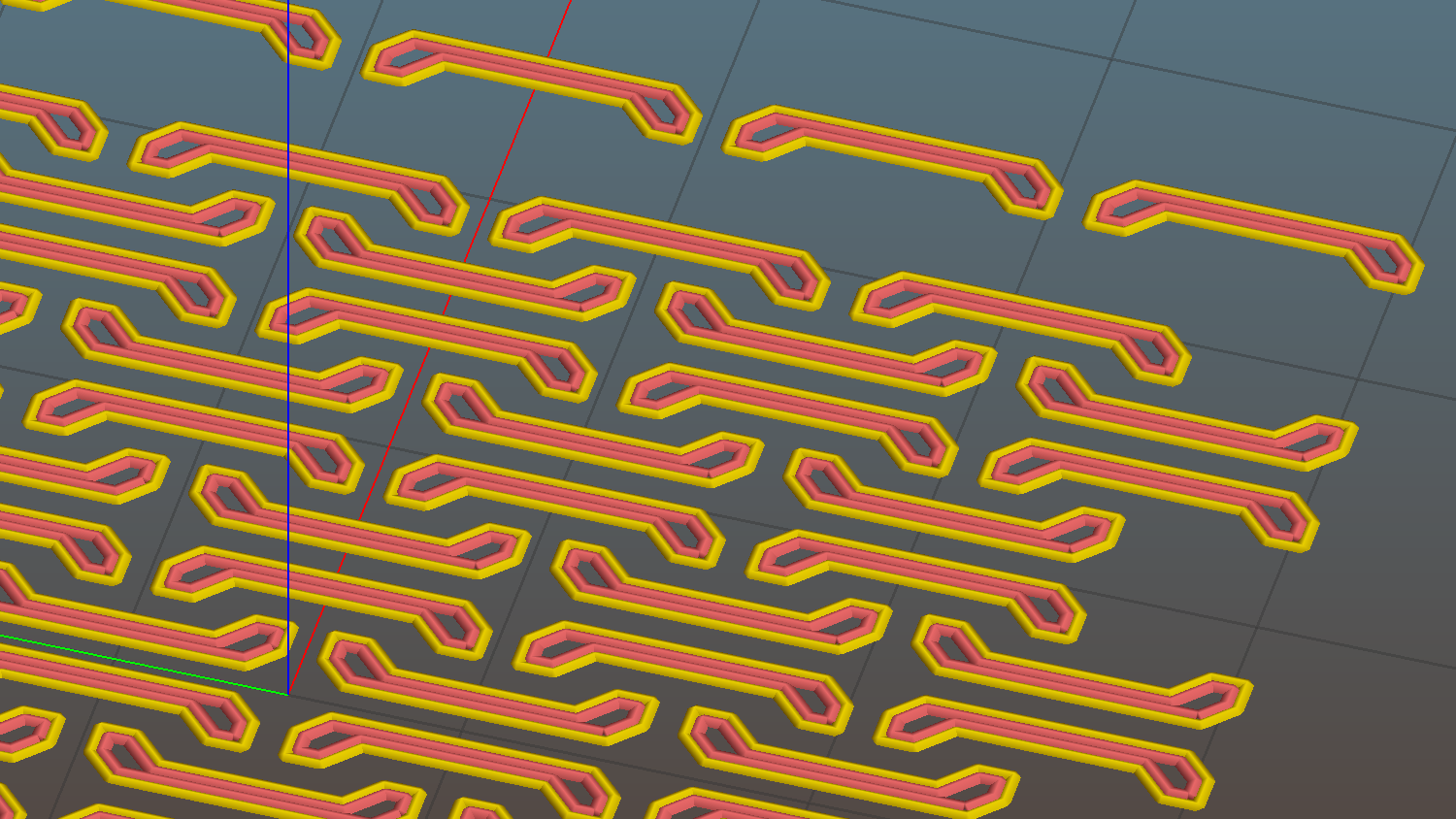
Chain Mail Sheet – detail
A bit of fiddling produces a squared-off version:
Chain Mail Link – Improved Posts
Which nest together like this:
Chain Mail – Improved Posts – Bottom View
Now all the bridge threads have the same length, which should produce better results.