The Smell of Molten Projects in the Morning

Ed Nisley's Blog: Shop notes, electronics, firmware, machinery, 3D printing, laser cuttery, and curiosities. Contents: 100% human thinking, 0% AI slop.

Tag: Improvements

Making the world a better place, one piece at a time

  • Astable Multivibrator: Round 2

    Another pass at the old Squidwrench soldering project, in light of some upcoming events, seemed in order:

    Astable Multivibrator - as-built - simulation
    Astable Multivibrator – as-built – simulation

    The 10 µF caps scale the output to visible blinkiness. Their polarity may seem backwards, but the red trace in the simulation shows that the net voltage is positive in that direction for nearly the entire cycle. They see only two forward biased junctions in the other direction, so they shouldn’t blow up.

    I built it with resistors from the SqWr junk box parts cabinet that were close to the nominal values.

    Connecting the transistor base / cap charging resistors to the power supply, rather than the LEDs, gets rid of the tiny current when the LEDs should be off.

    The cap-and-pulse-generator dingus on the bottom kickstarts the simulation; it doesn’t have any physical significance.

    Memo to Self: Build one with a pair of ET227 transistors and some 100 W tungsten bulbs…

  • Kenmore 158: LED Strip Light Cable Clips

    Commercial LED strip lights for sewing machines mount their cables with little stick-on anchors and cable ties. I wasn’t happy with the cable tie thing and finally figured this out:

    Kenmore 158 - LED strip light cable clips
    Kenmore 158 – LED strip light cable clips

    The clips have that size & shape because they fit exactly atop some pre-cut foam squares from the Tape Lookaside Buffer:

    LED strip light cable clips
    LED strip light cable clips

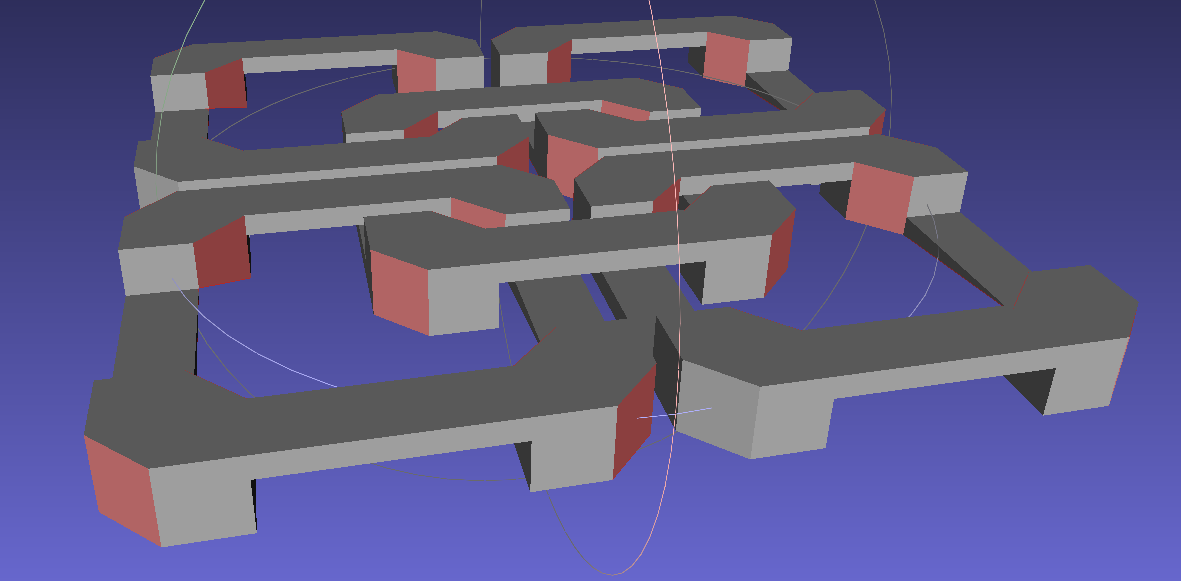
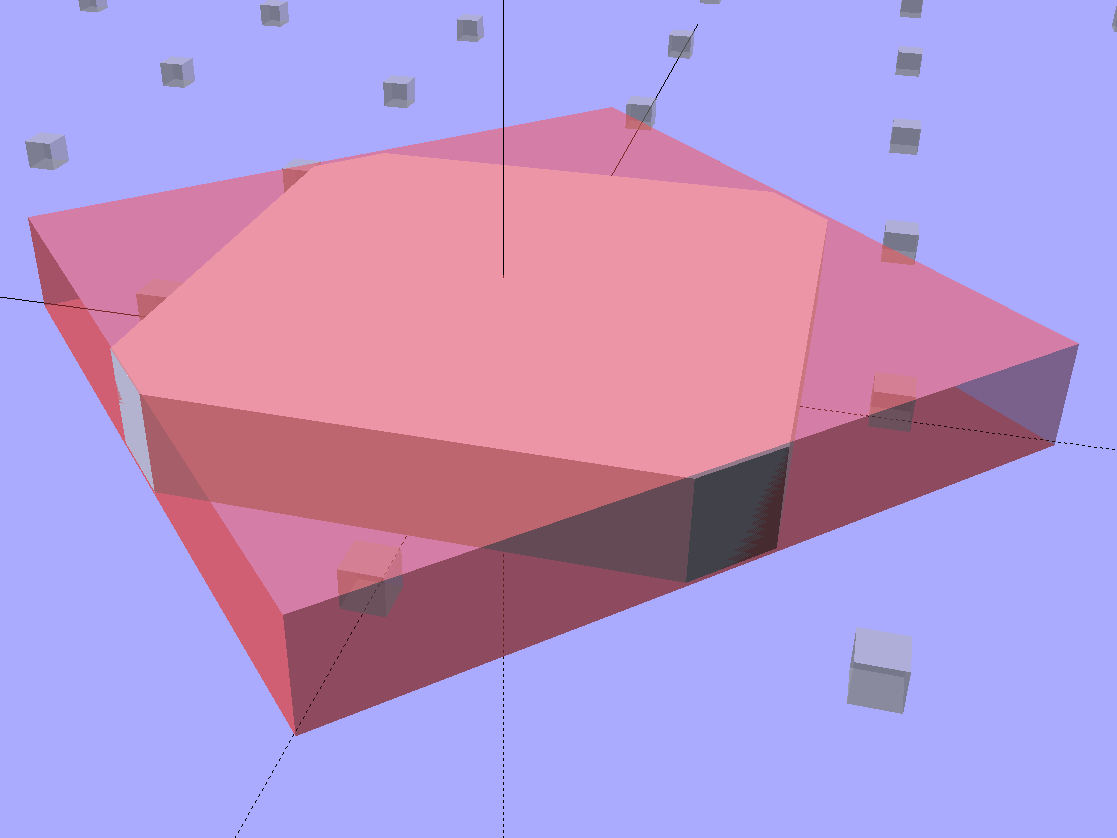
    You can see the shape better in the solid model:

    LED Cable Clips
    LED Cable Clips

    The central bollard has a slight taper to retain the cable, the quarter-posts are straight, and they’re both twice the cable diameter tall. The clearance between the center and corner posts at the top matches the cable diameter, so there’s a bit of bending room at the bottom, and, with the cable bent around the center, it won’t fall out on its own.

    The cute coaxial cable I’m misusing for the LED strips measures just shy of 2 mm, making these into little bitty things. The corner posts seem surprisingly strong, despite 3D printing’s reputation for crappy quality; I haven’t been able to break one off with more effort than seemed warranted.

    The OpenSCAD source code:

    // LED Cable Clips
    // Ed Nisley - KE4ZNU - October 2014
    
    //- Extrusion parameters must match reality!
    
    ThreadThick = 0.20;
    ThreadWidth = 0.40;
    
    HoleWindage = 0.2;			// extra clearance
    
    Protrusion = 0.1;			// make holes end cleanly
    
    AlignPinOD = 1.70;			// assembly alignment pins: filament dia
    
    function IntegerMultiple(Size,Unit) = Unit * ceil(Size / Unit);
    
    //----------------------
    // Dimensions
    
    Base = [12.0,12.0,IntegerMultiple(2.0,ThreadThick)];	// base over sticky square
    
    CableOD = 2.0;
    
    BendRadius = 3.0;
    
    Bollard = [BendRadius,(sqrt(2)*Base[0]/2 - CableOD - BendRadius),2*CableOD];
    B_BOT = 0;
    B_TOP = 1;
    B_LEN = 2;
    
    NumSides = 5*4;
    
    //----------------------
    // Useful routines
    
    module PolyCyl(Dia,Height,ForceSides=0) {			// based on nophead's polyholes
    
      Sides = (ForceSides != 0) ? ForceSides : (ceil(Dia) + 2);
    
      FixDia = Dia / cos(180/Sides);
    
      cylinder(r=(FixDia + HoleWindage)/2,
               h=Height,
               $fn=Sides);
    }
    
    module ShowPegGrid(Space = 10.0,Size = 1.0) {
    
      RangeX = floor(100 / Space);
      RangeY = floor(125 / Space);
    
    	for (x=[-RangeX:RangeX])
    	  for (y=[-RangeY:RangeY])
    		translate([x*Space,y*Space,Size/2])
    		  %cube(Size,center=true);
    
    }
    
    //----------------------
    // Build it
    
    ShowPegGrid();
    
    intersection() {
    	translate([0,0,(Base[2] + Bollard[2])/2])			// overall XYZ outline
    		cube(Base + [0,0,Bollard[2]],center=true);
    	
    	union() {
    		translate([0,0,Base[2]/2])						// oversize mount base
    			scale([2,2,1])
    				cube(Base,center=true);
    				
    		for (i=[-1,1] , j=[-1,1]) {						// corner bollards
    			translate([i*Base[0]/2,j*Base[1]/2,(Base[2] - Protrusion)])
    				rotate(180/NumSides)
    				cylinder(r=Bollard[B_BOT],h=(Bollard[B_LEN] + Protrusion),center=false,$fn=NumSides);
    
    		translate([0,0,(Base[2] - Protrusion)])			// center tapered bollard
    			cylinder(r1=Bollard[B_BOT],r2=Bollard[B_TOP],h=(Bollard[B_LEN] + Protrusion),center=false,$fn=NumSides);
    		}
    	}
    }
    

    Now that I think of it, maybe a round clip would look nicer. The central bollard would stay, but the circular outside rim could have three cutouts. When these fall off, I’ll give that a try.

    They may be square and clunky, but they look much better than Gorilla Tape…


  • Rectifier Mounting Screw Tweakage

    The sewing machine motor runs from 120 V AC or DC, drawing a few amps with the rotor locked, so a hulking 300 V 10 A bridge rectifier (Motorola MDA962-4, if you’re keeping score) seems grossly overrated. On the other paw, I have one, so why not?

    The mounting holes pass 6-32 machine screws, but the recesses in the top seem meant for fillister head screws that I don’t have. Fortunately, I do have a lathe:

    MDA962-4 rectifier - screw head adjustment
    MDA962-4 rectifier – screw head adjustment

    And then they just drop into place:

    MDA962-4 Bridge Rectifier - installed
    MDA962-4 Bridge Rectifier – installed

    You can see why recessing the screw head below the top of the rectifier is a Good Thing.

    That was easy…

  • Tour Easy: Arkel RT-40 Underseat Packs vs. HT Mount

    I just replaced the rather old and tattered Easy Reacher underseat packs on my Tour Easy ‘bent with shiny new Arkel RT-40 packs:

    Arkel RT-40 bag on Tour Easy - front view
    Arkel RT-40 bag on Tour Easy – front view

    The retina-burn white reflective tag under the black hand strap is actually a foreshortened view of the Arkel logo.

    They’re longer and taller than the old packs, which isn’t entirely a Good Thing: the inside bag gently kisses the pavement during steeply banked high speed turns. The main compartment is slightly narrower, so I bent the license plates (which used to fit neatly on the bottom) to form a hard floor with a low lip on the inside edge. That, in combination with tightening the pack’s internal strap, prevents the foam-core bottom panel from drooping; maybe the edge won’t hit the pavement quite so often.

    They also ride much higher on the racks. To install the packs, I had to unbolt the seat to raise it upward, slide the packs underneath, twiddle the clamps onto the rack rods, then reinstall the seat. Those puppies are not getting loose without tools and a struggle!

    Because they’re longer, the right pack collided with the HT mount behind the seat:

    Arkel RT-40 bag vs HT holder
    Arkel RT-40 bag vs HT holder

    So I moved the mount up to the middle crossbar:

    Arkel RT-40 bag - relocated HT holder
    Arkel RT-40 bag – relocated HT holder

    I’m not entirely happy with that arrangement, as the holder sits snug against the rear packs. So far, I rarely need those in addition to the RT-40s, as each underseat bag can swallow an upright gallon milk jug or two Butternut squashes in addition to all the other stuff I normally carry.

    The array of reflective patches and piping and pull tabs probably makes me look (more) like a low-flying UFO at night, but that’s fine with me: the more it resembles a UFO, the less hassle I get.


  • Dis-arming a Steelcase Leap Chair

    Steelcase lists the arm rests on their Leap chairs as “factory installed” and not removable, perhaps because the brackets supporting the arms also support the backrest. In the event you must ever remove the arms, perhaps because your wife decides she’d like to try the chair without them, it’s straightforward.

    Loosen the Torx screw visible through the slot in the bottom of the plastic shroud about a dozen turns (it will not click or feel loose), use a flat screwdriver to unlock the shroud from the flat plastic plate on the seat side of the bracket, then forcibly pull the sides of the shroud outward until you can pull the arm extension mechanism up-and-out of these slots in the bracket:

    Steelcase Leap - arm bracket
    Steelcase Leap – arm bracket

    This view from the side of the chair shows the screw hole in the bottom, with a pair of holes for alignment pins beside it:

    Steelcase Leap - arm bracket
    Steelcase Leap – arm bracket

    You can remove the flat plate by pushing the latch at the top center (just below the backrest screw boss), then sliding the plate upward.

    As nearly as I can tell, there’s no way to remove the shroud from around the arm extension mechanism, so you must pull off the whole thing in one lump:

    Steelcase Leap - arm mechanism
    Steelcase Leap – arm mechanism

    The two pairs of slots in the edges of the shroud engage tabs on the plastic plate; that’s why you need the flat screwdriver.

    The two pins on the bottom lock the arm into the bracket: you must raise it vertically until those come out, after which you can ease the bottom outward until the pins on the sides (which you can’t see inside the shroud) disengage from the bracket slots.

    It takes a whole lot more force than seems necessary, but it can be done.

    Wrap Gorilla tape around the raw edges until you decide whether it’s worthwhile to design and print a pair of plastic caps to cover the whole bracket.

  • When the Phone Don’t Ring, We Know It’s Carmen

    A few weeks ago we ported our landline number to Ooma’s VOIP service, turned on their Community Blacklist, blacklisted a few pests that crept through, and … the scam calls vanished. For the first week, the only calls we received came from people we know.

    Most of the Caller ID numbers seem faked, so one side effect of blocking them will be to prevent calls from real persons or businesses eventually assigned those numbers. In particular, I’ve set up a blacklist filter that kills calls from numbers that differ from ours in only the last few digits: at least one scammer combined the first several digits of the called number with some random digits at the end.

    Obviously, it’s impossible to kill all the faked numbers. The filters work surprisingly well, though.

    Killing nearly all the scam calls is worth ten bucks a month right there, even though it seems odd to pay a private party to prevent illegal action by somebody else. Used to be the government put our tax dollars to work and dealt with people who performed illegal actions, but … that was then, this is now.

    As an aside, I wonder how the NSA handles all those scam calls. Given that the Feds regard anybody within three or four hops of a Person Of Interest to be a Person of Interest, not only should all the scammers have terrorist tags (they call everybody all the time, right?), we ordinary folks picking up the phones are now within a few hops of a known terrorist affiliate.

    Conversely, if the NSA discards scam calls, then I know precisely how to set up the perfect terrorist communications network.

    Verizon refunded $3.11 from our last bill and didn’t try to convince us to retain our landline service. They’d recently “upgraded” our copper line to fiber, so the basement has a nice Optical Network Terminal that I just unplugged; they don’t seem to want it back. Maybe I’ll harvest the 12 V 8 Ah (!) SLA battery for a project.

    We’re not interested in the FiOS “Triple Play” special offers that hover around $90/month for two years, plus unknown equipment charges, plus a regional sports network surcharge, plus unknown taxes and fees, with or without a $250 gift card kickback, with or without a discounted tablet. The cable company recently boosted what we pay for 15/3 cable to $60/month, so we’re definitely trapped by a duopoly.

    Some things (all, some, or none of which may be true) I learned while chatting with various contestants:

    • Overtalking them with “You may hang up at any time if you agree that you’re a scammer” produces either an immediate hangup (they agree!) or a very interesting discussion.
    • Starting with “You have sixty seconds to prove you’re not a scammer. Go!” generally produces an immediate hangup.
    • Setting up a call center “the size of your garage” costs about 85 kilobucks and provides seats for about a dozen “agents”.
    • It’s the best job you’ve had, if you’ve been unemployed for three years, because it’s minimum wage plus a bonus for every prospect you “qualify”, all without having to work in a retail environment. I was unable to discover when the bonus kicks in, but likely after the Level 2 closer sucks actual money out of the victim’s credit card account.
    • Some contestants sincerely believe they’re doing a Good Thing: helping people get lower interest rates on their credit card debt. Pointing out that I’ve asked my credit card issuer whether that works and getting a firm “No!” in reply doesn’t change their belief in the least.

    It’s sad that getting a dead-end job in a scamming company might be the best thing that’s happened to some of those folks in a long time. Makes me almost regret having some of them break down and cry under interrogation…

  • Revlon Tweezers: Bad Spot Welds

    Mary bought a pair of Revlon tweezers a while ago, picking a Name Brand to avoid hassles with bottom-dollar crap:

    Revlon tweezers - bad spot welds
    Revlon tweezers – bad spot welds

    Well, that didn’t work.

    I contend that the only difference between Name Brands and the bottom-dollar crap I tend to buy is a bit of QC and a lot of price. I’ll agree that’s not strictly true, but it does fit a goodly chunk of the observed data.

    Anyhow.

    I milled a recess into the corner of some scrap plastic to locate the handle end, then arranged a step block to capture the business end:

    Revlon tweezers - drilling setup
    Revlon tweezers – drilling setup

    That setup ensures the holes go into the corresponding spots on both pieces, because I couldn’t figure out how to clamp them together and drill them both at once. I drilled the other piece with its good side up to align the holes; doing it bad side up would offset the holes if they’re not exactly along the center line.

    A closer look:

    Revlon tweezers - drilling fixture
    Revlon tweezers – drilling fixture

    Talk about a precarious grip on the workpiece!

    I filed the welds flat before drilling, so the pieces lay flat and didn’t distract the drill.

    Then:

    • Center-drill
    • Drill 2-56 clearance
    • Scuff up mating surfaces with coarse sandpaper
    • Apply epoxy
    • Insert screws
    • Add Loctite
    • Tighten nuts to a snug fit
    • Align jaws
    • Tighten nuts
    • Fine-tune jaw alignment
    • Apply mild clamping force to hold jaws together
    • Wait overnight
    • Saw screws and file flush
    • Done!

    The clamping step:

    Revlon tweezers - epoxy curing
    Revlon tweezers – epoxy curing

    Those nicely aligned and ground-to-fit jaws were the reason Mary bought this thing in the first place.

    The screw heads look OK, in a techie sort of way:

    Revlon tweezers - fixed - front
    Revlon tweezers – fixed – front

    The backside won’t win any awards:

    Revlon tweezers - fixed - rear
    Revlon tweezers – fixed – rear

    But it won’t come apart ever again!

    There’s surely a Revlon warranty covering manufacturing defects, printed on the long-discarded packaging, that requires mailing the parts with the original receipt back to some random address at our own expense.

    Ptui!