The Smell of Molten Projects in the Morning

Ed Nisley's Blog: Shop notes, electronics, firmware, machinery, 3D printing, laser cuttery, and curiosities. Contents: 100% human thinking, 0% AI slop.

Tag: CNC-3018XL

Small gantry router

  • Diamond-Drag Styrene Engraving: Scraped Sharpie

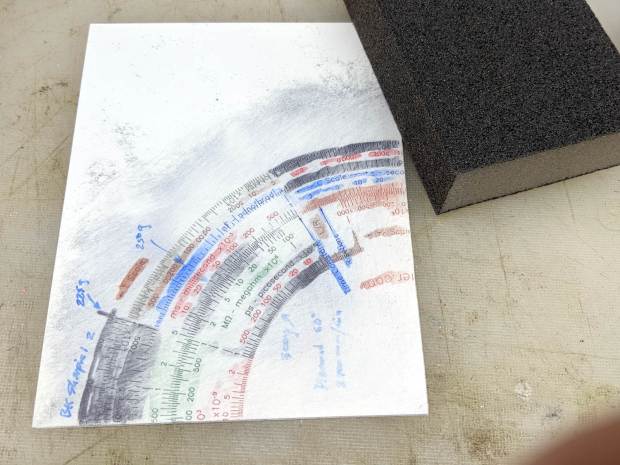
    Applying only two Sharpie colors to the third quadrant of the engraving testpiece produces a more restrained result:

    Diamond on styrene C - scraped red-black Sharpie - start
    Diamond on styrene C – scraped red-black Sharpie – start

    Instead of sanding the surface, I used a paint scraper to remove everything down to the engraved grooves. The scraper in the upper right is a Rubbermaid 54807, which is apparently no longer available. If I ever buy a new scraper, I’ll spring for a carbide blade.

    A dirt speck under the plastic sheet can still obliterate the markings, though:

    Diamond on styrene C - scraped red-black Sharpie - first clearing
    Diamond on styrene C – scraped red-black Sharpie – first clearing

    Overall, the results look just like a real slipstick:

    Diamond on styrene C - scraped red-black Sharpie - 225 300 g scale detail
    Diamond on styrene C – scraped red-black Sharpie – 225 300 g scale detail

    The upper scale was engraved at 225 g downforce, the lower at 300 g, with corresponding differences in width & depth.

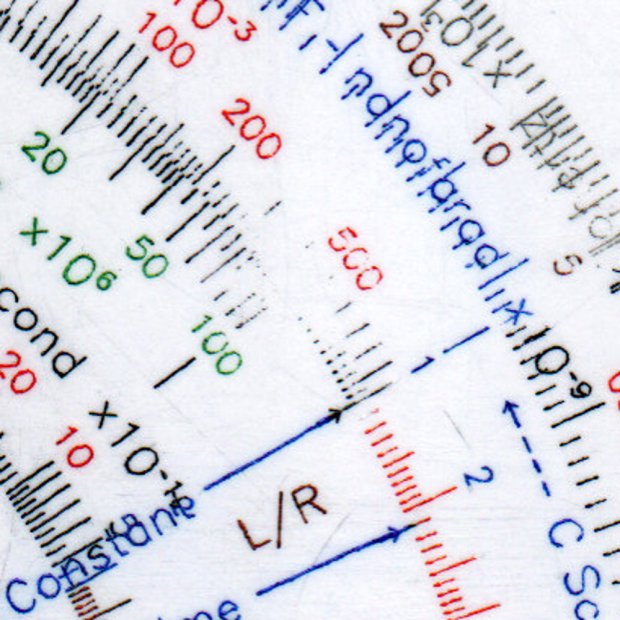
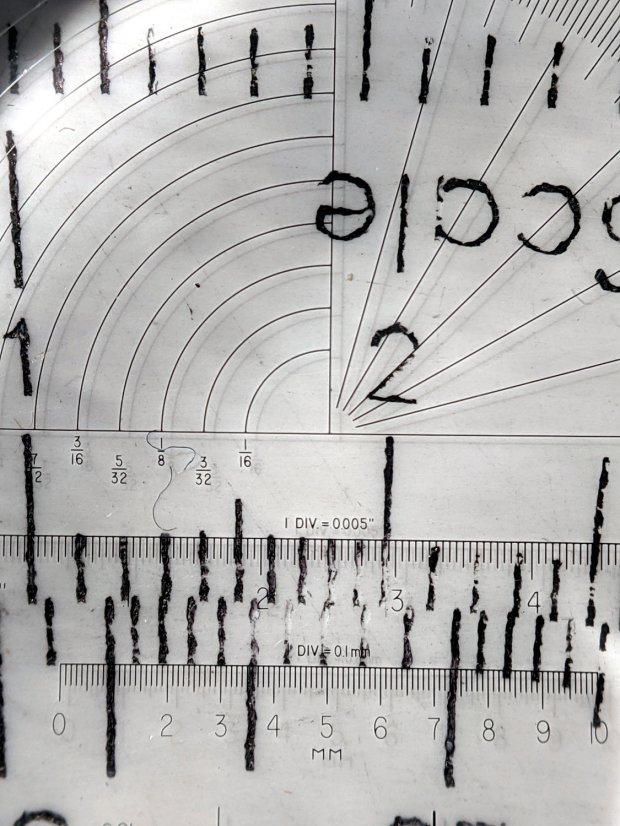
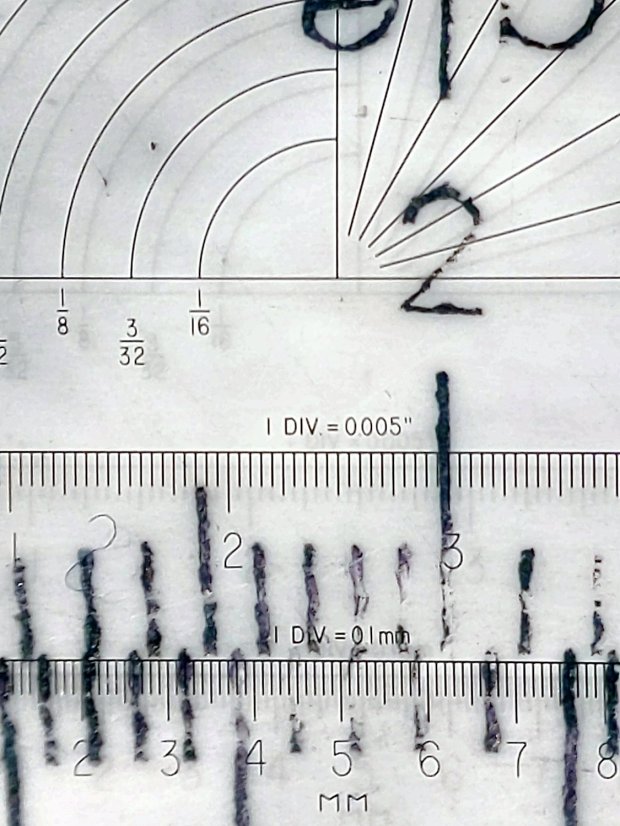
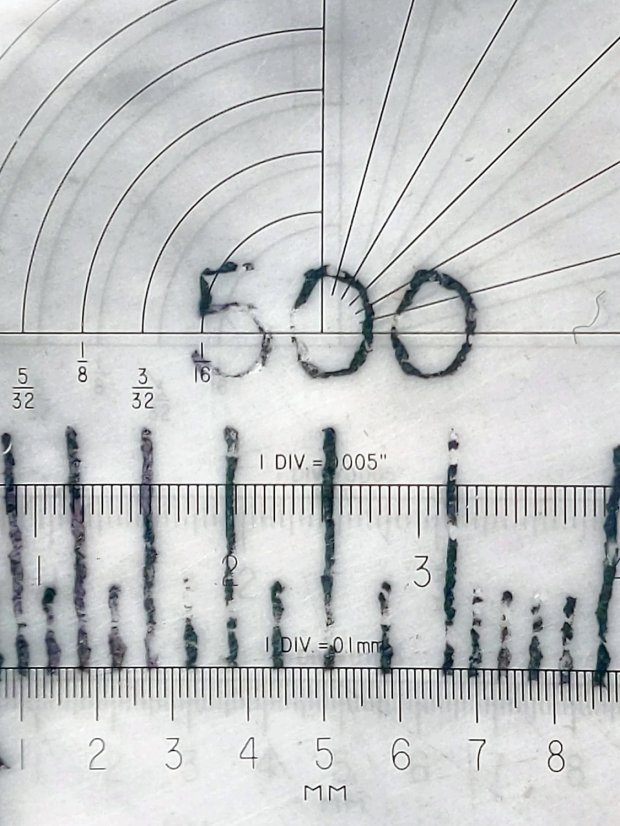
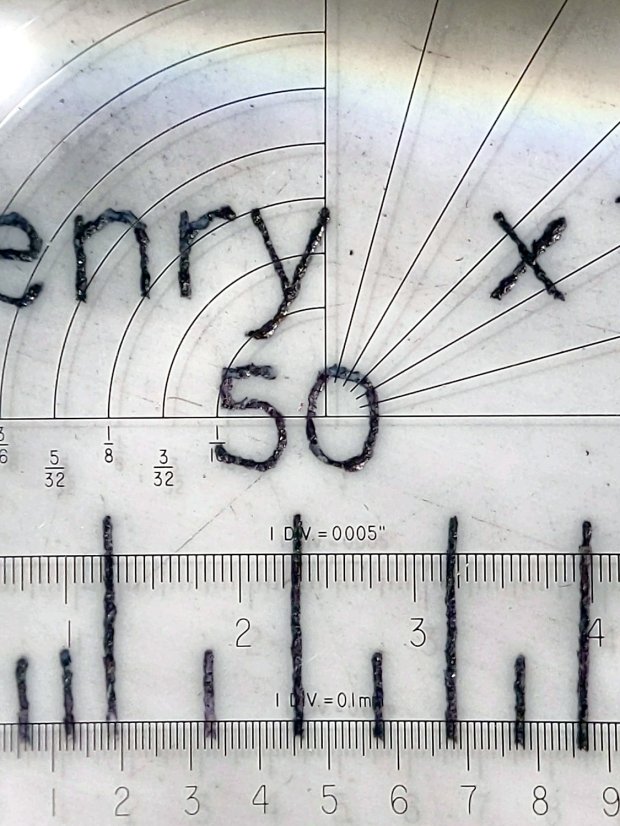
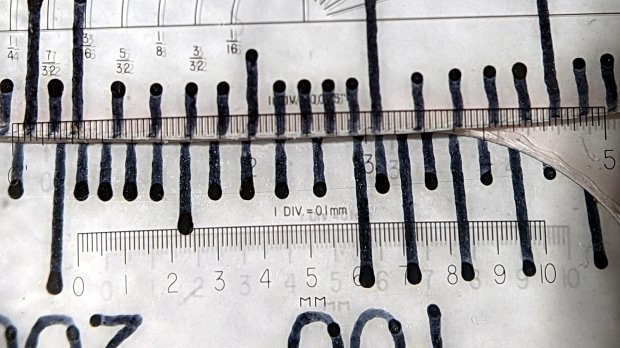
    Seen at higher magnification with omnidirectional light through the microscope, the tick marks have more detail:

    Diamond on styrene C - scraped red-black Sharpie - 225 300 g line detail
    Diamond on styrene C – scraped red-black Sharpie – 225 300 g line detail

    The upper ticks are 0.1 mm wide and the lower ticks a scant 0.2 mm wide. Both ticks on the sanded Sharpie sample were close to 0.1 mm, which suggests:

    • Scraping removes less plastic
    • The grooves have a flat-ish bottom and side walls roughly matching the slightly worn 60° diamond tool

    Sharpie ink is, of course, soluble in alcohol:

    Diamond on styrene C - scraped red-black Sharpie - alcohol wipe
    Diamond on styrene C – scraped red-black Sharpie – alcohol wipe

    That’s not unexpected, as I’ve been removing Sharpie with alcohol forever, but it’s worth keeping in mind. I don’t know if spraying a clear topcoat (Krylon FTW!) would provide good sealing with enough wear resistance.

  • Diamond-Drag Styrene Engraving: Sanded Sharpie Colors

    Diamond-Drag Styrene Engraving: Sanded Sharpie Colors

    Attacking another quadrant of the engraving testpiece with All The Sharpies produced a cheerful mess:

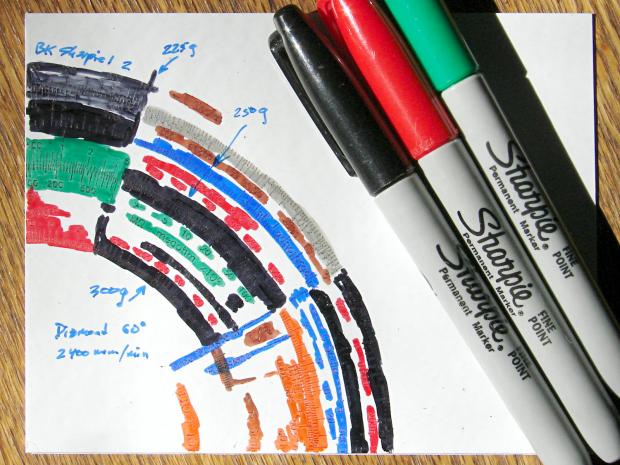
    Diamond on styrene B - Sharpie colors
    Diamond on styrene B – Sharpie colors

    The “300 g” notation is wrong: the innermost scale is on the middle deck, which I engraved with 250 g of downforce, and reads through a window on the top deck. The next scale outward, the inner half of the green block on the left, would be on the upper deck at 300 g, just beyond the innermost scale.

    I removed the excess marker with a 320 (-ish) grit abrasive sanding block, producing a remarkable amount of gray dust in the process:

    Diamond on styrene B - sanded
    Diamond on styrene B – sanded

    The general idea was to find out what the colors looked like when confined to narrow engraved slots:

    Engraving Testpiece B - Sharpie colors - 2x600 dpi
    Engraving Testpiece B – Sharpie colors – 2×600 dpi

    It’s enlarged a factor of two from the 600 dpi scanned image by the simple expedient of changing it to 300 dpi, then assuming all the downstream image handling will Do The Right Thing, which could happen.

    I sanded it before fully appreciating how even the smallest particle of crud under the styrene sheet ruins the result:

    Engraving Testpiece B - debris oversanding
    Engraving Testpiece B – debris oversanding

    In this section, the scale with green numbers and black ticks was engraved at 300 g and is slightly less abraded than the adjacent scale at 225 g. Guesstimating the depth at 0.13 mm, 0.15 mm at most, the sanding block doesn’t remove much plastic at all … just enough to remove the scales.

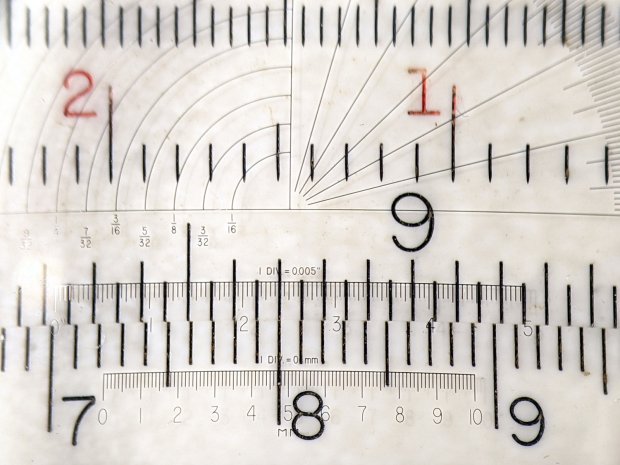
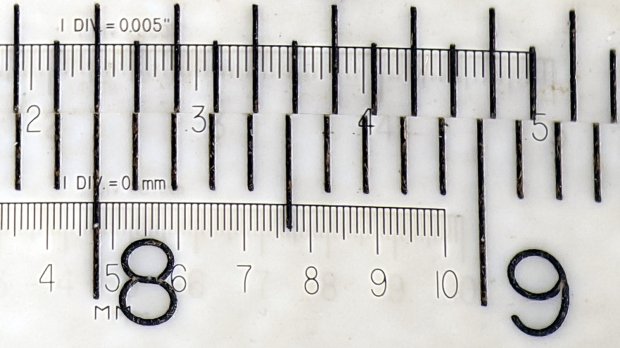
    The lines are all about 0.1 mm wide and, to the naked eyeball, look about the same as the lines on my K&E Deci-Lon slipstick:, done on a real production line with an actual engraving tool and somebody who knew what he (I’m sure) was doing:

    KE Deci-Lon Slide Rule - scale detail
    KE Deci-Lon Slide Rule – scale detail

    The red CI scale reads right-to-left and, under magnification, you can see where the red ink made its way into the adjacent tick marks. I doubt they were using a pen, but it might be a mechanized roller or dauber.

    All in all, sanding works, but it’s messy and poorly controlled.

  • Diamond-Drag Styrene Engraving: Line Width

    Engraving all the Tek Circuit Computer scales on a single sheet of styrene plastic with a diamond drag tool produced a test piece with plenty of lines and characters:

    Diamond on styrene - engraving test - in action
    Diamond on styrene – engraving test – in action

    I covered one quarter with good old black Sharpie, a lacquer crayon, and well-aged black acrylic wall paint:

    Diamond on styrene - engraving test - raw color fill
    Diamond on styrene – engraving test – raw color fill

    Applying a sanding block removed the rubble + scribbles and brought the surface down to the engraved patterns:

    Diamond on styrene - engraving test - 225 250 300g 2400mm-min
    Diamond on styrene – engraving test – 225 250 300g 2400mm-min

    The lacquer crayon doesn’t seem to adhere well to styrene:

    Diamond on styrene - 225 250 g 2400mm-min - lacquer crayon
    Diamond on styrene – 225 250 g 2400mm-min – lacquer crayon

    A closer look shows I probably sanded off too much of the surface, perhaps above some grit below the sheet, because those lines almost vanish:

    Diamond on styrene - 225 250 g 2400mm-min - lacquer crayon
    Diamond on styrene – 225 250 g 2400mm-min – lacquer crayon

    The crayon may adhere better to deeper lines. These are obviously too shallow and the pigment seems to come off in chunks:

    Diamond on styrene - 300g 2400mm-min - lacquer crayon
    Diamond on styrene – 300g 2400mm-min – lacquer crayon

    The acrylic trim paint filled its patterns, despite having turned into a gummy mass during decades on the shelf:

    Diamond on styrene - 225g 2400mm-min - acrylic paint
    Diamond on styrene – 225g 2400mm-min – acrylic paint

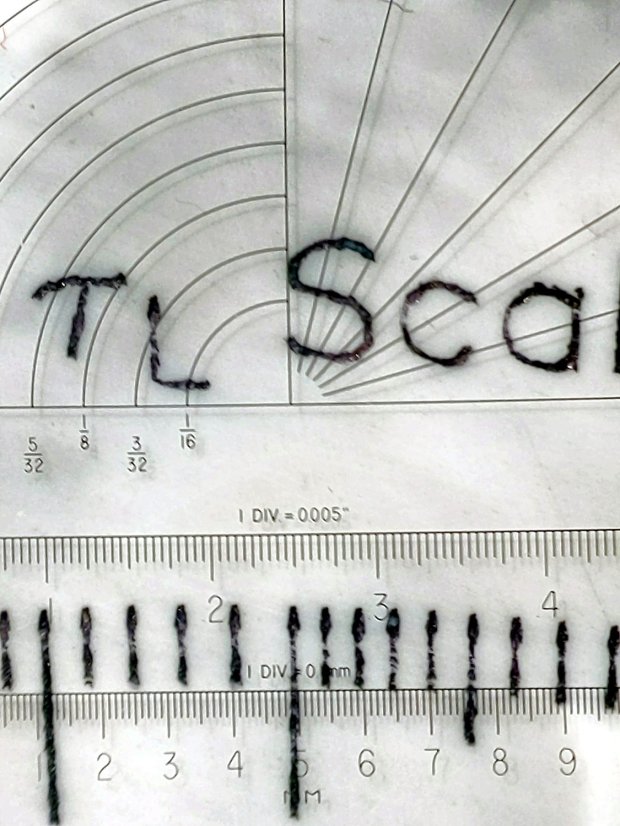
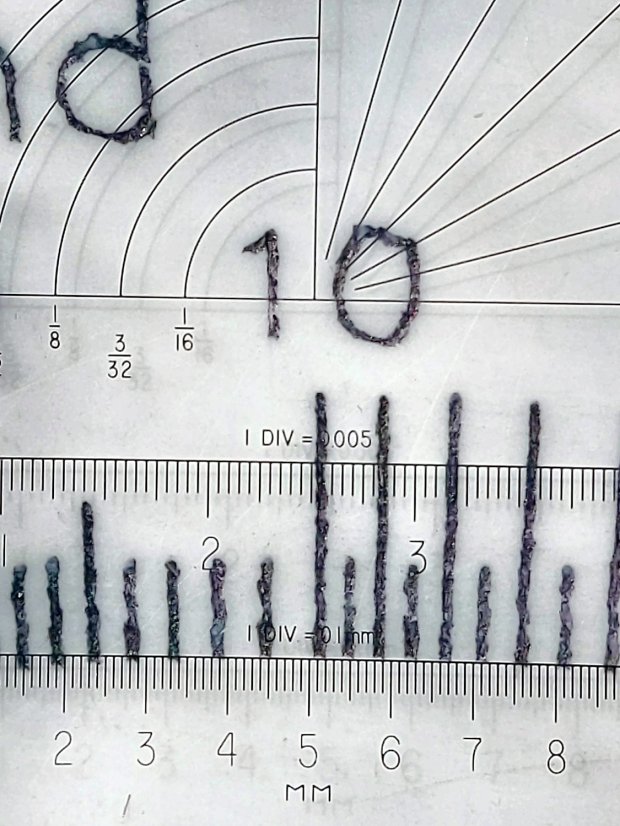
    The Sharpie ink, being basically a thin liquid, completely filled its patterns and (apparently) soaked into the rough side walls. The lines seem to be 0.1 mm wide at 225 g downforce:

    Diamond on styrene - 225g 2400mm-min - Sharpie
    Diamond on styrene – 225g 2400mm-min – Sharpie

    They’re less uniform at 250 g:

    Diamond on styrene - 250g 2400mm-min - Sharpie
    Diamond on styrene – 250g 2400mm-min – Sharpie

    A 300 g downforce produces (somewhat) more uniform 0.15 mm wide lines and slightly distorted characters:

    Diamond on styrene - 300g 2400mm-min - Sharpie
    Diamond on styrene – 300g 2400mm-min – Sharpie

    I have no way to measure the actual engraving depth. If the 60° diamond tool had a perfect point, which it definitely doesn’t, then a 0.15 mm wide trench would be 0.13 mm deep. I’ve obviously sanded off some of the surface, so those lines could be, at most, 0.1 mm deep.

    All in all, the engraving came out better than I expected!

  • Tek Circuit Computer: Styrene Engraving Test

    Tek Circuit Computer: Styrene Engraving Test

    Engraving all three Tek Circuit Computer decks on a single sheet of styrene plastic with the diamond drag tool:

    Diamond on styrene - engraving test - overview
    Diamond on styrene – engraving test – overview

    The three patterns overlap here & there, but the intent was to have plenty of engraved lines for further study:

    Diamond on styrene - engraving test - in action
    Diamond on styrene – engraving test – in action

    The vivid blue glare comes from a flashlight at grazing incidence off to the left, with brutal color correction back to something sensible.

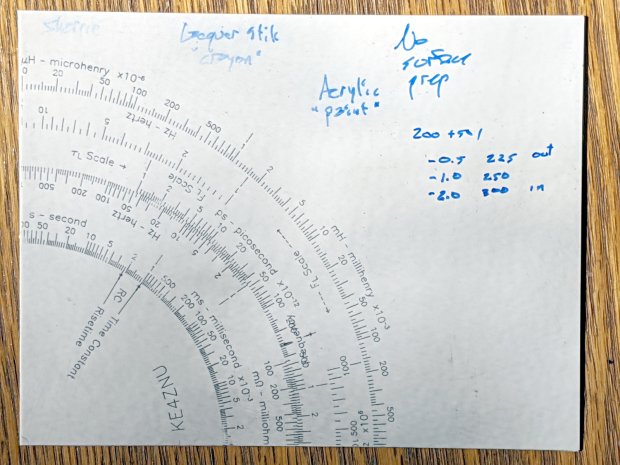
    Engraving each deck at a different depth gave a range of downforce:

    EZ='EngraveZ=-0.5mm'
    Runit Bottom Engrave
    
    EZ='EngraveZ=-1.0mm'
    Runit Middle Engrave
    
    EZ='EngraveZ=-2.0mm'
    Runit Top Engrave
    

    I fed all three of those G-Code files into bCNC, applied them to the same sheet with the same origin touchoff, and it worked fine.

    The tool holder rate of 200 g + 50 g/mm produced downforces of 225, 250, and 300 g. In retrospect, the range wasn’t really broad enough, so Moah Force may be in order.

    The diamond produced plenty of swarf:

    Diamond on styrene - engraving test - swarf
    Diamond on styrene – engraving test – swarf

    Wiping the surface with a strip of masking tape clears away the loose rubble:

    Diamond on styrene - engraving test - cleaned
    Diamond on styrene – engraving test – cleaned

    The innermost scale comes from the top deck, engraved at 300 g. The long shadows from the plastic pushed up along the tick marks seem to indicate the deepest trenches, although I don’t have any way to measure their depth.

    I scribed and snapped the sheet into quarters so I can (mis)treat the engraved patterns in various ways:

    Diamond on styrene - engraving test - raw color fill
    Diamond on styrene – engraving test – raw color fill

    What a mess!

  • Diamond Drag Tool Wear

    Diamond Drag Tool Wear

    The diamond drag tool now in the MPCNC LM3UU holder has appeared in several holders and suffered considerable misuse along the way:

    Diamond Drag Tool tip - MPCNC
    Diamond Drag Tool tip – MPCNC

    A closer look at the spalled section on the flank:

    Diamond Drag Tool tip - MPCNC - detail
    Diamond Drag Tool tip – MPCNC – detail

    The tool in the (much better) CNC 3018XL LM6UU holder has engraved mostly plastic, plus a few hard drive platters, and seems only slightly rounded:

    Diamond Drag Tool tip - CNC 3018
    Diamond Drag Tool tip – CNC 3018

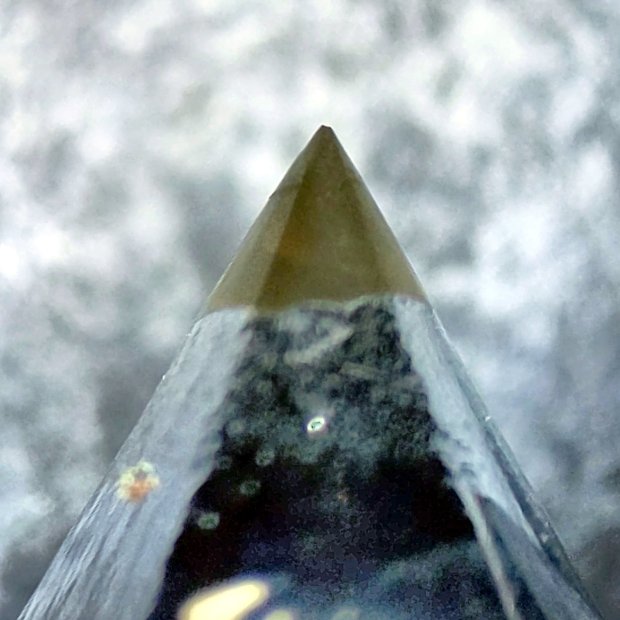
    An unused tip comes to a neat point:

    Diamond Drag Tool tip - unused A
    Diamond Drag Tool tip – unused A

    As does its companion, arriving in a twofer deal from halfway around the planet:

    Diamond Drag Tool tip - unused B
    Diamond Drag Tool tip – unused B

    They’re brazed on 3 mm OD shanks and ground to a 60° included angle.

  • Slide Rules: Real Engraving vs. Pilot V5RT Pens

    A 0.5 mm Pilot V5RT pen produces good-looking results on presentation-grade paper:

    Tek CC - V5RT black - glossy presentation paper
    Tek CC – V5RT black – glossy presentation paper

    Peering through a measuring magnifier shows a bit more tremble in the traces, but they’re still OK:

    Tek CC - V5RT pen width
    Tek CC – V5RT pen width

    The desk light off to the upper left casts shadows from the reticle on the three different sheets.

    A closer view of the linear scales:

    Tek CC - V5RT pen width - detail
    Tek CC – V5RT pen width – detail

    The pen lines seem to be 0.25 to 0.3 mm wide, with 0.4 mm dots at the end of each stroke.

    For comparison, the engraved lines on my trusty K&E Deci-Lon slide rule are under 0.1 mm:

    KE Deci-Lon Slide Rule - scale detail
    KE Deci-Lon Slide Rule – scale detail

    The digits look like they’re embossed into the surface with shaped punches, rather than engraved like the lines. Of course, I don’t know how K&E’s production machinery worked.

    A closer view:

    KE Deci-Lon Slide Rule - scale detail - digits
    KE Deci-Lon Slide Rule – scale detail – digits

    I think 0.1 mm is an aggressively narrow trace width, even for a laser engraver.

  • CNC 3018XL: Arduino + Protoneer CNC

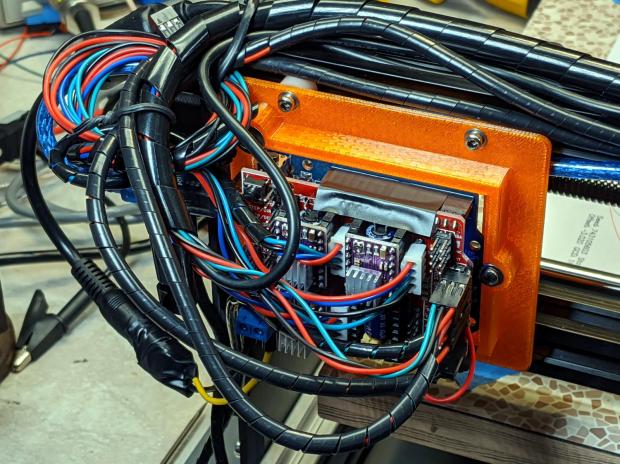
    If the truth be known, I wanted to do this as soon as I discovered the CAMtool V3.3 board hardwired the DRV8825 PCBs in 1:32 microstep mode:

    CNC 3018XL - Protoneer atop Arduino - installed
    CNC 3018XL – Protoneer atop Arduino – installed

    The Protoneer CNC board has jumpers, so selecting 1:8 microstep mode is no big deal.

    As before, I epoxied another row of pins along the I/O header for Makerbot-style endstops:

    Protoneer endstop power mod
    Protoneer endstop power mod

    I’ll probably regret not adding pins along the entire row, but, unlike the MPCNC, the CNC 3018XL won’t ever have hard limit switches. I plugged the Run-Hold switch LEDs into an unused +5 V pin and moved on.

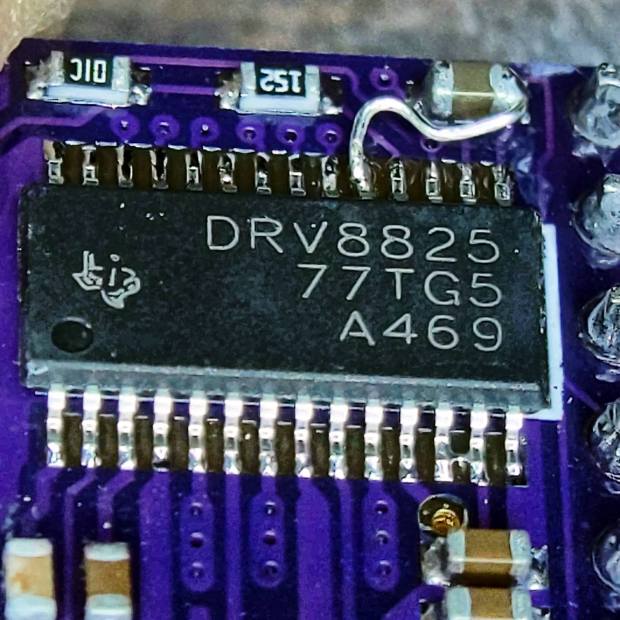
    I modified the DRV8825 driver PCBs for fast decay mode:

    DRV8825 PCB - Fast Decay Mode wire
    DRV8825 PCB – Fast Decay Mode wire

    Then set the current to a bit over 1 A:

    3018XL - Protoneer setup - Z 1 mm
    3018XL – Protoneer setup – Z 1 mm

    Six hours later I hauled the once-again-functional CNC 3018XL to my presentation for the ACM:

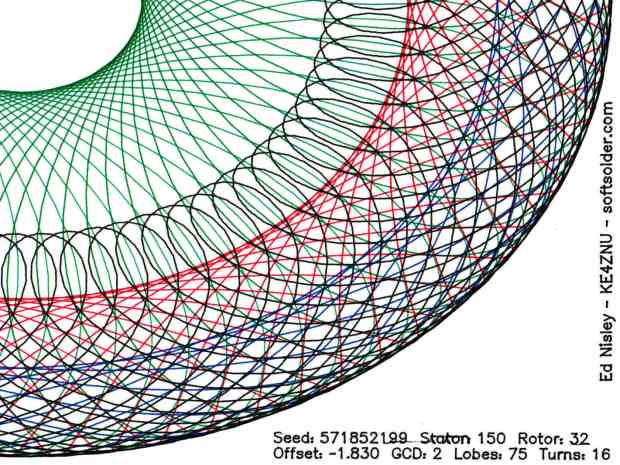
    Spirograph - intricate sample plot - detail
    Spirograph – intricate sample plot – detail

    Memo to Self: Time to get another Prontoneer board …