The Smell of Molten Projects in the Morning

Ed Nisley's Blog: Shop notes, electronics, firmware, machinery, 3D printing, laser cuttery, and curiosities. Contents: 100% human thinking, 0% AI slop.

Tag: Arduino

All things Arduino

  • Glass Tiles: 2×2 Matrix

    Glass Tiles: 2×2 Matrix

    Start with a single cell holding a glass tile over a WS2812 RGB LED:

    Glass Tile - 1x1 cell test - purple phase
    Glass Tile – 1×1 cell test – purple phase

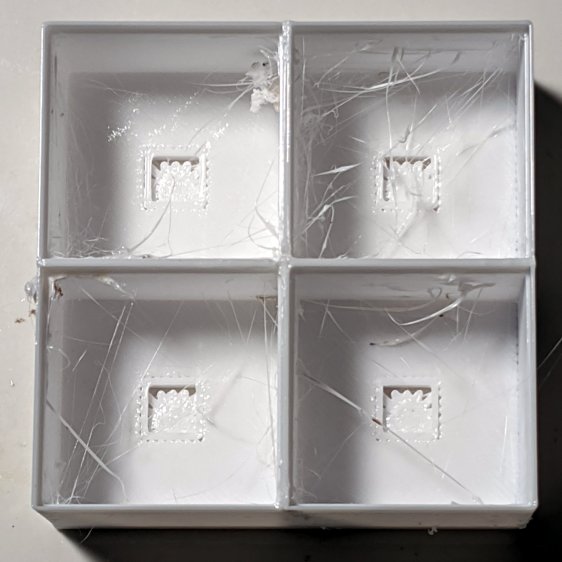
    A bit of OpenSCAD tinkering produces a simple 2×2 array with square interiors as a test piece:
    Glass Tile - 2x2 - PETG strings
    Glass Tile – 2×2 – PETG strings

    The excessive stringing and the booger in the upper-left cell come from absurdly thin infill tucked into the too-thin walls; Slic3r doesn’t (seem to) have a “minimum infill width” setting and it’ll desperately try to fit infill between two nearly adjacent perimeter threads.

    The little support spiders under the LED PCB recesses snapped right out, though, so I got that part right:

    Glass Tile - 2x2 - support spiders
    Glass Tile – 2×2 – support spiders

    The perimeter threads around the LED aperture aren’t quite fused, because it was only one layer thick and that’s not enough.

    A quick test with two LEDs showed the white PETG let far too much light bleed between the cells, which was no surprise from the single cell test piece.

    Fortunately, it’s all parametric, so a bit more tinkering produced a slightly chunkier matrix with a base for an Arduino Nano and M3 threaded brass inserts for the screws holding it together:

    Glass Tile Frame - 2x2 - Arduino Nano base - solid model
    Glass Tile Frame – 2×2 – Arduino Nano base – solid model

    Those two parts require about three hours of printing, much faster than I could produce them by milling pockets into aluminum or black acrylic slabs, and came out with minimal stringing.

    A little cleanup, some epoxy work, and a few dabs of solder later:

    Glass Tile - 2x2 - Arduino wiring
    Glass Tile – 2×2 – Arduino wiring

    An initial lamp test showed the white-ish glass tiles aren’t all quite the same color:

    Glass Tile - 2x2 - white color variation
    Glass Tile – 2×2 – white color variation

    I thought it was an LED color variation, too, but the slightly blue tint in the lower left corner followed the tile.

    The blurred horizontal strip across the middle is adhesive tape holding the tiles in place; I was reluctant to glue them in before being sure this whole thing would work. A peek into the future, though, shows it’s got potential:

    Glass Tile - 2x2 - first two units
    Glass Tile – 2×2 – first two units

    They do give off a definite Windows logo vibe, don’t they?

    The OpenSCAD source code as a GitHub Gist:

    // Illuminated Tile Grid
    // Ed Nisley – KE4ZNU
    // 2020-05
    /* [Configuration] */
    Layout = "Build"; // [Cell,CellArray,MCU,Base,Show,Build]
    Shape = "Square"; // [Square, Pyramid, Cone]
    Cells = [2,2];
    CellDepth = 15.0;
    Support = true;
    Inserts = true;
    /* [Hidden] */
    ThreadThick = 0.25;
    ThreadWidth = 0.40;
    HoleWindage = 0.2;
    function IntegerMultiple(Size,Unit) = Unit * ceil(Size / Unit);
    Protrusion = 0.1; // make holes end cleanly
    ID = 0;
    OD = 1;
    LENGTH = 2;
    Tile = [25.0 + 0.1,25.0 + 0.1,4.0];
    WallThick = 3*ThreadWidth;
    Flange = [4*ThreadWidth,4*ThreadWidth,0]; // ridge supporting tile
    Separator = [3*ThreadWidth,3*ThreadWidth,Tile.z – 1]; // between tiles
    Screw = [3.0,6.0,3.5]; // M3 SHCS, OD=head, LENGTH=head
    Insert = [3.0,4.2,8.0]; // threaded brass insert
    PCB = [15.0,8.0,2.5];
    LED = [5.0 + 2*HoleWindage,5.0 + 2*HoleWindage,1.0];
    LEDOffset = [0.0,(PCB.y – LED.y)/2 – 0.5,0.0]; // slight offset from +Y PCB edge
    CellOAL = [Tile.x,Tile.y,0] + Separator + [0,0,CellDepth] + [0,0,WallThick] + [0,0,PCB.z];
    ArrayOAL = [Cells.x*CellOAL.x,Cells.y*CellOAL.y,CellOAL.z]; // just the LED cells
    BlockOAL = ArrayOAL + [2*WallThick,2*WallThick,0]; // LED cells + exterior wall
    echo(str("Block OAL: ",BlockOAL));
    InsertOC = ArrayOAL – [Insert[OD],Insert[OD],0] – [2*WallThick,2*WallThick,0];
    echo(str("Insert OC: ",InsertOC));
    TapeThick = 1.0;
    Arduino = [44.0,18.0,8.0 + TapeThick]; // Arduino Nano to top of USB Mini-B plug
    USBPlug = [15.0,11.0,8.5]; // USB Mini-B plug insulator
    USBOffset = [0,0,5.5]; // offset from PCB base
    WiringBay = [BlockOAL.x – 4*WallThick,38.0,3.0];
    PlateOAL = [BlockOAL.x,BlockOAL.y,WallThick + Arduino.z + WiringBay.z];
    echo(str("Base Plate: ",PlateOAL));
    //————————
    module PolyCyl(Dia,Height,ForceSides=0) { // based on nophead's polyholes
    Sides = (ForceSides != 0) ? ForceSides : (ceil(Dia) + 2);
    FixDia = Dia / cos(180/Sides);
    cylinder(d=(FixDia + HoleWindage),h=Height,$fn=Sides);
    }
    //———————–
    // Base and optics in single tile
    module LEDCone() {
    hull() {
    translate([0,0,CellDepth + Tile.z/2])
    cube(Tile – [Flange.x,Flange.y,0],center=true);
    if (Shape == "Square") {
    translate([0,0,LED.z/2])
    cube([Tile.x,Tile.y,LED.z] – [Flange.x,Flange.y,0],center=true);
    }
    else if (Shape == "Pyramid") {
    translate([0,0,LED.z/2])
    cube(LED,center=true);
    }
    else if (Shape == "Cone") {
    translate([0,0,LED.z/2])
    cylinder(d=1.5*LED.x,h=LED.z,center=true);
    }
    else {
    echo(str("Whoopsie! Invalid Shape: ",Shape));
    cube(5);
    }
    }
    }
    // One complete LED cell
    module LEDCell() {
    difference() {
    translate([0,0,CellOAL.z/2])
    cube(CellOAL,center=true);
    translate([0,0,CellOAL.z – Separator.z + Tile.z/2])
    cube(Tile,center=true);
    translate([0,0,PCB.z + WallThick])
    LEDCone();
    cube([LED.x,LED.y,CellOAL.z],center=true);
    translate(-LEDOffset + [0,0,PCB.z/2 – Protrusion/2])
    cube(PCB + [0,0,Protrusion],center=true);
    }
    if (Support)
    color("Yellow") render()
    translate(-LEDOffset) {
    // translate([0,0,ThreadThick/2])
    // cube([PCB.x – 2*ThreadWidth,PCB.y – 2*ThreadWidth,ThreadThick],center=true);
    intersection() {
    translate([0,0,(PCB.z – ThreadThick)/2])
    cube([PCB.x – 2*ThreadWidth,PCB.y – 2*ThreadWidth,PCB.z – ThreadThick],center=true);
    union() { for (a=[0:22.5:359])
    rotate(a)
    translate([PCB.x/2,0,PCB.z/2])
    cube([PCB.x,2*ThreadWidth,PCB.z],center=true); }
    }
    }
    }
    // The whole array of cells
    module CellArray() {
    difference() {
    union() {
    translate([CellOAL.x/2 – Cells.x*CellOAL.x/2,CellOAL.y/2 – Cells.y*CellOAL.y/2,0])
    for (i=[0:Cells.x – 1], j=[0:Cells.y – 1])
    translate([i*CellOAL.x,j*CellOAL.y,0])
    LEDCell();
    if (Inserts) // bosses
    for (i=[-1,1], j=[-1,1])
    translate([i*InsertOC.x/2,j*InsertOC.y/2,0])
    rotate(180/8)
    cylinder(d=Insert[OD] + 3*WallThick,h=Insert[LENGTH],$fn=8);
    }
    if (Inserts) // holes
    for (i=[-1,1], j=[-1,1])
    translate([i*InsertOC.x/2,j*InsertOC.y/2,-Protrusion])
    rotate(180/8)
    PolyCyl(Insert[OD],Insert[LENGTH] + WallThick + Protrusion,8);
    }
    difference() {
    translate([0,0,CellOAL.z/2])
    cube(BlockOAL,center=true);
    translate([0,0,CellOAL.z])
    cube(ArrayOAL + [0,0,2*CellOAL.z],center=true);
    }
    }
    // Arduino bounding box
    // Origin at center bottom of PCB
    module Controller() {
    union() {
    translate([0,0,Arduino.z/2])
    cube(Arduino,center=true);
    translate([Arduino.x/2 – Protrusion,-USBPlug.y/2,USBOffset.z + TapeThick – USBPlug.z/2])
    cube(USBPlug + [Protrusion,0,0],center=false);
    }
    }
    // Baseplate
    module BasePlate() {
    difference() {
    translate([0,0,PlateOAL.z/2])
    cube(PlateOAL,center=true);
    translate([0,0,WallThick])
    Controller();
    translate([0,0,WallThick + PlateOAL.z/2])
    cube([Arduino.x – 2*2.0,WiringBay.y,PlateOAL.z],center=true);
    translate([0,0,PlateOAL.z – WiringBay.z + WiringBay.z/2])
    cube(WiringBay + [0,0,2*Protrusion],center=true);
    for (i=[-1,1], j=[-1,1])
    translate([i*InsertOC.x/2,j*InsertOC.y/2,-Protrusion])
    rotate(180/8) {
    PolyCyl(Screw[ID],2*PlateOAL.z,8);
    PolyCyl(Screw[OD],Screw[LENGTH] + 4*ThreadThick + Protrusion,8);
    }
    translate([0,0,ThreadThick-Protrusion])
    cube([17.0,45,2*ThreadThick],center=true);
    }
    linear_extrude(height=2*ThreadWidth + Protrusion) {
    translate([1,0,-Protrusion])
    rotate(-90) mirror([1,0,0])
    text(text="Ed Nisley",size=6,font="Arial:style:Bold",halign="center");
    translate([-6.5,0,-Protrusion])
    rotate(-90) mirror([1,0,0])
    text(text="softsolder.com",size=4.5,font="Arial:style:Bold",halign="center");
    }
    if (Support)
    color("Yellow")
    for (i=[-1,1], j=[-1,1])
    translate([i*InsertOC.x/2,j*InsertOC.y/2,0])
    for (a=[0:45:135])
    rotate(a)
    translate([0,0,(Screw[LENGTH] – ThreadThick)/2])
    cube([Screw[OD] – 2*ThreadWidth,2*ThreadWidth,Screw[LENGTH] – ThreadThick],center=true);
    }
    //———————–
    // Build things
    if (Layout == "Cell")
    LEDCell();
    else if (Layout == "CellArray")
    CellArray();
    else if (Layout == "MCU")
    Controller();
    else if (Layout == "Base")
    BasePlate();
    else if (Layout == "Show") {
    translate([0,0,PlateOAL.z + 10])
    CellArray();
    BasePlate();
    }
    else if (Layout == "Build") {
    translate([0,0.6*BlockOAL.y,0])
    CellArray();
    translate([0,-0.6*BlockOAL.y,0])
    rotate(90)
    BasePlate();
    }
  • Glass Tiles: Single Test Cell

    Glass Tiles: Single Test Cell

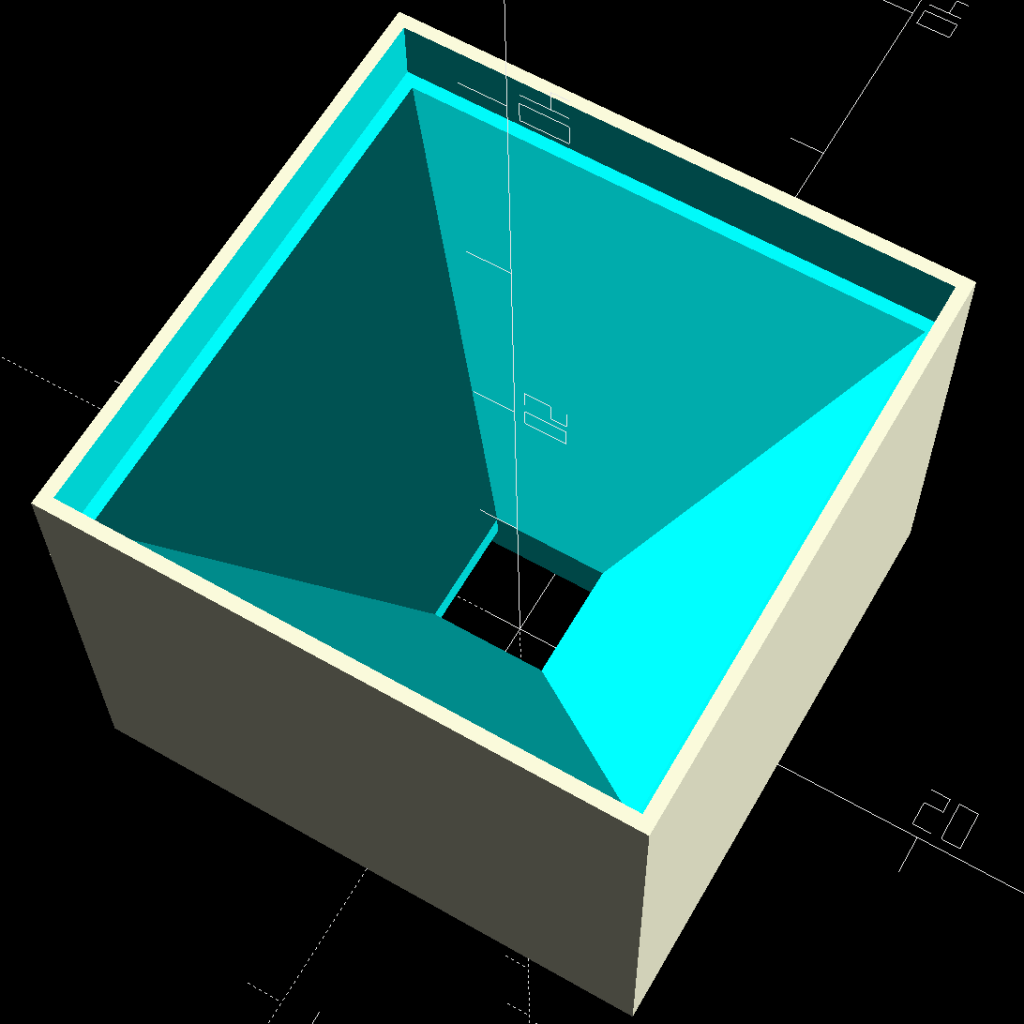
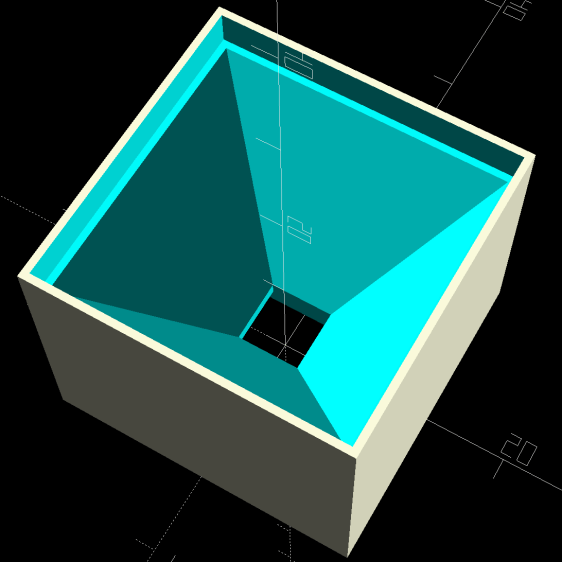
    A single glass tile rests on the ridge around the pyramidal interior:

    Glass Tile Frame - pyramid cell
    Glass Tile Frame – pyramid cell

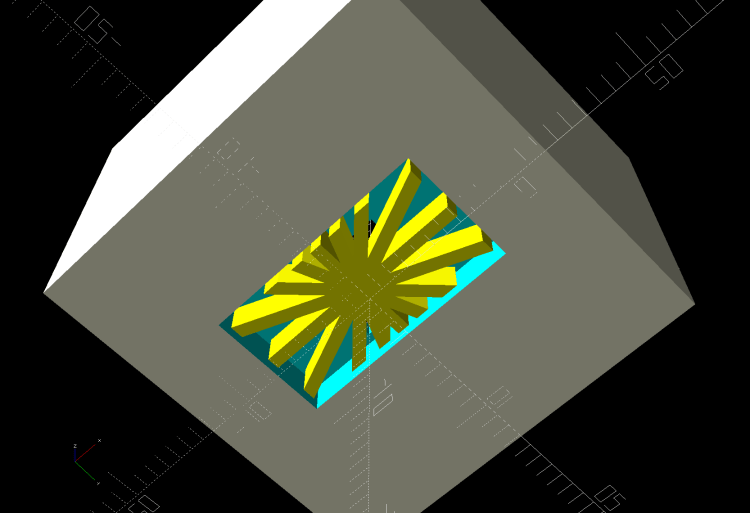
    The bottom has a cutout for the WS2812 PCB, with some in-the-model support for simplicity:

    Glass Tile Frame - pyramid cell - bottom
    Glass Tile Frame – pyramid cell – bottom

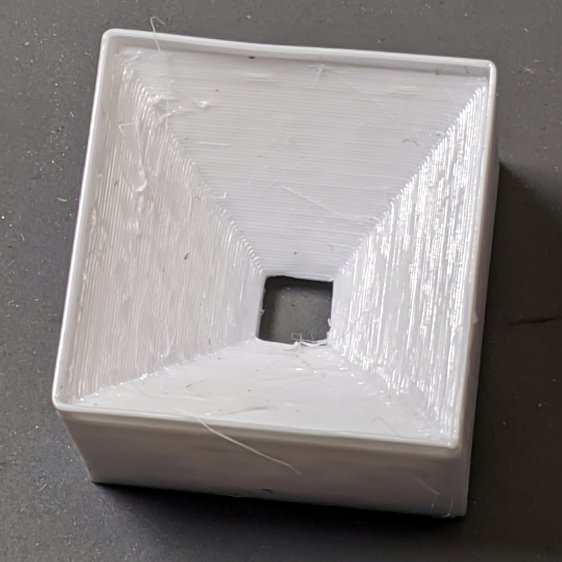
    Which becomes this in real life:

    Glass Tile - 1x1 cell test - pyramid PETG strings
    Glass Tile – 1×1 cell test – pyramid PETG strings

    There’s plenty of PETG hair inside the opening, which seems like a Bad Thing all around.

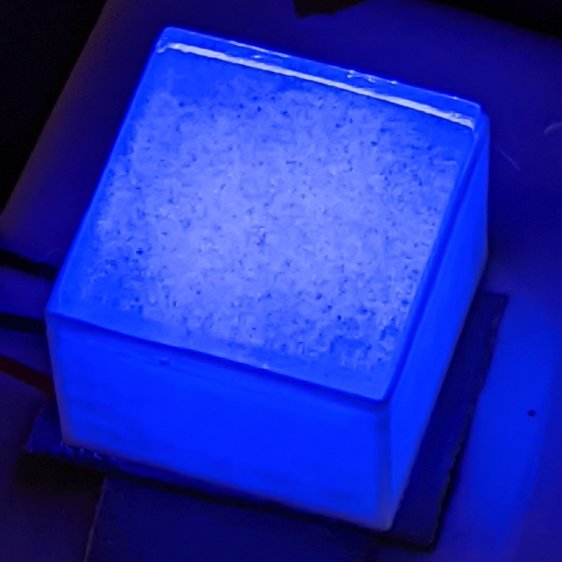
    Cleaning out the worst of the fur, taping a WS2812 LED into the opening, and dropping a white-ish tile in place:

    Glass Tile - 1x1 cell test - purple phase
    Glass Tile – 1×1 cell test – purple phase

    Obviously, JPG compression wasn’t built with a finely textured granular surface in mind:

    Glass Tile - 1x1 cell test - blue phase
    Glass Tile – 1×1 cell test – blue phase

    But it looks really nice in a dim room!

    With a physical object in hand, it’s obvious the pyramidal interior adds exactly zero value:

    • Direct rays in the beam from the WS2812 don’t hit the walls
    • Light outside the beam doesn’t contribute much after hitting those irregular walls

    So the next pass should be just a hollow box with tweaked tile & PCB measurement: rapid prototyping in full effect!

  • Glass Tiles: Proof of Concept

    Glass Tiles: Proof of Concept

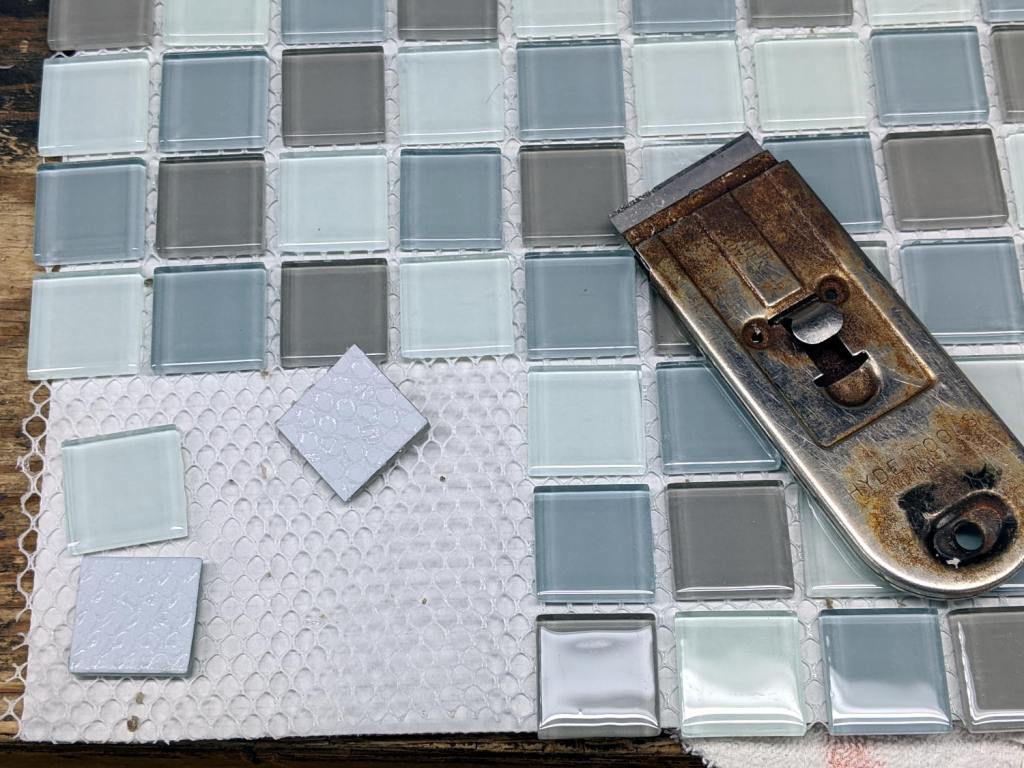
    Extract some victims from a square foot of glass tiles:

    Glass Tiles - as sold
    Glass Tiles – as sold

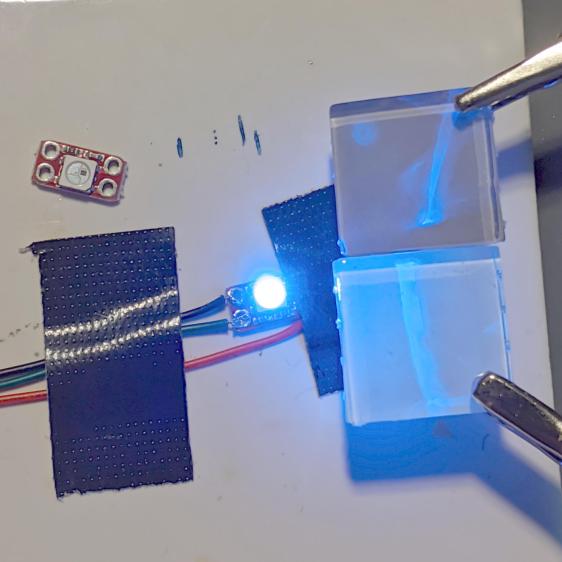
    Wire an old WS2812 breakout board (the new ones are much larger) to an Arduino Nano running the Nissan Fog Lamp firmware:

    Glass Tile - backlight blue - setup
    Glass Tile – backlight blue – setup

    Aaaand it looks like this might actually work:

    Glass Tile - backlight blue
    Glass Tile – backlight blue

    The WS2812 “beam” illuminates the 25 mm square tile without too much vignetting at about 15 mm.

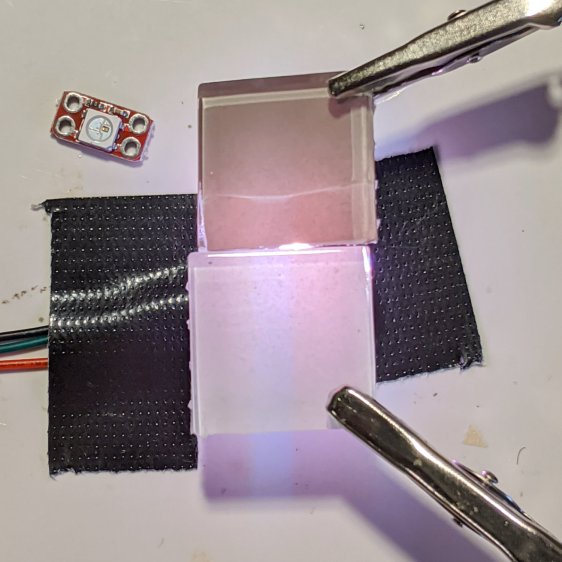
    The bottom tile is white-ish, the top is gray-ish, and they look different enough to justify using only one color in each array:

    Glass Tile - backlight neutral
    Glass Tile – backlight neutral

    Now, for some solid modeling …

  • Glass Tiles

    Glass Tiles

    A sheet of cheap-on-closeout glass tiles emerged from the back of the Basement Laboratory workbench:

    Glass Tiles - as sold
    Glass Tiles – as sold

    They’re intended for bathroom / kitchen backsplash panels and suchlike, rather than floors. Surprisingly, the white frit backing is diffuse, translucent, and lights up nicely with a backlight, although I lack sufficient hands for a convincing picture.

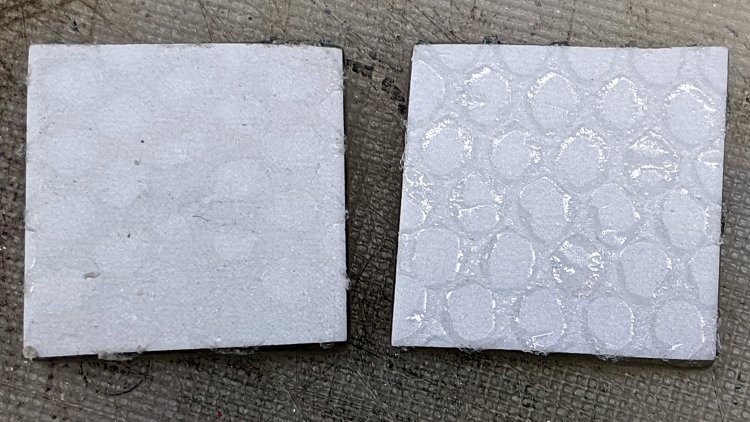
    One can, with some effort, peel the tiles from their foot-square backing mesh, which leaves them covered with the resolutely sticky adhesive:

    Glass Tiles - adhesive mesh
    Glass Tiles – adhesive mesh

    Applying the razor scraper removes most of the gum, xylene removes most of the remainder, and what’s left isn’t visible through the frit.

    They’re 25 mm square and 4 mm thick, with sufficient edge imperfections to require half a millimeter of clearance on all sides

    Sixteen pixels would make an adequate display:

    Glass Tiles - sample layout
    Glass Tiles – sample layout

    Perhaps something random:

    Random LED Dots - circuit board
    Random LED Dots – circuit board

    Now, if only I could find the matching Round Tuit™ on the bench.

  • Nissan Fog Lamp: Arduino Firmware

    Nissan Fog Lamp: Arduino Firmware

    The upcycled Nissan fog lamp now has a desk stand:

    Nissan Fog Lamp - table mount
    Nissan Fog Lamp – table mount

    A knockoff Arduino Pro Mini atop a strip of foam tape drives the WS2812 RGB LEDs:

    Nissan Fog Lamp - table mount interior
    Nissan Fog Lamp – table mount interior

    Next time, I’ll cut the wires another inch longer.

    The firmware is a tidied-up version of the vacuum tube code, minus cruft, plus fixes, and generally better at doing what it does. The Pro Mini lacks a USB output, so this came from the same code running on a Nano:

    14:44:04.169 -> Algorithmic Art
    14:44:04.169 ->  RGB WS2812
    14:44:04.169 -> Ed Nisley - KE4ZNU - April 2020
    14:44:04.169 -> Lamp test: flash full-on colors
    14:44:04.169 ->  color: 00ff0000
    14:44:05.165 ->  color: 0000ff00
    14:44:06.160 ->  color: 000000ff
    14:44:07.155 ->  color: 00ffffff
    14:44:08.151 ->  color: 00000000
    14:44:09.180 -> Random seed: da98f7f6
    14:44:09.180 -> Primes: 7 19 3
    14:44:09.180 ->  Super cycle length: 199500 steps
    14:44:09.180 -> Inter-pixel phase: 1 deg = 26 steps
    14:44:09.180 ->  c: 0 Steps:  3500 Init:  1538 Phase:   2 deg PWM: 255
    14:44:09.180 ->  c: 1 Steps:  9500 Init:  7623 Phase:   0 deg PWM: 255
    14:44:09.213 ->  c: 2 Steps:  1500 Init:  1299 Phase:   6 deg PWM: 255
    14:44:19.265 -> Color 2     steps 1500  at 15101    ms 50       TS 201     
    14:45:34.293 -> Color 2     steps 1500  at 90136    ms 50       TS 1701    
    14:45:43.085 -> Color 1     steps 9500  at 98940    ms 50       TS 1877    
    14:45:47.332 -> Color 0     steps 3500  at 103192   ms 50       TS 1962    
    14:46:49.324 -> Color 2     steps 1500  at 165170   ms 50       TS 3201  
    … much snippage …
    17:26:52.896 -> Color 2     steps 1500  at 9769584  ms 50       TS 195201  
    17:28:07.926 -> Color 2     steps 1500  at 9844618  ms 50       TS 196701  
    17:29:11.000 -> Color 0     steps 3500  at 9907697  ms 50       TS 197962  
    17:29:22.974 -> Color 2     steps 1500  at 9919653  ms 50       TS 198201  
    17:30:27.941 -> Supercycle end, setting new color values
    17:30:27.941 -> Primes: 17 7 3
    17:30:27.941 ->  Super cycle length: 178500 steps
    17:30:27.941 -> Inter-pixel phase: 1 deg = 23 steps
    17:30:27.941 ->  c: 0 Steps:  8500 Init:  5415 Phase:   0 deg PWM: 255
    17:30:27.974 ->  c: 1 Steps:  3500 Init:  3131 Phase:   2 deg PWM: 255
    17:30:27.974 ->  c: 2 Steps:  1500 Init:   420 Phase:   5 deg PWM: 255
    17:30:46.394 -> Color 1     steps 3500  at 10003091 ms 50       TS 369     
    17:31:21.964 -> Color 2     steps 1500  at 10038658 ms 50       TS 1080  

    The “Super cycle length” is the number of 50 ms steps until the colors start repeating, something over an hour in that sample. When the code reaches the end of the supercycle, it picks another set of three prime numbers, reinitializes the color settings, and away it goes.

    The fog light looks pretty in action:

    Nissan Fog Lamp - blue phase
    Nissan Fog Lamp – blue phase

    The four LEDs don’t produce the same light pattern as the halogen filament and they’re distinctly visible when you squint against the glare:

    Nissan Fog Lamp - reflector LED detail
    Nissan Fog Lamp – reflector LED detail

    The shadow on the right comes from the larger hood support strut, the shadow on the left is the narrower strut, and the two other gaps show the beam angle gaps between the LEDs.

    You’ll see plenty of residual sandpaper scratches on the lens: my surface (re)finishing hand is weak.

    The LED beamwidth is so broad the “bulb” position inside the reflector doesn’t make much difference, particularly as it must, at most, wash a wall and ceiling at close range:

    Nissan Fog Lamp - wall wash light
    Nissan Fog Lamp – wall wash light

    All in all, a much-needed dose of Quality Shop Time.

    The Arduino source code as a GitHub Gist:

    // Neopixel Algorithmic Art
    // W2812 RGB Neopixel version
    // Ed Nisley – KE4ZNU
    #include <Adafruit_NeoPixel.h>
    #include <Entropy.h>
    //———-
    // Pin assignments
    const byte PIN_NEO = A3; // DO – data out to first Neopixel
    const byte PIN_HEARTBEAT = 13; // DO – Arduino LED
    #define PIN_MORSE 12
    //———-
    // Constants
    // number of pixels
    #define PIXELS 4
    // lag between adjacent pixels in degrees of slowest period
    #define PIXELPHASE 1
    // update LEDs only this many ms apart (minus loop() overhead)
    #define UPDATEINTERVAL 50ul
    #define UPDATEMS (UPDATEINTERVAL – 0ul)
    // number of steps per cycle, before applying prime factors
    #define RESOLUTION 500
    //———-
    // Globals
    Adafruit_NeoPixel strip = Adafruit_NeoPixel(PIXELS, PIN_NEO, NEO_GRB + NEO_KHZ800);
    uint32_t FullWhite = strip.Color(255,255,255);
    uint32_t FullOff = strip.Color(0,0,0);
    uint32_t MorseColor;
    struct pixcolor_t {
    unsigned int Prime;
    unsigned int NumSteps;
    unsigned int Step;
    float StepSize;
    float Phase;
    byte MaxPWM;
    };
    unsigned long int TotalSteps;
    unsigned long int SuperCycleSteps;
    byte PrimeList[] = {3,5,7,11,13,17,19,29}; // small primes = faster changes
    // colors in each LED and their count
    enum pixcolors {RED, GREEN, BLUE, PIXELSIZE};
    struct pixcolor_t Pixel[PIXELSIZE]; // all the data for each pixel color intensity
    uint32_t UniColor;
    unsigned long int MillisNow;
    unsigned long int MillisThen;
    //– Select three unique primes for the color generator function
    // Then compute all the step parameters based on those values
    void SetColorGenerators(void) {
    Pixel[RED].Prime = PrimeList[random(sizeof(PrimeList))];
    do {
    Pixel[GREEN].Prime = PrimeList[random(sizeof(PrimeList))];
    } while (Pixel[RED].Prime == Pixel[GREEN].Prime);
    do {
    Pixel[BLUE].Prime = PrimeList[random(sizeof(PrimeList))];
    } while (Pixel[BLUE].Prime == Pixel[RED].Prime ||
    Pixel[BLUE].Prime == Pixel[GREEN].Prime);
    if (false) {
    Pixel[RED].Prime = 1;
    Pixel[GREEN].Prime = 3;
    Pixel[BLUE].Prime = 5;
    }
    printf("Primes: %d %d %d\r\n",Pixel[RED].Prime,Pixel[GREEN].Prime,Pixel[BLUE].Prime);
    TotalSteps = 0;
    SuperCycleSteps = RESOLUTION;
    for (byte c = 0; c < PIXELSIZE; c++) {
    SuperCycleSteps *= Pixel[c].Prime;
    }
    printf(" Super cycle length: %lu steps\r\n",SuperCycleSteps);
    Pixel[RED].MaxPWM = 255;
    Pixel[GREEN].MaxPWM = 255;
    Pixel[BLUE].MaxPWM = 255;
    unsigned int PhaseSteps = (unsigned int) ((PIXELPHASE / 360.0) *
    RESOLUTION * (unsigned int) max(max(Pixel[RED].Prime,Pixel[GREEN].Prime),Pixel[BLUE].Prime));
    printf("Inter-pixel phase: %d deg = %d steps\r\n",(int)PIXELPHASE,PhaseSteps);
    for (byte c = 0; c < PIXELSIZE; c++) {
    Pixel[c].NumSteps = RESOLUTION * Pixel[c].Prime; // steps per cycle
    Pixel[c].StepSize = TWO_PI / Pixel[c].NumSteps; // radians per step
    Pixel[c].Step = random(Pixel[c].NumSteps); // current step
    Pixel[c].Phase = PhaseSteps * Pixel[c].StepSize; // phase in radians for this color
    printf(" c: %d Steps: %5d Init: %5d Phase: %3d deg",c,Pixel[c].NumSteps,Pixel[c].Step,(int)(Pixel[c].Phase * 360.0 / TWO_PI));
    printf(" PWM: %d\r\n",Pixel[c].MaxPWM);
    }
    }
    //– Helper routine for printf()
    int s_putc(char c, FILE *t) {
    Serial.write(c);
    }
    //——————
    // Set the mood
    void setup() {
    pinMode(PIN_HEARTBEAT,OUTPUT);
    digitalWrite(PIN_HEARTBEAT,LOW); // show we arrived
    Serial.begin(57600);
    fdevopen(&s_putc,0); // set up serial output for printf()
    printf("Algorithmic Art\r\n RGB WS2812\r\nEd Nisley – KE4ZNU – April 2020\r\n");
    Entropy.initialize(); // start up entropy collector
    // set up pixels
    strip.begin();
    strip.show();
    // lamp test: a brilliant white flash
    printf("Lamp test: flash full-on colors\r\n");
    uint32_t FullRGB = strip.Color(255,255,255);
    uint32_t FullR = strip.Color(255,0,0);
    uint32_t FullG = strip.Color(0,255,0);
    uint32_t FullB = strip.Color(0,0,255);
    uint32_t FullOff = strip.Color(0,0,0);
    uint32_t TestColors[] = {FullR,FullG,FullB,FullRGB,FullOff};
    for (byte i = 0; i < sizeof(TestColors)/sizeof(uint32_t) ; i++) {
    printf(" color: %08lx\r\n",TestColors[i]);
    for (int p=0; p < strip.numPixels(); p++) {
    strip.setPixelColor(p,TestColors[i]);
    }
    strip.show();
    delay(1000);
    }
    // get an actual random number
    uint32_t rn = Entropy.random();
    printf("Random seed: %08lx\r\n",rn);
    randomSeed(rn);
    // set up the color generators
    SetColorGenerators();
    MillisNow = MillisThen = millis();
    }
    //——————
    // Run the mood
    void loop() {
    MillisNow = millis();
    if ((MillisNow – MillisThen) >= UPDATEMS) { // time for another step?
    digitalWrite(PIN_HEARTBEAT,HIGH);
    TotalSteps++;
    strip.show(); // send out precomputed colors
    for (byte c = 0; c < PIXELSIZE; c++) { // compute next increment for each color
    if (++Pixel[c].Step >= Pixel[c].NumSteps) {
    Pixel[c].Step = 0;
    printf("Color %-5d steps %-5d at %-8ld ms %-8ld TS %-8lu\r\n",
    c,Pixel[c].NumSteps,MillisNow,(MillisNow – MillisThen),TotalSteps);
    }
    }
    // If all cycles have completed, reset the color generators
    if (TotalSteps >= SuperCycleSteps) {
    printf("Supercycle end, setting new color values\r\n");
    SetColorGenerators();
    }
    for (int p = 0; p < strip.numPixels(); p++) { // for each pixel
    byte Value[PIXELSIZE];
    for (byte c=0; c < PIXELSIZE; c++) { // compute new colors
    Value[c] = (Pixel[c].MaxPWM / 2.0) * (1.0 + sin(Pixel[c].Step * Pixel[c].StepSize – p*Pixel[c].Phase));
    }
    UniColor = strip.Color(Value[RED],Value[GREEN],Value[BLUE]);
    strip.setPixelColor(p,UniColor);
    }
    MillisThen = MillisNow;
    digitalWrite(PIN_HEARTBEAT,LOW);
    }
    }
    view raw AlgoArt-RGB.ino hosted with ❤ by GitHub
  • Nissan Fog Lamp: Desk Stand

    Nissan Fog Lamp: Desk Stand

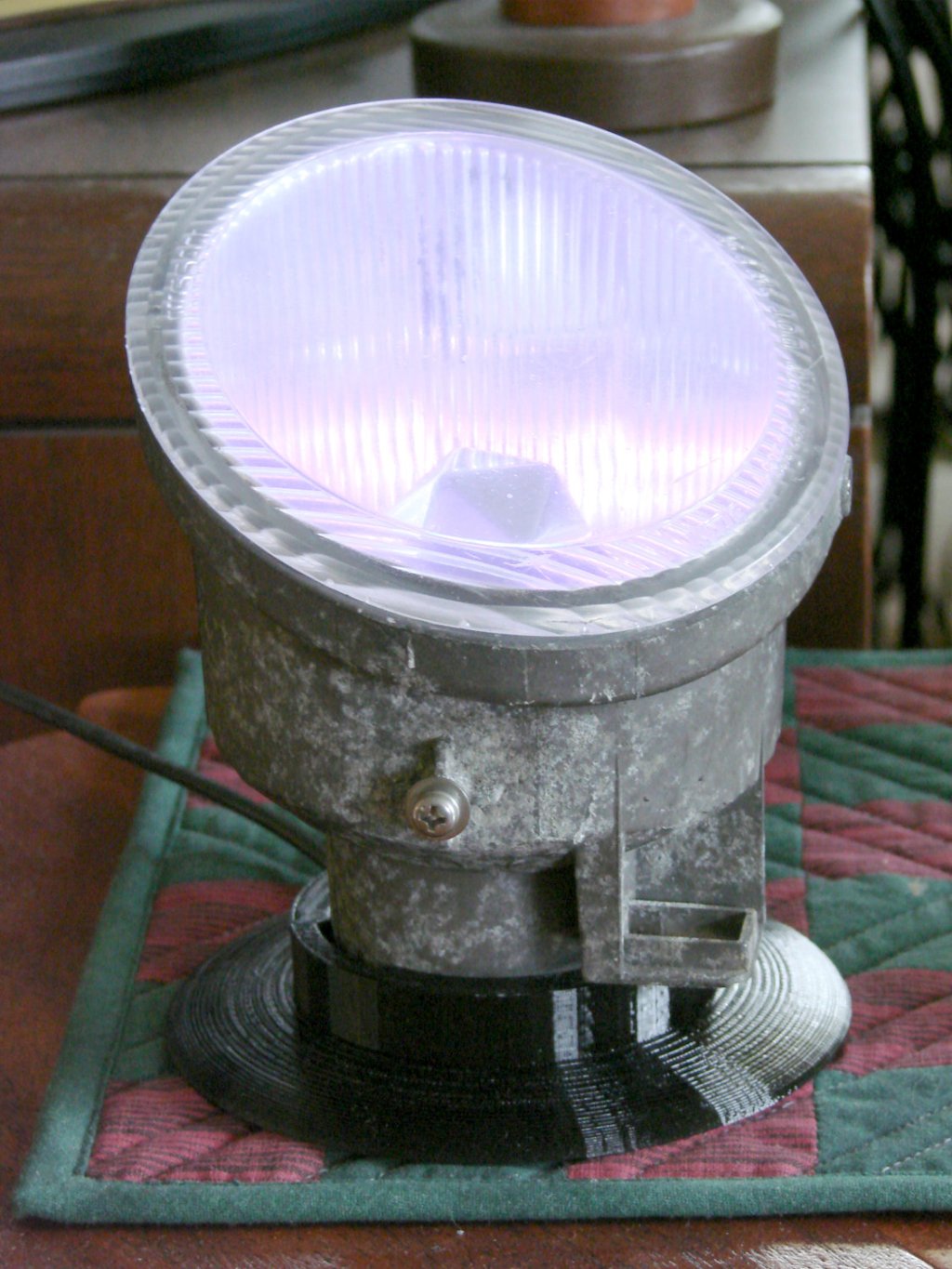
    The Nissan fog lamp looks pretty good pointing at the ceiling:

    Nissan Fog Lamp - table mount
    Nissan Fog Lamp – table mount

    I briefly considered sandblasting the shell to knock back the corrosion, but came to my senses: this is art!

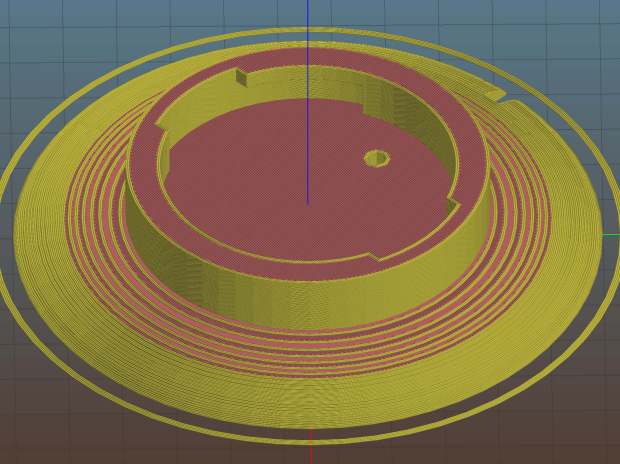
    The shell has a bayonet mount intended for the cable connector, but a bout of solid modeling produced a matching twist-lock desk stand:

    Nissan Fog Light Base - Slic3r preview
    Nissan Fog Light Base – Slic3r preview

    The locking dogs overhang little enough, relative to their diameter, to let the thing build without internal supports. Took about three hours without any intervention at all.

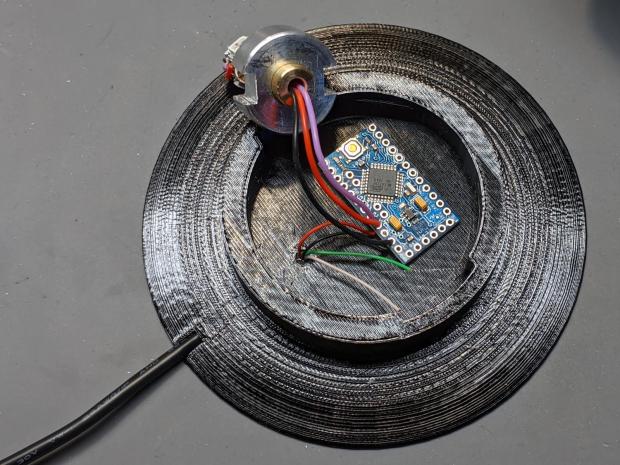
    The little hole matches up with the slot on the bottom holding a USB cable bringing power from a wall charger:

    Nissan Fog Lamp - table mount interior
    Nissan Fog Lamp – table mount interior

    It’s a knockoff Arduino Pro Mini without the USB interface found on a Nano, so the USB data wires don’t connect to anything.

    The base might look better under a layer of (black?) epoxy, although I’m definitely a fan of those brutalist 3D printed striations.

    The OpenSCAD source code as a GitHub Gist:

    // Nissan Fog Light Base
    // Ed Nisley KE4ZNU 2020-04-20
    /* [Hidden] */
    ThreadThick = 0.25;
    ThreadWidth = 0.40;
    HoleWindage = 0.2;
    function IntegerMultiple(Size,Unit) = Unit * ceil(Size / Unit);
    Protrusion = 0.1; // make holes end cleanly
    //———————-
    // Dimensions
    ID = 0;
    OD = 1;
    LENGTH = 2;
    /* [Fog Light] */
    ShellBase = [49.0,55.0,10.0];
    Dog = [55.0,60.0,7.0];
    DogWidth = 21.0;
    DogAngle = atan(DogWidth / ShellBase[ID]);
    echo(str("Dog angle: ",DogAngle));
    ReflectorOD = 90.0;
    LensOD = 110.0;
    LensAngle = -90; // peak relative to dogs
    WallThick = 4.0;
    BaseThick = 2*WallThick;
    CableOD = 3.5;
    $fn = 3*4*5;
    //——————-
    // Useful shapes
    module Dogs(h=Dog[LENGTH]) {
    translate([0,0,h/2])
    intersection() {
    cube([Dog[OD],DogWidth,h],center=true);
    cylinder(d=Dog[OD],h=h,center=true);
    }
    }
    //——————-
    // Build it
    difference() {
    union() {
    cylinder(d=(Dog[OD] + 2*WallThick),h=(BaseThick + ShellBase[LENGTH]));
    intersection() {
    resize([0,0,2*BaseThick])
    sphere(d=LensOD);
    translate([0,0,BaseThick/2])
    cube([2*LensOD,2*ReflectorOD,BaseThick],center=true);
    }
    }
    translate([0,0,BaseThick])
    cylinder(d=ShellBase[OD],h=ShellBase[LENGTH] + Protrusion);
    translate([0,0,BaseThick]) {
    Dogs();
    rotate(1.5*DogAngle)
    Dogs();
    rotate(2*DogAngle)
    Dogs(2*ShellBase[LENGTH]);
    }
    rotate(LensAngle)
    translate([0.75*ShellBase[ID]/2,0,-Protrusion]) {
    cylinder(d=CableOD,h=2*BaseThick,$fn=8);
    translate([LensOD/2,0,CableOD/2])
    cube([LensOD,CableOD,CableOD + Protrusion],center=true);
    }
    translate([31,0,ThreadThick-Protrusion])
    cube([23.0,55.0,2*ThreadThick],center=true);
    }
    linear_extrude(height=2*ThreadWidth + Protrusion) {
    translate([32,0,-Protrusion])
    rotate(-90) mirror([1,0,0])
    text(text="Ed Nisley",size=6,font="Arial:style:Bold",halign="center");
    translate([23,0,-Protrusion])
    rotate(-90) mirror([1,0,0])
    text(text="softsolder.com",size=5,font="Arial:style:Bold",halign="center");
    }
  • CNC 3018XL: Arduino + Protoneer CNC

    If the truth be known, I wanted to do this as soon as I discovered the CAMtool V3.3 board hardwired the DRV8825 PCBs in 1:32 microstep mode:

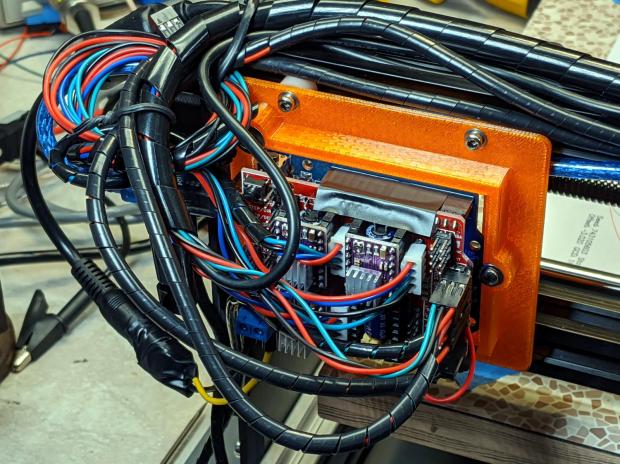
    CNC 3018XL - Protoneer atop Arduino - installed
    CNC 3018XL – Protoneer atop Arduino – installed

    The Protoneer CNC board has jumpers, so selecting 1:8 microstep mode is no big deal.

    As before, I epoxied another row of pins along the I/O header for Makerbot-style endstops:

    Protoneer endstop power mod
    Protoneer endstop power mod

    I’ll probably regret not adding pins along the entire row, but, unlike the MPCNC, the CNC 3018XL won’t ever have hard limit switches. I plugged the Run-Hold switch LEDs into an unused +5 V pin and moved on.

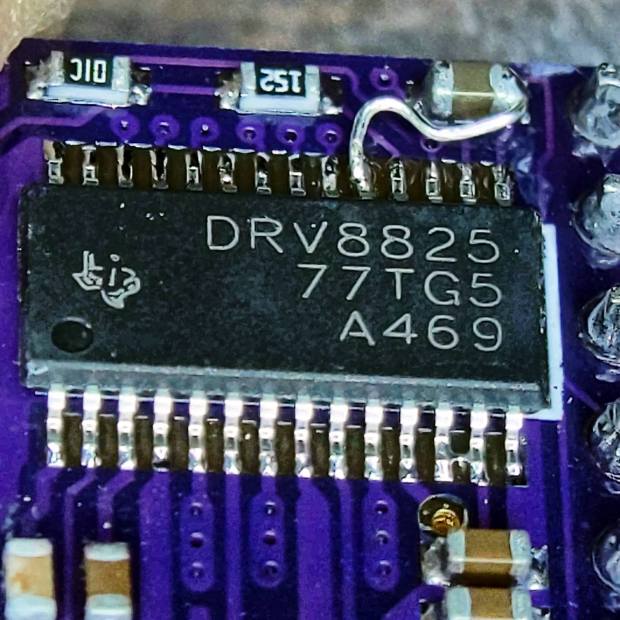
    I modified the DRV8825 driver PCBs for fast decay mode:

    DRV8825 PCB - Fast Decay Mode wire
    DRV8825 PCB – Fast Decay Mode wire

    Then set the current to a bit over 1 A:

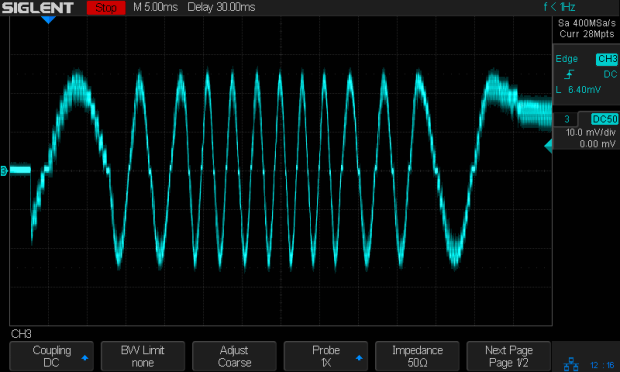
    3018XL - Protoneer setup - Z 1 mm
    3018XL – Protoneer setup – Z 1 mm

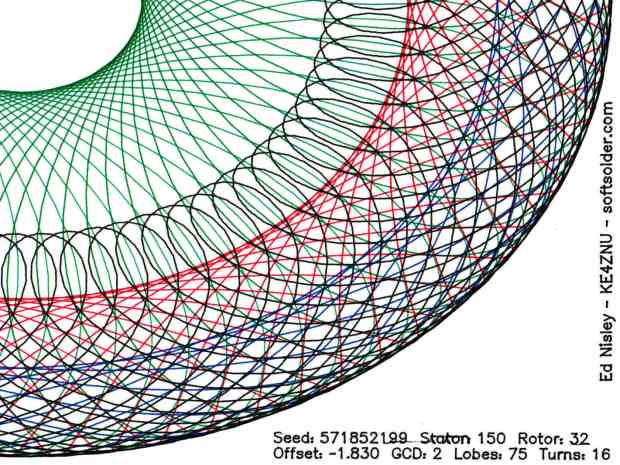
    Six hours later I hauled the once-again-functional CNC 3018XL to my presentation for the ACM:

    Spirograph - intricate sample plot - detail
    Spirograph – intricate sample plot – detail

    Memo to Self: Time to get another Prontoneer board …