The Smell of Molten Projects in the Morning

Ed Nisley's Blog: Shop notes, electronics, firmware, machinery, 3D printing, laser cuttery, and curiosities. Contents: 100% human thinking, 0% AI slop.

Category: Software

General-purpose computers doing something specific

  • Vacuum Tube LEDs: Improved Sockets

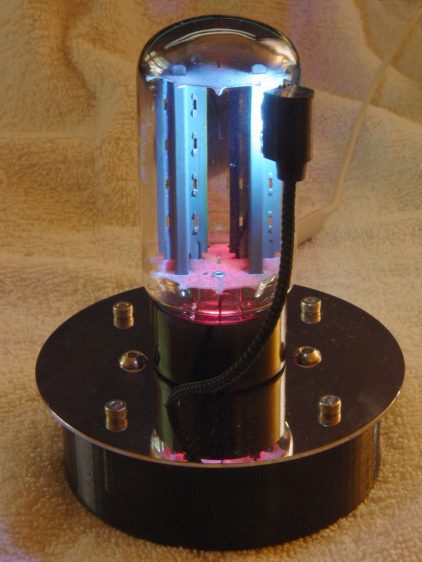
    All the sockets now sport channels in the bottom to capture the braid to the plate cap (whether or not the tube has a plate cap) and the wiring from the Arduino:

    Vacuum Tube Lights - Octal Socket - solid model
    Vacuum Tube Lights – Octal Socket – solid model

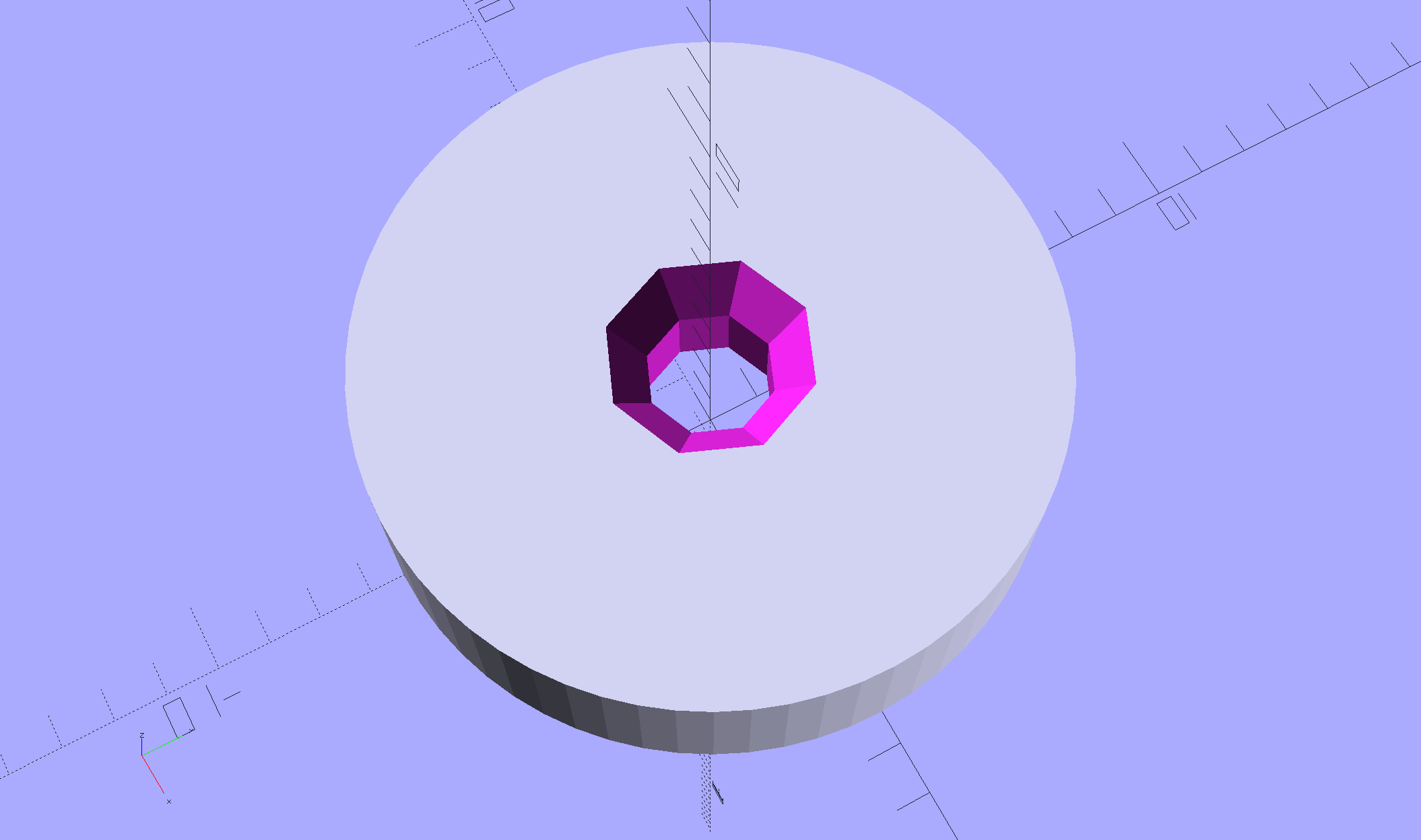
    The Slic3r preview shows the detail a bit better:

    Vaccum Tube Lights - Octal Socket - Slic3r preview
    Vaccum Tube Lights – Octal Socket – Slic3r preview

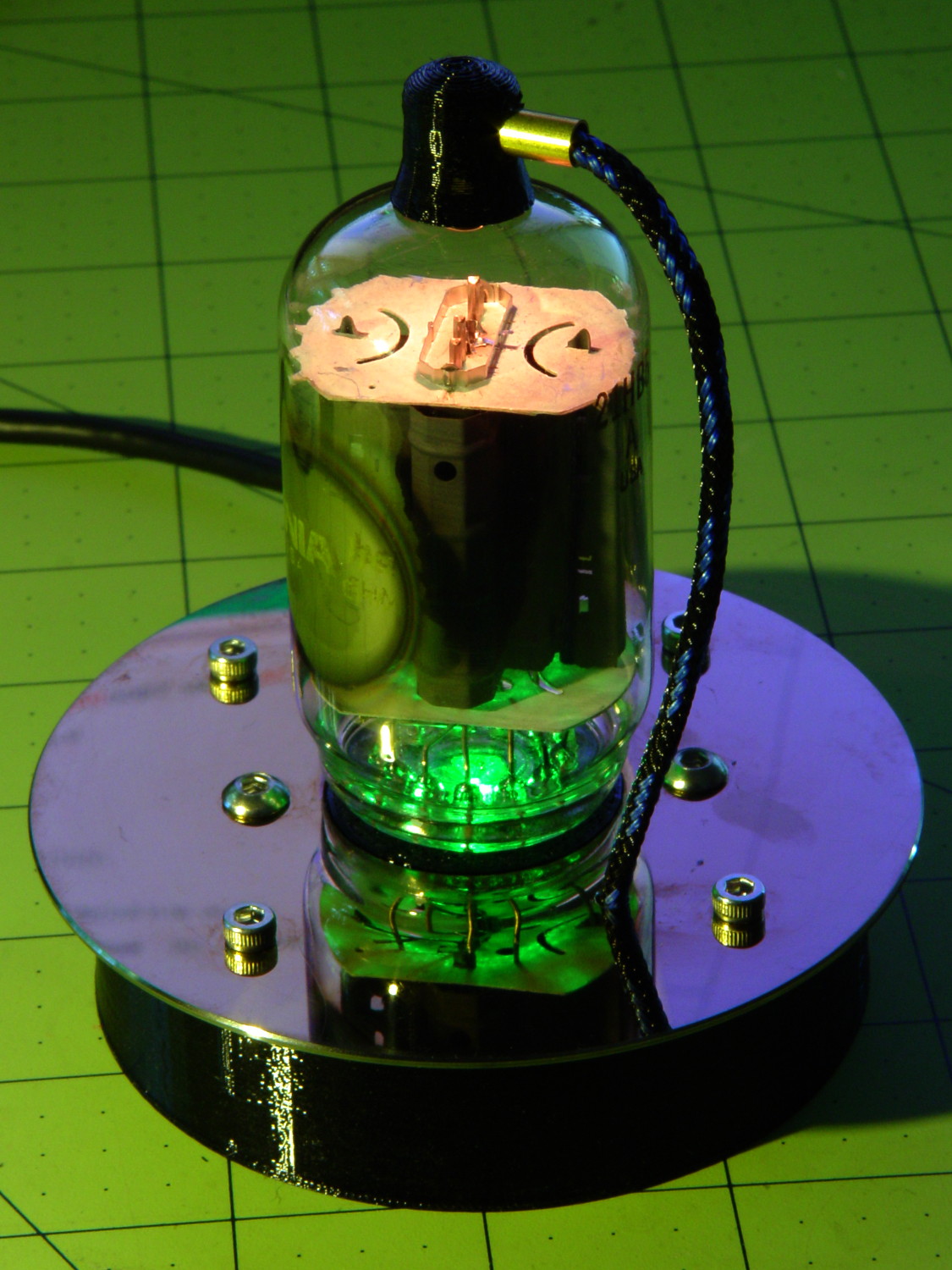
    The boss around the pins is now 25 mm OD and snaps neatly into the unpunched hub hole of a hard drive platter:

    0D3 Octal - 25 mm socket OD in platter
    0D3 Octal – 25 mm socket OD in platter

    I moved the mounting holes to 42 mm OC to give the button heads on those screws a bit more clearance from the base.

    Moving the knockoff Neopixel up to the top of the pipe leading to the tube base dramatically increases the amount of light going into the tube envelope:

    0D3 Octal - 25 mm socket - raised LED
    0D3 Octal – 25 mm socket – raised LED

    You can just barely see a strip of foam tape holding the LED PCB (loosely) into the too-large hole.

    The OpenSCAD source code also produces the improved base clamp; to get a socket, just set Layout = "Socket" and away you go. It doesn’t yet have the reduced-diameter hole down the middle; that’s in the nature of fine tuning.

  • Improved Octal Tube Base Clamp

    In order to clamp the tube in a V-block, the clamp must position the tube’s centerline so the envelope will clear the V groove, thusly:

    OD3 Octal - V-block clamp
    OD3 Octal – V-block clamp

    The clamp now extends into the V-block and surrounds the entire Bakelite tube base:

    Octal base compression clamp - Slic3r preview
    Octal base compression clamp – Slic3r preview

    The little divot captures the clamp screw and the slot lets the whole affair compress just enough to firmly squeeze the entire tube base.

    The tube data table now includes columns for the envelope OD and the base OD, although only the 0D3 (and similar) Octal tubes in my collection have a bulging envelope and a smaller base. You can build clamps for cylindrical glass tubes if you like; I don’t vouch for the accuracy of the table contents.

    For whatever it’s worth, the 6SN7GTB tube I started with has a 32 mm Bakelite base and the 0D3 tube has a 29 mm base. That should probably justify two separate entries in the table, but I’m making this up as I go along.

    The OpenSCAD source code as a GitHub Gist:

    // Vacuum Tube LED Lights
    // Ed Nisley KE4ZNU February … September 2016
    Layout = "TubeClamp"; // Cap LampBase USBPort Bushings
    // Socket(s) Cap (Build)FinCap Platter[Base|Fixture]
    // TubeClamp PlatterParts
    DefaultSocket = "Octal";
    Section = false; // cross-section the object
    Support = true;
    //– Extrusion parameters must match reality!
    ThreadThick = 0.25;
    ThreadWidth = 0.40;
    HoleWindage = 0.2;
    Protrusion = 0.1; // make holes end cleanly
    inch = 25.4;
    function IntegerMultiple(Size,Unit) = Unit * ceil(Size / Unit);
    //———————-
    // Dimensions
    // https://en.wikipedia.org/wiki/Tube_socket#Summary_of_Base_Details
    // punch & screw OC modified for drive platter chassis plate
    // platter = 25 mm ID
    // CD = 15 mm ID with raised ring at 37 mm, needs screw head clearance
    T_NAME = 0; // common name
    T_NUMPINS = 1; // total, with no allowance for keying
    T_PINBCD = 2; // tube pin circle diameter
    T_PINOD = 3; // … diameter
    T_PINLEN = 4; // … length (must also clear evacuation tip / spigot)
    T_HOLEOD = 5; // nominal panel hole from various sources
    T_PUNCHOD = 6; // panel hole optimized for inch-size Greenlee punches
    T_BASEOD = 7; // base OD
    T_BULBOD = 8; // glass envelope OD
    T_PIPEOD = 9; // light pipe from LED to tube base (clear evac tip / spigot)
    T_SCREWOC = 10; // mounting screw holes
    T_PLATECAP = 11; // nonzero to print a plate cap
    // Name pins BCD dia length hole punch base bulb pipe screw cap
    TubeData = [
    ["Mini7", 8, 9.53, 1.016, 7.0, 16.0, 25.0, 18.0, 18.0, 5.0, 35.0, 0], // punch 11/16, screw 22.5 OC
    // ["Octal", 8, 17.45, 2.36, 11.0, 36.2, (8 + 1)/8 * inch, 32.0, 38.1, 11.5, 47.0, 1], // screw 39.0 OC, base 32 or 39
    ["Octal", 8, 17.45, 2.36, 11.0, 36.2, 25.0, 29.0, 38.1, 11.5, 42.0, 1], // platter + 4 mm screws
    ["Noval", 10, 11.89, 1.1016, 7.0, 22.0, 25.0, 21.0, 21.0, 7.5, 35.0, 0], // punch 7/8, screw 28.0 OC
    ["Magnoval", 10, 17.45, 1.27, 9.0, 29.7, (4 + 1)/4 * inch, 46.0, 46.0, 12.4, 38.2, 0], // similar to Novar
    // ["Duodecar", 13, 19.10, 1.05, 9.0, 32.0, (4 + 1)/4 * inch, 38.0, 38.0, 12.5, 47.0, 1], // screw was 39.0 OC
    ["Duodecar", 13, 19.10, 1.05, 9.0, 25.0, 25.0, 38.0, 38.0, 12.5, 42.0, 1], // fit un-punched drive platter
    ];
    ID = 0;
    OD = 1;
    LENGTH = 2;
    Pixel = [7.0,10.0,3.0]; // ID = contact patch, OD = PCB dia, LENGTH = overall thickness
    PixelRecessHeight = 1.55*Pixel[LENGTH]; // enough of a recess to allow for tube top curvature
    SocketNut = // socket mounting: threaded insert or nut recess
    // [3.5,5.2,7.2] // 6-32 insert
    [4.0,6.0,5.9] // 4 mm short insert
    ;
    NutSides = 8;
    SocketShim = 2*ThreadThick; // between pin holes and pixel top
    SocketFlange = 1.5; // rim around socket below punchout
    PanelThick = 1.5; // socket extension through punchout
    FinCutterOD = 1/8 * inch;
    FinCapSize = [(Pixel[OD] + 2*FinCutterOD),30.0,(10.0 + 2*Pixel[LENGTH])];
    USBPCB =
    // [28,16,6.5] // small Sparkfun knockoff
    [36,18 + 1,5.8 + 0.4] // Deek-Robot fake FTDI with ISP header
    ;
    Platter = [25.0,95.0,1.26]; // hard drive platter dimensions
    PlatterSides = 8*4; // polygon approximation
    //———————-
    // Useful routines
    module PolyCyl(Dia,Height,ForceSides=0) { // based on nophead's polyholes
    Sides = (ForceSides != 0) ? ForceSides : (ceil(Dia) + 2);
    FixDia = Dia / cos(180/Sides);
    cylinder(d=(FixDia + HoleWindage),h=Height,$fn=Sides);
    }
    //———————-
    // Tube cap
    CapTube = [4.0,3/16 * inch,10.0]; // brass tube for flying lead to cap LED
    CapSize = [Pixel[ID],(Pixel[OD] + 2.0),(CapTube[OD] + 2.0*Pixel[LENGTH])];
    CapSides = 8*4;
    SkirtOD = CapSize[OD] + 4*ThreadWidth;
    CapTubeHeight = (CapSize[LENGTH] + PixelRecessHeight)/2;
    CapTubeBossOD = 1*ThreadWidth + 2*(CapTubeHeight PixelRecessHeight)/cos(180/8);
    module Cap() {
    difference() {
    union() {
    cylinder(d=CapSize[OD],h=(CapSize[LENGTH]),$fn=CapSides); // main cap body
    translate([0,0,CapSize[LENGTH]]) // rounded top
    scale([1.0,1.0,0.65])
    sphere(d=CapSize[OD]/cos(180/CapSides),$fn=CapSides); // cos() fixes slight undersize vs cylinder
    cylinder(d1=SkirtOD,d2=CapSize[OD],h=PixelRecessHeight,$fn=CapSides); // skirt
    translate([0,SkirtOD/2,CapTubeHeight]) // boss around brass tube
    rotate([90,0,0])
    rotate(180/8)
    cylinder(d=CapTubeBossOD,h=CapTube[LENGTH],$fn=8);
    }
    translate([0,0,Protrusion]) // bore for wiring to LED
    PolyCyl(CapSize[ID],(CapSize[LENGTH] + 3*ThreadThick + Protrusion),CapSides);
    translate([0,0,Protrusion]) // PCB recess with clearance for tube dome
    PolyCyl(Pixel[OD],(PixelRecessHeight + Protrusion),CapSides);
    translate([0,0,(PixelRecessHeight Protrusion)]) // small step + cone to retain PCB
    cylinder(d1=(Pixel[OD]/cos(180/CapSides) + HoleWindage),d2=Pixel[ID],h=(Pixel[LENGTH] + Protrusion),$fn=CapSides);
    translate([0,0,CapTubeHeight]) // hole for brass tube holding wire loom
    rotate([90,0,0]) rotate(180/8)
    PolyCyl(CapTube[OD],CapSize[OD],8);
    }
    }
    //———————-
    // Heatsink tube cap
    module FinCap() {
    CableOD = 3.5; // cable + braid diameter
    BulbOD = 3.75 * inch; // bulb OD; use 10 inches for flat
    echo(str("Fin Cutter: ",FinCutterOD));
    FinSides = 2*4;
    BulbRadius = BulbOD / 2;
    BulbDepth = BulbRadius sqrt(pow(BulbRadius,2) pow(FinCapSize[OD],2)/4);
    echo(str("Bulb OD: ",BulbOD," recess: ",BulbDepth));
    NumFins = floor(PI*FinCapSize[ID] / (2*FinCutterOD));
    FinAngle = 360 / NumFins;
    echo(str("NumFins: ",NumFins," angle: ",FinAngle," deg"));
    difference() {
    union() {
    cylinder(d=FinCapSize[ID],h=FinCapSize[LENGTH],$fn=2*NumFins); // main body
    for (i = [0:NumFins 1]) // fins
    rotate(i * FinAngle)
    hull() {
    translate([FinCapSize[ID]/2,0,0])
    rotate(180/FinSides)
    cylinder(d=FinCutterOD,h=FinCapSize[LENGTH],$fn=FinSides);
    translate([(FinCapSize[OD] FinCutterOD)/2,0,0])
    rotate(180/FinSides)
    cylinder(d=FinCutterOD,h=FinCapSize[LENGTH],$fn=FinSides);
    }
    rotate(FinAngle/2) // cable entry boss
    translate([FinCapSize[ID]/2,0,FinCapSize[LENGTH]/2])
    cube([FinCapSize[OD]/4,FinCapSize[OD]/4,FinCapSize[LENGTH]],center=true);
    }
    for (i = [1:NumFins 1]) // fin inner gullets, omit cable entry side
    rotate(i * FinAngle + FinAngle/2) // joint isn't quite perfect, but OK
    translate([FinCapSize[ID]/2,0,Protrusion])
    rotate(0*180/FinSides)
    cylinder(d=FinCutterOD/cos(180/FinSides),h=(FinCapSize[LENGTH] + 2*Protrusion),$fn=FinSides);
    translate([0,0,Protrusion]) // PCB recess
    PolyCyl(Pixel[OD],(PixelRecessHeight + Protrusion),FinSides);
    PolyCyl(Pixel[ID],(FinCapSize[LENGTH] 3*ThreadThick),FinSides); // bore for LED wiring
    translate([0,0,(FinCapSize[LENGTH] 3*ThreadThick 2*CableOD/(2*cos(180/8)))]) // cable inlet
    rotate(FinAngle/2) rotate([0,90,0]) rotate(180/8)
    PolyCyl(CableOD,FinCapSize[OD],8);
    if (BulbOD <= 10.0 * inch) // curve for top of bulb
    translate([0,0,(BulbRadius BulbDepth + 2*ThreadThick)]) // … slightly flatten tips
    sphere(d=BulbOD,$fn=16*FinSides);
    }
    }
    //———————-
    // Aperture for USB-to-serial adapter snout
    // These are all magic numbers, of course
    module USBPort() {
    translate([0,USBPCB[0]])
    rotate([90,0,0])
    linear_extrude(height=USBPCB[0])
    polygon(points=[
    [0,0],
    [USBPCB[1]/2,0],
    [USBPCB[1]/2,0.5*USBPCB[2]],
    [USBPCB[1]/3,USBPCB[2]],
    [USBPCB[1]/3,USBPCB[2]],
    [USBPCB[1]/2,0.5*USBPCB[2]],
    [USBPCB[1]/2,0],
    ]);
    }
    //———————-
    // Box for Leviton ceramic lamp base
    module LampBase() {
    Insert = [3.5,5.2,7.2]; // 6-32 brass insert to match standard electrical screws
    Bottom = 3.0;
    Base = [4.0*inch,4.5*inch,20.0 + Bottom];
    Sides = 12*4;
    Retainer = [3.5,11.0,1.0]; // flat fiber washer holding lamp base screws in place
    StudSides = 8;
    StudOC = 3.5 * inch;
    Stud = [Insert[OD], // insert for socket screws
    min(15.0,1.5*(Base[ID] StudOC)/cos(180/StudSides)), // OD = big enough to merge with walls
    (Base[LENGTH] Retainer[LENGTH])]; // leave room for retainer
    union() {
    difference() {
    rotate(180/Sides)
    cylinder(d=Base[OD],h=Base[LENGTH],$fn=Sides);
    rotate(180/Sides)
    translate([0,0,Bottom])
    cylinder(d=Base[ID],h=Base[LENGTH],$fn=Sides);
    translate([0,Base[OD]/2,Bottom + 1.2]) // mount on double-sided foam tape
    rotate(0)
    USBPort();
    }
    for (i = [1,1])
    translate([i*StudOC/2,0,0])
    rotate(180/StudSides)
    difference() {
    cylinder(d=Stud[OD],h=Stud[LENGTH],$fn=StudSides);
    translate([0,0,Bottom])
    PolyCyl(Stud[ID],(Stud[LENGTH] (Bottom Protrusion)),6);
    }
    }
    }
    //———————-
    // Base for hard drive platters
    module PlatterBase(TubeName = DefaultSocket) {
    PCB =
    [36,18,3] // Arduino Pro Mini
    ;
    Tube = search([TubeName],TubeData,1,0)[0];
    SocketHeight = Pixel[LENGTH] + SocketShim + TubeData[Tube][T_PINLEN] PanelThick;
    echo(str("Base for ",TubeData[Tube][0]," socket"));
    Overhang = 5.5; // platter overhangs base by this much
    Bottom = 4*ThreadThick;
    Base = [(Platter[OD] 3*Overhang), // smaller than 3.5 inch Sch 40 PVC pipe…
    (Platter[OD] 2*Overhang),
    2.0 + max(PCB[1],(2.0 + SocketHeight + USBPCB[2])) + Bottom];
    Sides = 24*4;
    echo(str(" Height: ",Base[2]," mm"));
    Insert = // platter mounting: threaded insert or nut recess
    // [3.5,5.2,7.2] // 6-32 insert
    [3.7,5.0,8.0] // 3 mm – long insert
    ;
    NumStuds = 4;
    StudSides = 8;
    Stud = [Insert[OD], // insert for socket screws
    2*Insert[OD], // OD = big enough to merge with walls
    Base[LENGTH]]; // leave room for retainer
    StudBCD = floor(Base[OD] Stud[OD]/cos(180/StudSides));
    echo(str("Platter screw BCD: ",StudBCD," mm"));
    PCBInset = Base[ID]/2 sqrt(pow(Base[ID]/2,2) pow(PCB[0],2)/4);
    union() {
    difference() {
    rotate(180/Sides)
    cylinder(d=Base[OD],h=Base[LENGTH],$fn=Sides);
    rotate(180/Sides)
    translate([0,0,Bottom])
    cylinder(d=Base[ID],h=Base[LENGTH],$fn=Sides);
    translate([0,Base[OD]/2,Bottom + 1.2]) // mount PCB on foam tape
    rotate(0)
    USBPort();
    }
    for (a = [0:(NumStuds 1)]) // platter mounting studs
    rotate(180/NumStuds + a*360/(NumStuds))
    translate([StudBCD/2,0,0])
    difference() {
    rotate(180/(2*StudSides))
    cylinder(d=Stud[OD],h=Stud[LENGTH],$fn=2*StudSides);
    translate([0,0,Bottom])
    rotate(180/StudSides)
    PolyCyl(Stud[ID],(Stud[LENGTH] (Bottom Protrusion)),StudSides);
    }
    intersection() { // microcontroller PCB mounting plate
    rotate(180/Sides)
    cylinder(d=Base[OD],h=Base[LENGTH],$fn=Sides);
    translate([PCB[0]/2,(Base[ID]/2 PCBInset),0])
    cube([PCB[0],Base[OD]/2,Base[LENGTH]],center=false);
    }
    difference() {
    intersection() { // totally ad-hoc bridge around USB opening
    rotate(180/Sides)
    cylinder(d=Base[OD],h=Base[LENGTH],$fn=Sides);
    translate([1.25*USBPCB[1]/2,(Base[ID]/2),0])
    cube([1.25*USBPCB[1],2.0,Base[LENGTH]],center=false);
    }
    translate([0,Base[OD]/2,Bottom + 1.2]) // mount PCB on foam tape
    rotate(0)
    USBPort();
    translate([0,(Base[ID]/2 2.0 + 1*ThreadWidth),Bottom 3*ThreadThick]) // legend
    rotate([90,0,180])
    linear_extrude(height=1*ThreadWidth + Protrusion) {
    translate([0,(Base[LENGTH] 5.5),0])
    text(text=TubeName,size=4,font="Arial:style=Bold",halign="center");
    // translate([0,(Base[LENGTH] – 8.5),0])
    // text(text=str("BCD ",StudBCD),size=2,font="Arial",halign="center");
    translate([0,(Base[LENGTH] 11),0])
    text(text="KE4ZNU",size=3,font="Arial",halign="center");
    }
    }
    }
    }
    //———————-
    // Drilling fixture for disk platters
    module PlatterFixture() {
    StudOC = [1.16*inch,1.16*inch]; // Sherline tooling plate screw spacing
    StudClear = 5.0;
    AlignOffset = 100;
    AlignBar = [3*ThreadWidth,10.0,3*ThreadThick];
    BasePlate = [(20 + StudOC[0]*ceil(Platter[OD] / StudOC[0])),(Platter[OD] + 10),7.0];
    PlateRound = 10.0; // corner radius
    difference() {
    hull() // basic block
    for (i=[1,1], j=[1,1])
    translate([i*(BasePlate[0]/2 PlateRound),j*(BasePlate[1]/2 PlateRound),0])
    cylinder(r=PlateRound,h=BasePlate[2],$fn=4*4);
    for (i=[1,1], j=[1,1]) // index marks
    translate([i*AlignOffset/2,j*AlignOffset/2,BasePlate[2] 2*ThreadThick])
    cylinder(d=1.5,h=1,$fn=6);
    for (i=[1,1])
    translate([i*(AlignOffset + AlignBar[0])/2,0,(BasePlate[2] AlignBar[2]/2 + Protrusion/2)])
    cube(AlignBar + [0,0,Protrusion],center=true);
    for (j=[1,1])
    translate([0,j*(AlignOffset + AlignBar[0])/2,(BasePlate[2] AlignBar[2]/2 + Protrusion/2)])
    rotate(90)
    cube(AlignBar + [0,0,Protrusion],center=true);
    for (a=[0:90:270])
    rotate(a)
    translate([(AlignBar[1]/2 + AlignBar[0]/2),0,(BasePlate[2] AlignBar[2]/2 + Protrusion/2)])
    cube(AlignBar + [0,Protrusion,Protrusion],center=true);
    for (i=[1,1], j=[1,0,1]) // holes for tooling plate studs
    translate([i*StudOC[0]*ceil(Platter[OD] / StudOC[0])/2,j*StudOC[0],Protrusion])
    PolyCyl(StudClear,BasePlate[2] + 2*Protrusion,6);
    translate([0,0,Protrusion]) // center clamp hole
    PolyCyl(StudClear,BasePlate[2] + 2*Protrusion,6);
    translate([0,0,BasePlate[2] Platter[LENGTH]]) // disk locating recess
    rotate(180/PlatterSides)
    linear_extrude(height=(Platter[LENGTH] + Protrusion),convexity=2)
    difference() {
    circle(d=(Platter[OD] + 1),$fn=PlatterSides);
    circle(d=Platter[ID],$fn=PlatterSides);
    }
    translate([0,0,BasePlate[2] 4.0]) // drilling recess
    rotate(180/PlatterSides)
    linear_extrude(height=(4.0 + Protrusion),convexity=2)
    difference() {
    circle(d=(Platter[OD] 10),$fn=PlatterSides);
    circle(d=(Platter[ID] + 10),$fn=PlatterSides);
    }
    }
    }
    //———————-
    // Tube Socket
    module Socket(Name = DefaultSocket) {
    NumSides = 6*4;
    Tube = search([Name],TubeData,1,0)[0];
    echo(str("Building ",TubeData[Tube][0]," socket"));
    echo(str(" Punch: ",TubeData[Tube][T_PUNCHOD]," mm = ",TubeData[Tube][T_PUNCHOD]/inch," inch"));
    echo(str(" Screws: ",TubeData[Tube][T_SCREWOC]," mm =",TubeData[Tube][T_SCREWOC]/inch," inch OC"));
    OAH = Pixel[LENGTH] + SocketShim + TubeData[Tube][T_PINLEN];
    BaseHeight = OAH PanelThick;
    difference() {
    union() {
    linear_extrude(height=BaseHeight) // base outline
    hull() {
    circle(d=(TubeData[Tube][T_PUNCHOD] + 2*SocketFlange),$fn=NumSides);
    for (i=[1,1])
    translate([i*TubeData[Tube][T_SCREWOC]/2,0])
    circle(d=2.0*SocketNut[OD],$fn=NumSides);
    }
    cylinder(d=TubeData[Tube][T_PUNCHOD],h=OAH,$fn=NumSides); // boss in chassis punch hole
    }
    for (i=[0:(TubeData[Tube][T_NUMPINS] 1)]) // tube pins
    rotate(i*360/TubeData[Tube][T_NUMPINS])
    translate([TubeData[Tube][T_PINBCD]/2,0,(OAH TubeData[Tube][T_PINLEN])])
    rotate(180/4)
    PolyCyl(TubeData[Tube][T_PINOD],(TubeData[Tube][T_PINLEN] + Protrusion),4);
    for (i=[1,1]) // mounting screw holes & nut traps / threaded inserts
    translate([i*TubeData[Tube][T_SCREWOC]/2,0,Protrusion]) {
    PolyCyl(SocketNut[OD],(SocketNut[LENGTH] + Protrusion),NutSides);
    PolyCyl(SocketNut[ID],(OAH + 2*Protrusion),NutSides);
    }
    translate([0,0,Protrusion]) { // LED recess
    PolyCyl(Pixel[OD],(Pixel[LENGTH] + Protrusion),8);
    }
    translate([0,0,(Pixel[LENGTH] Protrusion)]) { // light pipe
    rotate(180/TubeData[Tube][T_NUMPINS])
    PolyCyl(TubeData[Tube][T_PIPEOD],(OAH + 2*Protrusion),TubeData[Tube][T_NUMPINS]);
    }
    for (i=[1,1]) // cable retaining slots
    translate([i*(Pixel[OD] + TubeData[Tube][T_SCREWOC])/4,0,(Pixel[LENGTH] Protrusion)/2])
    cube([Pixel[LENGTH],TubeData[Tube][T_SCREWOC],(Pixel[LENGTH] + Protrusion)],center=true);
    }
    // Totally ad-hoc support structures …
    if (Support) {
    color("Yellow") {
    for (i=[1,1]) // nut traps
    translate([i*TubeData[Tube][T_SCREWOC]/2,0,(SocketNut[LENGTH] ThreadThick)/2])
    for (a=[0:5])
    rotate(a*30 + 15)
    cube([2*ThreadWidth,0.9*SocketNut[OD],(SocketNut[LENGTH] ThreadThick)],center=true);
    if (Pixel[OD] > TubeData[Tube][T_PIPEOD]) // support pipe only if needed
    translate([0,0,(Pixel[LENGTH] ThreadThick)/2])
    for (a=[0:7])
    rotate(a*22.5)
    cube([2*ThreadWidth,0.9*Pixel[OD],(Pixel[LENGTH] ThreadThick)],center=true);
    }
    }
    }
    //———————-
    // Greenlee punch bushings
    module PunchBushing(Name = DefaultSocket) {
    PunchScrew = 9.5;
    BushingThick = 3.0;
    Tube = search([Name],TubeData,1,0)[0];
    echo(str("Building ",TubeData[Tube][0]," bushing"));
    NumSides = 6*4;
    difference() {
    union() {
    cylinder(d=Platter[ID],h=BushingThick,$fn=NumSides);
    cylinder(d=TubeData[Tube][T_PUNCHOD],h=(BushingThick Platter[LENGTH]),$fn=NumSides);
    }
    translate([0,0,Protrusion])
    PolyCyl(PunchScrew,5.0,8);
    }
    }
    //———————-
    // Tube clamp
    module TubeClamp(Name = DefaultSocket) {
    Tube = search([Name],TubeData,1,0)[0];
    echo(str("Building ",TubeData[Tube][0]," clamp"));
    ClampWidth = 37.0; // inside of clamp arch
    ClampLength = 20; // along tube base
    ClampScrew = [6.0,7.8,6.0]; // nose of clamp screw
    ClampBlock = [4*ThreadWidth + TubeData[Tube][T_BULBOD],
    4*ThreadWidth + TubeData[Tube][T_BULBOD],
    ClampLength];
    difference() {
    union() {
    intersection() {
    translate([0,0,ClampBlock[2]/2])
    rotate(45)
    cube(ClampBlock,center=true); // V-block sides
    translate([0,ClampWidth/2,ClampBlock[2]/2])
    cube([ClampWidth,ClampWidth,ClampBlock[2]],center=true); // clamp sides
    }
    intersection() {
    cylinder(d=ClampWidth,h=ClampBlock[2]);
    translate([0,ClampWidth/4,ClampBlock[2]/2])
    cube([ClampWidth,ClampWidth/2,ClampBlock[2]],center=true); // clamp sides
    }
    }
    translate([0,0,Protrusion]) // remove tube base (remains centered)
    cylinder(d=TubeData[Tube][T_BASEOD],h=(ClampLength + 2*Protrusion));
    translate([0,(ClampWidth/2 + TubeData[Tube][T_BASEOD]/2)/2,ClampBlock[LENGTH]/3])
    rotate([90,0,0])
    PolyCyl(ClampScrew[ID],1*ClampScrew[LENGTH],6); // clamp screw recess
    translate([0,(6*ThreadWidth)/2,Protrusion])
    cube([ClampWidth,6*ThreadWidth,(ClampLength + 2*Protrusion)]); // clamp relief slot
    }
    }
    //———————-
    // Build it
    if (Layout == "Cap") {
    if (Section)
    difference() {
    Cap();
    translate([CapSize[OD],0,CapSize[LENGTH]])
    cube([2*CapSize[OD],2*CapSize[OD],3*CapSize[LENGTH]],center=true);
    }
    else
    Cap();
    }
    if (Layout == "FinCap") {
    if (Section) render(convexity=5)
    difference() {
    FinCap();
    // translate([0,-FinCapSize[OD],FinCapSize[LENGTH]])
    // cube([2*FinCapSize[OD],2*FinCapSize[OD],3*FinCapSize[LENGTH]],center=true);
    translate([FinCapSize[OD],0,FinCapSize[LENGTH]])
    cube([2*FinCapSize[OD],2*FinCapSize[OD],3*FinCapSize[LENGTH]],center=true);
    }
    else
    FinCap();
    }
    if (Layout == "BuildFinCap")
    translate([0,0,FinCapSize[LENGTH]])
    rotate([180,0,0])
    FinCap();
    if (Layout == "LampBase")
    LampBase();
    if (Layout == "PlatterBase")
    PlatterBase();
    if (Layout == "PlatterParts") {
    Tube = search([DefaultSocket],TubeData,1,0)[0];
    echo(str("Parts for ",TubeData[Tube][T_NAME]," assembly"));
    PlatterBase();
    translate([0.25*Platter[OD],0.6*Platter[OD],0])
    rotate(0)
    Socket();
    if (TubeData[Tube][T_PLATECAP])
    for (i=[1,1])
    translate([(0.25*Platter[OD] i*Pixel[OD]),0.6*Platter[OD],0])
    rotate(i*90)
    Cap();
    }
    if (Layout == "PlatterFixture")
    PlatterFixture();
    if (Layout == "USBPort")
    USBPort();
    if (Layout == "TubeClamp")
    TubeClamp();
    if (Layout == "Bushings")
    PunchBushing();
    if (Layout == "Socket")
    if (Section) {
    difference() {
    Socket();
    translate([100/2,0,Protrusion])
    cube([100,50,50],center=false);
    }
    }
    else
    Socket();
    if (Layout == "Sockets") {
    translate([0,50,0])
    Socket("Mini7");
    translate([0,20,0])
    Socket("Octal");
    translate([0,15,0])
    Socket("Duodecar");
    translate([0,50,0])
    Socket("Noval");
    translate([0,85,0])
    Socket("Magnoval");}
  • Bulk-renaming Video Snapshots

    For reasons that should be obvious by now, I review the helmet camera video from (some of) our bike rides and extract snapshots of interesting events. VLC auto-names the snapshots along these lines:

    -rw-rw-r-- 1 ed ed  4.0M 2016-09-16 16:15 vlcsnap-2016-09-16-16h15m43s49.png
    -rw-rw-r-- 1 ed ed  3.2M 2016-09-16 16:15 vlcsnap-2016-09-16-16h15m59s181.png
    -rw-rw-r-- 1 ed ed  2.7M 2016-09-16 16:18 vlcsnap-2016-09-16-16h18m58s125.png
    -rw-rw-r-- 1 ed ed  3.7M 2016-09-16 18:40 vlcsnap-2016-09-16-18h40m22s7.png
    -rw-rw-r-- 1 ed ed  3.5M 2016-09-16 18:40 vlcsnap-2016-09-16-18h40m58s132.png
    -rw-rw-r-- 1 ed ed  3.5M 2016-09-16 18:41 vlcsnap-2016-09-16-18h41m29s181.png
    -rw-rw-r-- 1 ed ed  3.9M 2016-09-16 18:41 vlcsnap-2016-09-16-18h41m42s60.png
    -rw-rw-r-- 1 ed ed  3.8M 2016-09-16 18:41 vlcsnap-2016-09-16-18h41m54s146.png
    -rw-rw-r-- 1 ed ed  3.8M 2016-09-16 18:42 vlcsnap-2016-09-16-18h42m22s206.png
    -rw-rw-r-- 1 ed ed  3.7M 2016-09-16 18:42 vlcsnap-2016-09-16-18h42m38s58.png
    

    The gap in the timestamp after the first three files reveals a random errand.

    First, convert to JPG format, place the results in another directory and, en passant, mash them to a reasonable size:

    mkdir /some-useful-directory/Road\ Repair/"Rt 82 and CR 29"
    for f in  vlcsnap-2016-09-16* ; do convert $f -density 300 -define jpeg:extent=200KB /some-useful-directory/Road\ Repair/"Rt 82 and CR 29"/${f%%.*}.jpg ; done
    cd /some-useful-directory/Road\ Repair/"Rt 82 and CR 29"
    

    Replace the first part of the VLC-generated names with relevant identification:

    rename 's/vlcsnap-/Rt 82 - /' vlcsnap-2016-09-16-16*
    rename 's/vlcsnap-/CR 29 - /' vlcsnap*
    

    The directory now contains these files:

    -rw-rw-r-- 1 ed ed 193K 2016-09-19 11:36 CR 29 - 2016-09-16-18h40m22s7.jpg
    -rw-rw-r-- 1 ed ed 192K 2016-09-19 11:36 CR 29 - 2016-09-16-18h40m58s132.jpg
    -rw-rw-r-- 1 ed ed 193K 2016-09-19 11:36 CR 29 - 2016-09-16-18h41m29s181.jpg
    -rw-rw-r-- 1 ed ed 193K 2016-09-19 11:36 CR 29 - 2016-09-16-18h41m42s60.jpg
    -rw-rw-r-- 1 ed ed 194K 2016-09-19 11:36 CR 29 - 2016-09-16-18h41m54s146.jpg
    -rw-rw-r-- 1 ed ed 196K 2016-09-19 11:36 CR 29 - 2016-09-16-18h42m22s206.jpg
    -rw-rw-r-- 1 ed ed 196K 2016-09-19 11:36 CR 29 - 2016-09-16-18h42m38s58.jpg
    -rw-rw-r-- 1 ed ed 195K 2016-09-19 11:36 Rt 82 - 2016-09-16-16h15m43s49.jpg
    -rw-rw-r-- 1 ed ed 194K 2016-09-19 11:36 Rt 82 - 2016-09-16-16h15m59s181.jpg
    -rw-rw-r-- 1 ed ed 194K 2016-09-19 11:36 Rt 82 - 2016-09-16-16h18m58s125.jpg


    These bursts of Perl regex line noise replace the snapshot timestamp on those files with an ascending sequence number, with separate sequences for each group:

    i=1 ; for f in CR* ; do rename -v "s/-1[68]h..m..s\d{1,3}/ - $(( i++ ))/" "$f" ; done
    i=1 ; for f in Rt* ; do rename -v "s/-1[68]h..m..s\d{1,3}/ - $(( i++ ))/" "$f" ; done
    

    And then the files make sense:

    -rw-rw-r-- 1 ed ed 193K 2016-09-19 13:51 CR 29 - 2016-09-16 - 1.jpg
    -rw-rw-r-- 1 ed ed 192K 2016-09-19 13:51 CR 29 - 2016-09-16 - 2.jpg
    -rw-rw-r-- 1 ed ed 193K 2016-09-19 13:51 CR 29 - 2016-09-16 - 3.jpg
    -rw-rw-r-- 1 ed ed 193K 2016-09-19 13:51 CR 29 - 2016-09-16 - 4.jpg
    -rw-rw-r-- 1 ed ed 194K 2016-09-19 13:51 CR 29 - 2016-09-16 - 5.jpg
    -rw-rw-r-- 1 ed ed 196K 2016-09-19 13:51 CR 29 - 2016-09-16 - 6.jpg
    -rw-rw-r-- 1 ed ed 196K 2016-09-19 13:51 CR 29 - 2016-09-16 - 7.jpg
    -rw-rw-r-- 1 ed ed 195K 2016-09-19 13:51 Rt 82 - 2016-09-16 - 1.jpg
    -rw-rw-r-- 1 ed ed 194K 2016-09-19 13:51 Rt 82 - 2016-09-16 - 2.jpg
    -rw-rw-r-- 1 ed ed 194K 2016-09-19 13:51 Rt 82 - 2016-09-16 - 3.jpg
    

    The hard part, this time around, involved figuring a regex for the timestamp. The trick was to specify a single digit for the milliseconds part, with a repetition count allowing for one-to-three digits.

    The Perl regex cheat sheet helped.

    The double quotes around the rename search parameter allows the shell to expand the $(( i++ )) gibberish. The double quotes around the file name keep the blank-separated parts together.

    At some point I must figure out how to produce leading-zero-filled sequence numbers, which will probably involve a printf.

    The ride covered some roads with “2 to 4 foot” shoulders, which seems overly optimistic:

    Rt 82 - 2016-09-16 - 3
    Rt 82 – 2016-09-16 – 3

    NYSDOT and DCDPW both believe a homeopathic strip of asphalt will cover faults in the travel lane and don’t care that the right side of the strip puts an abrupt ledge along the middle of the minimal and fissured shoulder:

    Rt 82 - 2016-09-16 - 1
    Rt 82 – 2016-09-16 – 1

    Ah, well, it was a lovely day for a ride …

  • Why Friends Don’t Let Friends Run Windows: Cryptolocker Downloader

    Got an email, nominally from one Richard Gilmore of FedEx, concerning a parcel sent as International Next Flight (whatever that is). The Subject line read “We could not deliver your parcel, #00000665103”, although the message didn’t quite match:

    Dear Customer,
    
    This is to confirm that one or more of your parcels has been shipped.
    Delivery Label is attached to this email.
    
    Kind regards,
    Richard Gilmore,
    Sr. Delivery Agent.

    The email address had nothing to do with FedEx, of course, and my filters tagged it as spam.

    The “label” came in a ZIP file: Label_00000665103.zip

    Extracting the “label” produced what would look like an MS Word file, if you were so trusting as to hide extensions of “known” filetypes and didn’t worry when you saw a file still sporting a DOC extension: Label_00000665103.doc.wsf

    Handing that to VirusTotal produces no surprise at all:

    VirusTotal Report
    VirusTotal Report

    The file contains one very long line, the first chunk of which suggests it’s up to no good:

    <job><script language=JScript>var a59253 = '+"HKCU"+cs'; var a59168 = '"); fp.WriteLine(" '; var a5988 = ';} else if('; var a59196 = 'gth;i'; var a59160 = 'fp.W'; var a59261 = 'ion"+c'; var a5999 = 's(f'; var a59254 = '+"SOFTWARE"+';
    

    After a bit of poking, I applied a few minutes of sed reformatting, manual cleanup, and sorting:

    sed 's/; var a/;\n/g' Label_00000665103.doc.wsf > lines.txt
    ... fix a few lines ...
    sort -n lines.txt > sort.txt
    

    Which produced a file starting out like this:

    <job><script language=JScript>
    590 = 'var id="TRIB9RMvAFl04U4Fi7L6RNk9ZowJ2sj_fIrO0WiXGlXd53j6oENCCFDZ9NbVubN-vvJltoR8Wf4_";d';
    591 = '="1vcs62wsoYZNc4TdwqgsG5965bDt3mNYW"; var bc="0.52';
    592 = '189"; var ld=0;';
    593 = ' var cq';
    594 = '=S';
    595 = 'tri';
    596 = 'ng.f';
    597 = 'romCharCode(34);';
    598 = ' var cs';
    599 = '=Strin';
    5910 = 'g.fromCh';
    5911 = 'ar';
    5912 = 'Code(92); var ll';
    5913 = '=["32jelen.pl","v';
    5914 = 'iktoriascho';
    5915 = 'ol.ru","blende';
    5916 = 'r.com.br';
    5917 = '","pasargad1007.c';
    5918 = 'om","www.unit';
    5919 = 'ed-systems.it"';
    5920 = ']; v';
    5921 = 'ar ';
    5922 = 'ws=WScript.Cre';
    5923 = 'ateObject(';
    5924 = '"WScript.Shell';
    5925 = '"); v';
    5926 = 'ar';
    5927 = ' fn=ws';
    5928 = '.Expa';
    5929 = 'ndEnv';
    5930 = 'ironme';
    5931 = 'ntString';
    ... snippage ...
    

    Even without pasting the fragments back together, you can puzzle out the punchline:

    59108 = 't",true); fp.Write';
    59109 = 'Line("ATTEN';
    59110 = 'TION!"); fp.Wr';
    59111 = 'ite';
    59112 = 'Line(';
    59113 = '""); fp.W';
    59114 = 'riteLine("All';
    59115 = ' your d';
    59116 = 'ocuments, p';
    59117 = 'hotos';
    59118 = ', databases and ot';
    59119 = 'her import';
    59120 = 'ant ';
    59121 = 'pers';
    59122 = 'onal fil';
    59123 = 'es"); fp.';
    59124 = 'Wri';
    59125 = 'te';
    59126 = 'Line(';
    59127 = '"were e';
    59128 = 'ncrypted usi';
    59129 = 'ng strong RSA-1024';
    59130 = ' algorithm with ';
    59131 = 'a uniqu';
    59132 = 'e key."); fp.Write';
    59133 = 'Line(';
    59134 = '"To restor';
    59135 = 'e your files you h';
    59136 = 'ave to pay "+bc+" ';
    59137 = 'BTC (bitcoin';
    59138 = 's)."); fp.Wri';
    

    Huh. CryptoLocker returns from the dead! Right now, 0.52 BTC = $316.15, so I guess I can drop that into the jar of money saved by running Linux.

    If those emails didn’t work so well, they wouldn’t send them…

  • Octal Tube Base Clamp

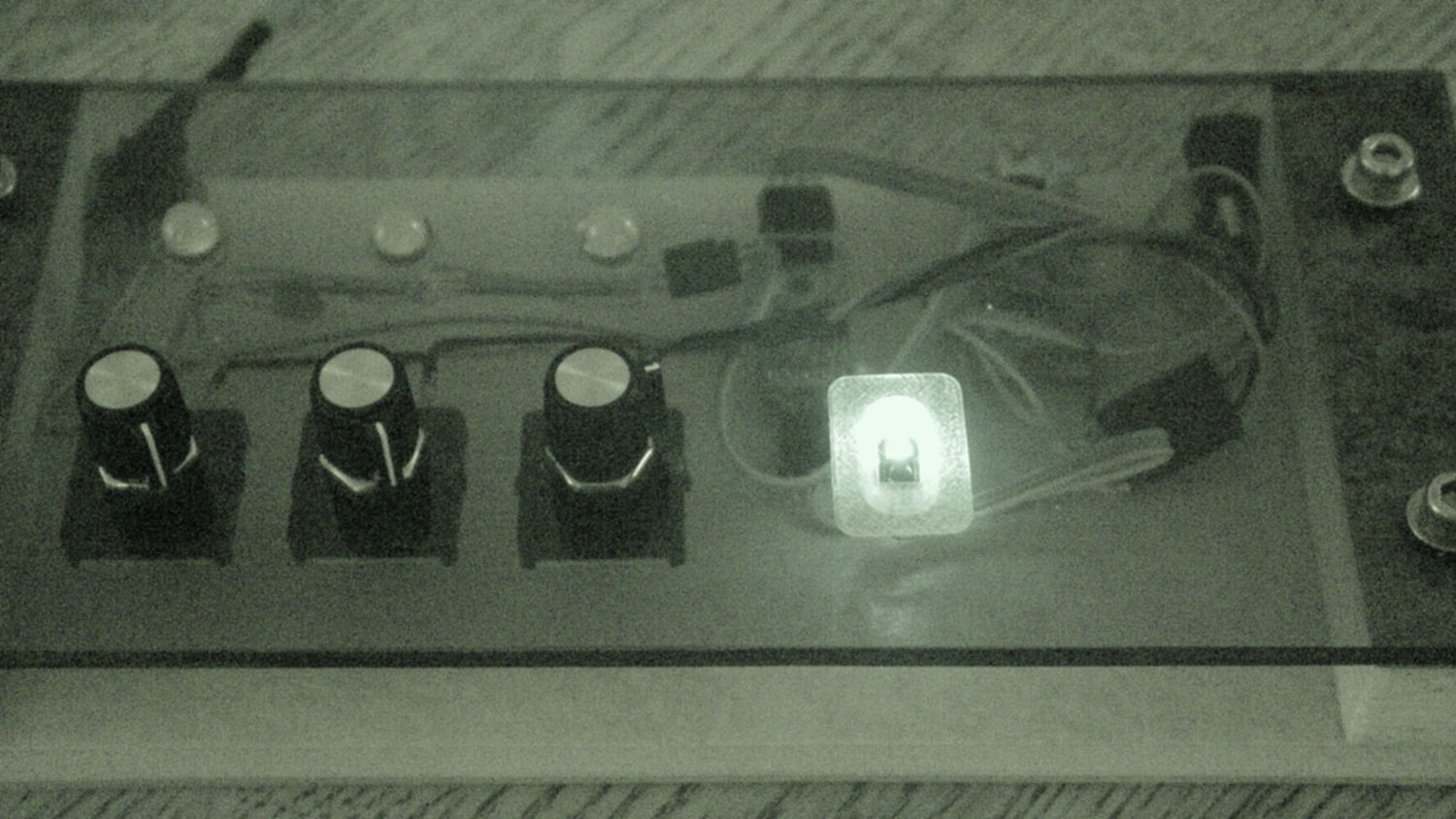
    One of the octal tubes in my collection has a broken spigot / key post that lets some light in through the bottom of the normally opaque Bakelite base:

    Octal socket in CD - LED diffraction
    Octal socket in CD – LED diffraction

    Perhaps drilling out the base would let more light pass around the evacuation tip, but that requires a shell drill to clear the tip. Some doodling suggested a drill with 12 mm OD and 8 mm ID, which was close enough to one of the smaller homebrew drills in my collection that I decided to see how it worked:

    Shell drill assortment
    Shell drill assortment

    You (well, I) can’t freehand such a hole, particularly with a glass tip in the middle, so I needed a way to clamp the tube in either the drill press or the Sherline. A pad for the clamp screw in a V-block seemed appropriate:

    Vacuum Tube Lights - Octal base clamp - Slic3r preview
    Vacuum Tube Lights – Octal base clamp – Slic3r preview

    The screw hole sits at the 1/3 point to put more pressure near the pin end of the base. Maybe that matters.

    The setup looks like this, with a small red laser dot near the front of the base:

    Octal tube clamped on Sherline mill
    Octal tube clamped on Sherline mill

    The tube rests on a random scrap of plastic, with the hope that the drill won’t apply enough pressure to break the glass envelope.

    In normal use, the V-block would be oriented the other way to let you cross-drill the cylinder. In this end-on orientation, drilling torque can rotate the tube; compliant padding for more traction may be in order.

    The OpenSCAD source code as a GitHub Gist now includes a module that spits out the clamp:

    // Vacuum Tube LED Lights
    // Ed Nisley KE4ZNU February … September 2016
    Layout = "TubeClamp"; // Cap LampBase USBPort Bushings
    // Socket(s) Cap (Build)FinCap Platter[Base|Fixture]
    // TubeClamp
    DefaultSocket = "Mini7";
    Section = false; // cross-section the object
    Support = true;
    //- Extrusion parameters must match reality!
    ThreadThick = 0.25;
    ThreadWidth = 0.40;
    HoleWindage = 0.2;
    Protrusion = 0.1; // make holes end cleanly
    inch = 25.4;
    function IntegerMultiple(Size,Unit) = Unit * ceil(Size / Unit);
    //———————-
    // Dimensions
    // https://en.wikipedia.org/wiki/Tube_socket#Summary_of_Base_Details
    // punch & screw OC modified for drive platter chassis plate
    // platter = 25 mm ID
    // CD = 15 mm ID with raised ring at 37 mm, needs screw head clearance
    T_NAME = 0; // common name
    T_NUMPINS = 1; // total, with no allowance for keying
    T_PINBCD = 2; // tube pin circle diameter
    T_PINOD = 3; // … diameter
    T_PINLEN = 4; // … length (must also clear evacuation tip / spigot)
    T_HOLEOD = 5; // nominal panel hole from various sources
    T_PUNCHOD = 6; // panel hole optimized for inch-size Greenlee punches
    T_TUBEOD = 7; // envelope or base diameter
    T_PIPEOD = 8; // light pipe from LED to tube base (clear evac tip / spigot)
    T_SCREWOC = 9; // mounting screw holes
    // Name pins BCD dia length hole punch tube pipe screw
    TubeData = [
    ["Mini7", 8, 9.53, 1.016, 7.0, 16.0, 25.0, 18.0, 5.0, 35.0], // punch 11/16, screw 22.5 OC
    // ["Octal", 8, 17.45, 2.36, 11.0, 36.2, (8 + 1)/8 * inch, 32.0, 11.5, 47.0], // screw 39.0 OC
    ["Octal", 8, 17.45, 2.36, 11.0, 36.2, 25.0, 32.0, 11.5, 42.0], // platter + 4 mm screws
    ["Noval", 10, 11.89, 1.1016, 7.0, 22.0, 25.0, 21.0, 7.5, 35.0], // punch 7/8, screw 28.0 OC
    ["Magnoval", 10, 17.45, 1.27, 9.0, 29.7, (4 + 1)/4 * inch, 46.0, 12.4, 38.2], // similar to Novar
    // ["Duodecar", 13, 19.10, 1.05, 9.0, 32.0, (4 + 1)/4 * inch, 38.0, 12.5, 47.0], // screw was 39.0 OC
    ["Duodecar", 13, 19.10, 1.05, 9.0, 25.0, 25.0, 38.0, 12.5, 42.0], // fit un-punched drive platter
    ];
    ID = 0;
    OD = 1;
    LENGTH = 2;
    Pixel = [7.0,10.0,3.0]; // ID = contact patch, OD = PCB dia, LENGTH = overall thickness
    SocketNut = // socket mounting: threaded insert or nut recess
    // [3.5,5.2,7.2] // 6-32 insert
    [4.0,6.0,5.9] // 4 mm short insert
    ;
    NutSides = 8;
    SocketShim = 2*ThreadThick; // between pin holes and pixel top
    SocketFlange = 1.5; // rim around socket below punchout
    PanelThick = 1.5; // socket extension through punchout
    FinCutterOD = 1/8 * inch;
    FinCapSize = [(Pixel[OD] + 2*FinCutterOD),30.0,(10.0 + 2*Pixel[LENGTH])];
    USBPCB =
    // [28,16,6.5] // small Sparkfun knockoff
    [36,18 + 1,5.8 + 0.4] // Deek-Robot fake FTDI with ISP header
    ;
    Platter = [25.0,95.0,1.26]; // hard drive platter dimensions
    //———————-
    // Useful routines
    module PolyCyl(Dia,Height,ForceSides=0) { // based on nophead's polyholes
    Sides = (ForceSides != 0) ? ForceSides : (ceil(Dia) + 2);
    FixDia = Dia / cos(180/Sides);
    cylinder(d=(FixDia + HoleWindage),h=Height,$fn=Sides);
    }
    //———————-
    // Tube cap
    CapTube = [4.0,3/16 * inch,10.0]; // brass tube for flying lead to cap LED
    CapSize = [Pixel[ID],(Pixel[OD] + 2.0),(CapTube[OD] + 2*Pixel[LENGTH])];
    CapSides = 8*4;
    module Cap() {
    difference() {
    union() {
    cylinder(d=CapSize[OD],h=(CapSize[LENGTH]),$fn=CapSides); // main cap body
    translate([0,0,CapSize[LENGTH]]) // rounded top
    scale([1.0,1.0,0.65])
    sphere(d=CapSize[OD]/cos(180/CapSides),$fn=CapSides); // cos() fixes slight undersize vs cylinder
    cylinder(d1=(CapSize[OD] + 2*3*ThreadWidth),d2=CapSize[OD],h=1.5*Pixel[LENGTH],$fn=CapSides); // skirt
    }
    translate([0,0,-Protrusion]) // bore for wiring to LED
    PolyCyl(CapSize[ID],(CapSize[LENGTH] + 3*ThreadThick + Protrusion),CapSides);
    translate([0,0,-Protrusion]) // PCB recess with clearance for tube dome
    PolyCyl(Pixel[OD],(1.5*Pixel[LENGTH] + Protrusion),CapSides);
    translate([0,0,(1.5*Pixel[LENGTH] – Protrusion)]) // small step + cone to retain PCB
    cylinder(d1=(Pixel[OD]/cos(180/CapSides) + HoleWindage),d2=Pixel[ID],h=(Pixel[LENGTH] + Protrusion),$fn=CapSides);
    translate([0,0,(CapSize[LENGTH] – CapTube[OD]/(2*cos(180/8)))]) // hole for brass tube holding wire loom
    rotate([90,0,0]) rotate(180/8)
    PolyCyl(CapTube[OD],CapSize[OD],8);
    }
    }
    //———————-
    // Heatsink tube cap
    module FinCap() {
    CableOD = 3.5; // cable + braid diameter
    BulbOD = 3.75 * inch; // bulb OD; use 10 inches for flat
    echo(str("Fin Cutter: ",FinCutterOD));
    FinSides = 2*4;
    BulbRadius = BulbOD / 2;
    BulbDepth = BulbRadius – sqrt(pow(BulbRadius,2) – pow(FinCapSize[OD],2)/4);
    echo(str("Bulb OD: ",BulbOD," recess: ",BulbDepth));
    NumFins = floor(PI*FinCapSize[ID] / (2*FinCutterOD));
    FinAngle = 360 / NumFins;
    echo(str("NumFins: ",NumFins," angle: ",FinAngle," deg"));
    difference() {
    union() {
    cylinder(d=FinCapSize[ID],h=FinCapSize[LENGTH],$fn=2*NumFins); // main body
    for (i = [0:NumFins – 1]) // fins
    rotate(i * FinAngle)
    hull() {
    translate([FinCapSize[ID]/2,0,0])
    rotate(180/FinSides)
    cylinder(d=FinCutterOD,h=FinCapSize[LENGTH],$fn=FinSides);
    translate([(FinCapSize[OD] – FinCutterOD)/2,0,0])
    rotate(180/FinSides)
    cylinder(d=FinCutterOD,h=FinCapSize[LENGTH],$fn=FinSides);
    }
    rotate(FinAngle/2) // cable entry boss
    translate([FinCapSize[ID]/2,0,FinCapSize[LENGTH]/2])
    cube([FinCapSize[OD]/4,FinCapSize[OD]/4,FinCapSize[LENGTH]],center=true);
    }
    for (i = [1:NumFins – 1]) // fin inner gullets, omit cable entry side
    rotate(i * FinAngle + FinAngle/2) // joint isn't quite perfect, but OK
    translate([FinCapSize[ID]/2,0,-Protrusion])
    rotate(0*180/FinSides)
    cylinder(d=FinCutterOD/cos(180/FinSides),h=(FinCapSize[LENGTH] + 2*Protrusion),$fn=FinSides);
    translate([0,0,-Protrusion]) // PCB recess
    PolyCyl(Pixel[OD],(1.5*Pixel[LENGTH] + Protrusion),FinSides);
    PolyCyl(Pixel[ID],(FinCapSize[LENGTH] – 3*ThreadThick),FinSides); // bore for LED wiring
    translate([0,0,(FinCapSize[LENGTH] – 3*ThreadThick – 2*CableOD/(2*cos(180/8)))]) // cable inlet
    rotate(FinAngle/2) rotate([0,90,0]) rotate(180/8)
    PolyCyl(CableOD,FinCapSize[OD],8);
    if (BulbOD <= 10.0 * inch) // curve for top of bulb
    translate([0,0,-(BulbRadius – BulbDepth + 2*ThreadThick)]) // … slightly flatten tips
    sphere(d=BulbOD,$fn=16*FinSides);
    }
    }
    //———————-
    // Aperture for USB-to-serial adapter snout
    // These are all magic numbers, of course
    module USBPort() {
    translate([0,USBPCB[0]])
    rotate([90,0,0])
    linear_extrude(height=USBPCB[0])
    polygon(points=[
    [0,0],
    [USBPCB[1]/2,0],
    [USBPCB[1]/2,0.5*USBPCB[2]],
    [USBPCB[1]/3,USBPCB[2]],
    [-USBPCB[1]/3,USBPCB[2]],
    [-USBPCB[1]/2,0.5*USBPCB[2]],
    [-USBPCB[1]/2,0],
    ]);
    }
    //———————-
    // Box for Leviton ceramic lamp base
    module LampBase() {
    Insert = [3.5,5.2,7.2]; // 6-32 brass insert to match standard electrical screws
    Bottom = 3.0;
    Base = [4.0*inch,4.5*inch,20.0 + Bottom];
    Sides = 12*4;
    Retainer = [3.5,11.0,1.0]; // flat fiber washer holding lamp base screws in place
    StudSides = 8;
    StudOC = 3.5 * inch;
    Stud = [Insert[OD], // insert for socket screws
    min(15.0,1.5*(Base[ID] – StudOC)/cos(180/StudSides)), // OD = big enough to merge with walls
    (Base[LENGTH] – Retainer[LENGTH])]; // leave room for retainer
    union() {
    difference() {
    rotate(180/Sides)
    cylinder(d=Base[OD],h=Base[LENGTH],$fn=Sides);
    rotate(180/Sides)
    translate([0,0,Bottom])
    cylinder(d=Base[ID],h=Base[LENGTH],$fn=Sides);
    translate([0,-Base[OD]/2,Bottom + 1.2]) // mount on double-sided foam tape
    rotate(0)
    USBPort();
    }
    for (i = [-1,1])
    translate([i*StudOC/2,0,0])
    rotate(180/StudSides)
    difference() {
    cylinder(d=Stud[OD],h=Stud[LENGTH],$fn=StudSides);
    translate([0,0,Bottom])
    PolyCyl(Stud[ID],(Stud[LENGTH] – (Bottom – Protrusion)),6);
    }
    }
    }
    //———————-
    // Base for hard drive platters
    module PlatterBase(TubeName = DefaultSocket) {
    PCB =
    [36,18,3] // Arduino Pro Mini
    ;
    Tube = search([TubeName],TubeData,1,0)[0];
    SocketHeight = Pixel[LENGTH] + SocketShim + TubeData[Tube][T_PINLEN] – PanelThick;
    echo(str("Base for ",TubeData[Tube][0]," socket"));
    Overhang = 5.5; // platter overhangs base by this much
    Bottom = 4*ThreadThick;
    Base = [(Platter[OD] – 3*Overhang), // smaller than 3.5 inch Sch 40 PVC pipe…
    (Platter[OD] – 2*Overhang),
    2.0 + max(PCB[1],(2.0 + SocketHeight + USBPCB[2])) + Bottom];
    Sides = 24*4;
    echo(str(" Height: ",Base[2]," mm"));
    Insert = // platter mounting: threaded insert or nut recess
    // [3.5,5.2,7.2] // 6-32 insert
    [3.9,5.0,8.0] // 3 mm – long insert
    ;
    NumStuds = 4;
    StudSides = 8;
    Stud = [Insert[OD], // insert for socket screws
    2*Insert[OD], // OD = big enough to merge with walls
    Base[LENGTH]]; // leave room for retainer
    StudBCD = floor(Base[ID] – Stud[OD] + (Stud[OD] – Stud[ID])/2);
    echo(str("Platter screw BCD: ",StudBCD," mm"));
    PCBInset = Base[ID]/2 – sqrt(pow(Base[ID]/2,2) – pow(PCB[0],2)/4);
    union() {
    difference() {
    rotate(180/Sides)
    cylinder(d=Base[OD],h=Base[LENGTH],$fn=Sides);
    rotate(180/Sides)
    translate([0,0,Bottom])
    cylinder(d=Base[ID],h=Base[LENGTH],$fn=Sides);
    translate([0,-Base[OD]/2,Bottom + 1.2]) // mount PCB on foam tape
    rotate(0)
    USBPort();
    }
    for (a = [0:(NumStuds – 1)]) // platter mounting studs
    rotate(180/NumStuds + a*360/(NumStuds))
    translate([StudBCD/2,0,0])
    rotate(180/StudSides)
    difference() {
    cylinder(d=Stud[OD],h=Stud[LENGTH],$fn=2*StudSides);
    translate([0,0,Bottom])
    PolyCyl(Stud[ID],(Stud[LENGTH] – (Bottom – Protrusion)),StudSides);
    }
    intersection() { // microcontroller PCB mounting plate
    rotate(180/Sides)
    cylinder(d=Base[OD],h=Base[LENGTH],$fn=Sides);
    translate([-PCB[0]/2,(Base[ID]/2 – PCBInset),0])
    cube([PCB[0],Base[OD]/2,Base[LENGTH]],center=false);
    }
    difference() {
    intersection() { // totally ad-hoc bridge around USB opening
    rotate(180/Sides)
    cylinder(d=Base[OD],h=Base[LENGTH],$fn=Sides);
    translate([-1.25*USBPCB[1]/2,-(Base[ID]/2),0])
    cube([1.25*USBPCB[1],2.0,Base[LENGTH]],center=false);
    }
    translate([0,-Base[OD]/2,Bottom + 1.2]) // mount PCB on foam tape
    rotate(0)
    USBPort();
    translate([0,-(Base[ID]/2 – 2.0 + 1*ThreadWidth),Bottom – 3*ThreadThick]) // legend
    rotate([90,0,180])
    linear_extrude(height=1*ThreadWidth + Protrusion) {
    translate([0,(Base[LENGTH] – 5.5),0])
    text(text=TubeName,size=4,font="Arial:style=Bold",halign="center");
    // translate([0,(Base[LENGTH] – 8.5),0])
    // text(text=str("BCD ",StudBCD),size=2,font="Arial",halign="center");
    translate([0,(Base[LENGTH] – 11),0])
    text(text="KE4ZNU",size=3,font="Arial",halign="center");
    }
    }
    }
    }
    //———————-
    // Drilling fixture for disk platters
    module PlatterFixture() {
    StudOC = [1.16*inch,1.16*inch]; // Sherline tooling plate screw spacing
    StudClear = 5.0;
    BasePlate = [(20 + StudOC[0]*ceil(Platter[OD] / StudOC[0])),(Platter[OD] + 10),7.0];
    PlateRound = 10.0; // corner radius
    difference() {
    hull() // basic block
    for (i=[-1,1], j=[-1,1])
    translate([i*(BasePlate[0]/2 – PlateRound),j*(BasePlate[1]/2 – PlateRound),0])
    cylinder(r=PlateRound,h=BasePlate[2],$fn=4*4);
    for (i=[-1:1], j=[-1:1]) // index marks
    translate([i*100/2,j*100/2,BasePlate[2] – 2*ThreadThick])
    cylinder(d=1.5,h=1,$fn=6);
    for (i=[-1,1], j=[-1,0,1]) // holes for tooling plate studs
    translate([i*StudOC[0]*ceil(Platter[OD] / StudOC[0])/2,j*StudOC[0],-Protrusion])
    PolyCyl(StudClear,BasePlate[2] + 2*Protrusion,6);
    translate([0,0,-Protrusion]) // center clamp hole
    PolyCyl(StudClear,BasePlate[2] + 2*Protrusion,6);
    translate([0,0,BasePlate[2] – Platter[LENGTH]]) // disk locating recess
    linear_extrude(height=(Platter[LENGTH] + Protrusion),convexity=2)
    difference() {
    circle(d=(Platter[OD] + 1),$fn=8*4);
    circle(d=Platter[ID],$fn=8*4);
    }
    translate([0,0,BasePlate[2] – 4.0]) // drilling recess
    linear_extrude(height=(4.0 + Protrusion),convexity=2)
    difference() {
    circle(d=(Platter[OD] – 10),$fn=8*4);
    circle(d=(Platter[ID] + 10),$fn=8*4);
    }
    }
    }
    //———————-
    // Tube Socket
    module Socket(Name = DefaultSocket) {
    NumSides = 6*4;
    Tube = search([Name],TubeData,1,0)[0];
    echo(str("Building ",TubeData[Tube][0]," socket"));
    echo(str(" Punch: ",TubeData[Tube][T_PUNCHOD]," mm = ",TubeData[Tube][T_PUNCHOD]/inch," inch"));
    echo(str(" Screws: ",TubeData[Tube][T_SCREWOC]," mm =",TubeData[Tube][T_SCREWOC]/inch," inch OC"));
    OAH = Pixel[LENGTH] + SocketShim + TubeData[Tube][T_PINLEN];
    BaseHeight = OAH – PanelThick;
    difference() {
    union() {
    linear_extrude(height=BaseHeight) // base outline
    hull() {
    circle(d=(TubeData[Tube][T_PUNCHOD] + 2*SocketFlange),$fn=NumSides);
    for (i=[-1,1])
    translate([i*TubeData[Tube][T_SCREWOC]/2,0])
    circle(d=2.0*SocketNut[OD],$fn=NumSides);
    }
    cylinder(d=TubeData[Tube][T_PUNCHOD],h=OAH,$fn=NumSides); // boss in chassis punch hole
    }
    for (i=[0:(TubeData[Tube][T_NUMPINS] – 1)]) // tube pins
    rotate(i*360/TubeData[Tube][T_NUMPINS])
    translate([TubeData[Tube][T_PINBCD]/2,0,(OAH – TubeData[Tube][T_PINLEN])])
    rotate(180/4)
    PolyCyl(TubeData[Tube][T_PINOD],(TubeData[Tube][T_PINLEN] + Protrusion),4);
    for (i=[-1,1]) // mounting screw holes & nut traps / threaded inserts
    translate([i*TubeData[Tube][T_SCREWOC]/2,0,-Protrusion]) {
    PolyCyl(SocketNut[OD],(SocketNut[LENGTH] + Protrusion),NutSides);
    PolyCyl(SocketNut[ID],(OAH + 2*Protrusion),NutSides);
    }
    translate([0,0,-Protrusion]) { // LED recess
    PolyCyl(Pixel[OD],(Pixel[LENGTH] + Protrusion),8);
    }
    translate([0,0,(Pixel[LENGTH] – Protrusion)]) { // light pipe
    rotate(180/TubeData[Tube][T_NUMPINS])
    PolyCyl(TubeData[Tube][T_PIPEOD],(OAH + 2*Protrusion),TubeData[Tube][T_NUMPINS]);
    }
    for (i=[-1,1]) // cable retaining slots
    translate([i*(Pixel[OD] + TubeData[Tube][T_SCREWOC])/4,0,(Pixel[LENGTH] – Protrusion)/2])
    cube([Pixel[LENGTH],TubeData[Tube][T_SCREWOC],(Pixel[LENGTH] + Protrusion)],center=true);
    }
    // Totally ad-hoc support structures …
    if (Support) {
    color("Yellow") {
    for (i=[-1,1]) // nut traps
    translate([i*TubeData[Tube][T_SCREWOC]/2,0,(SocketNut[LENGTH] – ThreadThick)/2])
    for (a=[0:5])
    rotate(a*30 + 15)
    cube([2*ThreadWidth,0.9*SocketNut[OD],(SocketNut[LENGTH] – ThreadThick)],center=true);
    if (Pixel[OD] > TubeData[Tube][T_PIPEOD]) // support pipe only if needed
    translate([0,0,(Pixel[LENGTH] – ThreadThick)/2])
    for (a=[0:7])
    rotate(a*22.5)
    cube([2*ThreadWidth,0.9*Pixel[OD],(Pixel[LENGTH] – ThreadThick)],center=true);
    }
    }
    }
    //———————-
    // Greenlee punch bushings
    module PunchBushing(Name = DefaultSocket) {
    PunchScrew = 9.5;
    BushingThick = 3.0;
    Tube = search([Name],TubeData,1,0)[0];
    echo(str("Building ",TubeData[Tube][0]," bushing"));
    NumSides = 6*4;
    difference() {
    union() {
    cylinder(d=Platter[ID],h=BushingThick,$fn=NumSides);
    cylinder(d=TubeData[Tube][T_PUNCHOD],h=(BushingThick – Platter[LENGTH]),$fn=NumSides);
    }
    translate([0,0,-Protrusion])
    PolyCyl(PunchScrew,5.0,8);
    }
    }
    //———————-
    // Tube clamp
    module TubeClamp(Name = DefaultSocket) {
    Tube = search([Name],TubeData,1,0)[0];
    echo(str("Building ",TubeData[Tube][0]," clamp"));
    ClampWidth = 37.0; // inside of clamp arch
    ClampLength = 20; // along tube base
    ClampScrew = [6.0,7.8,6.0]; // nose of clamp screw
    ClampArc = 3*45; // angle subtended by block bottom
    ClampChordWidth = 2 * (TubeData[Tube][T_TUBEOD]/2) * sin(ClampArc/2);
    ClampChordDepth = (ClampChordWidth / 2) * tan(ClampArc/4);
    echo(str("Chord width: ",ClampChordWidth," depth: ",ClampChordDepth));
    ClampBlock = [ClampWidth,(ClampChordDepth + 2*ClampScrew[LENGTH]),ClampLength];
    difference() {
    translate([0,(ClampBlock[1]/2 + TubeData[Tube][T_TUBEOD]/2 – ClampChordDepth),0])
    intersection() {
    translate([0,0,ClampLength/2])
    cube(ClampBlock,center=true);
    translate([0,(ClampBlock[1]/2 – ClampWidth/2),0])
    cylinder(d=ClampWidth,h=ClampLength);
    }
    translate([0,0,-Protrusion]) // remove tube base (remains centered)
    cylinder(d=TubeData[Tube][T_TUBEOD],h=(ClampLength + 2*Protrusion));
    translate([0,(TubeData[Tube][T_TUBEOD]/2 + ClampScrew[LENGTH]),ClampBlock[LENGTH]/3])
    rotate([-90,0,0])
    PolyCyl(ClampScrew[ID],2*ClampScrew[LENGTH],6);
    }
    }
    //———————-
    // Build it
    if (Layout == "Cap") {
    if (Section)
    difference() {
    Cap();
    translate([-CapSize[OD],0,CapSize[LENGTH]])
    cube([2*CapSize[OD],2*CapSize[OD],3*CapSize[LENGTH]],center=true);
    }
    else
    Cap();
    }
    if (Layout == "FinCap") {
    if (Section) render(convexity=5)
    difference() {
    FinCap();
    // translate([0,-FinCapSize[OD],FinCapSize[LENGTH]])
    // cube([2*FinCapSize[OD],2*FinCapSize[OD],3*FinCapSize[LENGTH]],center=true);
    translate([-FinCapSize[OD],0,FinCapSize[LENGTH]])
    cube([2*FinCapSize[OD],2*FinCapSize[OD],3*FinCapSize[LENGTH]],center=true);
    }
    else
    FinCap();
    }
    if (Layout == "BuildFinCap")
    translate([0,0,FinCapSize[LENGTH]])
    rotate([180,0,0])
    FinCap();
    if (Layout == "LampBase")
    LampBase();
    if (Layout == "PlatterBase")
    PlatterBase();
    if (Layout == "PlatterFixture")
    PlatterFixture();
    if (Layout == "USBPort")
    USBPort();
    if (Layout == "TubeClamp")
    TubeClamp("Octal");
    if (Layout == "Bushings")
    PunchBushing();
    if (Layout == "Socket")
    if (Section) {
    difference() {
    Socket();
    translate([-100/2,0,-Protrusion])
    cube([100,50,50],center=false);
    }
    }
    else
    Socket();
    if (Layout == "Sockets") {
    translate([0,50,0])
    Socket("Mini7");
    translate([0,20,0])
    Socket("Octal");
    translate([0,-15,0])
    Socket("Duodecar");
    translate([0,-50,0])
    Socket("Noval");
    translate([0,-85,0])
    Socket("Magnoval");}
  • Internet Of Things, Banking Division

    We were sitting in the Credit Union and, as usual, I scouted out the WiFi situation:

    IoT Thermostat in the Credit Union
    IoT Thermostat in the Credit Union

    Huh. Not what you’d expect to find in a bank lobby.

    In case you haven’t seen what can happen with a thermostat, you can pwn a Nest.

    Searching with the obvious keywords should provide plenty of reasons why the Internet of Things isn’t ready for prime time, not that that will slow it down in the least.

  • Miniblind Bottom Rail Caps

    A few days after installing the replacement cord caps, I bumped the bottom rail of the miniblind while opening the window and had one endcap disintegrate; apparently window hardware isn’t hardened against prolonged UV exposure. Who knew?

    Fortunately, I can fix that:

    Miniblind bottom rail caps
    Miniblind bottom rail caps

    Making the walls three threads wide provides enough room for a single solid infill thread:

    Miniblind Endcaps - Slic3r Preview
    Miniblind Endcaps – Slic3r Preview

    The exterior shape comes from a hull wrapped around six circles: four to define the corner radius and a pair that bump the center out by the calculated chord height. The interior shape comes from a pair of chord-radius polygonal circles (they only have three facets across the length of the inside wall) that fit the bottom rail almost perfectly.

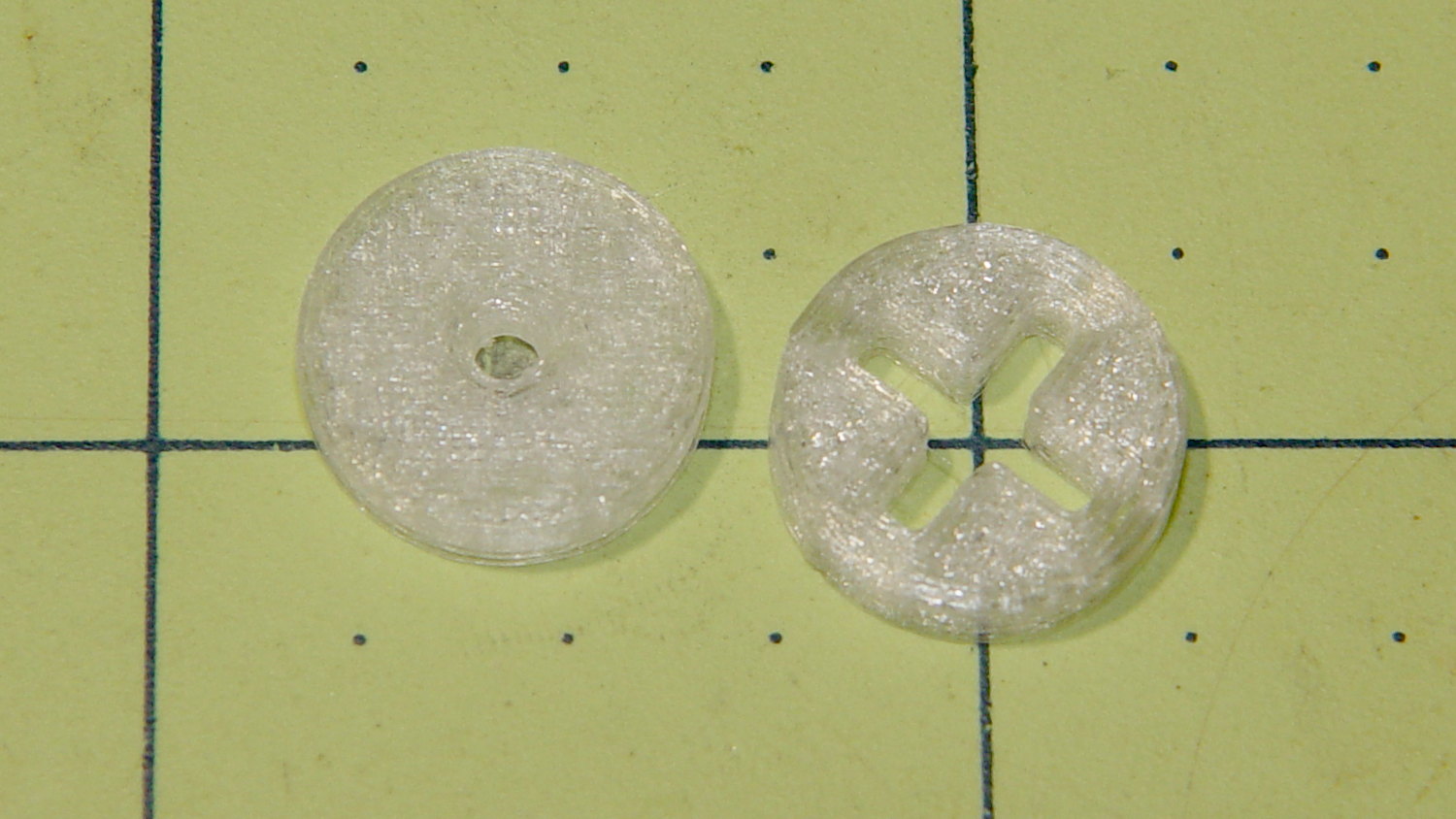
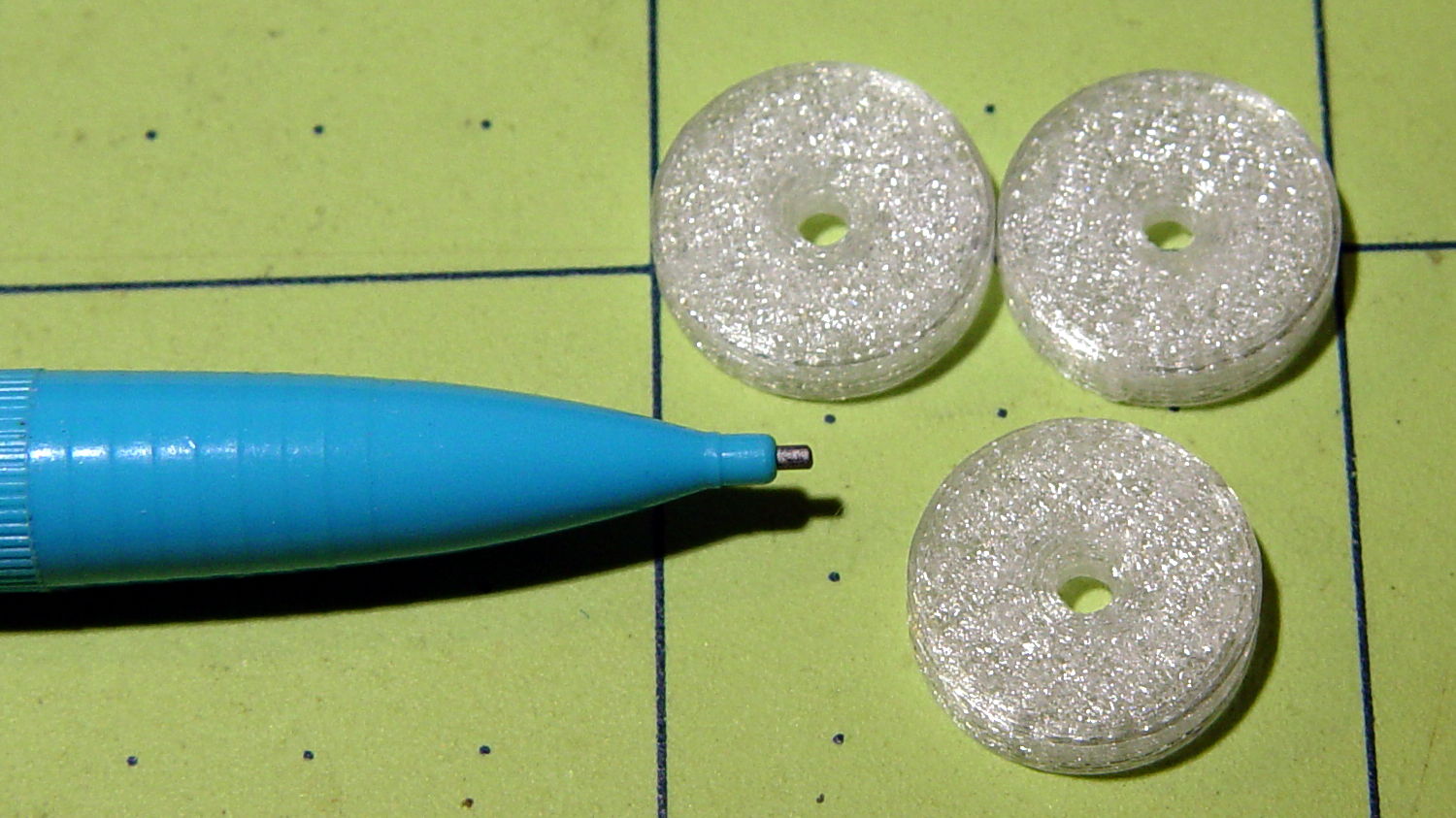
    As always, natural PETG has a crystalline, slightly transparent, appearance:

    Miniblind bottom rail cap installed
    Miniblind bottom rail cap installed

    I should spring for some opaque white filament, but that way lies madness; I might start caring what these things look like.

    You can buy entire miniblinds for a few bucks a pop, but the last time we did that, they were different than the ones we had before. That wouldn’t matter if the standard miniblind mounting brackets fit our 1955 Anderson windows, but noooo they don’t: the custom adapters I machined for the first miniblind brackets, of course, didn’t fit the new miniblinds.

    Now I can just snap the replacement endcaps (and cord pulls) in place, declare victory, and move on.

    The OpenSCAD source code as a GitHub Gist:

    // Cap for miniblind cord and bottom rail endcaps
    // Ed Nisley KE4ZNU – September 2016
    Layout = "BaseEndCap"; // CordCap BaseEndCap
    //- Extrusion parameters – must match reality!
    ThreadThick = 0.25;
    ThreadWidth = 0.40;
    Protrusion = 0.1;
    HoleWindage = 0.2;
    //——
    // Dimensions
    OD1 = 0;
    OD2 = 1;
    LENGTH = 2;
    //———————-
    //- Build it
    if (Layout == "CordCap") {
    Cap = [9.0,16.0,25.0];
    Cord = [2.5,7.0,Cap[LENGTH] – 5];
    NumSides = 8;
    difference() {
    hull() { // overall shape
    translate([0,0,Cap[LENGTH] – Cap[OD1]/2])
    sphere(d=Cap[OD1],$fn=NumSides);
    translate([0,0,0.5*Cap[OD2]/2])
    sphere(d=Cap[OD2],$fn=2*NumSides); // round the bottom just a bit
    }
    translate([0,0,-Cap[LENGTH]/2]) // trim bottom
    cube([2*Cap[OD2],2*Cap[OD2],Cap[LENGTH]],center=true);
    translate([0,0,Cap[LENGTH] + 0.8*Cap[OD1]]) // trim top (arbitrarily)
    cube([2*Cap[OD1],2*Cap[OD1],2*Cap[OD1]],center=true);
    translate([0,0,-Protrusion])
    cylinder(d=Cord[OD1],h=(Cap[LENGTH] + 2*Protrusion),$fn=NumSides);
    translate([0,0,-Protrusion])
    cylinder(d1=Cord[OD2],d2=Cord[OD1],h=(Cord[LENGTH] + Protrusion),$fn=NumSides);
    }
    }
    if (Layout == "BaseEndCap") {
    Base = [25.2,9.0,12.2]; // base outside dimensions
    Edge = 8.0; // size of sqare ends
    CornerRadius = 0.75;
    Wall = 3; // wall thickness in threads
    ChordHeight = (Base[1] – Edge) / 2;
    ChordRadius = (pow(ChordHeight,2) + pow(Base[0],2)/4) / (2*ChordHeight);
    NumSides = 4*4;
    echo(str("Chord height: ",ChordHeight," radius: ",ChordRadius));
    difference() {
    linear_extrude(height=Base[2],convexity=2) {
    hull() {
    for (i=[-1,1], j=[-1,1])
    translate([i*(Base[0]/2 – CornerRadius + Wall*ThreadWidth),j*(Base[1]/2 – CornerRadius + Wall*ThreadWidth)])
    circle(r=CornerRadius,$fn=4*4,center=true);
    for (j=[-1,1])
    translate([0,j*(ChordHeight + Base[1]/2 – CornerRadius + Wall*ThreadWidth)])
    rotate(180/(2*4))
    circle(r=CornerRadius,$fn=2*4,center=true);
    }
    }
    translate([0,0,3*ThreadThick])
    linear_extrude(height=Base[2],convexity=2)
    intersection() {
    intersection_for (j=[-1,1])
    translate([0,j*(ChordHeight + Base[1]/2 – ChordRadius)])
    circle(r=ChordRadius,$fn=32*4,center=true);
    square([Base[0],2*Base[1]],center=true);
    }
    }
    }

    The original doodle with some dimensions that didn’t withstand careful measurements:

    Miniblind Endcap dimension doodle
    Miniblind Endcap dimension doodle