The Smell of Molten Projects in the Morning

Ed Nisley's Blog: Shop notes, electronics, firmware, machinery, 3D printing, laser cuttery, and curiosities. Contents: 100% human thinking, 0% AI slop.

Category: Software

General-purpose computers doing something specific

  • Phishing Knows No Bounds

    This appeared on The Mighty Thor’s phone during a Squidwrench meeting:

    BofA Phishing
    BofA Phishing

    “To maintain a secure banking environment” seems diagnostic of a scam.

    Discouragingly, some of our banks still send emails with clicky links using third-party mail servers, so checkonlineinfo.com doesn’t seem any more suspicious than, say, Schwab’s customercenter.net.

    A pox on their collective backsides!

  • Raspberry Pi Streaming Radio Player: Improved Pipe Handling

    My Raspberry Pi-based streaming radio player generally worked fine, except sometimes the keypad / volume control knob would stop responding after switching streams. This being an erratic thing, the error had to be a timing problem in otherwise correct code and, after spending Quality Time with the Python subprocess and select doc, I decided I was abusing mplayer’s stdin and stdout pipes.

    This iteration registers mplayer’s stdout pipe as Yet Another select.poll() Polling Object, so that the main loop can respond whenever a complete line arrives. Starting mplayer in quiet mode reduces the tonnage of stdout text, at the cost of losing the streaming status that I really couldn’t do anything with, and eliminates the occasional stalls when mplayer (apparently) dies in the middle of a line.

    The code kills and restarts mplayer whenever it detects an EOF or stream cutoff. That works most of the time, but a persistent server or network failure can still send the code into a sulk. Manually selecting a different stream (after we eventually notice the silence) generally sets things right, mainly by whacking mplayer upside the head; it’s good enough.

    It seems I inadvertently invented streaming ad suppression by muting (most of) the tracks that produced weird audio effects. Given that the “radio stations” still get paid for sending ads to me, I’m not actually cheating anybody out of their revenue: I’ve just automated our trips to the volume control knob. The audio goes silent for a few seconds (or, sheesh, a few minutes) , blatting a second or two of ad noise around the gap to remind us of what we’re missing; given the prevalence of National Forest Service PSAs, the audio ad market must be a horrific wasteland.

    The Python source code as a GitHub Gist:

    from evdev import InputDevice,ecodes,KeyEvent
    import subprocess32 as subp
    import select
    import re
    import sys
    import time
    import logging
    Media = {'KEY_KP7' : ['Classical',False,['mplayer','–quiet','-playlist','http://stream2137.init7.net/listen.pls'%5D%5D,
    'KEY_KP8' : ['Jazz',False,['mplayer','–quiet','-playlist','http://stream2138.init7.net/listen.pls'%5D%5D,
    'KEY_KP9' : ['WMHT',False,['mplayer','–quiet','http://live.str3am.com:2070/wmht1'%5D%5D,
    'KEY_KP4' : ['Classic 1000',True,['mplayer','–quiet','-playlist','http://listen.radionomy.com/1000classicalhits.m3u'%5D%5D,
    'KEY_KP5' : ['DCNY 911',False,['mplayer','–quiet','-playlist','http://www.broadcastify.com/scripts/playlists/1/12305/-5857889408.m3u'%5D%5D,
    'KEY_KP6' : ['WAMC',False,['mplayer','–quiet','http://pubint.ic.llnwd.net/stream/pubint_wamc'%5D%5D,
    'KEY_KP1' : ['60s',True,['mplayer','–quiet','-playlist','http://listen.radionomy.com/all60sallthetime-keepfreemusiccom.m3u'%5D%5D,
    'KEY_KP2' : ['50-70s',True,['mplayer','–quiet','-playlist','http://listen.radionomy.com/golden-50-70s-hits.m3u'%5D%5D,
    'KEY_KP3' : ['Soft Rock',True,['mplayer','–quiet','-playlist','http://listen.radionomy.com/softrockradio.m3u'%5D%5D,
    'KEY_KP0' : ['Zen',True,['mplayer','–quiet','-playlist','http://listen.radionomy.com/zen-for-you.m3u'%5D%5D
    }
    CurrentKC = 'KEY_KP3'
    Controls = {'KEY_KPSLASH' : '//////',
    'KEY_KPASTERISK' : '******',
    'KEY_KPENTER' : ' ',
    'KEY_KPMINUS' : '<',
    'KEY_KPPLUS' : '>',
    'KEY_VOLUMEUP' : '*',
    'KEY_VOLUMEDOWN' : '/'
    }
    MuteStrings = ["TargetSpot","[Unknown]","Advert:","+++","—","SRR","Srr","ZEN FOR"]
    MuteDelay = 8.0 # delay before non-music track; varies with buffering
    UnMuteDelay = 7.5 # delay after non-music track
    Muted = False # keep track of muted state
    MixerChannel = 'PCM' # which amixer thing to use
    logging.basicConfig(format='%(asctime)s %(levelname)s:%(message)s',filename='/tmp/Streamer.log',level=logging.INFO)
    logger = logging.getLogger()
    # set up event inputs and polling objects
    # This requires some udev magic to create the symlinks
    k = InputDevice('/dev/input/keypad')
    k.grab()
    kp = select.poll()
    kp.register(k.fileno(),select.POLLIN + select.POLLPRI + select.POLLERR)
    v = InputDevice('/dev/input/volume')
    v.grab()
    vp = select.poll()
    vp.register(v.fileno(),select.POLLIN + select.POLLPRI + select.POLLERR)
    # set up file for output tracing
    lw = open('/tmp/mp.log','w') # mplayer piped output
    # set the mixer output low enough that the initial stream won't wake the dead
    subp.call(['amixer','sset',MixerChannel,'10'])
    # Start the player with the default stream, set up for polling
    print 'Starting mplayer on',Media[CurrentKC][0],' -> ',Media[CurrentKC][-1][-1]
    logging.info('Starting mplayer on %s -> %s',Media[CurrentKC][0],Media[CurrentKC][-1][-1])
    p = subp.Popen(Media[CurrentKC][-1],
    stdin=subp.PIPE,stdout=subp.PIPE,stderr=subp.STDOUT)
    pp = select.poll() # this may be valid for other invocations, but is not pretty
    pp.register(p.stdout.fileno(),select.POLLIN + select.POLLPRI + select.POLLERR)
    print ' … running'
    #——————–
    #— Play the streams
    while True:
    # pluck next line from mplayer and decode it
    if [] != pp.poll(10):
    text = p.stdout.readline()
    if 'ICY Info: ' in text: # these lines may contain track names
    lw.write(text)
    lw.flush()
    trkinfo = text.split(';') # also splits at semicolon embedded in track name
    # logging.info('Raw split line: %s', trkinfo)
    for ln in trkinfo:
    if 'StreamTitle' in ln: # this part contains a track name
    NeedMute = False # assume a listenable track
    if 2 == ln.count("'"): # exactly two single quotes = probably none embedded in track name
    trkhit = re.search(r"StreamTitle='(.*)'",ln)
    if trkhit: # true for valid search results
    TrackName = trkhit.group(1) # the string between the two quotes
    print 'Track name: ', TrackName
    logging.info('Track name: [%s]', TrackName)
    if Media[CurrentKC][1] and ( (len(TrackName) == 0) or any(m in TrackName for m in MuteStrings) ) :
    NeedMute = True
    else:
    print ' … semicolon in track name: ', ln
    logging.info('Semicolon in track name: [' + ln + ']')
    else:
    print ' … quotes in track name: ', ln
    logging.info('Quotes in track name: [' + ln + ']')
    if NeedMute:
    print ' … muting:',
    if Media[CurrentKC][1] and not Muted:
    time.sleep(MuteDelay) # brute-force assumption about buffer leadtime
    subp.call(['amixer','-q','sset',MixerChannel,'mute'])
    Muted = True
    print 'done'
    logging.info('Track muted')
    else:
    print ' … unmuting:',
    if Muted:
    if Media[CurrentKC][1]:
    time.sleep(UnMuteDelay) # another brute-force timing assumption
    Muted = False
    subp.call(['amixer','-q','sset',MixerChannel,'unmute'])
    print 'done'
    logging.info('Track unmuted')
    elif 'Exiting.' in text: # mplayer just imploded
    lw.write(text)
    lw.flush()
    print 'Got EOF / stream cutoff'
    logging.info('EOF or stream cutoff')
    print ' … killing dead mplayer'
    pp.unregister(p.stdout.fileno())
    p.terminate() # p.kill()
    p.wait()
    # print ' … flushing pipes'
    # lw.truncate(0)
    print ' … discarding keys'
    while [] != kp.poll(0):
    kev = k.read
    print ' … restarting mplayer: ',Media[CurrentKC][0]
    logging.info('Restarting mplayer')
    p = subp.Popen(Media[CurrentKC][-1],
    stdin=subp.PIPE,stdout=subp.PIPE,stderr=subp.STDOUT)
    pp.register(p.stdout.fileno(),select.POLLIN + select.POLLPRI + select.POLLERR)
    print ' … running'
    logging.info(' … running')
    # accept pending events from volume control knob
    if [] != vp.poll(10):
    vev = v.read()
    lw.write('Volume')
    lw.flush()
    for e in vev:
    if e.type == ecodes.EV_KEY:
    kc = KeyEvent(e).keycode
    # print 'Volume kc: ',kc
    if kc in Controls:
    print 'Vol Control: ',kc
    try:
    p.stdin.write(Controls[kc])
    except Exception as e:
    print "Can't send control: ",e
    print ' … restarting player: ',Media[CurrentKC][0]
    logging.info('Error sending volume, restarting player')
    pp.unregister(p.stdout.fileno())
    p = subp.Popen(Media[CurrentKC][-1],
    stdin=subp.PIPE,stdout=subp.PIPE,stderr=subp.STDOUT)
    pp.register(p.stdout.fileno(),select.POLLIN + select.POLLPRI + select.POLLERR)
    print ' … running'
    logging.info(' … running')
    # accept pending events from keypad
    if [] != kp.poll(10):
    kev = k.read()
    lw.write("Keypad")
    lw.flush()
    for e in kev:
    if e.type == ecodes.EV_KEY:
    kc = KeyEvent(e).keycode
    if kc == 'KEY_NUMLOCK': # discard these, as we don't care
    continue
    # print 'Got: ',kc
    if (kc == 'KEY_BACKSPACE') and (KeyEvent(e).keystate == KeyEvent.key_hold):
    if True:
    print 'Backspace = shutdown!'
    p.kill()
    logging.shutdown()
    q = subp.call(['sudo','shutdown','-P','now'])
    q.wait()
    time.sleep(5)
    print "Oddly, we did not die…"
    else:
    print 'BS = bail from main!'
    logging.shutdown()
    sys.exit(0)
    break
    if KeyEvent(e).keystate != KeyEvent.key_down: # discard key up & other rubbish
    continue
    if kc in Controls:
    print 'Control:', kc
    try:
    p.stdin.write(Controls[kc])
    except Exception as e:
    print "Can't send control: ",e
    print ' … restarting player: ',Media[CurrentKC][0]
    logging.info('Error sending controls, restarting player')
    pp.unregister(p.stdout.fileno())
    p.terminate() # p.kill()
    p.wait()
    p = subp.Popen(Media[CurrentKC][-1],
    stdin=subp.PIPE,stdout=subp.PIPE,stderr=subp.STDOUT)
    pp.register(p.stdout.fileno(),select.POLLIN + select.POLLPRI + select.POLLERR)
    print ' … running'
    logging.info(' … running')
    if kc in Media:
    print 'Switching stream to ',Media[kc][0],' -> ',Media[kc][-1][-1]
    logging.info('Switching stream: ' + Media[kc][0] + ' -> ' + Media[kc][-1][-1])
    CurrentKC = kc
    print ' … halting player'
    try:
    p.communicate(input='q')
    except Exception as e:
    print 'Perhaps mplayer died?',e
    print ' … killing it for sure'
    pp.unregister(p.stdout.fileno())
    p.terminate() # p.kill()
    p.wait()
    # print ' … flushing pipes'
    # lw.truncate(0)
    print ' … restarting player: ',Media[CurrentKC][0]
    p = subp.Popen(Media[CurrentKC][-1],
    stdin=subp.PIPE,stdout=subp.PIPE,stderr=subp.STDOUT)
    pp.register(p.stdout.fileno(),select.POLLIN + select.POLLPRI + select.POLLERR)
    print ' … running'
    logging.info(' … running')
    print 'Out of loop!'
    logging.shutdown()
    view raw Streamer.py hosted with ❤ by GitHub
  • HP 7475A Plotter: Coordinate Pruning

    The original SuperFormula equation produces points in polar coordinates, which the Chiplotle library converts to the rectilinear format more useful with Cartesian plotters. I’ve been feeding the equation with 10001 angular values (10 passes around the paper, with 1000 points per pass, plus one more point to close the pattern), which means the angle changes by 3600°/10000 = 0.36° per point. Depending on the formula’s randomly chosen parameters, each successive point can move the plotter pen by almost nothing to several inches.

    On the “almost nothing” end of the scale, the plotter slows to a crawl while the serial interface struggles to feed the commands. Given that you can’t see the result, why send the commands?

    Computing point-to-point distances goes more easily in rectilinear coordinates, so I un-tweaked my polar-modified superformula function to return the points in rectangular coordinates. I’d originally thought a progressive scaling factor would be interesting, but it never happened.

    The coordinate pruning occurs in the supershape function, which now contains a loop to scan through the incoming list of points from the  superformula function and add a point to the output path only when it differs by enough from the most recently output point:

        path = []
        path.append(Coordinate(width * points[0][0], height * points[0][1]))
        outi = 0
        xp, yp = points[outi][0], points[outi][1]
        for i in range(len(points))[1:]:
            x,y = width * points[i][0], height * points[i][1]
            dist = sqrt(pow(x - xp,2) + pow(y - yp,2))
            if dist > 60 :
              path.append(Coordinate(x, y))
              outi = i
              xp, yp = x, y
    
        path.append(Coordinate(width * points[-1][0], height * points[-1][1]))
        print "Pruned",len(points),"to",len(path),"points"
    

    The first and last points always go into the output list; the latter might be duplicated, but that doesn’t matter.

    Note that you can’t prune the list by comparing successive points, because then you’d jump directly from the start of a series of small motions to their end. The idea is to step through the small motions in larger units that, with a bit of luck, won’t be too ugly.

    The width and height values scale the XY coordinates to fill either A or B paper sheets, with units of “Plotter Units” = 40.2 PU/mm = 1021 PU/inch. You can scale those in various ways to fit various output sizes within the sheets, but I use the defaults that fill the entire sheets with a reasonable margin. As a result, the magic number 60 specifies 60 Plotter Units; obviously, it should have a suitable name.

    Pruning to 40 PU = 1.0 mm (clicky for more dots, festooned with over-compressed JPEG artifacts):

    Plot pruned to 40 PU
    Plot pruned to 40 PU

    Pruning to 60 PU = 1.5 mm:

    Plot pruned to 60 PU
    Plot pruned to 60 PU

    Pruning to 80 PU = 2.0 mm:

    Plot pruned to 80 PU
    Plot pruned to 80 PU

    Pruning to 120 PU = 3.0 mm:

    Plot pruned to 120 PU
    Plot pruned to 120 PU

    All four of those plots have the same pens in the same order, although I refilled a few of them in flight.

    By and large, up through 80 PU there’s not much visual difference, although you can definitely see the 3 mm increments at 120 PU. However, the plotting time drops from just under an hour for each un-pruned plot to maybe 15 minutes with 120 PU pruning, with 60 PU producing very good results at half an hour.

    Comparing the length of the input point lists to the pruned output path lists, including some pruning values not shown above:

    Prune 20
    1 - m: 5.3, n1: 0.15, n2=n3: 0.80
    Pruned 10001 to 4856 points
    2 - m: 5.3, n1: 0.23, n2=n3: 0.75
    Pruned 10001 to 5545 points
    3 - m: 5.3, n1: 1.15, n2=n3: 0.44
    Pruned 10001 to 6218 points
    4 - m: 5.3, n1: 0.41, n2=n3: 1.50
    Pruned 10001 to 7669 points
    5 - m: 5.3, n1: 0.29, n2=n3: 0.95
    Pruned 10001 to 6636 points
    6 - m: 5.3, n1: 0.95, n2=n3: 0.16
    Pruned 10001 to 5076 points
    
    Prune 40
    1 - m: 3.1, n1: 0.23, n2=n3: 0.26
    Pruned 10001 to 2125 points
    2 - m: 3.1, n1: 1.05, n2=n3: 0.44
    Pruned 10001 to 5725 points
    3 - m: 3.1, n1: 0.25, n2=n3: 0.32
    Pruned 10001 to 2678 points
    4 - m: 3.1, n1: 0.43, n2=n3: 0.34
    Pruned 10001 to 4040 points
    5 - m: 3.1, n1: 0.80, n2=n3: 0.40
    Pruned 10001 to 5380 points
    6 - m: 3.1, n1: 0.55, n2=n3: 0.56
    Pruned 10001 to 5424 points
    
    Prune 60
    1 - m: 1.1, n1: 0.45, n2=n3: 0.40
    Pruned 10001 to 2663 points
    2 - m: 1.1, n1: 0.41, n2=n3: 0.14
    Pruned 10001 to 1706 points
    3 - m: 1.1, n1: 1.20, n2=n3: 0.75
    Pruned 10001 to 4446 points
    4 - m: 1.1, n1: 0.33, n2=n3: 0.80
    Pruned 10001 to 3036 points
    5 - m: 1.1, n1: 0.90, n2=n3: 1.40
    Pruned 10001 to 4723 points
    6 - m: 1.1, n1: 0.61, n2=n3: 0.65
    Pruned 10001 to 3601 points
    
    Prune 80
    1 - m: 3.7, n1: 0.95, n2=n3: 0.58
    Pruned 10001 to 3688 points
    2 - m: 3.7, n1: 0.49, n2=n3: 0.22
    Pruned 10001 to 2258 points
    3 - m: 3.7, n1: 0.57, n2=n3: 0.90
    Pruned 10001 to 3823 points
    4 - m: 3.7, n1: 0.25, n2=n3: 0.40
    Pruned 10001 to 2161 points
    5 - m: 3.7, n1: 0.47, n2=n3: 0.30
    Pruned 10001 to 2532 points
    6 - m: 3.7, n1: 0.45, n2=n3: 0.14
    Pruned 10001 to 1782 points
    
    Prune 120
    1 - m: 1.9, n1: 0.33, n2=n3: 0.48
    Pruned 10001 to 1561 points
    2 - m: 1.9, n1: 0.51, n2=n3: 0.18
    Pruned 10001 to 1328 points
    3 - m: 1.9, n1: 1.80, n2=n3: 0.16
    Pruned 10001 to 2328 points
    4 - m: 1.9, n1: 0.21, n2=n3: 1.10
    Pruned 10001 to 1981 points
    5 - m: 1.9, n1: 0.63, n2=n3: 0.24
    Pruned 10001 to 1664 points
    6 - m: 1.9, n1: 0.45, n2=n3: 0.22
    Pruned 10001 to 1290 points
    

    Eyeballometrically, 60 PU pruning halves the number of plotted points, so the average data rate jumps from 9600 b/s to 19.2 kb/s. Zowie!

    Most of the pruning occurs near the middle of the patterns, where the pen slows to a crawl. Out near the spiky rim, where the points are few & far between, there’s no pruning at all. Obviously, quantizing a generic plot to 1.5 mm would produce terrible results; in this situation, the SuperFormula produces smooth curves (apart from those spikes) that look just fine.

    The Python source code as a GitHub Gist:

    # Adapted from Chiplotle plotter library:
    # http://cmc.music.columbia.edu/chiplotle/
    from chiplotle import *
    from math import *
    from datetime import *
    from time import *
    from types import *
    import random
    def supershape(width, height, m, n1, n2, n3,
    point_count=10 * 1000, percentage=1.0, a=1.0, b=1.0, travel=None):
    '''Supershape, generated using the superformula first proposed
    by Johan Gielis.
    – `points_count` is the total number of points to compute.
    – `travel` is the length of the outline drawn in radians.
    3.1416 * 2 is a complete cycle.
    modified to prune short plotter motions – Ed Nisley KE4ZNU – October 2016
    '''
    travel = travel or (10 * 2 * pi)
    # compute points…
    phis = [i * travel / point_count
    for i in range(1 + int(point_count * percentage))]
    points = [tools.mathtools.superformula(a, b, m, n1, n2, n3, x) for x in phis]
    # scale and prune short motions
    path = []
    path.append(Coordinate(width * points[0][0], height * points[0][1]))
    outi = 0
    xp, yp = points[outi][0], points[outi][1]
    for i in range(len(points))[1:]:
    x,y = width * points[i][0], height * points[i][1]
    dist = sqrt(pow(x – xp,2) + pow(y – yp,2))
    if dist > 60 :
    path.append(Coordinate(x, y))
    outi = i
    xp, yp = x, y
    path.append(Coordinate(width * points[-1][0], height * points[-1][1]))
    print " Pruned",len(points),"to",len(path),"points"
    return Path(path)
    # Run Superformula plots
    if __name__ == '__main__':
    override = False
    plt = instantiate_plotters()[0]
    # plt.write('IN;')
    if plt.margins.soft.width < 11000: # A=10365 B=16640
    maxplotx = (plt.margins.soft.width / 2) – 100
    maxploty = (plt.margins.soft.height / 2) – 150
    legendx = maxplotx – 2900
    legendy = -(maxploty – 750)
    tscale = 0.45
    numpens = 4
    # prime/10 = number of spikes
    m_values = [n / 10.0 for n in [11, 13, 17, 19, 23]]
    # ring-ness 0.1 to 2.0, higher is larger
    n1_values = [
    n / 100.0 for n in range(55, 75, 2) + range(80, 120, 5) + range(120, 200, 10)]
    else:
    maxplotx = plt.margins.soft.width / 2
    maxploty = plt.margins.soft.height / 2
    legendx = maxplotx – 3000
    legendy = -(maxploty – 900)
    tscale = 0.45
    numpens = 6
    m_values = [n / 10.0 for n in [11, 13, 17, 19, 23, 29, 31,
    37, 41, 43, 47, 53, 59]] # prime/10 = number of spikes
    # ring-ness 0.1 to 2.0, higher is larger
    n1_values = [
    n / 100.0 for n in range(15, 75, 2) + range(80, 120, 5) + range(120, 200, 10)]
    print " Max: ({},{})".format(maxplotx, maxploty)
    # spiky-ness 0.1 to 2.0, higher is spiky-er (mostly)
    n2_values = [
    n / 100.0 for n in range(10, 60, 2) + range(65, 100, 5) + range(110, 200, 10)]
    plt.write(chr(27) + '.H200:') # set hardware handshake block size
    plt.set_origin_center()
    # scale based on B size characters
    plt.write(hpgl.SI(tscale * 0.285, tscale * 0.375))
    # slow speed for those abrupt spikes
    plt.write(hpgl.VS(10))
    while True:
    # standard loadout has pen 1 = fine black
    plt.write(hpgl.PA([(legendx, legendy)]))
    pen = 1
    plt.select_pen(pen)
    plt.write(hpgl.PA([(legendx, legendy)]))
    plt.write(hpgl.LB("Started " + str(datetime.today())))
    if override:
    m = 4.1
    n1_list = [1.15, 0.90, 0.25, 0.59, 0.51, 0.23]
    n2_list = [0.70, 0.58, 0.32, 0.28, 0.56, 0.26]
    else:
    m = random.choice(m_values)
    n1_list = random.sample(n1_values, numpens)
    n2_list = random.sample(n2_values, numpens)
    pen = 1
    for n1, n2 in zip(n1_list, n2_list):
    n3 = n2
    print "{0} – m: {1:.1f}, n1: {2:.2f}, n2=n3: {3:.2f}".format(pen, m, n1, n2)
    plt.select_pen(pen)
    plt.write(hpgl.PA([(legendx, legendy – 100 * pen)]))
    plt.write(
    hpgl.LB("Pen {0}: m={1:.1f} n1={2:.2f} n2=n3={3:.2f}".format(pen, m, n1, n2)))
    e = supershape(maxplotx, maxploty, m, n1, n2, n3)
    plt.write(e)
    pen = pen + 1 if (pen % numpens) else 1
    pen = 1
    plt.select_pen(pen)
    plt.write(hpgl.PA([(legendx, legendy – 100 * (numpens + 1))]))
    plt.write(hpgl.LB("Ended " + str(datetime.today())))
    plt.write(hpgl.PA([(legendx, legendy – 100 * (numpens + 2))]))
    plt.write(hpgl.LB("More at https://softsolder.com/?s=7475a&quot;))
    plt.select_pen(0)
    plt.write(hpgl.PA([(-maxplotx,maxploty)]))
    print "Waiting for plotter… ignore timeout errors!"
    sleep(40)
    while NoneType is type(plt.status):
    sleep(5)
    print "Load more paper, then …"
    print " … Press ENTER on the plotter to continue"
    plt.clear_digitizer()
    plt.digitize_point()
    plotstatus = plt.status
    while (NoneType is type(plotstatus)) or (0 == int(plotstatus) & 0x04):
    plotstatus = plt.status
    print "Digitized: " + str(plt.digitized_point)

  • ATM Error Message

    Saw this after fat-fingering my PIN at a drive-up ATM:

    ATM Screen Display Error Message
    ATM Screen Display Error Message

    That’s off-putting, isn’t it?

  • Reticle Guide for Ruler Quilting

    I made the pencil guides to help Mary design ruler quilting patterns, but sometimes she must line up the ruler with a feature on an existing pattern. To that end, we now have a reticle guide:

    Ruler Adapters - pencil guide and reticle
    Ruler Adapters – pencil guide and reticle

    The general idea is that it’s easier to see the pattern on paper through the crosshair than through a small hole. You put the button over a feature, align the reticle, put the ruler against the button, replace it with pencil guide, and away you go.

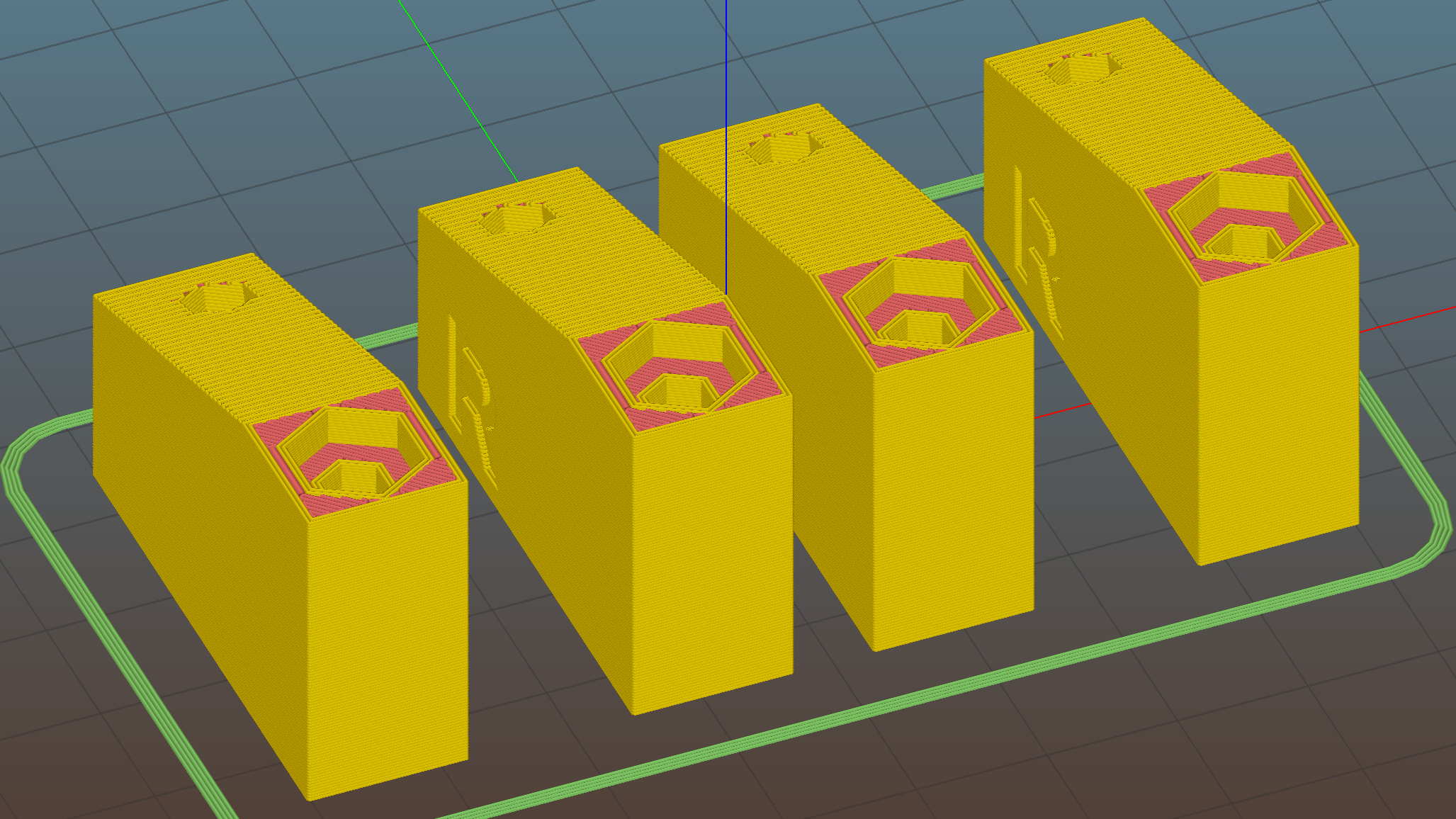
    The solid model looks much more lively than you’d expect:

    Ruler Adapter - reticle - Slic3r preview
    Ruler Adapter – reticle – Slic3r preview

    Printing up a pair of each button produces the same surface finish as before; life is good!

    The OpenSCAD source code as a GitHub Gist:

    // Quilting Ruler Adapters
    // Ed Nisley KE4ZNU October 2016
    //- Extrusion parameters must match reality!
    ThreadThick = 0.25;
    ThreadWidth = 0.40;
    HoleWindage = 0.2;
    Protrusion = 0.1; // make holes end cleanly
    inch = 25.4;
    function IntegerMultiple(Size,Unit) = Unit * ceil(Size / Unit);
    //———-
    // Dimensions
    ID = 0;
    OD = 1;
    LENGTH = 2;
    Offset = 0.25 * inch;
    Template = [2.0,2*Offset,3.0];
    NumSides = 16*4;
    HoleSides = 8;
    //———————-
    // Useful routines
    module PolyCyl(Dia,Height,ForceSides=0) { // based on nophead's polyholes
    Sides = (ForceSides != 0) ? ForceSides : (ceil(Dia) + 2);
    FixDia = Dia / cos(180/Sides);
    cylinder(d=(FixDia + HoleWindage),h=Height,$fn=Sides);
    }
    //———-
    // Build them
    translate([-Template[OD],0,0])
    difference() {
    cylinder(d=Template[OD],h=Template[LENGTH],$fn=NumSides);
    translate([0,0,-Template[LENGTH]])
    PolyCyl(Template[ID],3*Template[LENGTH],HoleSides);
    translate([0,0,-Protrusion])
    cylinder(d1=2*Template[ID],d2=Template[ID],h=Template[LENGTH]/3 + Protrusion,$fn=HoleSides);
    translate([0,0,Template[LENGTH] + Protrusion])
    mirror([0,0,1])
    cylinder(d1=2*Template[ID],d2=Template[ID],h=Template[LENGTH]/3 + Protrusion,$fn=HoleSides);
    }
    translate([Template[OD],0,0])
    difference() {
    cylinder(d=Template[OD],h=Template[LENGTH],$fn=NumSides);
    for (a=[45,135])
    rotate(a)
    cube([0.70*Template[OD],0.15*Template[OD],3*Template[LENGTH]],center=true);
    }
  • Pencil Guides for Ruler Quilting

    Mary has been doing Ruler Quilting and wanted a pencil guide (similar to the machine’s ruler foot) to let her sketch layouts before committing stitches to fabric. The general idea is to offset the pencil by 1/4 inch from the edge of the ruler:

    Ruler Adapter - solid model
    Ruler Adapter – solid model

    That was easy.

    Print three to provide a bit of cooling time and let her pass ’em around at her next quilting bee:

    Ruler Adapter - Slic3r preview
    Ruler Adapter – Slic3r preview

    Her favorite doodling pencil shoves a 0.9 mm lead through a 2 mm ferrule, so ream the center hole with a #44 drill (86 mil = 2.1 mm) to suit:

    Ruler quilting pencil guides
    Ruler quilting pencil guides

    The outer perimeters have 64 facets, an unusually high number for my models, so they’re nice & smooth on the ruler. Even though I didn’t build them sequentially, they had zero perimeter zits and the OD came out 0.500 inch on the dot.

    The chamfers guide the pencil point into the hole and provide a bit of relief for the pencil’s snout.

    If I had a laser cutter, I could make special rulers for her, too …

    The OpenSCAD source code as a GitHub Gist:

    // Quilting Ruler Adapters
    // Ed Nisley KE4ZNU October 2016
    //- Extrusion parameters must match reality!
    ThreadThick = 0.25;
    ThreadWidth = 0.40;
    HoleWindage = 0.2;
    Protrusion = 0.1; // make holes end cleanly
    inch = 25.4;
    function IntegerMultiple(Size,Unit) = Unit * ceil(Size / Unit);
    //———-
    // Dimensions
    ID = 0;
    OD = 1;
    LENGTH = 2;
    Offset = 0.25 * inch;
    Template = [2.0,2*Offset,3.0];
    NumSides = 16*4;
    HoleSides = 8;
    //———————-
    // Useful routines
    module PolyCyl(Dia,Height,ForceSides=0) { // based on nophead's polyholes
    Sides = (ForceSides != 0) ? ForceSides : (ceil(Dia) + 2);
    FixDia = Dia / cos(180/Sides);
    cylinder(d=(FixDia + HoleWindage),h=Height,$fn=Sides);
    }
    //———-
    // Build it
    difference() {
    cylinder(d=Template[OD],h=Template[LENGTH],$fn=NumSides);
    translate([0,0,-Template[LENGTH]])
    PolyCyl(Template[ID],3*Template[LENGTH],HoleSides);
    translate([0,0,-Protrusion])
    cylinder(d1=2*Template[ID],d2=Template[ID],h=Template[LENGTH]/3 + Protrusion,$fn=HoleSides);
    translate([0,0,Template[LENGTH] + Protrusion])
    mirror([0,0,1])
    cylinder(d1=2*Template[ID],d2=Template[ID],h=Template[LENGTH]/3 + Protrusion,$fn=HoleSides);
    }
  • Vacuum Tube LEDs: Now With Morse Code

    Adding Mark Fickett’s non-blocking Morse Arduino library turns the tubes into transmitters:

    21HB5A on platter - orange green
    21HB5A on platter – orange green

    The plate cap LED blinks the message in orange, while both LEDs continue to slowly change color as before.

    You define a Morse sender object (C++, yo!) by specifying its output pin and code speed in words per minute, dump a string into it, then call a continuation function fast enough to let it twiddle the output bit for each pulse. Obviously, the rate at which the callback happens determines the timing granularity.

    However, setting a knockoff Neopixel to a given color requires more than just a binary signal on an output pin. The continuation function returns false when it’s done with the message, after which you can initialize and send another message. There’s no obvious (to me, anyhow) way to get timing information out of the code.

    The easiest solution: called the Morse continuation function at the top of the main loop, read its output pin to determine when a dit or dah is active, then set the plate cap color accordingly:

    LEDMorseSender Morse(PIN_MORSE, (float)MORSE_WPM);
    ...
    Morse.setup();
    Morse.setMessage(String("       cq cq cq de ke4znu       "));
    PrevMorse = ThisMorse = digitalRead(PIN_MORSE);
    ...
    if (!Morse.continueSending()) {
      Morse.startSending();
    }
    ThisMorse = digitalRead(PIN_MORSE);
    ...
    if (ThisMorse) {             // if Morse output high, overlay
        strip.setPixelColor(PIXEL_MORSE,MorseColor);
    }
    PrevMorse = ThisMorse;
    strip.show();               // send out precomputed colors
    ...
    <<compute colors for next iteration as usual>>
    

    I use the Entropy library to seed the PRNG, then pick three prime numbers for the sine wave periods (with an ugly hack to avoid matching periods):

    uint32_t rn = Entropy.random();
    ...
    randomSeed(rn);
    ...
    
    Pixels[RED].Prime = PrimeList[random(sizeof(PrimeList))];
    
    do {
      Pixels[GREEN].Prime = PrimeList[random(sizeof(PrimeList))];
    } while (Pixels[RED].Prime == Pixels[GREEN].Prime);
    
    do {
      Pixels[BLUE].Prime = PrimeList[random(sizeof(PrimeList))];
    } while (Pixels[BLUE].Prime == Pixels[RED].Prime ||
            Pixels[BLUE].Prime == Pixels[GREEN].Prime);
    
    printf("Primes: (%d,%d,%d)\r\n",Pixels[RED].Prime,Pixels[GREEN].Prime,Pixels[BLUE].Prime);
    

    In the spirit of “Video or it didn’t happen”: YouTube!

    The Arduino source code as a GitHub Gist:

    // Neopixel mood lighting for vacuum tubes
    // Ed Nisley – KE4ANU – June 2016
    // September 2016 – Add Morse library and blinkiness
    #include <Adafruit_NeoPixel.h>
    #include <morse.h>
    #include <Entropy.h>
    //———-
    // Pin assignments
    const byte PIN_NEO = A3; // DO – data out to first Neopixel
    const byte PIN_HEARTBEAT = 13; // DO – Arduino LED
    #define PIN_MORSE 12
    //———-
    // Constants
    #define PIXELS 2
    #define PIXEL_MORSE 1
    #define MORSE_WPM 10
    #define UPDATEINTERVAL 50ul
    const unsigned long UpdateMS = UPDATEINTERVAL – 1ul; // update LEDs only this many ms apart (minus loop() overhead)
    // number of steps per cycle, before applying prime factors
    #define RESOLUTION 250
    // want to randomize the startup a little?
    #define RANDOMIZE true
    //———-
    // Globals
    // instantiate the Neopixel buffer array
    Adafruit_NeoPixel strip = Adafruit_NeoPixel(PIXELS, PIN_NEO, NEO_GRB + NEO_KHZ800);
    uint32_t FullWhite = strip.Color(255,255,255);
    uint32_t FullOff = strip.Color(0,0,0);
    uint32_t MorseColor = strip.Color(255,191,0);
    struct pixcolor_t {
    byte Prime;
    unsigned int NumSteps;
    unsigned int Step;
    float StepSize;
    byte MaxPWM;
    };
    unsigned int PlatterSteps;
    byte PrimeList[] = {3,5,7,13,19,29};
    // colors in each LED
    enum pixcolors {RED, GREEN, BLUE, PIXELSIZE};
    struct pixcolor_t Pixels[PIXELSIZE]; // all the data for each pixel color intensity
    uint32_t UniColor;
    unsigned long MillisNow;
    unsigned long MillisThen;
    // Morse code
    LEDMorseSender Morse(PIN_MORSE, (float)MORSE_WPM);
    uint8_t PrevMorse, ThisMorse;
    //– Figure PWM based on current state
    byte StepColor(byte Color, float Phi) {
    byte Value;
    Value = (Pixels[Color].MaxPWM / 2.0) * (1.0 + sin(Pixels[Color].Step * Pixels[Color].StepSize + Phi));
    // Value = (Value) ? Value : Pixels[Color].MaxPWM; // flash at dimmest points
    return Value;
    }
    //– Helper routine for printf()
    int s_putc(char c, FILE *t) {
    Serial.write(c);
    }
    //——————
    // Set the mood
    void setup() {
    pinMode(PIN_HEARTBEAT,OUTPUT);
    digitalWrite(PIN_HEARTBEAT,LOW); // show we arrived
    Serial.begin(57600);
    fdevopen(&s_putc,0); // set up serial output for printf()
    printf("Vacuum Tube Mood Light\r\nEd Nisley – KE4ZNU – September 2016\r\n");
    Entropy.initialize(); // start up entropy collector
    // set up Neopixels
    strip.begin();
    strip.show();
    // lamp test: a brilliant white flash
    printf("Lamp test: flash white\r\n");
    for (byte i=0; i<3 ; i++) {
    for (int j=0; j < strip.numPixels(); j++) { // fill LEDs with white
    strip.setPixelColor(j,FullWhite);
    }
    strip.show();
    delay(500);
    for (int j=0; j < strip.numPixels(); j++) { // fill LEDs with black
    strip.setPixelColor(j,FullOff);
    }
    strip.show();
    delay(500);
    }
    // set up real random numbers
    uint32_t rn = Entropy.random();
    if (RANDOMIZE) {
    printf("Preloading LED array with seed: %08lx\r\n",rn);
    randomSeed(rn);
    }
    else {
    printf("Start not randomized\r\n");
    }
    printf("First random number: %ld\r\n",random(10));
    // set up the color generators
    Pixels[RED].Prime = PrimeList[random(sizeof(PrimeList))];
    do {
    Pixels[GREEN].Prime = PrimeList[random(sizeof(PrimeList))];
    } while (Pixels[RED].Prime == Pixels[GREEN].Prime);
    do {
    Pixels[BLUE].Prime = PrimeList[random(sizeof(PrimeList))];
    } while (Pixels[BLUE].Prime == Pixels[RED].Prime ||
    Pixels[BLUE].Prime == Pixels[GREEN].Prime);
    printf("Primes: (%d,%d,%d)\r\n",Pixels[RED].Prime,Pixels[GREEN].Prime,Pixels[BLUE].Prime);
    Pixels[RED].MaxPWM = 255;
    Pixels[GREEN].MaxPWM = 255;
    Pixels[BLUE].MaxPWM = 255;
    for (byte c=0; c < PIXELSIZE; c++) {
    Pixels[c].NumSteps = RESOLUTION * (unsigned int) Pixels[c].Prime;
    Pixels[c].Step = RANDOMIZE ? random(Pixels[c].NumSteps) : (3*Pixels[c].NumSteps)/4;
    Pixels[c].StepSize = TWO_PI / Pixels[c].NumSteps; // in radians per step
    printf("c: %d Steps: %d Init: %d",c,Pixels[c].NumSteps,Pixels[c].Step);
    printf(" PWM: %d\r\n",Pixels[c].MaxPWM);
    }
    // set up Morse generator
    printf("Morse %d wpm\n",MORSE_WPM);
    Morse.setup();
    Morse.setMessage(String(" cq cq cq de ke4znu "));
    PrevMorse = ThisMorse = digitalRead(PIN_MORSE);
    MillisNow = MillisThen = millis();
    }
    //——————
    // Run the mood
    void loop() {
    if (!Morse.continueSending()) {
    Morse.startSending();
    }
    ThisMorse = digitalRead(PIN_MORSE);
    MillisNow = millis();
    if (((MillisNow – MillisThen) > UpdateMS) || // time for color change?
    (PrevMorse != ThisMorse)) { // Morse output bit changed?
    digitalWrite(PIN_HEARTBEAT,HIGH);
    if (ThisMorse) { // if Morse output high, overlay
    strip.setPixelColor(PIXEL_MORSE,MorseColor);
    }
    PrevMorse = ThisMorse;
    strip.show(); // send out precomputed colors
    for (byte c=0; c < PIXELSIZE; c++) { // compute next increment for each color
    if (++Pixels[c].Step >= Pixels[c].NumSteps) {
    Pixels[c].Step = 0;
    printf("Cycle %d steps %d at %8ld delta %ld ms\r\n",c,Pixels[c].NumSteps,MillisNow,(MillisNow – MillisThen));
    }
    }
    byte Value[PIXELSIZE];
    for (byte c=0; c < PIXELSIZE; c++) { // … for each color
    Value[c] = StepColor(c,0.0); // figure new PWM value
    }
    UniColor = strip.Color(Value[RED],Value[GREEN],Value[BLUE]);
    for (int j=0; j < strip.numPixels(); j++) { // fill all LEDs with color
    strip.setPixelColor(j,UniColor);
    }
    MillisThen = MillisNow;
    digitalWrite(PIN_HEARTBEAT,LOW);
    }
    }
    view raw TubeMorse.ino hosted with ❤ by GitHub