Ed Nisley's Blog: Shop notes, electronics, firmware, machinery, 3D printing, laser cuttery, and curiosities. Contents: 100% human thinking, 0% AI slop.
Category: Science
If you measure something often enough, it becomes science
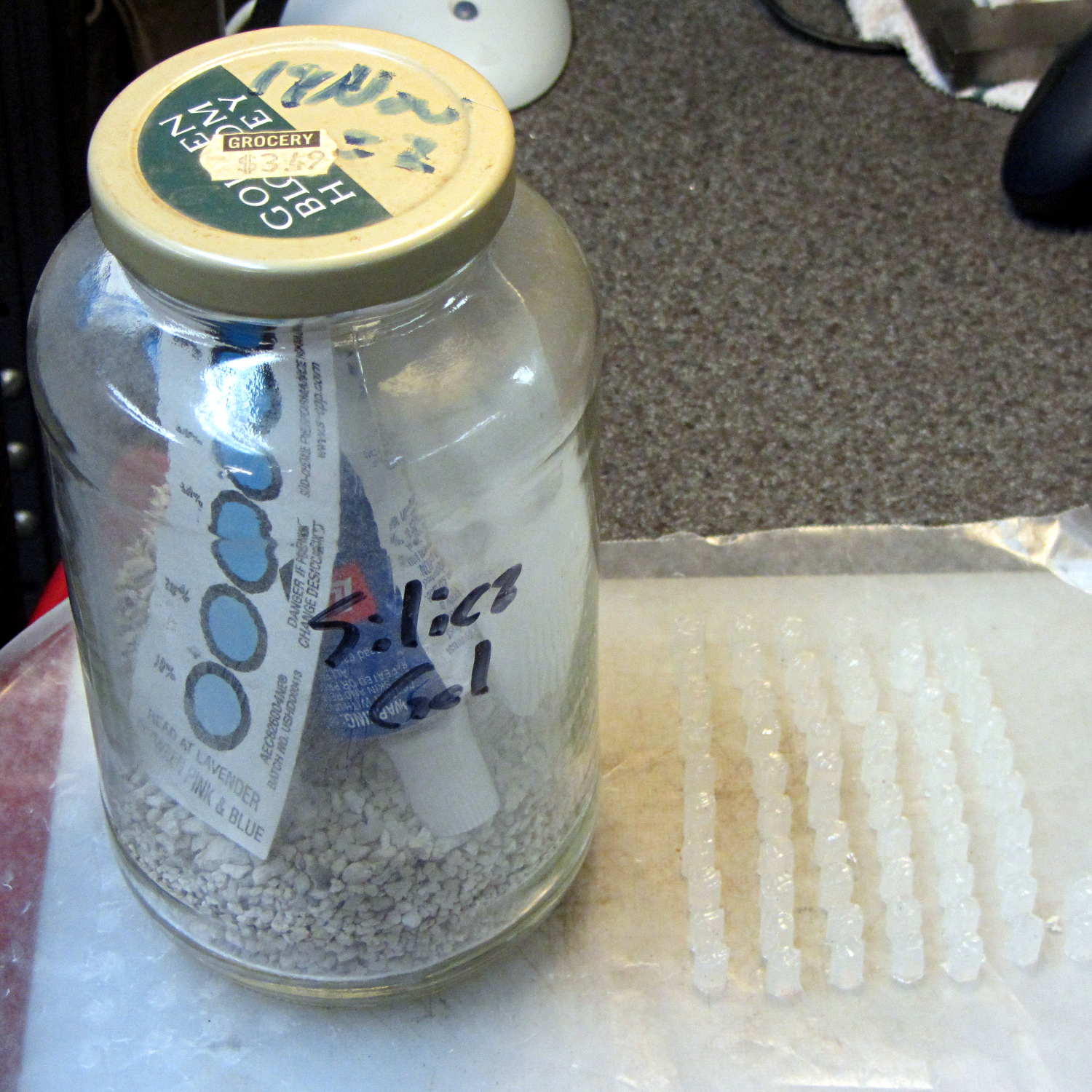
After doing the second batch of quilting pin caps, I dropped the newly opened silicone caulk tube into a jar with some desiccant, which worked wonderfully well. Unlike the usual situation where the caulk under the cap hardens into a plug after a few weeks, the tube emerged in perfect condition. In fact, even the caulk in the middle of the conical nozzle was in good shape, with just a small cured plug on either end; it had been sitting inside a cloth wrap with no sealing at all.
Here’s what it looked like after finishing the last of the most recent caps:
Silicone caulk tube with silica gel
The indicator card says the humidity remains under 10%, low enough to keep the caulk happy and uncured. Well worth the nuisance of having a big jar on the top shelf instead of a little tube next to the epoxy.
Although I thought the desiccant was silica gel, it’s most likely one of the clay or calcium desiccants.
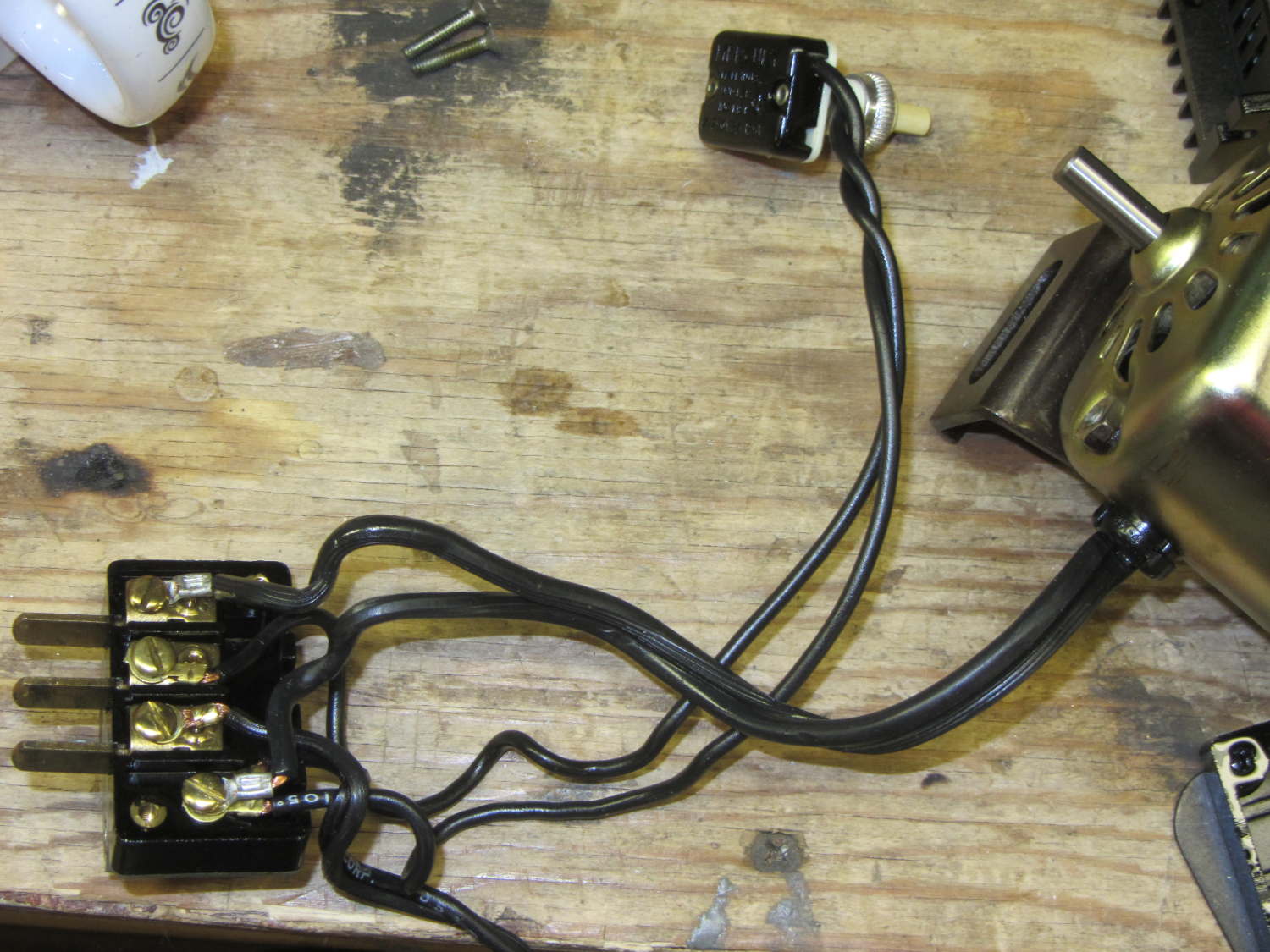
For completeness, the matching socket (not shown) joins two cords:
AC line cord (two wire, not polarized, no ground)
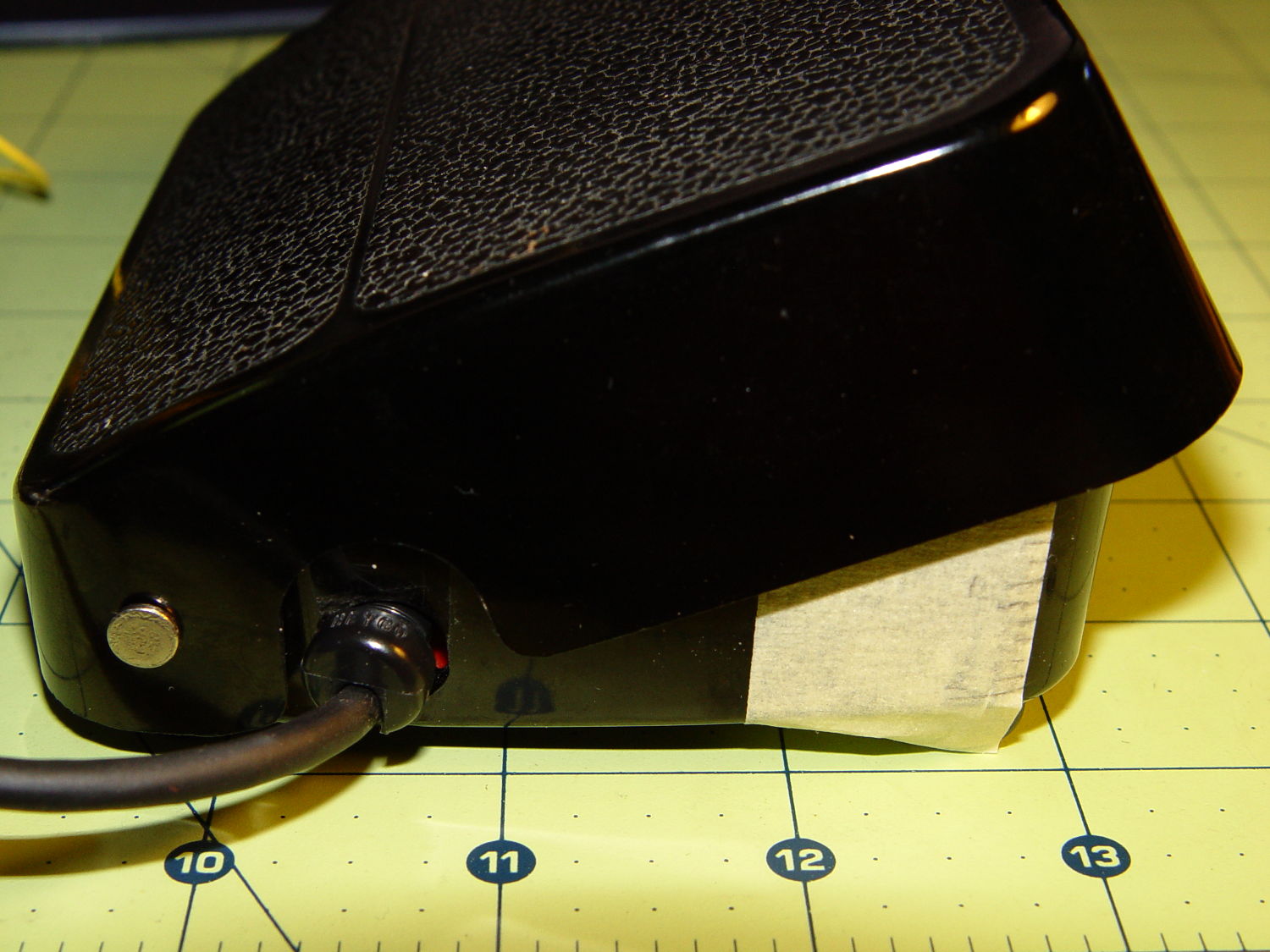
Foot pedal
Extract the motor wiring from that block and connect it to a 50 V / 3 A bench supply, with the positive lead to the marked wire conductor:
Kenmore 158 AC motor – DC power
Cranking the voltage upward from zero:
Kenmore Model 158 AC Motor on DC – RPM vs V
So that’s about 200 RPM/V, offset by 2800 RPM. Totally unloaded, of course.
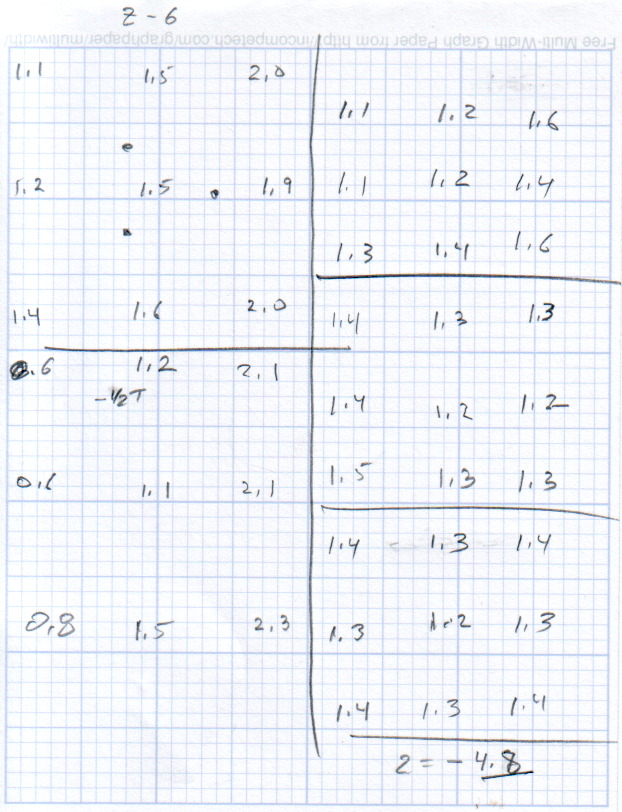
The original data:
DC V
DC A
RPM
Notes
15
0.29
690
Barely turning
20
0.28
1380
Finger-stoppable
25
0.29
2350
30
0.29
3450
35
0.30
4450
40
0.29
5740
45
0.29
6780
Still finger-holdable at start
50
0.29
8000
I can hold the shaft stopped between my fingers up through 45 V, with 0.54 A locked-rotor current at 25 V. The motor doesn’t have a lot of torque, although it’s operating at less than half the normal RMS voltage.
I should take those numbers with the motor driving the sewing machine to get an idea of the actual current under a more-or-less normal load.
Reversing the power supply leads shows that the motor rotates only counterclockwise, which is exactly what you’d expect: both polarities of the normal AC sine wave must turn the motor in the same direction.
With the platform and extruder starting at the 19.5 °C = 67 °F Basement Laboratory ambient …
The extruder takes 1 minute to reach 175 °C, overshoots to about 180 °C, crosses 175 °C going downward at 1:30, then gets up to 174 °C again at 3:15. I ran a PID tuning session quite a while ago with inconclusive results. Reducing the initial overshoot would probably increase the time-to-get-ready, with no net improvement.
The platform, which isn’t the stock Makergear hardware, requires 3:30 to reach 69 °C, just under the 70 °C target, at which point it’s ready to start. There’s no insulation under the PCB-trace heater, but some previous tinkering implies that running bare doesn’t make much difference, particularly with a fan blowing on the top surface of the glass.
Remember that’s with an outboard SSR to unload the RAMBo’s MOSFET.
By and large, the M2 is ready to print in under 5 minutes from a standing start, which is just about enough time to spritz hair spray on the platform, load the G-Code into Pronterface, and so forth and so on.
Back in early May, I swapped in a new bag of silica gel, which (as always) immediately punched the humidity down to the Hobo datalogger’s 15%RH minimum reading:
Basement Safe – 2014-05-26
A closer look at the very beginning of that data shows the humidity dropping for an hour after the door closes:
Basement Safe – 2014-05-09 Detail
The logger is on the bottom of the safe, with the desiccant bag on the shelf above it, and there’s no mechanical air circulation: it’s all done by air currents, driven by whatever drives them. I have no idea what that bump in the middle means.
According to its Service Tag, this Dimension 2300 came off the line in late November 2002. All of the other caps on the board seemed OK, so apparently the plague affected just this lot of Hermei 470 µF 6.3 V capacitors.
Or, hey, they’re not supposed to last a dozen years and this is perfectly normal …
The humidity in the basement safe has been on the rise for the last few months:
Basement Safe Humidity
So I dumped all three bags of spent silica gel onto cookie sheets and baked them at 250 °F for a bit less than 12 hours overnight. As the (gas) oven temperature isn’t all that well regulated, I set it to 230 °F and hoped for the best. I have no way of knowing what the actual temperature was during the night.
The silica gel inside the bag from the safe weighed 583 g and the two bags that had been sitting in the basement air weighed 663 g. After baking, all three trays of beads weighed 496 g, slightly less than the 500 g direct from the factory-sealed cans.
The beads looked undamaged from their ordeal.
Two dozen scattered beads collected from the countertop and floor weighed 0.4 g, for an average weight of 0.017 g each. I definitely didn’t lose 12 g of beads during this adventure!
The translucent white beads vanish against an off-white laminate kitchen floor under ordinary lighting. They’re retroreflective enough that peering along the side of an LED flashlight lights them up; I’m pretty sure I got most of ’em.
Memo to Self: Next time, try 6 hours starting in the morning.
I’m producing more Tux chocolates with the 16 cavity silicone mold, so I dumped four bags (each with 50 g of chocolate chips) into a big pot of tepid water:
Milk Chocolate Bags – in Tempering Bath
I taped them closed to ensure the zip tops didn’t come unzipped while squeezing the chocolate, which worked out quite well: highly recommended.
Based on previous experience, I paid a bit more attention to the water temperature and kept it at 88±1 °F, transferring a cup or two at a time between this pot and the slightly hotter water (about 95 °F) in another pot. Although I’m sure a closed-loop sous vide bath would maintain tighter tolerances, I’m also sure that wouldn’t make any real difference in this operation.
I also wore thin white cotton gloves, in an attempt to prevent my hands from warming the chocolate above the proper temperature while squeezing the bags. That probably didn’t make any difference, because you must get pretty chummy with the bags and the gloves didn’t amount to much.
The results, just after extracting the second set of 16 chocolates (minus some, ah, shrinkage), looks pretty good:
Tux – Milk Chocolate – Batch 1
I called it quits for the evening, extracted the two unopened bags from the bath, and let them cool overnight. The next morning revealed an interesting sight:
Milk Chocolate Blooming – Tux and bags
Now, I’d kneaded all the bags to mash the melting chocolate chips together and squeeze out the air, but hadn’t done much more than that. The patches of white cocoa butter seem to correspond to individual chips within the melted mass, so it’s not entirely a temperature thing; I don’t see how to make an individual chip hotter (or colder) than everything else in the bag.
Remelting those two bags the next morning produced these Tuxen, with the very brown ones having just emerged from the mold:
Tux – Milk Chocolate – Batch 2
The proper temperature for dark chocolate is about two degrees higher than for milk chocolate, so I boosted the water bath from 88 °F to 90 °F and dropped in four bags of dark chocolate chips.
At those low temperatures, the chocolate resembles putty, rather than honey, and requires firm pressure on the bags. I think the close contact with my fingers, even with gloves, raises the temperature too much; the chocolate isn’t untempered (I think that’s the right word; “distempered” sounds much more ominous), but it may be more prone to blooming.
Thinking that the silicone mold might chill the chocolate too rapidly, I put a warming pad under the aluminum pizza pad, brought the silicone slab up to about 85 °F, and found that the chocolate molded much more readily. Cooling the mold to 72 °F, just over room temperature, took quite a while.
The first dark chocolate Tuxen were already blooming when the second set emerged:
Tux – Dark Chocolate – Batch 1
I tried cooling the mold by putting a damp towel under the pizza pan, with equivocal results: the last two sets of dark chocolate bloomed about as rapidly as the first.
It is, perhaps, significant, that the blooming seems confined to the chocolate surfaces in contact with the mold. The flat back surface of each Tux remains in good condition, which suggests that the mold temperature is more critical than I expect.
So my process, such as it is, doesn’t produce good results. Obviously, I need more practice…