Ed Nisley's Blog: Shop notes, electronics, firmware, machinery, 3D printing, laser cuttery, and curiosities. Contents: 100% human thinking, 0% AI slop.
The pavement along Rt 376 between markers 1111 and 1108 has deteriorated into deep chasms, potholes, and fissures.
The linear disintegration south of marker 1111 seems to follow an underlying concrete joint. The shoulder has deep, tire-trapping fissures, forcing cyclists far out into the travel lane along a narrow and curved part of Rt 376:
Rt 376 SB deterioration – S of marker 1111 – 2018-02-20
The hole at address 2181 (across from Paula’s House / GastroPub) was previously patched, but recent weather has excavated it nearly a foot deep. The shoulder has also deteriorated, again forcing cyclists into the travel lane:
Rt 376 SB deterioration – at 2181 driveway – 2018-02-20
The previous patches along the inside of the curve just north of Heathbrook Drive (south of marker 1108) have disintegrated. There’s no shoulder at all along that section and the fissures in the travel lane force cyclists into the lane along a blind curve:
Rt 376 NB deterioration – S of marker 1108 – 2018-02-20
This section of NYS Bicycle Route 9 poses an immediate danger to both cyclists and motorists, so I reported all these to NYS DOT and, a day later, a crew traveled along Rt 376 shoveling cold patch into many of the holes and flattening the lumps more-or-less parallel to the road surface: it’s now driveable, if still a hazard for bicycle traffic.
All of the (surviving) battery packs produce 9.0 to 9.2 V, a bit hotter than the pair of fully charged lithium cells the radio expects to see, but the first two radios lasted for six years under that abuse.
This one failed after a few hours. It’s a new radio, but I’m willing to assume I killed the thing and will just eat the cost.
I have no theories about what’s going on, but I must tweak my APRS interface to work with a Baofeng radio I have on the shelf.
From now on, though, both radios will run from their stock battery packs.
An SJCAM M20 action camera includes the date and time in its file names, but the directory entries appear with the wrong timestamp:
sudo mount -o uid=ed /dev/sdc1 /mnt/part
ll -tr /mnt/part/DCIM/Photo/ | head
total 4.8G
drwxr-xr-x 4 ed root 16K Apr 8 2016 ../
drwxr-xr-x 2 ed root 144K Jan 25 18:52 ./
-rwxr-xr-x 1 ed root 3.8M Jan 26 05:08 2018_0126_100825_001.JPG*
-rwxr-xr-x 1 ed root 3.8M Jan 26 05:08 2018_0126_100830_002.JPG*
I’m in the Eastern US time zone, -5 hr from UTC.
By definition, FAT directory entries contain the “local time” when the file was created / changed. Because it cannot know which “local time” applies, the Linux VFAT filesystem treats the timestamp as UTC and adjusts it by -5 hr.
So the camera writes the directory timestamps properly. When mounted, Linux correctly (for a reasonable definition of correctly) regards them as UTC, knocks off five hours to match this time zone, and displays the result.
Alas, disabling the VFAT timestamp conversion has no effect:
sudo mount -o uid=ed,tz=UTC /dev/sdc1 /mnt/part
ll -tr /mnt/part/DCIM/Photo/ | head
total 4.8G
drwxr-xr-x 4 ed root 16K Apr 8 2016 ../
drwxr-xr-x 2 ed root 144K Jan 25 18:52 ./
-rwxr-xr-x 1 ed root 3.8M Jan 26 05:08 2018_0126_100825_001.JPG*
-rwxr-xr-x 1 ed root 3.8M Jan 26 05:08 2018_0126_100830_002.JPG*
I’m not sure why that doesn’t do anything; it doesn’t generate any error messages.
Although it seems like a reasonable thing, one cannot force a specific time zone with, say, tz=EST or tz=EDT or tz=UTC8 or whatever.
You can specify an offset in minutes:
sudo mount -o uid=ed,time_offset=$((-5*60)) /dev/sdc1 /mnt/part
ll -tr /mnt/part/DCIM/Photo/ | head
total 4.8G
drwxr-xr-x 4 ed root 16K Apr 8 2016 ../
drwxr-xr-x 2 ed root 144K Jan 25 23:52 ./
-rwxr-xr-x 1 ed root 3.8M Jan 26 10:08 2018_0126_100825_001.JPG*
-rwxr-xr-x 1 ed root 3.8M Jan 26 10:08 2018_0126_100830_002.JPG*
The time_offset value is subtracted from the directory timestamp, which means you’re feeding in the actual time offset from UTC, including whatever Daylight Saving Time offset may be in order.
So Linux takes the FAT timestamp, adds (subtracts a negative) 5 hr, and displays the result as my (now correct) local time.
I suppose I could set the camera to UTC, but then the camera’s on-screen and in-video timestamps would be off by four or five hours, depending on the season. So it goes.
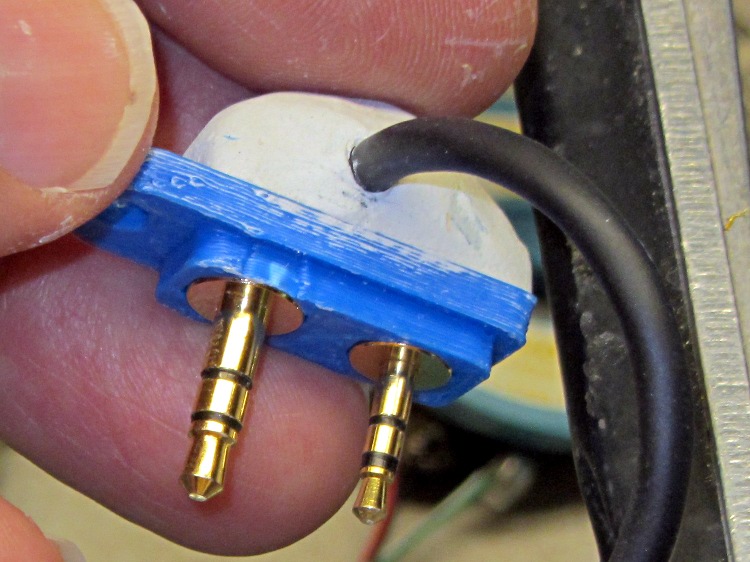
Three times is enemy action, but we’re not there yet. I was willing to believe something I’d done had killed both of the radios, even though it seemed unlikely for them to last five years and fail almost simultaneously.
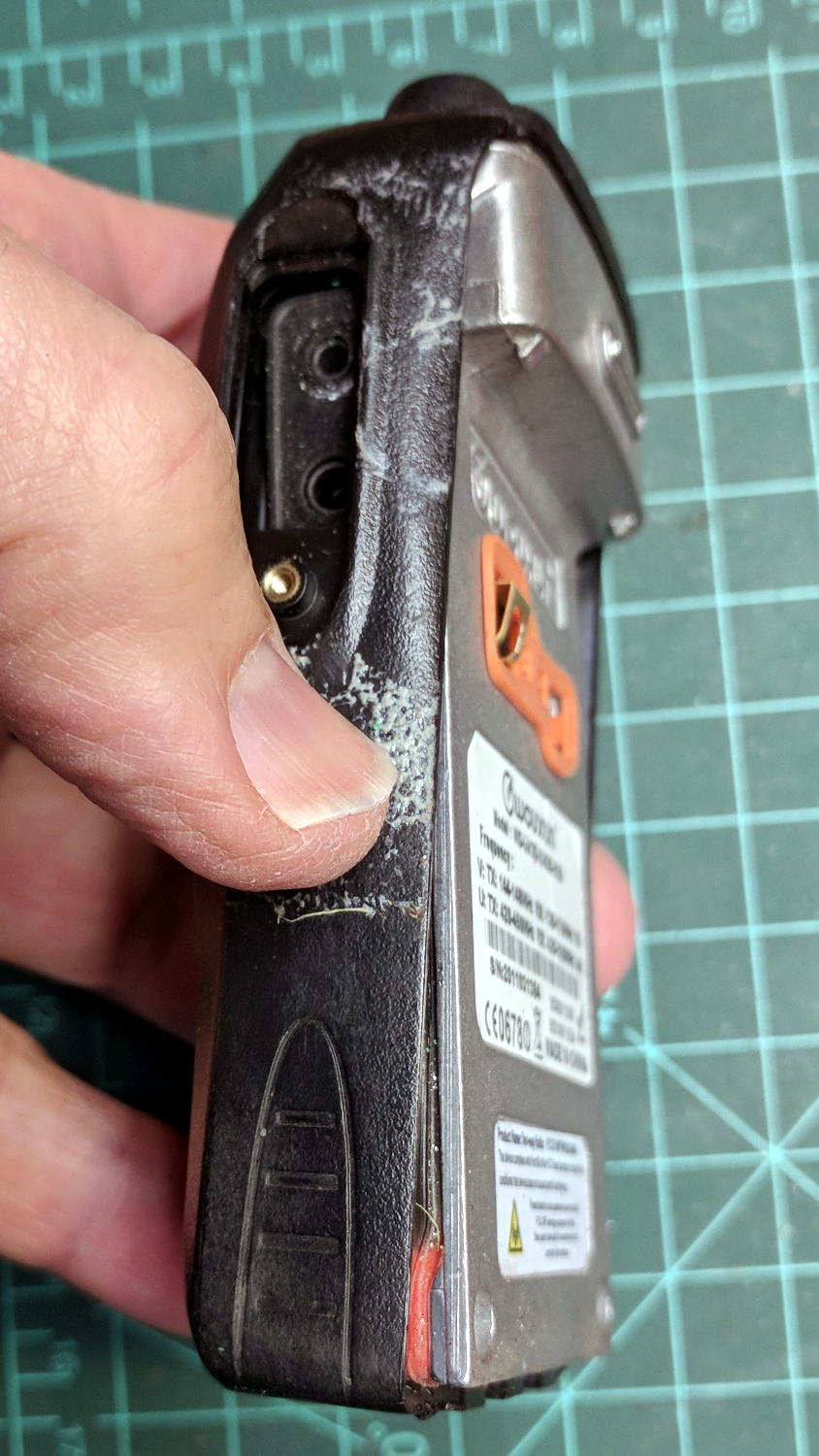
So I dismantled this one to see what’s inside. Pull off both knobs, remove the two screws at the bottom of the battery compartment, pry gently with a small screwdriver, and the whole PCB pulls out:
Wouxun KG-UV3D – disassembly
A bit more prying separates the big pieces:
Wouxun KG-UV3D – interior
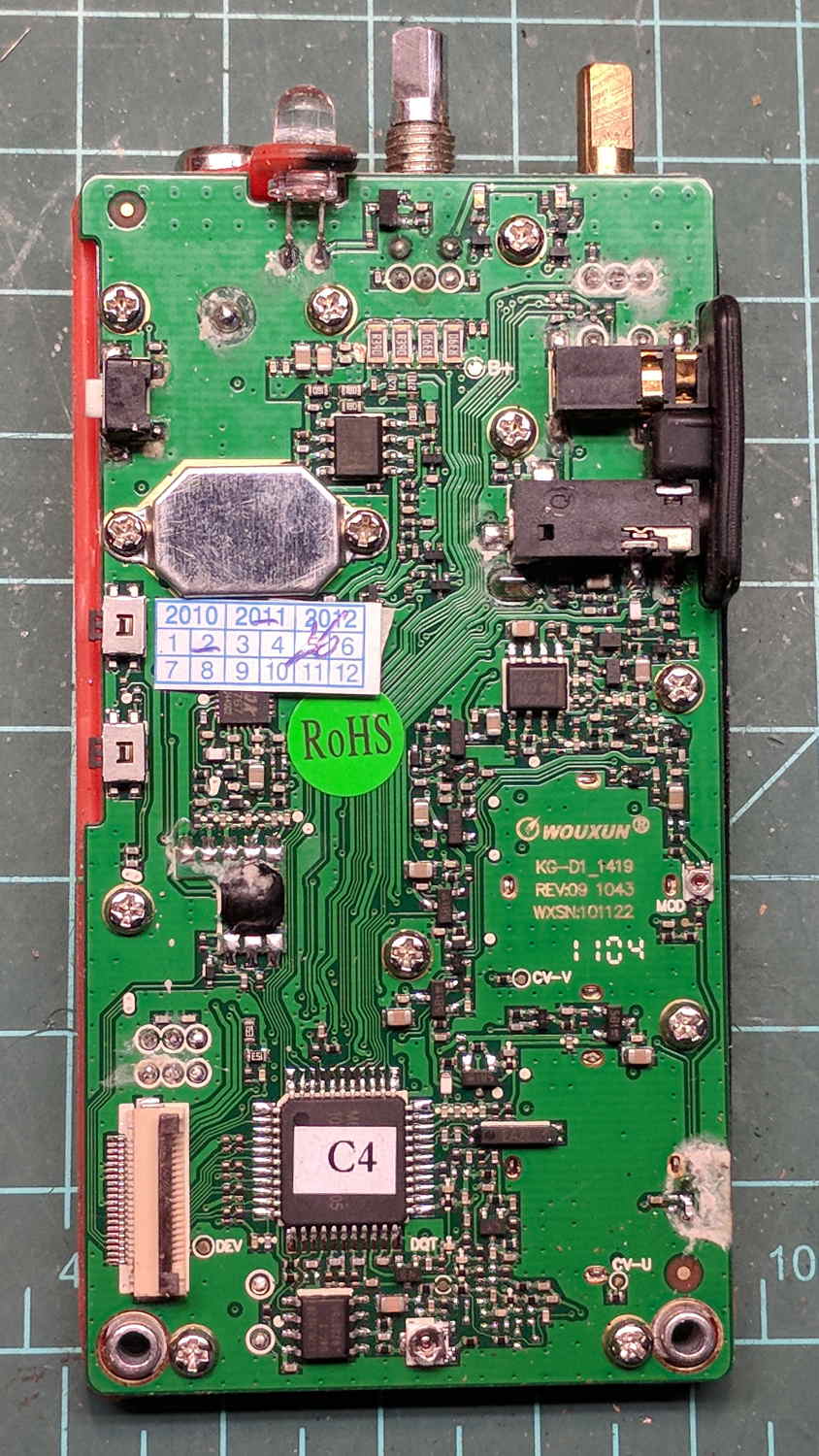
Looking closely at the main PCB showed some problems I definitely didn’t cause:
Wouxun KG-UV3D – PCB overview
Although it’s been riding around on my bike, the white blotches on the PCB came from inadequate flux removal after hand soldering.
A collection of images taken through the microscope reveals the problems:
This slideshow requires JavaScript.
I swabbed off the crud with denatured alcohol to no avail. The bottom side of the PCB has even more components and, I’m sure, even more crud, but I didn’t bother removing all the screws required to expose it, nor did I dismantle the other failed HT.
I doubt Wouxun’s QC improved over the last few years, which means the two replacement KG-UV3D radios I just bought are already on their last legs, despite my paying top dollar to the same reputable source that sold me the first pair.
We’ll be ready for new radios on new bikes by the time these fail.
A high energy collision / accident / mishap in front of Adams Fairacre Farms (a.k.a., the grocery store) demolished 20 feet of their dry laid stone wall along Rt 44, flattened several bushes, gouged trenches in the grass, and scattered plastic debris into the parking lot. The remains of a headlight eyebrow running light emerged from a snow pile:
Eyebrow light – front
From the back:
Eyebrow light – back
Contrary to what I expected, it has one white LED at each end of the chromed reflecting channel, topped with a shaped plastic lens collecting the light:
Eyebrow light – Lens mount
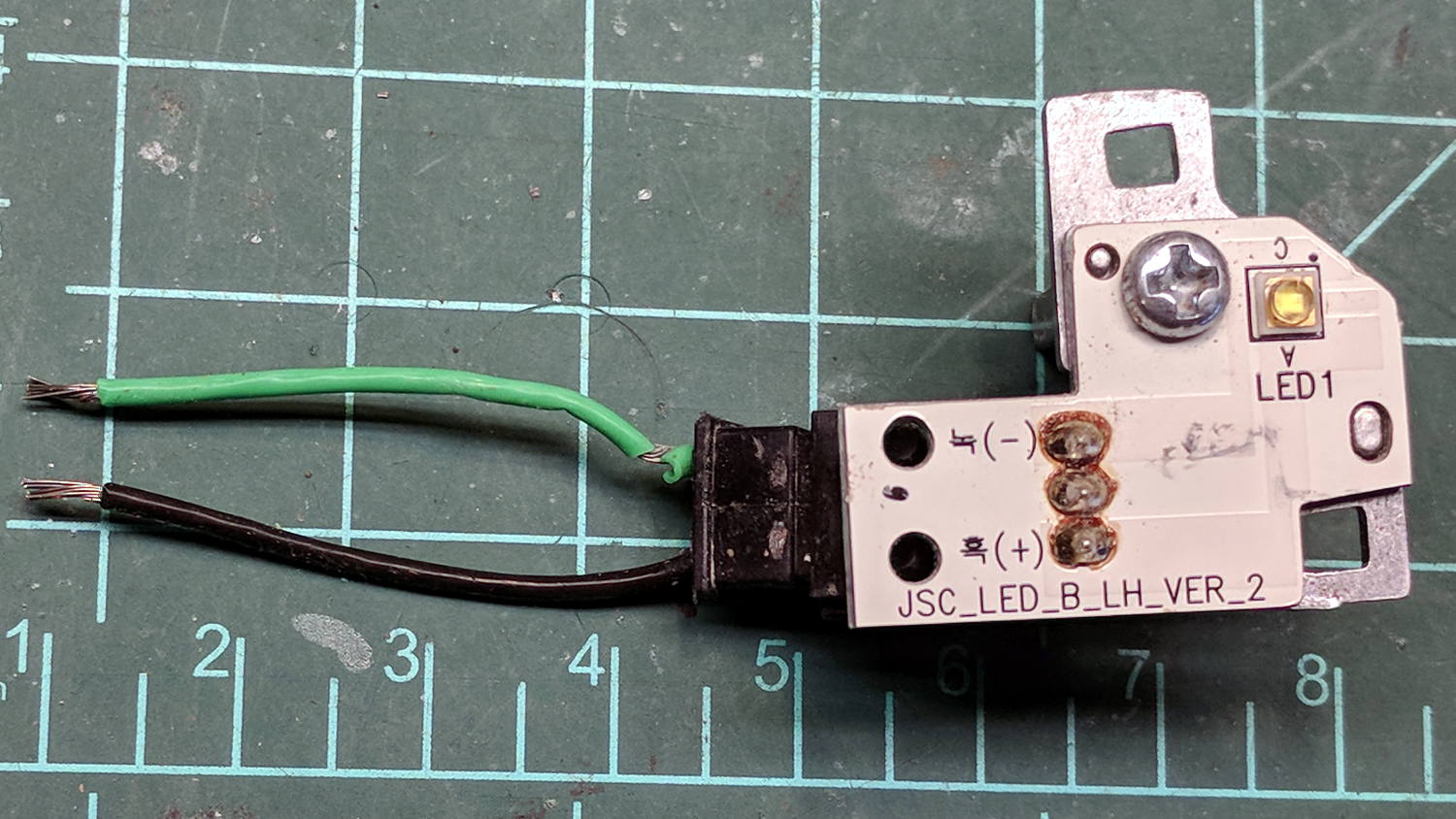
The LED PCBs are in series, which produced a backwards wire color code on one end:
Eyebrow light – LED PCB 1
The other end looked more reasonable:
Eyebrow light – LED PCB 2
The white SMD LEDs draw 300+ mA at 3.6 V, so they’re obviously depending on external current limiting provided by the regulator PCB, sporting a TLE4242 linear current regulator and a handful of passives:
Eyebrow light – Regulator PCB
AFAICT, they didn’t use the chip’s PWM control input or its LED failure status output.
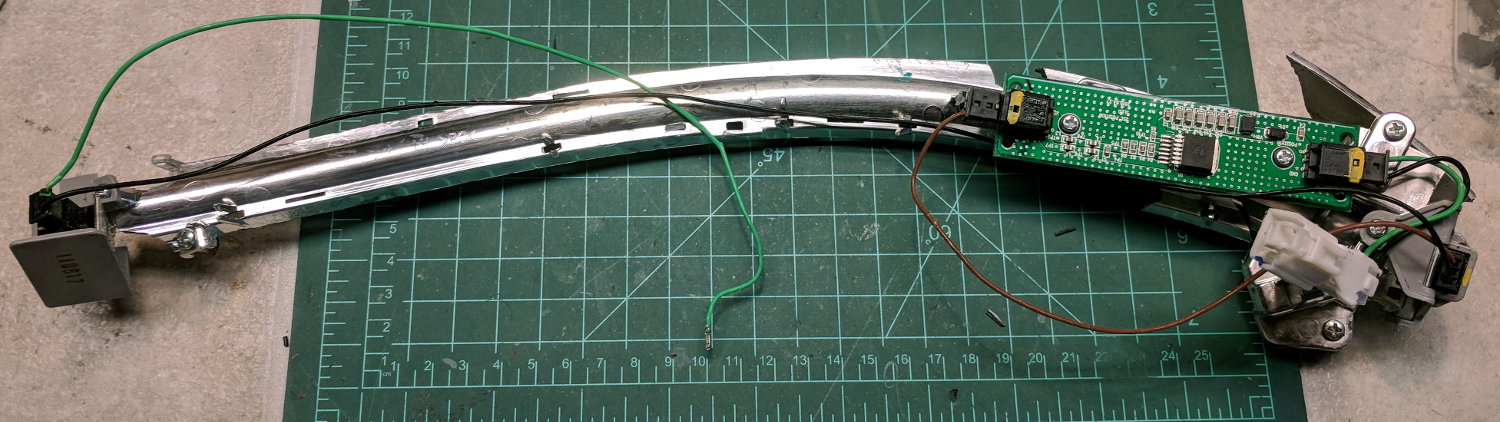
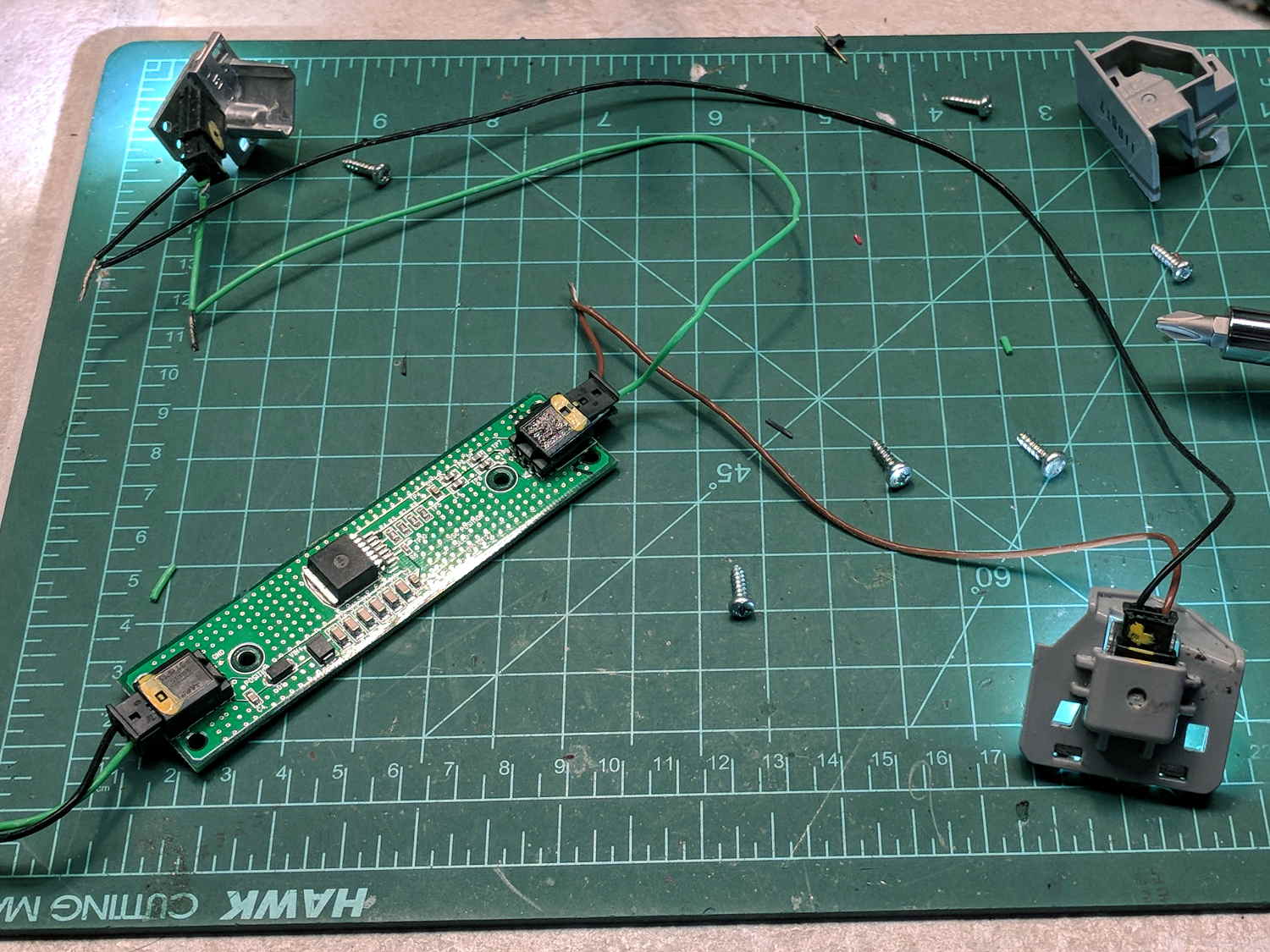
Extracting the various PCBs from the wreckage and reconnecting the wires produced a satisfactory result:
Eyebrow light – resurrection
The regulator limits the LED current to 120 mA at any input from a bit over 7 V to well past 12 V, with each LED dropping 3.0 V.
Dunno what I’ll use this junk for, but at least I know a bit more about eyebrow lights. The chip date codes suggest 2010 and 2012; perhaps linear regulators have become passe by now.
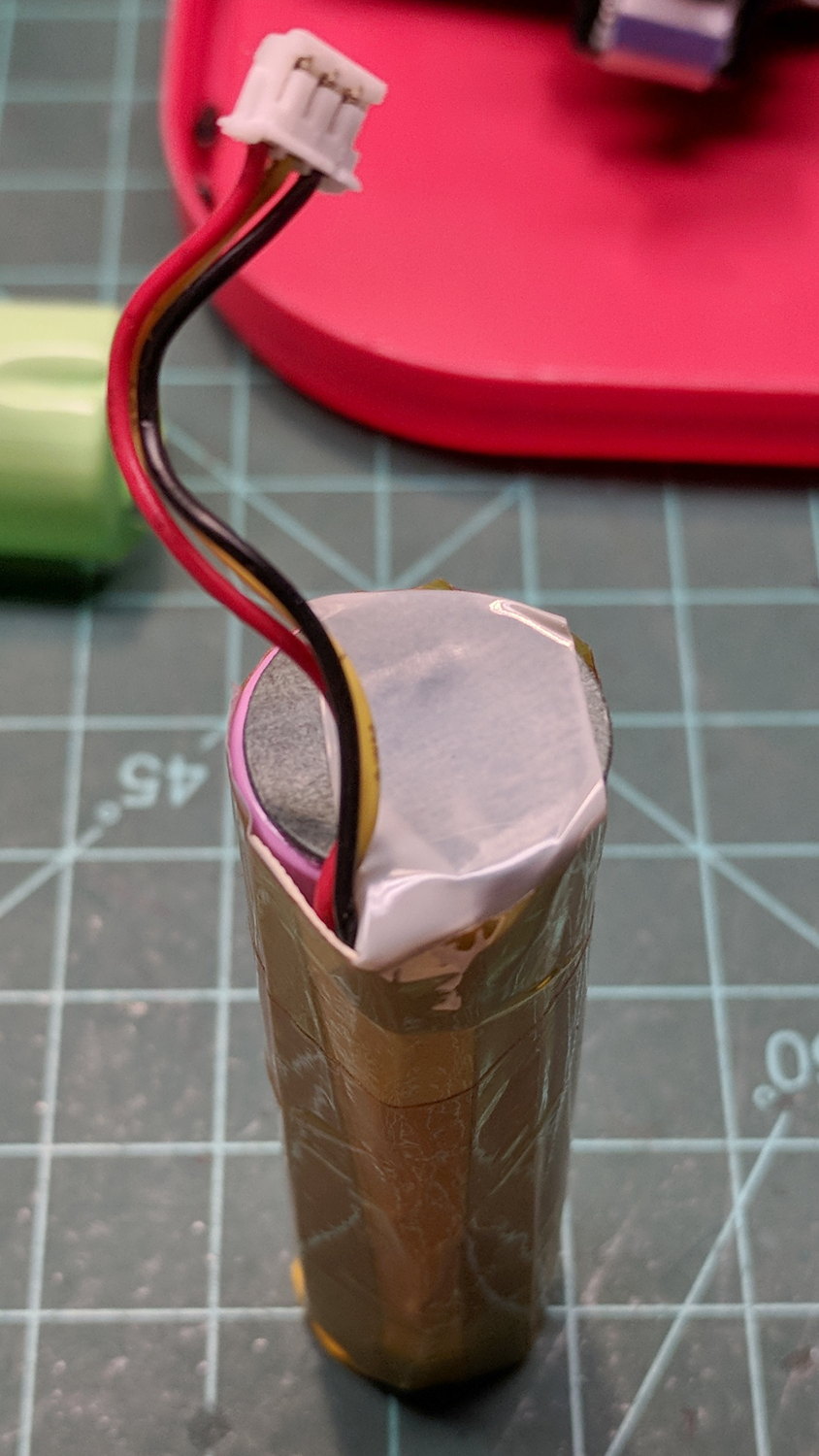
The transplanted protection PCB goes between the tabs, with a nickel strip snippet because I didn’t cut the old strip in the right place:
Fly6 – battery replacement – PCB
The PCB goes under a manila paper layer, the ends get similar caps, and the whole affair receives an obligatory Kapton tape wrap:
Fly6 – battery replacement – endcap
Reassembly is in reverse order. I now know the Fly6 will reset / start up when the battery connector snaps into place, but, because it emits identical battery-charge beeps when it starts and shuts off, there’s no way to tell what state it’s in. I don’t see any good way to install the ribbon cable from the LED PCB before plugging in the battery, so just blindly press-and-hold the power button to shut it off.
After an overnight charge, it makes videos of my desk just fine and will, I expect, do the same on the bike.
Now that I’ve taken the thing apart, I should open it up and tinker with the (glued-down) camera focus adjustment to discover whether:
It’s slightly nearsighted and, thus, correctable or
Following all the steps recommended by Cycliq Tech Support didn’t improve the situation. It’s just under two years old and thus outside the warranty, so they advised me to buy their new, not-quite-released-yet Fly6, now with Bluetooth / ANT+ / phone app / shiny, but still with a non-replaceable battery.
Seeing as how the Fly6 works as well as it ever did, apart from the minor issue of shutting down both dependably and intermittently, the problem is almost certainly a bad battery. Cycliq does not offer a repair service, nor a battery replacement service; being based in Australia probably contributes to not wanting to get into those businesses. You’re supposed to responsibly recycle the Whole Damn Thing when the battery goes bad. Which, inevitably, it does.
Protip: anything with a non-replaceable battery is a toy, not a tool.
The most recent ride gave some evidence supporting a bad battery. The first shutdown happened after about half an hour and it gave off three battery status beeps (four = full charge, as at the start of the ride) when I restarted it a few minutes later. It shut down again a few minutes later while we were stopped at a traffic signal and gave off one lonely charge beep when I reached back to restart it, indicating a very low battery voltage. The battery voltage (and the number of startup beeps) increased with longer delays between shutdown and restart, but after the first shutdown it’s never very enthusiastic.
Having nothing to lose, let’s see what’s inside:
Cycliq Fly6 Teardown from inside
Don’t do as I did: you should extract the MicroSD card before you dismantle the camera.
Remove the rubber plugs sealing the four case screws:
Fly6 – Exterior screw plugs out
The case pops open, with a ribbon cable between the LEDs and the main circuit board:
Fly6 – Case opened
Pull the ribbon cable latch away from the connector before pulling the cable out.
It’s amazing what you find inside a blinky taillight these days:
Fly6 – PCB Top side
I’m sure there’s a fancy 32 bit RISC computer in the big chip, along with plenty of flash ROM just below it. The clutter over on the right seems to be the power supply. Yeah, it has a camera in addition to blinky LED goodness, plus USB charging, so eight bits of microcontroller aren’t nearly enough.
Note: the case screws are slightly longer than the PCB retaining screws:
Fly6 – Case and PCB Screws
The underside of the PCB has even more teeny parts, along with, mirabile dictu, a battery connector and (most likely) battery charging stuff:
Fly6 – PCB Underside
A plastic piece holds the “Rechargeable Li-Ion Battery Pack” in place:
Fly6 – Battery in place
A strip of gooey adhesive holding the mic and speaker wires in place also glues the battery strap to the case, but it will yield to gentle suasion from a razor knife.
Pause to count ’em up:
Four case screws (longer)
Three PCB screws
Two battery screws
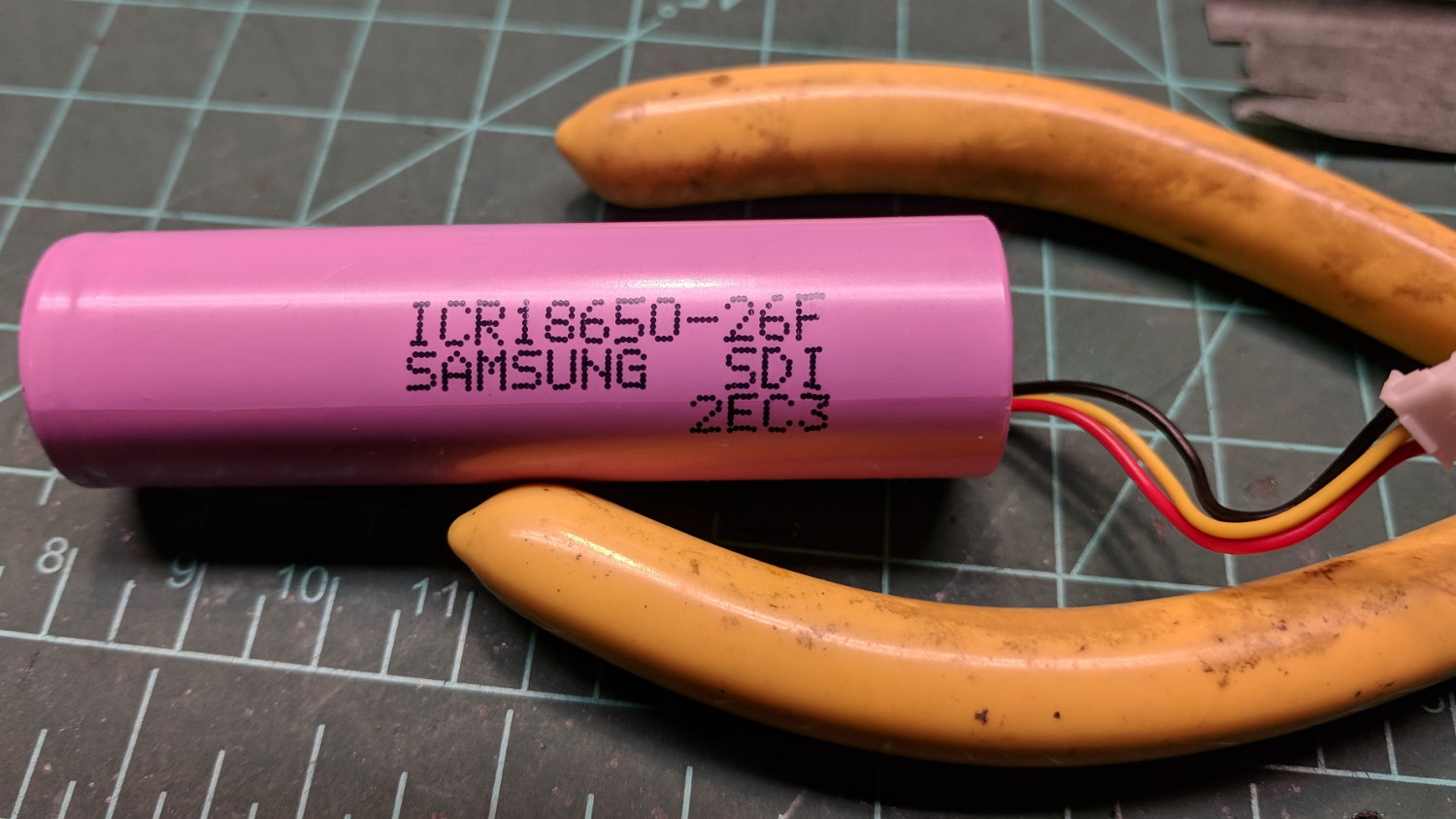
It looked a lot like an ordinary 18650 lithium cell to me and, indeed, it is:
Fly6 – Battery – label
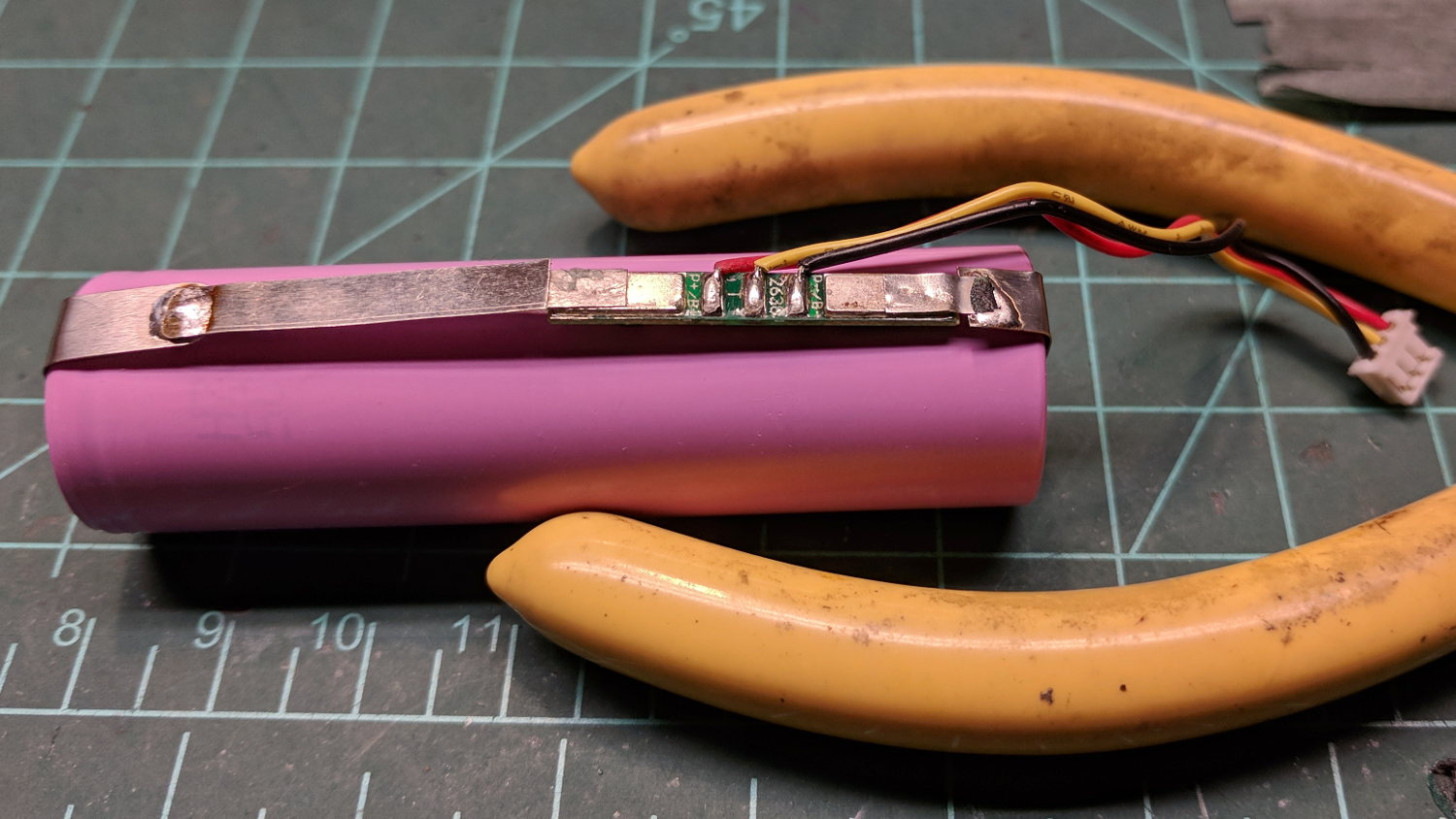
More razor knife work removes the outer shrinkwrap. The cell has a protection PCB under the black cardboard cover:
Fly6 – Battery Protection PCB – on 18650 cell
I don’t know what the yellow wire does:
Fly6 – Battery Protection PCB – wire side
The FS8205A on the left may be an SII S8205 protection IC preset and packaged for a single cell:
Fly6 – Battery Protection PCB – components
After all that, yeah, it’s a dead battery:
Fly6 OEM 18650 – EOL – 2017-12-06
The red curve shows the in-circuit charge state after taking it apart, the green curve comes from charging the bare cell in my NiteCore D4 charger. I have no idea what the nominal current drain might be, but a 0.25 Ah capacity is way under those Tenergy cells.
A new cell-with-tabs should arrive next week, whereupon I’ll solder the protection circuit in place, wrap it up, pop it back in the case, and see how it behaves.