The Smell of Molten Projects in the Morning

Ed Nisley's Blog: Shop notes, electronics, firmware, machinery, 3D printing, laser cuttery, and curiosities. Contents: 100% human thinking, 0% AI slop.

Category: Photography & Images

Taking & making images.

  • Monthly Image: Hummingbird!

    Mary grows Scarlet Runner Beans with vivid red flowers specifically for the Ruby Throated hummingbirds that frequent the back yard:

    Hummingbird with Scarlet Runner Bean flowers
    Hummingbird with Scarlet Runner Bean flowers

    This female perched quite a while on that tendril while sticking her tongue out; it looks like a length of monofilament fishing line. The male also feeds on those flowers, although I’ve never seen him perch anywhere for more than a few seconds.

    We wish them success in raising their chicks!

    Hand-held with the Canon SX-230HS zoomed all the way in, then ruthlessly cropped.

  • StaticCider Sighting

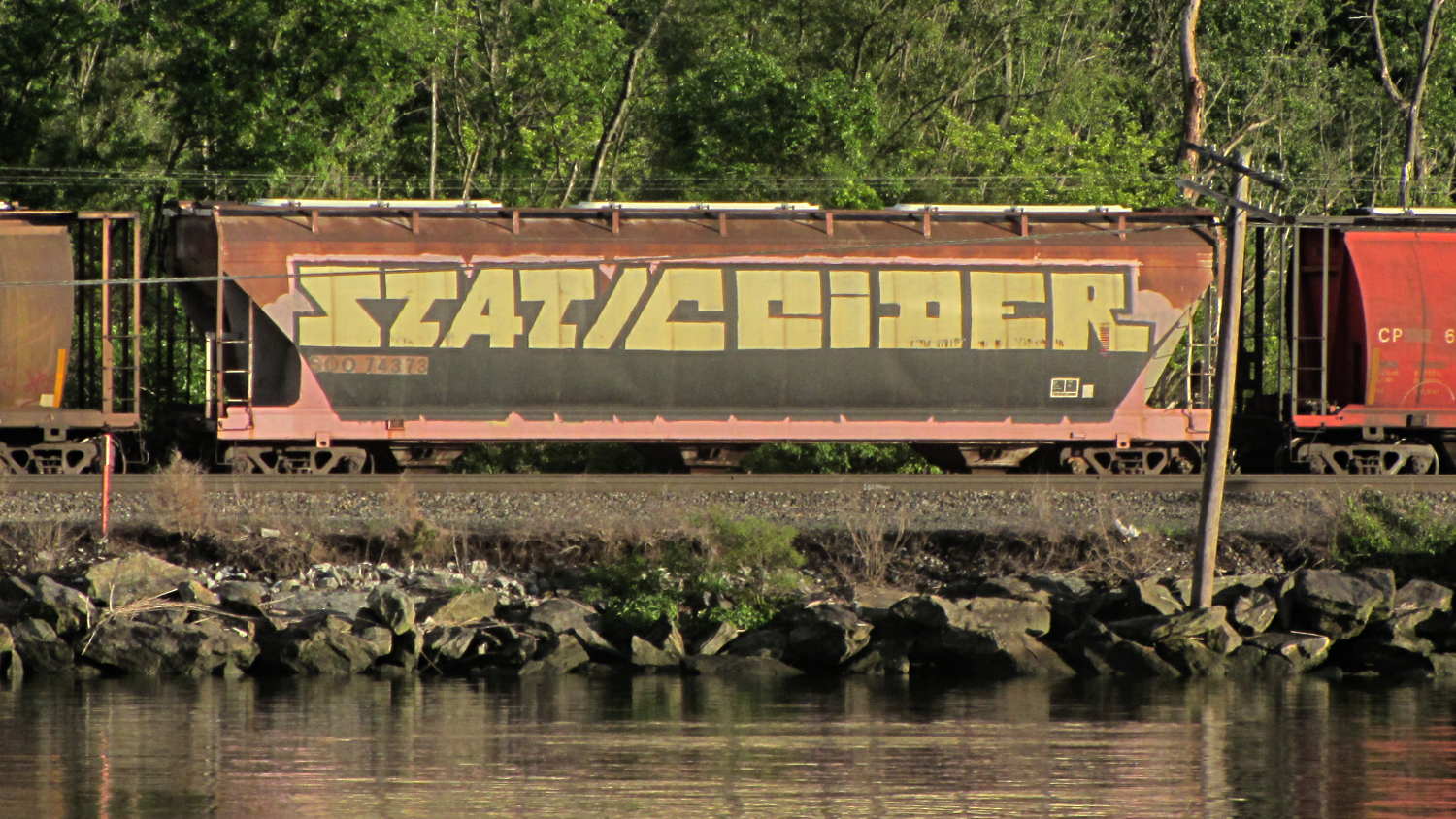
    We took a river cruise from Hudson NY on the first day of the Cycling the Hudson Valley ride and, being that type of guy, I spotted this redecorated rail car on the east shore of the Hudson River:

    StaticCider railcar tag sighting - Hudson NY
    StaticCider railcar tag sighting – Hudson NY

    Feeding the obvious search term into the obvious search engine produced two other sightings in Minnesota during 2011. Puts one in mind of Where’s George

    Mad props: unlike most taggers, he / she painted around the car number and ID patterns.

  • Hudson River Eagle Sightings

    A pocket camera can’t do justice to the Bald Eagles, just before dusk and halfway across the Hudson River from our river cruise yacht:

    Bald Eagles at dusk - Hudson River near Hudson NY
    Bald Eagles at dusk – Hudson River near Hudson NY

    We got a closer look at the pair of eagles who once graced the original Grand Central Station and are now standing guard at St Basil Academy in Garrison.

    This one glanced away from the entrance, perhaps to keep an eye on us:

    Eagle at St Basils Academy - entrance
    Eagle at St Basils Academy – entrance

    Another watches over an interior road:

    Eagle at St Basils Academy - cliff
    Eagle at St Basils Academy – cliff

    They’re two tons of cast iron apiece and, should any of you want a restoration project, I’m sure the good folks at St Basil’s could work something out.

    We saw those during the Cycling the Hudson Valley tour: riding during the day, camping and touristing in the evening.

    Several years ago we encountered a Penn Station eagle at the Washington Zoo:

    Karen on Penn Station eagle
    Karen on Penn Station eagle

    Fly away, young Valkyrie, fly away …

  • Dutchess Rail Trail: Bee Crossing

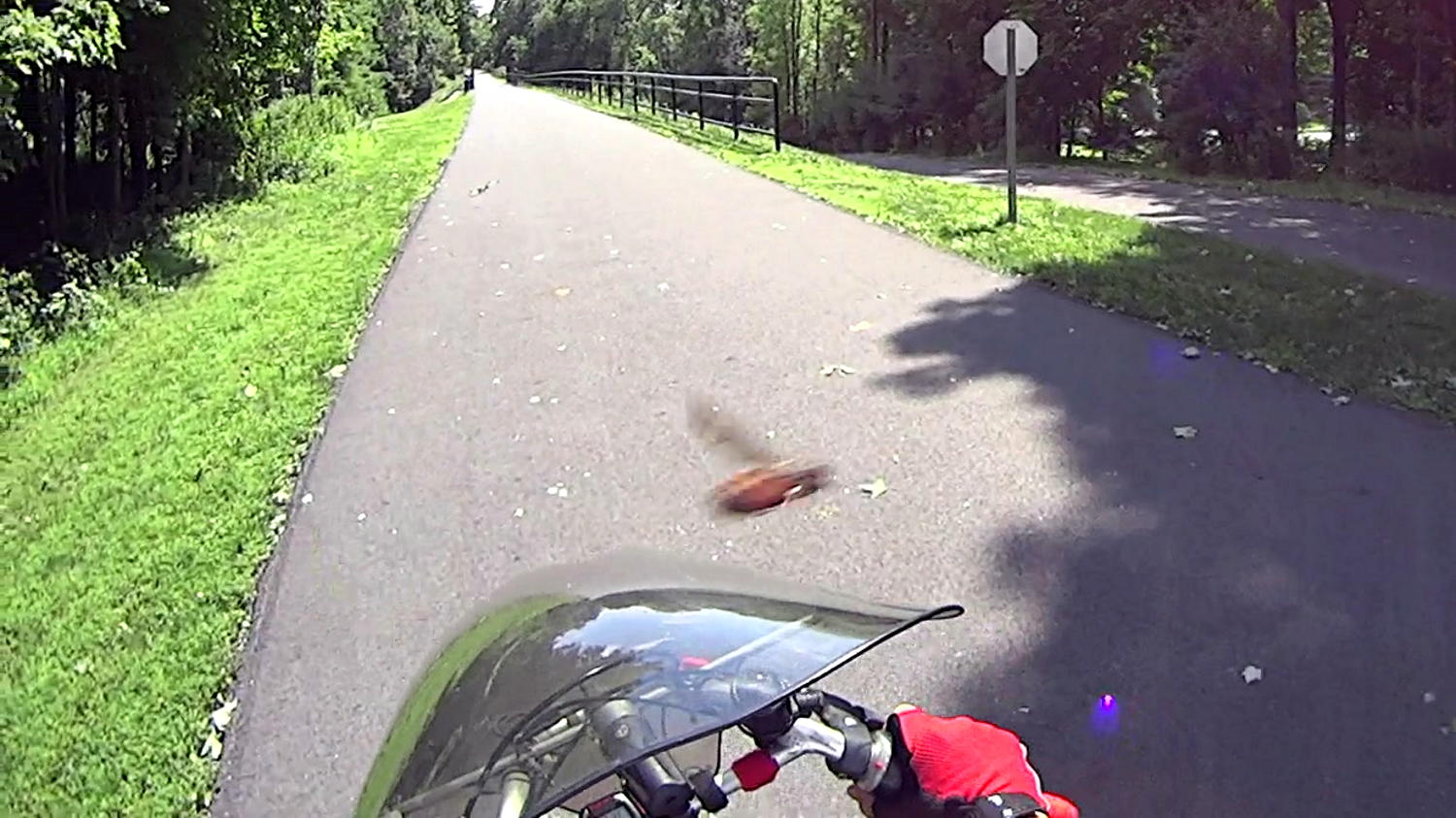
    It had to happen:

    DCRT - Bee Crossing
    DCRT – Bee Crossing

    Given that the Sony HDR-AS30V has a 170° FOV (probably diagonally corner-to-corner), the honeybee must be an inch or two from the lens. Subsequent frames show it circling around in front of the fairing and continuing about its business.

  • Sony HDR-AS30V GPS Time vs. File Timestamps

    Faced with the utter confusion caused by trying to figure out the interactions of the Sony HDR-AS30V time settings, I set it to local time, Time Zone GMT+0, DST off, enabled the GPS receiver, disabled the auto-off battery saver, and parked it outside with a nice view of the sky.

    About ten minutes later it achieved GPS lock, which suggested the time wasn’t terribly wrong. After locking, the camera set itself to the current local time +1 hr, TZ = GMT-5, DST off; it apparently runs an embedded Linux distro, so it can convert from geographic location to time zone easily enough. It cannot know about DST, so I set DST on, the time jumped -1 hr, and it’s now set to local time, TZ = GMT-5, DST on.

    A short movie produces this metadata:

    exiftool MAH00046.MP4 | grep -i date
    File Modification Date/Time     : 2014:09:02 17:58:49-04:00
    File Access Date/Time           : 2014:09:02 16:59:51-04:00
    File Inode Change Date/Time     : 2014:09:02 16:59:51-04:00
    Create Date                     : 2014:09:02 20:58:41
    Modify Date                     : 2014:09:02 20:58:48
    Track Create Date               : 2014:09:02 20:58:41
    Track Modify Date               : 2014:09:02 20:58:48
    Media Create Date               : 2014:09:02 20:58:41
    Media Modify Date               : 2014:09:02 20:58:48
    
    exiftool MAH00046.MP4 | grep -i zone
    Time Zone                       : -04:00
    
    ll MAH00046.*
    -rwxr-xr-x 1 ed ed 18M 2014-09-02 17:58 MAH00046.MP4
    -rwxr-xr-x 1 ed ed 11K 2014-09-02 17:58 MAH00046.THM
    
    ll -c MAH00046.*
    -rwxr-xr-x 1 ed ed 18M 2014-09-02 16:59 MAH00046.MP4
    -rwxr-xr-x 1 ed ed 11K 2014-09-02 16:59 MAH00046.THM
    
    ll -u MAH00046.*
    -rwxr-xr-x 1 ed ed 18M 2014-09-02 16:59 MAH00046.MP4
    -rwxr-xr-x 1 ed ed 11K 2014-09-02 16:59 MAH00046.THM
    
    date
    Tue Sep  2 17:13:44 EDT 2014
    
    date -u
    Tue Sep  2 21:13:47 UTC 2014
    

    The camera quickly achieves GPS lock with DST on (so it’s still able to use its recent GPS ephemeris data) and doesn’t change any of the current time, Time Zone, or DST values (so it’s happy with all that).

    Based on that short experiment:

    • Internal Exif timestamp values are UTC
    • Time Zone Exif value is (Actual Time Zone + DST)
    • File modification is (local ending time +1 hour)

    Some poking about shows that I misunderstood the “create” time, which actually holds the time when the file metadata changed, meaning there’s no way to tell when the file was created. I did know that the “access” time tracks the last time the file was opened: reading the Exif data will update the access time.

    The +1 hr offset in the modification timestamp will (probably) vanish when DST goes off in the fall.

    The Exif data contains the correct UTC times for the video’s Create and Modify dates, as well as the net Time Zone offset, which means I (well, a script using exiftool) can calculate the (UTC or local) time corresponding to the beginning & end of the video file. Indeed, exiftool can whack the file’s modification time directly from the Exif data:

    exiftool '-FileModifyDate<ModifyDate' MAH00046.MP4
    1 image files updated
    

    Extracting still images proceeds from a time relative to the start, so the number of frames plus the calculated start time gives the actual time for that frame, modulo converting frames into hh:mm:ss.ff format and getting the addition correct.

    Perhaps it makes more sense to set the modification time to the starting time of the video, thus simplifying the calculations:

    exiftool '-FileModifyDate<CreateDate' MAH00046.MP4
    1 image files updated
    

    Both of those times are the UTC values, so a further adjustment based on the time zone would be in order. It’s not clear whether exiftool can perform that calculation internally or if it must be a two-step process.

    A cheat may be in order: the thumbnail file modification timestamp matches the starting time of the corresponding video file. The script can base its calculations on the thumbnail timestamp. Of course, both of those are subject to the FAT-vs-DST problem.

    More pondering is obviously in order.

    For what it’s worth, the raw GPS log data from the camera lives in the PRIVATE/SONY/GPS/ directory, with a YYMMDDnn.LOG file name. It relentlessly accumulates two records every second:

    @Sonygps/ver5.0/wgs-84/20140902205841.000/
    @Sonygpsoption/0/20140902205842.000/20140902205842.000/
    $GPGGA,205842.000,4139.5196,N,7352.4515,W,1,0,,,M,,M,,*5B
    $GPRMC,205842.000,A,4139.5196,N,7352.4515,W,8.89,,020914,,,A*5E
    $GPGGA,205843.000,4139.5177,N,7352.4501,W,1,0,,,M,,M,,*50
    $GPRMC,205843.000,A,4139.5177,N,7352.4501,W,8.86,,020914,,,A*5A
    $GPGGA,205844.000,4139.5160,N,7352.4488,W,1,0,,,M,,M,,*51
    $GPRMC,205844.000,A,4139.5160,N,7352.4488,W,8.54,,020914,,,A*54
    $GPGGA,205845.000,4139.5148,N,7352.4476,W,1,0,,,M,,M,,*5B
    $GPRMC,205845.000,A,4139.5148,N,7352.4476,W,7.77,,020914,,,A*50
    $GPGGA,205846.000,4139.5143,N,7352.4467,W,1,0,,,M,,M,,*53
    $GPRMC,205846.000,A,4139.5143,N,7352.4467,W,6.61,,020914,,,A*5E
    $GPGGA,205847.000,4139.5145,N,7352.4461,W,1,0,,,M,,M,,*52
    $GPRMC,205847.000,A,4139.5145,N,7352.4461,W,5.17,,020914,,,A*5D
    $GPGGA,205848.000,4139.5156,N,7352.4458,W,1,0,,,M,,M,,*55
    $GPRMC,205848.000,A,4139.5156,N,7352.4458,W,3.31,,020914,,,A*58
    

    The battery life is so terrible with the GPS on that I don’t plan to use it much at all, but at least now I know how to set the clock’s time…

  • Sony HDR-AS30V vs. ExFAT vs. Ext2 Times: Total Bafflement

    I’d like to overlay a timestamp on still images extracted from Sony HDR-AS30V camera videos, ideally including the frame number, to record exactly when the incident occurred. Movie players use relative time, with 00:00:00 at the beginning of the file, so we’ll need either the file timestamp or the timestamp recorded in the image’s Exif data, plus the frame number modulo 60 (or, shudder, 59.94 for NTSC).

    The ExFAT format used on 64 GB MicroSD cards stores the file’s creation time, its modification time (writing data), and the most recent access time (reading data). That’s similar to the Linux ext2/3/4 filesystem time and unlike plain old FAT, which omits the access time.

    The various FAT formats store local time, with no regard for time zones, Daylight Saving Time, or anything else. Linux stores times as UTC and converts to local time on the fly. This has catastrophic consequences for getting any of this right.

    It helps to have alias ls='ls -h --color=auto --time-style=long-iso' in your .bashrc file.

    The HDR-AS30V has a year-month-day calendar, a 24-hour clock, a Time Zone value, and a separate DST on/off setting.

    Turning DST on adds 1 hr to the Time Zone value, turning it off subtracts 1 hr. That has the side effect of changing the clock time: not what I expected. You must, therefore, set the TZ first, then DST, then the clock, which does not follow the menu’s natural order of things.

    The camera sets file timestamps as it creates the files, but Linux also meddles with the values while displaying them. Some doc suggests that Linux regards FAT file timestamps as UTC and applies DST correction, which seems to match what I see. There’s a mount option (-o tz=UTC) that seems to have no effect, as well as an undocumented time offset (-o time_offset=60) that also has no effect.

    Setting the TZ to GMT+0 (Sony uses GMT, not UTC) for simplicity, setting the clock to the correct local time, and twiddling DST shows that:

    • Rebooting (remove /insert battery) doesn’t change anything
    • Metadata in file = clock setting – DST setting (-1 on, +0 off)
    • MP4 / THM file create / modify times = always clock +1 hour
    • MP4 / THM file access times = as create / modify until next Linux access

    Under those conditions, with the clock set to (locally accurate) 1908, UTC+1, and DST off, then the Exif timestamp metadata for a movie created at that time look like this:

    exiftool /mnt/part/MP_ROOT/100ANV01/MAH00036.MP4 | grep -i date
    File Modification Date/Time     : 2014:09:01 20:08:09-04:00
    File Access Date/Time           : 2014:09:01 19:10:14-04:00
    File Inode Change Date/Time     : 2014:09:01 20:08:09-04:00
    Create Date                     : 2014:09:01 19:08:03
    Modify Date                     : 2014:09:01 19:08:08
    Track Create Date               : 2014:09:01 19:08:03
    Track Modify Date               : 2014:09:01 19:08:08
    Media Create Date               : 2014:09:01 19:08:03
    Media Modify Date               : 2014:09:01 19:08:08
    

    The corresponding filesystem values:

    ll /mnt/part/MP_ROOT/100ANV01/
    total 146M
    ... snippage ...
    -rwxr-xr-x 1 ed root  14M 2014-09-01 20:08 MAH00036.MP4
    -rwxr-xr-x 1 ed root 8.5K 2014-09-01 20:08 MAH00036.THM
    
    ll -c /mnt/part/MP_ROOT/100ANV01/
    total 146M
    ... snippage ...
    -rwxr-xr-x 1 ed root  14M 2014-09-01 20:08 MAH00036.MP4
    -rwxr-xr-x 1 ed root 8.5K 2014-09-01 20:08 MAH00036.THM
    
    ll -u /mnt/part/MP_ROOT/100ANV01/
    total 146M
    ... snippage ...
    -rwxr-xr-x 1 ed root  14M 2014-09-01 19:10 MAH00036.MP4
    -rwxr-xr-x 1 ed root 8.5K 2014-09-01 20:08 MAH00036.THM
    

    The THM file contains a 160×120 pixel JPG thumbnail image taken from the first frame of the corresponding MP4 file. For longer movies, it’s more obvious that the MP4 file creation date is the start of the movie and its modification date is the end. The maximum 4 GB file size of corresponds to exactly 22:43 of 1920×1080 movie @ 60 frame/sec (the metadata says 59.94).

    The +1 hour offset in the file create / modify times comes from the FAT timestamp being (incorrectly) adjusted by the Linux DST setting. When exiftool reads the MP4 file, that resets its access time to the actual time as seen by Linux, thereby crushing the bogus FAT time.

    Doing the seemingly sensible thing of setting the camera to have the correct local time (roughly 1930), the correct time zone, and the correct DST setting produces this jumble:

    exiftool /mnt/part/MP_ROOT/100ANV01/MAH00037.MP4 | grep -i date
    File Modification Date/Time     : 2014:09:01 20:33:15-04:00
    File Access Date/Time           : 2014:09:01 20:33:14-04:00
    File Inode Change Date/Time     : 2014:09:01 20:33:15-04:00
    Create Date                     : 2014:09:01 23:33:11
    Modify Date                     : 2014:09:01 23:33:14
    Track Create Date               : 2014:09:01 23:33:11
    Track Modify Date               : 2014:09:01 23:33:14
    Media Create Date               : 2014:09:01 23:33:11
    Media Modify Date               : 2014:09:01 23:33:14
    
    ll /mnt/part/MP_ROOT/100ANV01/MAH00037*
    -rwxr-xr-x 1 ed root  11M 2014-09-01 20:33 /mnt/part/MP_ROOT/100ANV01/MAH00037.MP4
    -rwxr-xr-x 1 ed root 8.2K 2014-09-01 20:33 /mnt/part/MP_ROOT/100ANV01/MAH00037.THM
    
    ll -c /mnt/part/MP_ROOT/100ANV01/MAH00037*
    -rwxr-xr-x 1 ed root  11M 2014-09-01 20:33 /mnt/part/MP_ROOT/100ANV01/MAH00037.MP4
    -rwxr-xr-x 1 ed root 8.2K 2014-09-01 20:33 /mnt/part/MP_ROOT/100ANV01/MAH00037.THM
    
    ll -u /mnt/part/MP_ROOT/100ANV01/MAH00037*
    -rwxr-xr-x 1 ed root  11M 2014-09-01 19:34 /mnt/part/MP_ROOT/100ANV01/MAH00037.MP4
    -rwxr-xr-x 1 ed root 8.2K 2014-09-01 20:33 /mnt/part/MP_ROOT/100ANV01/MAH00037.THM
    

    The only correct time in that mess is in the next-to-last line: the access time for the MP4 file. Every other timestamp comes out wrong, with the internal metadata values being off by +4 hours; that suggests the camera sets the internal timestamps to UTC.

    As nearly as I can figure, the only way to make this work requires setting the clock to the local time, TZ to UTC+0, and DST off. That will screw up the filesystem timestamps, but at least the Exif metadata will be correct, for some value of correct.

    The camera’s GPS receiver depends on the clock for its initial synchronization. I don’t know how the TZ and DST settings affect the clock’s correctness for that purpose.

    I do not know if / how / when the displayed times have been altered by the programs that display them.

    I think exiftool can extract the times from the internal metadata and fix up the filesystem times, but that’ll take more tinkering.

    Sheesh & similar remarks…

  • Milkweed Tussock Moth

    Although we no longer see Monarch butterflies, our milkweed patch attracts Milkweed Tussock Moth caterpillars:

    Milkweed Tussock Caterpillar
    Milkweed Tussock Caterpillar

    This one apparently died on the patio step, half the house away from the milkweed patch, and the rear spines (on the right) have begun falling out. During the next week, I teleported two more from that step to the patch, under the assumption they’d be happier on a tasty leaf than on a slate slab.

    They were all early instars, very short and quite fuzzy. Later instars will be much longer, with more distinct tussocks.

    I wonder if you could shear them and use the “fur” for decoration? It wouldn’t spin into thread like wool, but someone, somewhere, has surely performed art with Tussock Caterpillar spines…