The Smell of Molten Projects in the Morning

Ed Nisley's Blog: Shop notes, electronics, firmware, machinery, 3D printing, laser cuttery, and curiosities. Contents: 100% human thinking, 0% AI slop.

Category: Photography & Images

Taking & making images.

  • Homage Tektronix Circuit Computer: Paper Matters

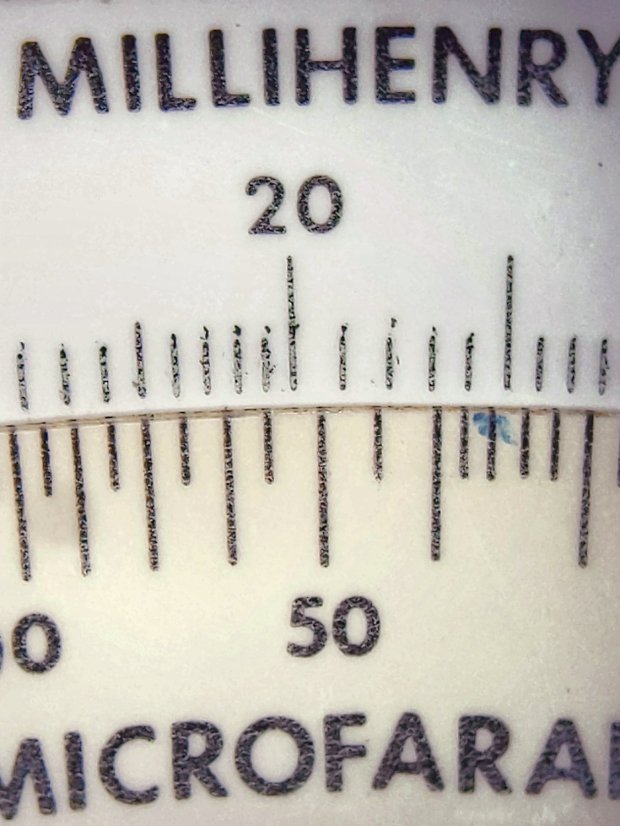
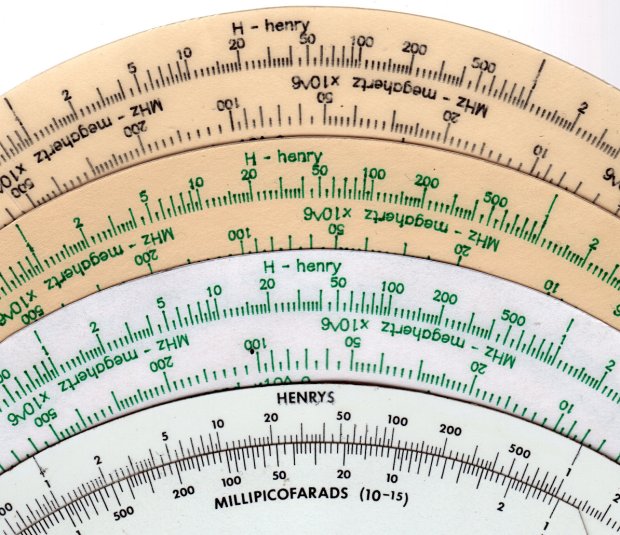
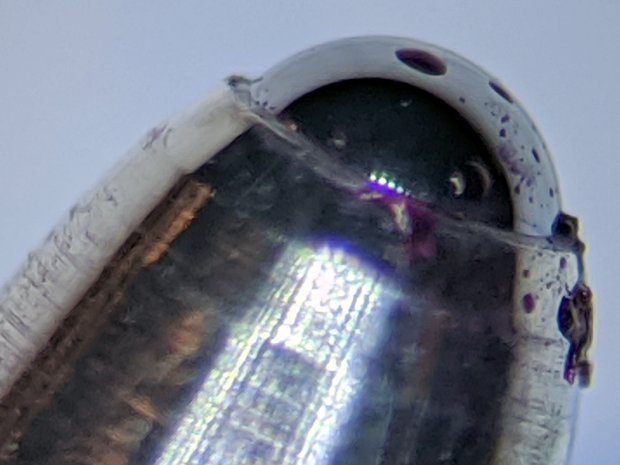
    To judge from the dislodged pigment grains, the original Tektronix Circuit Computer probably used then-new laser printing on good-quality paper, laminated between plastic sheets:

    Tek CC - OEM
    Tek CC – OEM

    A Pilot Precise V5RT cartridge on plain paper (20 lb 98 white), also laminated, looks pretty good:

    Tek CC - V5RT green - 20 lb plain paper
    Tek CC – V5RT green – 20 lb plain paper

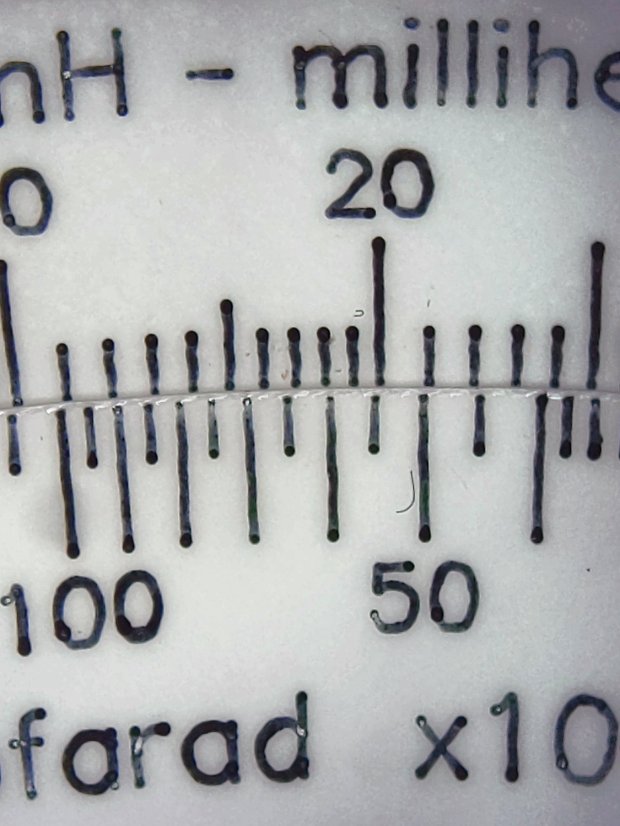
    But a black V5RT pen on HP Glossy Presentation Paper (44 lb, 160 g/m²), also laminated, is spectacular:

    Tek CC - V5RT black - glossy presentation paper
    Tek CC – V5RT black – glossy presentation paper

    The glossy Presentation paper is hard enough to keep the pen ball from sinking in, producing much finer lines. In round numbers:

    • 0.2 mm – Tek laser-printed (?) original
    • 0.3 mm – green V5RT on plain paper
    • 0.2 mm – black V5RT on glossy Presentation paper

    The CNC 3018XL plotted / drew everything at 2400 mm/min = 40 mm/s, with minimal wobbulation in the lines and none worth mentioning in the characters.

    The pen ball sometimes pulls a dot of ink off the glossy paper as it rises at the end of a stroke; perhaps matte paper would produce more traction on the ink.

    You can see small blobs at the end of some strokes, but the fancy paper prevents most of the bleeding visible in the previous tests. Pilot V5 pens definitely dislike card stock.

    The results looks great in person without magnification, so maybe none of that matters.

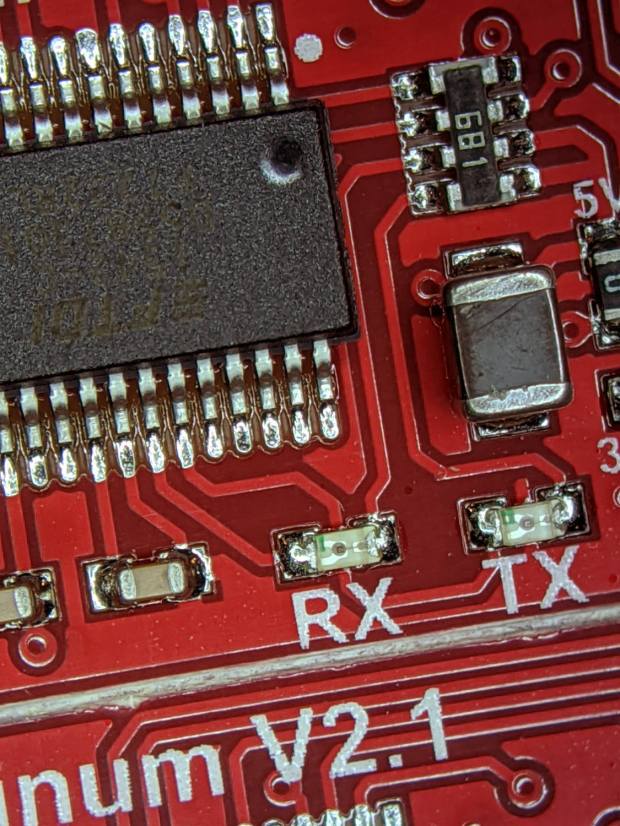
    The pix come from the Pixel 3a camera in its microscope adapter.

  • Merry Christmas

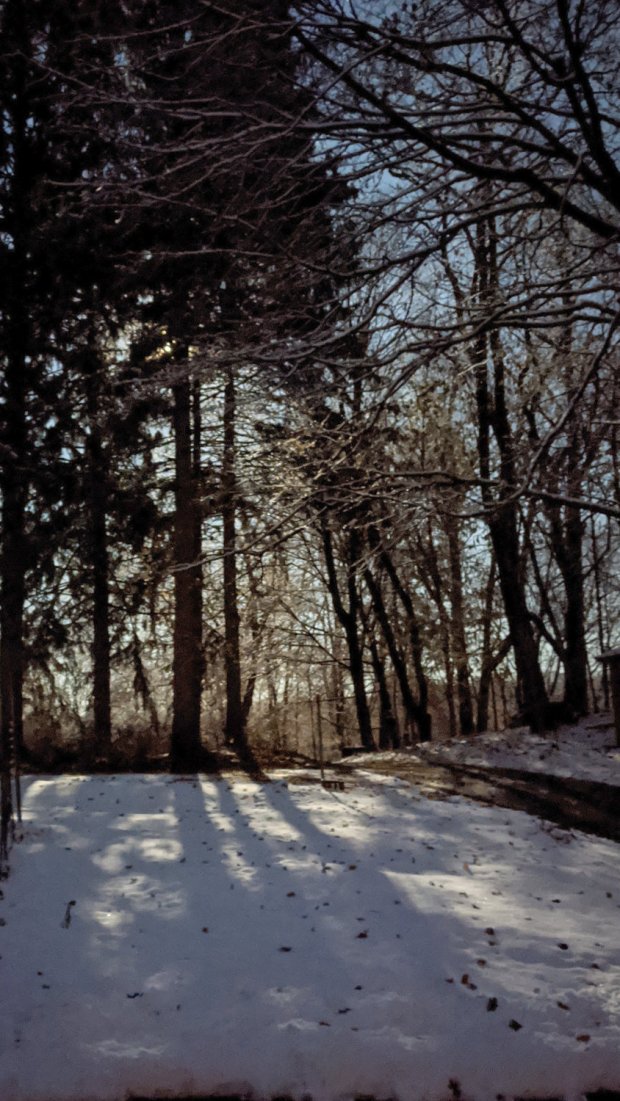
    Moonrise, as seen through the pines in our yard:

    Pixel 3a Night Vision - moonrise
    Pixel 3a Night Vision – moonrise

    The Pixel 3a produces exceedingly useful low-light images, mostly by having Google’s software compensate for its tiny lens and minimal light-capture area, with the downside of turning a peaceful night scene into harsh daylight.

    Take the rest of the day off, OK?

  • Google Pixel 3a Microscope Adapter

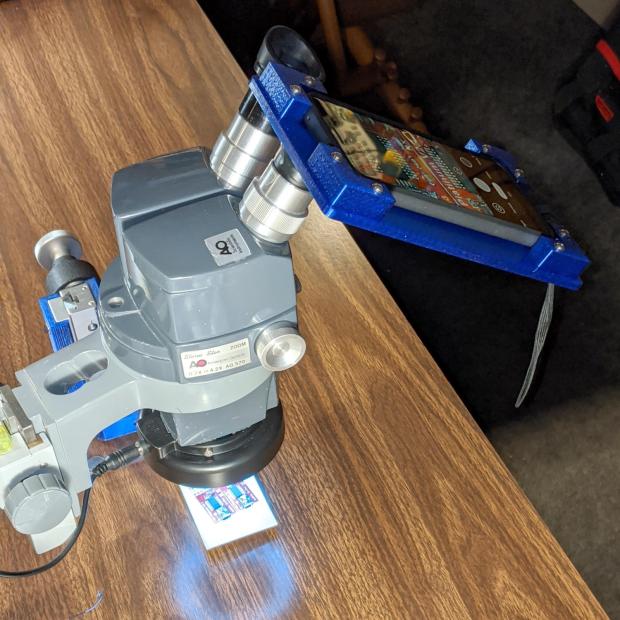
    Hand-holding my Google Pixel 3a phone over the microscope eyepiece worked well enough to justify building Yet Another Camera Adapter:

    Pixel 3a Microscope Adapter - in action
    Pixel 3a Microscope Adapter – in action

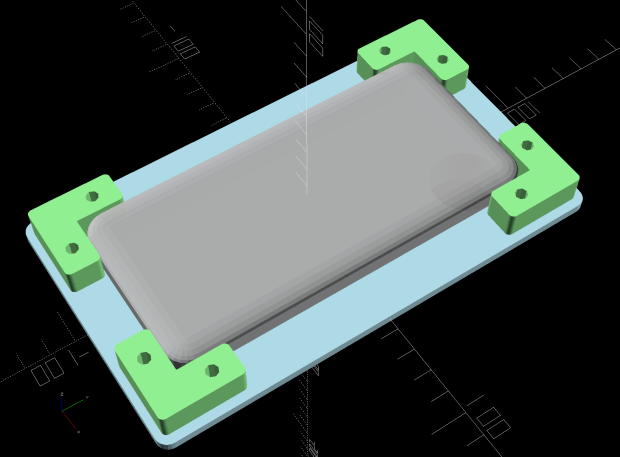
    The solid model looks about like you’d expect:

    Google Pixel 3a Zoom Microscope Mount - solid model - top
    Google Pixel 3a Zoom Microscope Mount – solid model – top

    The “camera” actually has the outside dimensions of a Spigen case, rather than the bare phone, because dropping a bare phone is never a good idea.

    The base plate pretty much fills the M2’s platform:

    Pixel 3a Microscope Adapter - M2 platform
    Pixel 3a Microscope Adapter – M2 platform

    I originally arranged the four corners around the plate to print everything in one go, but an estimated six hours of print time suggested doing the corners separately would maximize local happiness. Which it did, whew, even if the plate ran for a bit over 4-1/2 hours.

    The snout is a loose fit around the 5× widefield microscope eyepiece, with the difference made up in a wrap of black tape; it’s much easier to adjust the fit upward than to bore out the snout. An overwrap of tape secures the snout to the eyepiece, which I’ve dedicated to the cause; the scope normally rocks 10× widefield glass.

    The tapered hole exposes the phone’s fingerprint reader to simplify unlocking, should it shut down while I’m fiddling with something else.

    The microscope doesn’t fully illuminate the camera’s entrance pupil at minimum zoom, with 4.5× filling the screen and (mostly) eliminating the vignette. The corner blocks have oversize holes to allow aligning the camera lens axis over the microscope optical axis. The solid model incorporates Lessons Learned from the version you see here, because you (well, I) can’t measure the camera axis with respect to the outside dimensions accurately enough:

    Pixel 3a Microscope Adapter - installed - front
    Pixel 3a Microscope Adapter – installed – front

    Although it’s less unsteady than it looks, microscopy requires a gentle touch at the best of times. The adapter doesn’t add much wobble to the outcome:

    Pixel 3a Microscope Adapter - installed - side
    Pixel 3a Microscope Adapter – installed – side

    The field is about 14×19 mm with the camera at 4.5× and the microscope at minimum zoom:

    Pixel 3a Microscope Adapter - test image - min mag
    Pixel 3a Microscope Adapter – test image – min mag

    You can see a little darkening on the upper and lower right corners, so the phone’s still minutely leftward.

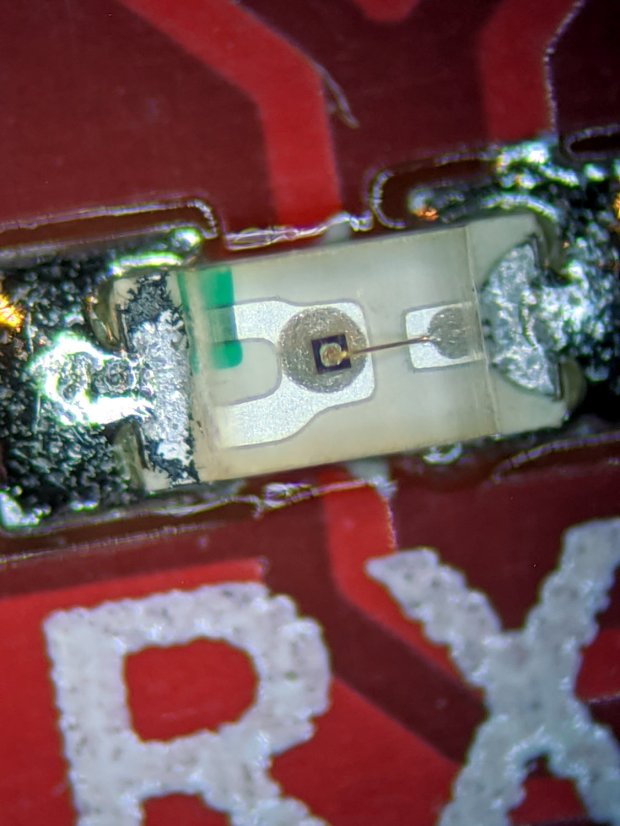
    The field is about 1.5×2 mm at full throttle:

    Pixel 3a Microscope Adapter - test image - max mag
    Pixel 3a Microscope Adapter – test image – max mag

    Color balance with the cold white LED ring isn’t the best, but it’s survivable. Mad props to OpenCamera for exposing All. The. Controls. you might possibly need.

    The OpenSCAD source code as a GitHub Gist:

    // Google Pixel 3a mount for stereo zoom microscope
    // Ed Nisley – KE4ZNU – 2019-12
    Layout = "Show"; // [Show,BuildAll,BuildBumpers,BuildPlate,DrillGuide,Phone,Plate,Bumper]
    /* [Hidden] */
    ThreadThick = 0.25;
    ThreadWidth = 0.40;
    HoleWindage = 0.2;
    Protrusion = 0.1; // make holes end cleanly
    function IntegerMultiple(Size,Unit) = Unit * ceil(Size / Unit);
    ID = 0;
    OD = 1;
    LENGTH = 2;
    inch = 25.4;
    //———————-
    // Dimensions
    Phone = [74.5,156.0,12.0]; // inside Spigen case
    PhoneRadii = [10.0,10.0,3.0]; // corner rounding, likewise
    LensOffset = [-17.0,-18.5,0]; // looking at phone screen, (-) sign = from right/top edge
    PrintReader = [0,Phone.y/2 – 44.0,0]; // fingerprint reader from center
    PrintReaderDia = [20.0,30.0,0]; // … hole for access
    Eyepiece = [11.5,28.0 + 0.50,27.0]; // ID = lens, OD includes clearance
    Insert = [3.0,4.5,4.0]; // M3 threaded brass insert
    Screw = [3.0,7.0,3.5]; // OD = washer, LENGTH = washer + head height
    WallThick = 3.0; // minimum wall thickness
    Bumper = [2*Screw[OD],20.0,Phone.z]; // bumper edge piece
    BumperOAL = Bumper.y + Bumper.x; // outside length for corner piece
    BumperRadius = 2.0;
    MinMargin = 1.2*Bumper.x; // at least this much extra plate for bumpers
    echo(str("MinMargin: ",MinMargin));
    Plate = [IntegerMultiple(Phone.x + 2*MinMargin,5.0),
    IntegerMultiple(Phone.y + 2*MinMargin,5.0),
    false ? 3*ThreadThick : max(Insert[LENGTH] + 2*ThreadThick,WallThick)];
    PlateRadius = 5.0;
    echo(str("Plate: ",Plate," radius: ",PlateRadius));
    EmbossDepth = 2*ThreadThick + Protrusion;
    DebossHeight = EmbossDepth;
    ScrewOffset = Bumper.x/2;
    ScrewAdjust = 1.5*Screw[ID];
    NumSides = 2*3*4;
    Gap = 2.0; // between build layout parts
    //———————-
    // Useful routines
    module PolyCyl(Dia,Height,ForceSides=0) { // based on nophead's polyholes
    Sides = (ForceSides != 0) ? ForceSides : (ceil(Dia) + 2);
    FixDia = Dia / cos(180/Sides);
    cylinder(r=(FixDia + HoleWindage)/2,
    h=Height,
    $fn=Sides);
    }
    // Basic shapes
    // Overall phone outline
    module Phone() {
    hull()
    for (i=[-1,1], j=[-1,1], k=[-1,1])
    translate([i*(Phone.x/2 – PhoneRadii.x),j*(Phone.y/2 – PhoneRadii.y),k*(Phone.z/2 – PhoneRadii.z)])
    resize(2*PhoneRadii)
    sphere(r=1,$fn=NumSides);
    }
    module Plate() {
    union() {
    difference() {
    union() {
    hull()
    for (i=[-1,1], j=[-1,1])
    translate([i*(Plate.x/2 – PlateRadius),j*(Plate.y/2 – PlateRadius),0])
    cylinder(r=PlateRadius,h=Plate.z,center=true,$fn=NumSides);
    translate([Phone.x/2,Phone.y/2,-Eyepiece[LENGTH]/3 + Plate.z/2] + LensOffset)
    cylinder(d=Eyepiece[OD] + 2*WallThick,h=Eyepiece[LENGTH]/3,
    center=false,$fn=NumSides);
    translate([Phone.x/2,Phone.y/2,-2*Eyepiece[LENGTH]/3 + Plate.z/2 + Protrusion] + LensOffset)
    cylinder(d1=Eyepiece[OD] + 10*ThreadThick,
    d2=Eyepiece[OD] + 2*WallThick,
    h=Eyepiece[LENGTH]/3,
    center=false,$fn=NumSides);
    }
    translate([Phone.x/2,Phone.y/2,-2*Eyepiece[LENGTH] + Plate.z/2 + Protrusion] + LensOffset)
    PolyCyl(Eyepiece[OD],2*Eyepiece[LENGTH],NumSides);
    translate(PrintReader + [0,0,-Plate.z/2 – Protrusion])
    cylinder(d1=PrintReaderDia[OD],d2=PrintReaderDia[ID],h=Plate.z + 2*Protrusion,$fn=NumSides);
    for (i=[-1,1], j=[-1,1])
    translate([i*(Phone.x/2 + Bumper.x/2),j*(Phone.y/2 – Bumper.y/2),-Plate.z])
    PolyCyl(Insert[OD],2*Plate.z,8);
    for (i=[-1,1], j=[-1,1])
    translate([i*(Phone.x/2 – Bumper.y/2),j*(Phone.y/2 + Bumper.x/2),-Plate.z])
    PolyCyl(Insert[OD],2*Plate.z,8);
    translate([0,-12,Plate.z/2]) // recess for legend
    cube([55,40,EmbossDepth],center=true);
    }
    translate([0,0,Plate.z/2 – EmbossDepth])
    linear_extrude(height=DebossHeight,convexity=20)
    text(text="Pixel 3a",size=6,spacing=1.20,
    font="Arial:style:Bold",halign="center",valign="center");
    translate([0,-15,Plate.z/2 – EmbossDepth])
    linear_extrude(height=DebossHeight,convexity=20)
    text(text="Ed Nisley",size=6,spacing=1.20,
    font="Arial:style:Bold",halign="center",valign="center");
    translate([0,-25,Plate.z/2 – EmbossDepth])
    linear_extrude(height=DebossHeight,convexity=20)
    text(text="softsolder.com",size=4,spacing=1.20,
    font="Arial:style:Bold",halign="center",valign="center");
    }
    }
    module BumperPiece() {
    difference() {
    translate([0,-BumperOAL/2 + Bumper.x,0])
    hull()
    for (i=[-1,1], j=[-1,1])
    translate([i*(Bumper.x/2 – BumperRadius),j*(BumperOAL/2 – BumperRadius),0])
    cylinder(r=BumperRadius,h=Bumper.z,center=true,$fn=NumSides);
    translate([0,-Bumper.y/2,-Bumper.z])
    PolyCyl(ScrewAdjust,2*Bumper.z,8);
    }
    }
    // Side bumpers, XY origin at inner corner
    module BumperCorner() {
    union() {
    translate([Bumper.x/2,0,0])
    BumperPiece();
    translate([0,Bumper.x/2,0])
    rotate(-90)
    BumperPiece();
    }
    }
    //- Build things
    if (Layout == "Phone")
    Phone();
    if (Layout == "Plate")
    Plate();
    if (Layout == "Bumper")
    BumperCorner();
    if (Layout == "Show") {
    color("LightBlue") Plate();
    for (i=[-1,1], j=[-1,1]) {
    a =
    i > 0 && j > 0 ? 0 :
    i < 0 && j > 0 ? 90 :
    i > 0 && j < 0 ? -90 :
    180
    ;
    translate([i*Phone.x/2,j*Phone.y/2,Plate.z/2 + Bumper.z/2])
    rotate(a)
    color("LightGreen") BumperCorner();
    translate([0,0,Phone.z/2 + Plate.z/2 + Protrusion])
    color("DarkGray",0.5) Phone();
    }
    }
    if (Layout == "BuildAll") {
    translate([0,0,Plate.z/2])
    rotate([0,180,0])
    Plate();
    for (i=[-1,1], j=[-1,1]) {
    a =
    i > 0 && j > 0 ? 0 :
    i < 0 && j > 0 ? 90 :
    i > 0 && j < 0 ? -90 :
    180
    ;
    translate([i*(Plate.x/2 + Gap),j*(Plate.y/2 + Gap),Bumper.z/2])
    rotate(a)
    BumperCorner();
    }
    }
    if (Layout == "BuildPlate") {
    translate([0,0,Plate.z/2])
    rotate([0,180,0])
    Plate();
    }
    if (Layout == "BuildBumpers") {
    for (i=[-1,1], j=[-1,1]) {
    a =
    i > 0 && j > 0 ? 180 :
    i < 0 && j > 0 ? -90 :
    i > 0 && j < 0 ? 90 :
    0
    ;
    translate([i*(Bumper.x + Gap),j*(Bumper.x + Gap),Bumper.z/2])
    rotate(a)
    BumperCorner();
    }
    }
    if (Layout == "DrillGuide") {
    projection(cut=true)
    Plate();
    }

  • Homage Tektronix Circuit Computer: Ball-point Pens vs. Paper

    Extra Fine Pilot V5 pens have a 0.5 mm ball, in contrast to the 1.0 mm ball in the cheap pens I’ve been using, so they should produce much finer lines.

    Which turns out to be the case:

    Tek Circuit Computer - pen and paper comparison
    Tek Circuit Computer – pen and paper comparison

    That’s a stack of three “Homage” Tek CC bottom decks under a Genuine Tektronix Circuit Computer.

    The black scale at the top of the picture (and the bottom of the stack) came from a 1 mm cheap pen in the collet holder, the two green scales come from a 0.5 mm Pilot V5RT cartridge in its new holder, and the Original is (most likely) laser-printed back when that was a New Thing.

    As always, paper makes a big difference in the results. The brownish paper is 110 pound card stock with a relatively coarse surface finish. The white paper is ordinary 22 pound general-purpose laser / inkjet printer paper.

    The 1.0 mm pen (top) doesn’t much care what it’s writing on, producing results on the low side of OK: some light sections, no blobs. Perfectly serviceable, but not pretty.

    1.0 mm ball pen
    1.0 mm ball pen

    The Pilot V5RT really likes better paper, as it bleeds out on the card stock whenever the CNC 3018XL so much as pauses at the end of a stroke. Using white paper slows, but doesn’t completely stop, the bleeding, making the blobs survivable.

    0.5 mm ball Pilot V5RT pen
    0.5 mm ball Pilot V5RT pen

    I’ve been using card stock to get stiffer, more durable, and more easily manipulated decks, but the improved line quality on the white paper says I should laminate the decks in plastic, just like the original Tektronix design.

    No surprise there!

  • Google Pixel 3a Photomicrography vs. Ballpoint Pens

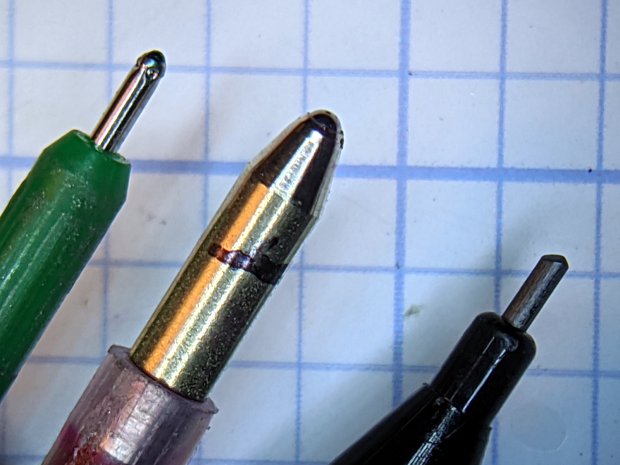
    The Google Pixel 3a camera, unlike the camera in my older Google Pixel XL, takes spectacularly good images through a widefield 5X eyepiece on the stereo zoom microscope:

    0.5 1.0 mm ball pens - 0.7 mm lead pencil
    0.5 1.0 mm ball pens – 0.7 mm lead pencil

    That’s hand-holding the phone against the eyepiece while manipulating it with the other hand. Definitely not the most stable arrangement, but the camera copes well with slight motions. I really need a gripping hand for the camera, to free up another for the microscope’s focus knob.

    For the record:

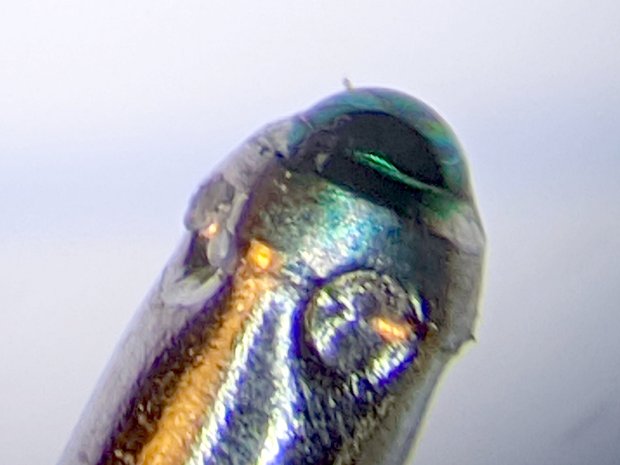
    Zooming in (because it’s a stereo zoom microscope and I can), the 1.0 mm ball seems surprisingly un-wetted by its ink:

    1.0 mm ball pen
    1.0 mm ball pen

    The Pilot V5 ball seems more smoothly covered:

    0.5 mm ball Pilot V5RT pen
    0.5 mm ball Pilot V5RT pen

    Those are at the same magnification & crop size, so they’re to the same scale.

    This definitely calls for a customized phone-to-eyepiece holder!

  • Monthly Image: CD Diffraction

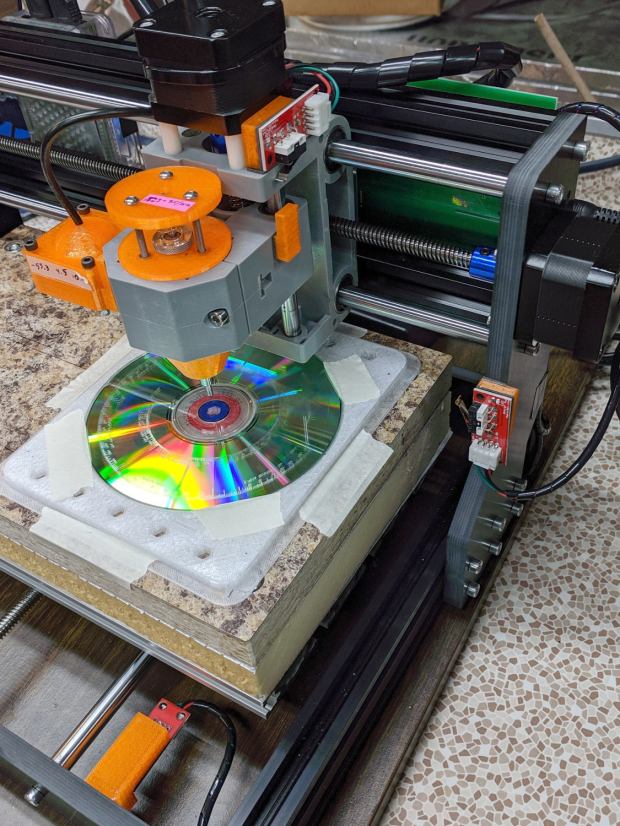
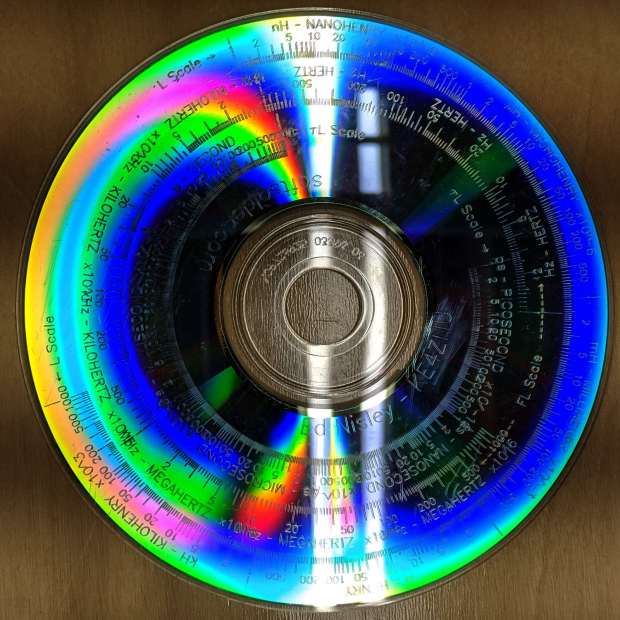
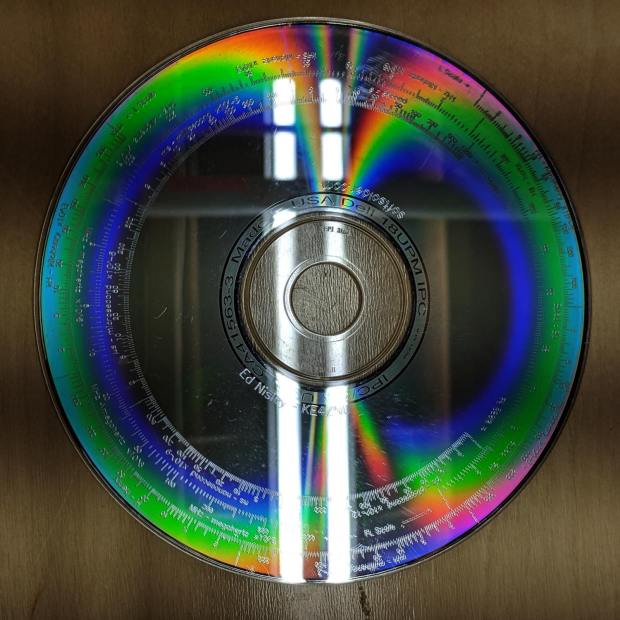
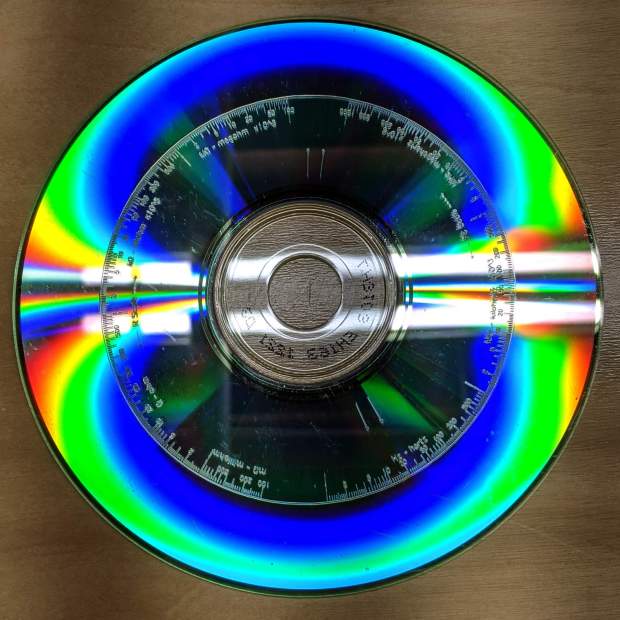
    Just to see how it worked, I engraved the Tek Circuit Computer scales on scrap CDs:

    CNC 3018-Pro - front overview
    CNC 3018-Pro – front overview

    At first, I hadn’t correctly scaled the text paths, but the diffraction patterns caught my eye:

    Tek CC on CD - bottom - unscaled text
    Tek CC on CD – bottom – unscaled text

    The illumination comes from two “daylight” T8 LED tubes in a shoplight fixture, running left-to-right, so it seems I held the camera rotated 1/4 turn in landscape mode. The pix look OK either way.

    Bottom deck:

    Tek CC on CD - bottom
    Tek CC on CD – bottom

    Middle deck:

    Tek CC on CD - middle
    Tek CC on CD – middle

    Top deck, with the camera held portrait-style:

    Tek CC on CD - top
    Tek CC on CD – top

    I’m a sucker for diffraction patterns …

    The tiny engravings don’t photograph well, because they’re floating atop the transparent disc and the rainbow patterns from the data layer, but they still come out OK even when scaled to fit on a hard drive platter:

    Tek CC - bottom deck - scaled to HD platter
    Tek CC – bottom deck – scaled to HD platter

    Looking good!

  • Wasabi NP-BX1: End-of-Life

    As a followup to the DOT-01 battery status, I found the last of the Wasabi NP-BX1 batteries in a drawer where they’d sat unused for eight months.

    Recharge and test to get the blue lines, with the red lines from the DOT-01 batteries:

    Wasabi DOT-01 NP-BX1 - 2019-11
    Wasabi DOT-01 NP-BX1 – 2019-11

    The double blue line came from a second recharge of that battery, just to see if more electrons would help. Nope, it’s still dead.

    The Wasabi battery with the highest capacity also has the weirdly rippled voltage trace and, when I extracted it from the test holder, came out disturbingly warm and all swoll up. This is A Bad Sign™, so it spent the next few hours chillin’ on the patio and now resides in the recycle box.