Spotted during a grocery trip:
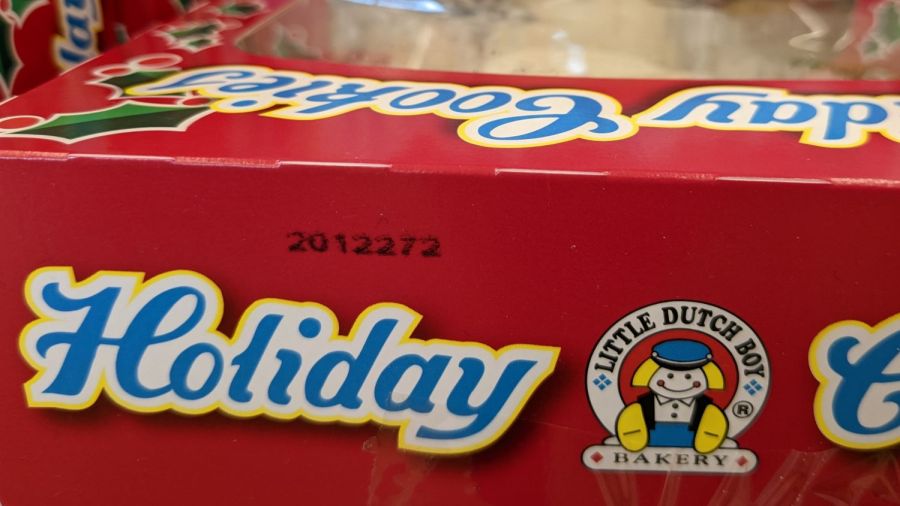
I’m sure they have a good reason for whatever date code format they chose, but 2012272 seems open to misinterpretation in the runup to Christmas 2022.
The Smell of Molten Projects in the Morning
Ed Nisley's Blog: Shop notes, electronics, firmware, machinery, 3D printing, laser cuttery, and curiosities. Contents: 100% human thinking, 0% AI slop.
Who’d’a thunk it?

Spotted during a grocery trip:
I’m sure they have a good reason for whatever date code format they chose, but 2012272 seems open to misinterpretation in the runup to Christmas 2022.
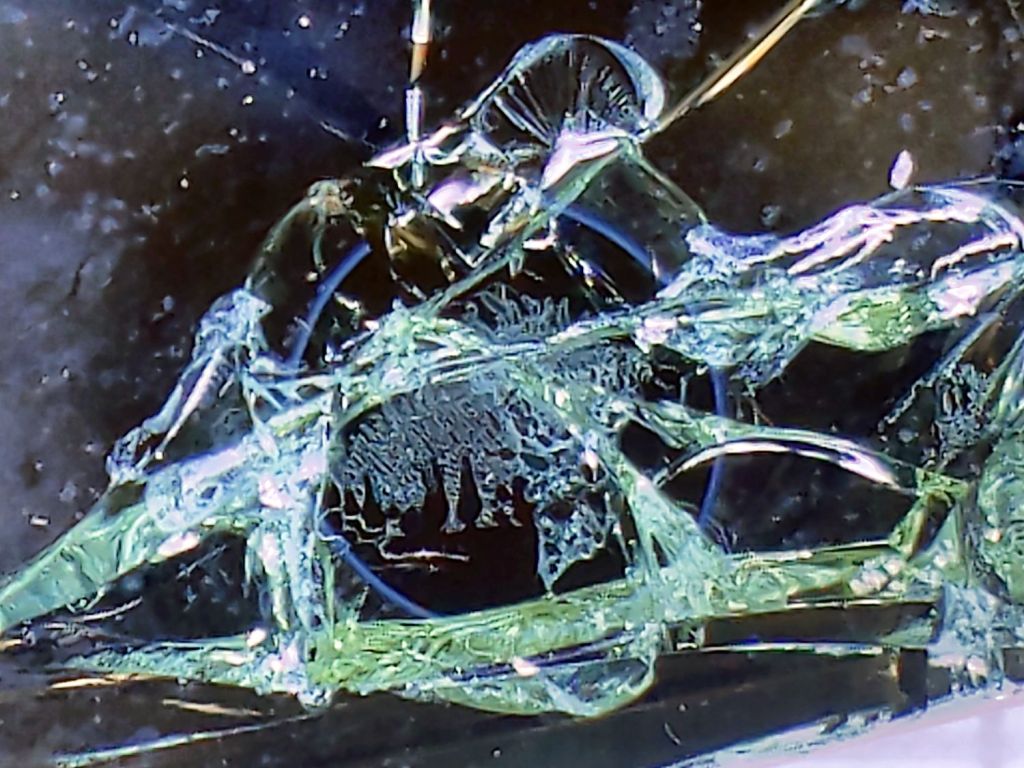
Continuing with the same battered sunglass lens:

It’s now oriented with the back side of the lens toward the unfocused beam going into the laser head.
The front surface remains undamaged after two pulses at 500 ms 50% power:
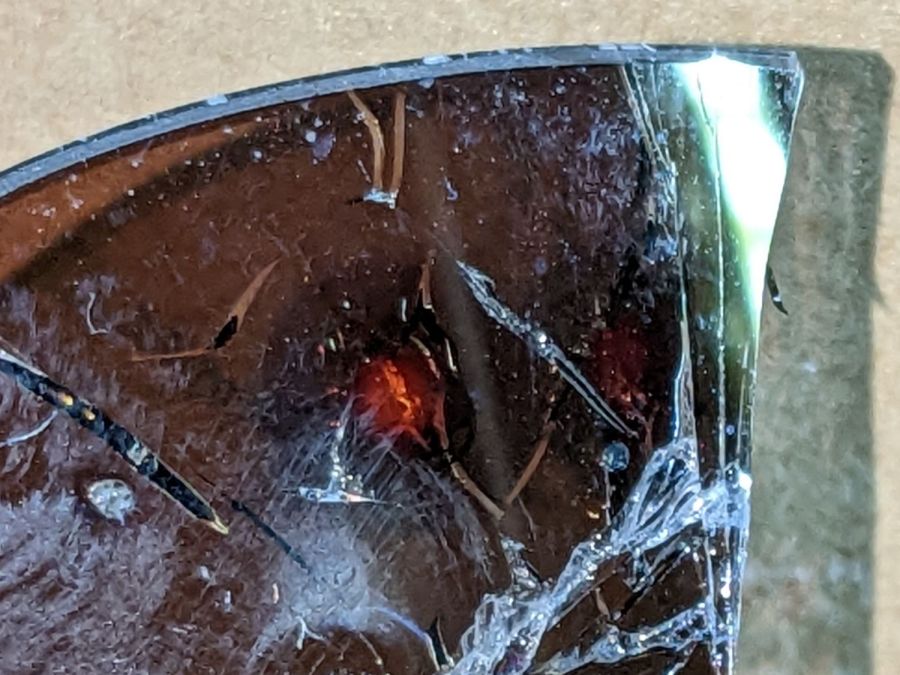
The red disk in the middle of both wounds is new this time.
As seen from the rear, the first pulse shattered the rear glass layer:

The image is about 7 mm from side to side.
A chip of glass popped out of the upper part of the fracture, but the other pieces remained in place.
The distinct blue ring is 3 mm OD and marks the inner boundary of a purple disk surrounding the central burn. The disk appears only in reflected light (which is impossible to photograph with any setup I can manage), suggesting it comes from diffraction in a surprisingly uniform air layer blown between the glass and the plastic polarizing sheet.
Also seen from the rear, the second pulse produced a neater wound:

The blue ring is again 3 mm OD and the image is 7 mm across.
The central red spot probably comes from damage to the polarizing sheet.
The most surprising things, at least to me, didn’t happen:
Protip: Don’t depend on ordinary glasses, even fancy sunglasses, to protect your eyes from CO₂ laser beams.

Well, a shattered lens found beside the road on a walk:

The battered frame has enough information to suggest they were once rather fancy. At this point, all that matters is they have two glass layers separated by a dark plastic polarizing film, with a gold-ish metallized front glass surface.
I fired the two pulses (on the left side of the obvious crack) at the front of the lens, both at 100 ms / 70% power:

Neither pulse penetrated the lens.
The smaller zit was fired in the position shown in the first picture, with the focal point more-or-less at the top surface of the lens. As seen from the front:
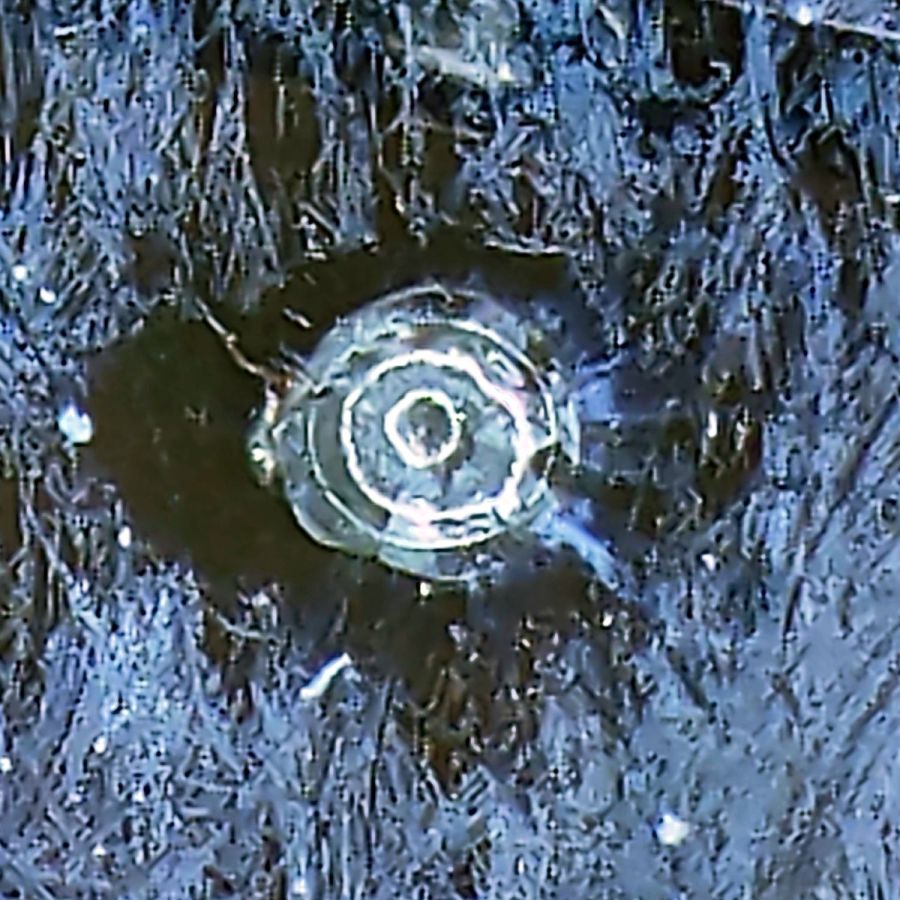
The outer part of the damaged area is about 0.5 mm in diameter. The heat around the damage seems to have cleared away all the schmutz on the lens; those things that look like scratches are oily smears and road dirt.
Seen from the rear:
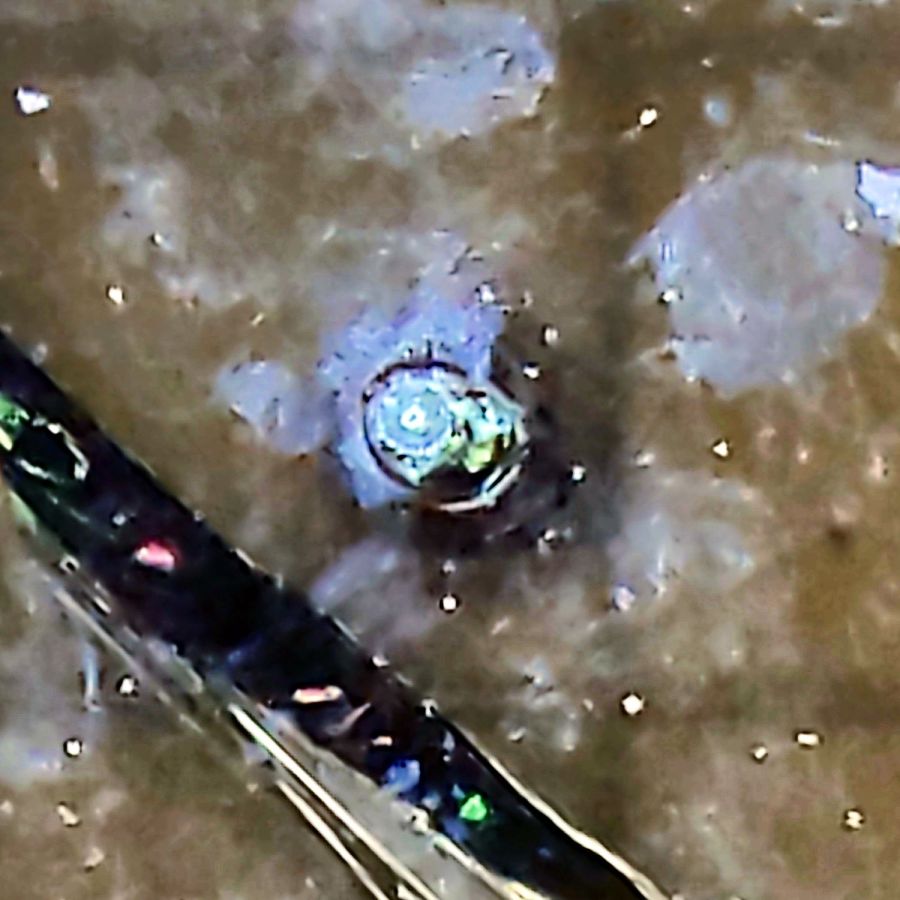
The rear surface is blistered, but doesn’t have a hole, so I think the beam melted the glass and inflated a cavity along its path.
I then perched the lens in the unfocused beam path, with paper taped over the laser head opening to keep any fragments off the mirror and focus lens:
The beam produced the larger scar and also blasted off a ring of crud around the wound, as seen from the front surface:

The beam seems to have shattered a thin layer under the metallization, but didn’t do any deeper damage. The rear surface is undamaged and the paper didn’t have a scorch mark.
They’re not laser safety glasses, but at least they didn’t disintegrate.
Protip: do not lie on the laser platform and stare upward into the laser head, even while wearing fancy polarized mirrorshades.

This conversation started during the few hours when I had to turn off my phone’s incoming-call whitelist filter:
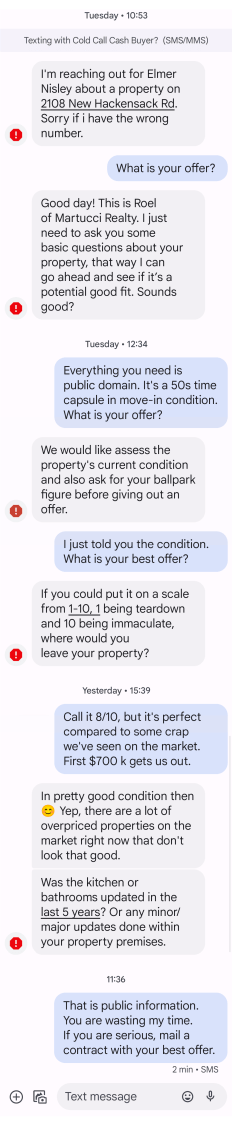
Seems to me a cash-for-house buyer who believes anything the seller says about the property is both new to the “real estate” biz and not destined for a long career. Obviously, the whole exchange attempts to increase my engagement and make me agree with everything going on.
Now, should you happen to be moving to the Mid-Hudson Valley and need a really nice shop with an attached house, let me know: we can work out a better deal.
Protip: if you’re in a position to stack seven thousand Benjamins on our kitchen table, don’t get between us and and the horizon.
There is a reason all my calls and texts go through a whitelist filter.
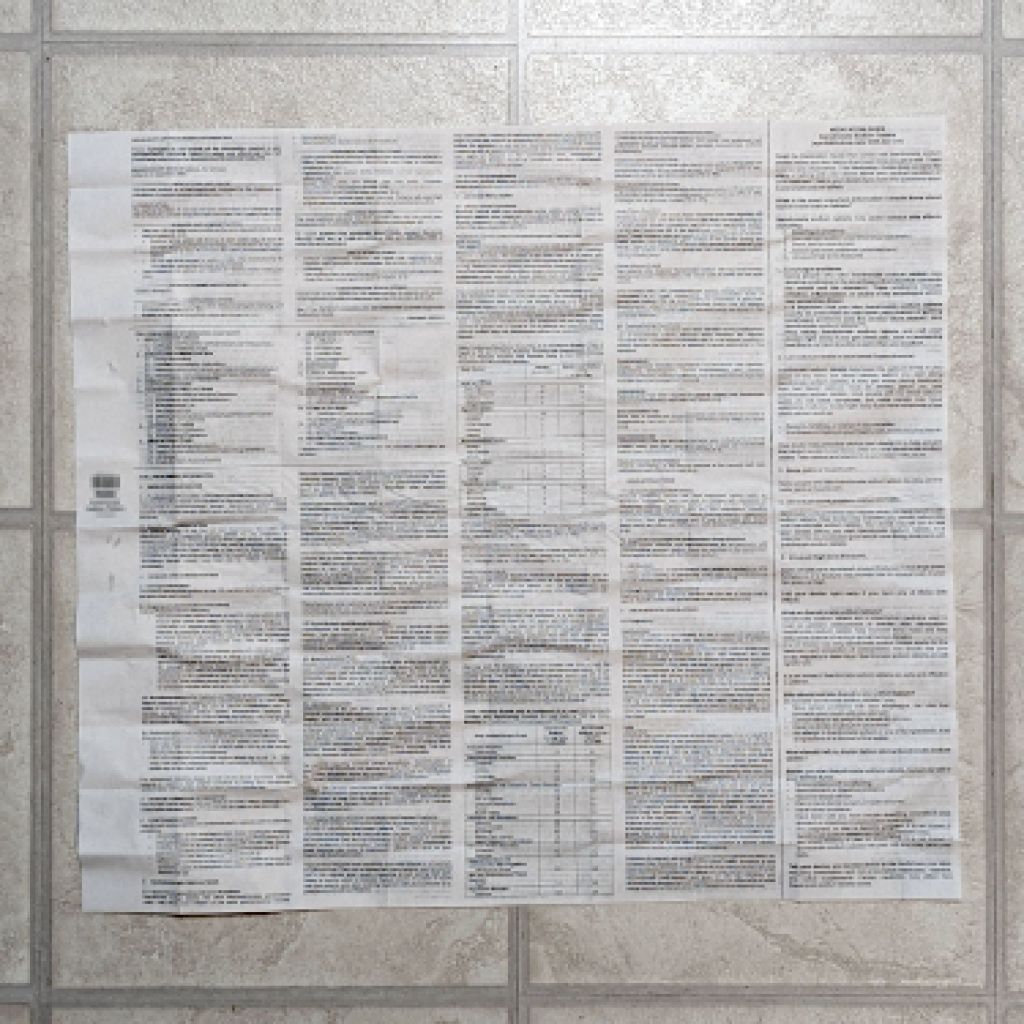
For reasons not relevant here, a new medication has entered the house, accompanied by its Drug Fact Sheet (blurred because you do not have a Need To Know):

The background squares are a scant one foot across.
The other side of the sheet is equally dense.
One should review this with each refill to check for new or changed information. Of course, there are no change bars or similar hints.
It might kill ya or cure ya, but you’ll never figure it out from that torrent of verbiage: just like software EULAs, nobody can possibly read and comprehend that stuff.

For the record, it is possible to get a piece of paper jammed so far inside the duplexer rollers in the back of an Epson ET-3830 Multifunction Printer / Scanner that it is not only completely invisible from the inside, but that it cannot be removed without disassembling the duplexer:

It jammed while attempting to print another batch of Geek Scratch Paper with a semilog grid, without actually duplexing the sheets. The specs say the printer can handle 4×6 paper, so I assumed 4.24×5.5 paper would be Close Enough. Apparently not.
Print ’em two-up, chop the sheets down the middle, pad and glue, and it’s all good:


The data plate at the bottom of the the leaf bags we get from the town seems intended to set expectations at a certain level:
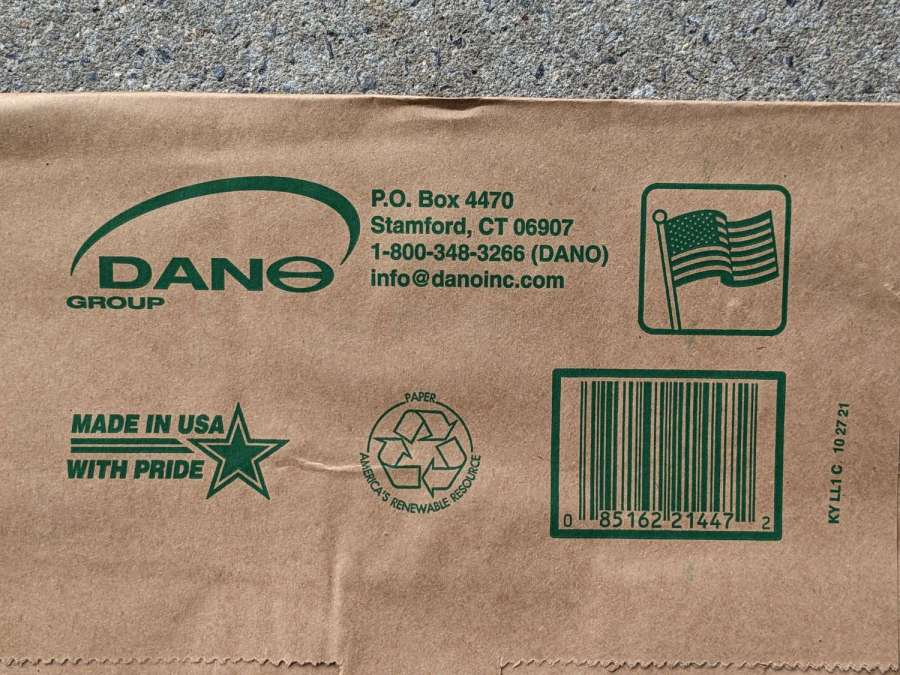
Which is immediately belied by the situation at the other end of the bag:
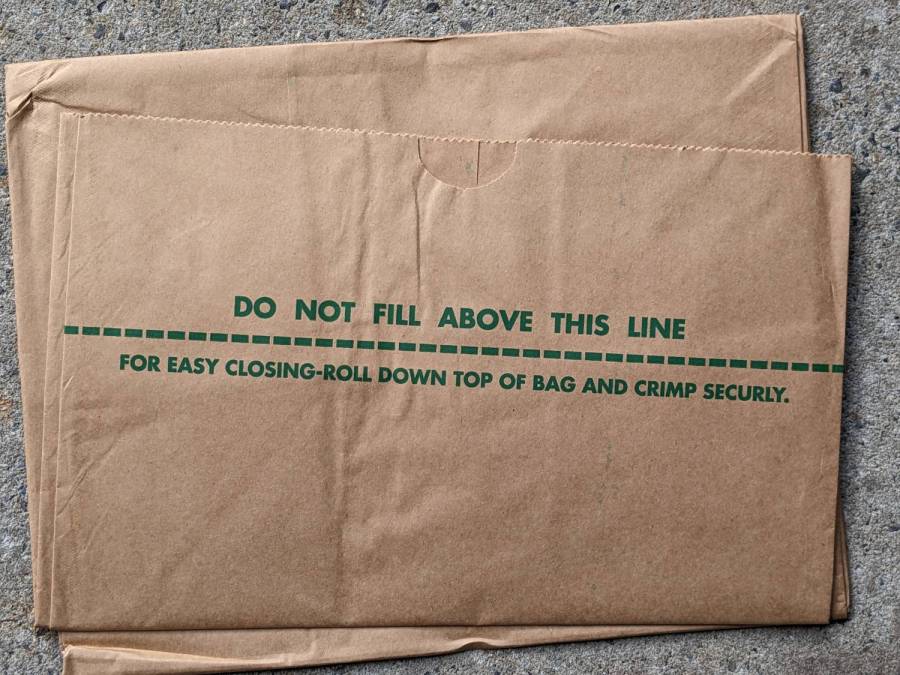
OK, it’s just a typo that could happen to anyone, but it first appeared last year and seems to be continuing. Possibly the Town of Poughkeepsie bought a lot of bags and we’re working through the stack.
However, the built-in gashes along the sides of some bags were a new feature this year:

Perhaps a misalignment in the folder or stacker:

Enough bags had slices, perhaps four in some ten-packs, to justify keeping the packing tape dispenser at hand while we were shredding up a storm:
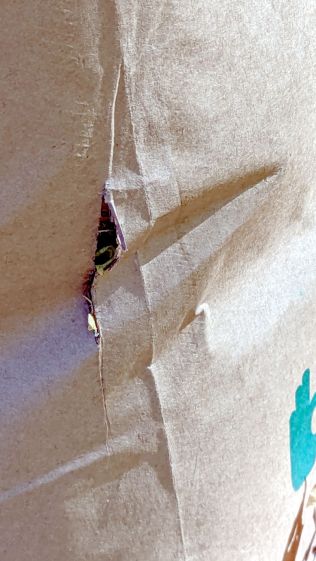
Which frosted Mary pretty severely, as she recycles the used bags as garden path pavers after distributing their contents as mulch, so she’ll be stripping plenty of tape next year.
Although I’m not privy to the Town’s dealings, Dano’s chart suggests the bags cost about 40¢ in truckload lots, about as much as Lowe’s charges for similar bags in retail five-packs. Surprisingly, you can also buy the same Lowe’s bags from Amazon for a lot more, suggesting some folks live much further from a Lowe’s than we do.

