Ed Nisley's Blog: Shop notes, electronics, firmware, machinery, 3D printing, laser cuttery, and curiosities. Contents: 100% human thinking, 0% AI slop.
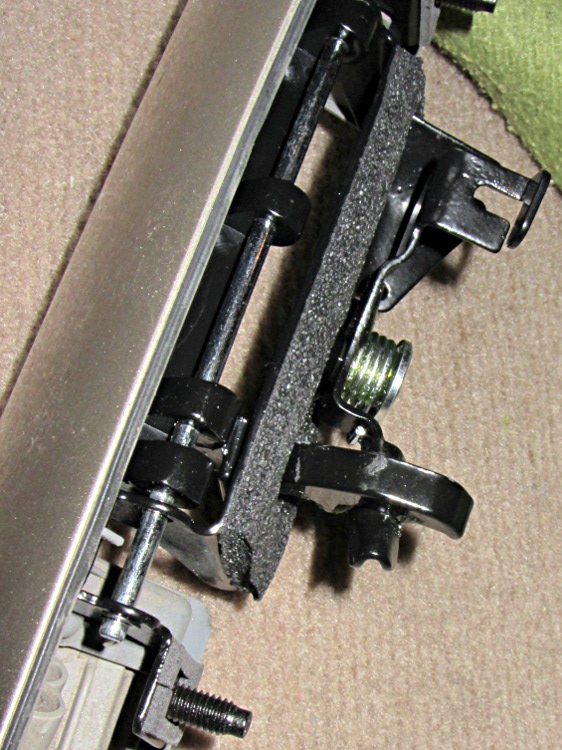
The replacement metal latch handle fit perfectly and works fine.
That skinny protruding arm shouldn’t break off, but now it has a metal-to-metal sliding joint that will eventually gall. With any luck, though, it’ll outlast the van… which, admittedly, that kludged repair probably would have, too.
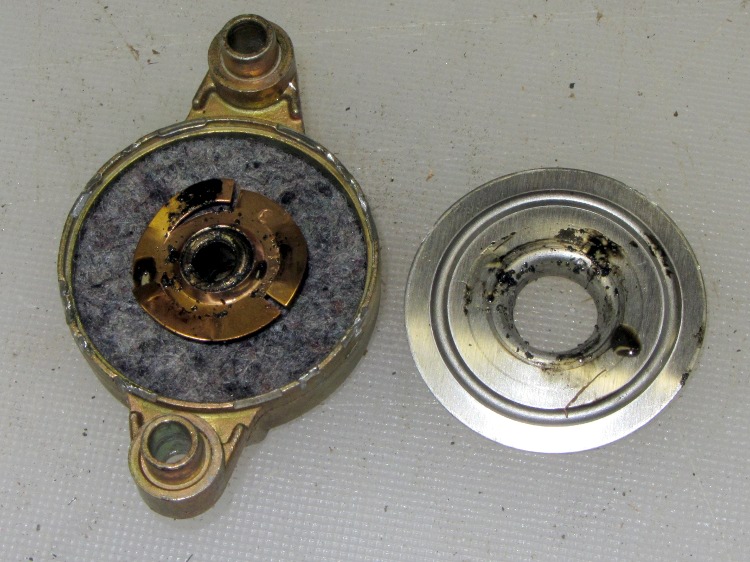
The endcaps of that fan motor have a crimped-in-place aluminum disk capturing a felt washer that held oil and a circular spring that presses the spherical bronze bearing in place:
Fan motor endcap – interior
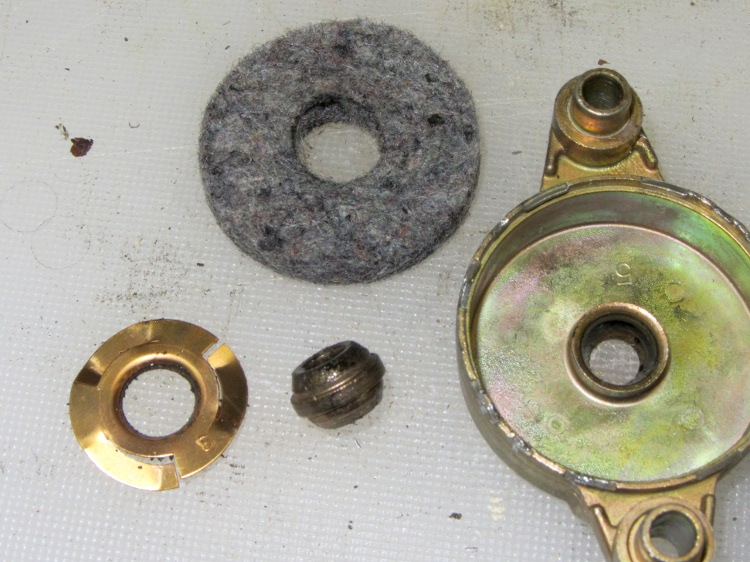
Pulling all that out reveals the bearing (tilted on its side to show the spherical outer shape):
Fan motor endcap – parts
The shaft is a scant 3/16 inch in diameter, about 0.181 instead of 0.1875 inch. I have some 3/16 inch ID cartridge bearings in the heap that are a sloppy fit on the shaft, but nothing that a wrap of 2 or 3 mil shimstock and a dab of green Loctite wouldn’t cure.
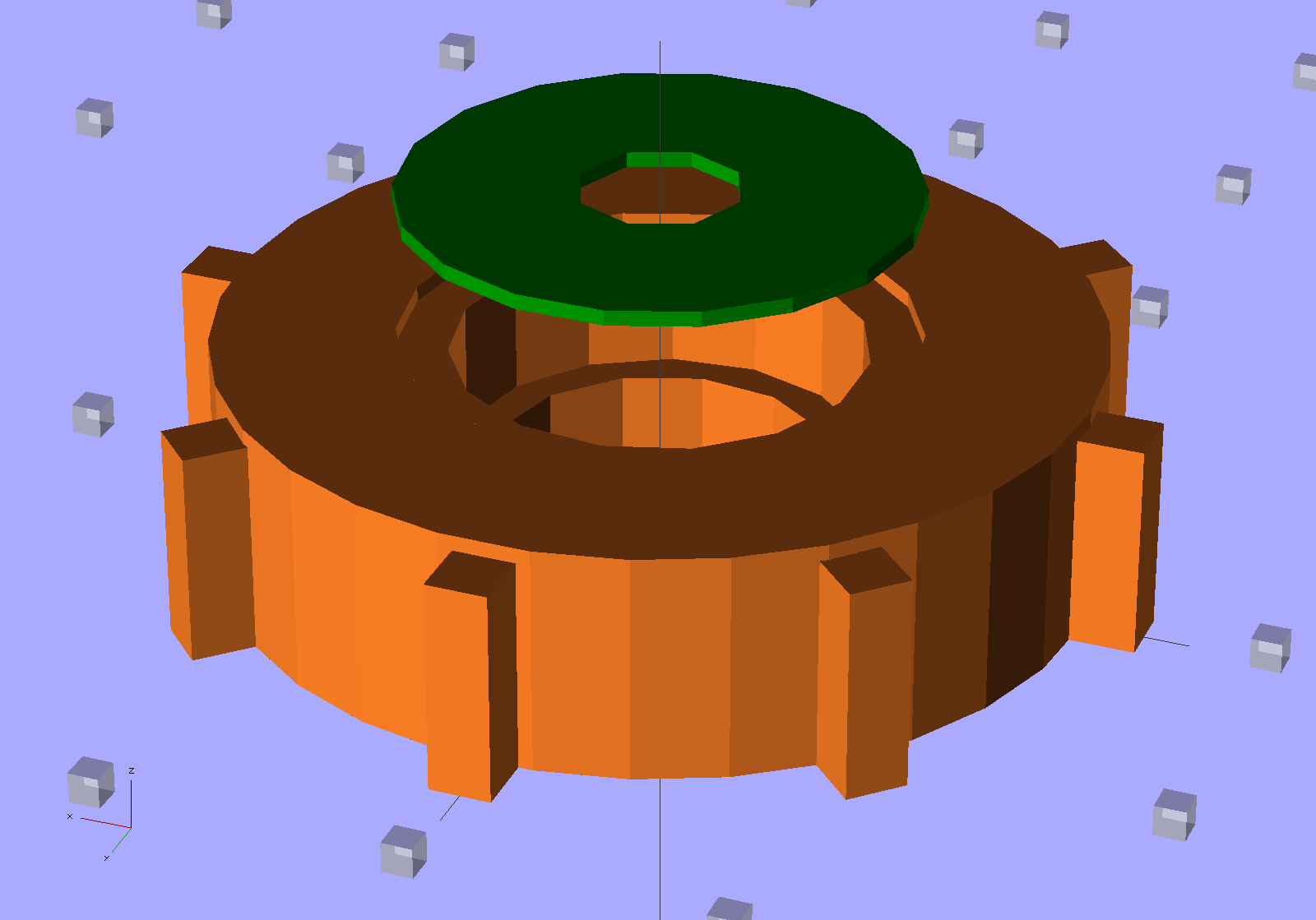
A bit of doodling suggests two of these bearing holders should fit in the endcaps, stand over the spherical bearing mounts, capture the ball bearing OD, keep dust out of the balls, and perhaps have enough compliance to let the bearings self-adjust to the right fit:
Fan Bearing Holder
The fan tries to pull the rotor out of the frame, although I think the bearings & Loctite can handle that much axial load. I must try this out on the bench and see how long it takes for the Freezer Dog to return…
It needs a trial print and some sizing adjustment, plus maybe an allowance for end play, but it’s close.
The OpenSCAD source code:
// Refrigerator Fan Bearing Support
// Ed Nisley KE4ZNU - May 2012

// Layouts

Layout = "Show";			// Show Fit Build

Gap = 5.0;					// between parts in Show mode

BuildOffset = 5.0;			// offset between parts on build plate

//- Extrusion parameters must match reality!
//  Print with +1 shells and 3 solid layers

ThreadThick = 0.25;
ThreadWidth = 2.0 * ThreadThick;

HoleWindage = 0.2;

function IntegerMultiple(Size,Unit) = Unit * ceil(Size / Unit);

Protrusion = 0.1;			// make holes end cleanly

//----------------------
// Dimensions

CapID = 32.0;				// bearing endcap
CapHeight = 7.0;			//  ... below aluminum cap recess

SupportOD = 10.3;			// spherical bearing support
SupportHeight = 3.0;

BearingOD = 12.7;			// ball bearing race
BearingID = 4.68;			//  ... shaft dia
BearingThick = 4.0;

Ribs = 8;					// number of support ribs
RibLength = 2.0;			// length beyond cylinder
RibWidth = 4*ThreadWidth;

LidOD = CapID/2;			// bearing retainer lid
LidThick = 2*ThreadThick;

//----------------------
// Useful routines

module PolyCyl(Dia,Height,ForceSides=0) {			// based on nophead's polyholes

  Sides = (ForceSides != 0) ? ForceSides : (ceil(Dia) + 2);

  FixDia = Dia / cos(180/Sides);

  cylinder(r=(FixDia + HoleWindage)/2,
           h=Height,
	   $fn=Sides);
}

module ShowPegGrid(Space = 10.0,Size = 1.0) {

  Range = floor(50 / Space);

	for (x=[-Range:Range])
	  for (y=[-Range:Range])
		translate([x*Space,y*Space,Size/2])
		  %cube(Size,center=true);

}

//-------------------
// Objects

module Retainer() {
  color("Green")
  difference() {
	PolyCyl(LidOD,LidThick);
	translate([0,0,-Protrusion])
	  PolyCyl(BearingID,(LidThick + 2*Protrusion),8);
  }
}

module Holder() {

  color("Chocolate")
  difference() {

	union() {
	  cylinder(r=(CapID - 2*RibLength)/2,h=(CapHeight + LidThick));
	  for (Index = [0:Ribs-1]) {
		rotate(Index*360/Ribs)
		  translate([0,-RibWidth/2,0])
			cube([CapID/2,RibWidth,CapHeight],center=false);
	  }
	}

	translate([0,0,-Protrusion])
	  PolyCyl(SupportOD,(CapHeight + 2*Protrusion));		// clear old support

	translate([0,0,SupportHeight])
	  PolyCyl(BearingOD,CapHeight);						// bearing pocket

	translate([0,0,(SupportHeight + BearingThick)])
	  PolyCyl(LidOD,CapHeight);							// bearing retainer

  }
}

//-------------------
// Build things...

ShowPegGrid();

if (Layout == "Show") {
  Holder();
  translate([0,0,(CapHeight + Gap)])
	Retainer();
}

if (Layout == "Fit") {
  Holder();
  translate([0,0,CapHeight])
	Retainer();
}

if (Layout == "Build") {
  translate([(CapID/2 + BuildOffset),0,0])
	Holder();
  translate([-(LidOD/2 + BuildOffset),0,0])
	Retainer();

}
Next Monday evening I’ll give a presentation on the hardware & software of DIY 3D printing for the Poughkeepsie chapter of the ACM. After reviewing some current printers and coordinate systems, I’ll explore the process of beating Constructive Solid Geometry into a solid model of a printable part, with attention to some gotchas along the way from a seemingly perfect CAD design to a tangible plastic part.
The PDF file has the slides, but you gotta show up in person to get a tchotchke and hear the patter…
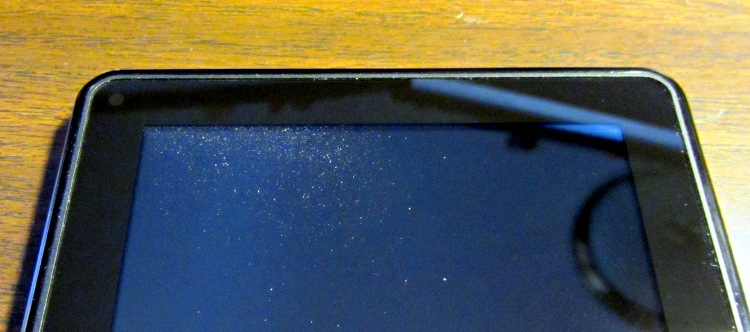
My Kindle Fire is a typically featureless black slab with one button, two small speakers, and no fasteners. After a few days in my pocket, the upper-left corner began collecting dust on the inside face of the cover glass:
Kindle Fire – internal dust
That’s not terrible, but it does look ugly and lowers the contrast a bit in that corner. As nearly as I can tell, the speaker grilles provide the only way for that dust to get in, although this was a refurb unit and perhaps the seal around the rim is broken.
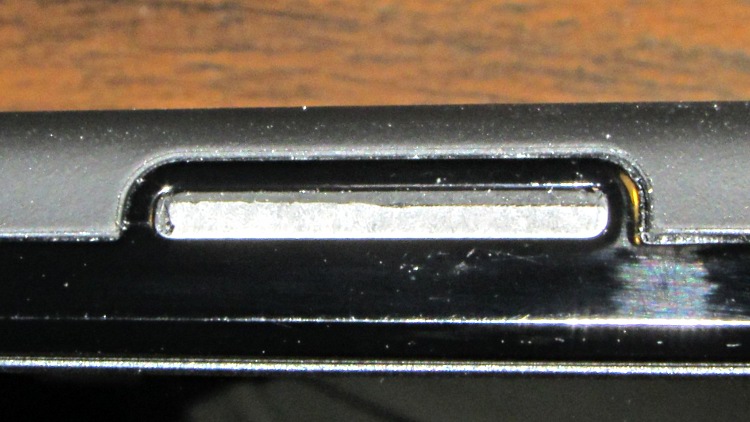
In any event, the speaker grilles look like this:
Kindle Fire speaker
I slapped a strip of 3M Micropore tape over the openings as a stop-gap fix:
Kindle Fire speaker – taped
After a few days, the dust wasn’t getting any worse, so I ran a scalpel blade around the speaker opening and sank the tape atop the grille:
Kindle Fire speaker – trimmed tape
The advantage of Micropore tape is that it won’t completely block the already feeble sound from the speakers.
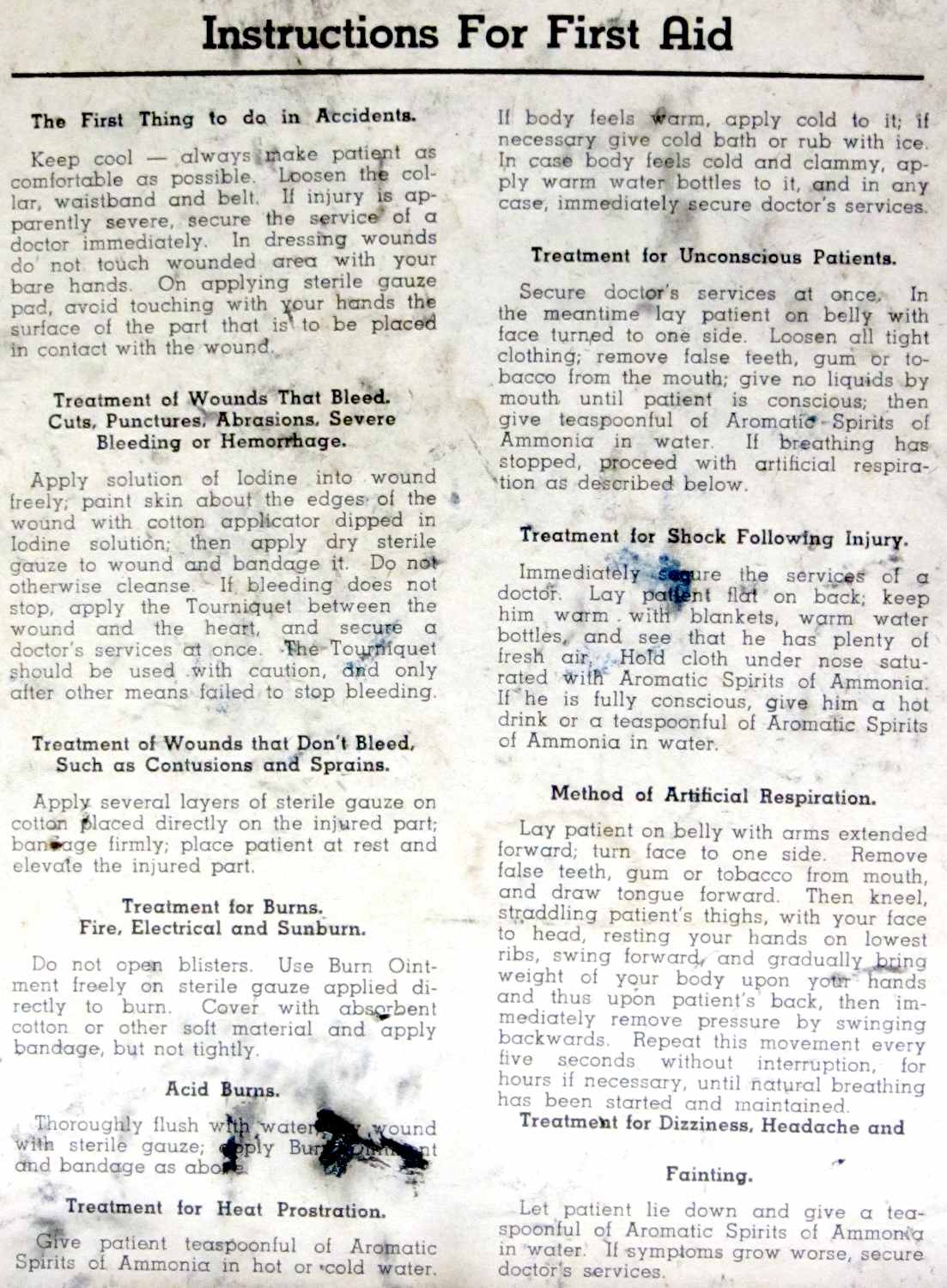
The Plumbing Treasure Chest started life as a first-aid box designed to hang on a wall. Inside the drop-down lid appears this list of Instructions For First Aid:
The plastic handle for the rear hatch snapped as I opened it to load some groceries. I slapped some tape over the opening to keep the loose parts from falling out on the way home: if you lose the parts, you’ve lost the game.
It turns out that the hatch doesn’t have an interior handle:
Sienna van hatch – interior
So we unloaded the groceries through the side doors, crawling over the middle seats. We don’t use the van all that much, but this was the height of the Vassar Farms garden setup season and we needed the back end for fenceposts, deer fencing, and suchlike.
Searching with the obvious keywords shows that this is a common problem for Toyota Sienna vans, many people experience it just a few years after buying a new van, it’s an extremely expensive dealer repair ($75-ish for the handle and $300-ish for labor half a decade ago), and that the Genuine Toyota replacement handle is made of the same plastic and tends to break the same way in short order. I ordered a metal handle from the usual eBay supplier for $20 and it should arrive shortly.
But an expedient repair is in order…
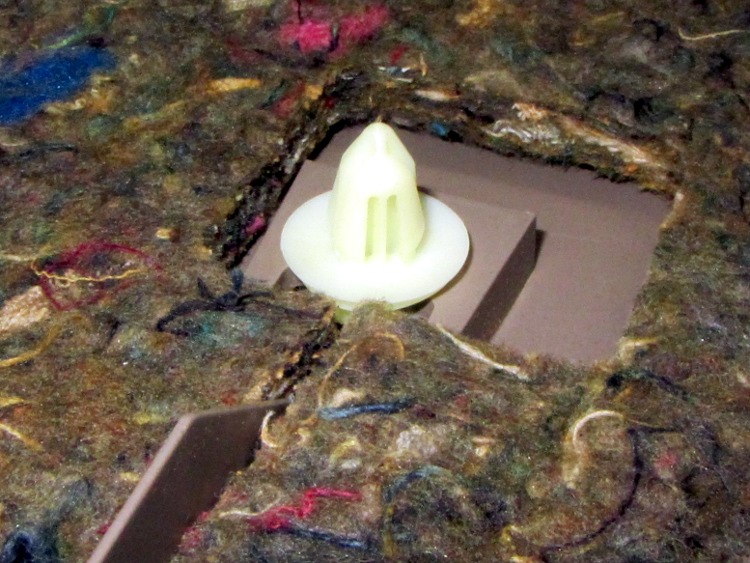
Pull the trim plates off the grab handle and dangling strap, apply a 10 mm socket to the three bolts thus exposed, work fingers under the cover near the latch near the center bottom, pull hard, and work your fingers around the cover as the dozen-or-so expanding button rivet fasterer thingies pop free with alarming sounds:
Sienna hatch – trim fasteners
The handle / latch handle assembly fits neatly between the exterior bodywork and the interior hatch frame, where it’s barely visible. The claw-like doodad sticking up from the left should pull down on the metal (!) lever just above it, which pivots on a pin and pulls upward on a cable (the round button visible near the top of the assembly) that actually does the unlatching:
broken latch
Remove the three nuts (one visible in that picture), squeeze the expanding plastic snap with pliers, and push it through the hole. Then you can loosen the bezel holding the handle assembly and the two license plate lamps:
Sienna hatch – bezel released
Disconnect the lamp cable connector, push the sealing button through the hole with a screwdriver, and then you can pull the entire bezel off the hatch. That exposes the problem:
Sienna hatch – latch parts
You can’t quite see the two screws that secure the handle assembly to the bezel, but they’re just inboard of the two bolts that hold it to the hatch. Undo those, remove the Jesus Clip from the long rod, slide it out, and extract the handle. That claw-like doodad snapped off the plastic handle:
Sienna hatch – handle
Of course, it’s an engineering plastic that shrugs off ordinary solvent glue, which you wouldn’t trust for a permanent repair anyway. The general ideal is to reposition the broken part, epoxy it in place, drill a hole through it and the handle, run a long 4-40 screw through the mess, and butter it up with more epoxy.
The first step is to put the two pieces in the right alignment and secure them well enough to permit drilling. Other folks swear by cyanoacrylates, but for a job like this I invoke the mantra The Bigger the Blob, the Better the Job. Believe it or not, the broken part stands on its own amid the epoxy around its base:
Sienna hatch – handle epoxy
Unfortunately, it tilted slightly, but not enough to matter, as the epoxy cured. I couldn’t figure out how to both hold it in position and hold it in exact alignment on the handle; maybe positioning a few clamps around it would have been better. In any event, the result was close enough.
Grab the handle in the drill press, align the claw vertically, face it with an end mill to let a twist drill start properly, and drill right down the middle:
Sienna hatch – handle drilling
Flip it over, use the same drill to align the bore, and mill a counterbore for the screw head:
Sienna hatch – handle counterboring
That may not be strictly necessary, but there’s not much clearance between the handle and the rest of the frippery in the assembly. Reduce the diameter of the screw head to fit the counterbore, do the same for the nut that’ll go on the other end:
Sienna hatch – nut shaping
Butter up the counterbore with epoxy, slide the screw in place, secure with the nut, and butter up that end, too. Reassemble everything and you can see how far off-center the claw is:
Sienna hatch – latch rebuilt
You can just barely make out the epoxy blob covering the nut below the claw, but it still engages the metal lever that will pull the cable:
Sienna hatch – latch assembly
Reassemble everything in reverse order and it works fine. I left the interior trim cover off, pending installing the metal replacement handle, and discovered that the brake lights spill plenty of light inside the van after dark.
Memo to Self: The fixtures are the hardest part of any adhesive repair. Get those right and the rest is easy!
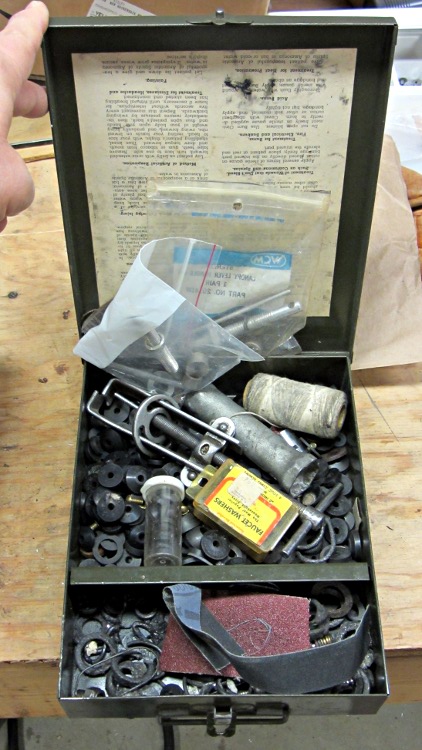
As part of replacing that frostproof faucet, I had recourse to some tools & hardware that Came With the House: the previous owner had a well-stocked supply of stuff and we bought the place “with contents.”
This box of assorted washers, screws, and tools has already been more than a lifetime supply for one person:
Box of faucet washers and tools
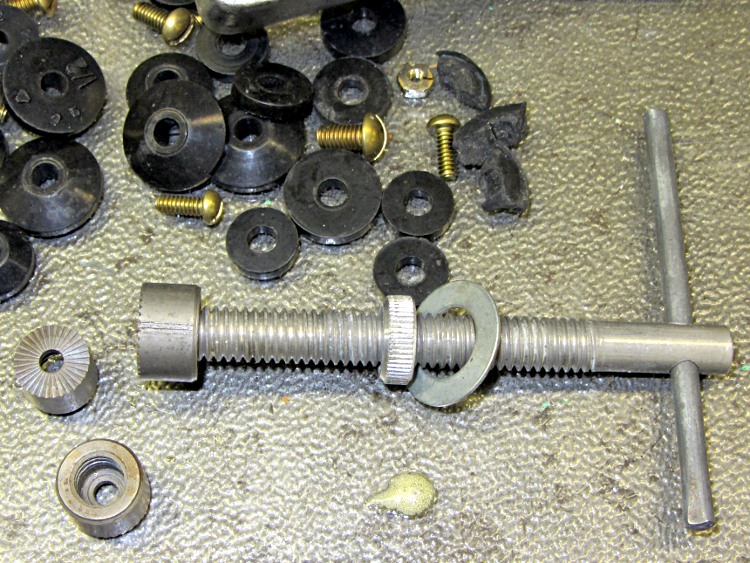
I already had a faucet seat reamer that came in handy in our previous houses and now I have two:
Faucet seat reamer
The threaded shaft isn’t nearly long enough for a frostproof faucet, but it’s a standard thread and I have enough all-thread rod to cobble up something. When I get around to fixing the other outdoor faucets, I’ll give that a try.
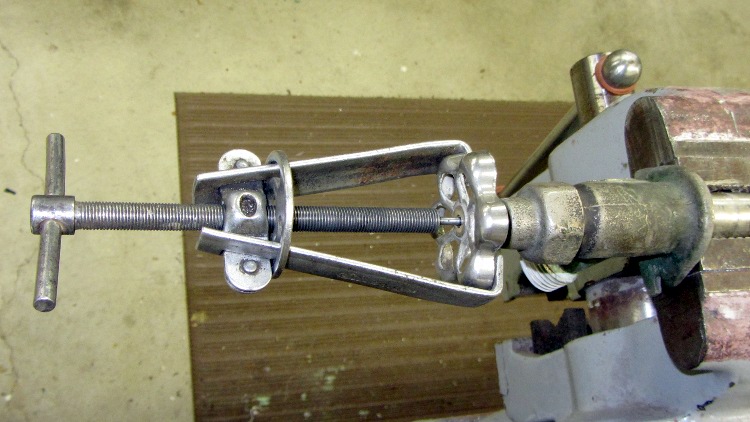
Although I didn’t need a handle puller to dismantle the old valve (this is a staged photo op), it’s been vital elsewhere: