The Smell of Molten Projects in the Morning

Ed Nisley's Blog: Shop notes, electronics, firmware, machinery, 3D printing, laser cuttery, and curiosities. Contents: 100% human thinking, 0% AI slop.

Category: Machine Shop

Mechanical widgetry

  • Taylor 1478 Kitchen Thermometer: Probe Wire Failure

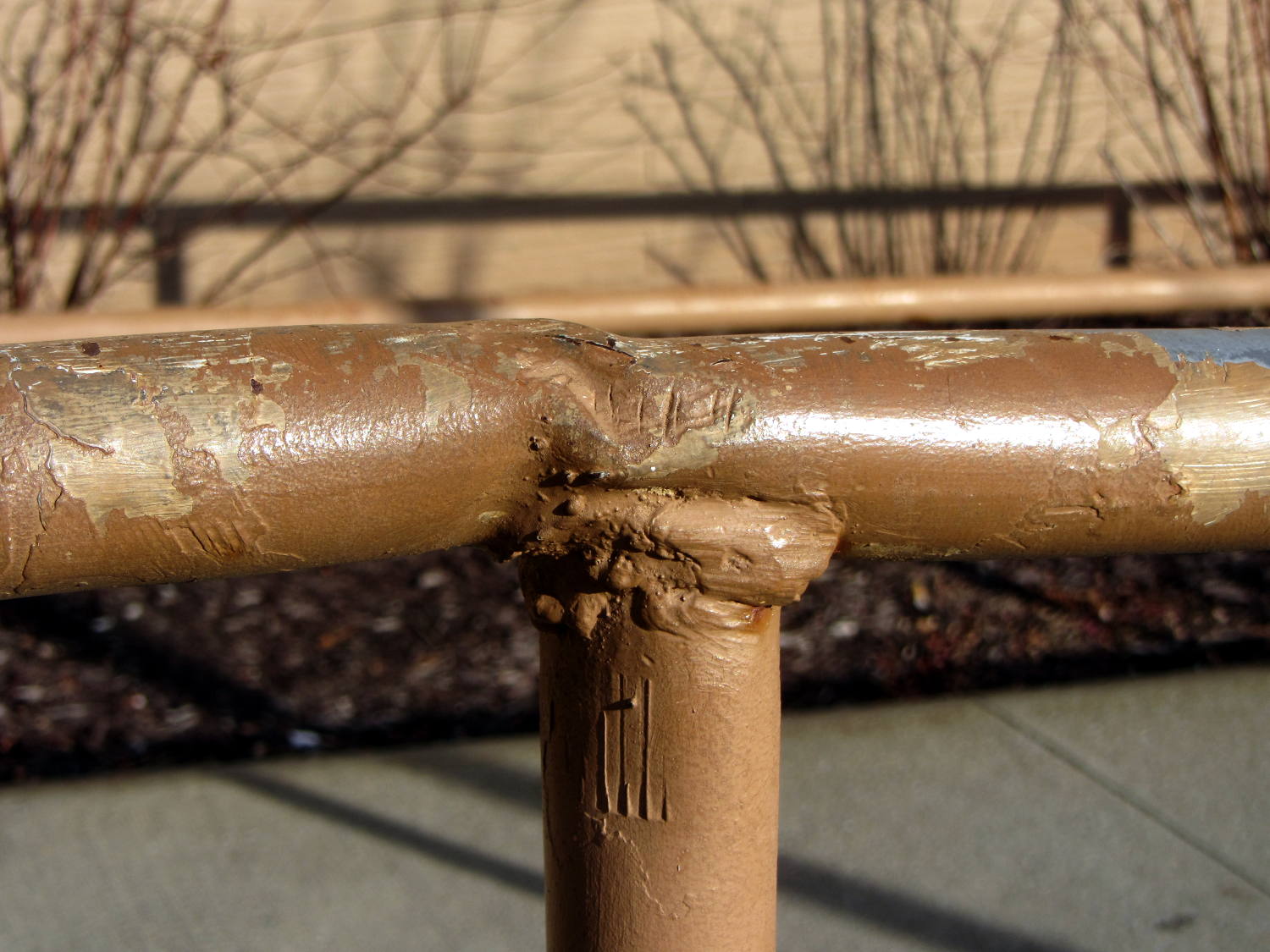
    We’ve been doing a lot of roasting and bought a not-dirt-cheap Taylor 1478 digital kitchen thermometer with a long probe wire to monitor the meat temperature. As soon as I unpacked it, I knew this would eventually happen:

    Kitchen thermometer - nicked probe wire
    Kitchen thermometer – nicked probe wire

    The cable lasted just long enough to ensure the thermometer warranty expired; it’s a deliberate design flaw if I’ve ever seen one.

    The thermistor inside the probe seems to be 100 kΩ at ordinary temperatures, although I’d be completely unsurprised to find that Taylor uses a slightly nonstandard resistance. Because nonstandard, of course.

    Anyhow, replacement probes (*) are readily available from the usual Amazon suppliers, feature stainless steel braid sheathing and cost about as much as a whole new thermometer (albeit those still have cheap plastic insulation). With a replacement on order, I hauled the failed probe to the shop for an autopsy and possible resurrection…

    Although I hoped that hammering out the crimp would release the thermistor, it was not to be. In retrospect, pulling on the probe wire probably killed it, but I didn’t know that at the time.

    A spring intended to stabilize tubing while bending worked just fine to un-bend the probe:

    Kitchen thermometer - unbending
    Kitchen thermometer – unbending

    But, alas, the thermistor still didn’t emerge from the more-or-less straightened probe.

    Some deft work with a Dremel cutoff wheel sliced enough off the stainless steel tube that I could splice the wires:

    Kitchen thermometer - probe cutting
    Kitchen thermometer – probe cutting

    More cutoff wheel work smoothed the edges of that raw cut end, although the result wasn’t anything to show off.

    The spliced and insulated probe definitely don’t win any awards, either:

    Kitchen thermometer - probe rebuild
    Kitchen thermometer – probe rebuild

    I doubt that the heatshrink tubing or silicone wrap underneath it would be suitable for roasts in the kitchen, but that’s moot: the probe remained intermittent.

    If the new probe is also intermittent, then I’ll suspect the crappy 2.5 mm jack in the side of the thermometer…

    (*) It’s not clear that a replacement probe for a 1470N thermometer will work with a 1478 thermometer. I’m gambling that Taylor wouldn’t be so stupid annoying deliberately obtuse as to use different probe thermistors, but that’s surely a bad bet. There’s no reason to believe Taylor actually makes any of this stuff, which means different models may come from entirely different designers / factories with entirely different supply chains.

  • 3D Printed Chain Mail Armor: Joined Sheets = Fabric!

    Another nine hours of printing produced a second 9×13 link chain mail armor sheet that simply begged to be joined with the first. Snipping a connecting link on one sheet and attempting to thread it through the armor button on the other didn’t work nearly as well as I expected, because the pillars on the open links don’t quite pass through the slot in the side of the armor button links:

    Chain Mail Armor - 4 sided
    Chain Mail Armor – 4 sided

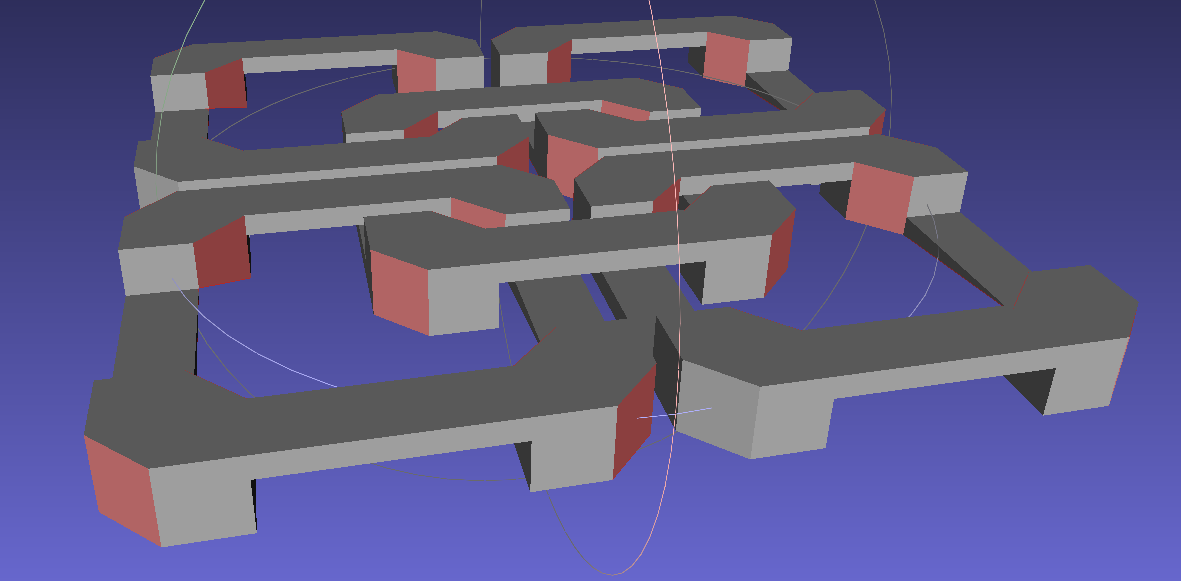
    So I summoned joiner links from the digital deep:

    Chain Mail Armor - Sheet Joiners
    Chain Mail Armor – Sheet Joiners

    Those are standard armor button links, split at the cross bar level, then laid out along the Y axis. The cap bridges across the link just as it does on the chain mail sheets, so, when they’re glued back together, the result should be exactly like a solid link. There’s no room for alignment pins and, frankly, I wouldn’t fiddle with two dozen filament snippets anyway.

    The OpenSCAD code below produces joiners that work for the square arrangement, not the diamond, but that’s in the nature of fine tuning.

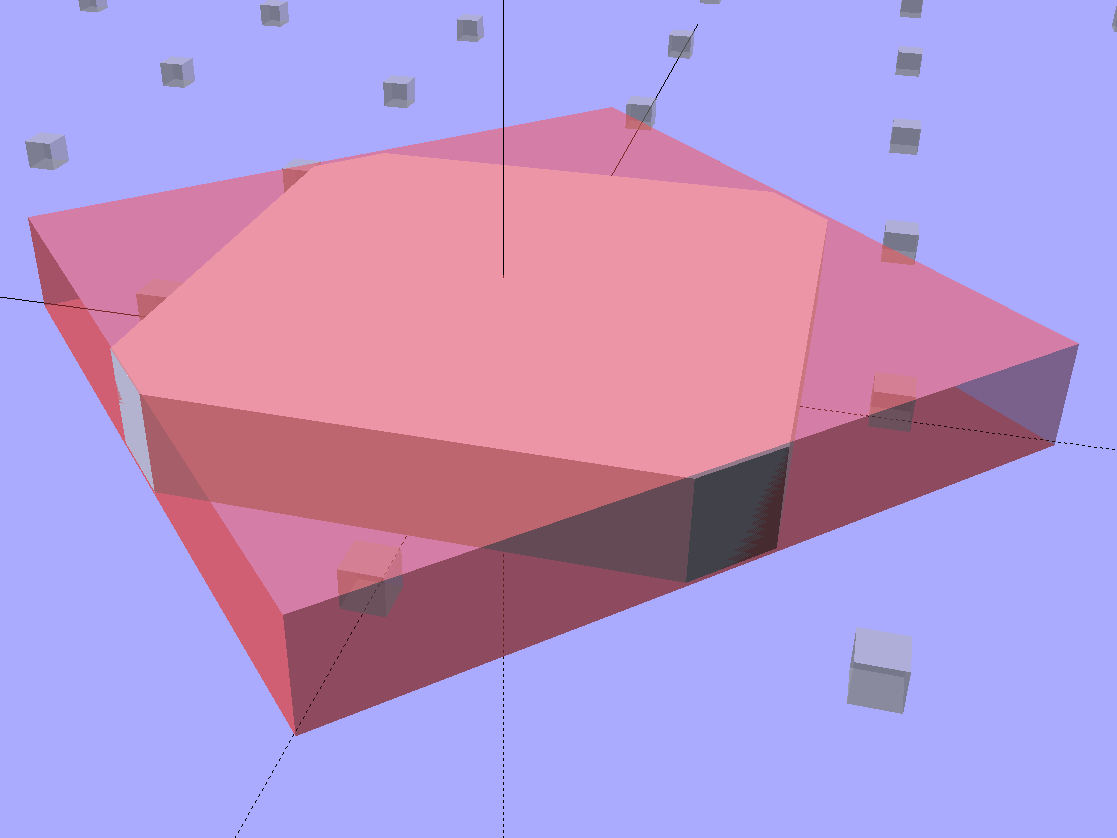
    When I saw them pasted to the platform, just like the model:

    Chain Mail Armor - joiners on platform
    Chain Mail Armor – joiners on platform

    It occurred to me that I could pop the caps off, then lay the sheets in position, aligned on the underlying joiner half-links. Here’s the first sheet over the left set of bars:

    Chain Mail Armor - sheet and joiners on platform
    Chain Mail Armor – sheet and joiners on platform

    Then glue the armor caps in place:

    Chain Mail Armor - joiner with solvent glue
    Chain Mail Armor – joiner with solvent glue

    Four dots of IPS #4 solvent glue, dispensed from a fine copper tube serving as a pipette, wet the four pillars of the joiner’s two bottom bars. I dotted each pillar to begin softening the PLA, paused for a breath, wet them again to leave enough solvent to bite into the bottom of the armor cap, pressed the cap in place, tweaked the alignment with tweezers, then pressed downward for maybe five seconds. Although the joiner link has no inherent alignment features, there’s also not much room to slide around and it worked surprisingly well.

    Repeat that trick dozen times and you’re done. The aggravation scales as the square root of the overall sheet size, so it’s not as awful as assembling every single link, but it’s definitely a task for the low-caffeine part of the day.

    One bottom bar came loose when I showed the result at the MHVLUG meeting, but the bar reappeared and I glued it again easily enough. I’ve now printed several spare joiners, Just In Case.

    The bottom bars aren’t firmly affixed to the platform after it cools and they dislodge fairly easily: that’s how I get larger models off: let everything cool, then simply lift the plastic off. If I were joining sheets on a regular basis, I’d conjure a fixture to hold the sheets and joiner caps in position, probably with the sheets upside down, then glue the bars atop the inverted caps. That could get messy.

    Perhaps a special holder to capture the bars in the proper alignment, maybe with pins matching the square openings at the corners, would help?

    This is a trial fit before gluing that’s visually indistinguishable from the final product:

    Chain Mail Armor - joined sheets on platform
    Chain Mail Armor – joined sheets on platform

    It’s not actually fabric, but it’s sufficiently bendy to cover a hand:

    Chain Mail Armor - joined sheet draped on hand
    Chain Mail Armor – joined sheet draped on hand

    The thing just cries out to be fondled…

    There’s a quarter kilogram of plastic in that 8×12 inch = 200×310 mm sheet that almost used up the last of the black PLA spool.

    Remember: you must tweak the OpenSCAD code to match your extruder settings, export a suitable STL file, get really compulsive about platform alignment, use hairspray / glue stick to boost platform adhesion, and have no qualms about an all-day print run. You can’t just slice a random STL file produced for a different printer, because the link dimensions come directly from the printer’s capabilities: one size does not fit all.

    The OpenSCAD source code [Update: This is the refactored version.]:

    // Chain Mail Armor Buttons
    // Ed Nisley KE4ZNU - December 2014
    
    Layout = "Build";			// Link Button LB Joiner Joiners Build
    
    //-------
    //- Extrusion parameters must match reality!
    //  Print with 1 shell and 2+2 solid layers
    
    ThreadThick = 0.20;
    ThreadWidth = 0.40;
    
    HoleWindage = 0.2;
    
    Protrusion = 0.1*ThreadThick;			// make holes end cleanly
    
    function IntegerMultiple(Size,Unit) = Unit * ceil(Size / Unit);
    
    //-------
    // Dimensions
    
    //- Set maximum sheet size
    
    SheetSizeX = 50;	// 170 for full sheet on M2
    SheetSizeY = 60;	// 230
    
    //- Diamond or rectangular sheet?
    
    Diamond = false;					// true = rotate 45 degrees, false = 0 degrees for square
    
    BendAround = "X";					// X or Y = maximum flexibility *around* designated axis
    
    Cap = true;										// true = build bridge layers over links
    
    Armor = true && Cap;							// true = build armor button atop (required) cap
    ArmorThick = IntegerMultiple(6,ThreadThick);	// height above cap surface
    
    // Link bar sizes
    
    BarWidth = 6 * ThreadWidth;
    BarThick = 4 * ThreadThick;
    
    BarClearance = 5*ThreadThick;		// vertical clearance above & below bars
    
    //-- Compute link sizes from those values
    
    // Absolute minimum base link: bar width + corner angle + build clearance around bars
    //  rounded up to multiple of thread width to ensure clean filling
    BaseSide = IntegerMultiple((4*BarWidth + 2*BarWidth/sqrt(2) + 3*(2*ThreadWidth)),ThreadWidth);
    
    BaseHeight = 2*BarThick + BarClearance;           // both bars + clearance
    
    echo(str("BaseSide: ",BaseSide," BaseHeight: ",BaseHeight));
    echo(str(" Base elements: ",4*BarWidth,", ",2*BarWidth/sqrt(2),", ",3*(2*ThreadWidth)));
    echo(str(" total: ",(4*BarWidth + 2*BarWidth/sqrt(2) + 3*(2*ThreadWidth))));
    
    BaseOutDiagonal = BaseSide*sqrt(2) - BarWidth;
    BaseInDiagonal = BaseSide*sqrt(2) - 2*(BarWidth/2 + BarWidth*sqrt(2));
    
    echo(str("Outside diagonal: ",BaseOutDiagonal));
    
    //- On-center distance measured along coordinate axis
    //   the links are interlaced, so this is half of what you think it should be...
    
    LinkOC = BaseSide/2 + ThreadWidth;
    
    LinkSpacing = Diamond ? (sqrt(2)*LinkOC) : LinkOC;
    echo(str("Base spacing: ",LinkSpacing));
    
    //- Compute how many links fit in sheet
    
    MinLinksX = ceil((SheetSizeX - (Diamond ? BaseOutDiagonal : BaseSide)) / LinkSpacing);
    MinLinksY = ceil((SheetSizeY - (Diamond ? BaseOutDiagonal : BaseSide)) / LinkSpacing);
    echo(str("MinLinks X: ",MinLinksX," Y: ",MinLinksY));
    
    NumLinksX = ((0 == (MinLinksX % 2)) && !Diamond) ? MinLinksX + 1 : MinLinksX;
    NumLinksY = ((0 == (MinLinksY % 2) && !Diamond)) ? MinLinksY + 1 : MinLinksY;
    echo(str("Links X: ",NumLinksX," Y: ",NumLinksY));
    
    //- Armor button base
    
    CapThick = 4 * ThreadThick;						// at least 3 layers for solid bridging
    
    ButtonHeight = BaseHeight + BarClearance + CapThick;
    echo(str("ButtonHeight: ",ButtonHeight));
    
    //- Armor ornament size & shape
    //		Fine-tune OD & ID to suit the number of sides...
    
    ArmorSides = 4;
    ArmorAngle = true ? 180/ArmorSides : 0;			// true -> rotate half a side for best alignment
    
    TotalHeight = ButtonHeight + ArmorThick;
    echo(str("Overall Armor Height: ",TotalHeight));
    
    ArmorOD = 1.1 * BaseSide;						// tune for best base fit
    ArmorID = 10 * ThreadWidth;						// make the tip blunt & strong
    
    //-------
    
    module ShowPegGrid(Space = 10.0,Size = 1.0) {
    
      RangeX = floor(95 / Space);
      RangeY = floor(125 / Space);
    
    	for (x=[-RangeX:RangeX])
    	  for (y=[-RangeY:RangeY])
    		translate([x*Space,y*Space,Size/2])
    		  %cube(Size,center=true);
    
    }
    
    //-------
    // Create link with armor button as needed
    
    module Link(Topping = false) {
    
    LinkHeight = (Topping && Cap) ? ButtonHeight : BaseHeight;
    
    render(convexity=3)
    	rotate((BendAround == "X") ? 90 : 0)
    	rotate(Diamond ? 45 : 0)
    		union() {
    			difference() {
    				translate([0,0,LinkHeight/2])	// outside shape
    					intersection() {
    						cube([BaseSide,BaseSide,LinkHeight],center=true);
    						rotate(45)
    							cube([BaseOutDiagonal,BaseOutDiagonal,LinkHeight],center=true);
    					}
    				translate([0,0,(BaseHeight + BarClearance - Protrusion)/2])
    					intersection() {		// inside shape
    						cube([(BaseSide - 2*BarWidth),
    								(BaseSide - 2*BarWidth),
    								(BaseHeight + BarClearance + Protrusion)],
    								center=true);
    						rotate(45)
    							cube([BaseInDiagonal,
    									BaseInDiagonal,
    									(BaseHeight + BarClearance + Protrusion)],
    									center=true);
    				}
    
    				translate([0,0,((BarThick + 2*BarClearance)/2 + BarThick)])		// openings for bars
    					cube([(BaseSide - 2*BarWidth - 2*BarWidth/sqrt(2)),
    						(2*BaseSide),
    						BarThick + 2*BarClearance],
    						center=true);
    
    				translate([0,0,(BaseHeight/2 - BarThick)])
    					cube([(2*BaseSide),
    						(BaseSide - 2*BarWidth - 2*BarWidth/sqrt(2)),
    						BaseHeight],
    						center=true);
    
    			}
    
    			if (Topping && Armor)
    				translate([0,0,(ButtonHeight - Protrusion)])		// sink slightly into the cap
    					rotate(ArmorAngle)
    					cylinder(d1=ArmorOD,
    							 d2=ArmorID,
    							 h=(ArmorThick + Protrusion),
    							 $fn=ArmorSides);
    		}
    }
    
    //-------
    // Create split buttons to join sheets
    
    module Joiner() {
    
    	translate([-LinkSpacing,0,0])
    		difference() {
    			Link(false);
    			translate([0,0,BarThick + BarClearance + TotalHeight/2 - Protrusion])
    				cube([2*LinkSpacing,2*LinkSpacing,TotalHeight],center=true);
    		}
    
    	translate([LinkSpacing,0,0])
    		intersection() {
    			translate([0,0,-(BarThick + BarClearance)])
    				Link(true);
    			translate([0,0,TotalHeight/2])
    				cube([2*LinkSpacing,2*LinkSpacing,TotalHeight],center=true);
    		}
    
    }
    
    //-------
    // Build it!
    
    ShowPegGrid();
    
    if (Layout == "Link") {
    	Link(false);
    }
    
    if (Layout == "Button") {
    	Link(true);
    }
    
    if (Layout == "LB") {
    	Link(true);
    	translate([LinkSpacing,LinkSpacing,0])
    		Link(false);
    }
    
    if (Layout == "Build")
    	for (ix = [0:(NumLinksX - 1)],
    		 iy = [0:(NumLinksY - 1)]) {
    			x = (ix - (NumLinksX - 1)/2)*LinkSpacing;
    			y = (iy - (NumLinksY - 1)/2)*LinkSpacing;
    			translate([x,y,0])
    			color([(ix/(NumLinksX - 1)),(iy/(NumLinksY - 1)),1.0])
    				if (Diamond)
    					Link((ix + iy) % 2);					// armor at odd,odd & even,even points
    				else
    					if ((iy % 2) && (ix % 2))				// armor at odd,odd points
                            Link(true);
    					else if (!(iy % 2) && !(ix % 2))		// connectors at even,even points
    						Link(false);
    	}
    
    if (Layout == "Joiner")
    	Joiner();
    
    if (Layout == "Joiners") {
    	NumJoiners = max(MinLinksX,MinLinksY)/2;
    	for (iy = [0:(NumJoiners - 1)]) {
    		y = (iy - (NumJoiners - 1)/2)*2*LinkSpacing + LinkSpacing/2;
    		translate([0,y,0])
    			color([0.5,(iy/(NumJoiners - 1)),1.0])
    				Joiner();
    	}
    }
    

    As a reward for reading all the way to the bottom, some further thoughts:

    A mask array could control what type of link goes where, which cap style goes on each armor button, and whether to print the link at all. That way, you could produce customized armor buttons in non-rectangular (albeit coarsely pixelized) fabric sheets.

    You could produce an armor sheet sporting cubic caps, then intersect the whole sheet with a model built from a height-map image to spread a picture across the sheet. The complexity of that model would probably tie OpenSCAD in knots, but perhaps an external program could intersect two properly aligned STL / AMF files.

    The bars could be a thread or two thinner, shaving a few millimeters off the basic link. The printer’s ability to bridge the link to form the flying bars and cap limits making the links much larger.

    Armored Chain Mail now replaces the Knurled Planetary Gear Bearing as my favorite fondletoy…

    I wrote up a summary of the whole project on the MakerGear forum’s Printed Object Showcase.

  • 3D Printed Chain Mail Armor: 170×230 mm Sheet

    So, with the change of two parameters, the OpenSCAD program can model a 170×230 mm sheet:

    Chain Mail Armor - Full Platform Sheet
    Chain Mail Armor – Full Platform Sheet

    That works out to a 9×13 array of 117 armor buttons sitting amid 140 connecting links, with two threads = 0.8 mm between adjacent links.

    It’s quite imposing in black PLA:

    Chain Mail Armor Buttons - full sheet on platform
    Chain Mail Armor Buttons – full sheet on platform

    The skirt thickness varies from 0.15 mm in the X-Y+ corner to 0.25 mm at X+Y-. That’s so close I’m not even tempted to adjust the screws.

    As before, all those links pop off right the cool platform without any fuss; the joints had good clearance, the bridges worked, and nothing required post-processing:

    Chain Mail Armor Buttons - full sheet folded
    Chain Mail Armor Buttons – full sheet folded

    You can’t make this through subtractive machining. You can’t make it using molding, either, because the links have barely a sliver  of air on all sides: there’s no room for the mold and no way to extract the sheet of links. You could, I suppose, use lost-wax / lost-plastic casting, but cutting the sprue and vent off every link would get really tedious really fast.

    Of course, you’re looking at a 5 MB STL file, 22 MB of G-Code, nine continuous hours of printing, and 120 grams of PLA: it’s the largest “single” object I’ve ever printed…

  • 3D Printed Chain Mail Armor: Cosplay Edition

    Starting from the improved chain mail link design, extend the top bars enough to clear the cross links, then bridge across them to form a flat cap:

    Chain Mail - Armor and Link
    Chain Mail – Armor and Link

    The OpenSCAD code makes the links as small as they can possibly be, based on the bar size and clearances, then rounds up to a multiple of the thread width so the flat cap will fill properly. Given the extrusion thread dimensions and the bar sizes, the OpenSCAD code computes everything else: the link model matches the slicer settings that define the printer’s output.

    Given:

    • Thread: 0.4 mm wide x 0.2 mm thick
    • Bar: 6 thread wide x 4 thread thick = 2.4 x 0.8 mm
    • Clearances: 2 thread horizontal x 5 thread vertical = 0.8 x 1.0 mm

    All the links measure 15.6 mm from side to side, the short connecting links are 2.6 mm tall, and the flat caps are 4.4 mm tall. Interlinked links sit 8.2 mm on center = half the link side plus one thread width clearance, which is 16.4 mm on center for adjacent links.

    Duplicated appropriately, the caps resemble turtle armor:

    Chain Mail - Flat Armor
    Chain Mail – Flat Armor

    Which look about the same in real life, minus the cheerful colors:

    Armor Buttons - on platform - side
    Armor Buttons – on platform – side

    Now, however, you can plunk an armor button atop the cap:

    Chain Mail Armor - 4 sided
    Chain Mail Armor – 4 sided

    With any number of sides:

    Chain Mail Armor - 6 sided
    Chain Mail Armor – 6 sided

    Up to a truncated cone:

    Chain Mail Armor - 24 sided
    Chain Mail Armor – 24 sided

    The flat tip makes the button more durable and user-friendly, but you can make it a bit more pointy if you favor that sort of thing. The button adds 6 mm to the link base, making armor links 10.4 mm tall.

    Other printable stuff could fit on that cap: letters, decorations, widgets, whatever.

    I think square armor buttons look ever so imposing when they’re arrayed in a sheet:

    Chain Mail Armor - square - 4 sided
    Chain Mail Armor – square – 4 sided

    The general idea being that you could attach the armor sheet to a cloth / leather backing to form a gauntlet or greave; the border of bottom links around the button array should serve for that purpose.

    The plastic prints just like the model and pops off the M2’s platform ready to use, with no finishing required:

    Chain Mail Armor - square on desk
    Chain Mail Armor – square on desk

    The two-color effect came from hot-swapping black filament as the red PLA ran out. The 6×6 armor button array and the 7×7 connecting link array holding it together required 14 meters of filament and I guesstimated the red spool held 9 meters: I was ready when the last of the red vanished just after completing the bridging layer under the flat caps. Filament swaps work reasonably well; I’d hate to do that on a production basis.

    If you don’t mind my saying so, everybody thinks it’s spectacular:

    Chain Mail Armor - square on arm
    Chain Mail Armor – square on arm

    The sheet has a definite “grain” defined by the orientation of the bottom links, making it far more bendy in one direction than the other:

    Chain Mail Armor - square rolled
    Chain Mail Armor – square rolled

    The sheet layout orients the more-bendy direction along the M2’s (longer) Y axis, so that sheets can wrap snugly around your arm (or leg) and extend straight-ish along the bones in the other direction. That should be configurable, I think.

    There’s an option to rotate the links by 45° to produce diamond-theme arrays:

    Chain Mail Armor - diamond - 8 sided
    Chain Mail Armor – diamond – 8 sided

    Which would make good patch armor, if you’re into that sort of thing:

    Chain Mail Armor - diamond on hand
    Chain Mail Armor – diamond on hand

    Those have octagonal buttons, which IMHO don’t look nearly as crisp as the four-sided version.

    Ah! I should generalize the diamond rotation option to select all four useful rotations.

    The 6×6 square sheet requires three hours on the M2, with the intial print time estimates being low by nearly a factor of two. The M2 has a 200×250 mm platform and I’ll definitely try a full-size array just to see how it works.

    The OpenSCAD source code, which stands badly in need of refactoring:

    // Chain Mail Armor Buttons
    // Ed Nisley KE4ZNU - November 2014
    
    Layout = "Build";			// Link Button LB Build
    
    //-------
    //- Extrusion parameters must match reality!
    //  Print with 1 shell and 2+2 solid layers
    
    ThreadThick = 0.20;
    ThreadWidth = 0.40;
    
    HoleWindage = 0.2;
    
    Protrusion = 0.1;			// make holes end cleanly
    
    function IntegerMultiple(Size,Unit) = Unit * ceil(Size / Unit);
    
    //-------
    // Dimensions
    
    //- Set maximum sheet size
    
    SheetSizeX = 70;
    SheetSizeY = 80;
    
    //- Diamond or rectangular sheet?
    
    Diamond = false;					// true = rotate 45 degrees, false = 0 degrees for square
    ArmorButton = true;					// true = build button atop cap
    
    // Link bar sizes
    
    BarWidth = 6 * ThreadWidth;
    BarThick = 4 * ThreadThick;
    
    BarClearance = 5*ThreadThick;		// vertical clearance above & below bars
    
    //-- Compute link sizes from those values
    
    // Absolute minimum base link: bar width + corner angle + build clearance around bars
    //  rounded up to multiple of thread width to ensure clean filling
    BaseSide = IntegerMultiple((4*BarWidth + 2*BarWidth/sqrt(2) + 3*(2*ThreadWidth)),ThreadWidth);
    
    BaseHeight = 2*BarThick + BarClearance;           // both bars + clearance
    
    echo(str("BaseSide: ",BaseSide," BaseHeight: ",BaseHeight));
    
    BaseOutDiagonal = BaseSide*sqrt(2) - BarWidth;
    BaseInDiagonal = BaseSide*sqrt(2) - 2*(BarWidth/2 + BarWidth*sqrt(2));
    
    echo(str("Outside diagonal: ",BaseOutDiagonal));
    
    //- On-center distance measured along coordinate axis
    
    LinkOC = BaseSide/2 + ThreadWidth;
    
    LinkSpacing = Diamond ? (sqrt(2)*LinkOC) : LinkOC;
    echo(str("Base spacing: ",LinkSpacing));
    
    //- Compute how many links fit in sheet
    
    MinLinksX = ceil((SheetSizeX - (Diamond ? BaseOutDiagonal : BaseSide)) / LinkSpacing);
    MinLinksY = ceil((SheetSizeY - (Diamond ? BaseOutDiagonal : BaseSide)) / LinkSpacing);
    echo(str("MinLinks X: ",MinLinksX," Y: ",MinLinksY));
    
    NumLinksX = ((0 == (MinLinksX % 2)) && !Diamond) ? MinLinksX + 1 : MinLinksX;
    NumLinksY = ((0 == (MinLinksY % 2) && !Diamond)) ? MinLinksY + 1 : MinLinksY;
    echo(str("Links X: ",NumLinksX," Y: ",NumLinksY," Total: ",NumLinksX*NumLinksY));
    
    //- Armor button base
    
    CapThick = BarThick;
    
    ButtonHeight = BaseHeight + BarClearance + CapThick;
    echo(str("ButtonHeight: ",ButtonHeight));
    
    //- Armor ornament size & shape
    
    ArmorSides = 4;
    ArmorAngle = true ? 180/ArmorSides : 0;			// rotate half a side?
    
    ArmorThick = IntegerMultiple(6,ThreadThick);	// keep it relatively short
    
    ArmorOD = 1.1 * BaseSide;						// tune for best fit at base
    
    ArmorID = 10 * ThreadWidth;						// make the tip wide & strong
    
    //-------
    
    module ShowPegGrid(Space = 10.0,Size = 1.0) {
    
      RangeX = floor(95 / Space);
      RangeY = floor(125 / Space);
    
    	for (x=[-RangeX:RangeX])
    	  for (y=[-RangeY:RangeY])
    		translate([x*Space,y*Space,Size/2])
    		  %cube(Size,center=true);
    
    }
    
    //-------
    // Create base link
    
    module BaseLink() {
    
    render()
    	rotate(Diamond ? 45 : 90)			// 90 = more bendy around X axis
    		difference() {
    			translate([0,0,BaseHeight/2]) {
    				difference(convexity=2) {
    					intersection() {		// outside shape
    						cube([BaseSide,BaseSide,BaseHeight],center=true);
    						rotate(45)
    							cube([BaseOutDiagonal,BaseOutDiagonal,BaseHeight],center=true);
    					}
    					intersection() {		// inside shape
    						cube([(BaseSide - 2*BarWidth),
    							  (BaseSide - 2*BarWidth),
    							  (BaseHeight + 2*Protrusion)],
    							 center=true);
    						rotate(45)
    							cube([BaseInDiagonal,
    								  BaseInDiagonal,
    								  (BaseHeight +2*Protrusion)],
    								 center=true);
    					}
    				}
    			}
    
    			translate([0,0,(BaseHeight/2 + BarThick)])
    				cube([(BaseSide - 2*BarWidth - 2*BarWidth/sqrt(2)),
    					  (2*BaseSide),
    					  BaseHeight],
    					 center=true);
    			translate([0,0,(BaseHeight - BaseHeight/2 - BarThick)])
    				cube([(2*BaseSide),
    					  (BaseSide - 2*BarWidth - 2*BarWidth/sqrt(2)),
    					  BaseHeight],
    					 center=true);
    		}
    }
    
    //-------
    // Create button link
    
    module ButtonLink() {
    
    render()
    	rotate(Diamond ? 45 : 90)			// 90 = more bendy around X axis
    		union() {
    			difference() {
    				translate([0,0,ButtonHeight/2])		// outside shape
    					intersection() {
    						cube([BaseSide,BaseSide,ButtonHeight],center=true);
    						rotate(45)
    							cube([BaseOutDiagonal,BaseOutDiagonal,ButtonHeight],center=true);
    					}
    				translate([0,0,(BaseHeight + BarClearance - Protrusion)/2])
    					intersection() {		// inside shape
    						cube([(BaseSide - 2*BarWidth),
    								(BaseSide - 2*BarWidth),
    								(BaseHeight + BarClearance + Protrusion)],
    								center=true);
    						rotate(45)
    							cube([BaseInDiagonal,
    									BaseInDiagonal,
    									(BaseHeight + BarClearance + Protrusion)],
    									center=true);
    				}
    
    				translate([0,0,((BarThick + 2*BarClearance)/2 + BarThick)])
    					cube([(BaseSide - 2*BarWidth - 2*BarWidth/sqrt(2)),
    						(2*BaseSide),
    						BarThick + 2*BarClearance],
    						center=true);
    
    				translate([0,0,(BaseHeight/2 - BarThick)])
    					cube([(2*BaseSide),
    						(BaseSide - 2*BarWidth - 2*BarWidth/sqrt(2)),
    						BaseHeight],
    						center=true);
    
    			}
    
    			if (ArmorButton)
    				translate([0,0,(ButtonHeight - Protrusion)])		// armor on cap
    					rotate(ArmorAngle)
    					cylinder(d1=ArmorOD,
    							 d2=ArmorID,
    							 h=(ArmorThick + Protrusion),
    							 $fn=ArmorSides);
    		}
    }
    
    //-------
    // Build it!
    
    ShowPegGrid();
    
    if (Layout == "Link") {
    	BaseLink();
    }
    
    if (Layout == "Button") {
    	ButtonLink();
    }
    
    if (Layout == "LB") {
    	ButtonLink();
    	translate([LinkSpacing,LinkSpacing,0])
    		BaseLink();
    }
    
    if (Layout == "Build") {
    	for (ix = [0:(NumLinksX - 1)],
    		 iy = [0:(NumLinksY - 1)])
    			assign(x = (ix - (NumLinksX - 1)/2)*LinkSpacing,
    				   y = (iy - (NumLinksY - 1)/2)*LinkSpacing)
    			translate([x,y,0])
    			color([(ix/(NumLinksX - 1)),(iy/(NumLinksY - 1)),1.0])
    				if (Diamond)
    					if ((ix + iy) % 2)						// armor at odd,odd & even, even points
    						ButtonLink();
    					else
    						BaseLink();							// connectors otherwise
    				else
    					if ((iy % 2) && (ix % 2))				// armor at odd,odd points
    						ButtonLink();
    					else if ((!(iy % 2) && !(ix % 2)))		// connectors at even,even points
    						BaseLink();
    }
    
    
  • Improved Chain Mail Link

    The rectangular posts in my chain mail resemble Zomboe’s original design, but with dimensions computed directly from the bar (and, thus, thread) widths and thicknesses to ensure good fill and simple bridging:

    Chain Mail Link
    Chain Mail Link

    They fit together well, but the angled post edges make the bridge threads longer than absolutely necessary along the outside edge of each link:

    Chain Mail Sheet - detail
    Chain Mail Sheet – detail

    A bit of fiddling produces a squared-off version:

    Chain Mail Link - Improved Posts
    Chain Mail Link – Improved Posts

    Which nest together like this:

    Chain Mail - Improved Posts - Bottom View
    Chain Mail – Improved Posts – Bottom View

    Now all the bridge threads have the same length, which should produce better results.

    The OpenSCAD source code for the link:

    module BaseLink() {
    
    	render(convexity=2)
    		difference() {
    			translate([0,0,BaseHeight/2]) {
    				difference(convexity=2) {
    					intersection() {		// outside shape
    						cube([BaseSide,BaseSide,BaseHeight],center=true);
    						rotate(45)
    							cube([BaseOutDiagonal,BaseOutDiagonal,BaseHeight],center=true);
    					}
    					intersection() {		// inside shape
    						cube([(BaseSide - 2*BarWidth),
    							  (BaseSide - 2*BarWidth),
    							  (BaseHeight + 2*Protrusion)],
    							 center=true);
    						rotate(45)
    							cube([BaseInDiagonal,
    								  BaseInDiagonal,
    								  (BaseHeight +2*Protrusion)],
    								 center=true);
    					}
    				}
    			}
    
    			translate([0,0,(BaseHeight/2 + BarThick)])
    				cube([(BaseSide - 2*BarWidth - 2*BarWidth/sqrt(2)),
    					  (2*BaseSide),
    					  BaseHeight],
    					 center=true);
    			translate([0,0,(BaseHeight - BaseHeight/2 - BarThick)])
    				cube([(2*BaseSide),
    					  (BaseSide - 2*BarWidth - 2*BarWidth/sqrt(2)),
    					  BaseHeight],
    					 center=true);
    		}
    }
    
  • Hotrod M2 Platform Support Stud Repair

    The hotrod build platform I’m using with the Makergear M2 consists of a PCB heater bonded to a glass plate, supported by three socket head cap screws soldered into the PCB. The print quality recently took a nosedive that seemed related to the first layer height, with which I fiddled more than usual, and finally the front of the platform became obviously, visibly, no-way-around-it far too high. Peering under the platform showed that the front support stud had pulled out of the solder fillet securing it to the PCB:

    M2 Hotrod Platform - support stud pullout
    M2 Hotrod Platform – support stud pullout

    Those PCB patterns conduct the heater current around the mounting holes: the hotrod platform has better heat distribution than the OEM M2 platform.

    The offending screw didn’t go anywhere:

    M2 Hotrod Platform - support stud in spring
    M2 Hotrod Platform – support stud in spring

    The wavy spring and silicone plug press on the PCB, so the solder fillet had to support all the stress. It seemed as though the solder hadn’t bonded to the stainless SHCS, but, rather than try to fix that, I decided to put a washer on the screw. That way, the spring bears on the washer and the screw head supports the strain, with the solder fillet responsible for holding the PCB and glass plate in position.

    Alas, I didn’t have any washers small enough on the inside (3 mm) and big enough on the outside to support the springs, so I cut some out of a sheet steel scrap by drilling the center hole to the proper diameter, then applying a hole saw without its (far too large) pilot drill:

    M2 Hotrod Platform - hole-sawing washers
    M2 Hotrod Platform – hole-sawing washers

    That’s a lethally bad idea, as the pilot-less saw can grab the sheet and toss it across the shop. Notice the screws holding the sheet down and absorbing the cutting torque, plus the two clamps enforcing the “stay put” edict.

    The other problem with not having a pilot drill in the hole saw is that it’s not guaranteed to cut a cookie that’s concentric with the center hole. Instead of taking the time to make a pilot, I just drilled and cut a few extra washers, then picked the best three of the set for finishing:

    M2 Hotrod Platform - rough-cut washers
    M2 Hotrod Platform – rough-cut washers

    Using a screw as a mandrel, I lathe-turned the OD of the better ones to make them nice and round:

    M2 Hotrod Platform - washer on mandrel
    M2 Hotrod Platform – washer on mandrel

    Two of the three PCB support screws were in the right place (they hadn’t come loose), so I used the M2 as an alignment fixture for the third:

    M2 Hotrod Platform - aligning washers
    M2 Hotrod Platform – aligning washers

    That’s a layer of  good old JB Industro Weld epoxy, rated for much higher temperatures than the platform will ever see, between the big washers and the PCB. I buttered up the head of the errant screw and the inside of the solder fillet, shoved it in, and then stacked everything together. The small washers held the big washers perpendicular to the screws while the epoxy cured.

    After that, I removed the small washers, reinstalled springs + silicone plugs, tightened the nyloc nuts, aligned the platform, ran off a few thinwall hollow boxes, tweaked the alignment, and it was all good:

    M2 Hotrod Platform - thinwall box alignment
    M2 Hotrod Platform – thinwall box alignment

    The rest of the story: that mumble screw pulled loose on the Friday evening before the Mini Maker Faire on Saturday morning. I did all the shop work after supper, then let the epoxy cure overnight with the platform set to 95 °F while I got a good night’s sleep. Reinstalling and realigning the platform took the better part of half an hour around breakfast, after which I tore it all down, packed it all up, and headed off to the Mini Maker Faire.

    In truth, that’s the most trouble I’ve had with the M2 and it’s not Makergear’s fault: it’s not their platform. After reinstalling the platform, the alignment was no big deal and it’s been stable ever since.

  • Sony HDR-AS30V Audio: Fake Fur FTW!

    A scrap of fake fur cut to fit the outline of the Sony HDR-AS30V helmet camera and stuck in place with a square of double-stick foam centered above (or below, in the normal orientation) the lens:

    Sony HDR-AS30V - fake fur installed
    Sony HDR-AS30V – fake fur installed

    Snippy remarks about what that looks like will not be tolerated, m’kay?

    It reduces wind noise to an occasional rumble from strong gusts and even those don’t crush the AGC. My side of our radio conversations became clearly audible, as did shifters clicking and gravel crunching. There’s still plenty of noise, but now it comes from actual sound sources that don’t overwhelm the amp.

    A layer of ordinary adhesive tape still covers the mic pores and the fur’s fabric backing extends over the tape, so the combination must muffle the sound at least a little bit. Given the source material and my hearing, it’s Good Enough; Golden Eared Audiophiles need not apply.

    I also cannot detect any difference between the left and right audio channels, so the stereo separation at 15 mm isn’t worth much. I don’t know if the camera swaps the audio channels in video flip mode; that would be a nice touch.

    The hairs extending outward beside the lens occasionally blew into view, so a haircut is in order:

    mah00242-075 - Fake Fur in view
    mah00242-075 – Fake Fur in view

    Perhaps a clip that snaps over the skeleton frame to hold a neat patch of fur in place without adhesive on the camera body would be even better?