Ed Nisley's Blog: Shop notes, electronics, firmware, machinery, 3D printing, laser cuttery, and curiosities. Contents: 100% human thinking, 0% AI slop.
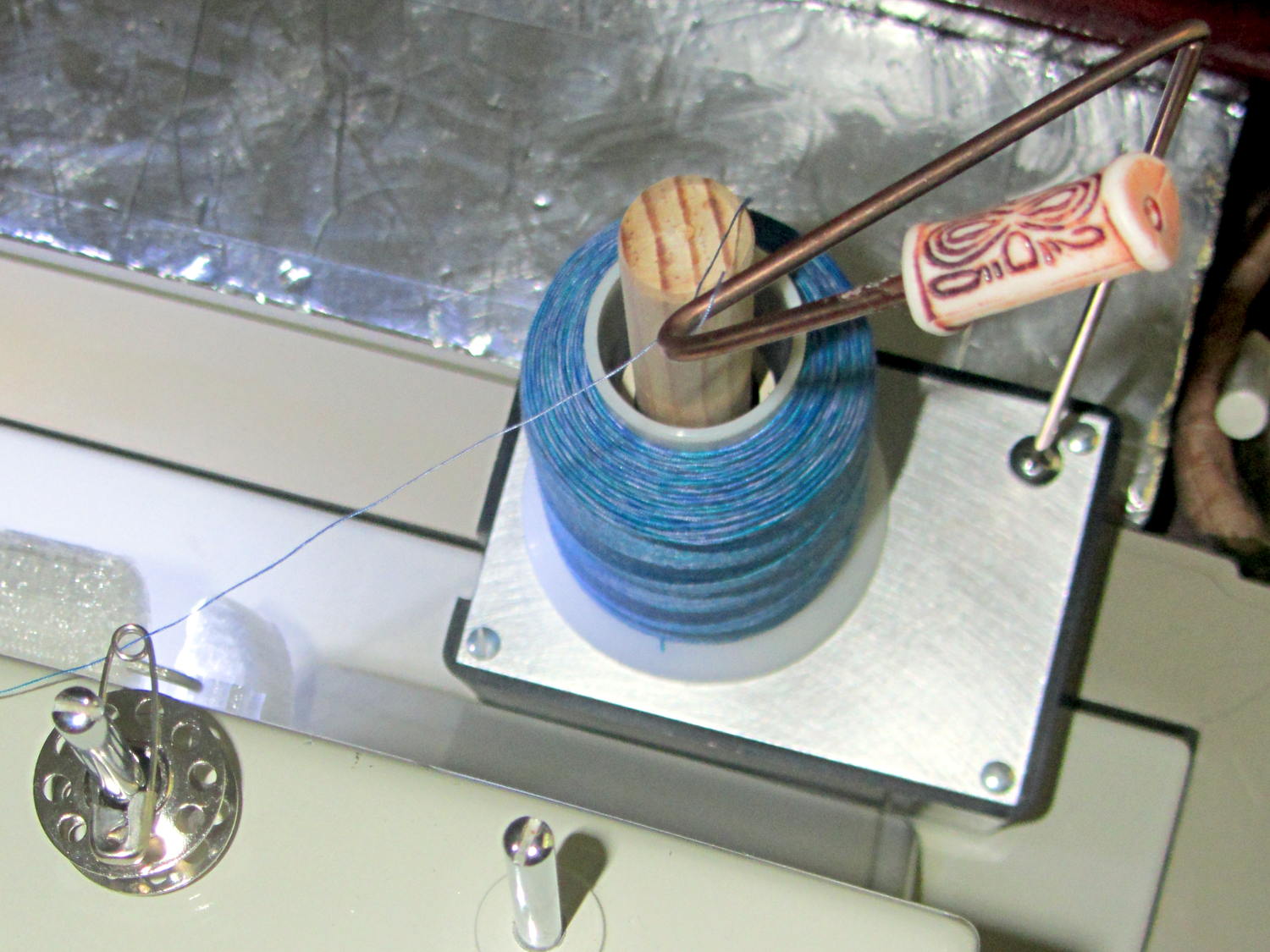
I’d rounded the end of that steel rod, it stands behind the sewing machine, and blah blah blah. He was right: it needed a bead. That’s a fancy one pilfered from our Larval Engineer’s stash, held in place by a blob of fast-cure epoxy.
Selah.
The safety pin atop the bobbin on the left spool pin feeds the thread into the machine’s upper thread guide at the proper angle to make it all work; a direct line from the spool holder hook isn’t quite right.
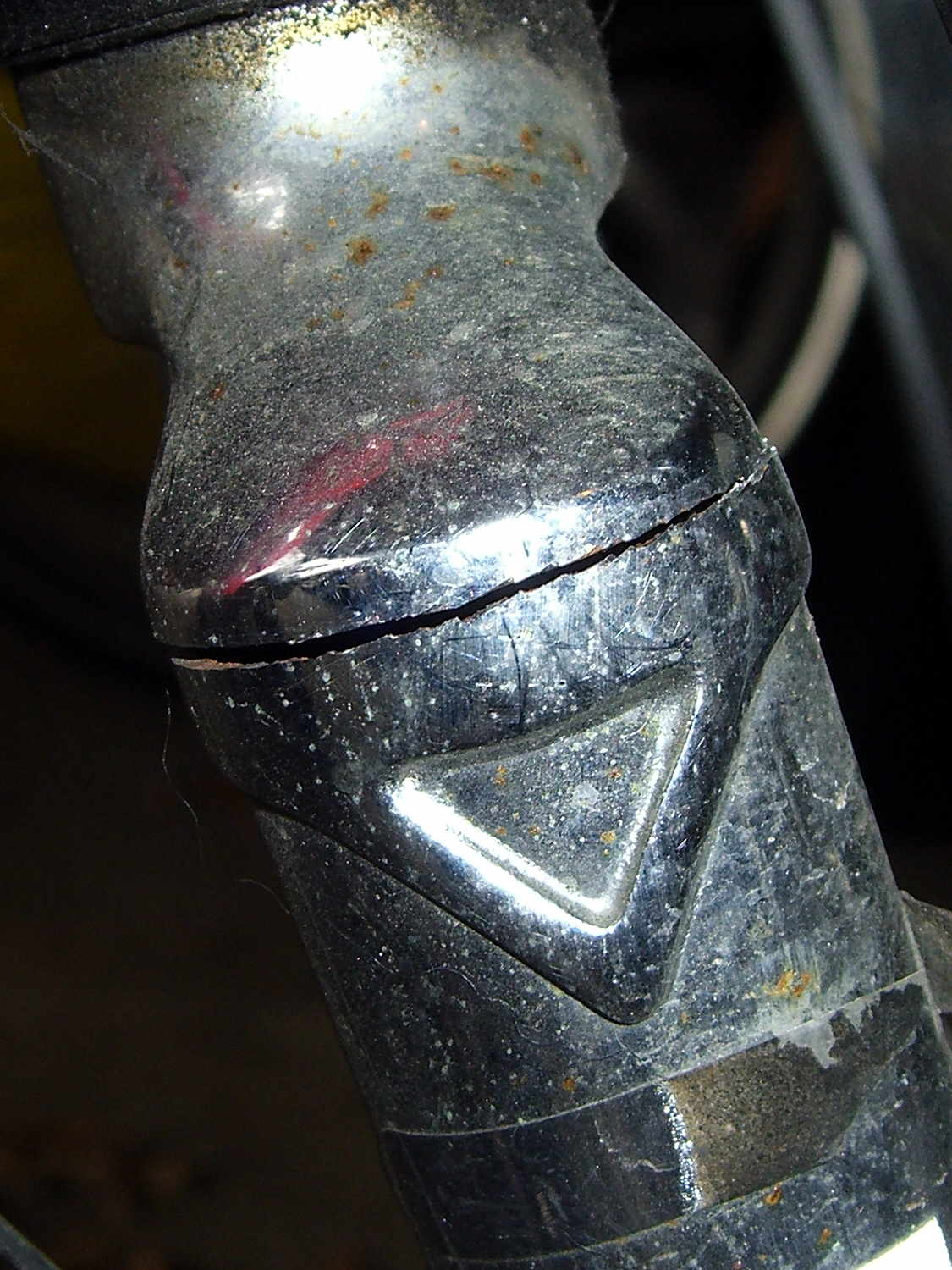
The fairing on my Tour Easy started making unusually loud booming sounds while we were out on an errand, so when we got home I poked around the front end to see what had worked itself loose. I finally managed to produce the sound, which turned out to be due to a very small motion in the fork:
Cracked Tour Easy Fork
That’s after 14 years and maybe 30,000 miles, so I’d say it did pretty well, all things considered.
On an upright bike a front fork failure kills you: the broken blade rotates forward, jams into the ground, and flips you over the handlebars. I rode about 8 miles with a broken fork and nothing exciting happened.
The Tour Easy’s design dates back to the mid-1970s, when custom bike parts weren’t readily available, and the front fork seems sized for 26 inch tires. A tubular bridge welded across just over the 20 inch (37-406) tire provides a fender mount, stiffens the blades, and, in my case, acts as a second bridge. On my bike, the fork supports the polycarbonate fairing and the Phil Wood hub provides an absolutely rigid connection between the blade dropouts.
For reference, the headset uses J.I.S 1 inch dimensions, with a 27.0 mm ID crown bearing. The stack height runs around 35 mm, but I don’t know the head tube ID.
A pair of forks are on their way; I’ll replace the one on Mary’s bike before it fails…
Quite some years ago, I added a wire shelf to the bottom of the “pantry” closet to hold odds-and-ends. The most recent deep-cleaning cycle required removing the shelf, which required removing the mounting brackets to get the fool thing out of the closet.
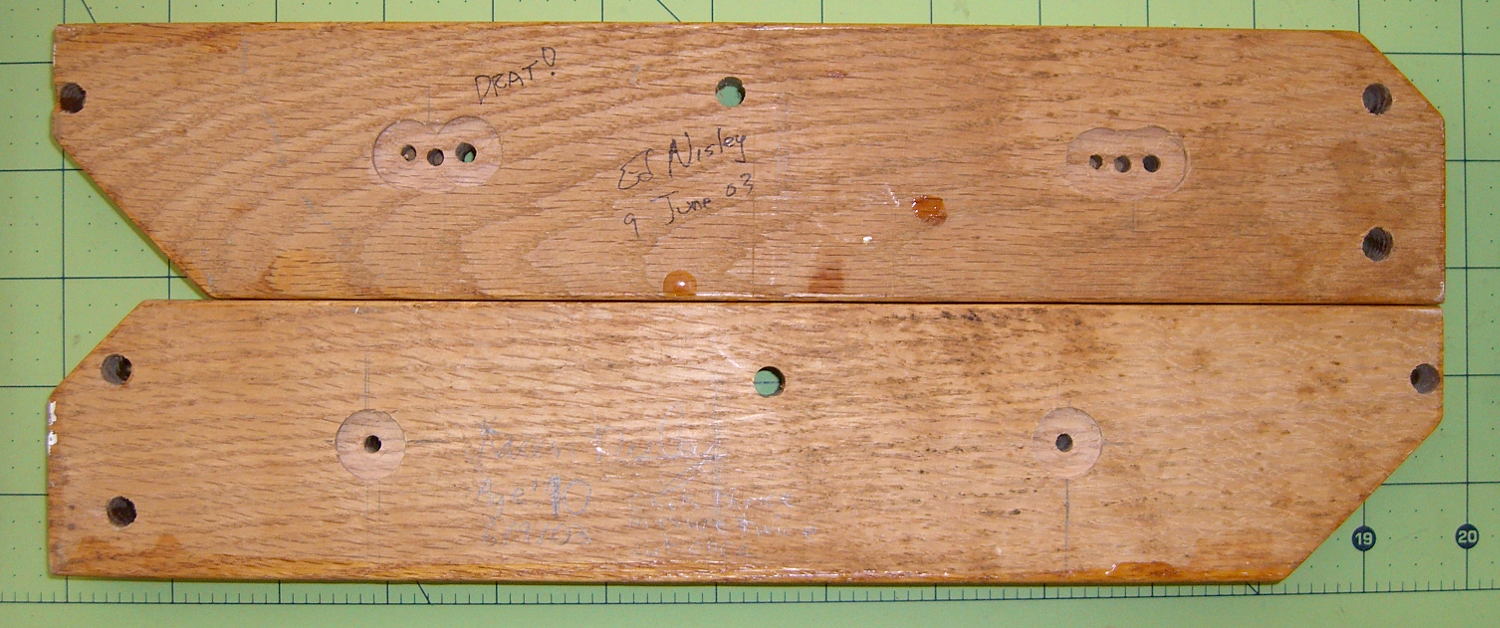
The backside of one bracket shows I had a bit of trouble matching the mounting holes to the wall anchors:
Pantry wire shelf brackets – overview
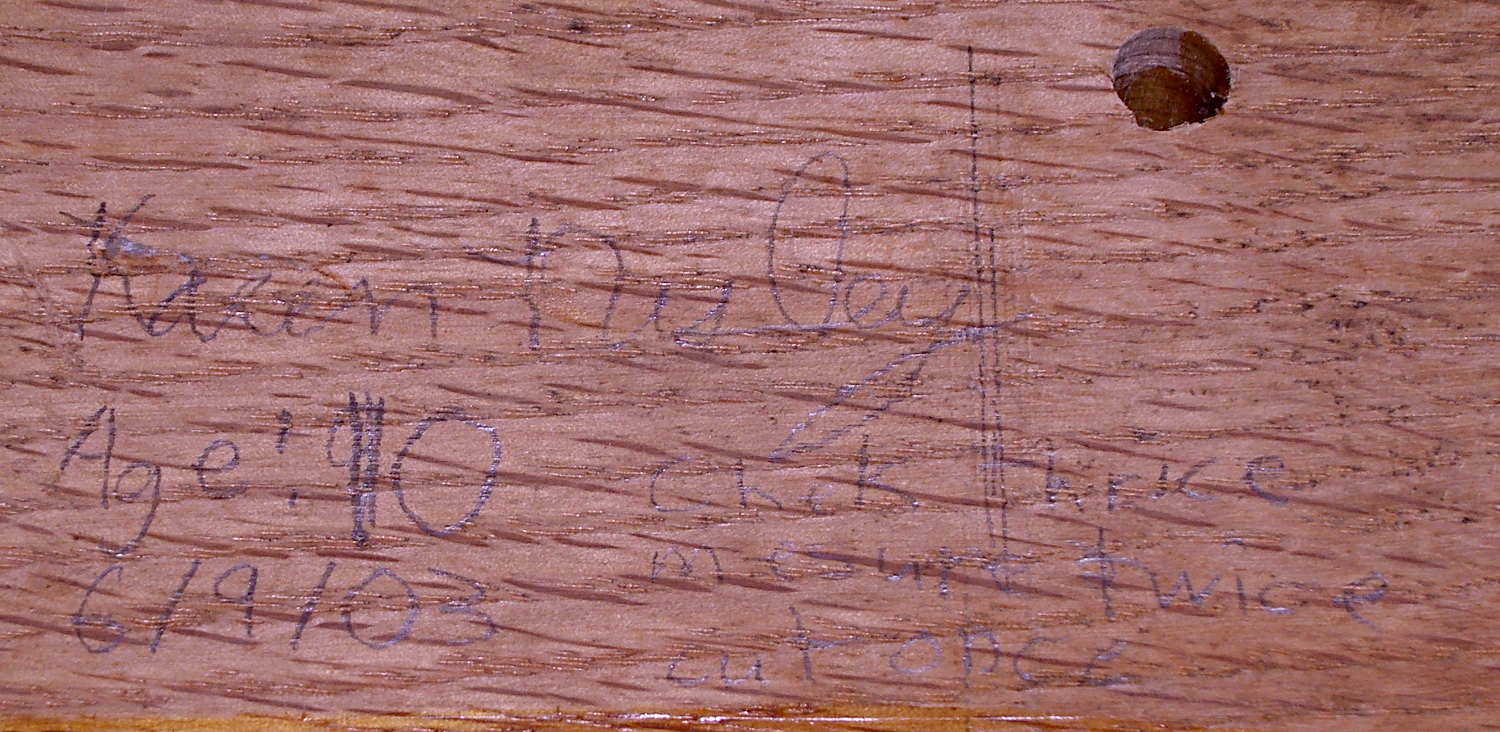
The lower bracket bears some advice from my Shop Assistant:
Pantry wire shelf brackets – detail
Check thrice
Measure twice
Cut once
From what little we hear these days, she’s learned the value of always checking her work…
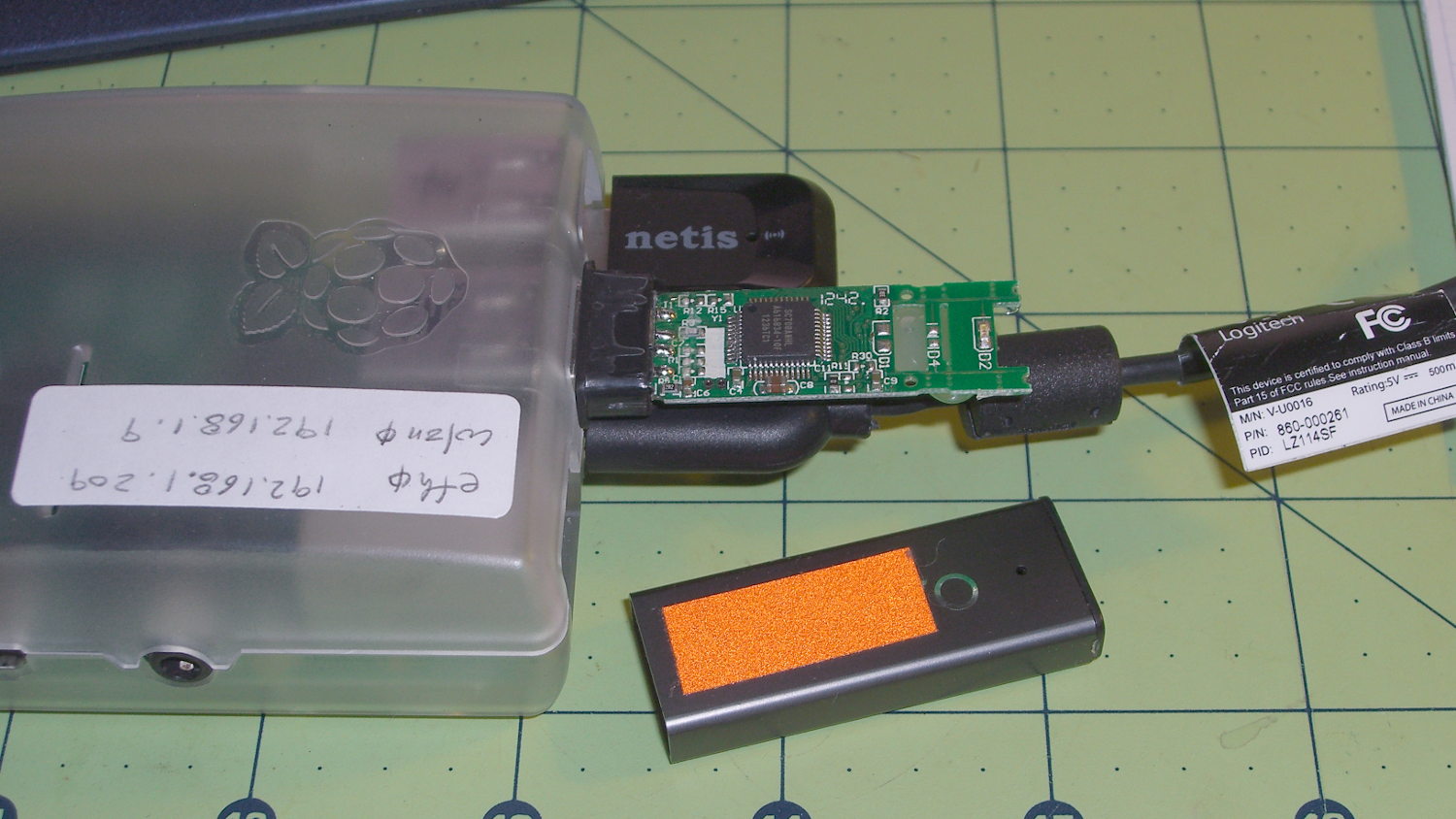
Turns out the only thing holding that case in place was a blob of hot-melt glue on the bottom of the PCB. Hot-melt glue doesn’t bond well to anodized aluminum, the RPi had been sitting outside on a winter day taking time-lapse bird feeder pictures, and the USB connector seemed a bit more snug than usual.
So I slobbered more hot-melt glue on the end of the PCB, jammed the case back in place, and that was that.
The PCB has two snap lines to accommodate shorter cases, with corresponding activity LED locations; it seems I got the long-case version.
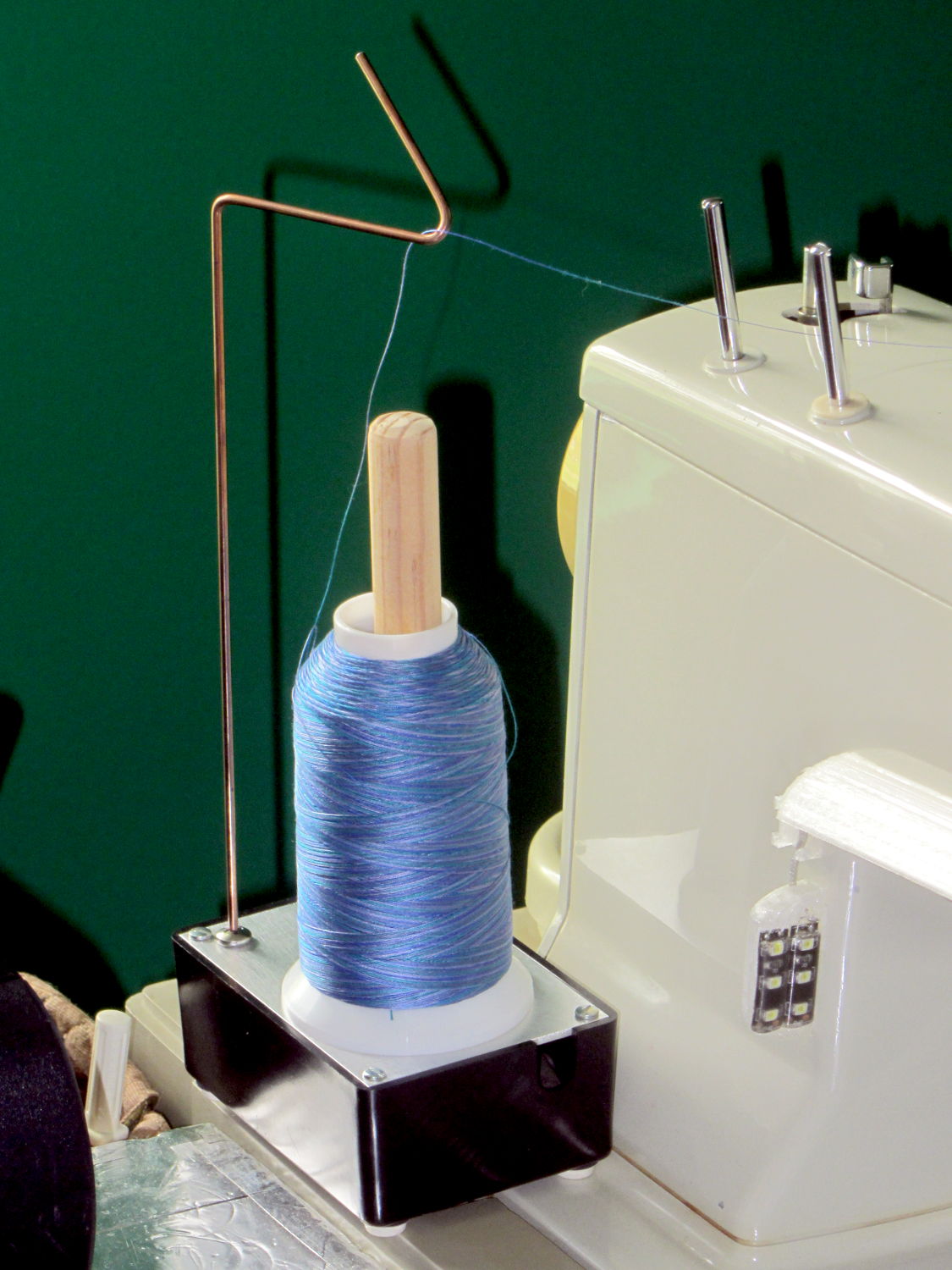
Large quilting projects require lots of thread, beyond the capacity of the previous spool adapter, so we came up with a different solution:
Large spool holder
These are cheap & readily available from the usual sources, but recent reviews indicate that the “metal” base has become plastic and the build quality isn’t anything to rejoice over. My feeling is that if it’s going to become a shop project anyway, I should just conjure something suitable from the heap.
The base is a random plastic project box that came with a flimsy sheet-steel top, which I replaced with a rectangle of 0.1 inch = 2.5 mm aluminum plate for more heft. The box is filled with 1.5 pounds of wheel weights, so it’s not going anywhere on its own. The silicone rubber feet probably don’t add much to the project, but why not use ’em?
The feed hook started life as copper-flashed welding filler rod, smooth to the thread and pleasant to the eye, sitting in a hole drilled into a stainless steel 10-32 screw. It’s long enough to feed the thread just above the Kenmore’s top surface. A hook works better than an eyelet: just pass the thread over the hook and you’re done.
The central shaft is a wood dowel, shaped & sanded on the (metal) lathe, held in place by another 10-32 screw. Inside the spool sits a length of “3/4 inch” CPVC pipe (ID = 0.7 inch, OD = 0.875 inch, gotta love those plumbing measurements) that’s a sloppy fit in the just-over 1 inch spool ID.
The smaller spools fit directly on the dowel, perhaps atop the CPVC sleeve.
This seems to work OK, but I’m going to trim the dowel down to just over the length of the spool, so the thread will feed without touching the wood. I thought stacking the smaller spools atop the CPVC sleeve made sense, but that turned out to not be the case.
Took about an hour to conjure with found materials and without a hint of 3D printing…
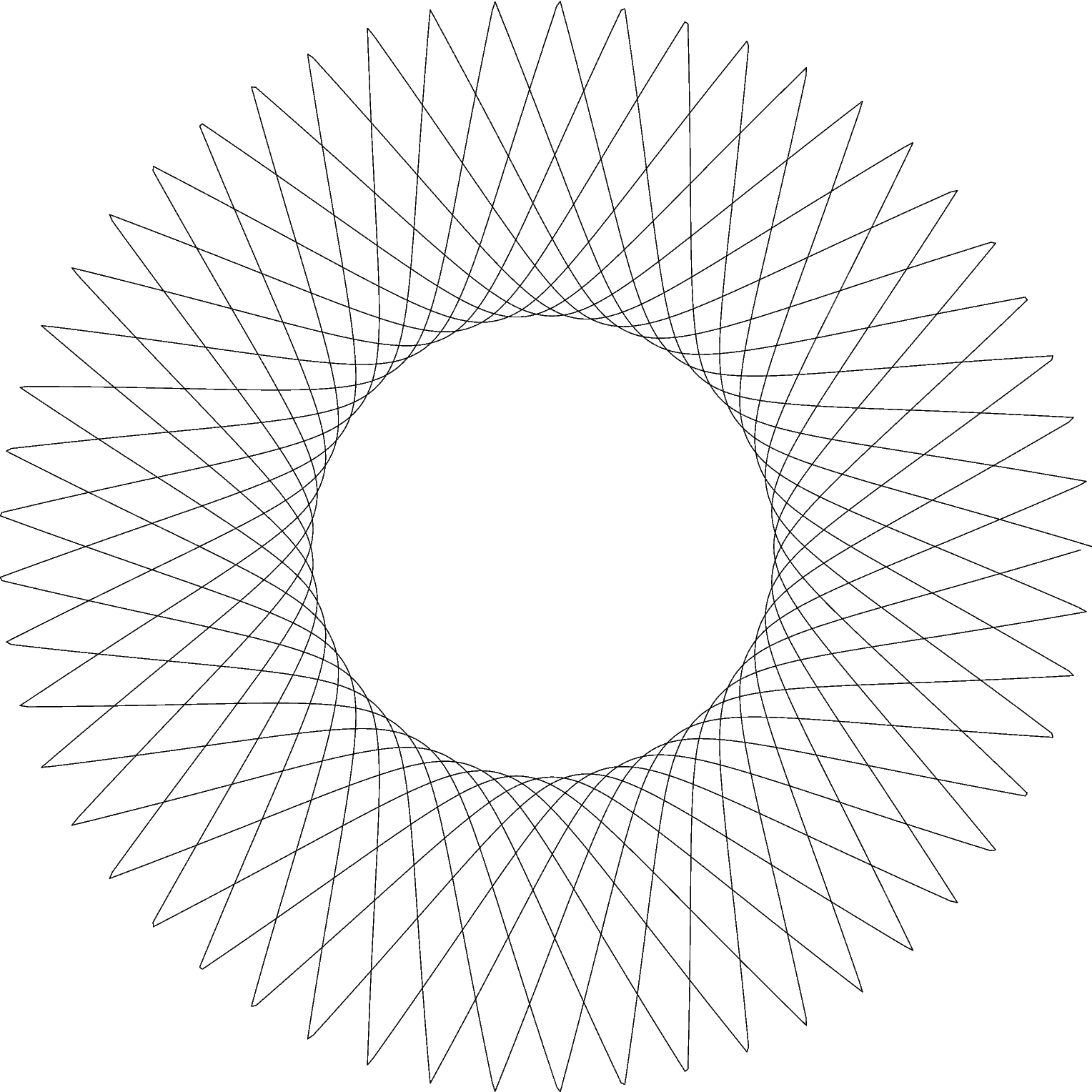
In this day and age, a pen plotter isn’t going to be doing anything useful, because we have better ways to draw schematics and make presentation graphics, but it can produce Algorithmic Art:
HP 7475A – Chiplotle Supershape plotting
Well, granted, that’s a rather small value of Art, but it does show that the plotter can draw 10 k points using serial port hardware handshaking.
That’s one of an infinite variety of Supershapes produced by the Chiplotle geometry.shapes.supershape() function:
from chiplotle import *
import math
plt=instantiate_plotters()[0]
plt.set_origin_center()
plt.write(hpgl.VS(5))
ss=geometry.shapes.supershape(3900,3900,5.3,0.4,1,1,point_count=10*1000,travel=10*2*math.pi)
plt.select_pen(1)
plt.write(ss)
plt.select_pen(0)
The plotter uses absolute plotter units that range from (0,0) to (10365,7962). Telling the plotter to put its origin in the middle of the page makes perfect sense, because that automagically centers the figure.
Dialing the speed back to 5 cm/s works much better with the Sakura pens than the default 38.1 cm/s = 15.0 inch/s; hand-drawing pens just don’t have the flow rate for prolonged vigorous scribbling. HP was obviously on the edge of converting to metric engineering units in the early 1980s, with the HP 7475A designed before the transition and shipped afterward.
The supershape parameters:
3900,3900 sets the maximum coordinate value along each axis. The plot may or may not exceed that value, depending on how weird the supershape turns out, but it’s generally pretty close
5.3,0.4,1,1 correspond to coefficients m, n1, n2, n3
By default, a=1 and b=1, but you can change those as you like
point_count=10*1000 sets how many total points appear in the plot
travel=10*2*math.pi sets the number of complete cycles, in units of 2π
The function spits out a list of Cartesian XY coordinates, not the polar rΦ coordinates you might expect.
Slightly non-integer values, particularly for m, produce more interesting patterns. Other than that, there’s just no telling.
Use io.view(ss) to get an idea of what you got, it’s much faster than plotting!
Chiplotle Supershape preview
You may find the online superformula explorers better suited to rapid prototyping, though. There’s a list at the bottom of the Wikipedia article, although some links seem defunct.
Notice that the end of the plot doesn’t quite reach the beginning over on the far right, which is a consequence of how Python produces sequences. Adding one more point does the trick:
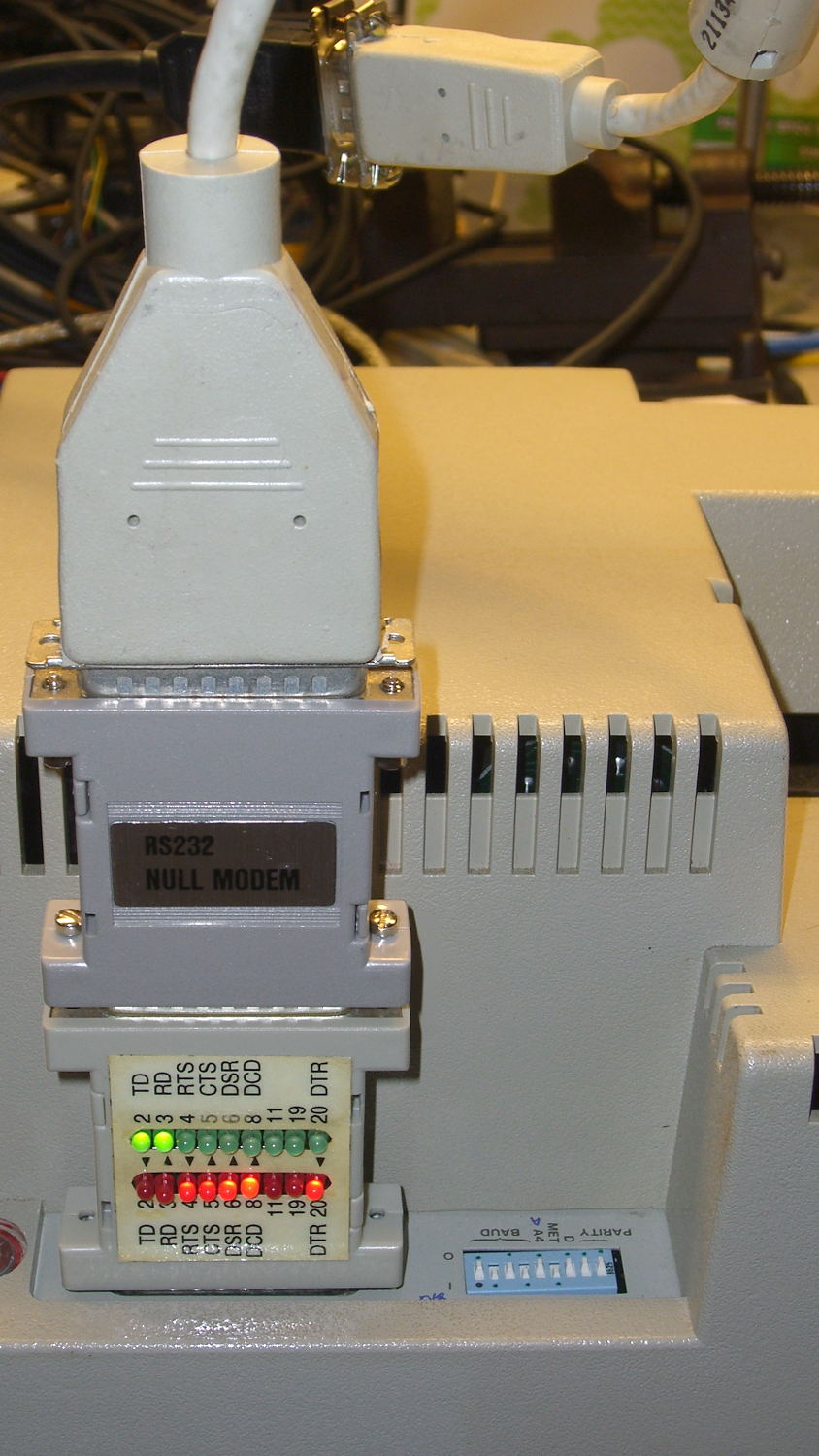
Chiplotle seems like a good way to drive the HP 7475A plotter, but some preliminary tinkering showed that the plotter pen paused quite regularly while drawing. The plotter wakes up with hardware handshaking enabled, Chiplotle has a config file that lets you specify hardware handshaking, the cable has all the right connections for hardware handshaking, but peering at Der Blinkenlights showed hardware handshaking never happened: the data didn’t overrun, the buffer never filled up, and DTR remained solidly on.
Come to find out that Chiplotle sends data in half-buffer-size chunks (all code from baseplotter.py):
class _BasePlotter(object):
   def __init__(self, serial_port):
      self.type = '_BasePlotter'
      self._logger = get_logger(self.__class__.__name__)
      self._serial_port = serial_port
      self._hpgl = commands
      self._margins = MarginsInterface(self)
      self.maximum_response_wait_time = get_config_value('maximum_response_wait_time')

      #this is so that we don't pause while preparing and sending
      #full buffers to the plotter. By sending 1/2 buffers we assure
      #that the plotter will still have some data to plot while
      #receiving the new data
      self.buffer_size = int(self._buffer_space / 2)
      self.initialize_plotter( )
Every time something goes out to the plotter, this happens:
   def _write_string_to_port(self, data):
      ''' Write data to serial port. data is expected to be a string.'''
      #assert type(data) is str
      if not isinstance(data, basestring):
         raise TypeError('string expected.')
      data = self._filter_unrecognized_commands(data)
      data = self._slice_string_to_buffer_size(data)
      for chunk in data:
         self._sleep_while_buffer_full( )
         self._serial_port.write(chunk)
In order to figure out whether the plotter has enough room, Chiplotle must ask it:
   def _sleep_while_buffer_full(self):
      '''
         sleeps until the buffer has some room in it.
      '''
      if self._buffer_space < self.buffer_size:
         while self._buffer_space < self.buffer_size:
            time.sleep(0.01)
The self._buffer_space method contains the complete handshake:
Assuming that Python can actually meter out a 0.01 second sleep, that’s a mere 10 ms; call it 10 character times at 9600 b/s. By and large, Chiplotle hammers away at the poor plotter while the buffer drains.
Now, that would be just ducky, except that the HP 7475A plotter dates back to slightly after microcontrollers were invented. The MC6802 trundles along at 1 MHz from a 4 MHz crystal, because it needed a quadrature clock, and takes a while to get things done. Responding to the buffer space request (a three-character sequence: ␛.B) requires the plotter to:
Stop plotting
Answer the phone
Figure out what to do
Compose a reply
Drop it in the serial buffer
Resume plotting
Which take enough time to produce a distinct hitch in the gitalong. Some crude print debugging showed most of the delay happens between the write() and the read() tucked inside _buffer_space.
Linux handles serial port hardware handshaking far below the Python level, so the simplest fix was to rip out the line that checks for enough buffer space:
   def _write_string_to_port(self, data):
      ''' Write data to serial port. data is expected to be a string.'''
      #assert type(data) is str
      if not isinstance(data, basestring):
         raise TypeError('string expected.')
      data = self._filter_unrecognized_commands(data)
      data = self._slice_string_to_buffer_size(data)
      for chunk in data:
#         self._sleep_while_buffer_full( )
         self._serial_port.write(chunk)
And then the plotter races along without pauses, drawing as fast as it possibly can, with the DTR output blinking like crazy as Chiplotle dumps the character stream into the output buffer and the serial port hardware (*) managing the data flow. Apparently, detecting a buffer-full situation and dropping the DTR output requires only a few 6802 CPU cycles, which is what makes hardware handshaking such a good idea.
(*) Which is, of course, a USB-to-RS232 converter. I paid extra to get one that reports an FTDI chipset, which may mean the counterfeiters have upped their game since the Windows driver disaster. I actually tried it on the Token Windows box and it still works, so maybe it’s Genuine FTDI.


 The Smell of Molten Projects in the Morning