The Smell of Molten Projects in the Morning

Ed Nisley's Blog: Shop notes, electronics, firmware, machinery, 3D printing, laser cuttery, and curiosities. Contents: 100% human thinking, 0% AI slop.

Category: Machine Shop

Mechanical widgetry

  • Tool Drawers: Cheap Foam Liner

    You can get fancy closed-cell foam sheets for the bottom of your tool chest drawers and tote, but it seems awfully spendy, even with Harbor Freight quality plastic, for something that you must cut-to-fit. The drawers are just under 22×11 and 22×17 inches, so a 18×72 inch roll would line maybe three drawers; call it three bucks per drawer and, with nearly three dozen drawers to line, I’d rather drop a hundred bucks on tools.

    Rather than do that, the usual eBay supplier provided 150 feet of 1/8 inch x 24 inch white polyethylene closed-cell foam sheet for $27 delivered:

    Polyethylene foam sheet - roll
    Polyethylene foam sheet – roll

    It’s intended for packaging small items for shipping, but I’ll never tell.

    I mooched Mary’s 2×3 foot rotary cutting mat (this reenactment shows the awkwardly sized 17×23 inch mat), her longest quilting rulers, and dullest rotary blades:

    Rotary cutting foam sheets
    Rotary cutting foam sheets

    After a few mis-steps, I got the hang of it:

    Foam-lined tool tray
    Foam-lined tool tray

    It’s not as contrast-y as black foam, but I can still find the tools:

    Foam-lined tool drawer
    Foam-lined tool drawer

    And I have plenty of foam left over for shipping small things, if I ever do any of that…


  • Mini-Lathe: De-oiling the Chuck

    The mini-lathe arrives covered in oil and the chuck is no exception. Wrap it in a paper towel, spin it up, let it sling out (nearly all) of the excess oil:

    LMS mini-lathe - chuck de-oiling
    LMS mini-lathe – chuck de-oiling

    Unwrap, enjoy…

  • Mini-Lathe: Carriage Stop Improvements

    I got an LMS adjustable carriage stop along with the mini-lathe to simplify cutting things to length. A few tweaks make it much less annoying to use:

    LMS Mini-lathe - carriage stop - crude shim
    LMS Mini-lathe – carriage stop – crude shim

    The fluorescent red tape makes the handle stand out vividly against the general clutter. It lives in the shadow of the chuck, where an extended jaw could end its life, so some protective coloration seemed in order.

    The screw threaded into the lower part holds it together, but, as with the carriage retaining plates, only the outer edge clamped onto the lower part of the bed. Three layers of credit card plastic fill the gap and allow just enough compression to go from “freely sliding” to “firmly clamped” in half a turn of the lever.

    The washer lets the lever turn easily on the upper block.

    Remove the screw and spring from the lever to lift and properly re-index it on the internal nut.

    The spring on the adjusting screw seems too long and exceedingly stiff for the task at hand. The Big Box o’ Little Springs didn’t offer a suitable replacement, so adapting / making one goes on the to-do list.

    It really needs a sliding pin just to the left of the lever screw to hold the lower block in alignment, but that’s definitely in the nature of fine tuning.

  • Mini-Lathe: Apron Shim

    Eks gave the traverse crank a few twirls, told me the gear was engaging the rack entirely too tightly, and recommended shimming the apron:

    LMS mini-lathe - apron shim
    LMS mini-lathe – apron shim

    Of course, he was right.

    Took two 18 mil shims to make it feel right, for whatever that’s worth.

    That isn’t the prettiest solution, but it’ll suffice until the ways wear a bit more, things settle in, and I can cut a proper shim to surround the bolt holes across the entire bearing surface.

    You can just make out the transparent plastic sheet that serves as a chip shield around the traverse gear shaft; kudos to LMS for that upgrade.

    A chip shield tube / roof over the leadscrew is in order, too.

  • American Standard Faucet O-Ring Replacement

    The never-sufficiently-to-be-damned O-rings in the kitchen’s American Standard faucet wore out again; the faucet spout went from a tolerable piddle to a major flow over the course of a few weeks.

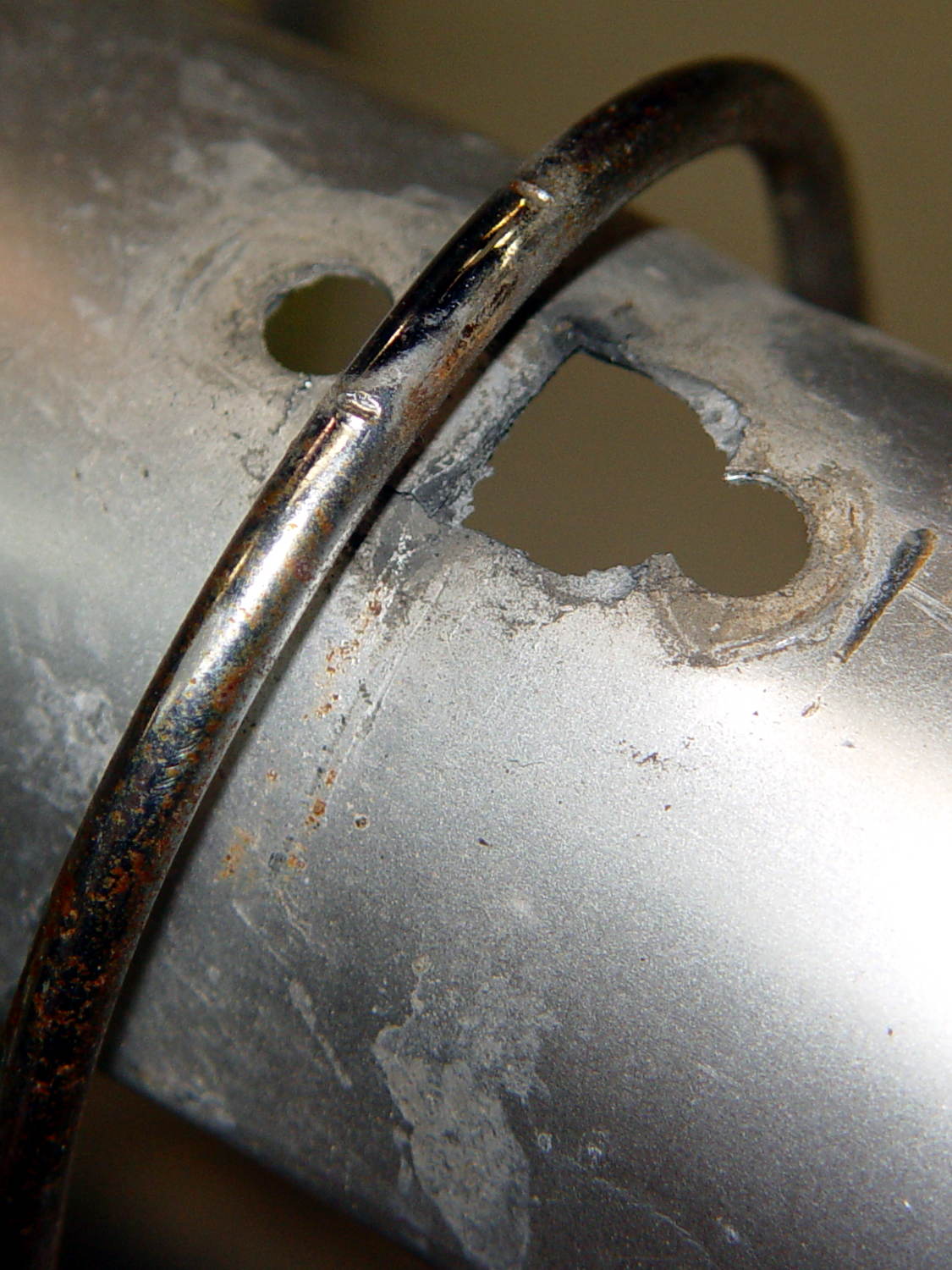
    The inner circumference of the bottom O-ring had most of the wear:

    American Standard faucet - worn lower o-ring
    American Standard faucet – worn lower o-ring

    In cross-section, it’s more of a D-ring:

    American Standard faucet - worn lower o-ring - section
    American Standard faucet – worn lower o-ring – section

    Once again, I soaked the spout & pillar in vinegar to remove the mineral deposits (despite the soft water), gave them a light sanding with 800 grit paper to regularize the surfaces, cleaned everything up, lubed it with petroleum jelly, and it’s all good.

    Disassembly and replacement went smoothly, mostly because I could look up what I did before and avoid all the usual mistakes.


  • Mini-Lathe: Reducing Compound Backlash

    While mulling over the DRO situation, I clamped the compound rest to the cross slide, backed the knob to the limit of the backlash, and poked feeler gauges into the opening:

    LMS mini-lathe - measuring compound backlash
    LMS mini-lathe – measuring compound backlash

    The backlash turned out to be around 20 mil = 0.020 inch = 0.5 mm, which seemed excessive to me, so I fiddled around with the contents of the Big Box o’ Polypropylene Sheets (harvested from various clamshell retail packages), deployed the hollow punches, performed some deft scissors work, and made some shims:

    LMS mini-lathe - compound knob shims
    LMS mini-lathe – compound knob shims

    Eventually, one of ’em offered a Good Enough combination of reduced backlash and E-Z turning to suffice for now. The proper solution involves facing off / rebuilding the fat metal washer on the right to put the bore at right angles to the bearing surfaces, but that’s another project.

    The final backlash ended up around 4 mils, with a bit of drag due to the slightly irregular metal washer on the left preventing anything tighter. The cross slide knob also has a bit of backlash, but the thinnest sheets are a bit too thick.

    Polypropylene isn’t the right plastic for a bearing, but it’s cheap, readily available, easily worked, and served as a bring-along project at Squidwrench…

  • Mini-Lathe: DRO vs. Compound FAIL

    The Little Machine Shop 5200 lathe package includes DROs on the cross slide and compound cranks. The readouts report the position of the crank, not the slide position, which isn’t a major problem on a lathe.

    Unfortunately, the compound collides with the DRO on the cross slide:

    LMS Mini-lathe - compound vs DRO
    LMS Mini-lathe – compound vs DRO

    That is a major problem on a lathe.

    When you can’t turn the cross slide more than 45° from parallel with the bed, you cannot set the compound to the (typical) 29° degrees required for (traditional) thread cutting. That’s measured perpendicular to the bed, so it would be 61° on the compound rest scale, if the scale went that high:

    LMS Mini-lathe - compound way
    LMS Mini-lathe – compound way

    This mess doesn’t have a trivial fix, because the DRO body under the (non-removable) display doesn’t quite clear the compound screw:

    LMS Mini-lathe - compound vs DRO - bottom
    LMS Mini-lathe – compound vs DRO – bottom

    As nearly as I can tell, removing the entire DRO is the only way to slew the compound beyond 45°, but the DRO replaced the usual manual scale around the cross slide knob, so there’s no analog backup.

    The DRO mounts to the cross slide with three screws, so you can’t rotate it 90° to the side to get better clearance:

    LMS mini-lathe - DRO mounting screws
    LMS mini-lathe – DRO mounting screws

    The other four screws presumably mount the DRO encoder housing to the outer shell.

    The setscrew sticking up from the sleeve anchors it to the cross slide shaft. The slit milled into the shaft captures the end of the setscrew:

    LMS mini-lathe - cross slide leadscrew shaft
    LMS mini-lathe – cross slide leadscrew shaft

    The knob slides over the shaft, with a screw in the end holding it in place by friction against a split lockwasher; you can apply enough torque to turn the knob under the lockwasher in either direction.

    Removing the DRO doesn’t produce more cross slide travel, because the DRO body sits flush with the back side of that large disk.

    I think the cross slide knob collides with the compound DRO, but I put it all back together without any further exploration.

    Actual 6 inch DROs based on linear encoders seem to run $40-ish and other folks have fitted them to their mini-lathes. Verily, I don’t do much threadcutting, so I’ll just put this mess on the far back burner.

    That DRO ticks me off every time I look at it, though…

    Dumb design, no question about it.